Local development through virtualisation
Based on the fact that the majority of the open-source INTERNET applications run on Linux, have their requests
served by Apache (or Nginx) and feed themselves from a Mysql RDBMS, most old fashion local development setups
would follow one of the approaches below:
- manually install LAMP suite on your PC and try to make it as similar as possible with the production environment
- install an “all in one” software package like XAMP,WAMP, MAMP etc.
- FTP development - write code on local then upload to remote for testing (very painful!!!)
… and there may be others …
Old school development
Disadvantages
- limitation to only one server configuration
- limited portability
- very painful for windows developers (configure third party services, case insensitive, directory separator etc.)
- not recommended for real life applications
… and many others …
Popular local development setup scenarios
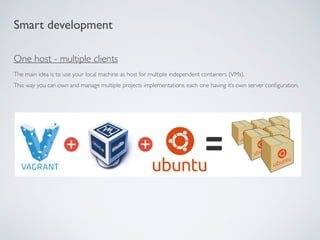
Smart development
One host - multiple clients
The main idea is to use your local machine as host for multiple independent containers (VMs).
This way you can own and manage multiple projects implementations, each one having it’s own server configuration.
Smart development
Vagrant
An automation tool for building complete development environments with an easy-to-use workflow.
Works on MAC OS X,WINDOWS, DEBIAN and CENTOS.
Used by notorious brands like: Mozilla, BBC, Nokia, DISQUS and others.
VirtualBox
VirtualBox is a general-purpose full virtualizer for x86 hardware, targeted at server, desktop and embedded use.
https://www.vagrantup.com
https://www.virtualbox.org
Puppet
System configuration, management and provisioning automation tool.
https://puppetlabs.com
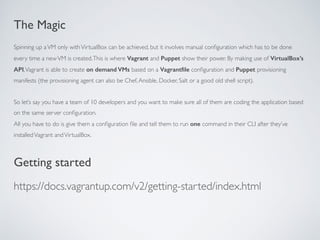
The Magic
Spinning up aVM only withVirtualBox can be achieved, but it involves manual configuration which has to be done
every time a newVM is created.This is where Vagrant and Puppet show their power. By making use of VirtualBox’s
API,Vagrant is able to create on demand VMs based on a Vagrantfile configuration and Puppet provisioning
manifests (the provisioning agent can also be Chef,Ansible, Docker, Salt or a good old shell script).
So let’s say you have a team of 10 developers and you want to make sure all of them are coding the application based
on the same server configuration.
All you have to do is give them a configuration file and tell them to run one command in their CLI after they’ve
installedVagrant andVirtualBox.
Getting started
https://docs.vagrantup.com/v2/getting-started/index.html
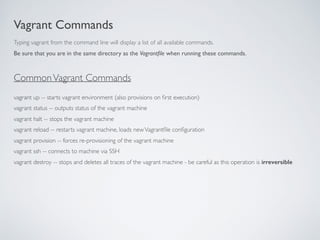
Vagrant Commands
vagrant up -- starts vagrant environment (also provisions on first execution)
vagrant status -- outputs status of the vagrant machine
vagrant halt -- stops the vagrant machine
vagrant reload -- restarts vagrant machine, loads newVagrantfile configuration
vagrant provision -- forces re-provisioning of the vagrant machine
vagrant ssh -- connects to machine via SSH
vagrant destroy -- stops and deletes all traces of the vagrant machine - be careful as this operation is irreversible
Typing vagrant from the command line will display a list of all available commands.
Be sure that you are in the same directory as the Vagrantfile when running these commands.
CommonVagrant Commands
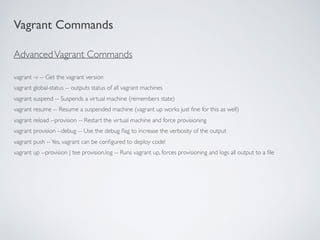
AdvancedVagrant Commands
vagrant -v -- Get the vagrant version
vagrant global-status -- outputs status of all vagrant machines
vagrant suspend -- Suspends a virtual machine (remembers state)
vagrant resume -- Resume a suspended machine (vagrant up works just fine for this as well)
vagrant reload --provision -- Restart the virtual machine and force provisioning
vagrant provision --debug -- Use the debug flag to increase the verbosity of the output
vagrant push --Yes, vagrant can be configured to deploy code!
vagrant up --provision | tee provision.log -- Runs vagrant up, forces provisioning and logs all output to a file
Vagrant Commands
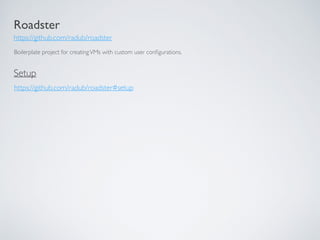
Roadster
https://github.com/radub/roadster
Boilerplate project for creatingVMs with custom user configurations.
https://github.com/radub/roadster#setup
Setup
Q&A
Thanks! :)
radu.barbu@ownzones.com
Credits
http://garysautomotive.com/ - first slide image :)
https://www.vagrantup.com/
https://www.virtualbox.org/
https://puppetlabs.com/

Local development environment through virtualisation

  • 1.
  • 2.
    Based on thefact that the majority of the open-source INTERNET applications run on Linux, have their requests served by Apache (or Nginx) and feed themselves from a Mysql RDBMS, most old fashion local development setups would follow one of the approaches below: - manually install LAMP suite on your PC and try to make it as similar as possible with the production environment - install an “all in one” software package like XAMP,WAMP, MAMP etc. - FTP development - write code on local then upload to remote for testing (very painful!!!) … and there may be others … Old school development Disadvantages - limitation to only one server configuration - limited portability - very painful for windows developers (configure third party services, case insensitive, directory separator etc.) - not recommended for real life applications … and many others … Popular local development setup scenarios
  • 3.
    Smart development One host- multiple clients The main idea is to use your local machine as host for multiple independent containers (VMs). This way you can own and manage multiple projects implementations, each one having it’s own server configuration.
  • 4.
    Smart development Vagrant An automationtool for building complete development environments with an easy-to-use workflow. Works on MAC OS X,WINDOWS, DEBIAN and CENTOS. Used by notorious brands like: Mozilla, BBC, Nokia, DISQUS and others. VirtualBox VirtualBox is a general-purpose full virtualizer for x86 hardware, targeted at server, desktop and embedded use. https://www.vagrantup.com https://www.virtualbox.org Puppet System configuration, management and provisioning automation tool. https://puppetlabs.com
  • 5.
    The Magic Spinning upaVM only withVirtualBox can be achieved, but it involves manual configuration which has to be done every time a newVM is created.This is where Vagrant and Puppet show their power. By making use of VirtualBox’s API,Vagrant is able to create on demand VMs based on a Vagrantfile configuration and Puppet provisioning manifests (the provisioning agent can also be Chef,Ansible, Docker, Salt or a good old shell script). So let’s say you have a team of 10 developers and you want to make sure all of them are coding the application based on the same server configuration. All you have to do is give them a configuration file and tell them to run one command in their CLI after they’ve installedVagrant andVirtualBox. Getting started https://docs.vagrantup.com/v2/getting-started/index.html
  • 6.
    Vagrant Commands vagrant up-- starts vagrant environment (also provisions on first execution) vagrant status -- outputs status of the vagrant machine vagrant halt -- stops the vagrant machine vagrant reload -- restarts vagrant machine, loads newVagrantfile configuration vagrant provision -- forces re-provisioning of the vagrant machine vagrant ssh -- connects to machine via SSH vagrant destroy -- stops and deletes all traces of the vagrant machine - be careful as this operation is irreversible Typing vagrant from the command line will display a list of all available commands. Be sure that you are in the same directory as the Vagrantfile when running these commands. CommonVagrant Commands
  • 7.
    AdvancedVagrant Commands vagrant -v-- Get the vagrant version vagrant global-status -- outputs status of all vagrant machines vagrant suspend -- Suspends a virtual machine (remembers state) vagrant resume -- Resume a suspended machine (vagrant up works just fine for this as well) vagrant reload --provision -- Restart the virtual machine and force provisioning vagrant provision --debug -- Use the debug flag to increase the verbosity of the output vagrant push --Yes, vagrant can be configured to deploy code! vagrant up --provision | tee provision.log -- Runs vagrant up, forces provisioning and logs all output to a file Vagrant Commands
  • 8.
    Roadster https://github.com/radub/roadster Boilerplate project forcreatingVMs with custom user configurations. https://github.com/radub/roadster#setup Setup
  • 9.
  • 10.
  • 11.
    Credits http://garysautomotive.com/ - firstslide image :) https://www.vagrantup.com/ https://www.virtualbox.org/ https://puppetlabs.com/