Running Uphill on
          Purpose
Keeping Pace with the Changing User Demands of
              the Information Age

                 Jennifer Sutcliffe
              jsutclif@kennesaw.edu
Presentation for Virtual Services/Systems Librarian
    Kennesaw State University Sturgis Library
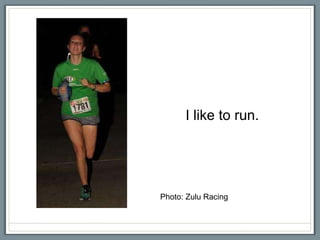
I like to run.


Photo: Zulu Racing
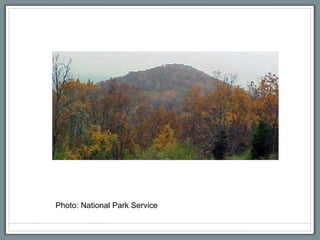
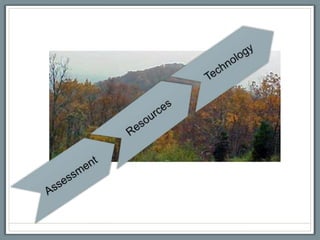
Photo: National Park Service
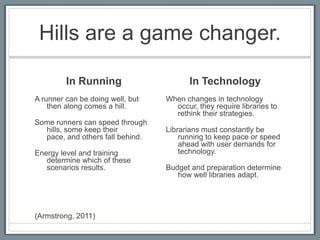
Hills are a game changer.

         In Running                      In Technology
A runner can be doing well, but   When changes in technology
    then along comes a hill.        occur, they require libraries to
                                    rethink their strategies.
Some runners can speed through
  hills, some keep their          Librarians must constantly be
  pace, and others fall behind.       running to keep pace or speed
                                      ahead with user demands for
Energy level and training             technology.
   determine which of these
   scenarios results.             Budget and preparation determine
                                     how well libraries adapt.


(Armstrong, 2011)
Seeking “hills” on
   purpose…

Will make libraries better.
Association of College and
   Research Libraries

  2012 Top Trends in Academic
           Libraries


    http://crln.acrl.org/content/73/6/311.full
Information Technology
  “Technology continues to drive much of the
  futuristic thinking in libraries.” (ACRL Research
  Planning and Review Committee, 2012,
  “Information technology,” para. 1)
Libraries are challenged to fulfill “people’s desire for
information and access to social media and networks
anytime/anywhere” (ACRL Research Planning and Review
Committee, 2012, “Information technology,” para. 1)
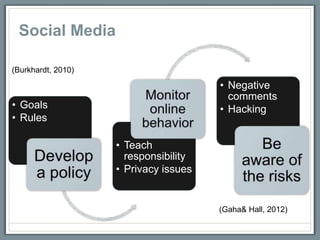
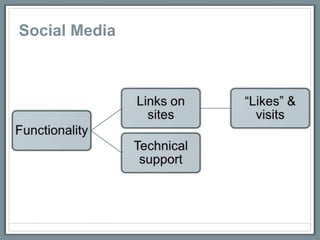
Social Media

(Burkhardt, 2010)

                                       • Negative
                                         comments
• Goals                                • Hacking
• Rules

                    • Teach
                      responsibility
                    • Privacy issues


                                       (Gaha& Hall, 2012)
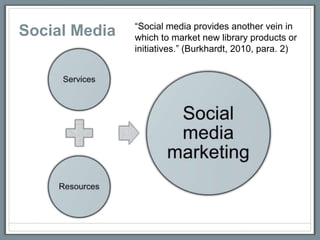
Social Media
“Social media provides another vein in
Social Media   which to market new library products or
               initiatives.” (Burkhardt, 2010, para. 2)
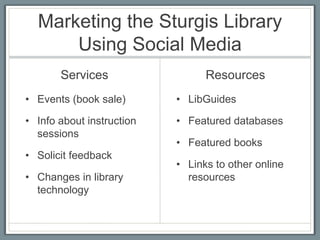
Marketing the Sturgis Library
      Using Social Media
       Services                  Resources
• Events (book sale)       • LibGuides

• Info about instruction   • Featured databases
  sessions
                           • Featured books
• Solicit feedback
                           • Links to other online
• Changes in library         resources
  technology
Mobile Devices
  “Mobile devices are changing the way
  information is delivered and accessed.” (ACRL
  Research Planning and Review Committee,
  2012, “Mobile environments,” para. 1)


“More than two-third of [students who own mobile devices]
use the devices for academic purposes” (ACRL Research
Planning and Review Committee, 2012, “Mobile
environments,” para. 1)
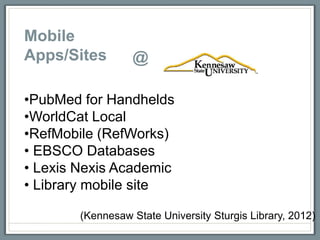
Mobile
Apps/Sites        @

•PubMed for Handhelds
•WorldCat Local
•RefMobile (RefWorks)
• EBSCO Databases
• Lexis Nexis Academic
• Library mobile site

        (Kennesaw State University Sturgis Library, 2012)
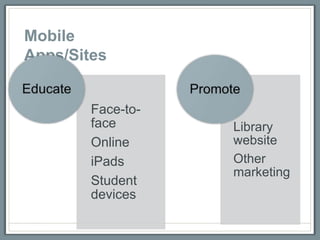
Mobile
Apps/Sites


        Face-to-
        face       Library
        Online     website
        iPads      Other
                   marketing
        Student
        devices
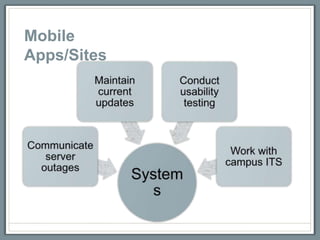
Mobile
Apps/Sites
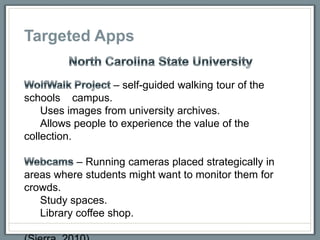
Targeted Apps

                   – self-guided walking tour of the
schools campus.
    Uses images from university archives.
    Allows people to experience the value of the
collection.

           – Running cameras placed strategically in
areas where students might want to monitor them for
crowds.
   Study spaces.
   Library coffee shop.
Targeted Apps
            @
                                       ?
• List study and computer use locations
that are currently open (library, student
center).

• Webcams that show occupancy of study
rooms in Owl Space and 3rd floor.

• Study room reservation mobile site or
app that students can go to directly and is
easy to view on smaller screens.
Convenience
   “Convenience affects all aspects of information
   seeking – the selection, accessibility, and use
   of resources.” (ACRL Research Planning and
   Review Committee, 2012, “User behaviors
   and expectations,” para. 1)

Libraries are “competing for user attention,” “hard to use,” “the
last resort,” and “inconvenient.” (ACRL Research Planning
and Review Committee, 2012, “User behaviors and
expectations,” para. 1)
The library website…

  Should be convenient.
Current library patrons have little
Convenience              patience for complex searching.
                         (Swanson & Green, 2011).


Search boxes should be given “priority placement” on the
website (Swanson & Green, 2011, p. 223)

Develop search toolbars so students can search the site
directly in their Web browsers
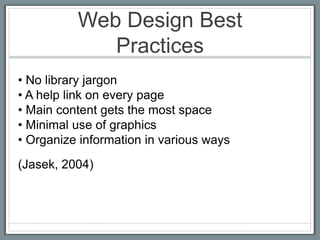
Web Design Best
             Practices
• No library jargon
• A help link on every page
• Main content gets the most space
• Minimal use of graphics
• Organize information in various ways
(Jasek, 2004)
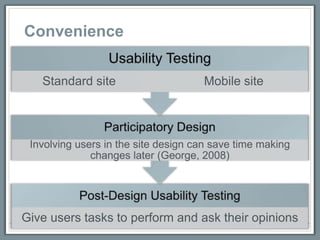
Convenience
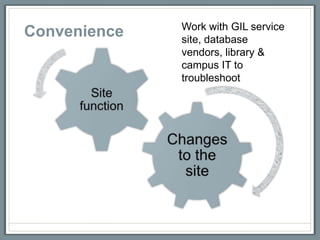
Work with GIL service
Convenience   site, database
              vendors, library &
              campus IT to
              troubleshoot
Questions?
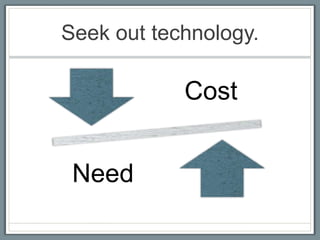
Seek out technology.

            Cost


 Need
Thank you!
References
ACRL Research Planning and Review Committee. (2012). 2012 top trends in
academic libraries: A review of the trends and issues affecting academic libraries in
higher education. American Library Association. Retrieved from:
http://crln.acrl.org/content/73/6/311.full

Armstrong, Kristin. (2011). Mile markers: The 26.2 most important reasons why
women run. Emmaus, PA: Rodale Books.

Burkhardt, A. (2010). Social media: A guide for college and university libraries.
College & Research Libraries News, 71(2), 10-24. Retrieved from:
http://crln.acrl.org/content/71/1/10.short

Gaha, U., & Hall, S. (2012, October). Sustainable use of social media and electronic
resources in libraries. [PowerPoint slides]. Slides presented at the Georgia Council of
Media Organizations conference, Macon, GA.

George, C. A. (2008). Designing the website – participatory design. User-centered
library websites: Usability evaluation methods (pp. 97-108). Oxford: Chandos
Publishing. Retrieved from:
http://works.bepress.com/cgi/viewcontent.cgi?article=1009&context=carole_george
References, cont.
Jasek, C. (2004). How to design library Web sites to maximize usability.
[Pamphlet]. San Diego, CA: Elsevier. Retrieved from:
http://www.elsevier.com/framework_librarians/LibraryConnect/lcpamphlet5.pdf

Kennesaw State University Sturgis Library. (2012). Mobile & software. Retrieved
from: http://kennesaw.edu/library/services/widgetsAppsSoftware.html#

Sierra, T. (2010). Opportunities for mobile-enhanced library services and
collections. [PowerPoint slides]. Retrieved from SlideShare website:
http://www.slideshare.net/tsierra/opportunities-for-mobile-enhanced-library-
services-and-collections#btnNext

Swanson, T. A., & Green, J. (2011). Why we are not Google: Lessons from a
library Web site usability study. The Journal of Academic Librarianship, 37(3), 222-
229. Retrieved from: https://www.evernote.com/shard/s7/sh/450c865e-83ad-40bb-
9f4e-4f0e8d187872/9056a4a4877a8647823d1de9a2c402ac/res/f0431bd8-c160-
432f-9f02-c749a3b9cb15/sdarticle.pdf

Virtual systems

  • 1.
    Running Uphill on Purpose Keeping Pace with the Changing User Demands of the Information Age Jennifer Sutcliffe jsutclif@kennesaw.edu Presentation for Virtual Services/Systems Librarian Kennesaw State University Sturgis Library
  • 2.
    I like torun. Photo: Zulu Racing
  • 3.
  • 4.
    Hills are agame changer. In Running In Technology A runner can be doing well, but When changes in technology then along comes a hill. occur, they require libraries to rethink their strategies. Some runners can speed through hills, some keep their Librarians must constantly be pace, and others fall behind. running to keep pace or speed ahead with user demands for Energy level and training technology. determine which of these scenarios results. Budget and preparation determine how well libraries adapt. (Armstrong, 2011)
  • 5.
    Seeking “hills” on purpose… Will make libraries better.
  • 6.
    Association of Collegeand Research Libraries 2012 Top Trends in Academic Libraries http://crln.acrl.org/content/73/6/311.full
  • 7.
    Information Technology “Technology continues to drive much of the futuristic thinking in libraries.” (ACRL Research Planning and Review Committee, 2012, “Information technology,” para. 1) Libraries are challenged to fulfill “people’s desire for information and access to social media and networks anytime/anywhere” (ACRL Research Planning and Review Committee, 2012, “Information technology,” para. 1)
  • 8.
    Social Media (Burkhardt, 2010) • Negative comments • Goals • Hacking • Rules • Teach responsibility • Privacy issues (Gaha& Hall, 2012)
  • 9.
  • 10.
    “Social media providesanother vein in Social Media which to market new library products or initiatives.” (Burkhardt, 2010, para. 2)
  • 11.
    Marketing the SturgisLibrary Using Social Media Services Resources • Events (book sale) • LibGuides • Info about instruction • Featured databases sessions • Featured books • Solicit feedback • Links to other online • Changes in library resources technology
  • 12.
    Mobile Devices “Mobile devices are changing the way information is delivered and accessed.” (ACRL Research Planning and Review Committee, 2012, “Mobile environments,” para. 1) “More than two-third of [students who own mobile devices] use the devices for academic purposes” (ACRL Research Planning and Review Committee, 2012, “Mobile environments,” para. 1)
  • 13.
    Mobile Apps/Sites @ •PubMed for Handhelds •WorldCat Local •RefMobile (RefWorks) • EBSCO Databases • Lexis Nexis Academic • Library mobile site (Kennesaw State University Sturgis Library, 2012)
  • 14.
    Mobile Apps/Sites Face-to- face Library Online website iPads Other marketing Student devices
  • 15.
  • 16.
    Targeted Apps – self-guided walking tour of the schools campus. Uses images from university archives. Allows people to experience the value of the collection. – Running cameras placed strategically in areas where students might want to monitor them for crowds. Study spaces. Library coffee shop.
  • 17.
    Targeted Apps @ ? • List study and computer use locations that are currently open (library, student center). • Webcams that show occupancy of study rooms in Owl Space and 3rd floor. • Study room reservation mobile site or app that students can go to directly and is easy to view on smaller screens.
  • 18.
    Convenience “Convenience affects all aspects of information seeking – the selection, accessibility, and use of resources.” (ACRL Research Planning and Review Committee, 2012, “User behaviors and expectations,” para. 1) Libraries are “competing for user attention,” “hard to use,” “the last resort,” and “inconvenient.” (ACRL Research Planning and Review Committee, 2012, “User behaviors and expectations,” para. 1)
  • 19.
    The library website… Should be convenient.
  • 20.
    Current library patronshave little Convenience patience for complex searching. (Swanson & Green, 2011). Search boxes should be given “priority placement” on the website (Swanson & Green, 2011, p. 223) Develop search toolbars so students can search the site directly in their Web browsers
  • 21.
    Web Design Best Practices • No library jargon • A help link on every page • Main content gets the most space • Minimal use of graphics • Organize information in various ways (Jasek, 2004)
  • 22.
  • 23.
    Work with GILservice Convenience site, database vendors, library & campus IT to troubleshoot
  • 24.
  • 25.
  • 27.
  • 28.
    References ACRL Research Planningand Review Committee. (2012). 2012 top trends in academic libraries: A review of the trends and issues affecting academic libraries in higher education. American Library Association. Retrieved from: http://crln.acrl.org/content/73/6/311.full Armstrong, Kristin. (2011). Mile markers: The 26.2 most important reasons why women run. Emmaus, PA: Rodale Books. Burkhardt, A. (2010). Social media: A guide for college and university libraries. College & Research Libraries News, 71(2), 10-24. Retrieved from: http://crln.acrl.org/content/71/1/10.short Gaha, U., & Hall, S. (2012, October). Sustainable use of social media and electronic resources in libraries. [PowerPoint slides]. Slides presented at the Georgia Council of Media Organizations conference, Macon, GA. George, C. A. (2008). Designing the website – participatory design. User-centered library websites: Usability evaluation methods (pp. 97-108). Oxford: Chandos Publishing. Retrieved from: http://works.bepress.com/cgi/viewcontent.cgi?article=1009&context=carole_george
  • 29.
    References, cont. Jasek, C.(2004). How to design library Web sites to maximize usability. [Pamphlet]. San Diego, CA: Elsevier. Retrieved from: http://www.elsevier.com/framework_librarians/LibraryConnect/lcpamphlet5.pdf Kennesaw State University Sturgis Library. (2012). Mobile & software. Retrieved from: http://kennesaw.edu/library/services/widgetsAppsSoftware.html# Sierra, T. (2010). Opportunities for mobile-enhanced library services and collections. [PowerPoint slides]. Retrieved from SlideShare website: http://www.slideshare.net/tsierra/opportunities-for-mobile-enhanced-library- services-and-collections#btnNext Swanson, T. A., & Green, J. (2011). Why we are not Google: Lessons from a library Web site usability study. The Journal of Academic Librarianship, 37(3), 222- 229. Retrieved from: https://www.evernote.com/shard/s7/sh/450c865e-83ad-40bb- 9f4e-4f0e8d187872/9056a4a4877a8647823d1de9a2c402ac/res/f0431bd8-c160- 432f-9f02-c749a3b9cb15/sdarticle.pdf