Architektur XenServer
1
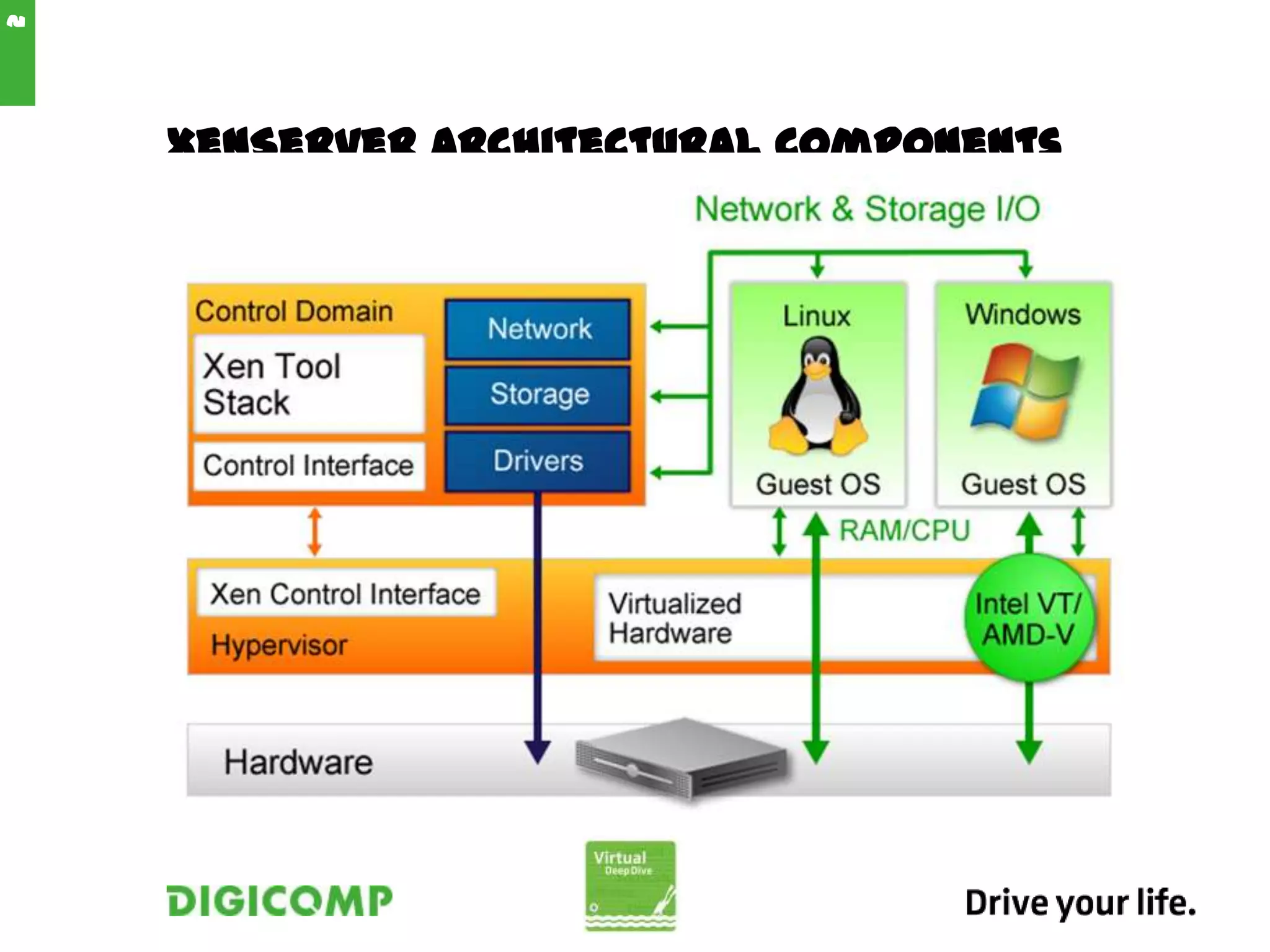
XenServer Architectural Components
2
Architectural Changes
 The Open vSwitch is now the default network stack
for the product.
 Improvements to Distributed Virtual Switching
include a fail-safe option and various improvements
based on customer feedback from XenServer 5.6
Feature Pack 1.
 General network performance has been
improved, particularly aggregate host network
throughput.
 Support for hardware-assisted Single Route I/O
Virtualization network performance optimizations
has been improved, particularly for use with the
NetScaler VPX and SDX products.
 XenServer no longer requires Windows-based virtual
machines for features such as StorageLink, Site
3
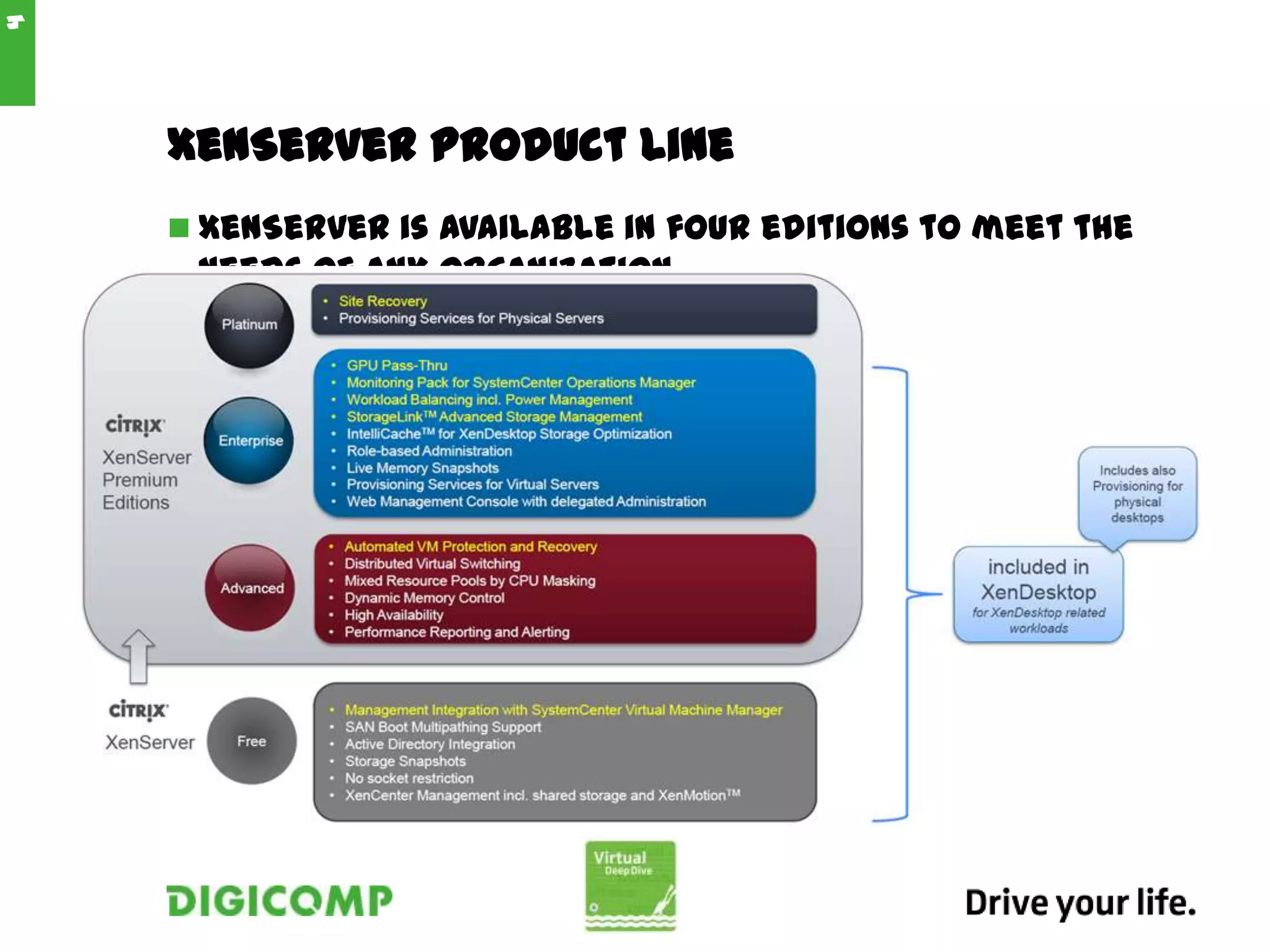
XenServer Product Line
 XenServer is available in four editions to meet the
needs of any organization.
4
XenCenter Overview
 XenCenter:
• is a graphical, Windows-based user interface.
• allows you to manage XenServer hosts, resource
pools and shared storage, and to deploy, manage
and monitor virtual machines from your Windows
desktop machine.
5
Resource Pools
 XenServer allows you to manage multiple XenServer
hosts as a single entity through the use of resource
pools.
 In the event of a host failure
 In preparation for upgrade a XenServer host
 To consolidate virtual machines to a select number
of XenServer hosts in order to reduce power
consumption
6
Microsoft System Center Integration
 XenServer 6.0 supports System Center Virtual
Machine Manager (SCVMM) 2012 for managing
XenServer hosts and virtual machines. To enable
these management capabilities, install a
supplemental pack from Citrix.
7
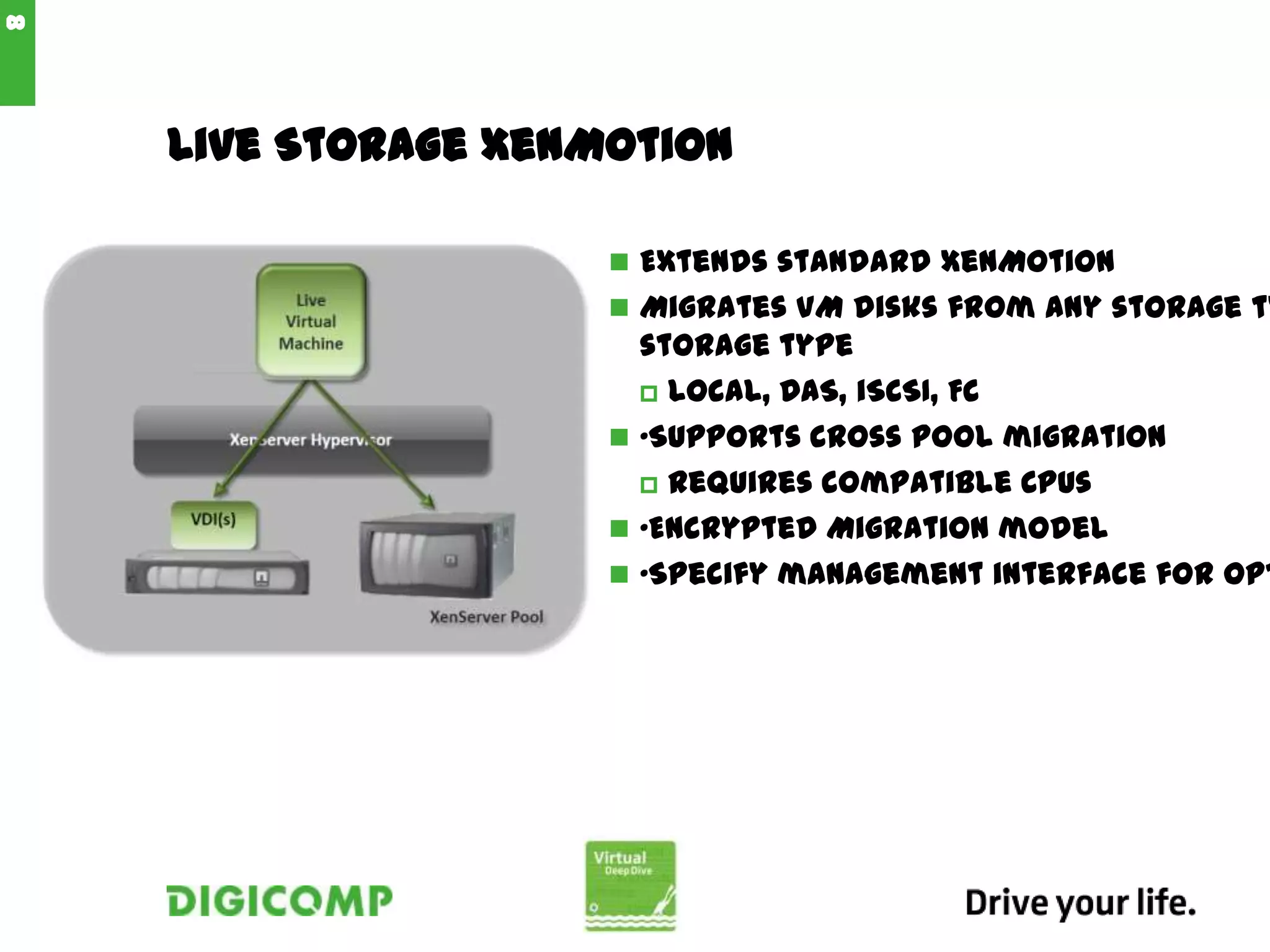
Live Storage XenMotion
 Extends standard XenMotion
 Migrates VM disks from any storage ty
storage type
 Local, DAS, iSCSI, FC
 •Supports cross pool migration
 Requires compatible CPUs
 •Encrypted Migration model
 •Specify management interface for opt
8
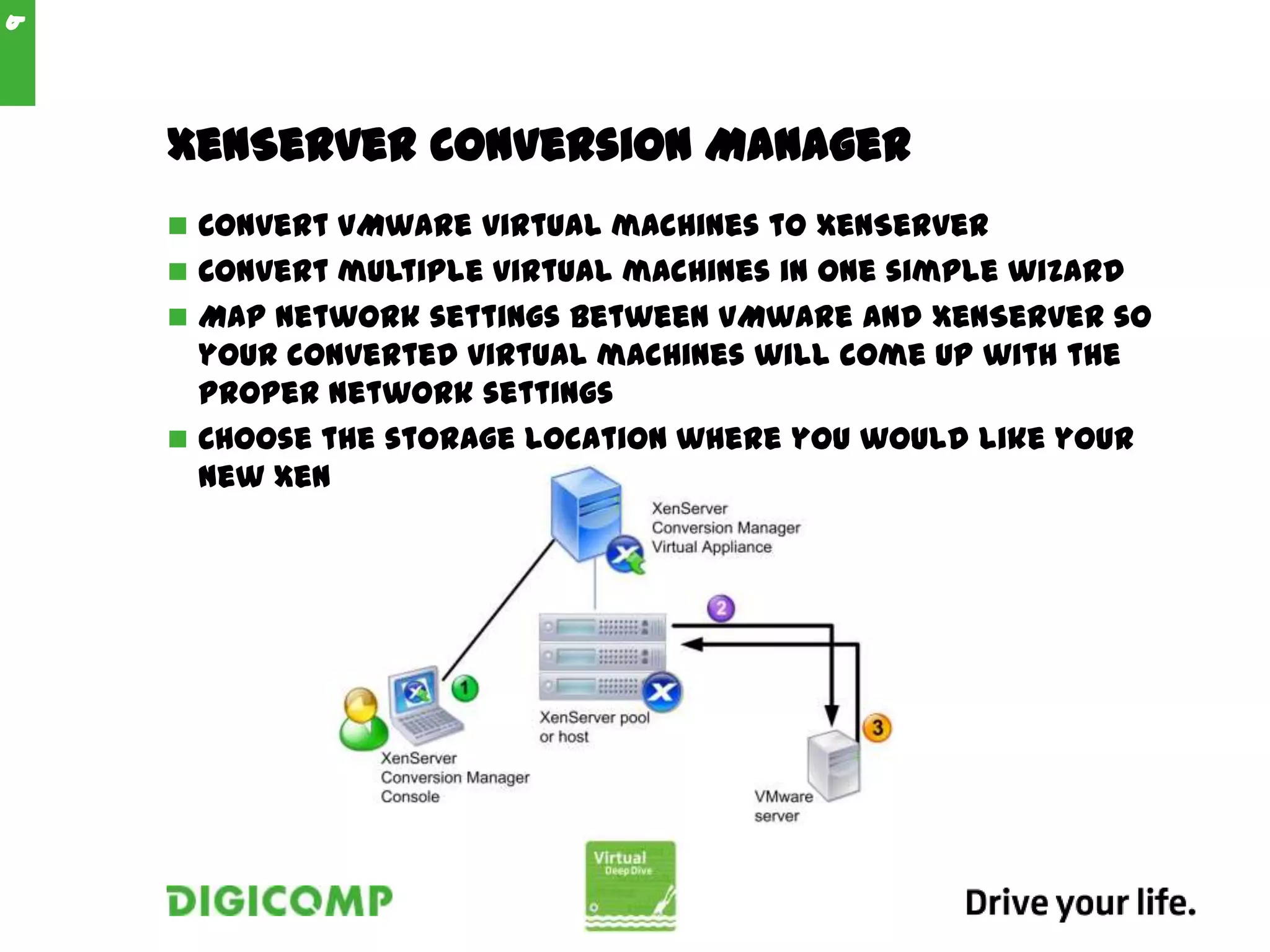
XenServer Conversion Manager
 Convert VMware virtual machines to XenServer
 Convert multiple virtual machines in one simple wizard
 Map network settings between VMware and XenServer so
your converted virtual machines will come up with the
proper network settings
 Choose the storage location where you would like your
new XenServer virtual machines to run
9
Netzwerk XenServer
10
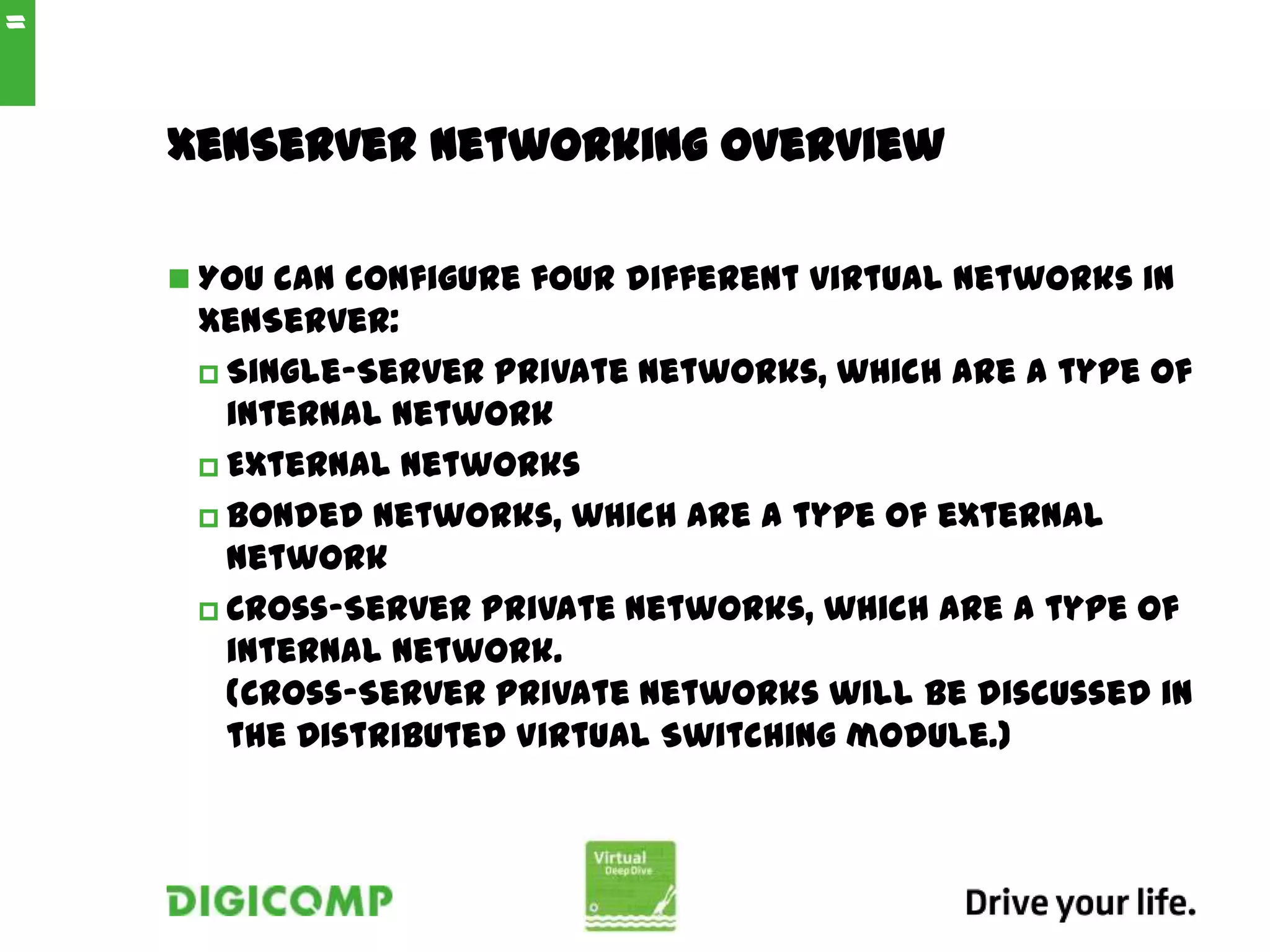
XenServer Networking Overview
 You can configure four different virtual networks in
XenServer:
 Single-Server Private networks, which are a type of
internal network
 External networks
 Bonded networks, which are a type of external
network
 Cross-Server Private networks, which are a type of
internal network.
(Cross-Server private networks will be discussed in
the Distributed Virtual Switching module.)
11
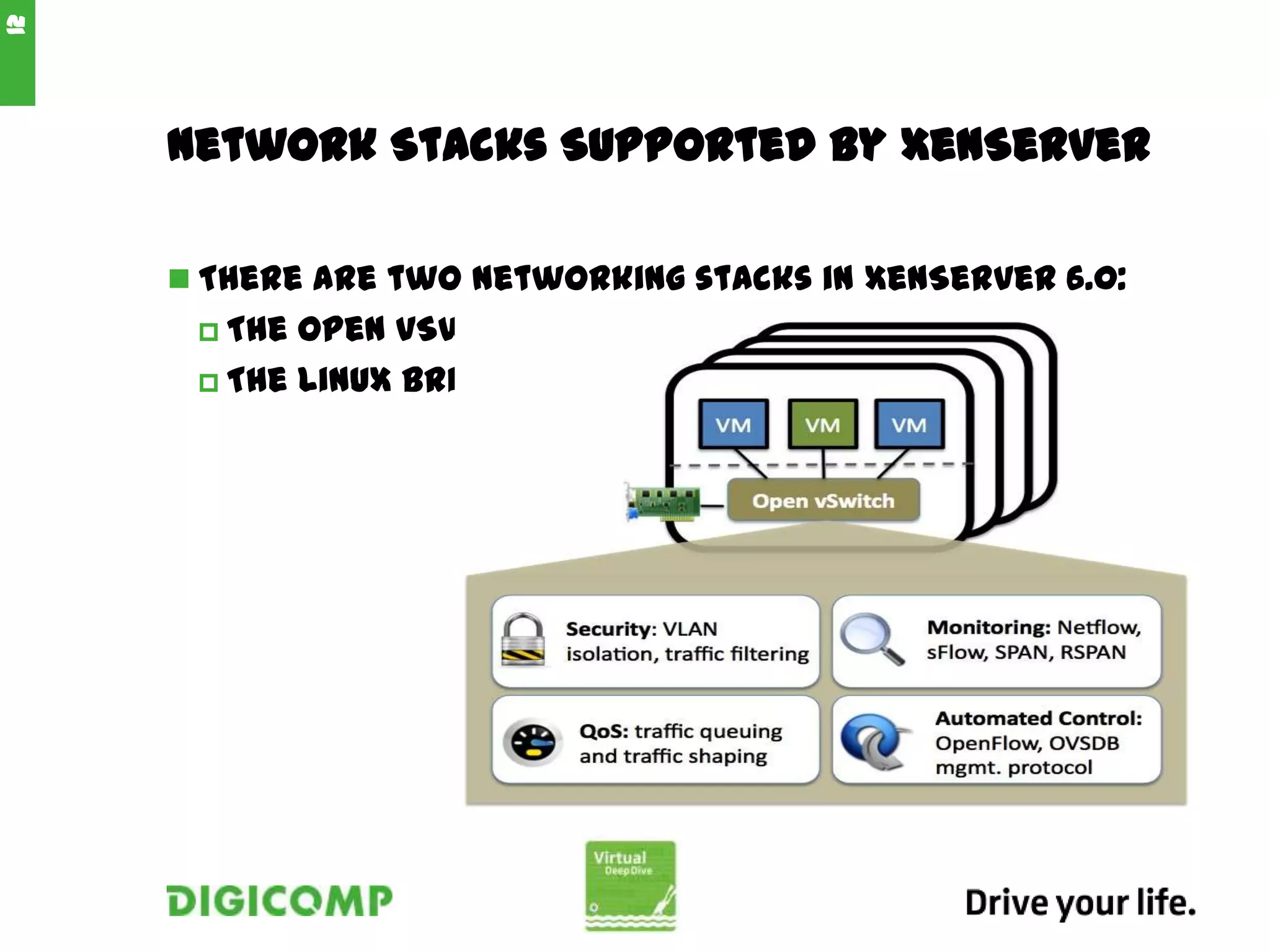
Network Stacks Supported by XenServer
 There are two networking stacks in XenServer 6.0:
 The Open vSwitch, the default networking stack
 The Linux bridge
12
Network Components and Architecture
 One network is created for each physical network
interface card during XenServer installation.
 The XenServer host performs all the required
configurations of the physical network interface
cards.
 When you add a XenServer host to a resource
pool, the default networks are merged so that all
physical NICs within the same device name are
attached to the same network.
13
Bonding - Source Load Balancing
 SLB is an active/active mode which:
 Does not require switch support for EtherChannel
or 802.3ad.
 Load-balances traffic between multiple physical
interfaces at the MAC address level by sending
traffic through different physical interfaces based
on the source MAC address of the packet.
 Is derived from the open source Adaptive Load
Balancing (ALB) mode and reuses the ALB capability
to dynamically re-balance load across physical
interfaces.
 SLB Active-passive bonds:
 Can be configured with one fast path, and one slow
path for cost savings. In this scenario, the slow path
should be used only if there is a failure on the fast
14
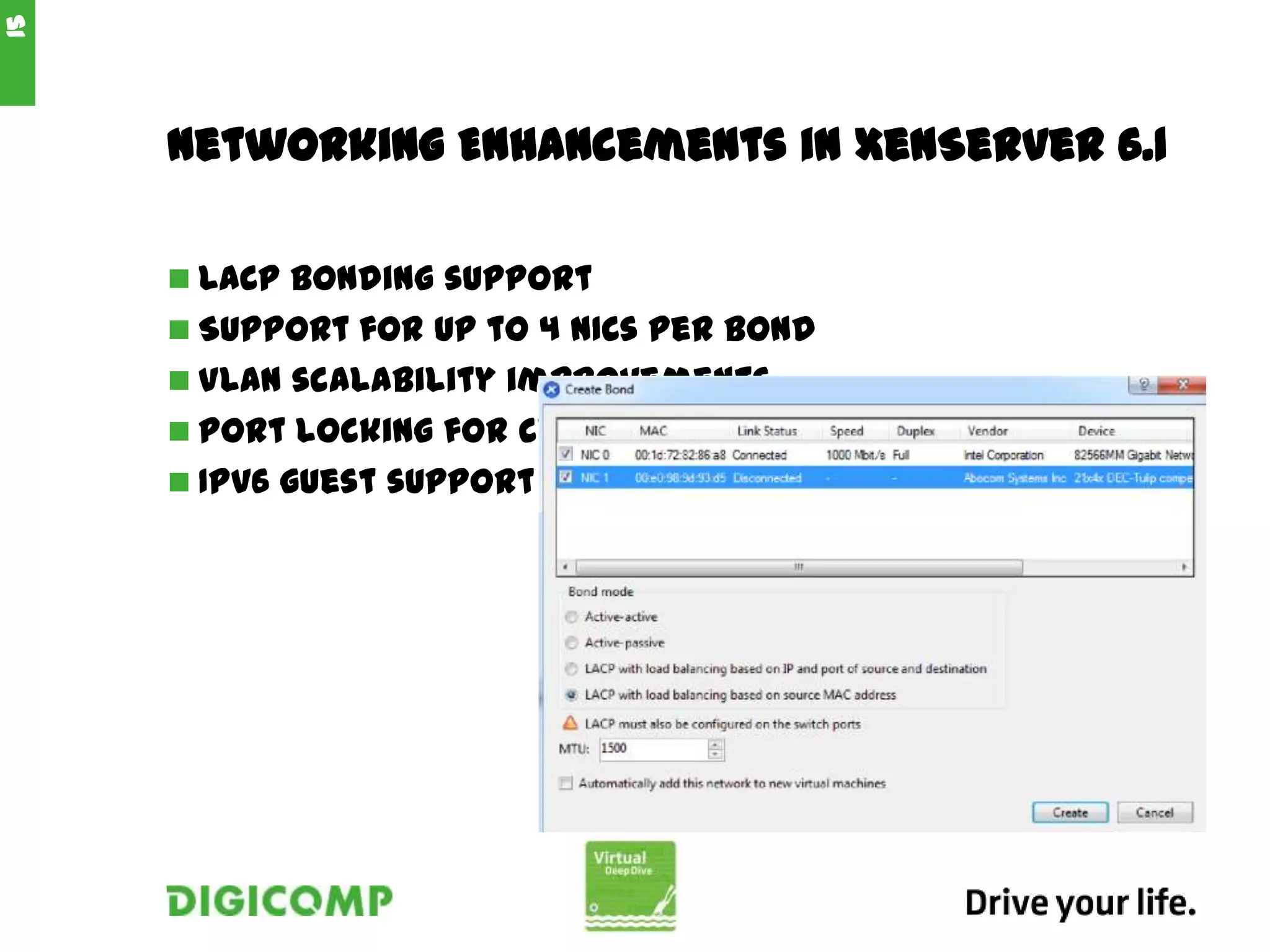
Networking Enhancements in XenServer 6.1
 LACP bonding support
 Support for up to 4 NICs per bond
 VLAN scalability improvements
 Port locking for cloud providers
 IPv6 guest support
15
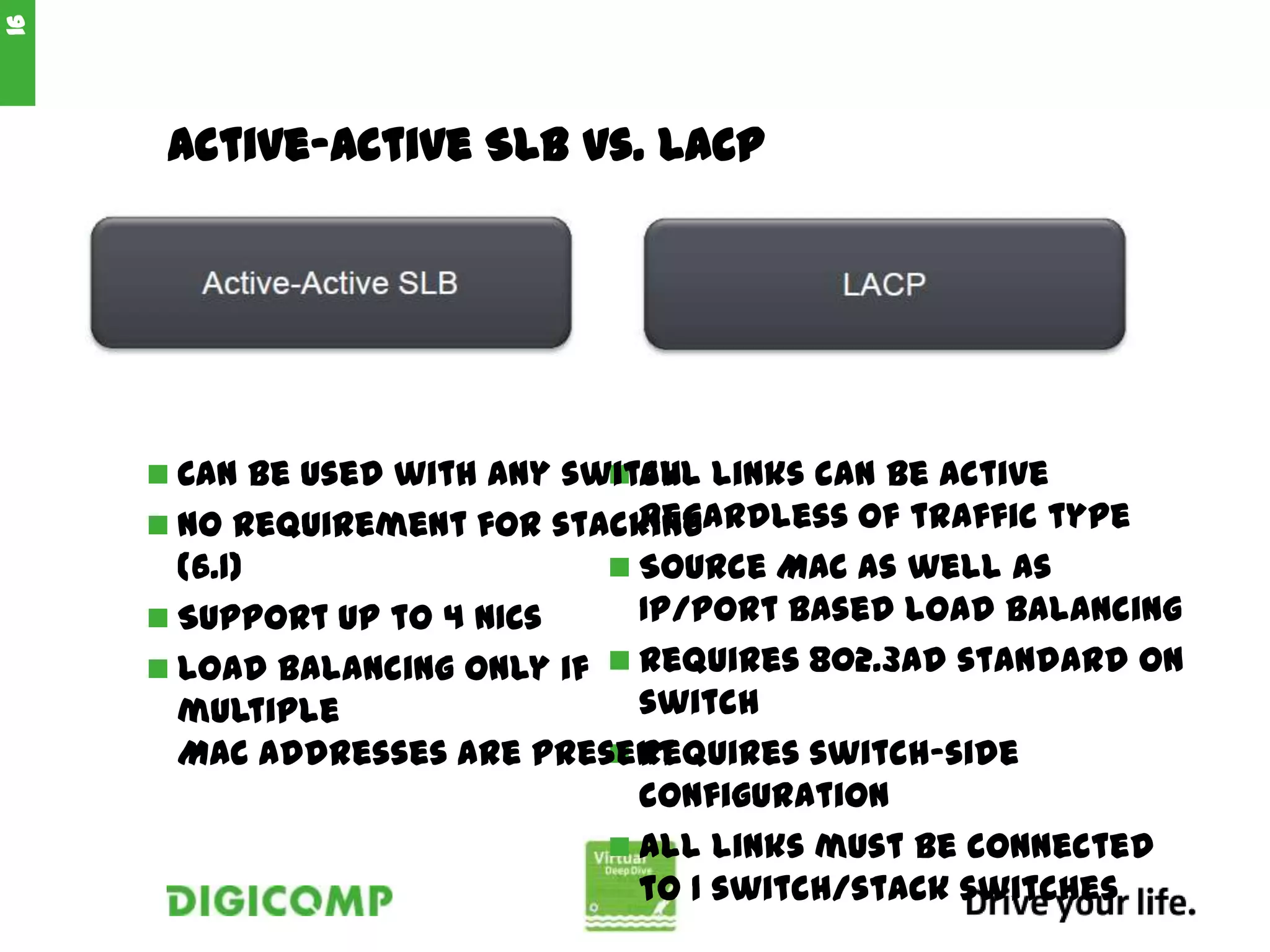
Active-Active SLB vs. LACP
 All links can be active
regardless of traffic type
 Source MAC as well as
IP/port based load balancing
 Requires 802.3ad standard on
switch
 Requires switch-side
configuration
 All links must be connected
to 1 switch/stack switches
16
 Can be used with any switch
 No requirement for stacking
(6.1)
 Support up to 4 NICs
 Load balancing only if
multiple
MAC addresses are present

Virtual Deep-Dive: Citrix Xen Server

  • 1.
  • 2.
  • 3.
    Architectural Changes  TheOpen vSwitch is now the default network stack for the product.  Improvements to Distributed Virtual Switching include a fail-safe option and various improvements based on customer feedback from XenServer 5.6 Feature Pack 1.  General network performance has been improved, particularly aggregate host network throughput.  Support for hardware-assisted Single Route I/O Virtualization network performance optimizations has been improved, particularly for use with the NetScaler VPX and SDX products.  XenServer no longer requires Windows-based virtual machines for features such as StorageLink, Site 3
  • 4.
    XenServer Product Line XenServer is available in four editions to meet the needs of any organization. 4
  • 5.
    XenCenter Overview  XenCenter: •is a graphical, Windows-based user interface. • allows you to manage XenServer hosts, resource pools and shared storage, and to deploy, manage and monitor virtual machines from your Windows desktop machine. 5
  • 6.
    Resource Pools  XenServerallows you to manage multiple XenServer hosts as a single entity through the use of resource pools.  In the event of a host failure  In preparation for upgrade a XenServer host  To consolidate virtual machines to a select number of XenServer hosts in order to reduce power consumption 6
  • 7.
    Microsoft System CenterIntegration  XenServer 6.0 supports System Center Virtual Machine Manager (SCVMM) 2012 for managing XenServer hosts and virtual machines. To enable these management capabilities, install a supplemental pack from Citrix. 7
  • 8.
    Live Storage XenMotion Extends standard XenMotion  Migrates VM disks from any storage ty storage type  Local, DAS, iSCSI, FC  •Supports cross pool migration  Requires compatible CPUs  •Encrypted Migration model  •Specify management interface for opt 8
  • 9.
    XenServer Conversion Manager Convert VMware virtual machines to XenServer  Convert multiple virtual machines in one simple wizard  Map network settings between VMware and XenServer so your converted virtual machines will come up with the proper network settings  Choose the storage location where you would like your new XenServer virtual machines to run 9
  • 10.
  • 11.
    XenServer Networking Overview You can configure four different virtual networks in XenServer:  Single-Server Private networks, which are a type of internal network  External networks  Bonded networks, which are a type of external network  Cross-Server Private networks, which are a type of internal network. (Cross-Server private networks will be discussed in the Distributed Virtual Switching module.) 11
  • 12.
    Network Stacks Supportedby XenServer  There are two networking stacks in XenServer 6.0:  The Open vSwitch, the default networking stack  The Linux bridge 12
  • 13.
    Network Components andArchitecture  One network is created for each physical network interface card during XenServer installation.  The XenServer host performs all the required configurations of the physical network interface cards.  When you add a XenServer host to a resource pool, the default networks are merged so that all physical NICs within the same device name are attached to the same network. 13
  • 14.
    Bonding - SourceLoad Balancing  SLB is an active/active mode which:  Does not require switch support for EtherChannel or 802.3ad.  Load-balances traffic between multiple physical interfaces at the MAC address level by sending traffic through different physical interfaces based on the source MAC address of the packet.  Is derived from the open source Adaptive Load Balancing (ALB) mode and reuses the ALB capability to dynamically re-balance load across physical interfaces.  SLB Active-passive bonds:  Can be configured with one fast path, and one slow path for cost savings. In this scenario, the slow path should be used only if there is a failure on the fast 14
  • 15.
    Networking Enhancements inXenServer 6.1  LACP bonding support  Support for up to 4 NICs per bond  VLAN scalability improvements  Port locking for cloud providers  IPv6 guest support 15
  • 16.
    Active-Active SLB vs.LACP  All links can be active regardless of traffic type  Source MAC as well as IP/port based load balancing  Requires 802.3ad standard on switch  Requires switch-side configuration  All links must be connected to 1 switch/stack switches 16  Can be used with any switch  No requirement for stacking (6.1)  Support up to 4 NICs  Load balancing only if multiple MAC addresses are present

Editor's Notes

  • #3 Hardware Layer:Contains the Physical server components, including memory, CPU, and Disk DrivesXenHypervisor:Is a thin Layer of Software that runs on top of the hardware.Control Domain:Manages the network and storage I/O of all virtual machines. (Is a Linux virtual machine)Guest operating System:Is the Operating System that is installed on the virtual machineLinux VM:include paravirtualized kernels and drivers.Windows VM:Use paravirtualized drivers to access storage and network recources.