OSSF


       Vim Hacks
                 (Cornelius)

       cornelius.howl@gmail.com
        http://c9s.blogspot.com/
        c9s@(plurk|twitter).com
Demo
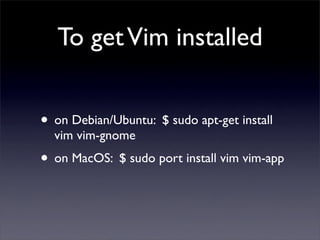
To get Vim installed


• on Debian/Ubuntu: $ sudo apt-get install
  vim vim-gnome
• on MacOS: $ sudo port install vim vim-app
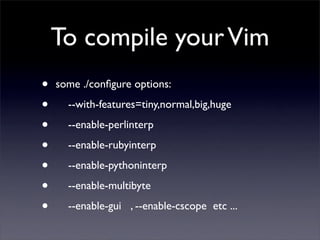
To compile your Vim
•   some ./configure options:

•     --with-features=tiny,normal,big,huge

•     --enable-perlinterp

•     --enable-rubyinterp

•     --enable-pythoninterp

•     --enable-multibyte

•     --enable-gui , --enable-cscope etc ...
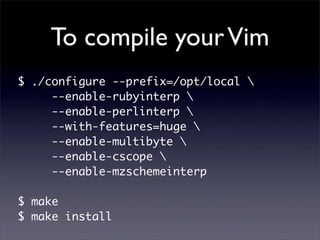
To compile your Vim
$ ./configure --prefix=/opt/local 
     --enable-rubyinterp 
     --enable-perlinterp 
     --with-features=huge 
     --enable-multibyte 
     --enable-cscope 
     --enable-mzschemeinterp

$ make
$ make install
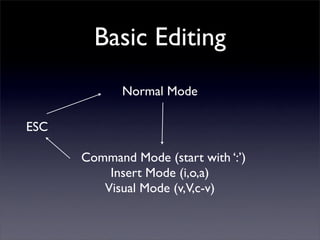
Basic Editing
             Normal Mode

ESC

      Command Mode (start with ‘:’)
          Insert Mode (i,o,a)
         Visual Mode (v,V,c-v)
Basic Editing
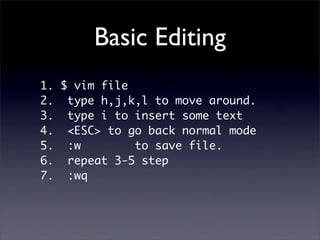
1. $ vim file
2. type h,j,k,l to move around.
3. type i to insert some text
4. <ESC> to go back normal mode
5. :w         to save file.
6. repeat 3-5 step
7. :wq
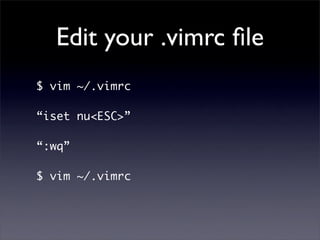
Edit your .vimrc file
$ vim ~/.vimrc

“iset nu<ESC>”

“:wq”

$ vim ~/.vimrc
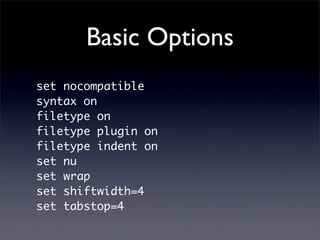
Basic Options
set nocompatible
syntax on
filetype on
filetype plugin on
filetype indent on
set nu
set wrap
set shiftwidth=4
set tabstop=4
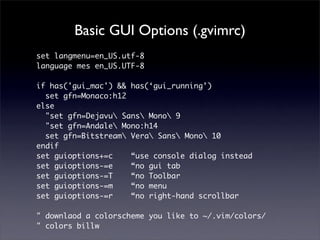
Basic GUI Options (.gvimrc)
set langmenu=en_US.utf-8
language mes en_US.UTF-8

if has('gui_mac') && has(‘gui_running’)
  set gfn=Monaco:h12
else
  "set gfn=Dejavu Sans Mono 9
  "set gfn=Andale Mono:h14
  set gfn=Bitstream Vera Sans Mono 10
endif
set guioptions+=c    “use console dialog instead
set guioptions-=e    “no gui tab
set guioptions-=T    “no Toolbar
set guioptions-=m    “no menu
set guioptions-=r    “no right-hand scrollbar

" downlaod a colorscheme you like to ~/.vim/colors/
" colors billw
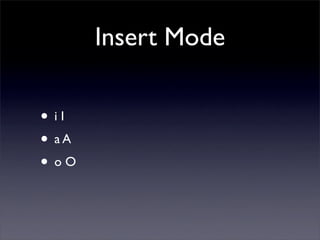
Insert Mode

• iI
• aA
• oO
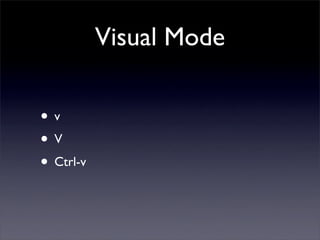
Visual Mode

•v
•V
• Ctrl-v
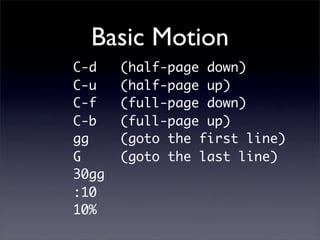
Basic Motion
C-d    (half-page down)
C-u    (half-page up)
C-f    (full-page down)
C-b    (full-page up)
gg     (goto the first line)
G      (goto the last line)
30gg
:10
10%
Basic Motion
b,w,e
B,W,E

f[x]    F[x]   ;   ,

( )        sentence
{ }        paragraph
[ ]        section
Buffer
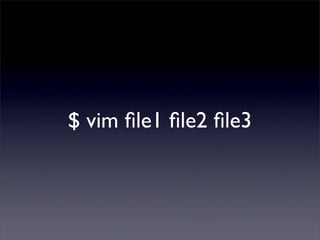
$ vim file1 file2 file3
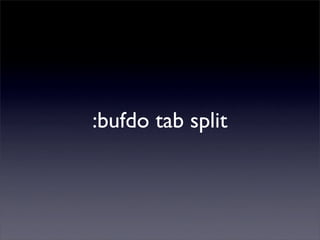
:bufdo tab split
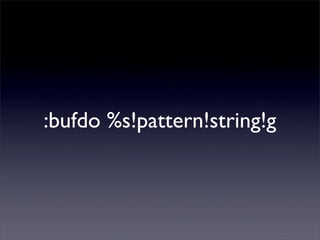
:bufdo %s!pattern!string!g
:bufdo mkview
:[n]buffer
    :bn
    :bp
    :sb
  :buffers
 :buffers!
Window
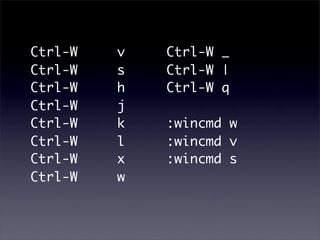
Ctrl-W   v   Ctrl-W _
Ctrl-W   s   Ctrl-W |
Ctrl-W   h   Ctrl-W q
Ctrl-W   j
Ctrl-W   k   :wincmd w
Ctrl-W   l   :wincmd v
Ctrl-W   x   :wincmd s
Ctrl-W   w
For
 MacOS
nmap   <silent>   <D-->   :resize -5<CR>
nmap   <silent>   <D-=>   :resize +5<CR>
nmap   <silent>   <D-]>   :vertical resize +5<CR>
nmap   <silent>   <D-[>   :vertical resize -5<CR>


For Unix-like
set winaltkeys=yes

nmap   <silent>   <M-->   :resize -5<CR>
nmap   <silent>   <M-=>   :resize +5<CR>
nmap   <silent>   <M-]>   :vertical resize +5<CR>
nmap   <silent>   <M-[>   :vertical resize -5<CR>
Tabpage
:[n]tabdo   :tabnew
:tabn       :tabclose
:tabp       :tabfirst
:sb         :tabfind
:tabs       :tablast
:tabs!
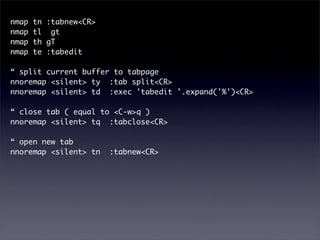
nmap   tn :tabnew<CR>
nmap   tl gt
nmap   th gT
nmap   te :tabedit

“ split current buffer to tabpage
nnoremap <silent> ty :tab split<CR>
nnoremap <silent> td :exec 'tabedit '.expand('%')<CR>

“ close tab ( equal to <C-w>q )
nnoremap <silent> tq :tabclose<CR>

“ open new tab
nnoremap <silent> tn    :tabnew<CR>
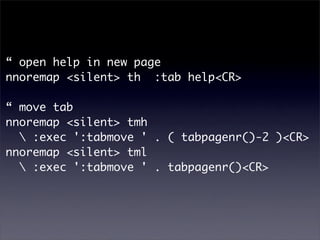
“ open help in new page
nnoremap <silent> th :tab help<CR>

“ move tab
nnoremap <silent> tmh
   :exec ':tabmove ' . ( tabpagenr()-2 )<CR>
nnoremap <silent> tml
   :exec ':tabmove ' . tabpagenr()<CR>
Syntax
syntax.txt
Macro
*macro*
Mapping
map.txt
Autocommand
  autocmd.txt
Cases
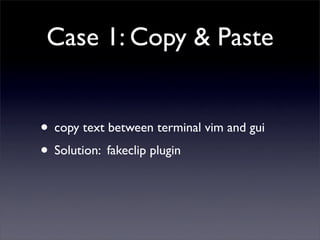
Case 1: Copy & Paste


• copy text between terminal vim and gui
• Solution: fakeclip plugin
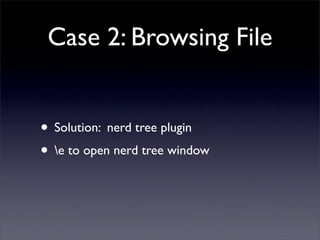
Case 2: Browsing File


• Solution: nerd tree plugin
• e to open nerd tree window
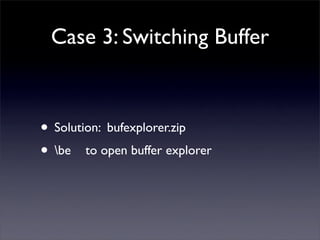
Case 3: Switching Buffer


• Solution: bufexplorer.zip
• be to open buffer explorer
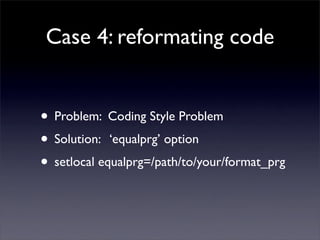
Case 4: reformating code


• Problem: Coding Style Problem
• Solution: ‘equalprg’ option
• setlocal equalprg=/path/to/your/format_prg
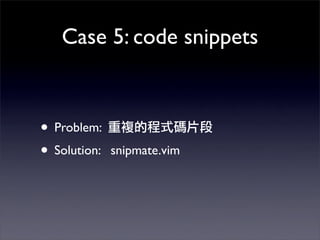
Case 5: code snippets


• Problem:
• Solution:   snipmate.vim
Case 6: completion


• Problem:            C-x C-n
  completion
• Solution:   autocomplpop.vim
VimL
• variable
• function
• condition
• looping
• vim built-in functions
• command
• vim runtime path
• $VIM/
• $VIMRUNTIME/
See Also

• Vim.org
• Vim Tips wiki
• :tab help
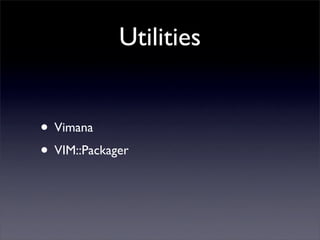
Utilities


• Vimana
• VIM::Packager
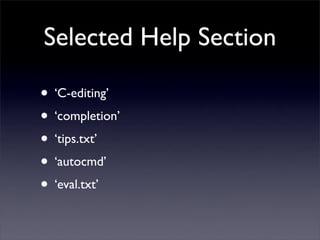
Selected Help Section

• ‘C-editing’
• ‘completion’
• ‘tips.txt’
• ‘autocmd’
• ‘eval.txt’
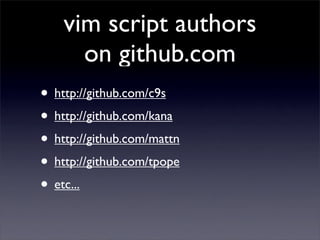
vim script authors
      on github.com
• http://github.com/c9s
• http://github.com/kana
• http://github.com/mattn
• http://github.com/tpope
• etc...

Vim Hacks (OSSF)

  • 1.
    OSSF Vim Hacks (Cornelius) cornelius.howl@gmail.com http://c9s.blogspot.com/ c9s@(plurk|twitter).com
  • 2.
  • 3.
    To get Viminstalled • on Debian/Ubuntu: $ sudo apt-get install vim vim-gnome • on MacOS: $ sudo port install vim vim-app
  • 4.
    To compile yourVim • some ./configure options: • --with-features=tiny,normal,big,huge • --enable-perlinterp • --enable-rubyinterp • --enable-pythoninterp • --enable-multibyte • --enable-gui , --enable-cscope etc ...
  • 5.
    To compile yourVim $ ./configure --prefix=/opt/local --enable-rubyinterp --enable-perlinterp --with-features=huge --enable-multibyte --enable-cscope --enable-mzschemeinterp $ make $ make install
  • 6.
    Basic Editing Normal Mode ESC Command Mode (start with ‘:’) Insert Mode (i,o,a) Visual Mode (v,V,c-v)
  • 7.
    Basic Editing 1. $vim file 2. type h,j,k,l to move around. 3. type i to insert some text 4. <ESC> to go back normal mode 5. :w to save file. 6. repeat 3-5 step 7. :wq
  • 8.
    Edit your .vimrcfile $ vim ~/.vimrc “iset nu<ESC>” “:wq” $ vim ~/.vimrc
  • 9.
    Basic Options set nocompatible syntaxon filetype on filetype plugin on filetype indent on set nu set wrap set shiftwidth=4 set tabstop=4
  • 10.
    Basic GUI Options(.gvimrc) set langmenu=en_US.utf-8 language mes en_US.UTF-8 if has('gui_mac') && has(‘gui_running’) set gfn=Monaco:h12 else "set gfn=Dejavu Sans Mono 9 "set gfn=Andale Mono:h14 set gfn=Bitstream Vera Sans Mono 10 endif set guioptions+=c “use console dialog instead set guioptions-=e “no gui tab set guioptions-=T “no Toolbar set guioptions-=m “no menu set guioptions-=r “no right-hand scrollbar " downlaod a colorscheme you like to ~/.vim/colors/ " colors billw
  • 11.
  • 12.
  • 13.
    Basic Motion C-d (half-page down) C-u (half-page up) C-f (full-page down) C-b (full-page up) gg (goto the first line) G (goto the last line) 30gg :10 10%
  • 14.
    Basic Motion b,w,e B,W,E f[x] F[x] ; , ( ) sentence { } paragraph [ ] section
  • 15.
  • 16.
    $ vim file1file2 file3
  • 17.
  • 18.
  • 19.
  • 20.
    :[n]buffer :bn :bp :sb :buffers :buffers!
  • 21.
  • 22.
    Ctrl-W v Ctrl-W _ Ctrl-W s Ctrl-W | Ctrl-W h Ctrl-W q Ctrl-W j Ctrl-W k :wincmd w Ctrl-W l :wincmd v Ctrl-W x :wincmd s Ctrl-W w
  • 23.
    For MacOS nmap <silent> <D--> :resize -5<CR> nmap <silent> <D-=> :resize +5<CR> nmap <silent> <D-]> :vertical resize +5<CR> nmap <silent> <D-[> :vertical resize -5<CR> For Unix-like set winaltkeys=yes nmap <silent> <M--> :resize -5<CR> nmap <silent> <M-=> :resize +5<CR> nmap <silent> <M-]> :vertical resize +5<CR> nmap <silent> <M-[> :vertical resize -5<CR>
  • 24.
  • 25.
    :[n]tabdo :tabnew :tabn :tabclose :tabp :tabfirst :sb :tabfind :tabs :tablast :tabs!
  • 26.
    nmap tn :tabnew<CR> nmap tl gt nmap th gT nmap te :tabedit “ split current buffer to tabpage nnoremap <silent> ty :tab split<CR> nnoremap <silent> td :exec 'tabedit '.expand('%')<CR> “ close tab ( equal to <C-w>q ) nnoremap <silent> tq :tabclose<CR> “ open new tab nnoremap <silent> tn :tabnew<CR>
  • 27.
    “ open helpin new page nnoremap <silent> th :tab help<CR> “ move tab nnoremap <silent> tmh :exec ':tabmove ' . ( tabpagenr()-2 )<CR> nnoremap <silent> tml :exec ':tabmove ' . tabpagenr()<CR>
  • 28.
  • 29.
  • 30.
  • 31.
  • 32.
  • 33.
    Case 1: Copy& Paste • copy text between terminal vim and gui • Solution: fakeclip plugin
  • 34.
    Case 2: BrowsingFile • Solution: nerd tree plugin • e to open nerd tree window
  • 35.
    Case 3: SwitchingBuffer • Solution: bufexplorer.zip • be to open buffer explorer
  • 36.
    Case 4: reformatingcode • Problem: Coding Style Problem • Solution: ‘equalprg’ option • setlocal equalprg=/path/to/your/format_prg
  • 37.
    Case 5: codesnippets • Problem: • Solution: snipmate.vim
  • 38.
    Case 6: completion •Problem: C-x C-n completion • Solution: autocomplpop.vim
  • 39.
  • 40.
    • variable • function •condition • looping • vim built-in functions • command
  • 41.
    • vim runtimepath • $VIM/ • $VIMRUNTIME/
  • 42.
    See Also • Vim.org •Vim Tips wiki • :tab help
  • 43.
  • 44.
    Selected Help Section •‘C-editing’ • ‘completion’ • ‘tips.txt’ • ‘autocmd’ • ‘eval.txt’
  • 45.
    vim script authors on github.com • http://github.com/c9s • http://github.com/kana • http://github.com/mattn • http://github.com/tpope • etc...