Perl - laziness, impatience, hubris, and one liners
                   by Kirk Kimmel
WARNING:
●   The slides for this presentation are available
    online < kimmel.github.com > licensed under a
    Creative Commons Attribution-ShareAlike 3.0
    Unported License.
●   All images and comics are copyright their
    respective owners. xkcd rocks
Further Reading (all free)
●   Andy Lester's “A Field Guide To The Perl
    Command Line”
    http://speakerdeck.com/u/petdance/p/a-field-
    guide-to-the-perl-command-line
●   The “Modern Perl” book
    https://github.com/chromatic/modern_perl_book
●   Higher Order Perl
    http://hop.perl.plover.com/#free
Basic Perl tools
●   Syntax Check - perl -c program.pl
●   perldoc - Think man pages
●   cpan shell
●   https://metacpan.org/
●   Perl::Tidy - for code beautification
●   Perl::Critic - Static code analysis. Fully
    configurable for new rulesets.
●   Devel::NYTProf - Powerful feature-rich perl
    source code profiler
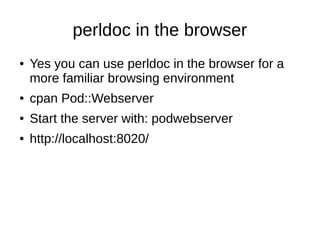
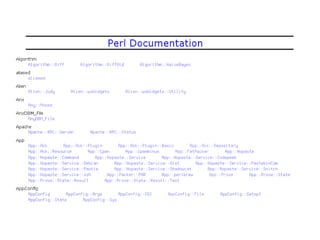
perldoc in the browser
●   Yes you can use perldoc in the browser for a
    more familiar browsing environment
●   cpan Pod::Webserver
●   Start the server with: podwebserver
●   http://localhost:8020/
A preface to One-liners
●   perldoc perlrun
●   perl -e 'one line program' for Perl prior to 5.10
●   perl -E 'one line program' to use all the new
    features
●   perl -E 'say “Hello World”'
●   An alternative with less quoting
    perl -E 'say q(Hello, World)'
command flags
●   perl -n
●   Tells Perl to add the following loop around your
    program
         while (<>) {
              ...
         }
●   perl -p
         while (<>) {
              ...
              print $_;
         }
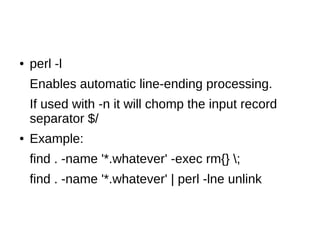
●   perl -l
    Enables automatic line-ending processing.
    If used with -n it will chomp the input record
    separator $/
●   Example:
    find . -name '*.whatever' -exec rm{} ;
    find . -name '*.whatever' | perl -lne unlink
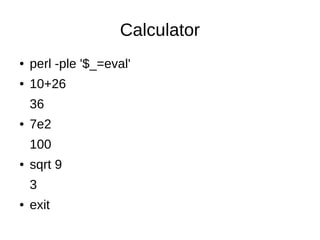
Calculator
●   perl -ple '$_=eval'
●   10+26
    36
●   7e2
    100
●   sqrt 9
    3
●   exit
What is ack?
●   Ack is designed as a replacement for 99% of
    the uses of grep.
●   By default, ack prints the matching lines and
    can do colorized output.
●   Ack can list files that would be searched,
    without actually searching them, to let you take
    advantage of ack's file-type filtering capabilities.
●   ack has very smart defaults which make
    common search tasks faster.
Helping with the transition
●   Shell::Command is a library that emulates common shell commands and is cross
    platform.
●   cat
●   eqtime
●   rm_rf
●   rm_f
●   touch
●   mv
●   cp
●   chmod
●   mkpath
●   test_f
●   test_d
●   dos2unix
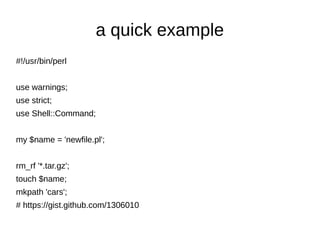
a quick example
#!/usr/bin/perl


use warnings;
use strict;
use Shell::Command;


my $name = 'newfile.pl';


rm_rf '*.tar.gz';
touch $name;
mkpath 'cars';
# https://gist.github.com/1306010
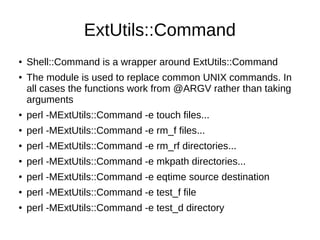
ExtUtils::Command
●   Shell::Command is a wrapper around ExtUtils::Command
●   The module is used to replace common UNIX commands. In
    all cases the functions work from @ARGV rather than taking
    arguments
●   perl -MExtUtils::Command -e touch files...
●   perl -MExtUtils::Command -e rm_f files...
●   perl -MExtUtils::Command -e rm_rf directories...
●   perl -MExtUtils::Command -e mkpath directories...
●   perl -MExtUtils::Command -e eqtime source destination
●   perl -MExtUtils::Command -e test_f file
●   perl -MExtUtils::Command -e test_d directory
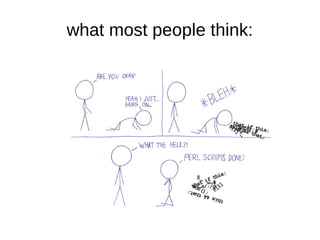
what most people think:
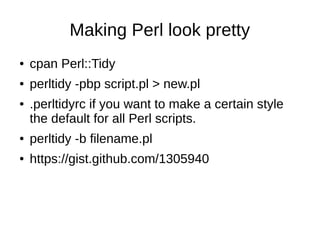
Making Perl look pretty
●   cpan Perl::Tidy
●   perltidy -pbp script.pl > new.pl
●   .perltidyrc if you want to make a certain style
    the default for all Perl scripts.
●   perltidy -b filename.pl
●   https://gist.github.com/1305940
before: Regex::Common
              t/test_balanced.t
# VOODOO LINE-NOISE
my($C,$M,$P,$N,
$S);END{print"1..$Cn$M";print"nfailed: $Nn"if$N}
sub ok{$C++; $M.= ($_[0]||!@_)?"ok $Cn":($N+
+,"not ok $C (".
((caller 1)[1]||(caller 0)[1]).":".((caller 1)[2]||(caller 0)
[2]).")n")}
sub try{$P=qr/^$_[0]$/}sub fail{ok($S=$_[0]!~$P)}sub
pass{ok($S=$_[0]=~$P)}
after:
# VOODOO LINE-NOISE
my ( $C, $M, $P, $N, $S );
END { print "1..$Cn$M"; print "nfailed: $Nn" if $N }


sub ok {
    $C++;
    $M .= ( $_[0] || !@_ )
     ? "ok $Cn"
     :(
      $N++,
      "not ok $C ("
          . ( ( caller 1 )[1] || ( caller 0 )[1] ) . ":"
          . ( ( caller 1 )[2] || ( caller 0 )[2] ) . ")n"
     );
}
sub try { $P = qr/^$_[0]$/ }
sub fail { ok( $S = $_[0] !~ $P ) }
sub pass { ok( $S = $_[0] =~ $P ) }
Fair warning. It is going to be like this:
Perl - laziness, impatience, hubris, and one liners

Perl - laziness, impatience, hubris, and one liners

  • 1.
    Perl - laziness,impatience, hubris, and one liners by Kirk Kimmel
  • 2.
    WARNING: ● The slides for this presentation are available online < kimmel.github.com > licensed under a Creative Commons Attribution-ShareAlike 3.0 Unported License. ● All images and comics are copyright their respective owners. xkcd rocks
  • 3.
    Further Reading (allfree) ● Andy Lester's “A Field Guide To The Perl Command Line” http://speakerdeck.com/u/petdance/p/a-field- guide-to-the-perl-command-line ● The “Modern Perl” book https://github.com/chromatic/modern_perl_book ● Higher Order Perl http://hop.perl.plover.com/#free
  • 5.
    Basic Perl tools ● Syntax Check - perl -c program.pl ● perldoc - Think man pages ● cpan shell ● https://metacpan.org/ ● Perl::Tidy - for code beautification ● Perl::Critic - Static code analysis. Fully configurable for new rulesets. ● Devel::NYTProf - Powerful feature-rich perl source code profiler
  • 6.
    perldoc in thebrowser ● Yes you can use perldoc in the browser for a more familiar browsing environment ● cpan Pod::Webserver ● Start the server with: podwebserver ● http://localhost:8020/
  • 8.
    A preface toOne-liners ● perldoc perlrun ● perl -e 'one line program' for Perl prior to 5.10 ● perl -E 'one line program' to use all the new features ● perl -E 'say “Hello World”' ● An alternative with less quoting perl -E 'say q(Hello, World)'
  • 9.
    command flags ● perl -n ● Tells Perl to add the following loop around your program while (<>) { ... } ● perl -p while (<>) { ... print $_; }
  • 10.
    perl -l Enables automatic line-ending processing. If used with -n it will chomp the input record separator $/ ● Example: find . -name '*.whatever' -exec rm{} ; find . -name '*.whatever' | perl -lne unlink
  • 11.
    Calculator ● perl -ple '$_=eval' ● 10+26 36 ● 7e2 100 ● sqrt 9 3 ● exit
  • 12.
    What is ack? ● Ack is designed as a replacement for 99% of the uses of grep. ● By default, ack prints the matching lines and can do colorized output. ● Ack can list files that would be searched, without actually searching them, to let you take advantage of ack's file-type filtering capabilities. ● ack has very smart defaults which make common search tasks faster.
  • 13.
    Helping with thetransition ● Shell::Command is a library that emulates common shell commands and is cross platform. ● cat ● eqtime ● rm_rf ● rm_f ● touch ● mv ● cp ● chmod ● mkpath ● test_f ● test_d ● dos2unix
  • 14.
    a quick example #!/usr/bin/perl usewarnings; use strict; use Shell::Command; my $name = 'newfile.pl'; rm_rf '*.tar.gz'; touch $name; mkpath 'cars'; # https://gist.github.com/1306010
  • 15.
    ExtUtils::Command ● Shell::Command is a wrapper around ExtUtils::Command ● The module is used to replace common UNIX commands. In all cases the functions work from @ARGV rather than taking arguments ● perl -MExtUtils::Command -e touch files... ● perl -MExtUtils::Command -e rm_f files... ● perl -MExtUtils::Command -e rm_rf directories... ● perl -MExtUtils::Command -e mkpath directories... ● perl -MExtUtils::Command -e eqtime source destination ● perl -MExtUtils::Command -e test_f file ● perl -MExtUtils::Command -e test_d directory
  • 16.
  • 17.
    Making Perl lookpretty ● cpan Perl::Tidy ● perltidy -pbp script.pl > new.pl ● .perltidyrc if you want to make a certain style the default for all Perl scripts. ● perltidy -b filename.pl ● https://gist.github.com/1305940
  • 18.
    before: Regex::Common t/test_balanced.t # VOODOO LINE-NOISE my($C,$M,$P,$N, $S);END{print"1..$Cn$M";print"nfailed: $Nn"if$N} sub ok{$C++; $M.= ($_[0]||!@_)?"ok $Cn":($N+ +,"not ok $C (". ((caller 1)[1]||(caller 0)[1]).":".((caller 1)[2]||(caller 0) [2]).")n")} sub try{$P=qr/^$_[0]$/}sub fail{ok($S=$_[0]!~$P)}sub pass{ok($S=$_[0]=~$P)}
  • 19.
    after: # VOODOO LINE-NOISE my( $C, $M, $P, $N, $S ); END { print "1..$Cn$M"; print "nfailed: $Nn" if $N } sub ok { $C++; $M .= ( $_[0] || !@_ ) ? "ok $Cn" :( $N++, "not ok $C (" . ( ( caller 1 )[1] || ( caller 0 )[1] ) . ":" . ( ( caller 1 )[2] || ( caller 0 )[2] ) . ")n" ); } sub try { $P = qr/^$_[0]$/ } sub fail { ok( $S = $_[0] !~ $P ) } sub pass { ok( $S = $_[0] =~ $P ) }
  • 21.
    Fair warning. Itis going to be like this:

Editor's Notes