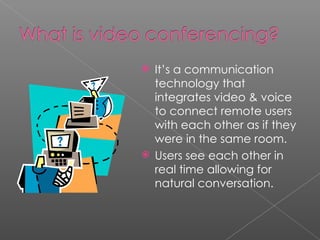
It’s a communication technology that integrates video & voice to connect remote users with each other as if they were in the same room. Users see each other in real time allowing for natural conversation.
Collaborations Sharing formal/informal chats Virtual field trips Reporting News (ex. NASA space flights) Guest Experts/Visitors Planning Training Team Learning and Teaching Student Competitions Cultural Exchange
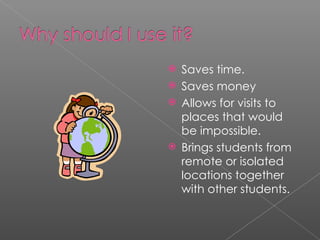
Saves time. Saves money Allows for visits to places that would be impossible. Brings students from remote or isolated locations together with other students.
Addresses different learning styles/multiple intelligences. Motivating. Provides practice of presentation & communication skills Enhances research & technology skills.
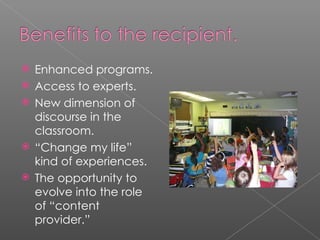
Enhanced programs. Access to experts. New dimension of discourse in the classroom. “ Change my life” kind of experiences. The opportunity to evolve into the role of “content provider.”
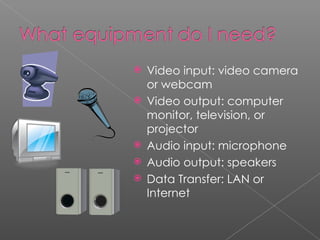
Video input: video camera or webcam Video output: computer monitor, television, or projector Audio input: microphone Audio output: speakers Data Transfer: LAN or Internet
1. Before starting ask yourself: Will VC really benefit my project? Could the project be done using another medium? Am I using VC just because it’s really cool? 2. Think of a project that would benefit. 3. Find partners to participate. Depending on the content you may want to invite  additional classrooms or an expert provider.
4. Share information with the provider via the web or email – get as much contact information as possible! 5. Set a date.  Know the dates you want. Work well in advance (3 to 4 months). 6. Find out if you must schedule through a bridge or if the connection is point to point. Bridges must be used when handling mixed protocols (H.320 ISDN & H.323 IP) Multi Point Control Units are bridges that can connect calls from several sources.
7. If working with other schools, be sure to include a project timeline. If they are sharing they need time to prepare. 8. Before conference day, do a test connection. Be sure to schedule it with all participants. 9. On conference day, set up the equipment EARLY . An agenda for start and stop time should be established. When working collaboratively, decide who is responsible for each part. 10. Be prepared for the worst. Have copies of all materials in case of equipment failure.  Have phone numbers available for all participants.
Before the conference: Set up an easy point to point conference with another class and have students practice introducing themselves and speaking loudly & clearly into the microphone. Have students come up with questions and email them to the provider. Remind students of the sensitivity of the microphone and of things they should and shouldn’t say.
During the conference: Have students seated and ready at least 10 minutes before the start time. If a seating chart was not given to the provider, have nametags placed in visible locations. Decide upon a procedure for asking questions with the provider. Mute your microphone for the class until they need to speak.
After the conference: Have an assignment related to the conference information ready for the students. Provide the students with a brief evaluation of their experience. Review the evaluations and reflect upon the conference’s impact on learning.
Spectacular Content - significant interactivity - blends with the curriculum Spectacular Content Providers - easy access to instructional aids - have subject matter experts on-hand - want feedback and provide it for review - have a passion for what they do Understanding of state requirements
Searchable Databases Polycom Center for Interactive Learning and Collaboration (CILC) Two Way Interactive Connection in Education (TWICE)
Math: Math Connections 6-8 Ani-Math K-5 Mozart Math 2-4 Math & Music 6-8 Batter Up 4-12 Math Connections in Art (Gridding) 6-8 Mathematica-Math in Society 6-12 What Good is a Parabola Anyway? 8-12
Science: Passport to Planet Earth K-5 Challenger Learning Center Can a Shoebox Fly? FREE 4-12 National Air & Space Museum Smithsonian Environmental Research Center COSI (Center of Science & Industry) Carnegie Museum of Natural History K-12 FREE NASA FREE
History: National Baseball Hall of Fame Football Hall of Fame A House Divided FREE 5-12 Mt. Vernon Estate & Gardens Virtual School @ Vanderbilt University History Quest & Mystery Quest
Language Arts: Metaphorically Speaking 6-12 Flying Fingers (Adora Svitak) 4-12 Prose & Poetry at the Primary Level 2-5   Pieces of Other Places (The Story Peddlers) 3-6 Edgar Allen Poe 8-12 (Center for Puppetry Arts)
The reality today is that we are all interdependent and have to co-exist on this small planet. Therefore, the only sensible and intelligent way of resolving differences and clashes of interests, whether between individuals or nations, is through dialogue.  -  The Dalai Lama
Wise Geek Wikipedia Cooperating School District Center for Interactive Learning and Collaboration

Video confer. pp tfortues.

  • 1.
  • 2.
    It’s a communicationtechnology that integrates video & voice to connect remote users with each other as if they were in the same room. Users see each other in real time allowing for natural conversation.
  • 3.
    Collaborations Sharing formal/informalchats Virtual field trips Reporting News (ex. NASA space flights) Guest Experts/Visitors Planning Training Team Learning and Teaching Student Competitions Cultural Exchange
  • 4.
    Saves time. Savesmoney Allows for visits to places that would be impossible. Brings students from remote or isolated locations together with other students.
  • 5.
    Addresses different learningstyles/multiple intelligences. Motivating. Provides practice of presentation & communication skills Enhances research & technology skills.
  • 6.
    Enhanced programs. Accessto experts. New dimension of discourse in the classroom. “ Change my life” kind of experiences. The opportunity to evolve into the role of “content provider.”
  • 7.
    Video input: videocamera or webcam Video output: computer monitor, television, or projector Audio input: microphone Audio output: speakers Data Transfer: LAN or Internet
  • 8.
    1. Before startingask yourself: Will VC really benefit my project? Could the project be done using another medium? Am I using VC just because it’s really cool? 2. Think of a project that would benefit. 3. Find partners to participate. Depending on the content you may want to invite additional classrooms or an expert provider.
  • 9.
    4. Share informationwith the provider via the web or email – get as much contact information as possible! 5. Set a date. Know the dates you want. Work well in advance (3 to 4 months). 6. Find out if you must schedule through a bridge or if the connection is point to point. Bridges must be used when handling mixed protocols (H.320 ISDN & H.323 IP) Multi Point Control Units are bridges that can connect calls from several sources.
  • 10.
    7. If workingwith other schools, be sure to include a project timeline. If they are sharing they need time to prepare. 8. Before conference day, do a test connection. Be sure to schedule it with all participants. 9. On conference day, set up the equipment EARLY . An agenda for start and stop time should be established. When working collaboratively, decide who is responsible for each part. 10. Be prepared for the worst. Have copies of all materials in case of equipment failure. Have phone numbers available for all participants.
  • 11.
    Before the conference:Set up an easy point to point conference with another class and have students practice introducing themselves and speaking loudly & clearly into the microphone. Have students come up with questions and email them to the provider. Remind students of the sensitivity of the microphone and of things they should and shouldn’t say.
  • 12.
    During the conference:Have students seated and ready at least 10 minutes before the start time. If a seating chart was not given to the provider, have nametags placed in visible locations. Decide upon a procedure for asking questions with the provider. Mute your microphone for the class until they need to speak.
  • 13.
    After the conference:Have an assignment related to the conference information ready for the students. Provide the students with a brief evaluation of their experience. Review the evaluations and reflect upon the conference’s impact on learning.
  • 14.
    Spectacular Content -significant interactivity - blends with the curriculum Spectacular Content Providers - easy access to instructional aids - have subject matter experts on-hand - want feedback and provide it for review - have a passion for what they do Understanding of state requirements
  • 15.
    Searchable Databases PolycomCenter for Interactive Learning and Collaboration (CILC) Two Way Interactive Connection in Education (TWICE)
  • 16.
    Math: Math Connections6-8 Ani-Math K-5 Mozart Math 2-4 Math & Music 6-8 Batter Up 4-12 Math Connections in Art (Gridding) 6-8 Mathematica-Math in Society 6-12 What Good is a Parabola Anyway? 8-12
  • 17.
    Science: Passport toPlanet Earth K-5 Challenger Learning Center Can a Shoebox Fly? FREE 4-12 National Air & Space Museum Smithsonian Environmental Research Center COSI (Center of Science & Industry) Carnegie Museum of Natural History K-12 FREE NASA FREE
  • 18.
    History: National BaseballHall of Fame Football Hall of Fame A House Divided FREE 5-12 Mt. Vernon Estate & Gardens Virtual School @ Vanderbilt University History Quest & Mystery Quest
  • 19.
    Language Arts: MetaphoricallySpeaking 6-12 Flying Fingers (Adora Svitak) 4-12 Prose & Poetry at the Primary Level 2-5   Pieces of Other Places (The Story Peddlers) 3-6 Edgar Allen Poe 8-12 (Center for Puppetry Arts)
  • 20.
    The reality todayis that we are all interdependent and have to co-exist on this small planet. Therefore, the only sensible and intelligent way of resolving differences and clashes of interests, whether between individuals or nations, is through dialogue. - The Dalai Lama
  • 21.
    Wise Geek WikipediaCooperating School District Center for Interactive Learning and Collaboration