

Version	
  Control	
  101
How	
  to	
  master	
  SCM	
  with	
  Subversion
What	
  is	
  Version	
  Control?
• Maintain	
  versions	
  of	
  sources
• Allows	
  for	
  collabora>on
• Tracking	
  progress
• Recording	
  history
2
Why	
  Version	
  Control?
• To	
  work	
  on	
  something
• Without	
  hindering	
  others
• Try,	
  fail	
  and	
  start	
  over
• Distribute	
  workload
3
Lingo
• Repository:	
  the	
  loca>on	
  that	
  acts	
  as	
  Version	
  
Control	
  system
• Trunk:	
  the	
  lifeline	
  of	
  the	
  project	
  where	
  
everything	
  starts	
  and	
  everything	
  ends
• Branch:	
  a	
  custom	
  lifeline	
  for	
  individual	
  tasks	
  or	
  
collec>ve	
  works
• Tag:	
  a	
  label	
  to	
  iden>fy	
  something	
  in	
  >me	
  (like	
  a	
  
version	
  or	
  milestone)	
  
4
• Branching:	
  the	
  act	
  of	
  crea>ng	
  a	
  side	
  lifeline	
  for	
  
a	
  specific	
  purpose
• Tagging:	
  the	
  act	
  of	
  labeling	
  an	
  event	
  in	
  >me
• Merging:	
  the	
  act	
  of	
  synchronizing	
  a	
  side	
  lifeline	
  
with	
  his	
  parent	
  lifeline
• Integra6ng:	
  the	
  act	
  of	
  reuni>ng	
  the	
  side	
  lifeline	
  
with	
  its	
  paren	
  lifeline
5
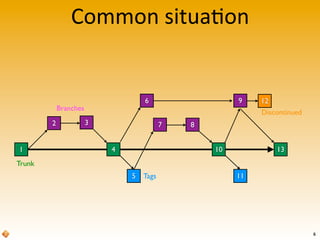
Common	
  situa>on
1
2 3
4
5
6
7 8
9
10
12
13
11
Trunk
Tags
Branches
Discontinued
6
Trunk
• Is	
  the	
  most	
  up-­‐to-­‐date	
  lifeline
• All	
  branches	
  start	
  from	
  here
• All	
  branches	
  must	
  return	
  here
7
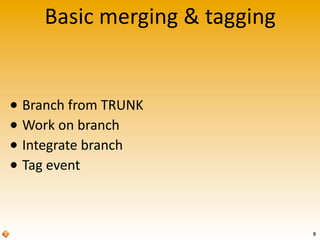
Basic	
  merging	
  &	
  tagging
• Branch	
  from	
  TRUNK
• Work	
  on	
  branch
• Integrate	
  branch
• Tag	
  event
8
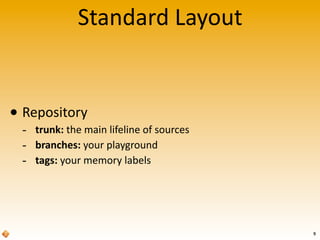
Standard	
  Layout
• Repository
-­‐ trunk:	
  the	
  main	
  lifeline	
  of	
  sources
-­‐ branches:	
  your	
  playground
-­‐ tags:	
  your	
  memory	
  labels
9
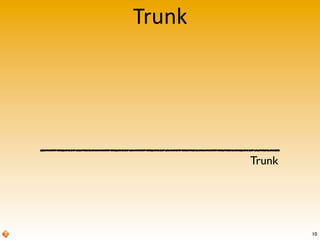
Trunk
Trunk
10
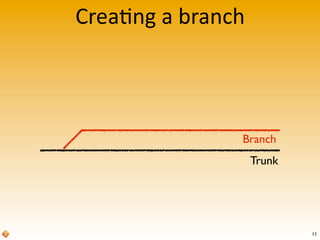
Crea>ng	
  a	
  branch
Trunk
Branch
11
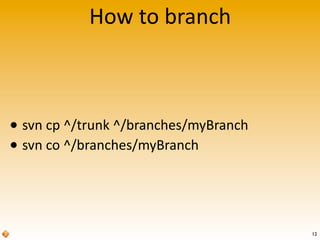
How	
  to	
  branch
• svn	
  cp	
  ^/trunk	
  ^/branches/myBranch
• svn	
  co	
  ^/branches/myBranch
12
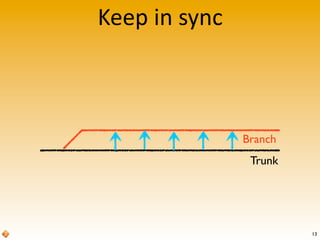
Keep	
  in	
  sync
Trunk
Branch
13
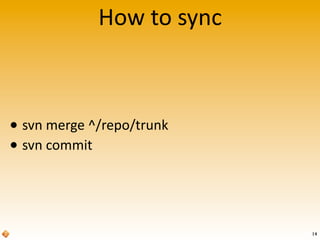
How	
  to	
  sync
• svn	
  merge	
  ^/repo/trunk
• svn	
  commit
14
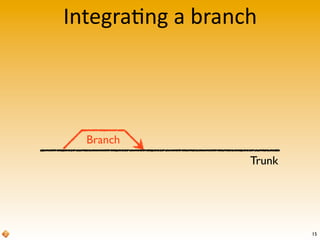
Integra>ng	
  a	
  branch
Trunk
Branch
15
How	
  to	
  integrate
• svn	
  merge	
  -­‐-­‐reintegrate	
  
^/branches/myBranch
• svn	
  commit
16
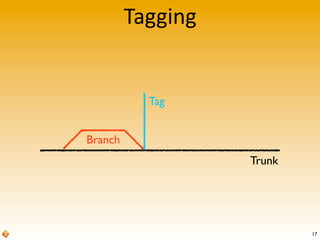
Tagging
Trunk
Branch
Tag
17
How	
  to	
  tag
• svn	
  cp	
  ^/repo/trunk@12345	
  ^/tags/myTag
18
Sub-­‐branching
• Why	
  sub-­‐branching?
• New	
  branch
• Small	
  sub-­‐branches
• Integrate	
  back
19
Why	
  sub-­‐branching?
• Working	
  on	
  a	
  large	
  task
-­‐ With	
  several	
  dependent	
  sub-­‐tasks
• You	
  want	
  to	
  keep	
  related	
  sources	
  together
-­‐ O^en	
  when	
  doing	
  versioning
• Try	
  stuff	
  out
20
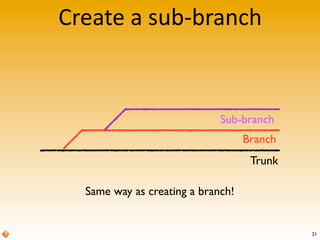
Create	
  a	
  sub-­‐branch
Trunk
Branch
Sub-branch
Same way as creating a branch!
21
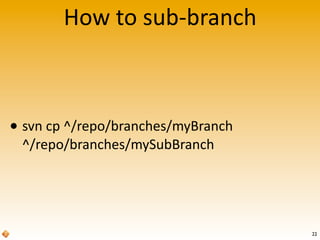
How	
  to	
  sub-­‐branch
• svn	
  cp	
  ^/repo/branches/myBranch
^/repo/branches/mySubBranch
22
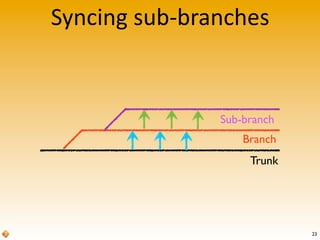
Syncing	
  sub-­‐branches
Trunk
Branch
Sub-branch
23
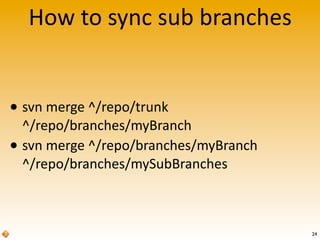
How	
  to	
  sync	
  sub	
  branches
• svn	
  merge	
  ^/repo/trunk	
  
^/repo/branches/myBranch
• svn	
  merge	
  ^/repo/branches/myBranch
^/repo/branches/mySubBranches
24
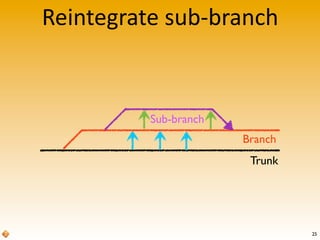
Reintegrate	
  sub-­‐branch
25
Trunk
Branch
Sub-branch
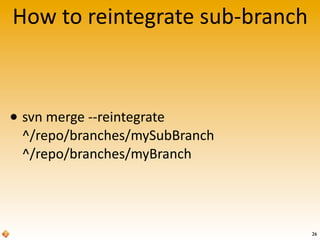
How	
  to	
  reintegrate	
  sub-­‐branch
26
• svn	
  merge	
  -­‐-­‐reintegrate	
  
^/repo/branches/mySubBranch
^/repo/branches/myBranch
Reintegrate	
  =	
  End-­‐Of-­‐Life
27
Complex	
  situa>ons
28
• A	
  project	
  with	
  mul>ple	
  tasks
• A	
  project	
  with	
  mul>ple	
  developers
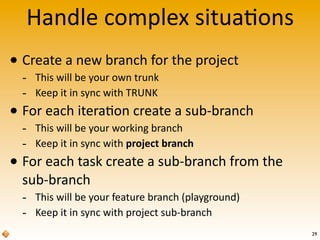
Handle	
  complex	
  situa>ons
• Create	
  a	
  new	
  branch	
  for	
  the	
  project
-­‐ This	
  will	
  be	
  your	
  own	
  trunk
-­‐ Keep	
  it	
  in	
  sync	
  with	
  TRUNK
• For	
  each	
  itera>on	
  create	
  a	
  sub-­‐branch
-­‐ This	
  will	
  be	
  your	
  working	
  branch
-­‐ Keep	
  it	
  in	
  sync	
  with	
  project	
  branch
• For	
  each	
  task	
  create	
  a	
  sub-­‐branch	
  from	
  the	
  
sub-­‐branch
-­‐ This	
  will	
  be	
  your	
  feature	
  branch	
  (playground)
-­‐ Keep	
  it	
  in	
  sync	
  with	
  project	
  sub-­‐branch
29
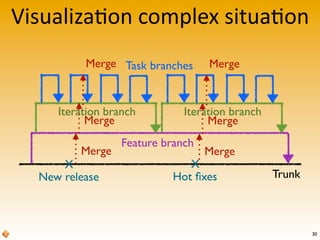
Visualiza>on	
  complex	
  situa>on
30
Trunk
Feature branch
Iteration branch Iteration branch
Task branches
X
New release
Merge
Merge
Merge
X
Hot fixes
Merge
Merge
Merge
Remember
31
• Always	
  keep	
  in	
  sync	
  with	
  parent	
  branch
• Merge	
  down	
  one	
  step	
  at	
  a	
  >me
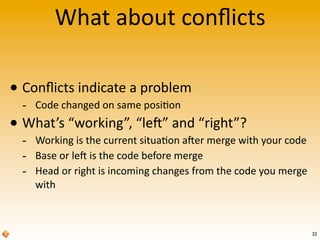
What	
  about	
  conflicts
• Conflicts	
  indicate	
  a	
  problem
-­‐ Code	
  changed	
  on	
  same	
  posi>on
• What’s	
  “working”,	
  “le^”	
  and	
  “right”?
-­‐ Working	
  is	
  the	
  current	
  situa>on	
  a^er	
  merge	
  with	
  your	
  code
-­‐ Base	
  or	
  le^	
  is	
  the	
  code	
  before	
  merge
-­‐ Head	
  or	
  right	
  is	
  incoming	
  changes	
  from	
  the	
  code	
  you	
  merge	
  
with
32
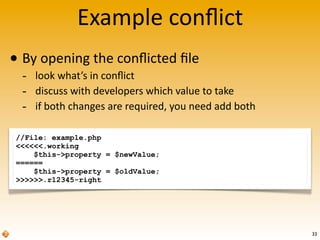
//File: example.php
<<<<<<.working
$this->property = $newValue;
======
$this->property = $oldValue;
>>>>>>.r12345-right
Example	
  conflict
• By	
  opening	
  the	
  conflicted	
  file
-­‐ look	
  what’s	
  in	
  conflict
-­‐ discuss	
  with	
  developers	
  which	
  value	
  to	
  take
-­‐ if	
  both	
  changes	
  are	
  required,	
  you	
  need	
  add	
  both
33
34
Don’t solve conflicts yourself!
Always consult with all developers involved!
Changes made by one developer conflicting other developer’s
changes might require both changes to be implemented!
35
Some	
  advice
• Commit	
  small
Ensure	
  your	
  commit	
  contains	
  one	
  task
• Commit	
  o=en
More	
  commits	
  build	
  up	
  history,	
  allowing	
  to	
  
replay	
  changes	
  you	
  made	
  easily	
  to	
  parent
• Integrate	
  quick
Don’t	
  keep	
  sub-­‐branches	
  alive	
  too	
  long,	
  the	
  
sooner	
  they	
  are	
  reintegrated,	
  the	
  easier	
  it	
  is	
  to	
  
merge	
  with	
  other	
  tasks
Recommended	
  Reading
36
Click on the books to order
37
Contact	
  us
info@in2it.be
www.in2it.be
tel EU: +32 15 34 52 90
tel US: (202) 559-7401
PHP Consulting
Training Courses
Quality Assurance
Web design

Version control 101