1
 What is version control.
 Goals of version control system.
 centralized version control system basics.
 Subversion of basics.
 distributed version control system basics.
 Advantages.
 Weaknesses
2
 A version control system is a piece of software
that helps the developers on a software team
together and also achieve a complete history of
their work.
3
 We want people to be able to work
simultaneously, not serially.
 When people are working at the same time, we
want their changes to not conflict with each other.
 We want to archive every version of every thing
that has ever exited.
4
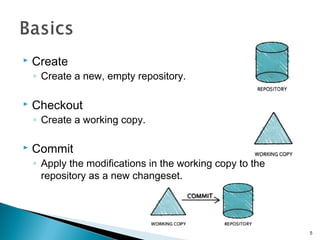
 Create
◦ Create a new, empty repository.
 Checkout
◦ Create a working copy.
 Commit
◦ Apply the modifications in the working copy to the
repository as a new changeset.
5
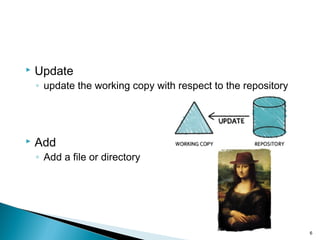
 Update
◦ update the working copy with respect to the repository
 Add
◦ Add a file or directory
6
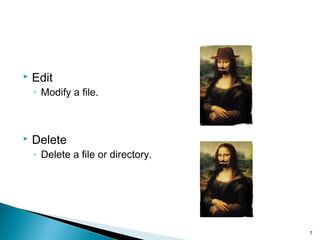
 Edit
◦ Modify a file.
 Delete
◦ Delete a file or directory.
7
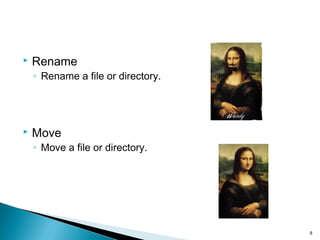
 Rename
◦ Rename a file or directory.
 Move
◦ Move a file or directory.
8
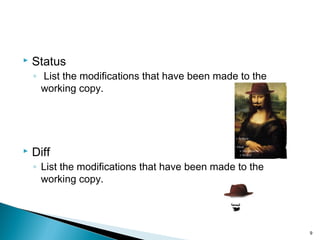
 Status
◦ List the modifications that have been made to the
working copy.
 Diff
◦ List the modifications that have been made to the
working copy.
9
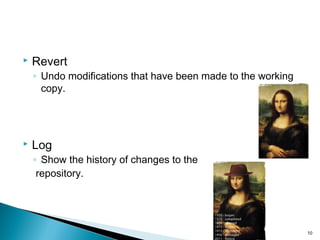
 Revert
◦ Undo modifications that have been made to the working
copy.
 Log
◦ Show the history of changes to the
repository.
10
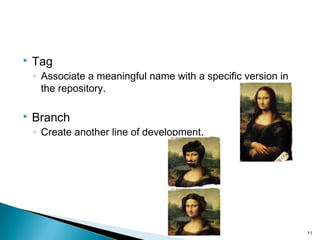
 Tag
◦ Associate a meaningful name with a specific version in
the repository.
 Branch
◦ Create another line of development.
11
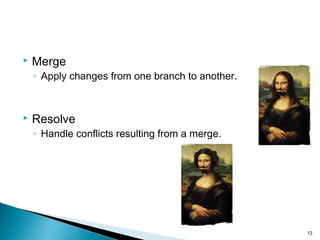
 Merge
◦ Apply changes from one branch to another.
 Resolve
◦ Handle conflicts resulting from a merge.
12
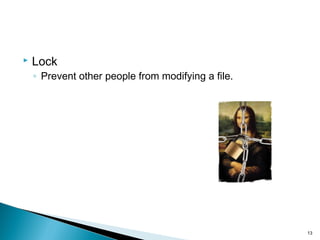
 Lock
◦ Prevent other people from modifying a file.
13
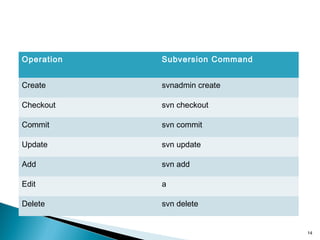
Operation Subversion Command
Create svnadmin create
Checkout svn checkout
Commit svn commit
Update svn update
Add svn add
Edit a
Delete svn delete
14
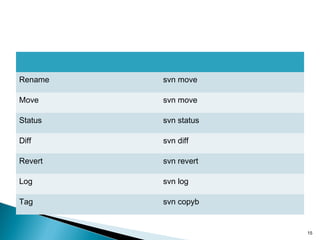
Rename svn move
Move svn move
Status svn status
Diff svn diff
Revert svn revert
Log svn log
Tag svn copyb
15
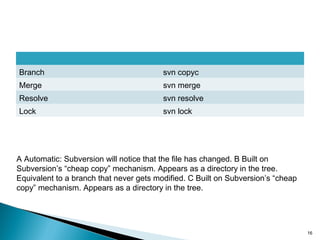
Branch svn copyc
Merge svn merge
Resolve svn resolve
Lock svn lock
A Automatic: Subversion will notice that the file has changed. B Built on
Subversion’s “cheap copy” mechanism. Appears as a directory in the tree.
Equivalent to a branch that never gets modified. C Built on Subversion’s “cheap
copy” mechanism. Appears as a directory in the tree.
16
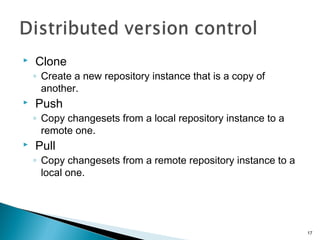
 Clone
◦ Create a new repository instance that is a copy of
another.
 Push
◦ Copy changesets from a local repository instance to a
remote one.
 Pull
◦ Copy changesets from a remote repository instance to a
local one.
17
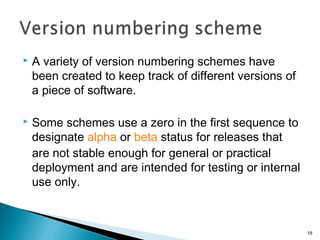
 A variety of version numbering schemes have
been created to keep track of different versions of
a piece of software.
 Some schemes use a zero in the first sequence to
designate alpha or beta status for releases that
are not stable enough for general or practical
deployment and are intended for testing or internal
use only.
18
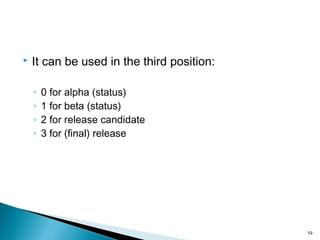
 It can be used in the third position:
◦ 0 for alpha (status)
◦ 1 for beta (status)
◦ 2 for release candidate
◦ 3 for (final) release
19
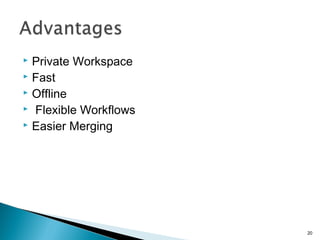
 Private Workspace
 Fast
 Offline
 Flexible Workflows
 Easier Merging
20
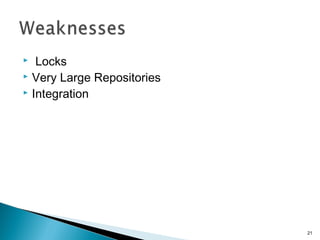
 Locks
 Very Large Repositories
 Integration
21
 http://www.ericsink.com/vcbe
22
23

version controlling in software development

  • 1.
  • 2.
     What isversion control.  Goals of version control system.  centralized version control system basics.  Subversion of basics.  distributed version control system basics.  Advantages.  Weaknesses 2
  • 3.
     A versioncontrol system is a piece of software that helps the developers on a software team together and also achieve a complete history of their work. 3
  • 4.
     We wantpeople to be able to work simultaneously, not serially.  When people are working at the same time, we want their changes to not conflict with each other.  We want to archive every version of every thing that has ever exited. 4
  • 5.
     Create ◦ Createa new, empty repository.  Checkout ◦ Create a working copy.  Commit ◦ Apply the modifications in the working copy to the repository as a new changeset. 5
  • 6.
     Update ◦ updatethe working copy with respect to the repository  Add ◦ Add a file or directory 6
  • 7.
     Edit ◦ Modifya file.  Delete ◦ Delete a file or directory. 7
  • 8.
     Rename ◦ Renamea file or directory.  Move ◦ Move a file or directory. 8
  • 9.
     Status ◦ Listthe modifications that have been made to the working copy.  Diff ◦ List the modifications that have been made to the working copy. 9
  • 10.
     Revert ◦ Undomodifications that have been made to the working copy.  Log ◦ Show the history of changes to the repository. 10
  • 11.
     Tag ◦ Associatea meaningful name with a specific version in the repository.  Branch ◦ Create another line of development. 11
  • 12.
     Merge ◦ Applychanges from one branch to another.  Resolve ◦ Handle conflicts resulting from a merge. 12
  • 13.
     Lock ◦ Preventother people from modifying a file. 13
  • 14.
    Operation Subversion Command Createsvnadmin create Checkout svn checkout Commit svn commit Update svn update Add svn add Edit a Delete svn delete 14
  • 15.
    Rename svn move Movesvn move Status svn status Diff svn diff Revert svn revert Log svn log Tag svn copyb 15
  • 16.
    Branch svn copyc Mergesvn merge Resolve svn resolve Lock svn lock A Automatic: Subversion will notice that the file has changed. B Built on Subversion’s “cheap copy” mechanism. Appears as a directory in the tree. Equivalent to a branch that never gets modified. C Built on Subversion’s “cheap copy” mechanism. Appears as a directory in the tree. 16
  • 17.
     Clone ◦ Createa new repository instance that is a copy of another.  Push ◦ Copy changesets from a local repository instance to a remote one.  Pull ◦ Copy changesets from a remote repository instance to a local one. 17
  • 18.
     A varietyof version numbering schemes have been created to keep track of different versions of a piece of software.  Some schemes use a zero in the first sequence to designate alpha or beta status for releases that are not stable enough for general or practical deployment and are intended for testing or internal use only. 18
  • 19.
     It canbe used in the third position: ◦ 0 for alpha (status) ◦ 1 for beta (status) ◦ 2 for release candidate ◦ 3 for (final) release 19
  • 20.
     Private Workspace Fast  Offline  Flexible Workflows  Easier Merging 20
  • 21.
     Locks  VeryLarge Repositories  Integration 21
  • 22.
  • 23.