VBA case studies
This document outlines parts of some of the VBA projects completed. Get
in touch if you need help with a new or existing Excel or Access application.
Example VBA projects
Access updates
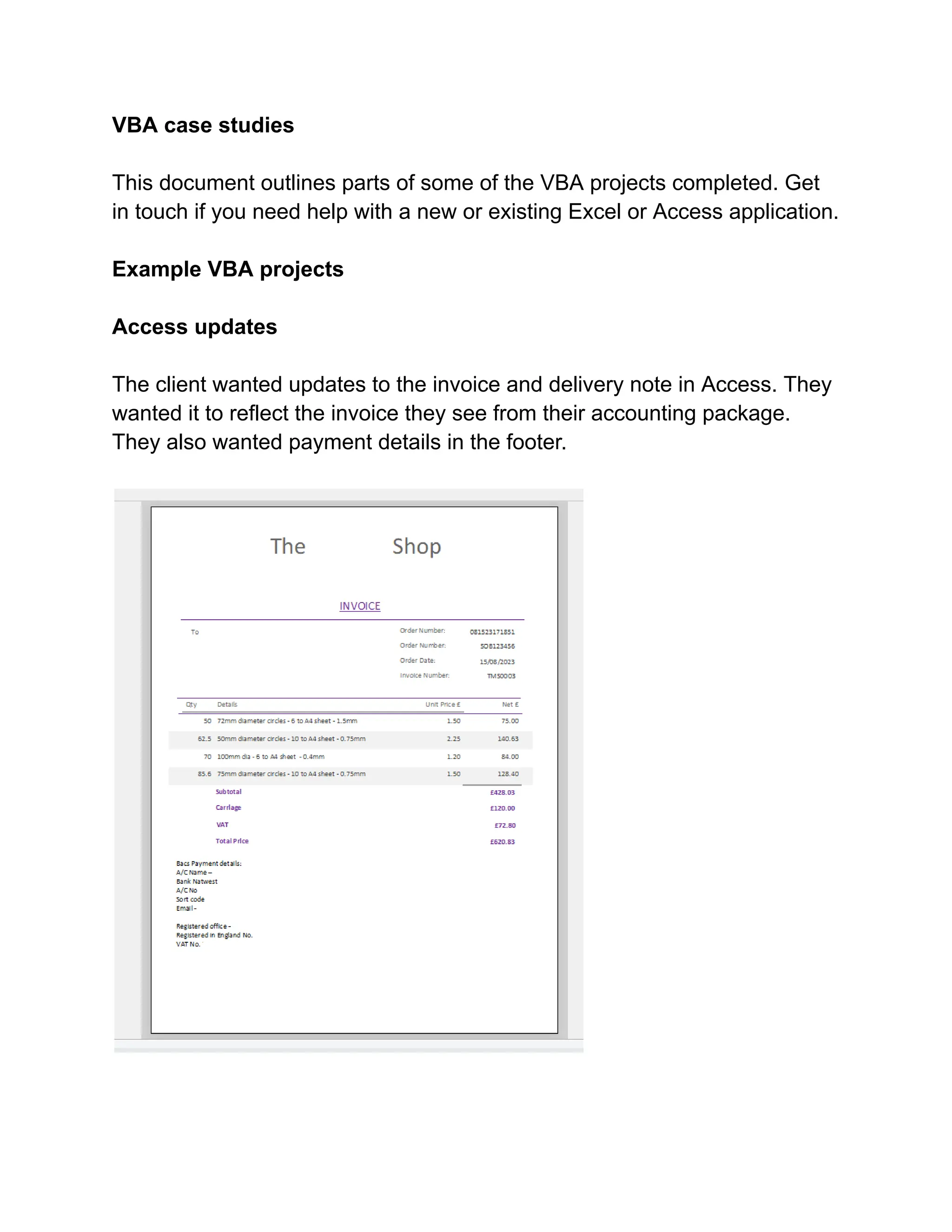
The client wanted updates to the invoice and delivery note in Access. They
wanted it to reflect the invoice they see from their accounting package.
They also wanted payment details in the footer.
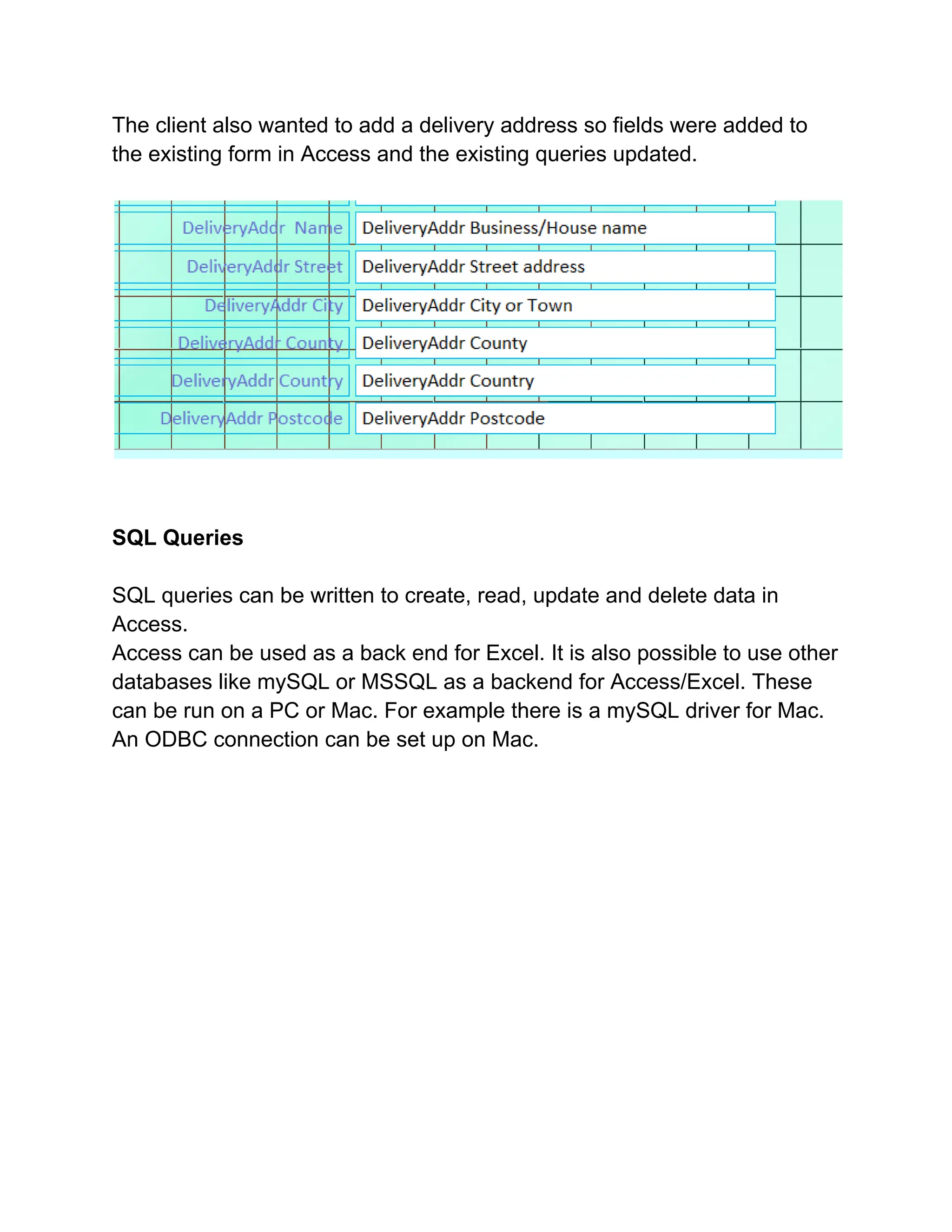
The client also wanted to add a delivery address so fields were added to
the existing form in Access and the existing queries updated.
SQL Queries
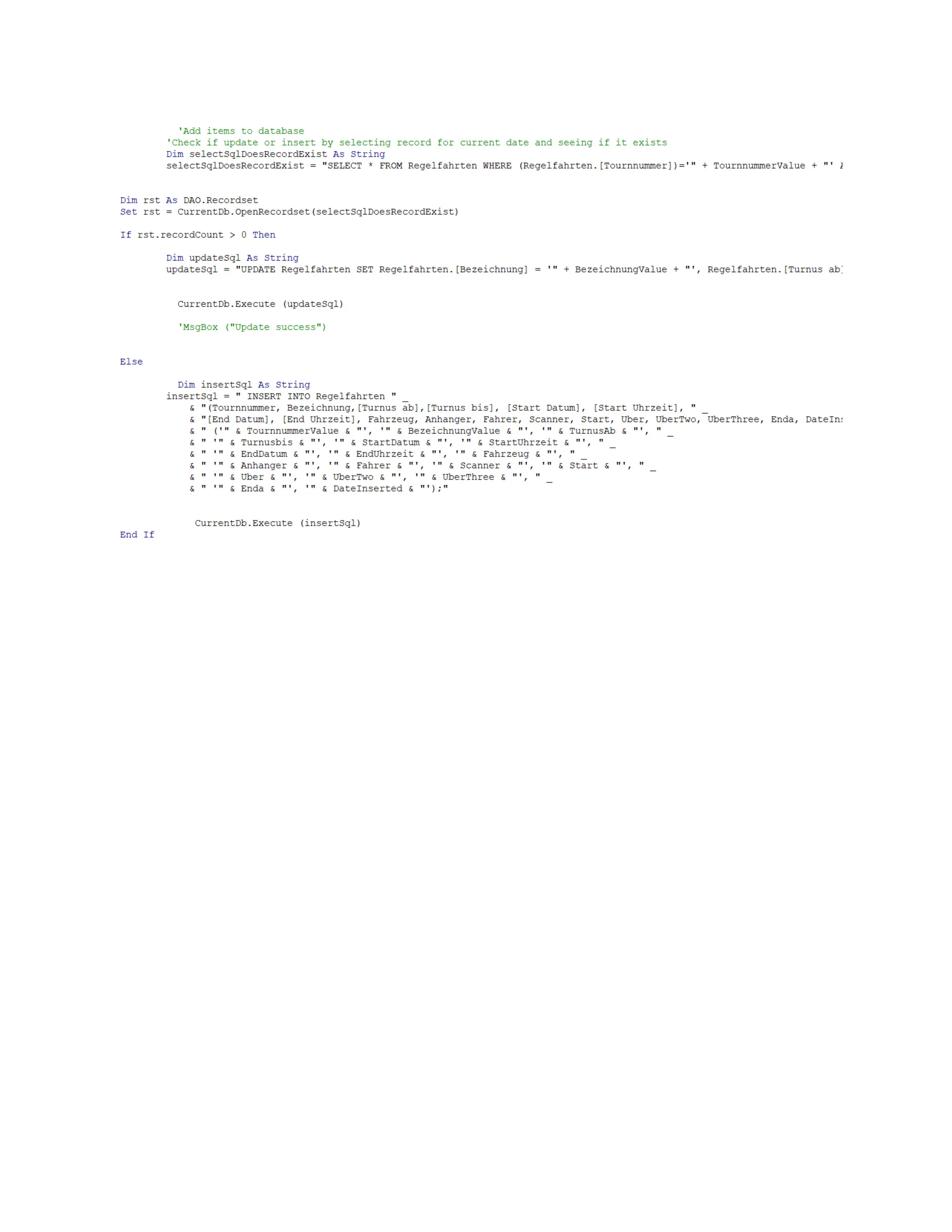
SQL queries can be written to create, read, update and delete data in
Access.
Access can be used as a back end for Excel. It is also possible to use other
databases like mySQL or MSSQL as a backend for Access/Excel. These
can be run on a PC or Mac. For example there is a mySQL driver for Mac.
An ODBC connection can be set up on Mac.
Mac compatibility
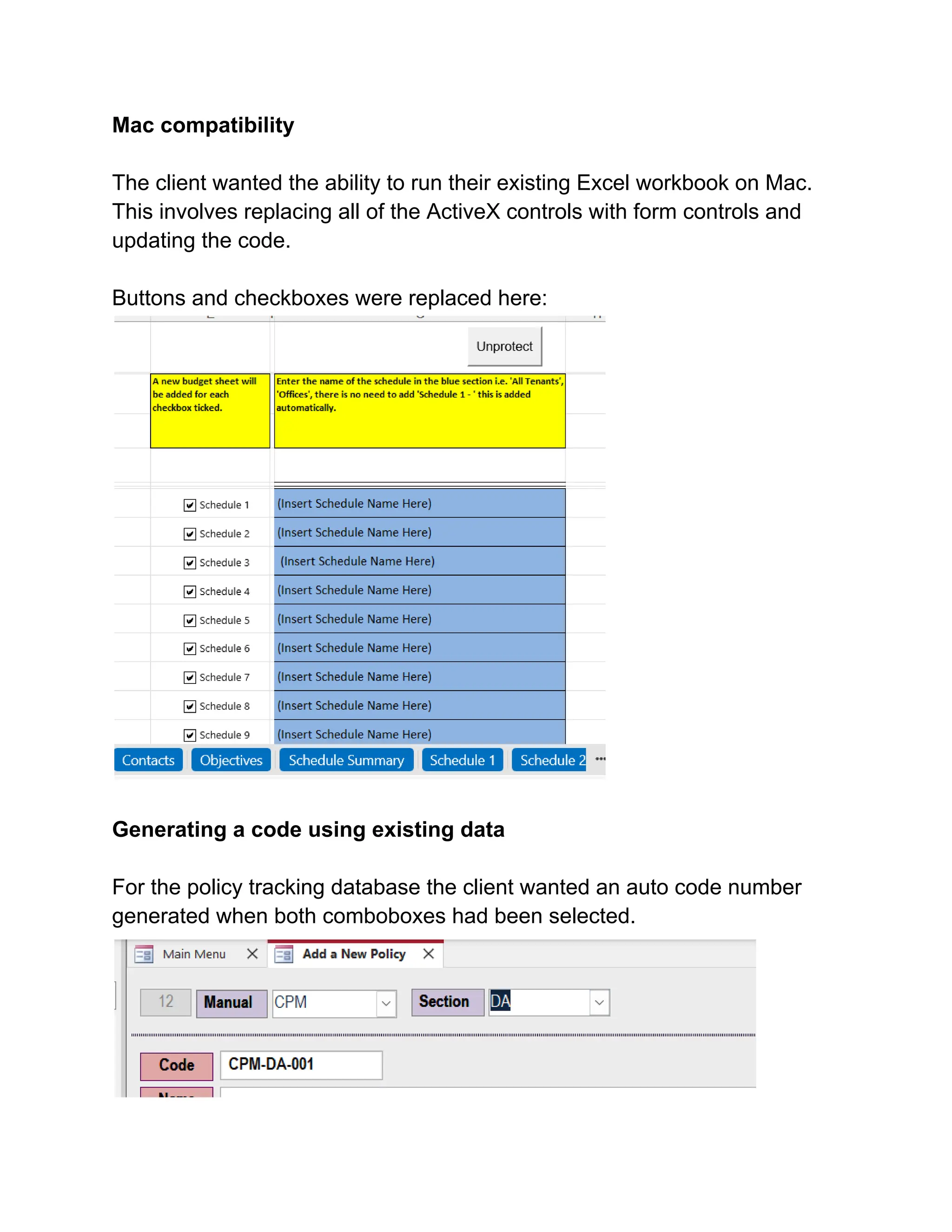
The client wanted the ability to run their existing Excel workbook on Mac.
This involves replacing all of the ActiveX controls with form controls and
updating the code.
Buttons and checkboxes were replaced here:
Generating a code using existing data
For the policy tracking database the client wanted an auto code number
generated when both comboboxes had been selected.
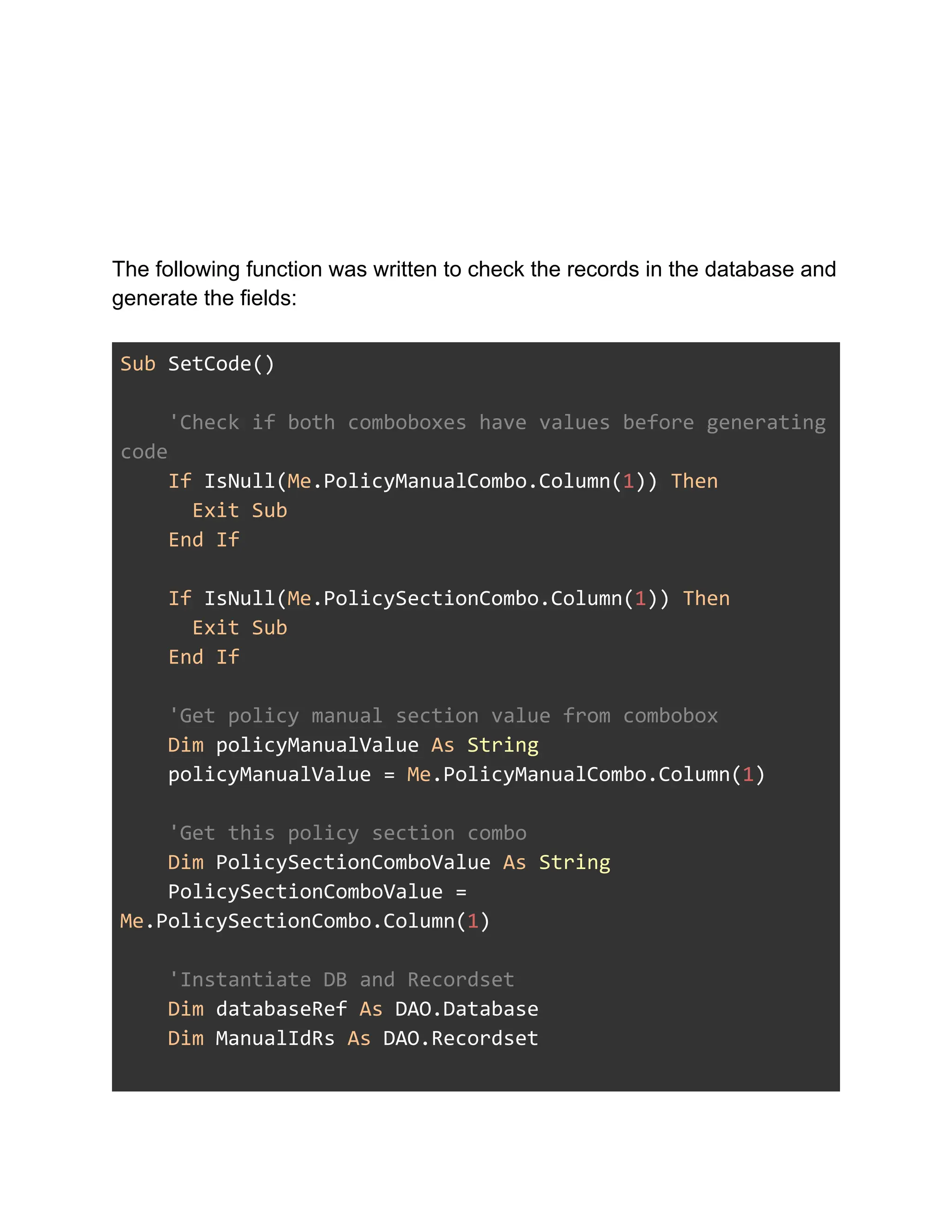
The following function was written to check the records in the database and
generate the fields:
Sub SetCode()
'Check if both comboboxes have values before generating
code
If IsNull(Me.PolicyManualCombo.Column(1)) Then
Exit Sub
End If
If IsNull(Me.PolicySectionCombo.Column(1)) Then
Exit Sub
End If
'Get policy manual section value from combobox
Dim policyManualValue As String
policyManualValue = Me.PolicyManualCombo.Column(1)
'Get this policy section combo
Dim PolicySectionComboValue As String
PolicySectionComboValue =
Me.PolicySectionCombo.Column(1)
'Instantiate DB and Recordset
Dim databaseRef As DAO.Database
Dim ManualIdRs As DAO.Recordset
'Set DB
Set databaseRef = CurrentDb
'Query the Manual ID number by selected abbr in
combobox
Set ManualIdRs = databaseRef.OpenRecordset("SELECT
Manual_T.ManualID FROM Manual_T WHERE [ManualAbbr] = '" _
& policyManualValue & "'",
dbOpenDynaset)
'Declare selected manualID variable
Dim PolicyManualId As Integer
'Loop populated recordset and assign ManualId value to
variable
Do While Not ManualIdRs.EOF
PolicyManualId = ManualIdRs("ManualID")
ManualIdRs.MoveNext
Loop
'Setup section ID recordset
Dim SectionIdRs As DAO.Recordset
'Query the Section ID number by selected abbr in
combobox
Set SectionIdRs = databaseRef.OpenRecordset("SELECT
Section_T.SectionID FROM Section_T WHERE [SectionAbbr] = '"
_
& PolicySectionComboValue &
"'", dbOpenDynaset)
'Loop populated recordset and assign SectionId value to
variable
Do While Not SectionIdRs.EOF
PolicySectionId = SectionIdRs("SectionID")
SectionIdRs.MoveNext
Loop
' Concatenate and create new code
Dim concatedVersion As String
concatedVersion = policyManualValue + "-" +
PolicySectionComboValue
'Setup policydata recordset
Dim PolicyDataRs As DAO.Recordset
'Query all matching PolicyData records filter by
SectionId and ManualId
Set PolicyDataRs = databaseRef.OpenRecordset("SELECT
PolicyData_T.PolicyCode, PolicyData_T.PolicySection,
PolicyData_T.PolicyManual FROM PolicyData_T WHERE
[PolicySection] = " _
& PolicySectionId & " And [PolicyManual] = " &
PolicyManualId, dbOpenDynaset)
'Count number of records for above filter. Add one to
generate new Id.
Dim newRecordNumber As Integer
newRecordNumber = PolicyDataRs.RecordCount + 1
'Format new id to 3 digits
Dim numberOfRecords As String
numberOfRecords = CStr(Format(newRecordNumber, "000"))
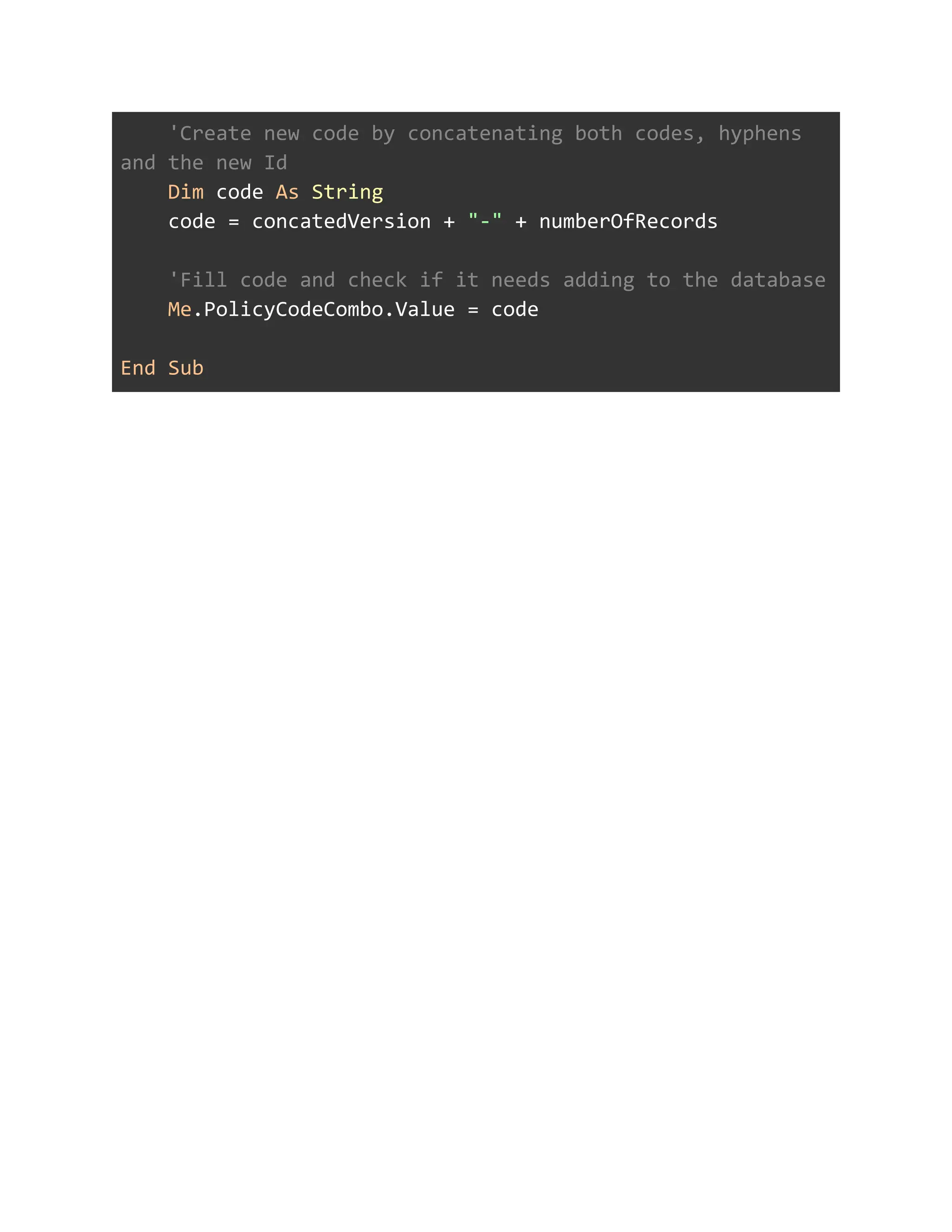
'Create new code by concatenating both codes, hyphens
and the new Id
Dim code As String
code = concatedVersion + "-" + numberOfRecords
'Fill code and check if it needs adding to the database
Me.PolicyCodeCombo.Value = code
End Sub

VBA work.pdf

  • 1.
    VBA case studies Thisdocument outlines parts of some of the VBA projects completed. Get in touch if you need help with a new or existing Excel or Access application. Example VBA projects Access updates The client wanted updates to the invoice and delivery note in Access. They wanted it to reflect the invoice they see from their accounting package. They also wanted payment details in the footer.
  • 2.
    The client alsowanted to add a delivery address so fields were added to the existing form in Access and the existing queries updated. SQL Queries SQL queries can be written to create, read, update and delete data in Access. Access can be used as a back end for Excel. It is also possible to use other databases like mySQL or MSSQL as a backend for Access/Excel. These can be run on a PC or Mac. For example there is a mySQL driver for Mac. An ODBC connection can be set up on Mac.
  • 4.
    Mac compatibility The clientwanted the ability to run their existing Excel workbook on Mac. This involves replacing all of the ActiveX controls with form controls and updating the code. Buttons and checkboxes were replaced here: Generating a code using existing data For the policy tracking database the client wanted an auto code number generated when both comboboxes had been selected.
  • 5.
    The following functionwas written to check the records in the database and generate the fields: Sub SetCode() 'Check if both comboboxes have values before generating code If IsNull(Me.PolicyManualCombo.Column(1)) Then Exit Sub End If If IsNull(Me.PolicySectionCombo.Column(1)) Then Exit Sub End If 'Get policy manual section value from combobox Dim policyManualValue As String policyManualValue = Me.PolicyManualCombo.Column(1) 'Get this policy section combo Dim PolicySectionComboValue As String PolicySectionComboValue = Me.PolicySectionCombo.Column(1) 'Instantiate DB and Recordset Dim databaseRef As DAO.Database Dim ManualIdRs As DAO.Recordset
  • 6.
    'Set DB Set databaseRef= CurrentDb 'Query the Manual ID number by selected abbr in combobox Set ManualIdRs = databaseRef.OpenRecordset("SELECT Manual_T.ManualID FROM Manual_T WHERE [ManualAbbr] = '" _ & policyManualValue & "'", dbOpenDynaset) 'Declare selected manualID variable Dim PolicyManualId As Integer 'Loop populated recordset and assign ManualId value to variable Do While Not ManualIdRs.EOF PolicyManualId = ManualIdRs("ManualID") ManualIdRs.MoveNext Loop 'Setup section ID recordset Dim SectionIdRs As DAO.Recordset 'Query the Section ID number by selected abbr in combobox Set SectionIdRs = databaseRef.OpenRecordset("SELECT Section_T.SectionID FROM Section_T WHERE [SectionAbbr] = '" _ & PolicySectionComboValue & "'", dbOpenDynaset) 'Loop populated recordset and assign SectionId value to
  • 7.
    variable Do While NotSectionIdRs.EOF PolicySectionId = SectionIdRs("SectionID") SectionIdRs.MoveNext Loop ' Concatenate and create new code Dim concatedVersion As String concatedVersion = policyManualValue + "-" + PolicySectionComboValue 'Setup policydata recordset Dim PolicyDataRs As DAO.Recordset 'Query all matching PolicyData records filter by SectionId and ManualId Set PolicyDataRs = databaseRef.OpenRecordset("SELECT PolicyData_T.PolicyCode, PolicyData_T.PolicySection, PolicyData_T.PolicyManual FROM PolicyData_T WHERE [PolicySection] = " _ & PolicySectionId & " And [PolicyManual] = " & PolicyManualId, dbOpenDynaset) 'Count number of records for above filter. Add one to generate new Id. Dim newRecordNumber As Integer newRecordNumber = PolicyDataRs.RecordCount + 1 'Format new id to 3 digits Dim numberOfRecords As String numberOfRecords = CStr(Format(newRecordNumber, "000"))
  • 8.
    'Create new codeby concatenating both codes, hyphens and the new Id Dim code As String code = concatedVersion + "-" + numberOfRecords 'Fill code and check if it needs adding to the database Me.PolicyCodeCombo.Value = code End Sub