Using Social Media to
Effectively Market your
  Wake Forest Event

Gretchen Edwards (’10), Alumni Office
 Stephanie Skordas, WF News Center
Warm-up

•  What’s your favorite ice cream?
  •  Vanilla
  •  Chocolate
  •  Strawberry
Let’s get to know each other

•  Who’s already using social media for work?


•  What social media channels do you use?


•  Are you considering starting your own channel?
  •  Have you thought about the reason “why”?
Today we’ll learn how to…

•  Identify & reach your event’s target audience

•  Utilize existing Wake Forest social media channels
   and communities

•  Track results

•  and…what is a # ?

•  and…how do I say something in 140 characters or
   less?
Social Media Dos & Don’ts
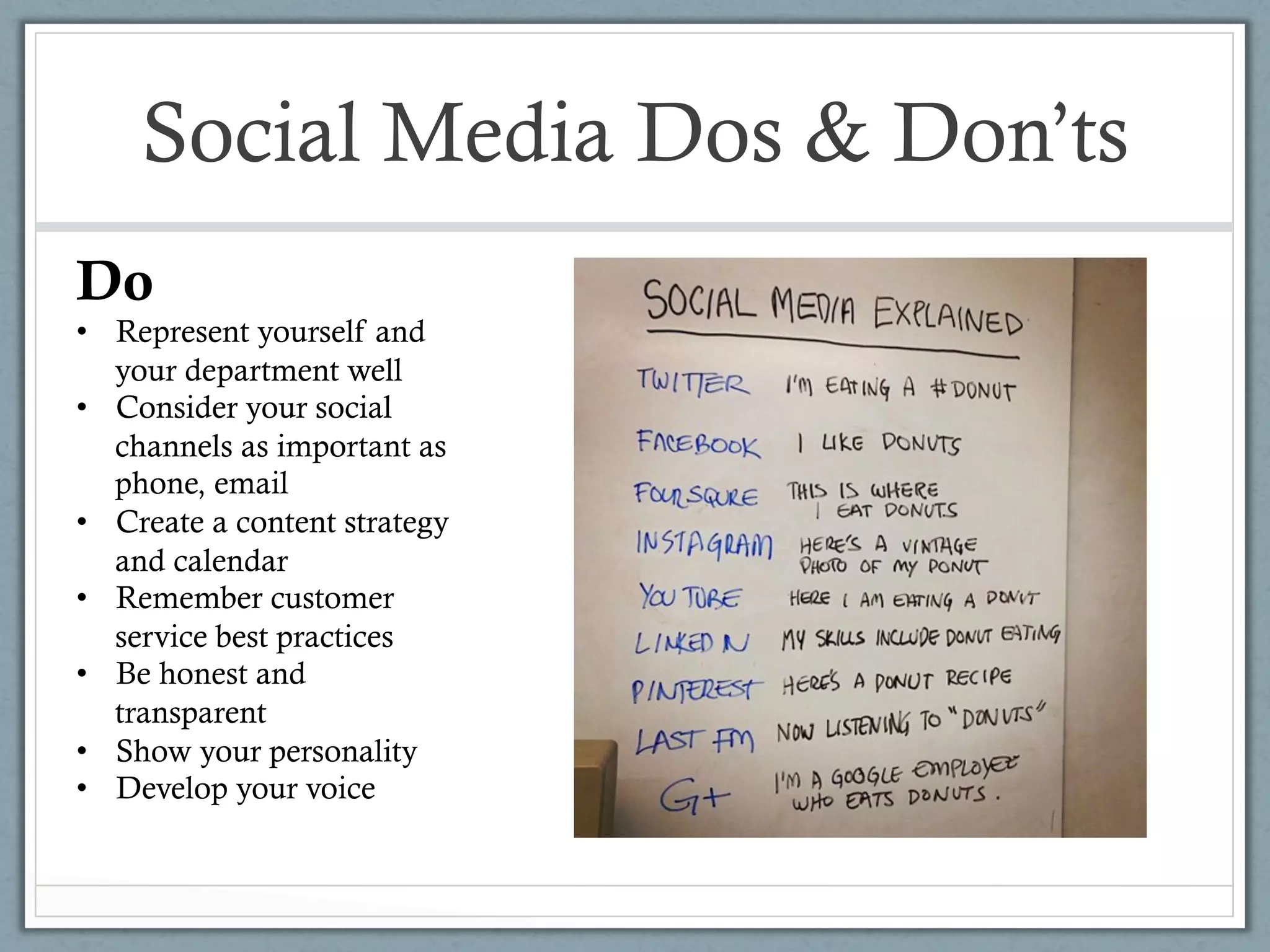
Do
•  Represent yourself and
   your department well
•  Consider your social
   channels as important as
   phone, email
•  Create a content strategy
   and calendar
•  Remember customer
   service best practices
•  Be honest and
   transparent
•  Show your personality
•  Develop your voice
Social Media Dos & Don’ts
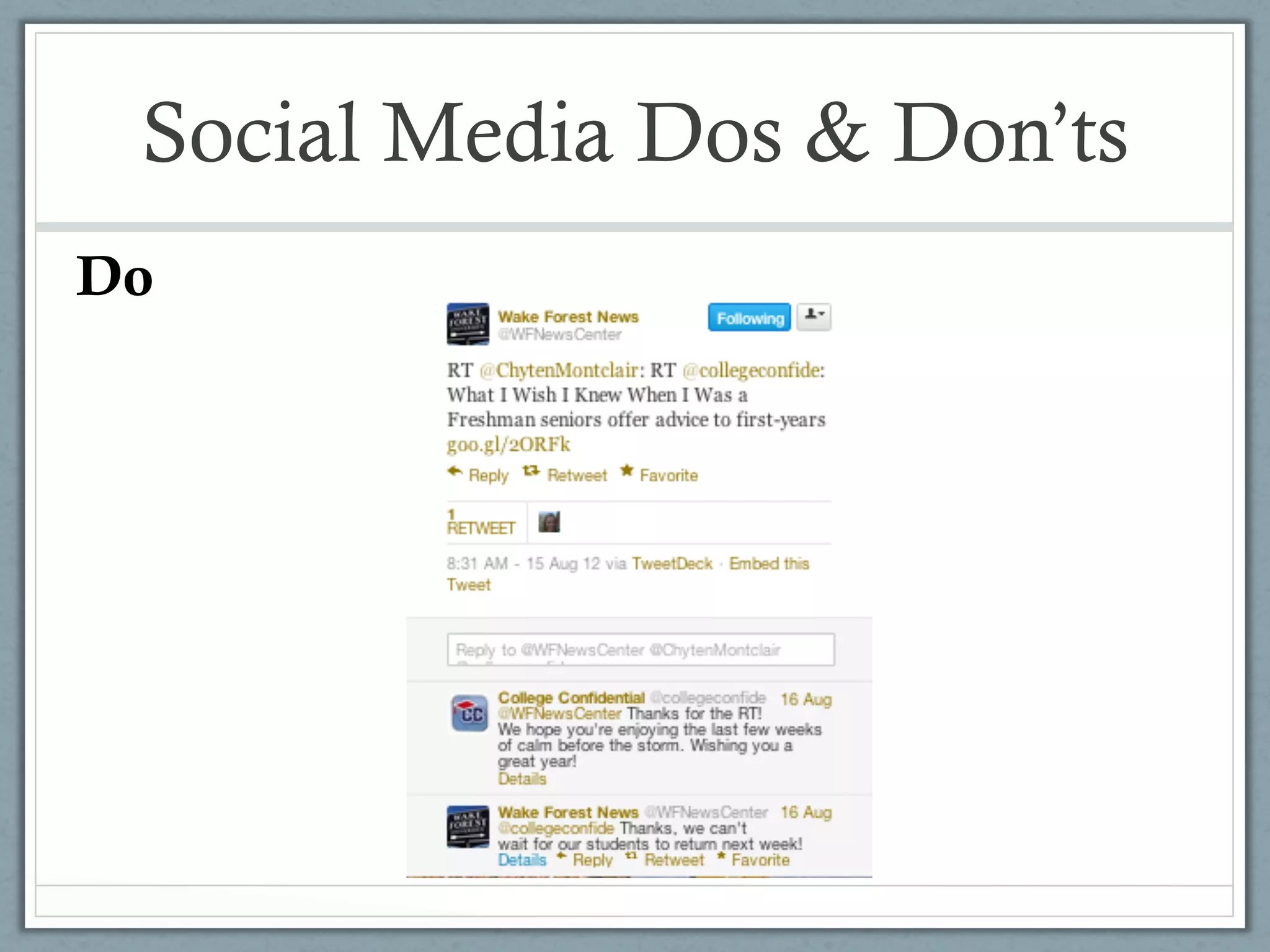
Do
Social Media Dos & Don’ts
               Don’t
               •  Mindlessly connect your
                  accounts to each other
               •  Ignore negative
                  comments
               •  Use others’ content
                  without attribution
               •  Be afraid to take a
                  chance
Social Media Dos & Don’ts
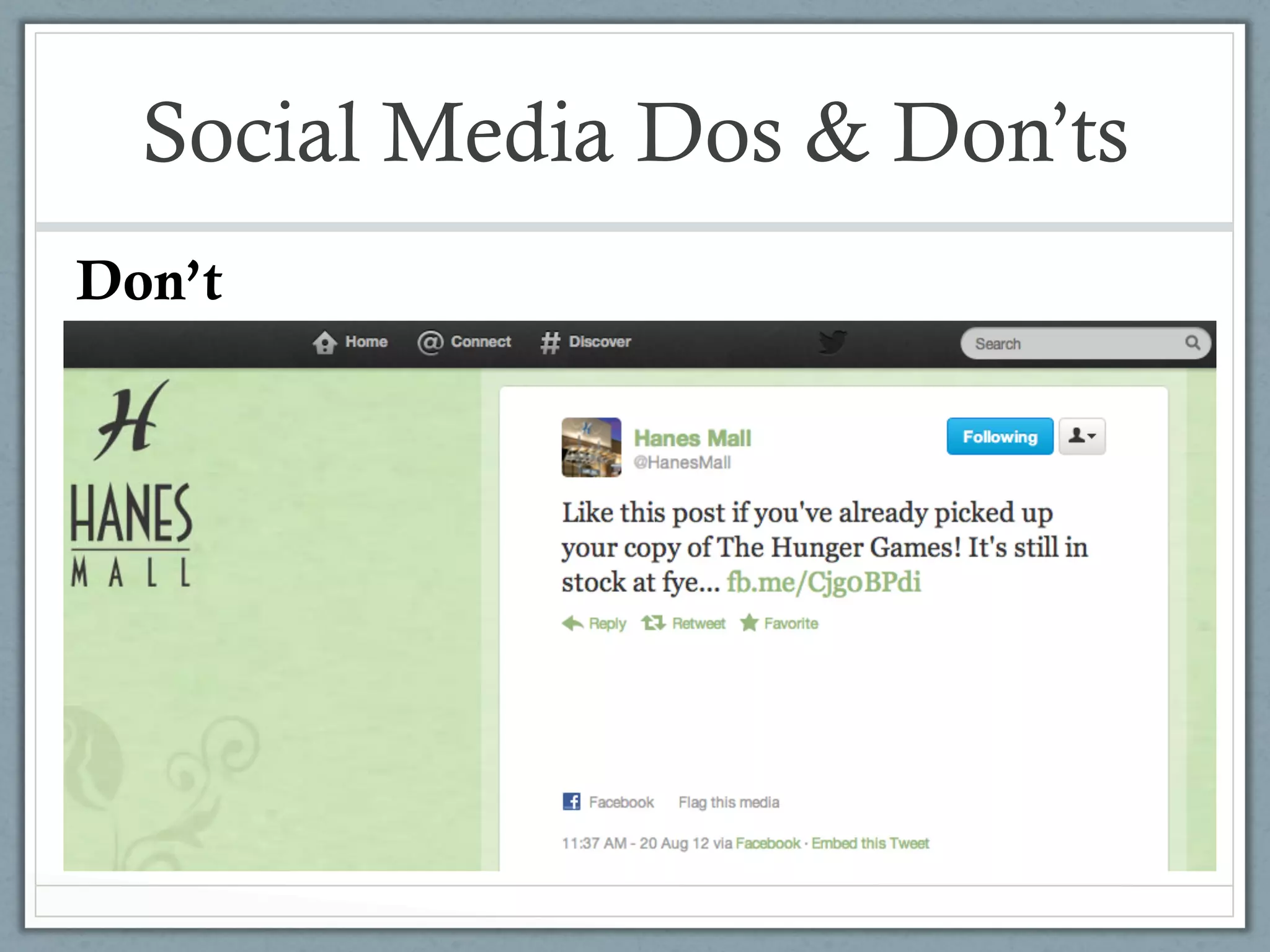
Don’t
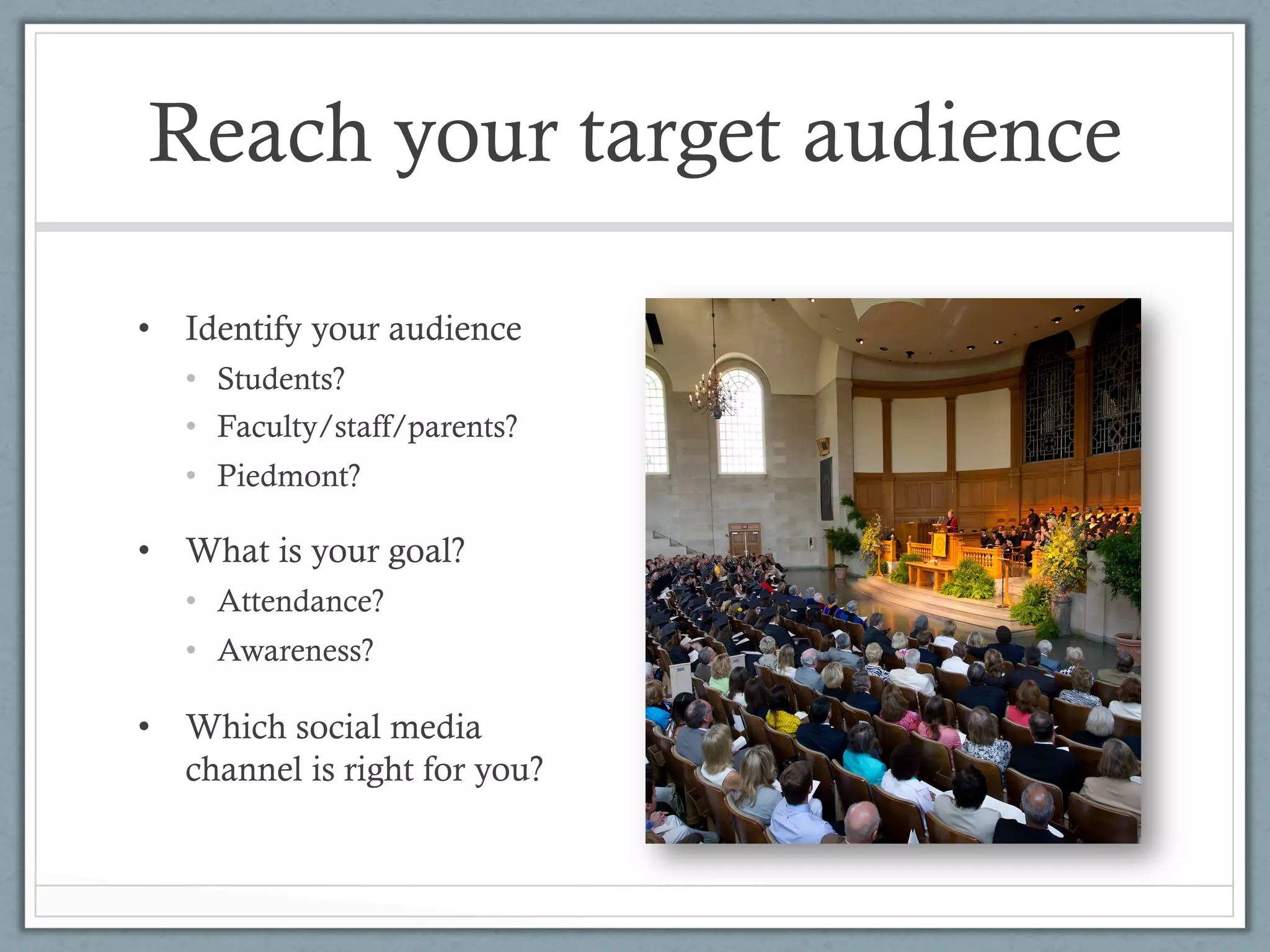
Reach your target audience

•  Identify your audience
   •  Students?
   •  Faculty/staff/parents?
   •  Piedmont?

•  What is your goal?
   •  Attendance?
   •  Awareness?

•  Which social media
   channel is right for you?
Use existing channels

•  How long will your event last?

•  Not every event, entity, subject matter needs its own
   social channel

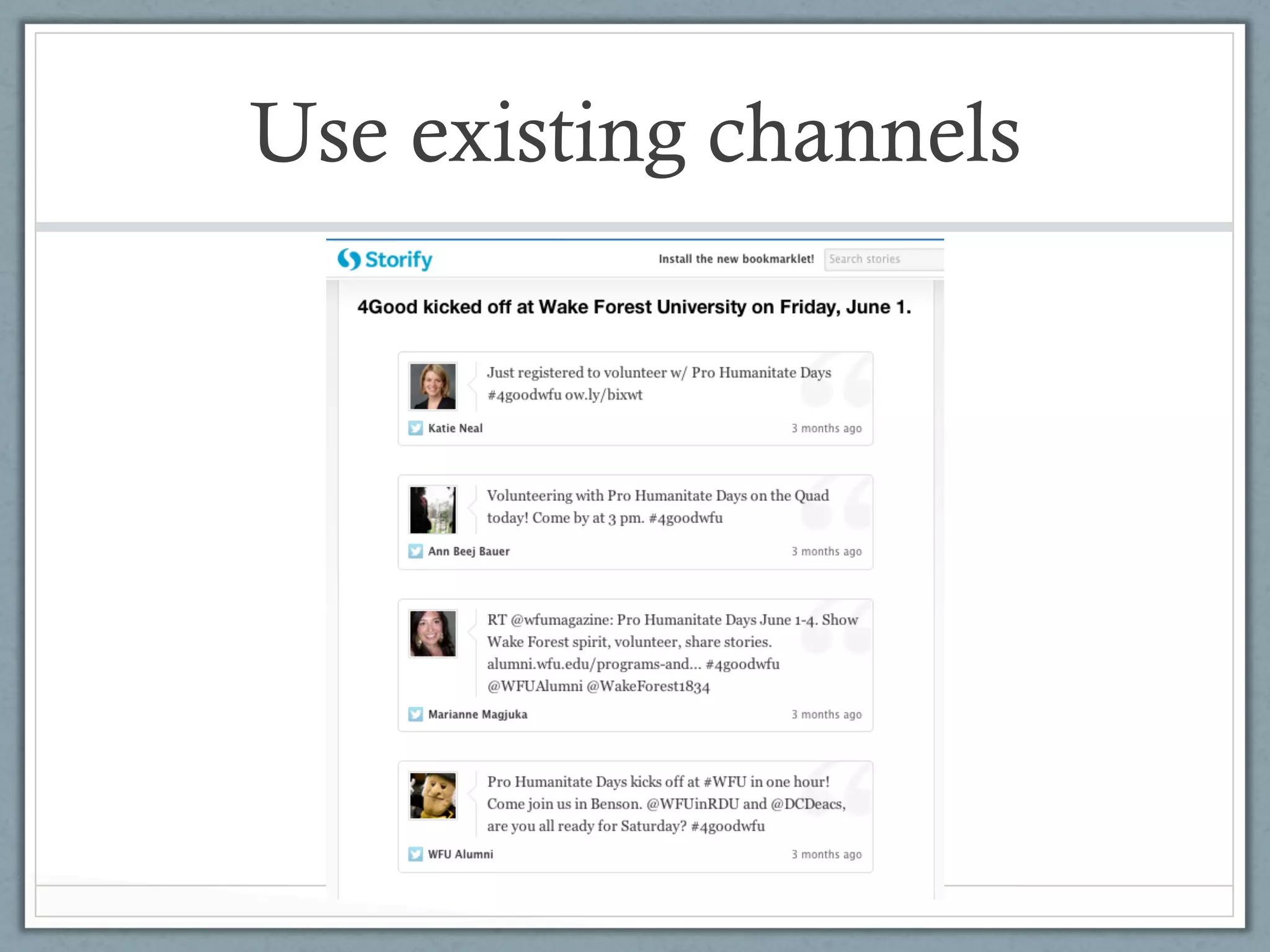
•  Take advantage of strong communities
  •  Let others know about your event, ask them to talk
     about it
  •  Create a #hashtag

•  Create content for others to share
Use existing channels
Pre-write content

•  Compose messages that can be shared by multiple accounts
  •  #WordsAwake examples:

 “Desperate Housewives” or “Law & Order” fan? WFU alum and screenwriter
 Paul Bullock will be at #WordsAwake Register now http://tinyurl.com/
 7wdtxv2
 [tweeted by wfumagazine 03.20.12]
Pre-write content

•  Pre-writing content allows you to:
  •  Create higher quality material than if you wait until the last
     minute #obviously
  •  Disseminate content to other social media managers
  •  Amplify your message
Pre-write content

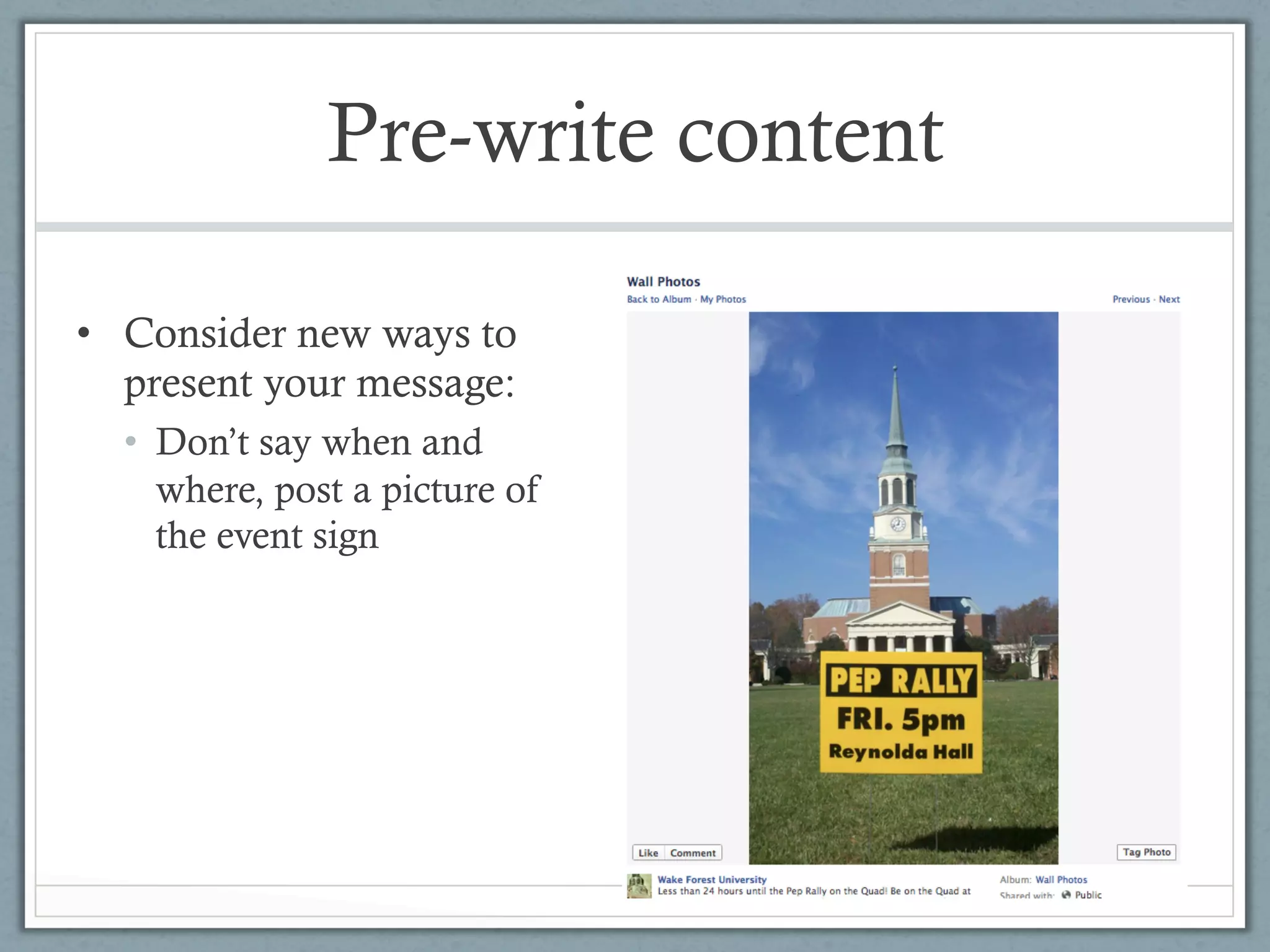
•  Consider new ways to
   present your message:
  •  Don’t say when and
     where, post a picture of
     the event sign
Create shareable content

•  Tweets
  •  Why are 120 characters better than 140?

•  Facebook
  •  Photo + link
  •  Short videos

•  Storify
  •  Use this to create an easily shared story with social
     media or web elements
Track results

•  Set aside a reasonable, regular amount of time to
   figure out if what you are doing, is working


•  Decide how to measure your goals – correlate efforts
   spent on social initiatives to tangible results
  •  Increased event attendance
  •  Increased campus awareness about an office
  •  Higher level of customer service
Track results

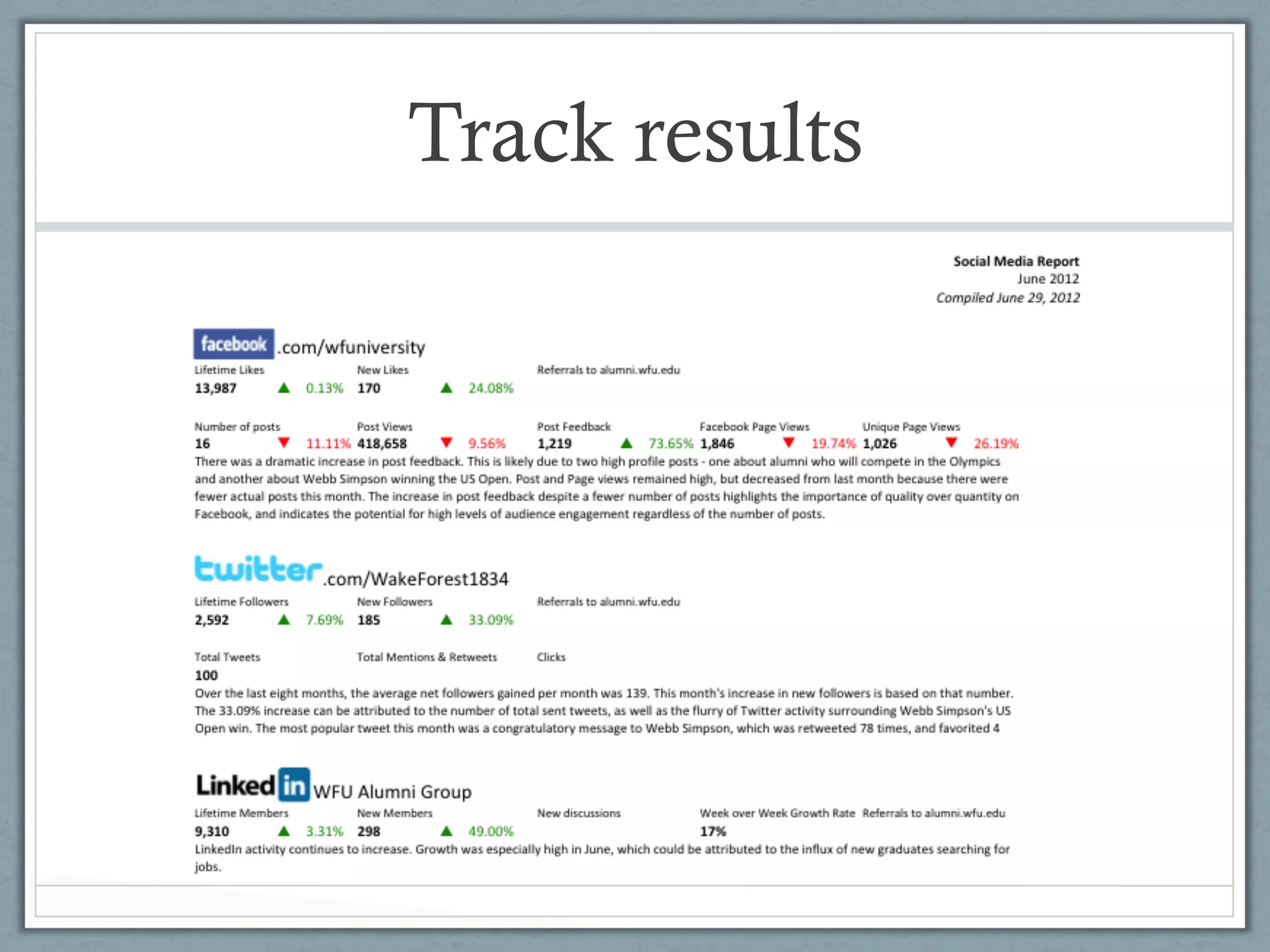
•  What to count?
  •  Friend/follower numbers
  •  Link clickthroughs (use bit.ly, tinyurl)

•  How to view engagement
  •  Use analytics to measure sharing
  •  Be sure to make your channel a two-way conversation, not
     just a broadcast

•  How to prove it works to your supervisor
  •  Take screenshots of valuable interactions
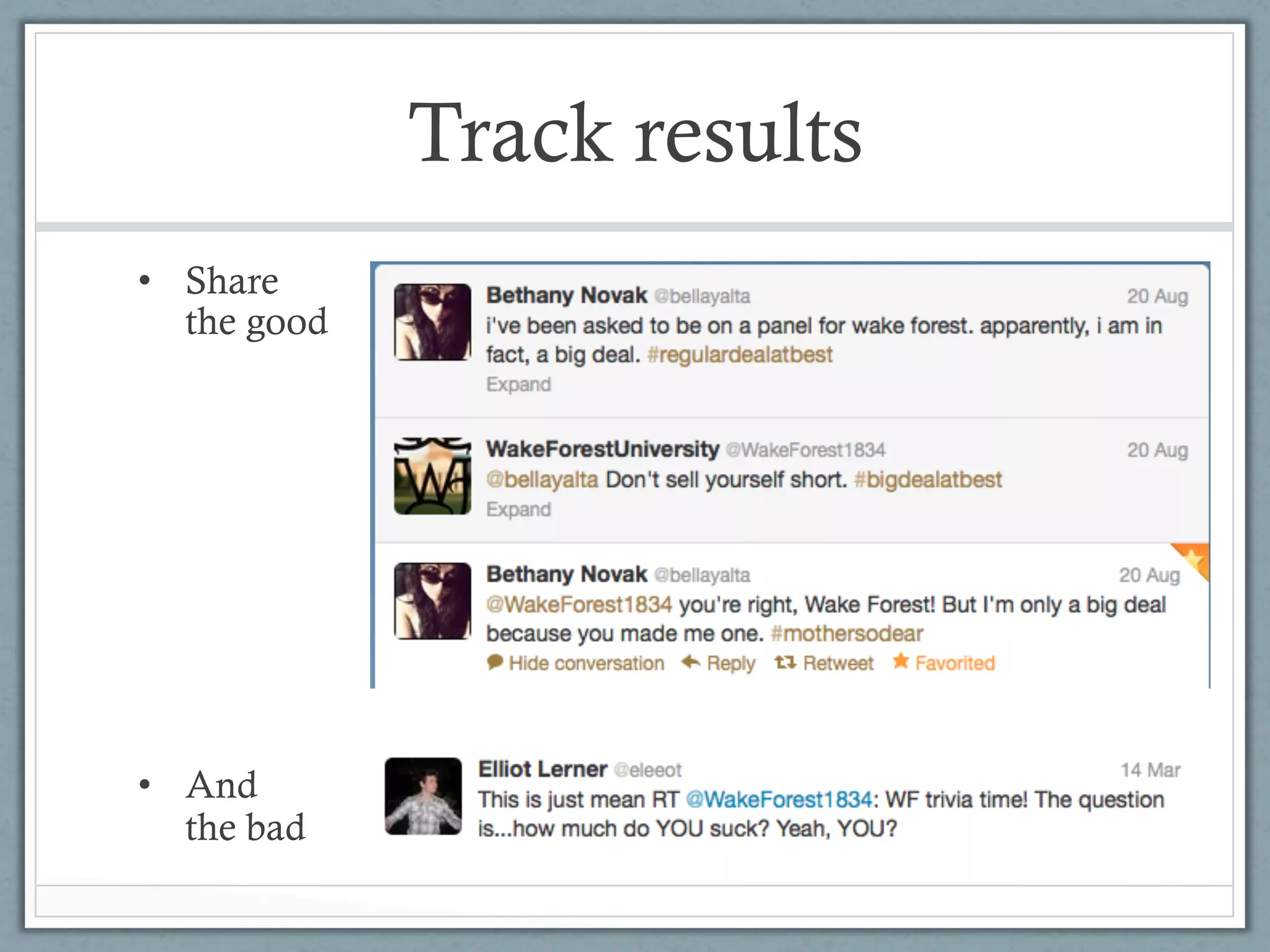
  •  Share the good and the bad – this makes the good that much
     more credible
Track results
•  Share
   the good


•  And
   the bad
Track results
Review

•  Target
•  Tweet
•  Track
Thanks for coming!

Gretchen Edwards   Stephanie Skordas
edwardee@wfu.edu   skordas@wfu.edu
x4607              x3826
@gretchEdwards     @stephskordas
@WakeForest1834    @WFNewsCenter

Using Social Media to Effectively Market your Wake Forest Event

  • 1.
    Using Social Mediato Effectively Market your Wake Forest Event Gretchen Edwards (’10), Alumni Office Stephanie Skordas, WF News Center
  • 2.
    Warm-up •  What’s yourfavorite ice cream? •  Vanilla •  Chocolate •  Strawberry
  • 3.
    Let’s get toknow each other •  Who’s already using social media for work? •  What social media channels do you use? •  Are you considering starting your own channel? •  Have you thought about the reason “why”?
  • 4.
    Today we’ll learnhow to… •  Identify & reach your event’s target audience •  Utilize existing Wake Forest social media channels and communities •  Track results •  and…what is a # ? •  and…how do I say something in 140 characters or less?
  • 5.
    Social Media Dos& Don’ts Do •  Represent yourself and your department well •  Consider your social channels as important as phone, email •  Create a content strategy and calendar •  Remember customer service best practices •  Be honest and transparent •  Show your personality •  Develop your voice
  • 6.
    Social Media Dos& Don’ts Do
  • 7.
    Social Media Dos& Don’ts Don’t •  Mindlessly connect your accounts to each other •  Ignore negative comments •  Use others’ content without attribution •  Be afraid to take a chance
  • 8.
    Social Media Dos& Don’ts Don’t
  • 9.
    Reach your targetaudience •  Identify your audience •  Students? •  Faculty/staff/parents? •  Piedmont? •  What is your goal? •  Attendance? •  Awareness? •  Which social media channel is right for you?
  • 10.
    Use existing channels • How long will your event last? •  Not every event, entity, subject matter needs its own social channel •  Take advantage of strong communities •  Let others know about your event, ask them to talk about it •  Create a #hashtag •  Create content for others to share
  • 11.
  • 12.
    Pre-write content •  Composemessages that can be shared by multiple accounts •  #WordsAwake examples: “Desperate Housewives” or “Law & Order” fan? WFU alum and screenwriter Paul Bullock will be at #WordsAwake Register now http://tinyurl.com/ 7wdtxv2 [tweeted by wfumagazine 03.20.12]
  • 13.
    Pre-write content •  Pre-writingcontent allows you to: •  Create higher quality material than if you wait until the last minute #obviously •  Disseminate content to other social media managers •  Amplify your message
  • 14.
    Pre-write content •  Considernew ways to present your message: •  Don’t say when and where, post a picture of the event sign
  • 15.
    Create shareable content • Tweets •  Why are 120 characters better than 140? •  Facebook •  Photo + link •  Short videos •  Storify •  Use this to create an easily shared story with social media or web elements
  • 16.
    Track results •  Setaside a reasonable, regular amount of time to figure out if what you are doing, is working •  Decide how to measure your goals – correlate efforts spent on social initiatives to tangible results •  Increased event attendance •  Increased campus awareness about an office •  Higher level of customer service
  • 17.
    Track results •  Whatto count? •  Friend/follower numbers •  Link clickthroughs (use bit.ly, tinyurl) •  How to view engagement •  Use analytics to measure sharing •  Be sure to make your channel a two-way conversation, not just a broadcast •  How to prove it works to your supervisor •  Take screenshots of valuable interactions •  Share the good and the bad – this makes the good that much more credible
  • 18.
    Track results •  Share the good •  And the bad
  • 19.
  • 20.
  • 21.
    Thanks for coming! GretchenEdwards Stephanie Skordas edwardee@wfu.edu skordas@wfu.edu x4607 x3826 @gretchEdwards @stephskordas @WakeForest1834 @WFNewsCenter