Flexbox 
Zoe Mickley Gillenwater @zomigiGenerate
September 2016
TODAY
USING
I work for
Psst…you can too: www.workingatbooking.com
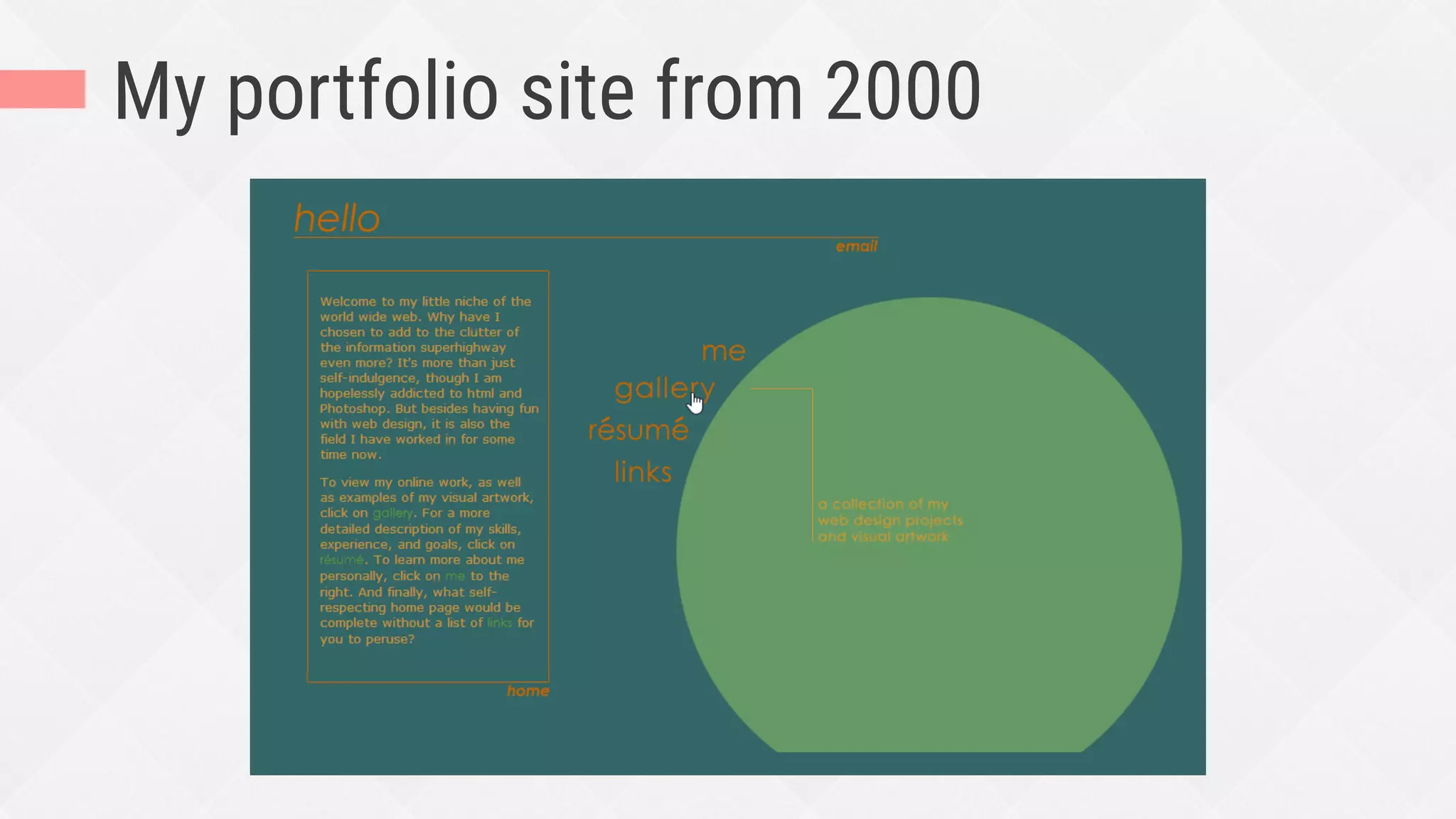
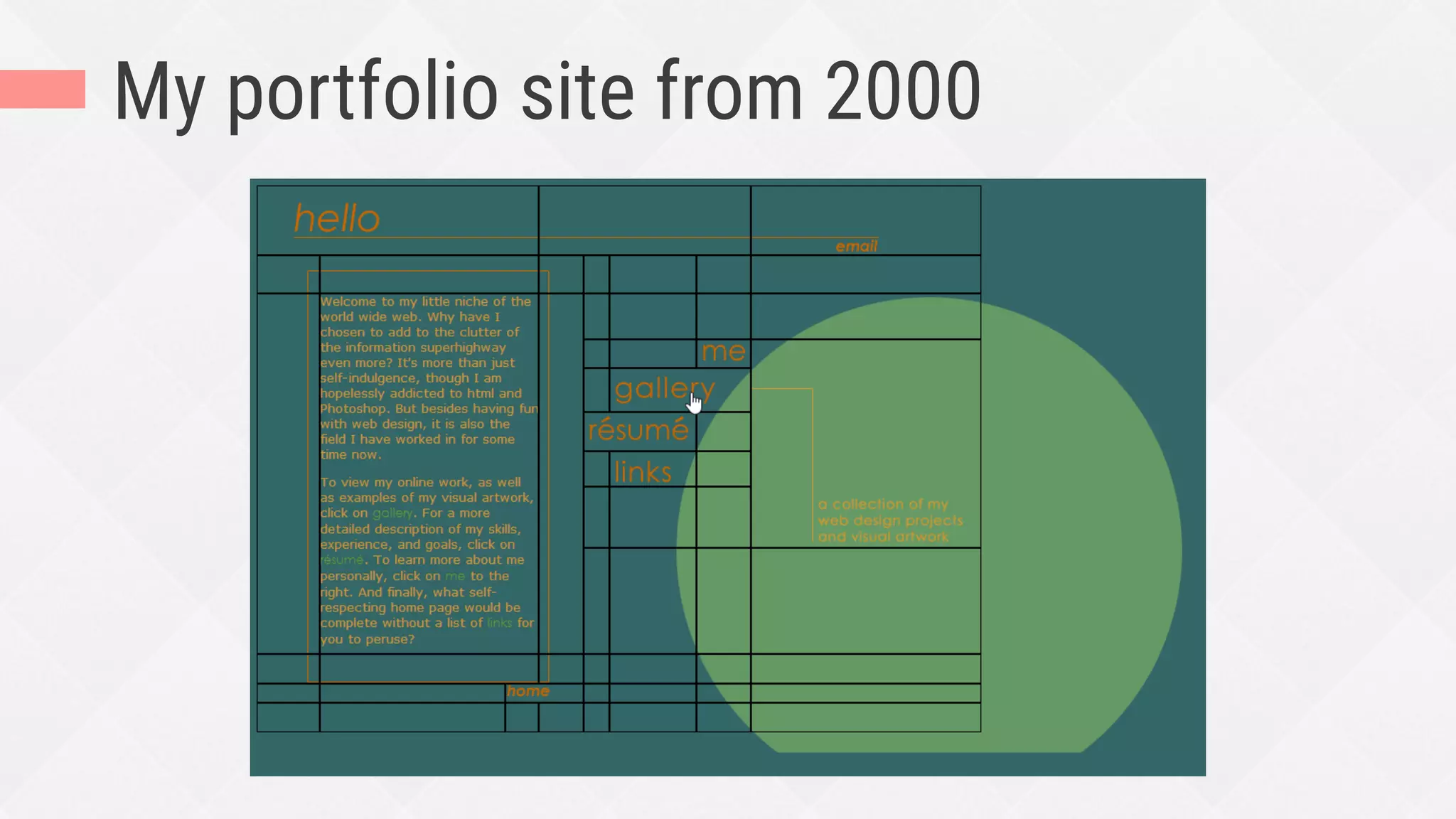
My portfolio site from 2000
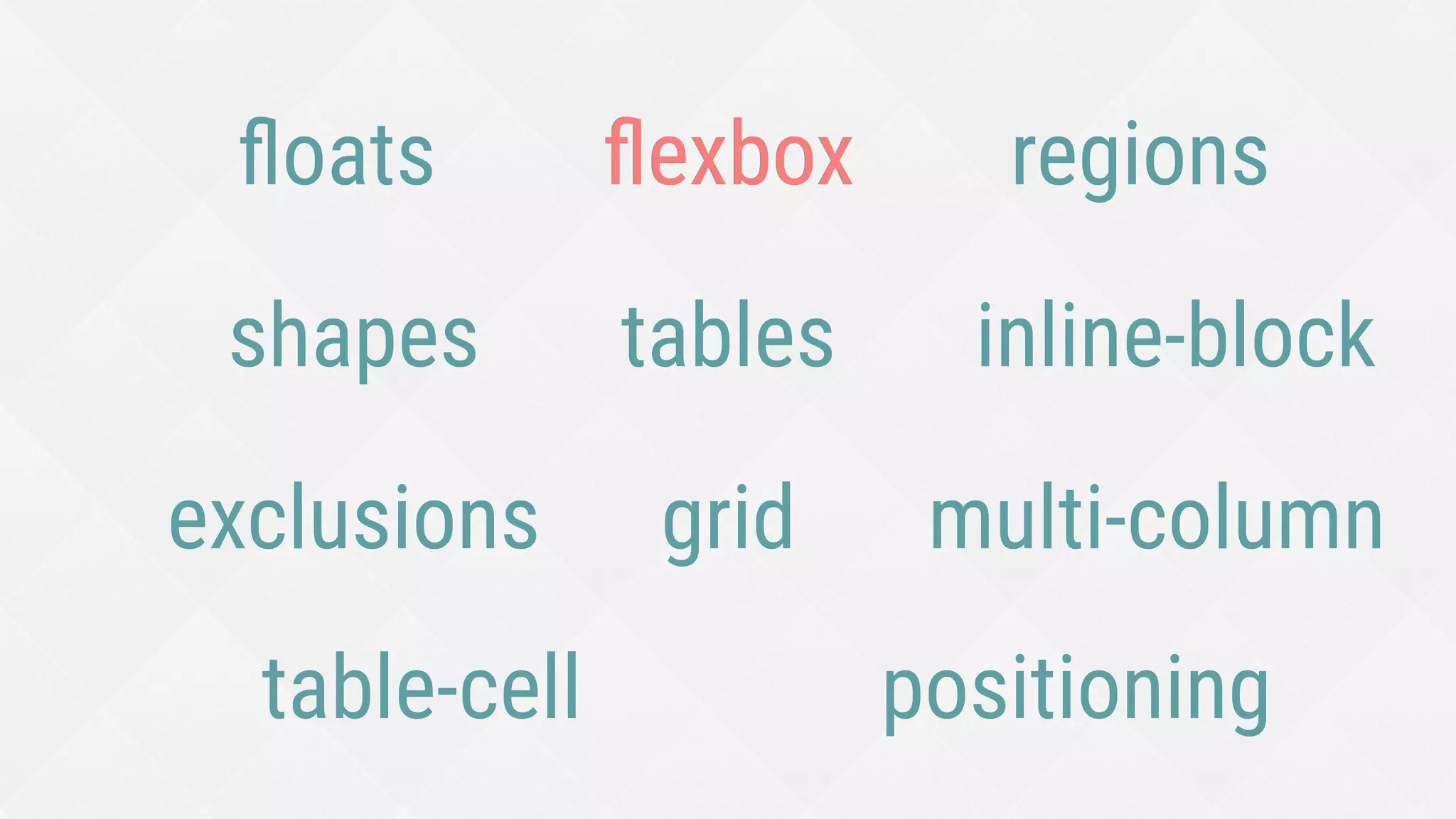
tables
positioning
floats
inline-block
table-cell
flexbox
grid
 multi-column
exclusions
shapes
regions
flexbox
when
what
flexbox
how
Deciding when to use and not use flexbox
WHEN
1.
What browsers do I need to
support?
Don’t ask yourself this—it’s irrelevant here
(IMO)
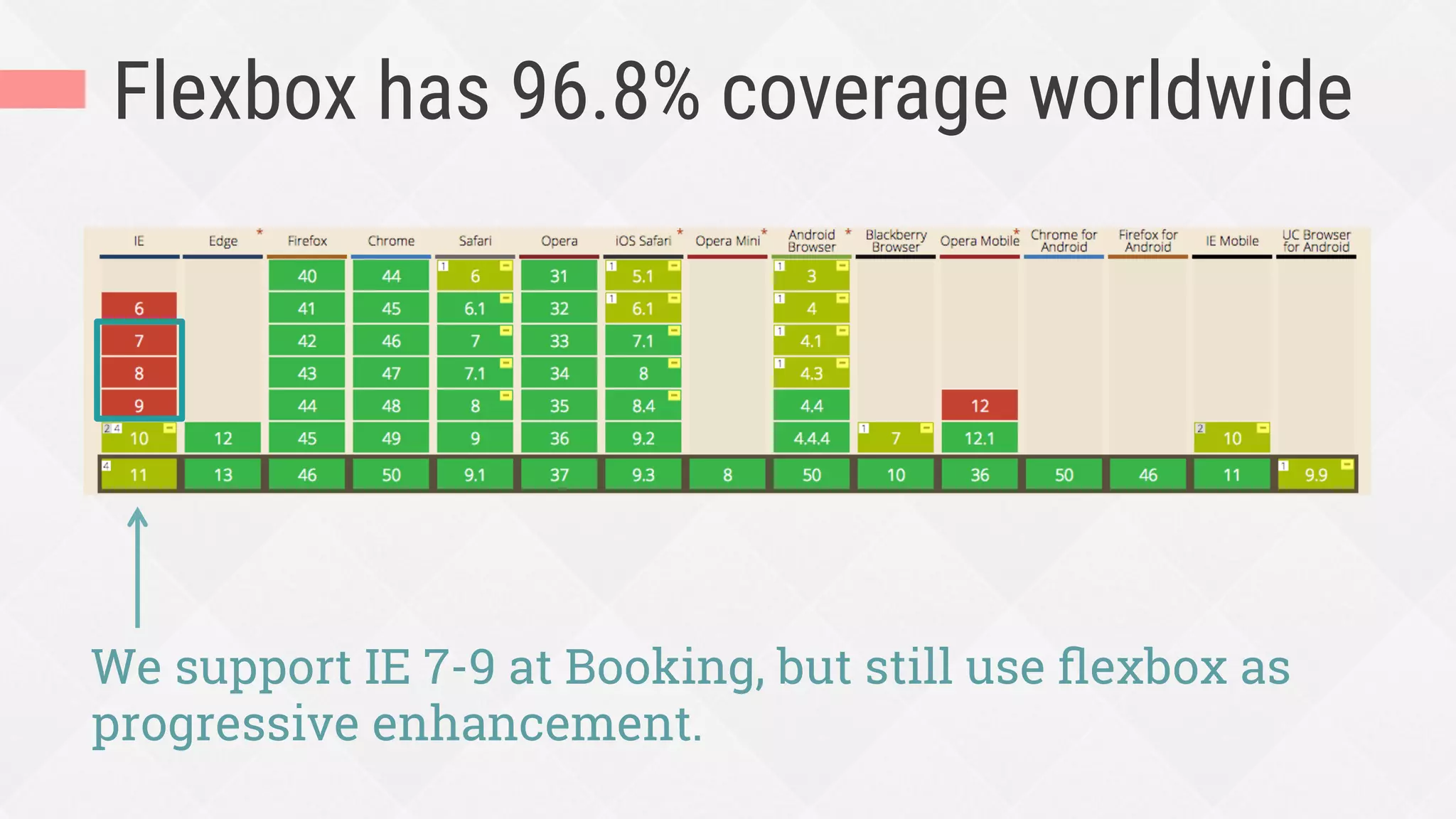
Flexbox has 96.8% coverage worldwide
We support IE 7-9 at Booking, but still use flexbox as
progressive enhancement.
Do I want to create a layout in
1 dimension (row OR column)
or 2 dimensions?
Hat-tip to Rachel Andrew:
https://rachelandrew.co.uk/archives/2016/03/30/should-i-use-grid-or-flexbox/
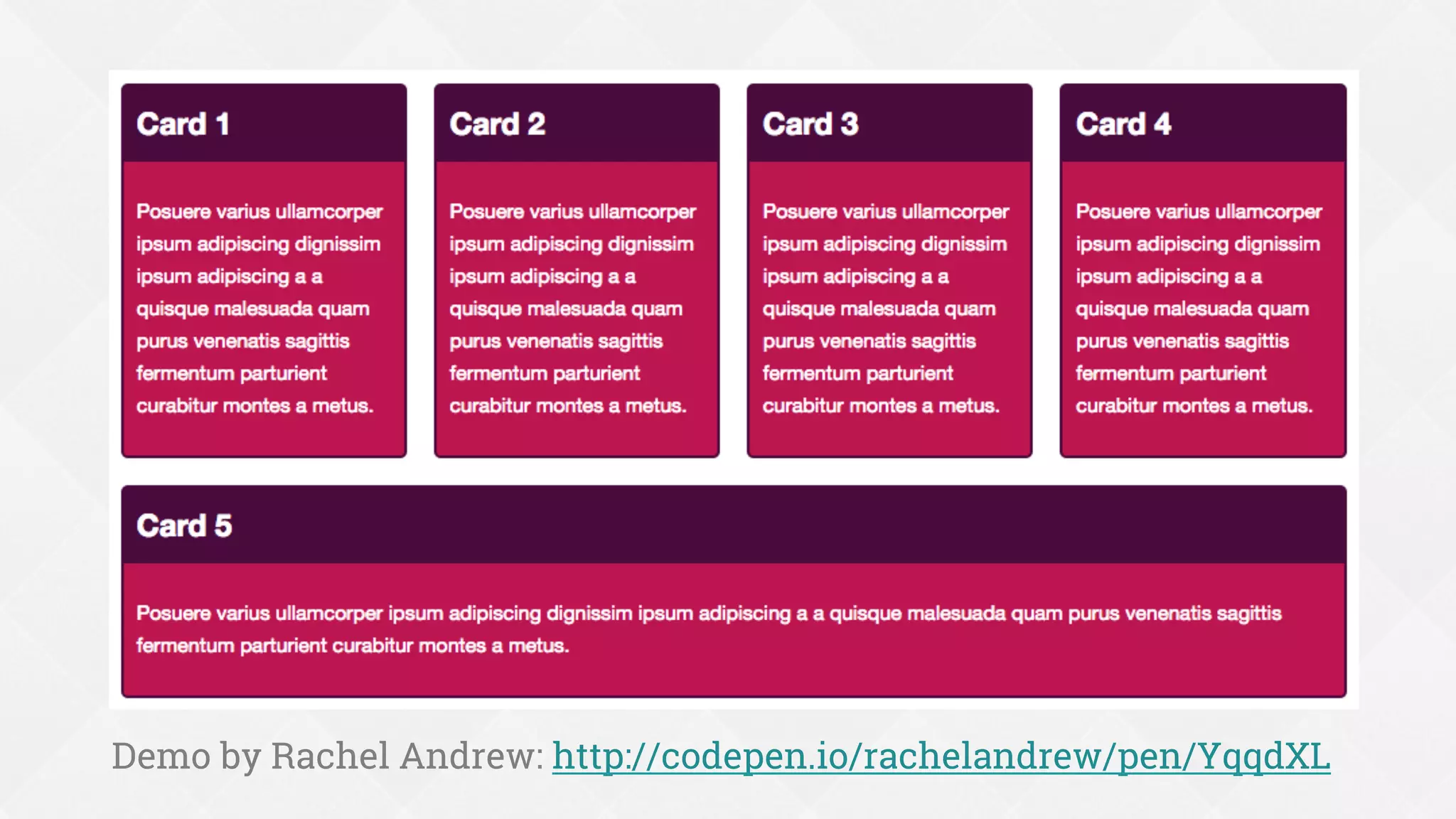
Flexbox is not a grid
¨  Not meant for or great at whole page layout
¨  Flex items only care about space in their
own row/column
¨  They don’t care about lining up in the other
dimension
Demo by Rachel Andrew: http://codepen.io/rachelandrew/pen/YqqdXL
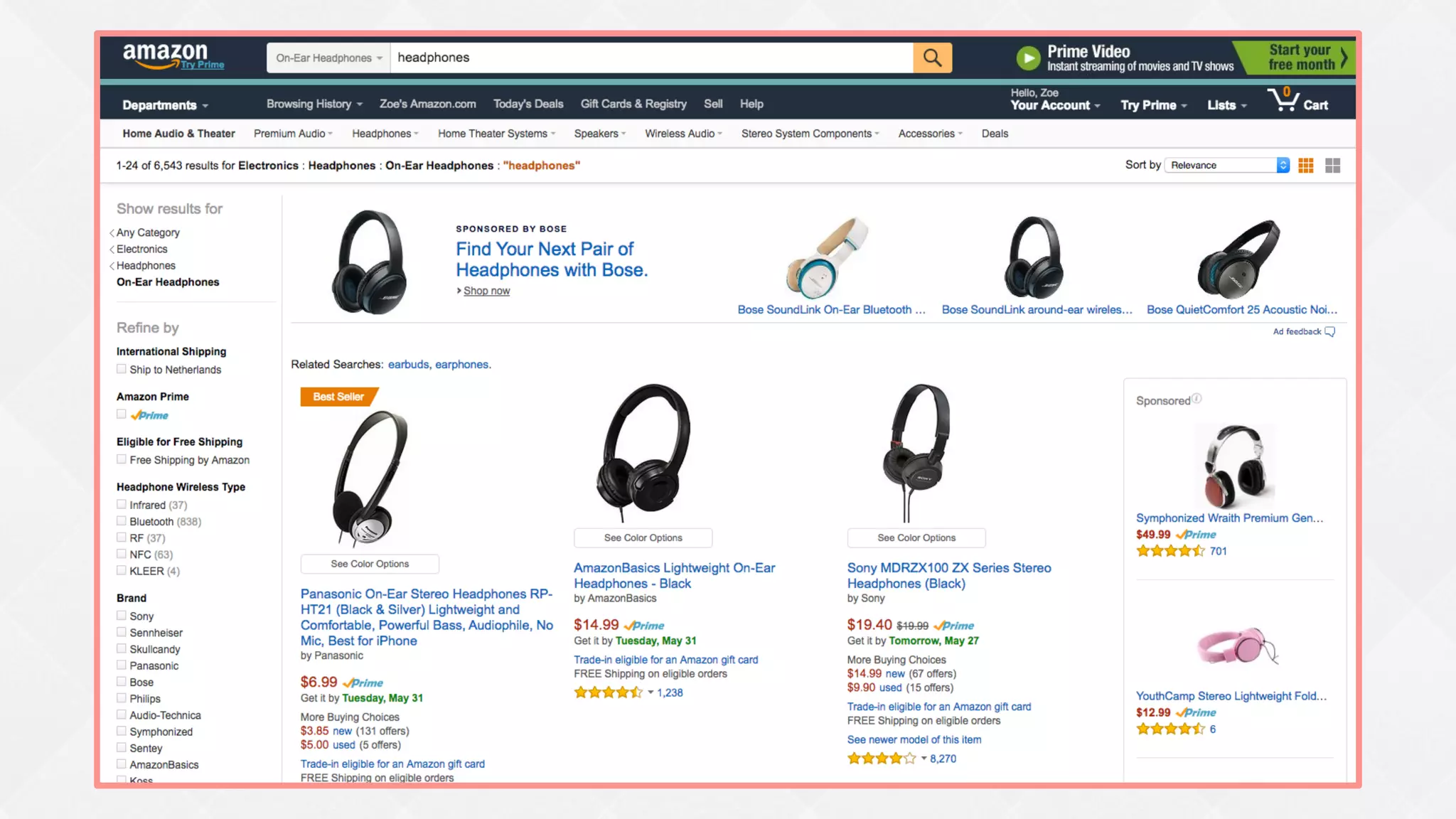
Flexbox is best for:
¨  UI components
¨  Simple whole page layouts (not grid-based)
¨  Enhancing a complex layout’s alignment,
spacing, etc. (not controlling placement)
Do I need my content to
dictate sizing and placement,
or do I need to control these?
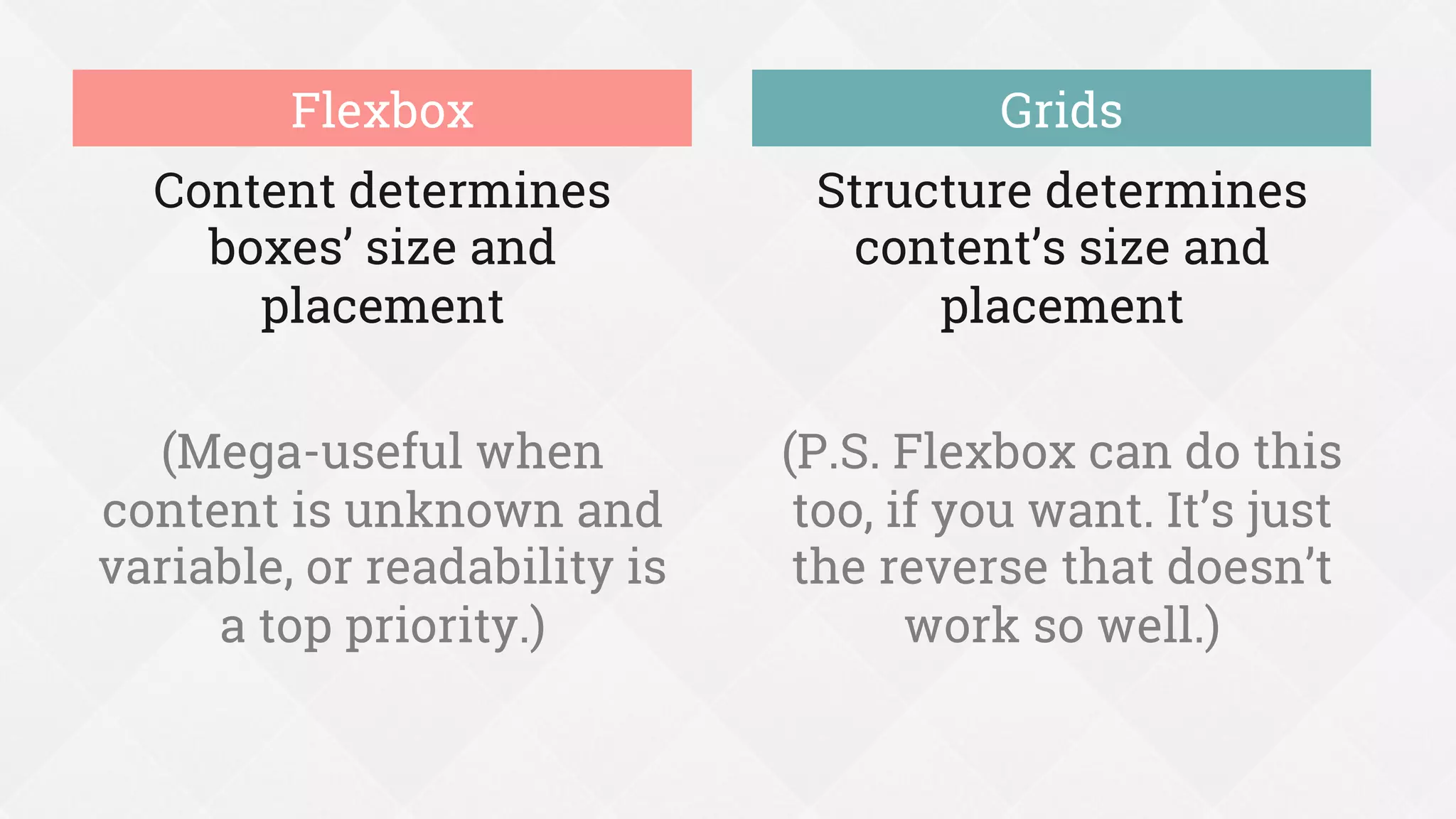
Content determines
boxes’ size and
placement
(Mega-useful when
content is unknown and
variable, or readability is
a top priority.)
Structure determines
content’s size and
placement
(P.S. Flexbox can do this
too, if you want. It’s just
the reverse that doesn’t
work so well.)
Flexbox Grids
Does flexbox offer me anything
I can’t already get
from an existing layout method?
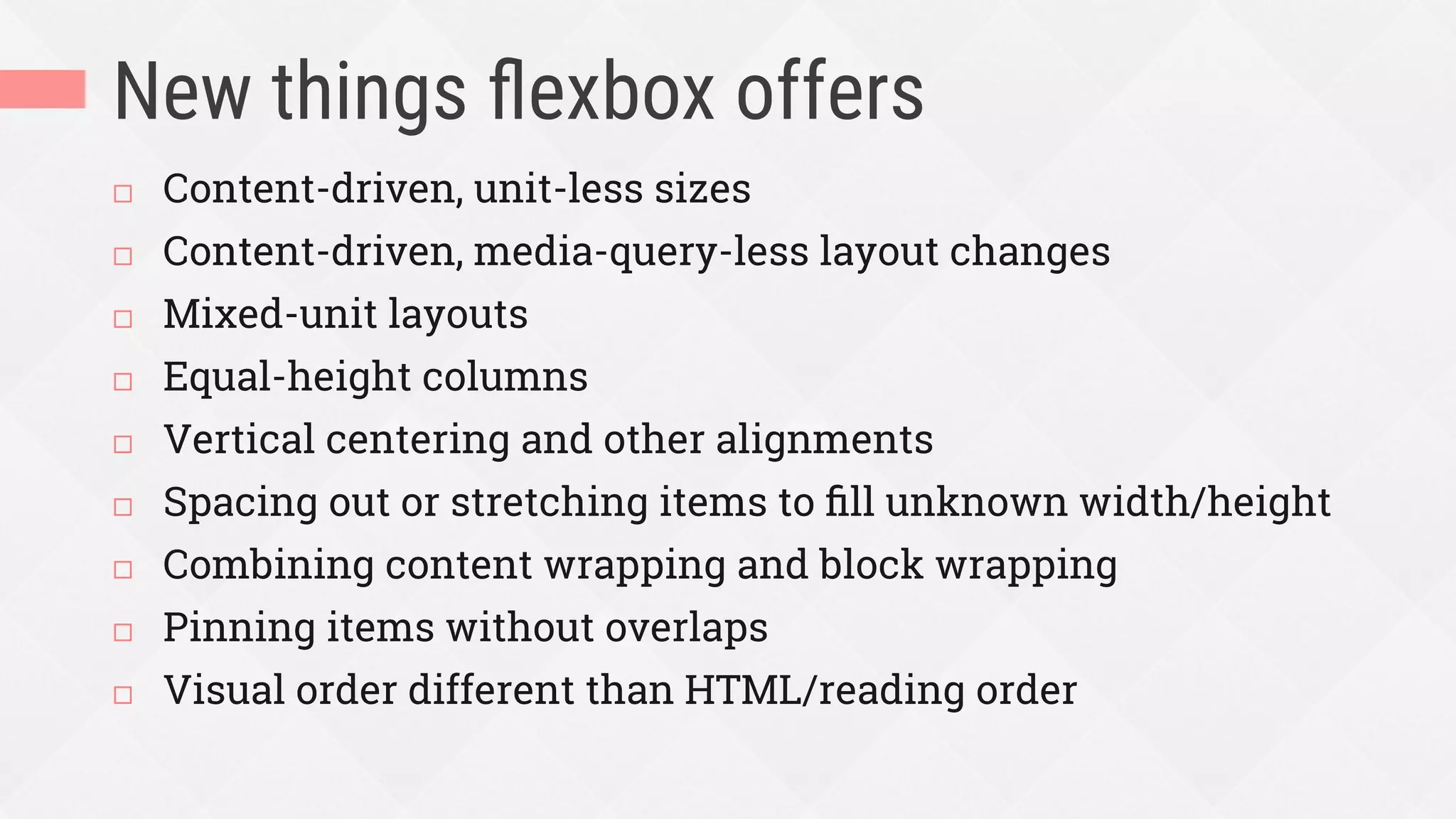
New things flexbox offers
¨  Content-driven, unit-less sizes
¨  Content-driven, media-query-less layout changes
¨  Mixed-unit layouts
¨  Equal-height columns
¨  Vertical centering and other alignments
¨  Spacing out or stretching items to fill unknown width/height
¨  Combining content wrapping and block wrapping
¨  Pinning items without overlaps
¨  Visual order different than HTML/reading order
Components flexbox can enhance and
UI/UX problems it can help you solve
WHAT
2.
content-driven, unit-less sizes
How big do I make this thing?
%
em/rem
vw/vh
Relative units of measurement
are your best guess at the
ideal, but they’re still a guess.
Flexbox gets us closer to the
ideal, because it lets us design
without units.
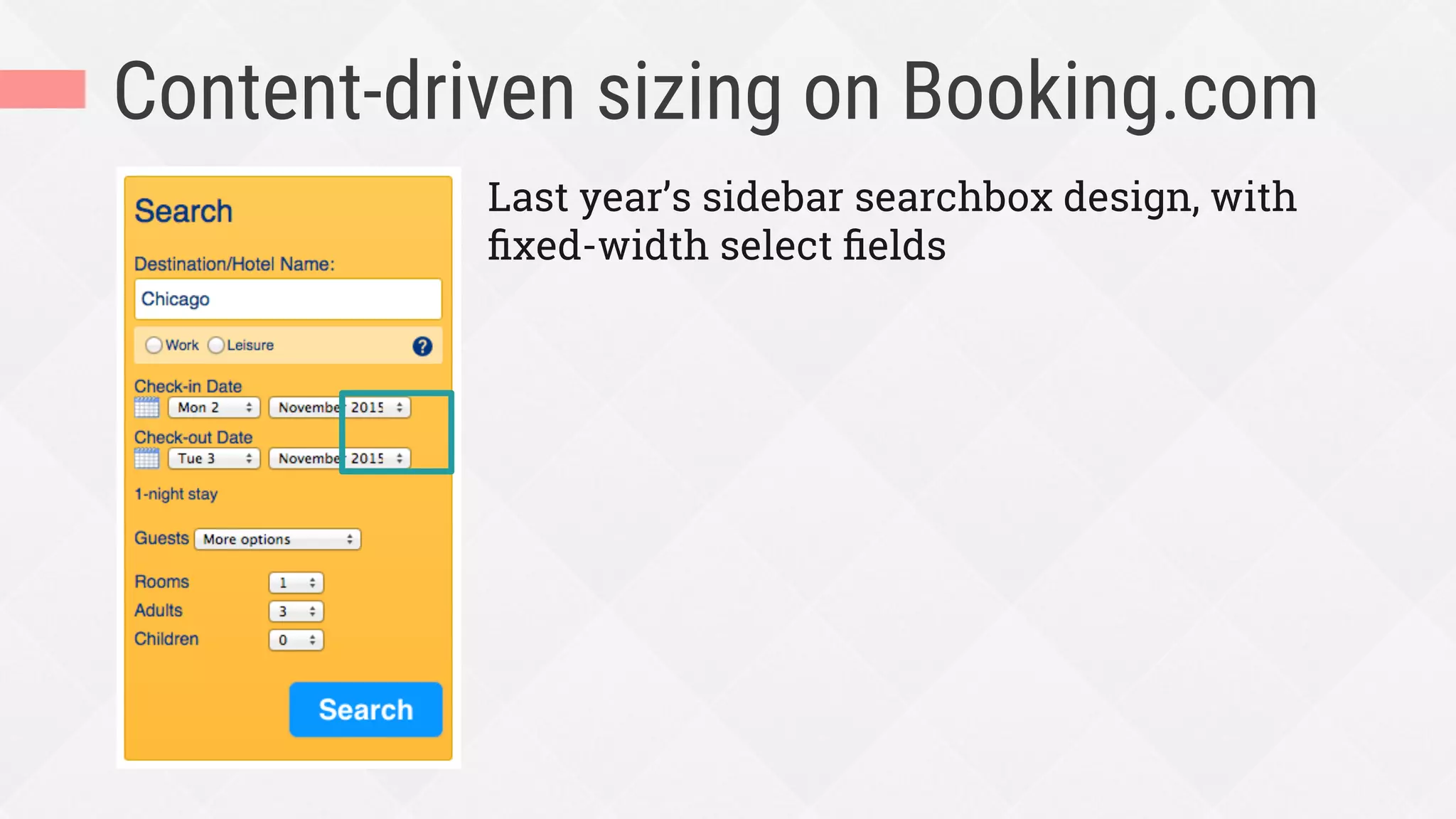
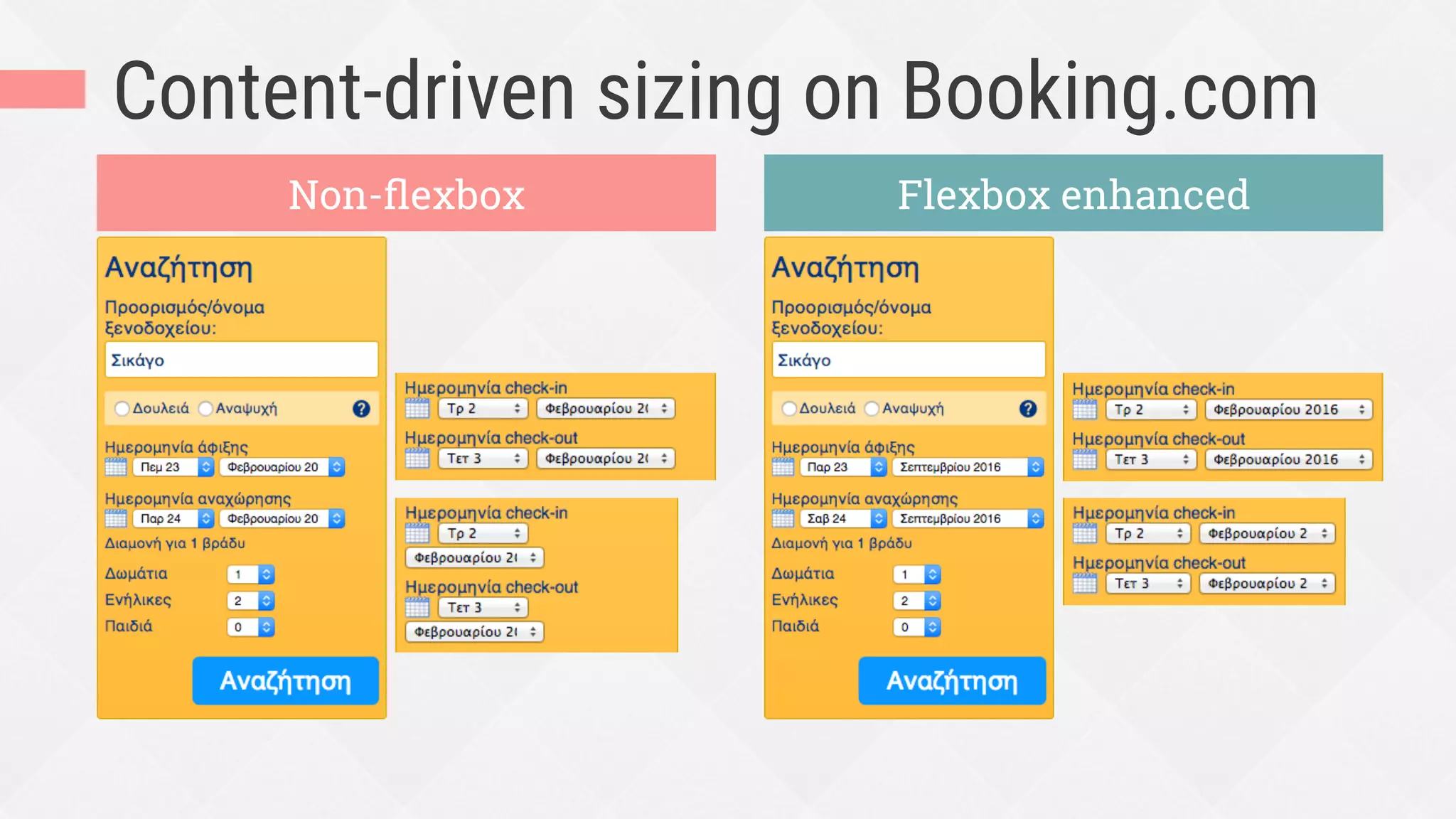
Content-driven sizing on Booking.com
Last year’s sidebar searchbox design, with
fixed-width select fields
Content-driven sizing on Booking.com
Non-flexbox Flexbox enhanced
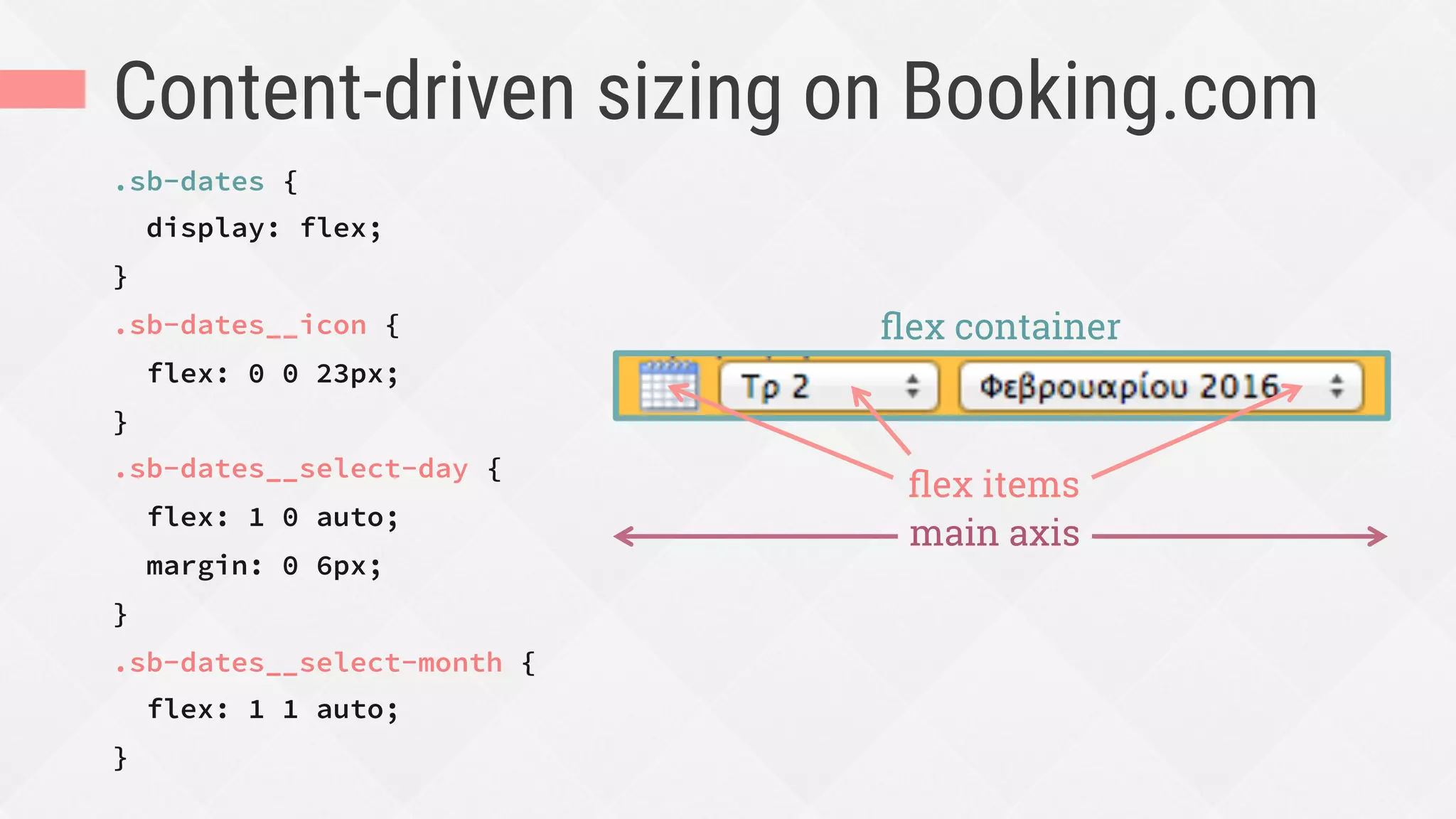
Content-driven sizing on Booking.com
.sb-dates {
display: flex;
}
.sb-dates__icon {
flex: 0 0 23px;
}
.sb-dates__select-day {
flex: 1 0 auto;
margin: 0 6px;
}
.sb-dates__select-month {
flex: 1 1 auto;
}
flex container
main axis
flex items
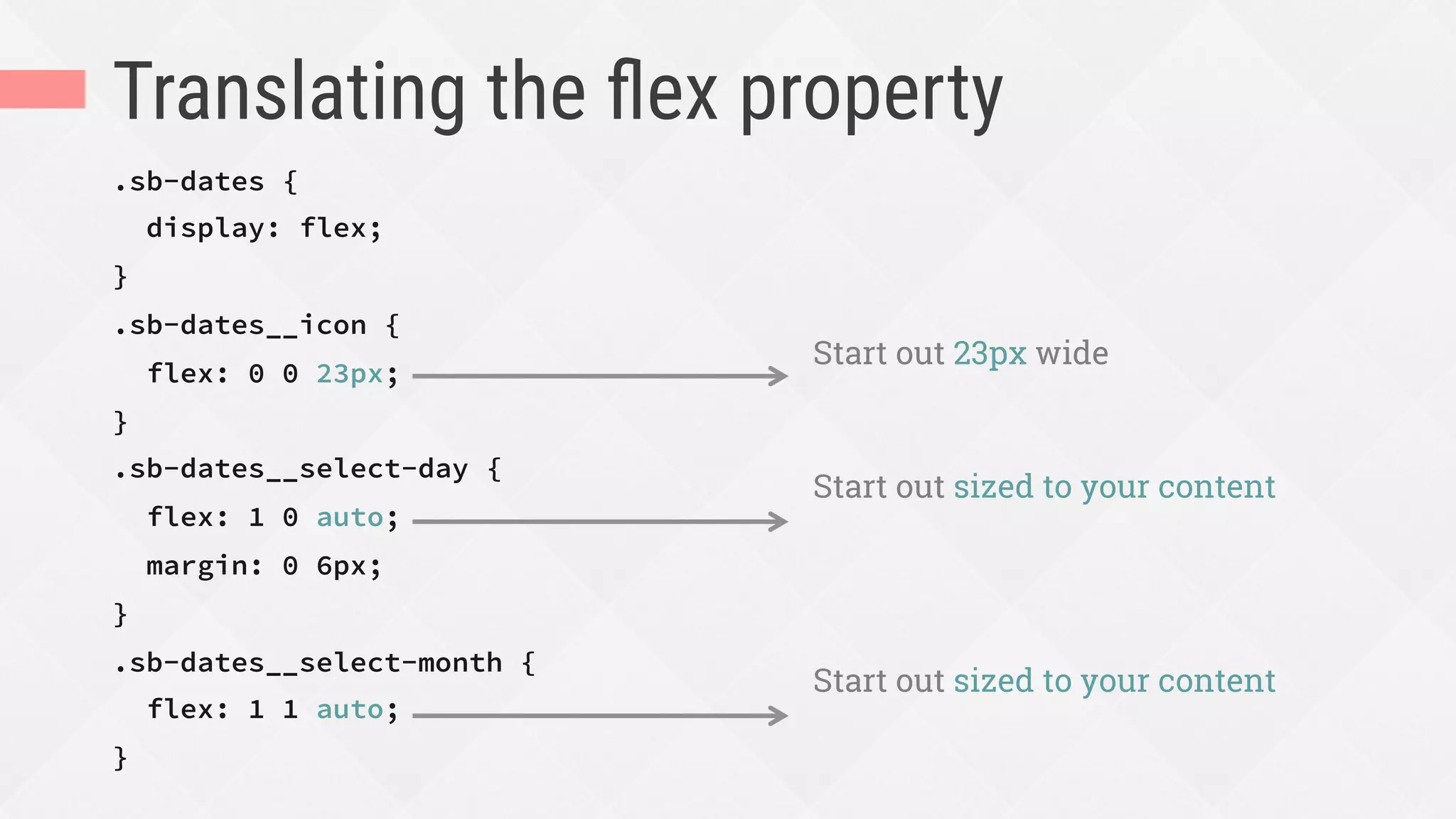
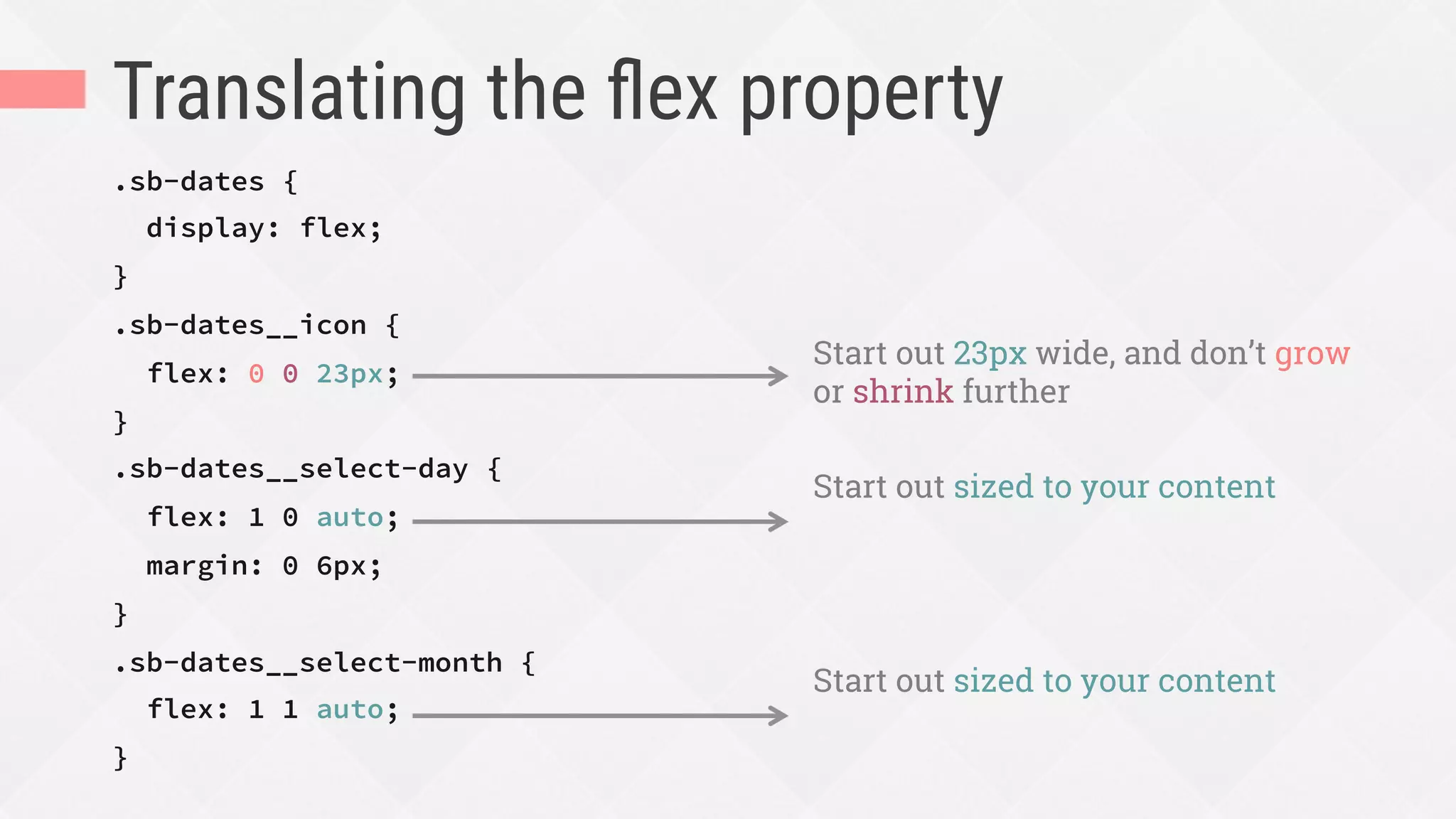
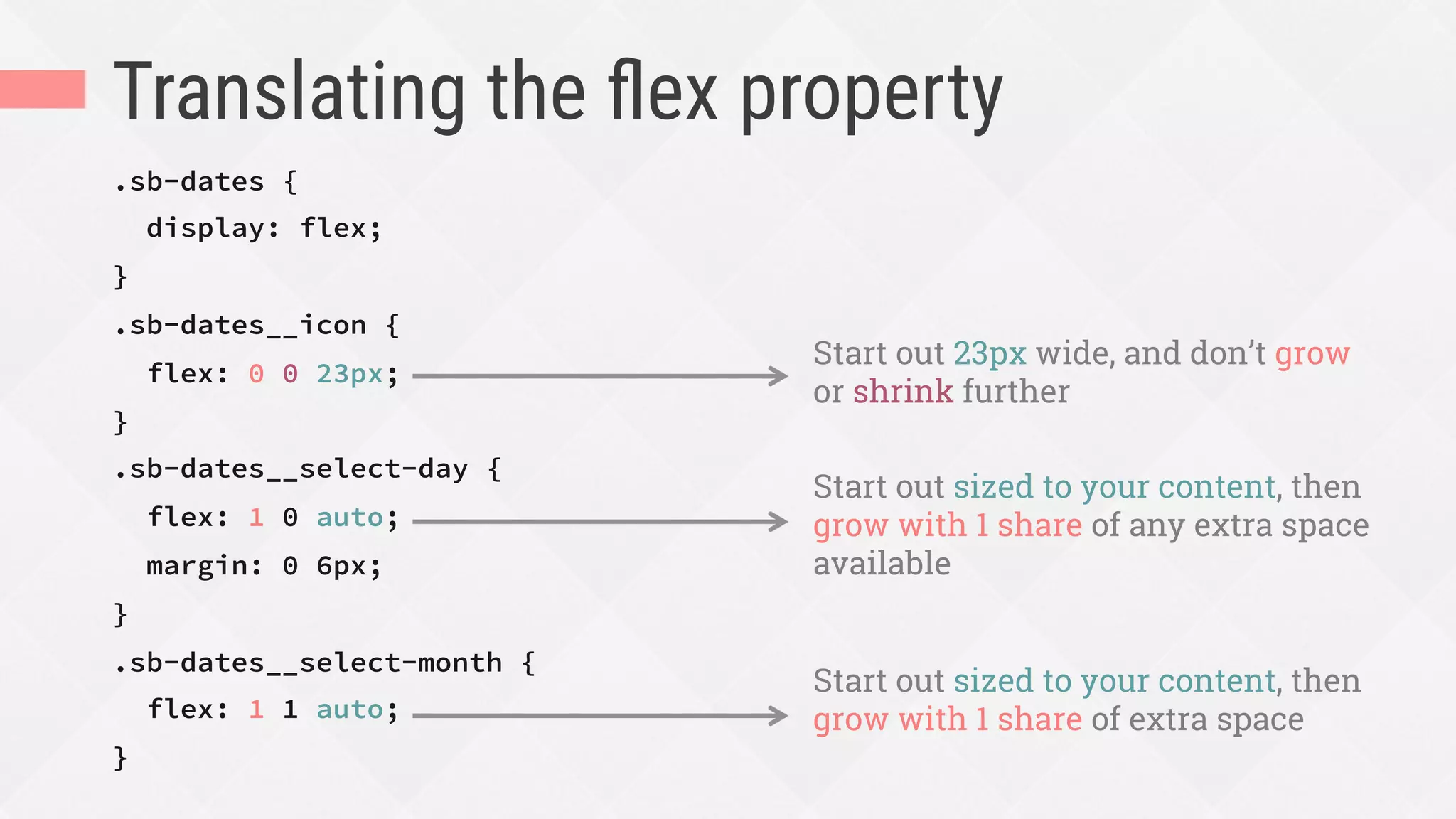
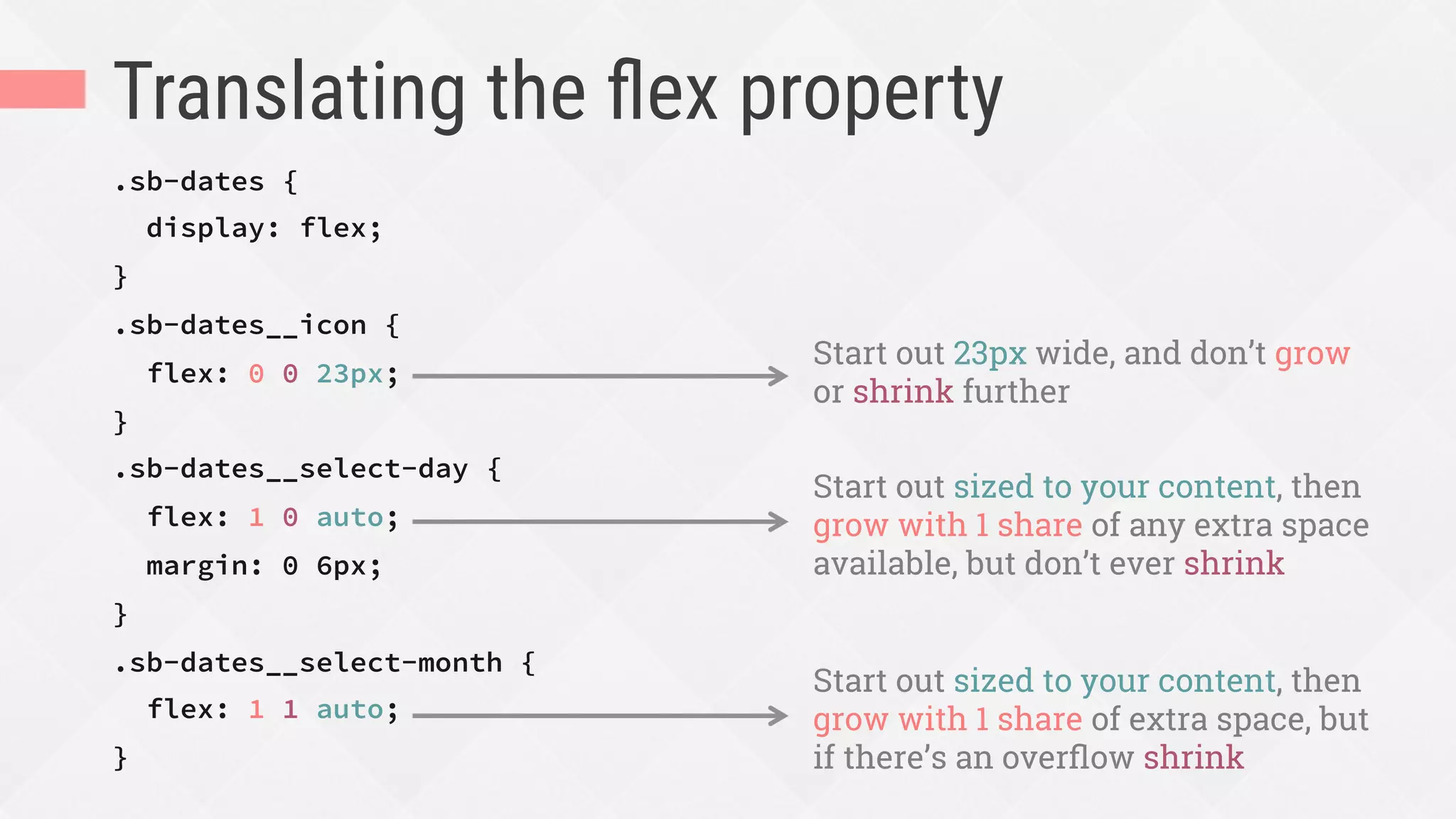
Translating the flex property
.sb-dates {
display: flex;
}
.sb-dates__icon {
flex: 0 0 23px;
}
.sb-dates__select-day {
flex: 1 0 auto;
margin: 0 6px;
}
.sb-dates__select-month {
flex: 1 1 auto;
}
Start out 23px wide, and don’t grow
or shrink further
Start out sized to your content, then
grow with 1 share of any extra space
available, but don’t ever shrink
Start out sized to your content, then
grow with 1 share of extra space, but
if there’s an overflow shrink
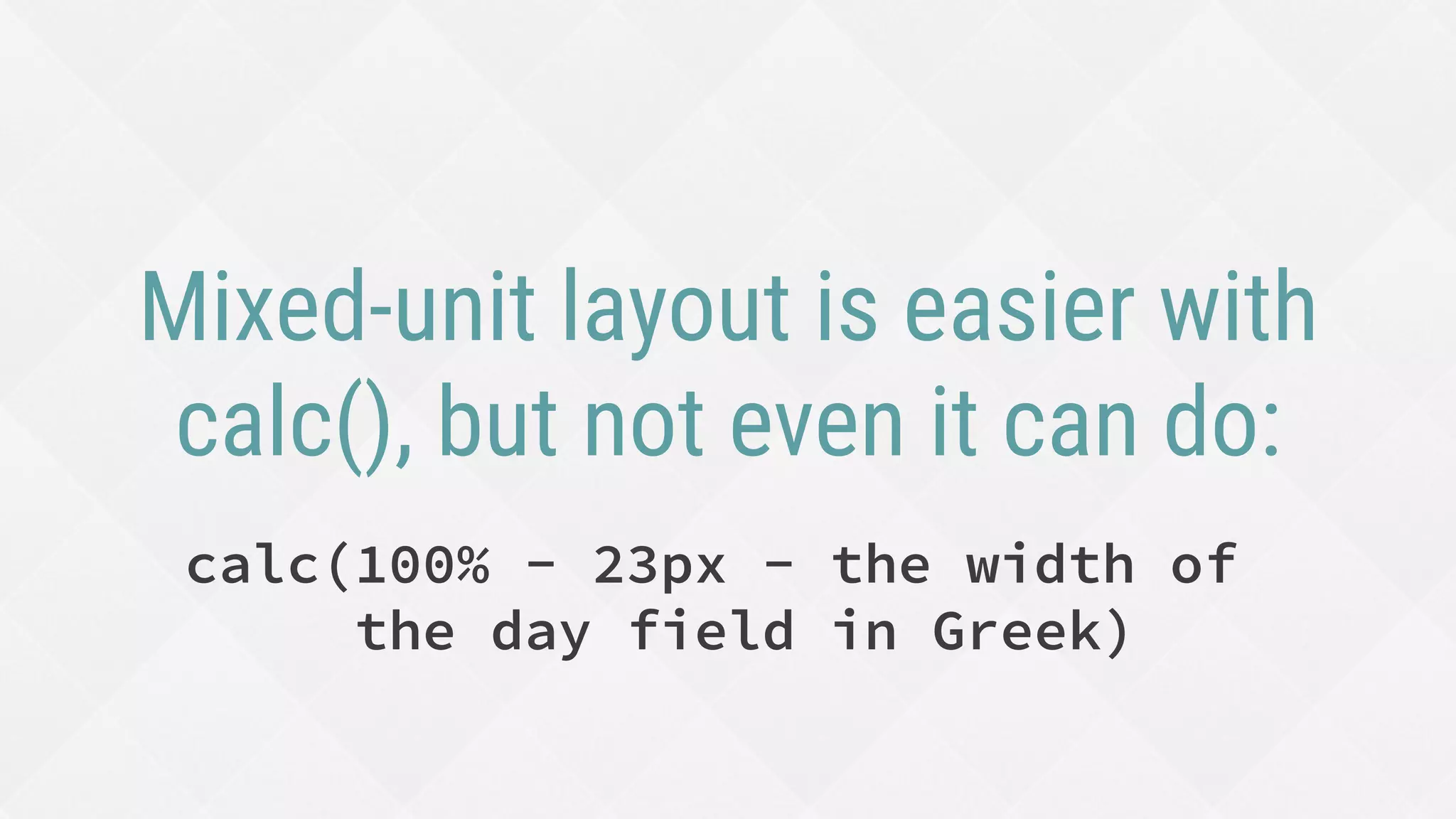
Mixed-unit layout is easier with
calc(), but not even it can do:
calc(100% - 23px - the width of
the day field in Greek)
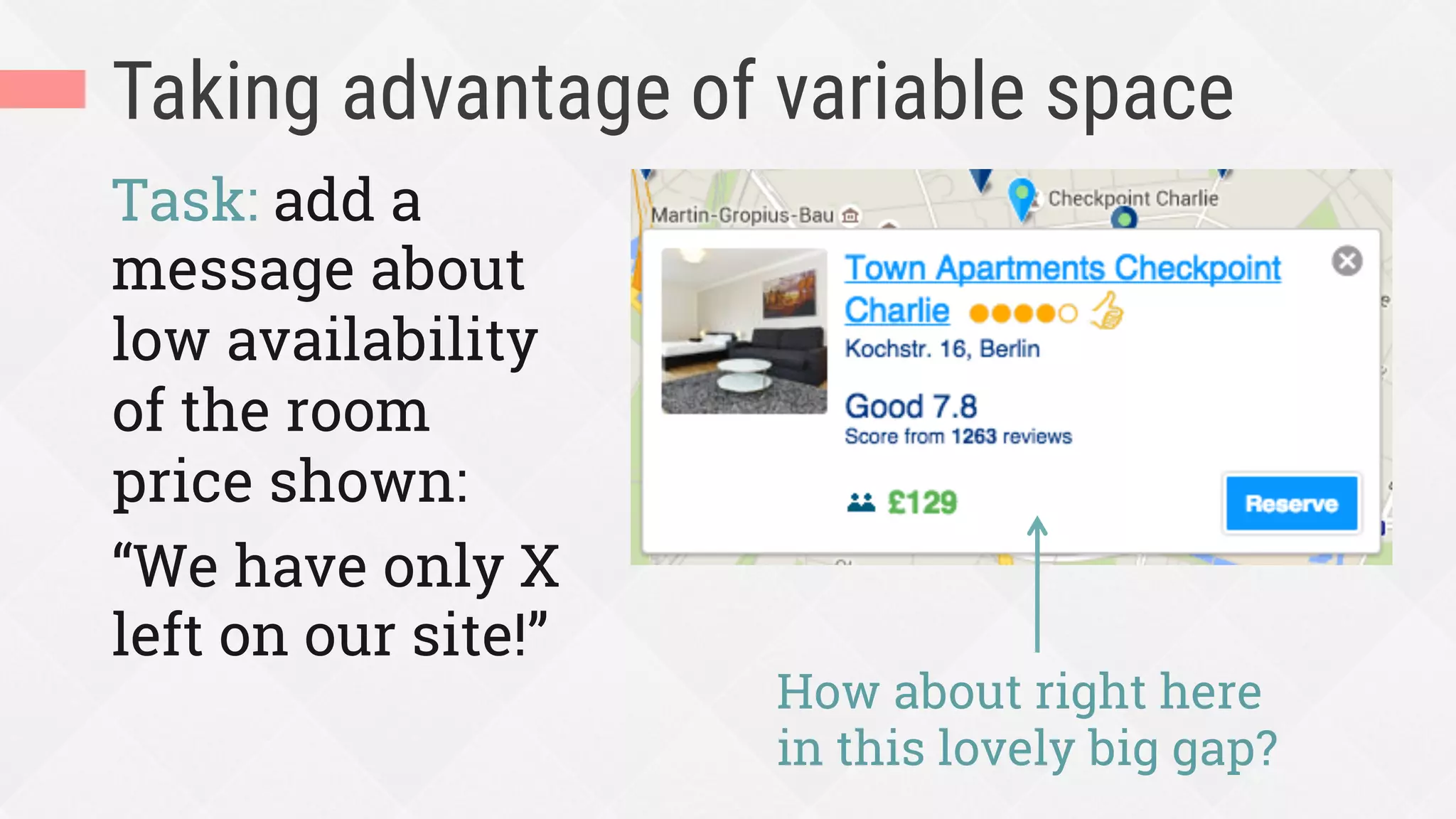
Taking advantage of variable space
Task: add a
message about
low availability
of the room
price shown:
“We have only X
left on our site!”
How about right here
in this lovely big gap?
Taking advantage of variable space
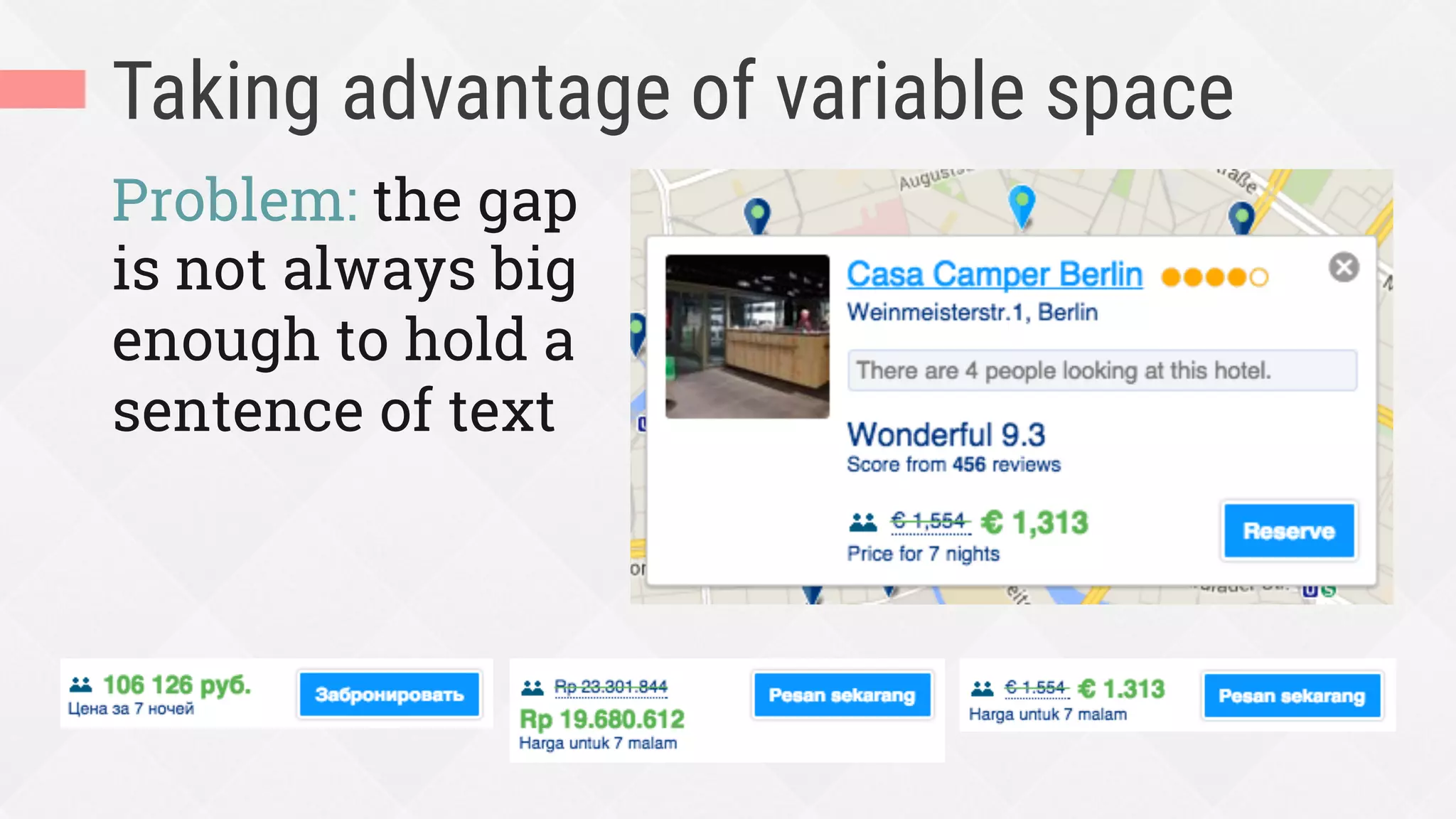
Problem: the gap
is not always big
enough to hold a
sentence of text
Taking advantage of variable space
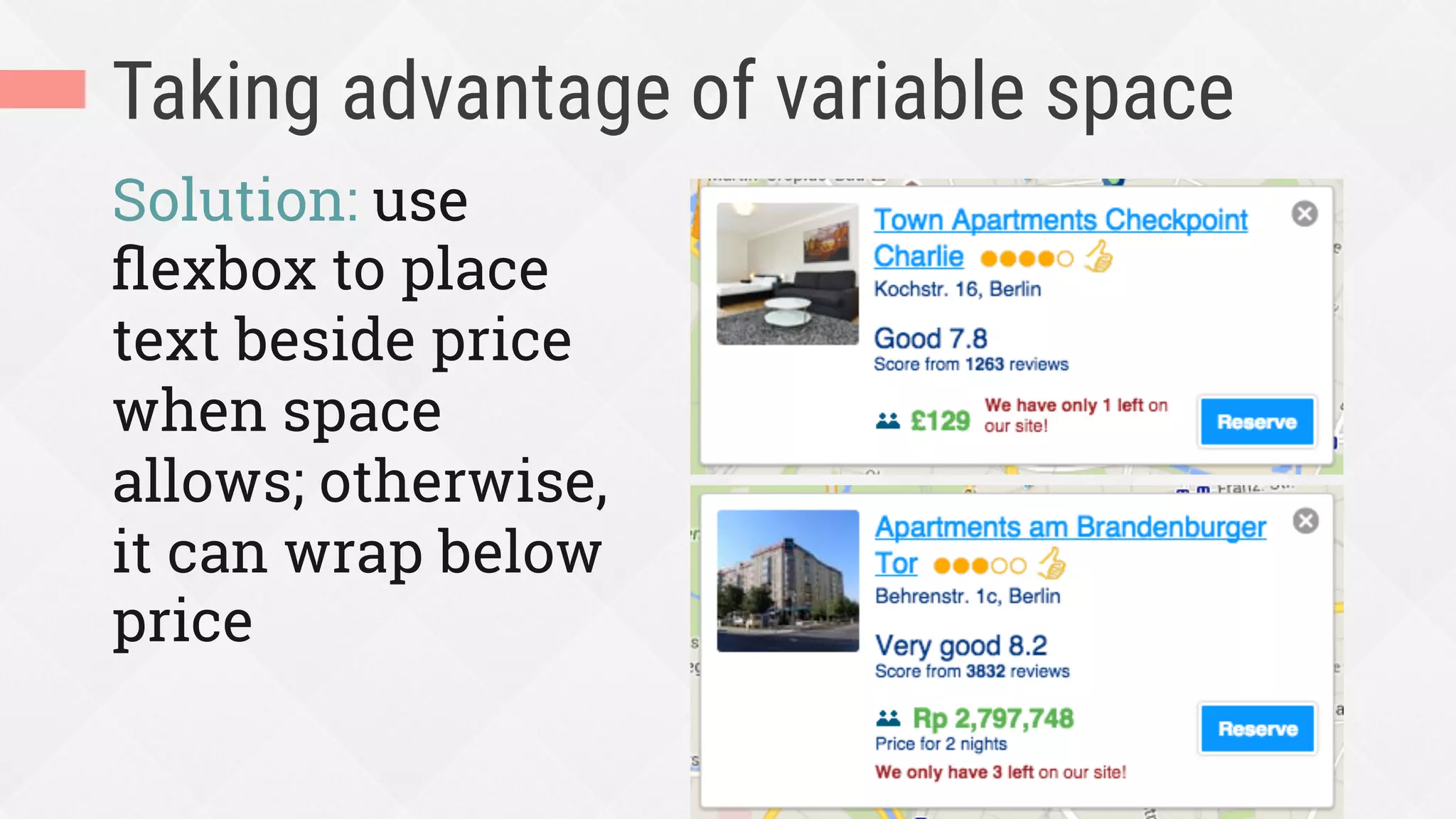
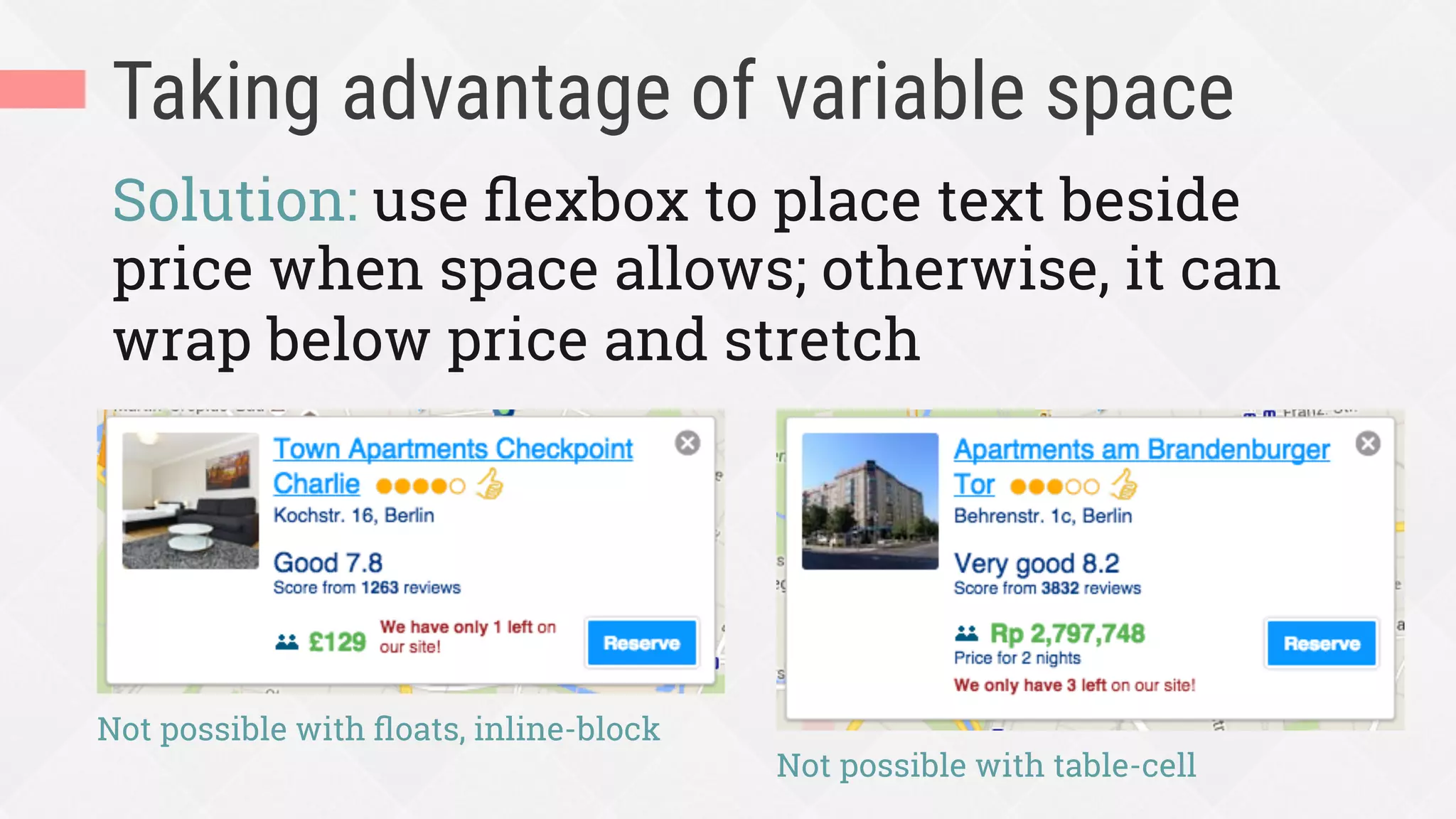
Solution: use flexbox to place text beside
price when space allows; otherwise, it can
wrap below price and stretch
Not possible with floats, inline-block
Not possible with table-cell
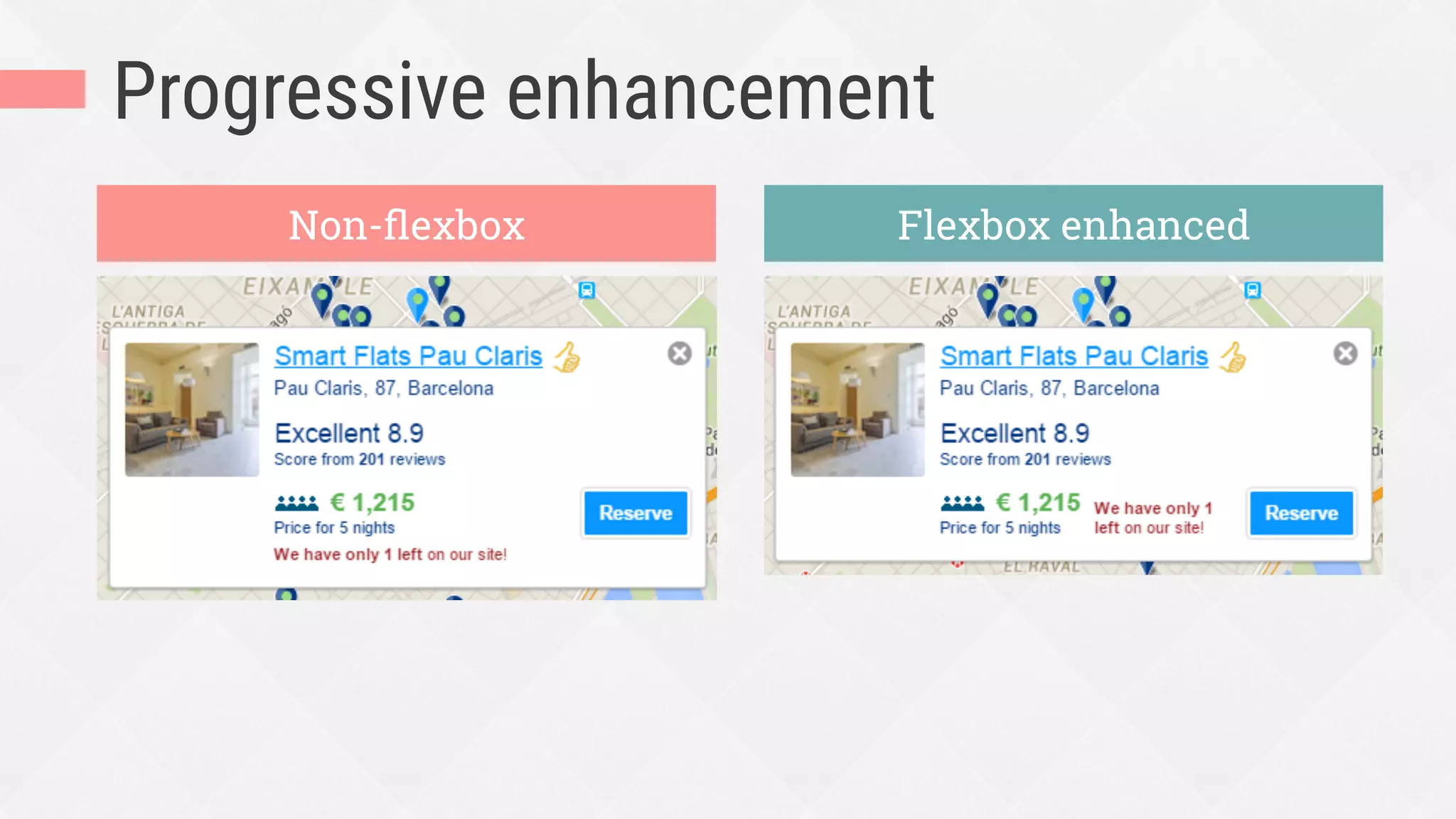
Progressive enhancement
Non-flexbox Flexbox enhanced
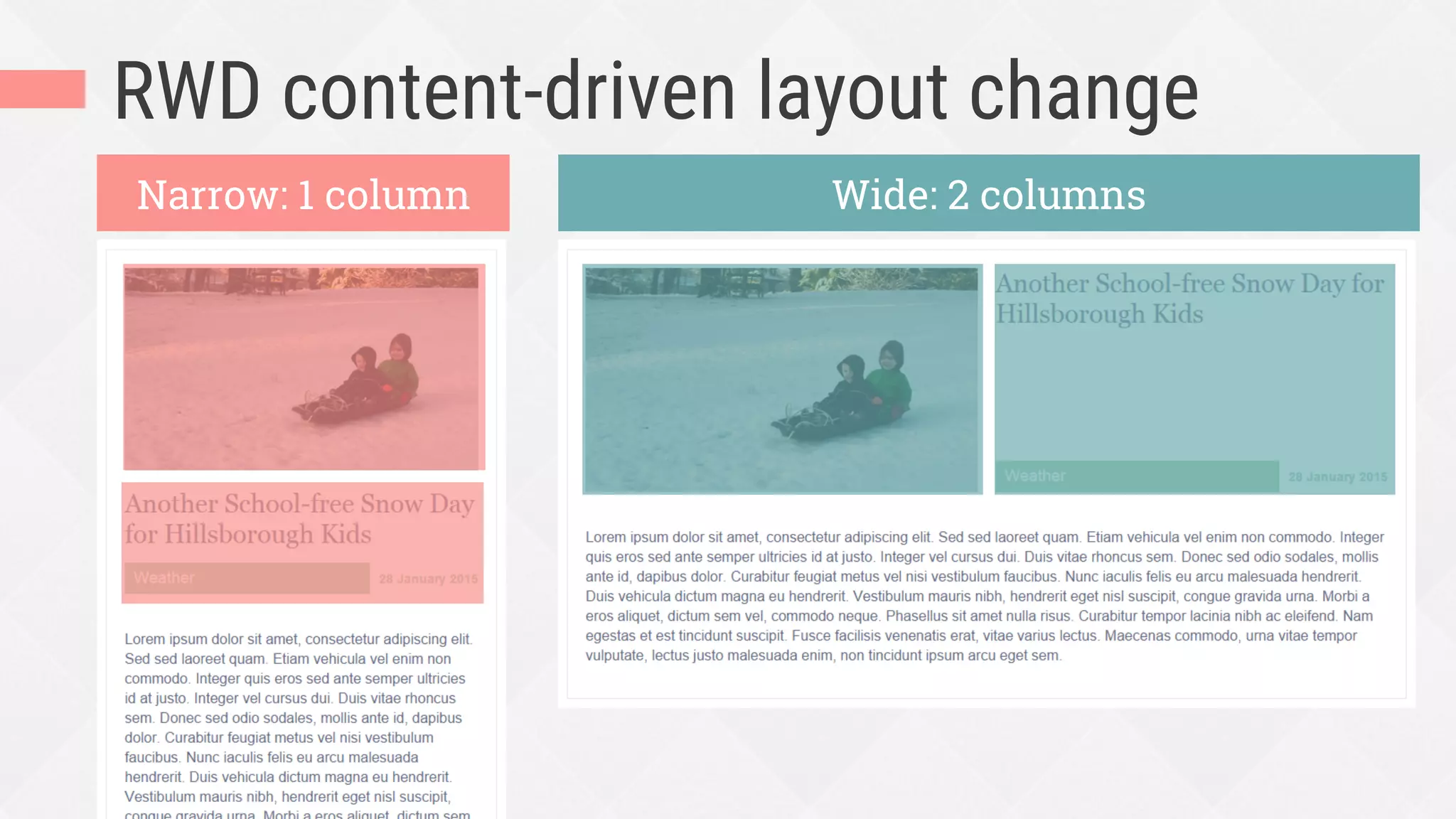
RWD content-driven layout change
Narrow: 1 column Wide: 2 columns
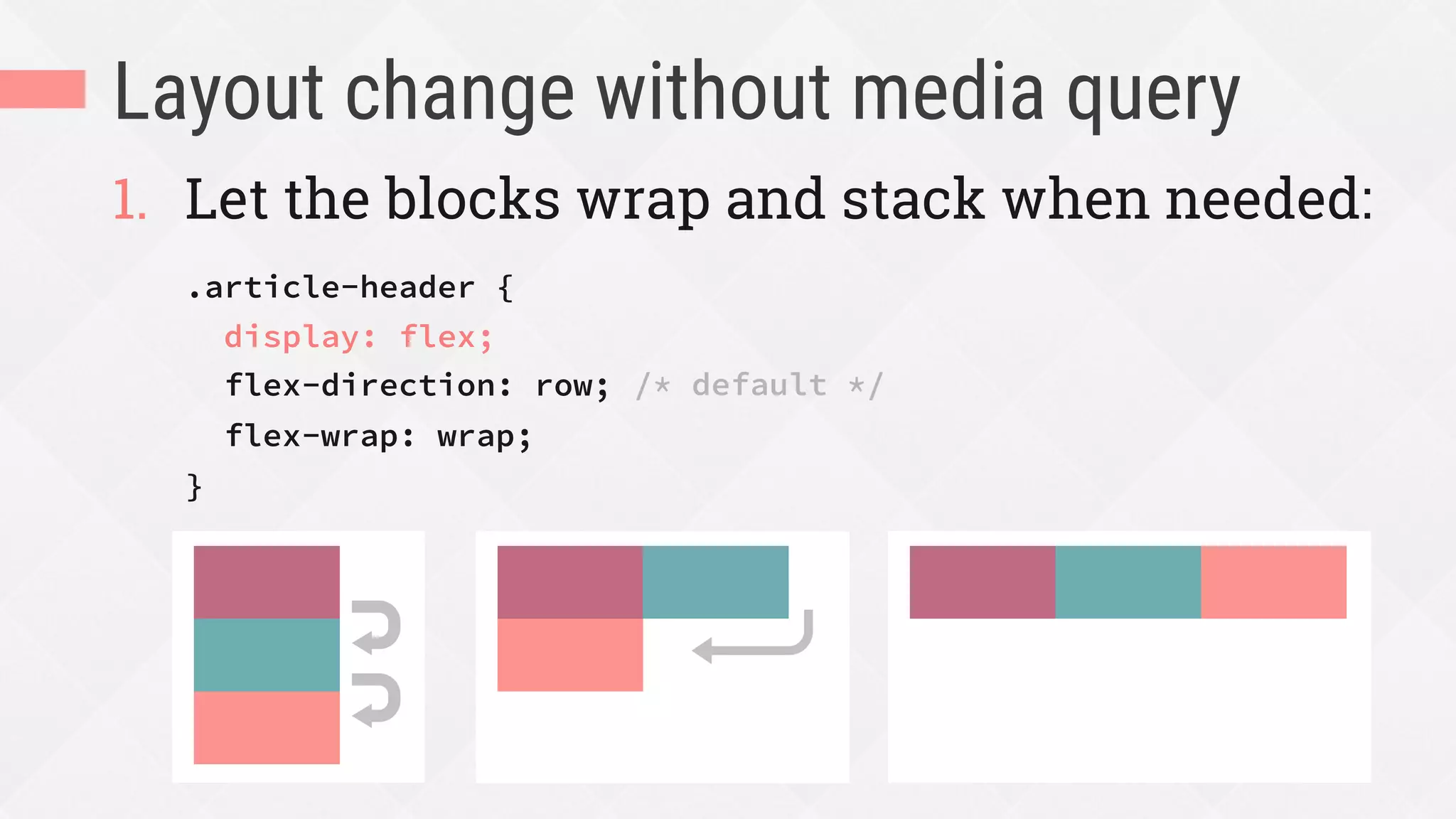
Layout change without media query
1.  Let the blocks wrap and stack when needed:
.article-header {
display: flex;
flex-direction: row;
flex-wrap: wrap;
}
/* default */
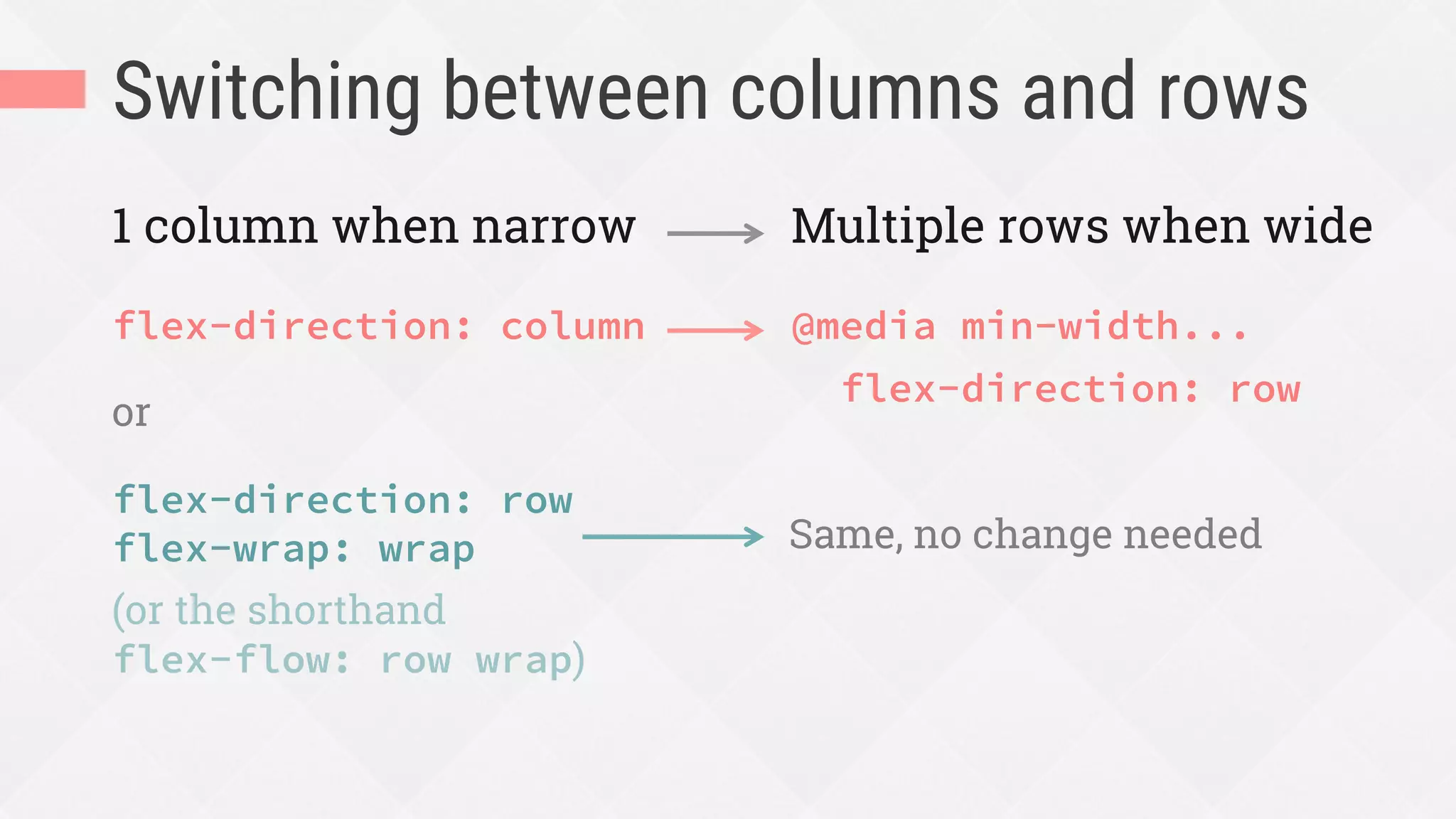
Switching between columns and rows
flex-direction: column
or
flex-direction: row
flex-wrap: wrap
(or the shorthand
flex-flow: row wrap)
@media min-width...
flex-direction: row
1 column when narrow Multiple rows when wide
Same, no change needed
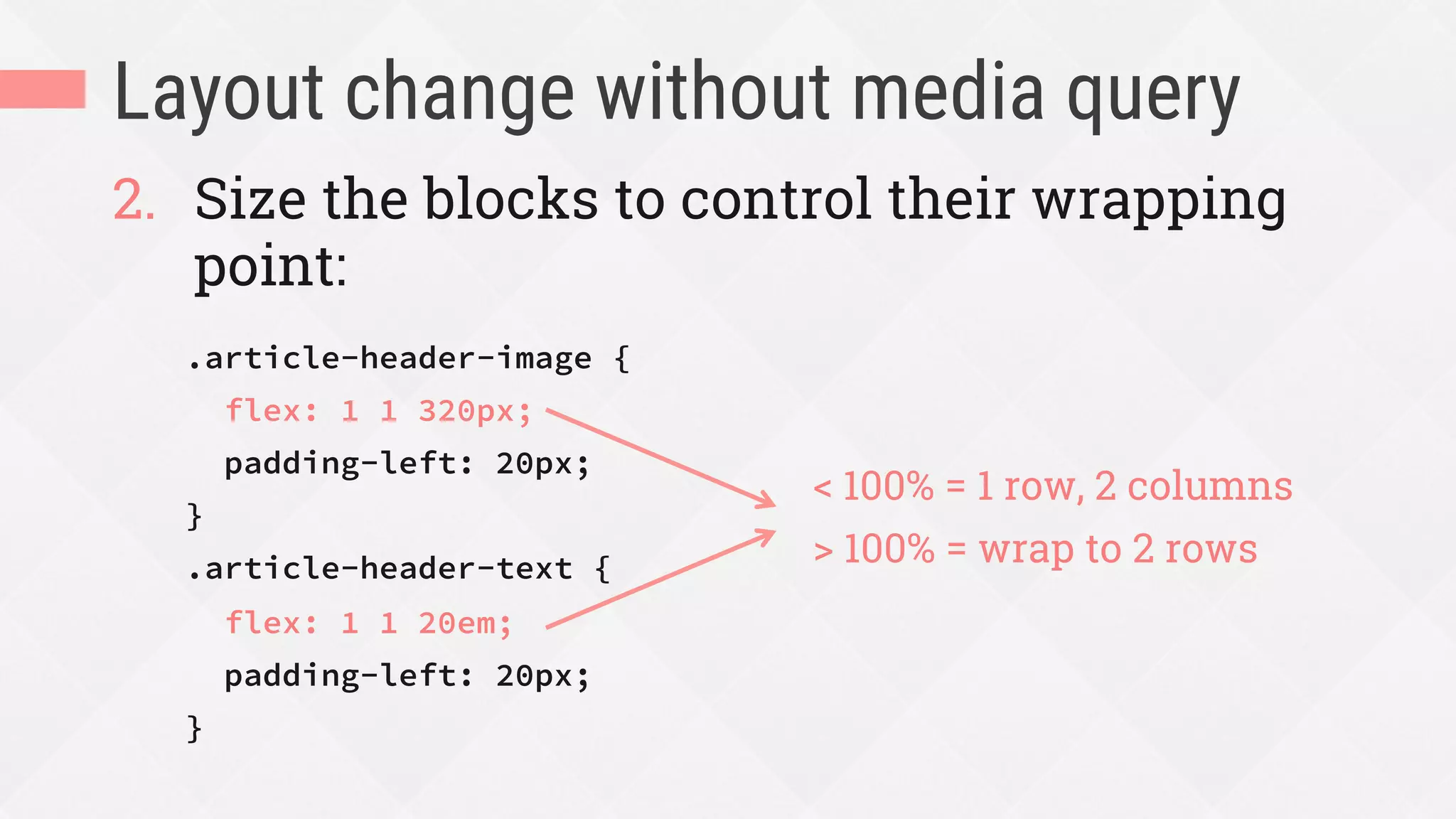
Layout change without media query
2.  Size the blocks to control their wrapping
point:
.article-header-image {
flex: 1 1 320px;
padding-left: 20px;
}
.article-header-text {
flex: 1 1 20em;
padding-left: 20px;
}
< 100% = 1 row, 2 columns
> 100% = wrap to 2 rows
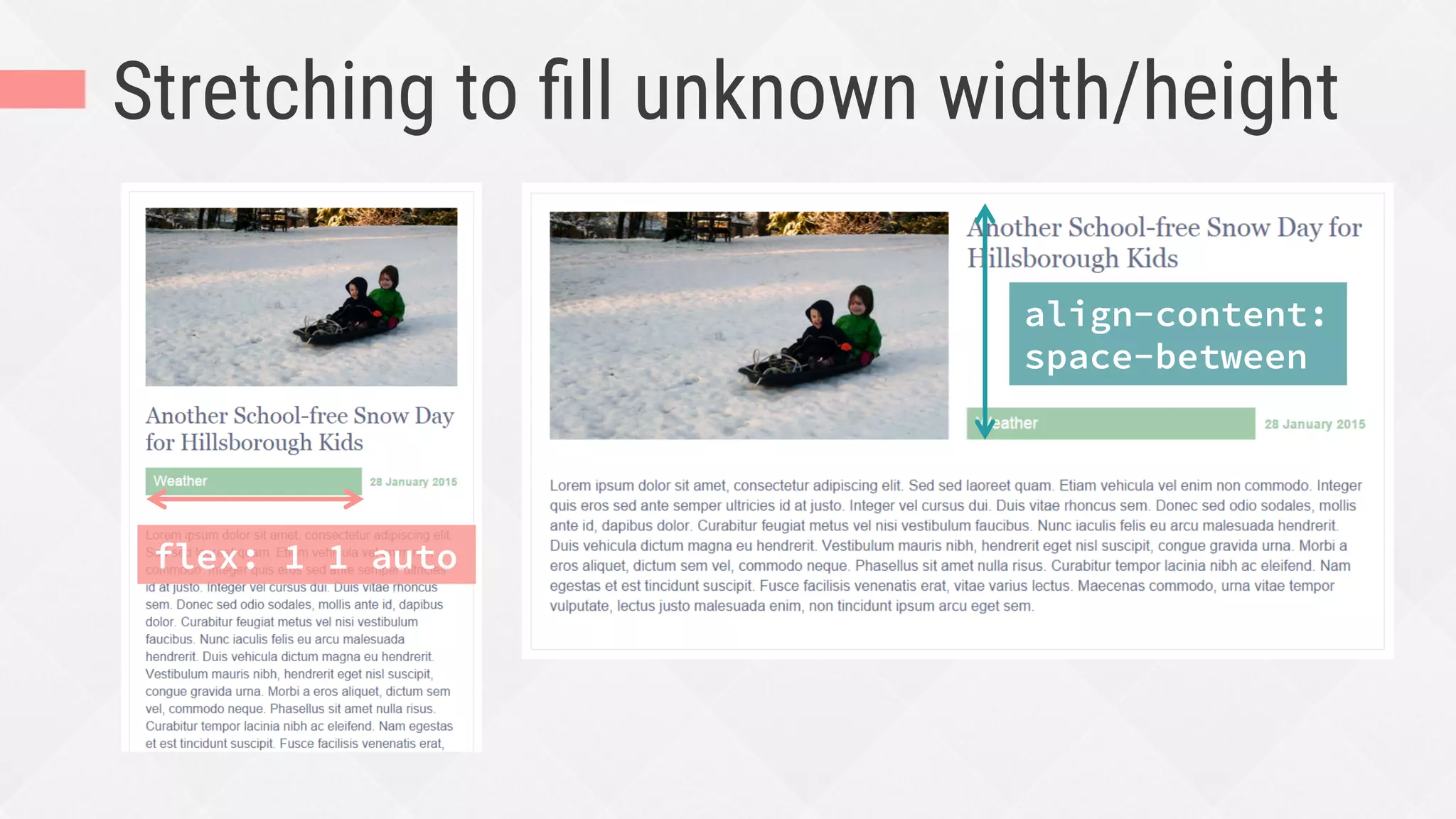
Stretching to fill unknown width/height
flex: 1 1 auto
align-content:
space-between
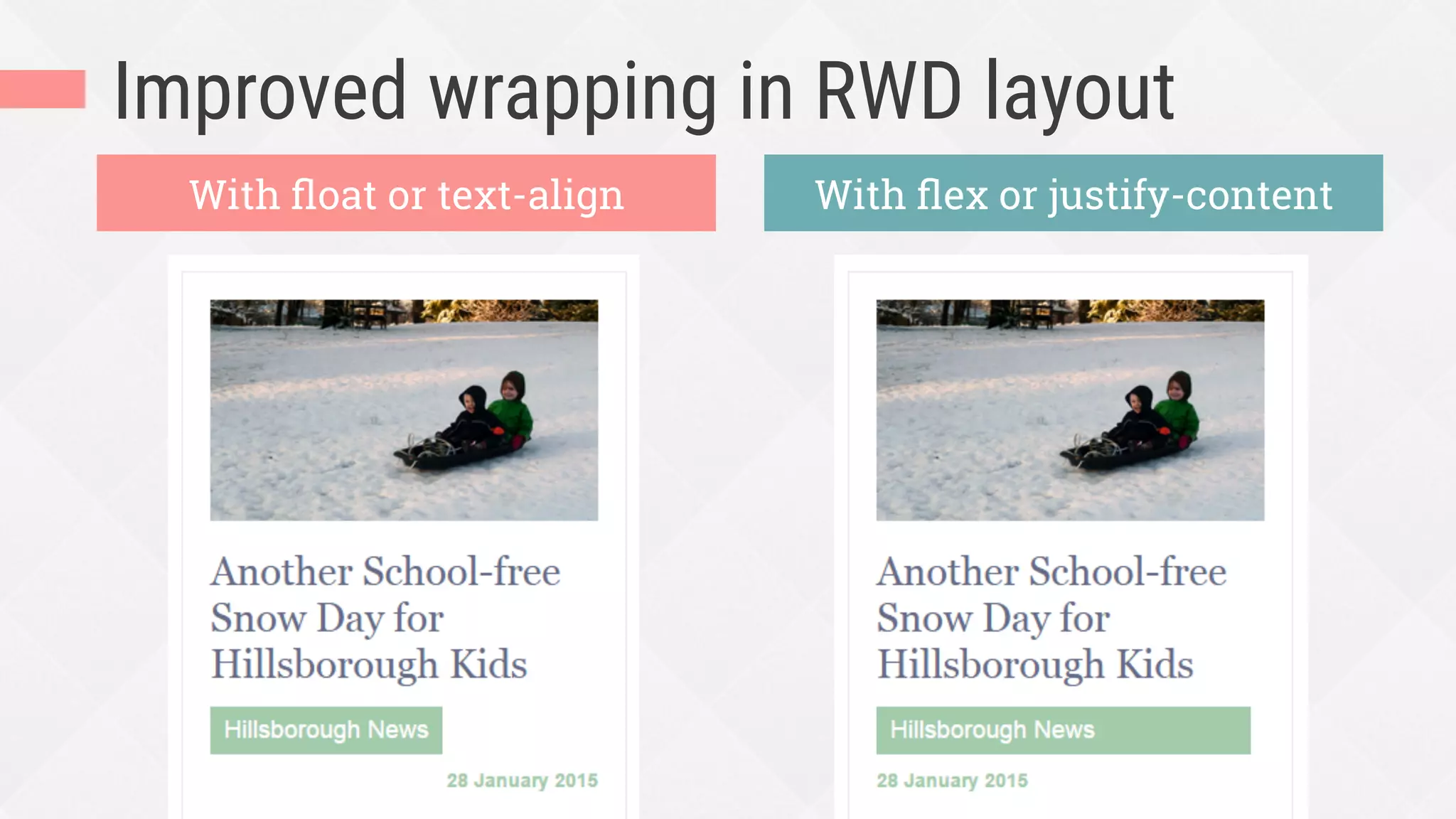
Improved wrapping in RWD layout
With float or text-align With flex or justify-content
Flexbox is great for spacing
and aligning stuff, especially
shifting content in RWD.
full width
full height
equally spaced
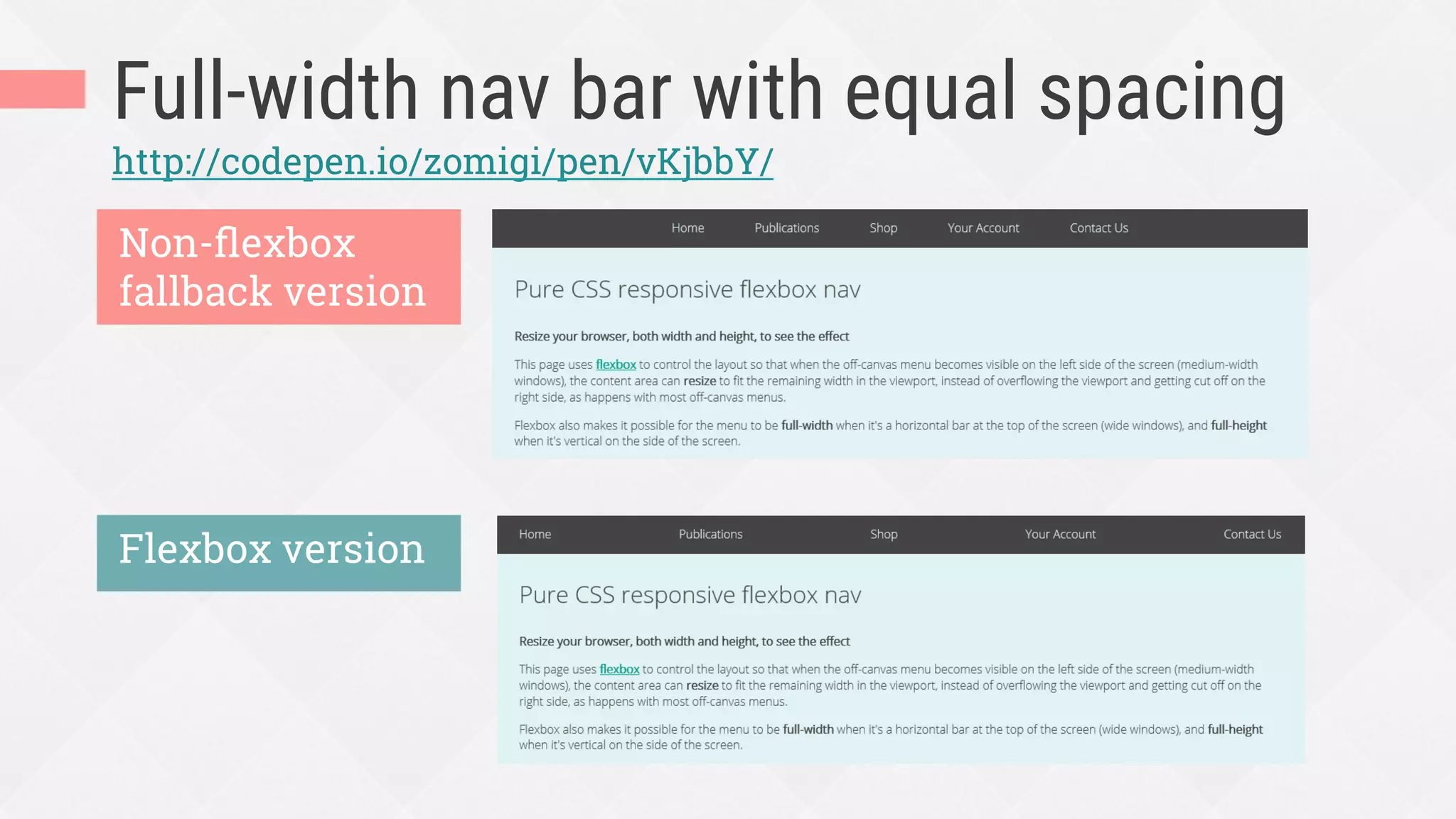
Full-width nav bar with equal spacing
Non-flexbox
fallback version
Flexbox version
http://codepen.io/zomigi/pen/vKjbbY/
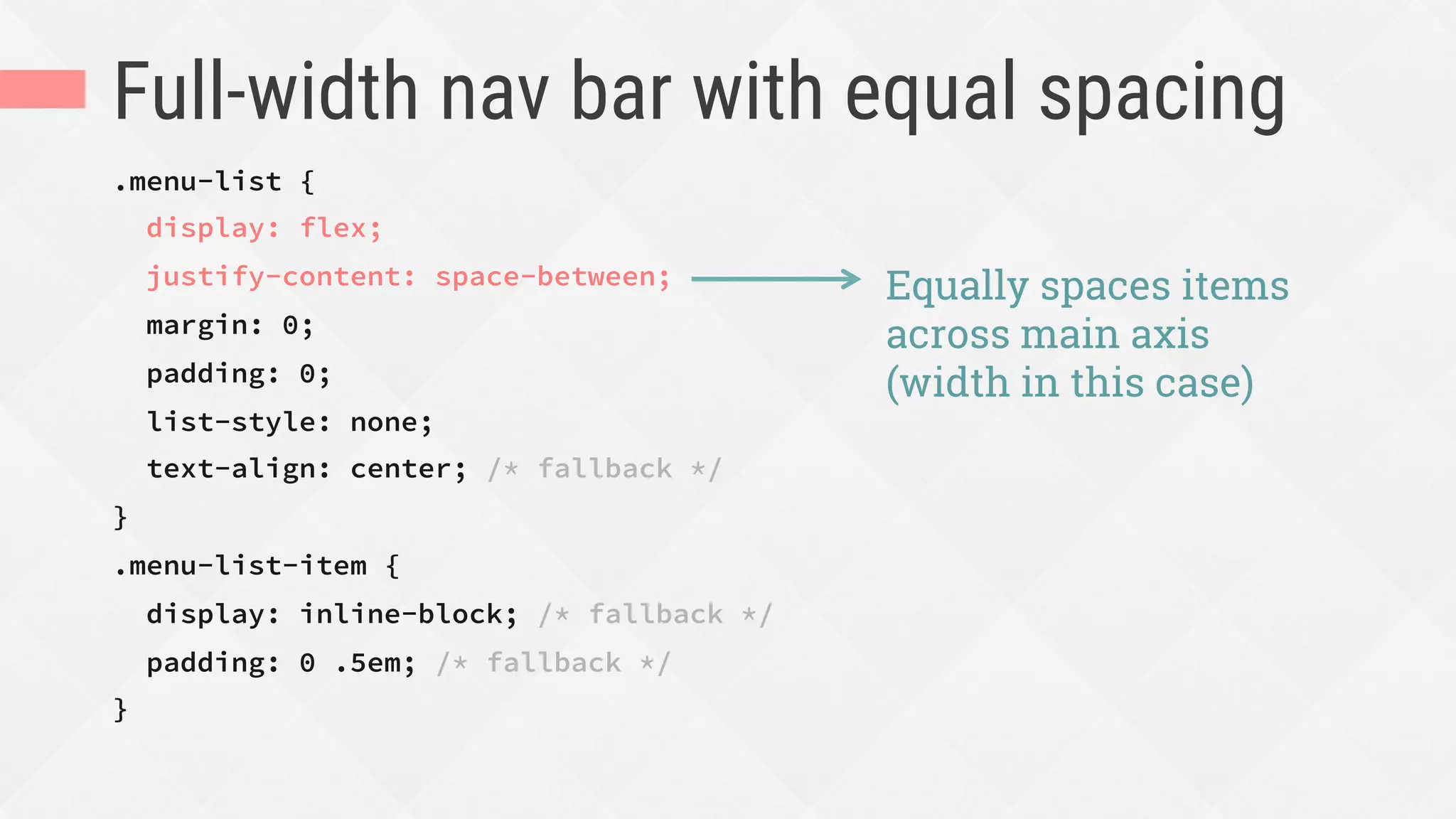
Full-width nav bar with equal spacing
.menu-list {
display: flex;
justify-content: space-between;
margin: 0;
padding: 0;
list-style: none;
text-align: center; /* fallback */
}
.menu-list-item {
display: inline-block; /* fallback */
padding: 0 .5em; /* fallback */
}
Equally spaces items
across main axis
(width in this case)
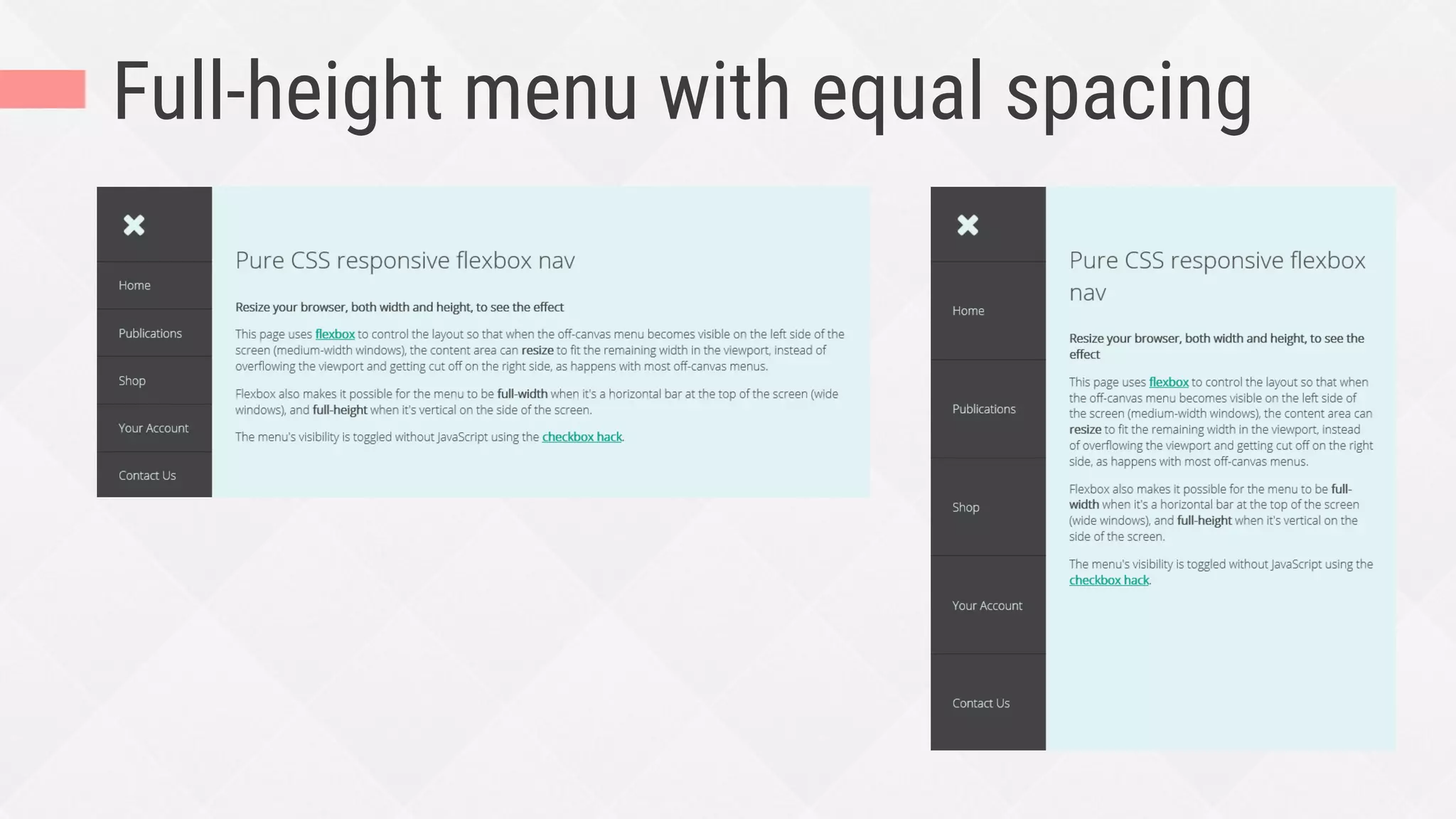
Full-height menu with equal spacing
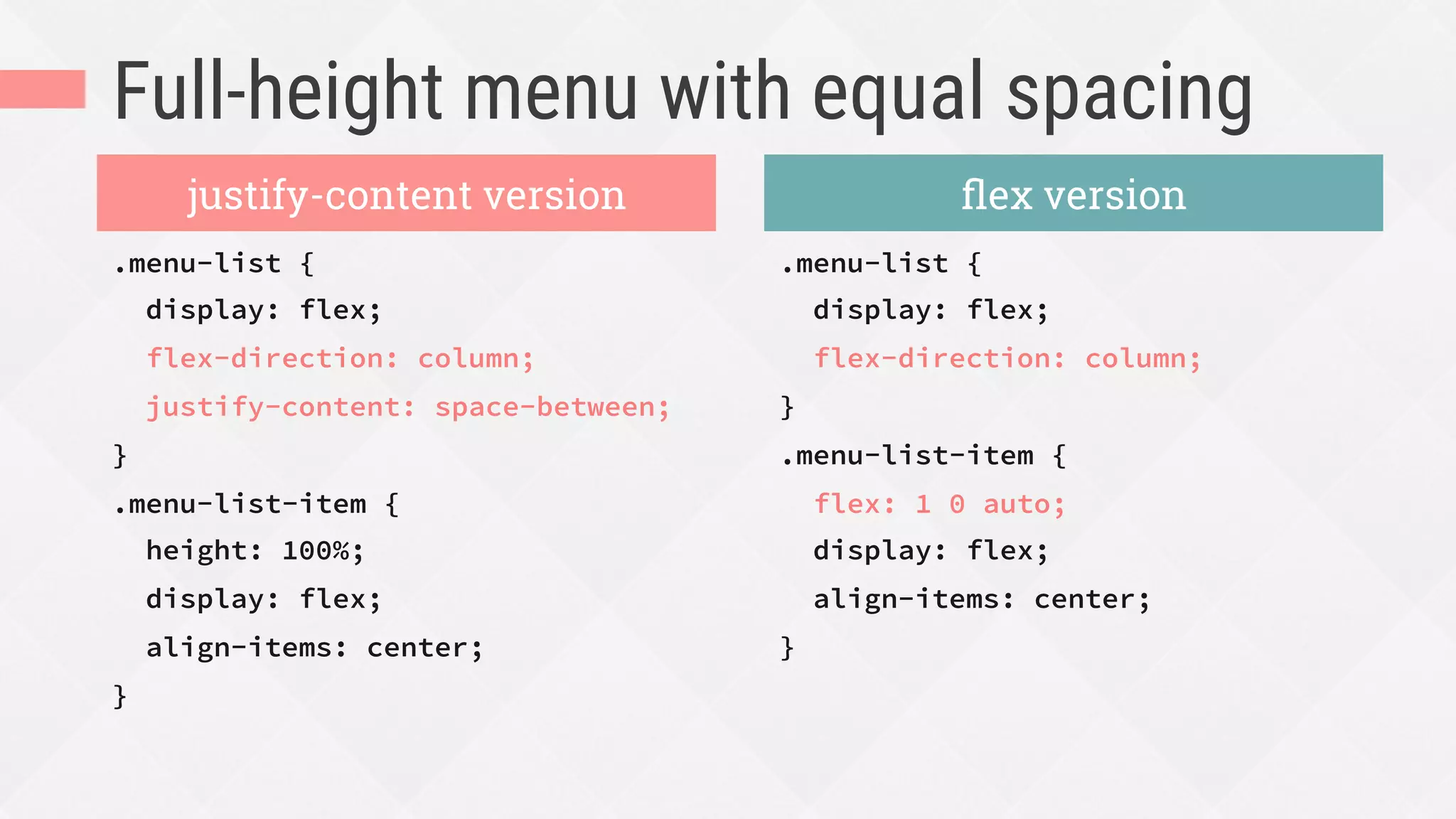
.menu-list {
display: flex;
flex-direction: column;
justify-content: space-between;
}
.menu-list-item {
height: 100%;
display: flex;
align-items: center;
}
.menu-list {
display: flex;
flex-direction: column;
}
.menu-list-item {
flex: 1 0 auto;
display: flex;
align-items: center;
}
justify-content version flex version
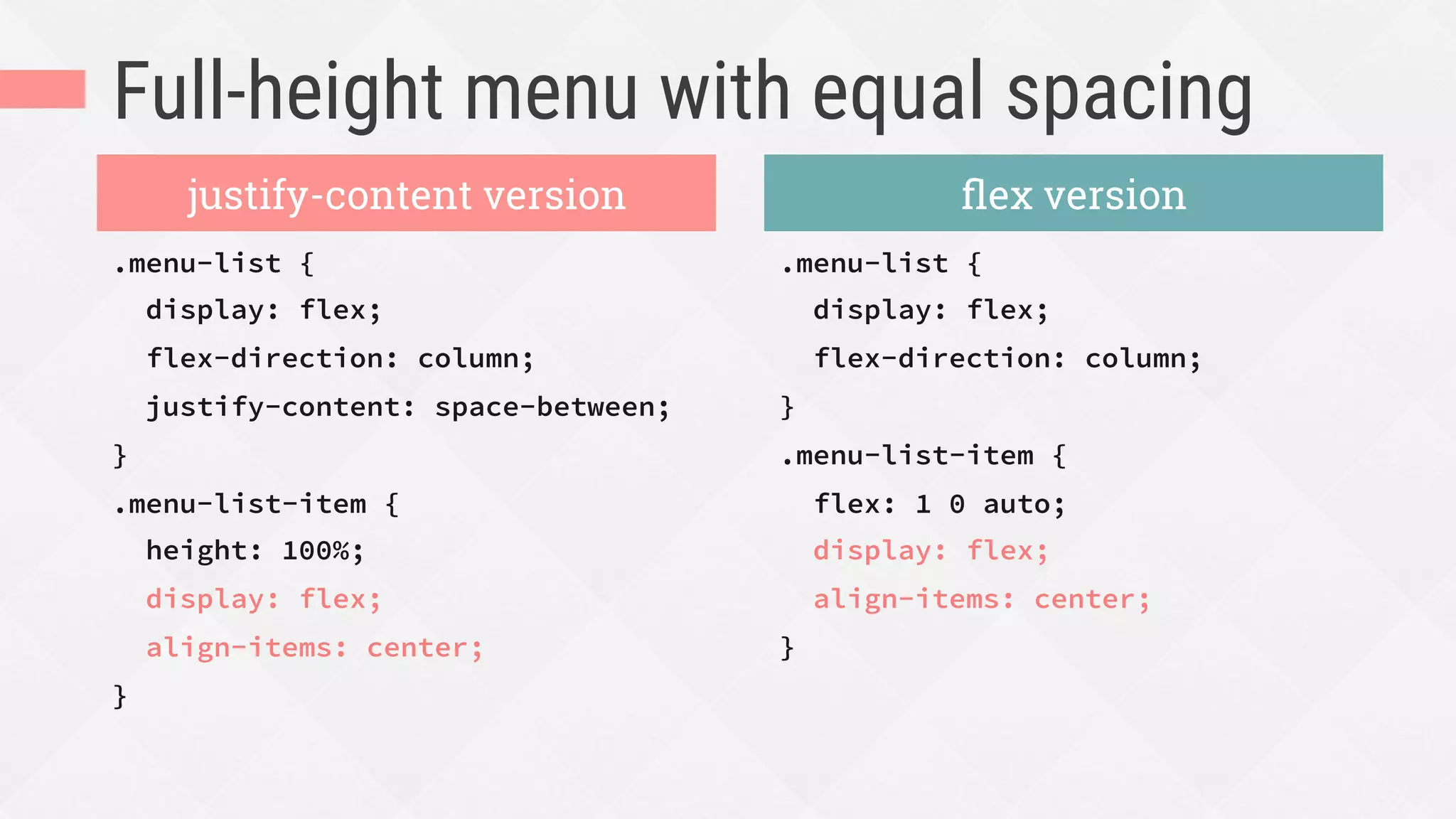
Full-height menu with equal spacing
.menu-list {
display: flex;
flex-direction: column;
justify-content: space-between;
}
.menu-list-item {
height: 100%;
display: flex;
align-items: center;
}
.menu-list {
display: flex;
flex-direction: column;
}
.menu-list-item {
flex: 1 0 auto;
display: flex;
align-items: center;
}
justify-content version flex version
Flexbox can also enhance
visual ordering.
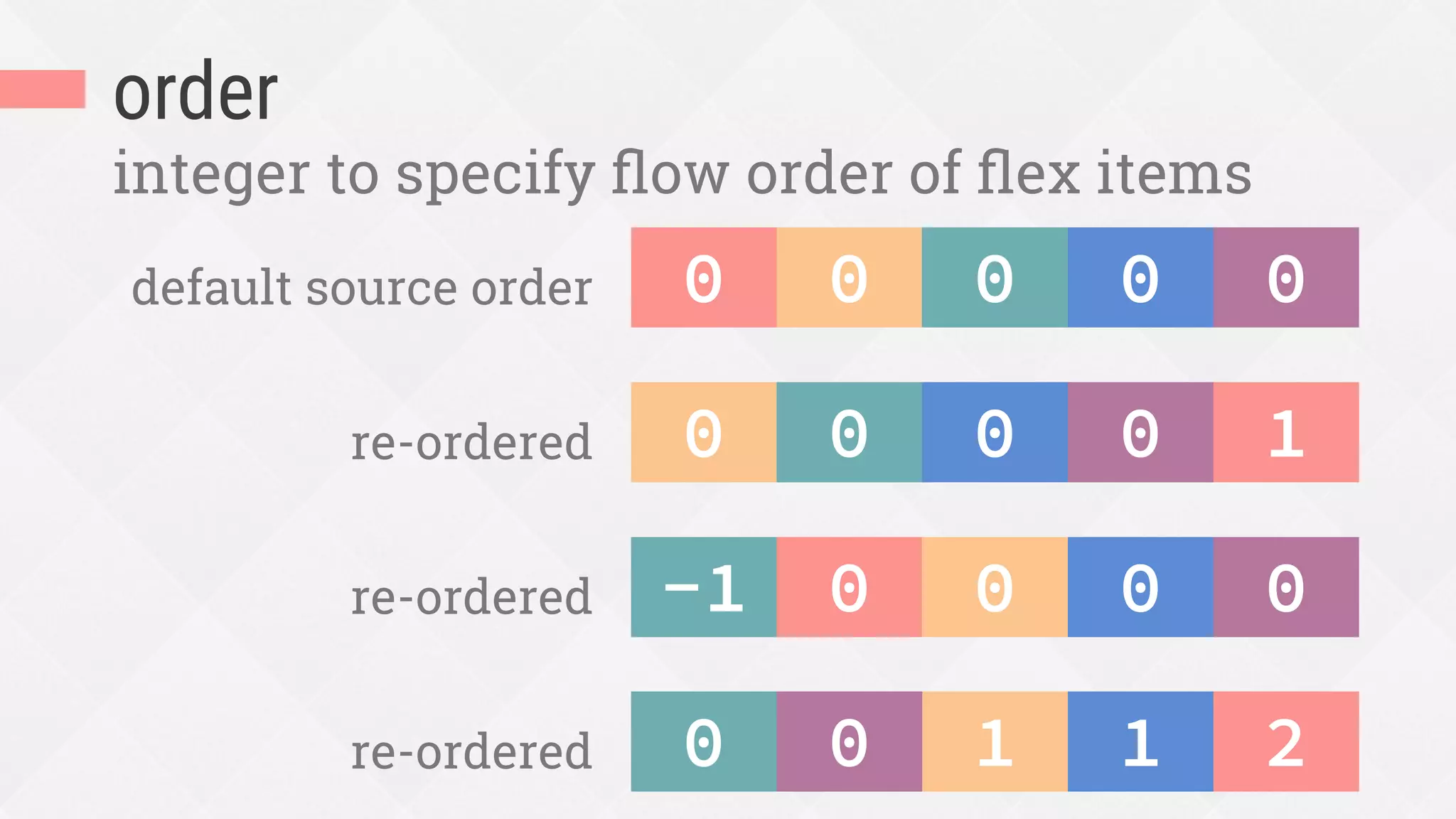
order
integer to specify flow order of flex items
0
 0
 0
default source order 0
 0
1
0
 0
re-ordered 0
 0
0
 0
-1
re-ordered 0
 0
2
1
0
re-ordered 1
0
Reorder for good, not evil.
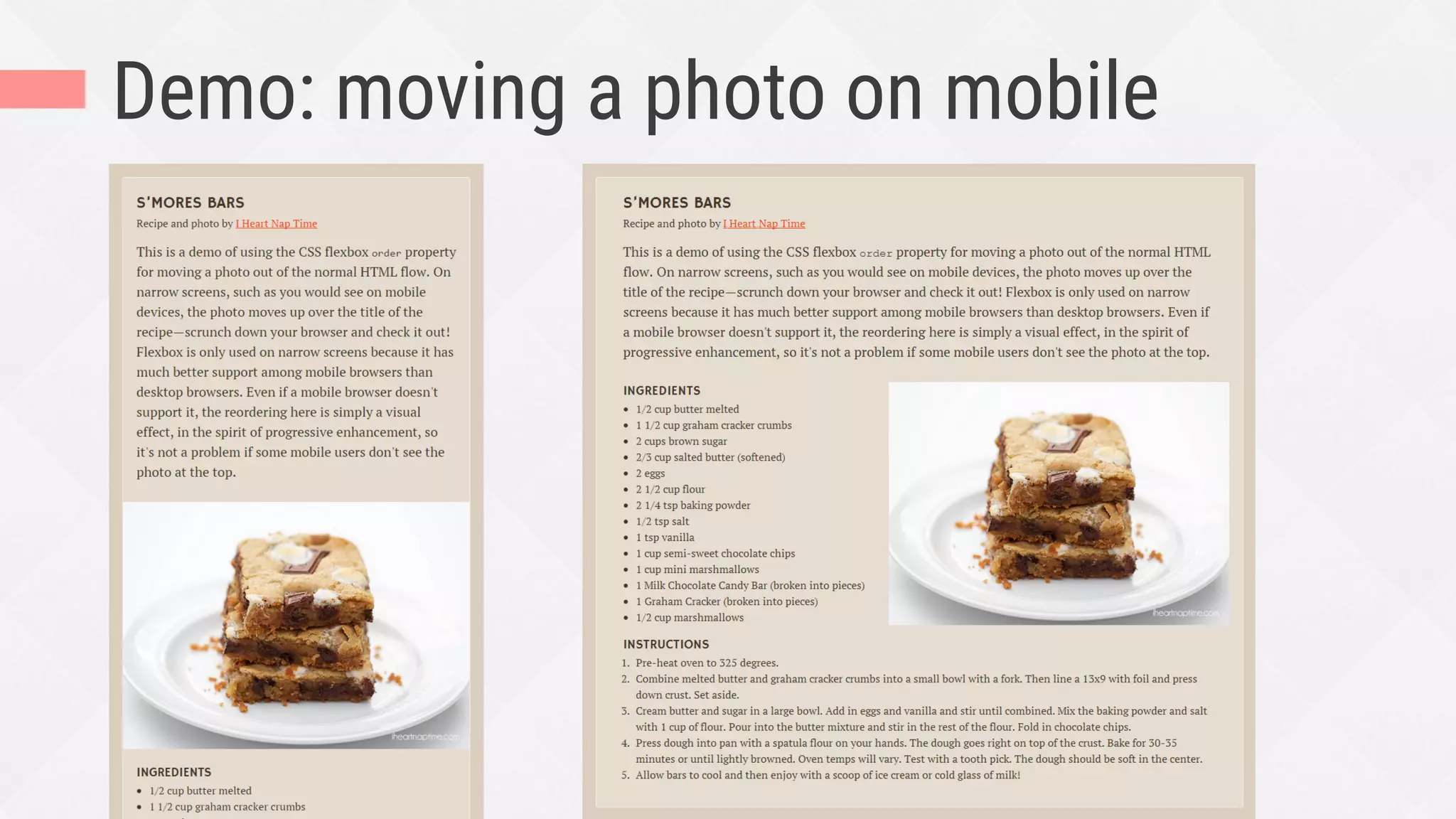
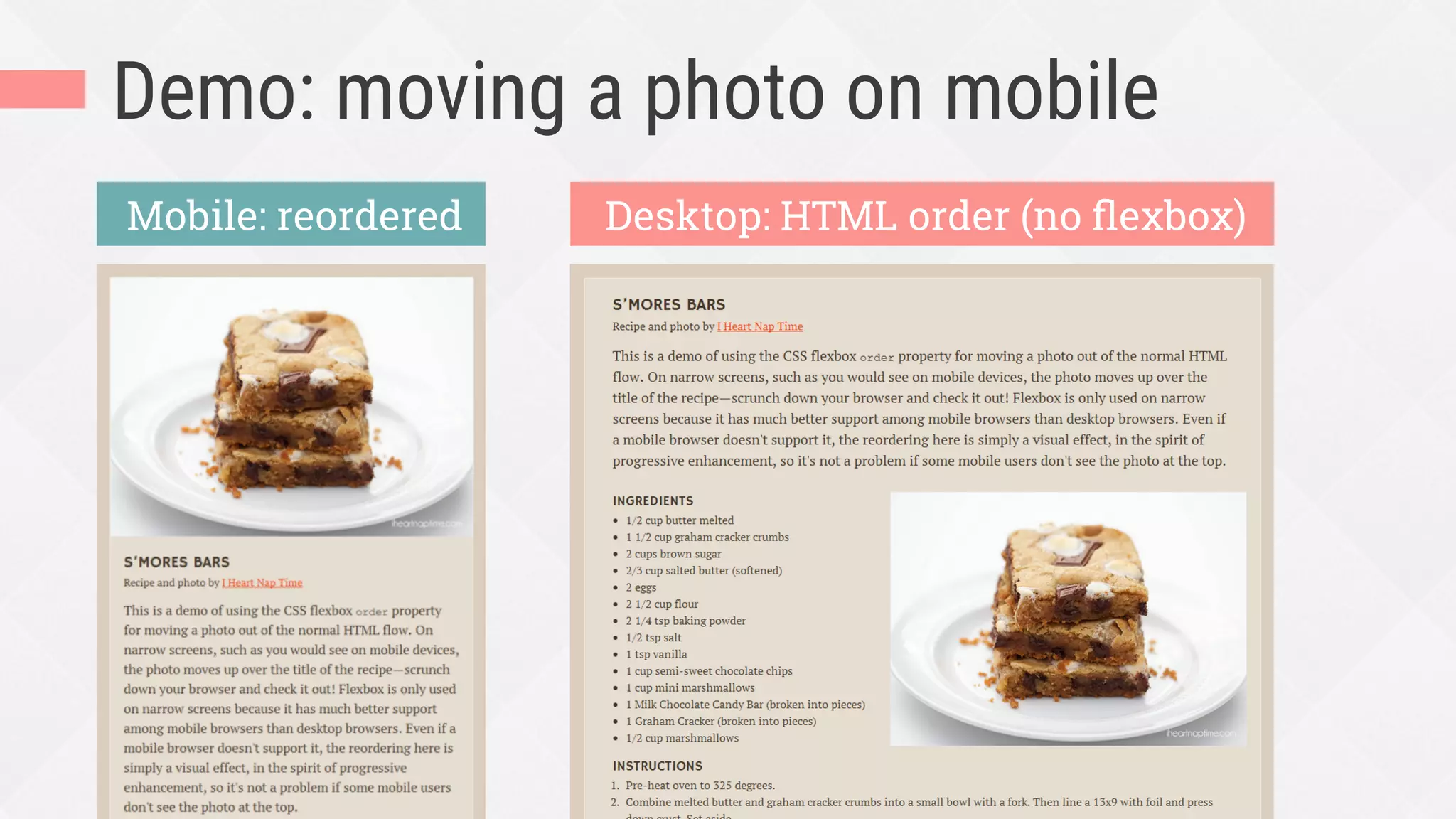
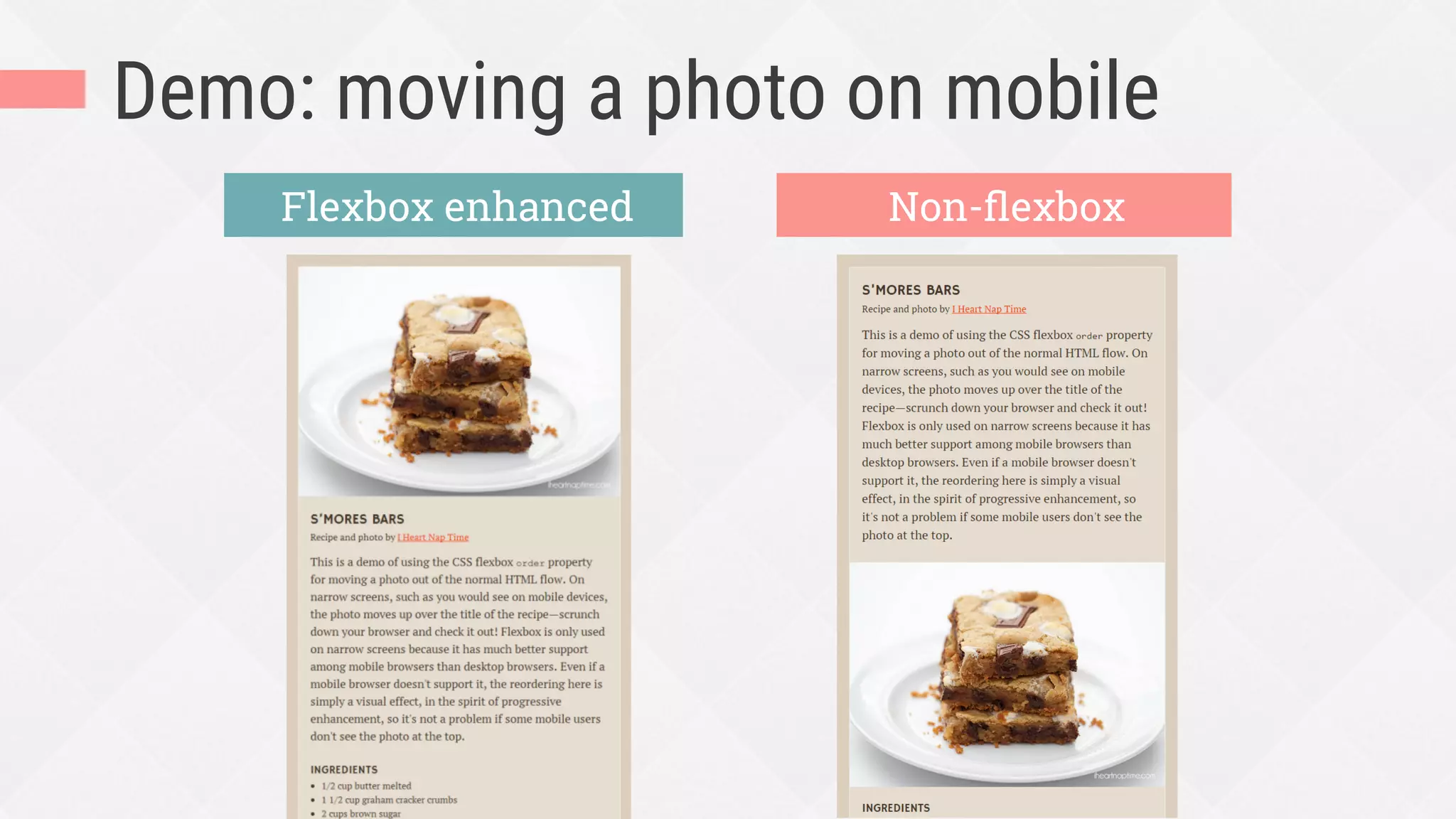
Demo: moving a photo on mobile
Desktop: HTML order (no flexbox)Mobile: reordered
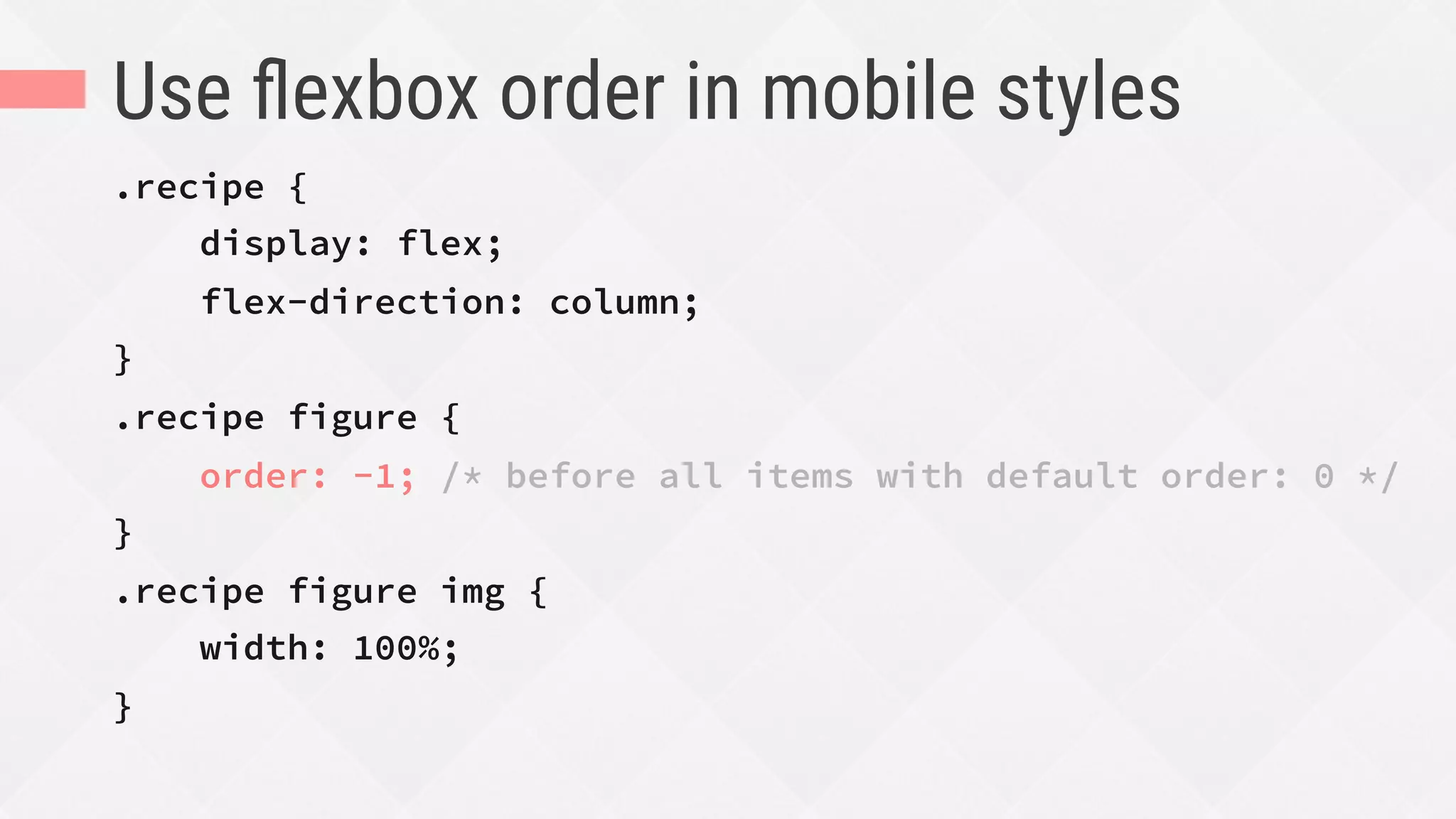
Use flexbox order in mobile styles
.recipe {
display: flex;
flex-direction: column;
}
.recipe figure {
order: -1; /* before all items with default order: 0 */
}
.recipe figure img {
width: 100%;
}
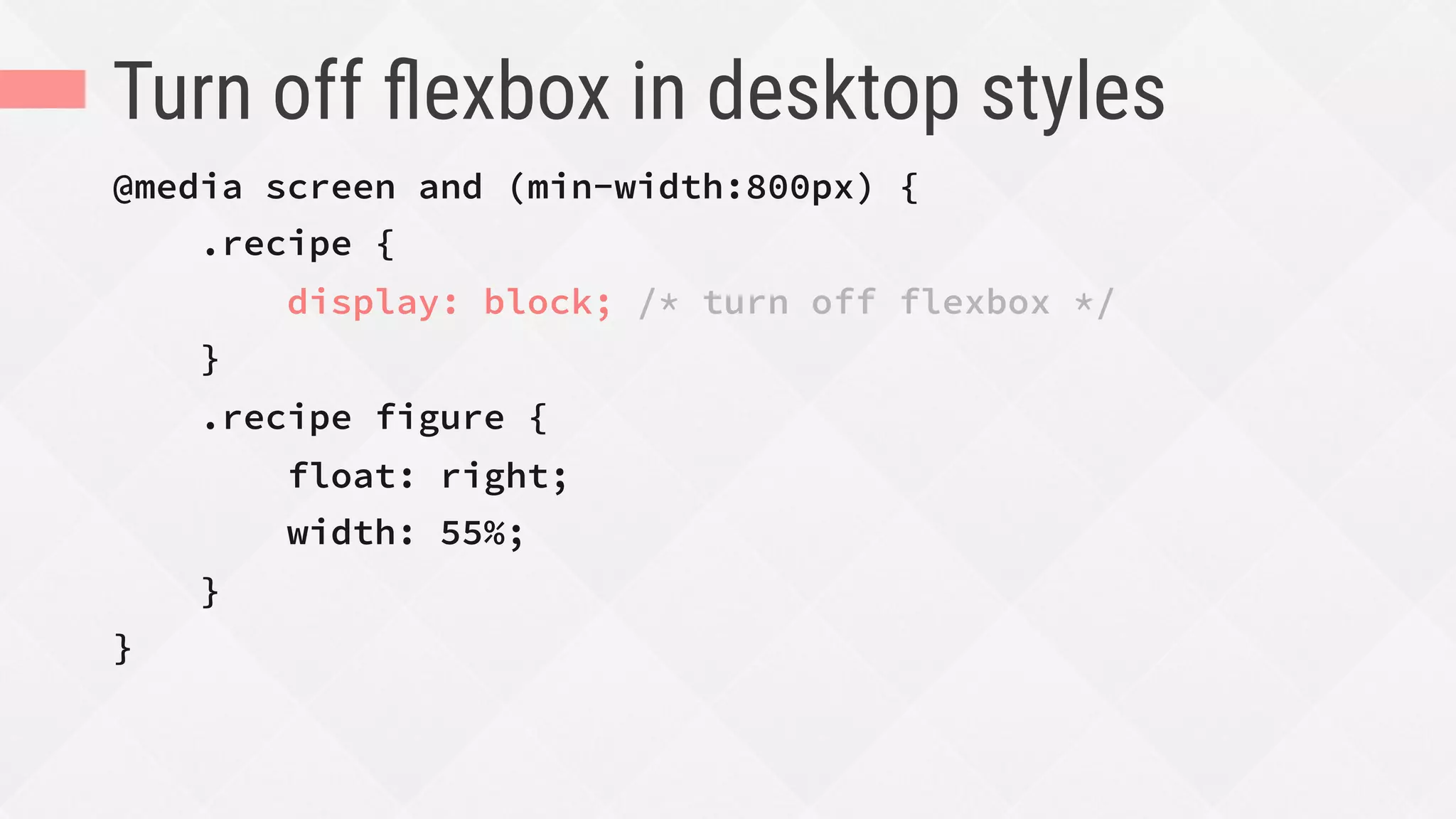
Turn off flexbox in desktop styles
@media screen and (min-width:800px) {
.recipe {
display: block; /* turn off flexbox */
}
.recipe figure {
float: right;
width: 55%;
}
}
Demo: moving a photo on mobile
Flexbox enhanced Non-flexbox
These examples don’t look wrong
or broken without flexbox.
Flexbox just enhances their sizing
and spacing to look better.
Step-by-step process for adding flexbox
to your UI components effectively
HOW
3.
Don’t freak out
Decide whether flexbox is the
right tool for the job
Decide which versions of
flexbox to support
standard, 2011/2012, and/or 2009
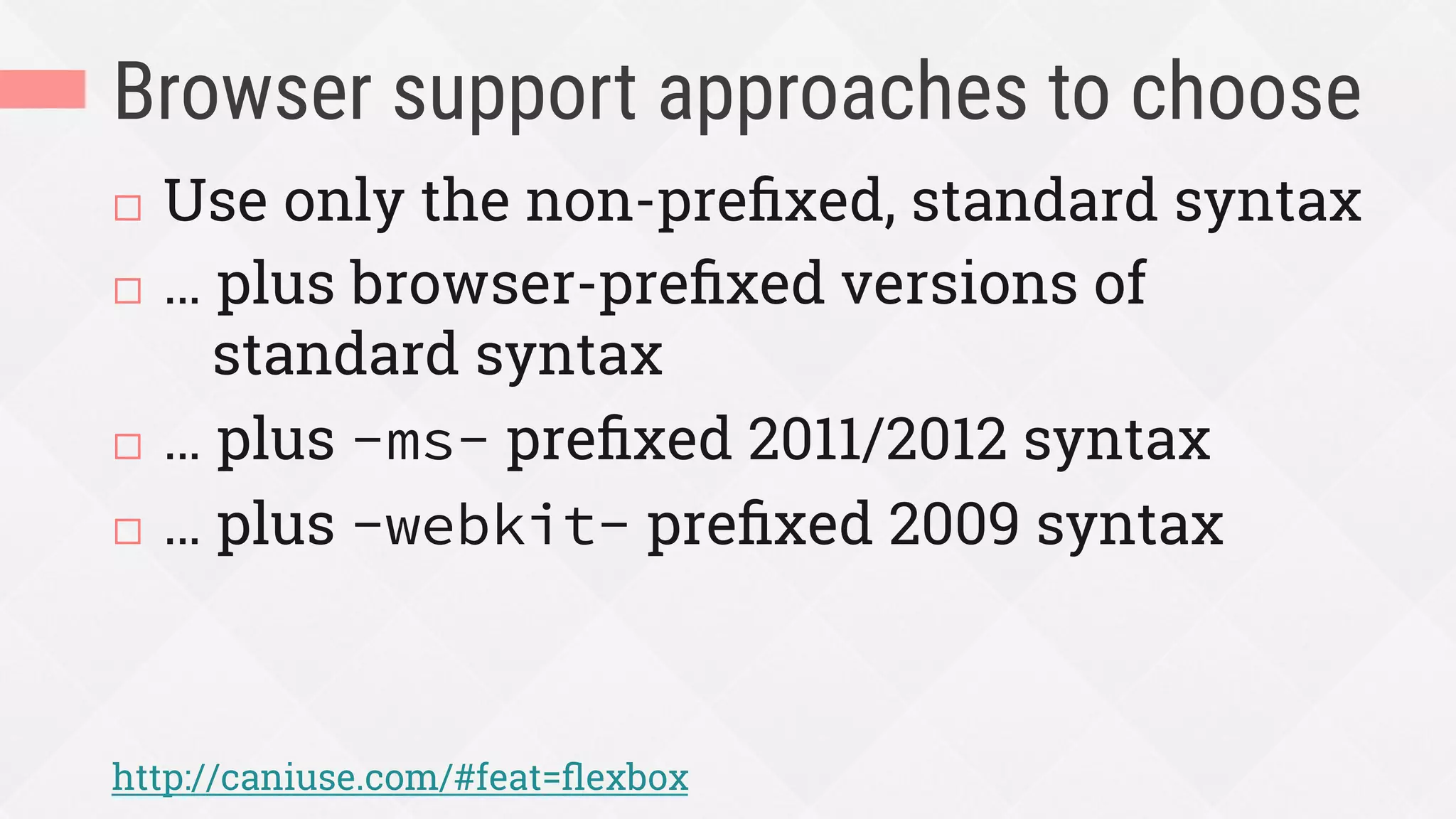
Browser support approaches to choose
¨  Use only the non-prefixed, standard syntax
¨  … plus browser-prefixed versions of
standard syntax
¨  … plus -ms- prefixed 2011/2012 syntax
¨  … plus -webkit- prefixed 2009 syntax
http://caniuse.com/#feat=flexbox
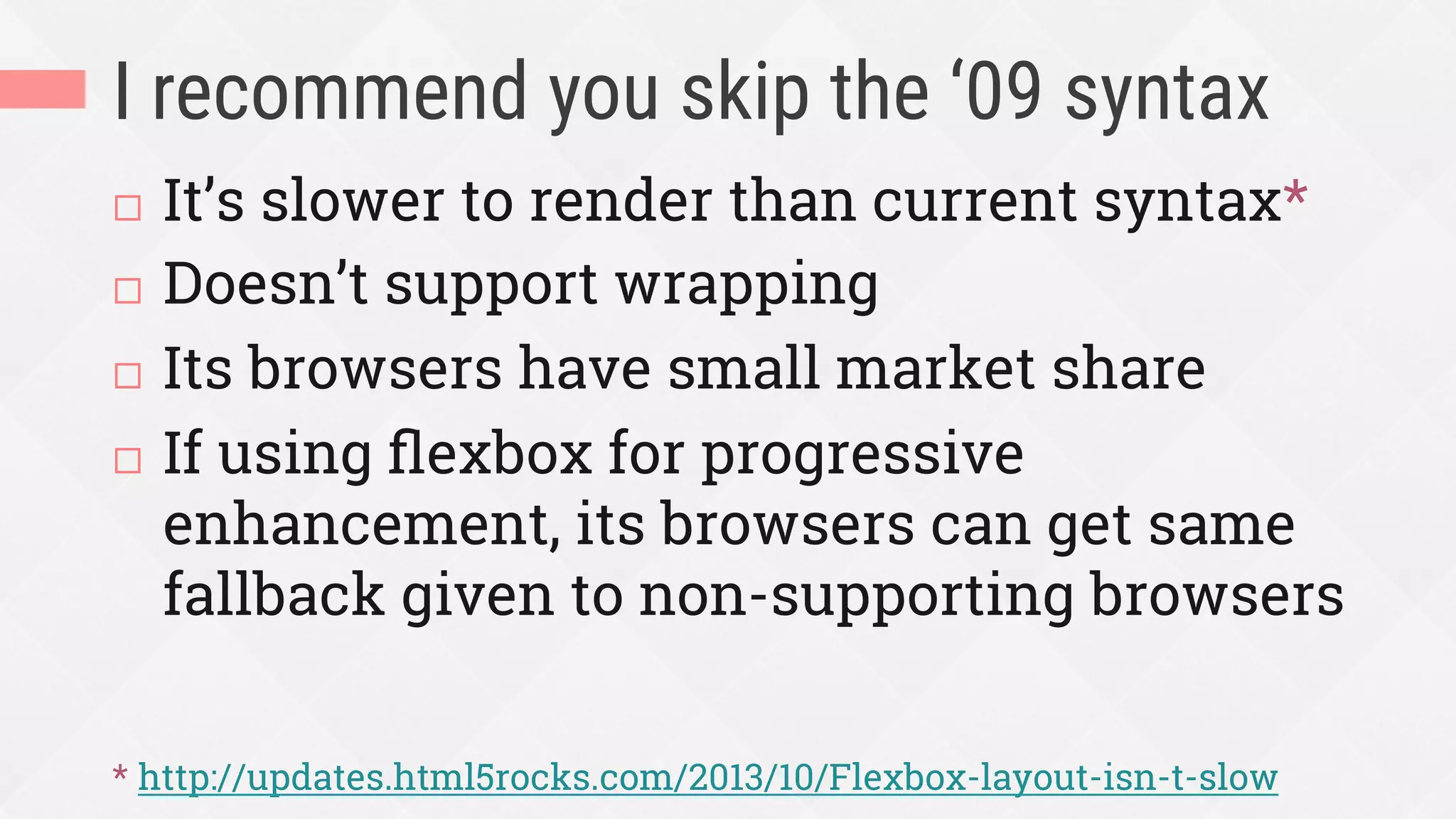
I recommend you skip the ‘09 syntax
¨  It’s slower to render than current syntax*
¨  Doesn’t support wrapping
¨  Its browsers have small market share
¨  If using flexbox for progressive
enhancement, its browsers can get same
fallback given to non-supporting browsers
* http://updates.html5rocks.com/2013/10/Flexbox-layout-isn-t-slow
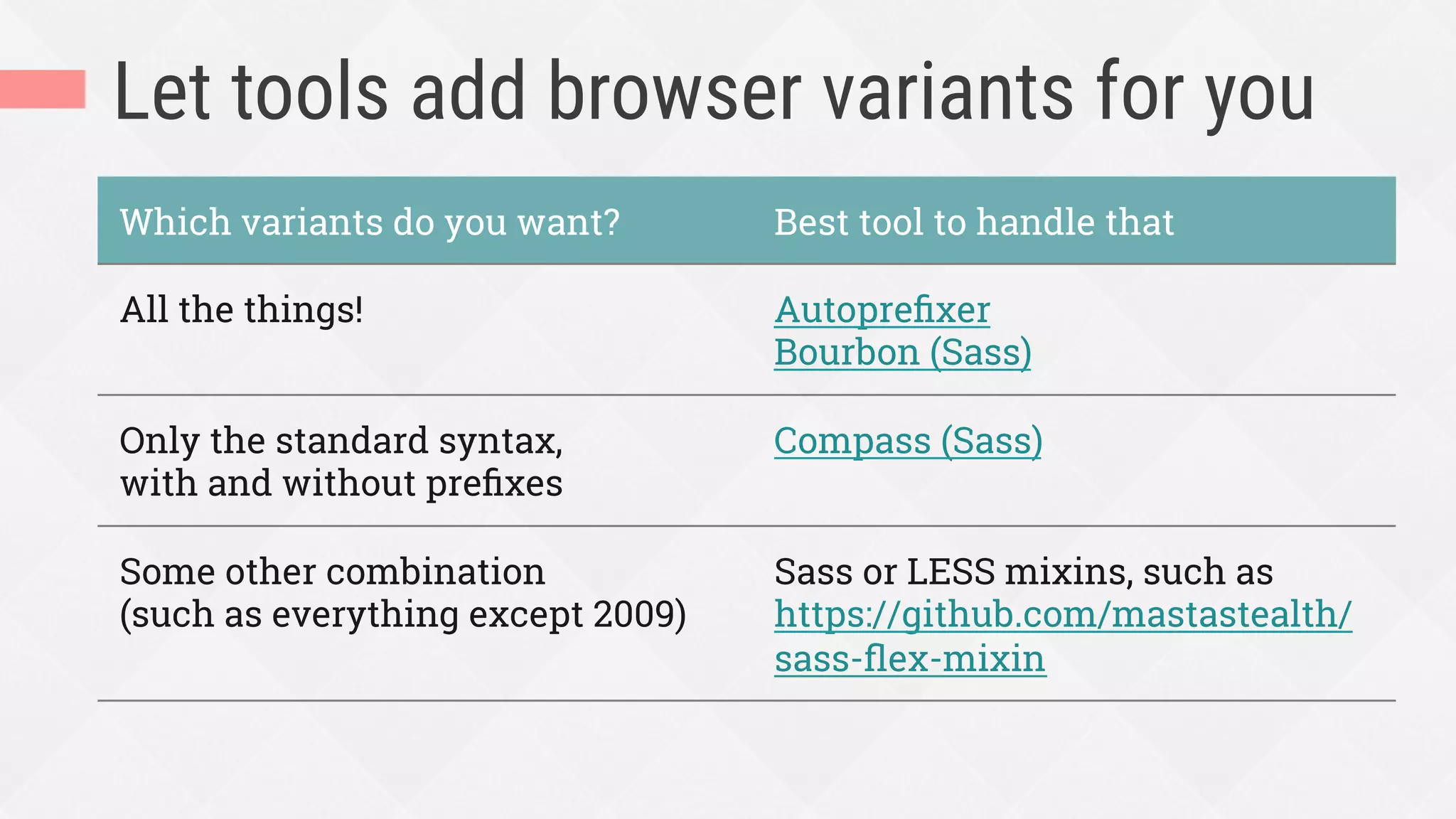
Let tools add browser variants for you
Which variants do you want? Best tool to handle that
All the things! Autoprefixer
Bourbon (Sass)
Only the standard syntax,
with and without prefixes
Compass (Sass)
Some other combination
(such as everything except 2009)
Sass or LESS mixins, such as
https://github.com/mastastealth/
sass-flex-mixin
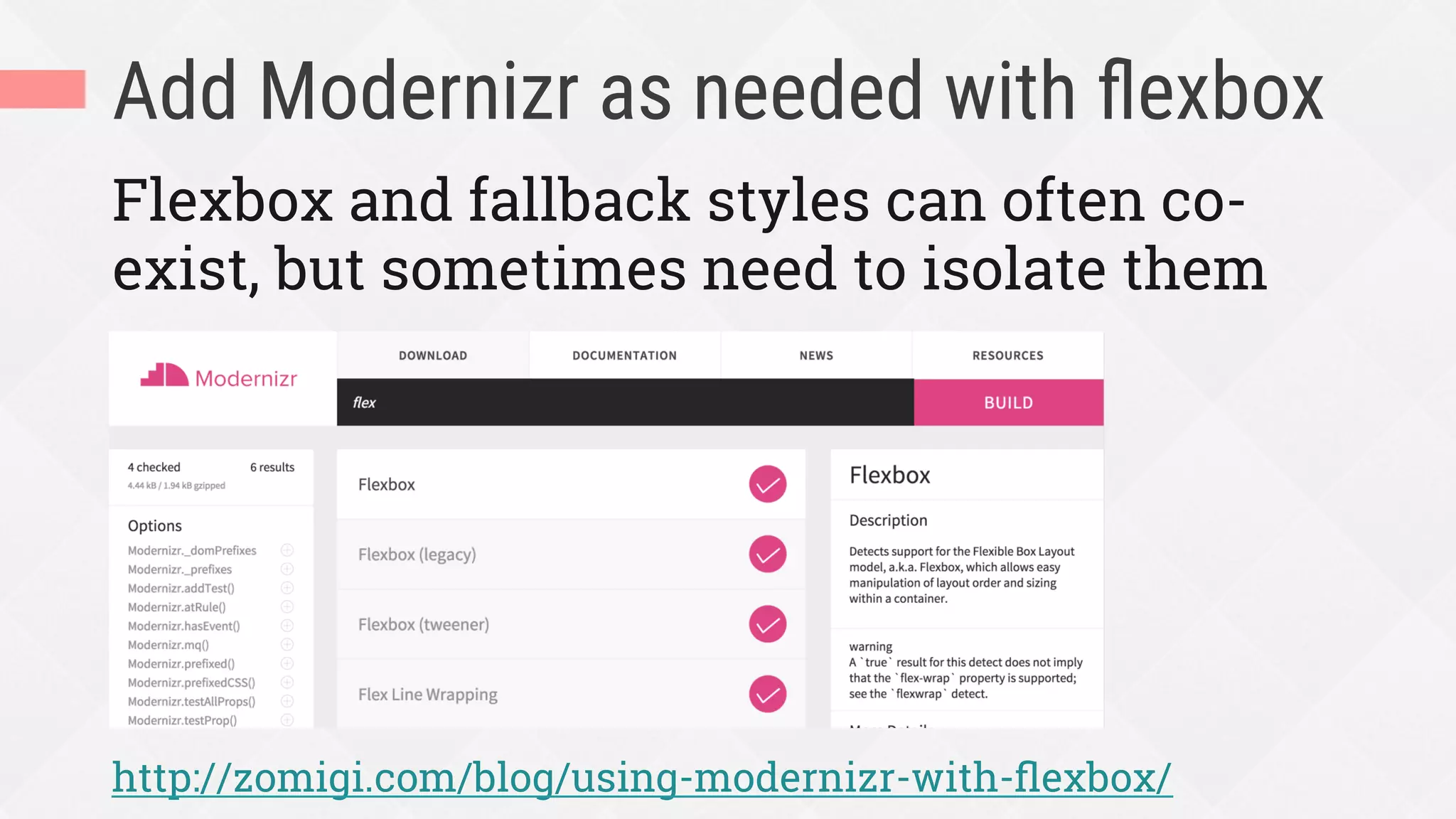
Add Modernizr as needed with flexbox
Flexbox and fallback styles can often co-
exist, but sometimes need to isolate them
http://zomigi.com/blog/using-modernizr-with-flexbox/
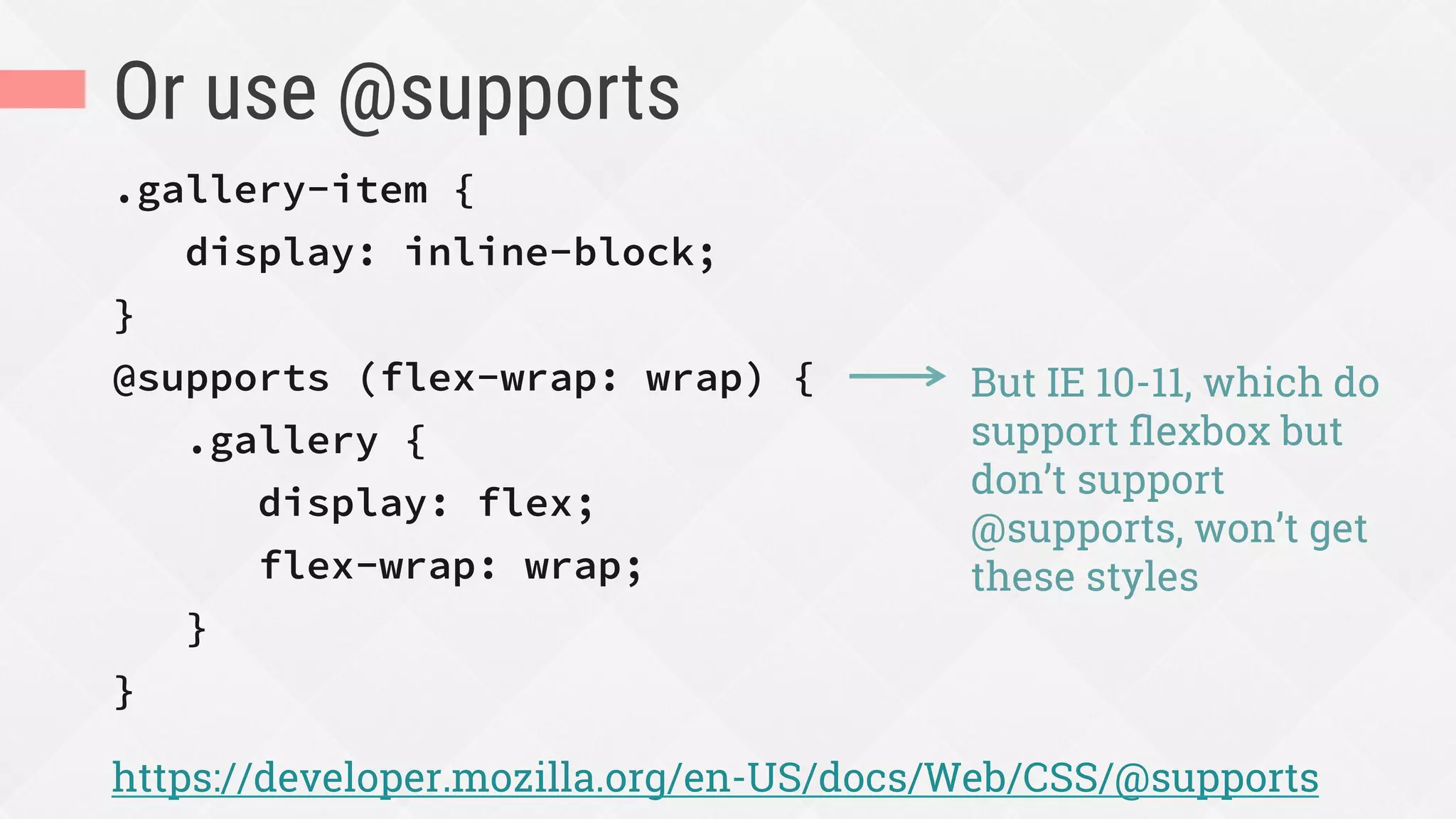
Or use @supports
.gallery-item {
display: inline-block;
}
@supports (flex-wrap: wrap) {
.gallery {
display: flex;
flex-wrap: wrap;
}
}
https://developer.mozilla.org/en-US/docs/Web/CSS/@supports
But IE 10-11, which do
support flexbox but
don’t support
@supports, won’t get
these styles
Choose and add appropriate
starter/fallback layout CSS
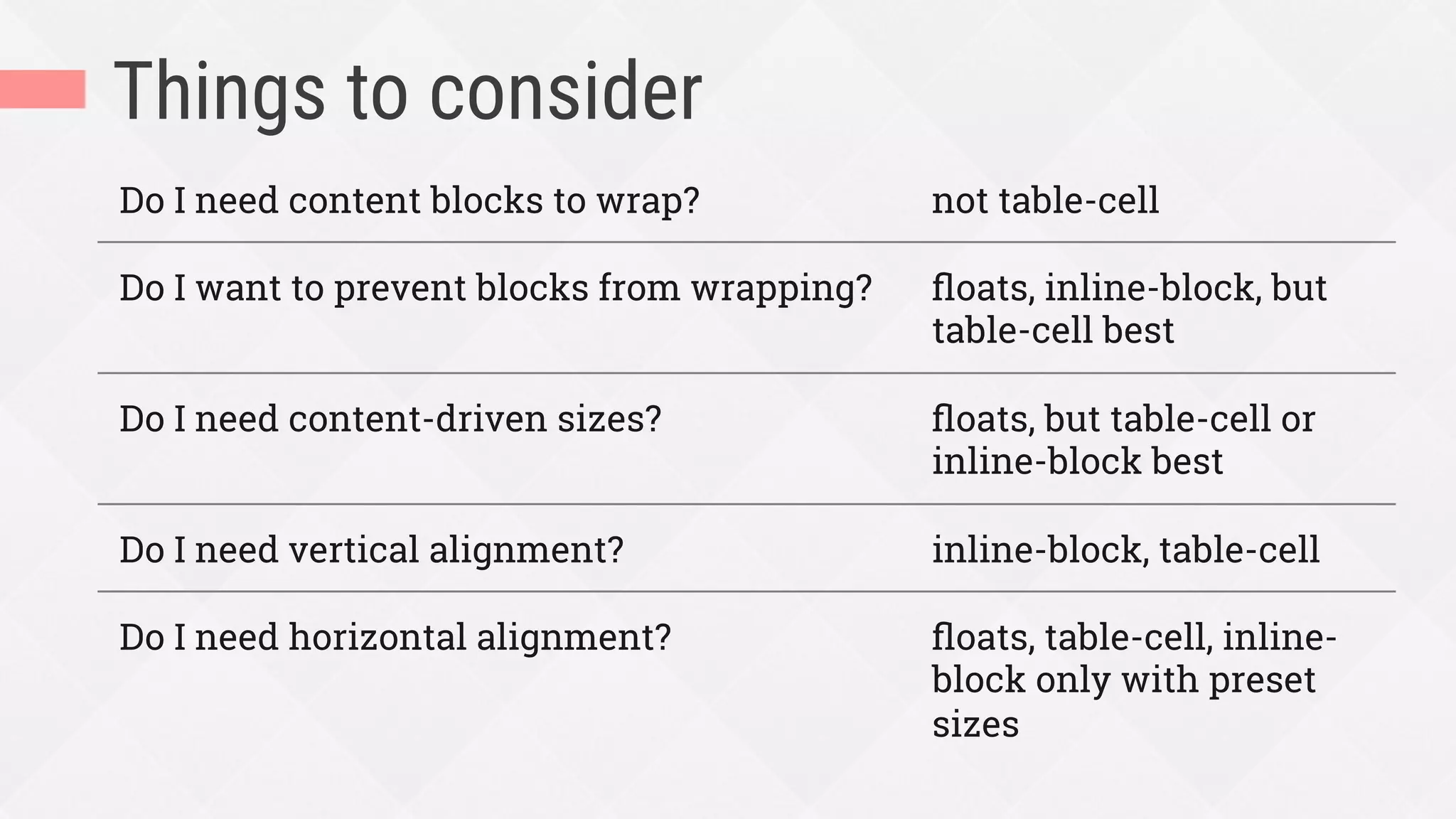
Things to consider
Do I need content blocks to wrap? not table-cell
Do I want to prevent blocks from wrapping? floats, inline-block, but
table-cell best
Do I need content-driven sizes? floats, but table-cell or
inline-block best
Do I need vertical alignment? inline-block, table-cell
Do I need horizontal alignment? floats, table-cell, inline-
block only with preset
sizes
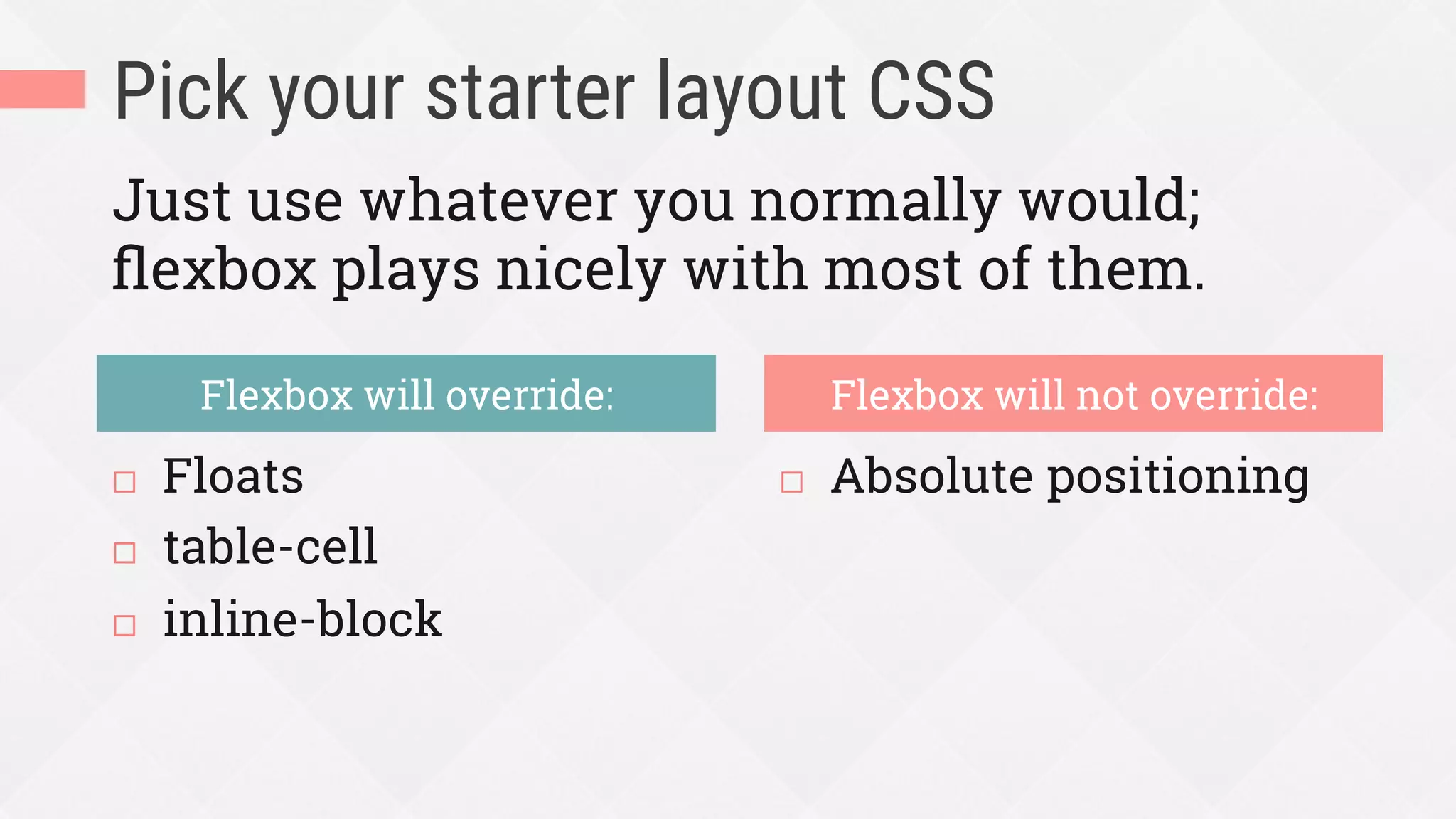
Pick your starter layout CSS
¨  Floats
¨  table-cell
¨  inline-block
¨  Absolute positioning
Flexbox will override: Flexbox will not override:
Just use whatever you normally would;
flexbox plays nicely with most of them.
A real example of this process
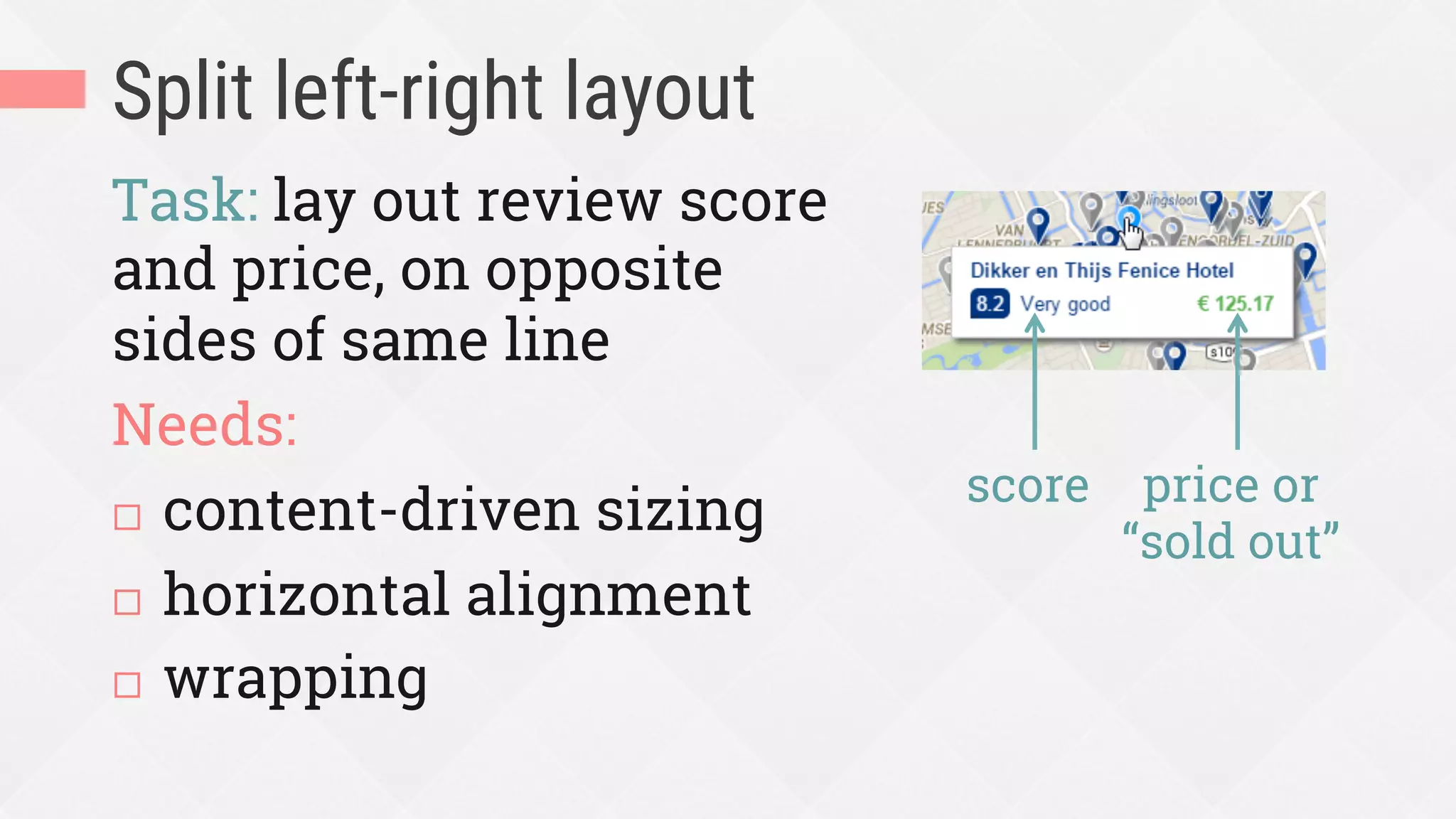
Split left-right layout
Task: lay out review score
and price, on opposite
sides of same line
Needs:
¨  content-driven sizing
¨  horizontal alignment
¨  wrapping
score price or
“sold out”
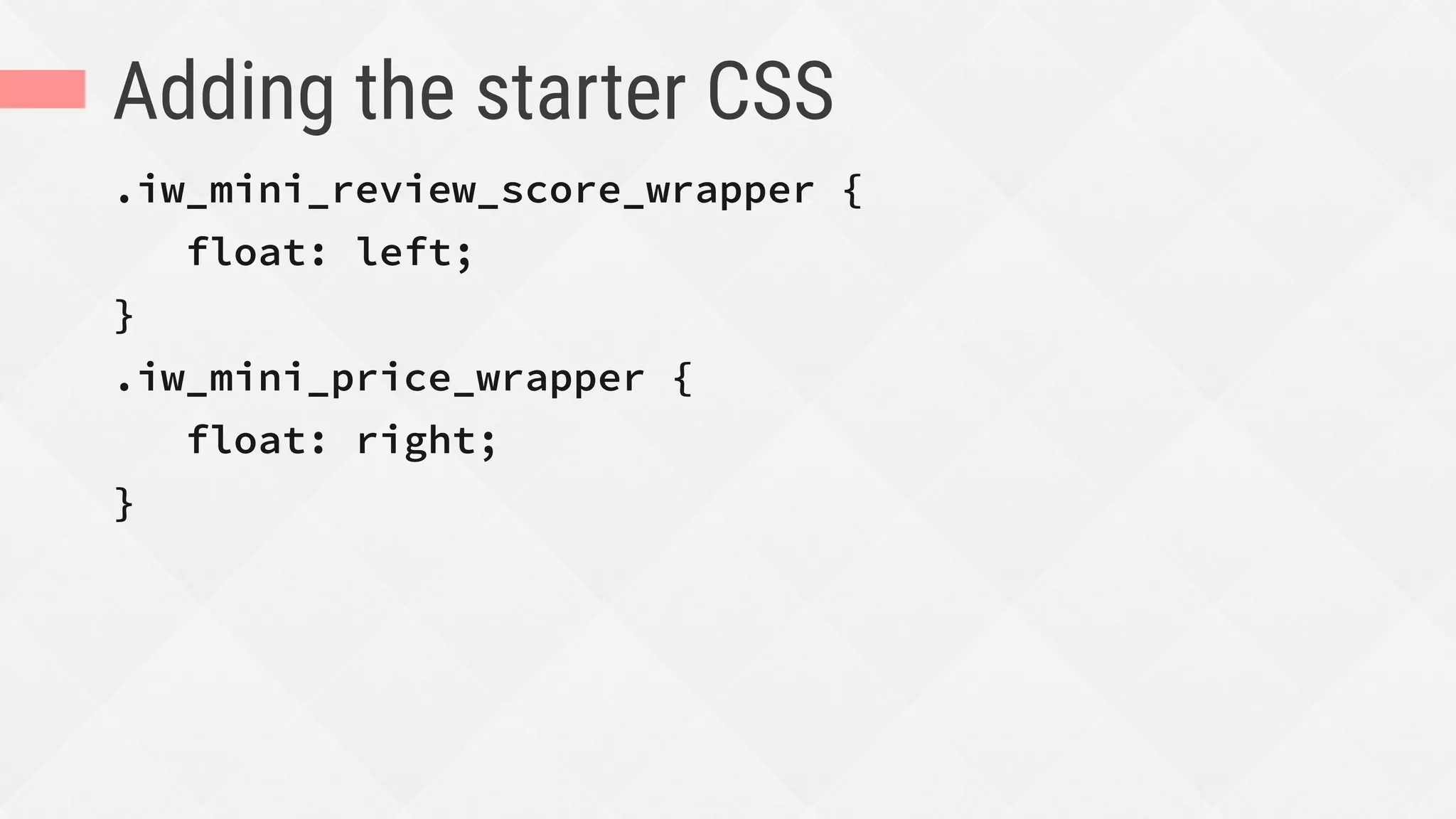
Adding the starter CSS
.iw_mini_review_score_wrapper {
float: left;
}
.iw_mini_price_wrapper {
float: right;
}
Start adding flexbox!
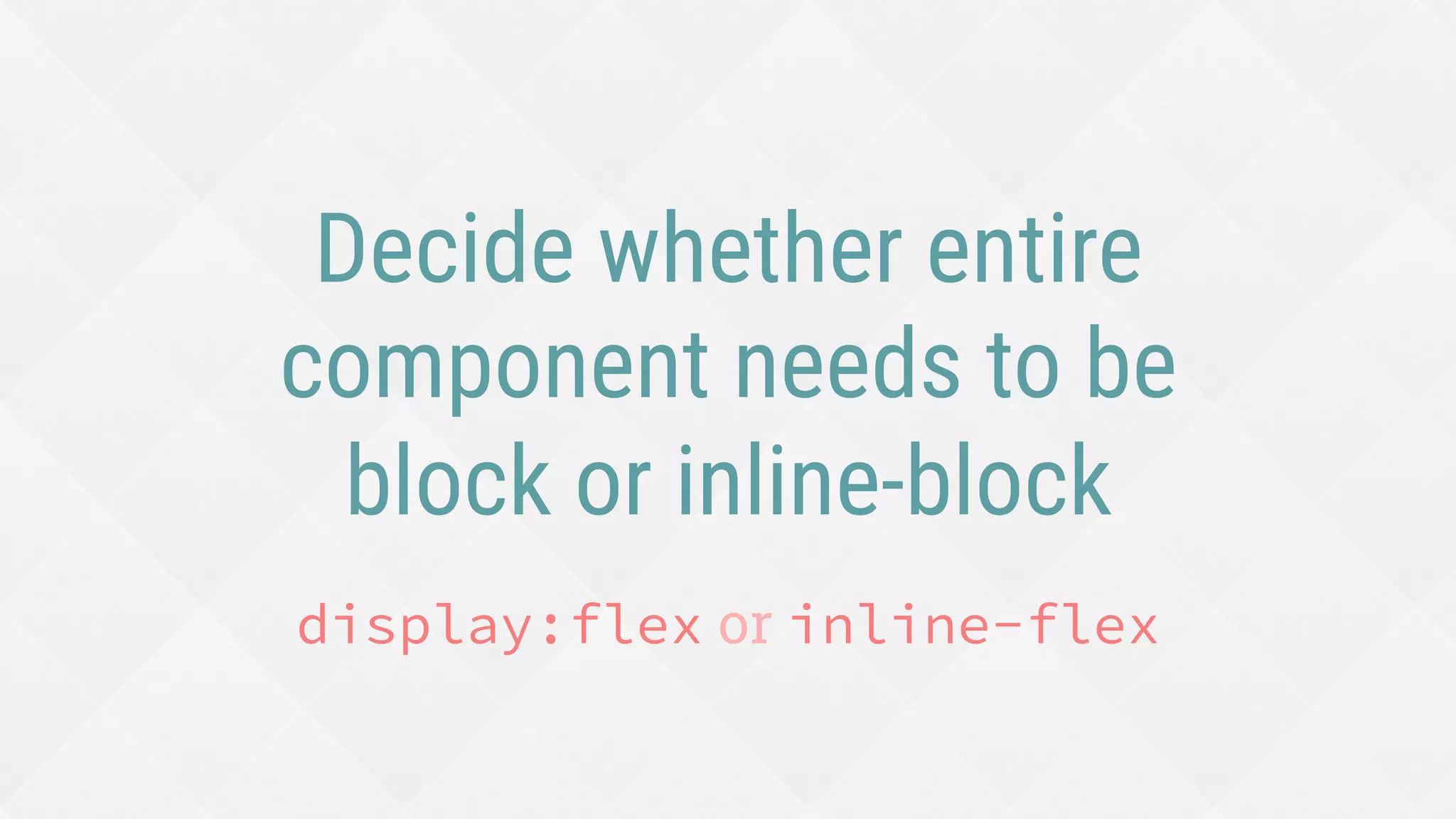
Decide whether entire
component needs to be
block or inline-block
display:flex or inline-flex
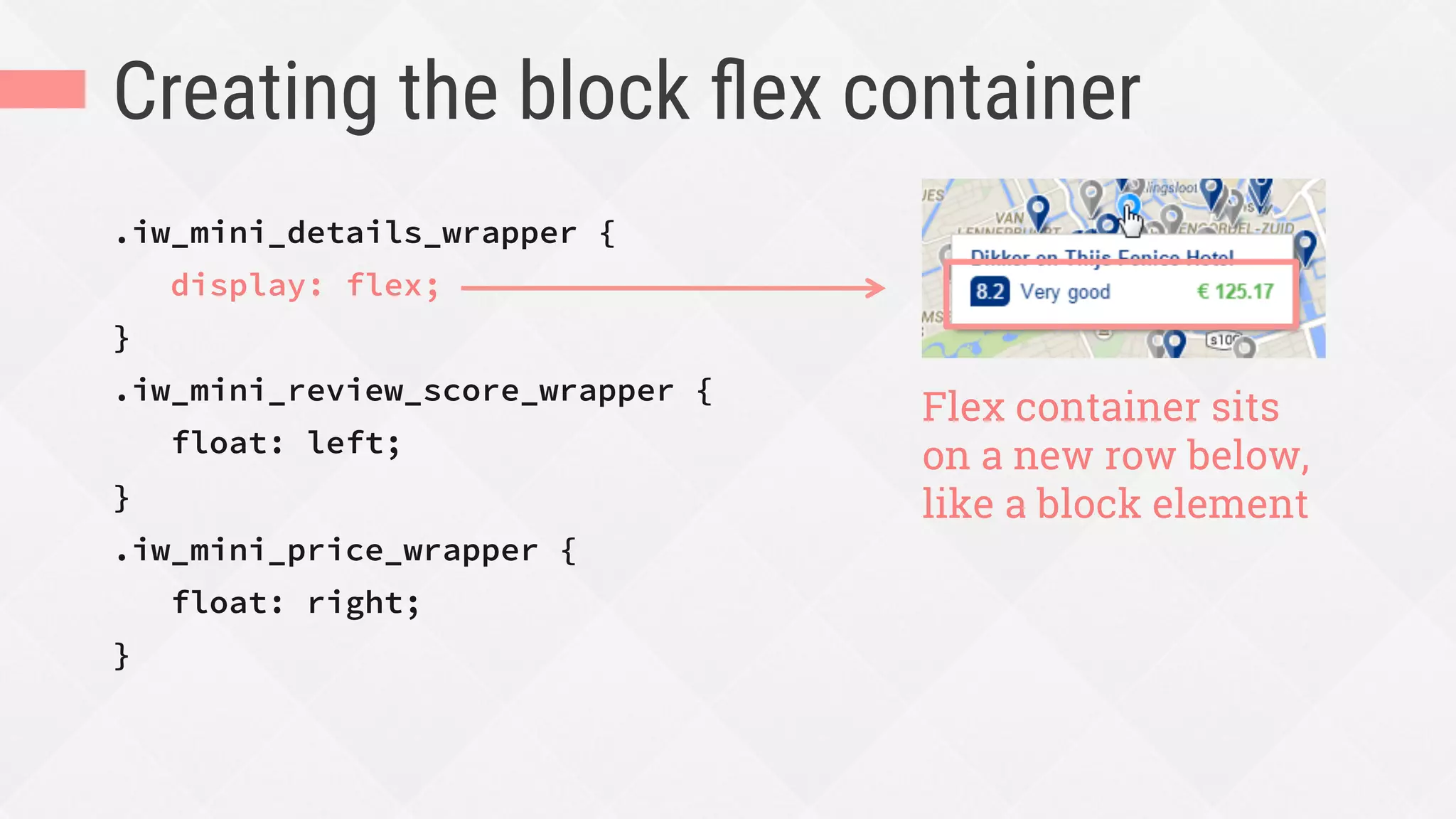
Creating the block flex container
.iw_mini_details_wrapper {
display: flex;
}
.iw_mini_review_score_wrapper {
float: left;
}
.iw_mini_price_wrapper {
float: right;
}
Flex container sits
on a new row below,
like a block element
Decide flow of flex items
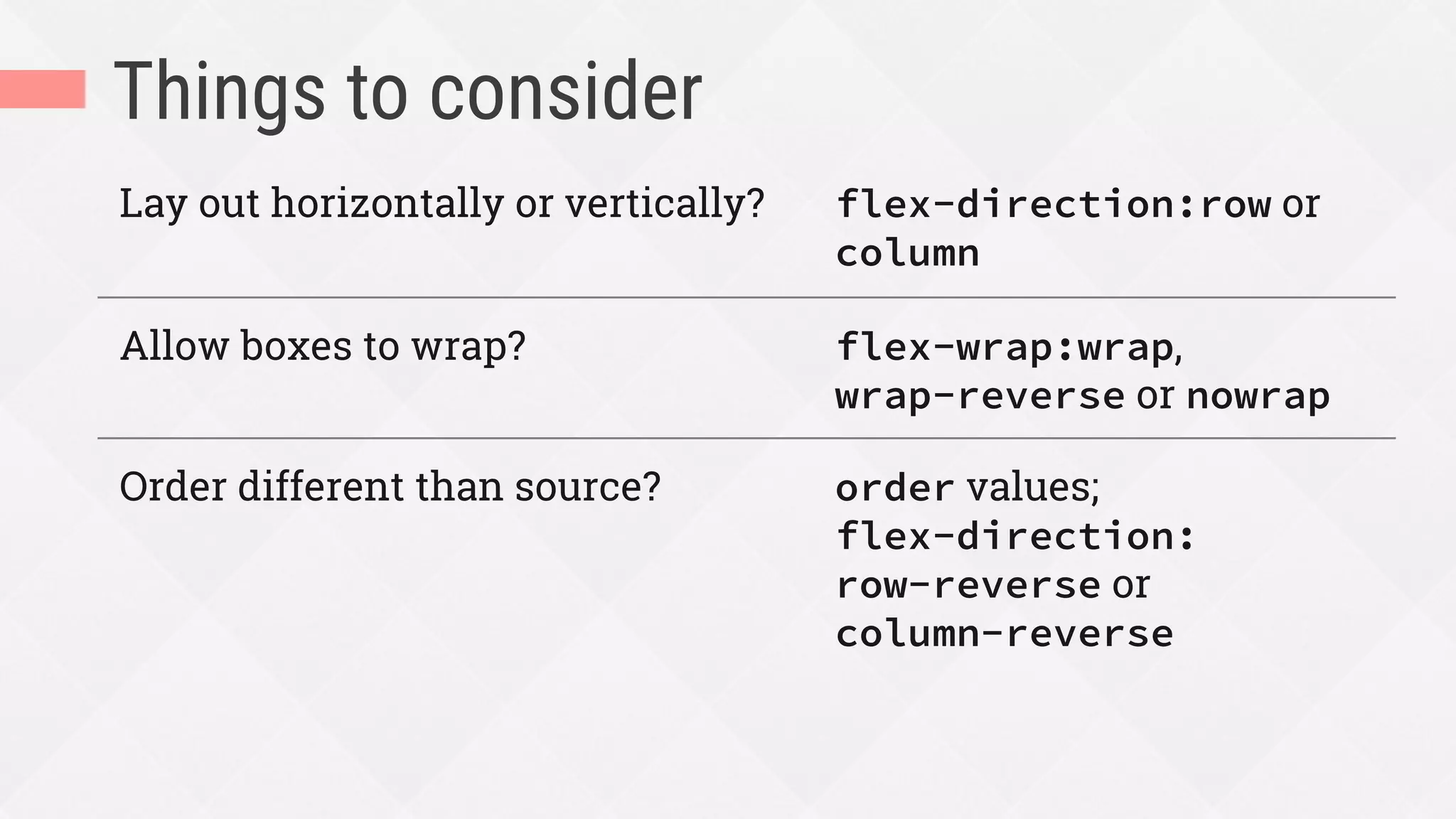
Things to consider
Lay out horizontally or vertically? flex-direction:row or
column
Allow boxes to wrap? flex-wrap:wrap,
wrap-reverse or nowrap
Order different than source? order values;
flex-direction:
row-reverse or
column-reverse
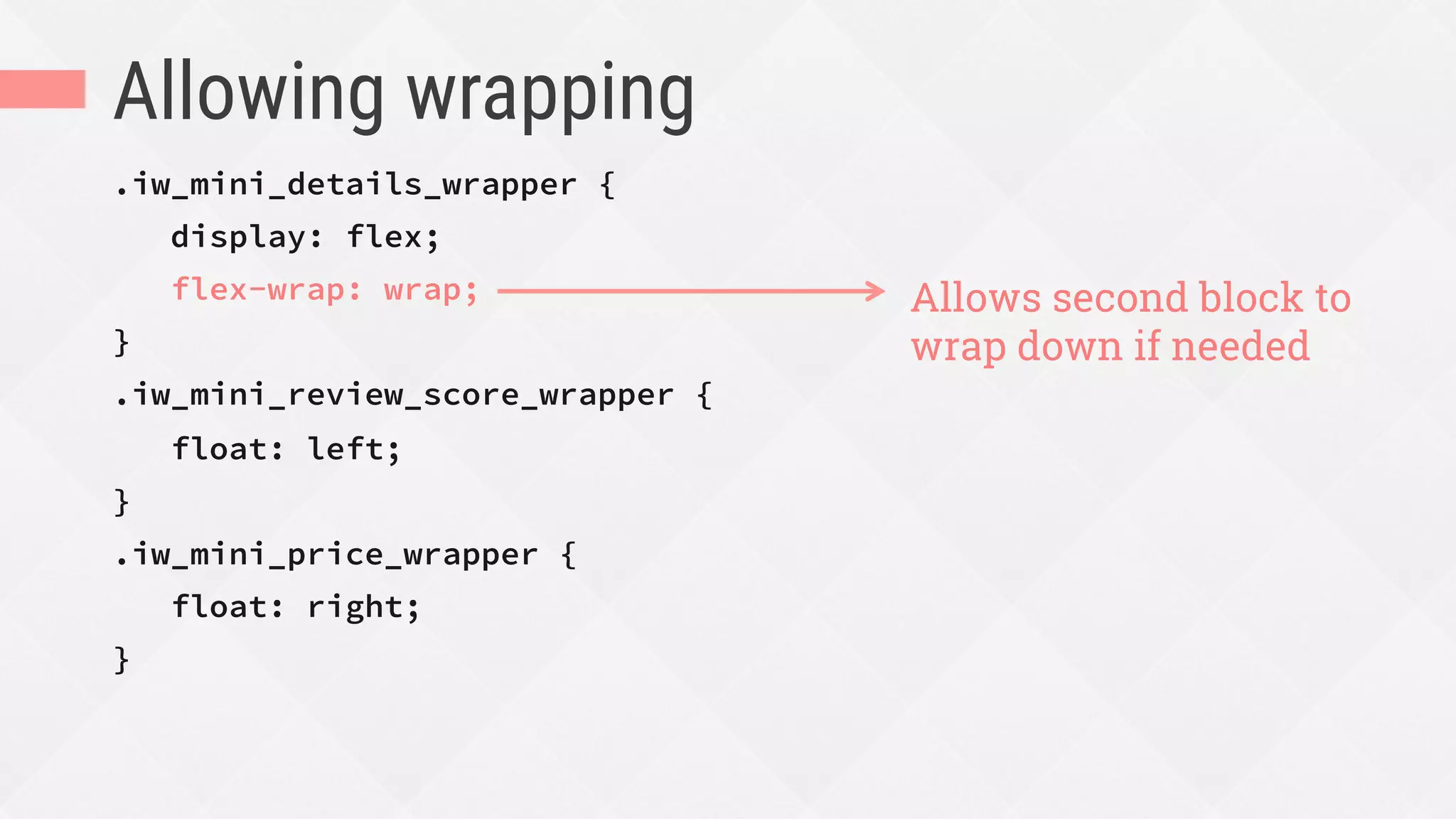
Allowing wrapping
.iw_mini_details_wrapper {
display: flex;
flex-wrap: wrap;
}
.iw_mini_review_score_wrapper {
float: left;
}
.iw_mini_price_wrapper {
float: right;
}
Allows second block to
wrap down if needed
Decide which items can
grow to fill space,
shrink to avoid overflow,
or must stay at a certain size
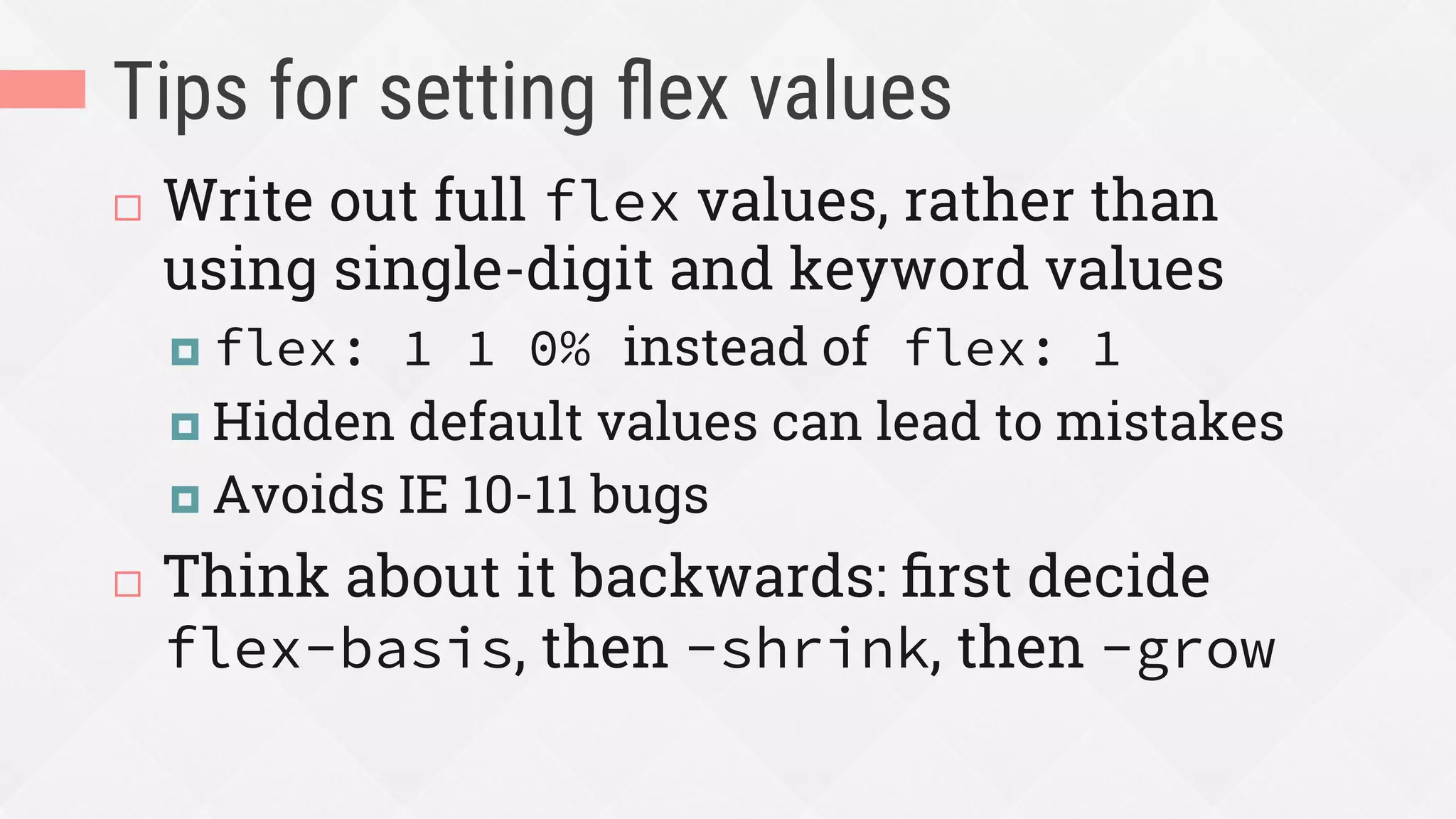
Tips for setting flex values
¨  Write out full flex values, rather than
using single-digit and keyword values
¤  flex: 1 1 0% instead of flex: 1
¤  Hidden default values can lead to mistakes
¤  Avoids IE 10-11 bugs
¨  Think about it backwards: first decide
flex-basis, then -shrink, then -grow
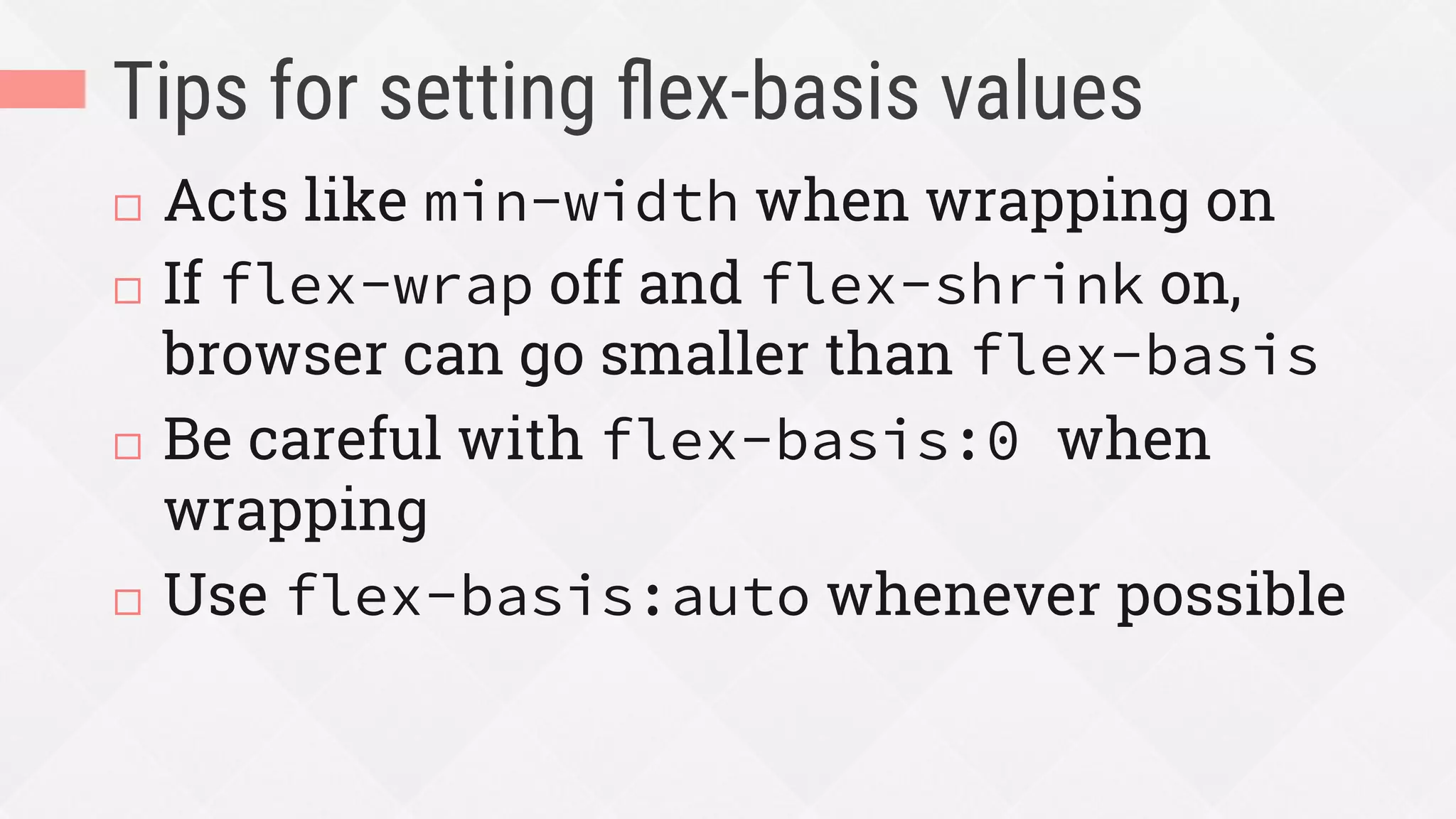
Tips for setting flex-basis values
¨  Acts like min-width when wrapping on
¨  If flex-wrap off and flex-shrink on,
browser can go smaller than flex-basis
¨  Be careful with flex-basis:0 when
wrapping
¨  Use flex-basis:auto whenever possible
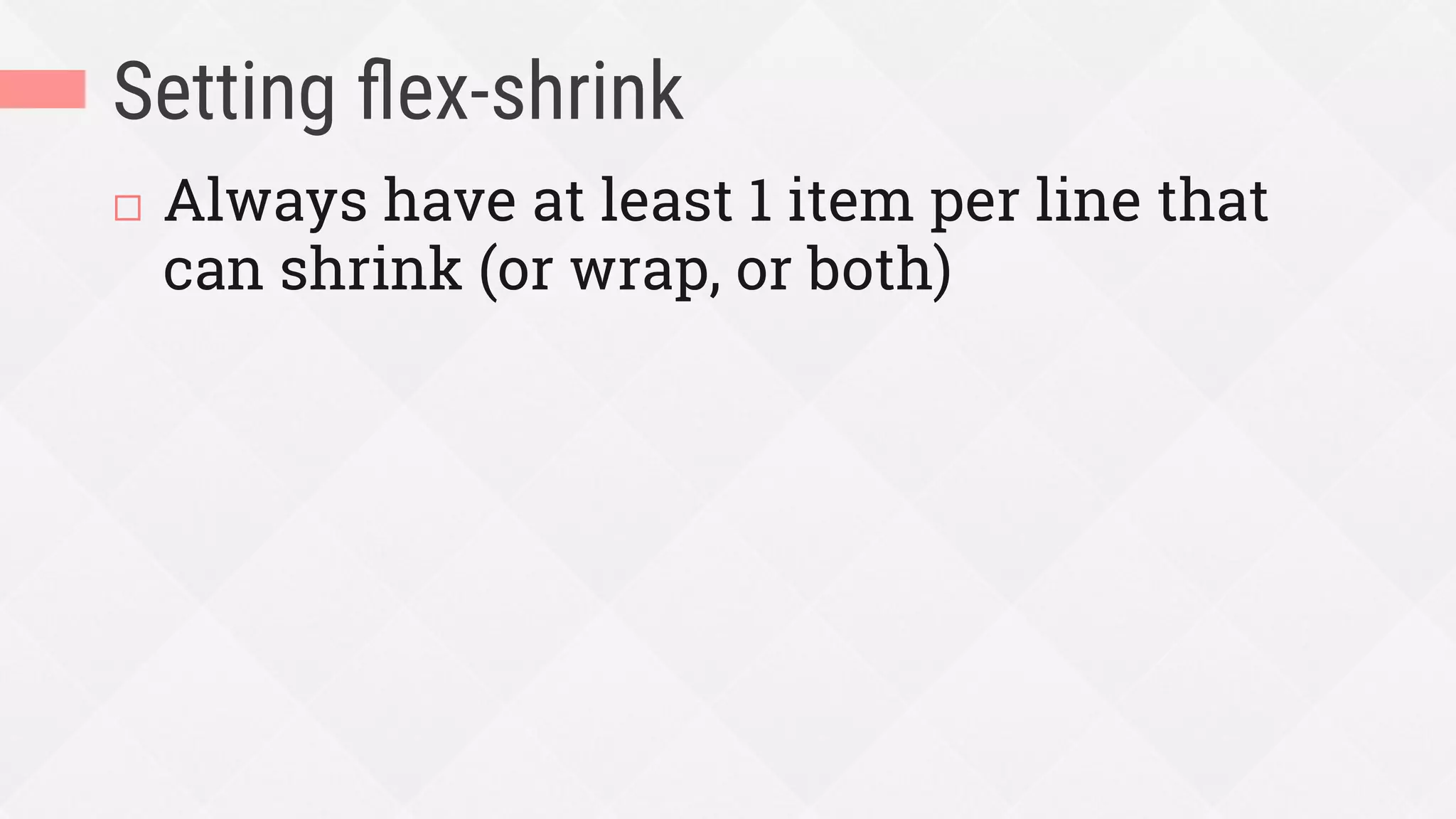
Setting flex-shrink
¨  Always have at least 1 item per line that
can shrink (or wrap, or both)
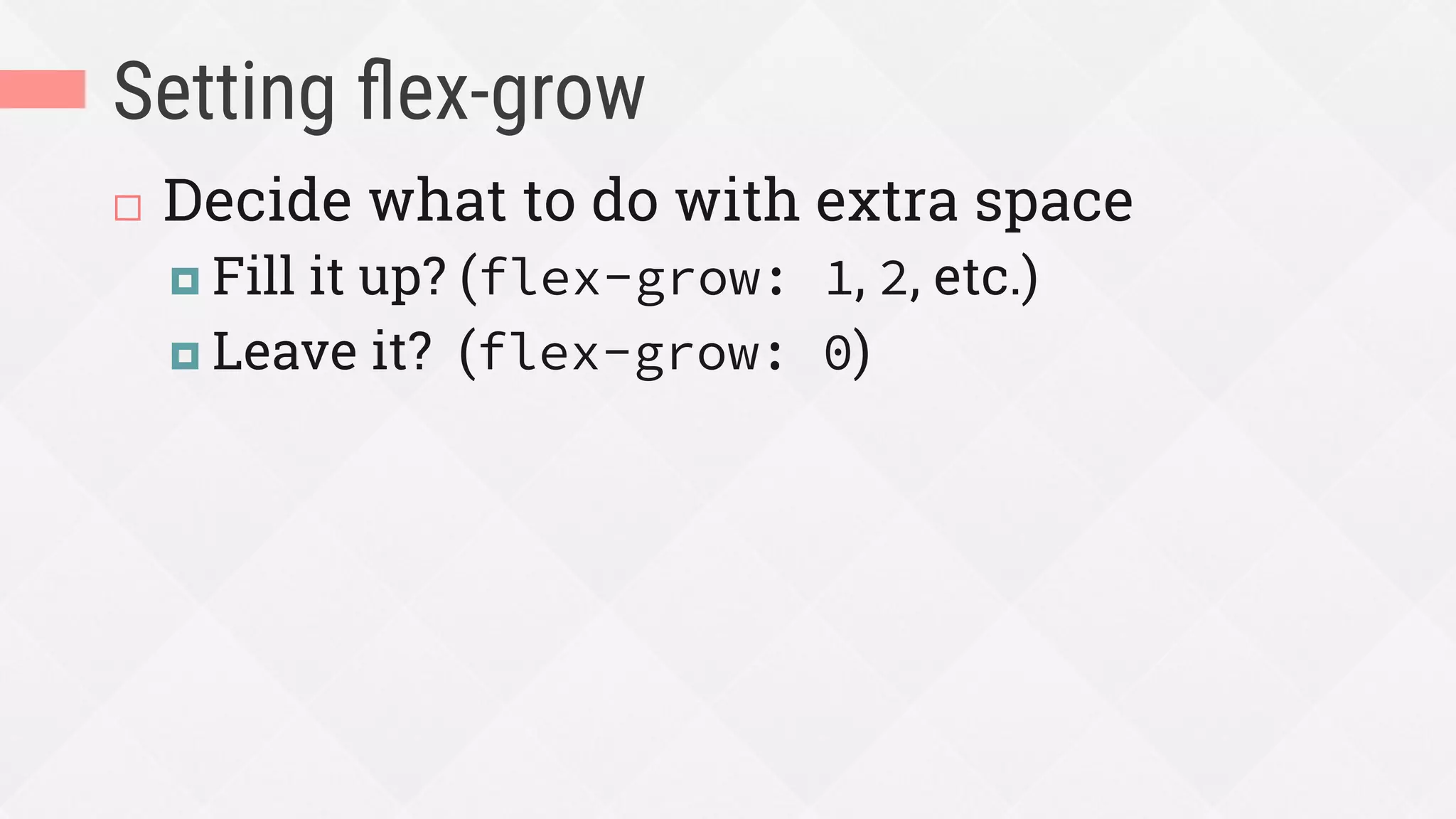
Setting flex-grow
¨  Decide what to do with extra space
¤  Fill it up? (flex-grow: 1, 2, etc.)
¤  Leave it? (flex-grow: 0)
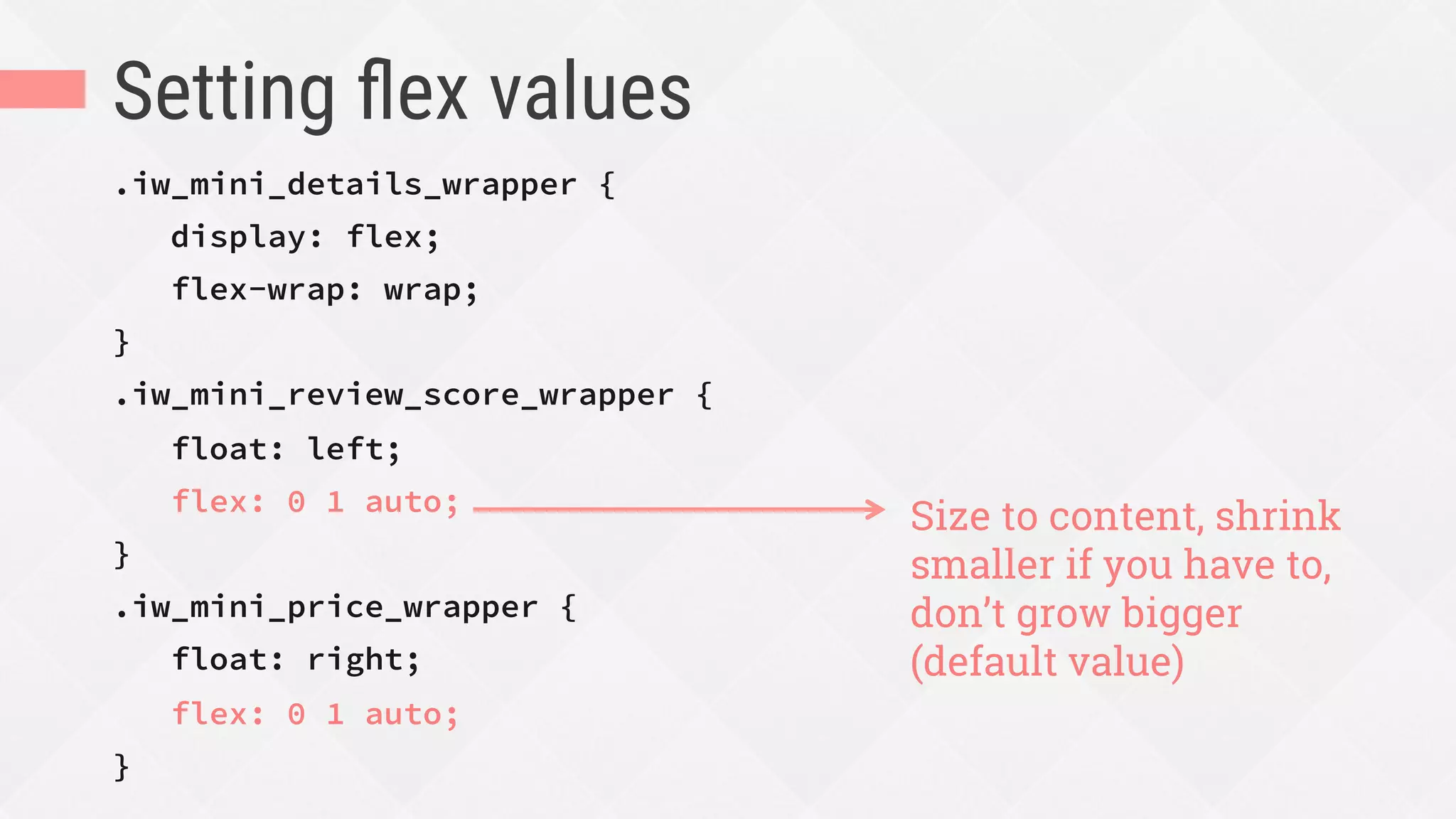
Setting flex values
.iw_mini_details_wrapper {
display: flex;
flex-wrap: wrap;
}
.iw_mini_review_score_wrapper {
float: left;
flex: 0 1 auto;
}
.iw_mini_price_wrapper {
float: right;
flex: 0 1 auto;
}
Size to content, shrink
smaller if you have to,
don’t grow bigger
(default value)
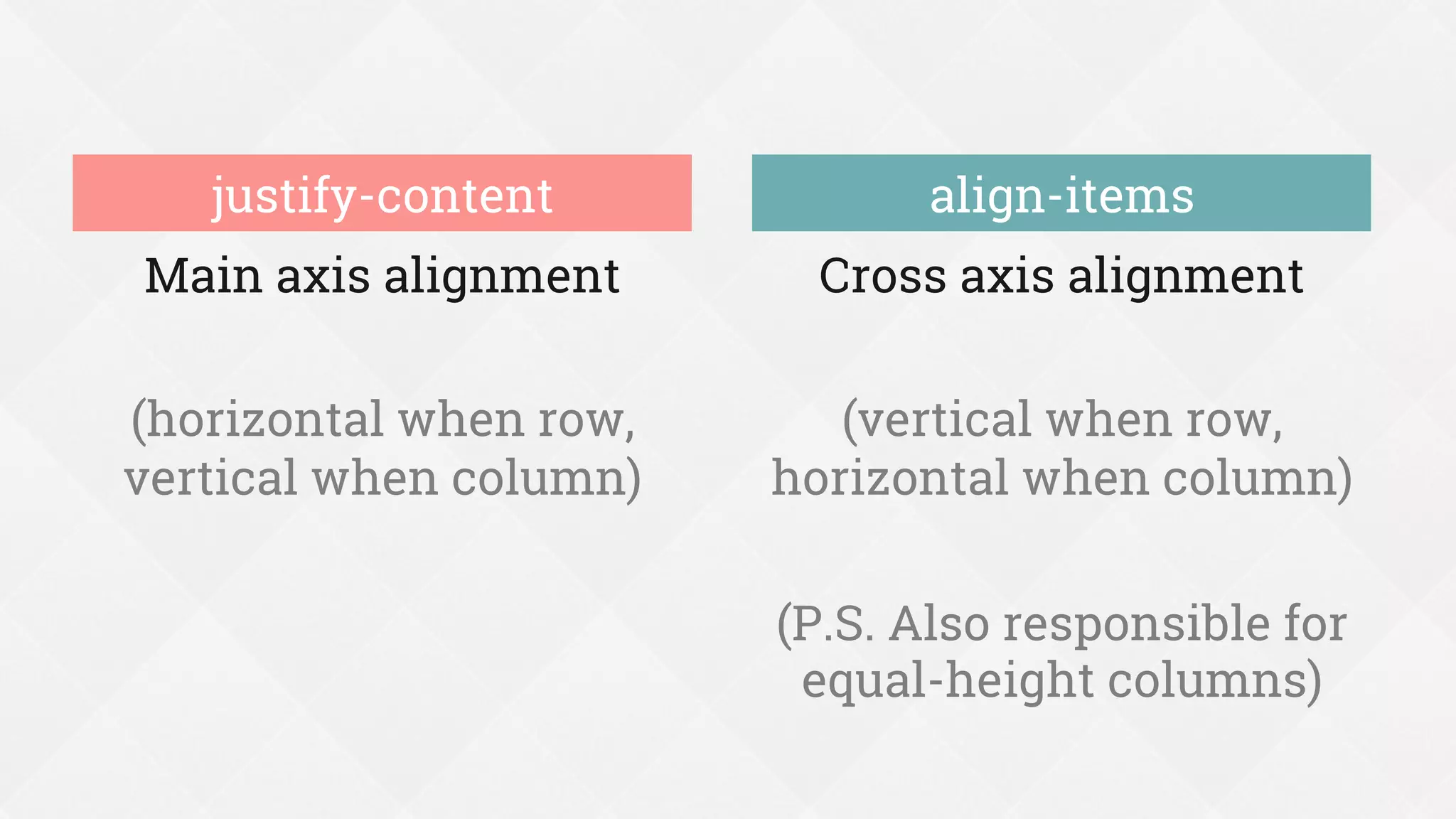
Decide how to align flex items
Main axis alignment
(horizontal when row,
vertical when column)
Cross axis alignment
(vertical when row,
horizontal when column)
(P.S. Also responsible for
equal-height columns)
justify-content align-items
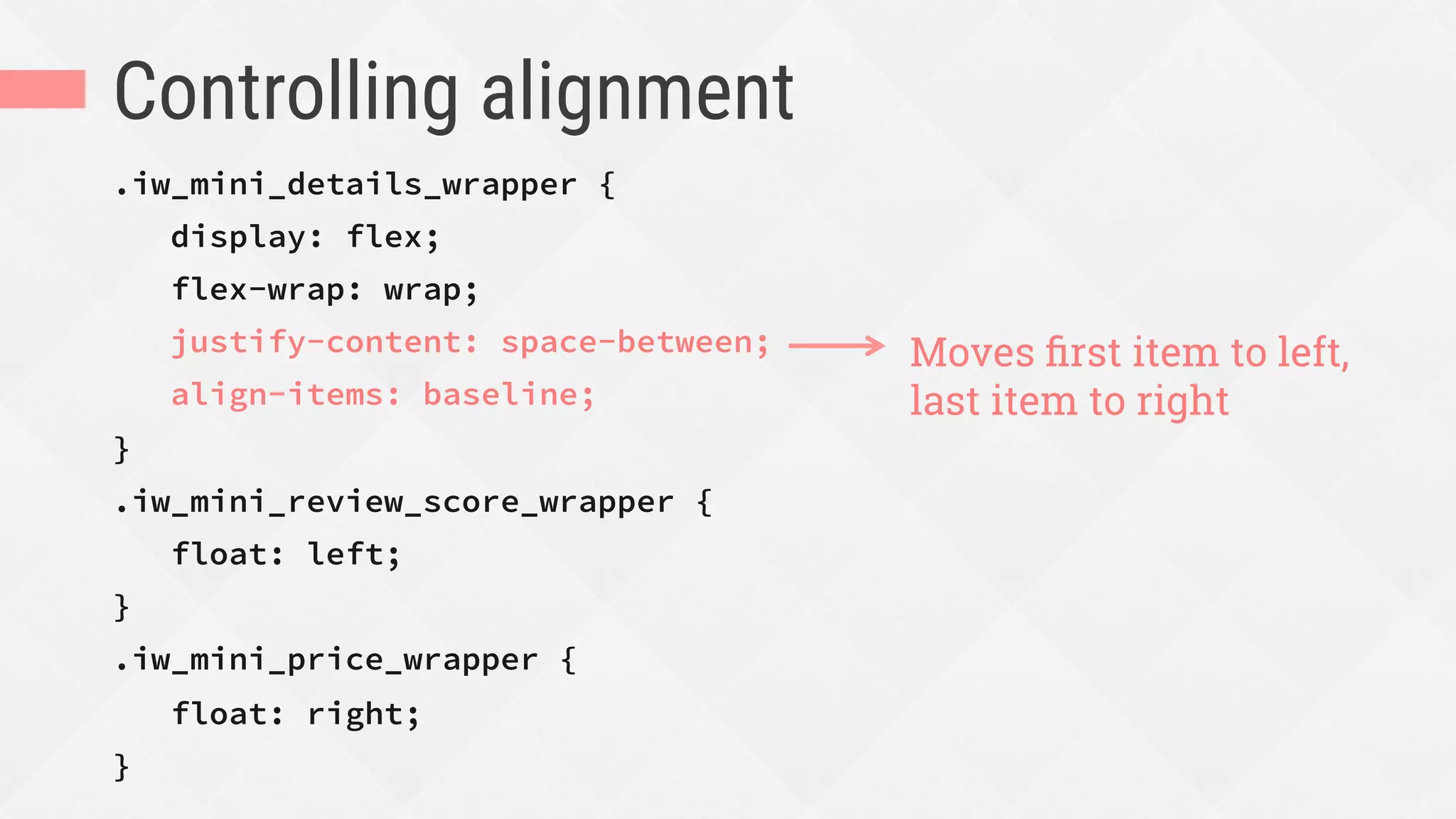
Controlling alignment
.iw_mini_details_wrapper {
display: flex;
flex-wrap: wrap;
justify-content: space-between;
align-items: baseline;
}
.iw_mini_review_score_wrapper {
float: left;
}
.iw_mini_price_wrapper {
float: right;
}
Moves first item to left,
last item to right
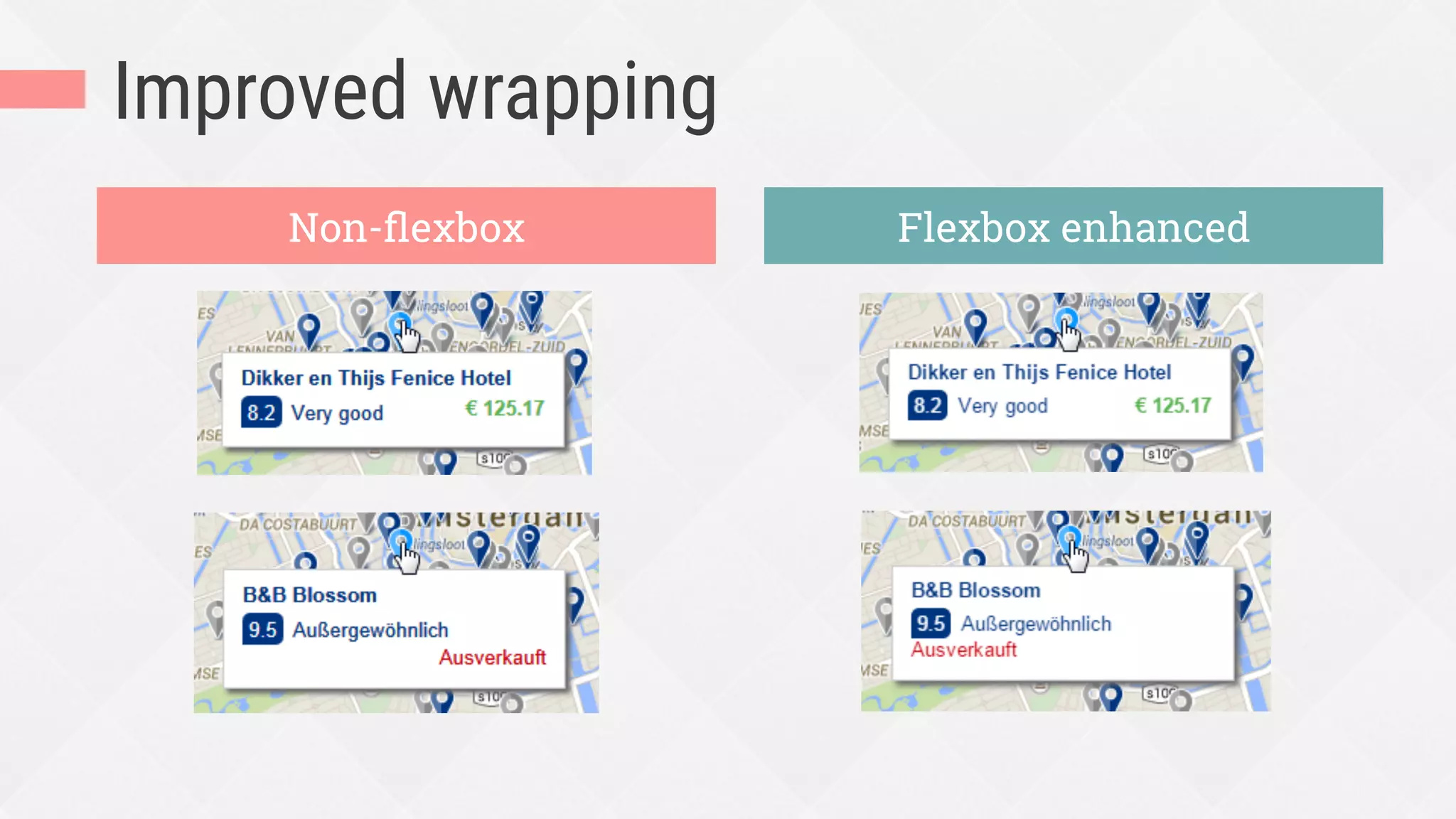
Improved wrapping
Non-flexbox Flexbox enhanced
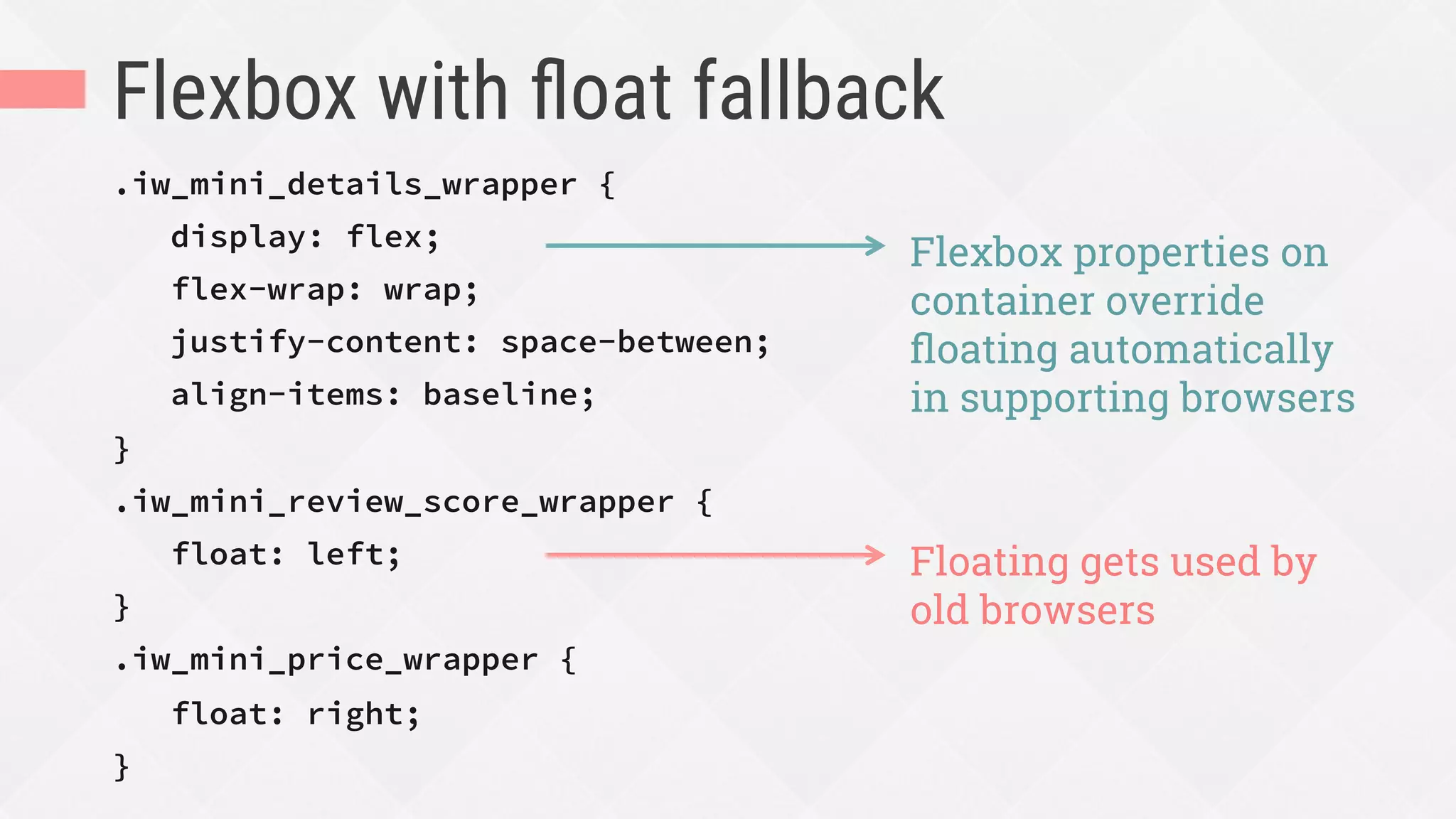
Flexbox with float fallback
.iw_mini_details_wrapper {
display: flex;
flex-wrap: wrap;
justify-content: space-between;
align-items: baseline;
}
.iw_mini_review_score_wrapper {
float: left;
}
.iw_mini_price_wrapper {
float: right;
}
Flexbox properties on
container override
floating automatically
in supporting browsers
Floating gets used by
old browsers
Test
Testing your flexbox
¨  If using Modernizr: Too Flexy bookmarklet
for toggling Modernizr flexbox classes:
http://chriswrightdesign.github.io/tooflexy/
¨  If reordering: check tabbing and screen
reading order to make sure it’s still logical
Fix bugs
Fixing browsers’ flexbox bugs
¨  Read explanations and workarounds by
Philip Walton:
https://github.com/philipwalton/flexbugs
¨  Let PostCSS fix some for you:
https://github.com/luisrudge/postcss-flexbugs-fixes
Summing up the process
1.  Decide whether to use flexbox and which browser
versions of it
2.  Choose and add starter layout CSS
3.  Choose and add flexbox CSS
1.  Block or inline-block container
2.  Flow
3.  Flex to control sizing
4.  Alignment
4.  Test and fix bugs
Flexbox is not for the future.
You can use flexbox today.
Thanks!
Zoe Mickley Gillenwater
@zomigi
design@zomigi.com
zomigi.com

Using Flexbox Today (Generate Sydney 2016)

  • 1.
    Flexbox Zoe MickleyGillenwater @zomigiGenerate September 2016 TODAY USING
  • 2.
    I work for Psst…youcan too: www.workingatbooking.com
  • 3.
  • 4.
  • 5.
  • 6.
  • 7.
    Deciding when touse and not use flexbox WHEN 1.
  • 8.
    What browsers doI need to support? Don’t ask yourself this—it’s irrelevant here (IMO)
  • 9.
    Flexbox has 96.8%coverage worldwide We support IE 7-9 at Booking, but still use flexbox as progressive enhancement.
  • 10.
    Do I wantto create a layout in 1 dimension (row OR column) or 2 dimensions? Hat-tip to Rachel Andrew: https://rachelandrew.co.uk/archives/2016/03/30/should-i-use-grid-or-flexbox/
  • 11.
    Flexbox is nota grid ¨  Not meant for or great at whole page layout ¨  Flex items only care about space in their own row/column ¨  They don’t care about lining up in the other dimension
  • 12.
    Demo by RachelAndrew: http://codepen.io/rachelandrew/pen/YqqdXL
  • 13.
    Flexbox is bestfor: ¨  UI components ¨  Simple whole page layouts (not grid-based) ¨  Enhancing a complex layout’s alignment, spacing, etc. (not controlling placement)
  • 15.
    Do I needmy content to dictate sizing and placement, or do I need to control these?
  • 16.
    Content determines boxes’ sizeand placement (Mega-useful when content is unknown and variable, or readability is a top priority.) Structure determines content’s size and placement (P.S. Flexbox can do this too, if you want. It’s just the reverse that doesn’t work so well.) Flexbox Grids
  • 17.
    Does flexbox offerme anything I can’t already get from an existing layout method?
  • 18.
    New things flexboxoffers ¨  Content-driven, unit-less sizes ¨  Content-driven, media-query-less layout changes ¨  Mixed-unit layouts ¨  Equal-height columns ¨  Vertical centering and other alignments ¨  Spacing out or stretching items to fill unknown width/height ¨  Combining content wrapping and block wrapping ¨  Pinning items without overlaps ¨  Visual order different than HTML/reading order
  • 19.
    Components flexbox canenhance and UI/UX problems it can help you solve WHAT 2.
  • 20.
  • 21.
    How big doI make this thing?
  • 22.
  • 23.
    Relative units ofmeasurement are your best guess at the ideal, but they’re still a guess.
  • 24.
    Flexbox gets uscloser to the ideal, because it lets us design without units.
  • 25.
    Content-driven sizing onBooking.com Last year’s sidebar searchbox design, with fixed-width select fields
  • 26.
    Content-driven sizing onBooking.com Non-flexbox Flexbox enhanced
  • 27.
    Content-driven sizing onBooking.com .sb-dates { display: flex; } .sb-dates__icon { flex: 0 0 23px; } .sb-dates__select-day { flex: 1 0 auto; margin: 0 6px; } .sb-dates__select-month { flex: 1 1 auto; } flex container main axis flex items
  • 28.
    Translating the flexproperty .sb-dates { display: flex; } .sb-dates__icon { flex: 0 0 23px; } .sb-dates__select-day { flex: 1 0 auto; margin: 0 6px; } .sb-dates__select-month { flex: 1 1 auto; } Start out 23px wide, and don’t grow or shrink further Start out sized to your content, then grow with 1 share of any extra space available, but don’t ever shrink Start out sized to your content, then grow with 1 share of extra space, but if there’s an overflow shrink
  • 29.
    Mixed-unit layout iseasier with calc(), but not even it can do: calc(100% - 23px - the width of the day field in Greek)
  • 30.
    Taking advantage ofvariable space Task: add a message about low availability of the room price shown: “We have only X left on our site!” How about right here in this lovely big gap?
  • 31.
    Taking advantage ofvariable space Problem: the gap is not always big enough to hold a sentence of text
  • 32.
    Taking advantage ofvariable space Solution: use flexbox to place text beside price when space allows; otherwise, it can wrap below price and stretch Not possible with floats, inline-block Not possible with table-cell
  • 33.
  • 34.
    RWD content-driven layoutchange Narrow: 1 column Wide: 2 columns
  • 35.
    Layout change withoutmedia query 1.  Let the blocks wrap and stack when needed: .article-header { display: flex; flex-direction: row; flex-wrap: wrap; } /* default */
  • 36.
    Switching between columnsand rows flex-direction: column or flex-direction: row flex-wrap: wrap (or the shorthand flex-flow: row wrap) @media min-width... flex-direction: row 1 column when narrow Multiple rows when wide Same, no change needed
  • 37.
    Layout change withoutmedia query 2.  Size the blocks to control their wrapping point: .article-header-image { flex: 1 1 320px; padding-left: 20px; } .article-header-text { flex: 1 1 20em; padding-left: 20px; } < 100% = 1 row, 2 columns > 100% = wrap to 2 rows
  • 38.
    Stretching to fillunknown width/height flex: 1 1 auto align-content: space-between
  • 39.
    Improved wrapping inRWD layout With float or text-align With flex or justify-content
  • 40.
    Flexbox is greatfor spacing and aligning stuff, especially shifting content in RWD.
  • 41.
  • 42.
    Full-width nav barwith equal spacing Non-flexbox fallback version Flexbox version http://codepen.io/zomigi/pen/vKjbbY/
  • 43.
    Full-width nav barwith equal spacing .menu-list { display: flex; justify-content: space-between; margin: 0; padding: 0; list-style: none; text-align: center; /* fallback */ } .menu-list-item { display: inline-block; /* fallback */ padding: 0 .5em; /* fallback */ } Equally spaces items across main axis (width in this case)
  • 44.
    Full-height menu withequal spacing
  • 45.
    Full-height menu withequal spacing .menu-list { display: flex; flex-direction: column; justify-content: space-between; } .menu-list-item { height: 100%; display: flex; align-items: center; } .menu-list { display: flex; flex-direction: column; } .menu-list-item { flex: 1 0 auto; display: flex; align-items: center; } justify-content version flex version
  • 46.
    Full-height menu withequal spacing .menu-list { display: flex; flex-direction: column; justify-content: space-between; } .menu-list-item { height: 100%; display: flex; align-items: center; } .menu-list { display: flex; flex-direction: column; } .menu-list-item { flex: 1 0 auto; display: flex; align-items: center; } justify-content version flex version
  • 47.
    Flexbox can alsoenhance visual ordering.
  • 48.
    order integer to specifyflow order of flex items 0 0 0 default source order 0 0 1 0 0 re-ordered 0 0 0 0 -1 re-ordered 0 0 2 1 0 re-ordered 1 0
  • 49.
  • 50.
    Demo: moving aphoto on mobile
  • 51.
    Demo: moving aphoto on mobile Desktop: HTML order (no flexbox)Mobile: reordered
  • 52.
    Use flexbox orderin mobile styles .recipe { display: flex; flex-direction: column; } .recipe figure { order: -1; /* before all items with default order: 0 */ } .recipe figure img { width: 100%; }
  • 53.
    Turn off flexboxin desktop styles @media screen and (min-width:800px) { .recipe { display: block; /* turn off flexbox */ } .recipe figure { float: right; width: 55%; } }
  • 54.
    Demo: moving aphoto on mobile Flexbox enhanced Non-flexbox
  • 55.
    These examples don’tlook wrong or broken without flexbox. Flexbox just enhances their sizing and spacing to look better.
  • 56.
    Step-by-step process foradding flexbox to your UI components effectively HOW 3.
  • 57.
  • 58.
    Decide whether flexboxis the right tool for the job
  • 59.
    Decide which versionsof flexbox to support standard, 2011/2012, and/or 2009
  • 60.
    Browser support approachesto choose ¨  Use only the non-prefixed, standard syntax ¨  … plus browser-prefixed versions of standard syntax ¨  … plus -ms- prefixed 2011/2012 syntax ¨  … plus -webkit- prefixed 2009 syntax http://caniuse.com/#feat=flexbox
  • 61.
    I recommend youskip the ‘09 syntax ¨  It’s slower to render than current syntax* ¨  Doesn’t support wrapping ¨  Its browsers have small market share ¨  If using flexbox for progressive enhancement, its browsers can get same fallback given to non-supporting browsers * http://updates.html5rocks.com/2013/10/Flexbox-layout-isn-t-slow
  • 62.
    Let tools addbrowser variants for you Which variants do you want? Best tool to handle that All the things! Autoprefixer Bourbon (Sass) Only the standard syntax, with and without prefixes Compass (Sass) Some other combination (such as everything except 2009) Sass or LESS mixins, such as https://github.com/mastastealth/ sass-flex-mixin
  • 63.
    Add Modernizr asneeded with flexbox Flexbox and fallback styles can often co- exist, but sometimes need to isolate them http://zomigi.com/blog/using-modernizr-with-flexbox/
  • 64.
    Or use @supports .gallery-item{ display: inline-block; } @supports (flex-wrap: wrap) { .gallery { display: flex; flex-wrap: wrap; } } https://developer.mozilla.org/en-US/docs/Web/CSS/@supports But IE 10-11, which do support flexbox but don’t support @supports, won’t get these styles
  • 65.
    Choose and addappropriate starter/fallback layout CSS
  • 66.
    Things to consider DoI need content blocks to wrap? not table-cell Do I want to prevent blocks from wrapping? floats, inline-block, but table-cell best Do I need content-driven sizes? floats, but table-cell or inline-block best Do I need vertical alignment? inline-block, table-cell Do I need horizontal alignment? floats, table-cell, inline- block only with preset sizes
  • 67.
    Pick your starterlayout CSS ¨  Floats ¨  table-cell ¨  inline-block ¨  Absolute positioning Flexbox will override: Flexbox will not override: Just use whatever you normally would; flexbox plays nicely with most of them.
  • 68.
    A real exampleof this process
  • 69.
    Split left-right layout Task:lay out review score and price, on opposite sides of same line Needs: ¨  content-driven sizing ¨  horizontal alignment ¨  wrapping score price or “sold out”
  • 70.
    Adding the starterCSS .iw_mini_review_score_wrapper { float: left; } .iw_mini_price_wrapper { float: right; }
  • 71.
  • 72.
    Decide whether entire componentneeds to be block or inline-block display:flex or inline-flex
  • 73.
    Creating the blockflex container .iw_mini_details_wrapper { display: flex; } .iw_mini_review_score_wrapper { float: left; } .iw_mini_price_wrapper { float: right; } Flex container sits on a new row below, like a block element
  • 74.
    Decide flow offlex items
  • 75.
    Things to consider Layout horizontally or vertically? flex-direction:row or column Allow boxes to wrap? flex-wrap:wrap, wrap-reverse or nowrap Order different than source? order values; flex-direction: row-reverse or column-reverse
  • 76.
    Allowing wrapping .iw_mini_details_wrapper { display:flex; flex-wrap: wrap; } .iw_mini_review_score_wrapper { float: left; } .iw_mini_price_wrapper { float: right; } Allows second block to wrap down if needed
  • 77.
    Decide which itemscan grow to fill space, shrink to avoid overflow, or must stay at a certain size
  • 78.
    Tips for settingflex values ¨  Write out full flex values, rather than using single-digit and keyword values ¤  flex: 1 1 0% instead of flex: 1 ¤  Hidden default values can lead to mistakes ¤  Avoids IE 10-11 bugs ¨  Think about it backwards: first decide flex-basis, then -shrink, then -grow
  • 79.
    Tips for settingflex-basis values ¨  Acts like min-width when wrapping on ¨  If flex-wrap off and flex-shrink on, browser can go smaller than flex-basis ¨  Be careful with flex-basis:0 when wrapping ¨  Use flex-basis:auto whenever possible
  • 80.
    Setting flex-shrink ¨  Alwayshave at least 1 item per line that can shrink (or wrap, or both)
  • 81.
    Setting flex-grow ¨  Decidewhat to do with extra space ¤  Fill it up? (flex-grow: 1, 2, etc.) ¤  Leave it? (flex-grow: 0)
  • 82.
    Setting flex values .iw_mini_details_wrapper{ display: flex; flex-wrap: wrap; } .iw_mini_review_score_wrapper { float: left; flex: 0 1 auto; } .iw_mini_price_wrapper { float: right; flex: 0 1 auto; } Size to content, shrink smaller if you have to, don’t grow bigger (default value)
  • 83.
    Decide how toalign flex items
  • 84.
    Main axis alignment (horizontalwhen row, vertical when column) Cross axis alignment (vertical when row, horizontal when column) (P.S. Also responsible for equal-height columns) justify-content align-items
  • 85.
    Controlling alignment .iw_mini_details_wrapper { display:flex; flex-wrap: wrap; justify-content: space-between; align-items: baseline; } .iw_mini_review_score_wrapper { float: left; } .iw_mini_price_wrapper { float: right; } Moves first item to left, last item to right
  • 86.
  • 87.
    Flexbox with floatfallback .iw_mini_details_wrapper { display: flex; flex-wrap: wrap; justify-content: space-between; align-items: baseline; } .iw_mini_review_score_wrapper { float: left; } .iw_mini_price_wrapper { float: right; } Flexbox properties on container override floating automatically in supporting browsers Floating gets used by old browsers
  • 88.
  • 89.
    Testing your flexbox ¨ If using Modernizr: Too Flexy bookmarklet for toggling Modernizr flexbox classes: http://chriswrightdesign.github.io/tooflexy/ ¨  If reordering: check tabbing and screen reading order to make sure it’s still logical
  • 90.
  • 91.
    Fixing browsers’ flexboxbugs ¨  Read explanations and workarounds by Philip Walton: https://github.com/philipwalton/flexbugs ¨  Let PostCSS fix some for you: https://github.com/luisrudge/postcss-flexbugs-fixes
  • 92.
    Summing up theprocess 1.  Decide whether to use flexbox and which browser versions of it 2.  Choose and add starter layout CSS 3.  Choose and add flexbox CSS 1.  Block or inline-block container 2.  Flow 3.  Flex to control sizing 4.  Alignment 4.  Test and fix bugs
  • 93.
    Flexbox is notfor the future. You can use flexbox today.
  • 94.