Flexbox
Zoe Mickley Gillenwater @zomigiSmashingConf
March 2014
Enhancing
WITH
Responsiveness
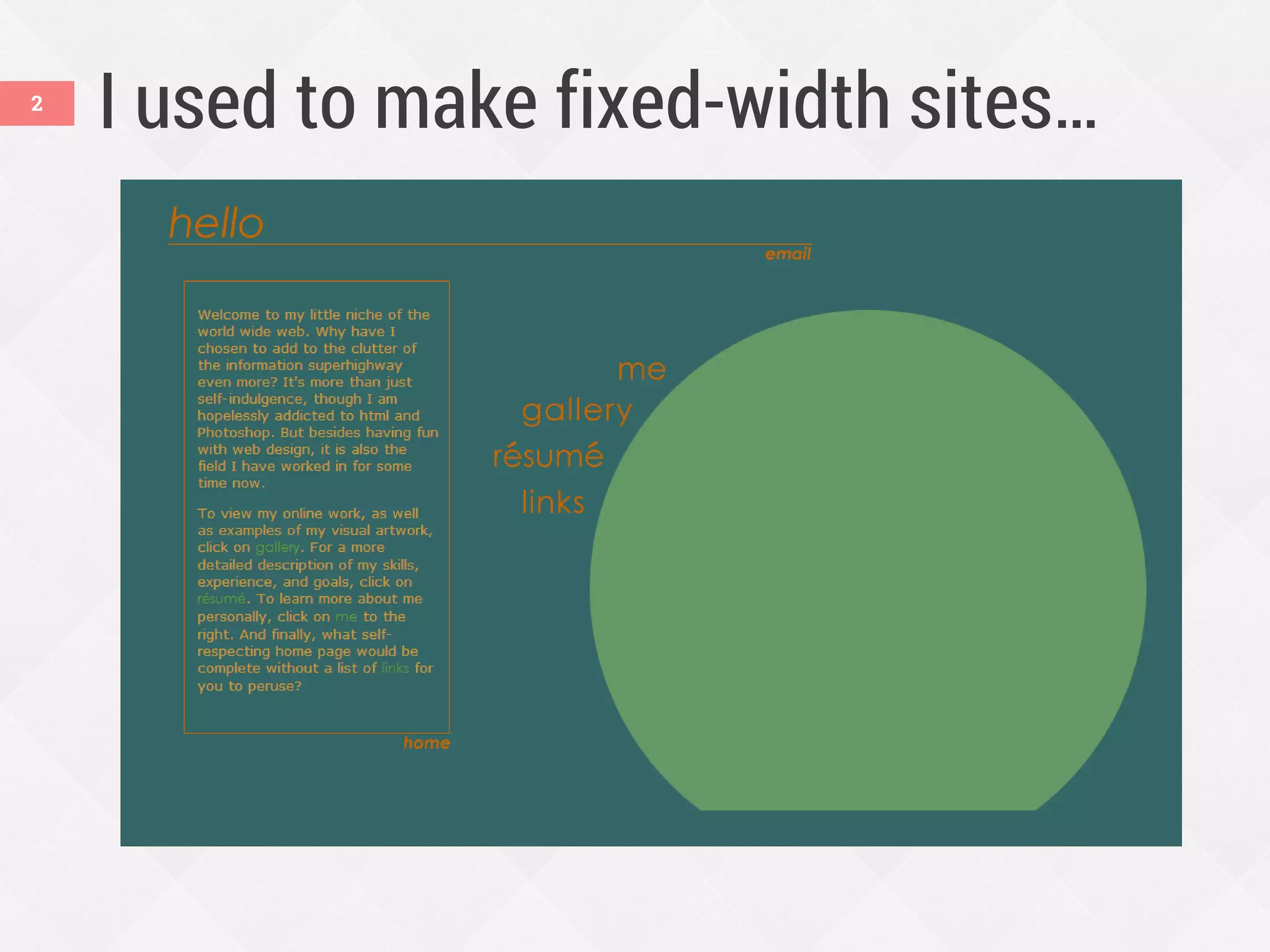
I used to make fixed-width sites…2
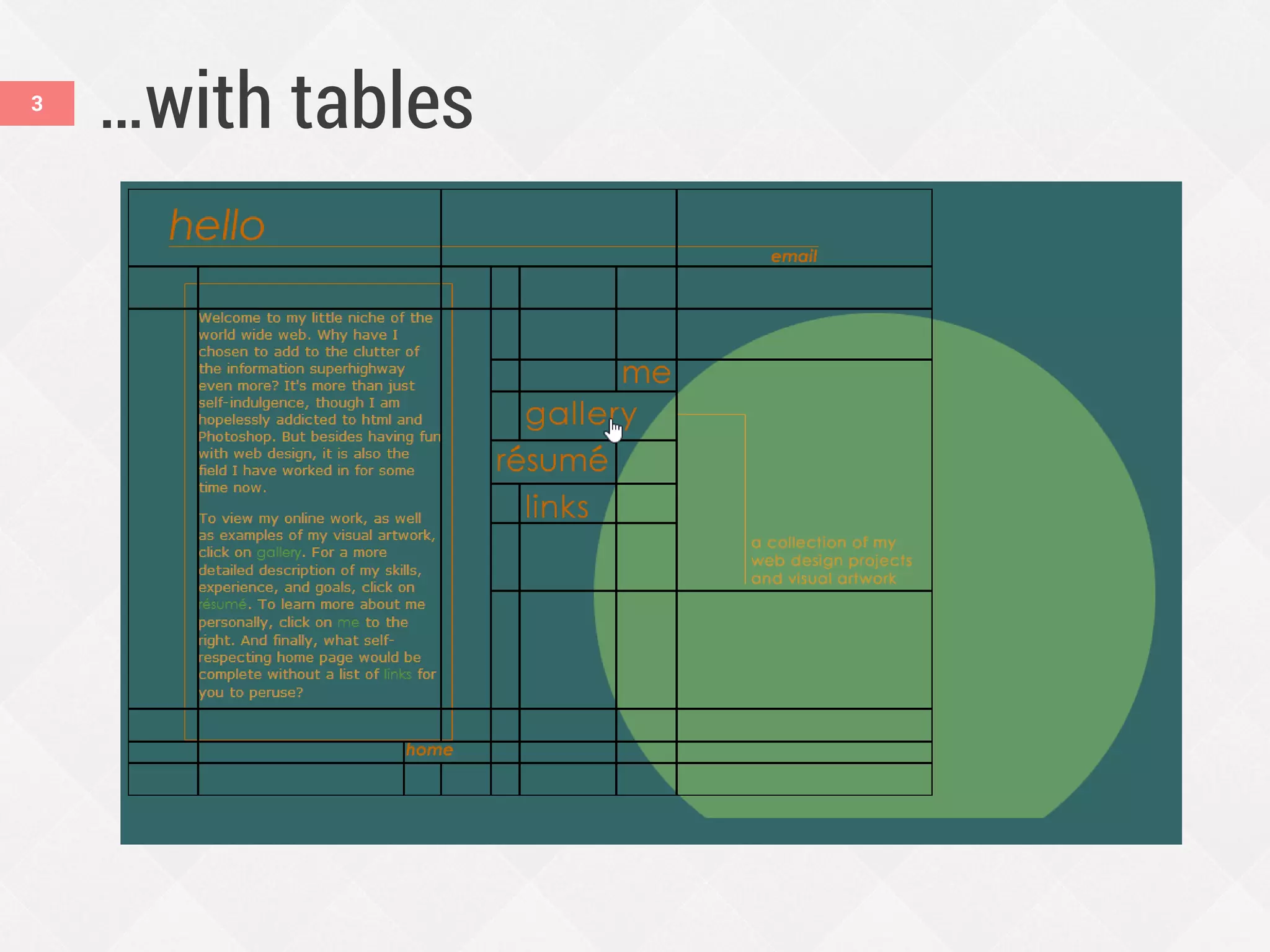
…with tables3
4
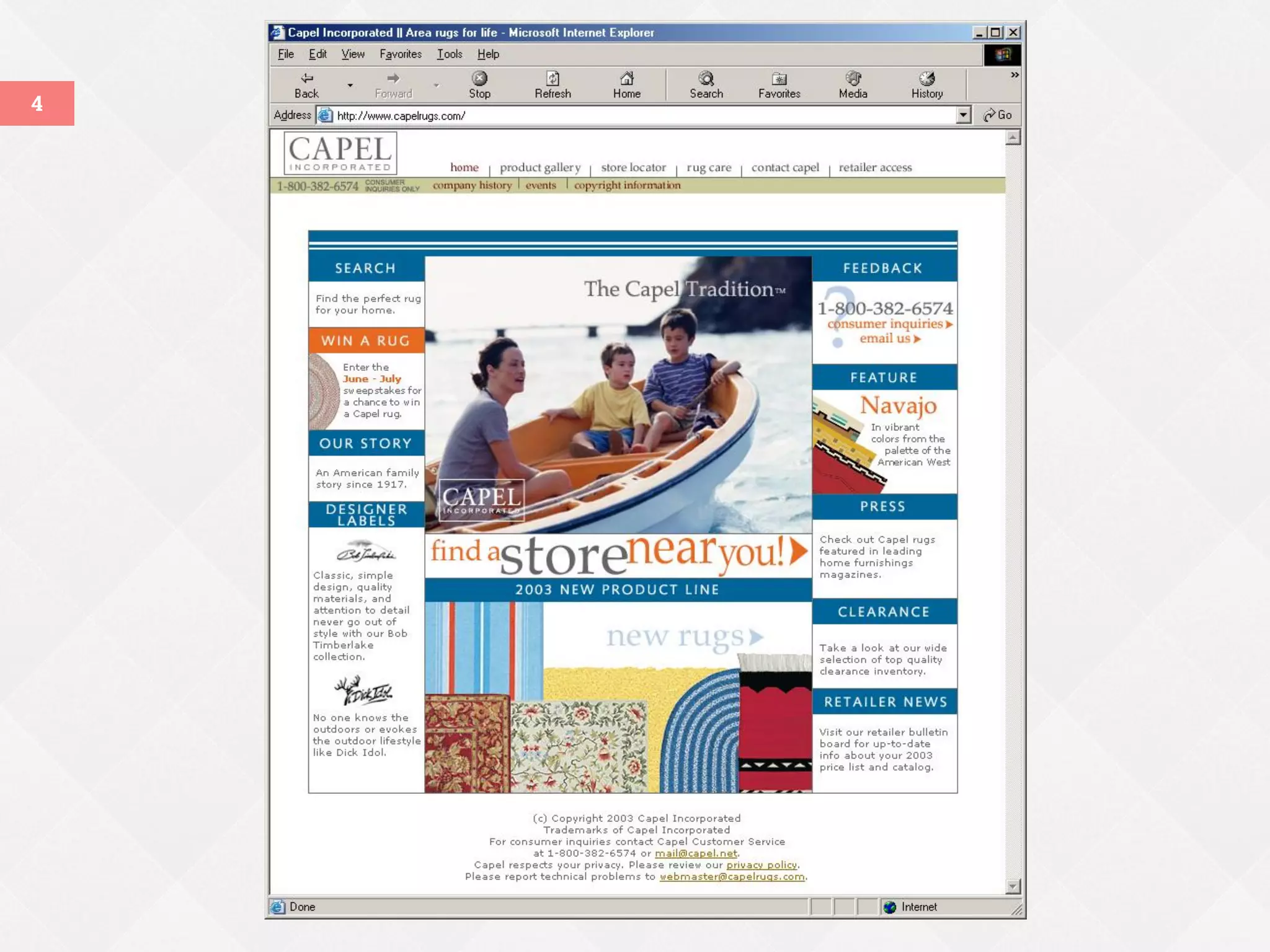
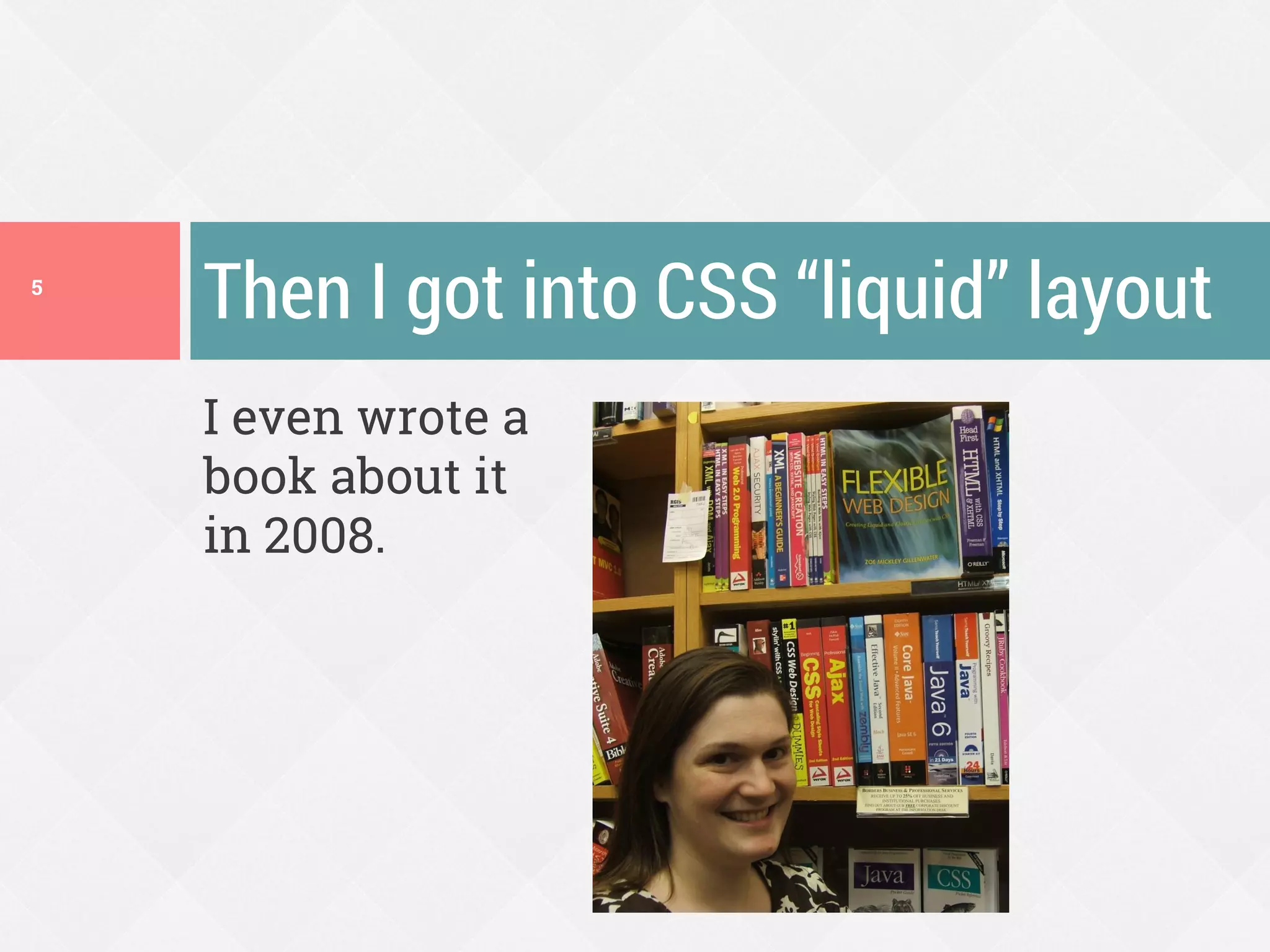
I even wrote a
book about it
in 2008.
Then I got into CSS ā€œliquidā€ layout5
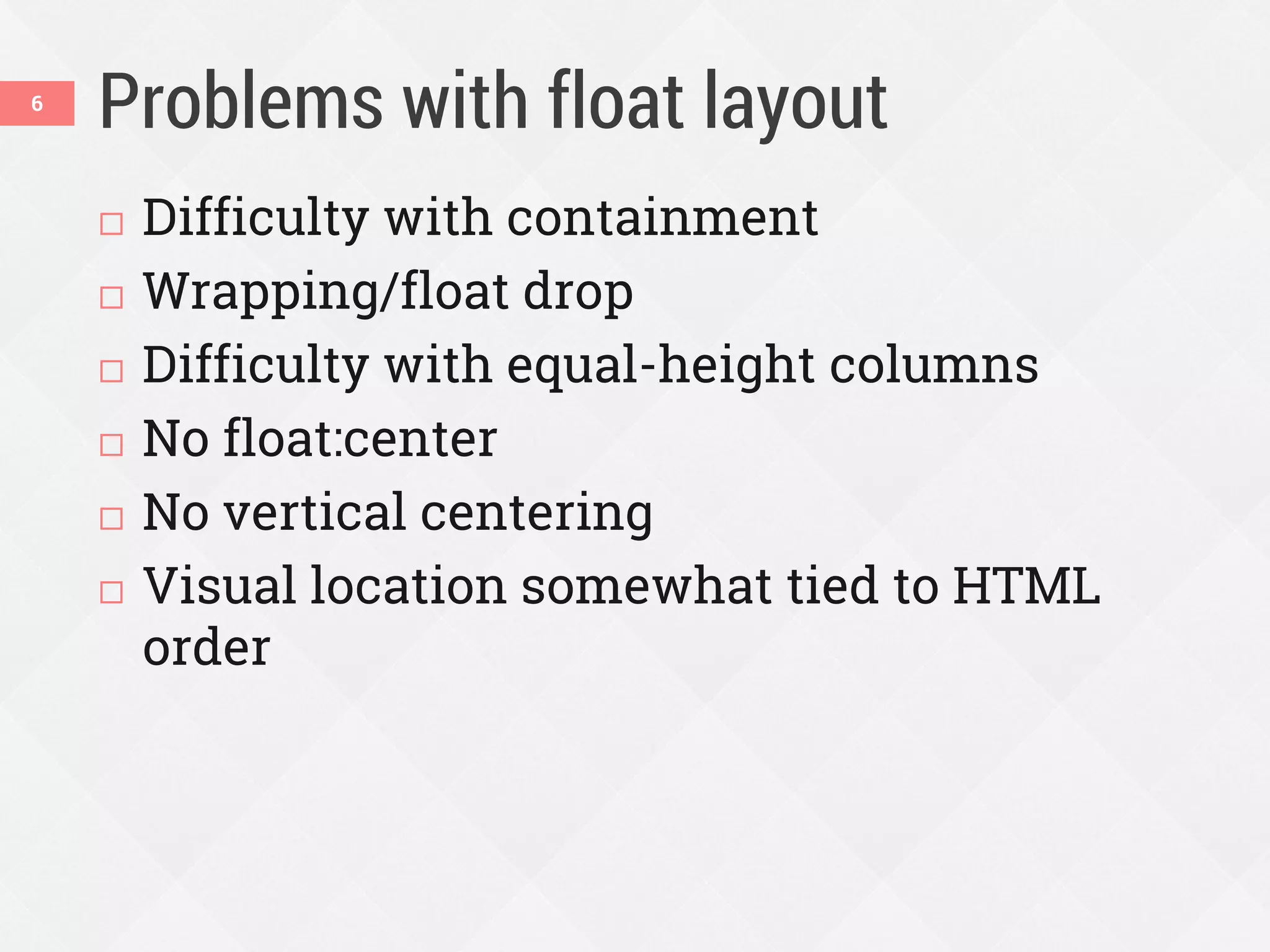
Problems with float layout
 Difficulty with containment
 Wrapping/float drop
 Difficulty with equal-height columns
 No float:center
 No vertical centering
 Visual location somewhat tied to HTML
order
6
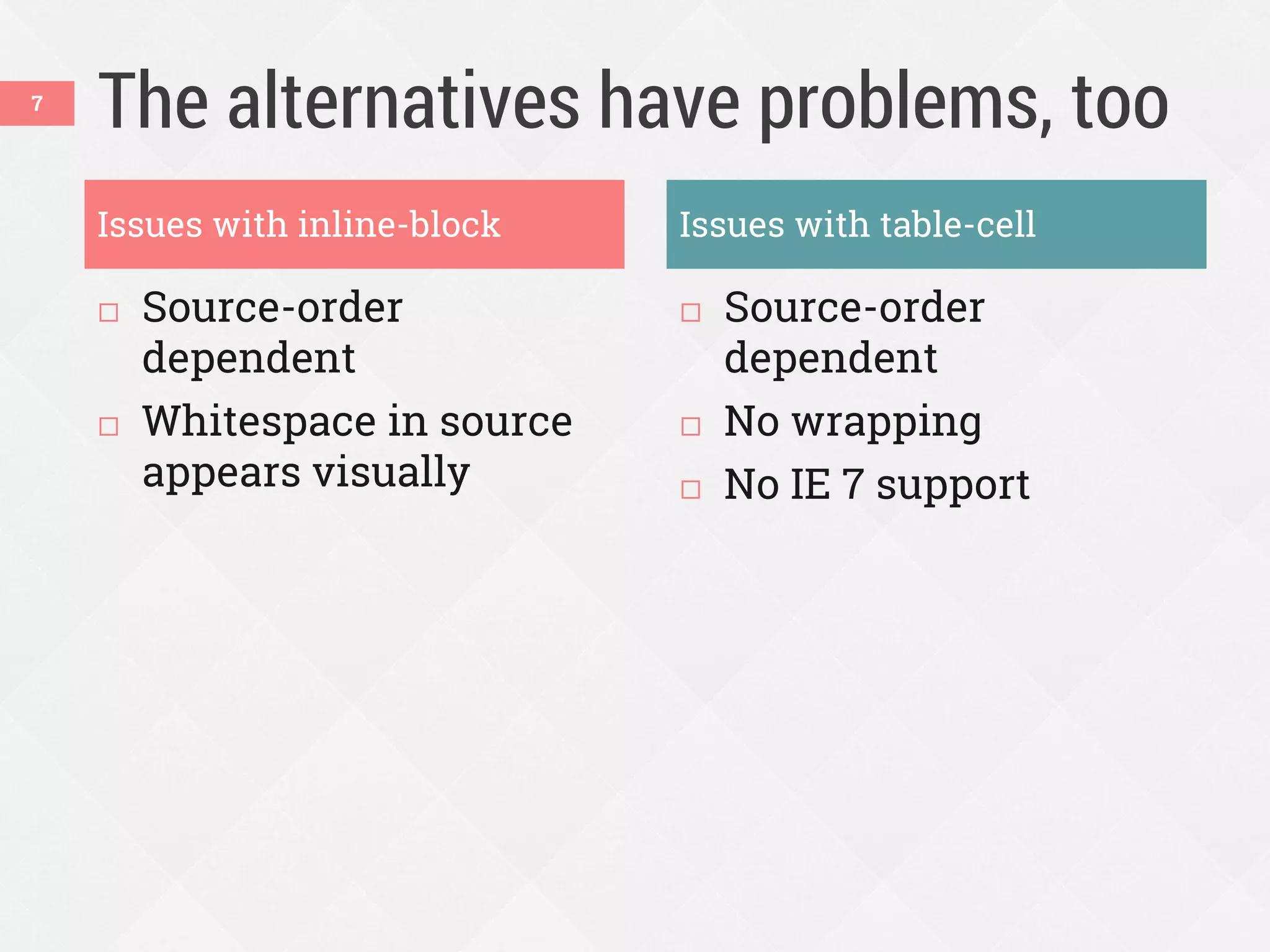
The alternatives have problems, too
 Source-order
dependent
 Whitespace in source
appears visually
 Source-order
dependent
 No wrapping
 No IE 7 support
7
Issues with inline-block Issues with table-cell
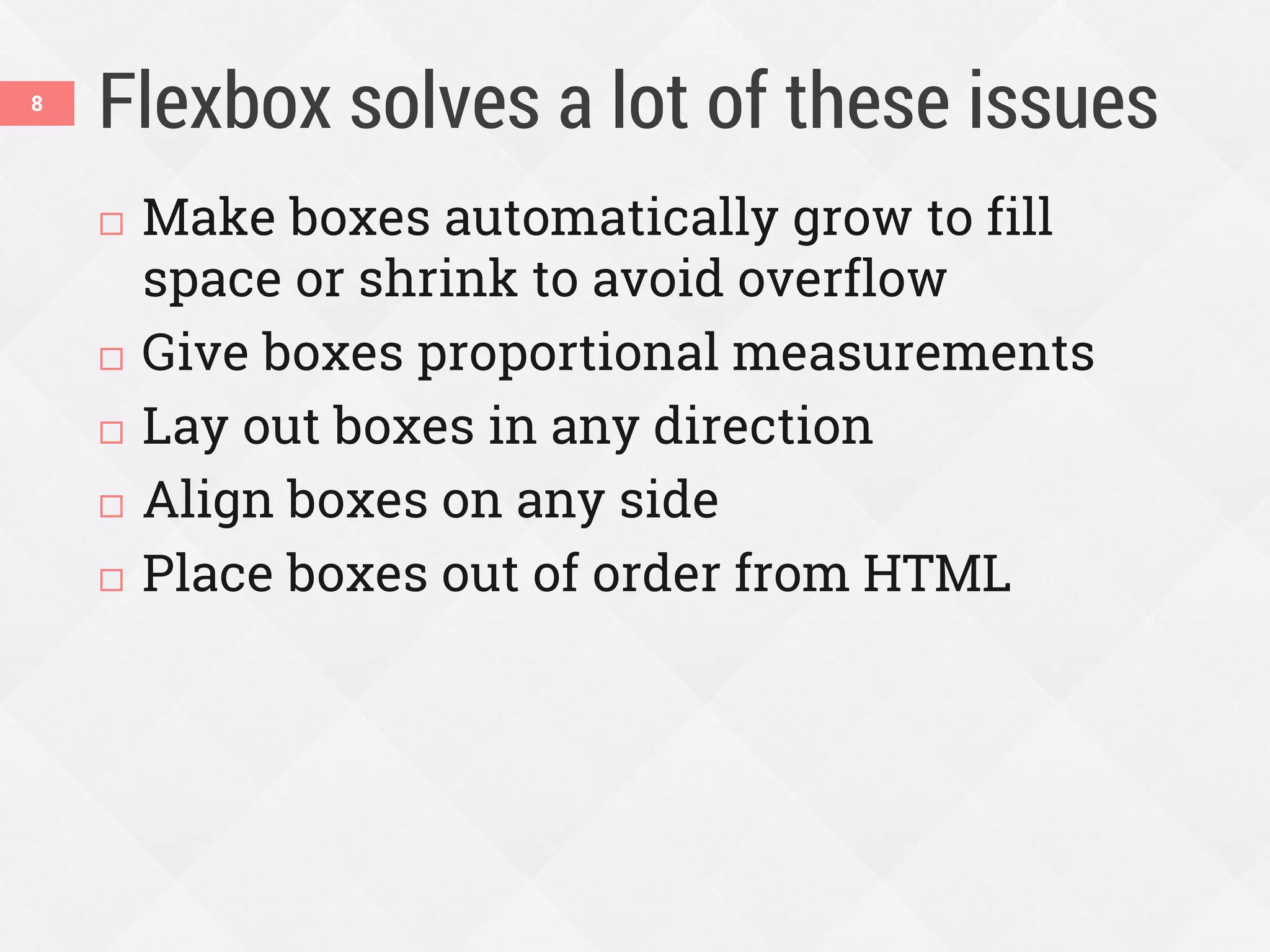
Flexbox solves a lot of these issues
 Make boxes automatically grow to fill
space or shrink to avoid overflow
 Give boxes proportional measurements
 Lay out boxes in any direction
 Align boxes on any side
 Place boxes out of order from HTML
8
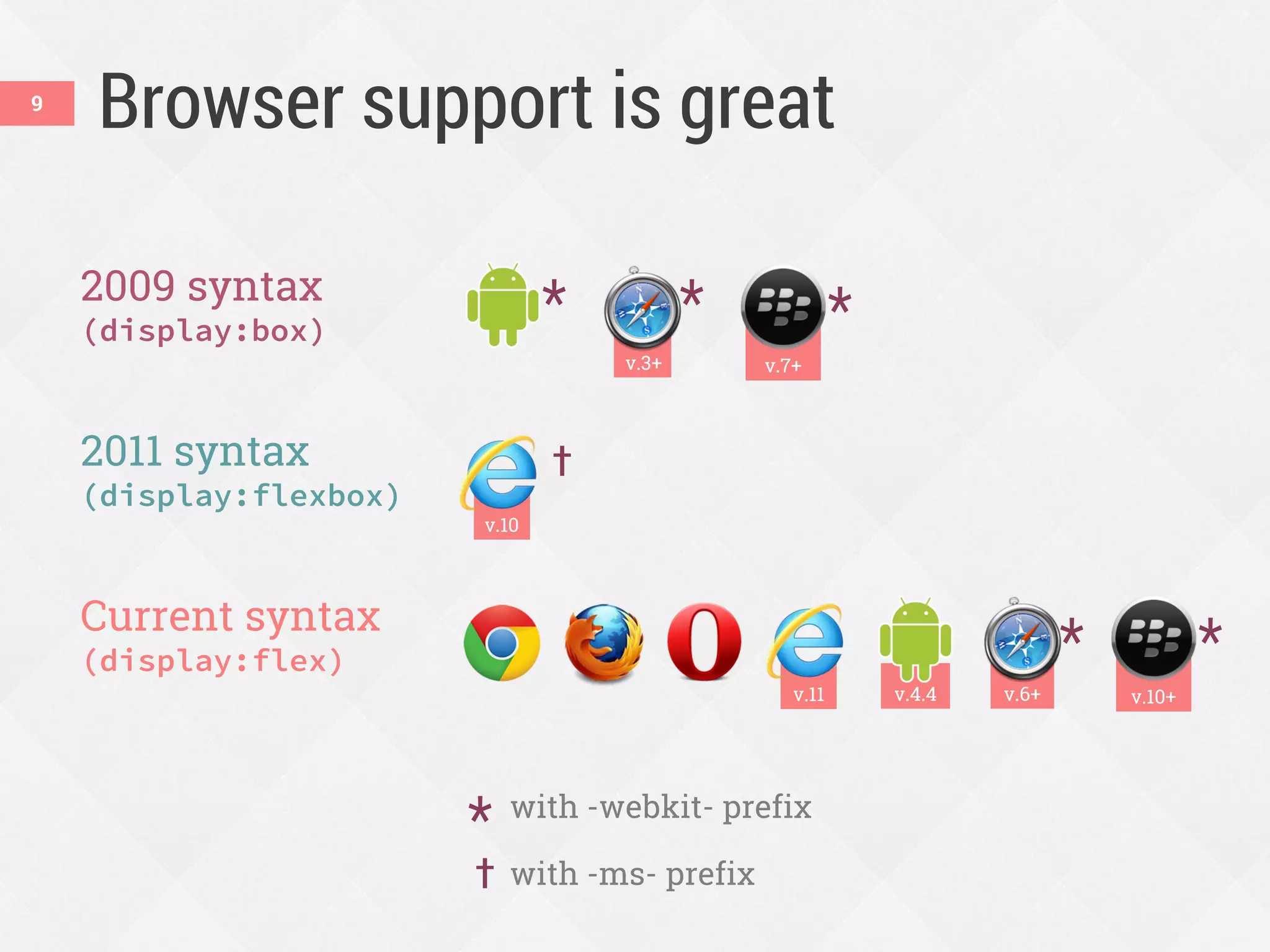
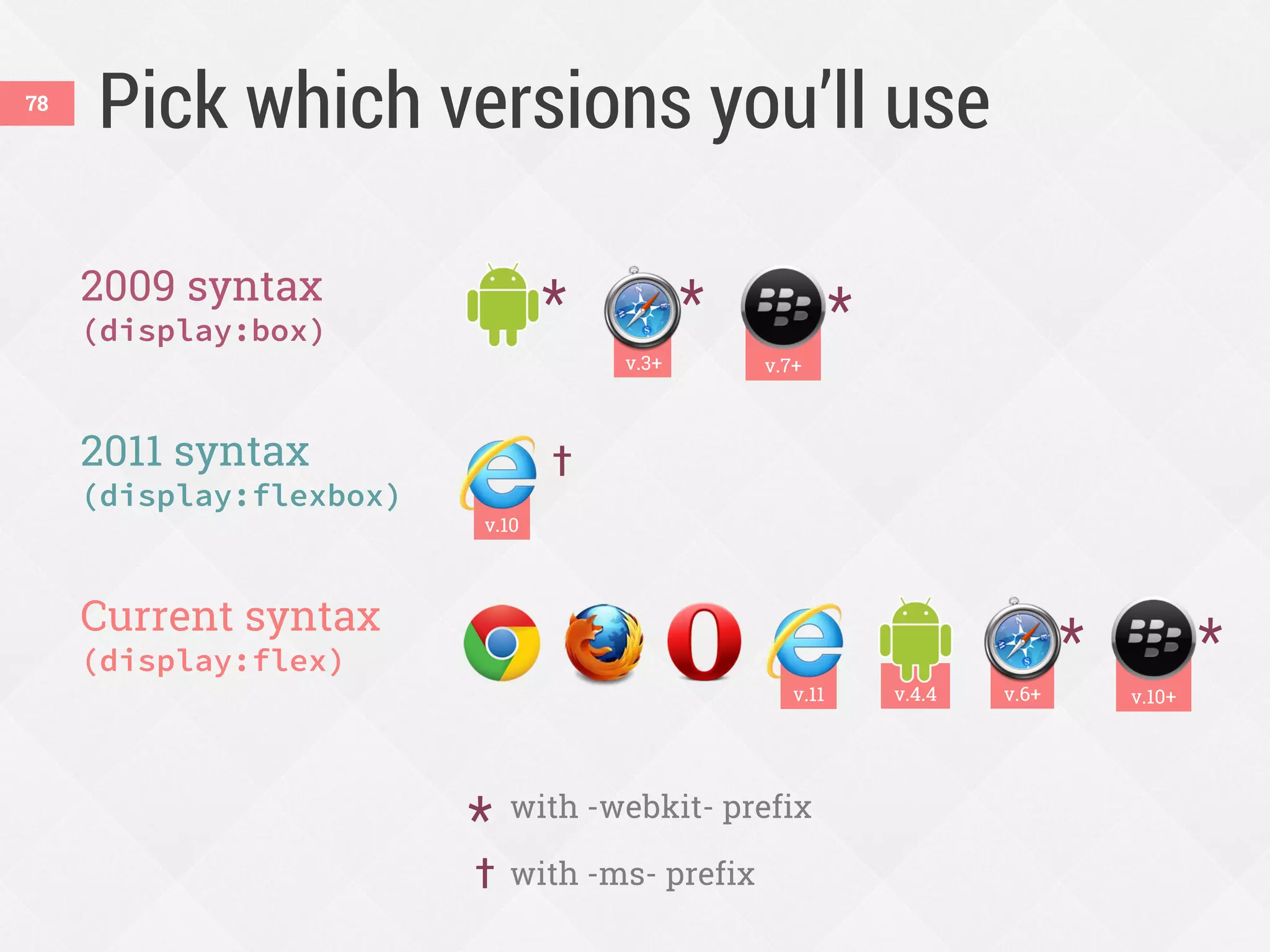
v.10+
2009 syntax
(display:box)
2011 syntax
(display:flexbox)
Current syntax
(display:flex)
v.10
Browser support is great
* with -webkit- prefix
† with -ms- prefix
v.6+
*
†
*
v.3+
*
v.4.4v.11
*
v.7+
*
9
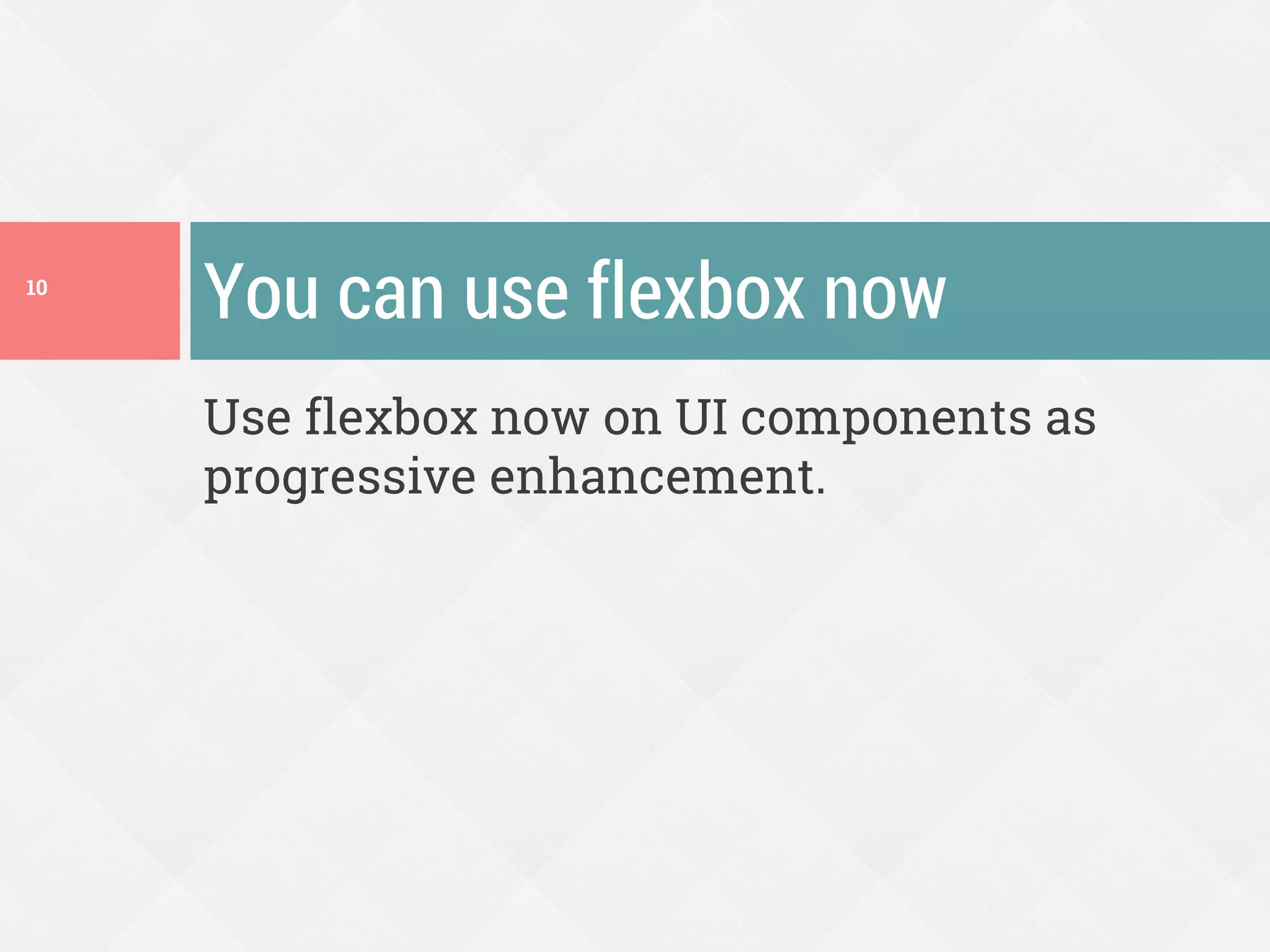
Use flexbox now on UI components as
progressive enhancement.
You can use flexbox now10
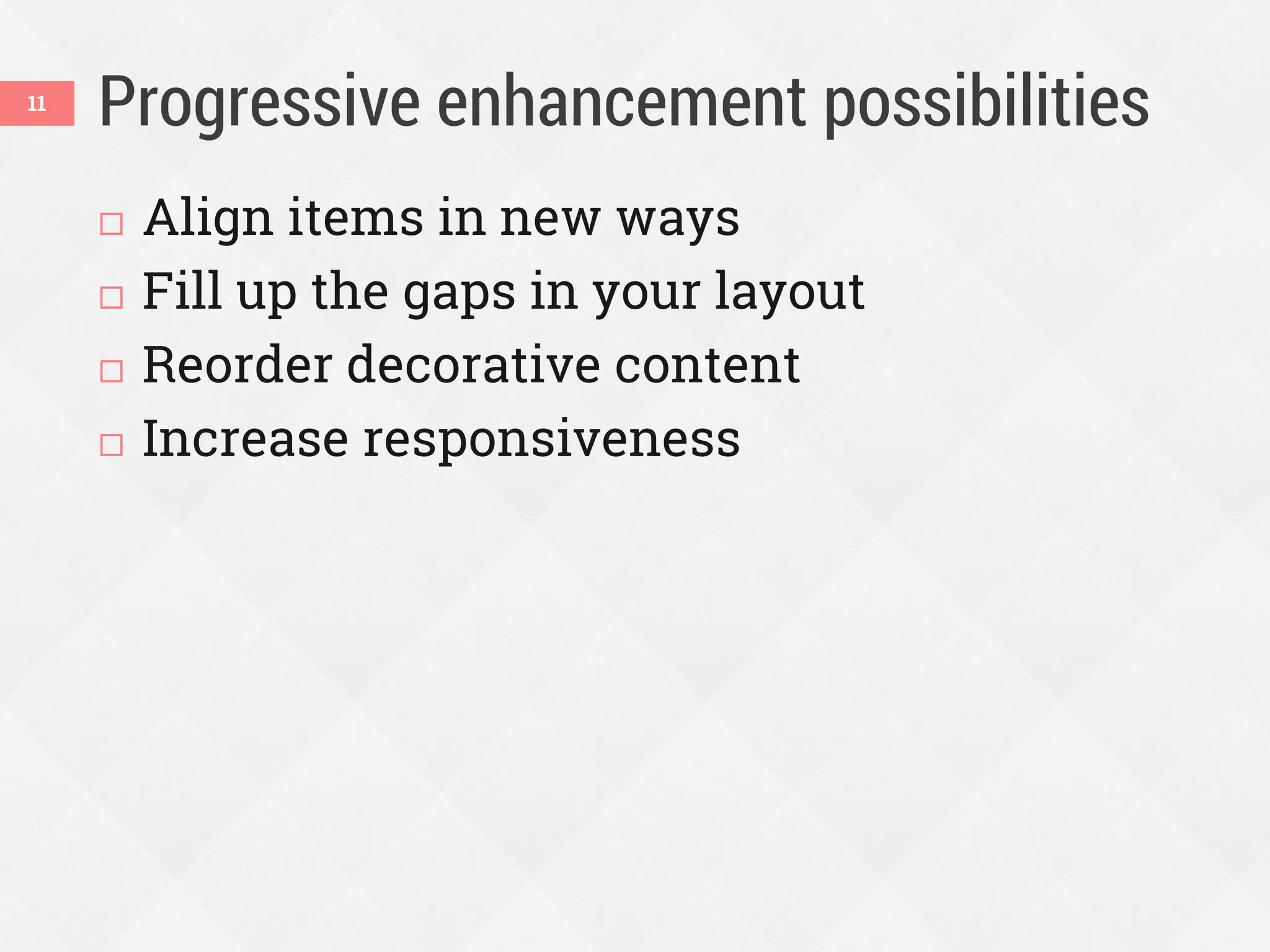
Progressive enhancement possibilities
 Align items in new ways
 Fill up the gaps in your layout
 Reorder decorative content
 Increase responsiveness
11
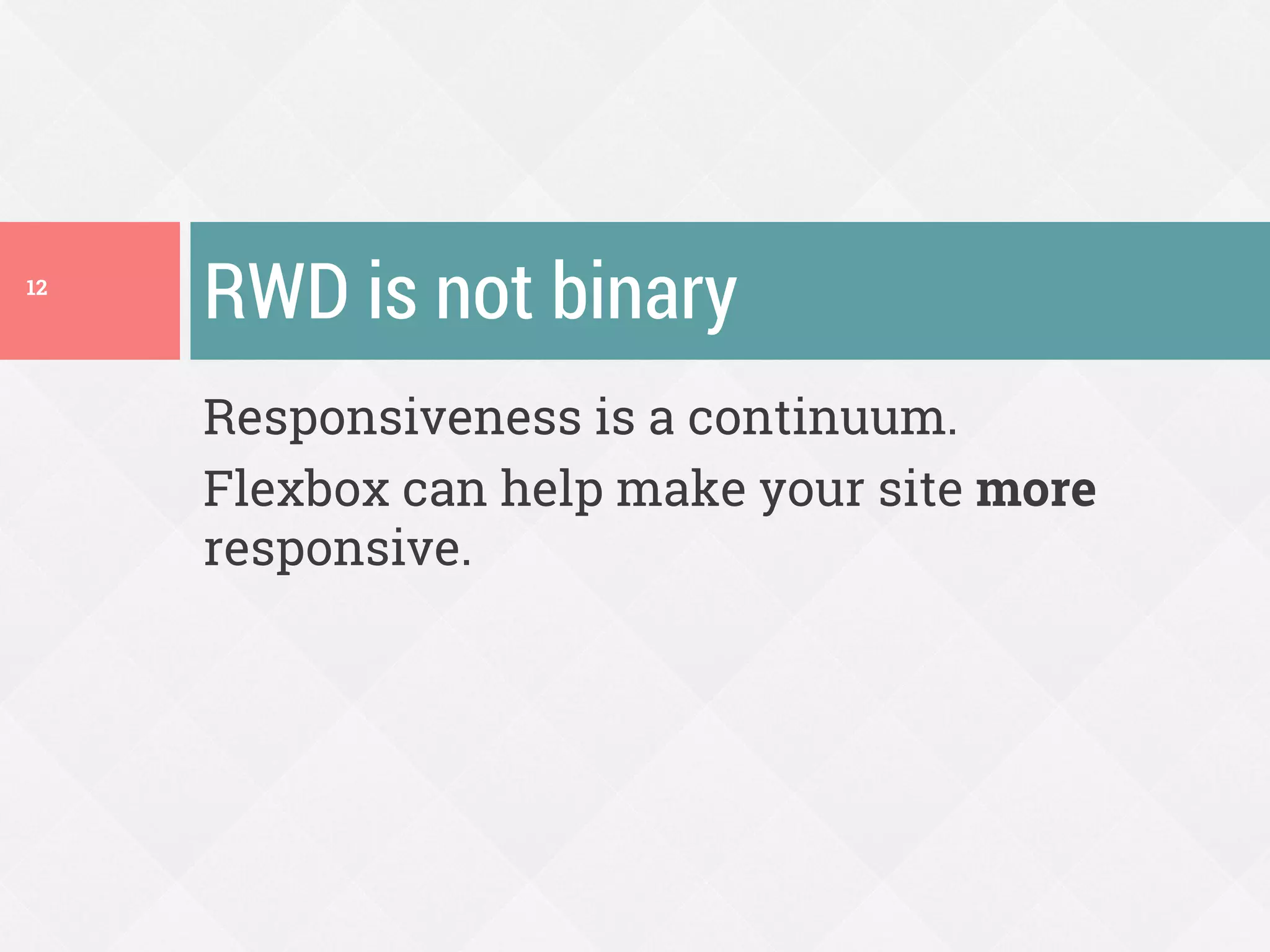
Responsiveness is a continuum.
Flexbox can help make your site more
responsive.
RWD is not binary12
Flexbox and RWD
Make better use of the
space at all screen sizes
Reorder content at
different screen sizes
13
Space Placement
Making better use of space14
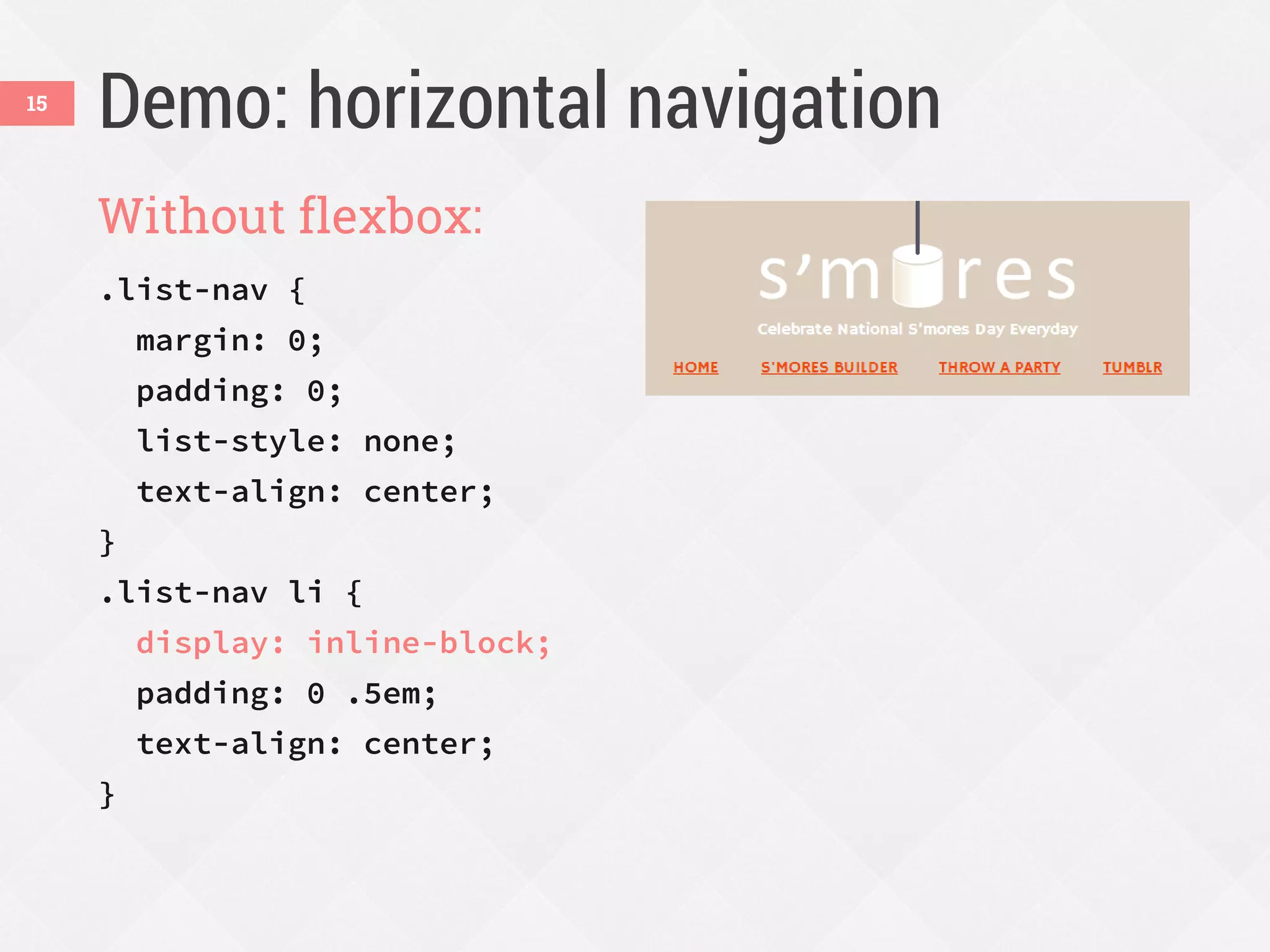
Demo: horizontal navigation
Without flexbox:
.list-nav {
margin: 0;
padding: 0;
list-style: none;
text-align: center;
}
.list-nav li {
display: inline-block;
padding: 0 .5em;
text-align: center;
}
15
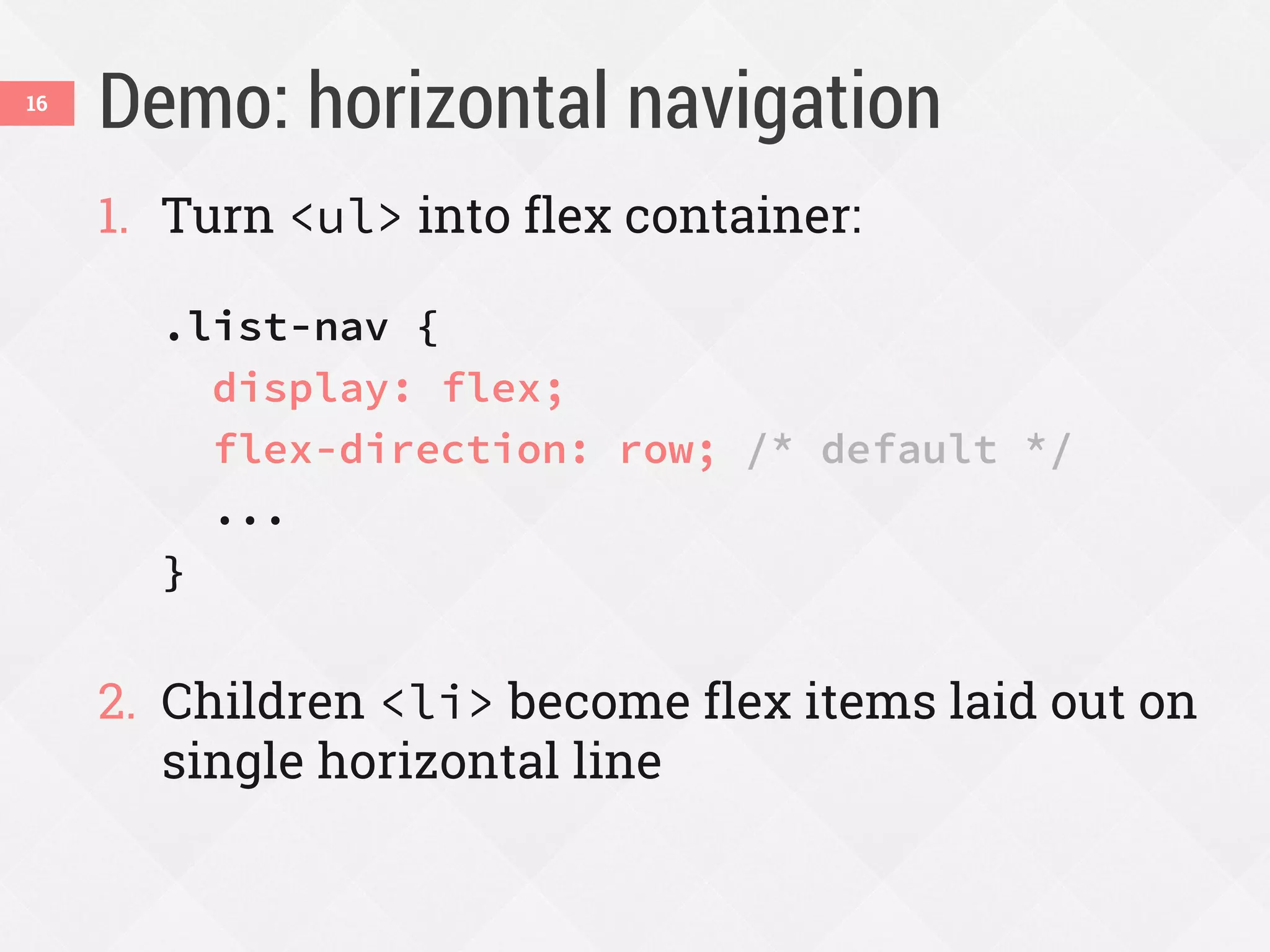
Demo: horizontal navigation
1. Turn <ul> into flex container:
.list-nav {
display: flex;
flex-direction: row; /* default */
...
}
2. Children <li> become flex items laid out on
single horizontal line
16
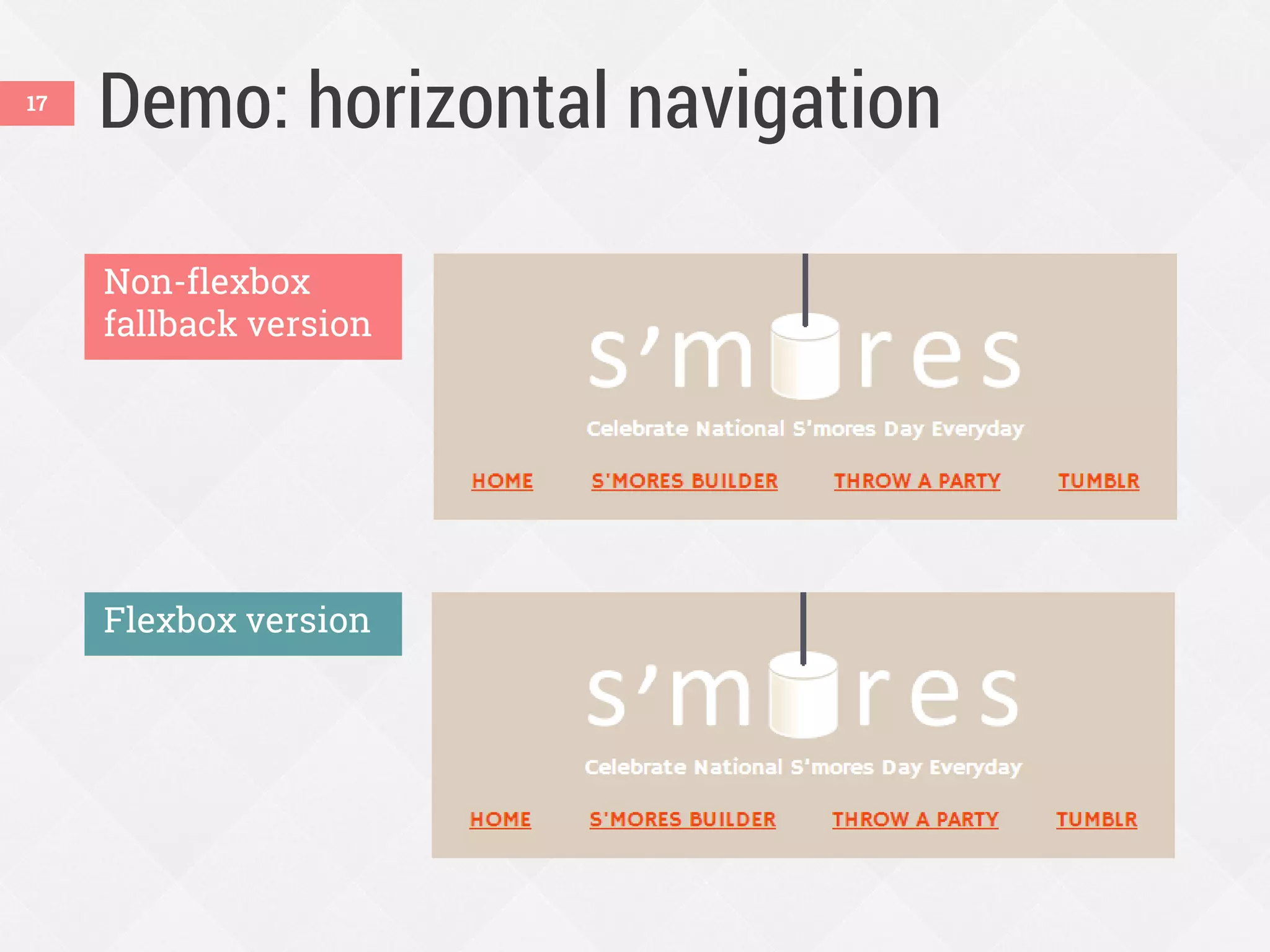
Demo: horizontal navigation
Non-flexbox
fallback version
Flexbox version
17
Making it full-width
 All links on same line
 First link flush left, last link flush right
 Equal spaces between all links
18
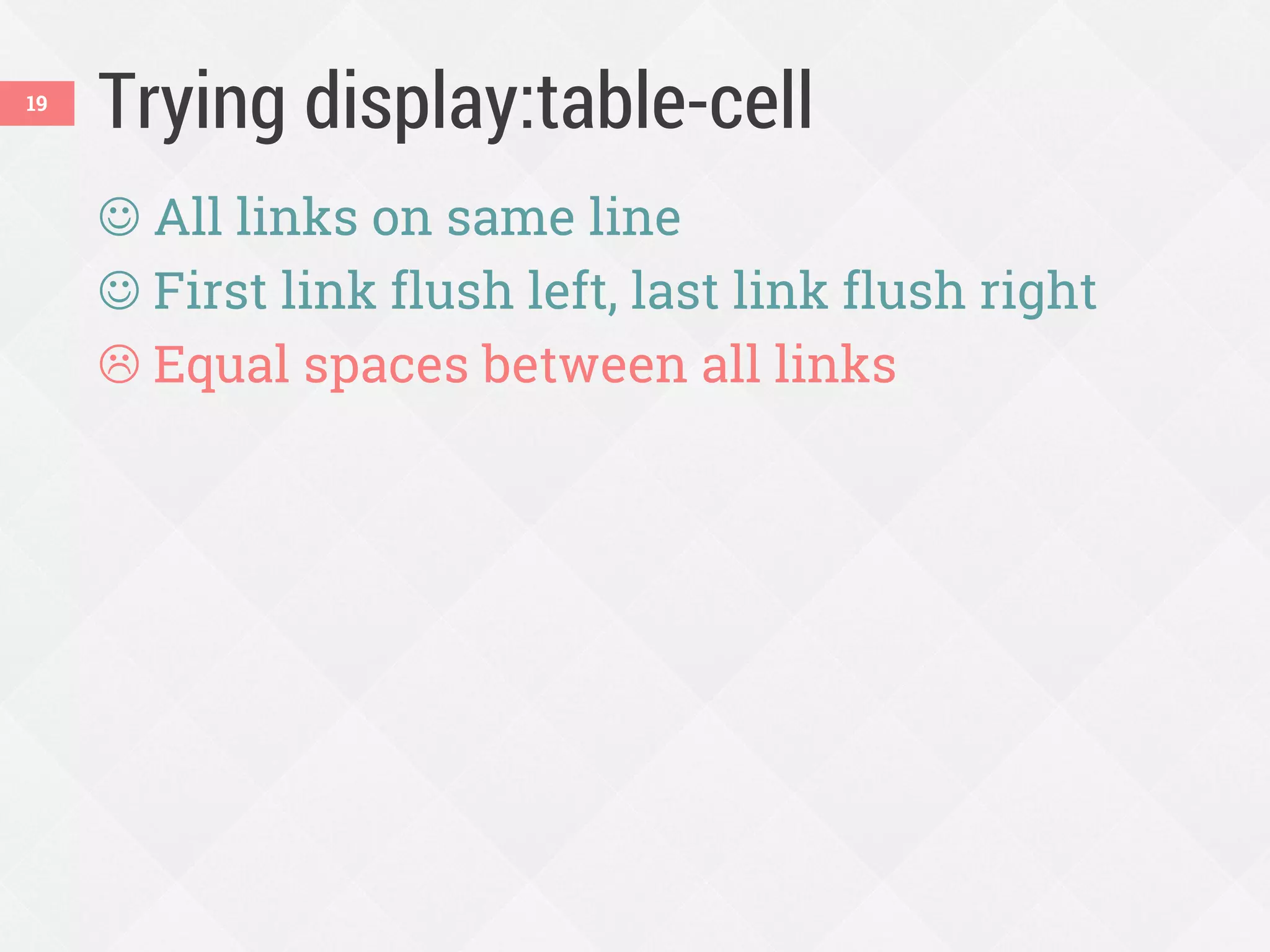
Trying display:table-cell
 All links on same line
 First link flush left, last link flush right
 Equal spaces between all links
19
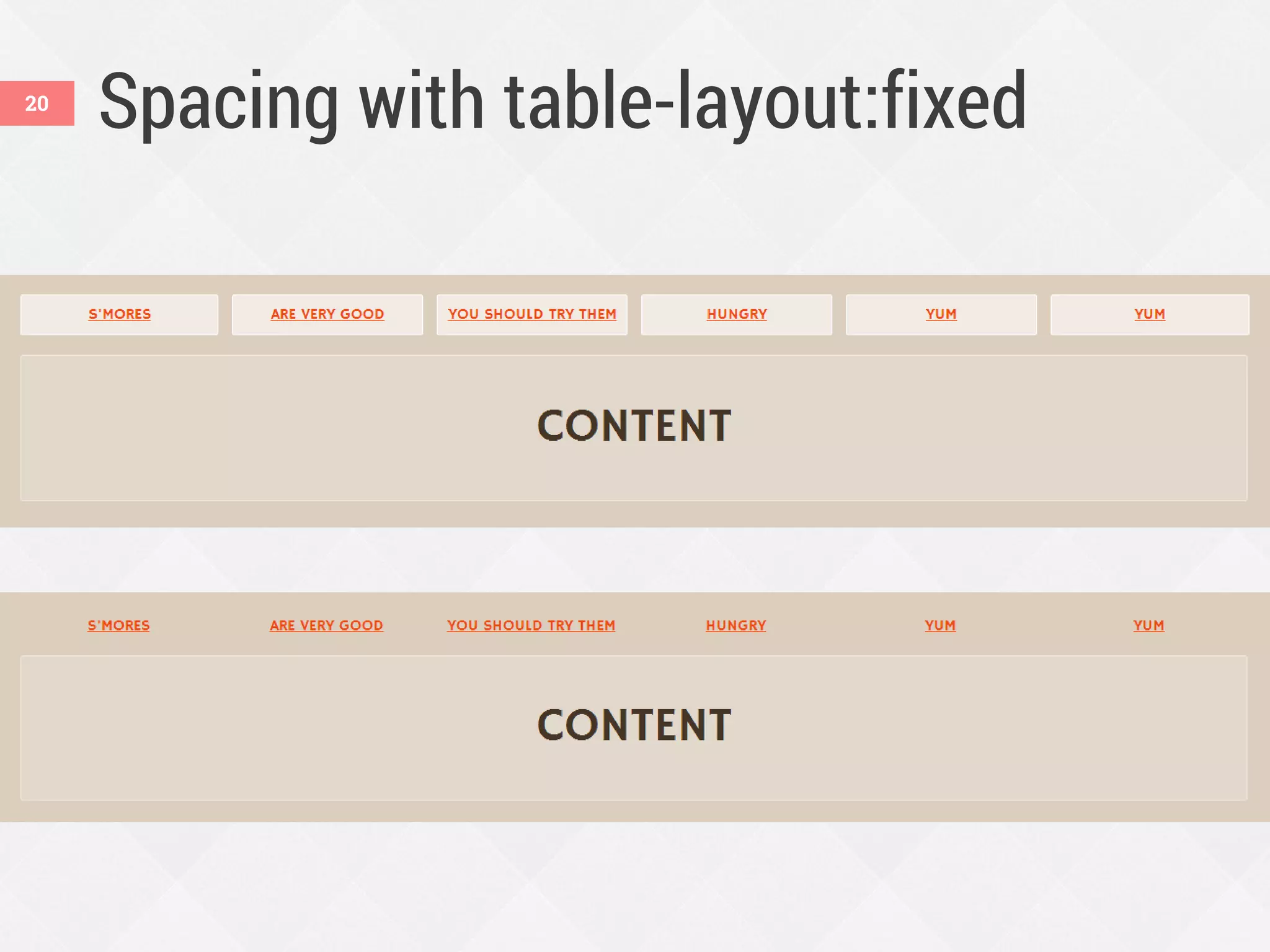
Spacing with table-layout:fixed20
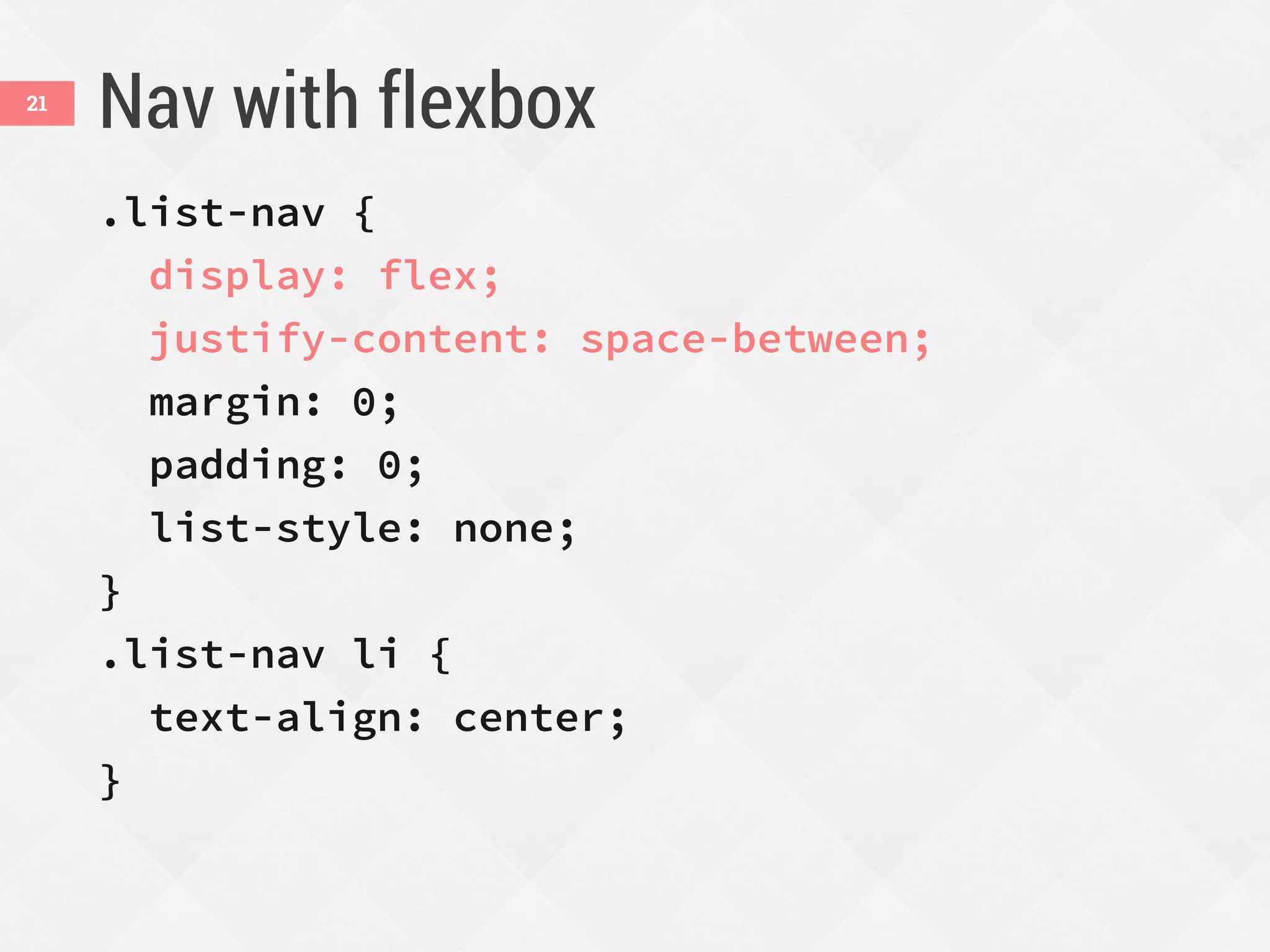
Nav with flexbox
.list-nav {
display: flex;
justify-content: space-between;
margin: 0;
padding: 0;
list-style: none;
}
.list-nav li {
text-align: center;
}
21
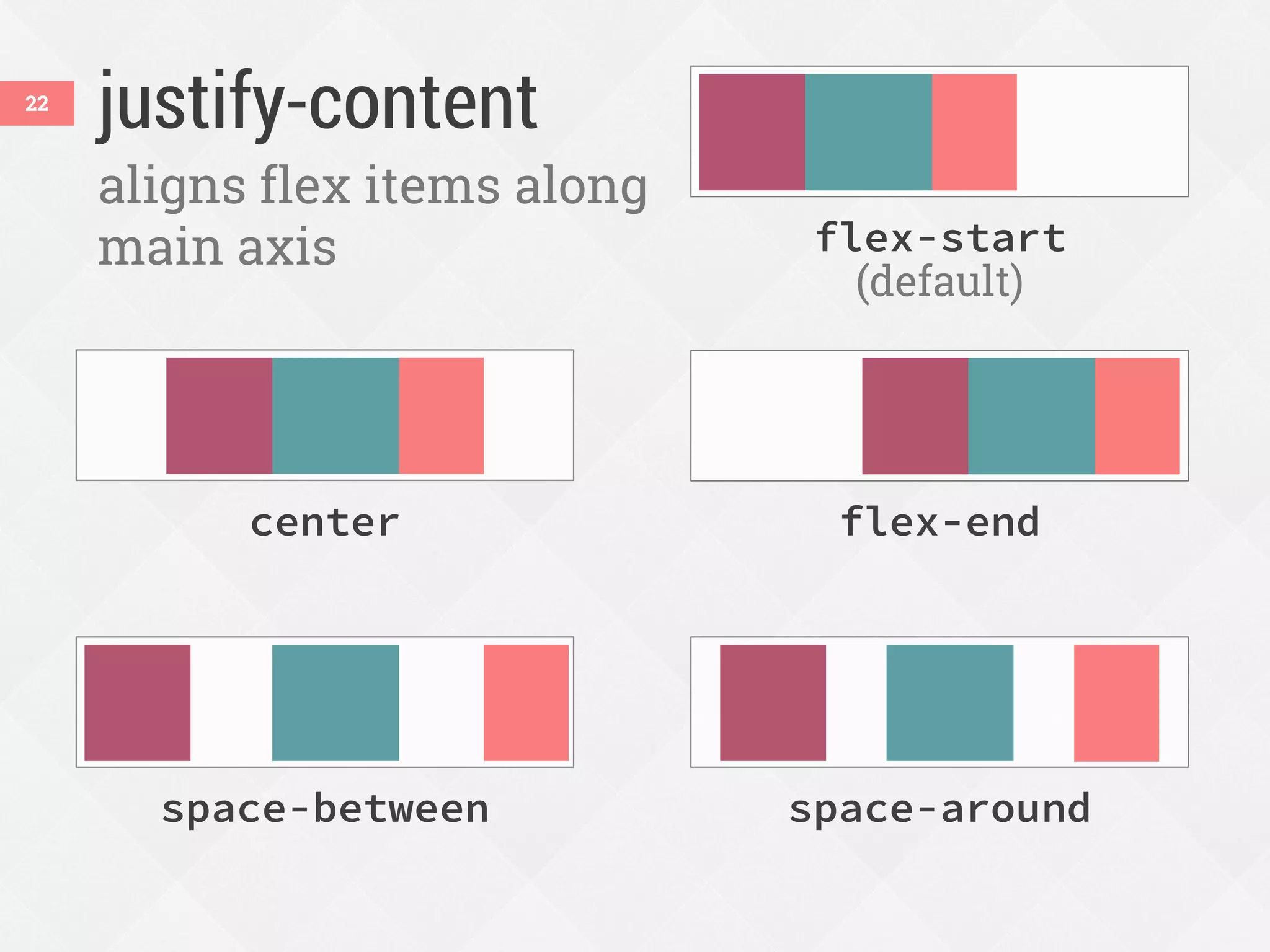
justify-content22
aligns flex items along
main axis
space-around
flex-endcenter
flex-start
(default)
space-between
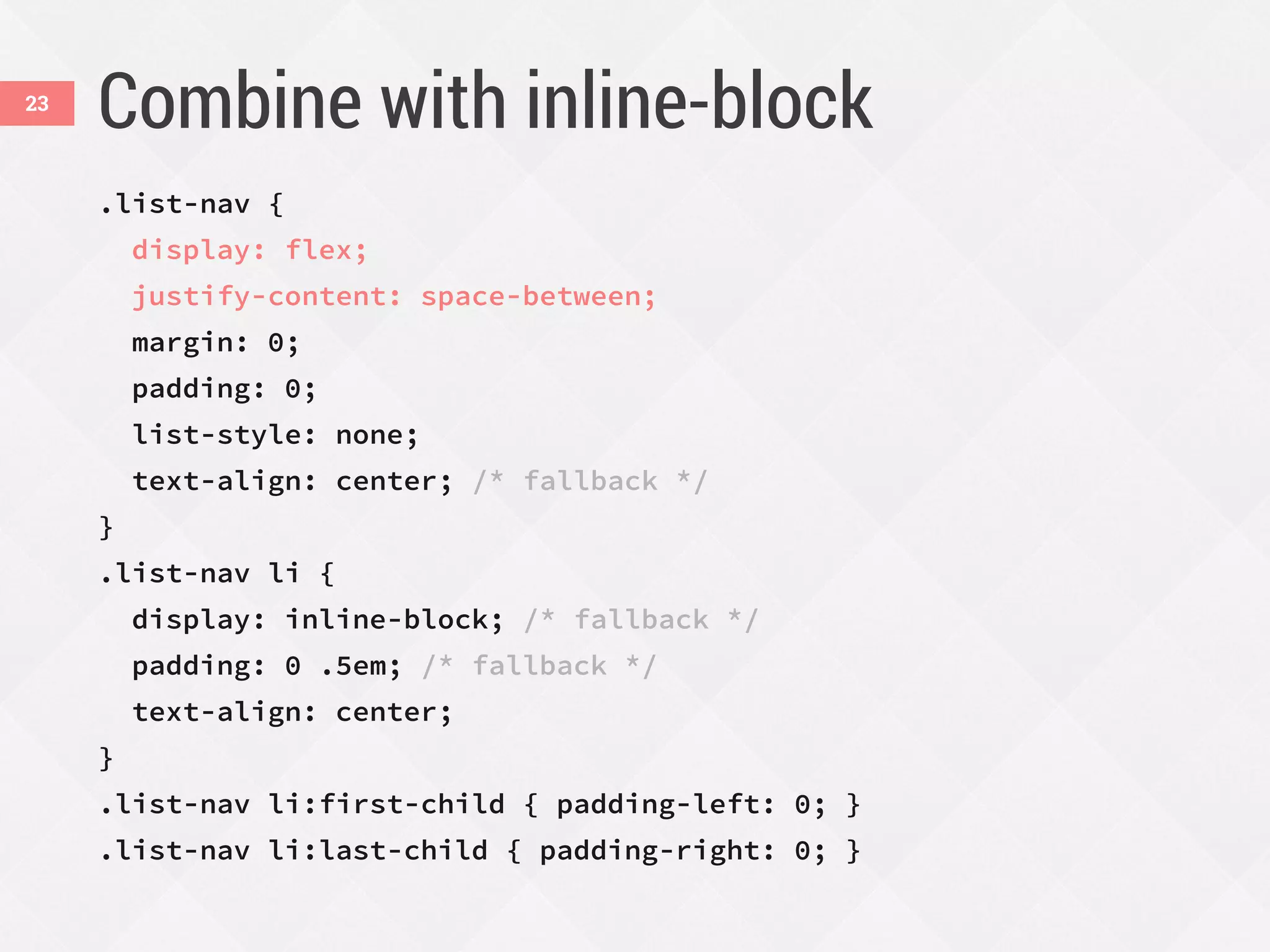
Combine with inline-block
.list-nav {
display: flex;
justify-content: space-between;
margin: 0;
padding: 0;
list-style: none;
text-align: center; /* fallback */
}
.list-nav li {
display: inline-block; /* fallback */
padding: 0 .5em; /* fallback */
text-align: center;
}
.list-nav li:first-child { padding-left: 0; }
.list-nav li:last-child { padding-right: 0; }
23
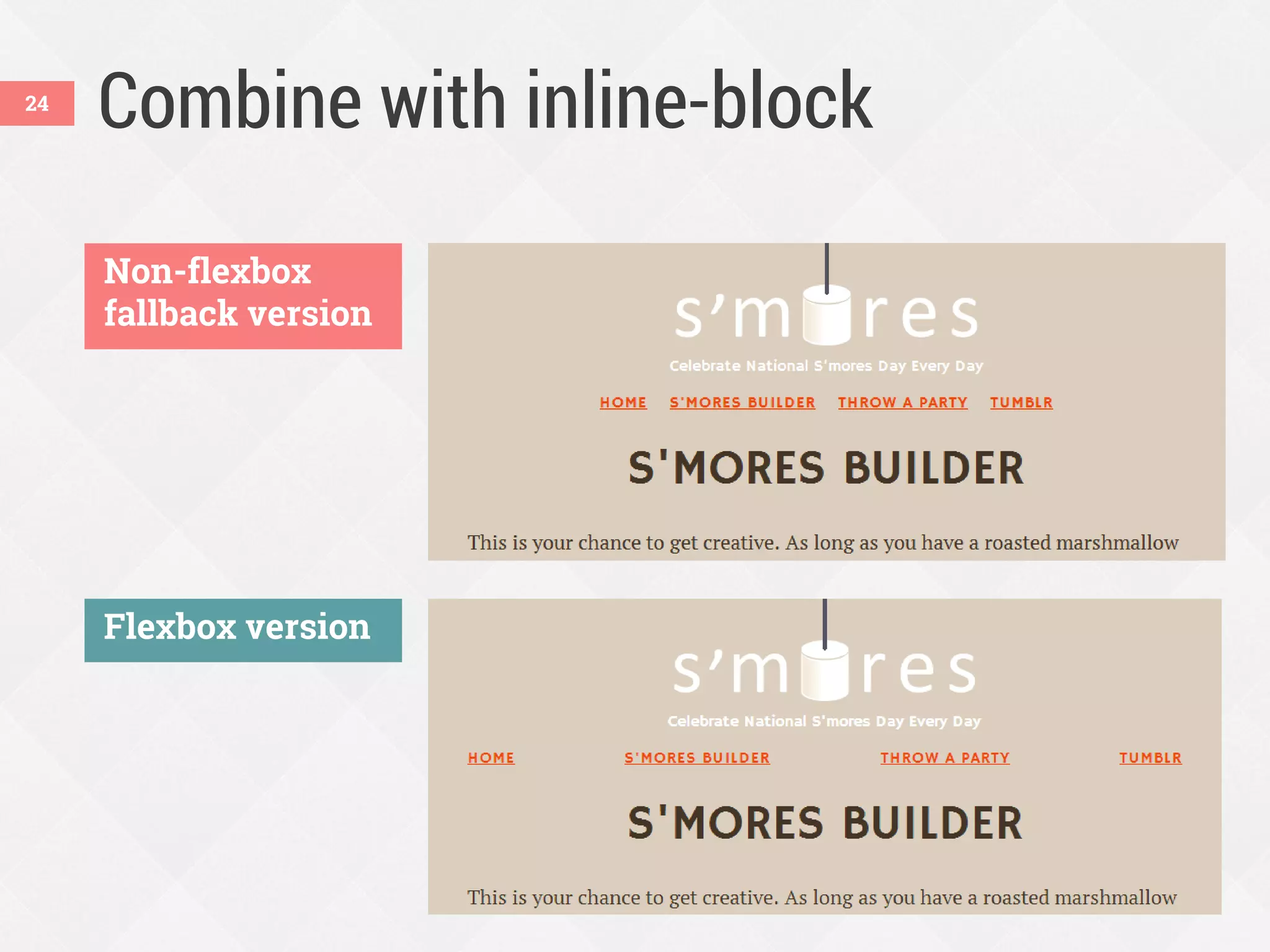
Combine with inline-block
Non-flexbox
fallback version
Flexbox version
24
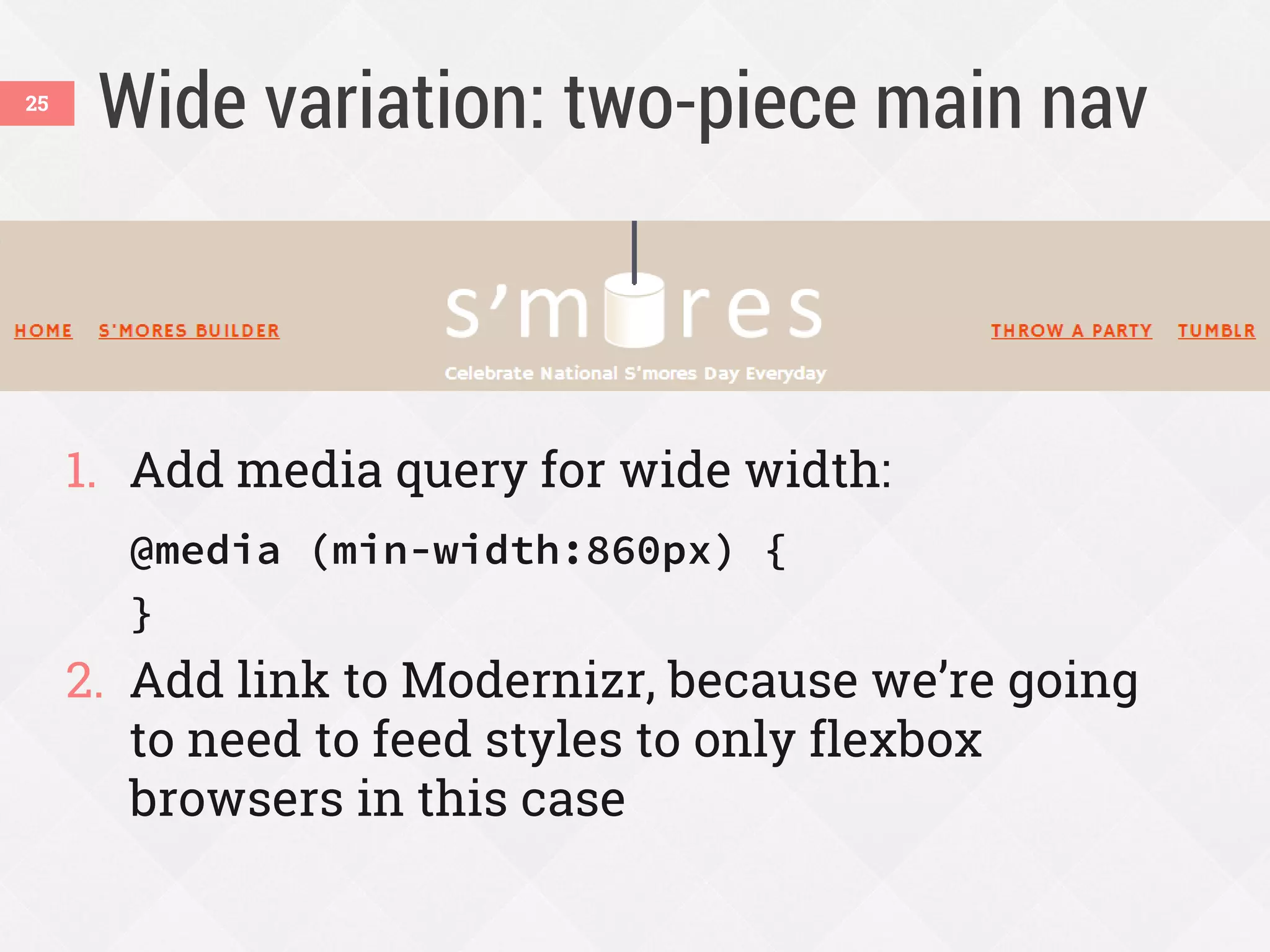
Wide variation: two-piece main nav
1. Add media query for wide width:
@media (min-width:860px) {
}
2. Add link to Modernizr, because we’re going
to need to feed styles to only flexbox
browsers in this case
25
Add Modernizr as needed
 Flexbox and fallback styles can often co-
exist, but sometimes need (or want) to
isolate them
 Modernizr can add flexbox, no-flexbox,
and flexboxlegacy classes to do this
26
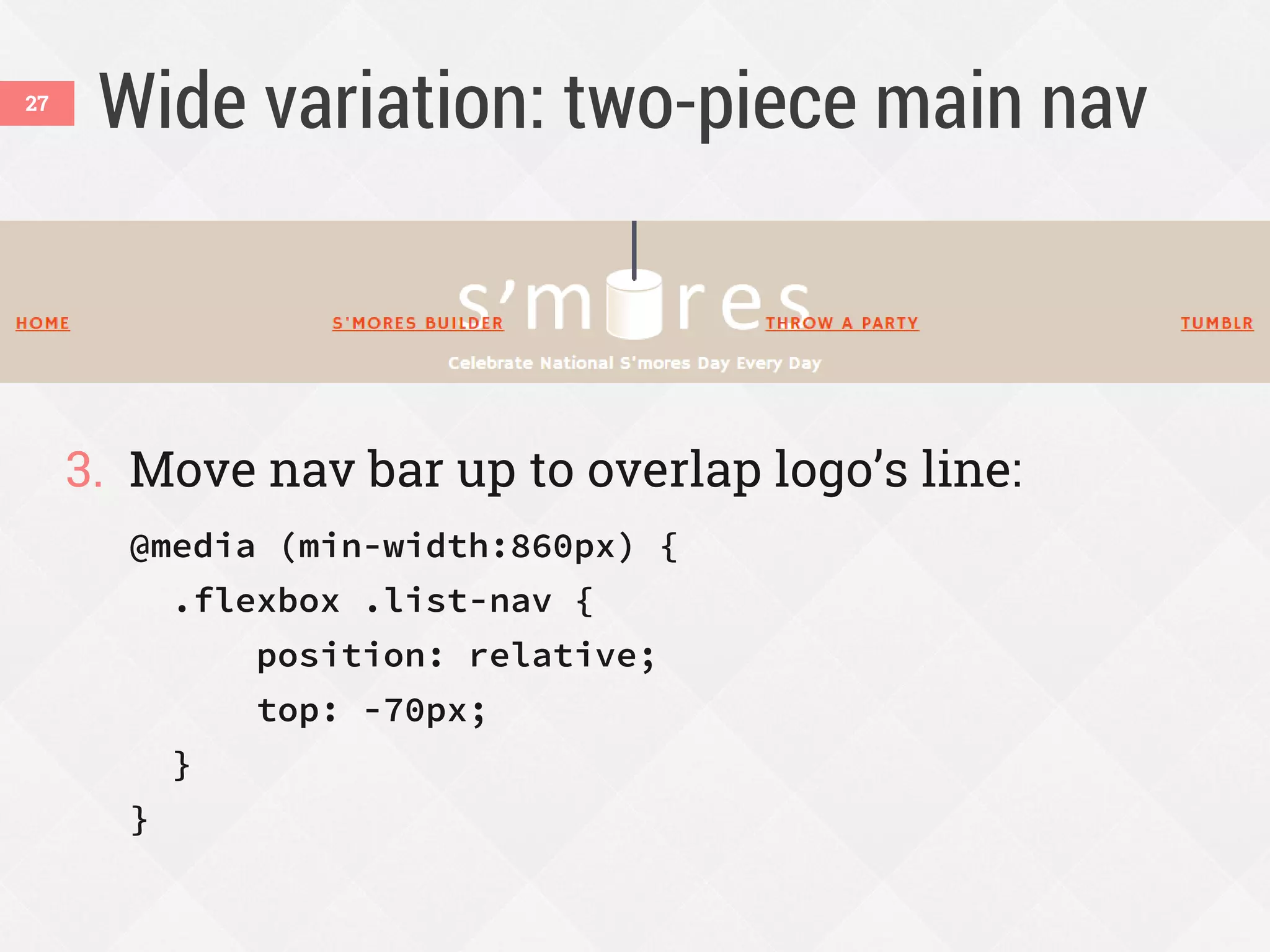
Wide variation: two-piece main nav
3. Move nav bar up to overlap logo’s line:
@media (min-width:860px) {
.flexbox .list-nav {
position: relative;
top: -70px;
}
}
27
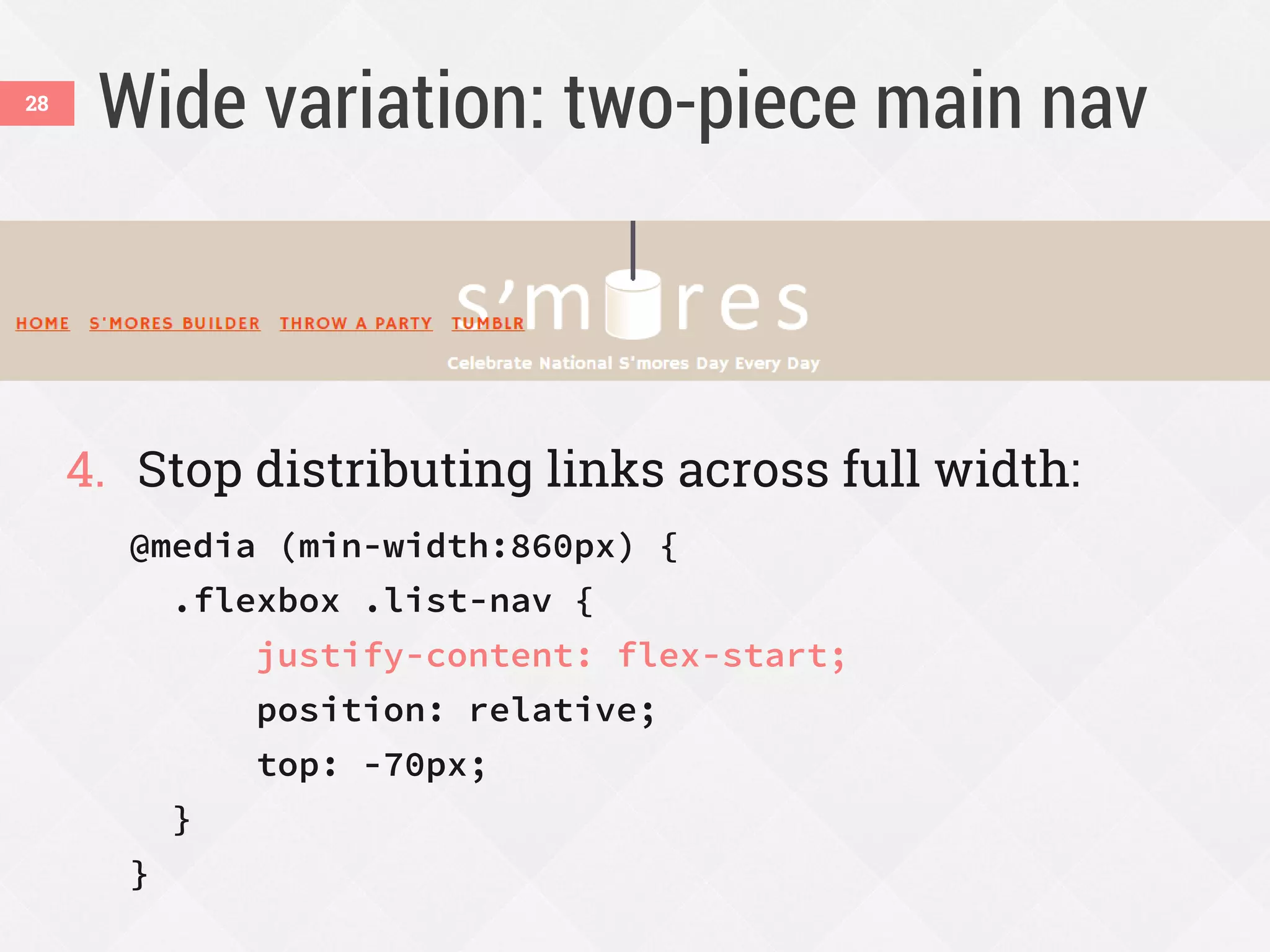
Wide variation: two-piece main nav
4. Stop distributing links across full width:
@media (min-width:860px) {
.flexbox .list-nav {
justify-content: flex-start;
position: relative;
top: -70px;
}
}
28
Wide variation: two-piece main nav
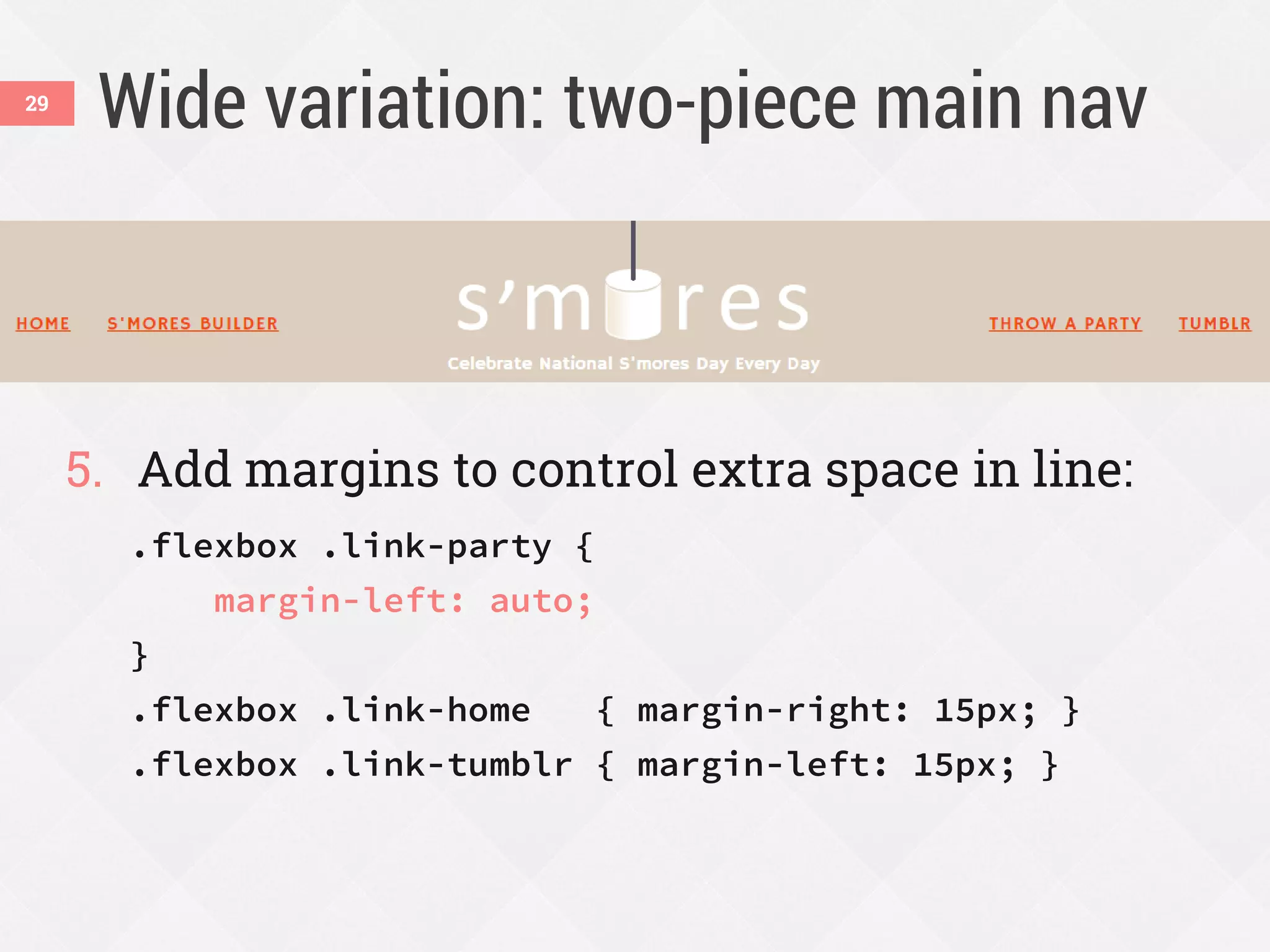
5. Add margins to control extra space in line:
.flexbox .link-party {
margin-left: auto;
}
.flexbox .link-home { margin-right: 15px; }
.flexbox .link-tumblr { margin-left: 15px; }
29
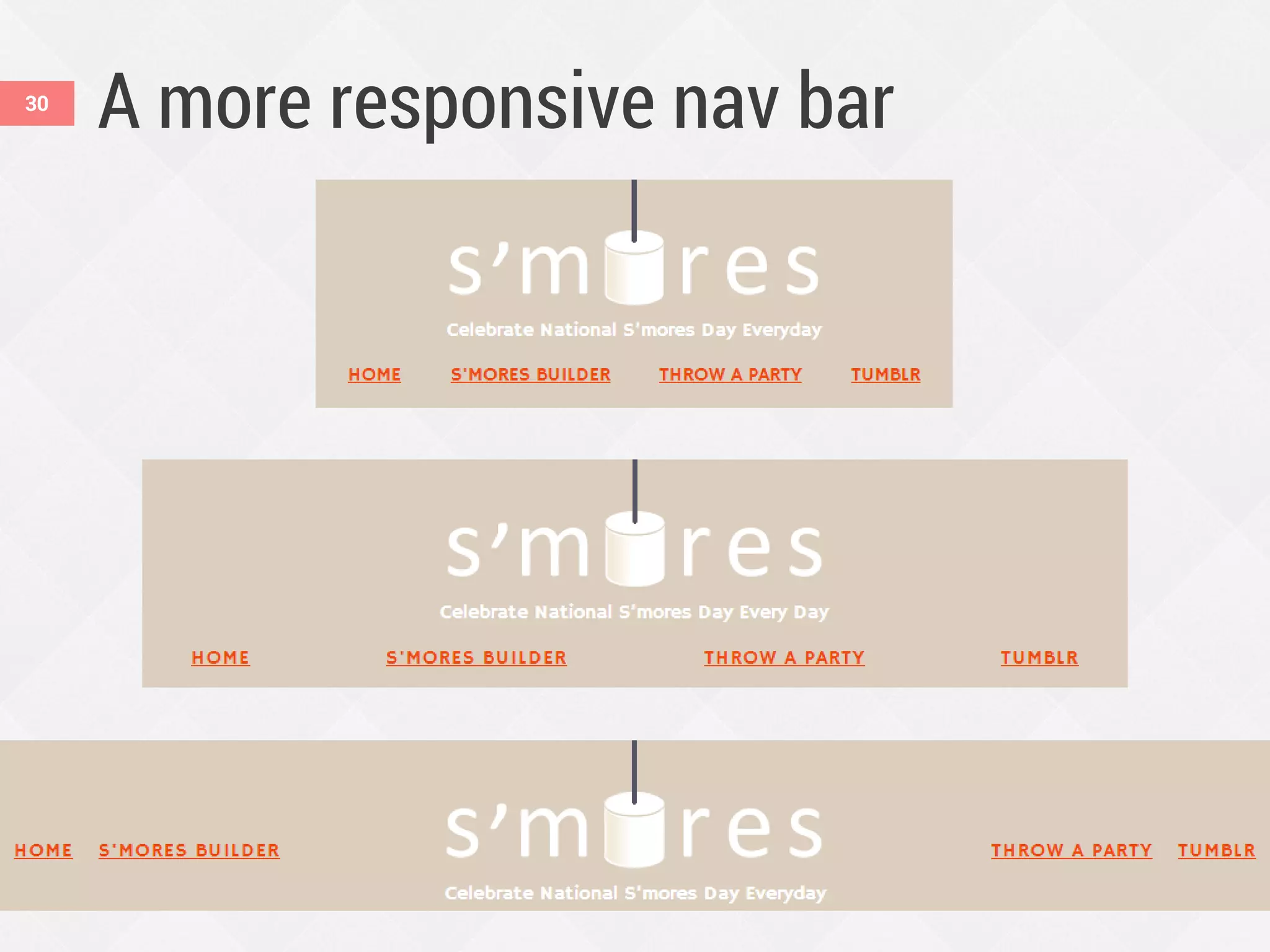
A more responsive nav bar30
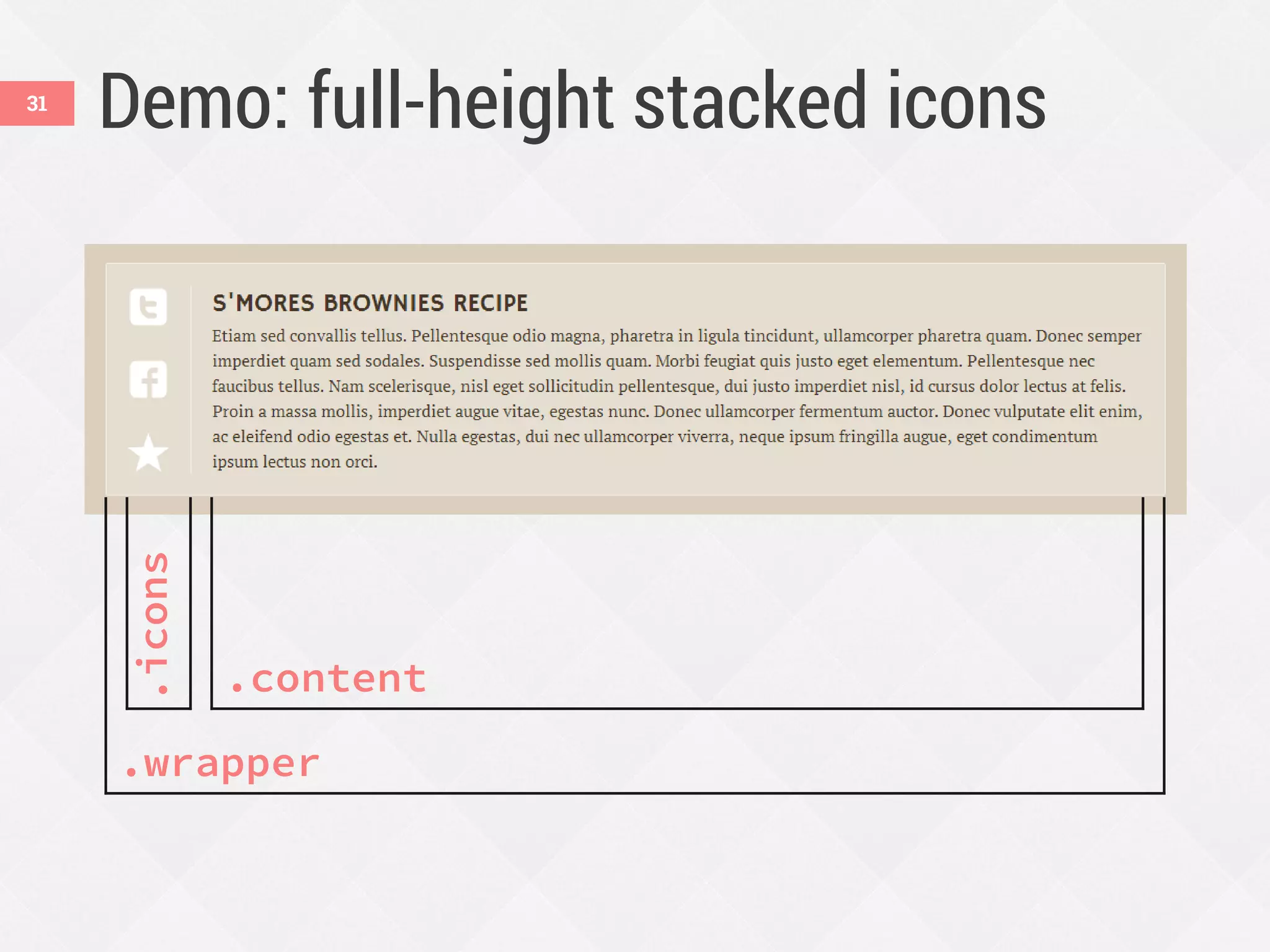
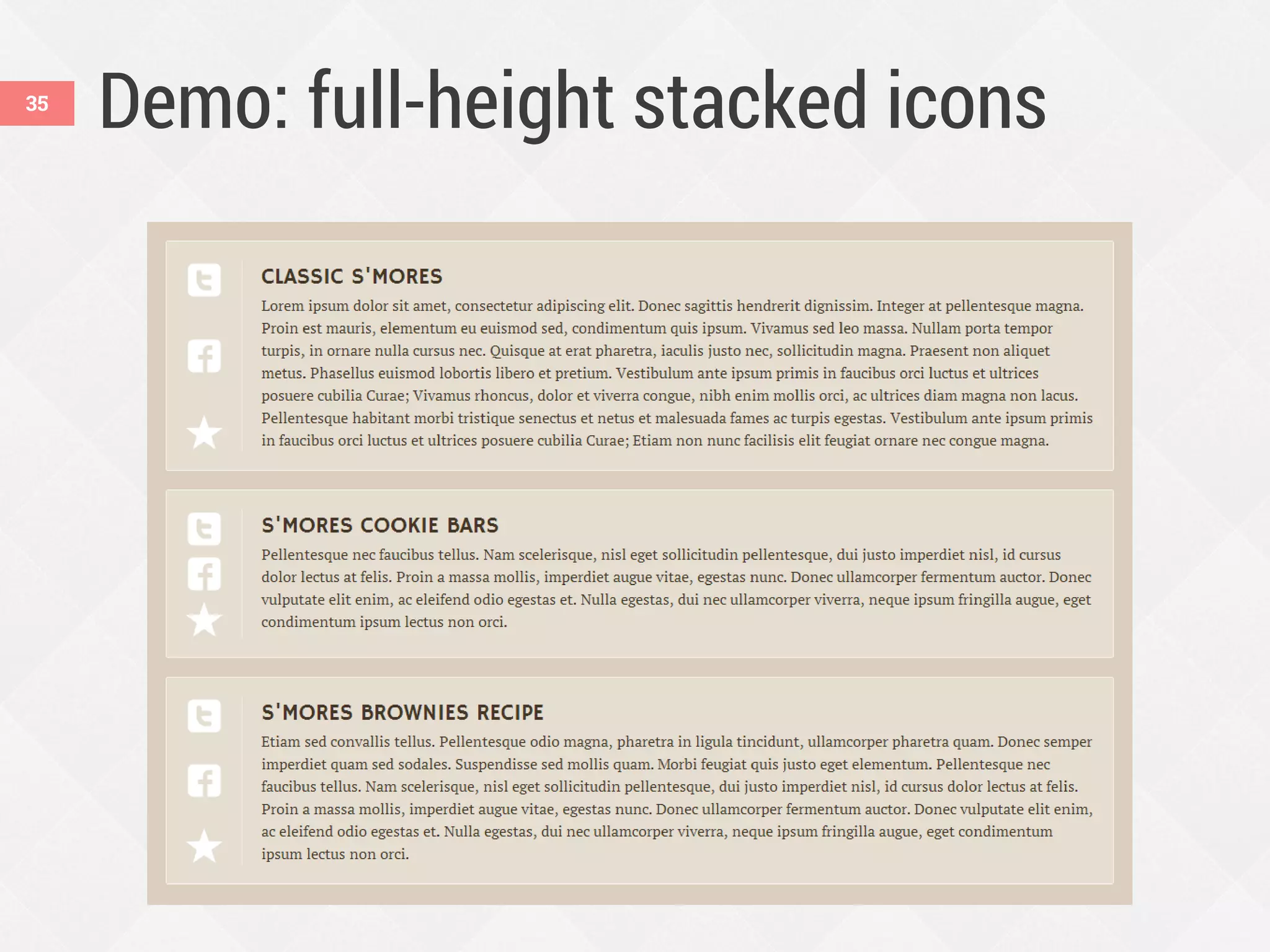
Demo: full-height stacked icons
.wrapper
.icons
.content
31
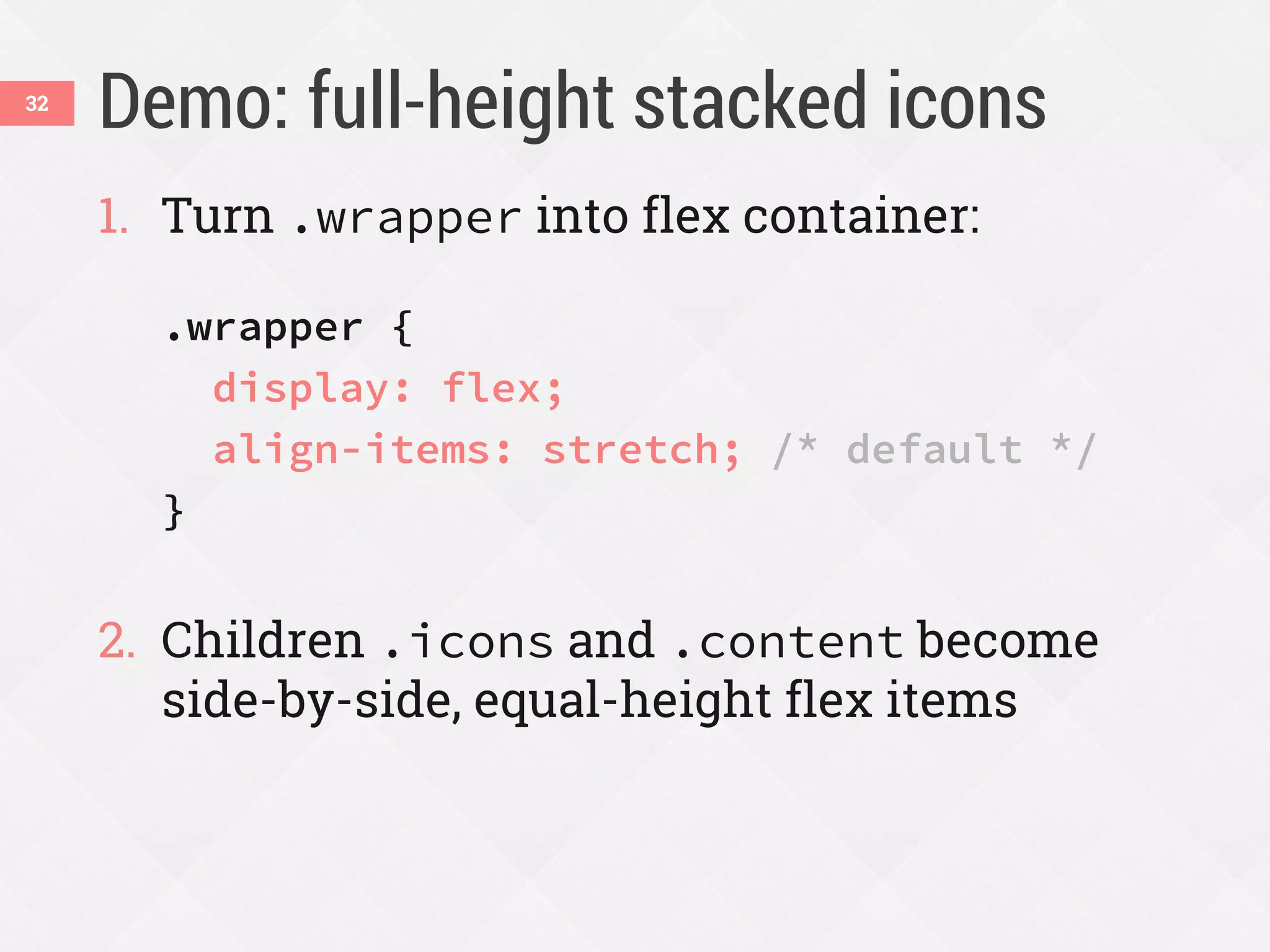
Demo: full-height stacked icons
1. Turn .wrapper into flex container:
.wrapper {
display: flex;
align-items: stretch; /* default */
}
2. Children .icons and .content become
side-by-side, equal-height flex items
32
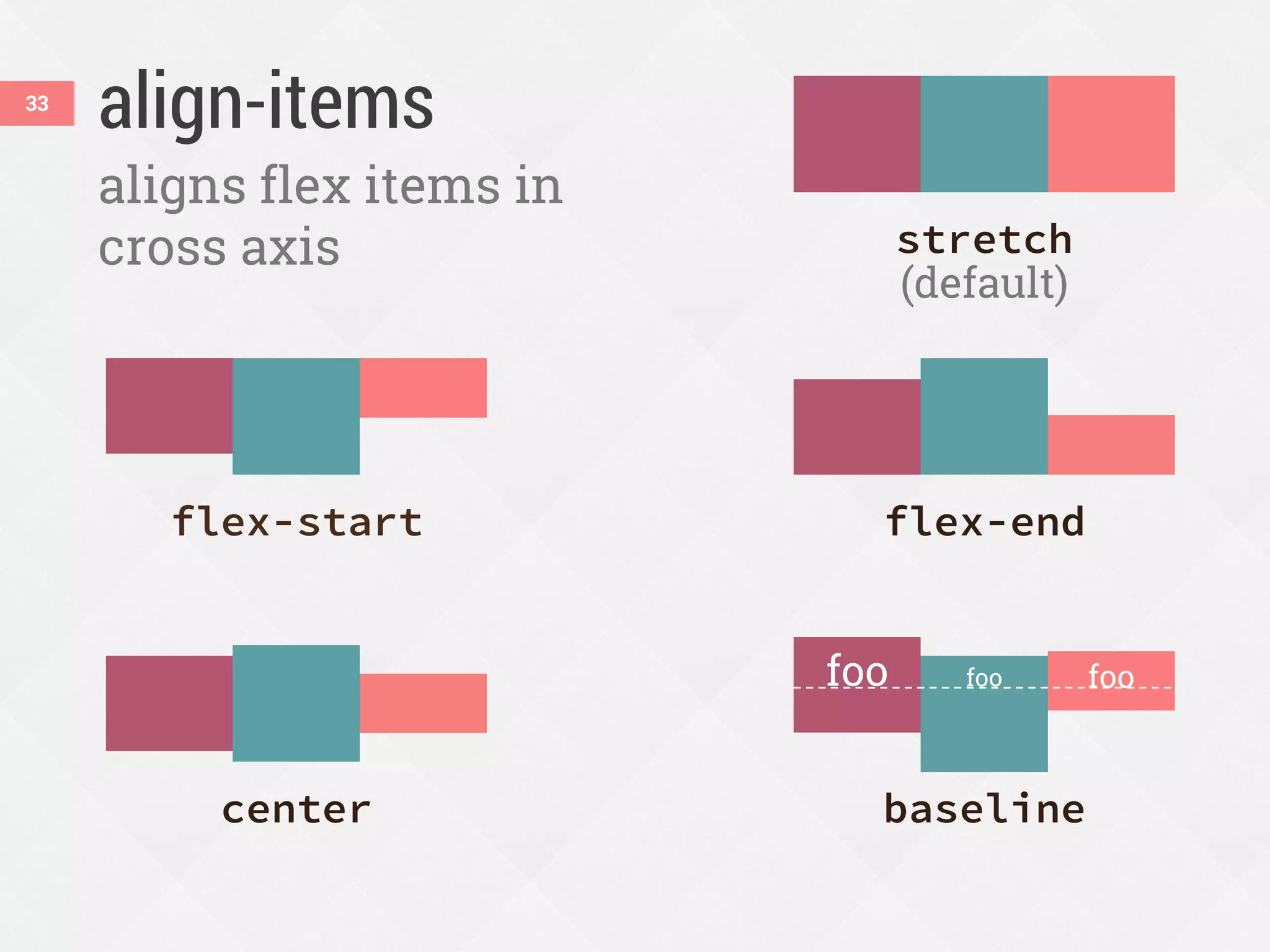
align-items33
aligns flex items in
cross axis
flex-start flex-end
center baseline
stretch
(default)
foo foo foo
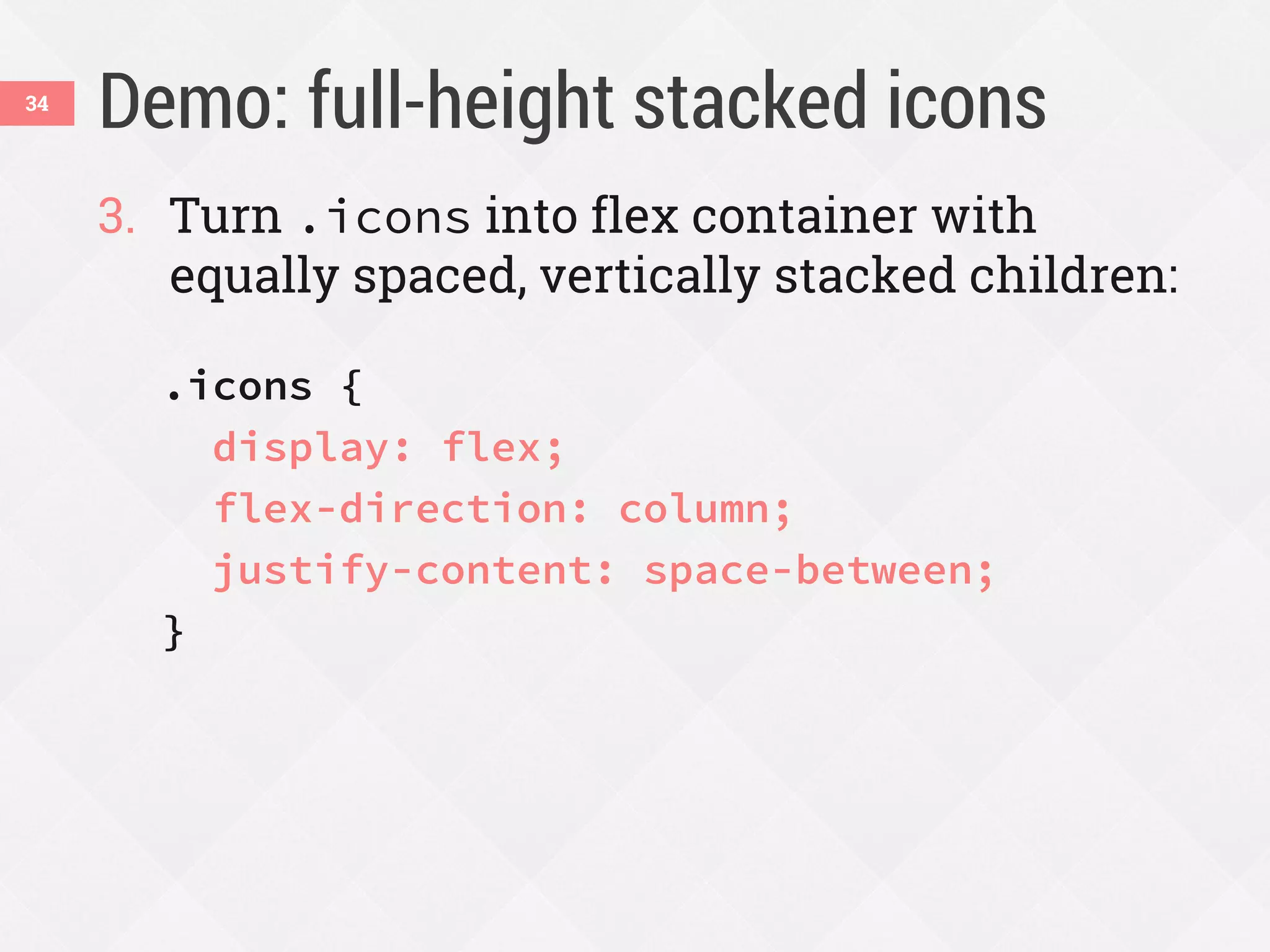
Demo: full-height stacked icons
3. Turn .icons into flex container with
equally spaced, vertically stacked children:
.icons {
display: flex;
flex-direction: column;
justify-content: space-between;
}
34
Demo: full-height stacked icons35
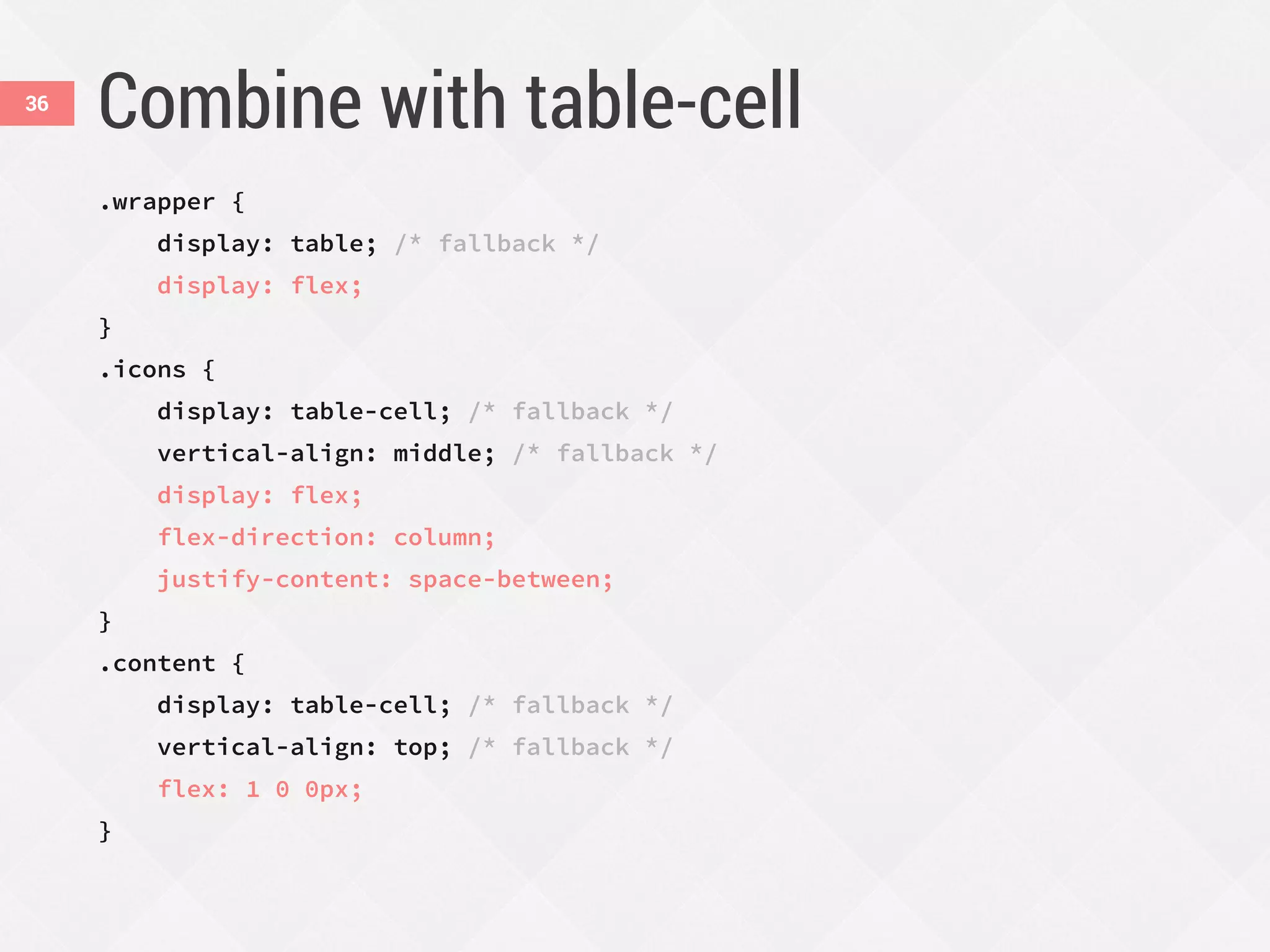
Combine with table-cell
.wrapper {
display: table; /* fallback */
display: flex;
}
.icons {
display: table-cell; /* fallback */
vertical-align: middle; /* fallback */
display: flex;
flex-direction: column;
justify-content: space-between;
}
.content {
display: table-cell; /* fallback */
vertical-align: top; /* fallback */
flex: 1 0 0px;
}
36
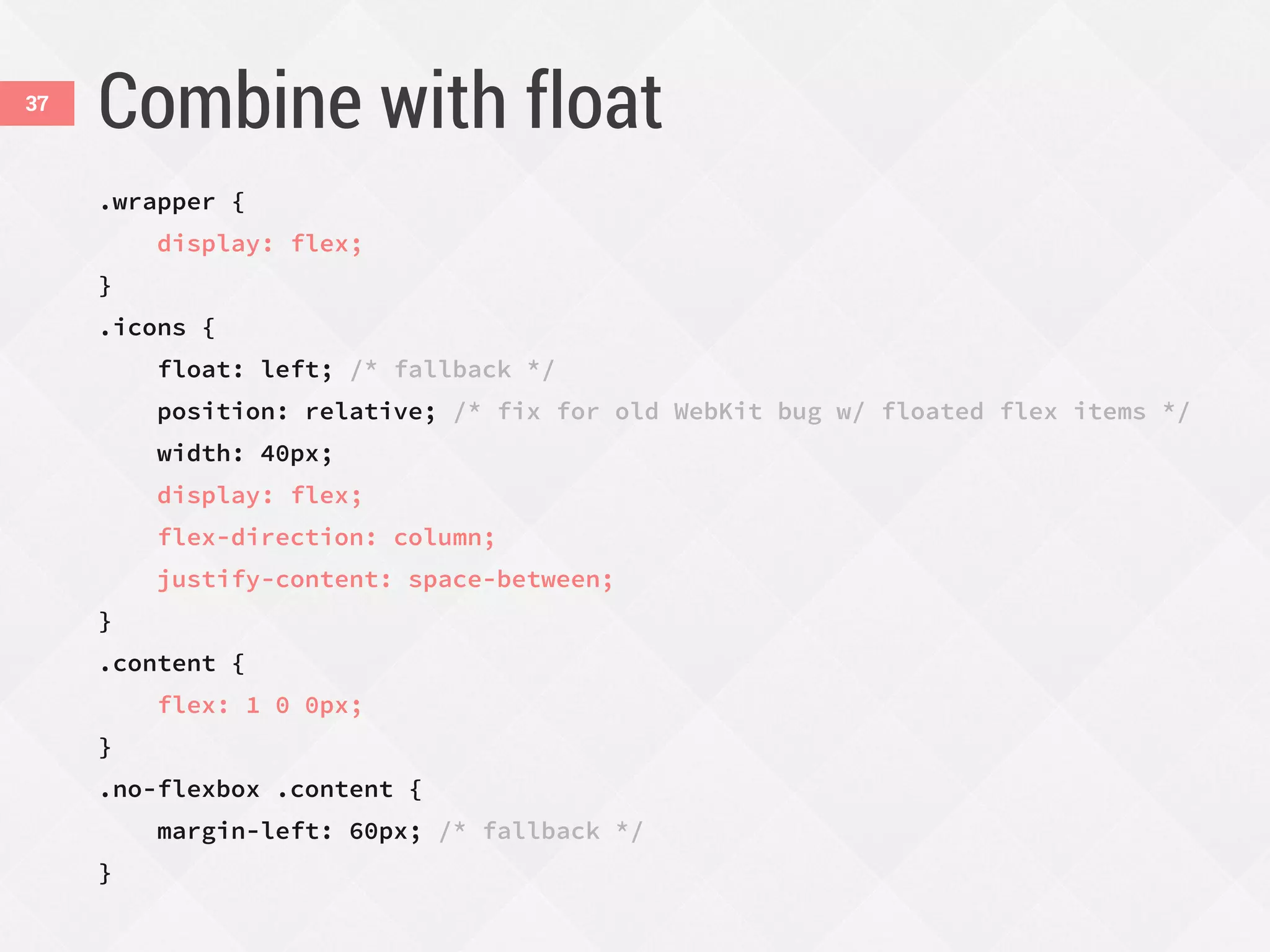
Combine with float
.wrapper {
display: flex;
}
.icons {
float: left; /* fallback */
position: relative; /* fix for old WebKit bug w/ floated flex items */
width: 40px;
display: flex;
flex-direction: column;
justify-content: space-between;
}
.content {
flex: 1 0 0px;
}
.no-flexbox .content {
margin-left: 60px; /* fallback */
}
37
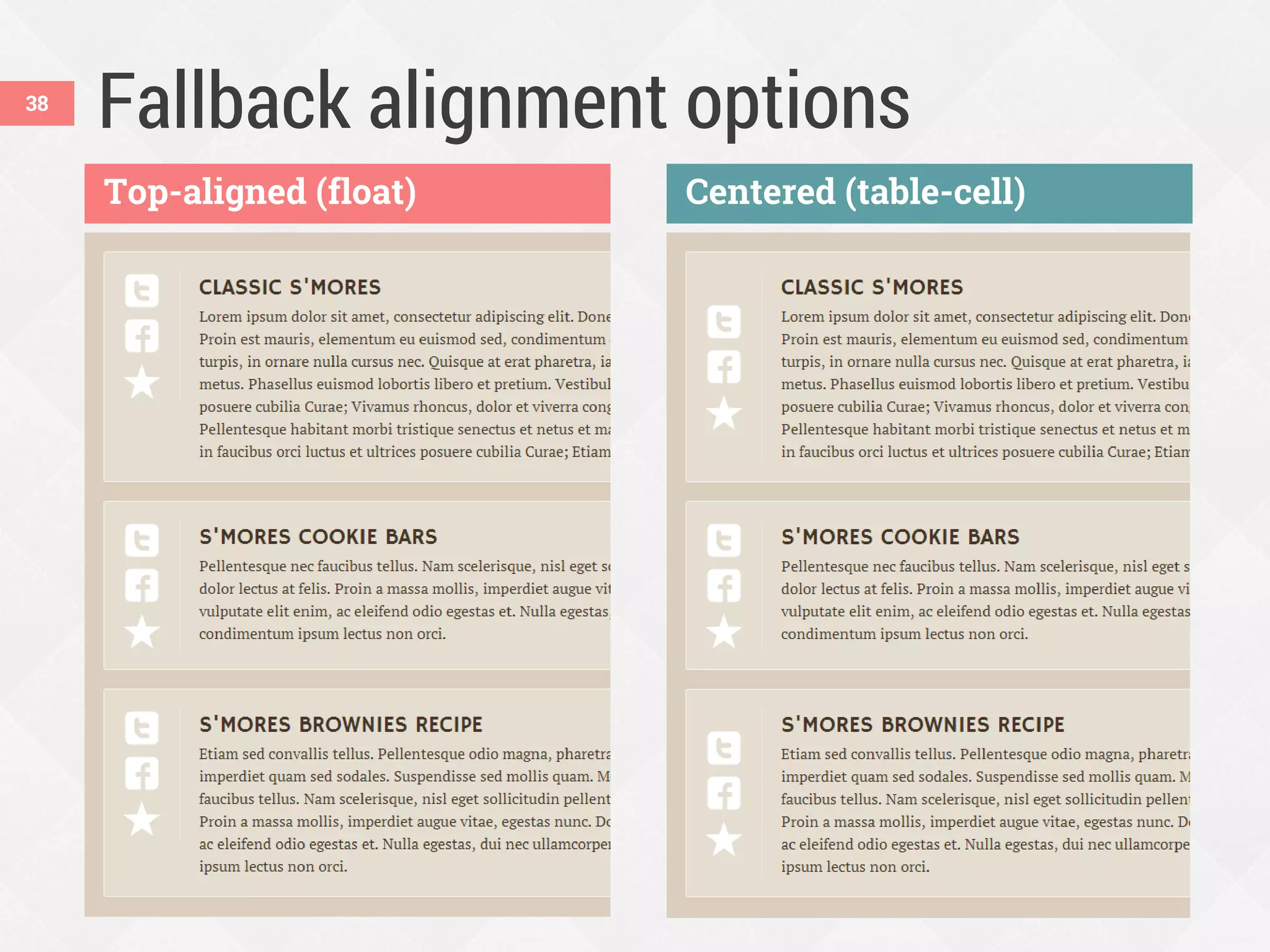
Fallback alignment options38
Top-aligned (float) Centered (table-cell)
Combining units of measurement across
a line can make RWD tricky.
ems + % + px = ?39
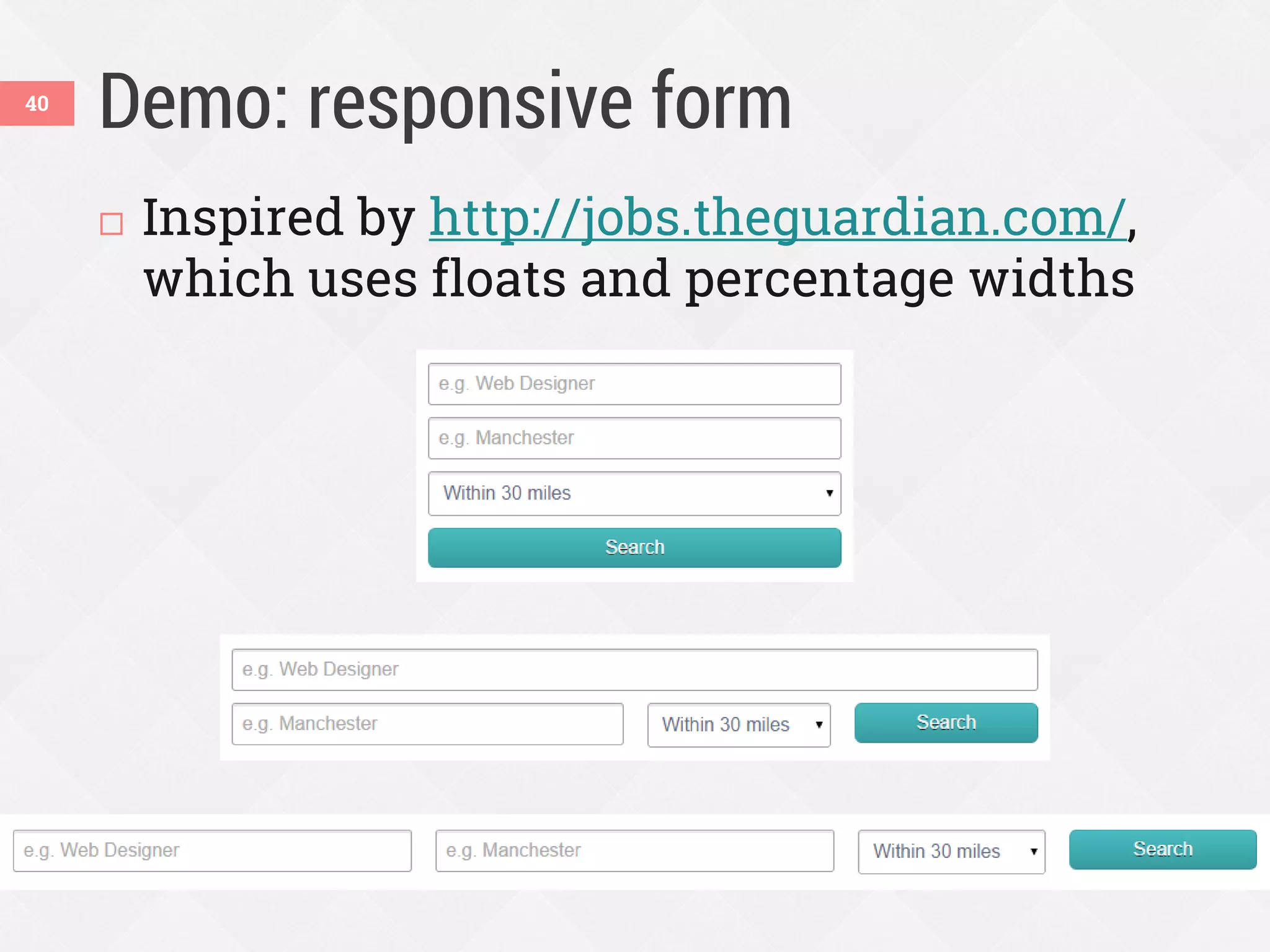
Demo: responsive form40
 Inspired by http://jobs.theguardian.com/,
which uses floats and percentage widths
But it would be nicer if…41
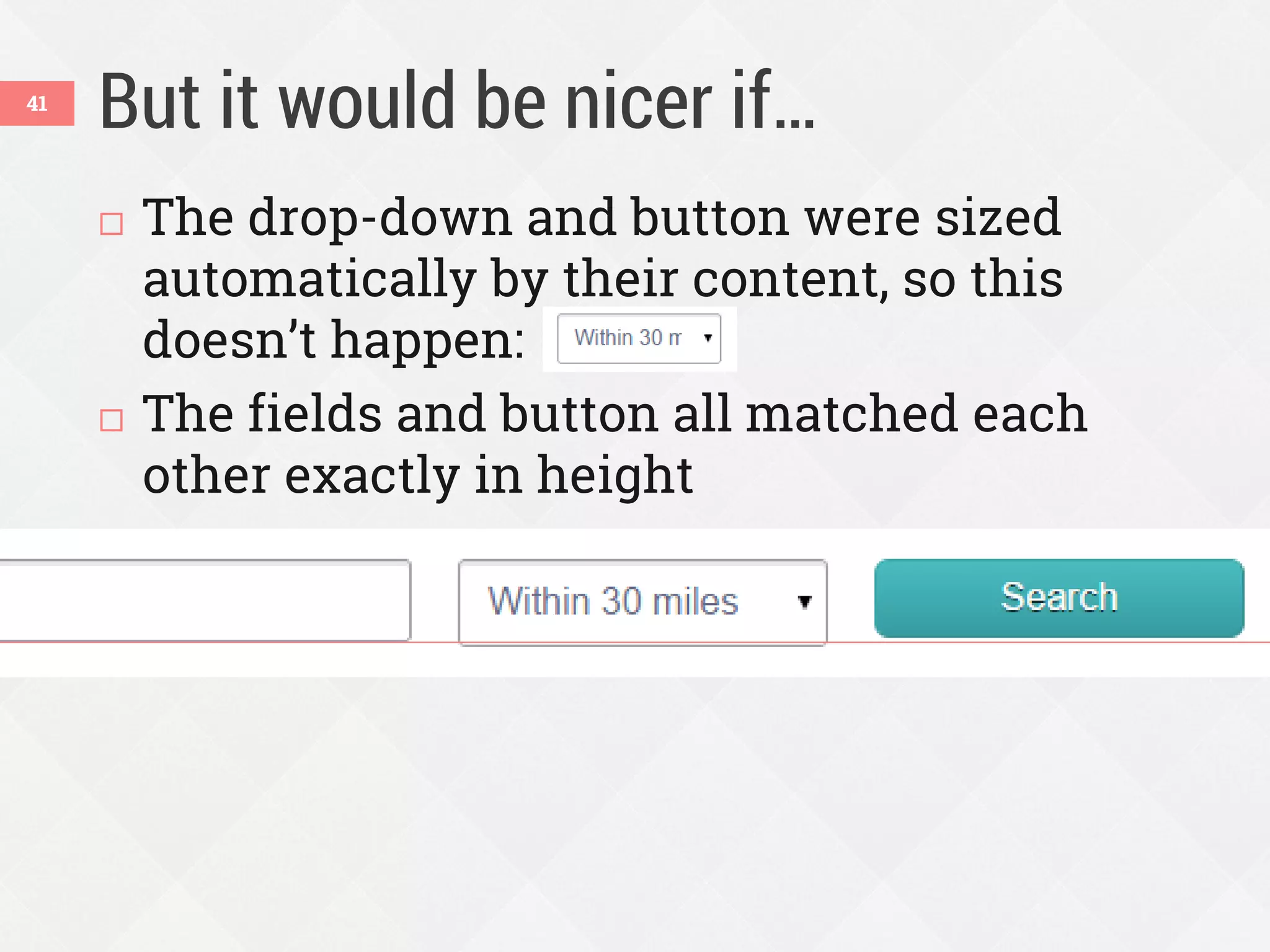
 The drop-down and button were sized
automatically by their content, so this
doesn’t happen:
 The fields and button all matched each
other exactly in height
Enhance with flexbox42
1. Let the fields wrap when needed:
.jobs-form {
display: flex;
flex-wrap: wrap;
}
2. Fields become flex items with row
orientation, but are allowed to form multiple
rows (so it looks like 1 column when
narrow)
Enhance with flexbox43
3. Override the % widths and let fields size to
their content:
.flexbox .jobs-form_field-wrapper {
width: auto; /* hide from non-flex browsers */
flex: 1 1 100%;
}
@media (min-width:40em) {
.jobs-form_field-wrapper {
flex: 1 0 auto;
}
}
Defining the flex property
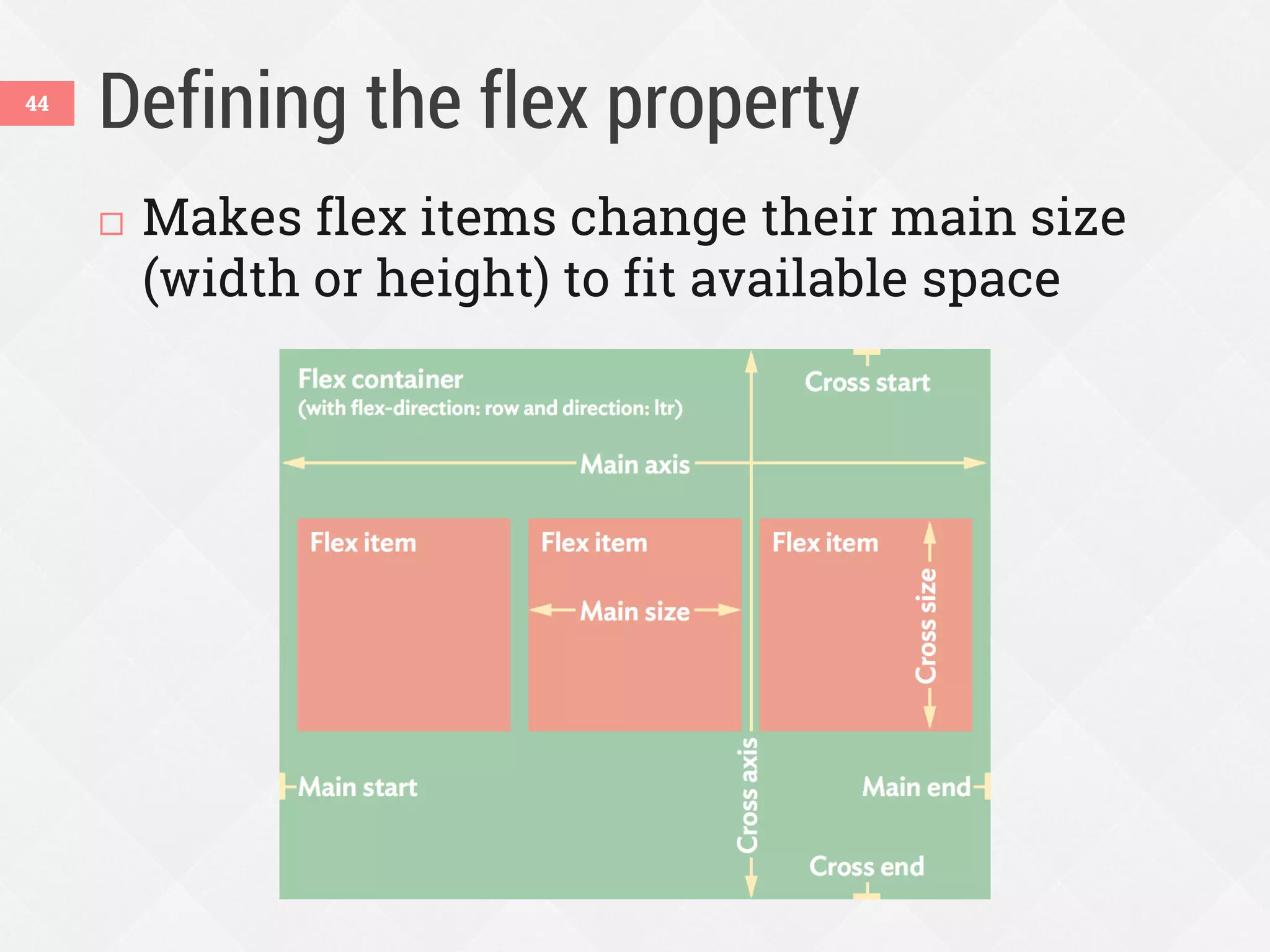
 Makes flex items change their main size
(width or height) to fit available space
44
Defining the flex property
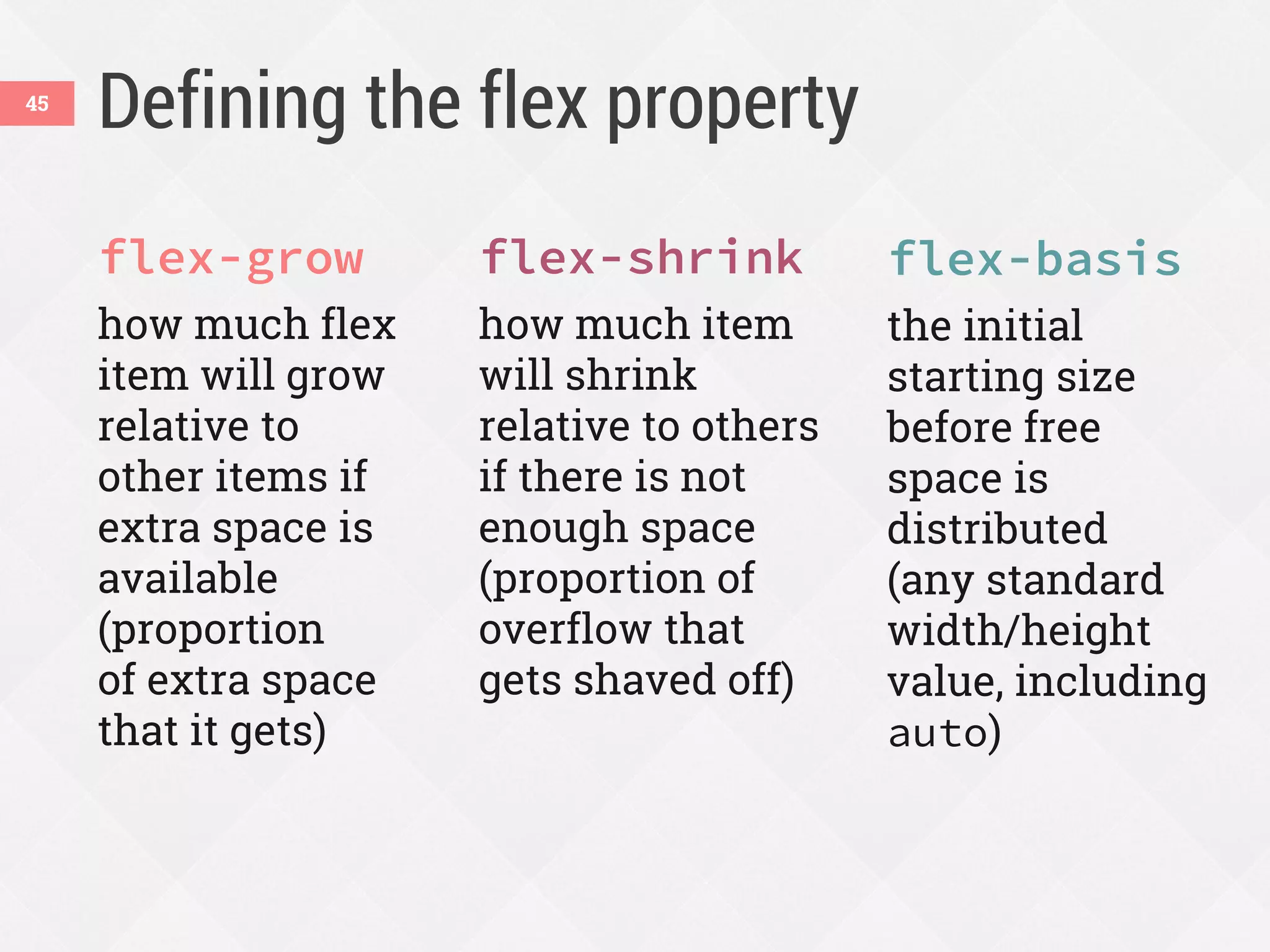
flex-grow
how much flex
item will grow
relative to
other items if
extra space is
available
(proportion
of extra space
that it gets)
flex-shrink
how much item
will shrink
relative to others
if there is not
enough space
(proportion of
overflow that
gets shaved off)
flex-basis
the initial
starting size
before free
space is
distributed
(any standard
width/height
value, including
auto)
45
Breaking it down
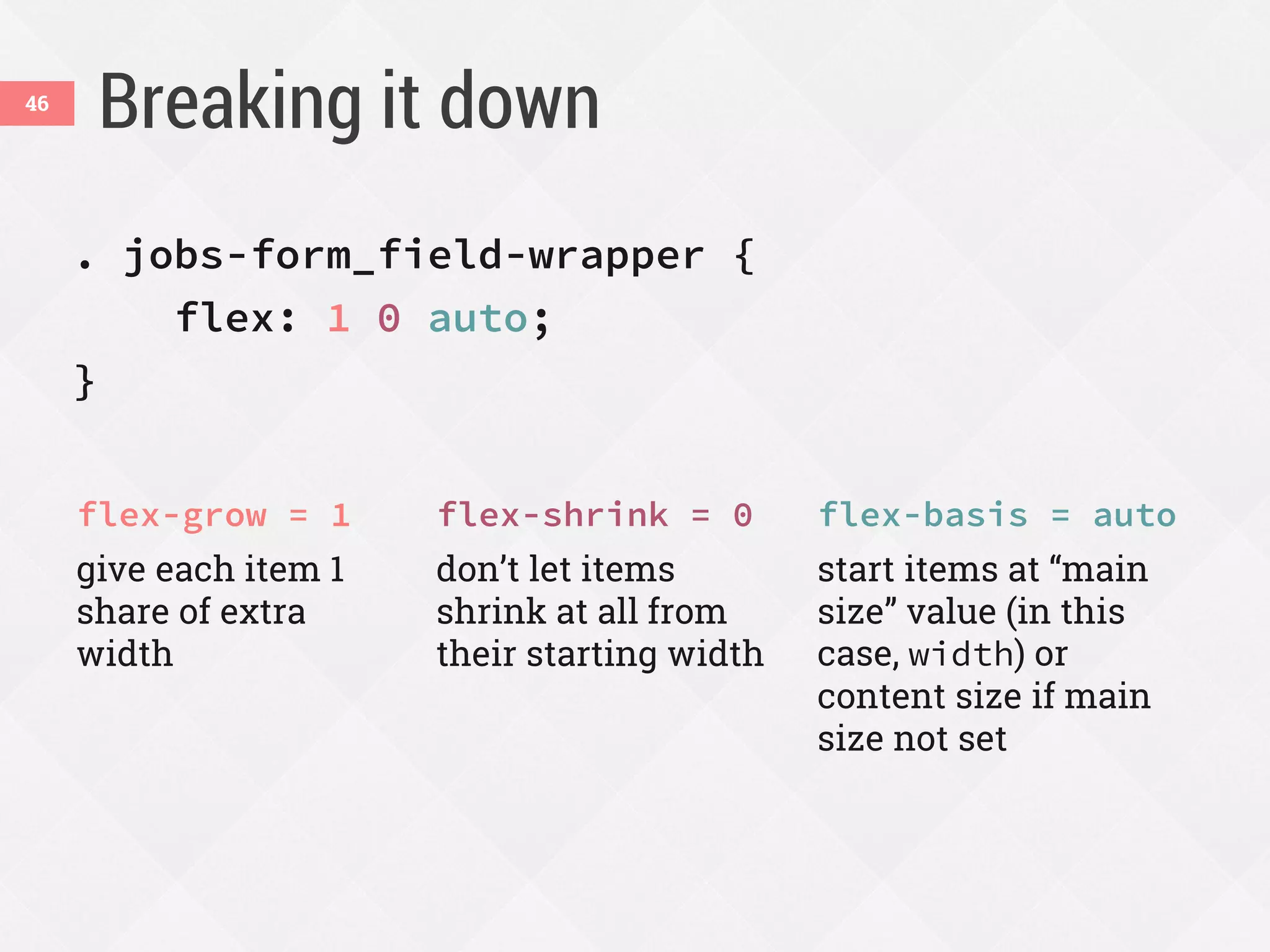
. jobs-form_field-wrapper {
flex: 1 0 auto;
}
flex-grow = 1
give each item 1
share of extra
width
flex-shrink = 0
don’t let items
shrink at all from
their starting width
flex-basis = auto
start items at ā€œmain
sizeā€ value (in this
case, width) or
content size if main
size not set
46
What flex-basis: auto will do47
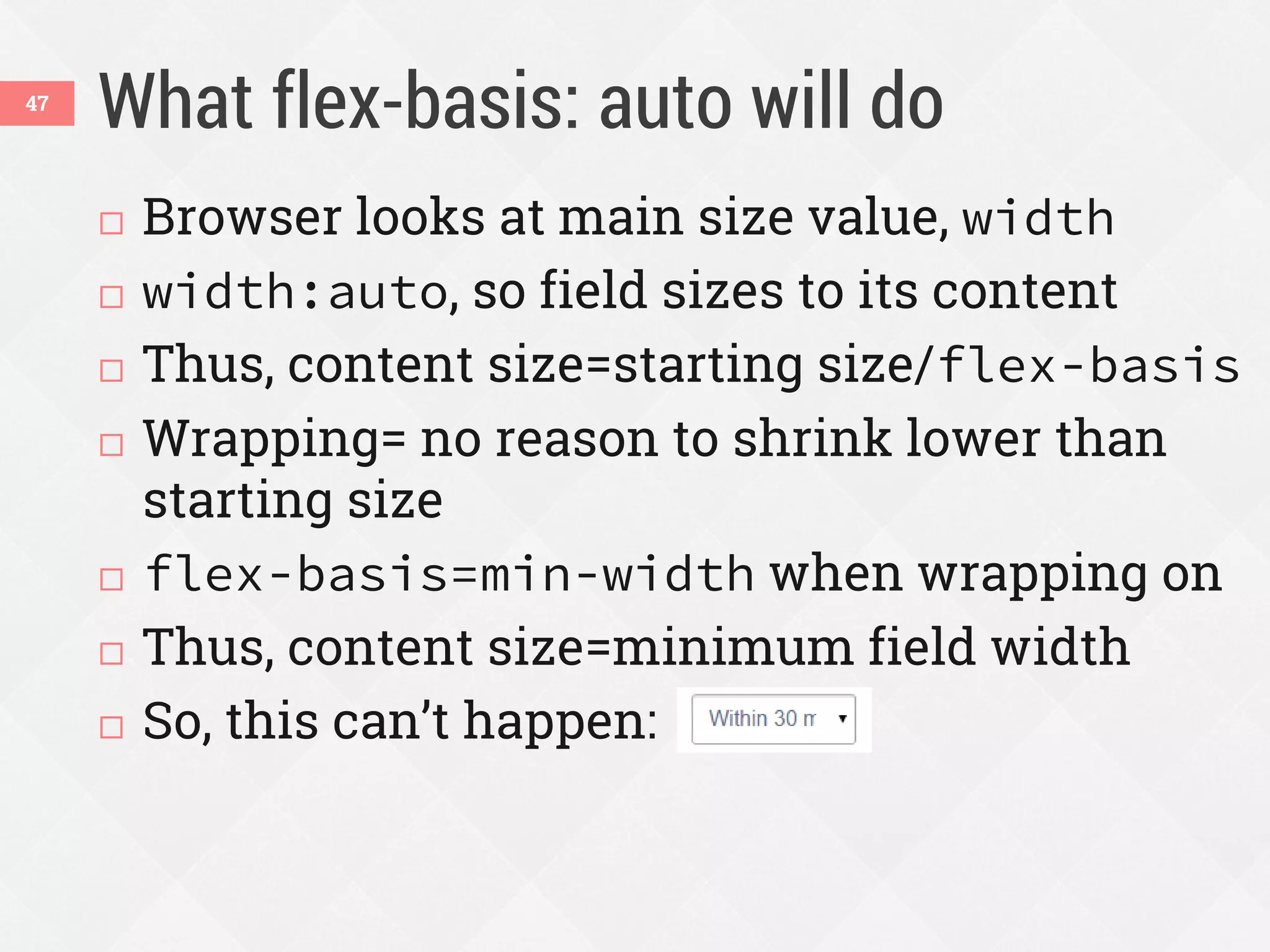
 Browser looks at main size value, width
 width:auto, so field sizes to its content
 Thus, content size=starting size/flex-basis
 Wrapping= no reason to shrink lower than
starting size
 flex-basis=min-width when wrapping on
 Thus, content size=minimum field width
 So, this can’t happen:
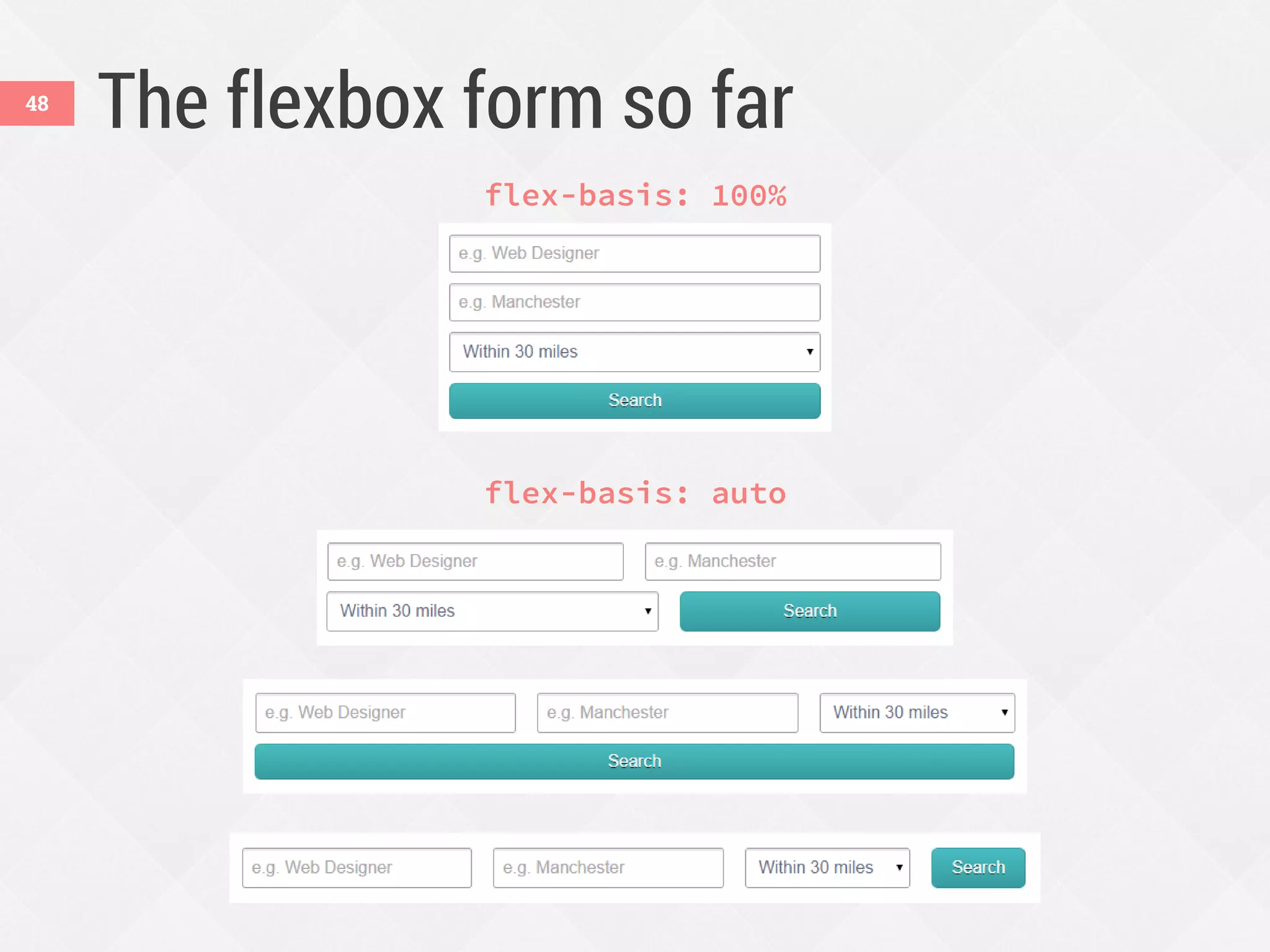
The flexbox form so far48
flex-basis: 100%
flex-basis: auto
Enhance with flexbox49
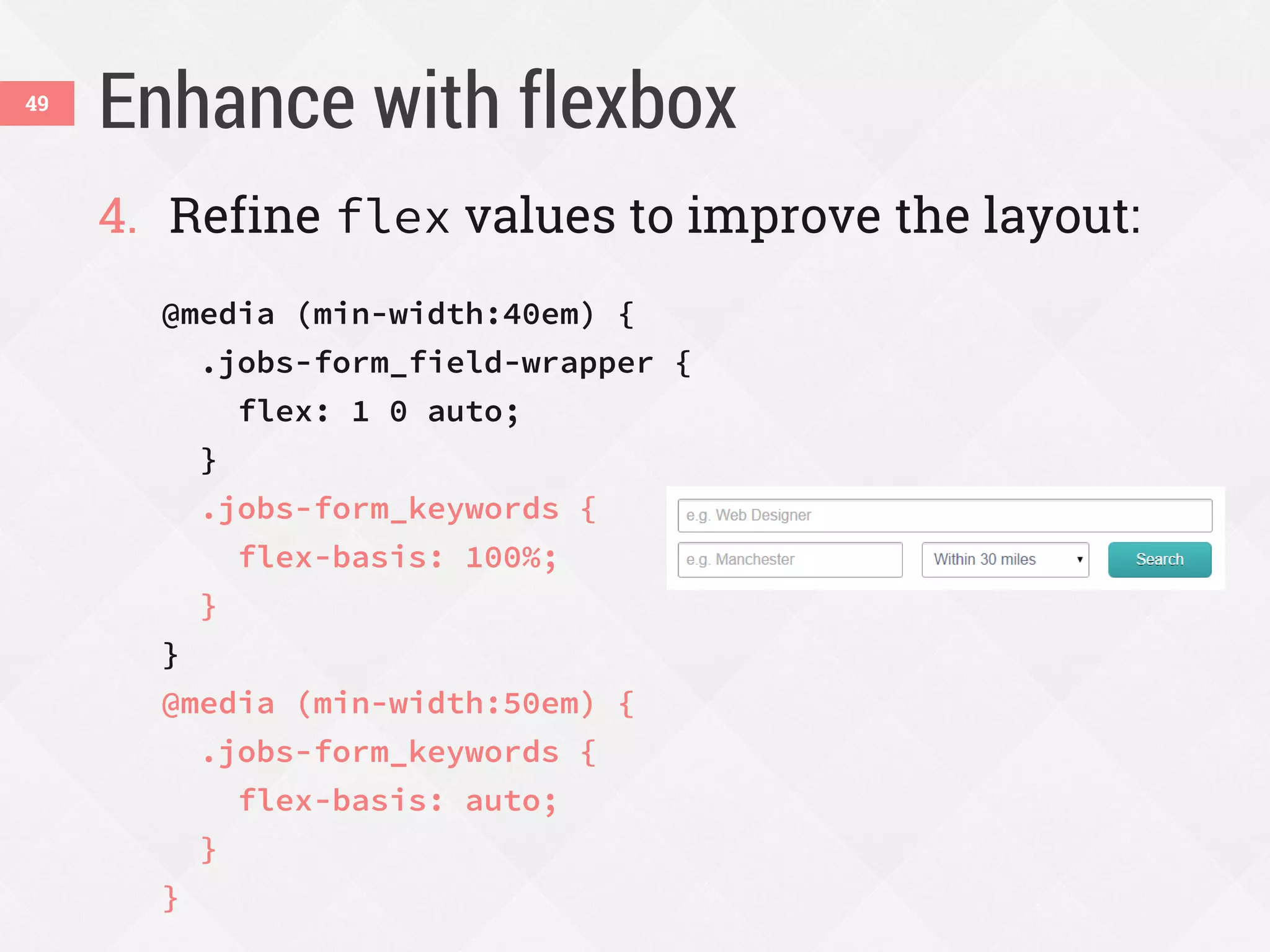
4. Refine flex values to improve the layout:
@media (min-width:40em) {
.jobs-form_field-wrapper {
flex: 1 0 auto;
}
.jobs-form_keywords {
flex-basis: 100%;
}
}
@media (min-width:50em) {
.jobs-form_keywords {
flex-basis: auto;
}
}
Enhance with flexbox50
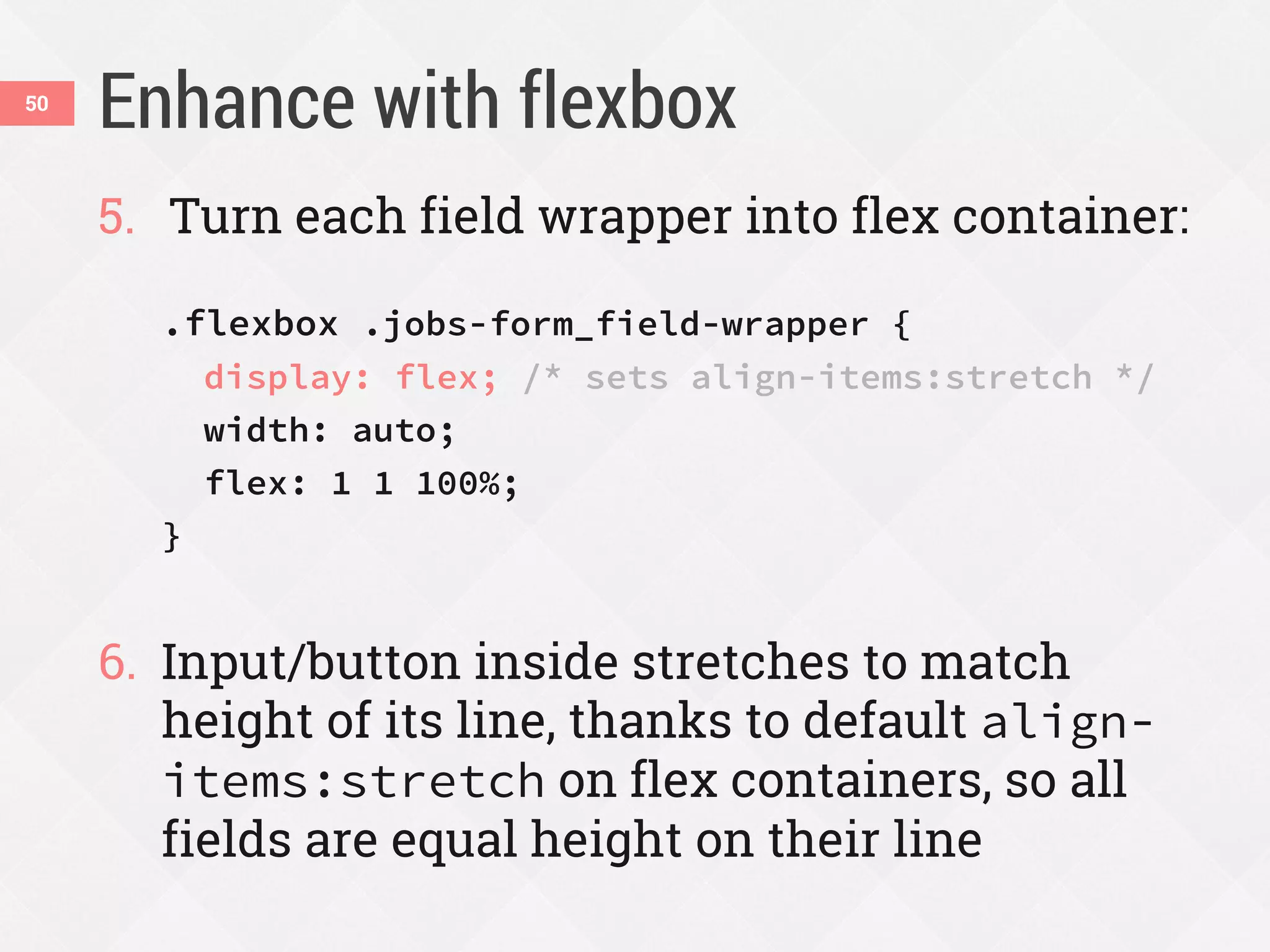
5. Turn each field wrapper into flex container:
.flexbox .jobs-form_field-wrapper {
display: flex; /* sets align-items:stretch */
width: auto;
flex: 1 1 100%;
}
6. Input/button inside stretches to match
height of its line, thanks to default align-
items:stretch on flex containers, so all
fields are equal height on their line
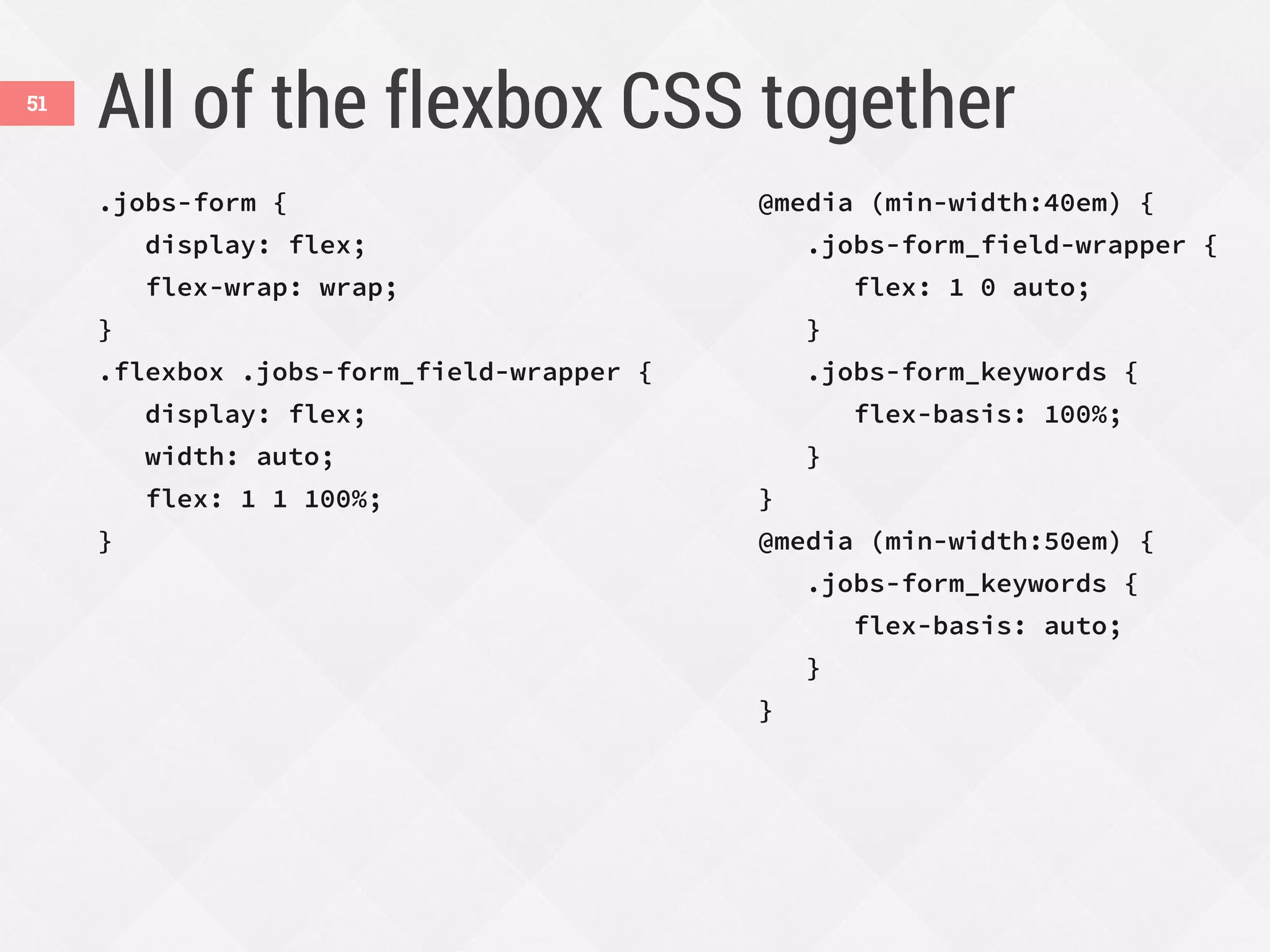
All of the flexbox CSS together
.jobs-form {
display: flex;
flex-wrap: wrap;
}
.flexbox .jobs-form_field-wrapper {
display: flex;
width: auto;
flex: 1 1 100%;
}
@media (min-width:40em) {
.jobs-form_field-wrapper {
flex: 1 0 auto;
}
.jobs-form_keywords {
flex-basis: 100%;
}
}
@media (min-width:50em) {
.jobs-form_keywords {
flex-basis: auto;
}
}
51
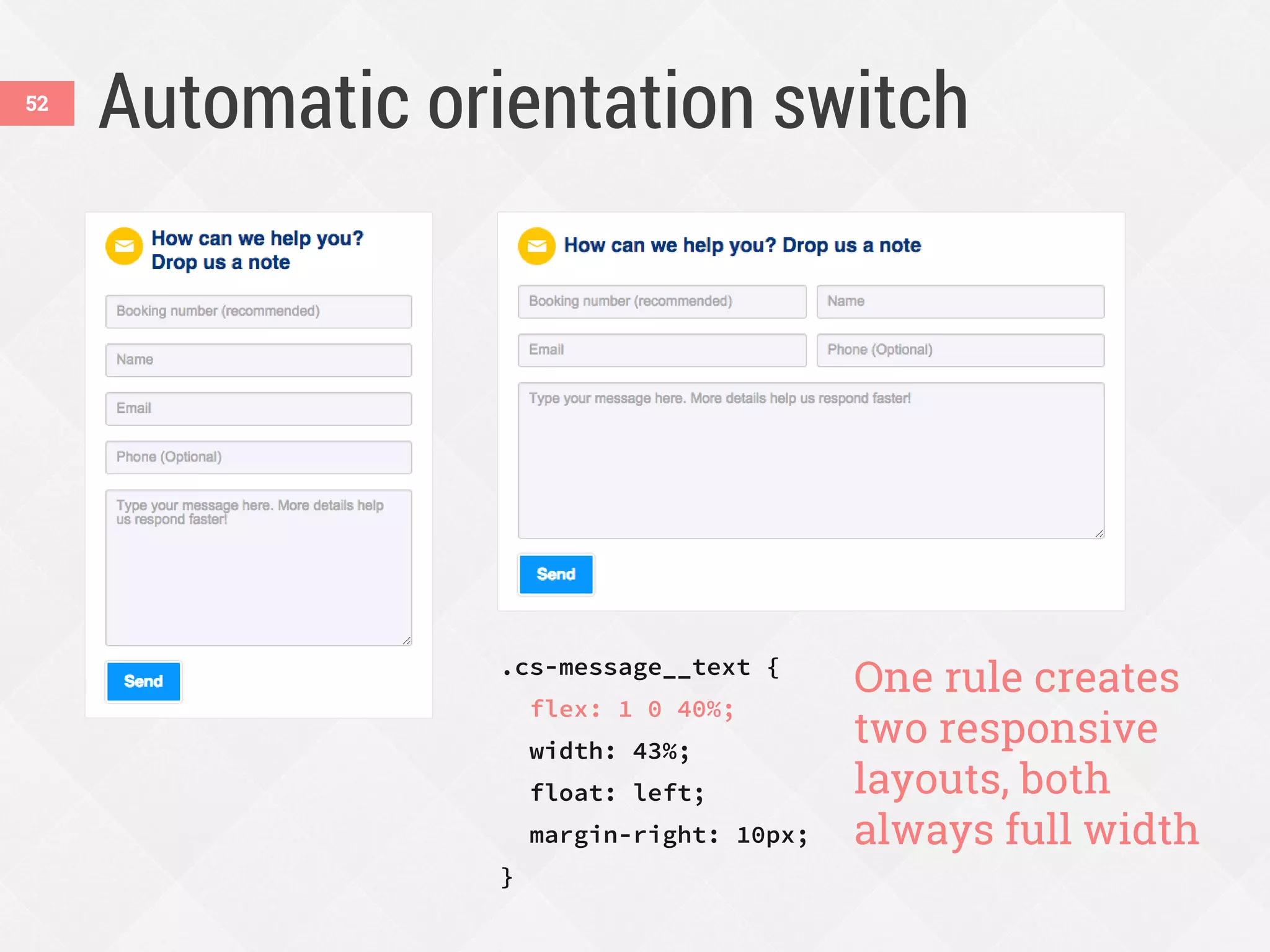
Automatic orientation switch
.cs-message__text {
flex: 1 0 40%;
width: 43%;
float: left;
margin-right: 10px;
}
One rule creates
two responsive
layouts, both
always full width
52
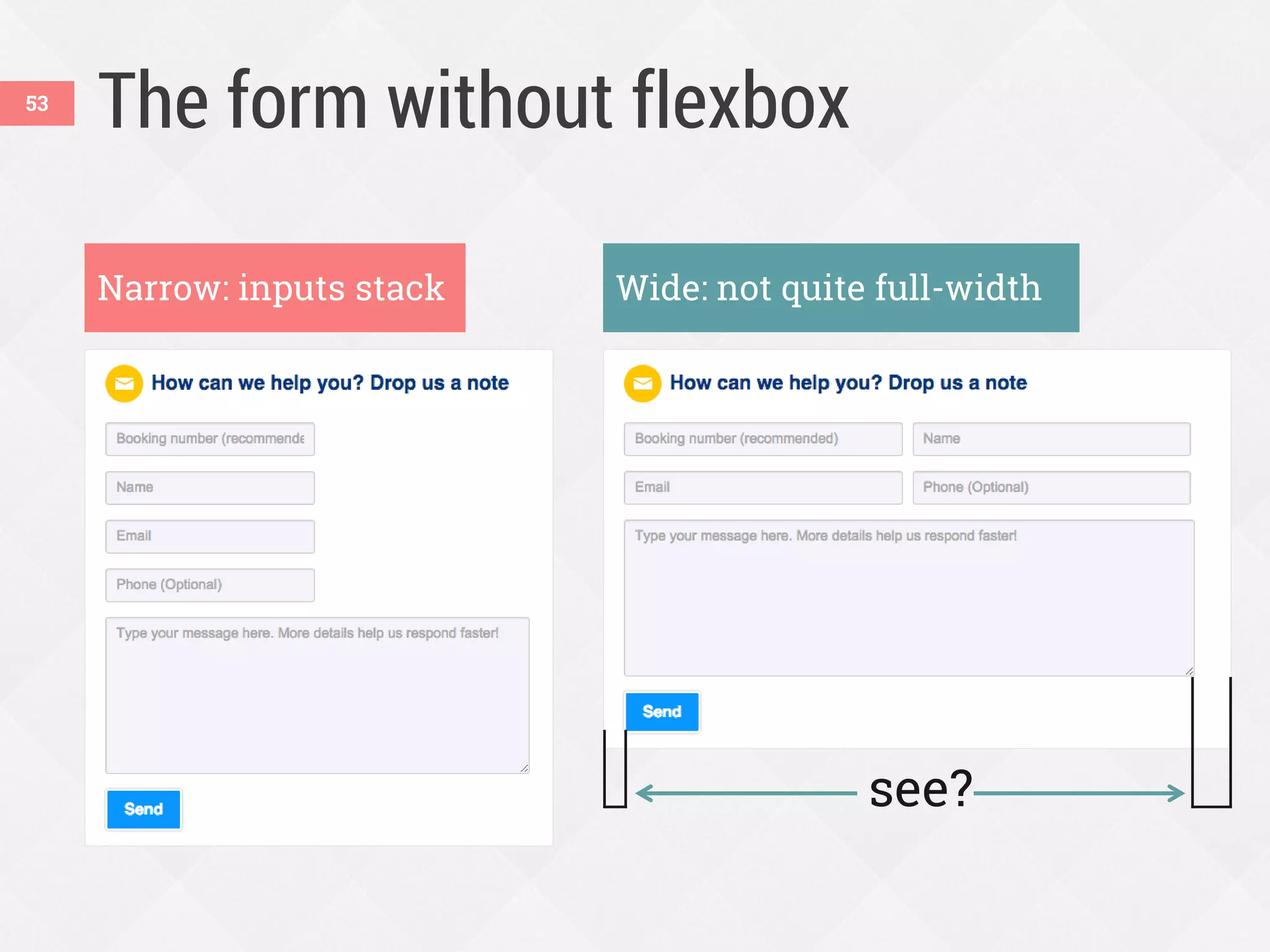
The form without flexbox
Narrow: inputs stack Wide: not quite full-width
see?
53
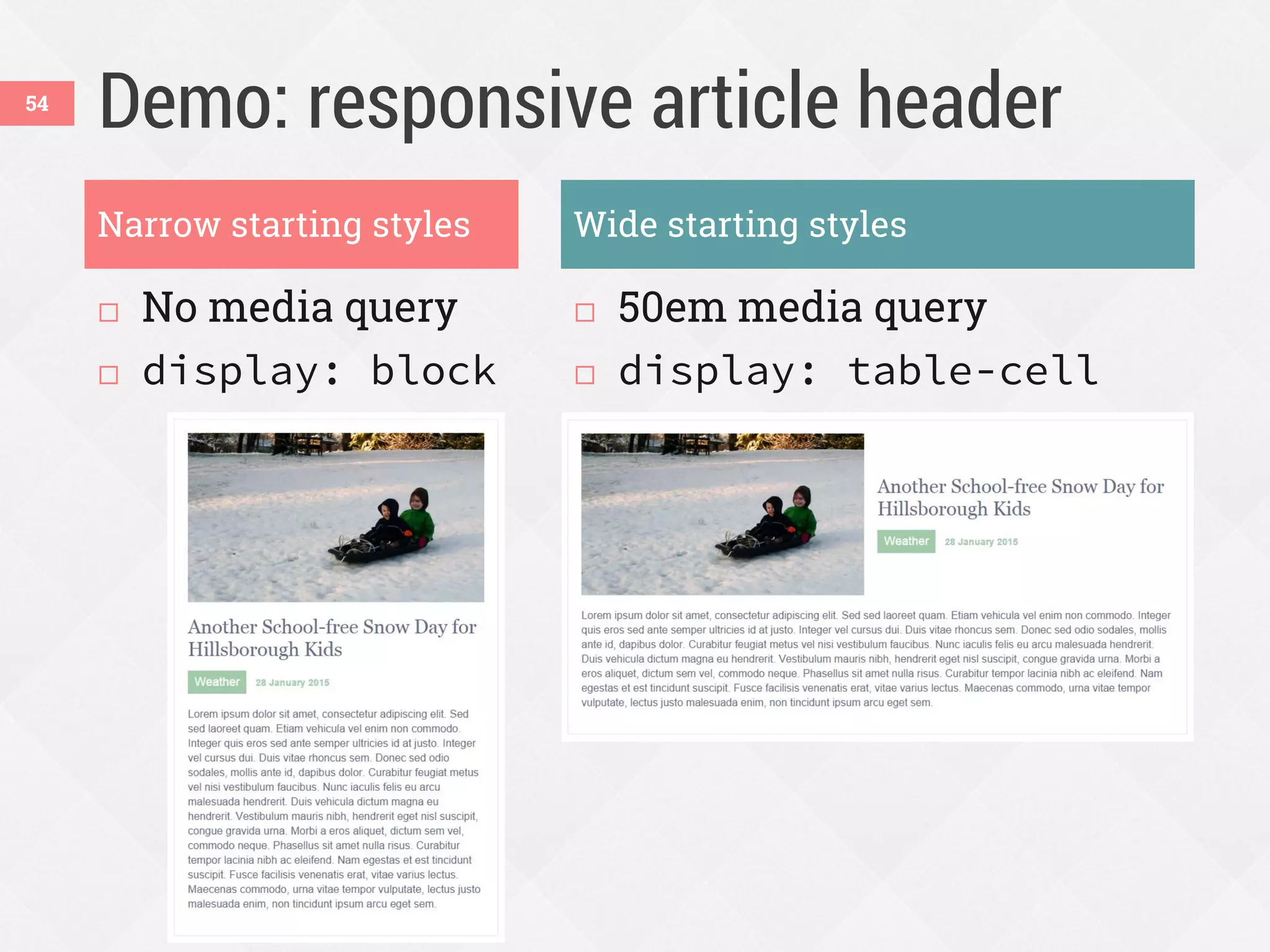
Demo: responsive article header
 No media query
 display: block
 50em media query
 display: table-cell
54
Narrow starting styles Wide starting styles
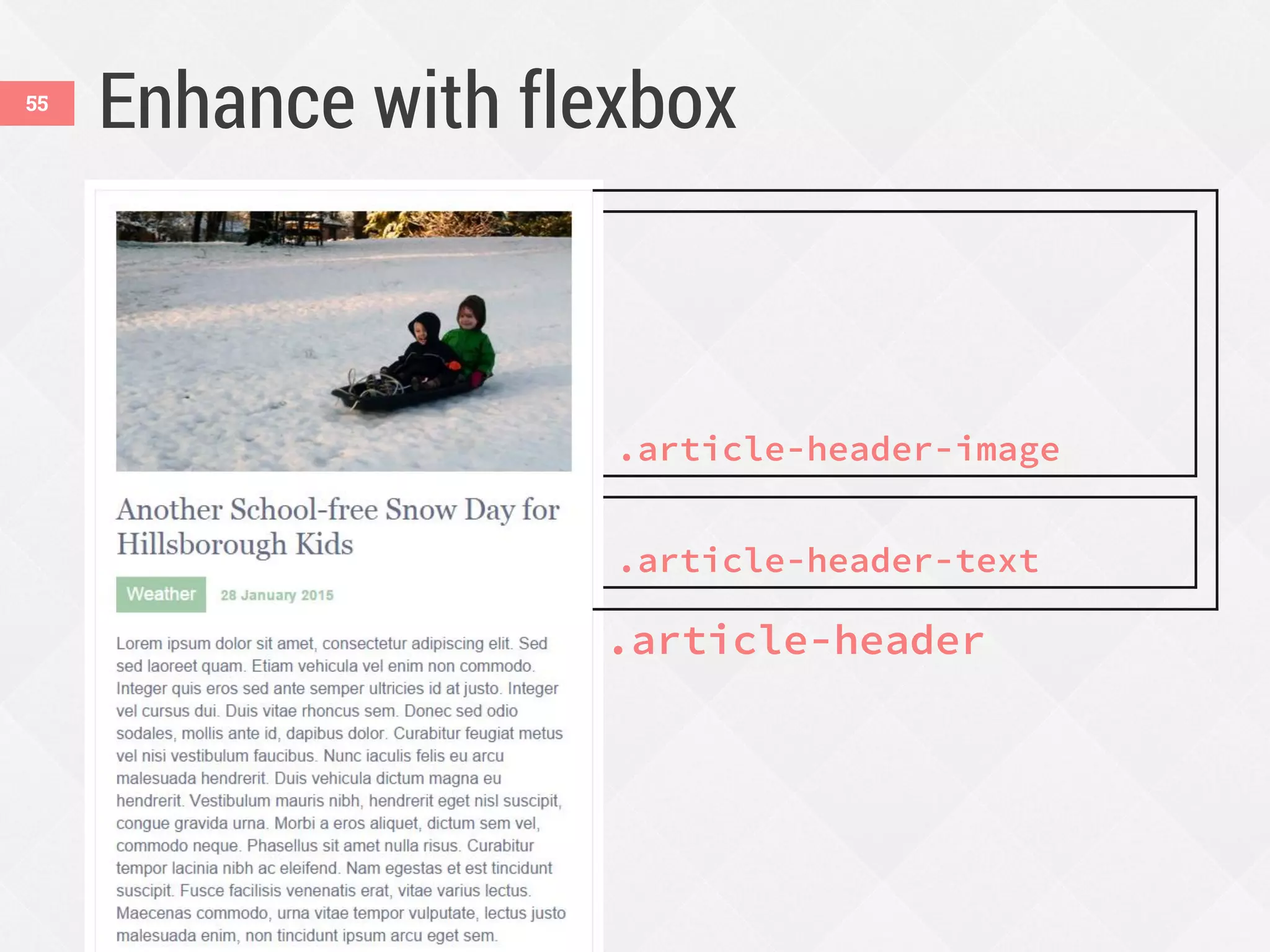
Enhance with flexbox55
.article-header
.article-header-image
.article-header-text
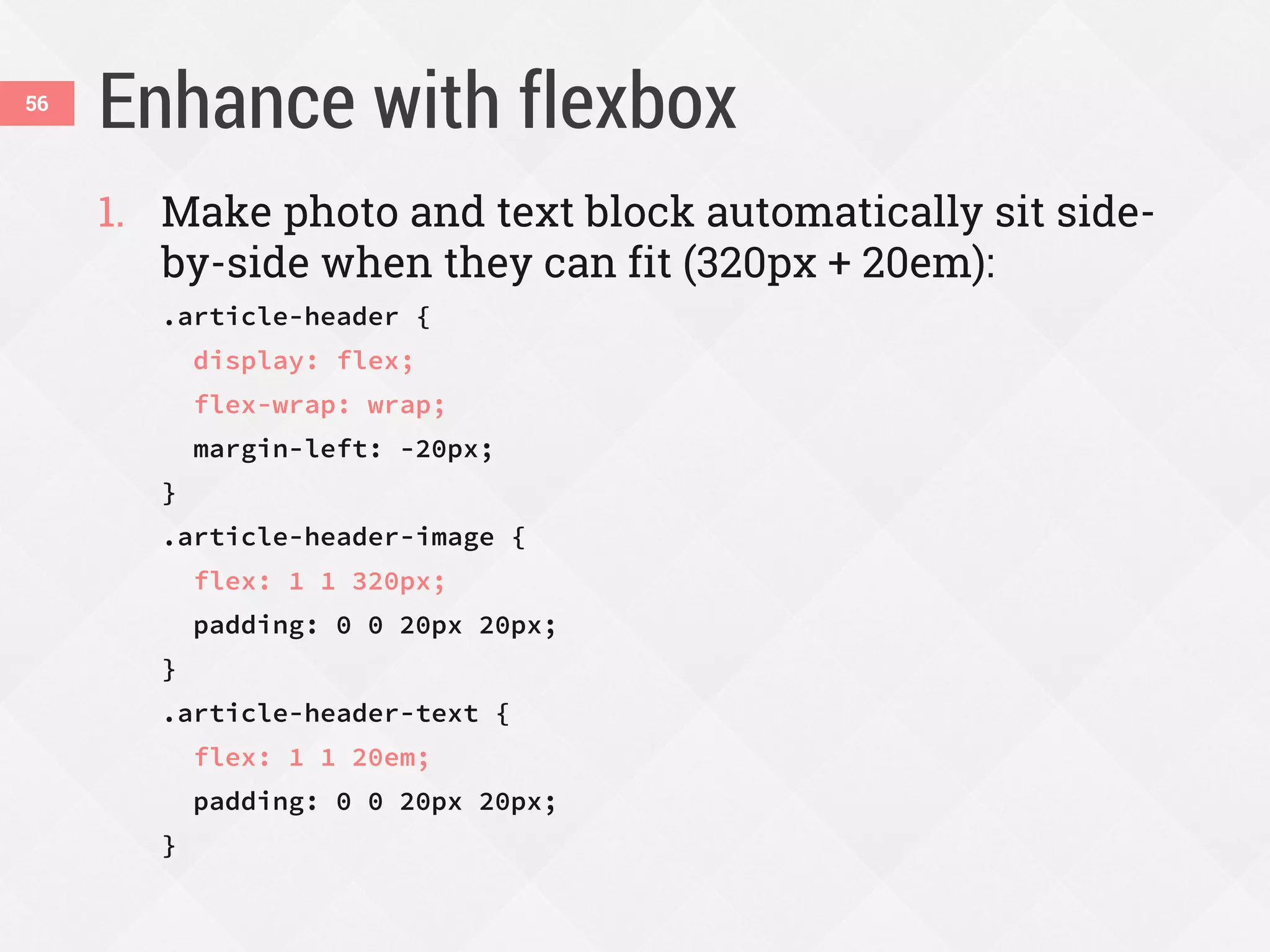
Enhance with flexbox56
1. Make photo and text block automatically sit side-
by-side when they can fit (320px + 20em):
.article-header {
display: flex;
flex-wrap: wrap;
margin-left: -20px;
}
.article-header-image {
flex: 1 1 320px;
padding: 0 0 20px 20px;
}
.article-header-text {
flex: 1 1 20em;
padding: 0 0 20px 20px;
}
Enhance with flexbox57
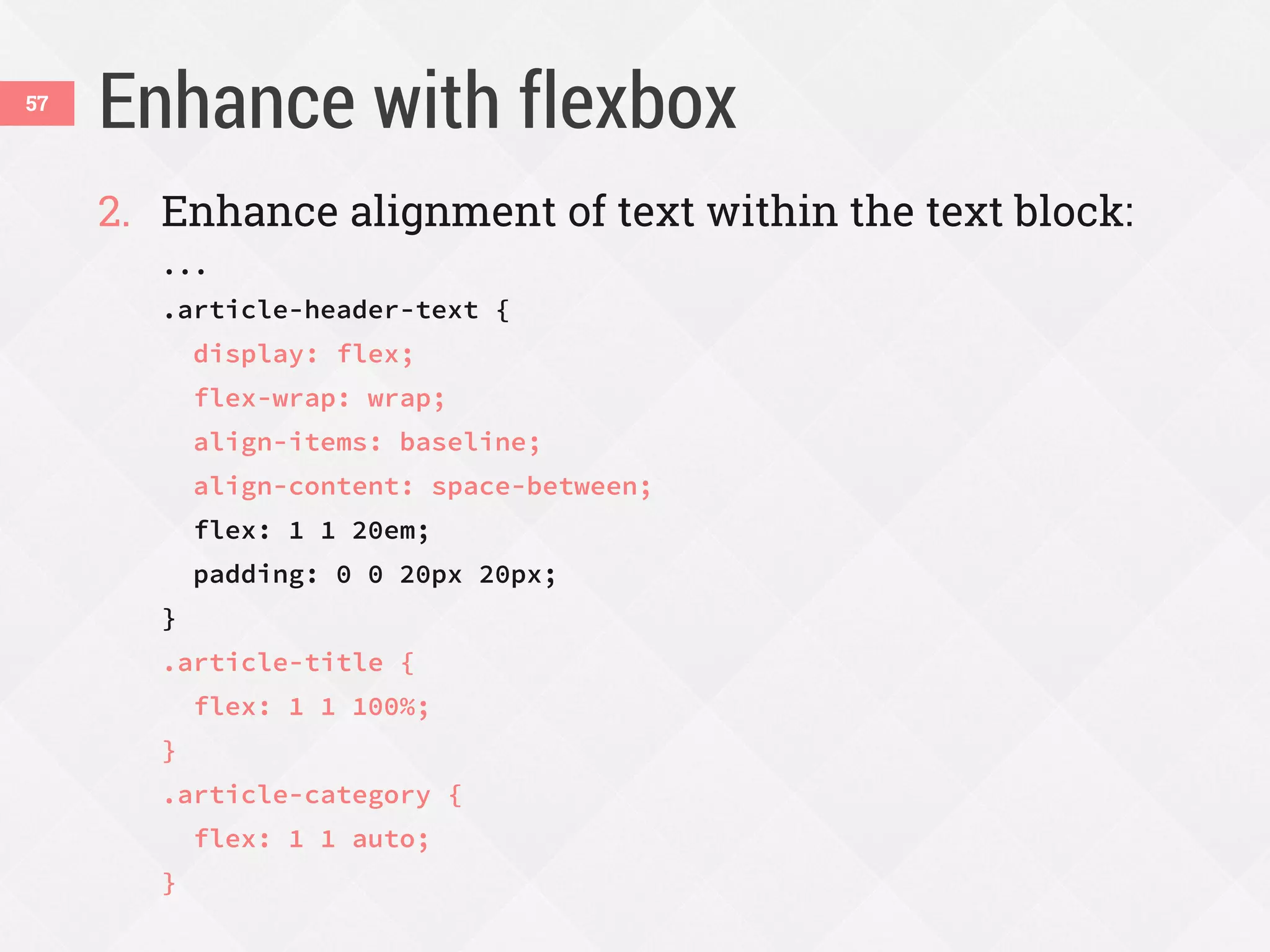
2. Enhance alignment of text within the text block:
...
.article-header-text {
display: flex;
flex-wrap: wrap;
align-items: baseline;
align-content: space-between;
flex: 1 1 20em;
padding: 0 0 20px 20px;
}
.article-title {
flex: 1 1 100%;
}
.article-category {
flex: 1 1 auto;
}
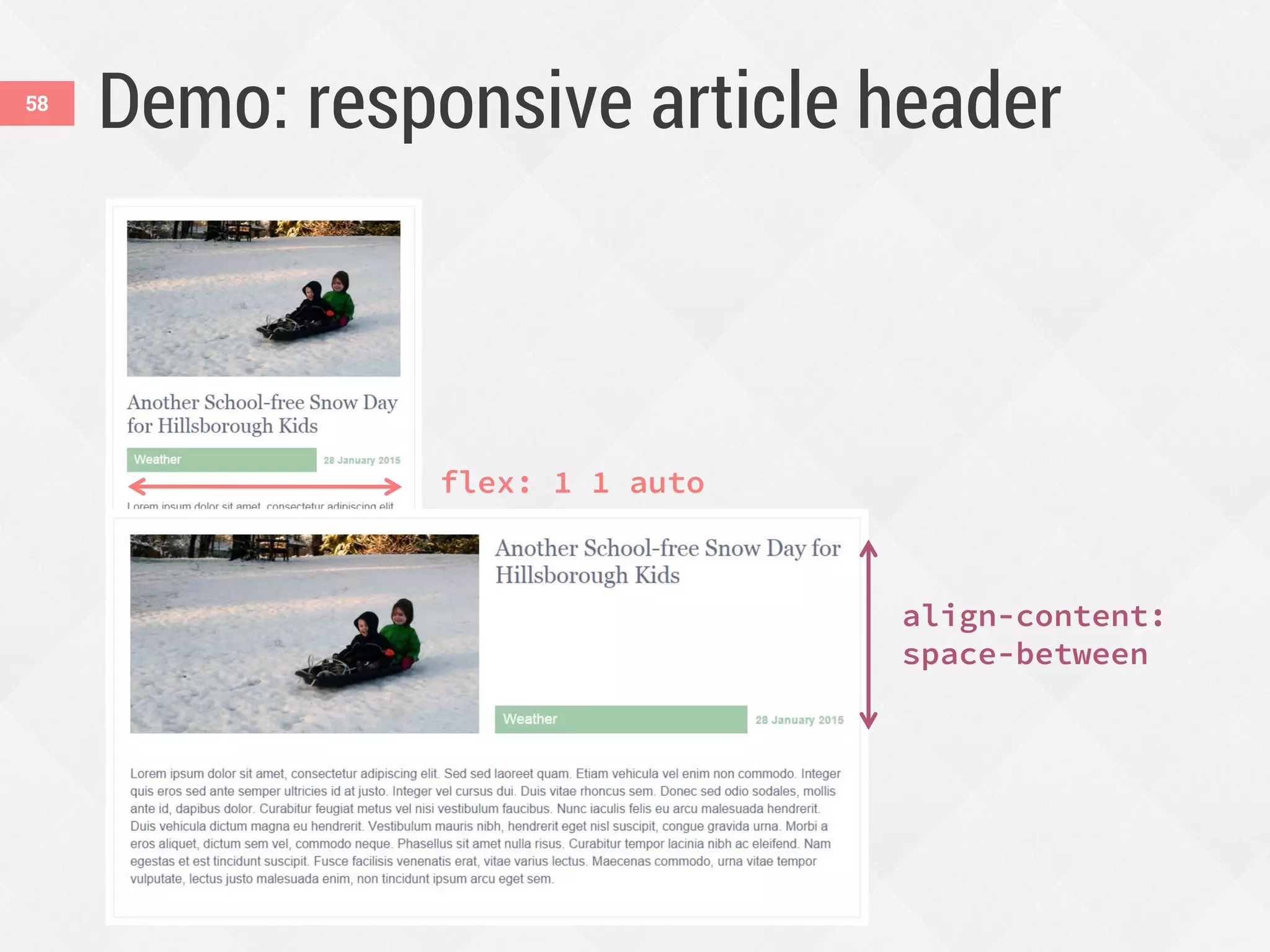
Demo: responsive article header58
flex: 1 1 auto
align-content:
space-between
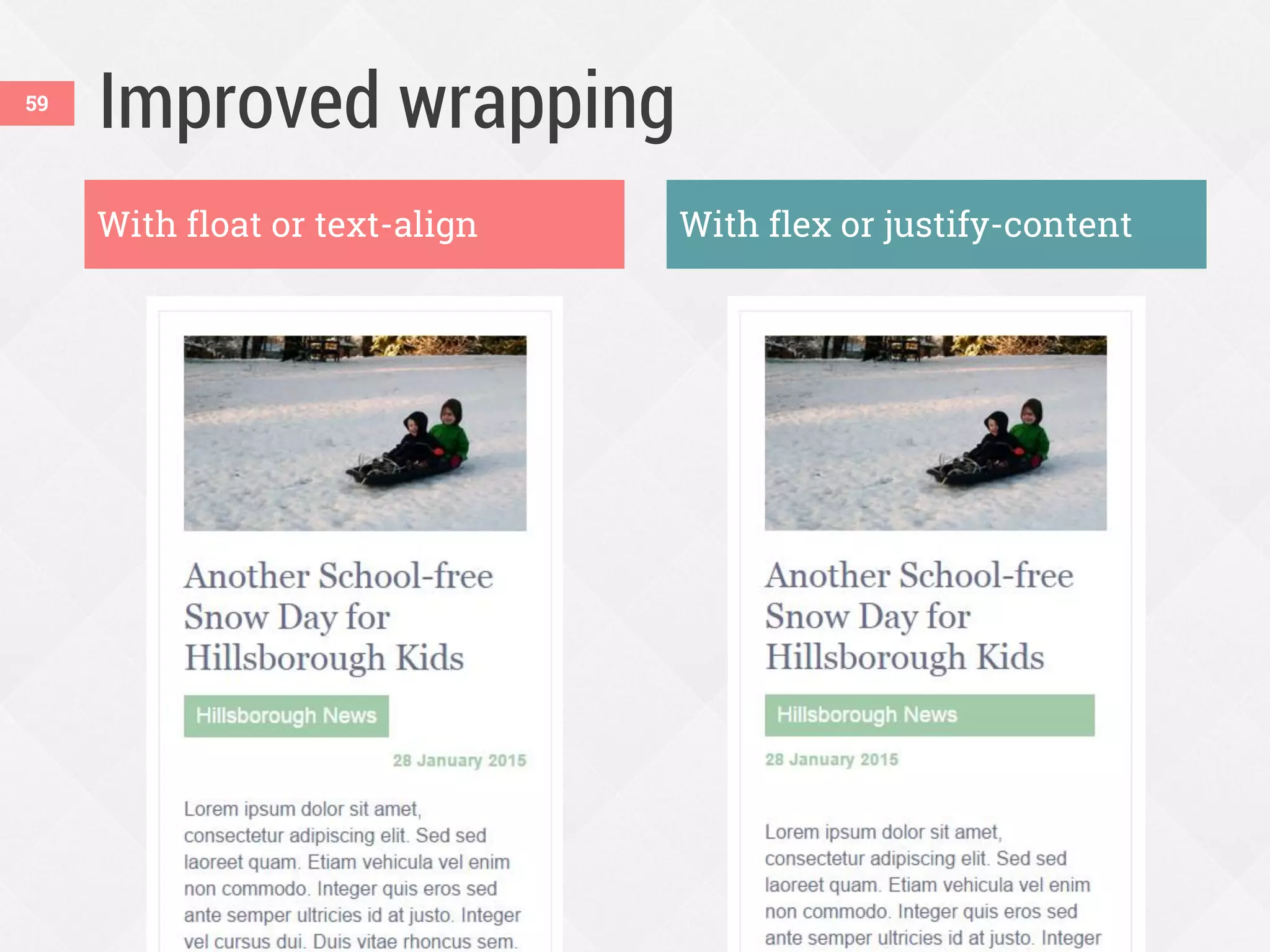
Improved wrapping59
With float or text-align With flex or justify-content
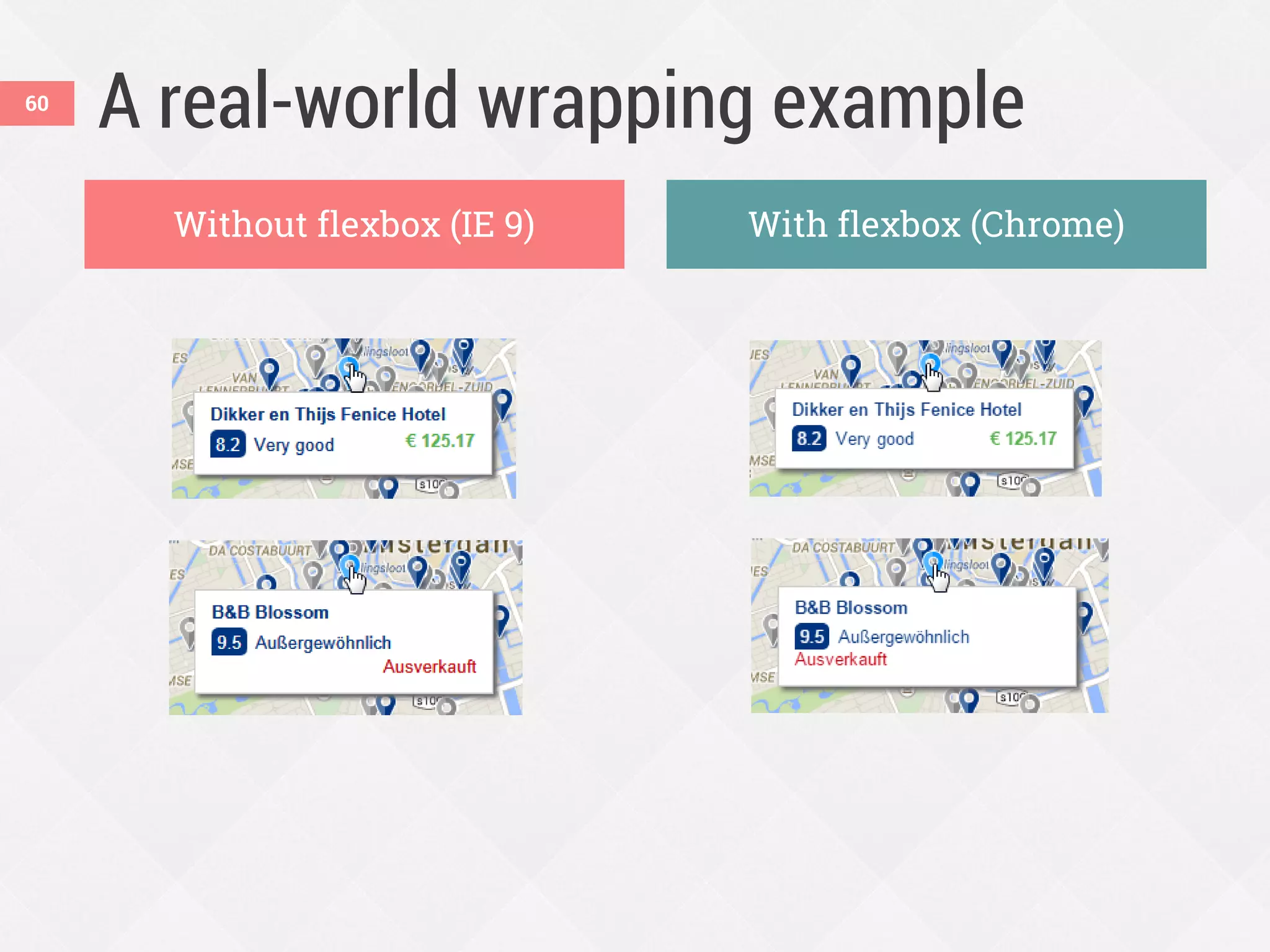
A real-world wrapping example
Without flexbox (IE 9) With flexbox (Chrome)
60
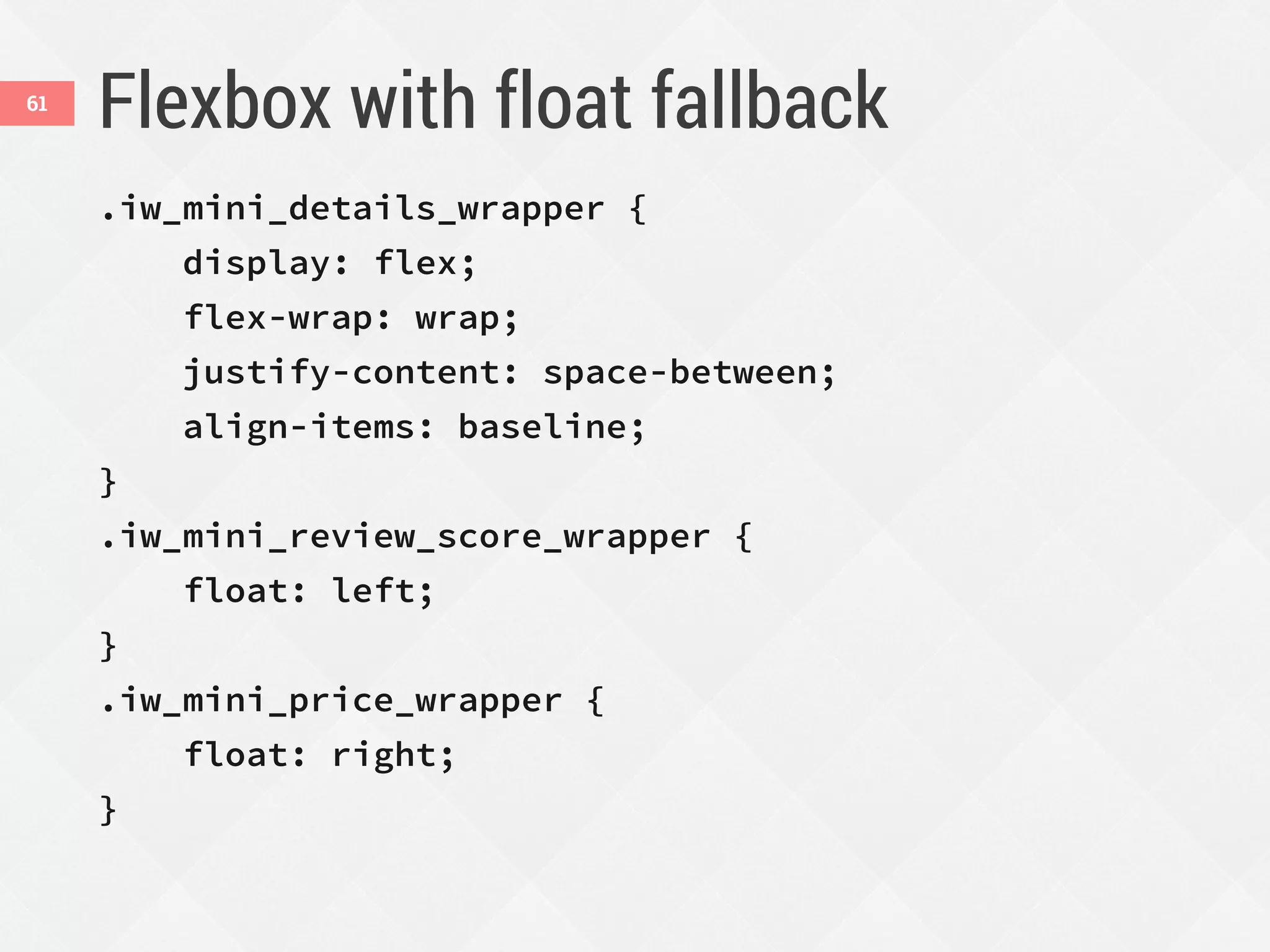
Flexbox with float fallback
.iw_mini_details_wrapper {
display: flex;
flex-wrap: wrap;
justify-content: space-between;
align-items: baseline;
}
.iw_mini_review_score_wrapper {
float: left;
}
.iw_mini_price_wrapper {
float: right;
}
61
Reordering content62
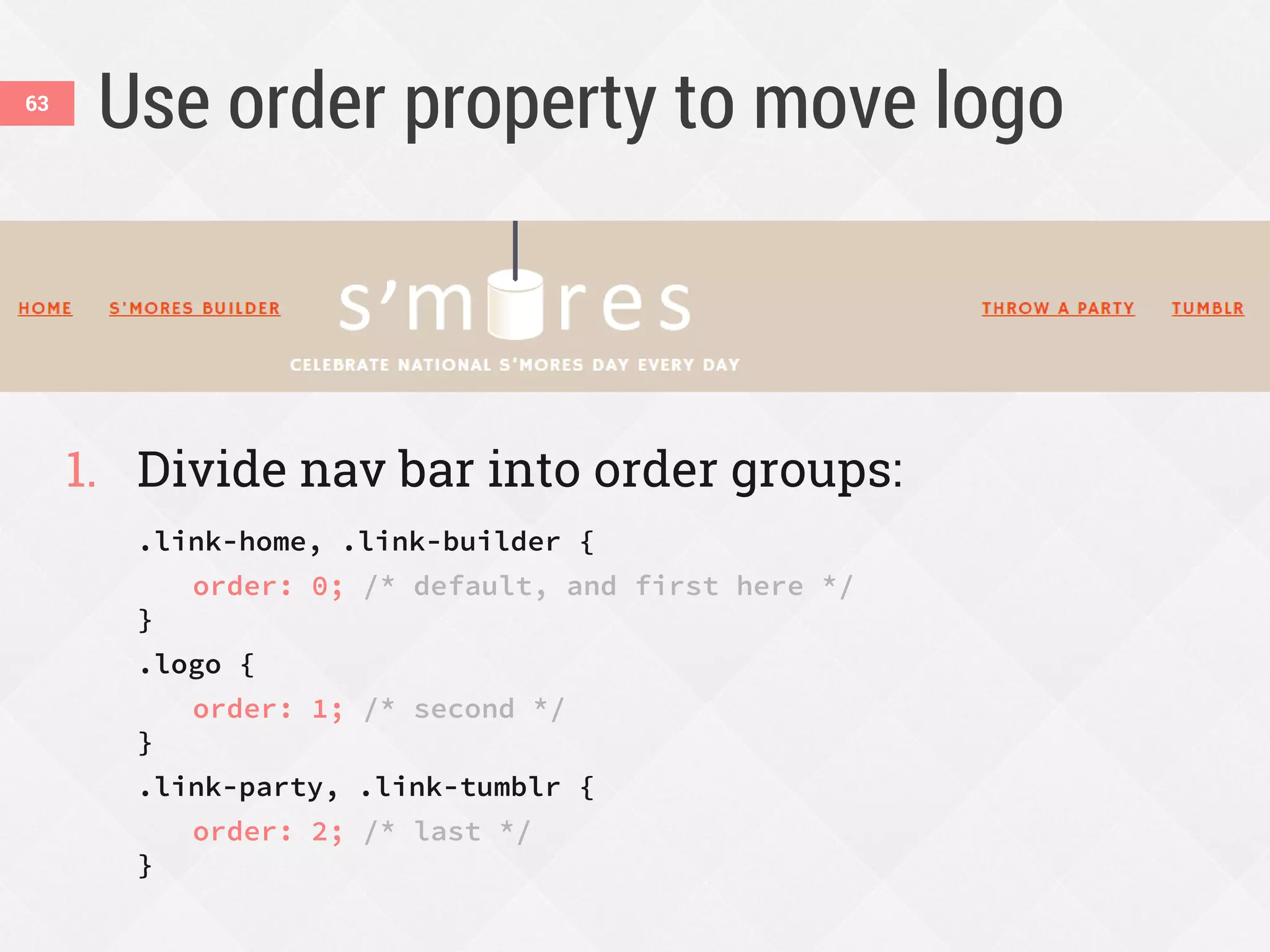
Use order property to move logo
1. Divide nav bar into order groups:
.link-home, .link-builder {
order: 0; /* default, and first here */
}
.logo {
order: 1; /* second */
}
.link-party, .link-tumblr {
order: 2; /* last */
}
63
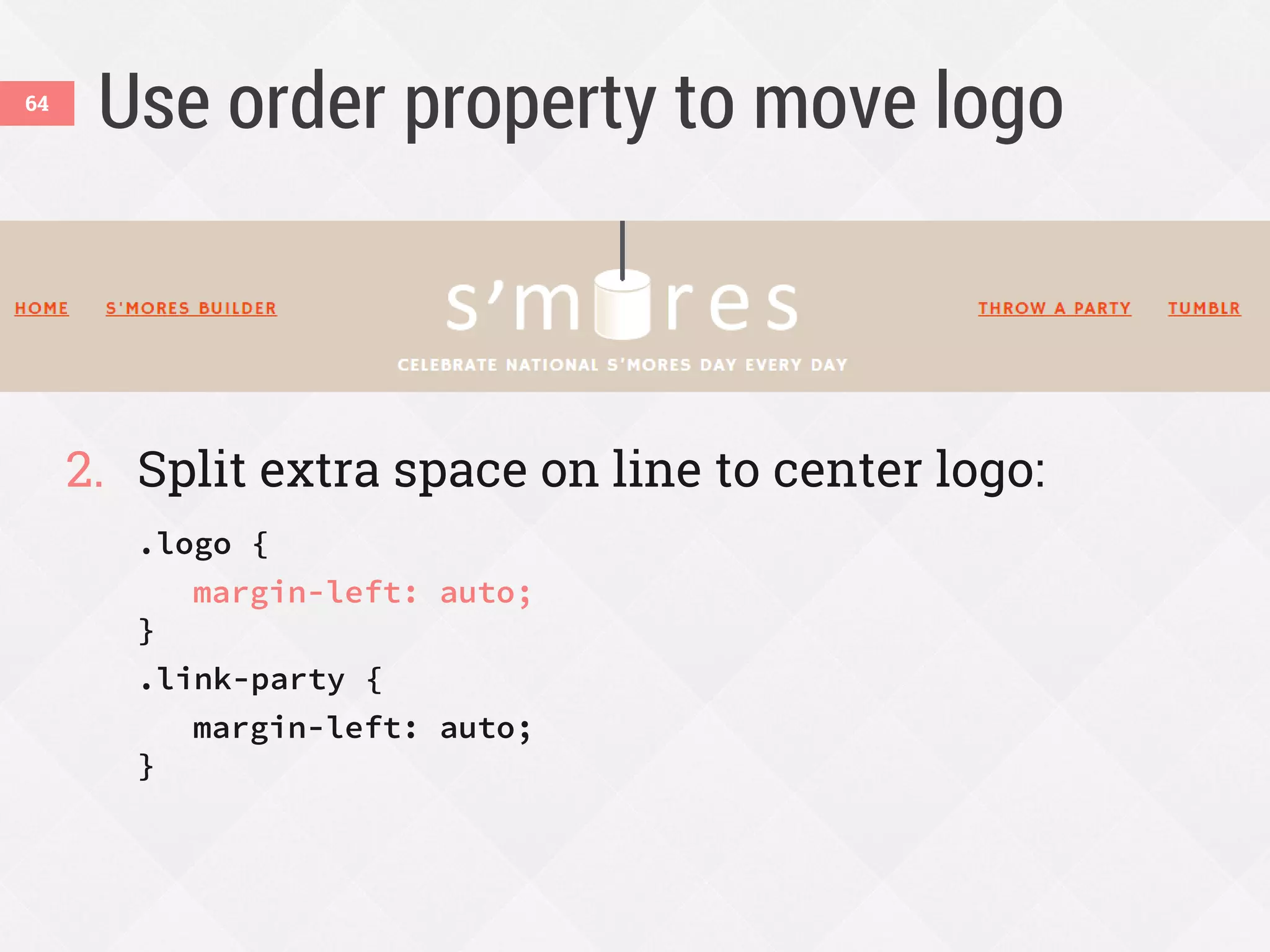
Use order property to move logo
2. Split extra space on line to center logo:
.logo {
margin-left: auto;
}
.link-party {
margin-left: auto;
}
64
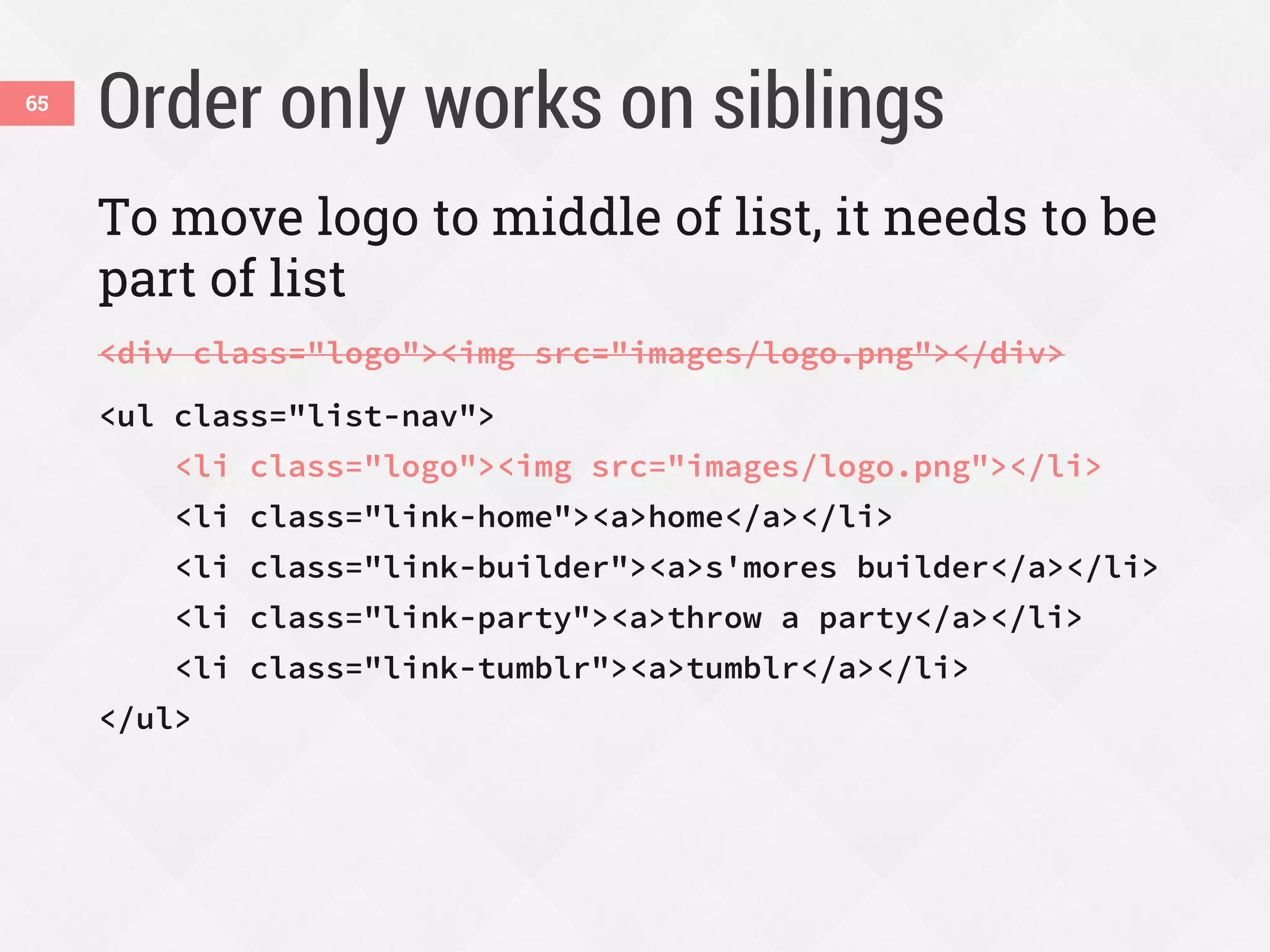
Order only works on siblings65
To move logo to middle of list, it needs to be
part of list
<div class="logo"><img src="images/logo.png"></div>
<ul class="list-nav">
<li class="logo"><img src="images/logo.png"></li>
<li class="link-home"><a>home</a></li>
<li class="link-builder"><a>s'mores builder</a></li>
<li class="link-party"><a>throw a party</a></li>
<li class="link-tumblr"><a>tumblr</a></li>
</ul>
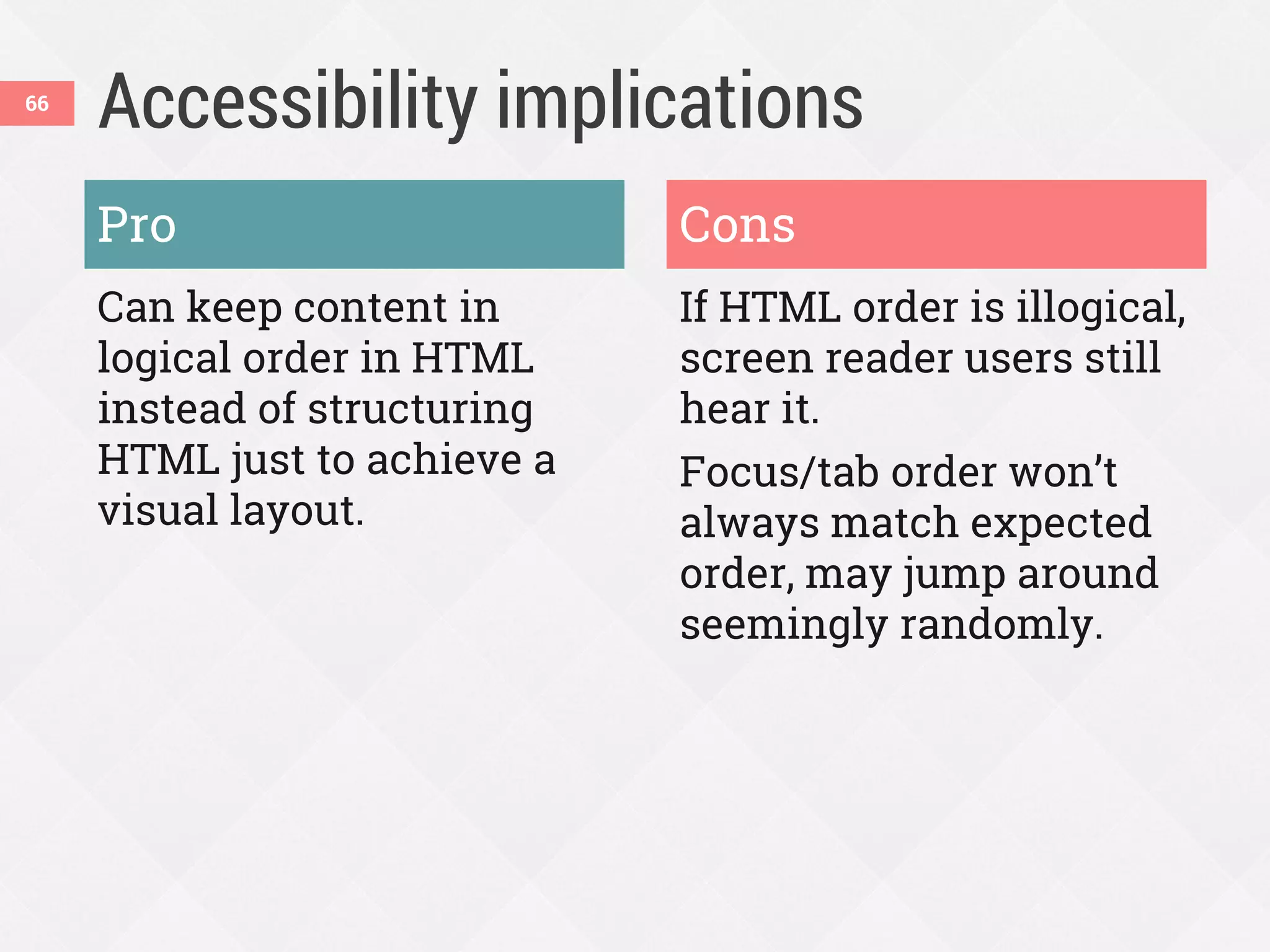
Accessibility implications
Pro
Can keep content in
logical order in HTML
instead of structuring
HTML just to achieve a
visual layout.
Cons
If HTML order is illogical,
screen reader users still
hear it.
Focus/tab order won’t
always match expected
order, may jump around
seemingly randomly.
66
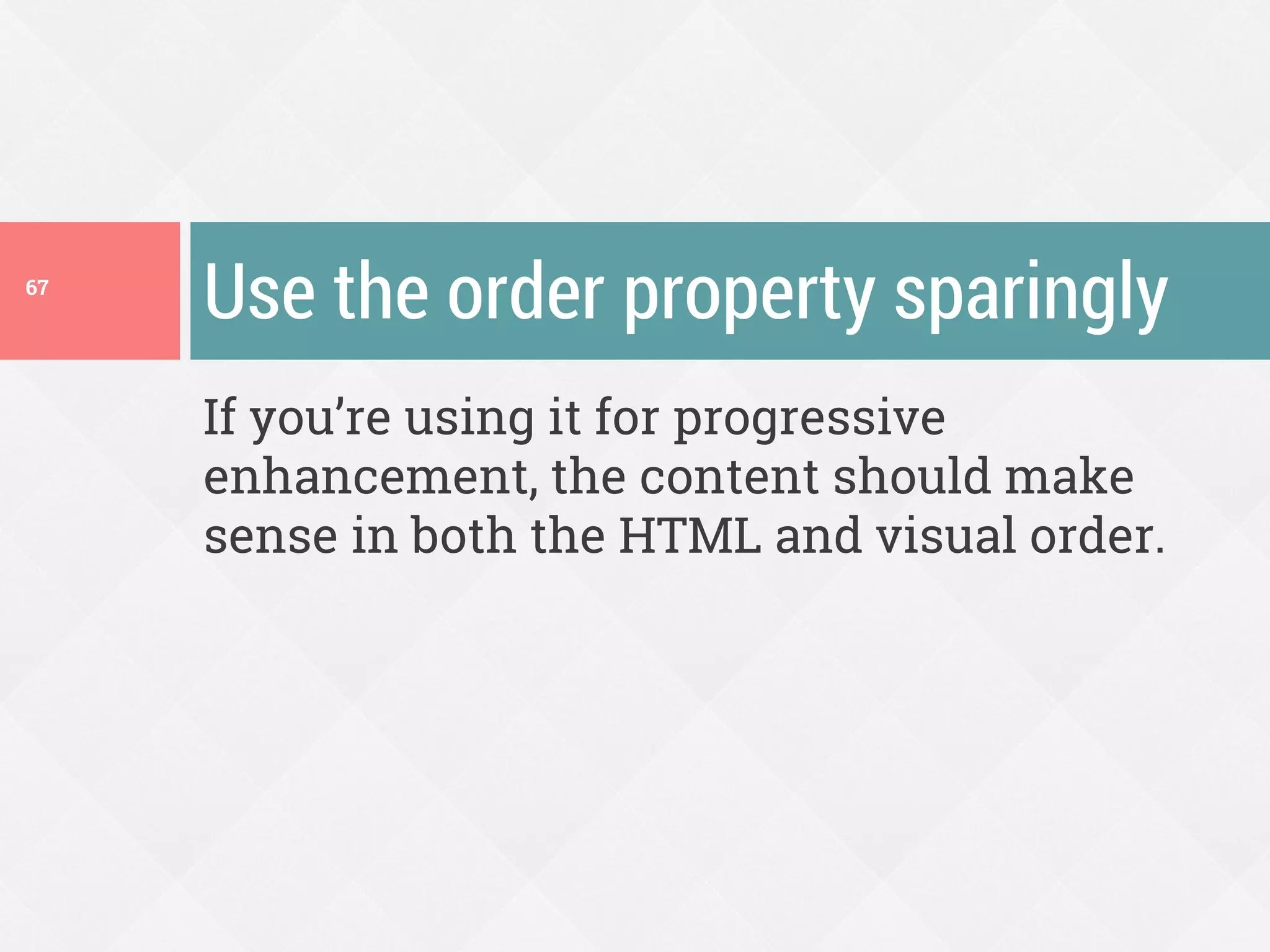
If you’re using it for progressive
enhancement, the content should make
sense in both the HTML and visual order.
Use the order property sparingly67
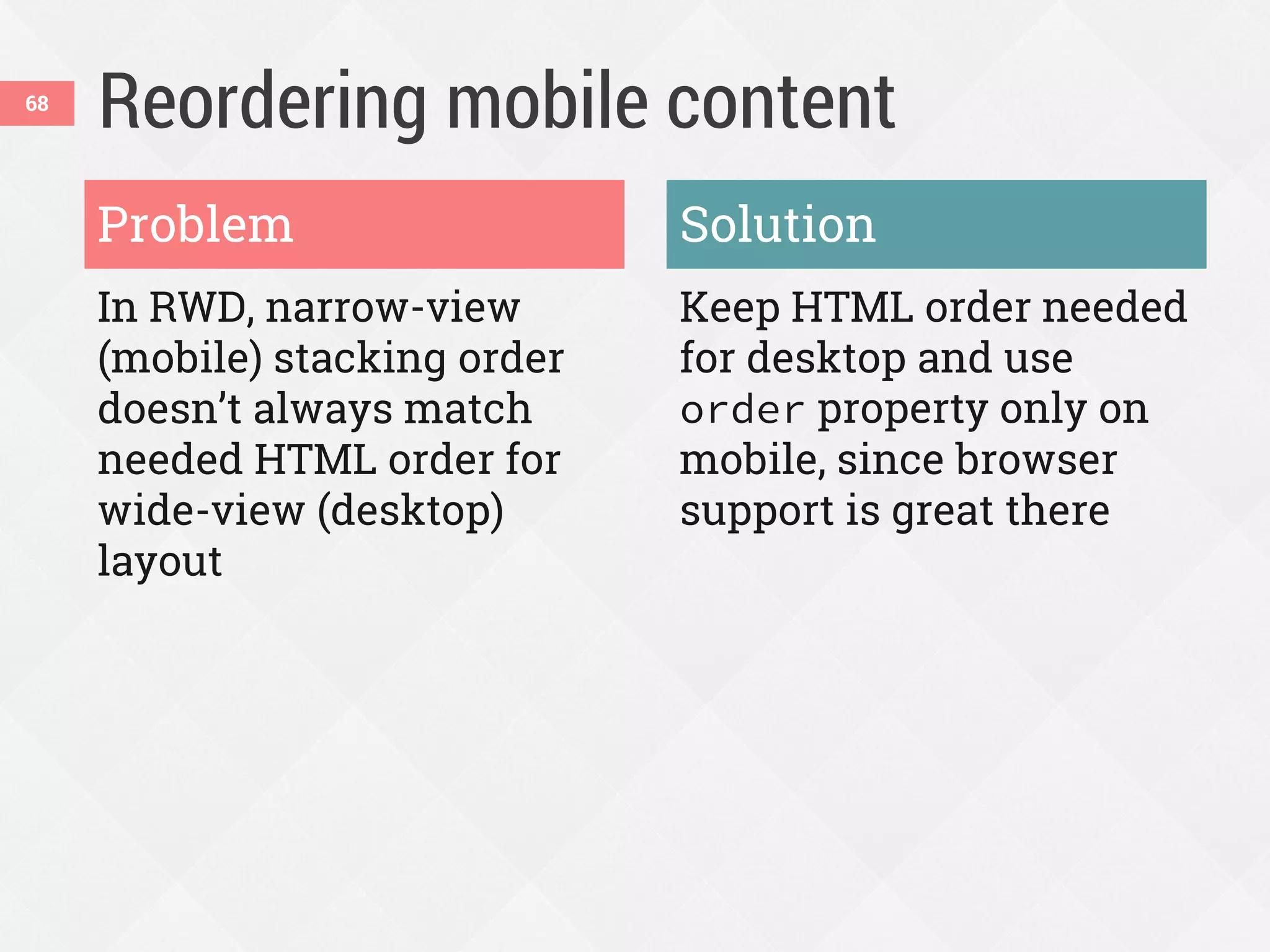
Reordering mobile content
In RWD, narrow-view
(mobile) stacking order
doesn’t always match
needed HTML order for
wide-view (desktop)
layout
Keep HTML order needed
for desktop and use
order property only on
mobile, since browser
support is great there
Problem Solution
68
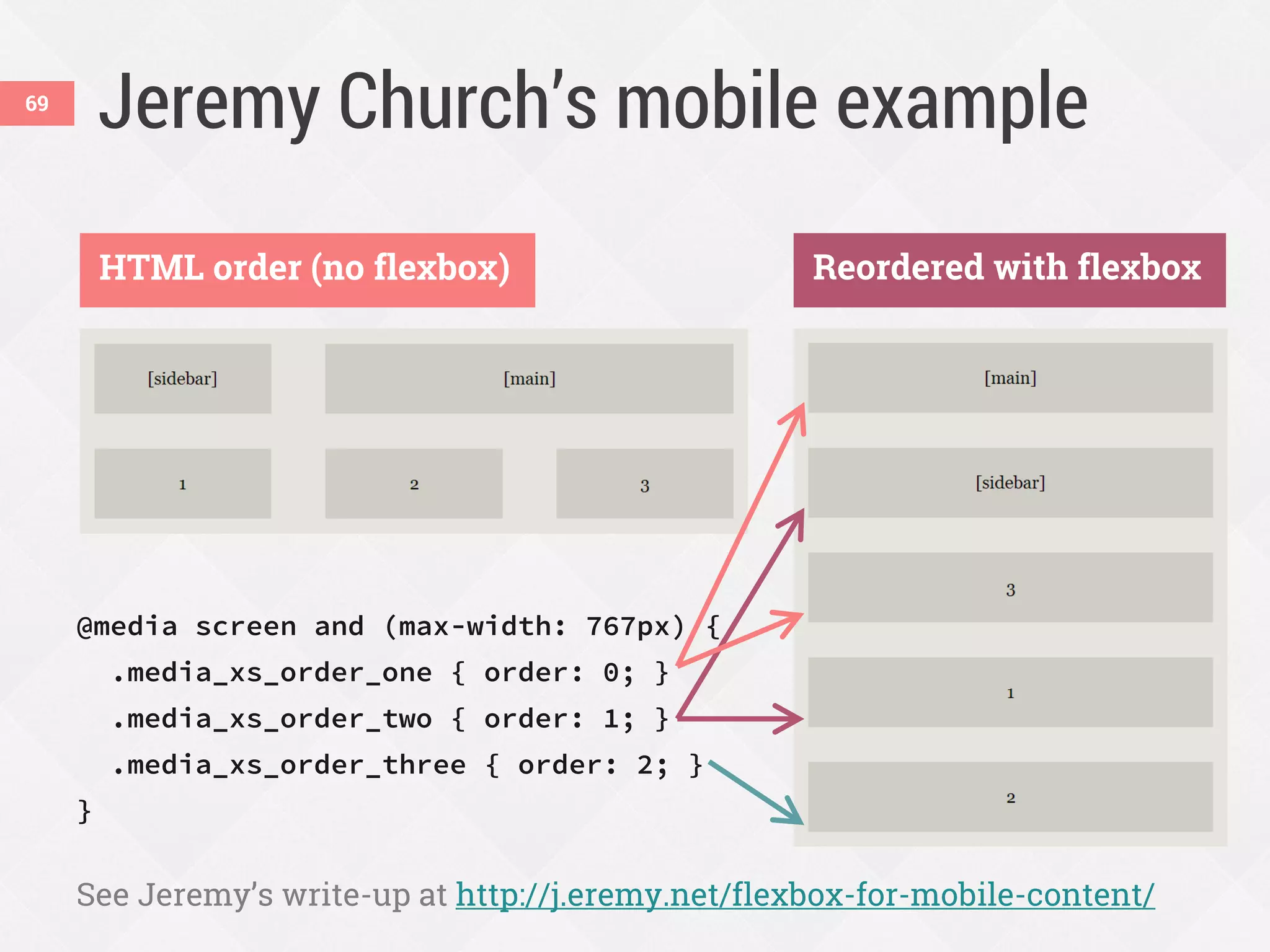
Jeremy Church’s mobile example
@media screen and (max-width: 767px) {
.media_xs_order_one { order: 0; }
.media_xs_order_two { order: 1; }
.media_xs_order_three { order: 2; }
}
See Jeremy’s write-up at http://j.eremy.net/flexbox-for-mobile-content/
HTML order (no flexbox) Reordered with flexbox
69
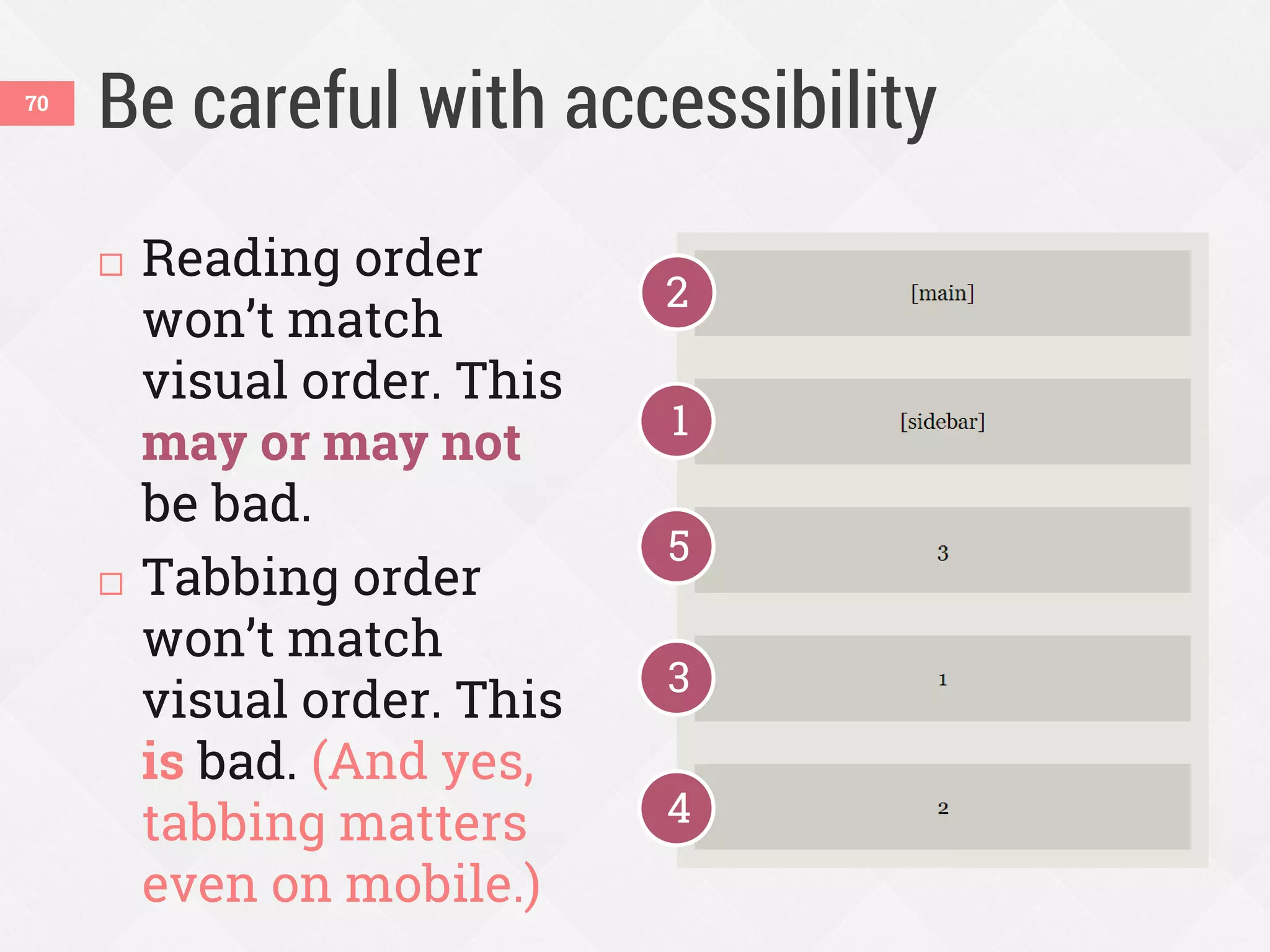
Be careful with accessibility
 Reading order
won’t match
visual order. This
may or may not
be bad.
 Tabbing order
won’t match
visual order. This
is bad. (And yes,
tabbing matters
even on mobile.)
1
3
2
4
5
70
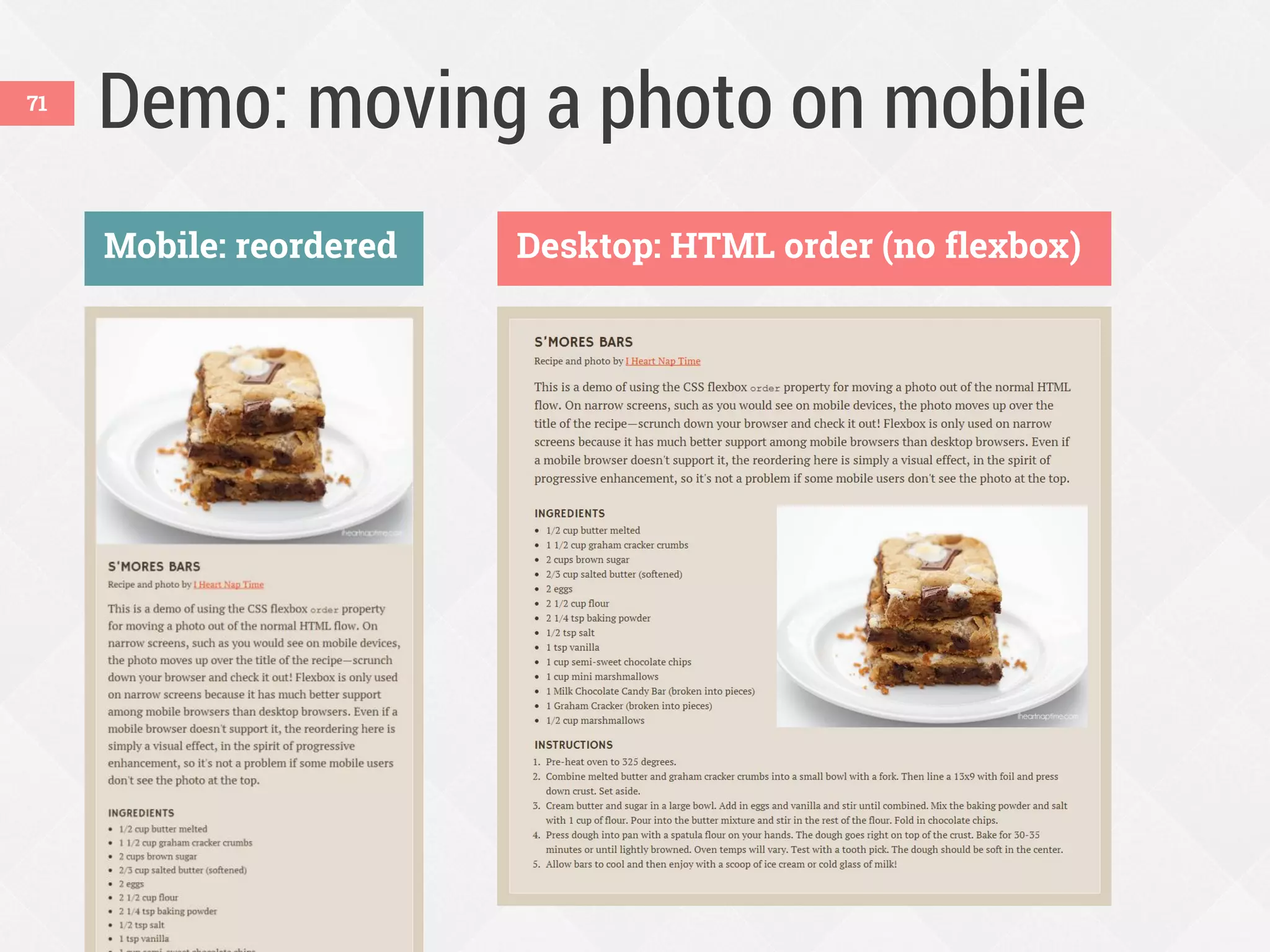
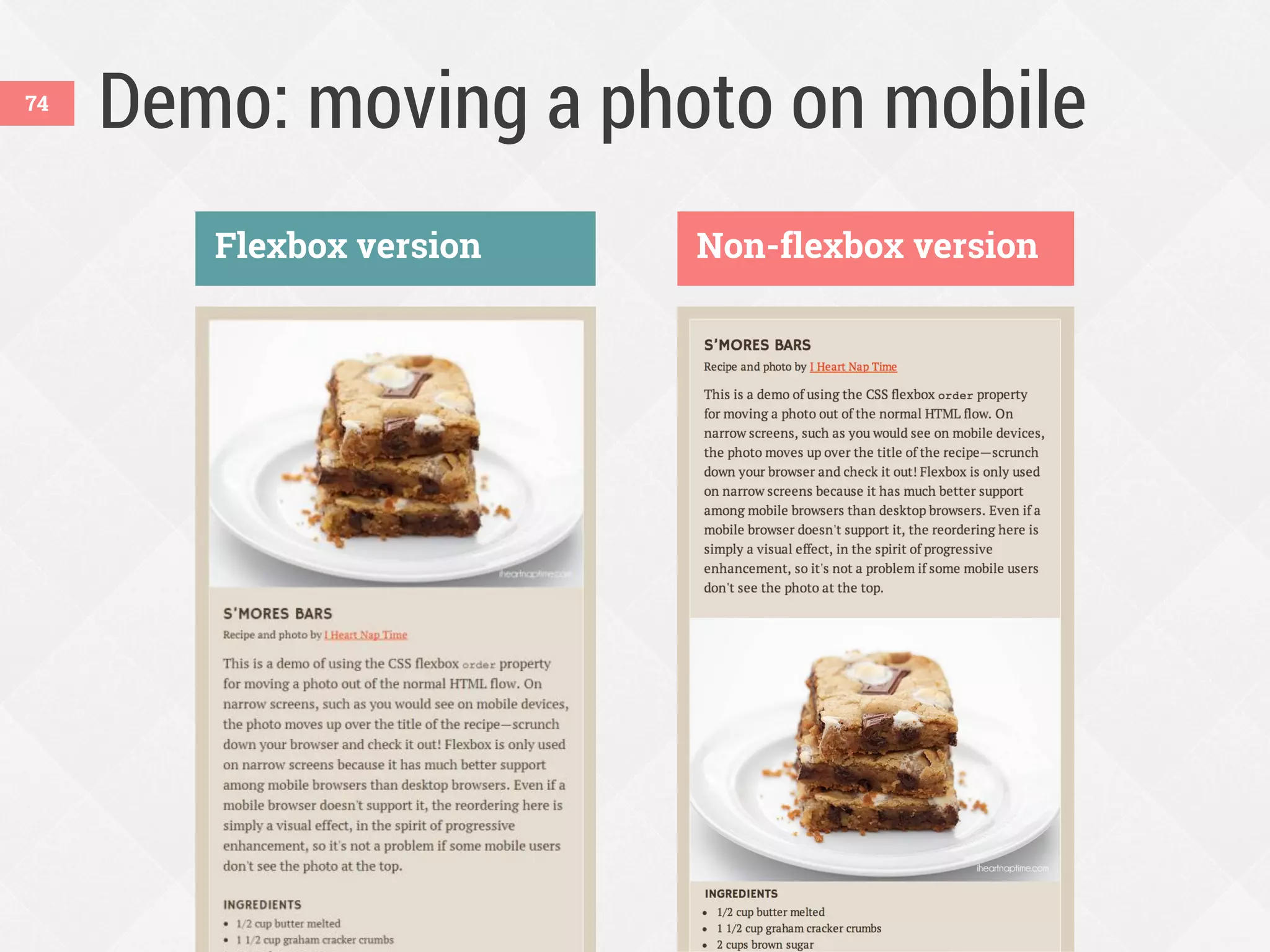
Demo: moving a photo on mobile
Desktop: HTML order (no flexbox)Mobile: reordered
71
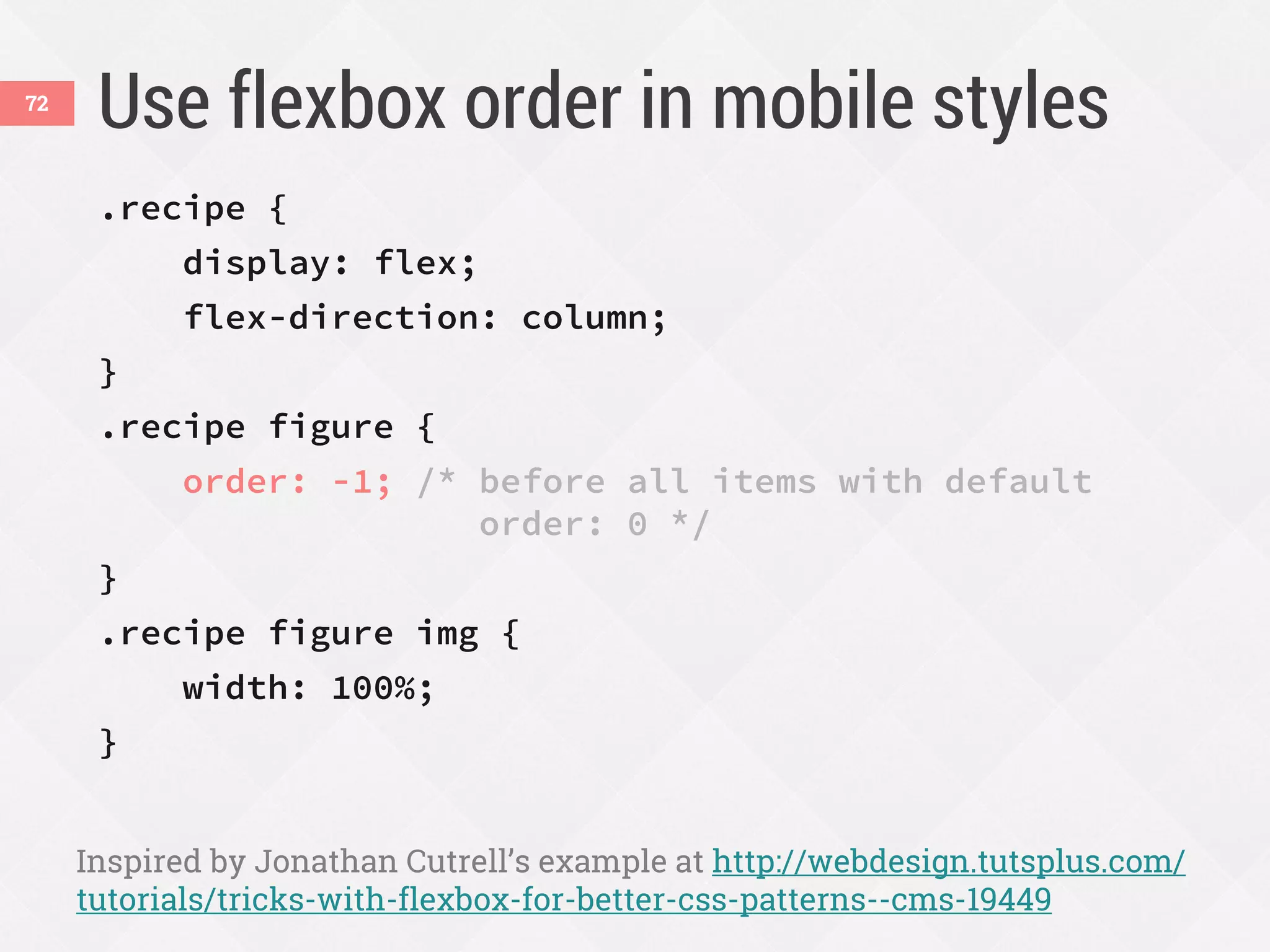
Use flexbox order in mobile styles
.recipe {
display: flex;
flex-direction: column;
}
.recipe figure {
order: -1; /* before all items with default
order: 0 */
}
.recipe figure img {
width: 100%;
}
Inspired by Jonathan Cutrell’s example at http://webdesign.tutsplus.com/
tutorials/tricks-with-flexbox-for-better-css-patterns--cms-19449
72
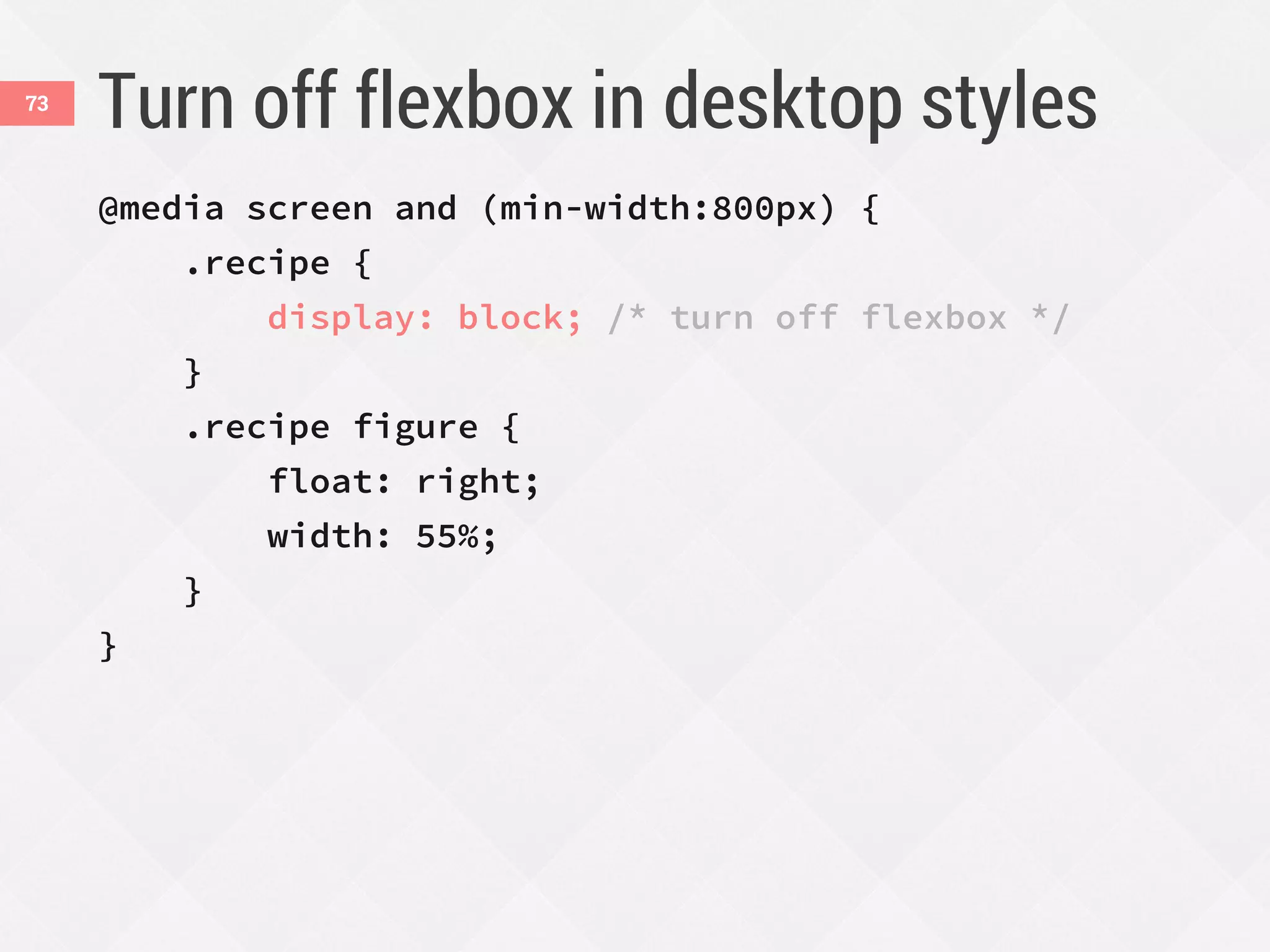
Turn off flexbox in desktop styles
@media screen and (min-width:800px) {
.recipe {
display: block; /* turn off flexbox */
}
.recipe figure {
float: right;
width: 55%;
}
}
73
Demo: moving a photo on mobile
Flexbox version Non-flexbox version
74
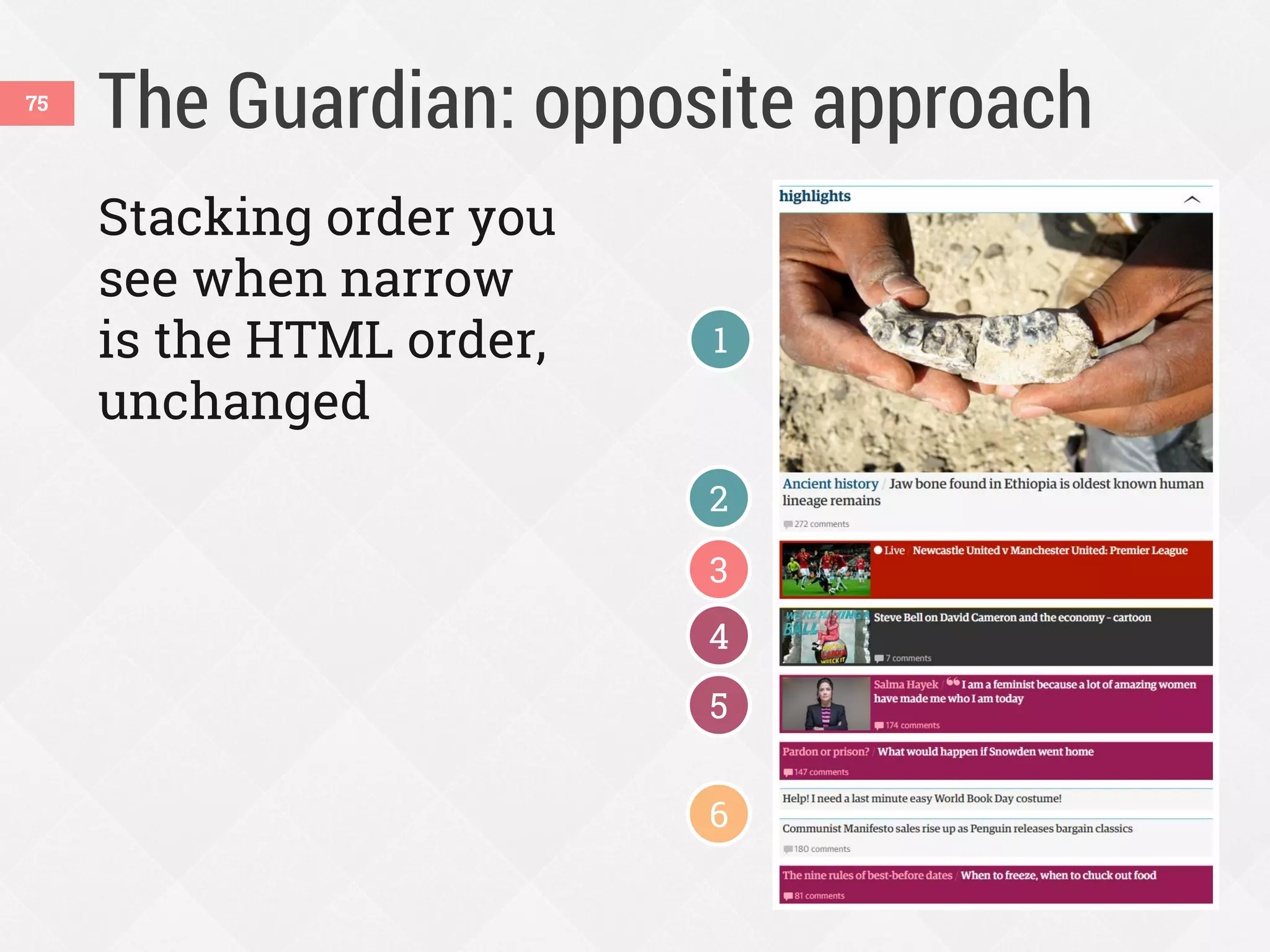
The Guardian: opposite approach75
Stacking order you
see when narrow
is the HTML order,
unchanged
1
2
3
4
5
6
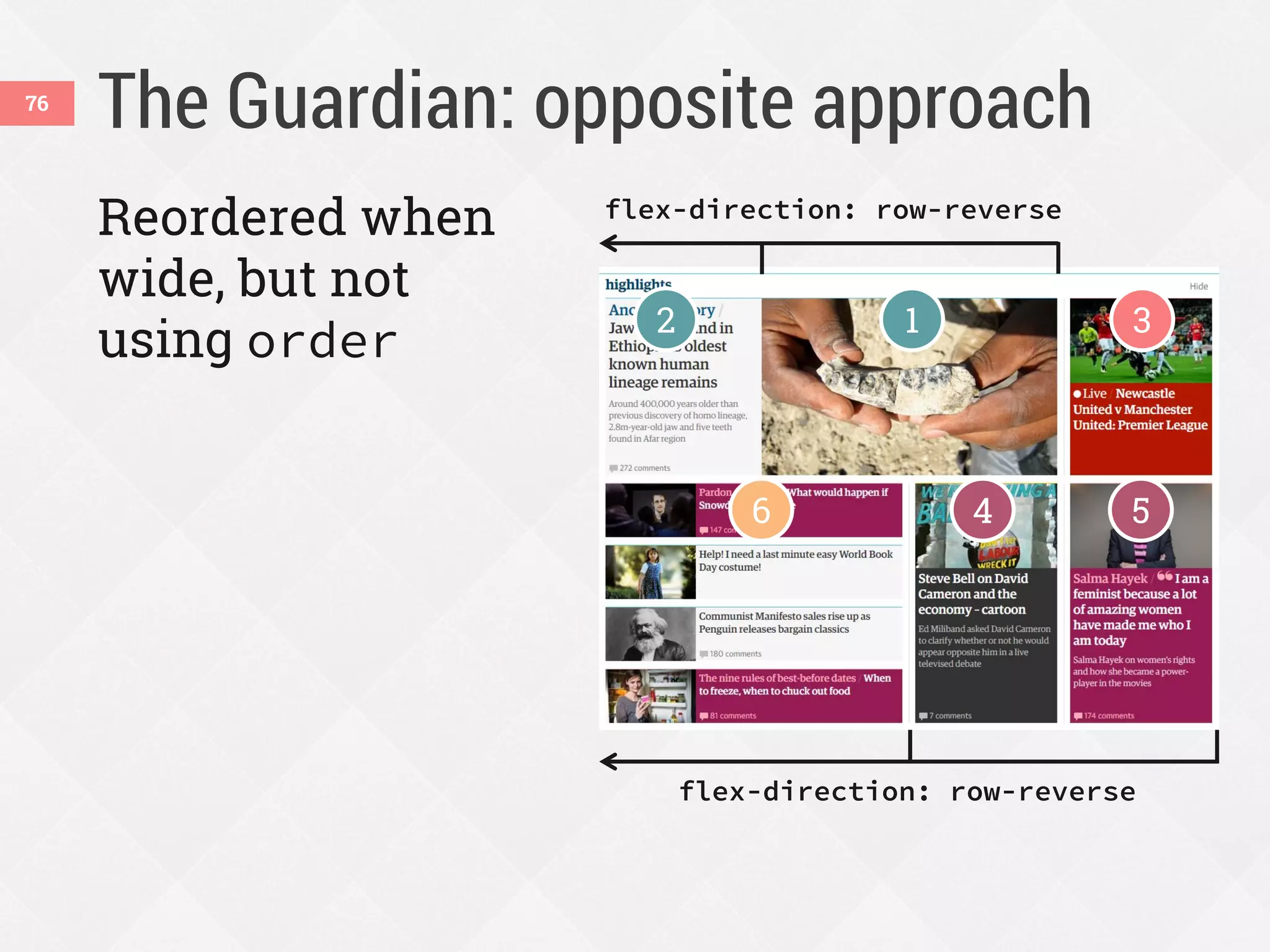
The Guardian: opposite approach76
Reordered when
wide, but not
using order 12 3
4 56
flex-direction: row-reverse
Using flexbox today77
v.10+
2009 syntax
(display:box)
2011 syntax
(display:flexbox)
Current syntax
(display:flex)
v.10
Pick which versions you’ll use
* with -webkit- prefix
† with -ms- prefix
v.6+
*
†
*
v.3+
*
v.4.4v.11
*
v.7+
*
78
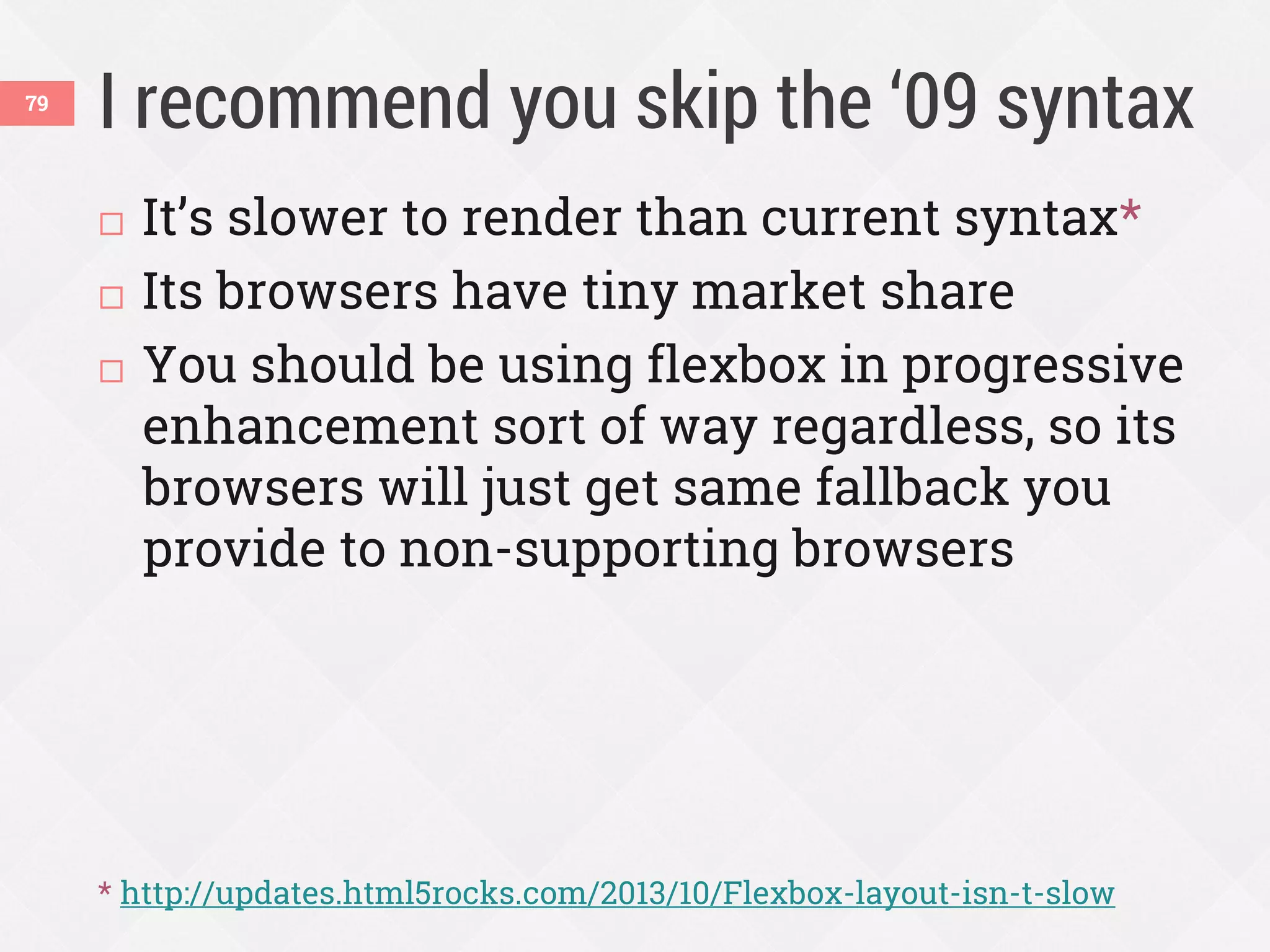
I recommend you skip the ā€˜09 syntax79
 It’s slower to render than current syntax*
 Its browsers have tiny market share
 You should be using flexbox in progressive
enhancement sort of way regardless, so its
browsers will just get same fallback you
provide to non-supporting browsers
* http://updates.html5rocks.com/2013/10/Flexbox-layout-isn-t-slow
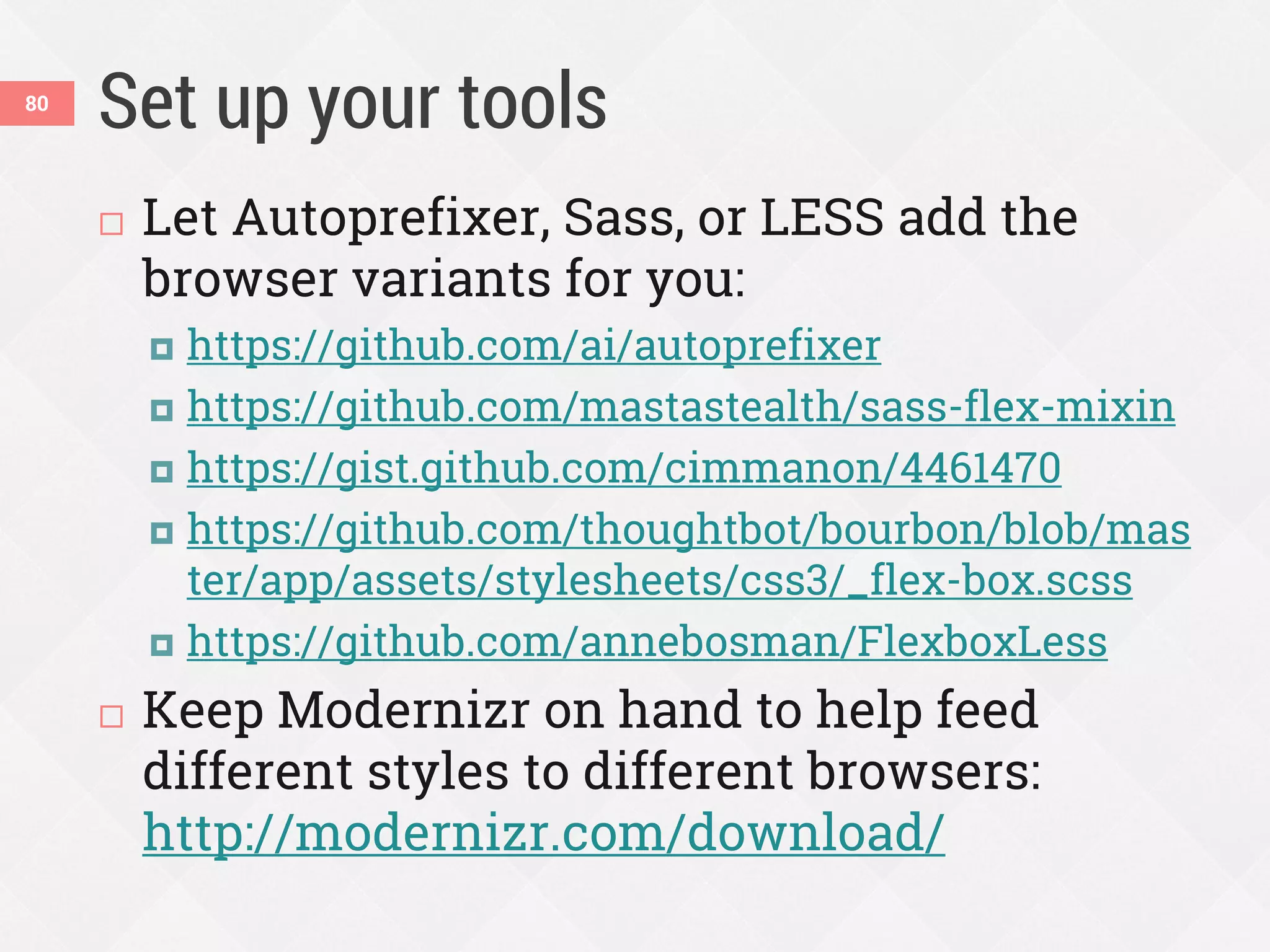
Set up your tools
 Let Autoprefixer, Sass, or LESS add the
browser variants for you:
 https://github.com/ai/autoprefixer
 https://github.com/mastastealth/sass-flex-mixin
 https://gist.github.com/cimmanon/4461470
 https://github.com/thoughtbot/bourbon/blob/mas
ter/app/assets/stylesheets/css3/_flex-box.scss
 https://github.com/annebosman/FlexboxLess
 Keep Modernizr on hand to help feed
different styles to different browsers:
http://modernizr.com/download/
80
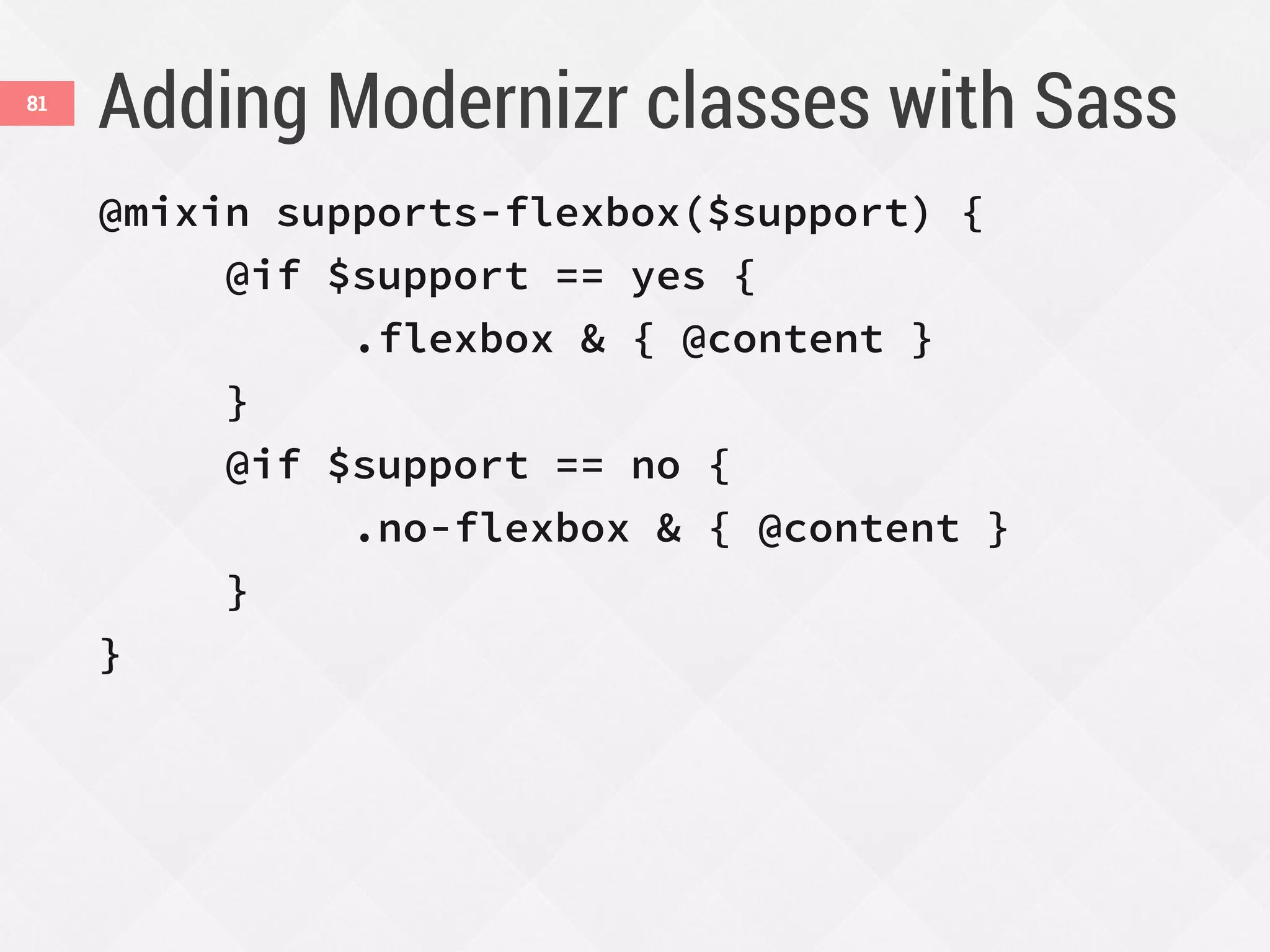
Adding Modernizr classes with Sass81
@mixin supports-flexbox($support) {
@if $support == yes {
.flexbox & { @content }
}
@if $support == no {
.no-flexbox & { @content }
}
}
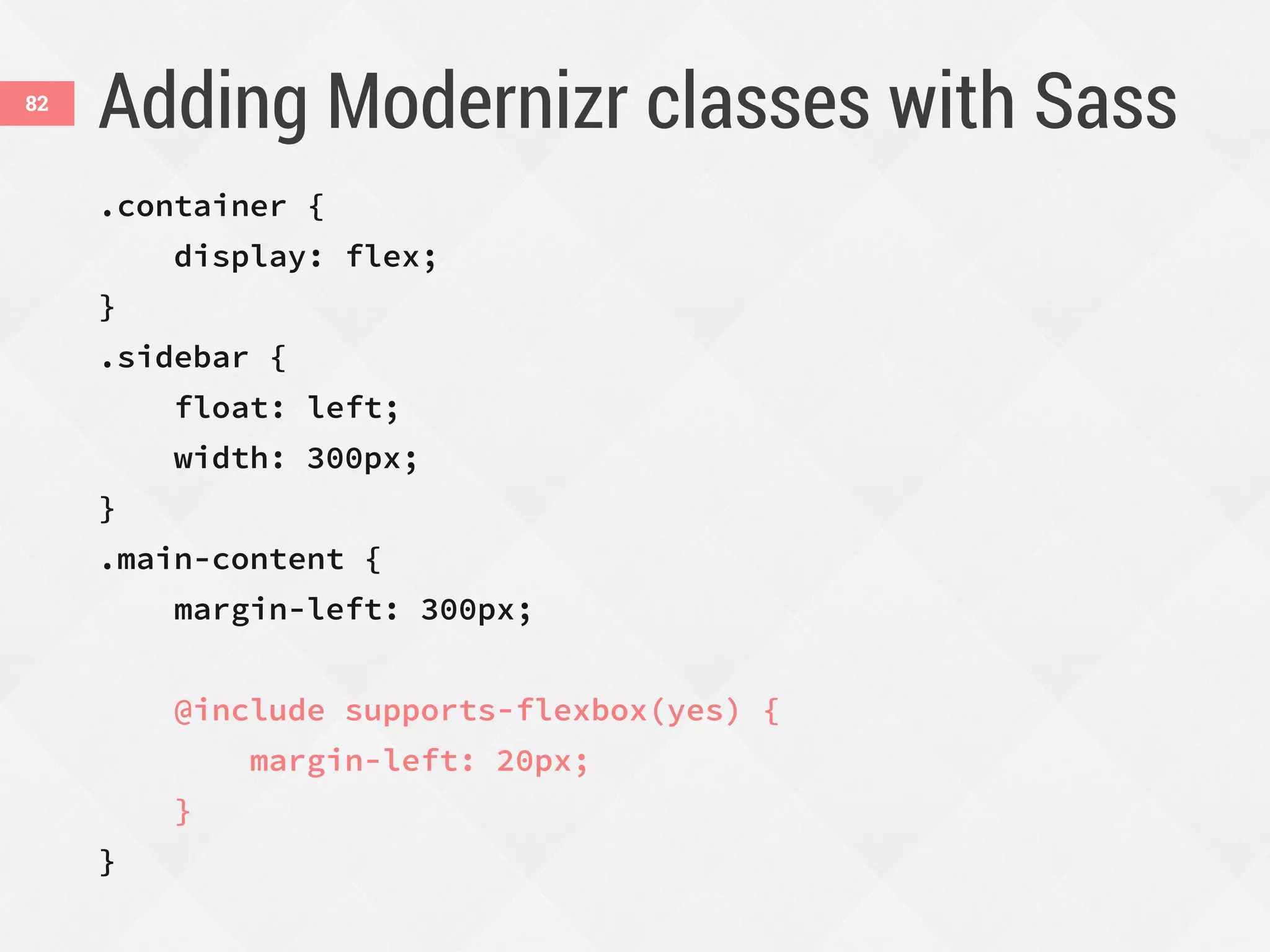
Adding Modernizr classes with Sass82
.container {
display: flex;
}
.sidebar {
float: left;
width: 300px;
}
.main-content {
margin-left: 300px;
@include supports-flexbox(yes) {
margin-left: 20px;
}
}
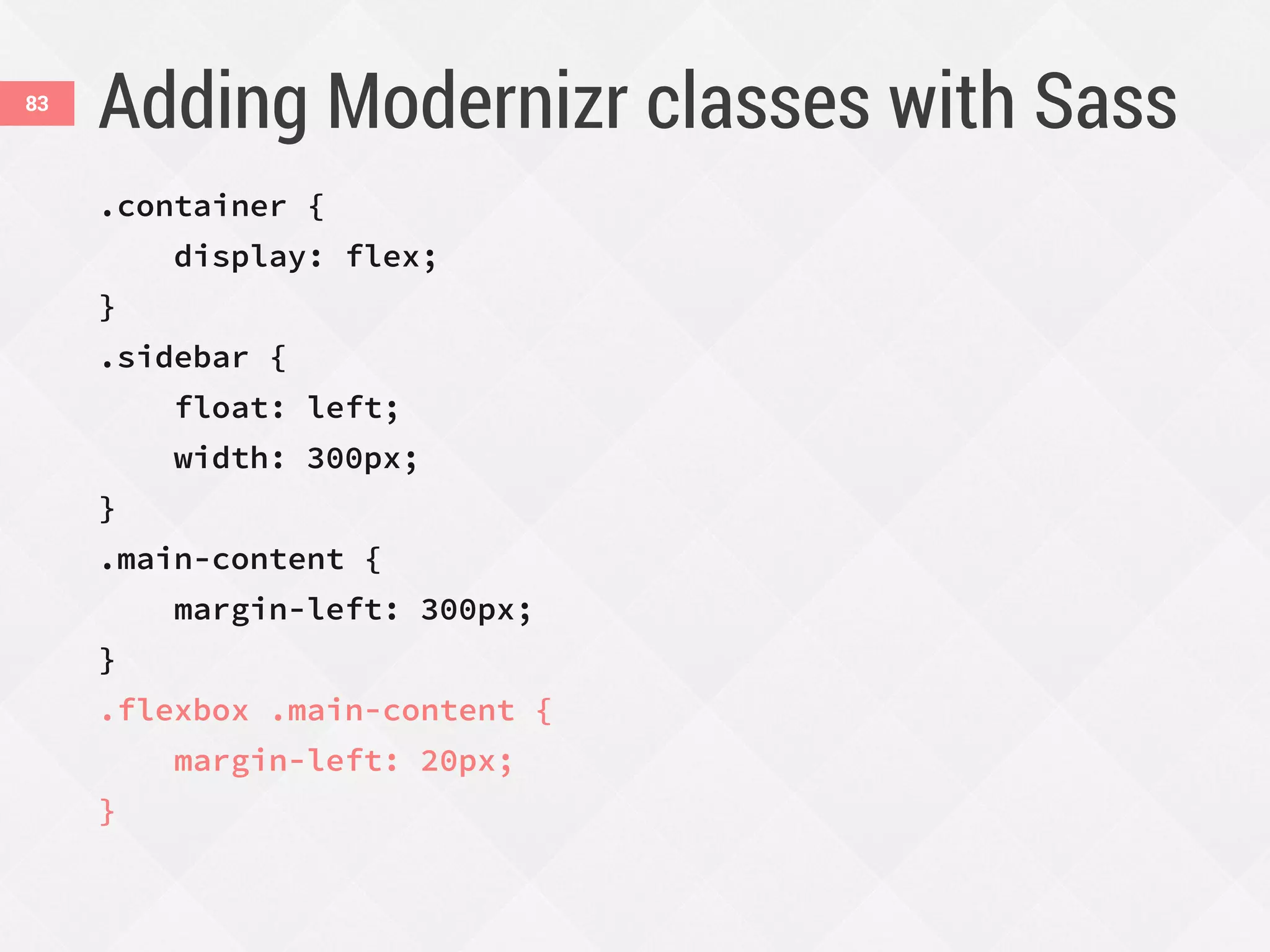
Adding Modernizr classes with Sass83
.container {
display: flex;
}
.sidebar {
float: left;
width: 300px;
}
.main-content {
margin-left: 300px;
}
.flexbox .main-content {
margin-left: 20px;
}
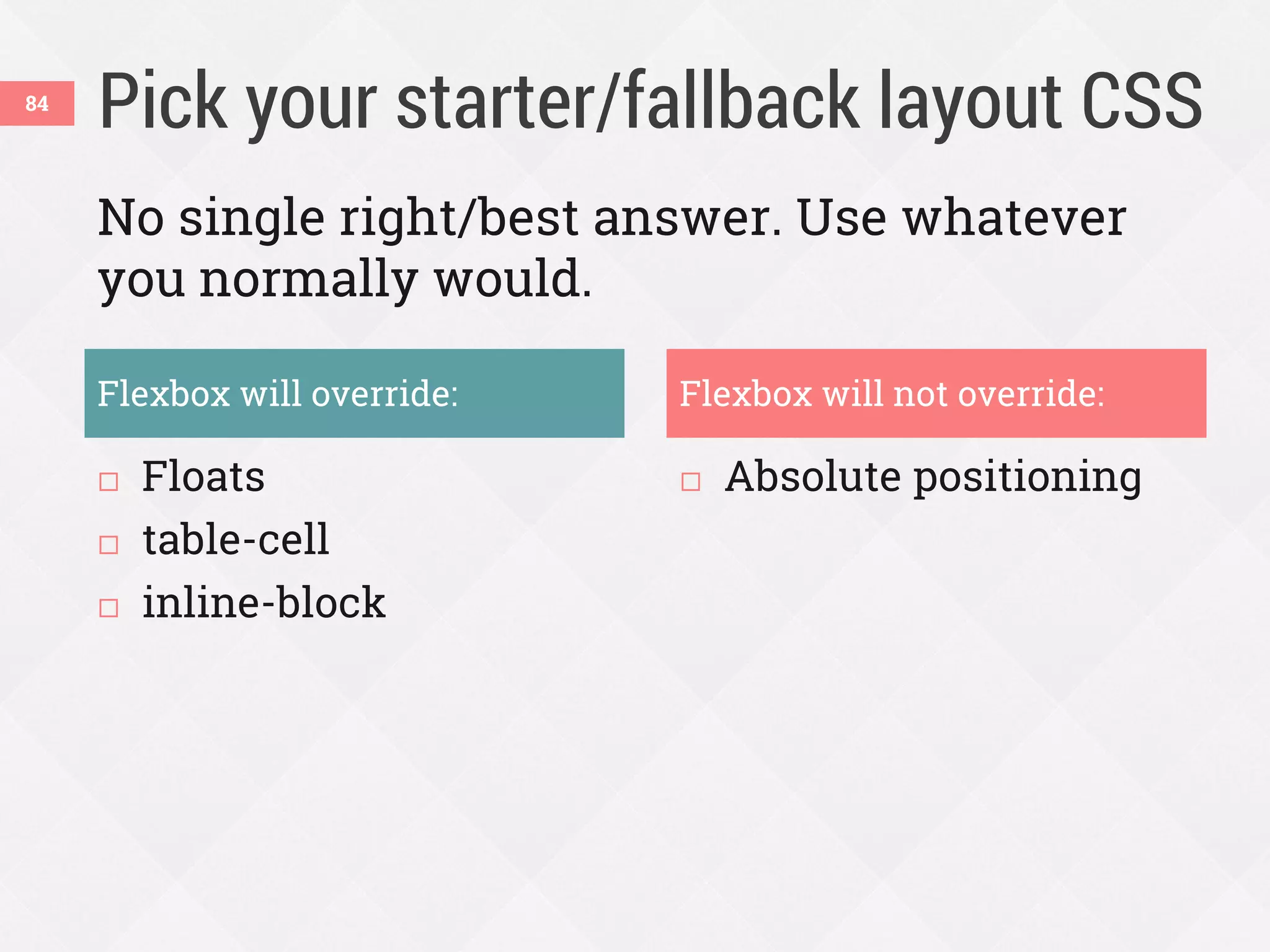
Pick your starter/fallback layout CSS
 Floats
 table-cell
 inline-block
 Absolute positioning
84
Flexbox will override: Flexbox will not override:
No single right/best answer. Use whatever
you normally would.
Flexbox is not
ALL
or
NOTHING
85
Learn more86
Download slides and get links at
www.zomigi.com/blog/rwd-flexbox
Thanks!
Zoe Mickley Gillenwater
@zomigi
design@zomigi.com
zomigi.com | stunningcss3.com | flexiblewebbook.com
Credit: ā€œbetty crocker meets modern day medieval meat pieā€ photo by knitting iris on Flickr. Mmm, pie.

Enhancing Responsiveness with Flexbox (RWD Summit)

  • 1.
    Flexbox Zoe Mickley Gillenwater@zomigiSmashingConf March 2014 Enhancing WITH Responsiveness
  • 2.
    I used tomake fixed-width sites…2
  • 3.
  • 4.
  • 5.
    I even wrotea book about it in 2008. Then I got into CSS ā€œliquidā€ layout5
  • 6.
    Problems with floatlayout  Difficulty with containment  Wrapping/float drop  Difficulty with equal-height columns  No float:center  No vertical centering  Visual location somewhat tied to HTML order 6
  • 7.
    The alternatives haveproblems, too  Source-order dependent  Whitespace in source appears visually  Source-order dependent  No wrapping  No IE 7 support 7 Issues with inline-block Issues with table-cell
  • 8.
    Flexbox solves alot of these issues  Make boxes automatically grow to fill space or shrink to avoid overflow  Give boxes proportional measurements  Lay out boxes in any direction  Align boxes on any side  Place boxes out of order from HTML 8
  • 9.
    v.10+ 2009 syntax (display:box) 2011 syntax (display:flexbox) Currentsyntax (display:flex) v.10 Browser support is great * with -webkit- prefix † with -ms- prefix v.6+ * † * v.3+ * v.4.4v.11 * v.7+ * 9
  • 10.
    Use flexbox nowon UI components as progressive enhancement. You can use flexbox now10
  • 11.
    Progressive enhancement possibilities Align items in new ways  Fill up the gaps in your layout  Reorder decorative content  Increase responsiveness 11
  • 12.
    Responsiveness is acontinuum. Flexbox can help make your site more responsive. RWD is not binary12
  • 13.
    Flexbox and RWD Makebetter use of the space at all screen sizes Reorder content at different screen sizes 13 Space Placement
  • 14.
  • 15.
    Demo: horizontal navigation Withoutflexbox: .list-nav { margin: 0; padding: 0; list-style: none; text-align: center; } .list-nav li { display: inline-block; padding: 0 .5em; text-align: center; } 15
  • 16.
    Demo: horizontal navigation 1.Turn <ul> into flex container: .list-nav { display: flex; flex-direction: row; /* default */ ... } 2. Children <li> become flex items laid out on single horizontal line 16
  • 17.
  • 18.
    Making it full-width All links on same line  First link flush left, last link flush right  Equal spaces between all links 18
  • 19.
    Trying display:table-cell  Alllinks on same line  First link flush left, last link flush right  Equal spaces between all links 19
  • 20.
  • 21.
    Nav with flexbox .list-nav{ display: flex; justify-content: space-between; margin: 0; padding: 0; list-style: none; } .list-nav li { text-align: center; } 21
  • 22.
    justify-content22 aligns flex itemsalong main axis space-around flex-endcenter flex-start (default) space-between
  • 23.
    Combine with inline-block .list-nav{ display: flex; justify-content: space-between; margin: 0; padding: 0; list-style: none; text-align: center; /* fallback */ } .list-nav li { display: inline-block; /* fallback */ padding: 0 .5em; /* fallback */ text-align: center; } .list-nav li:first-child { padding-left: 0; } .list-nav li:last-child { padding-right: 0; } 23
  • 24.
  • 25.
    Wide variation: two-piecemain nav 1. Add media query for wide width: @media (min-width:860px) { } 2. Add link to Modernizr, because we’re going to need to feed styles to only flexbox browsers in this case 25
  • 26.
    Add Modernizr asneeded  Flexbox and fallback styles can often co- exist, but sometimes need (or want) to isolate them  Modernizr can add flexbox, no-flexbox, and flexboxlegacy classes to do this 26
  • 27.
    Wide variation: two-piecemain nav 3. Move nav bar up to overlap logo’s line: @media (min-width:860px) { .flexbox .list-nav { position: relative; top: -70px; } } 27
  • 28.
    Wide variation: two-piecemain nav 4. Stop distributing links across full width: @media (min-width:860px) { .flexbox .list-nav { justify-content: flex-start; position: relative; top: -70px; } } 28
  • 29.
    Wide variation: two-piecemain nav 5. Add margins to control extra space in line: .flexbox .link-party { margin-left: auto; } .flexbox .link-home { margin-right: 15px; } .flexbox .link-tumblr { margin-left: 15px; } 29
  • 30.
  • 31.
    Demo: full-height stackedicons .wrapper .icons .content 31
  • 32.
    Demo: full-height stackedicons 1. Turn .wrapper into flex container: .wrapper { display: flex; align-items: stretch; /* default */ } 2. Children .icons and .content become side-by-side, equal-height flex items 32
  • 33.
    align-items33 aligns flex itemsin cross axis flex-start flex-end center baseline stretch (default) foo foo foo
  • 34.
    Demo: full-height stackedicons 3. Turn .icons into flex container with equally spaced, vertically stacked children: .icons { display: flex; flex-direction: column; justify-content: space-between; } 34
  • 35.
  • 36.
    Combine with table-cell .wrapper{ display: table; /* fallback */ display: flex; } .icons { display: table-cell; /* fallback */ vertical-align: middle; /* fallback */ display: flex; flex-direction: column; justify-content: space-between; } .content { display: table-cell; /* fallback */ vertical-align: top; /* fallback */ flex: 1 0 0px; } 36
  • 37.
    Combine with float .wrapper{ display: flex; } .icons { float: left; /* fallback */ position: relative; /* fix for old WebKit bug w/ floated flex items */ width: 40px; display: flex; flex-direction: column; justify-content: space-between; } .content { flex: 1 0 0px; } .no-flexbox .content { margin-left: 60px; /* fallback */ } 37
  • 38.
    Fallback alignment options38 Top-aligned(float) Centered (table-cell)
  • 39.
    Combining units ofmeasurement across a line can make RWD tricky. ems + % + px = ?39
  • 40.
    Demo: responsive form40 Inspired by http://jobs.theguardian.com/, which uses floats and percentage widths
  • 41.
    But it wouldbe nicer if…41  The drop-down and button were sized automatically by their content, so this doesn’t happen:  The fields and button all matched each other exactly in height
  • 42.
    Enhance with flexbox42 1.Let the fields wrap when needed: .jobs-form { display: flex; flex-wrap: wrap; } 2. Fields become flex items with row orientation, but are allowed to form multiple rows (so it looks like 1 column when narrow)
  • 43.
    Enhance with flexbox43 3.Override the % widths and let fields size to their content: .flexbox .jobs-form_field-wrapper { width: auto; /* hide from non-flex browsers */ flex: 1 1 100%; } @media (min-width:40em) { .jobs-form_field-wrapper { flex: 1 0 auto; } }
  • 44.
    Defining the flexproperty  Makes flex items change their main size (width or height) to fit available space 44
  • 45.
    Defining the flexproperty flex-grow how much flex item will grow relative to other items if extra space is available (proportion of extra space that it gets) flex-shrink how much item will shrink relative to others if there is not enough space (proportion of overflow that gets shaved off) flex-basis the initial starting size before free space is distributed (any standard width/height value, including auto) 45
  • 46.
    Breaking it down .jobs-form_field-wrapper { flex: 1 0 auto; } flex-grow = 1 give each item 1 share of extra width flex-shrink = 0 don’t let items shrink at all from their starting width flex-basis = auto start items at ā€œmain sizeā€ value (in this case, width) or content size if main size not set 46
  • 47.
    What flex-basis: autowill do47  Browser looks at main size value, width  width:auto, so field sizes to its content  Thus, content size=starting size/flex-basis  Wrapping= no reason to shrink lower than starting size  flex-basis=min-width when wrapping on  Thus, content size=minimum field width  So, this can’t happen:
  • 48.
    The flexbox formso far48 flex-basis: 100% flex-basis: auto
  • 49.
    Enhance with flexbox49 4.Refine flex values to improve the layout: @media (min-width:40em) { .jobs-form_field-wrapper { flex: 1 0 auto; } .jobs-form_keywords { flex-basis: 100%; } } @media (min-width:50em) { .jobs-form_keywords { flex-basis: auto; } }
  • 50.
    Enhance with flexbox50 5.Turn each field wrapper into flex container: .flexbox .jobs-form_field-wrapper { display: flex; /* sets align-items:stretch */ width: auto; flex: 1 1 100%; } 6. Input/button inside stretches to match height of its line, thanks to default align- items:stretch on flex containers, so all fields are equal height on their line
  • 51.
    All of theflexbox CSS together .jobs-form { display: flex; flex-wrap: wrap; } .flexbox .jobs-form_field-wrapper { display: flex; width: auto; flex: 1 1 100%; } @media (min-width:40em) { .jobs-form_field-wrapper { flex: 1 0 auto; } .jobs-form_keywords { flex-basis: 100%; } } @media (min-width:50em) { .jobs-form_keywords { flex-basis: auto; } } 51
  • 52.
    Automatic orientation switch .cs-message__text{ flex: 1 0 40%; width: 43%; float: left; margin-right: 10px; } One rule creates two responsive layouts, both always full width 52
  • 53.
    The form withoutflexbox Narrow: inputs stack Wide: not quite full-width see? 53
  • 54.
    Demo: responsive articleheader  No media query  display: block  50em media query  display: table-cell 54 Narrow starting styles Wide starting styles
  • 55.
  • 56.
    Enhance with flexbox56 1.Make photo and text block automatically sit side- by-side when they can fit (320px + 20em): .article-header { display: flex; flex-wrap: wrap; margin-left: -20px; } .article-header-image { flex: 1 1 320px; padding: 0 0 20px 20px; } .article-header-text { flex: 1 1 20em; padding: 0 0 20px 20px; }
  • 57.
    Enhance with flexbox57 2.Enhance alignment of text within the text block: ... .article-header-text { display: flex; flex-wrap: wrap; align-items: baseline; align-content: space-between; flex: 1 1 20em; padding: 0 0 20px 20px; } .article-title { flex: 1 1 100%; } .article-category { flex: 1 1 auto; }
  • 58.
    Demo: responsive articleheader58 flex: 1 1 auto align-content: space-between
  • 59.
    Improved wrapping59 With floator text-align With flex or justify-content
  • 60.
    A real-world wrappingexample Without flexbox (IE 9) With flexbox (Chrome) 60
  • 61.
    Flexbox with floatfallback .iw_mini_details_wrapper { display: flex; flex-wrap: wrap; justify-content: space-between; align-items: baseline; } .iw_mini_review_score_wrapper { float: left; } .iw_mini_price_wrapper { float: right; } 61
  • 62.
  • 63.
    Use order propertyto move logo 1. Divide nav bar into order groups: .link-home, .link-builder { order: 0; /* default, and first here */ } .logo { order: 1; /* second */ } .link-party, .link-tumblr { order: 2; /* last */ } 63
  • 64.
    Use order propertyto move logo 2. Split extra space on line to center logo: .logo { margin-left: auto; } .link-party { margin-left: auto; } 64
  • 65.
    Order only workson siblings65 To move logo to middle of list, it needs to be part of list <div class="logo"><img src="images/logo.png"></div> <ul class="list-nav"> <li class="logo"><img src="images/logo.png"></li> <li class="link-home"><a>home</a></li> <li class="link-builder"><a>s'mores builder</a></li> <li class="link-party"><a>throw a party</a></li> <li class="link-tumblr"><a>tumblr</a></li> </ul>
  • 66.
    Accessibility implications Pro Can keepcontent in logical order in HTML instead of structuring HTML just to achieve a visual layout. Cons If HTML order is illogical, screen reader users still hear it. Focus/tab order won’t always match expected order, may jump around seemingly randomly. 66
  • 67.
    If you’re usingit for progressive enhancement, the content should make sense in both the HTML and visual order. Use the order property sparingly67
  • 68.
    Reordering mobile content InRWD, narrow-view (mobile) stacking order doesn’t always match needed HTML order for wide-view (desktop) layout Keep HTML order needed for desktop and use order property only on mobile, since browser support is great there Problem Solution 68
  • 69.
    Jeremy Church’s mobileexample @media screen and (max-width: 767px) { .media_xs_order_one { order: 0; } .media_xs_order_two { order: 1; } .media_xs_order_three { order: 2; } } See Jeremy’s write-up at http://j.eremy.net/flexbox-for-mobile-content/ HTML order (no flexbox) Reordered with flexbox 69
  • 70.
    Be careful withaccessibility  Reading order won’t match visual order. This may or may not be bad.  Tabbing order won’t match visual order. This is bad. (And yes, tabbing matters even on mobile.) 1 3 2 4 5 70
  • 71.
    Demo: moving aphoto on mobile Desktop: HTML order (no flexbox)Mobile: reordered 71
  • 72.
    Use flexbox orderin mobile styles .recipe { display: flex; flex-direction: column; } .recipe figure { order: -1; /* before all items with default order: 0 */ } .recipe figure img { width: 100%; } Inspired by Jonathan Cutrell’s example at http://webdesign.tutsplus.com/ tutorials/tricks-with-flexbox-for-better-css-patterns--cms-19449 72
  • 73.
    Turn off flexboxin desktop styles @media screen and (min-width:800px) { .recipe { display: block; /* turn off flexbox */ } .recipe figure { float: right; width: 55%; } } 73
  • 74.
    Demo: moving aphoto on mobile Flexbox version Non-flexbox version 74
  • 75.
    The Guardian: oppositeapproach75 Stacking order you see when narrow is the HTML order, unchanged 1 2 3 4 5 6
  • 76.
    The Guardian: oppositeapproach76 Reordered when wide, but not using order 12 3 4 56 flex-direction: row-reverse flex-direction: row-reverse
  • 77.
  • 78.
    v.10+ 2009 syntax (display:box) 2011 syntax (display:flexbox) Currentsyntax (display:flex) v.10 Pick which versions you’ll use * with -webkit- prefix † with -ms- prefix v.6+ * † * v.3+ * v.4.4v.11 * v.7+ * 78
  • 79.
    I recommend youskip the ā€˜09 syntax79  It’s slower to render than current syntax*  Its browsers have tiny market share  You should be using flexbox in progressive enhancement sort of way regardless, so its browsers will just get same fallback you provide to non-supporting browsers * http://updates.html5rocks.com/2013/10/Flexbox-layout-isn-t-slow
  • 80.
    Set up yourtools  Let Autoprefixer, Sass, or LESS add the browser variants for you:  https://github.com/ai/autoprefixer  https://github.com/mastastealth/sass-flex-mixin  https://gist.github.com/cimmanon/4461470  https://github.com/thoughtbot/bourbon/blob/mas ter/app/assets/stylesheets/css3/_flex-box.scss  https://github.com/annebosman/FlexboxLess  Keep Modernizr on hand to help feed different styles to different browsers: http://modernizr.com/download/ 80
  • 81.
    Adding Modernizr classeswith Sass81 @mixin supports-flexbox($support) { @if $support == yes { .flexbox & { @content } } @if $support == no { .no-flexbox & { @content } } }
  • 82.
    Adding Modernizr classeswith Sass82 .container { display: flex; } .sidebar { float: left; width: 300px; } .main-content { margin-left: 300px; @include supports-flexbox(yes) { margin-left: 20px; } }
  • 83.
    Adding Modernizr classeswith Sass83 .container { display: flex; } .sidebar { float: left; width: 300px; } .main-content { margin-left: 300px; } .flexbox .main-content { margin-left: 20px; }
  • 84.
    Pick your starter/fallbacklayout CSS  Floats  table-cell  inline-block  Absolute positioning 84 Flexbox will override: Flexbox will not override: No single right/best answer. Use whatever you normally would.
  • 85.
  • 86.
    Learn more86 Download slidesand get links at www.zomigi.com/blog/rwd-flexbox Thanks! Zoe Mickley Gillenwater @zomigi design@zomigi.com zomigi.com | stunningcss3.com | flexiblewebbook.com Credit: ā€œbetty crocker meets modern day medieval meat pieā€ photo by knitting iris on Flickr. Mmm, pie.