1.0 INTRODUCTION


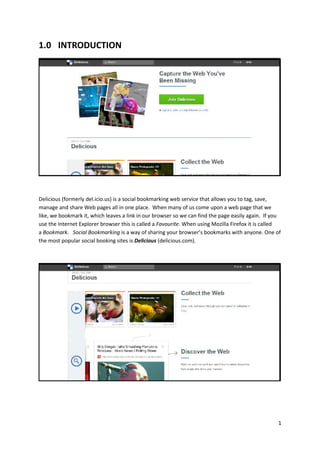
Delicious (formerly del.icio.us) is a social bookmarking web service that allows you to tag, save,
manage and share Web pages all in one place. When many of us come upon a web page that we
like, we bookmark it, which leaves a link in our browser so we can find the page easily again. If you
use the Internet Explorer browser this is called a Favourite. When using Mozilla Firefox it is called
a Bookmark. Social Bookmarking is a way of sharing your browser’s bookmarks with anyone. One of
the most popular social booking sites is Delicious (delicious.com).


                                                                                                    1
2.0 REGISTER & LOGIN
     Open your Internet Browser (Mozilla Firefox/Google Chrome/Safari/Internet Explorer) and
      type Del.icio.us URL : http://delicious.com/


     Your browser will view the Del.icio.us website as shown below:


     Click “Join Delicious” to register an account on Del.icio.us


                                                                                            2
   You can “Sign up” the delicious account using “email address” ,” Facebook” or “Twitter”.


   After you click “Sign up” with your email address this browser will appears:


                                                                                               3
   Fill in the details and click “Create my account”


   This browser will appears:


                                                        4
3.0 START / CREATE NEW DEL.ICIO.US

     There are three main points when using del.icio.us either you wants to discover the web,
      sharing the web or storing the web.
      Click the button “Save on delicious”.


            This pop-up windows were appears:


                                                                                                 5
3.1 STORING THE WEB

    Create title and description


    Adding link of web storage


                                    6
   Add a tag filter


   Tick the button if you want the link private or untick the button if you don’t want the
    link private.


   Save your storage


   After click save button, this browser will appears. Your link web storage was added.


                                                                                           7
 Adding new web storage click “Add Link”


       3.2 SHARING THE WEB
              Go to the search engine and type what you want to search.


                                                                           8
   Example: Facebook
         The links related on Facebook were appears


   Click the button as below:


                                                       9
   This pop-up windows were appears:


   Type email and message who you want to share the link. Then click button “Share”


                                                                                       10
   You need validated your email address before you can share


   Sign in your email account and click “Validate your email address”


   Email validate were successful


                                                                         11
   Now you can share your link to others
       The link you want to be shared were successfully send to your friend email


    3.3 DISCOVER THE WEB
   See what's hot with Delicious users by checking out at popular tags. By looking at popular
    bookmarks for a tag, you'll be able to discover the most interesting bookmarks on the topics
    you're most interested in.


                                                                                             12
4.0 LINK / EMBED YOUR DEL.ICIO.US INTO GOALS
  You can choose to link or embed your Del.icio.us into your courses.


4.1 LINK YOUR DEL.ICIO.US INTO GOALS

   Copy the URL


     Open GOALS system and login into your account. Open which courses that you want to link
      your Stixyboard into it. Click “Turn editing on”.


     Click “Add a resource” and choose “URL”.


                                                                                            13
   Key in the detail at “Name” and “Description”.


   Paste the link into “External URL”.


   Click “Save and return to course” or “Save and display”.


   Del.icio.us link will display at your page.


                                                               14

User manual delicious

  • 1.
    1.0 INTRODUCTION Delicious (formerlydel.icio.us) is a social bookmarking web service that allows you to tag, save, manage and share Web pages all in one place. When many of us come upon a web page that we like, we bookmark it, which leaves a link in our browser so we can find the page easily again. If you use the Internet Explorer browser this is called a Favourite. When using Mozilla Firefox it is called a Bookmark. Social Bookmarking is a way of sharing your browser’s bookmarks with anyone. One of the most popular social booking sites is Delicious (delicious.com). 1
  • 2.
    2.0 REGISTER &LOGIN  Open your Internet Browser (Mozilla Firefox/Google Chrome/Safari/Internet Explorer) and type Del.icio.us URL : http://delicious.com/  Your browser will view the Del.icio.us website as shown below:  Click “Join Delicious” to register an account on Del.icio.us 2
  • 3.
    You can “Sign up” the delicious account using “email address” ,” Facebook” or “Twitter”.  After you click “Sign up” with your email address this browser will appears: 3
  • 4.
    Fill in the details and click “Create my account”  This browser will appears: 4
  • 5.
    3.0 START /CREATE NEW DEL.ICIO.US  There are three main points when using del.icio.us either you wants to discover the web, sharing the web or storing the web.  Click the button “Save on delicious”.  This pop-up windows were appears: 5
  • 6.
    3.1 STORING THEWEB  Create title and description  Adding link of web storage 6
  • 7.
    Add a tag filter  Tick the button if you want the link private or untick the button if you don’t want the link private.  Save your storage  After click save button, this browser will appears. Your link web storage was added. 7
  • 8.
     Adding newweb storage click “Add Link” 3.2 SHARING THE WEB  Go to the search engine and type what you want to search. 8
  • 9.
    Example: Facebook  The links related on Facebook were appears  Click the button as below: 9
  • 10.
    This pop-up windows were appears:  Type email and message who you want to share the link. Then click button “Share” 10
  • 11.
    You need validated your email address before you can share  Sign in your email account and click “Validate your email address”  Email validate were successful 11
  • 12.
    Now you can share your link to others  The link you want to be shared were successfully send to your friend email 3.3 DISCOVER THE WEB  See what's hot with Delicious users by checking out at popular tags. By looking at popular bookmarks for a tag, you'll be able to discover the most interesting bookmarks on the topics you're most interested in. 12
  • 13.
    4.0 LINK /EMBED YOUR DEL.ICIO.US INTO GOALS You can choose to link or embed your Del.icio.us into your courses. 4.1 LINK YOUR DEL.ICIO.US INTO GOALS  Copy the URL  Open GOALS system and login into your account. Open which courses that you want to link your Stixyboard into it. Click “Turn editing on”.  Click “Add a resource” and choose “URL”. 13
  • 14.
    Key in the detail at “Name” and “Description”.  Paste the link into “External URL”.  Click “Save and return to course” or “Save and display”.  Del.icio.us link will display at your page. 14