OUR USE OF MEDIA TECHNOLOGIES
IN THE CONSTRUCTION AND
RESEARCH, PLANNING AND
EVALUATION STAGES:
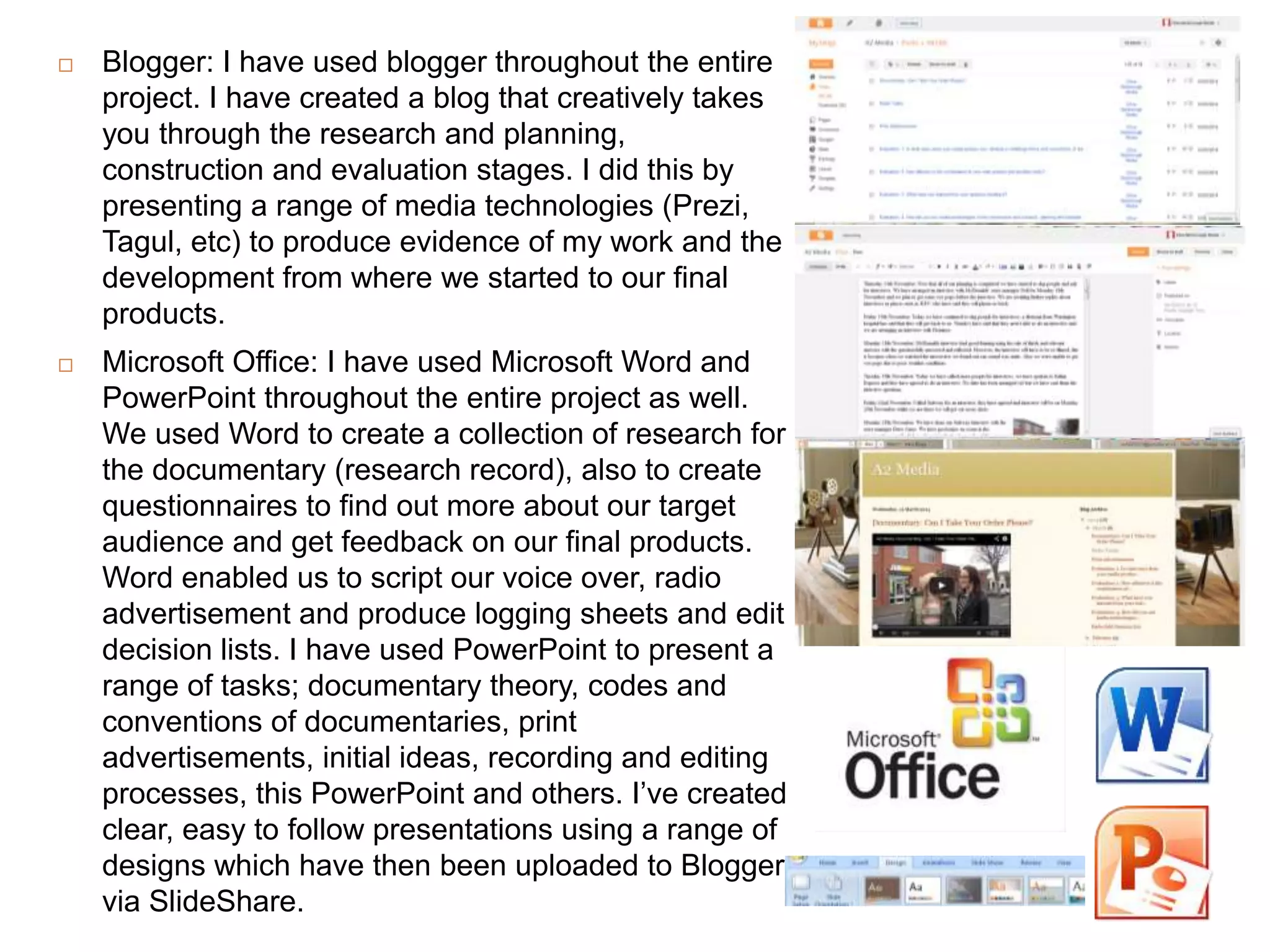
 Blogger: I have used blogger throughout the entire
project. I have created a blog that creatively takes
you through the research and planning,
construction and evaluation stages. I did this by
presenting a range of media technologies (Prezi,
Tagul, etc) to produce evidence of my work and the
development from where we started to our final
products.
 Microsoft Office: I have used Microsoft Word and
PowerPoint throughout the entire project as well.
We used Word to create a collection of research for
the documentary (research record), also to create
questionnaires to find out more about our target
audience and get feedback on our final products.
Word enabled us to script our voice over, radio
advertisement and produce logging sheets and edit
decision lists. I have used PowerPoint to present a
range of tasks; documentary theory, codes and
conventions of documentaries, print
advertisements, initial ideas, recording and editing
processes, this PowerPoint and others. I’ve created
clear, easy to follow presentations using a range of
designs which have then been uploaded to Blogger
via SlideShare.
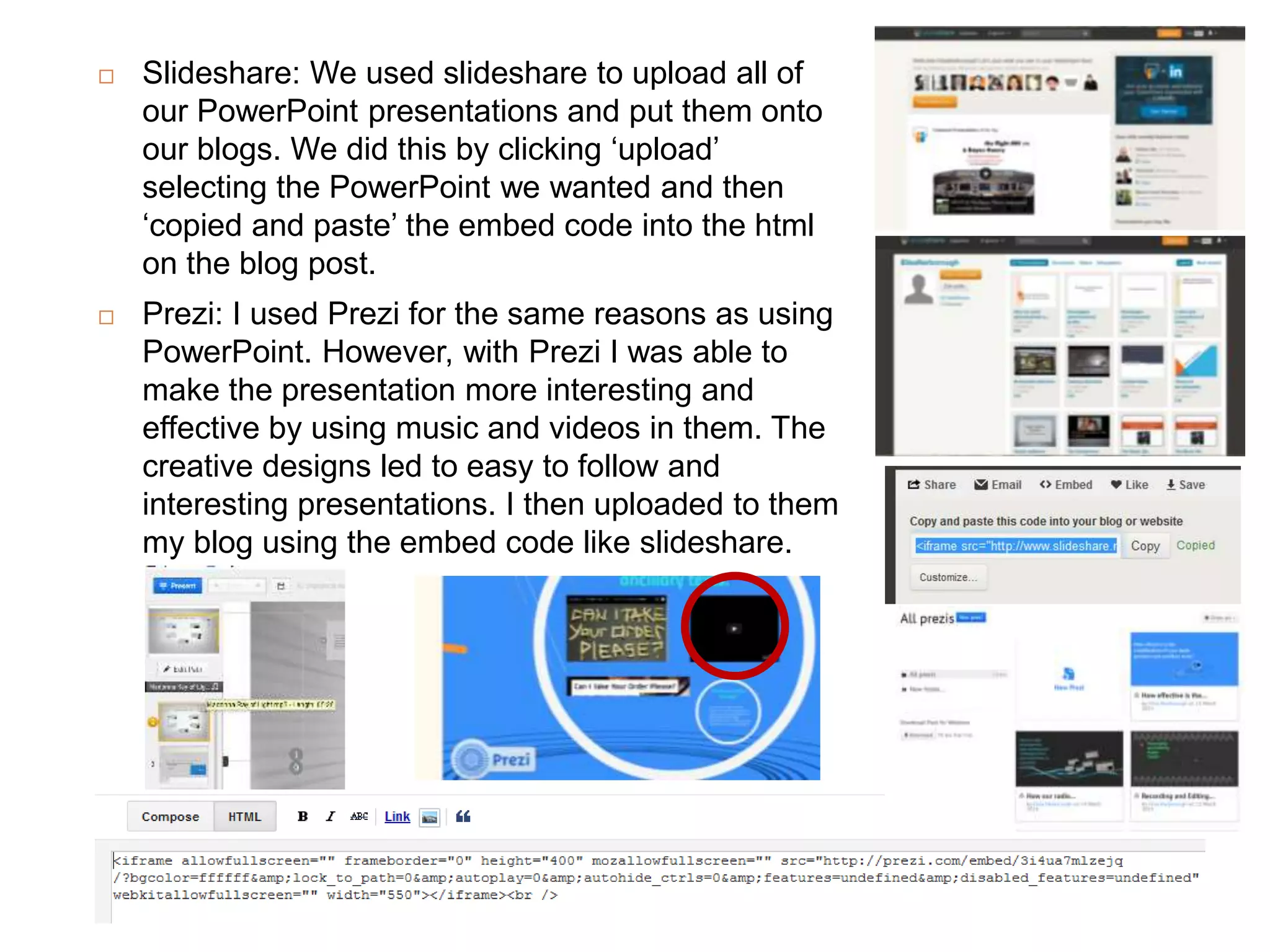
 Slideshare: We used slideshare to upload all of
our PowerPoint presentations and put them onto
our blogs. We did this by clicking ‘upload’
selecting the PowerPoint we wanted and then
‘copied and paste’ the embed code into the html
on the blog post.
 Prezi: I used Prezi for the same reasons as using
PowerPoint. However, with Prezi I was able to
make the presentation more interesting and
effective by using music and videos in them. The
creative designs led to easy to follow and
interesting presentations. I then uploaded to them
my blog using the embed code like slideshare.
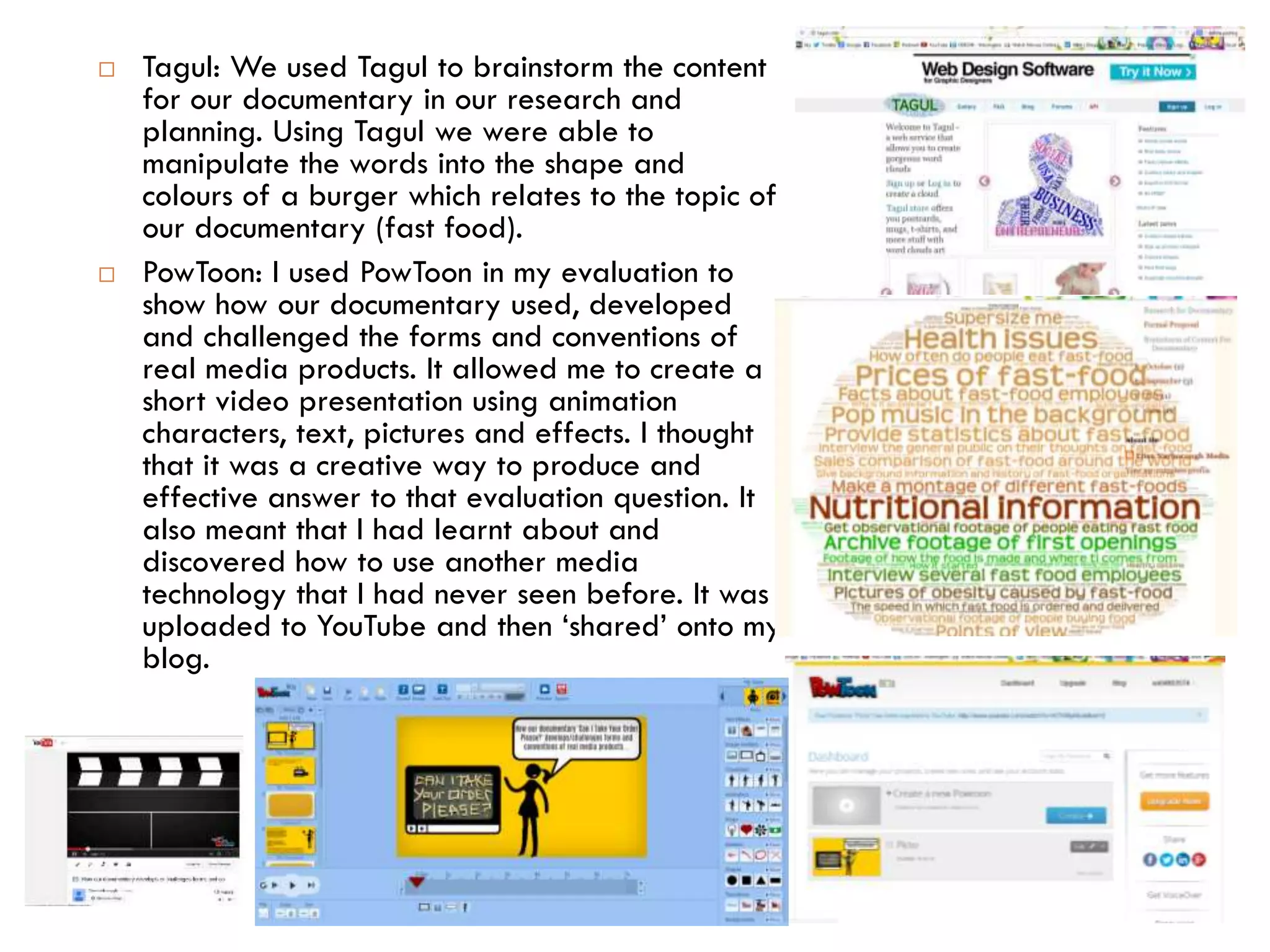
 Tagul: We used Tagul to brainstorm the content
for our documentary in our research and
planning. Using Tagul we were able to
manipulate the words into the shape and
colours of a burger which relates to the topic of
our documentary (fast food).
 PowToon: I used PowToon in my evaluation to
show how our documentary used, developed
and challenged the forms and conventions of
real media products. It allowed me to create a
short video presentation using animation
characters, text, pictures and effects. I thought
that it was a creative way to produce and
effective answer to that evaluation question. It
also meant that I had learnt about and
discovered how to use another media
technology that I had never seen before. It was
uploaded to YouTube and then ‘shared’ onto my
blog.
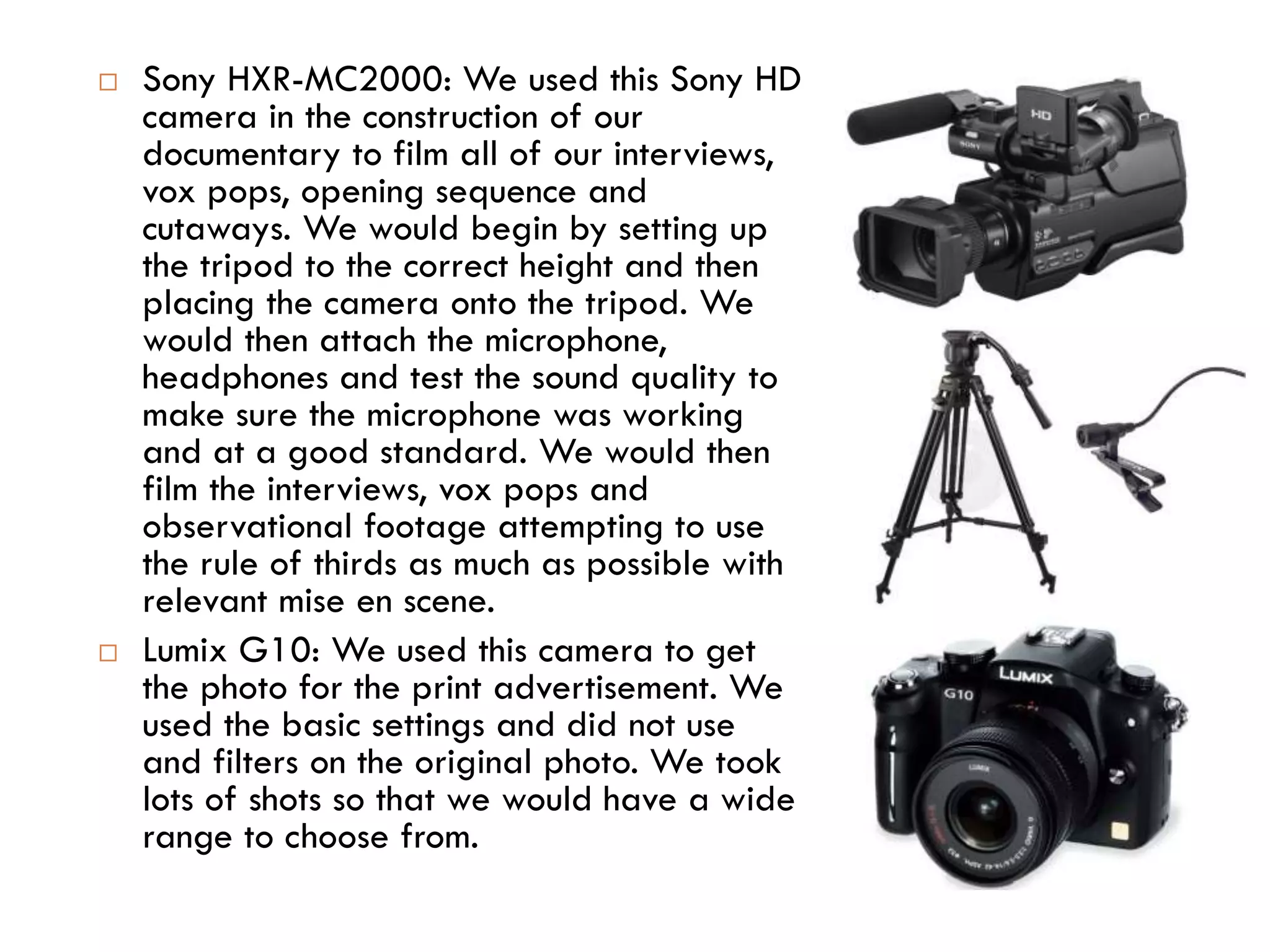
 Sony HXR-MC2000: We used this Sony HD
camera in the construction of our
documentary to film all of our interviews,
vox pops, opening sequence and
cutaways. We would begin by setting up
the tripod to the correct height and then
placing the camera onto the tripod. We
would then attach the microphone,
headphones and test the sound quality to
make sure the microphone was working
and at a good standard. We would then
film the interviews, vox pops and
observational footage attempting to use
the rule of thirds as much as possible with
relevant mise en scene.
 Lumix G10: We used this camera to get
the photo for the print advertisement. We
used the basic settings and did not use
and filters on the original photo. We took
lots of shots so that we would have a wide
range to choose from.
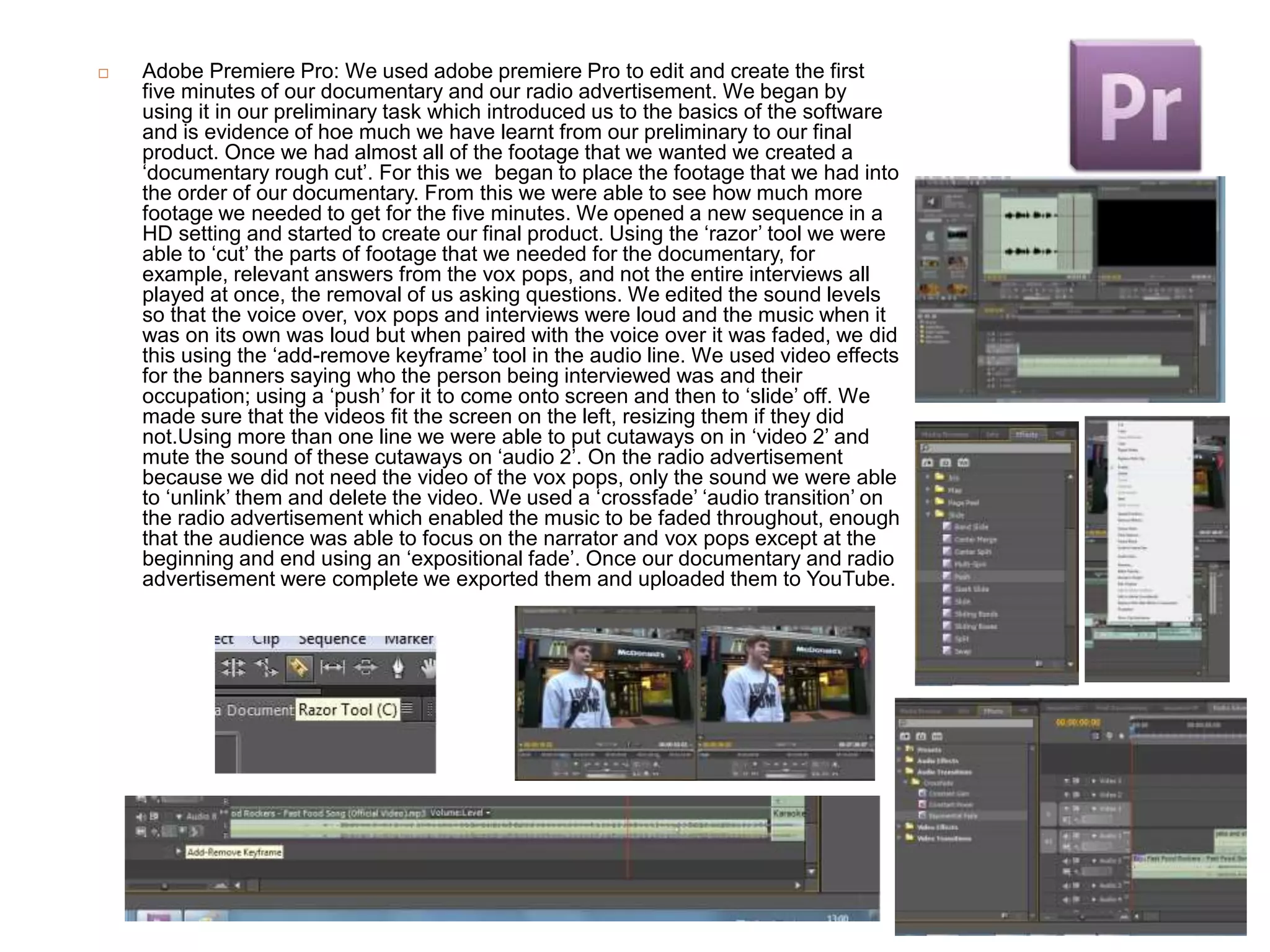
 Adobe Premiere Pro: We used adobe premiere Pro to edit and create the first
five minutes of our documentary and our radio advertisement. We began by
using it in our preliminary task which introduced us to the basics of the software
and is evidence of hoe much we have learnt from our preliminary to our final
product. Once we had almost all of the footage that we wanted we created a
‘documentary rough cut’. For this we began to place the footage that we had into
the order of our documentary. From this we were able to see how much more
footage we needed to get for the five minutes. We opened a new sequence in a
HD setting and started to create our final product. Using the ‘razor’ tool we were
able to ‘cut’ the parts of footage that we needed for the documentary, for
example, relevant answers from the vox pops, and not the entire interviews all
played at once, the removal of us asking questions. We edited the sound levels
so that the voice over, vox pops and interviews were loud and the music when it
was on its own was loud but when paired with the voice over it was faded, we did
this using the ‘add-remove keyframe’ tool in the audio line. We used video effects
for the banners saying who the person being interviewed was and their
occupation; using a ‘push’ for it to come onto screen and then to ‘slide’ off. We
made sure that the videos fit the screen on the left, resizing them if they did
not.Using more than one line we were able to put cutaways on in ‘video 2’ and
mute the sound of these cutaways on ‘audio 2’. On the radio advertisement
because we did not need the video of the vox pops, only the sound we were able
to ‘unlink’ them and delete the video. We used a ‘crossfade’ ‘audio transition’ on
the radio advertisement which enabled the music to be faded throughout, enough
that the audience was able to focus on the narrator and vox pops except at the
beginning and end using an ‘expositional fade’. Once our documentary and radio
advertisement were complete we exported them and uploaded them to YouTube.
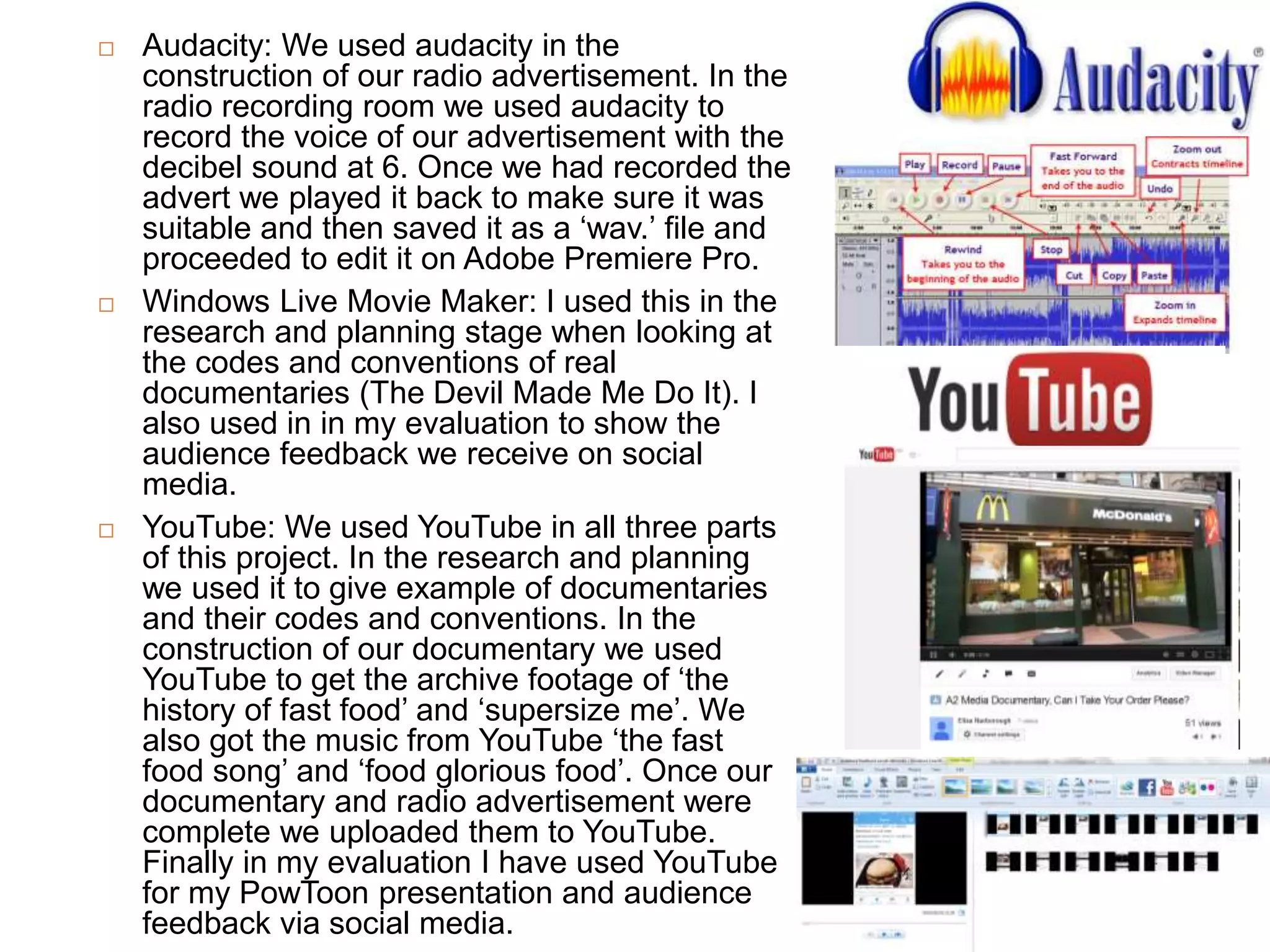
 Audacity: We used audacity in the
construction of our radio advertisement. In the
radio recording room we used audacity to
record the voice of our advertisement with the
decibel sound at 6. Once we had recorded the
advert we played it back to make sure it was
suitable and then saved it as a ‘wav.’ file and
proceeded to edit it on Adobe Premiere Pro.
 Windows Live Movie Maker: I used this in the
research and planning stage when looking at
the codes and conventions of real
documentaries (The Devil Made Me Do It). I
also used in in my evaluation to show the
audience feedback we receive on social
media.
 YouTube: We used YouTube in all three parts
of this project. In the research and planning
we used it to give example of documentaries
and their codes and conventions. In the
construction of our documentary we used
YouTube to get the archive footage of ‘the
history of fast food’ and ‘supersize me’. We
also got the music from YouTube ‘the fast
food song’ and ‘food glorious food’. Once our
documentary and radio advertisement were
complete we uploaded them to YouTube.
Finally in my evaluation I have used YouTube
for my PowToon presentation and audience
feedback via social media.

Use of media technologies

  • 1.
    OUR USE OFMEDIA TECHNOLOGIES IN THE CONSTRUCTION AND RESEARCH, PLANNING AND EVALUATION STAGES:
  • 2.
     Blogger: Ihave used blogger throughout the entire project. I have created a blog that creatively takes you through the research and planning, construction and evaluation stages. I did this by presenting a range of media technologies (Prezi, Tagul, etc) to produce evidence of my work and the development from where we started to our final products.  Microsoft Office: I have used Microsoft Word and PowerPoint throughout the entire project as well. We used Word to create a collection of research for the documentary (research record), also to create questionnaires to find out more about our target audience and get feedback on our final products. Word enabled us to script our voice over, radio advertisement and produce logging sheets and edit decision lists. I have used PowerPoint to present a range of tasks; documentary theory, codes and conventions of documentaries, print advertisements, initial ideas, recording and editing processes, this PowerPoint and others. I’ve created clear, easy to follow presentations using a range of designs which have then been uploaded to Blogger via SlideShare.
  • 3.
     Slideshare: Weused slideshare to upload all of our PowerPoint presentations and put them onto our blogs. We did this by clicking ‘upload’ selecting the PowerPoint we wanted and then ‘copied and paste’ the embed code into the html on the blog post.  Prezi: I used Prezi for the same reasons as using PowerPoint. However, with Prezi I was able to make the presentation more interesting and effective by using music and videos in them. The creative designs led to easy to follow and interesting presentations. I then uploaded to them my blog using the embed code like slideshare.
  • 4.
     Tagul: Weused Tagul to brainstorm the content for our documentary in our research and planning. Using Tagul we were able to manipulate the words into the shape and colours of a burger which relates to the topic of our documentary (fast food).  PowToon: I used PowToon in my evaluation to show how our documentary used, developed and challenged the forms and conventions of real media products. It allowed me to create a short video presentation using animation characters, text, pictures and effects. I thought that it was a creative way to produce and effective answer to that evaluation question. It also meant that I had learnt about and discovered how to use another media technology that I had never seen before. It was uploaded to YouTube and then ‘shared’ onto my blog.
  • 5.
     Sony HXR-MC2000:We used this Sony HD camera in the construction of our documentary to film all of our interviews, vox pops, opening sequence and cutaways. We would begin by setting up the tripod to the correct height and then placing the camera onto the tripod. We would then attach the microphone, headphones and test the sound quality to make sure the microphone was working and at a good standard. We would then film the interviews, vox pops and observational footage attempting to use the rule of thirds as much as possible with relevant mise en scene.  Lumix G10: We used this camera to get the photo for the print advertisement. We used the basic settings and did not use and filters on the original photo. We took lots of shots so that we would have a wide range to choose from.
  • 6.
     Adobe PremierePro: We used adobe premiere Pro to edit and create the first five minutes of our documentary and our radio advertisement. We began by using it in our preliminary task which introduced us to the basics of the software and is evidence of hoe much we have learnt from our preliminary to our final product. Once we had almost all of the footage that we wanted we created a ‘documentary rough cut’. For this we began to place the footage that we had into the order of our documentary. From this we were able to see how much more footage we needed to get for the five minutes. We opened a new sequence in a HD setting and started to create our final product. Using the ‘razor’ tool we were able to ‘cut’ the parts of footage that we needed for the documentary, for example, relevant answers from the vox pops, and not the entire interviews all played at once, the removal of us asking questions. We edited the sound levels so that the voice over, vox pops and interviews were loud and the music when it was on its own was loud but when paired with the voice over it was faded, we did this using the ‘add-remove keyframe’ tool in the audio line. We used video effects for the banners saying who the person being interviewed was and their occupation; using a ‘push’ for it to come onto screen and then to ‘slide’ off. We made sure that the videos fit the screen on the left, resizing them if they did not.Using more than one line we were able to put cutaways on in ‘video 2’ and mute the sound of these cutaways on ‘audio 2’. On the radio advertisement because we did not need the video of the vox pops, only the sound we were able to ‘unlink’ them and delete the video. We used a ‘crossfade’ ‘audio transition’ on the radio advertisement which enabled the music to be faded throughout, enough that the audience was able to focus on the narrator and vox pops except at the beginning and end using an ‘expositional fade’. Once our documentary and radio advertisement were complete we exported them and uploaded them to YouTube.
  • 7.
     Audacity: Weused audacity in the construction of our radio advertisement. In the radio recording room we used audacity to record the voice of our advertisement with the decibel sound at 6. Once we had recorded the advert we played it back to make sure it was suitable and then saved it as a ‘wav.’ file and proceeded to edit it on Adobe Premiere Pro.  Windows Live Movie Maker: I used this in the research and planning stage when looking at the codes and conventions of real documentaries (The Devil Made Me Do It). I also used in in my evaluation to show the audience feedback we receive on social media.  YouTube: We used YouTube in all three parts of this project. In the research and planning we used it to give example of documentaries and their codes and conventions. In the construction of our documentary we used YouTube to get the archive footage of ‘the history of fast food’ and ‘supersize me’. We also got the music from YouTube ‘the fast food song’ and ‘food glorious food’. Once our documentary and radio advertisement were complete we uploaded them to YouTube. Finally in my evaluation I have used YouTube for my PowToon presentation and audience feedback via social media.