Media Evaluation – Question 4

 How did you use media technologies
    in the construction, research,
   planning and evaluation stages?
Research and Planning
When researching what genre of music we were going to use, we
used lots of different technologies. Firstly we used Blogger. We
used this to gather all our research together in one place. We
used Google to search out similar bands to the Indie genre we
had chosen. We used YouTube to watch the videos of these
bands so we could see what the codes and conventions of a real
media product were.
Blogger

Blogger was used to present all our research
  and planning throughout the project. We
would post all our updates to the same blog.
 Doing this meant all our groups work was in
one place so there was less chance of it being
    lost and it helped keep us organised.
Google

We used Google the search engine for all our
 research at the beginning of our project.
 Google helped us find similar products, help
 us know more about the industry and also
 taught us about our audience
YouTube
We used YouTube for many different reasons.
Firstly we used it when looking for music videos
in the same genre as we had chosen to give us an
idea of the codes and conventions. We also used
YouTube to upload our final video to the site. We
also filmed our audience feedback and uploaded
this to YouTube as well. YouTube came in handy
when we got stuck with the software we were
using as they have tutorial clips on there on how
to use the software we were using.
Final Cut
This is the software we used that basically
helped us create our video. The software
allows you to do many things such as shorten
clips, choose which order you want the clips to
play in, and add certain slide effects such as
cross fade. We had a few difficulties using the
software but using the internet to solve the
problem we soon knew what we were doing.
Filming
When we had chosen what song we were going to do, where
we were going to do it and who was going to be involved in
the video we started to begin filming.
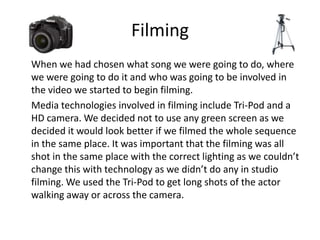
Media technologies involved in filming include Tri-Pod and a
HD camera. We decided not to use any green screen as we
decided it would look better if we filmed the whole sequence
in the same place. It was important that the filming was all
shot in the same place with the correct lighting as we couldn’t
change this with technology as we didn’t do any in studio
filming. We used the Tri-Pod to get long shots of the actor
walking away or across the camera.
Construction
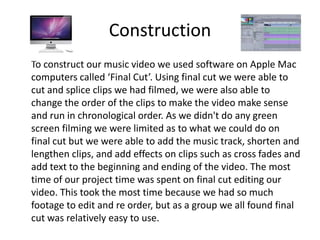
To construct our music video we used software on Apple Mac
computers called ‘Final Cut’. Using final cut we were able to
cut and splice clips we had filmed, we were also able to
change the order of the clips to make the video make sense
and run in chronological order. As we didn't do any green
screen filming we were limited as to what we could do on
final cut but we were able to add the music track, shorten and
lengthen clips, and add effects on clips such as cross fades and
add text to the beginning and ending of the video. The most
time of our project time was spent on final cut editing our
video. This took the most time because we had so much
footage to edit and re order, but as a group we all found final
cut was relatively easy to use.

Media evaluation – question 4

  • 1.
    Media Evaluation –Question 4 How did you use media technologies in the construction, research, planning and evaluation stages?
  • 2.
    Research and Planning Whenresearching what genre of music we were going to use, we used lots of different technologies. Firstly we used Blogger. We used this to gather all our research together in one place. We used Google to search out similar bands to the Indie genre we had chosen. We used YouTube to watch the videos of these bands so we could see what the codes and conventions of a real media product were.
  • 3.
    Blogger Blogger was usedto present all our research and planning throughout the project. We would post all our updates to the same blog. Doing this meant all our groups work was in one place so there was less chance of it being lost and it helped keep us organised.
  • 4.
    Google We used Googlethe search engine for all our research at the beginning of our project. Google helped us find similar products, help us know more about the industry and also taught us about our audience
  • 5.
    YouTube We used YouTubefor many different reasons. Firstly we used it when looking for music videos in the same genre as we had chosen to give us an idea of the codes and conventions. We also used YouTube to upload our final video to the site. We also filmed our audience feedback and uploaded this to YouTube as well. YouTube came in handy when we got stuck with the software we were using as they have tutorial clips on there on how to use the software we were using.
  • 6.
    Final Cut This isthe software we used that basically helped us create our video. The software allows you to do many things such as shorten clips, choose which order you want the clips to play in, and add certain slide effects such as cross fade. We had a few difficulties using the software but using the internet to solve the problem we soon knew what we were doing.
  • 7.
    Filming When we hadchosen what song we were going to do, where we were going to do it and who was going to be involved in the video we started to begin filming. Media technologies involved in filming include Tri-Pod and a HD camera. We decided not to use any green screen as we decided it would look better if we filmed the whole sequence in the same place. It was important that the filming was all shot in the same place with the correct lighting as we couldn’t change this with technology as we didn’t do any in studio filming. We used the Tri-Pod to get long shots of the actor walking away or across the camera.
  • 8.
    Construction To construct ourmusic video we used software on Apple Mac computers called ‘Final Cut’. Using final cut we were able to cut and splice clips we had filmed, we were also able to change the order of the clips to make the video make sense and run in chronological order. As we didn't do any green screen filming we were limited as to what we could do on final cut but we were able to add the music track, shorten and lengthen clips, and add effects on clips such as cross fades and add text to the beginning and ending of the video. The most time of our project time was spent on final cut editing our video. This took the most time because we had so much footage to edit and re order, but as a group we all found final cut was relatively easy to use.