



Windows Universal Apps 
Joe Healy :: @devfish :: jhealy@Microsoft.com 
Blogs.msdn.com/devfish
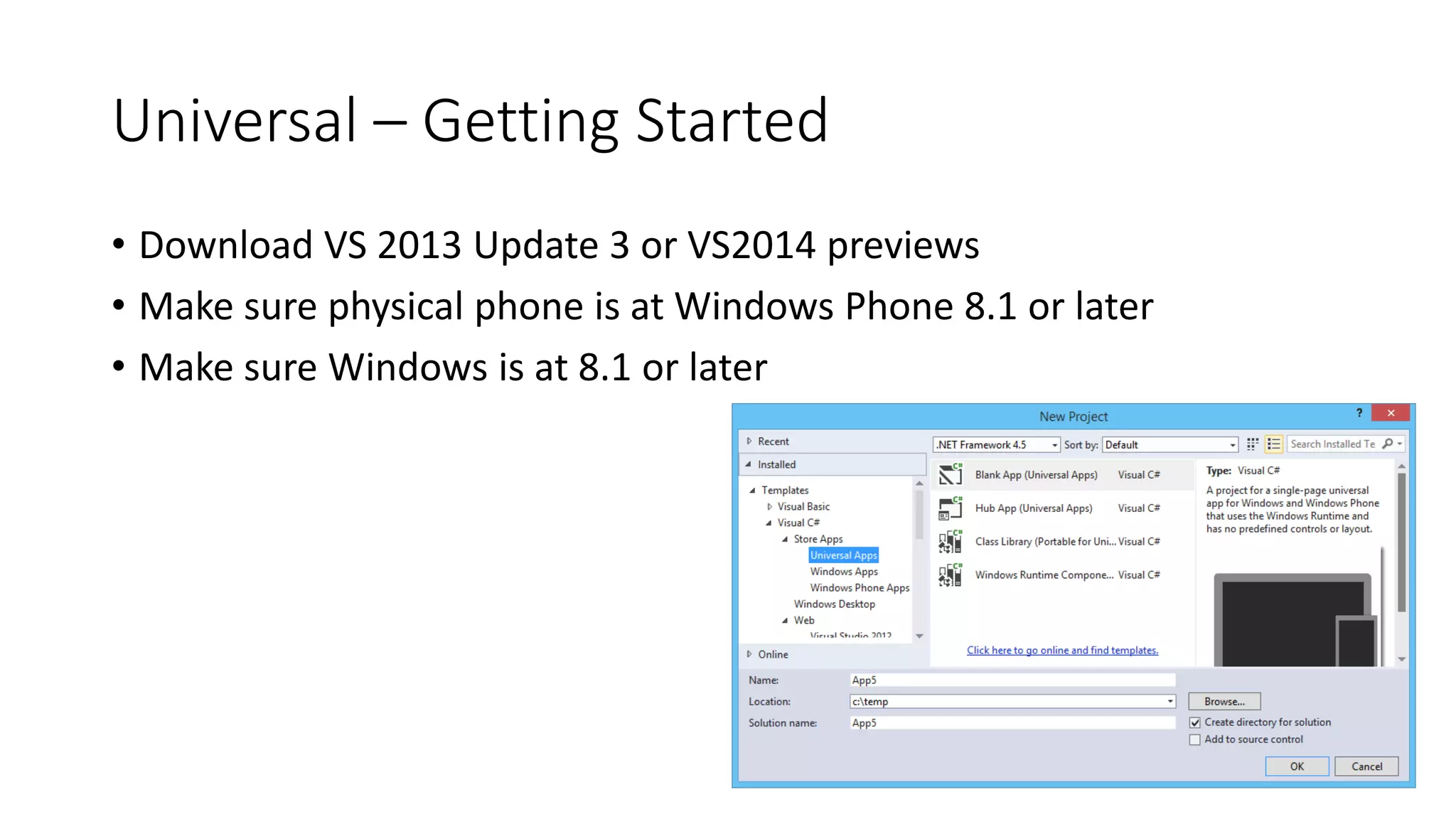
Universal – Getting Started 
• Download VS 2013 Update 3 or VS2014 previews 
• Make sure physical phone is at Windows Phone 8.1 or later 
• Make sure Windows is at 8.1 or later
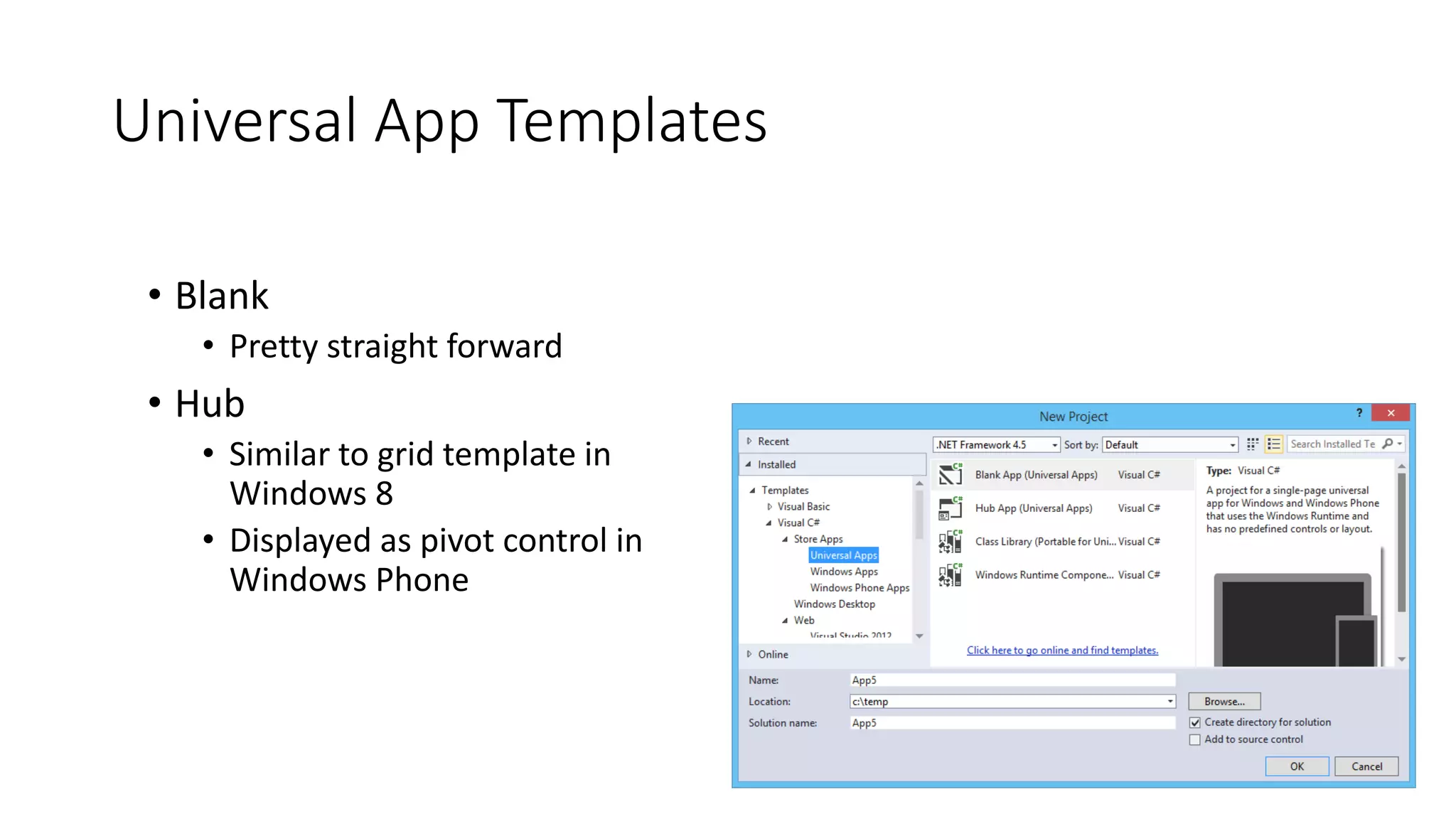
Universal App Templates 
• Blank 
• Pretty straight forward 
• Hub 
• Similar to grid template in 
Windows 8 
• Displayed as pivot control in 
Windows Phone
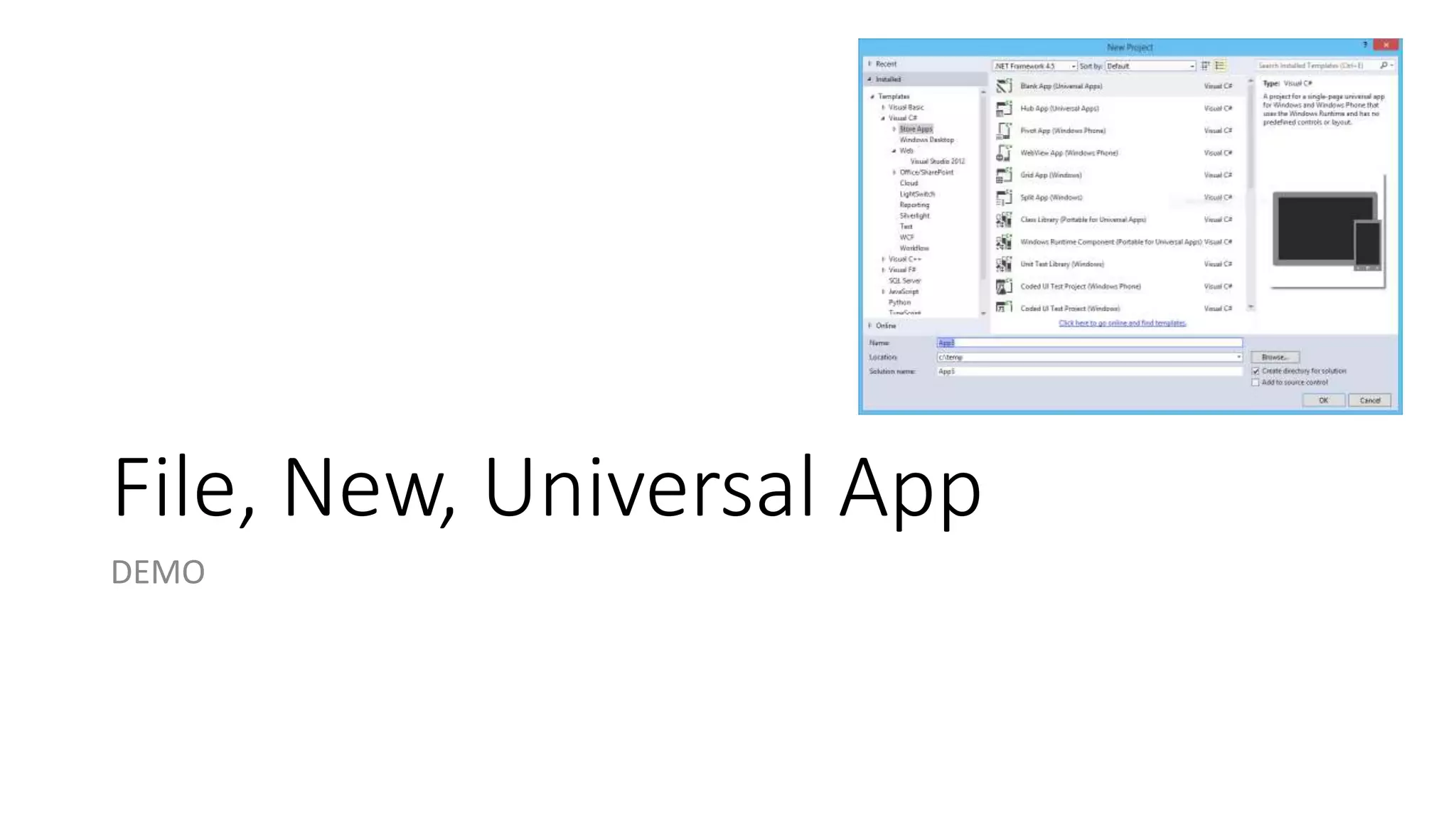
File, New, Universal App 
DEMO
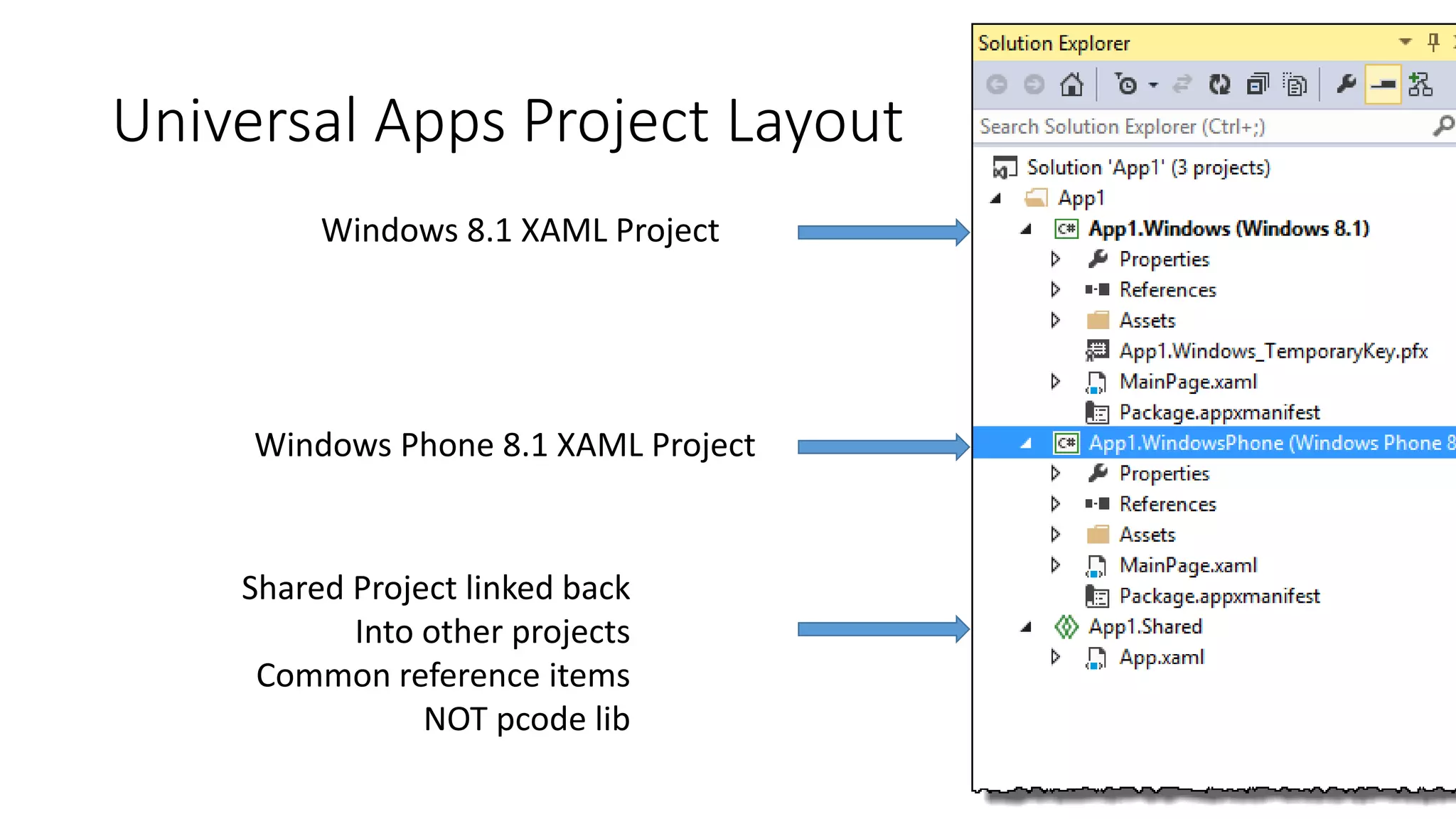
Universal Apps Project Layout 
Windows 8.1 XAML Project 
Windows Phone 8.1 XAML Project 
Shared Project linked back 
Into other projects 
Common reference items 
NOT pcode lib
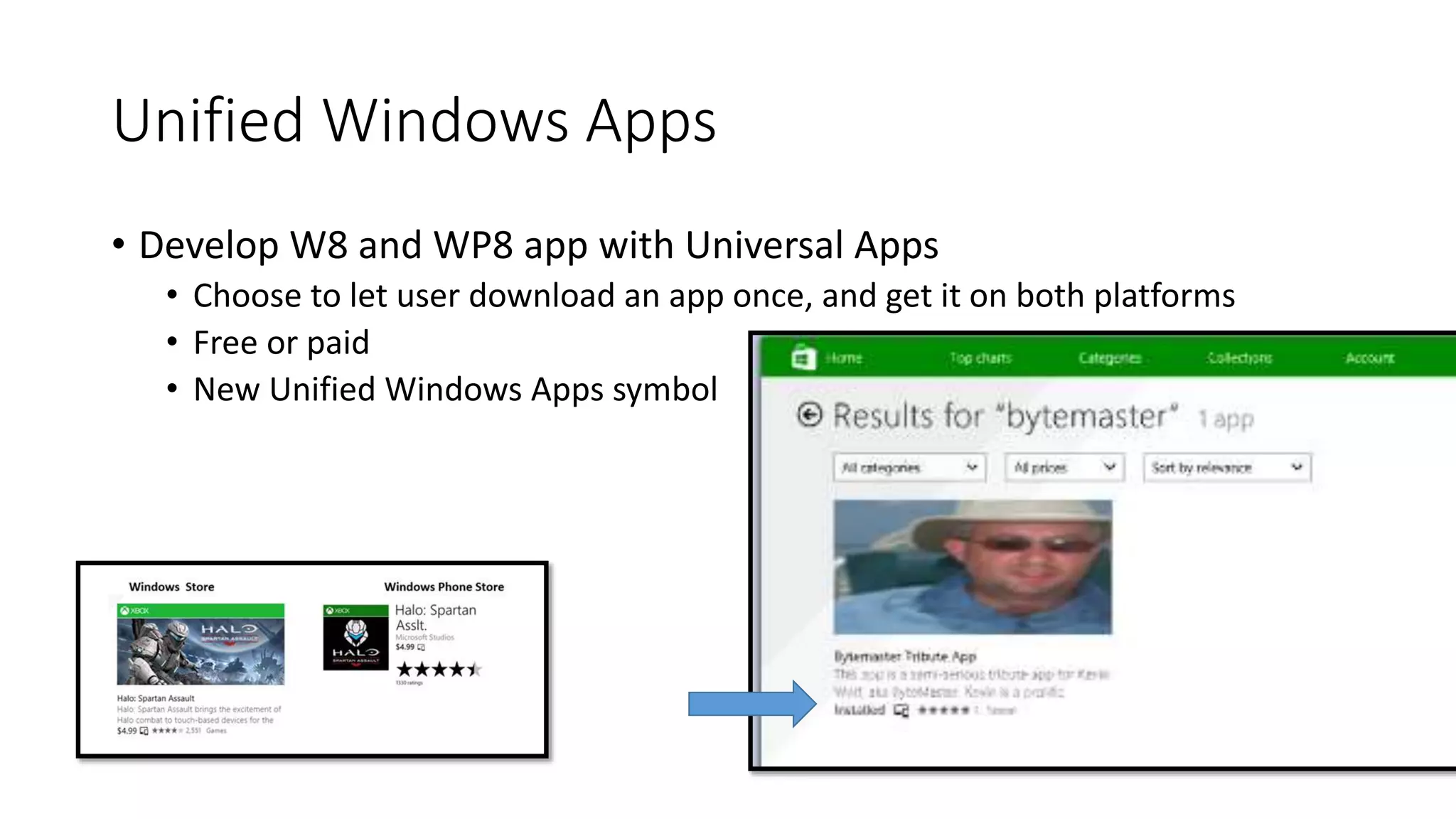
Unified Windows Apps 
• Develop W8 and WP8 app with Universal Apps 
• Choose to let user download an app once, and get it on both platforms 
• Free or paid 
• New Unified Windows Apps symbol
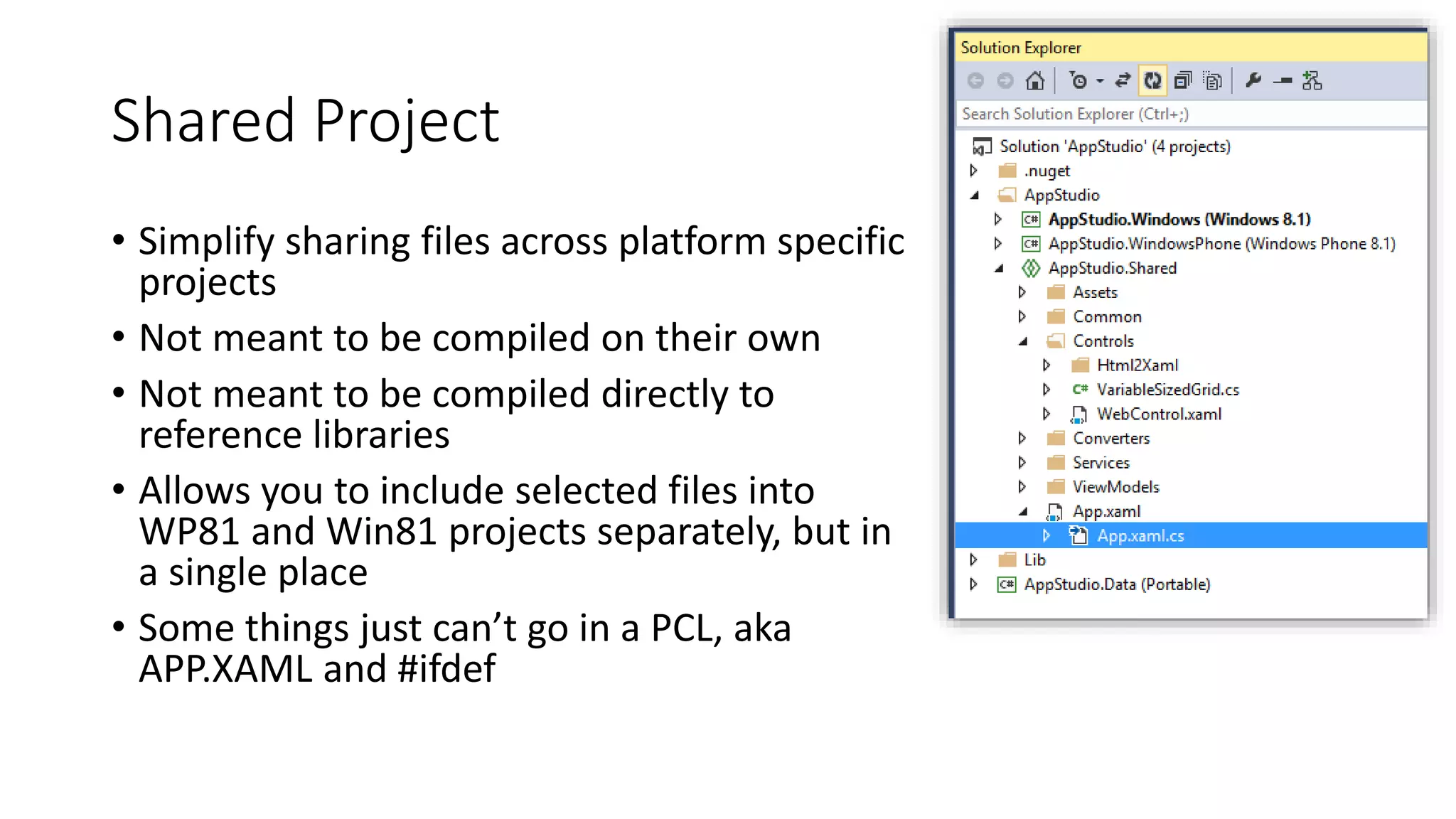
Shared Project 
• Simplify sharing files across platform specific 
projects 
• Not meant to be compiled on their own 
• Not meant to be compiled directly to 
reference libraries 
• Allows you to include selected files into 
WP81 and Win81 projects separately, but in 
a single place 
• Some things just can’t go in a PCL, aka 
APP.XAML and #ifdef
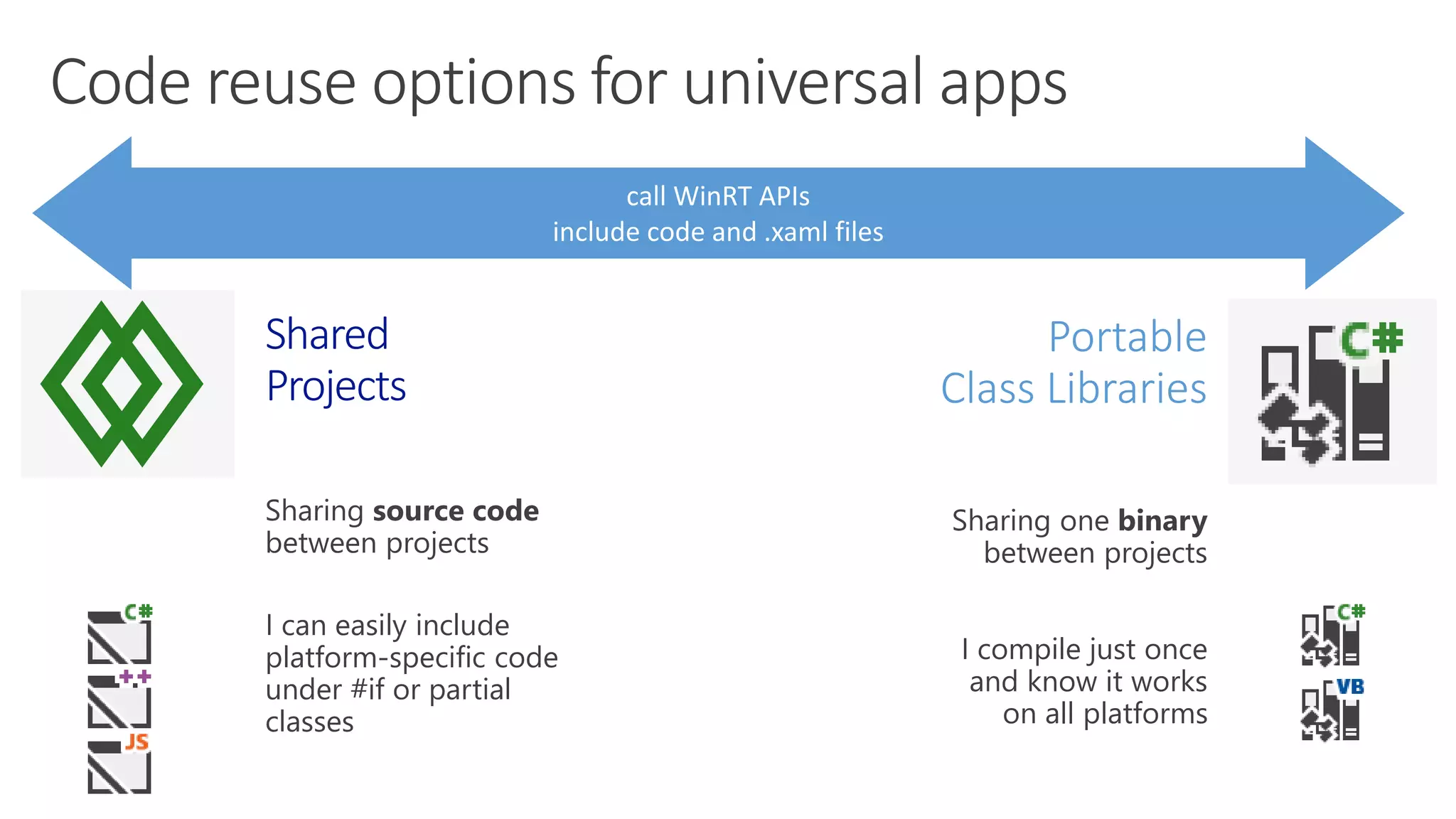
Portable 
Class Libraries 
I compile just once 
and know it works 
on all platforms 
Shared 
Projects 
I can easily include 
platform-specific code 
under #if or partial 
classes
Debug Target 
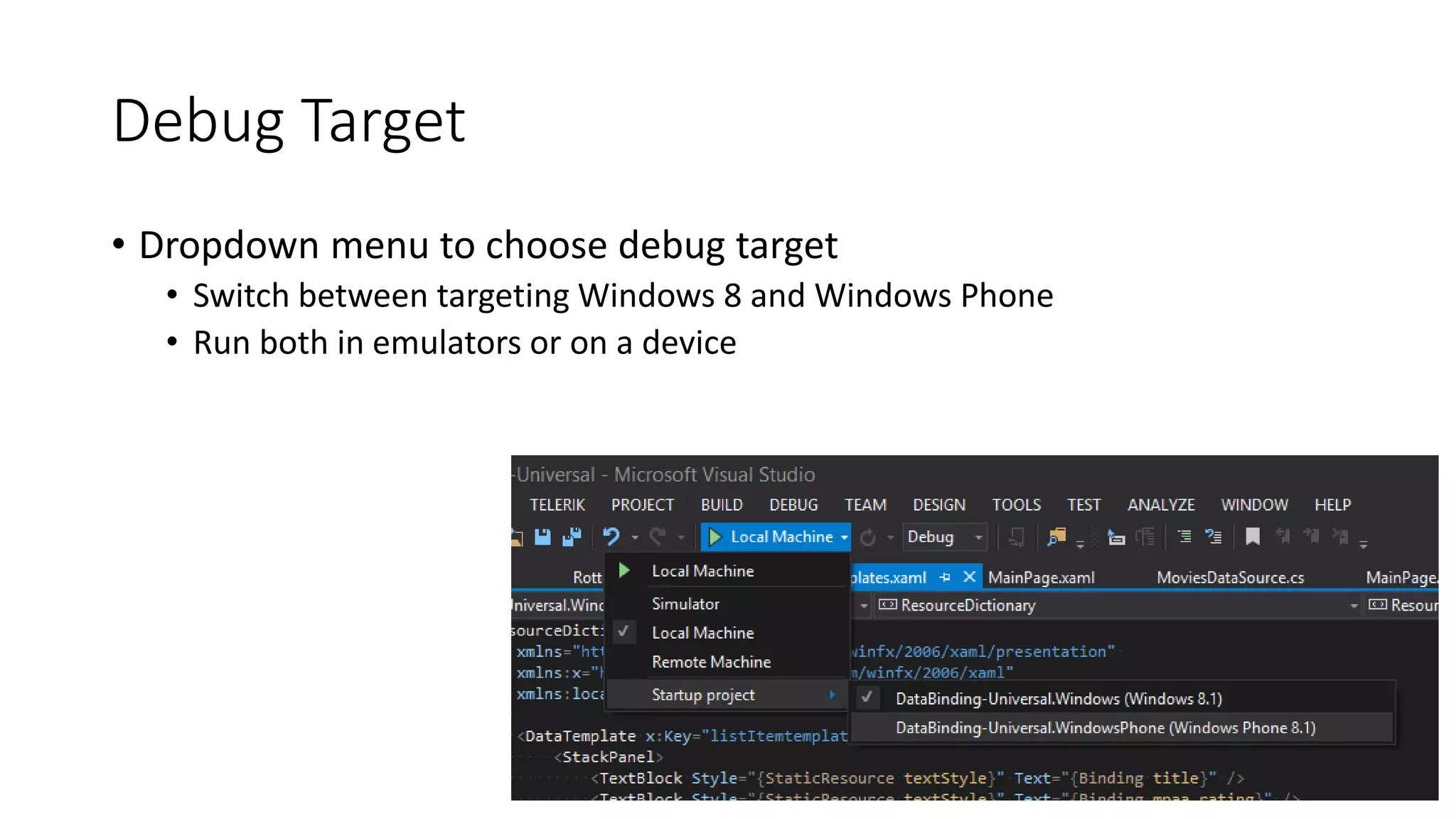
• Dropdown menu to choose debug target 
• Switch between targeting Windows 8 and Windows Phone 
• Run both in emulators or on a device
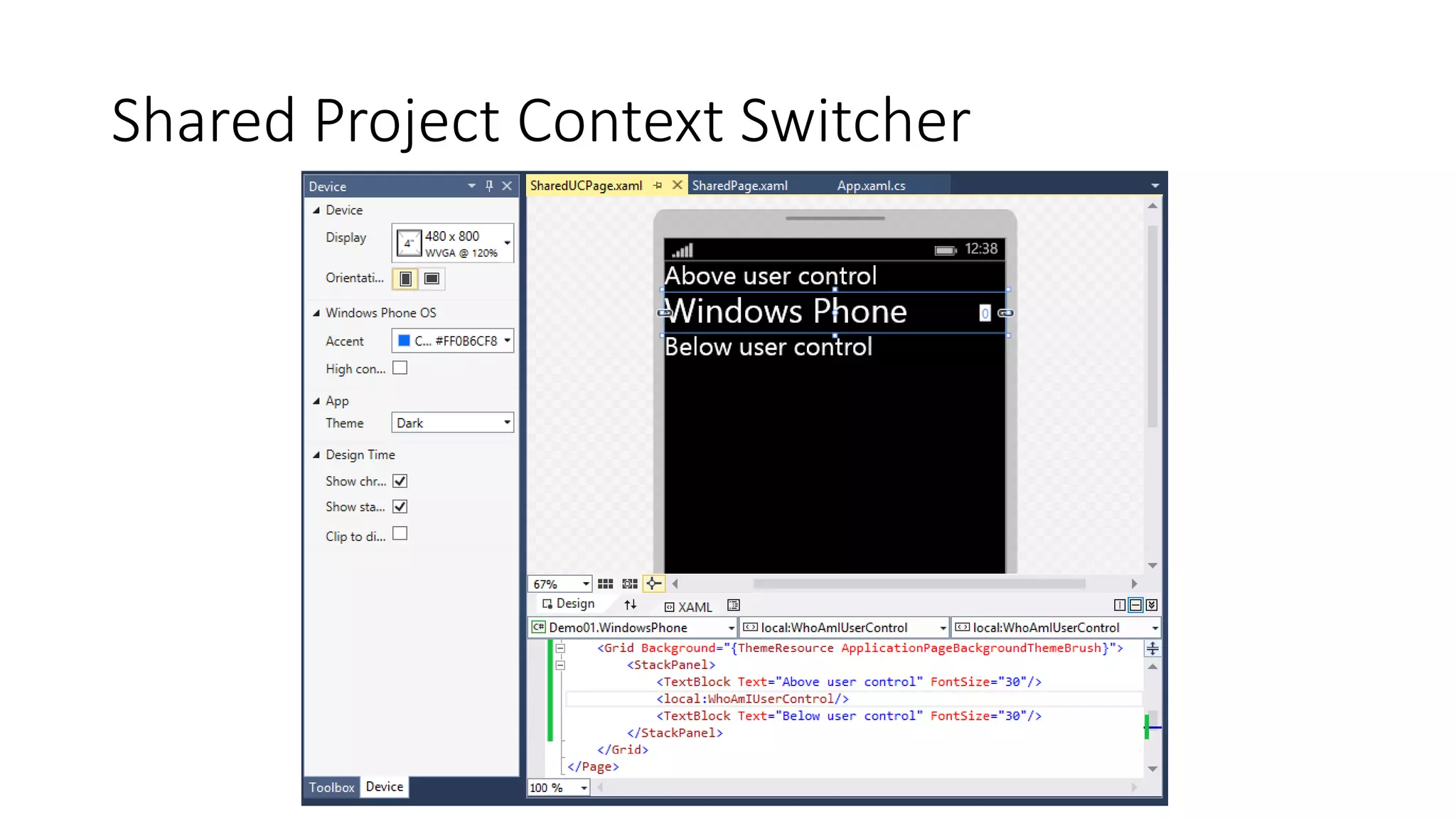
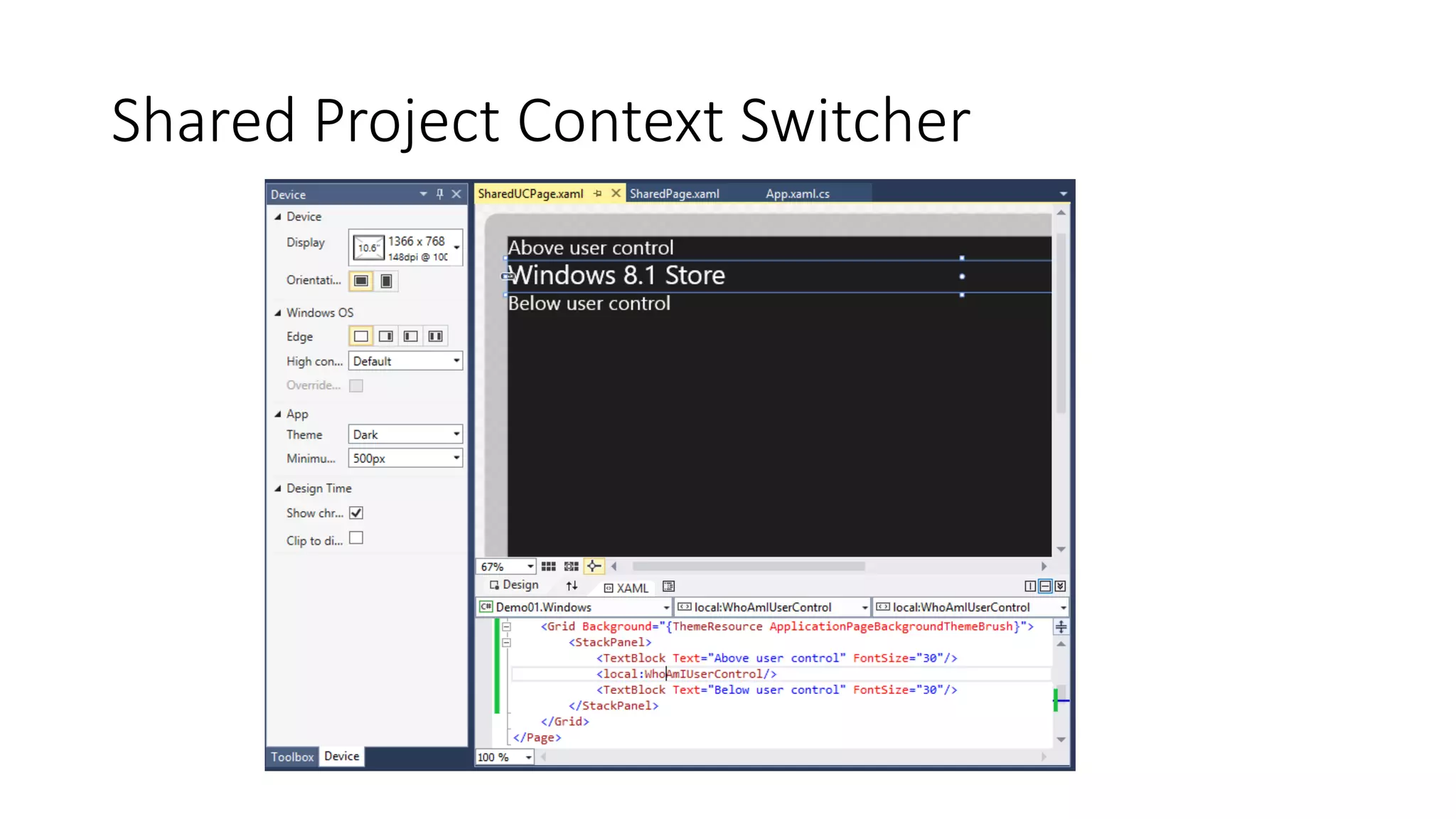
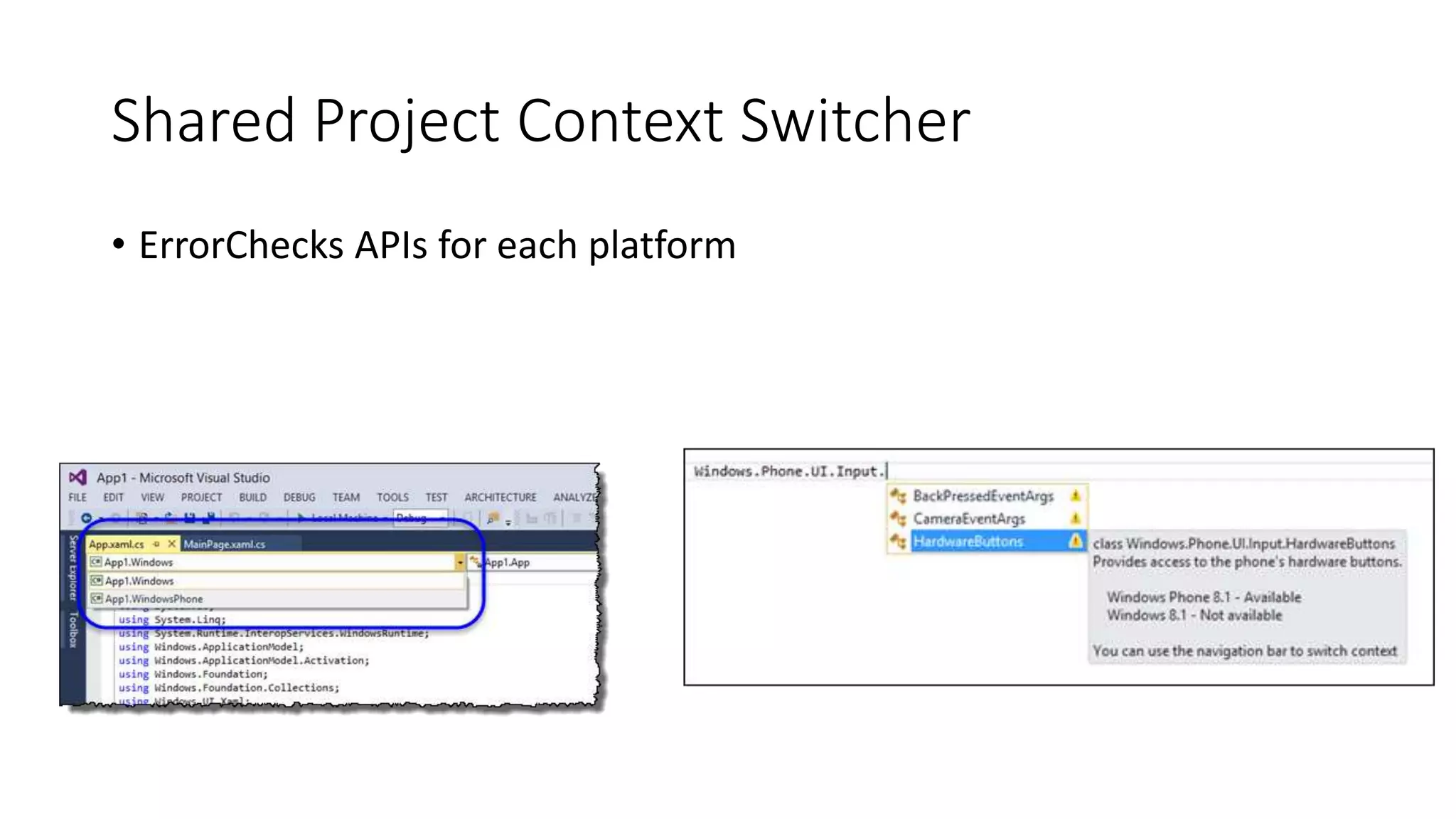
Shared Project Context Switcher 
• Changes how screen is rendered 
• Changes what shows up in the device tab
Shared Project Context Switcher
Shared Project Context Switcher 
• ErrorChecks APIs for each platform
#ifdef directive 
• constants WINDOWS_APP and WINDOWS_PHONE_APP are 
conveniently predefined for you 
• Have platform specific code for each 
• If windows app, do this 
• If windows phone app, do this
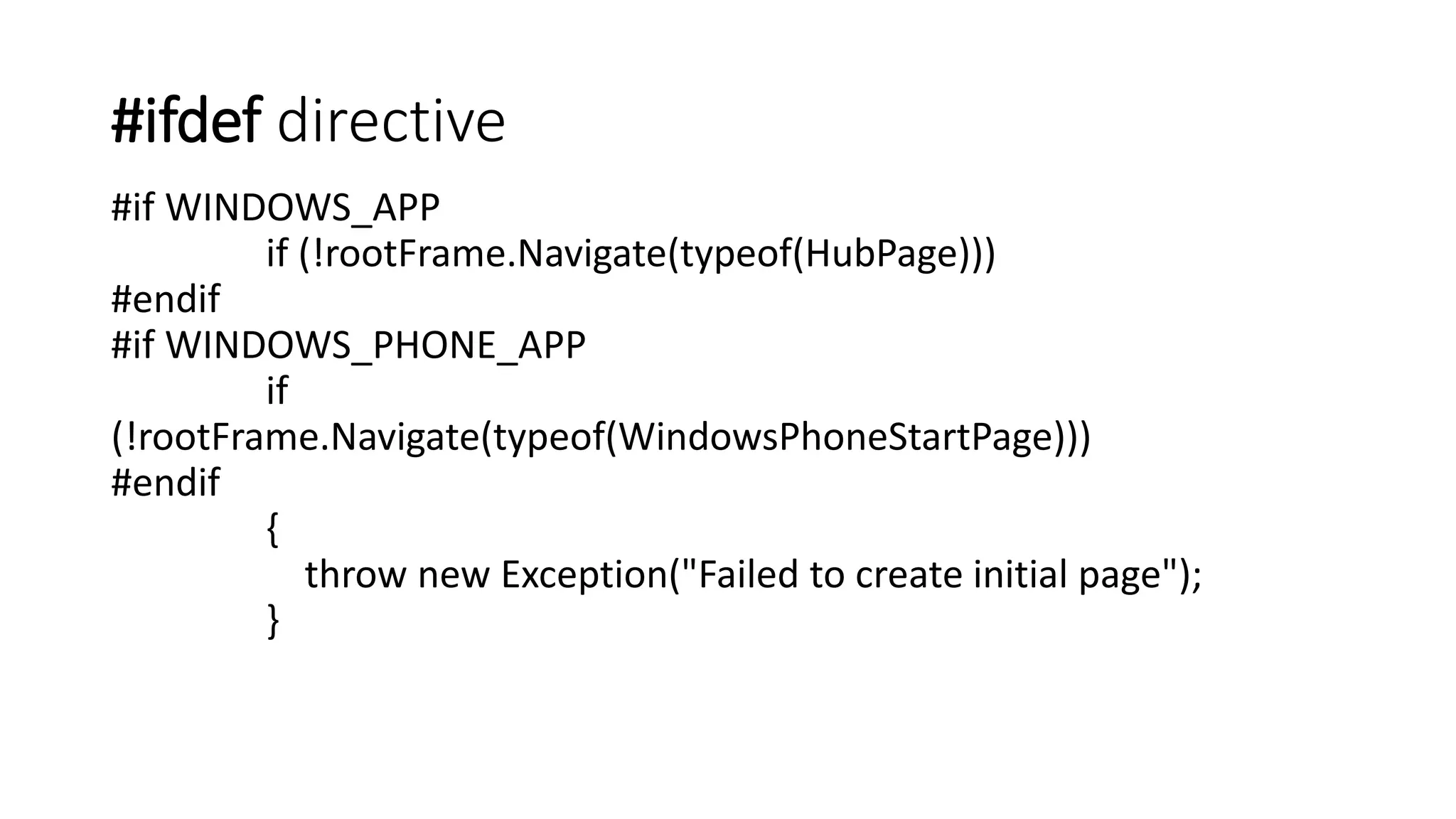
#ifdef directive 
#if WINDOWS_APP 
if (!rootFrame.Navigate(typeof(HubPage))) 
#endif 
#if WINDOWS_PHONE_APP 
if 
(!rootFrame.Navigate(typeof(WindowsPhoneStartPage))) 
#endif 
{ 
throw new Exception("Failed to create initial page"); 
}
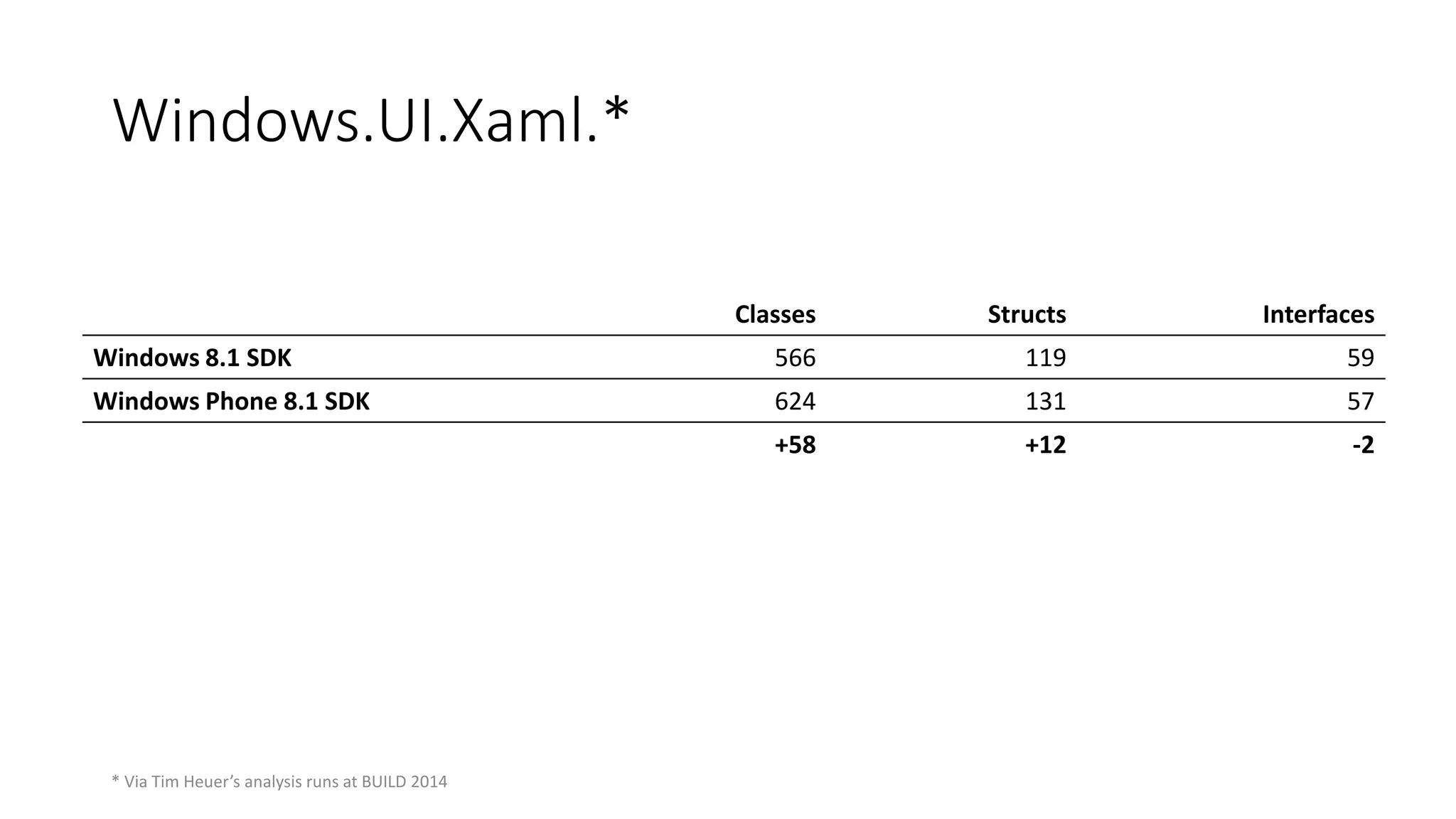
Classes Structs Interfaces 
Windows 8.1 SDK 566 119 59 
Windows Phone 8.1 SDK 624 131 57 
+58 +12 -2 
Windows.UI.Xaml.* 
* Via Tim Heuer’s analysis runs at BUILD 2014
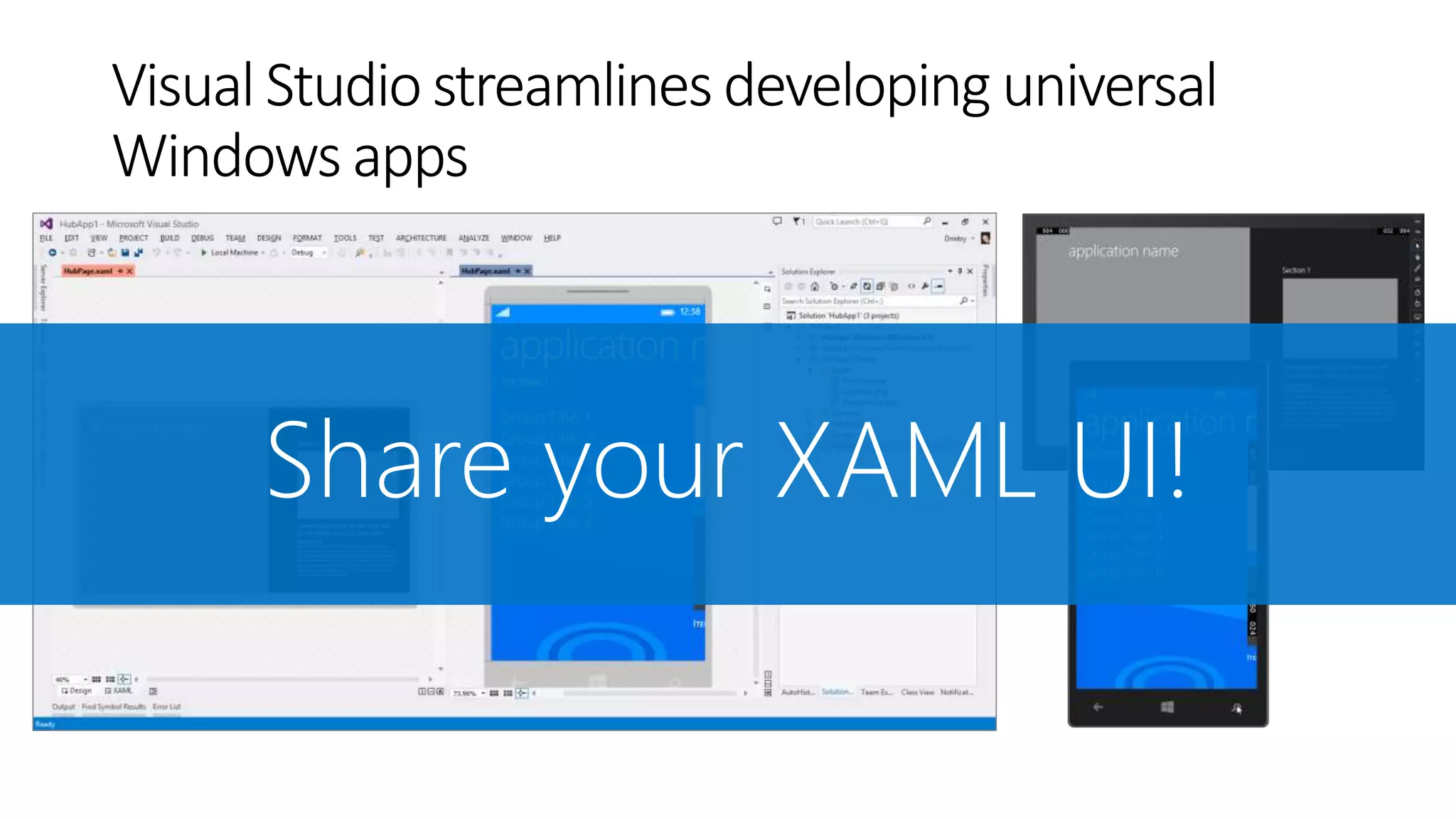
Visual Studio streamlines developing universal 
Windows apps
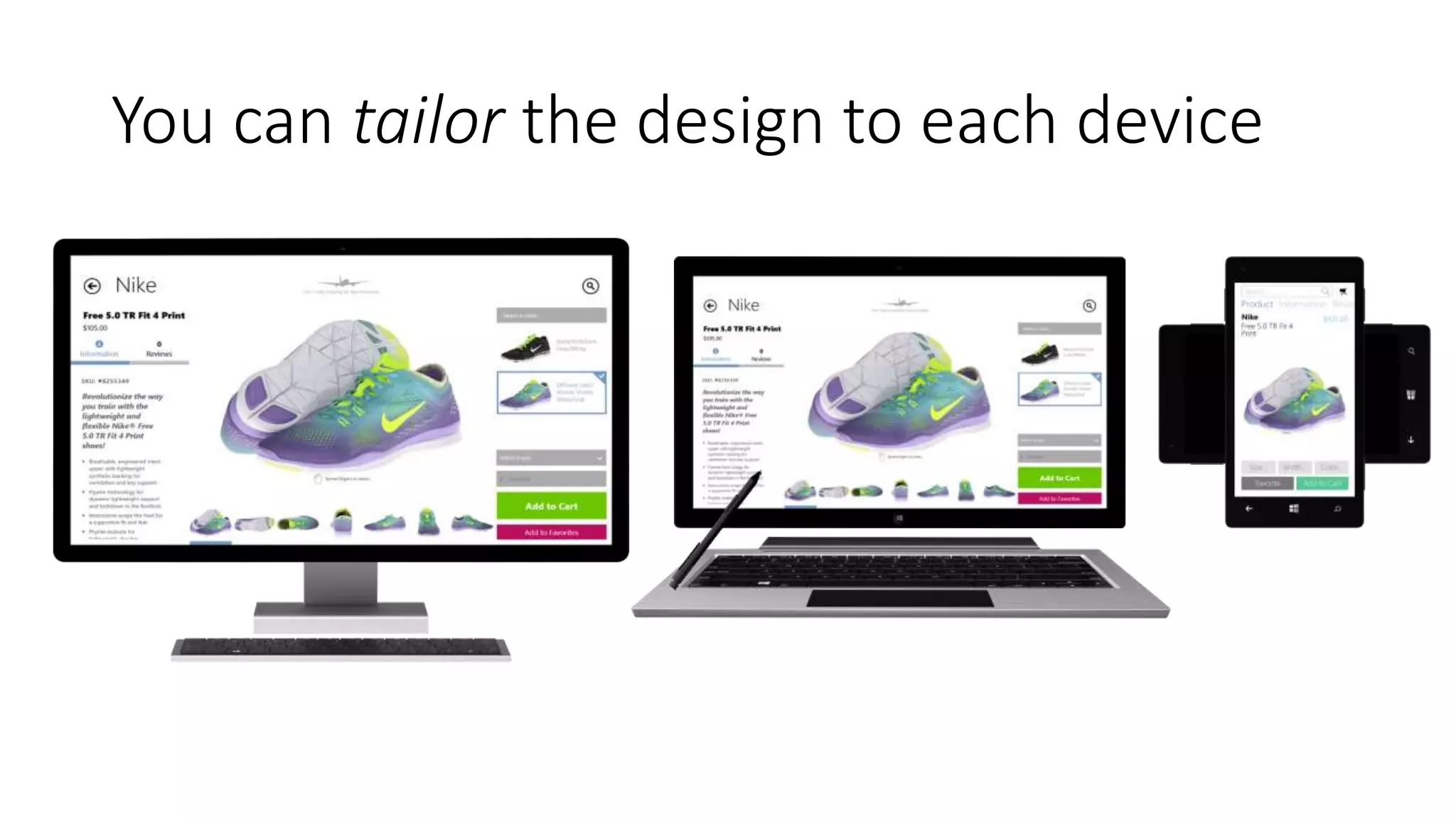
You can tailor the design to each device
‘Primitives’ – Same Across Platforms 
• Layout: Panel, StackPanel, Grid, Border 
• Buttons, Slider, ToggleSwitch, CheckBox, RadioButton, 
ProgressBar 
• TextBox/TextBlock 
• Shapes/Path
‘Primitives’ – same API, tailored behavior 
Hub 
CommandBar 
Date/Time Pickers and List Pickers 
ListView 
Flyouts 
Media 
Ads SDK
Device-specific APIs 
Windows 
• AppBar 
• SearchBox 
• SettingsFlyout 
Windows Phone 
• Pivot 
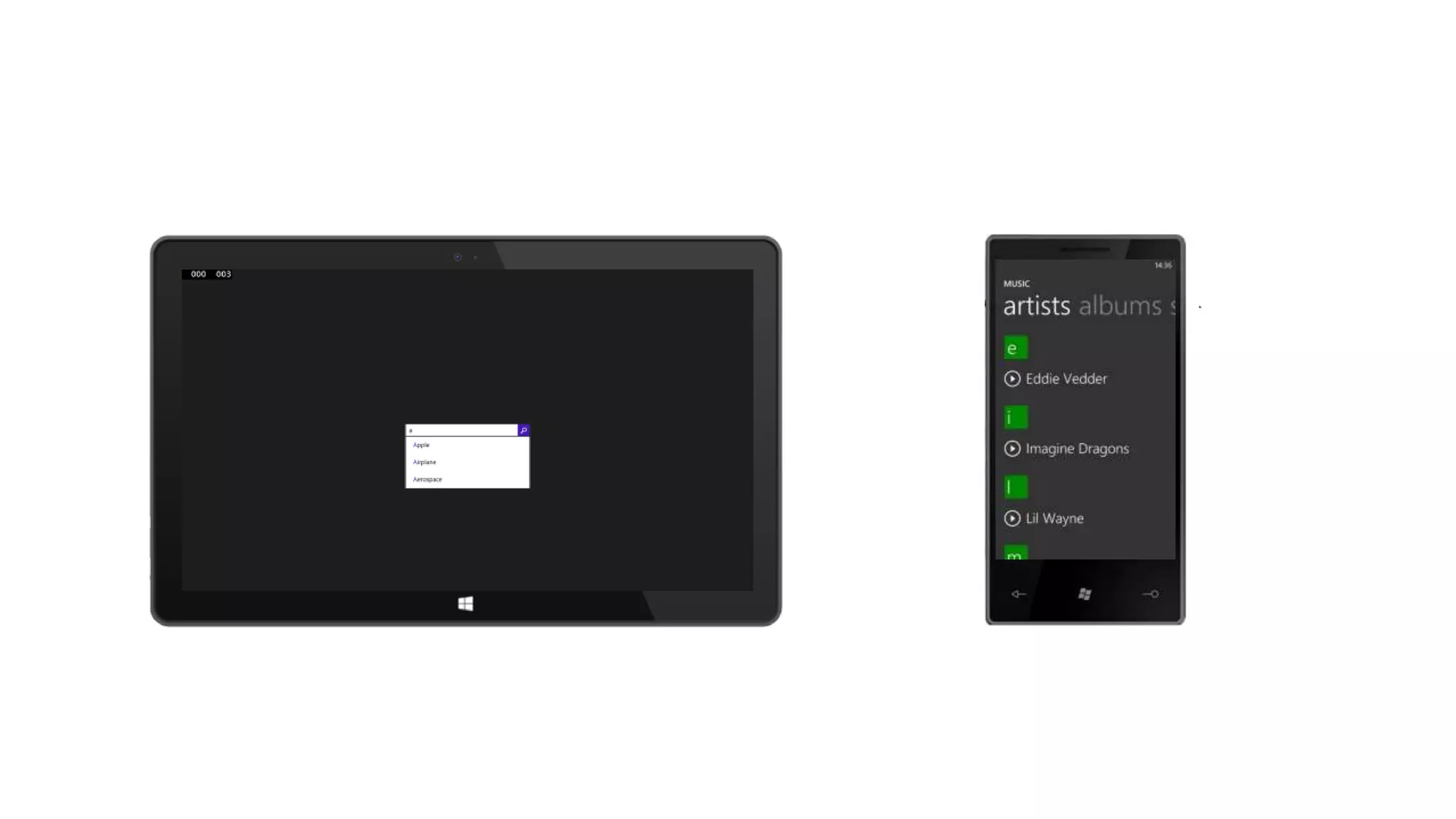
• AutoSuggestBox 
• ContentDialog 
• Maps 
• System Chrome
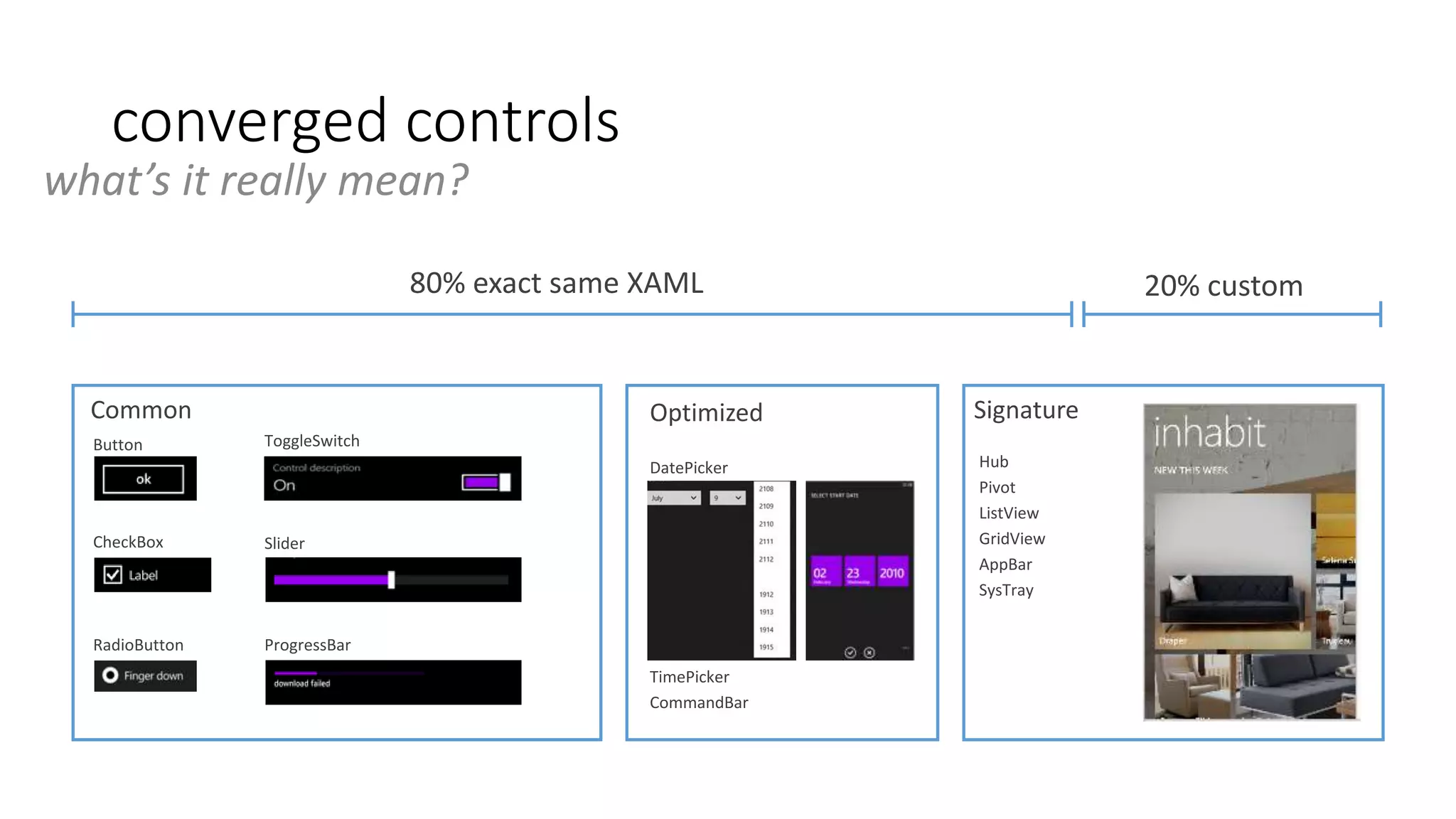
converged controls 
what’s it really mean? 
80% exact same XAML 20% custom 
Common Optimized Signature 
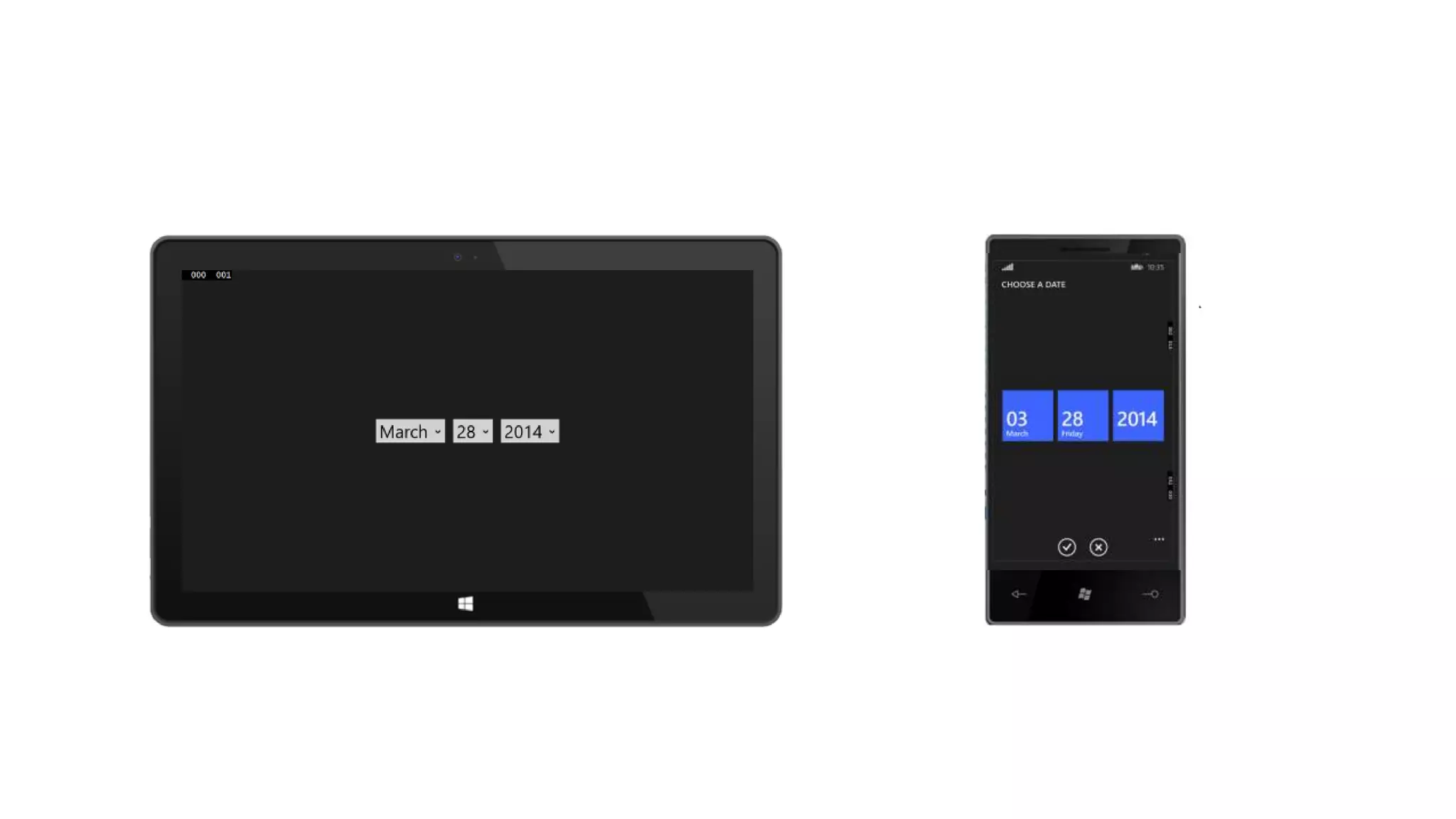
DatePicker 
TimePicker 
CommandBar 
Button 
CheckBox 
ToggleSwitch 
Slider 
RadioButton ProgressBar 
Hub 
Pivot 
ListView 
GridView 
AppBar 
SysTray
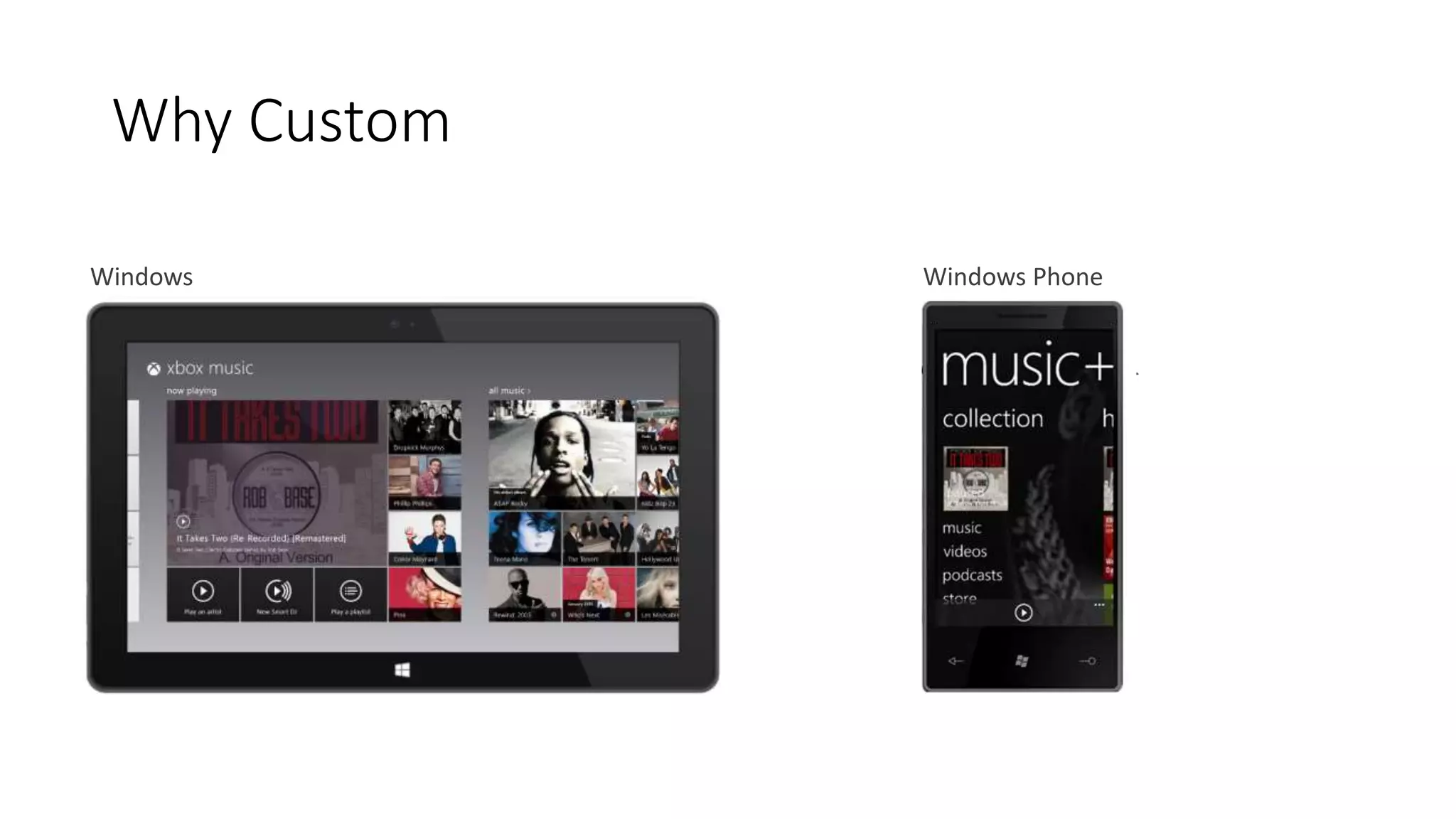
Why Custom 
Windows Windows Phone
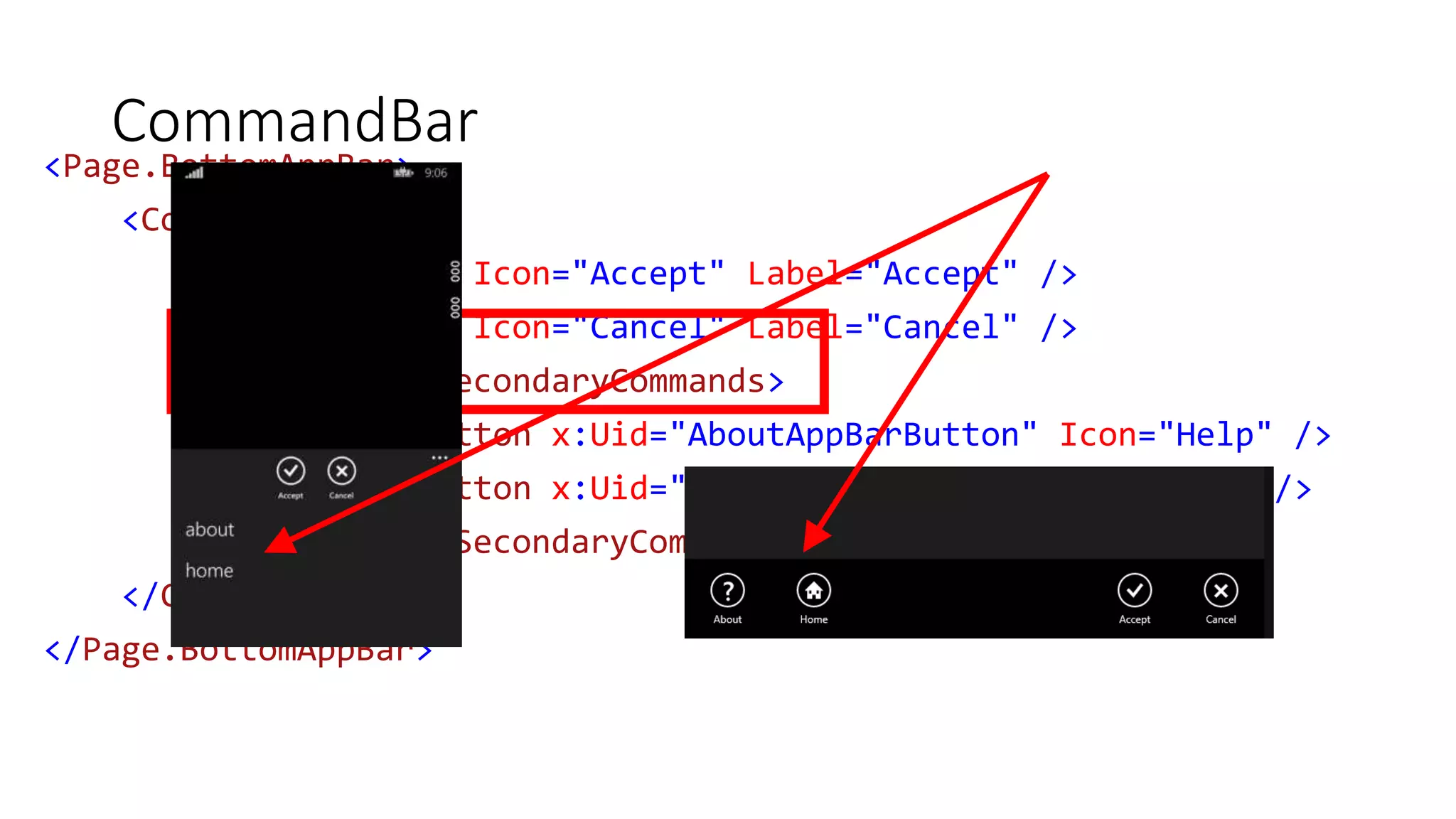
CommandBar 
<Page.BottomAppBar> 
<CommandBar> 
<AppBarButton Icon="Accept" Label="Accept" /> 
<AppBarButton Icon="Cancel" Label="Cancel" /> 
<CommandBar.SecondaryCommands> 
<AppBarButton x:Uid="AboutAppBarButton" Icon="Help" /> 
<AppBarButton x:Uid="HomeAppBarButton" Icon="Home" /> 
</CommandBar.SecondaryCommands> 
</CommandBar> 
</Page.BottomAppBar>
CONTROLS PLAY 
DEMO
Navigation Model 
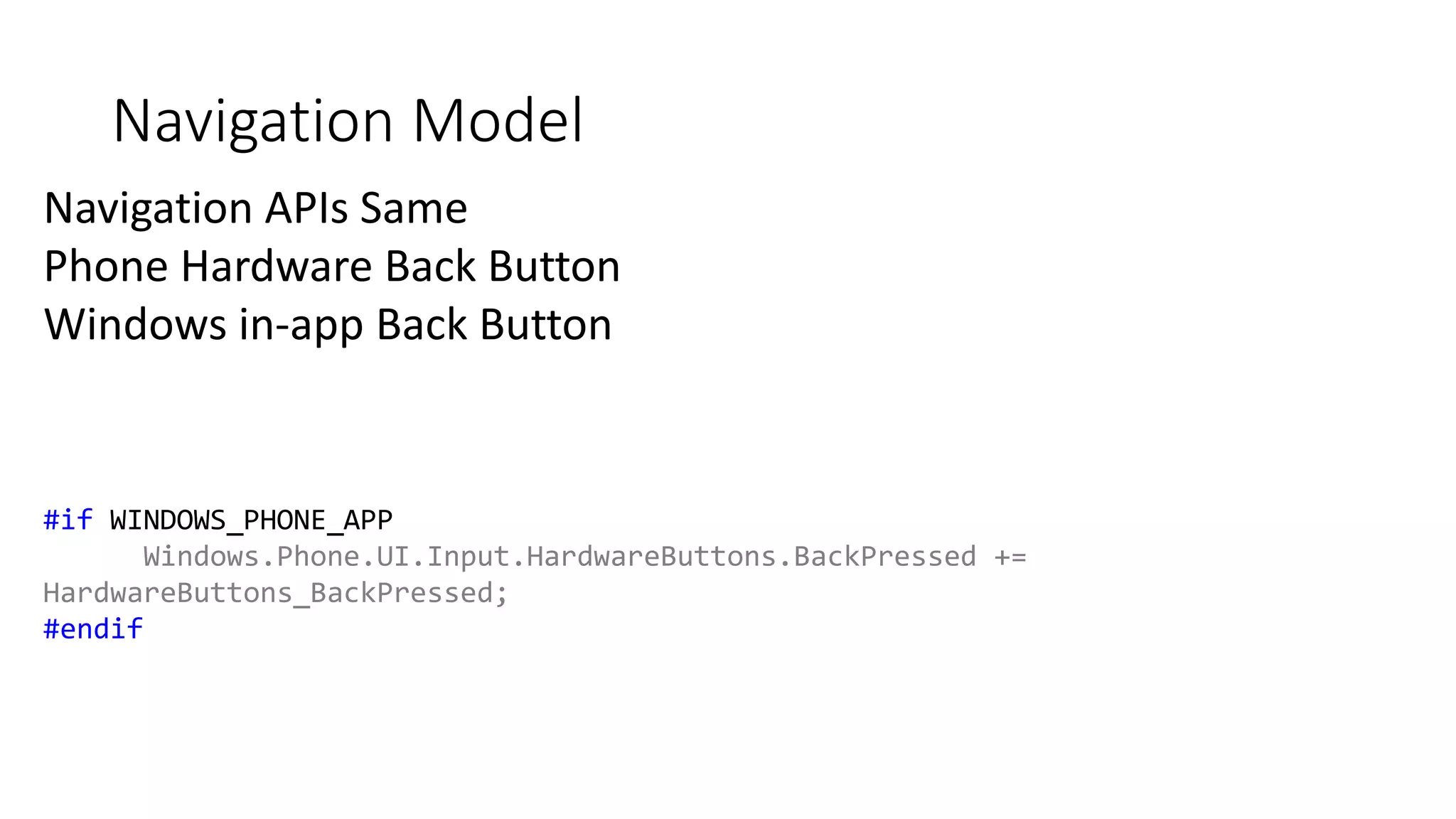
Navigation APIs Same 
Phone Hardware Back Button 
Windows in-app Back Button 
#if WINDOWS_PHONE_APP 
Windows.Phone.UI.Input.HardwareButtons.BackPressed += 
HardwareButtons_BackPressed; 
#endif
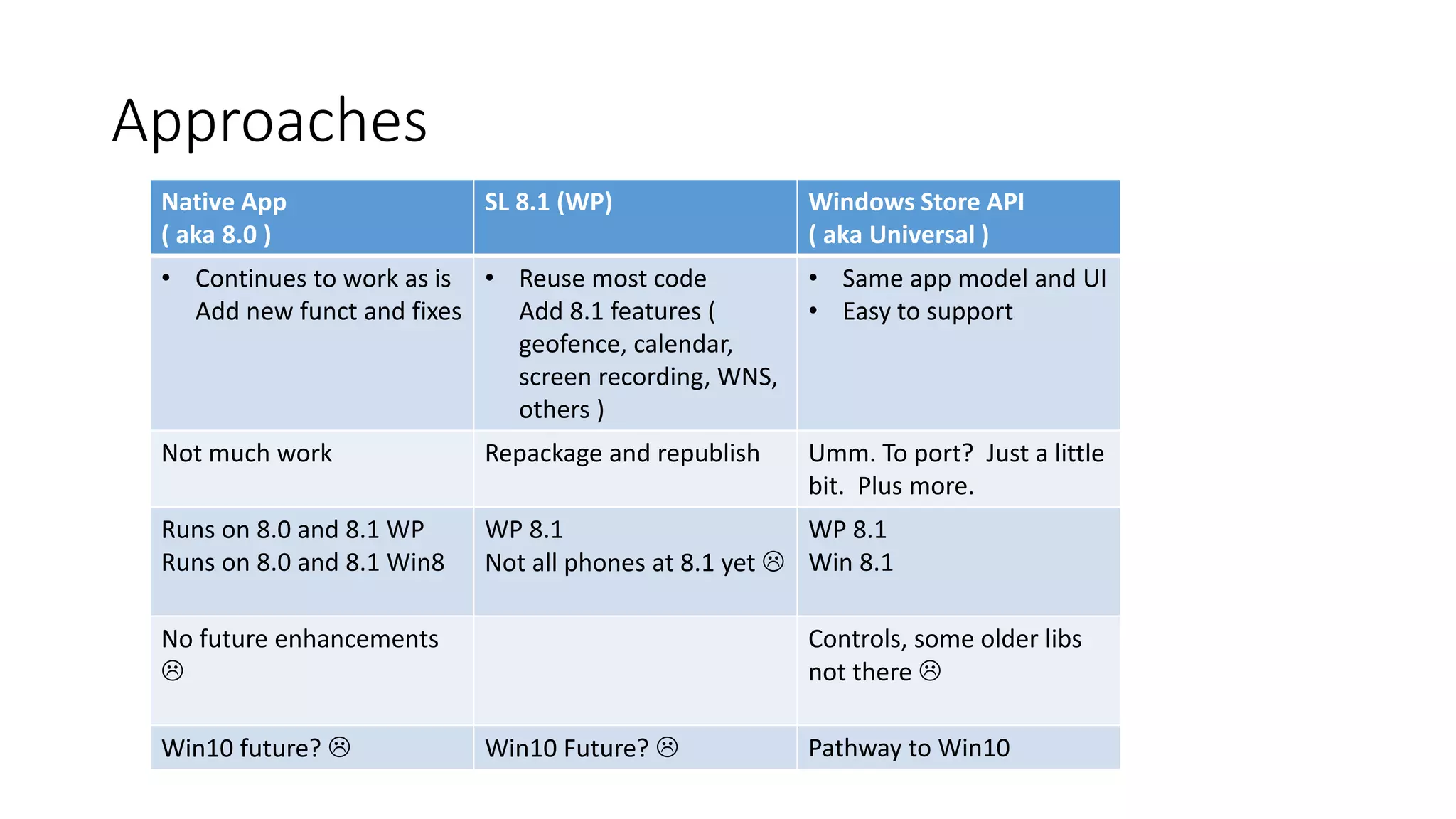
Approaches 
Native App 
( aka 8.0 ) 
SL 8.1 (WP) Windows Store API 
( aka Universal ) 
• Continues to work as is 
Add new funct and fixes 
• Reuse most code 
Add 8.1 features ( 
geofence, calendar, 
screen recording, WNS, 
others ) 
• Same app model and UI 
• Easy to support 
Not much work Repackage and republish Umm. To port? Just a little 
bit. Plus more. 
Runs on 8.0 and 8.1 WP 
Runs on 8.0 and 8.1 Win8 
WP 8.1 
Not all phones at 8.1 yet  
WP 8.1 
Win 8.1 
No future enhancements 
 
Controls, some older libs 
not there  
Win10 future?  Win10 Future?  Pathway to Win10
App Studio 
• File New Project for Universal Apps 
• Why not? 
• http://appstudio.windows.com
Controls 
• XAML and Phone Toolkit no worky here 
• Not much good stuff open source
App Studio 
DEMO
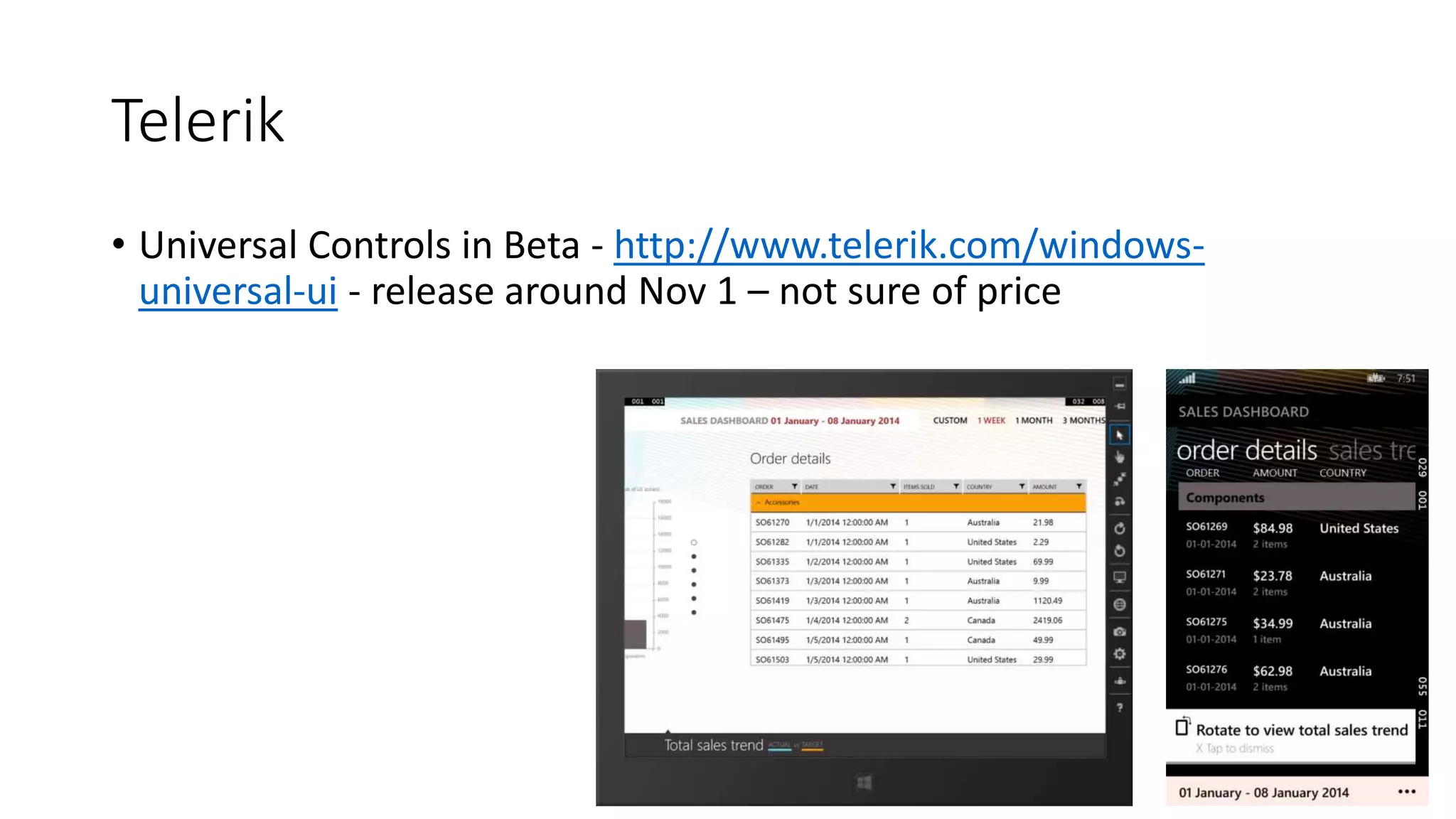
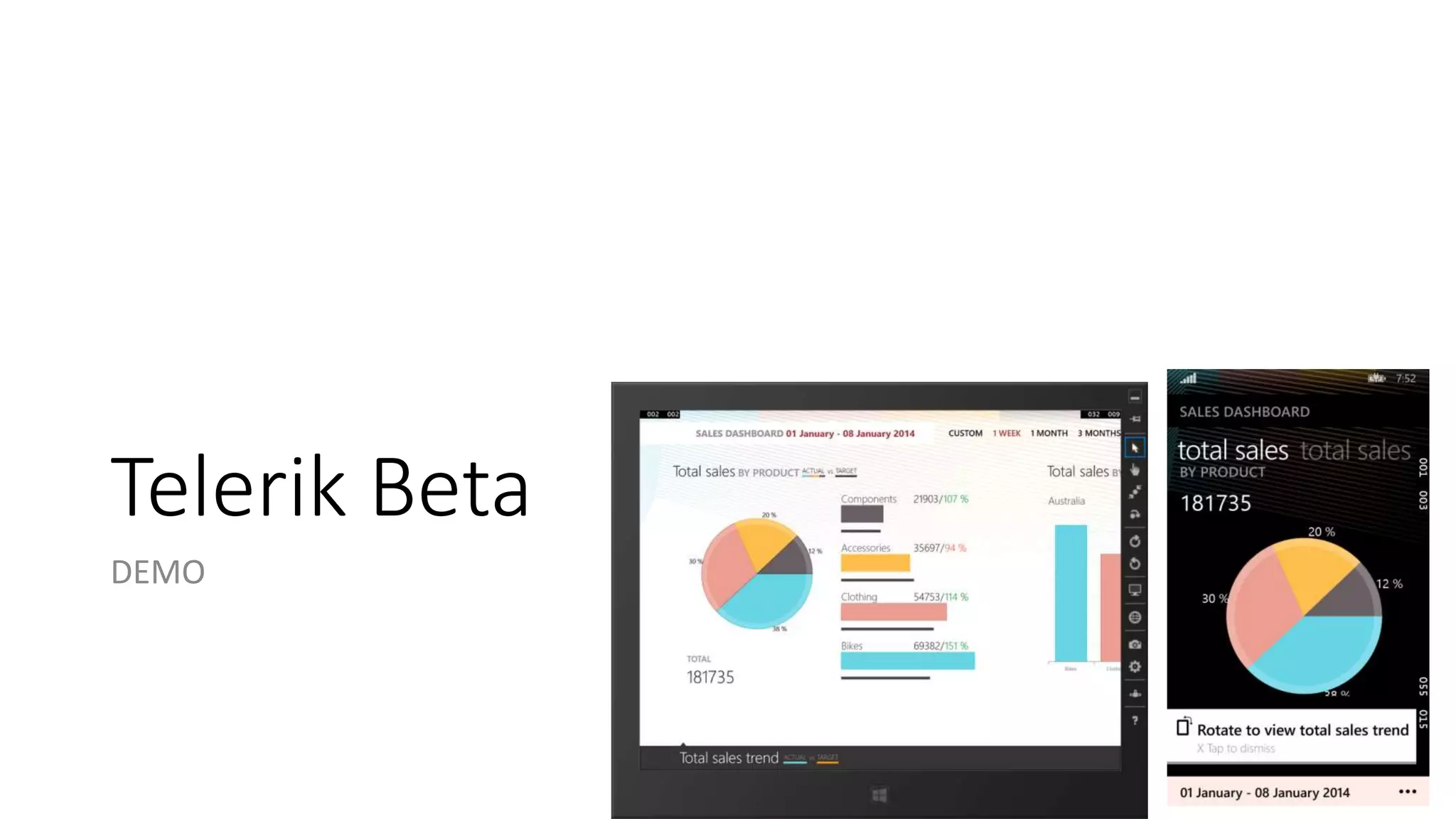
Telerik 
• Universal Controls in Beta - http://www.telerik.com/windows-universal- 
ui - release around Nov 1 – not sure of price
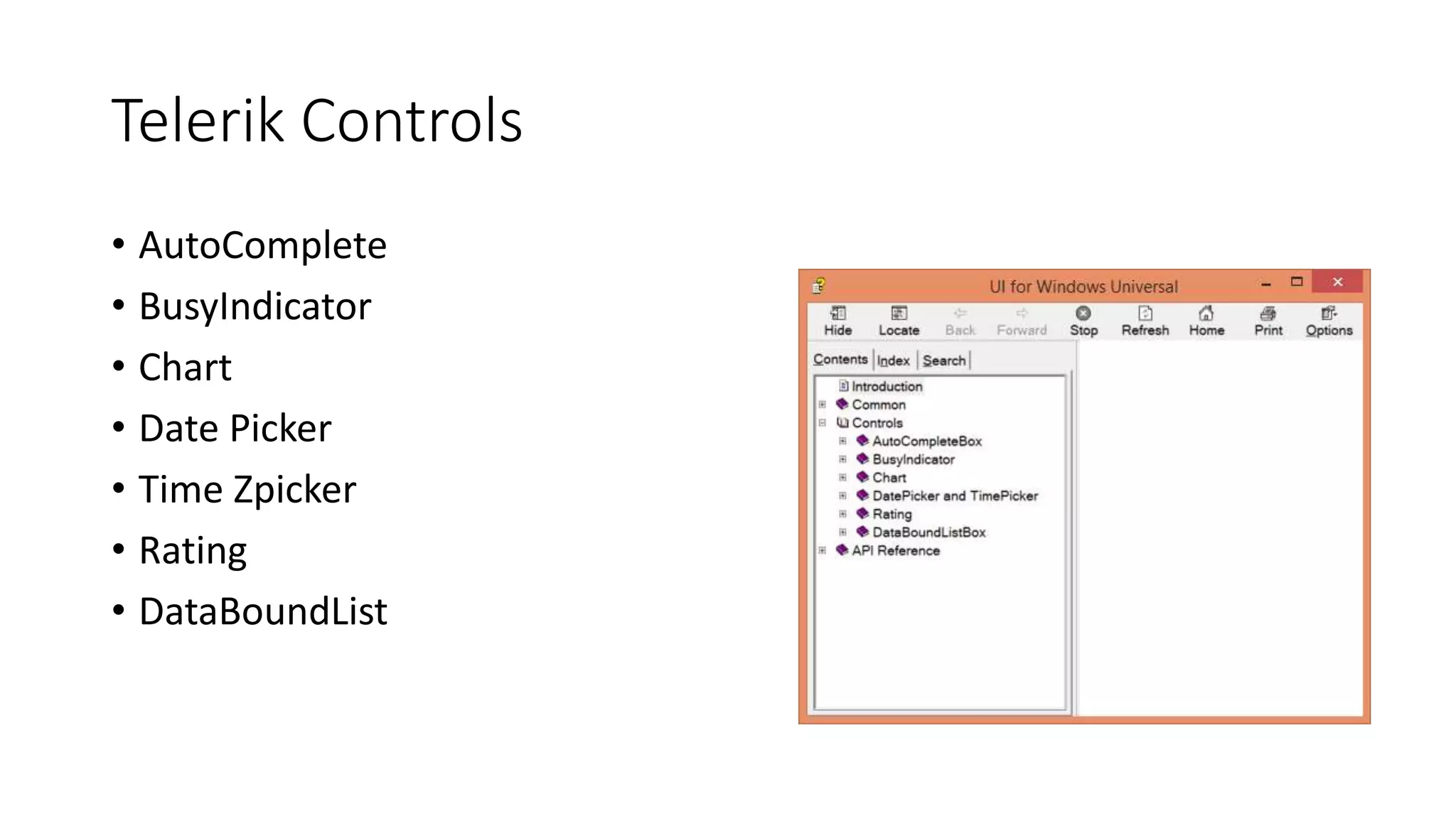
Telerik Controls 
• AutoComplete 
• BusyIndicator 
• Chart 
• Date Picker 
• Time Zpicker 
• Rating 
• DataBoundList
Telerik Beta 
DEMO
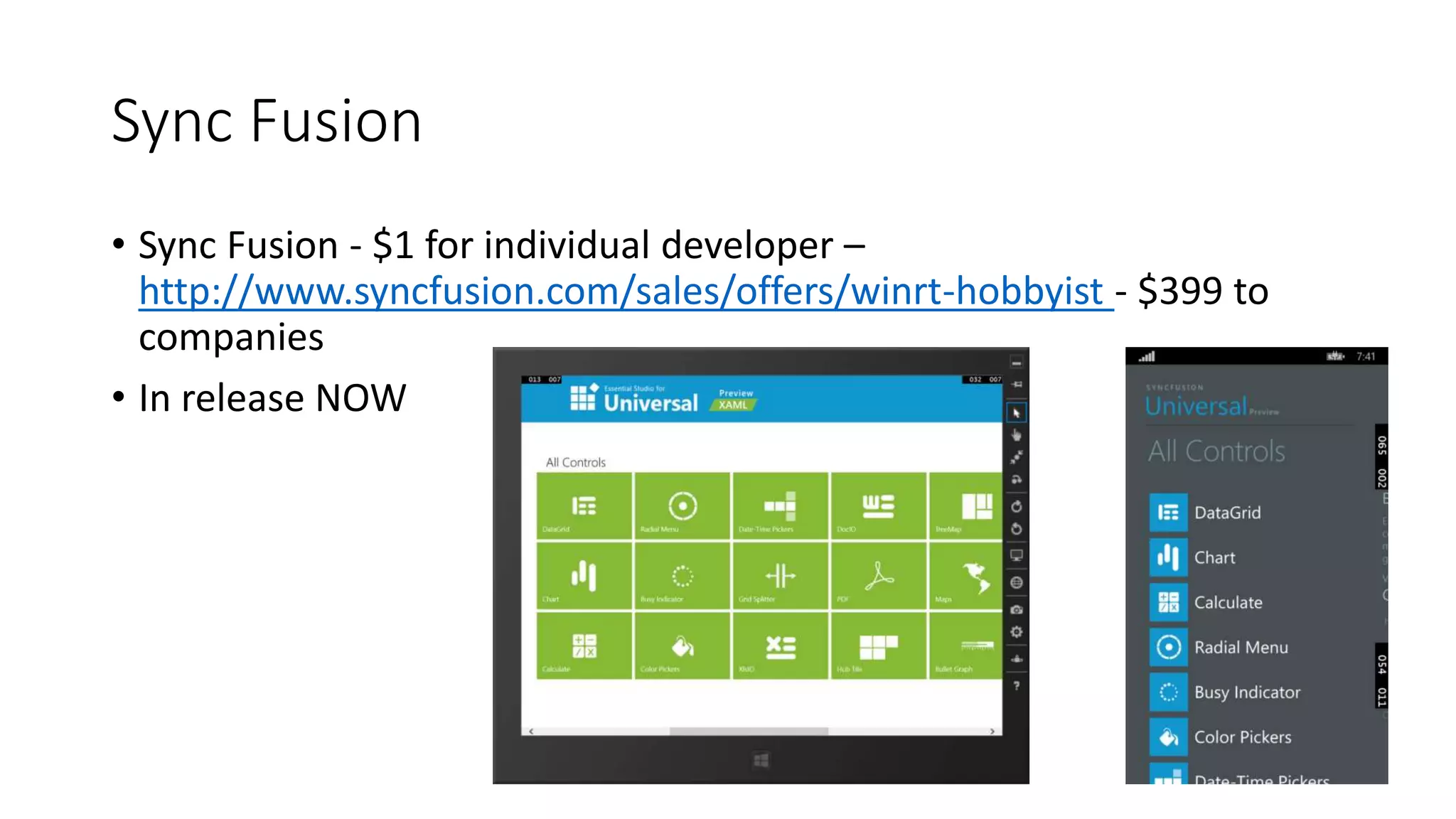
Sync Fusion 
• Sync Fusion - $1 for individual developer – 
http://www.syncfusion.com/sales/offers/winrt-hobbyist - $399 to 
companies 
• In release NOW
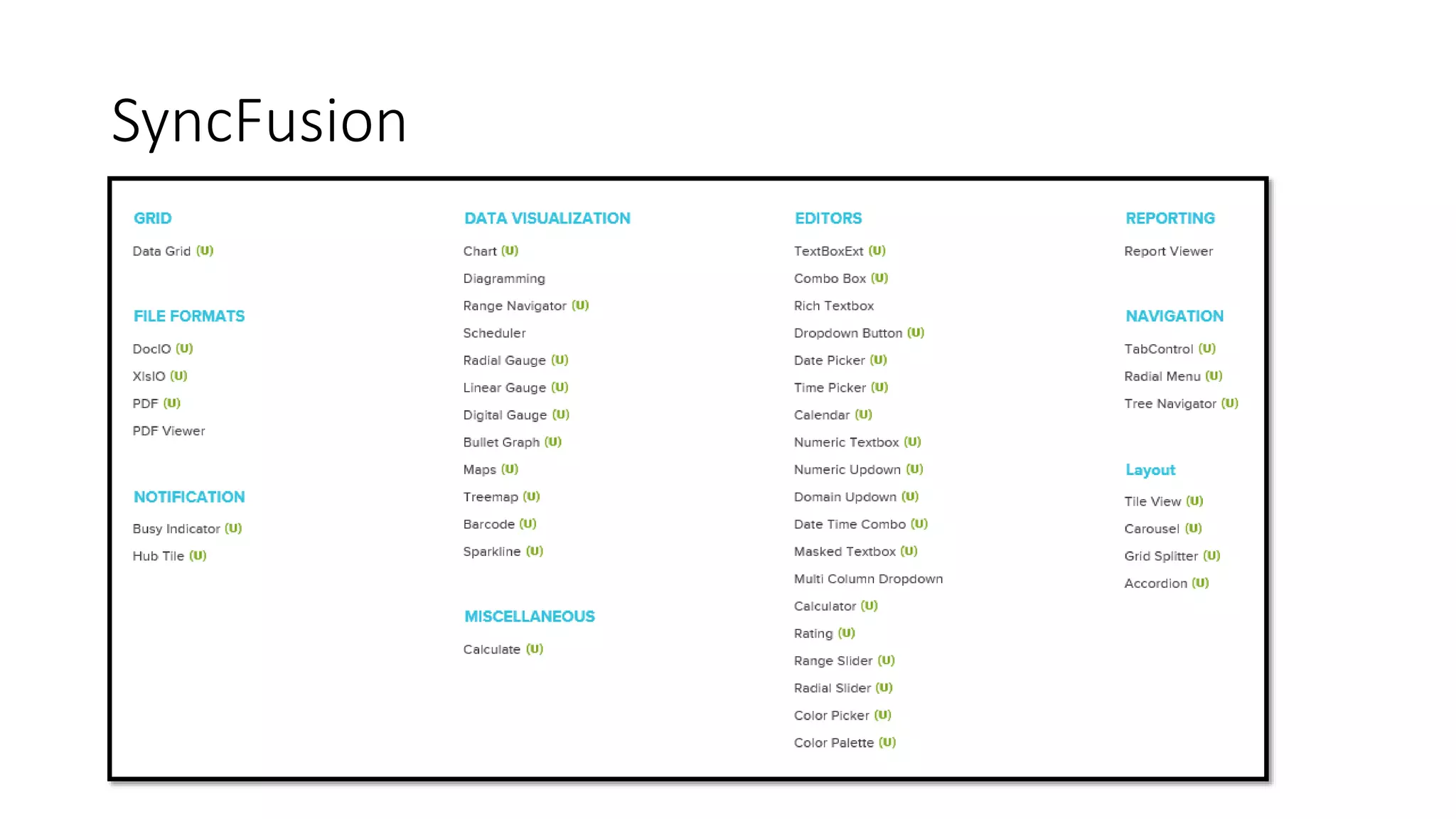
SyncFusion 
• Grid 
• DocIO / XlsIO / PDF 
• Busy Indicator 
• Hub Tile 
• Chart 
• Range Navigator 
• Guages 
• Maps 
• Treemap 
• Barcode 
• Sparkline 
• Calculate 
• TextBoxExt 
• ComboBox 
• DropDown 
• Date and Time Picker 
• Numeric Updown 
… lots more
SyncFusion
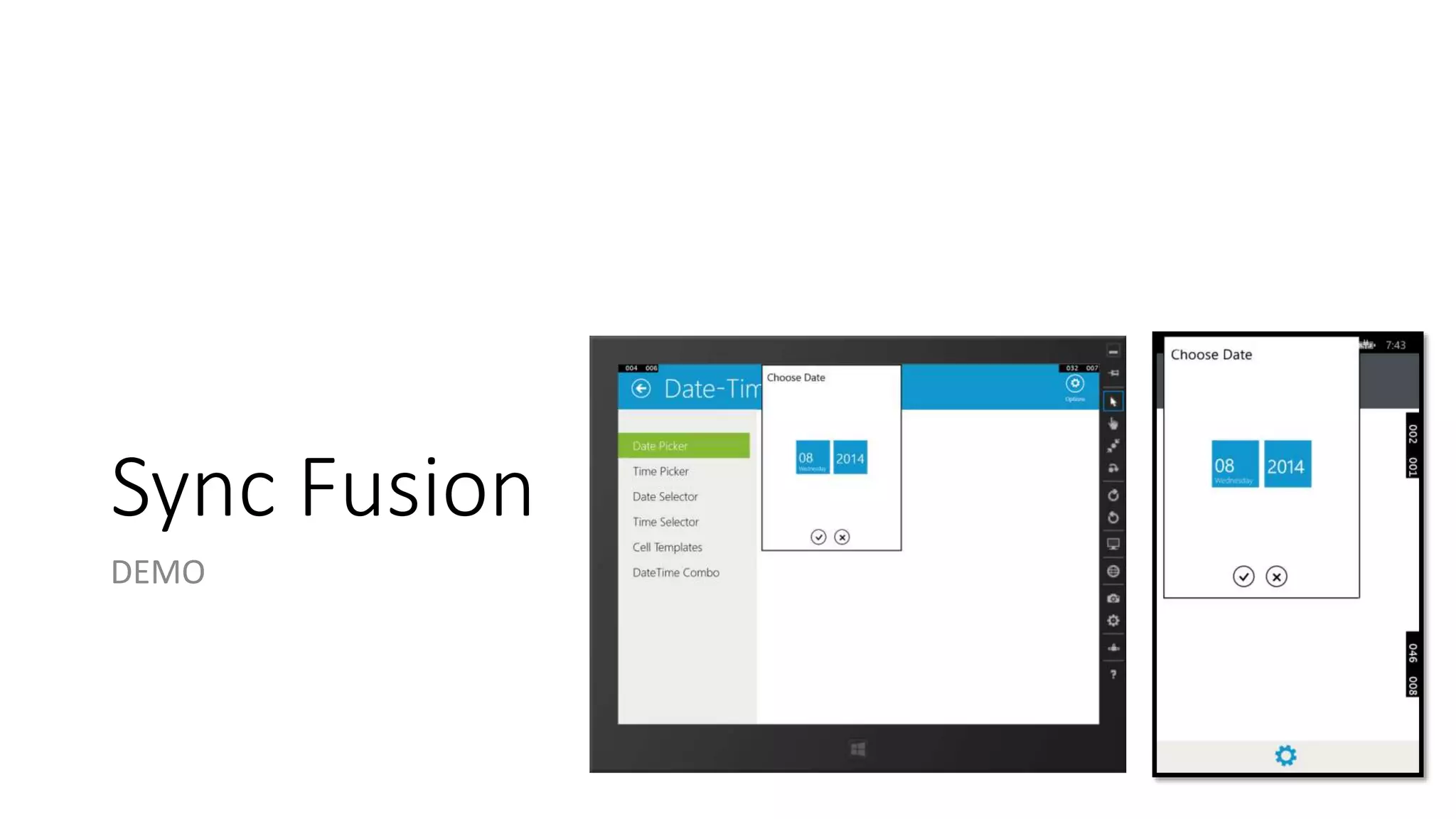
Sync Fusion 
DEMO
To Share or Not to Share 
• Question…How much of your UI code will be shared? 
• Options 
• Completely separate pages 
• Shared page with separate styles and templates 
• Shared page with shared styles and templates 
• Some other combination 
• Answer…whatever fits your app the best!
Shared Styles/Templates 
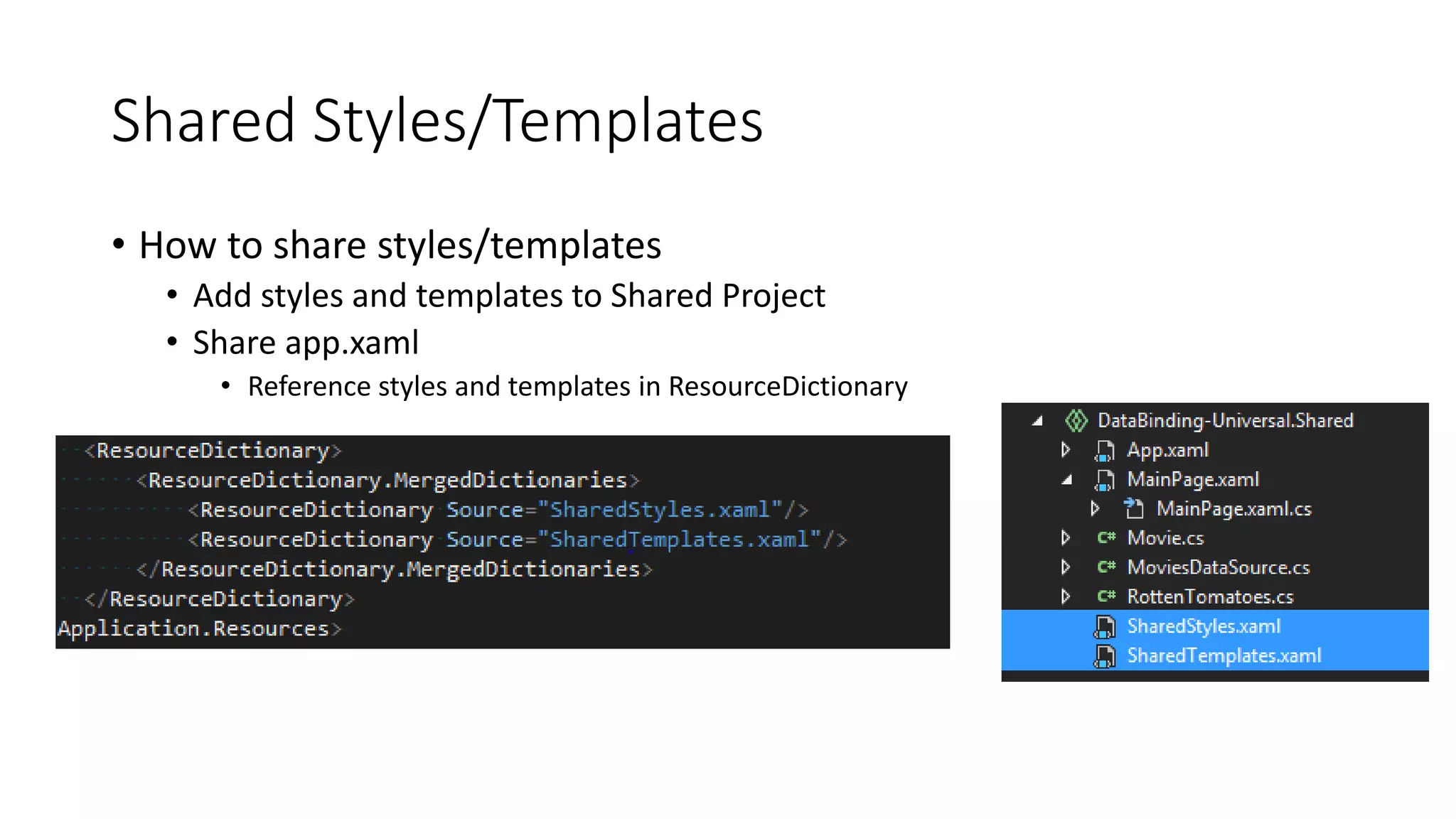
• How to share styles/templates 
• Add styles and templates to Shared Project 
• Share app.xaml 
• Reference styles and templates in ResourceDictionary
SHARED STYLE/TEMPLATES 
UNIVERSAL TIP
Storage
StorageFile and StorageFolder 
Most file content is managed with these types 
• Local files/folders 
• File activation 
• Media libraries 
• Share contract 
• Pickers 
Nearly all Windows Runtime APIs are supported
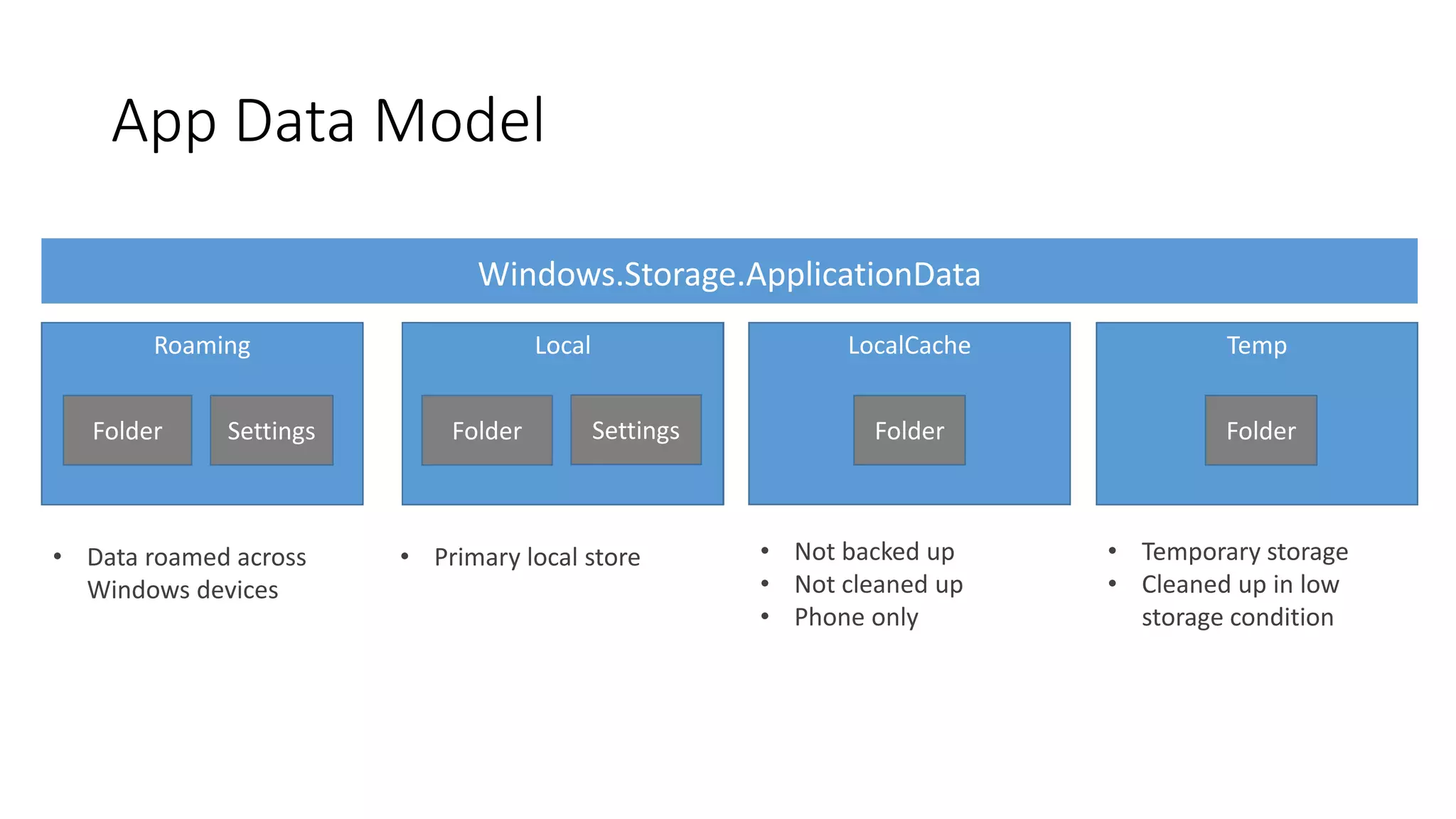
App Data Model 
IsolatedStorage 
Folder 
Roaming 
Folder Settings 
• Data roamed across 
Windows devices 
Local 
Folder Settings 
• Primary local store 
Temp 
Folder 
• Temporary storage 
• Cleaned up in low 
storage condition 
LocalCache 
Folder 
• Not backed up 
• Not cleaned up 
• Phone only
Accessing User Content 
User data exposed via KnownFolders 
• RemovableDevices (SD) 
• MusicLibrary 
• PicturesLibrary 
• VideosLibrary 
Direct access protected by capability 
All public files are available via pickers
Access Cache 
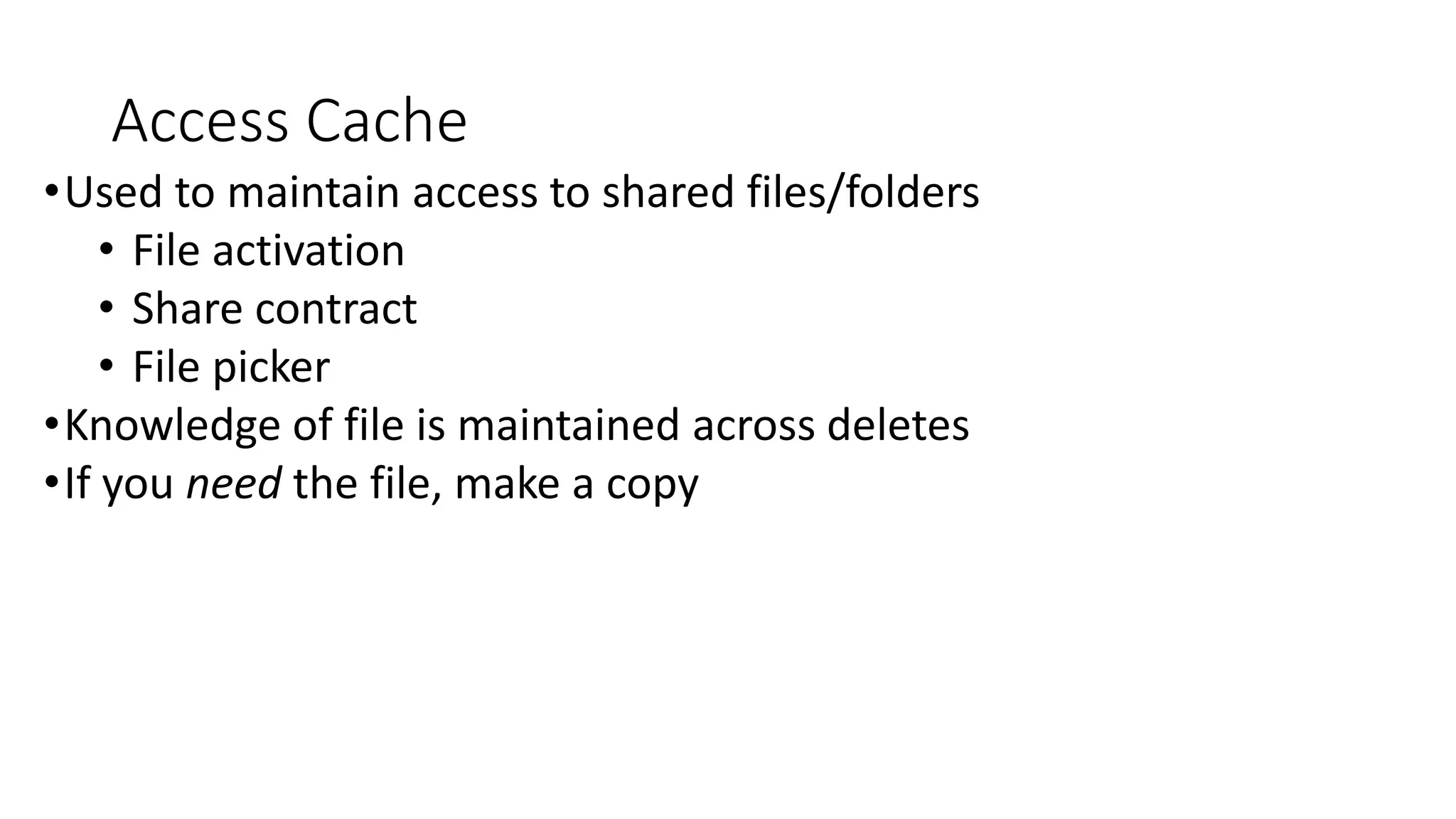
•Used to maintain access to shared files/folders 
• File activation 
• Share contract 
• File picker 
•Knowledge of file is maintained across deletes 
•If you need the file, make a copy
ROAMING
Roaming Local Temp 
Phone App – PFN 12345 
Temp Local Roaming 
Windows App – PFN 12345 
Roaming 
PFN 12345 
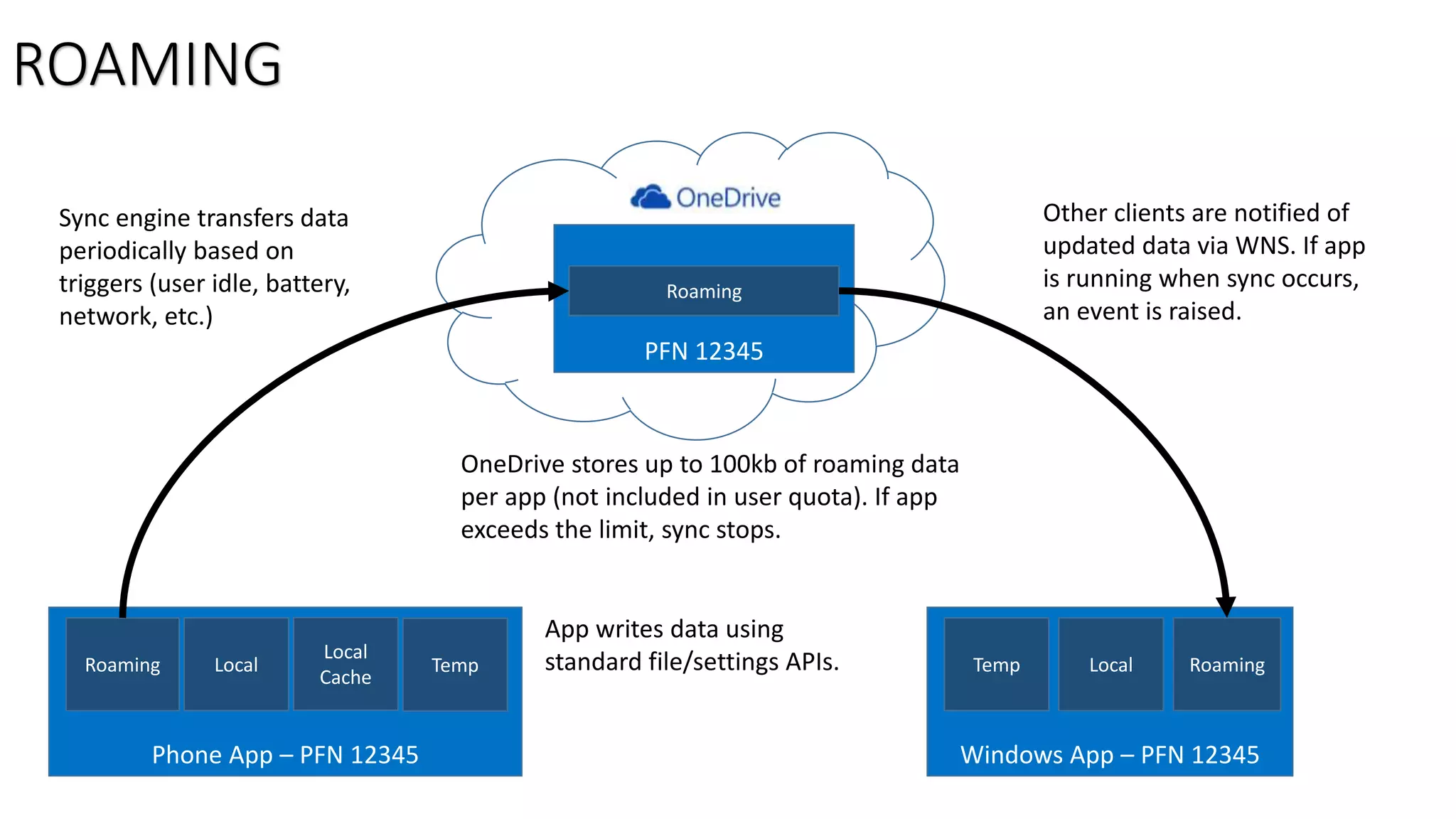
App writes data using 
standard file/settings APIs. 
Sync engine transfers data 
periodically based on 
triggers (user idle, battery, 
network, etc.) 
OneDrive stores up to 100kb of roaming data 
per app (not included in user quota). If app 
exceeds the limit, sync stops. 
Other clients are notified of 
updated data via WNS. If app 
is running when sync occurs, 
an event is raised. 
ROAMING 
Local 
Cache
Roaming Best Practices 
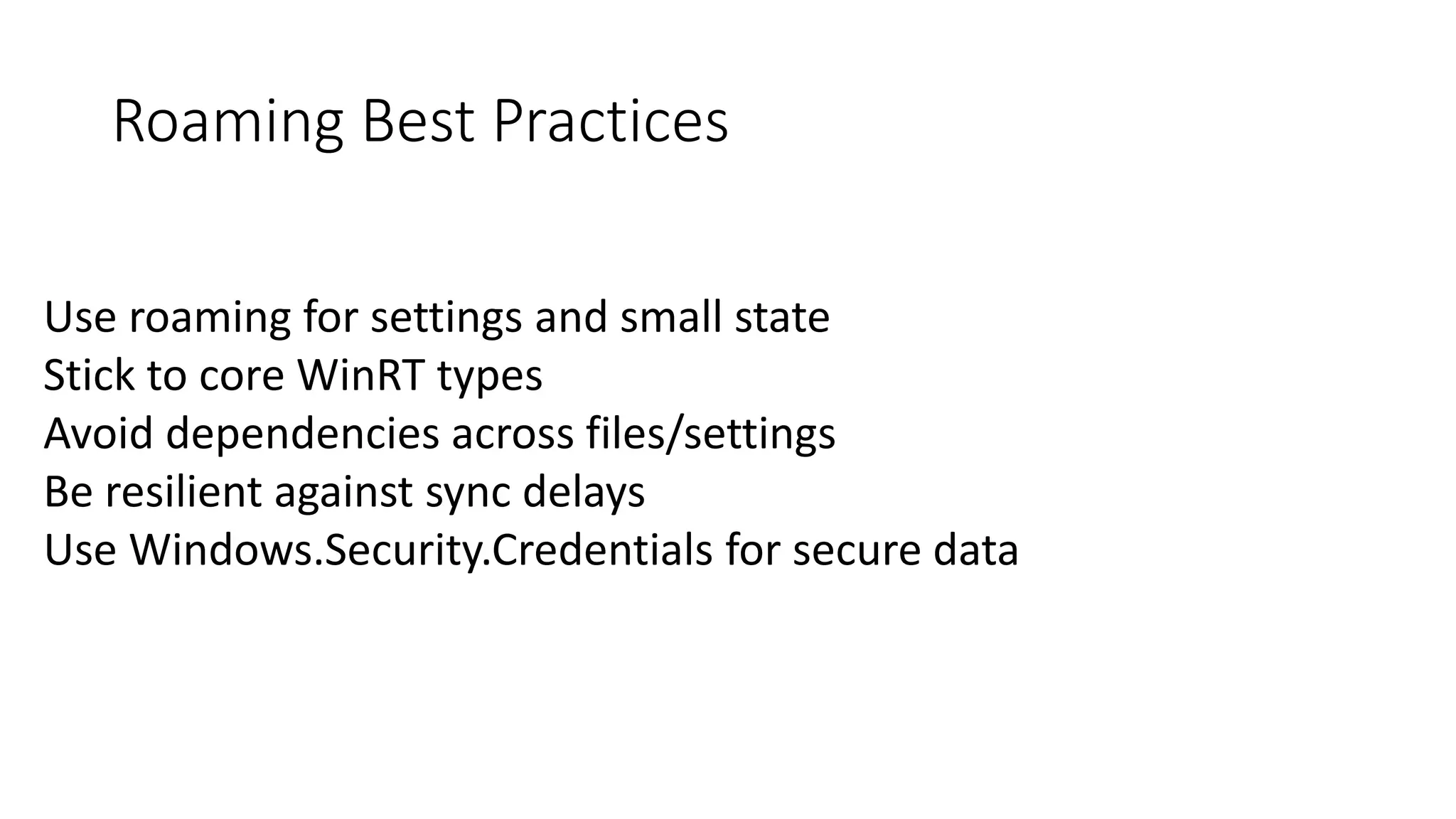
Use roaming for settings and small state 
Stick to core WinRT types 
Avoid dependencies across files/settings 
Be resilient against sync delays 
Use Windows.Security.Credentials for secure data
ROAMING 
DEMO
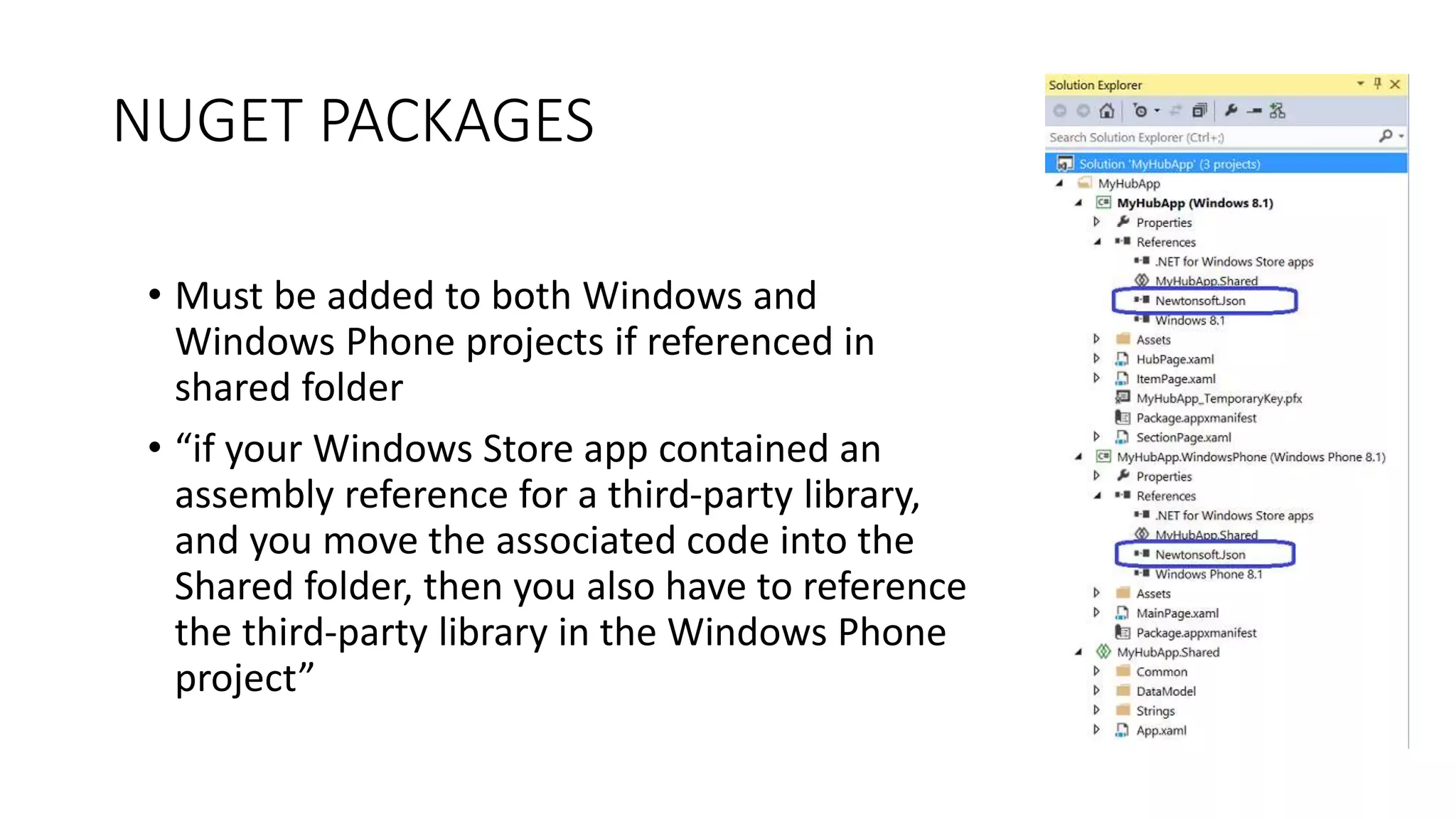
NUGET PACKAGES 
• Must be added to both Windows and 
Windows Phone projects if referenced in 
shared folder 
• “if your Windows Store app contained an 
assembly reference for a third-party library, 
and you move the associated code into the 
Shared folder, then you also have to reference 
the third-party library in the Windows Phone 
project”
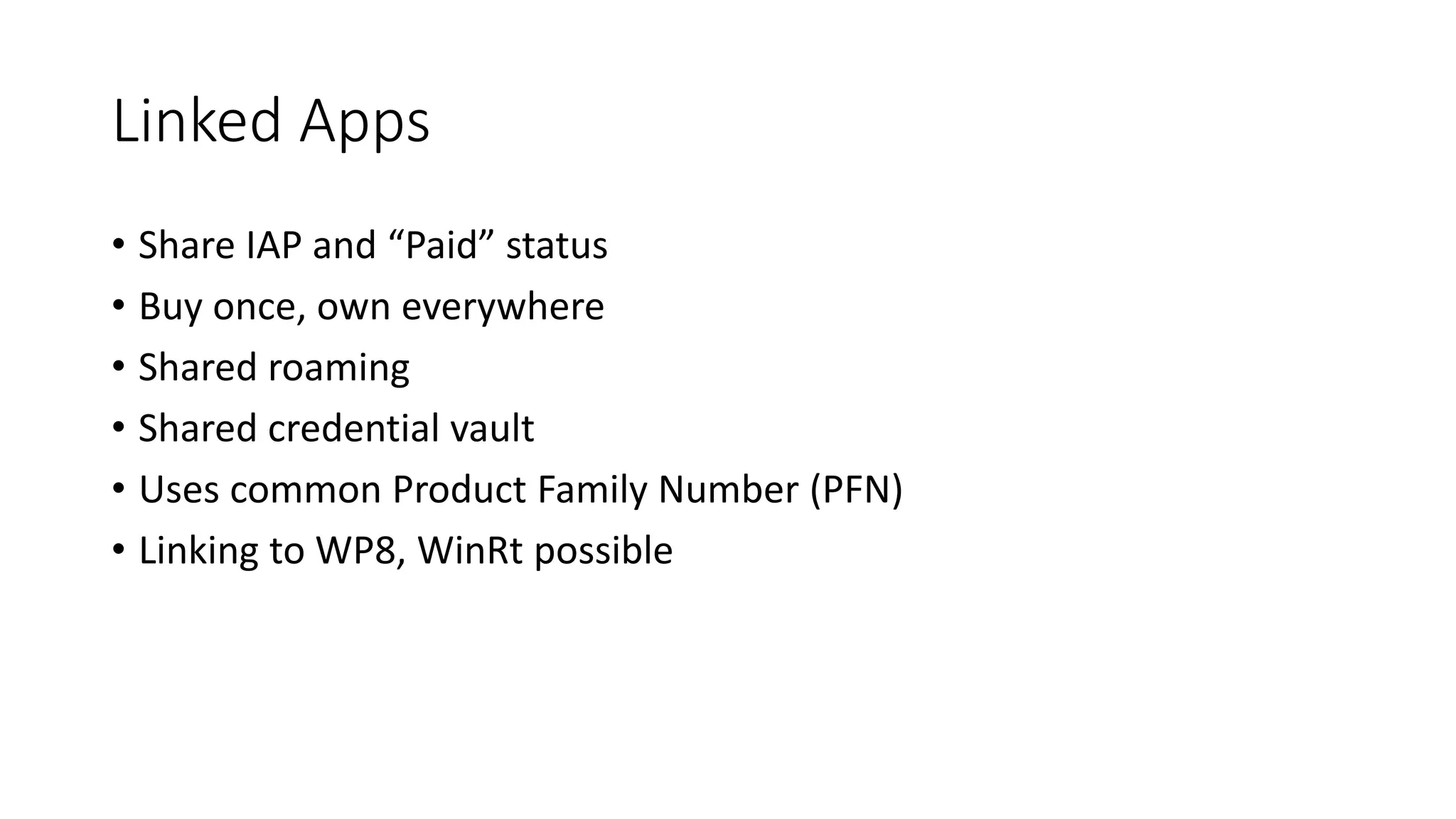
Linked Apps 
• Share IAP and “Paid” status 
• Buy once, own everywhere 
• Shared roaming 
• Shared credential vault 
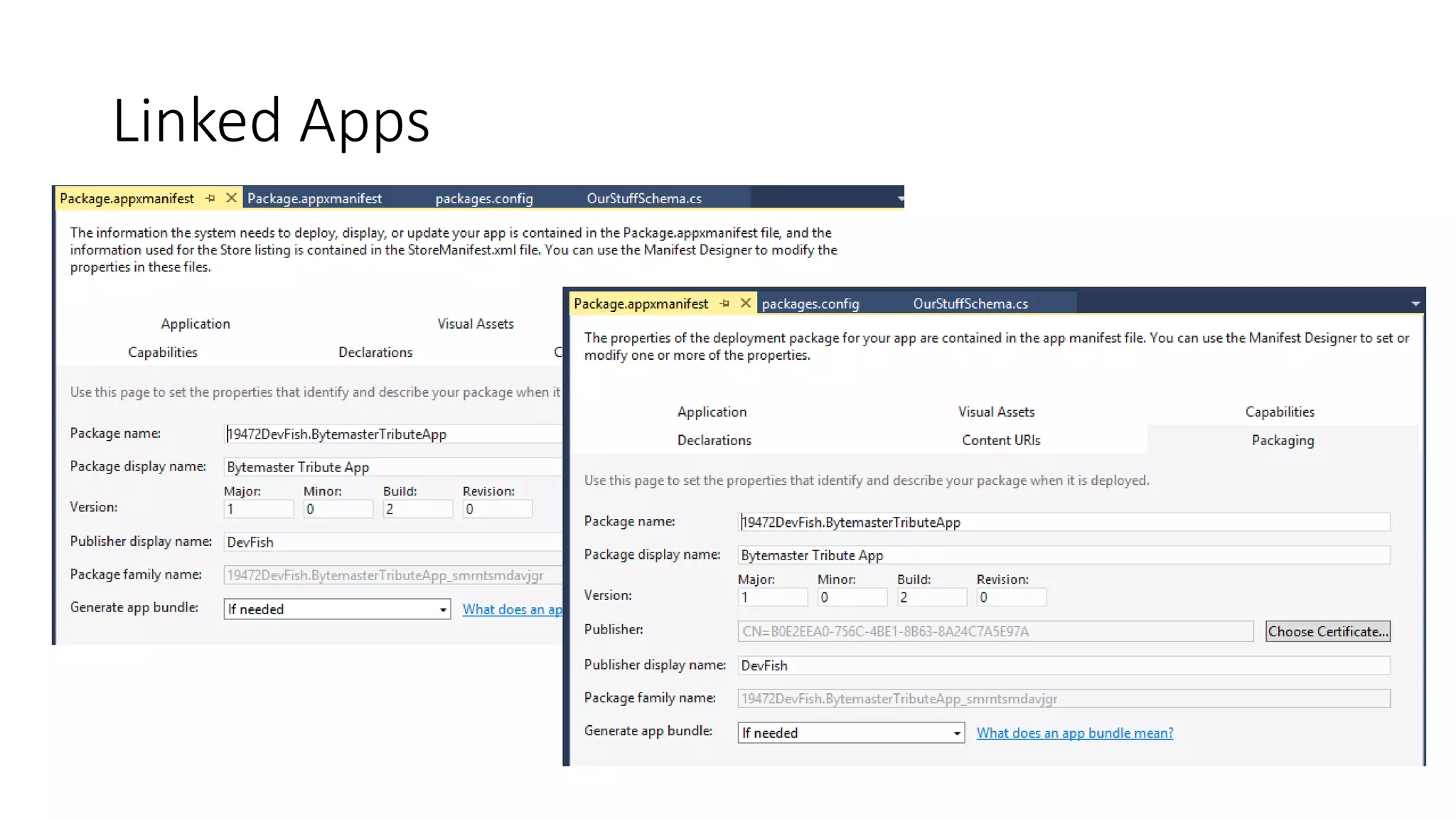
• Uses common Product Family Number (PFN) 
• Linking to WP8, WinRt possible
Linked Apps
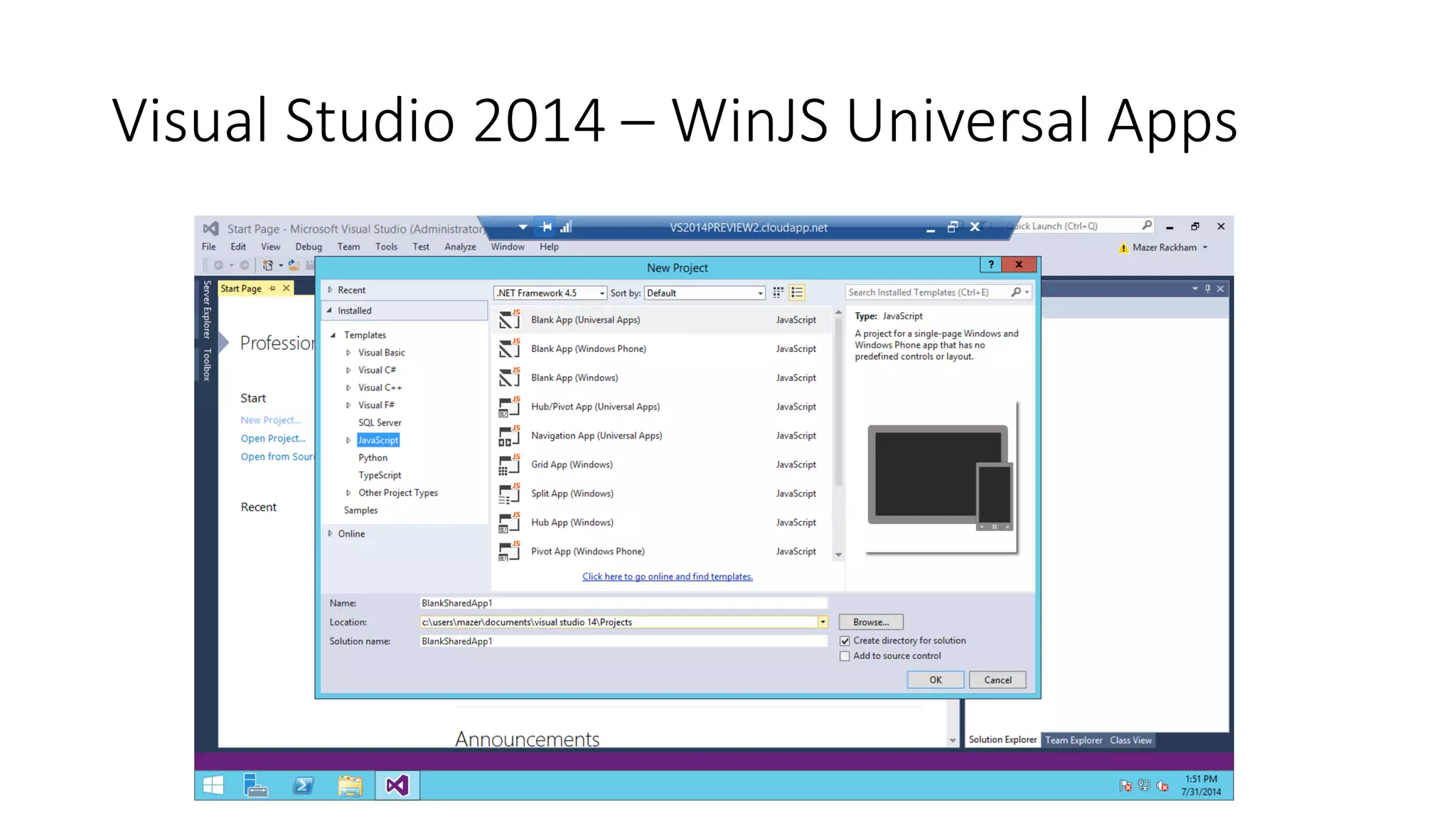
Visual Studio 2014 – WinJS Universal Apps
Resources 
• dfWiki Universal Apps - 
http://dfwiki.devfish.net/technology.Universal-Apps.ashx 
• Developing Apps Using the Common XAML UI Framework - 
http://channel9.msdn.com/Events/Build/2014/2-507 
• What About XAML UI and Controls? Shawn Oster - 2-516 - 
http://channel9.msdn.com/Events/Build/2014/2-516 
• Using VS to Build XAML Converged Apps – Nivit Saxena - 
http://channel9.msdn.com/Events/Build/2014/3-591
Thanks 
• jhealy@Microsoft.com
Todo 
• Universal app samples out of windows 8.1 sdk

Universal Apps Oct 2014

  • 1.
    Windows Universal Apps Joe Healy :: @devfish :: jhealy@Microsoft.com Blogs.msdn.com/devfish
  • 2.
    Universal – GettingStarted • Download VS 2013 Update 3 or VS2014 previews • Make sure physical phone is at Windows Phone 8.1 or later • Make sure Windows is at 8.1 or later
  • 3.
    Universal App Templates • Blank • Pretty straight forward • Hub • Similar to grid template in Windows 8 • Displayed as pivot control in Windows Phone
  • 4.
  • 5.
    Universal Apps ProjectLayout Windows 8.1 XAML Project Windows Phone 8.1 XAML Project Shared Project linked back Into other projects Common reference items NOT pcode lib
  • 6.
    Unified Windows Apps • Develop W8 and WP8 app with Universal Apps • Choose to let user download an app once, and get it on both platforms • Free or paid • New Unified Windows Apps symbol
  • 7.
    Shared Project •Simplify sharing files across platform specific projects • Not meant to be compiled on their own • Not meant to be compiled directly to reference libraries • Allows you to include selected files into WP81 and Win81 projects separately, but in a single place • Some things just can’t go in a PCL, aka APP.XAML and #ifdef
  • 8.
    Portable Class Libraries I compile just once and know it works on all platforms Shared Projects I can easily include platform-specific code under #if or partial classes
  • 9.
    Debug Target •Dropdown menu to choose debug target • Switch between targeting Windows 8 and Windows Phone • Run both in emulators or on a device
  • 10.
    Shared Project ContextSwitcher • Changes how screen is rendered • Changes what shows up in the device tab
  • 11.
  • 12.
  • 13.
    Shared Project ContextSwitcher • ErrorChecks APIs for each platform
  • 14.
    #ifdef directive •constants WINDOWS_APP and WINDOWS_PHONE_APP are conveniently predefined for you • Have platform specific code for each • If windows app, do this • If windows phone app, do this
  • 15.
    #ifdef directive #ifWINDOWS_APP if (!rootFrame.Navigate(typeof(HubPage))) #endif #if WINDOWS_PHONE_APP if (!rootFrame.Navigate(typeof(WindowsPhoneStartPage))) #endif { throw new Exception("Failed to create initial page"); }
  • 16.
    Classes Structs Interfaces Windows 8.1 SDK 566 119 59 Windows Phone 8.1 SDK 624 131 57 +58 +12 -2 Windows.UI.Xaml.* * Via Tim Heuer’s analysis runs at BUILD 2014
  • 17.
    Visual Studio streamlinesdeveloping universal Windows apps
  • 18.
    You can tailorthe design to each device
  • 19.
    ‘Primitives’ – SameAcross Platforms • Layout: Panel, StackPanel, Grid, Border • Buttons, Slider, ToggleSwitch, CheckBox, RadioButton, ProgressBar • TextBox/TextBlock • Shapes/Path
  • 20.
    ‘Primitives’ – sameAPI, tailored behavior Hub CommandBar Date/Time Pickers and List Pickers ListView Flyouts Media Ads SDK
  • 21.
    Device-specific APIs Windows • AppBar • SearchBox • SettingsFlyout Windows Phone • Pivot • AutoSuggestBox • ContentDialog • Maps • System Chrome
  • 22.
    converged controls what’sit really mean? 80% exact same XAML 20% custom Common Optimized Signature DatePicker TimePicker CommandBar Button CheckBox ToggleSwitch Slider RadioButton ProgressBar Hub Pivot ListView GridView AppBar SysTray
  • 24.
    Why Custom WindowsWindows Phone
  • 25.
    CommandBar <Page.BottomAppBar> <CommandBar> <AppBarButton Icon="Accept" Label="Accept" /> <AppBarButton Icon="Cancel" Label="Cancel" /> <CommandBar.SecondaryCommands> <AppBarButton x:Uid="AboutAppBarButton" Icon="Help" /> <AppBarButton x:Uid="HomeAppBarButton" Icon="Home" /> </CommandBar.SecondaryCommands> </CommandBar> </Page.BottomAppBar>
  • 27.
  • 28.
    Navigation Model NavigationAPIs Same Phone Hardware Back Button Windows in-app Back Button #if WINDOWS_PHONE_APP Windows.Phone.UI.Input.HardwareButtons.BackPressed += HardwareButtons_BackPressed; #endif
  • 29.
    Approaches Native App ( aka 8.0 ) SL 8.1 (WP) Windows Store API ( aka Universal ) • Continues to work as is Add new funct and fixes • Reuse most code Add 8.1 features ( geofence, calendar, screen recording, WNS, others ) • Same app model and UI • Easy to support Not much work Repackage and republish Umm. To port? Just a little bit. Plus more. Runs on 8.0 and 8.1 WP Runs on 8.0 and 8.1 Win8 WP 8.1 Not all phones at 8.1 yet  WP 8.1 Win 8.1 No future enhancements  Controls, some older libs not there  Win10 future?  Win10 Future?  Pathway to Win10
  • 30.
    App Studio •File New Project for Universal Apps • Why not? • http://appstudio.windows.com
  • 31.
    Controls • XAMLand Phone Toolkit no worky here • Not much good stuff open source
  • 32.
  • 33.
    Telerik • UniversalControls in Beta - http://www.telerik.com/windows-universal- ui - release around Nov 1 – not sure of price
  • 34.
    Telerik Controls •AutoComplete • BusyIndicator • Chart • Date Picker • Time Zpicker • Rating • DataBoundList
  • 35.
  • 36.
    Sync Fusion •Sync Fusion - $1 for individual developer – http://www.syncfusion.com/sales/offers/winrt-hobbyist - $399 to companies • In release NOW
  • 37.
    SyncFusion • Grid • DocIO / XlsIO / PDF • Busy Indicator • Hub Tile • Chart • Range Navigator • Guages • Maps • Treemap • Barcode • Sparkline • Calculate • TextBoxExt • ComboBox • DropDown • Date and Time Picker • Numeric Updown … lots more
  • 38.
  • 39.
  • 40.
    To Share orNot to Share • Question…How much of your UI code will be shared? • Options • Completely separate pages • Shared page with separate styles and templates • Shared page with shared styles and templates • Some other combination • Answer…whatever fits your app the best!
  • 41.
    Shared Styles/Templates •How to share styles/templates • Add styles and templates to Shared Project • Share app.xaml • Reference styles and templates in ResourceDictionary
  • 42.
  • 43.
  • 44.
    StorageFile and StorageFolder Most file content is managed with these types • Local files/folders • File activation • Media libraries • Share contract • Pickers Nearly all Windows Runtime APIs are supported
  • 45.
    App Data Model IsolatedStorage Folder Roaming Folder Settings • Data roamed across Windows devices Local Folder Settings • Primary local store Temp Folder • Temporary storage • Cleaned up in low storage condition LocalCache Folder • Not backed up • Not cleaned up • Phone only
  • 46.
    Accessing User Content User data exposed via KnownFolders • RemovableDevices (SD) • MusicLibrary • PicturesLibrary • VideosLibrary Direct access protected by capability All public files are available via pickers
  • 47.
    Access Cache •Usedto maintain access to shared files/folders • File activation • Share contract • File picker •Knowledge of file is maintained across deletes •If you need the file, make a copy
  • 48.
  • 49.
    Roaming Local Temp Phone App – PFN 12345 Temp Local Roaming Windows App – PFN 12345 Roaming PFN 12345 App writes data using standard file/settings APIs. Sync engine transfers data periodically based on triggers (user idle, battery, network, etc.) OneDrive stores up to 100kb of roaming data per app (not included in user quota). If app exceeds the limit, sync stops. Other clients are notified of updated data via WNS. If app is running when sync occurs, an event is raised. ROAMING Local Cache
  • 50.
    Roaming Best Practices Use roaming for settings and small state Stick to core WinRT types Avoid dependencies across files/settings Be resilient against sync delays Use Windows.Security.Credentials for secure data
  • 51.
  • 52.
    NUGET PACKAGES •Must be added to both Windows and Windows Phone projects if referenced in shared folder • “if your Windows Store app contained an assembly reference for a third-party library, and you move the associated code into the Shared folder, then you also have to reference the third-party library in the Windows Phone project”
  • 53.
    Linked Apps •Share IAP and “Paid” status • Buy once, own everywhere • Shared roaming • Shared credential vault • Uses common Product Family Number (PFN) • Linking to WP8, WinRt possible
  • 54.
  • 55.
    Visual Studio 2014– WinJS Universal Apps
  • 56.
    Resources • dfWikiUniversal Apps - http://dfwiki.devfish.net/technology.Universal-Apps.ashx • Developing Apps Using the Common XAML UI Framework - http://channel9.msdn.com/Events/Build/2014/2-507 • What About XAML UI and Controls? Shawn Oster - 2-516 - http://channel9.msdn.com/Events/Build/2014/2-516 • Using VS to Build XAML Converged Apps – Nivit Saxena - http://channel9.msdn.com/Events/Build/2014/3-591
  • 57.
  • 58.
    Todo • Universalapp samples out of windows 8.1 sdk

Editor's Notes

  • #3 Update 2- http://visualstudiomagazine.com/articles/2014/05/12/microsoft-releases-vs--2013-update-2.aspx
  • #5 Build a simple new Universal App. Put in some hello, world text. Show project structure and outputs.
  • #43 C:\presentations\universalapps\demo01
  • #54 DEMO