

MOBILE APP DEVELOPMENT WITH
Mohit Chhabra
Senior Software Engineer
Harman International
mohitchhabra@techie.com
@Mohit_techy
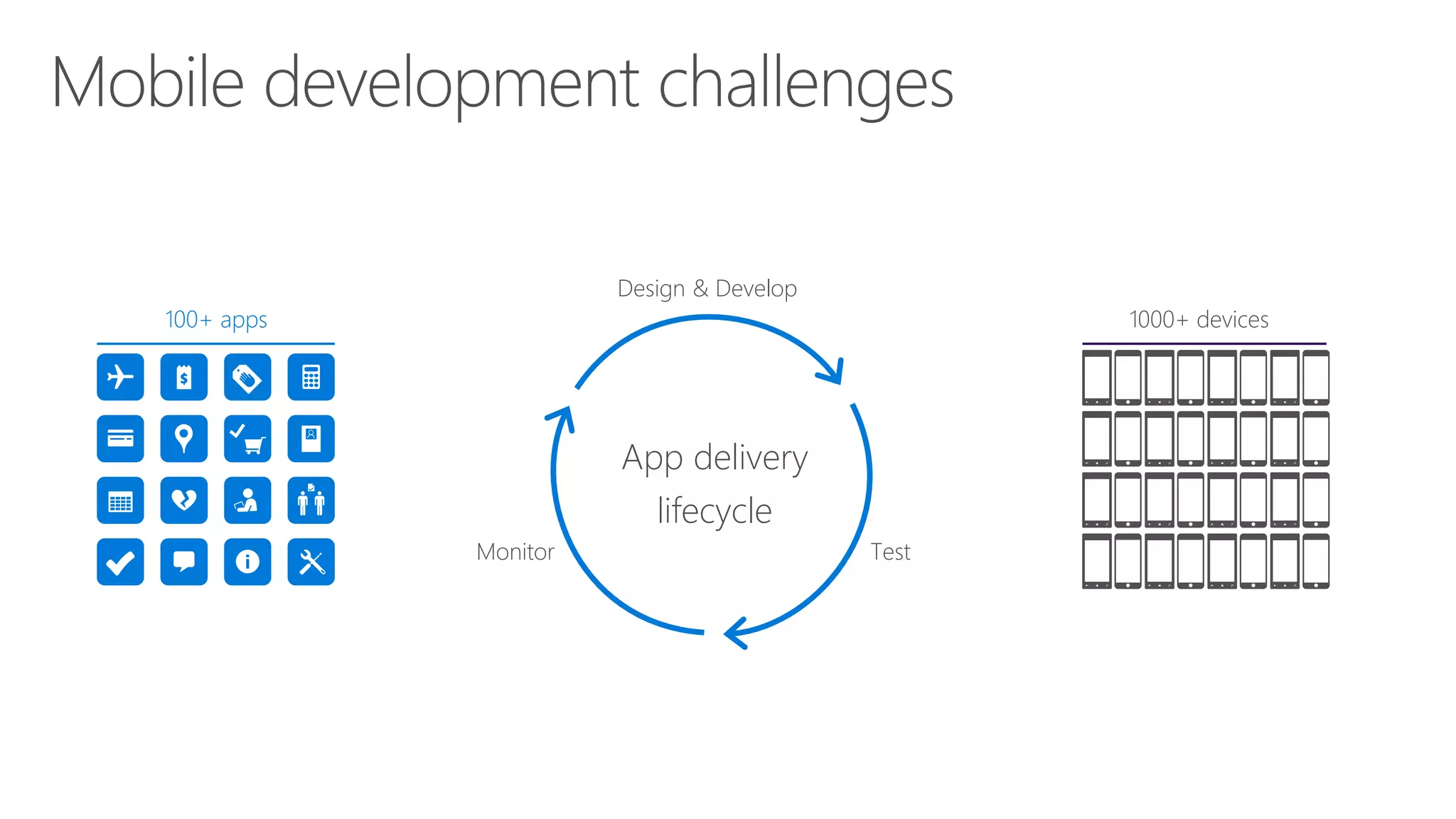
App delivery
lifecycle
Design & Develop
TestMonitor
100+ apps 1000+ devices
Cross platform != Hybrid
Xamarin != React Native,
Phonegap etc.
Customer pays for experience
not for technology
* Experience here relates to end user experience (UX: User Experience) offered to
the customer by your app/website
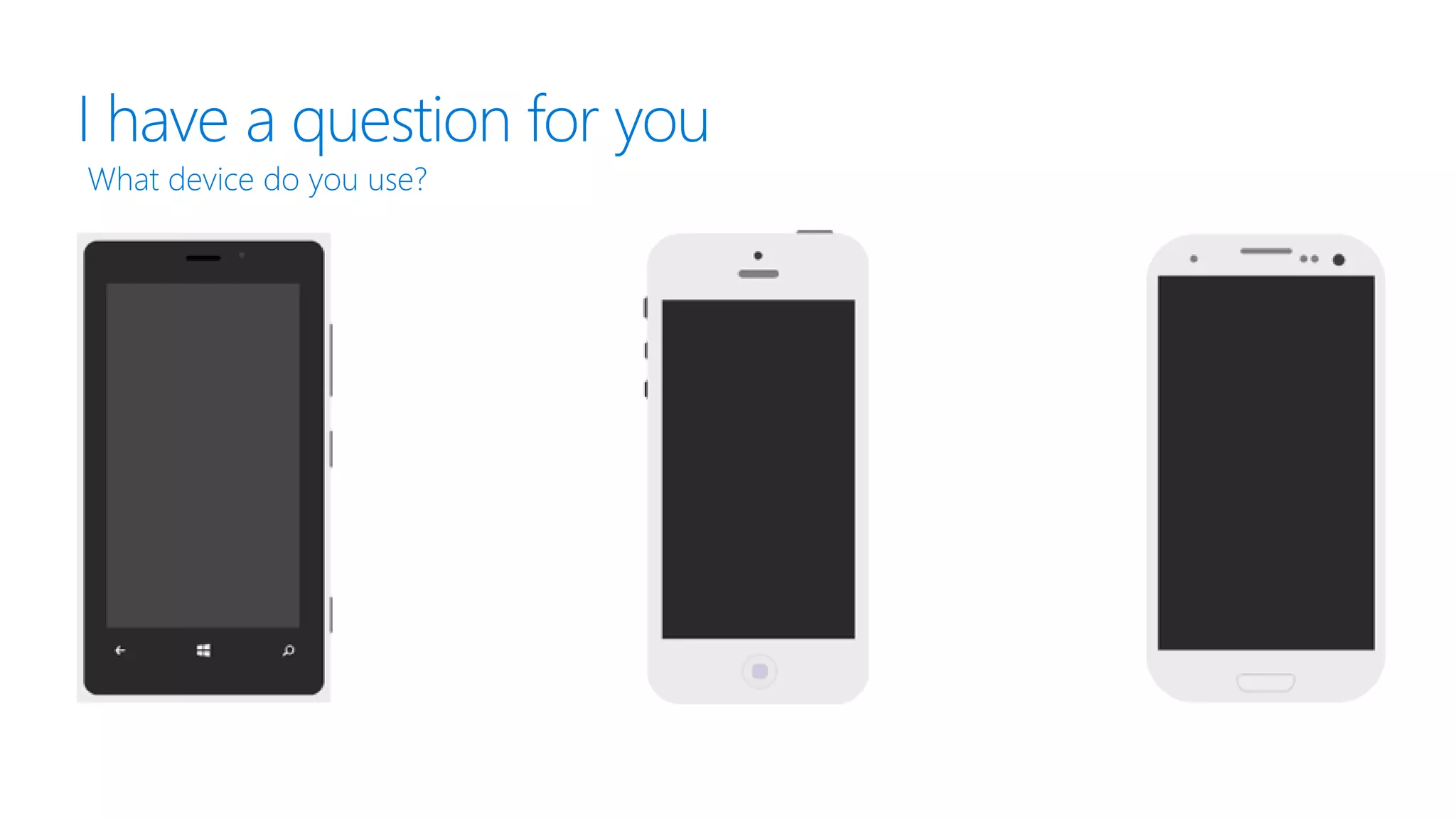
I have a question for you
What device do you use?
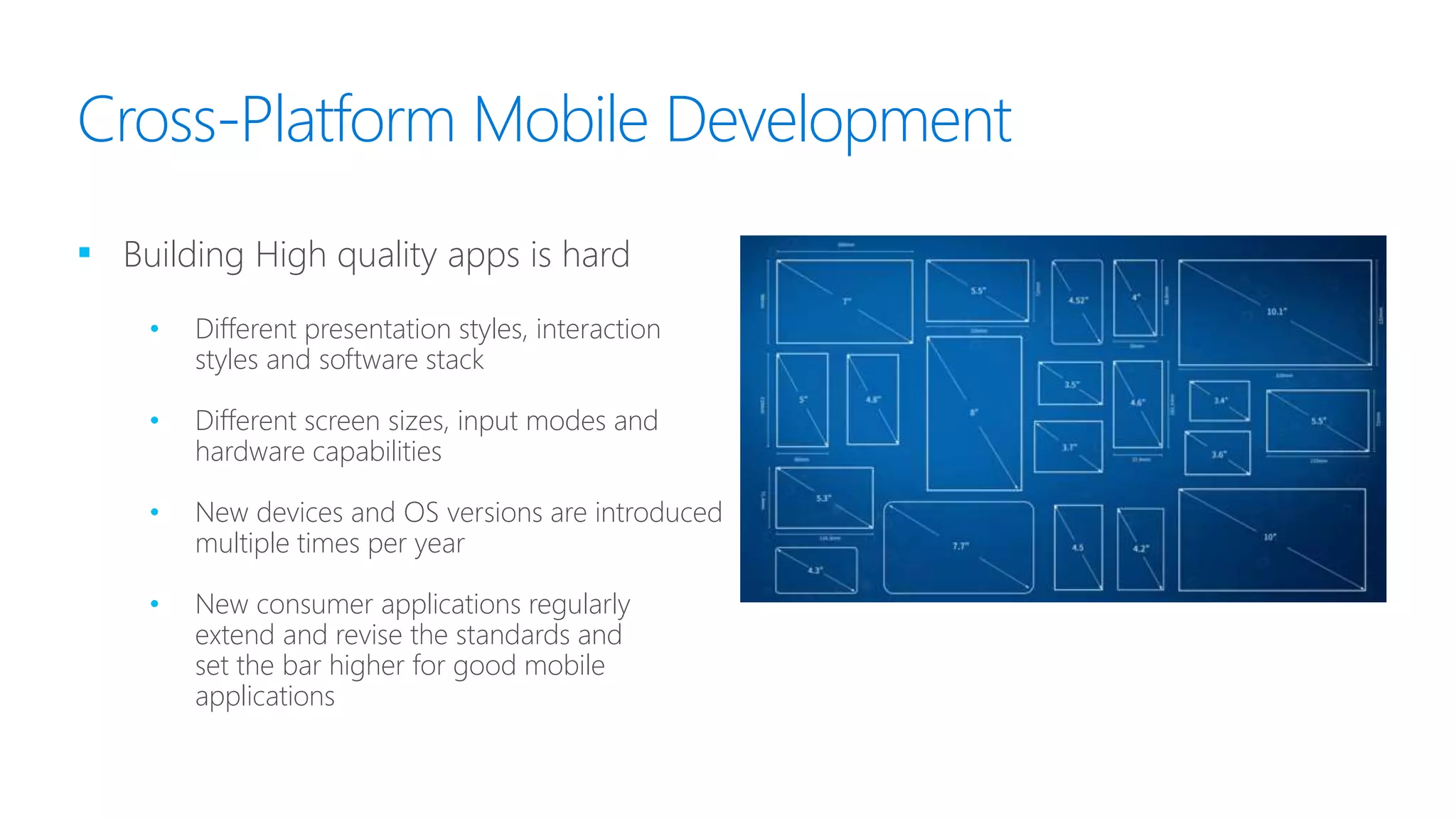
Cross-Platform Mobile Development
▪ Building High quality apps is hard
• Different presentation styles, interaction
styles and software stack
• Different screen sizes, input modes and
hardware capabilities
• New devices and OS versions are introduced
multiple times per year
• New consumer applications regularly
extend and revise the standards and
set the bar higher for good mobile
applications
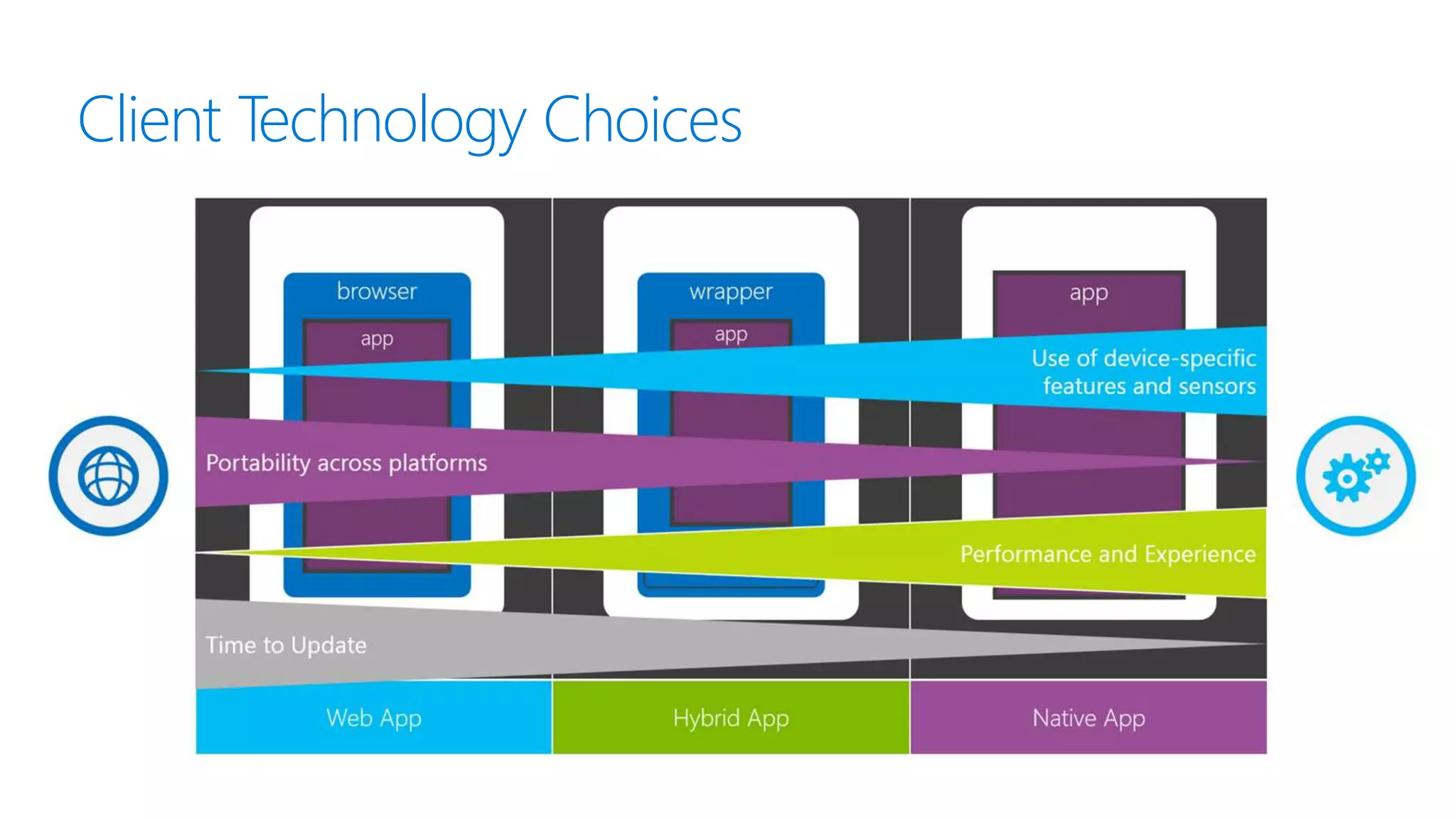
Client Technology Choices
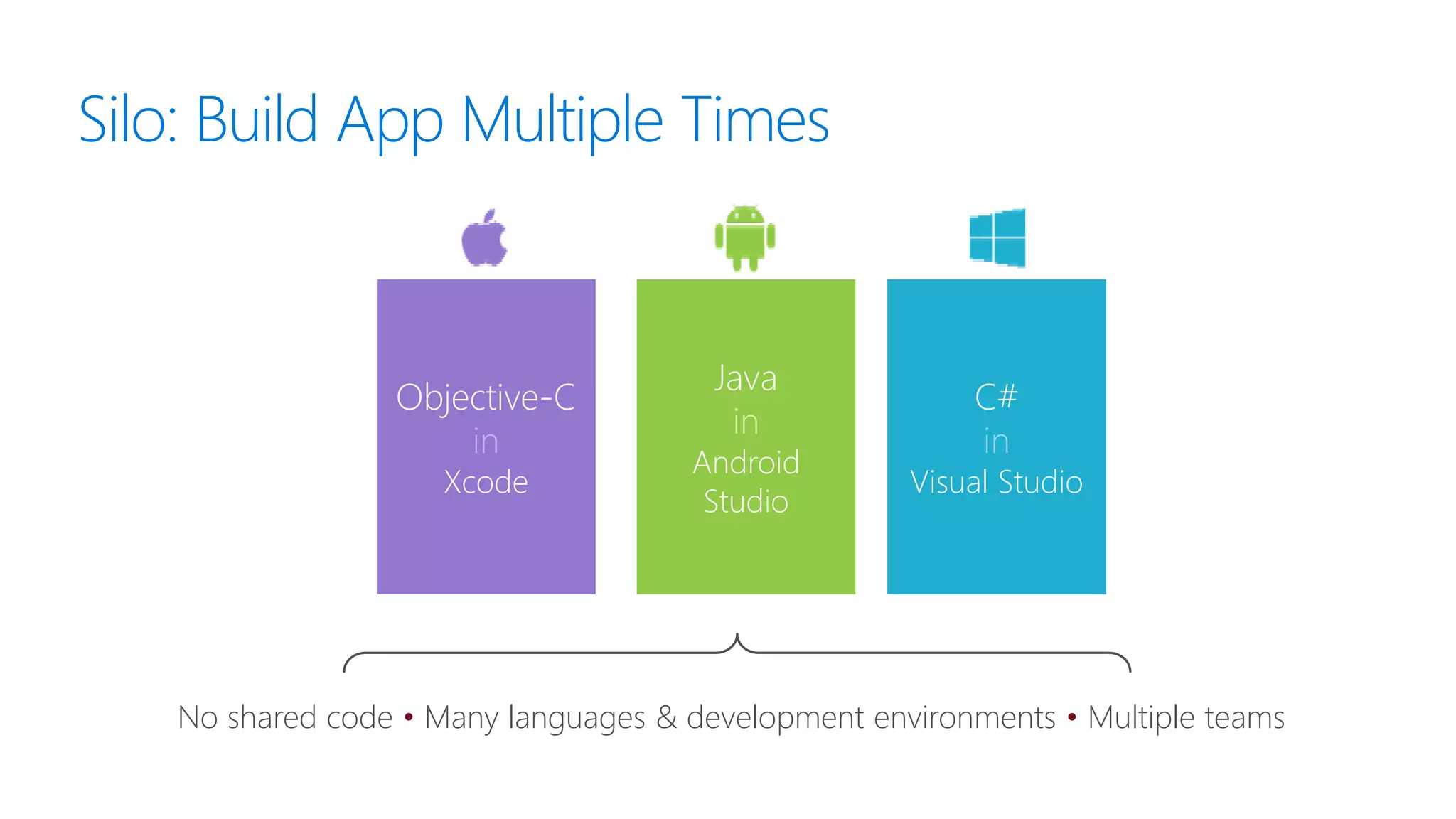
Silo: Build App Multiple Times
No shared code • Many languages & development environments • Multiple teams
Objective-C
in
Xcode
Java
in
Android
Studio
C#
in
Visual Studio
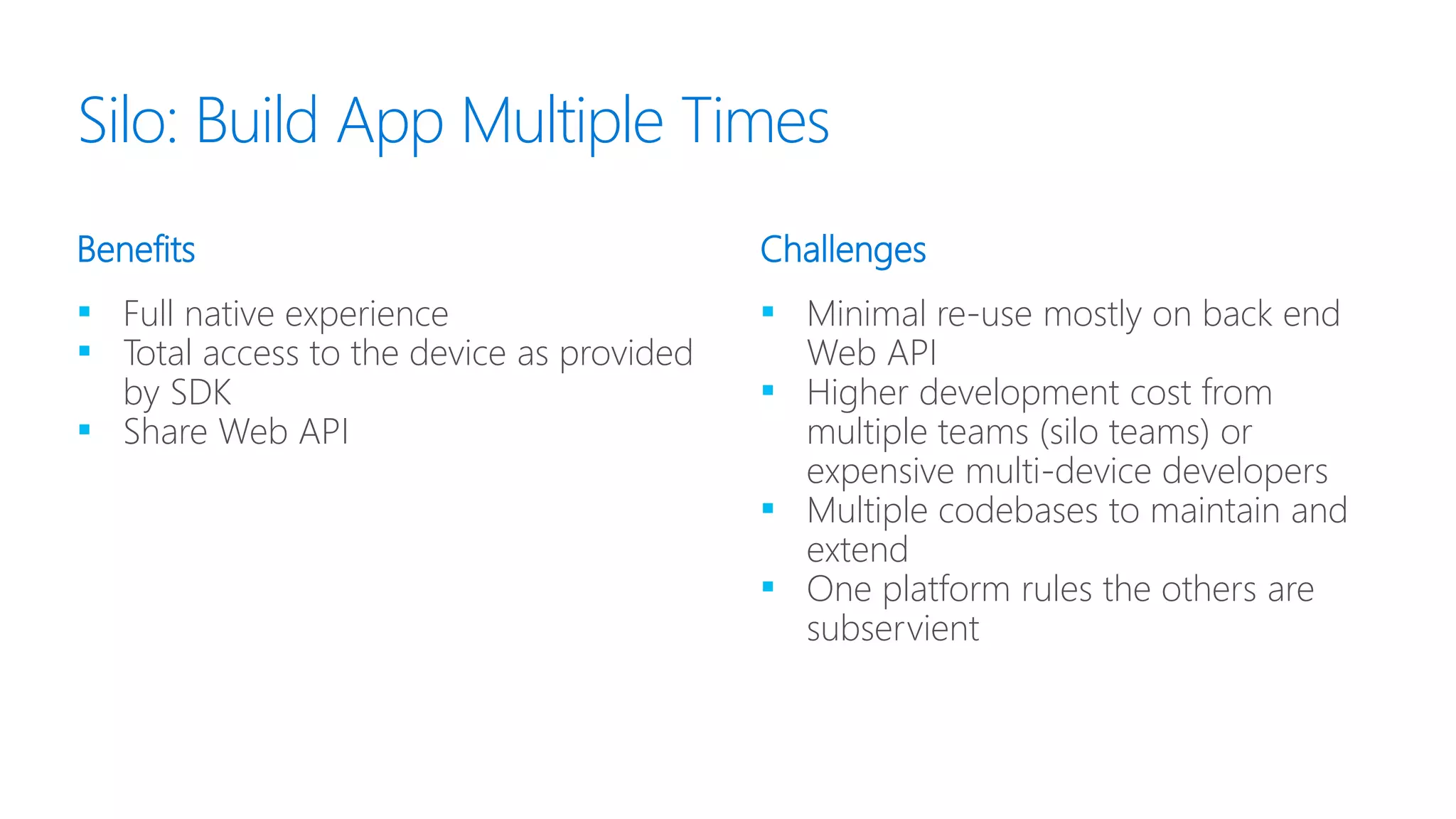
▪ Full native experience
▪ Total access to the device as provided
by SDK
▪ Share Web API
▪ Minimal re-use mostly on back end
Web API
▪ Higher development cost from
multiple teams (silo teams) or
expensive multi-device developers
▪ Multiple codebases to maintain and
extend
▪ One platform rules the others are
subservient
Benefits Challenges
Silo: Build App Multiple Times
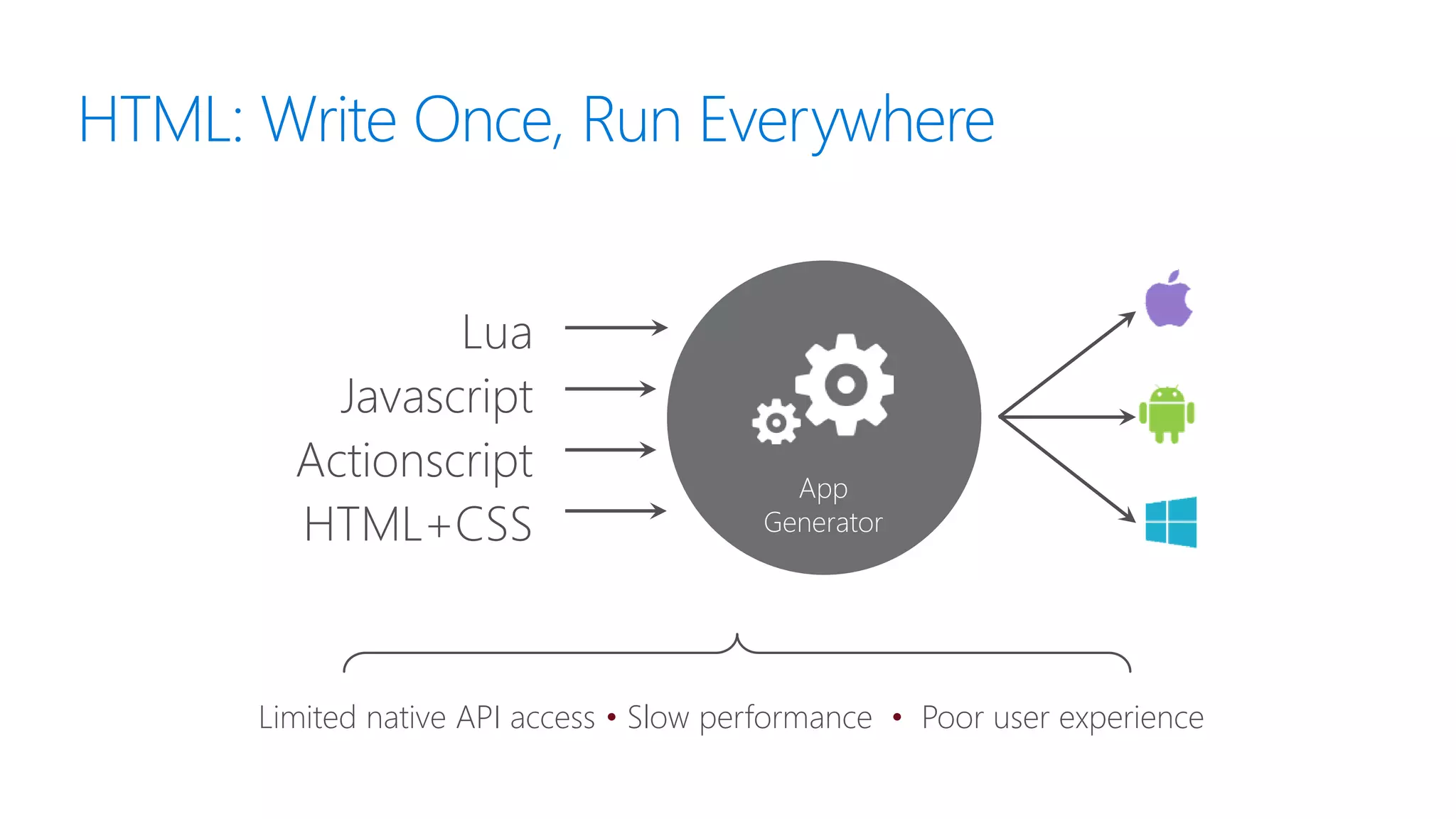
HTML: Write Once, Run Everywhere
App
Generator
Lua
Javascript
Actionscript
HTML+CSS
Limited native API access • Slow performance • Poor user experience
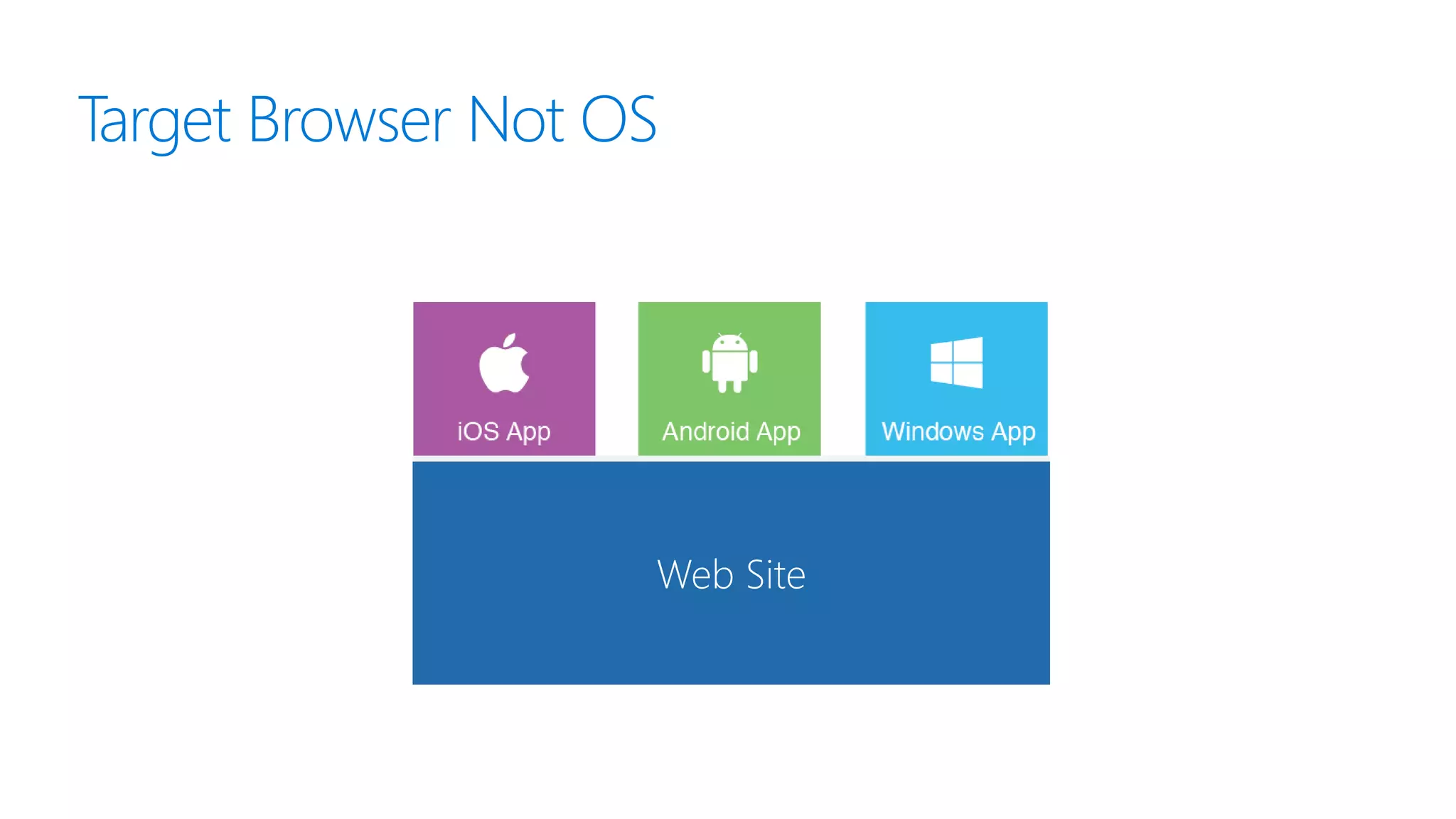
Target Browser Not OS
Web Site
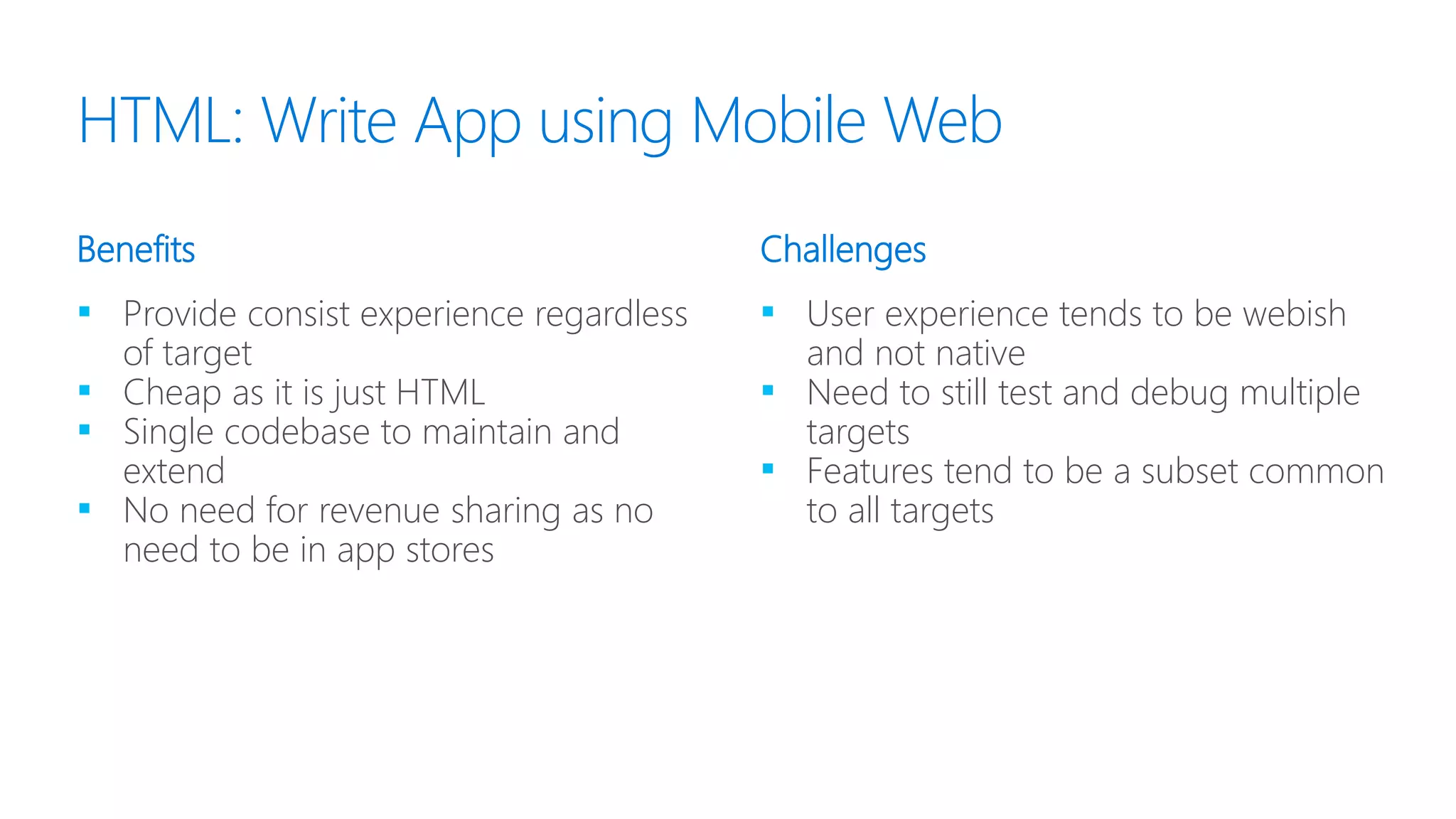
▪ Provide consist experience regardless
of target
▪ Cheap as it is just HTML
▪ Single codebase to maintain and
extend
▪ No need for revenue sharing as no
need to be in app stores
▪ User experience tends to be webish
and not native
▪ Need to still test and debug multiple
targets
▪ Features tend to be a subset common
to all targets
Benefits Challenges
HTML: Write App using Mobile Web
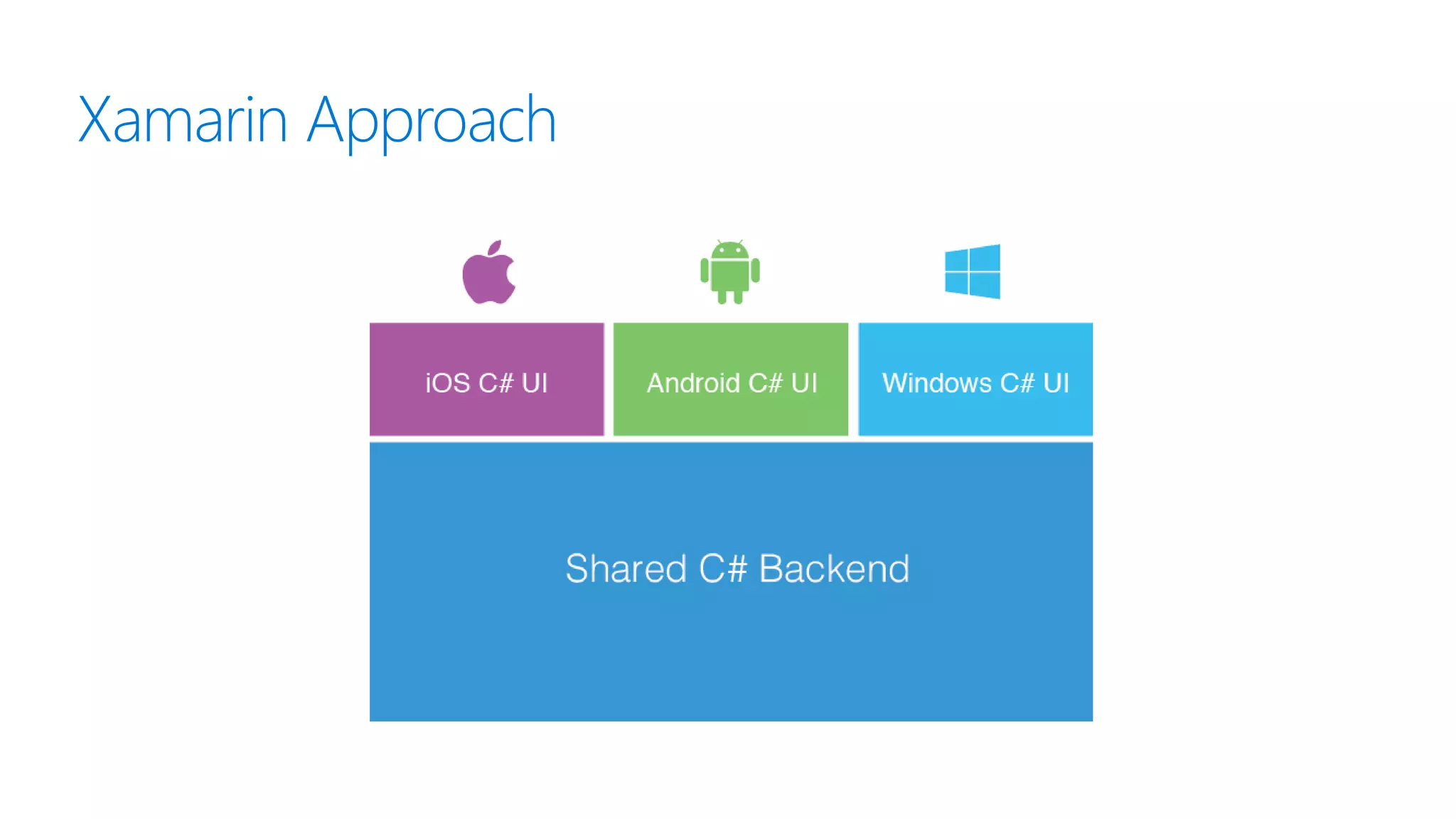
Xamarin Approach
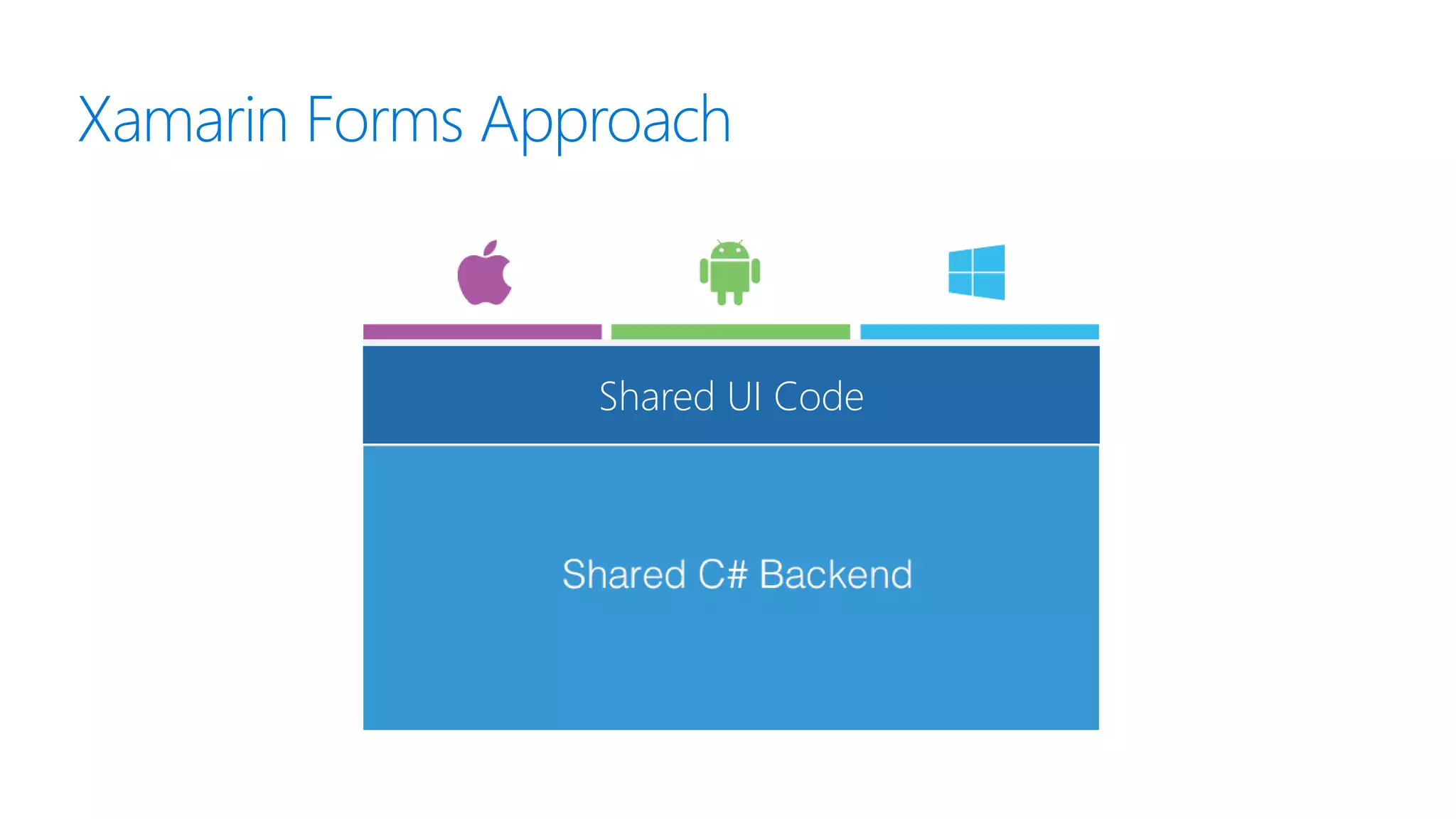
Xamarin Forms Approach
Shared UI Code
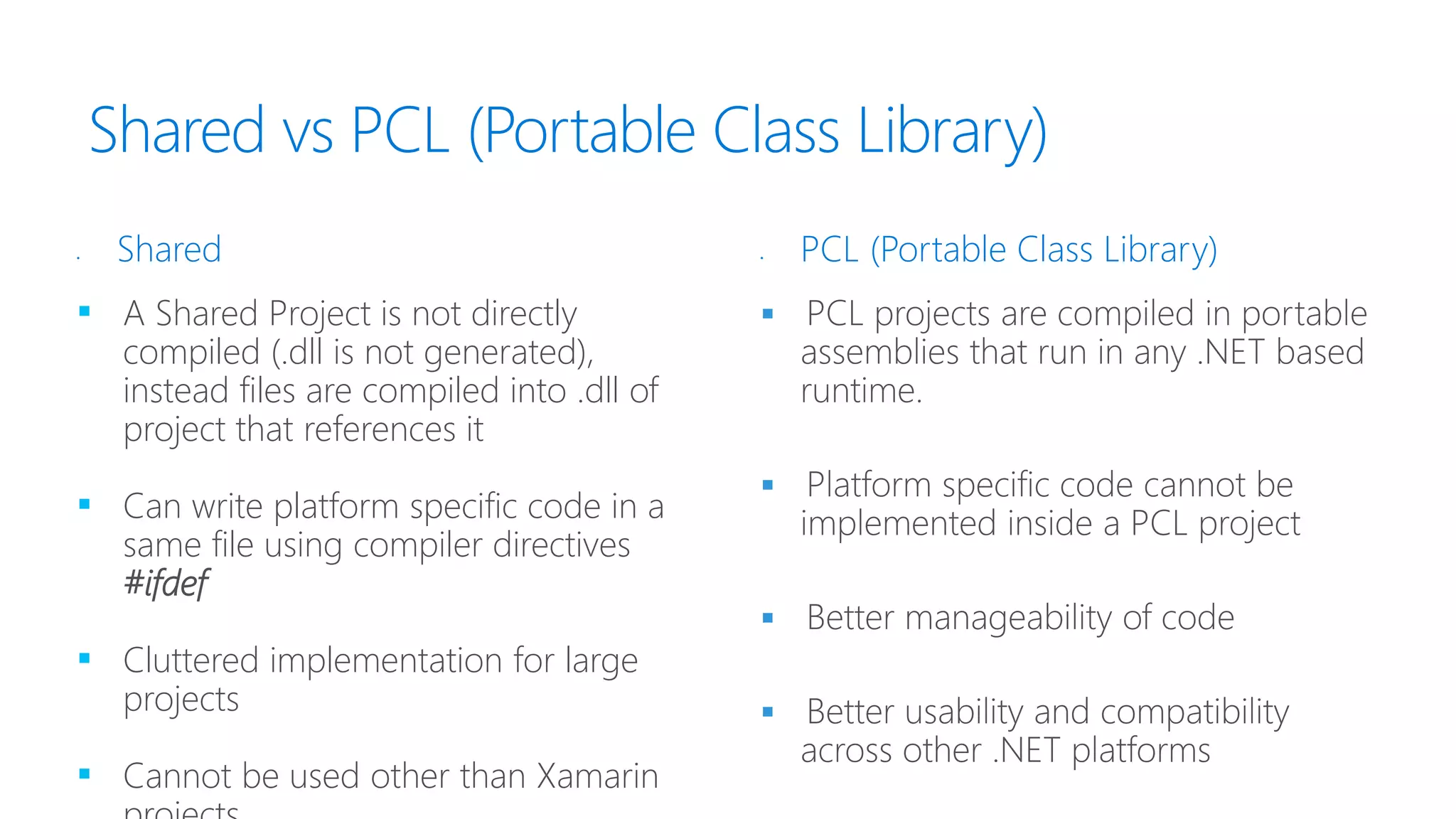
Shared vs PCL (Portable Class Library)
▪ A Shared Project is not directly
compiled (.dll is not generated),
instead files are compiled into .dll of
project that references it
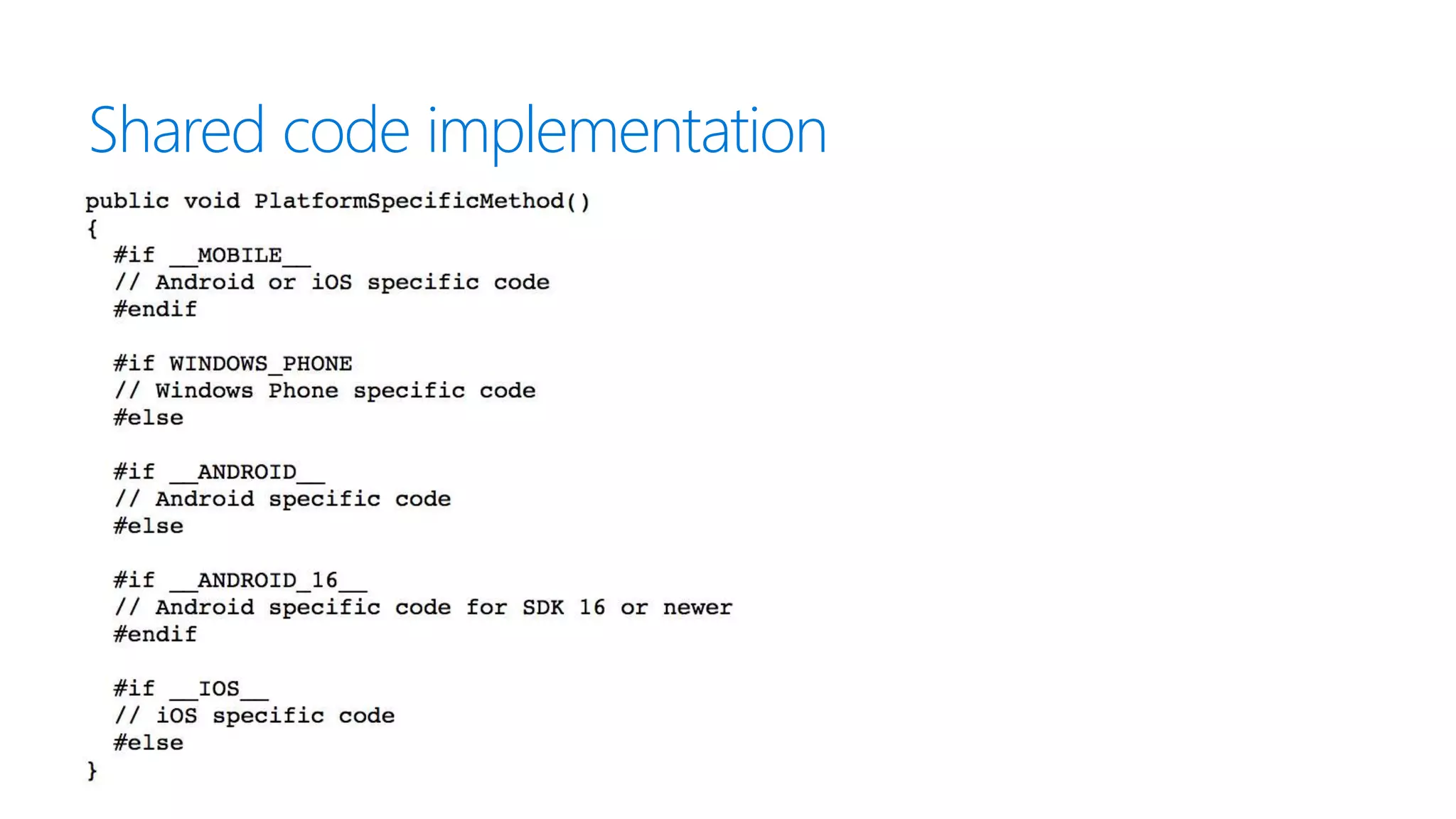
▪ Can write platform specific code in a
same file using compiler directives
#ifdef
▪ Cluttered implementation for large
projects
▪ Cannot be used other than Xamarin




• Shared • PCL (Portable Class Library)
Shared code implementation
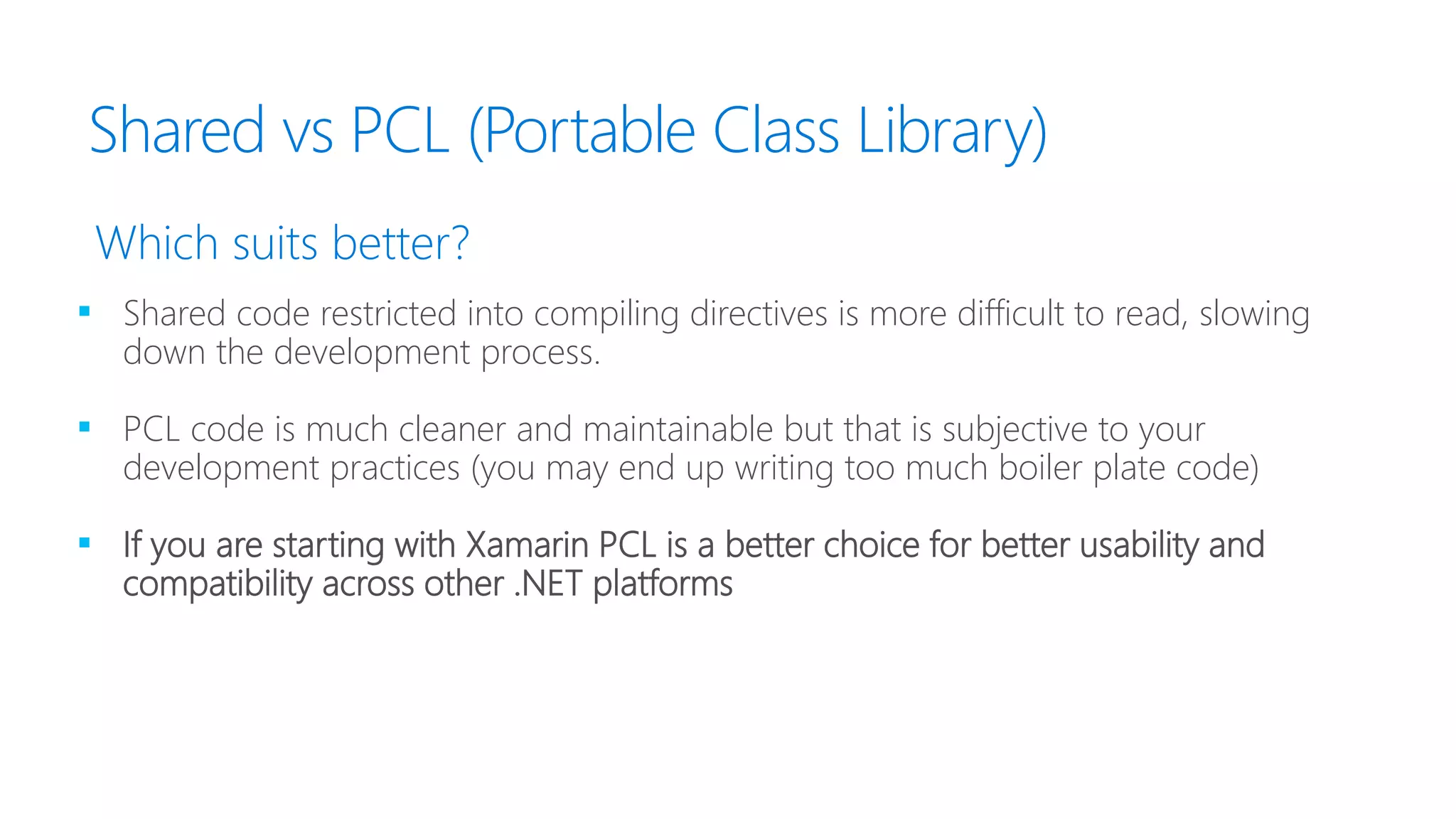
Shared vs PCL (Portable Class Library)
▪ Shared code restricted into compiling directives is more difficult to read, slowing
down the development process.
▪ PCL code is much cleaner and maintainable but that is subjective to your
development practices (you may end up writing too much boiler plate code)
▪ If you are starting with Xamarin PCL is a better choice for better usability and
compatibility across other .NET platforms
Which suits better?
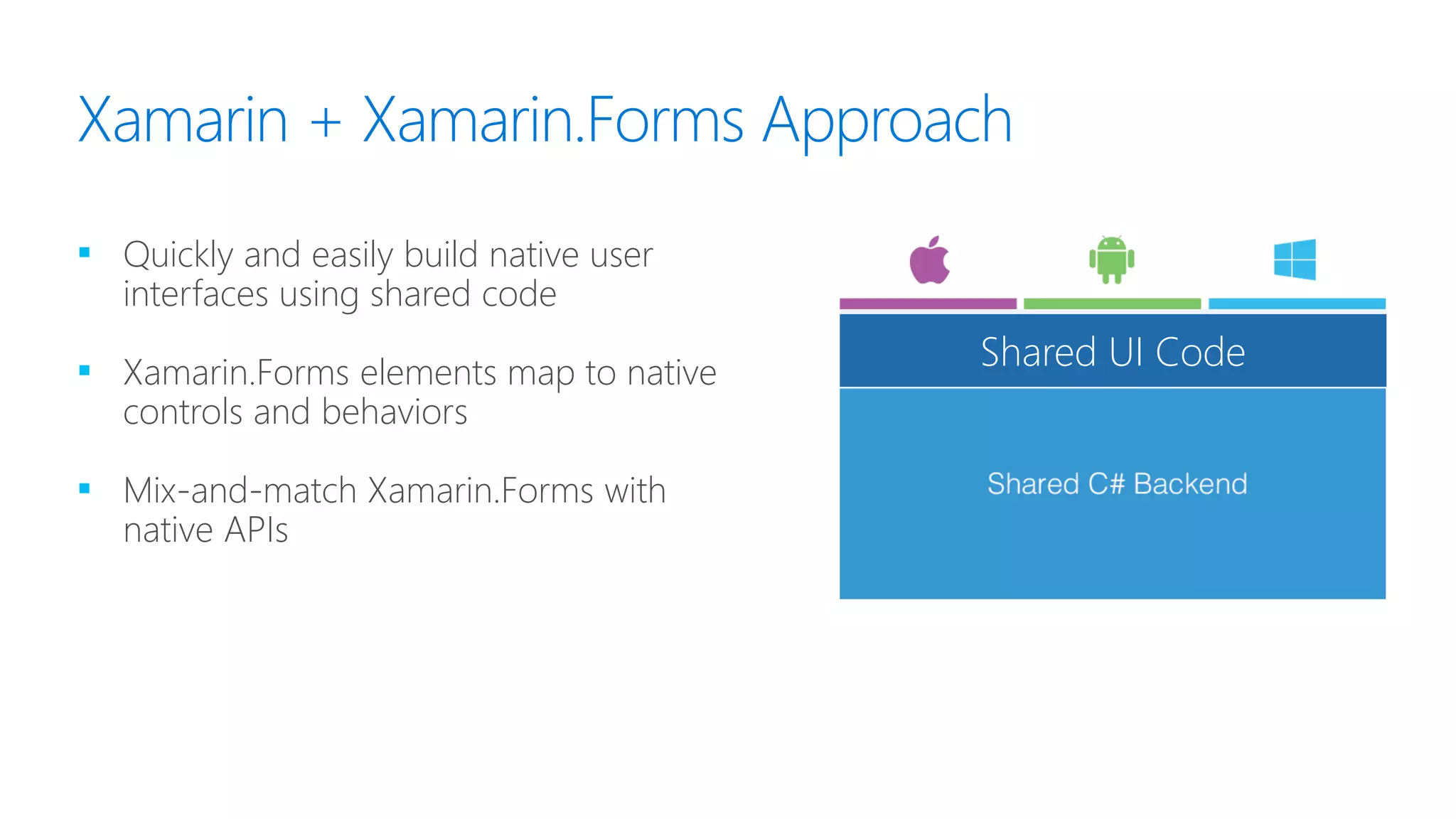
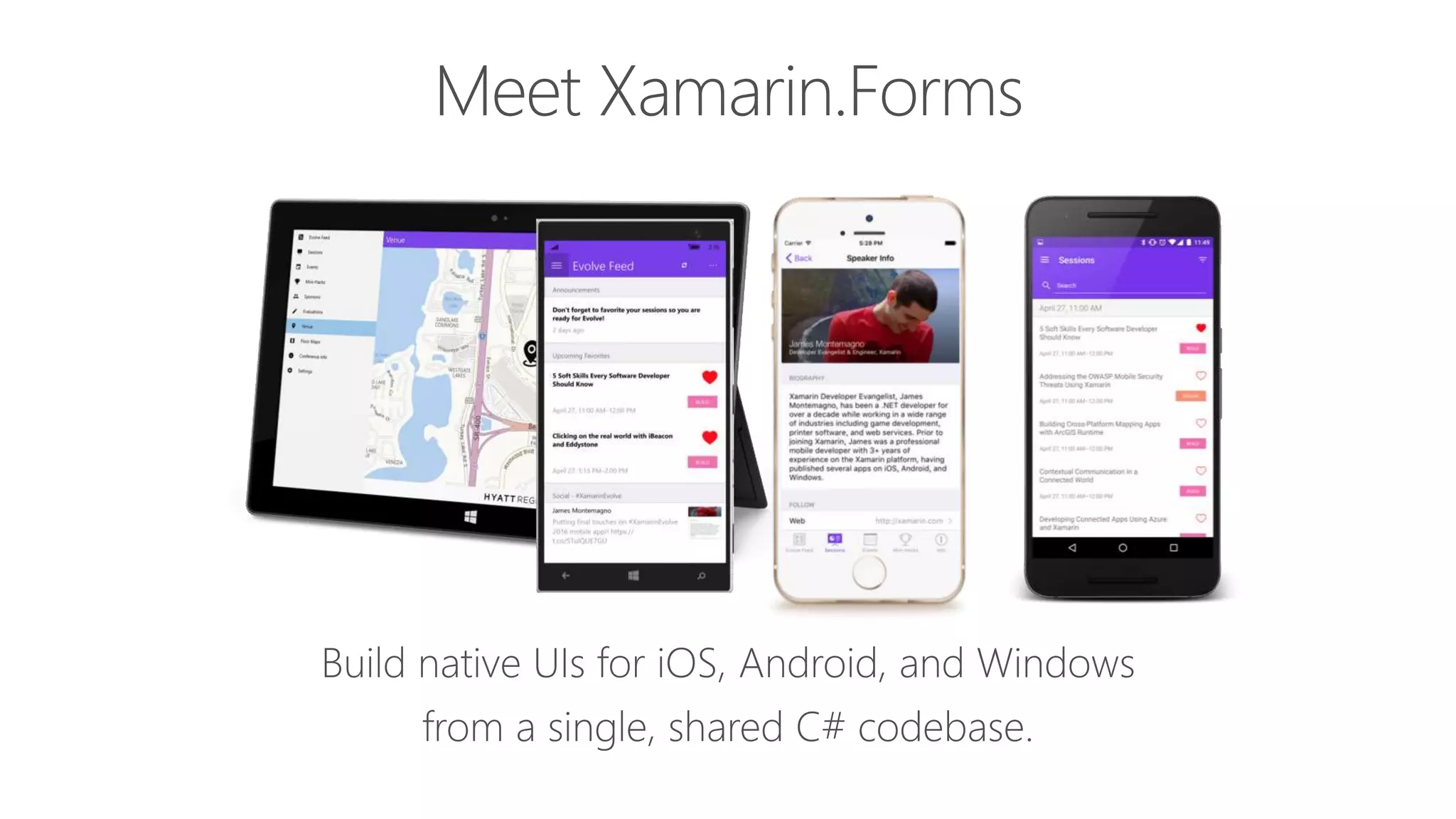
Xamarin + Xamarin.Forms Approach
▪ Quickly and easily build native user
interfaces using shared code
▪ Xamarin.Forms elements map to native
controls and behaviors
▪ Mix-and-match Xamarin.Forms with
native APIs
Shared UI Code
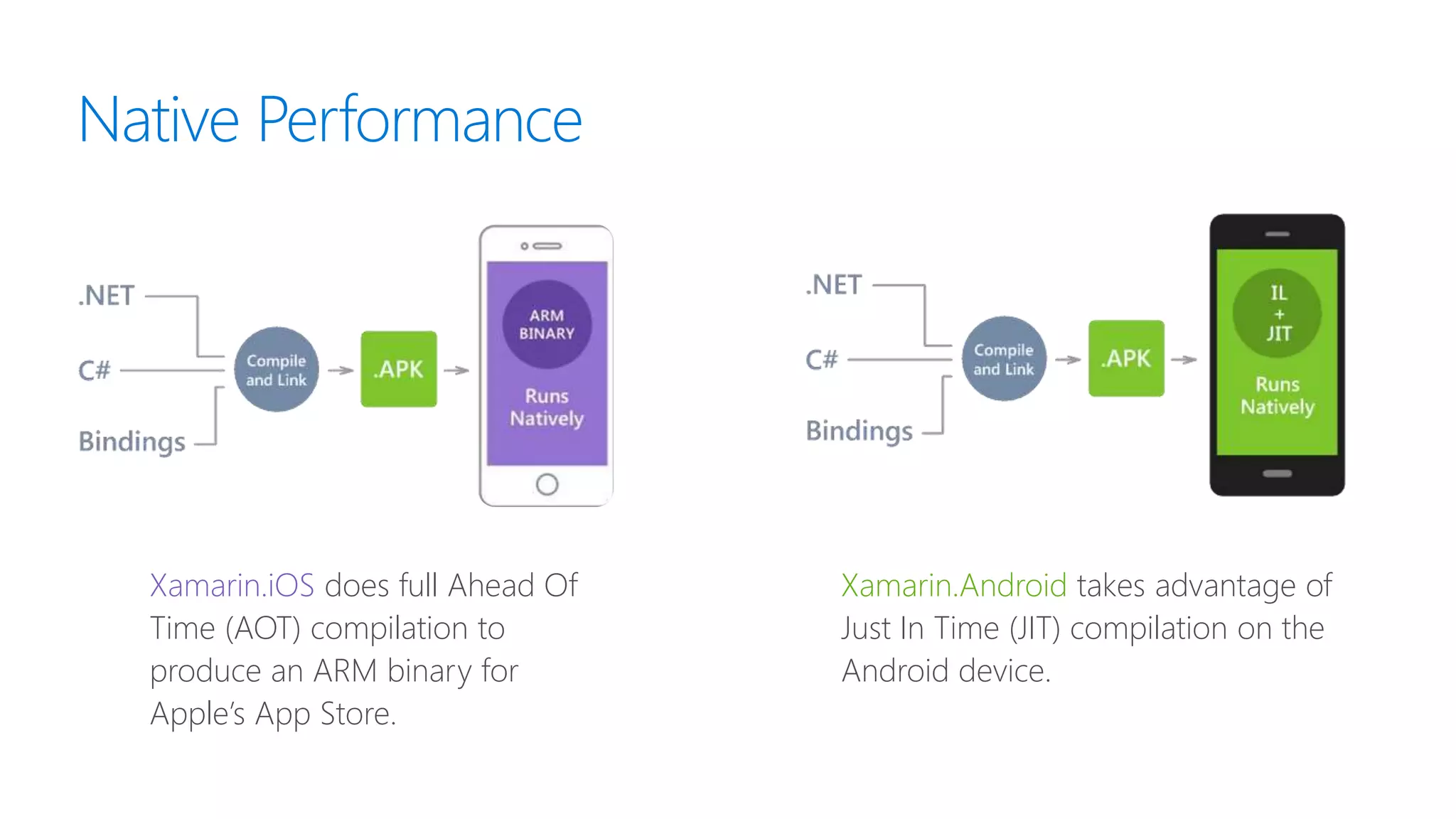
Native Performance
Xamarin.iOS does full Ahead Of
Time (AOT) compilation to
produce an ARM binary for
Apple’s App Store.
Xamarin.Android takes advantage of
Just In Time (JIT) compilation on the
Android device.
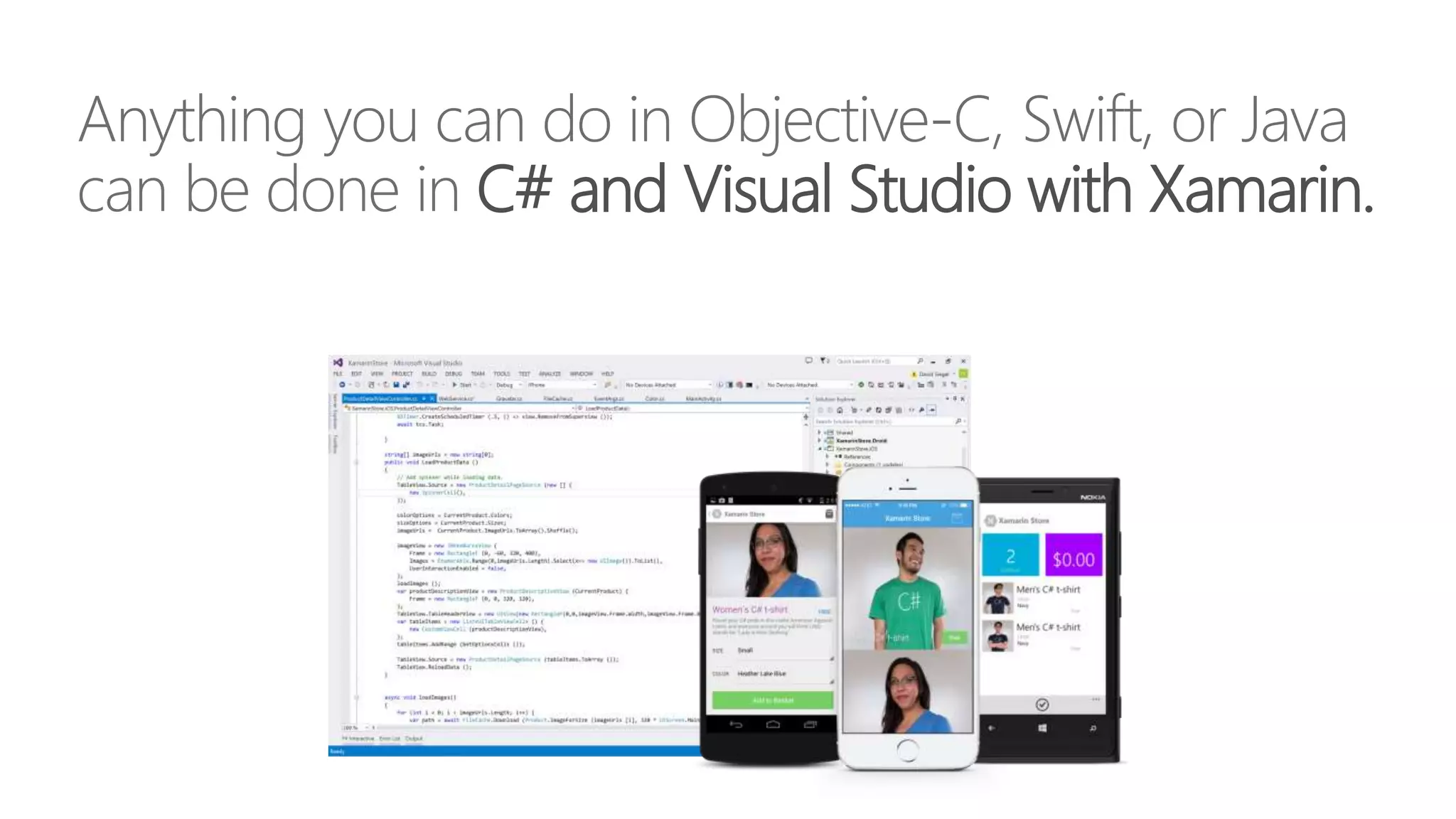
Anything you can do in Objective-C, Swift, or Java
can be done in C# and Visual Studio with Xamarin.
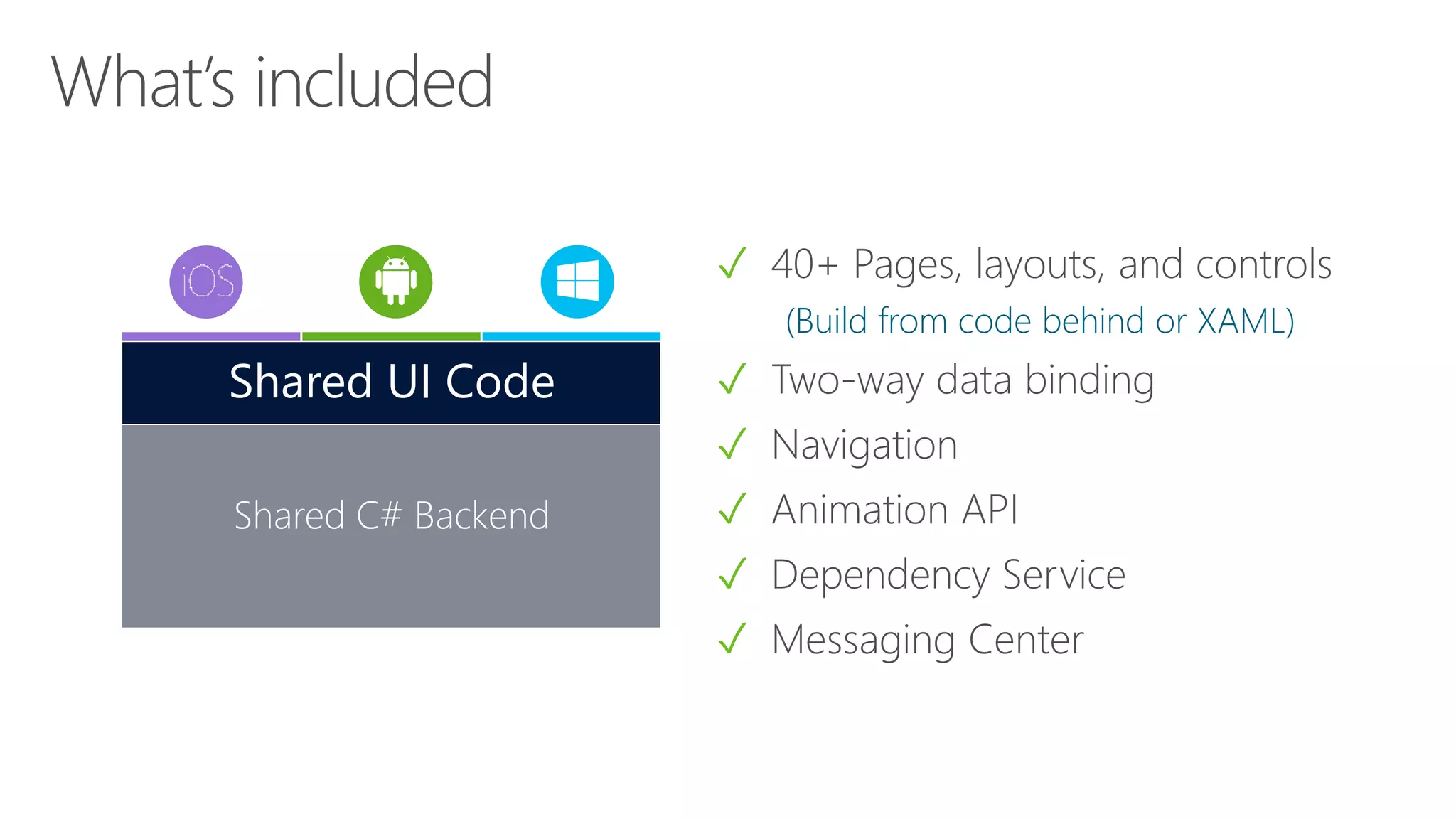
✓ 40+ Pages, layouts, and controls
(Build from code behind or XAML)
✓ Two-way data binding
✓ Navigation
✓ Animation API
✓ Dependency Service
✓ Messaging Center
Shared C# Backend
Shared UI Code
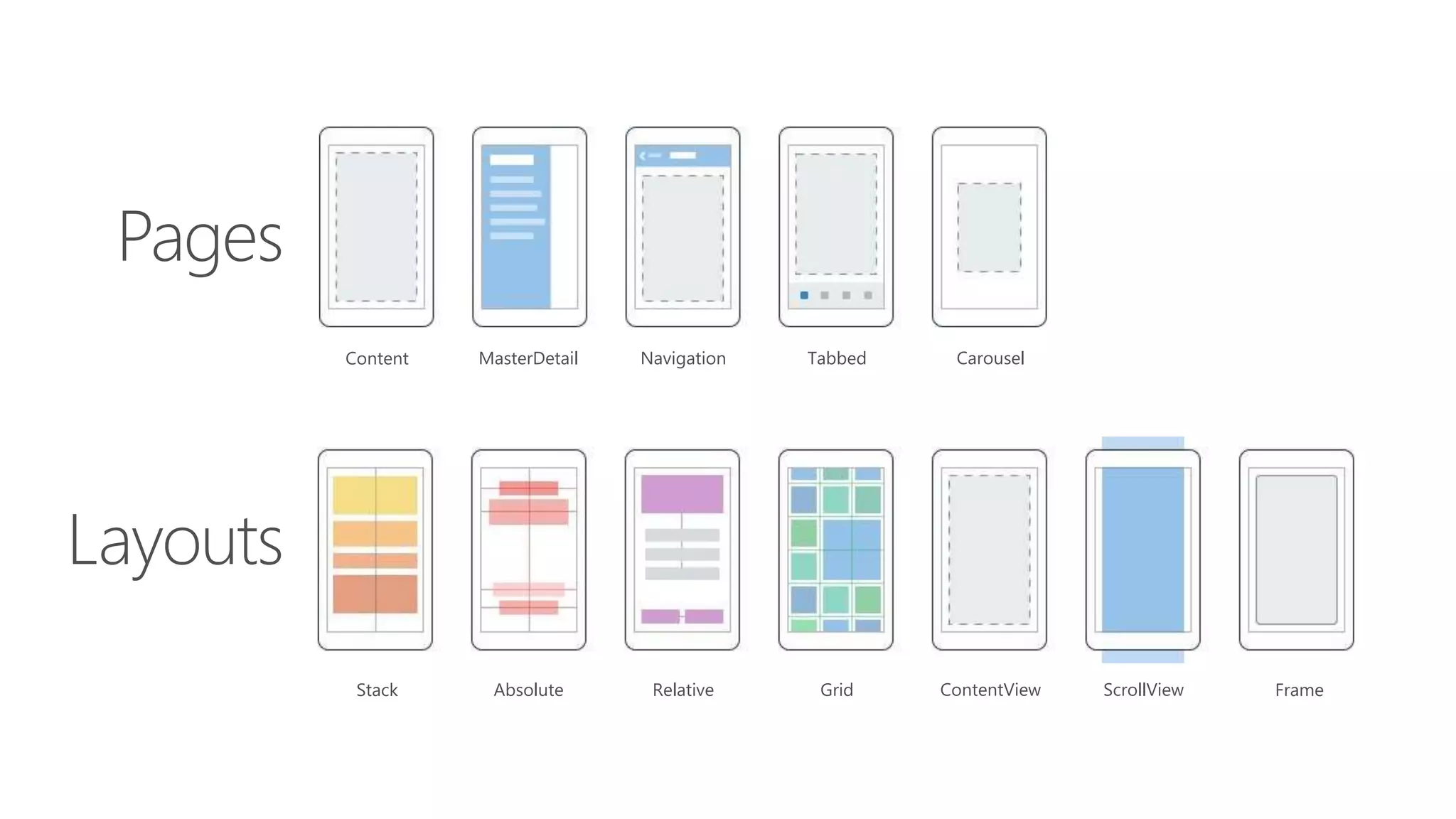
Layouts
Pages
Stack Absolute Relative Grid ContentView ScrollView Frame
Content MasterDetail Navigation Tabbed Carousel
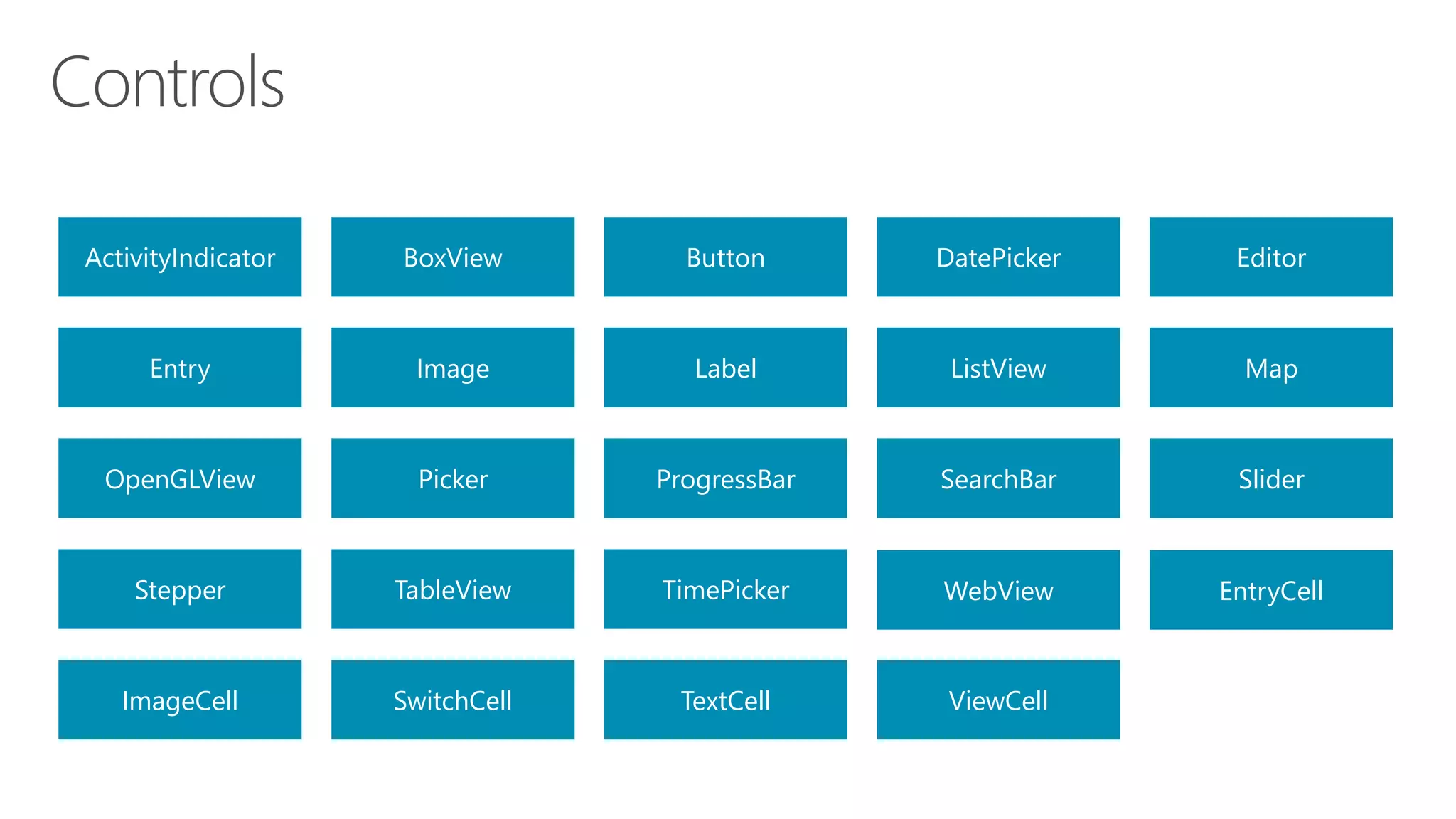
ActivityIndicator BoxView Button DatePicker Editor
Entry Image Label ListView Map
OpenGLView Picker ProgressBar SearchBar Slider
Stepper TableView TimePicker WebView EntryCell
ImageCell SwitchCell TextCell ViewCell
Xamarin.Forms Ecosystem
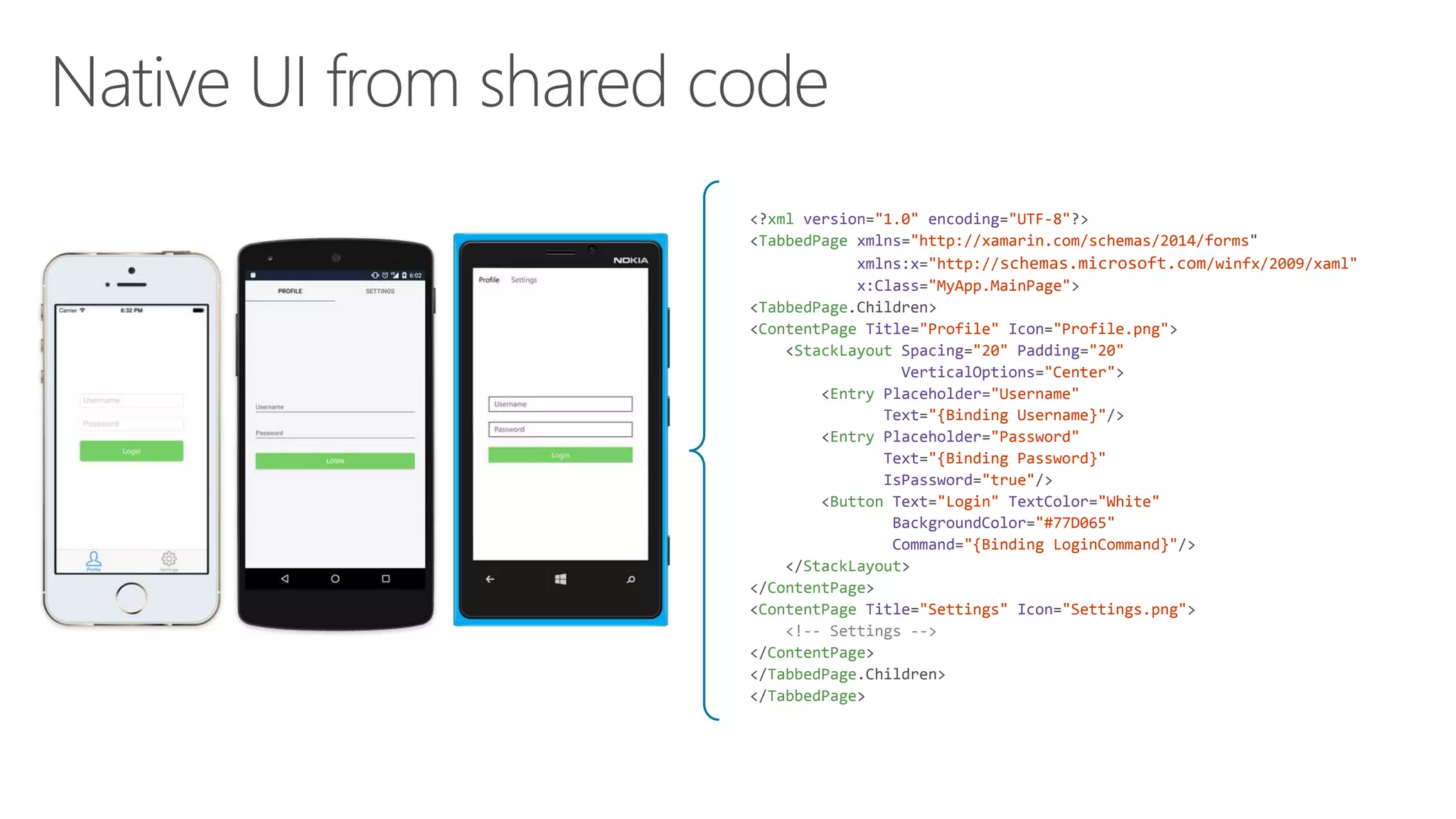
<?xml version="1.0" encoding="UTF-8"?>
<TabbedPage xmlns="http://xamarin.com/schemas/2014/forms"
xmlns:x="http://schemas.microsoft.com/winfx/2009/xaml"
x:Class="MyApp.MainPage">
<TabbedPage.Children>
<ContentPage Title="Profile" Icon="Profile.png">
<StackLayout Spacing="20" Padding="20"
VerticalOptions="Center">
<Entry Placeholder="Username"
Text="{Binding Username}"/>
<Entry Placeholder="Password"
Text="{Binding Password}"
IsPassword="true"/>
<Button Text="Login" TextColor="White"
BackgroundColor="#77D065"
Command="{Binding LoginCommand}"/>
</StackLayout>
</ContentPage>
<ContentPage Title="Settings" Icon="Settings.png">
<!-- Settings -->
</ContentPage>
</TabbedPage.Children>
</TabbedPage>
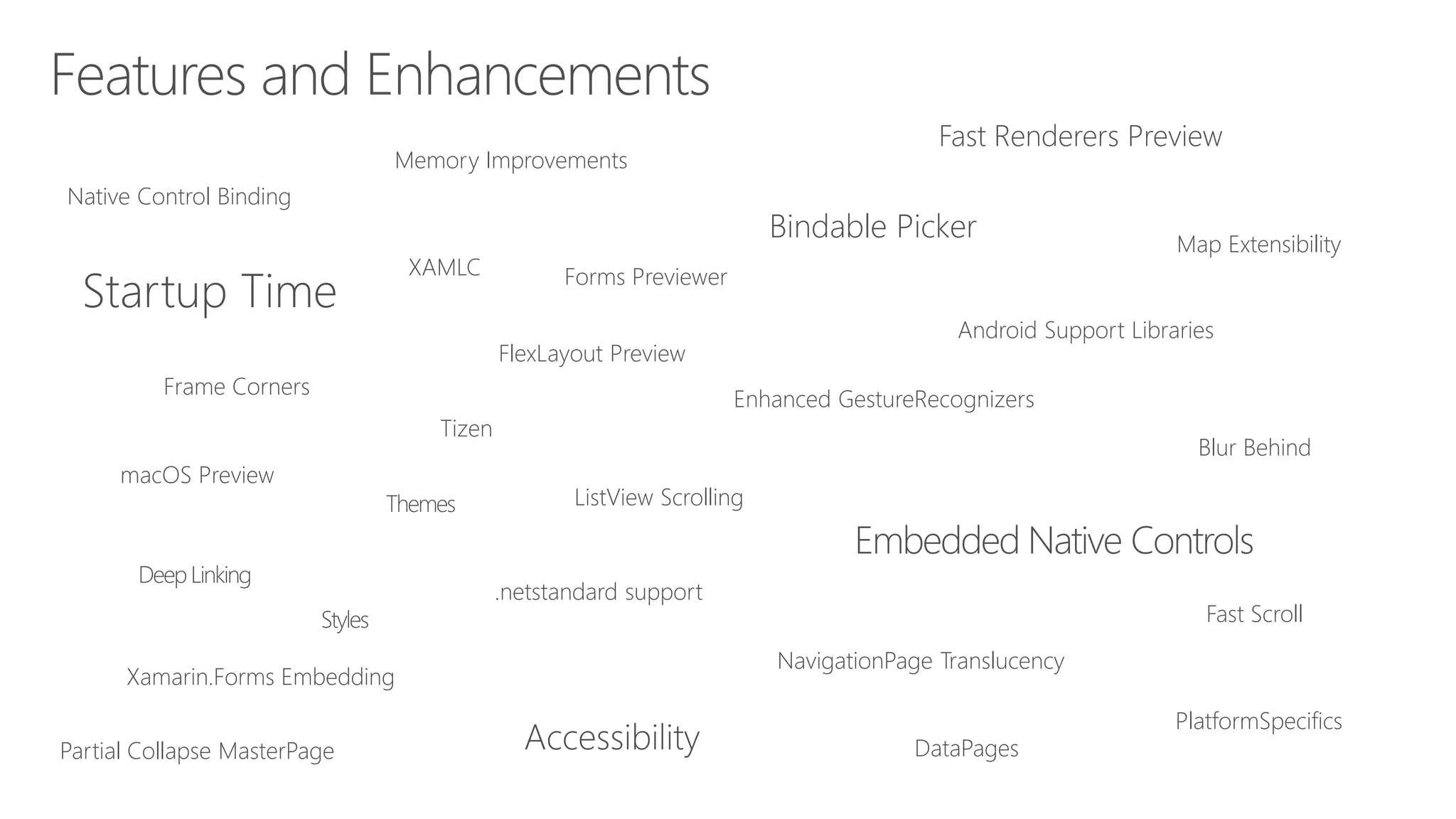
macOS Preview
Enhanced GestureRecognizers
Android Support Libraries
PlatformSpecifics
Fast Scroll
NavigationPage Translucency
Blur Behind
Partial Collapse MasterPage
Native Control Binding
Map Extensibility
Fast Renderers Preview
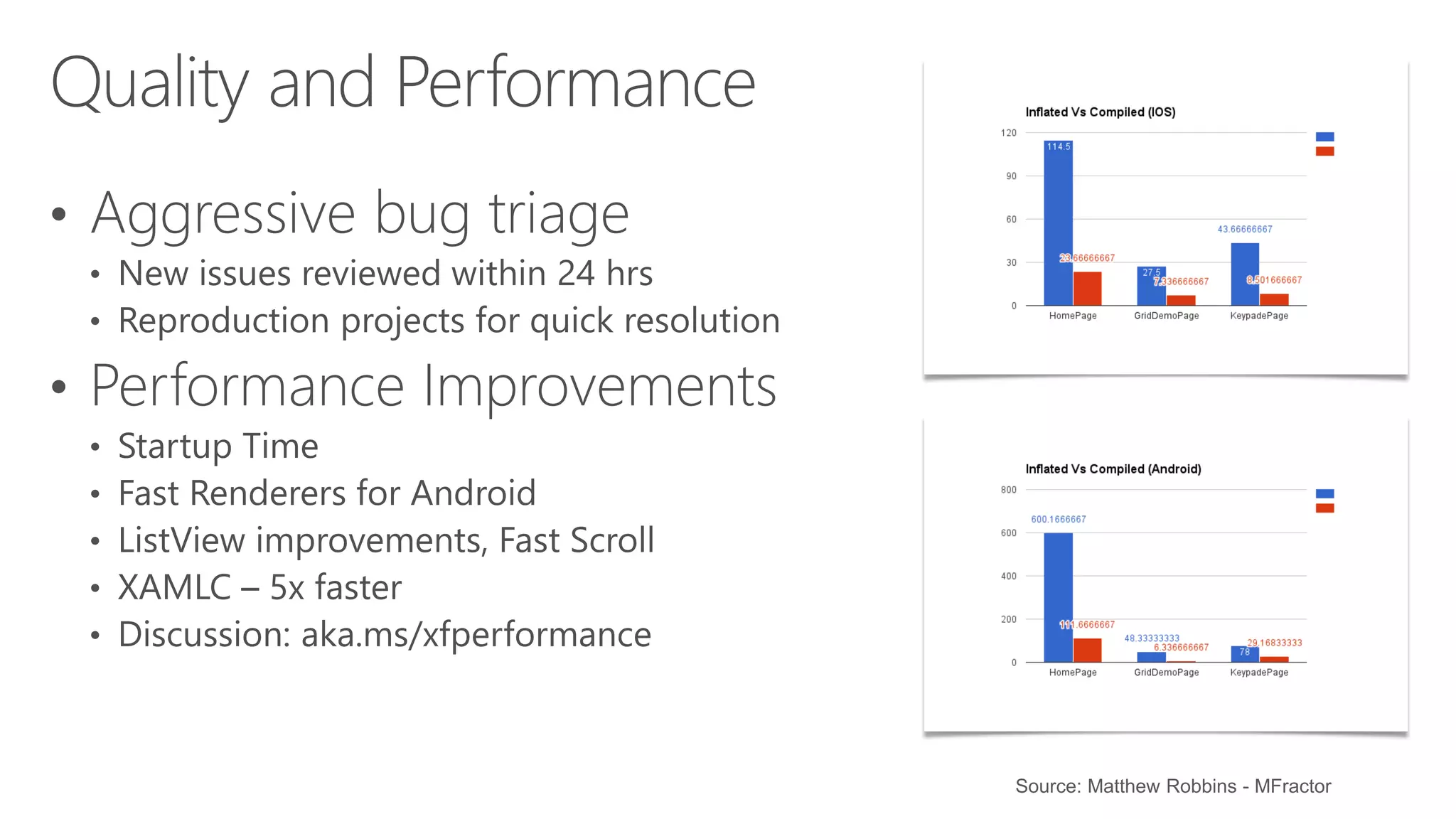
Startup Time
ListView Scrolling
Memory Improvements
XAMLC
Bindable Picker
Frame Corners
Tizen
Forms Previewer
FlexLayout Preview
Xamarin.Forms Embedding
DataPages
Source: Matthew Robbins - MFractor
Get Started Today
xamarin.com
Useful resources
http://bit.do/xamuniyoutube
http://bit.do/getxamarinuniveristy
https://azure.microsoft.com
https://docs.microsoft.com
Introducing
Microsoft Azure
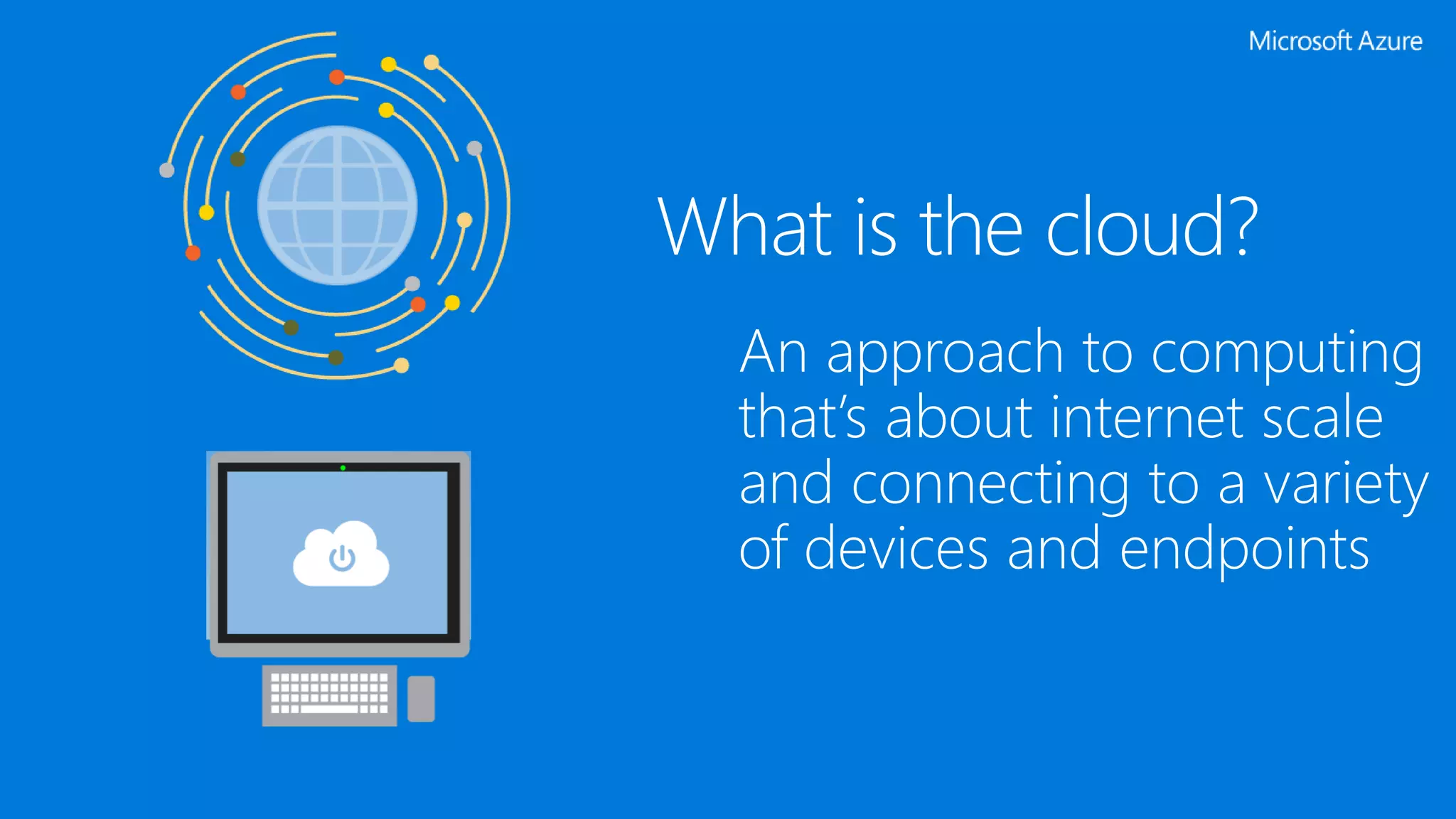
What is the cloud?
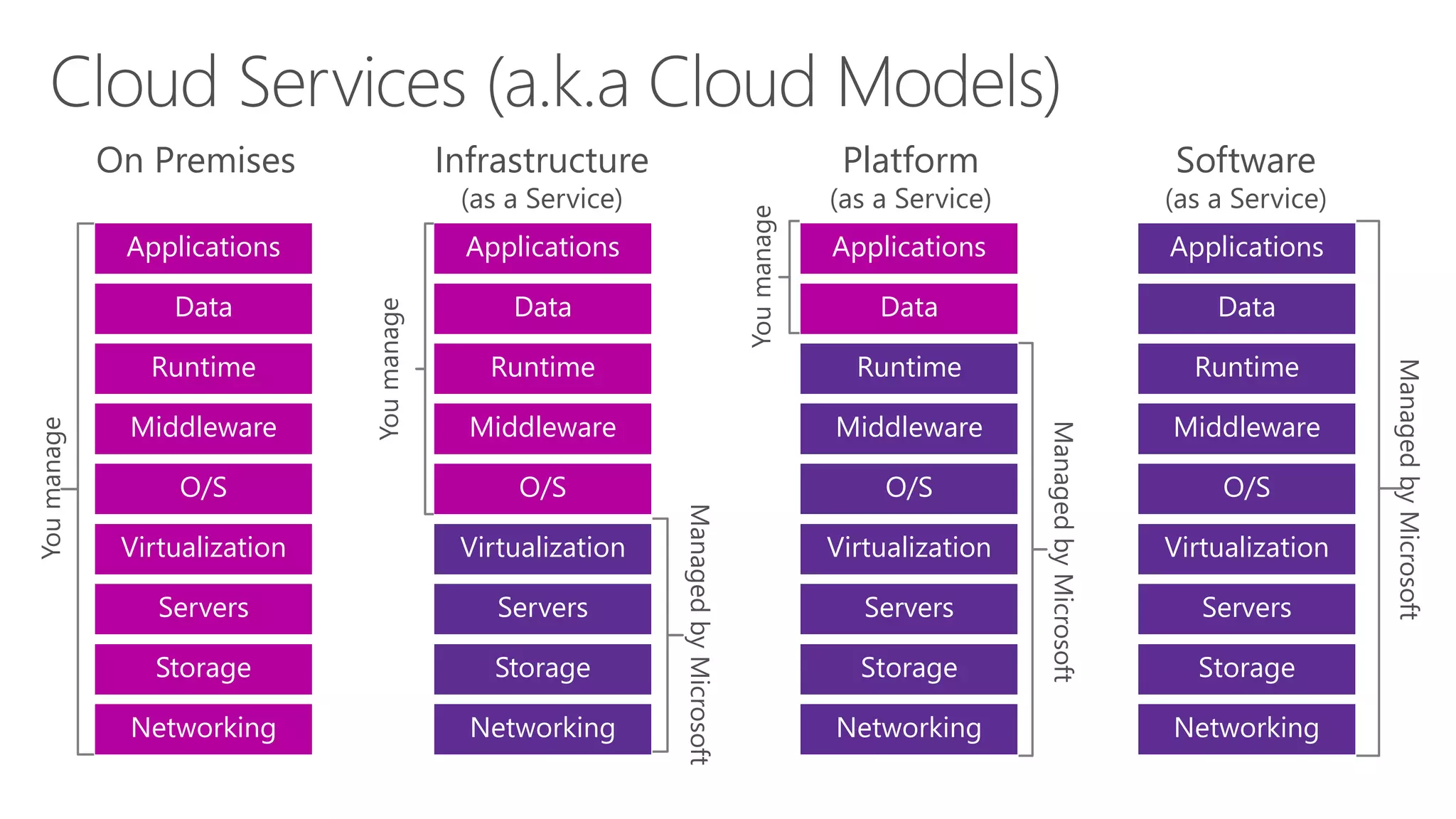
On Premises
Storage
Servers
Networking
O/S
Middleware
Virtualization
Data
Applications
Runtime
Youmanage
Infrastructure
(as a Service)
Storage
Servers
Networking
O/S
Middleware
Virtualization
Data
Applications
Runtime
ManagedbyMicrosoft
Youmanage
Platform
(as a Service)
ManagedbyMicrosoft
Youmanage
Storage
Servers
Networking
O/S
Middleware
Virtualization
Applications
Runtime
Data
Software
(as a Service)
ManagedbyMicrosoft
Storage
Servers
Networking
O/S
Middleware
Virtualization
Applications
Runtime
Data
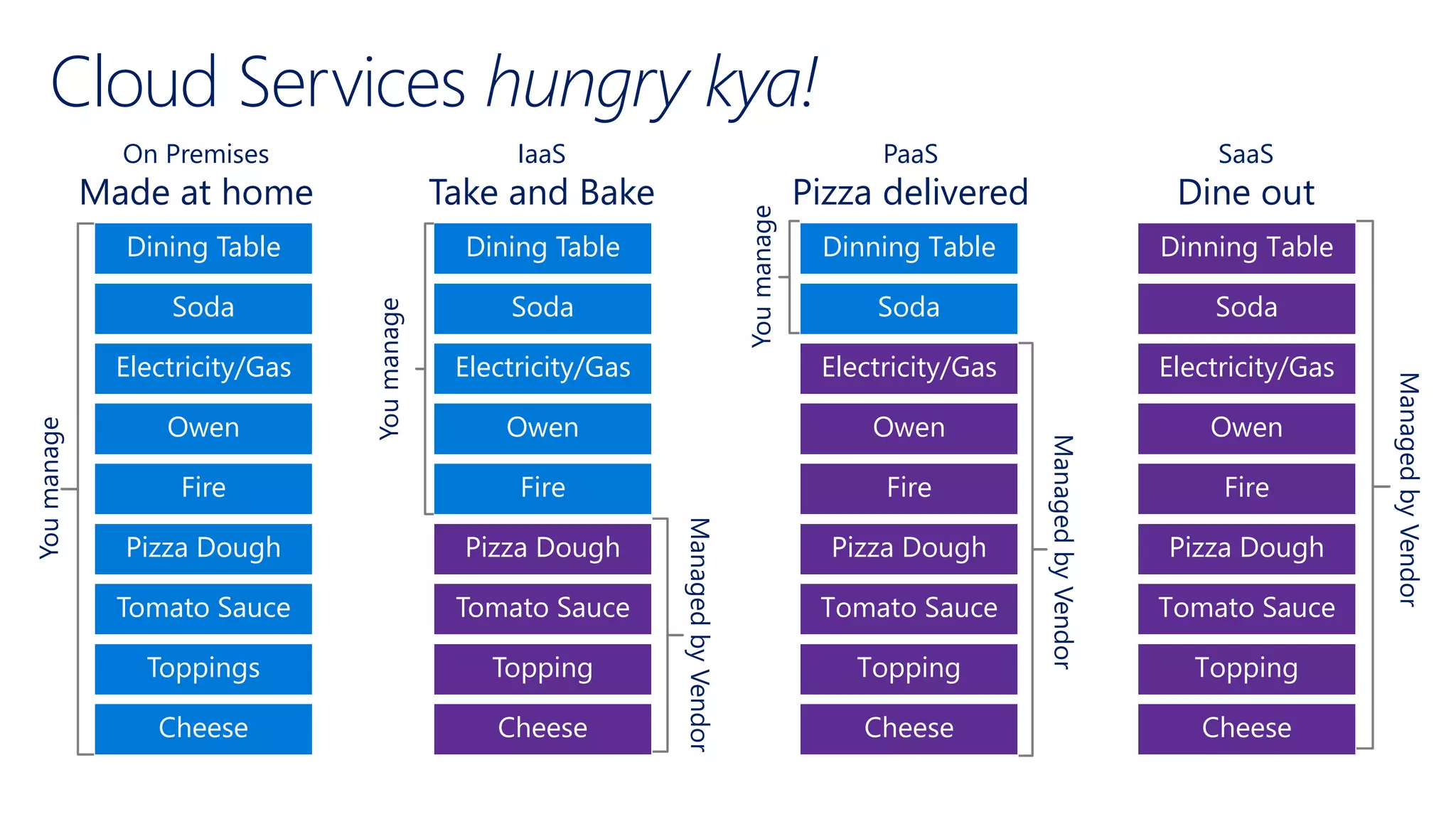
Cloud Services hungry kya!
On Premises
Made at home
Toppings
Tomato Sauce
Cheese
Fire
Owen
Pizza Dough
Soda
Dining Table
Electricity/Gas
Youmanage
IaaS
Take and Bake
Topping
Tomato Sauce
Cheese
Fire
Owen
Pizza Dough
Soda
Dining Table
Electricity/Gas
ManagedbyVendor
Youmanage
PaaS
Pizza delivered
ManagedbyVendor
Youmanage
Topping
Tomato Sauce
Cheese
Fire
Owen
Pizza Dough
Dinning Table
Electricity/Gas
Soda
SaaS
Dine out
ManagedbyVendor
Topping
Tomato Sauce
Cheese
Fire
Owen
Pizza Dough
Dinning Table
Electricity/Gas
Soda
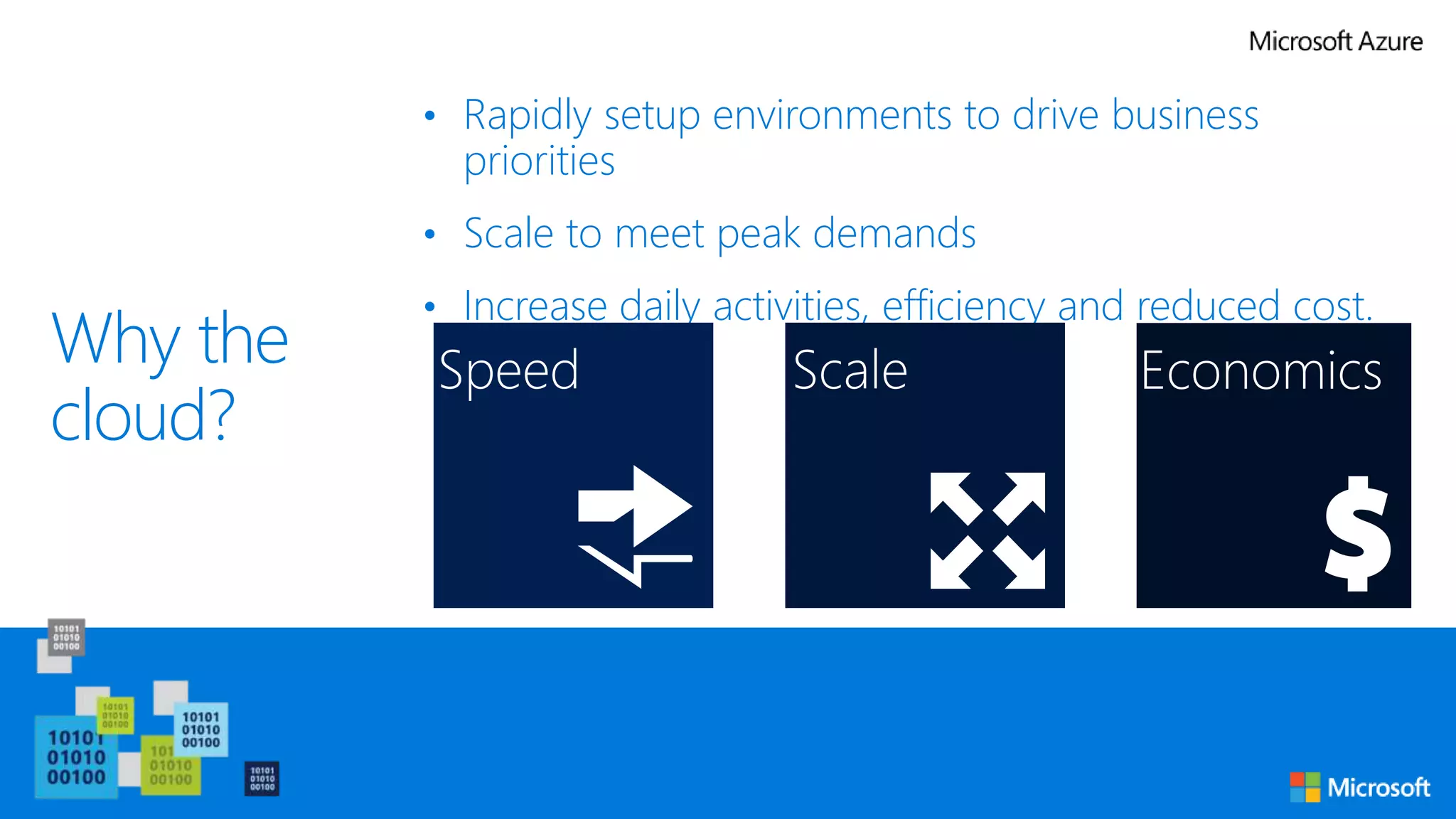
Why the
cloud?
• Rapidly setup environments to drive business
priorities
• Scale to meet peak demands
• Increase daily activities, efficiency and reduced cost.
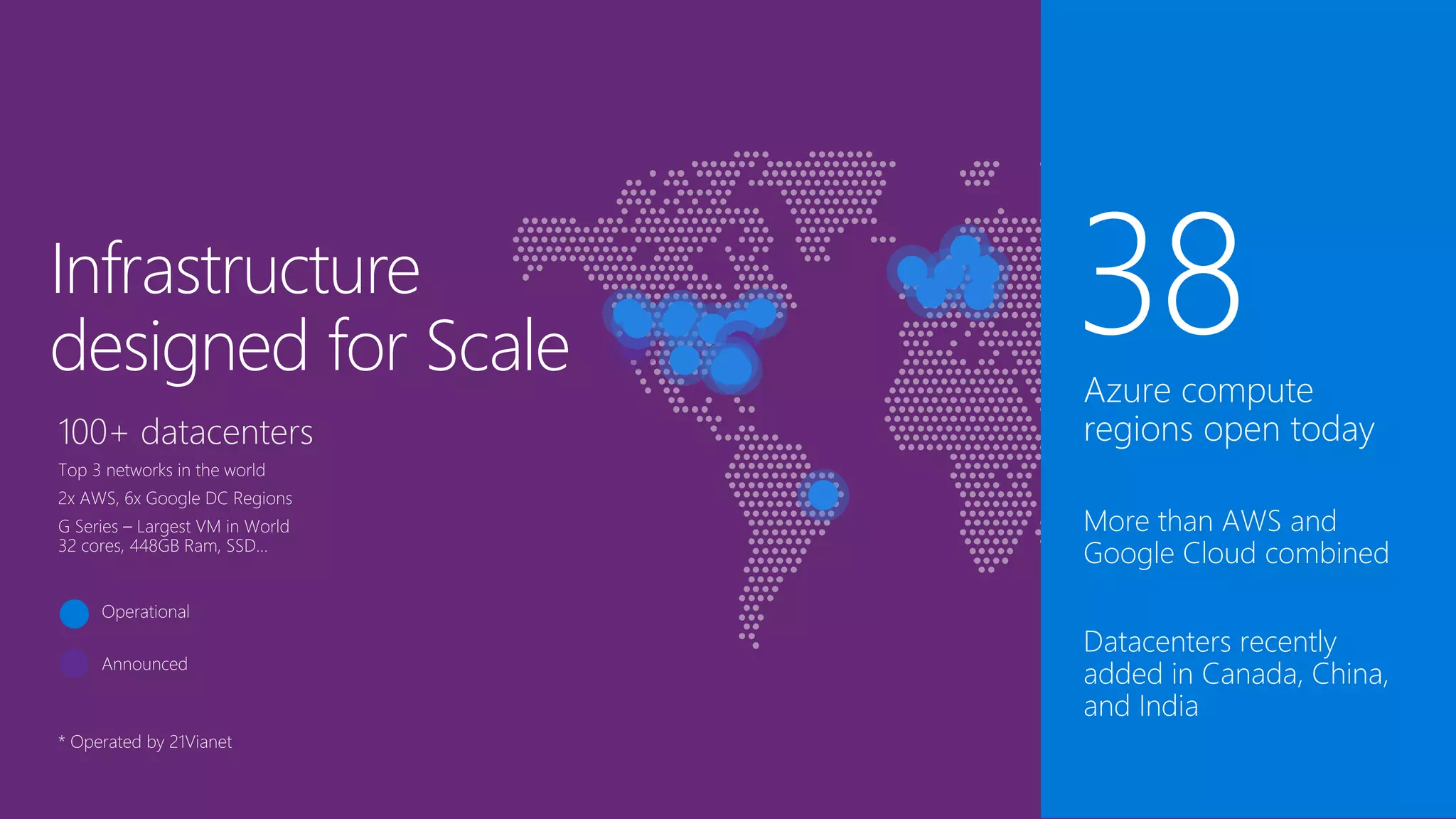
Infrastructure
designed for Scale
Demo: Azure Portal
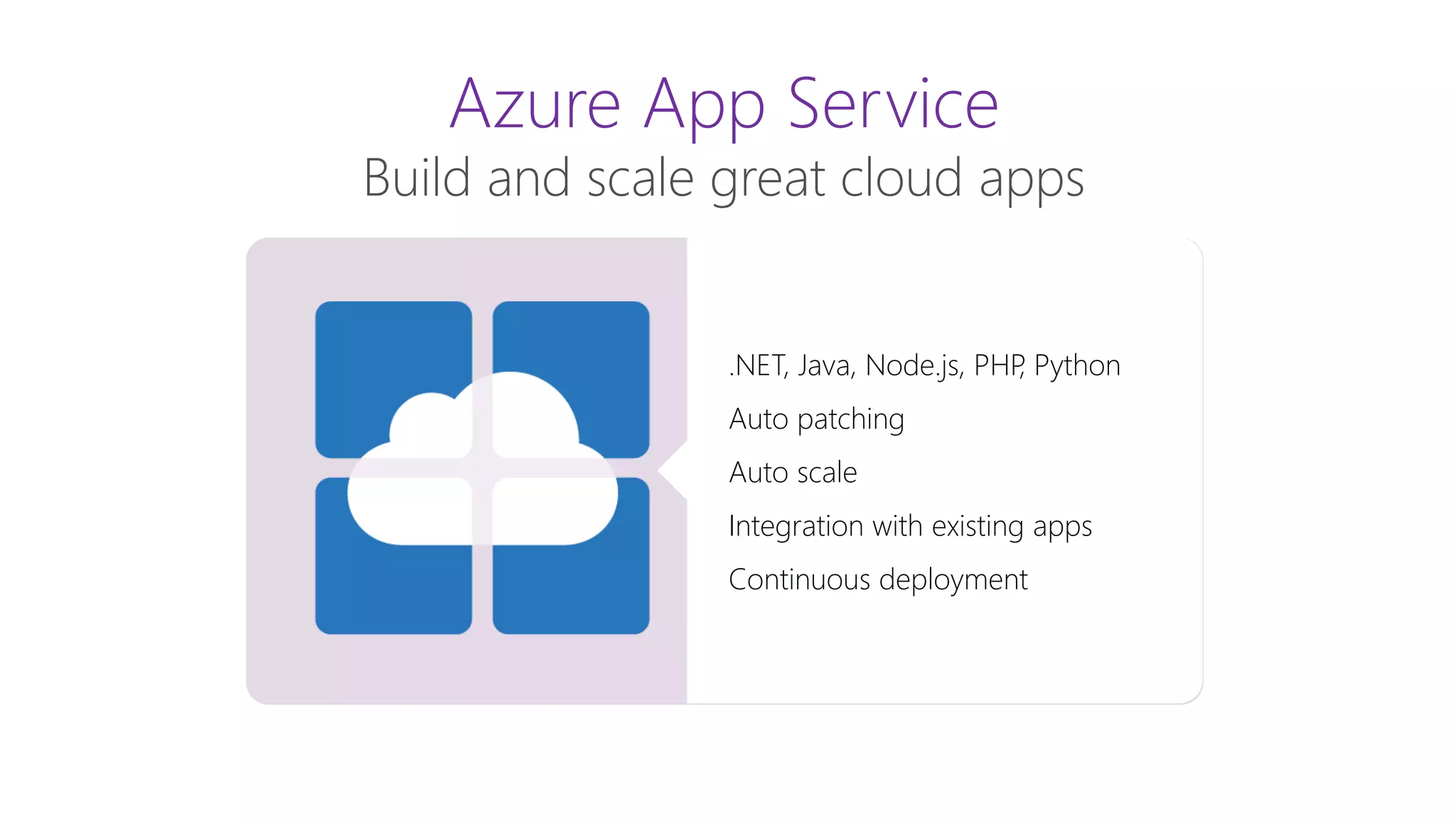
Azure App Service
Build and scale great cloud apps
Web Apps
Mobile Apps
Logic Apps
API Apps
.NET, Java, Node.js, PHP, Python
Auto patching
Auto scale
Integration with existing apps
Continuous deployment
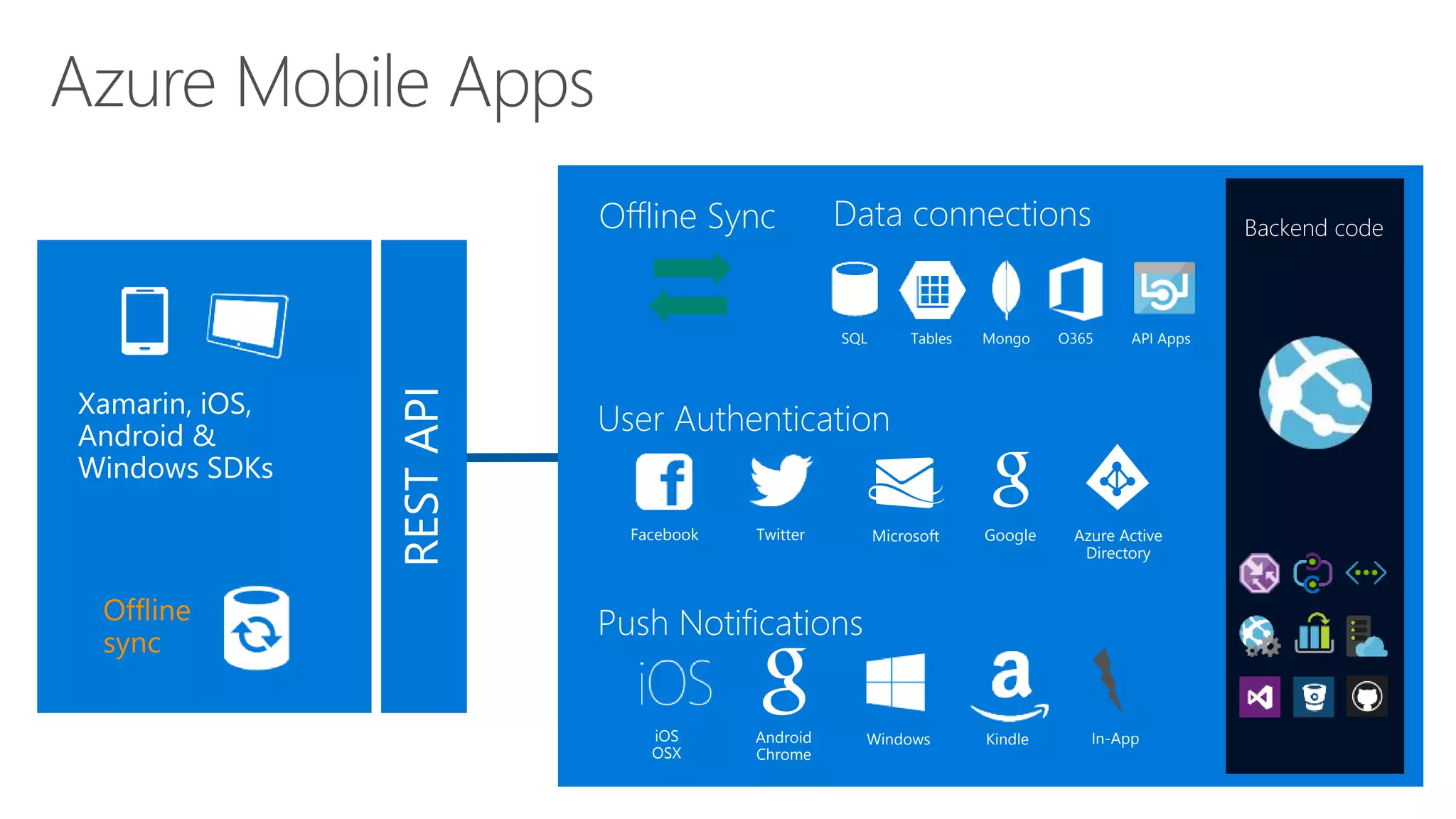
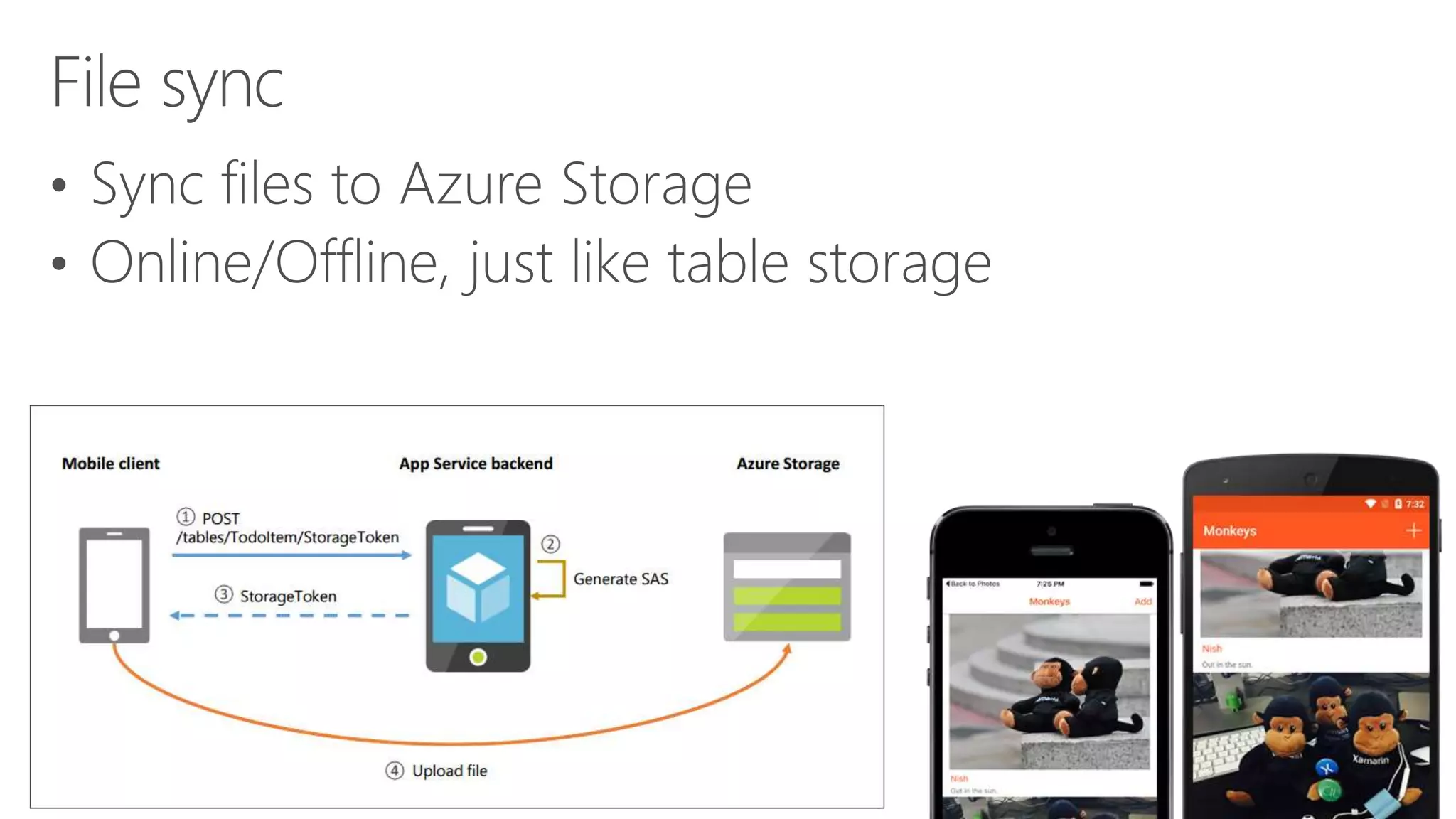
RESTAPI
Offline
sync
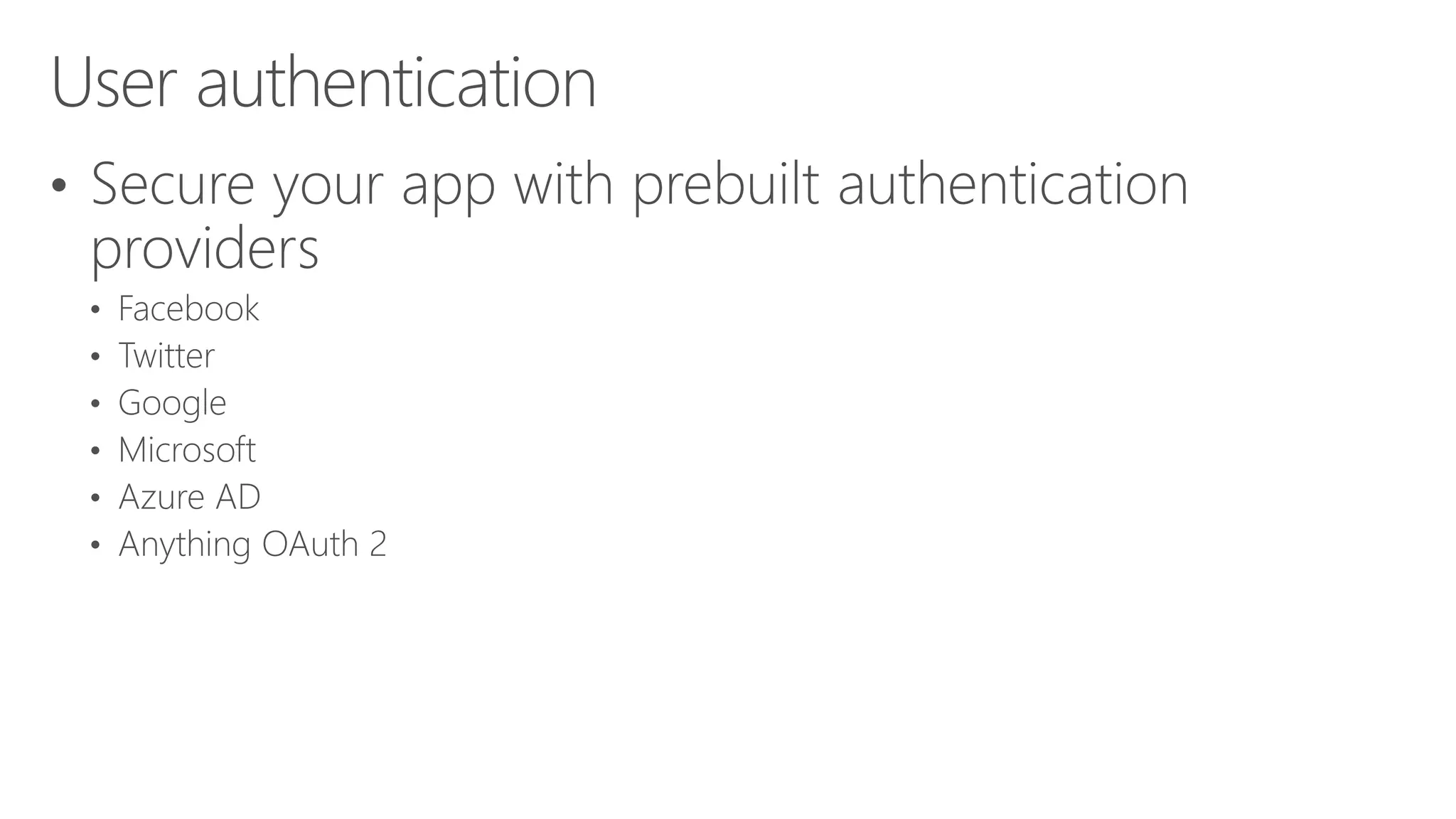
Facebook Twitter Microsoft Google Azure Active
Directory
Azure Mobile Apps
WindowsAndroid
Chrome
iOS
OSX
In-AppKindle
Backend code
SQL MongoTables O365 API Apps
Offline Sync
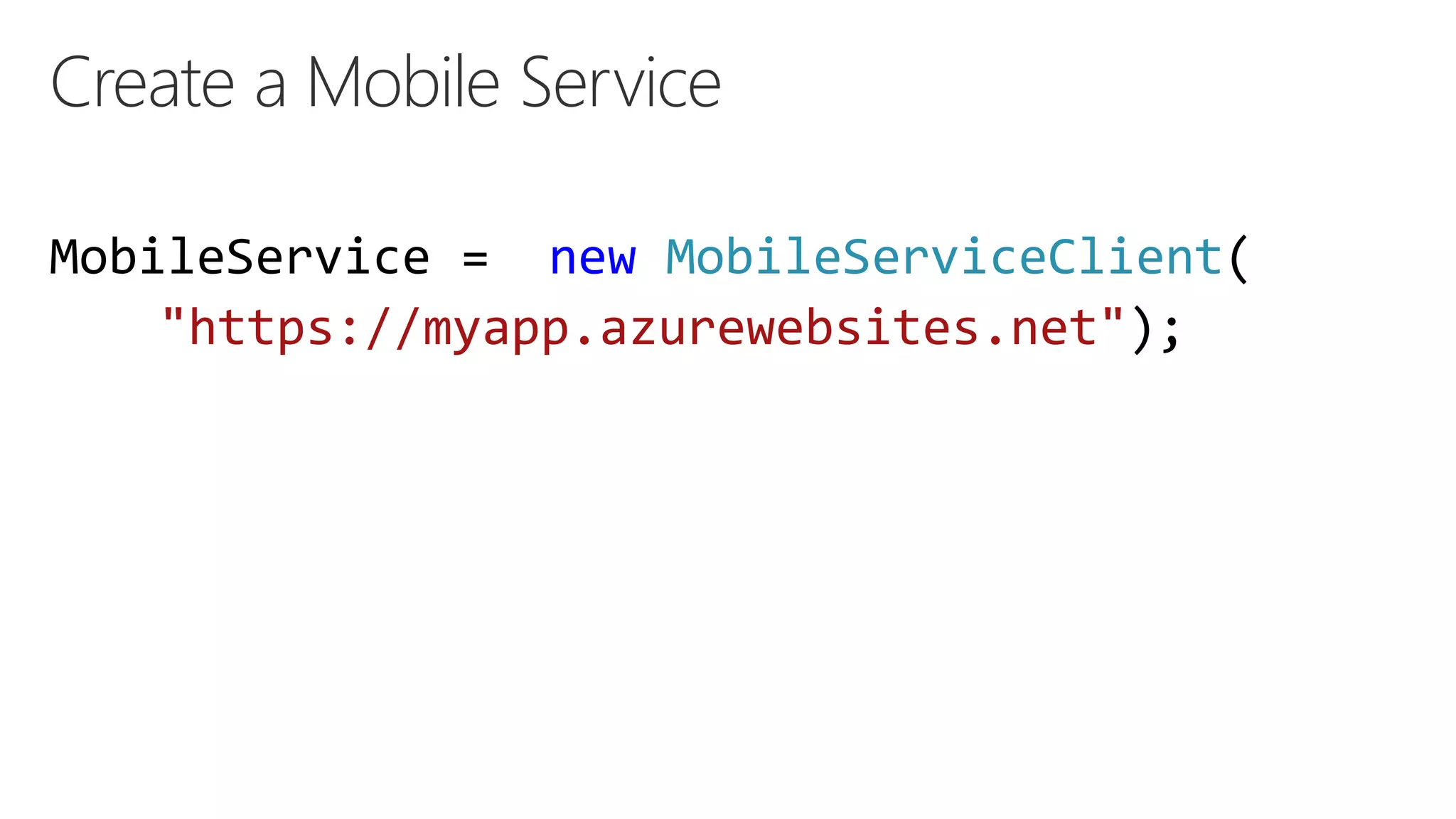
Create a Mobile Service
MobileService = new MobileServiceClient(
"https://myapp.azurewebsites.net");
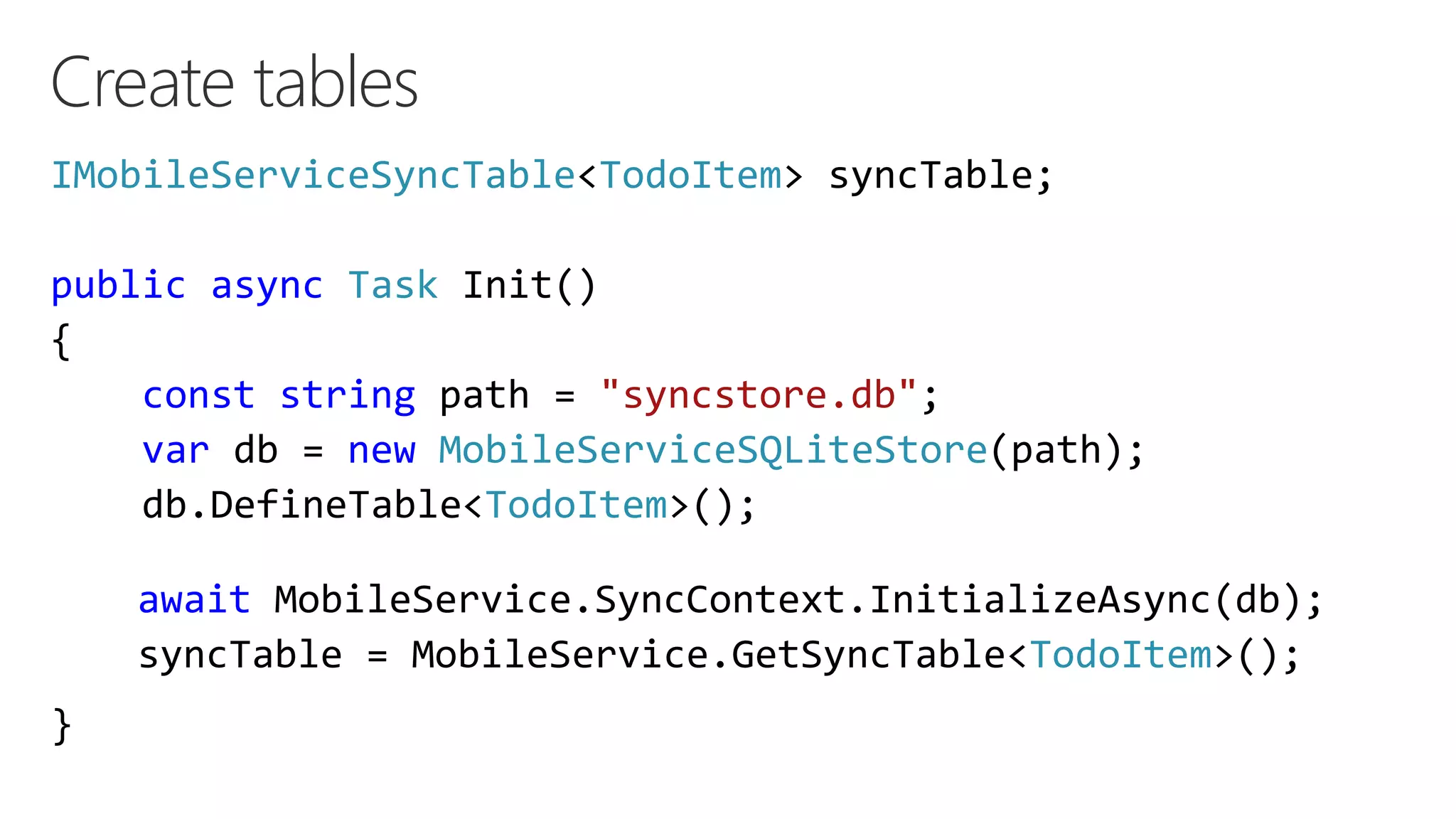
Create tables
IMobileServiceSyncTable<TodoItem> syncTable;
public async Task Init()
{
const string path = "syncstore.db";
var db = new MobileServiceSQLiteStore(path);
db.DefineTable<TodoItem>();
}
await MobileService.SyncContext.InitializeAsync(db);
syncTable = MobileService.GetSyncTable<TodoItem>();
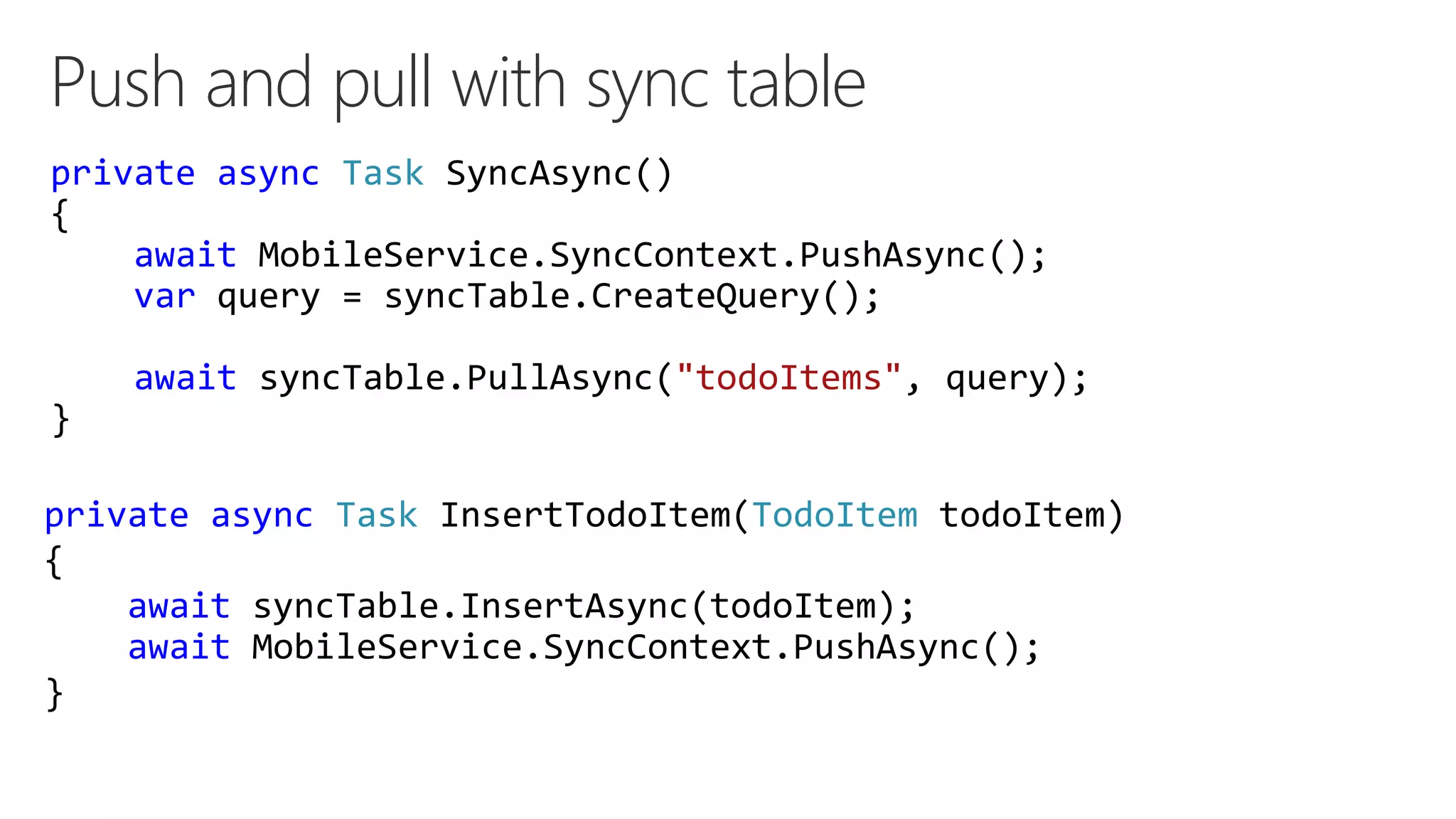
Push and pull with sync table
private async Task SyncAsync()
{
await MobileService.SyncContext.PushAsync();
var query = syncTable.CreateQuery();
await syncTable.PullAsync("todoItems", query);
}
private async Task InsertTodoItem(TodoItem todoItem)
{
await syncTable.InsertAsync(todoItem);
await MobileService.SyncContext.PushAsync();
}
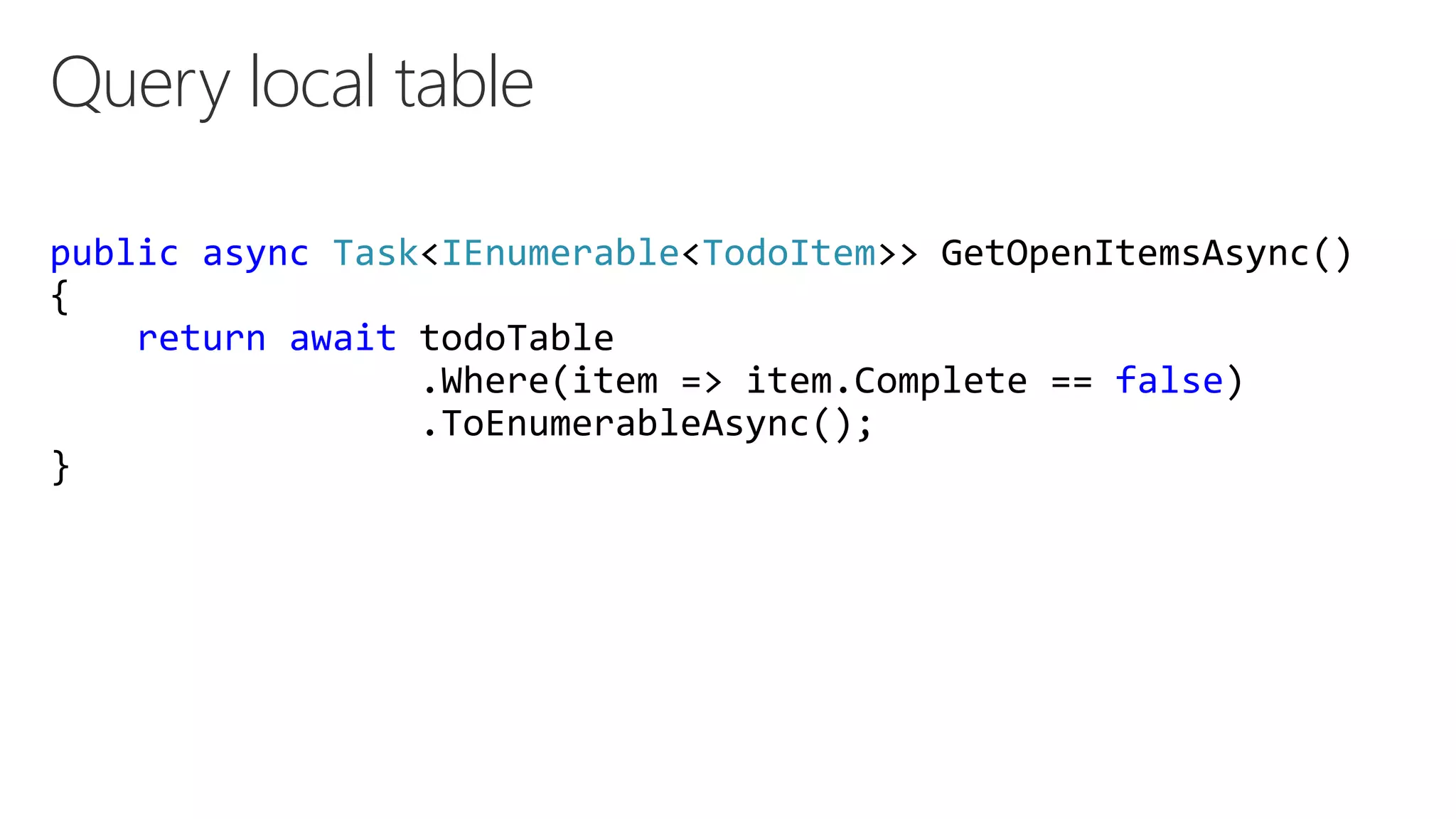
Query local table
public async Task<IEnumerable<TodoItem>> GetOpenItemsAsync()
{
return await todoTable
.Where(item => item.Complete == false)
.ToEnumerableAsync();
}
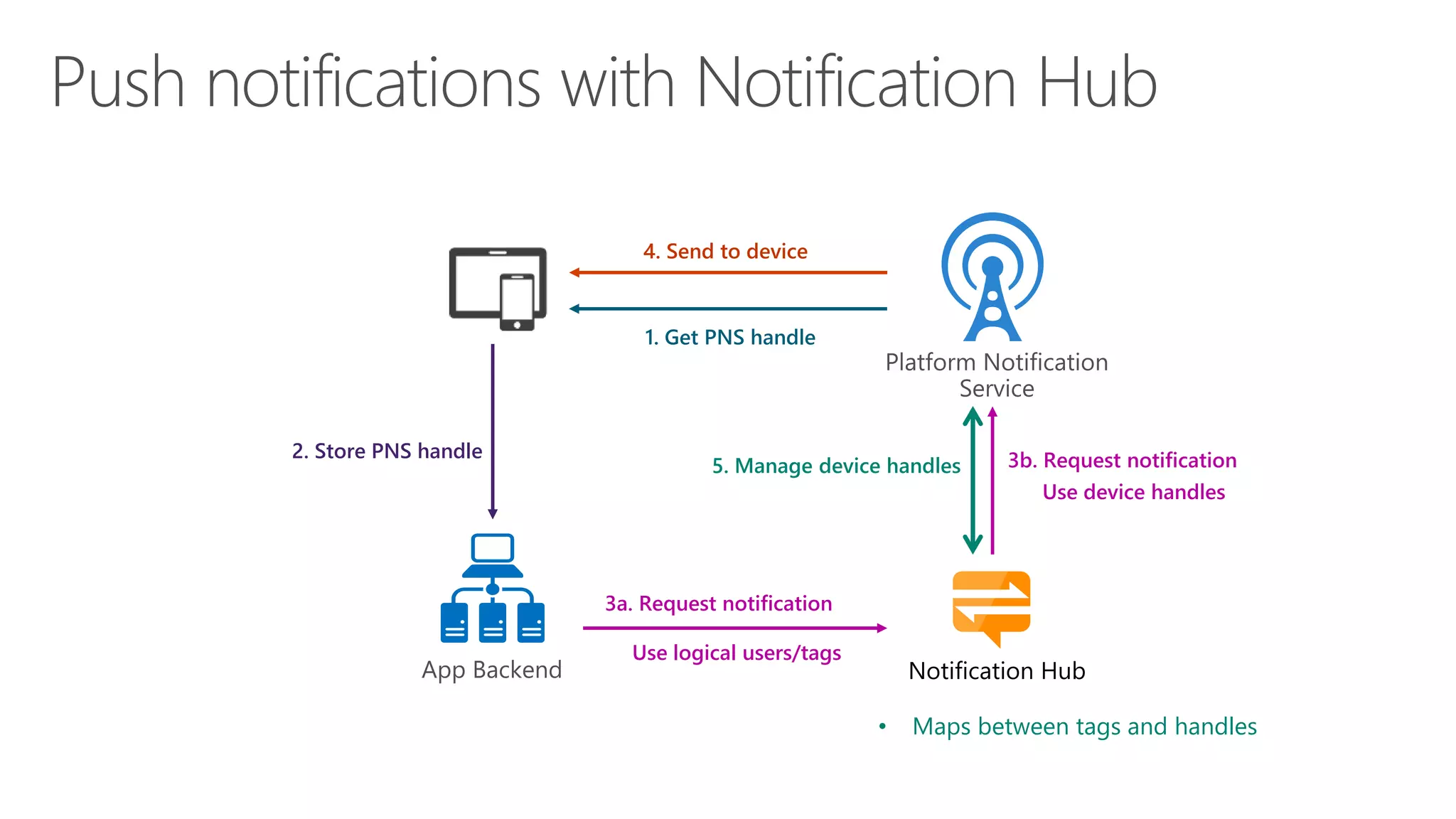
Notification Hub
• Maps between tags and handles
1. Get PNS handle
4. Send to device
2. Store PNS handle 3b. Request notification
Use device handles
3a. Request notification
Use logical users/tags
5. Manage device handles
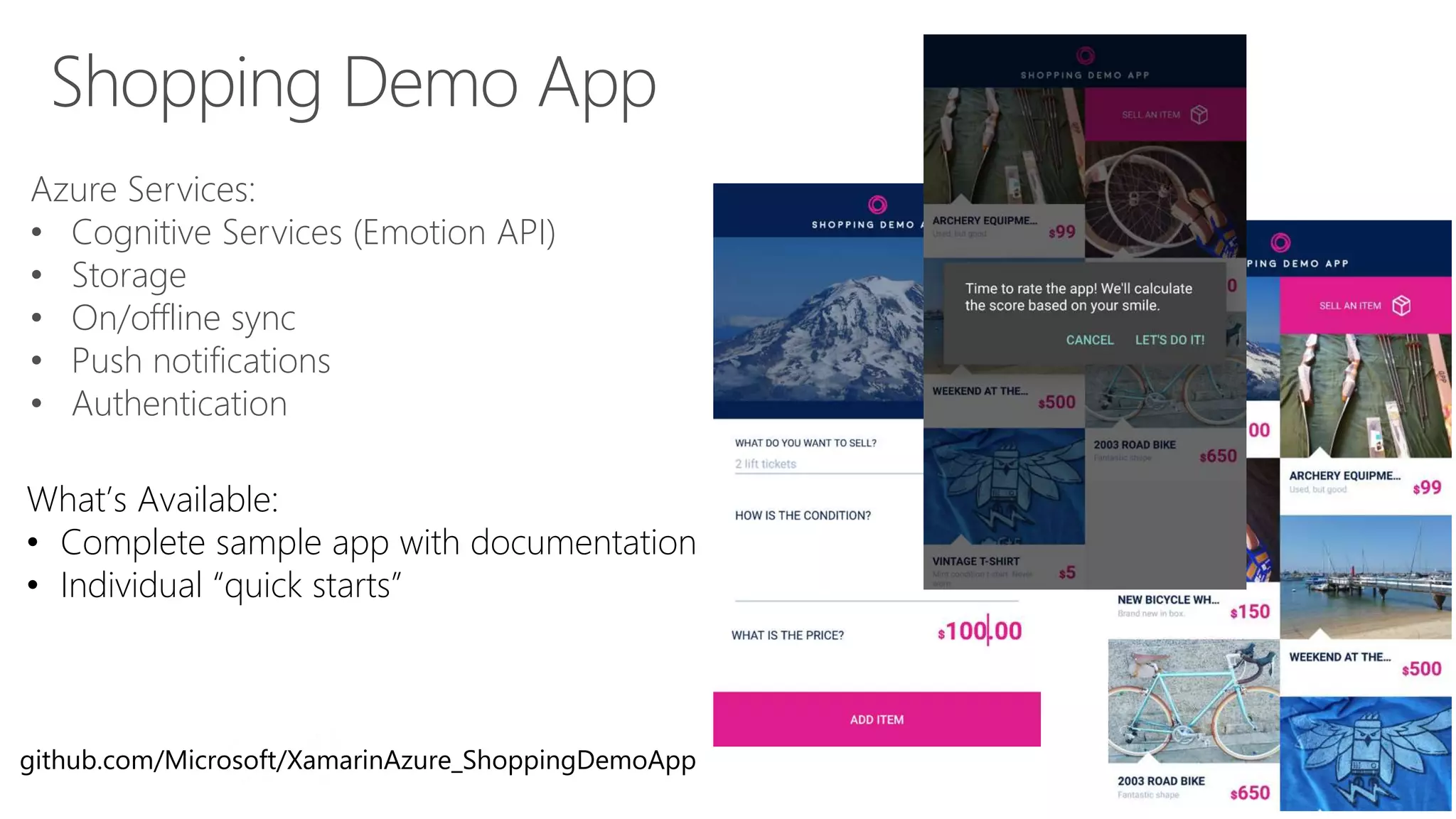
Shopping Demo App
Azure Services:
• Cognitive Services (Emotion API)
• Storage
• On/offline sync
• Push notifications
• Authentication
What’s Available:
• Complete sample app with documentation
• Individual “quick starts”
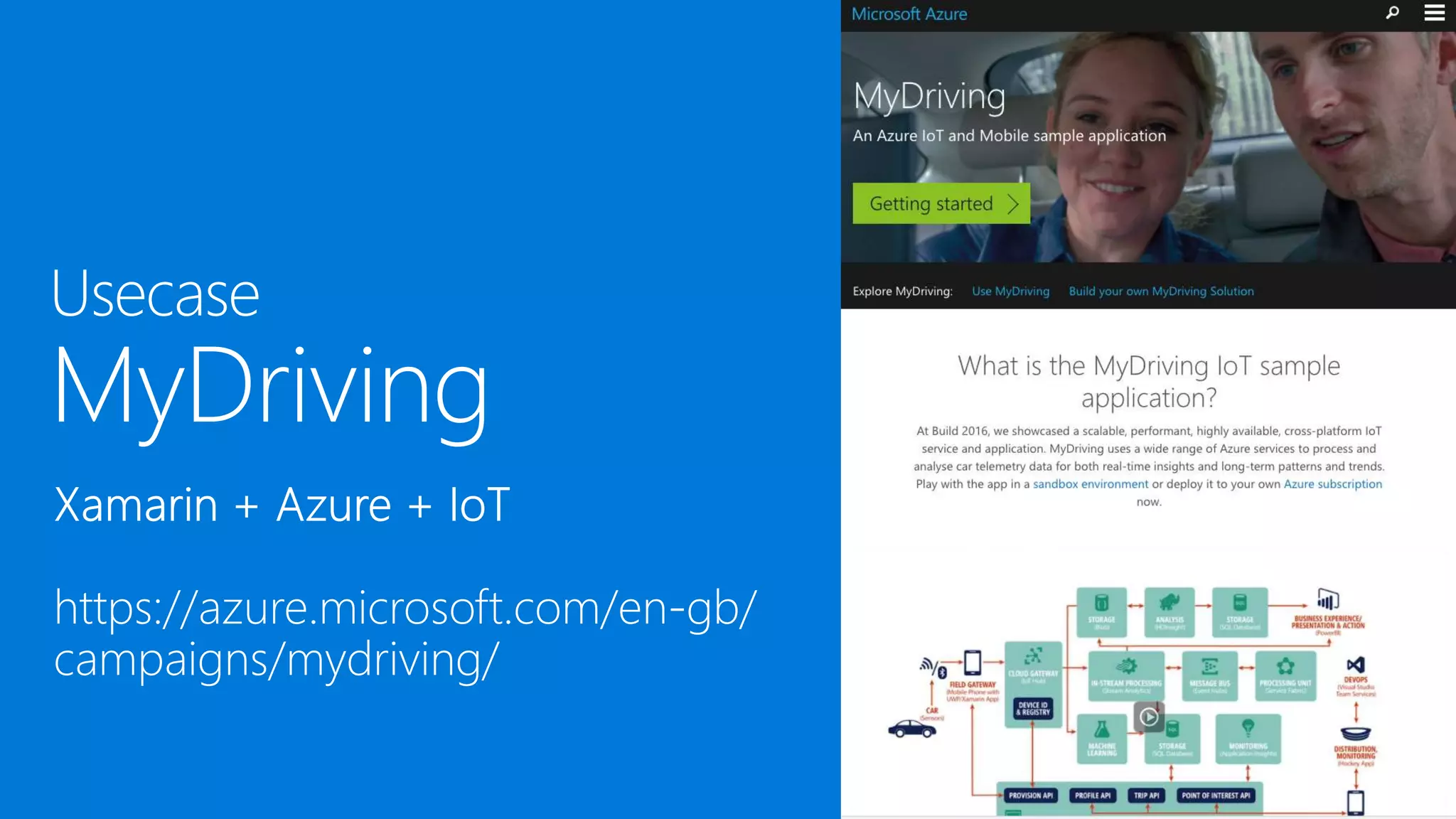
github.com/Microsoft/XamarinAzure_ShoppingDemoApp
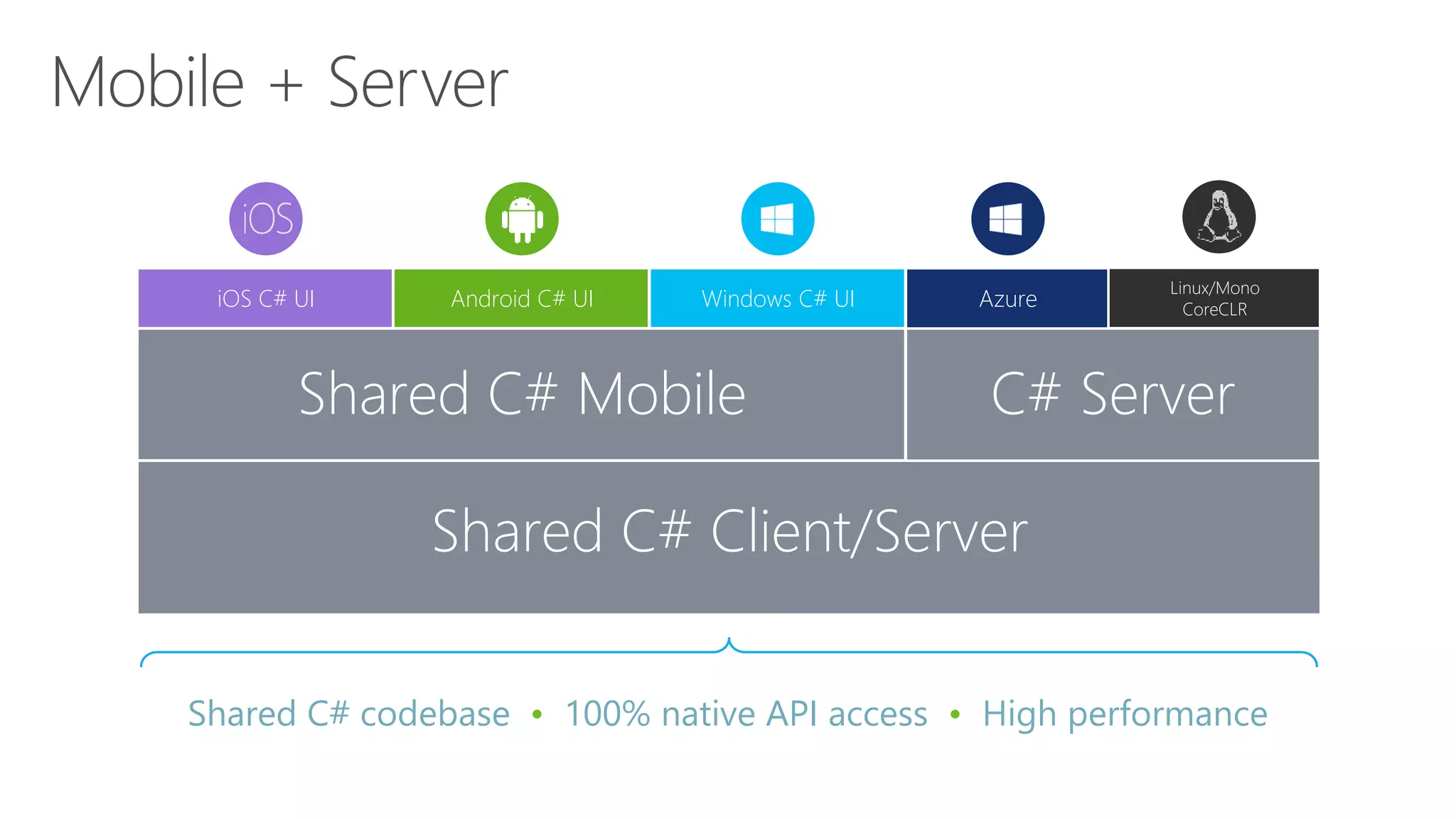
Shared C# codebase • 100% native API access • High performance
iOS C# UI Windows C# UIAndroid C# UI
Shared C# Mobile C# Server
Linux/Mono
CoreCLRAzure
Shared C# Client/Server
Get started today at
http://azure.microsoft.com
https://appcenter.ms/signup
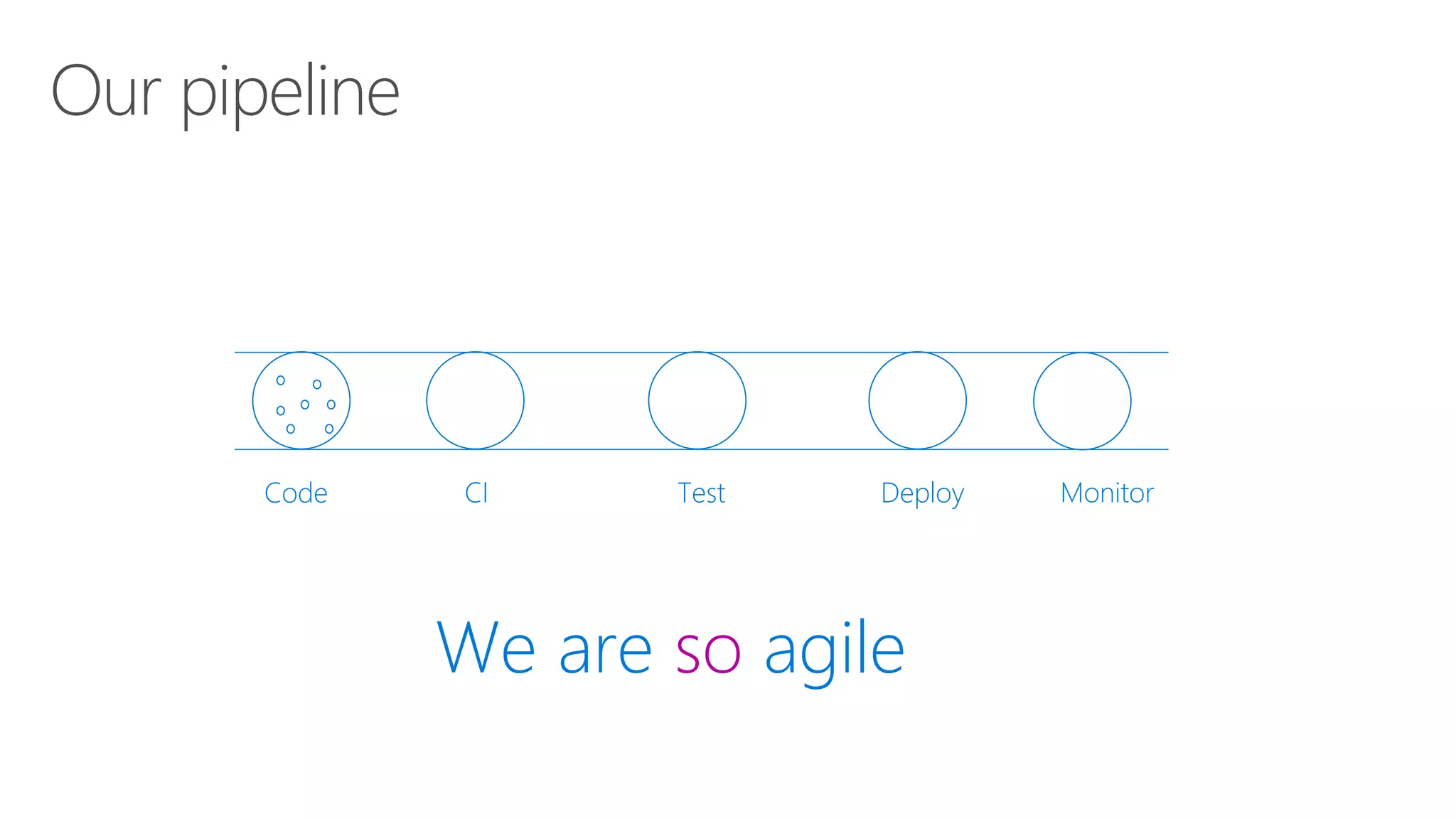
Our pipeline
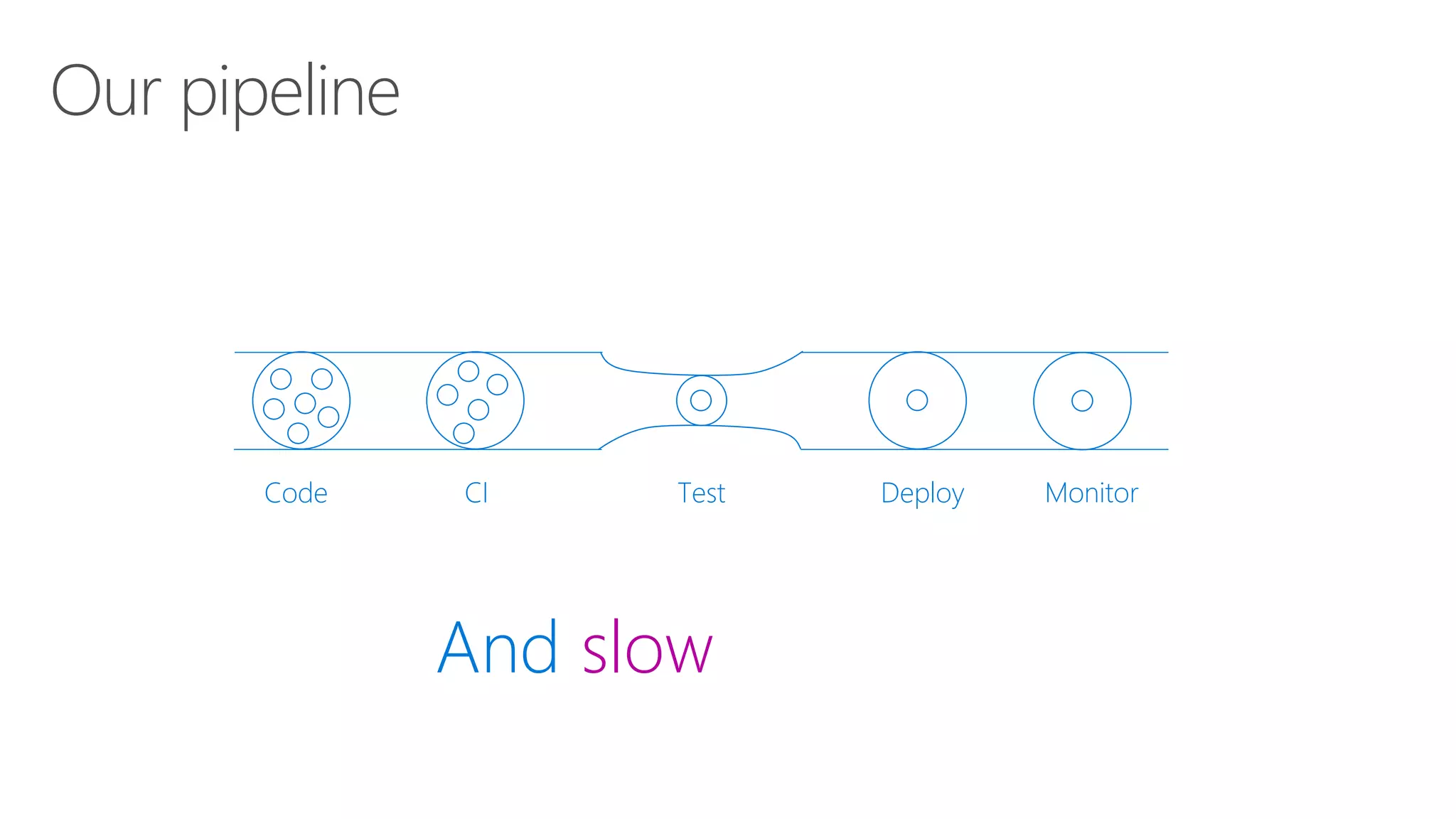
Code CI Test Deploy Monitor
We are so agile
Code CI Test Deploy Monitor
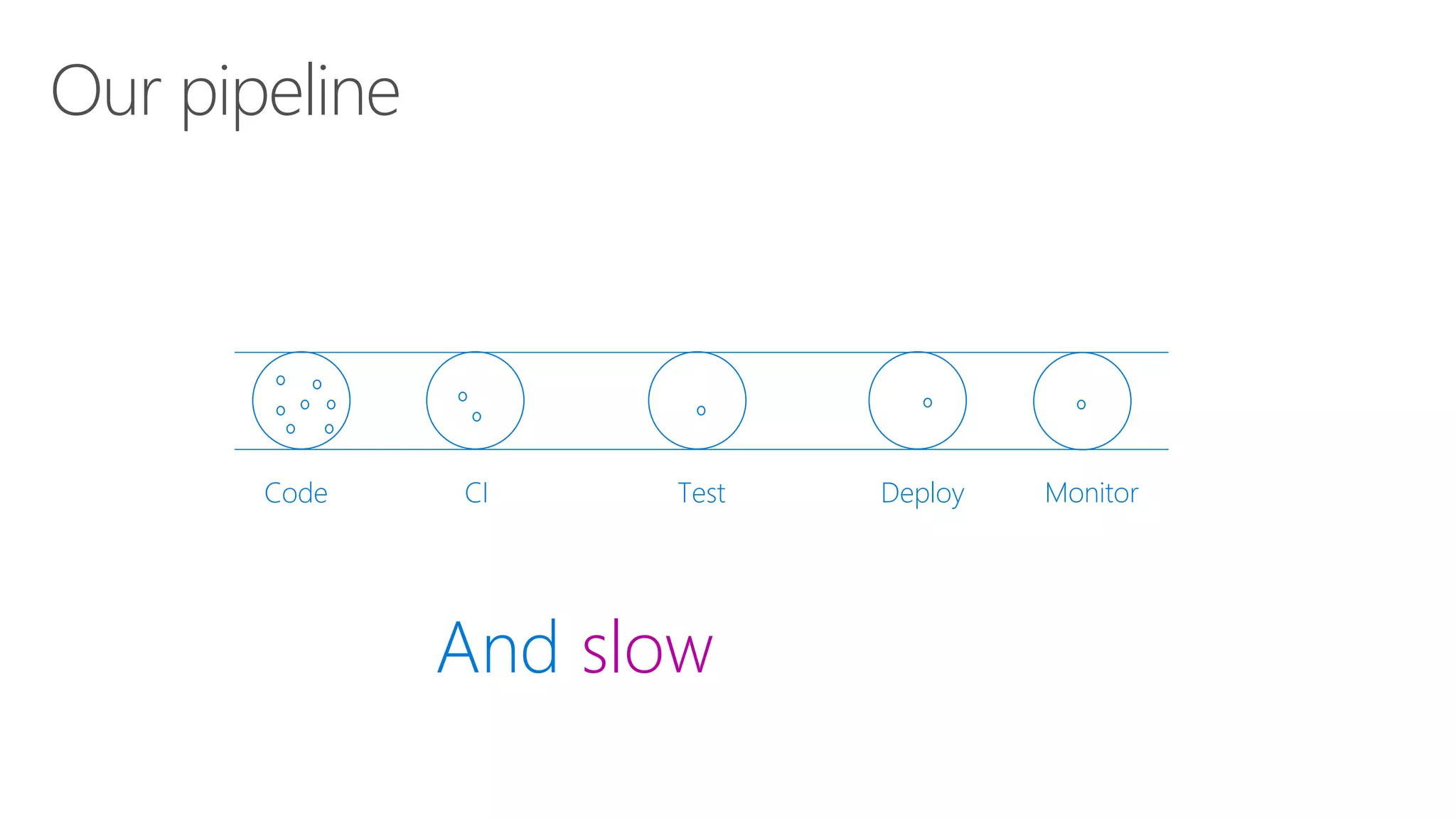
Our pipeline
And slow
Code CI Test Deploy Monitor
Our pipeline
And slow
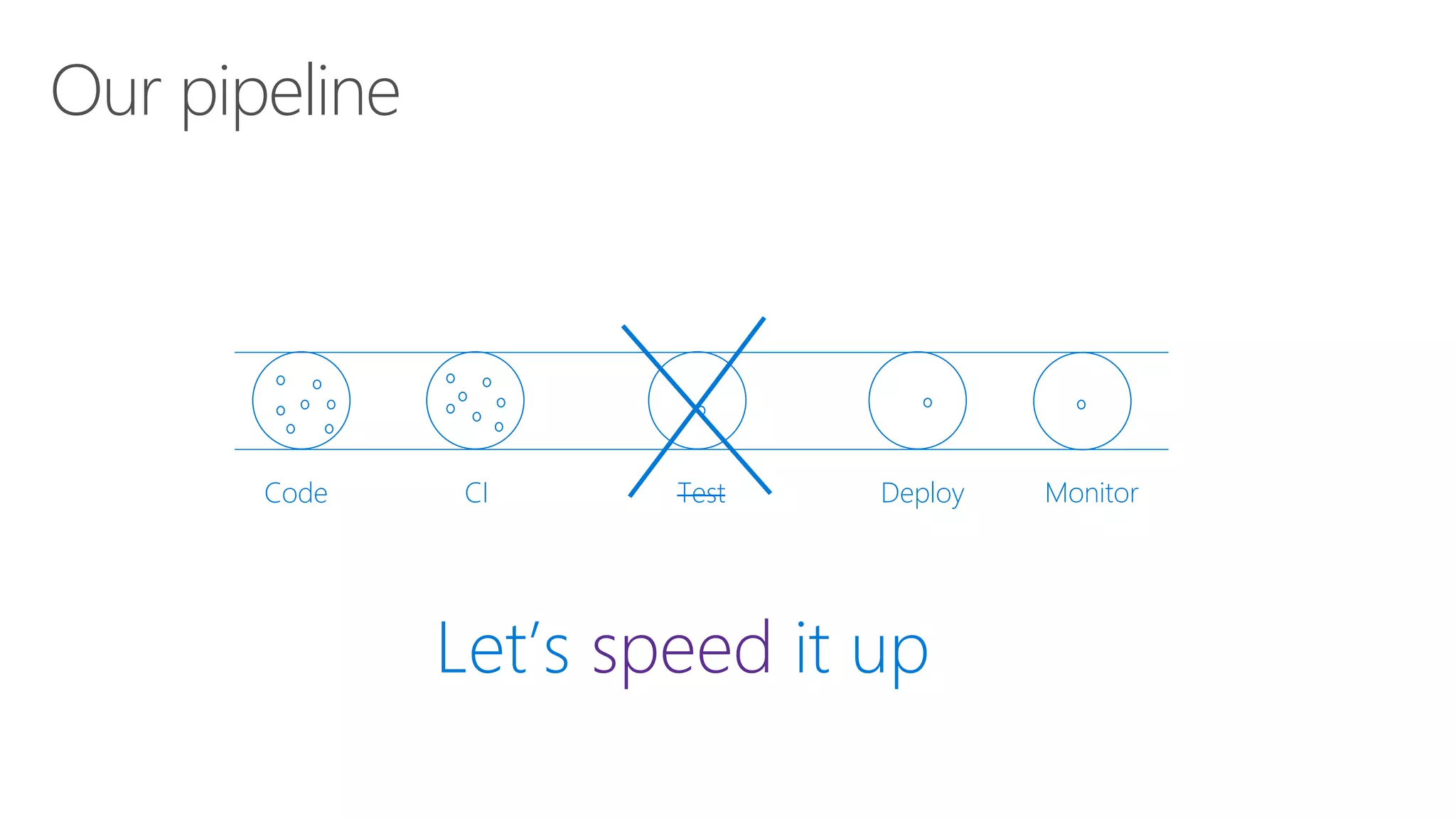
Code CI Test Deploy Monitor
Our pipeline
Let’s speed it up
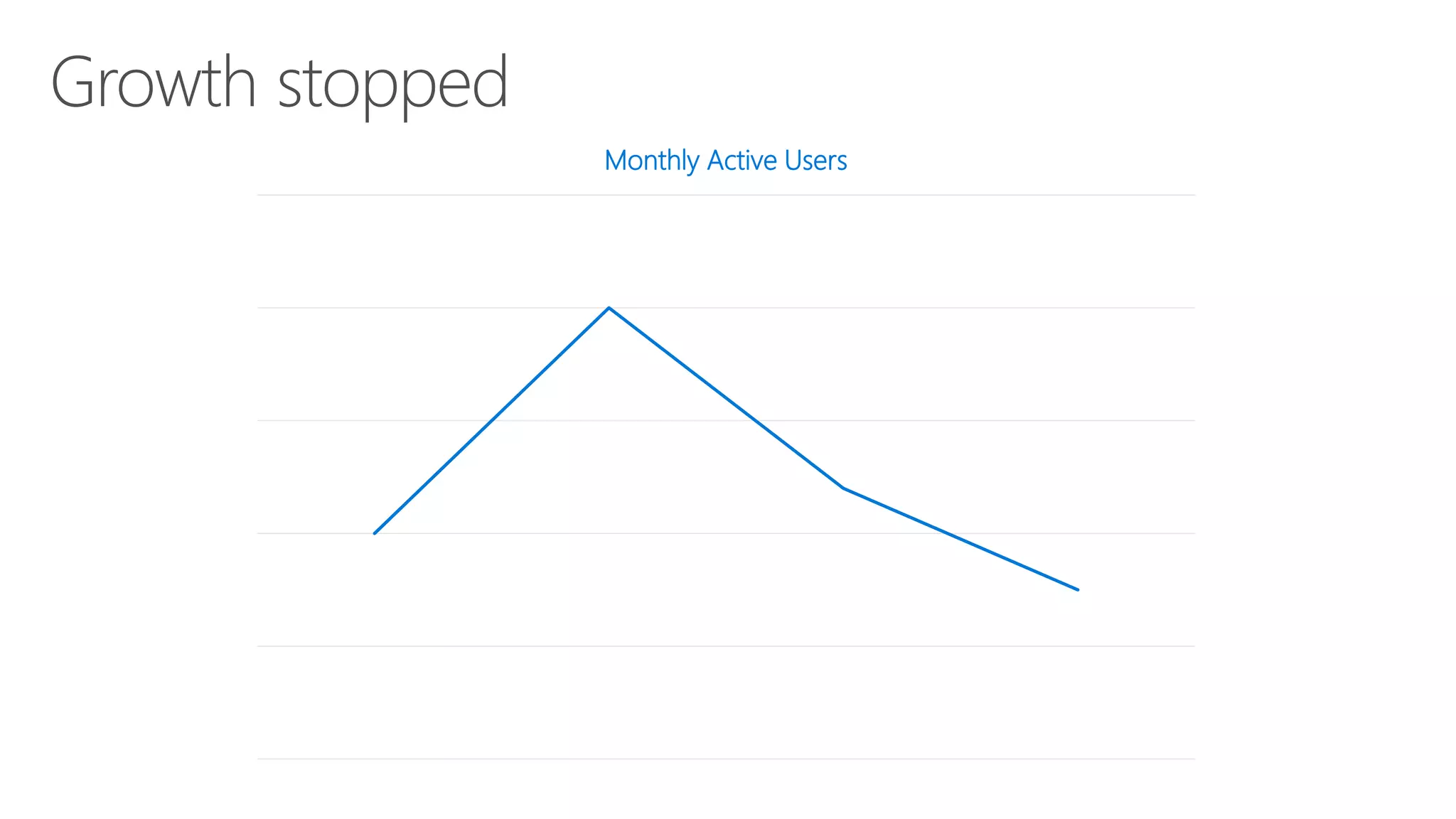
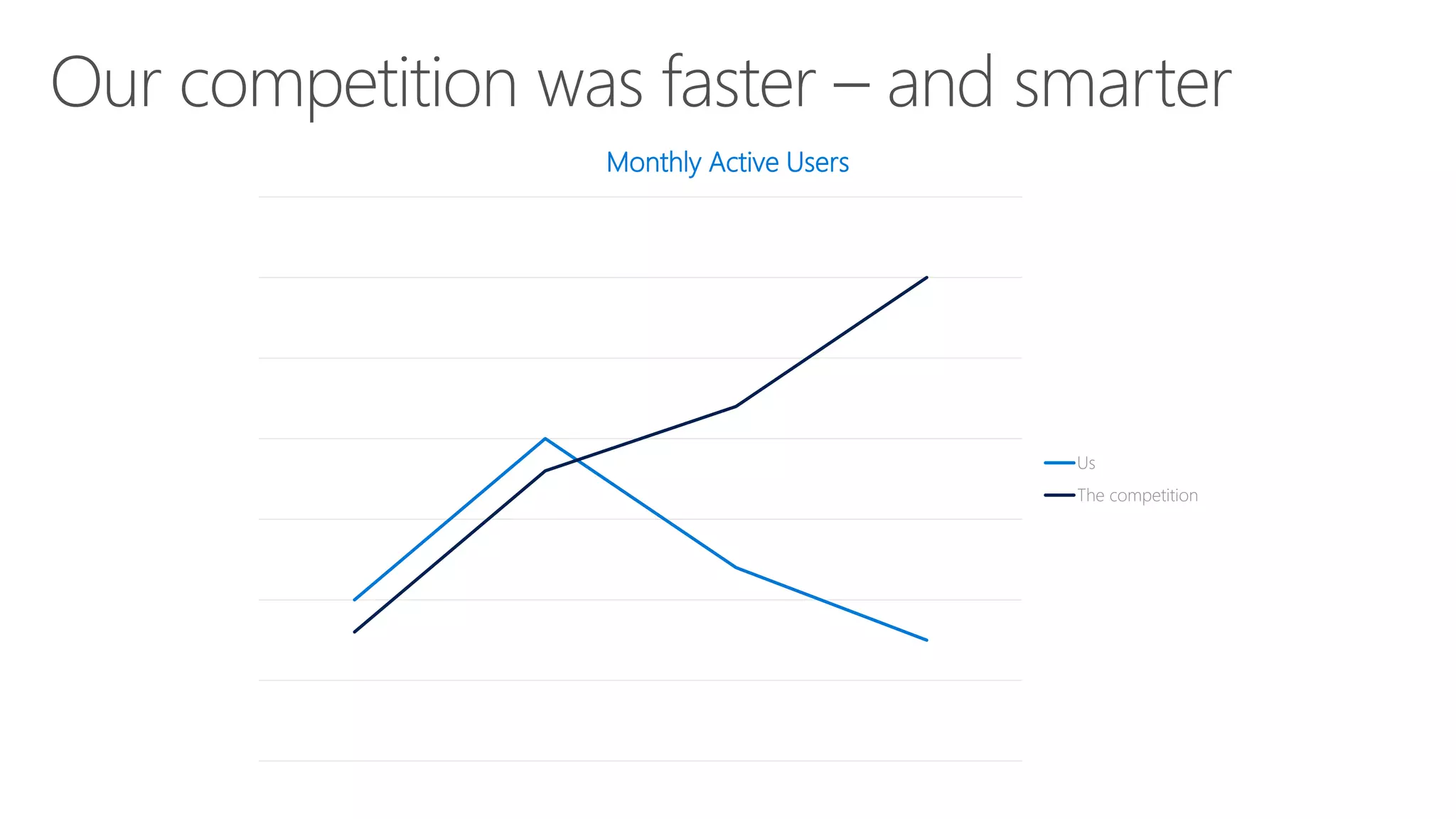
Monthly Active Users
Failure to learn, failure to succeed
Monthly Active Users
Us
The competition
How do you solve this problem?
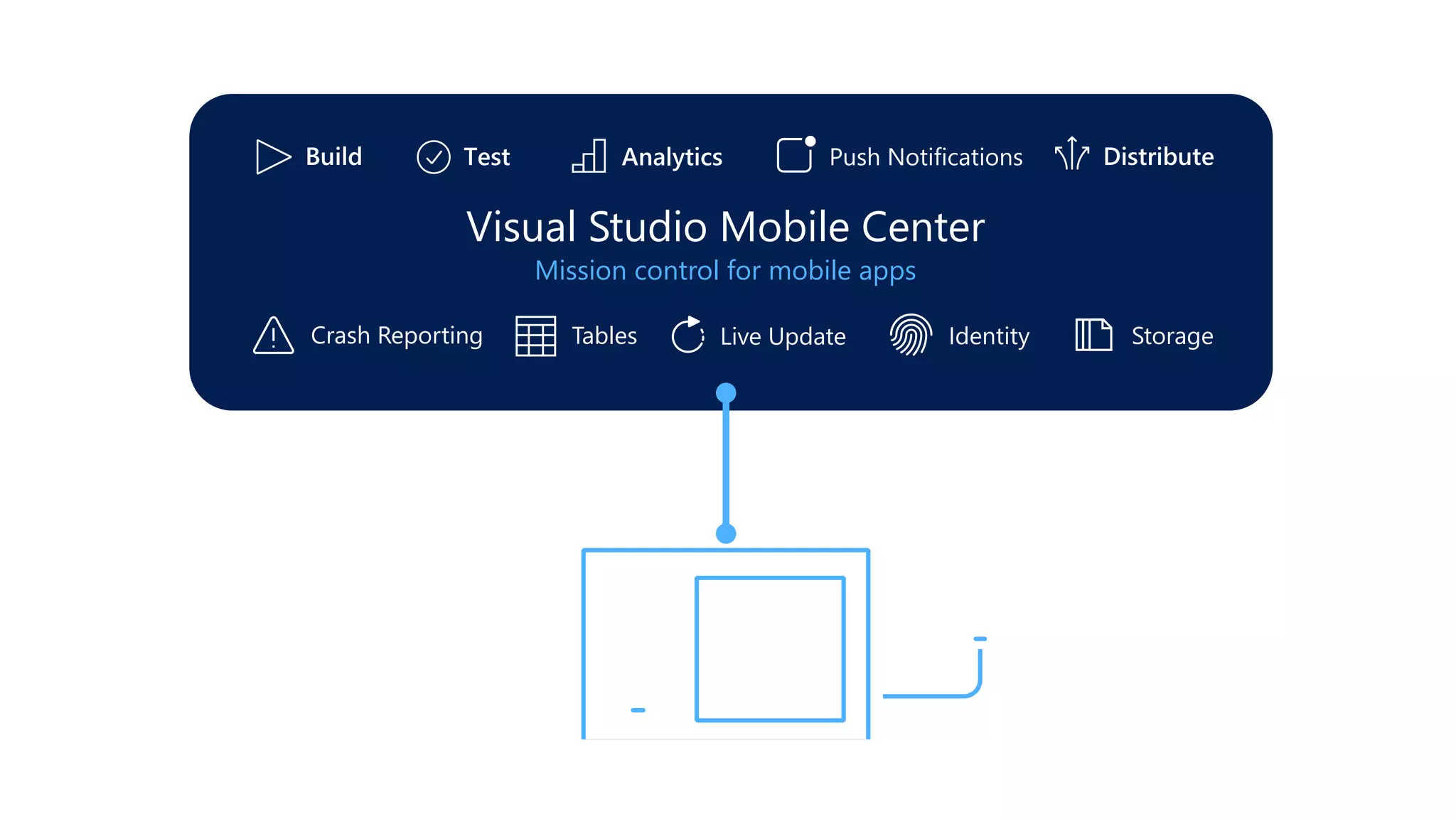
Live Update
Storage
Push Notifications
Crash Reporting
Identity
Tables
Live Update Storage
Push Notifications
Crash Reporting IdentityTables
Visual Studio Mobile Center
Mission control for mobile apps
Delivering continuously means
learning continuously
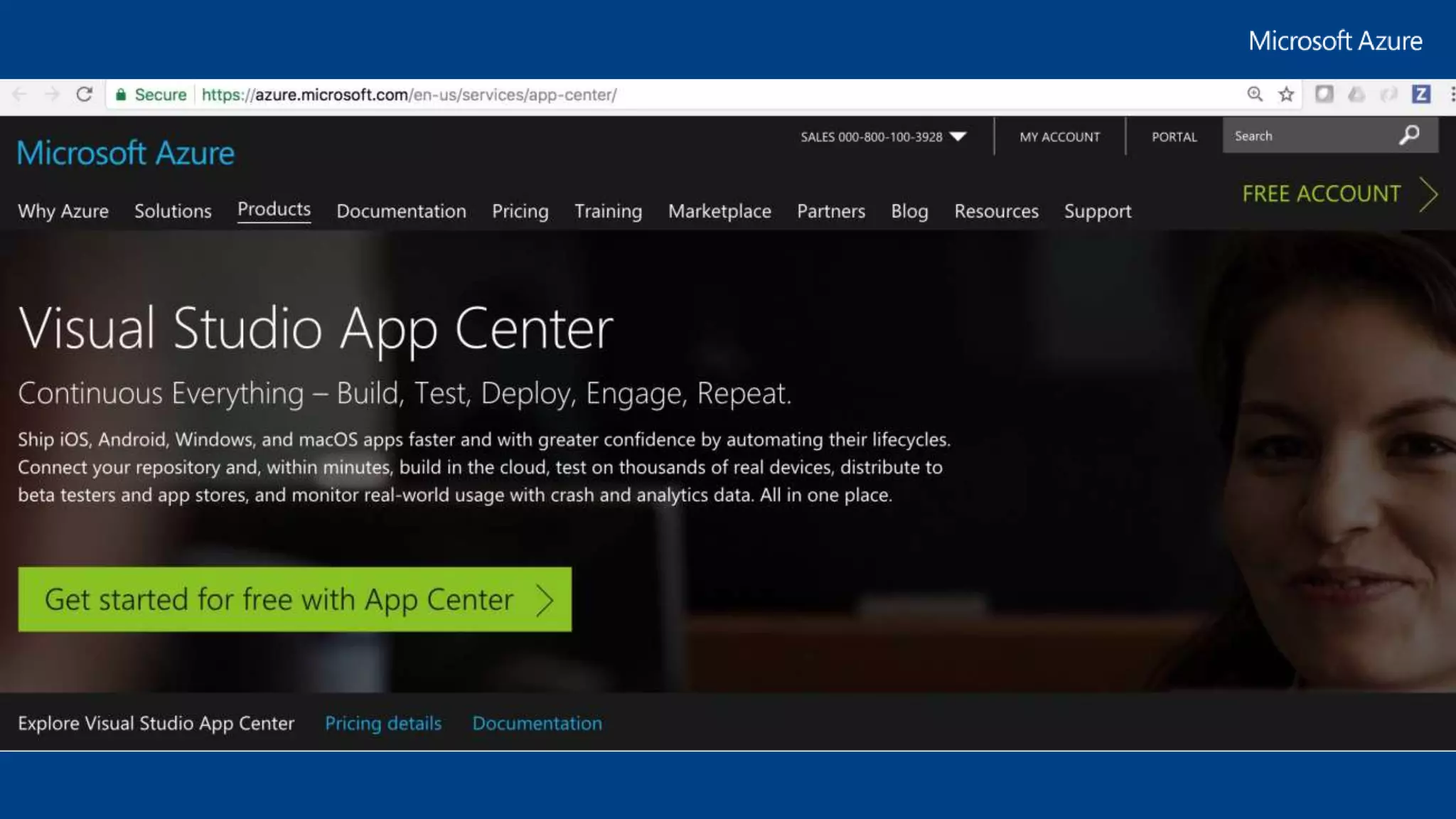
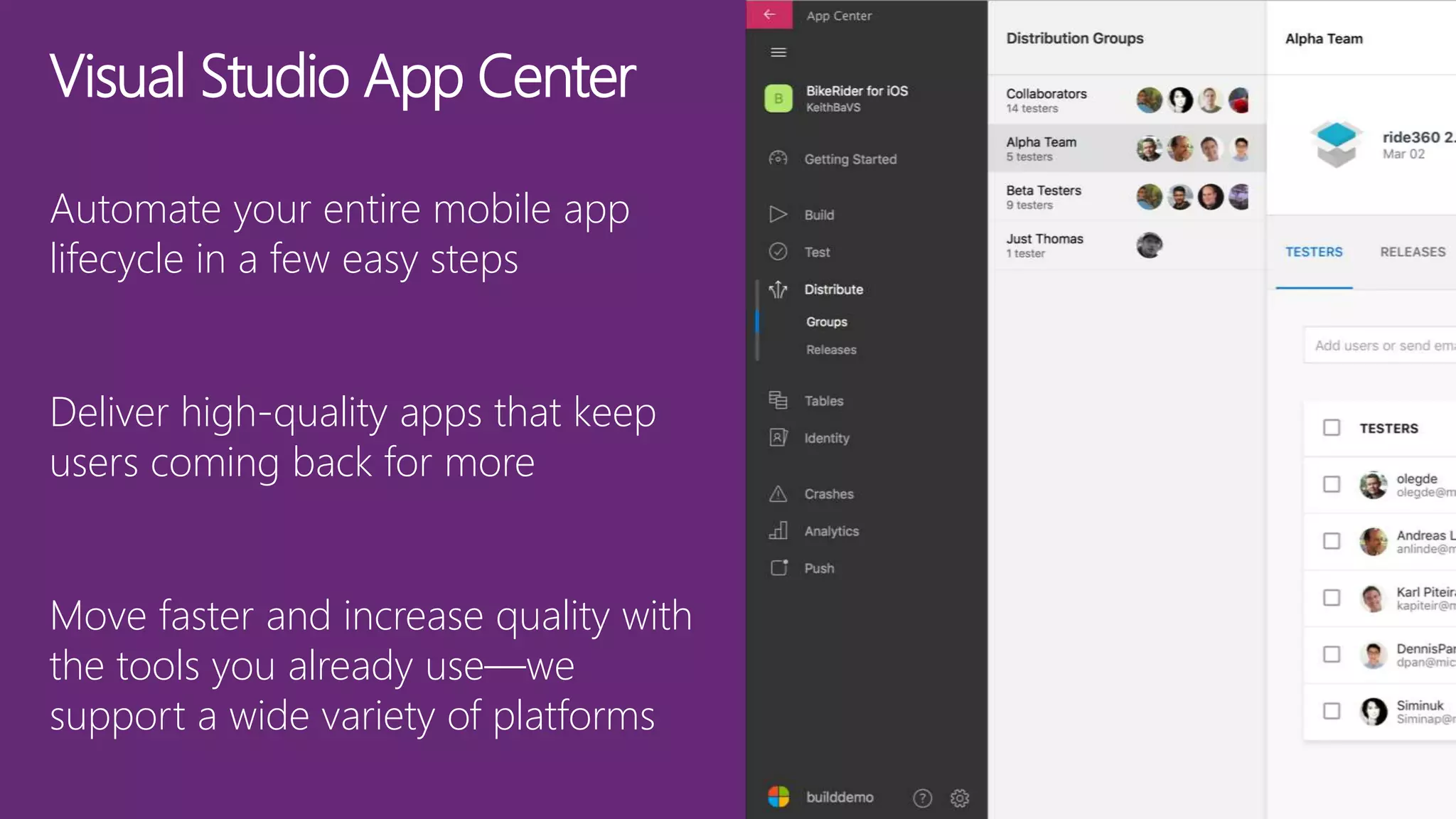
Visual Studio App Center
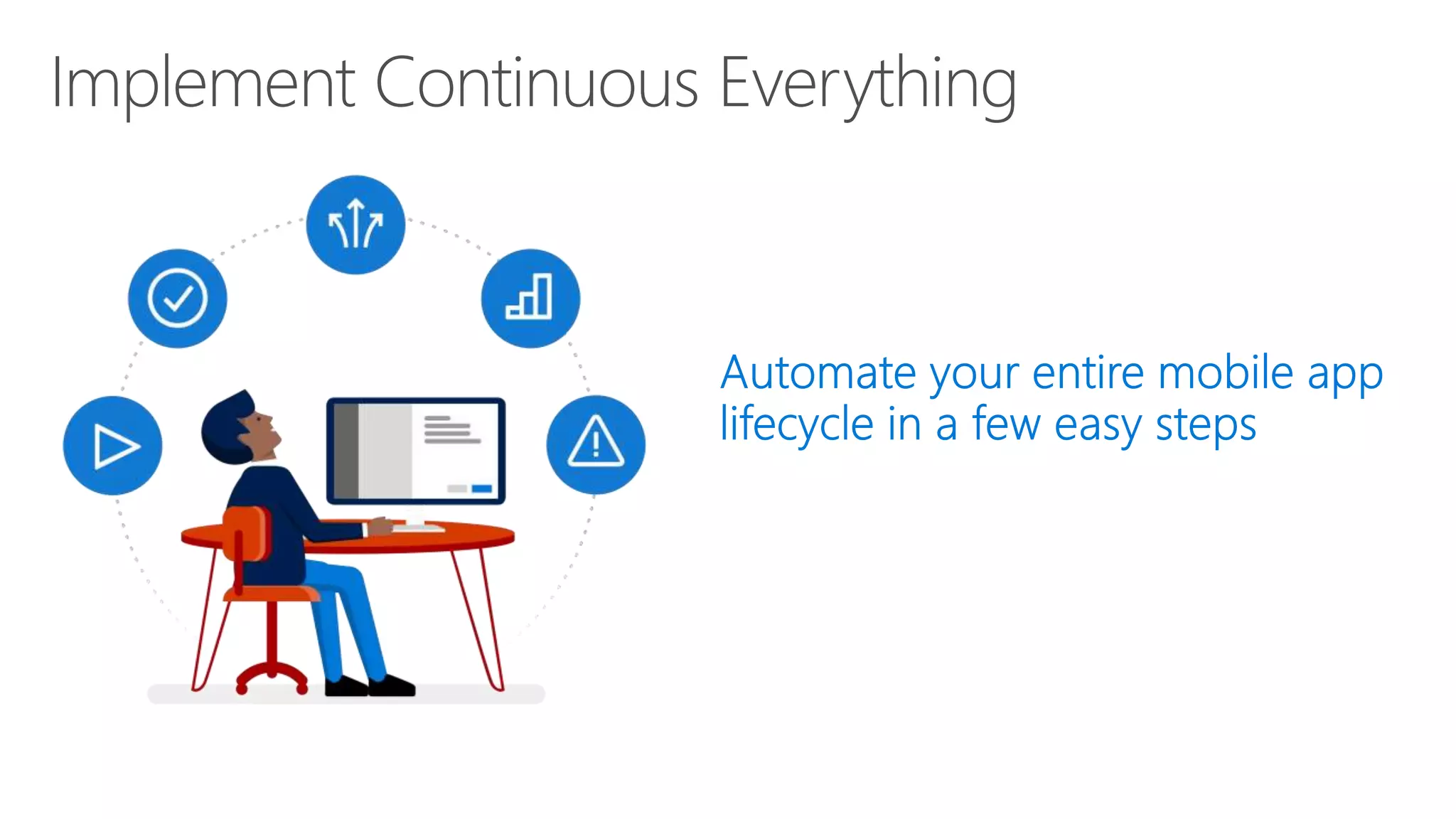
Automate your entire mobile app
lifecycle in a few easy steps
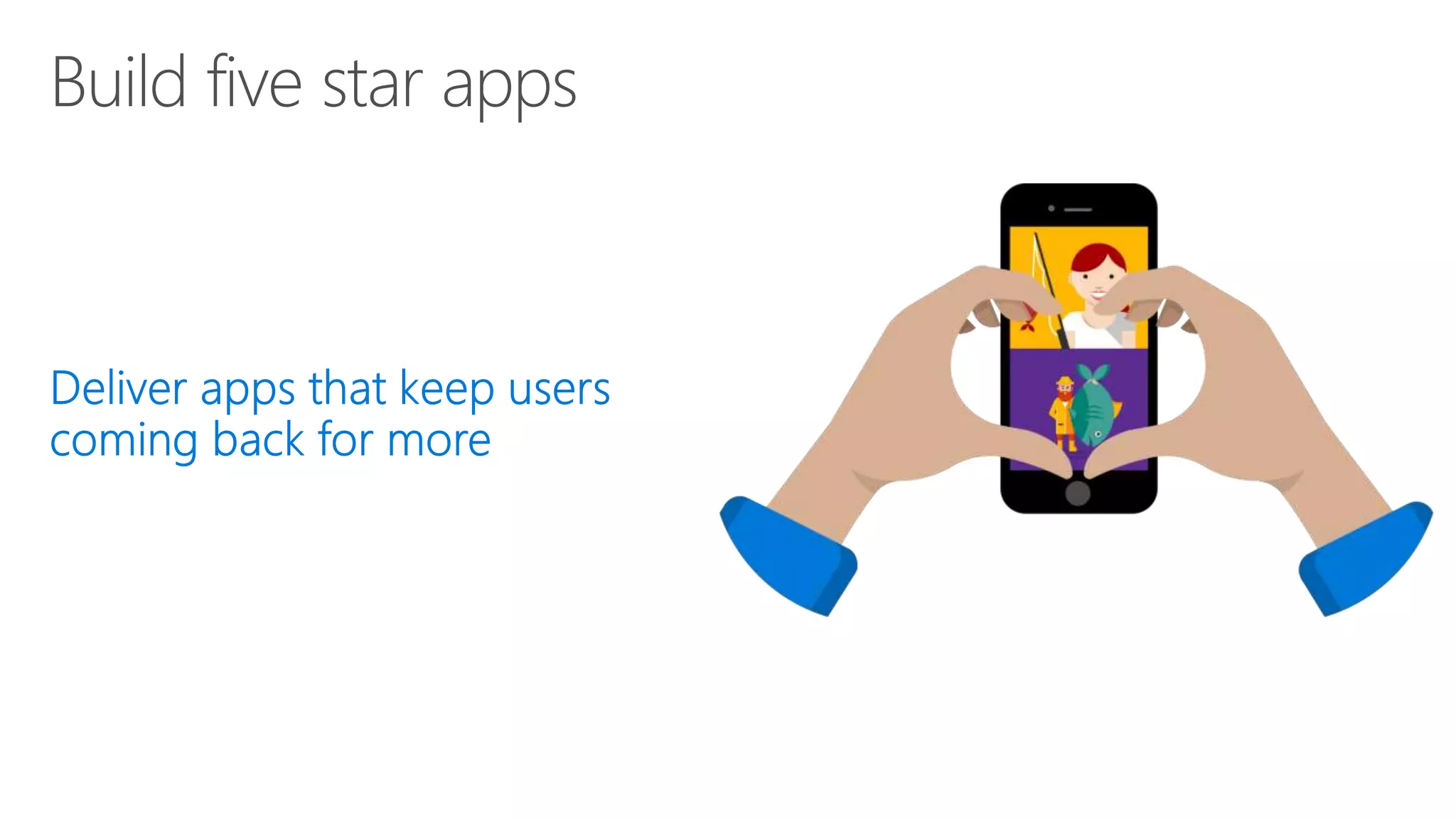
Deliver high-quality apps that keep
users coming back for more
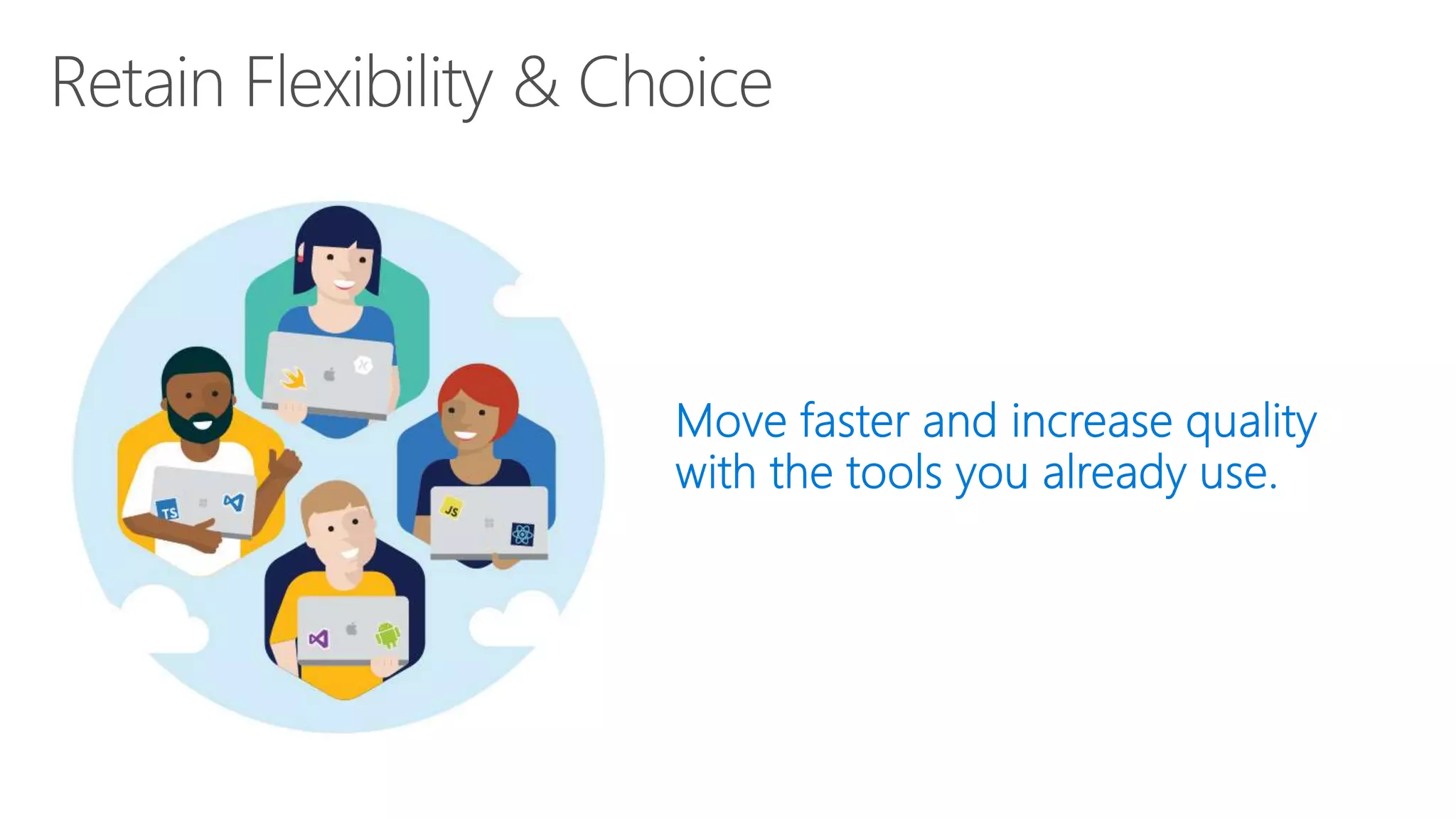
Move faster and increase quality with
the tools you already use—we
support a wide variety of platforms
Get started today!
App innovationcircles xamarin

App innovationcircles xamarin

  • 1.
  • 2.
    Mohit Chhabra Senior SoftwareEngineer Harman International mohitchhabra@techie.com @Mohit_techy
  • 3.
    App delivery lifecycle Design &Develop TestMonitor 100+ apps 1000+ devices
  • 4.
  • 5.
    Xamarin != ReactNative, Phonegap etc.
  • 6.
    Customer pays forexperience not for technology * Experience here relates to end user experience (UX: User Experience) offered to the customer by your app/website
  • 7.
    I have aquestion for you What device do you use?
  • 8.
    Cross-Platform Mobile Development ▪Building High quality apps is hard • Different presentation styles, interaction styles and software stack • Different screen sizes, input modes and hardware capabilities • New devices and OS versions are introduced multiple times per year • New consumer applications regularly extend and revise the standards and set the bar higher for good mobile applications
  • 9.
  • 10.
    Silo: Build AppMultiple Times No shared code • Many languages & development environments • Multiple teams Objective-C in Xcode Java in Android Studio C# in Visual Studio
  • 11.
    ▪ Full nativeexperience ▪ Total access to the device as provided by SDK ▪ Share Web API ▪ Minimal re-use mostly on back end Web API ▪ Higher development cost from multiple teams (silo teams) or expensive multi-device developers ▪ Multiple codebases to maintain and extend ▪ One platform rules the others are subservient Benefits Challenges Silo: Build App Multiple Times
  • 12.
    HTML: Write Once,Run Everywhere App Generator Lua Javascript Actionscript HTML+CSS Limited native API access • Slow performance • Poor user experience
  • 13.
    Target Browser NotOS Web Site
  • 14.
    ▪ Provide consistexperience regardless of target ▪ Cheap as it is just HTML ▪ Single codebase to maintain and extend ▪ No need for revenue sharing as no need to be in app stores ▪ User experience tends to be webish and not native ▪ Need to still test and debug multiple targets ▪ Features tend to be a subset common to all targets Benefits Challenges HTML: Write App using Mobile Web
  • 16.
  • 17.
  • 18.
    Shared vs PCL(Portable Class Library) ▪ A Shared Project is not directly compiled (.dll is not generated), instead files are compiled into .dll of project that references it ▪ Can write platform specific code in a same file using compiler directives #ifdef ▪ Cluttered implementation for large projects ▪ Cannot be used other than Xamarin     • Shared • PCL (Portable Class Library)
  • 19.
  • 20.
    Shared vs PCL(Portable Class Library) ▪ Shared code restricted into compiling directives is more difficult to read, slowing down the development process. ▪ PCL code is much cleaner and maintainable but that is subjective to your development practices (you may end up writing too much boiler plate code) ▪ If you are starting with Xamarin PCL is a better choice for better usability and compatibility across other .NET platforms Which suits better?
  • 23.
    Xamarin + Xamarin.FormsApproach ▪ Quickly and easily build native user interfaces using shared code ▪ Xamarin.Forms elements map to native controls and behaviors ▪ Mix-and-match Xamarin.Forms with native APIs Shared UI Code
  • 24.
    Native Performance Xamarin.iOS doesfull Ahead Of Time (AOT) compilation to produce an ARM binary for Apple’s App Store. Xamarin.Android takes advantage of Just In Time (JIT) compilation on the Android device.
  • 25.
    Anything you cando in Objective-C, Swift, or Java can be done in C# and Visual Studio with Xamarin.
  • 28.
    ✓ 40+ Pages,layouts, and controls (Build from code behind or XAML) ✓ Two-way data binding ✓ Navigation ✓ Animation API ✓ Dependency Service ✓ Messaging Center Shared C# Backend Shared UI Code
  • 29.
    Layouts Pages Stack Absolute RelativeGrid ContentView ScrollView Frame Content MasterDetail Navigation Tabbed Carousel
  • 30.
    ActivityIndicator BoxView ButtonDatePicker Editor Entry Image Label ListView Map OpenGLView Picker ProgressBar SearchBar Slider Stepper TableView TimePicker WebView EntryCell ImageCell SwitchCell TextCell ViewCell
  • 31.
  • 32.
    <?xml version="1.0" encoding="UTF-8"?> <TabbedPagexmlns="http://xamarin.com/schemas/2014/forms" xmlns:x="http://schemas.microsoft.com/winfx/2009/xaml" x:Class="MyApp.MainPage"> <TabbedPage.Children> <ContentPage Title="Profile" Icon="Profile.png"> <StackLayout Spacing="20" Padding="20" VerticalOptions="Center"> <Entry Placeholder="Username" Text="{Binding Username}"/> <Entry Placeholder="Password" Text="{Binding Password}" IsPassword="true"/> <Button Text="Login" TextColor="White" BackgroundColor="#77D065" Command="{Binding LoginCommand}"/> </StackLayout> </ContentPage> <ContentPage Title="Settings" Icon="Settings.png"> <!-- Settings --> </ContentPage> </TabbedPage.Children> </TabbedPage>
  • 36.
    macOS Preview Enhanced GestureRecognizers AndroidSupport Libraries PlatformSpecifics Fast Scroll NavigationPage Translucency Blur Behind Partial Collapse MasterPage Native Control Binding Map Extensibility Fast Renderers Preview Startup Time ListView Scrolling Memory Improvements XAMLC Bindable Picker Frame Corners Tizen Forms Previewer FlexLayout Preview Xamarin.Forms Embedding DataPages
  • 37.
  • 38.
  • 39.
  • 40.
  • 41.
  • 43.
    On Premises Storage Servers Networking O/S Middleware Virtualization Data Applications Runtime Youmanage Infrastructure (as aService) Storage Servers Networking O/S Middleware Virtualization Data Applications Runtime ManagedbyMicrosoft Youmanage Platform (as a Service) ManagedbyMicrosoft Youmanage Storage Servers Networking O/S Middleware Virtualization Applications Runtime Data Software (as a Service) ManagedbyMicrosoft Storage Servers Networking O/S Middleware Virtualization Applications Runtime Data
  • 44.
    Cloud Services hungrykya! On Premises Made at home Toppings Tomato Sauce Cheese Fire Owen Pizza Dough Soda Dining Table Electricity/Gas Youmanage IaaS Take and Bake Topping Tomato Sauce Cheese Fire Owen Pizza Dough Soda Dining Table Electricity/Gas ManagedbyVendor Youmanage PaaS Pizza delivered ManagedbyVendor Youmanage Topping Tomato Sauce Cheese Fire Owen Pizza Dough Dinning Table Electricity/Gas Soda SaaS Dine out ManagedbyVendor Topping Tomato Sauce Cheese Fire Owen Pizza Dough Dinning Table Electricity/Gas Soda
  • 46.
    Why the cloud? • Rapidlysetup environments to drive business priorities • Scale to meet peak demands • Increase daily activities, efficiency and reduced cost.
  • 47.
  • 48.
  • 49.
    Azure App Service Buildand scale great cloud apps Web Apps Mobile Apps Logic Apps API Apps .NET, Java, Node.js, PHP, Python Auto patching Auto scale Integration with existing apps Continuous deployment
  • 51.
    RESTAPI Offline sync Facebook Twitter MicrosoftGoogle Azure Active Directory Azure Mobile Apps WindowsAndroid Chrome iOS OSX In-AppKindle Backend code SQL MongoTables O365 API Apps Offline Sync
  • 53.
    Create a MobileService MobileService = new MobileServiceClient( "https://myapp.azurewebsites.net");
  • 54.
    Create tables IMobileServiceSyncTable<TodoItem> syncTable; publicasync Task Init() { const string path = "syncstore.db"; var db = new MobileServiceSQLiteStore(path); db.DefineTable<TodoItem>(); } await MobileService.SyncContext.InitializeAsync(db); syncTable = MobileService.GetSyncTable<TodoItem>();
  • 55.
    Push and pullwith sync table private async Task SyncAsync() { await MobileService.SyncContext.PushAsync(); var query = syncTable.CreateQuery(); await syncTable.PullAsync("todoItems", query); } private async Task InsertTodoItem(TodoItem todoItem) { await syncTable.InsertAsync(todoItem); await MobileService.SyncContext.PushAsync(); }
  • 56.
    Query local table publicasync Task<IEnumerable<TodoItem>> GetOpenItemsAsync() { return await todoTable .Where(item => item.Complete == false) .ToEnumerableAsync(); }
  • 59.
    Notification Hub • Mapsbetween tags and handles 1. Get PNS handle 4. Send to device 2. Store PNS handle 3b. Request notification Use device handles 3a. Request notification Use logical users/tags 5. Manage device handles
  • 61.
    Shopping Demo App AzureServices: • Cognitive Services (Emotion API) • Storage • On/offline sync • Push notifications • Authentication What’s Available: • Complete sample app with documentation • Individual “quick starts” github.com/Microsoft/XamarinAzure_ShoppingDemoApp
  • 62.
    Shared C# codebase• 100% native API access • High performance iOS C# UI Windows C# UIAndroid C# UI Shared C# Mobile C# Server Linux/Mono CoreCLRAzure Shared C# Client/Server
  • 66.
    Get started todayat http://azure.microsoft.com
  • 69.
  • 71.
    Our pipeline Code CITest Deploy Monitor We are so agile
  • 72.
    Code CI TestDeploy Monitor Our pipeline And slow
  • 73.
    Code CI TestDeploy Monitor Our pipeline And slow
  • 74.
    Code CI TestDeploy Monitor Our pipeline Let’s speed it up
  • 76.
  • 77.
    Failure to learn,failure to succeed
  • 78.
  • 79.
    How do yousolve this problem?
  • 83.
  • 84.
    Live Update Storage PushNotifications Crash Reporting IdentityTables Visual Studio Mobile Center Mission control for mobile apps
  • 85.
  • 87.
    Visual Studio AppCenter Automate your entire mobile app lifecycle in a few easy steps Deliver high-quality apps that keep users coming back for more Move faster and increase quality with the tools you already use—we support a wide variety of platforms
  • 88.