Windows  Windows Phone  Azure  … and more! 
WakeUpAndCode.com 
@shahedC
Intro: Cloud + Universal Apps 
> Creating a Mobile Service 
> Consuming the Service 
> Publishing the Service 
Q&A
Period Background/Experience 
1997 – 
present 
Microsoft web/software development 
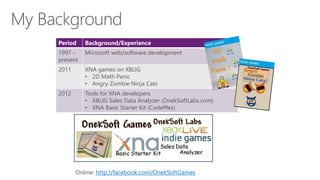
2011 XNA games on XBLIG 
• 2D Math Panic 
• Angry Zombie Ninja Cats 
2012 Tools for XNA developers 
• XBLIG Sales Data Analyzer (OnekSoftLabs.com) 
• XNA Basic Starter Kit (CodePlex) 
Online: http://facebook.com/OnekSoftGames
Period Background/Experience 
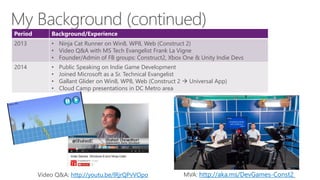
2013 • Ninja Cat Runner on Win8, WP8, Web (Construct 2) 
• Video Q&A with MS Tech Evangelist Frank La Vigne 
• Founder/Admin of FB groups: Construct2, Xbox One & Unity Indie Devs 
2014 • Public Speaking on Indie Game Development 
• Joined Microsoft as a Sr. Technical Evangelist 
• Gallant Glider on Win8, WP8, Web (Construct 2  Universal App) 
• Cloud Camp presentations in DC Metro area 
Video Q&A: http://youtu.be/lRjrQPvVOpo MVA: http://aka.ms/DevGames-Const2
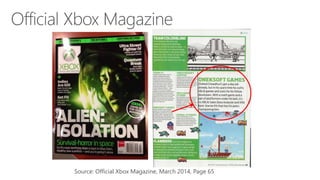
Source: Official Xbox Magazine, March 2014, Page 65 
`
Tools & Technologies
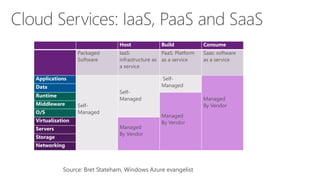
Introduction: The Cloud
Host Build Consume 
Packaged 
Software 
IaaS: 
infrastructure as 
a service 
PaaS: Platform 
as a service 
Saas: software 
as a service 
Applications 
Self- 
Managed 
Self- 
Managed 
Self- 
Managed 
Managed 
By Vendor 
Data 
Runtime 
Managed 
By Vendor 
Middleware 
O/S 
Virtualization 
Managed 
By Vendor 
Servers 
Storage 
Networking 
Source: Bret Stateham, Windows Azure evangelist
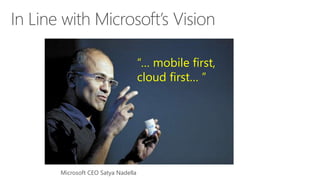
“… mobile first, 
cloud first… ” 
Microsoft CEO Satya Nadella
Universal Apps
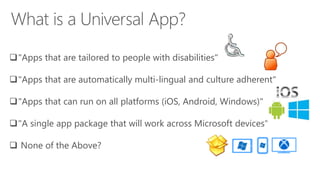
"Apps that are tailored to people with disabilities" 
"Apps that are automatically multi-lingual and culture adherent" 
"Apps that can run on all platforms (iOS, Android, Windows)" 
"A single app package that will work across Microsoft devices“ 
 None of the Above?
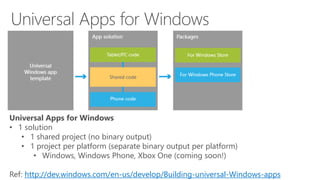
Universal Apps for Windows 
• 1 solution 
• 1 shared project (no binary output) 
• 1 project per platform (separate binary output per platform) 
• Windows, Windows Phone, Xbox One (coming soon!) 
Ref: http://dev.windows.com/en-us/develop/Building-universal-Windows-apps
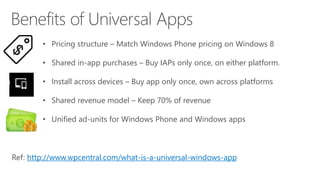
• Pricing structure – Match Windows Phone pricing on Windows 8 
• Shared in-app purchases – Buy IAPs only once, on either platform. 
• Install across devices – Buy app only once, own across platforms 
• Shared revenue model – Keep 70% of revenue 
• Unified ad-units for Windows Phone and Windows apps 
Ref: http://www.wpcentral.com/what-is-a-universal-windows-app
Visual Studio
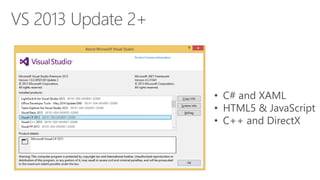
• C# and XAML 
• HTML5 & JavaScript 
• C++ and DirectX
Reference: 
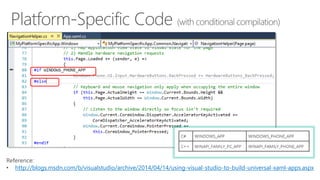
• http://blogs.msdn.com/b/visualstudio/archive/2014/04/14/using-visual-studio-to-build-universal-xaml-apps.aspx
Reference: 
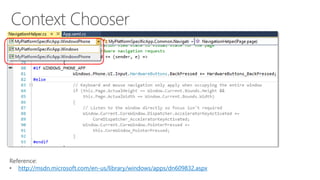
• http://msdn.microsoft.com/en-us/library/windows/apps/dn609832.aspx
How about using a Portable Class Library (PCL)? 
“This type of project has been improved in Visual Studio 2013 Update 2 and 
now, if we target Windows 8.1 and Windows Phone 8.1, we’ll be able to use all 
the common APIs. 
However, PCL produces a single binary that works as is in all the supported 
projects. Handling divergent APIs requires using higher-level abstractions, such 
as dependency injection or IoC containers. We can’t simply use conditional if to 
define platform specific code.” 
Reference: 
• http://marcominerva.wordpress.com/2014/04/22/how-to-share-code-among-different-universal-windows-apps/
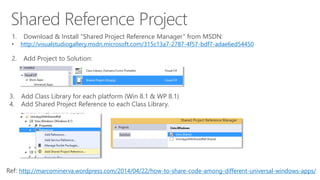
1. Download & Install “Shared Project Reference Manager” from MSDN: 
• http://visualstudiogallery.msdn.microsoft.com/315c13a7-2787-4f57-bdf7-adae6ed54450 
2. Add Project to Solution: 
3. Add Class Library for each platform (Win 8.1 & WP 8.1) 
4. Add Shared Project Reference to each Class Library. 
Ref: http://marcominerva.wordpress.com/2014/04/22/how-to-share-code-among-different-universal-windows-apps/
http://code.msdn.microsoft.com/windowsapps/Universal-Windows-app-cb3248c3 
http://www.microsoftvirtualacademy.com/training-courses/developing-universal- 
windows-apps-with-c-and-xaml 
http://www.wintellect.com/blogs/jprosise/building-universal-apps-with- 
visual-studio-2013-update-2
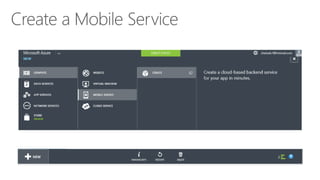
Creating a Mobile Service
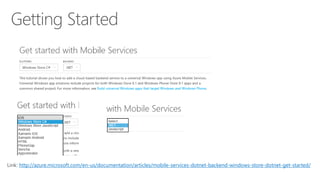
Link: http://azure.microsoft.com/en-us/documentation/articles/mobile-services-dotnet-backend-windows-store-dotnet-get-started/
Consuming the Service
. . .
Publishing the Service
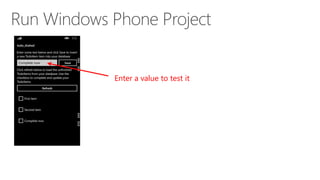
Enter a value to test it
Email: shchowd@microsoft.com  Twitter: @shahedC

Cloudy with a Dash of Universal Apps

Editor's Notes

  • #2 Title Page: Cloudy with a Dash of Universal Apps Windows  Windows Phone  Azure  … and more! By Shahed Chowdhuri Sr. Technical Evangelist Blog: WakeUpAndCode.com Twitter: @shahedC
  • #3 Agenda Intro: Cloud + Universal Apps > Creating a Mobile Service > Consuming the Service > Publishing the Service Q&A * Learn about how you can build a mobile service in Azure and consume it with a mobile app.
  • #4 My Background 1997 – present: Microsoft web/software development 2011: XNA games on XBLIG 2D Math Panic Angry Zombie Ninja Cats 2012: Tools for XNA developers XBLIG Sales Data Analyzer (OnekSoftLabs.com) XNA Basic Starter Kit (CodePlex) Online: http://facebook.com/OnekSoftGames
  • #5 My Background (continued) 2013 Ninja Cat Runner on Windows 8 (Construct2) Video Q&A with MS Tech Evangelist Frank La Vigne Founder/Admin of Xbox One Indie Devs Group (FB) Attended ID@Seattle, Microsoft’s ID@Xbox summit 2014 Public Speaking on Indie Game Development Joined Microsoft as a Technical Evangelist Gallant Glider on Win8, WP8, Web (Construct 2  Universal App) Cloud Camp presentations in DC Metro area Video Q&A: http://youtu.be/lRjrQPvVOpo MVA: http://aka.ms/DevGames-Const2
  • #6 Official Xbox Magazine, March 2014, Page 65 "Shahed Chowdhuri's got a day job already, but in his spare time he crafts XBLIG games and tools for his fellow developers.” “With a math game and a pair of platformers under his belt, it's his XBLIG Sales Data Analyzer and XNA Basic Starter Kit that has his peers championing him."
  • #7 Tools & Technologies Visual Studio 2013 Windows 8 Microsoft .NET and Visual C# Windows Phone JavaScript Microsoft Azure
  • #8 Introduction
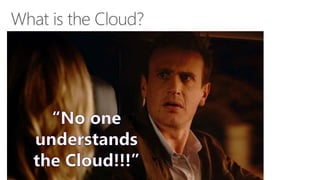
  • #9 What is the Cloud? Screen Capture: “No one understands the Cloud!!!”
  • #10 Cloud Services: IaaS, PaaS and SaaS
  • #11 In Line with Microsoft’s Vision “… mobile first, cloud first… ” Microsoft CEO Satya Nadella
  • #12 Introduction
  • #13 What is a Universal App? "Apps that are tailored to people with disabilities" "Apps that are automatically multi-lingual and culture adherent" "Apps that can run on all platforms (iOS, Android, Windows)" "A single app package that will work across Microsoft devices“ None of the Above?
  • #14 Universal Apps for Windows Universal Apps for Windows 1 solution 1 shared project (no binary output) 1 project per platform (separate binary output per platform) Windows, Windows Phone, Xbox One (coming soon!) Ref: http://dev.windows.com/en-us/develop/Building-universal-Windows-apps
  • #15 Benefits of Universal Apps Pricing structure – Match Windows Phone pricing on Windows 8 Shared in-app purchases – Buy IAPs only once, on either platform. Install across devices – Buy app only once, own across platforms Shared revenue model – Keep 70% of revenue Unified ad-units for Windows Phone and Windows apps Ref: http://www.wpcentral.com/what-is-a-universal-windows-app
  • #16 Streamlined Development (graphic) UI  App Model  APIs  Tools  Store
  • #17 Visual Studio
  • #18 VS 2013 Update 2+ C# and XAML HTML5 & JavaScript C++ and DirectX
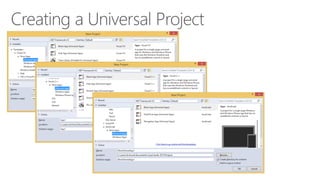
  • #19 Creating a Universal Project Look under Store Apps for specific language C++, C#, JavaScript
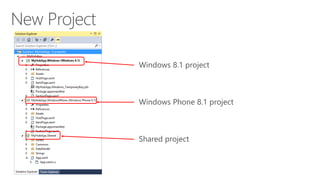
  • #20 New Project Solution Explorer Windows 8.1 project Windows Phone 8.1 project Shared project
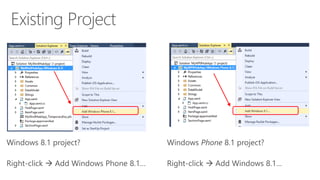
  • #21 Existing Project Windows 8.1 project? Right-click  Add Windows Phone 8.1… Windows Phone 8.1 project? Right-click  Add Windows 8.1…
  • #22 Platform-Specific Code (with conditional compilation) C# WINDOWS_APP WINDOWS_PHONE_APP C++ WINAPI_FAMILY_PC_APP WINAPI_FAMILY_PHONE_APP Reference: http://blogs.msdn.com/b/visualstudio/archive/2014/04/14/using-visual-studio-to-build-universal-xaml-apps.aspx
  • #23 Context Chooser (top-left dropdown to choose Windows or Windows Phone) Reference: http://msdn.microsoft.com/en-us/library/windows/apps/dn609832.aspx
  • #24 Sharing Code Across Universal Apps How about using a Portable Class Library (PCL)? “This type of project has been improved in Visual Studio 2013 Update 2 and now, if we target Windows 8.1 and Windows Phone 8.1, we’ll be able to use all the common APIs. However, PCL produces a single binary that works as is in all the supported projects. Handling divergent APIs requires using higher-level abstractions, such as dependency injection or IoC containers. We can’t simply use conditional if to define platform specific code.” Reference: http://marcominerva.wordpress.com/2014/04/22/how-to-share-code-among-different-universal-windows-apps/
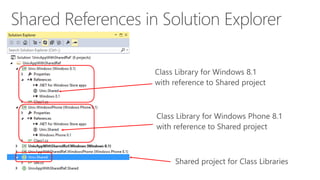
  • #25 Shared Reference Project Download & Install “Shared Project Reference Manager” from MSDN: http://visualstudiogallery.msdn.microsoft.com/315c13a7-2787-4f57-bdf7-adae6ed54450 Add Project to Solution: Add Class Library for each platform (Win 8.1 & WP 8.1) Add Shared Project Reference to each Class Library.
  • #26 Shared References in Solution Explorer Class Library for Windows 8.1 with reference to Shared project Class Library for Windows Phone 8.1 with reference to Shared project Shared project for Class Libraries
  • #27 For more info: Samples on MSDN: http://code.msdn.microsoft.com/windowsapps/Universal-Windows-app-cb3248c3 MVA: http://www.microsoftvirtualacademy.com/training-courses/developing-universal-windows-apps-with-c-and-xaml Wintellect Blog Post: http://www.wintellect.com/blogs/jprosise/building-universal-apps-with-visual-studio-2013-update-2
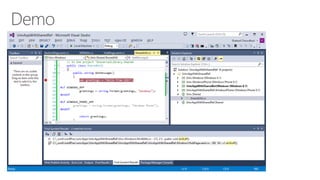
  • #28 Demo
  • #29 Creating a Mobile Service
  • #30 Getting Started Link: http://azure.microsoft.com/en-us/documentation/articles/mobile-services-dotnet-backend-windows-store-dotnet-get-started/
  • #31 Create a Mobile Service
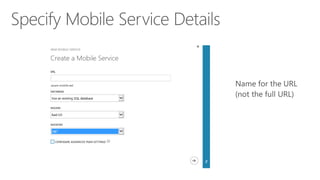
  • #32 Specify Mobile Service Details
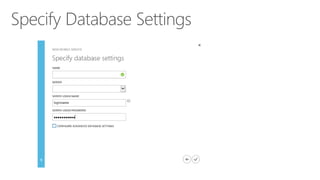
  • #33 Specify Database Settings
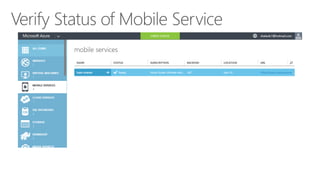
  • #34 Verify Status of Mobile Service
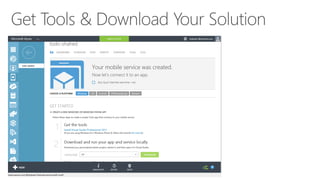
  • #35 Get Tools & Download Your Solution
  • #36 Consuming the Service
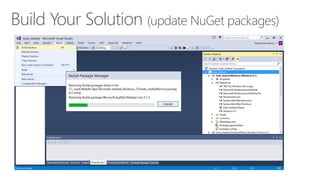
  • #37 Build Your Solution (update NuGet packages)
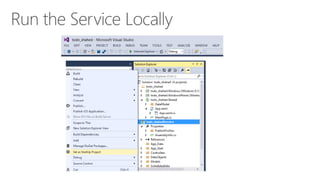
  • #38 Run the Service Locally
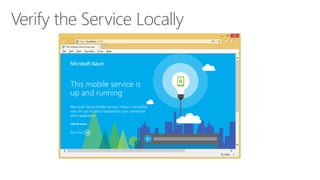
  • #39 Verify the Service Locally
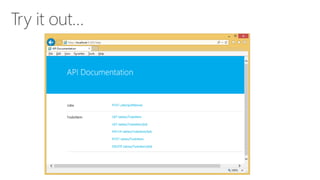
  • #40 Try it out…
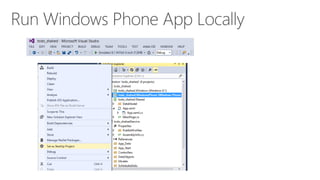
  • #41 Run Windows Phone App Locally
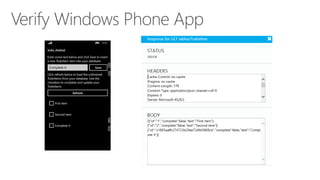
  • #42 Verify Windows Phone App
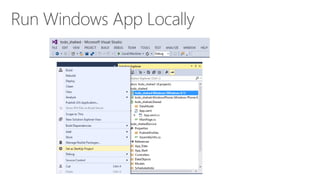
  • #43 Run Windows App Locally
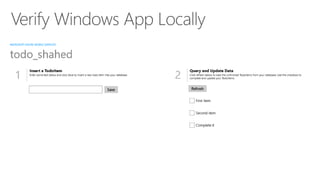
  • #44 Verify Windows App Locally
  • #45 Publishing the Service
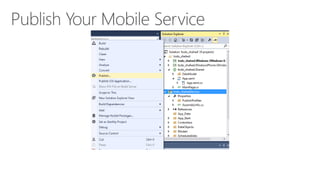
  • #46 Publish Your Mobile Service
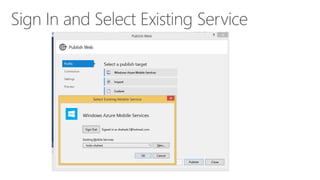
  • #47 Sign In and Select Existing Service
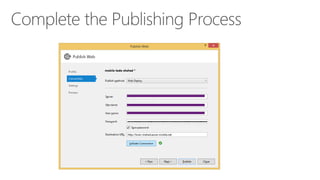
  • #48 Complete the Publishing Process
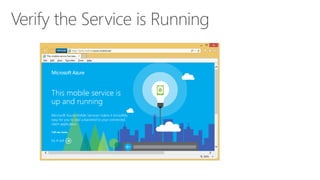
  • #49 Verify the Service is Running
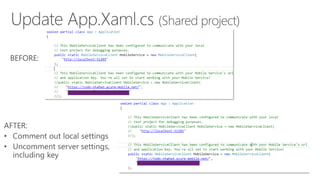
  • #50 Update App.Xaml.cs (Shared project) Comment out local settings Uncomment server settings, including key
  • #51 Run Windows Phone Project
  • #52 Run Windows project
  • #53 Questions?
  • #54 Contact Microsoft email: shchowd@microsoft.com Personal Twitter: @shahedC Dev Blog: WakeUpAndCode.com