http://curah.microsoft.com/60638/reusing-code-between-windows-store-apps-and-windows-phone
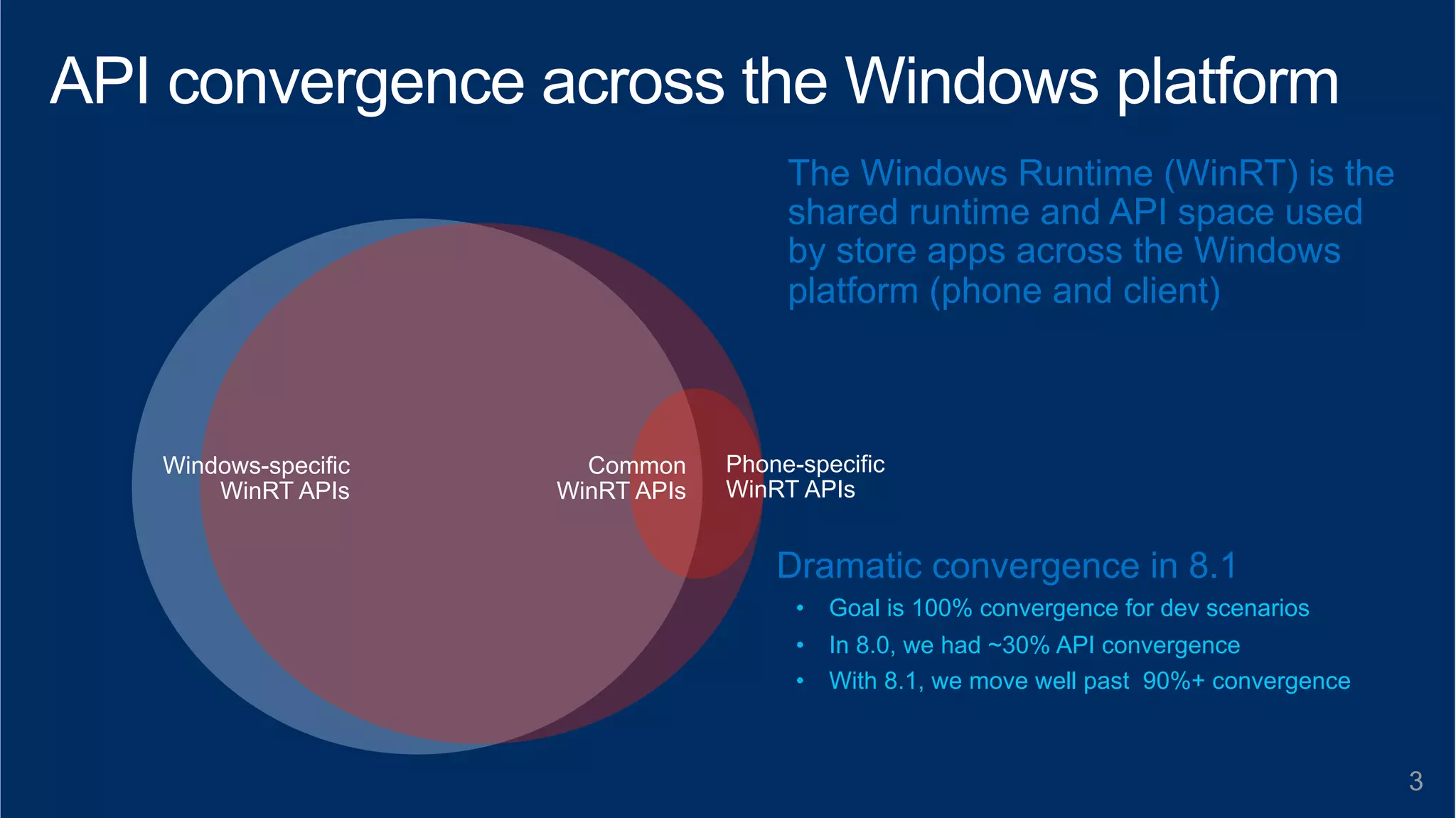
The Windows Runtime (WinRT) is the 
shared runtime and API space used 
by store apps across the Windows 
platform (phone and client) 
3 
Common 
WinRT APIs 
Phone-specific 
WinRT APIs 
Windows-specific 
WinRT APIs 
Dramatic convergence in 8.1 
• Goal is 100% convergence for dev scenarios 
• In 8.0, we had ~30% API convergence 
• With 8.1, we move well past 90%+ convergence
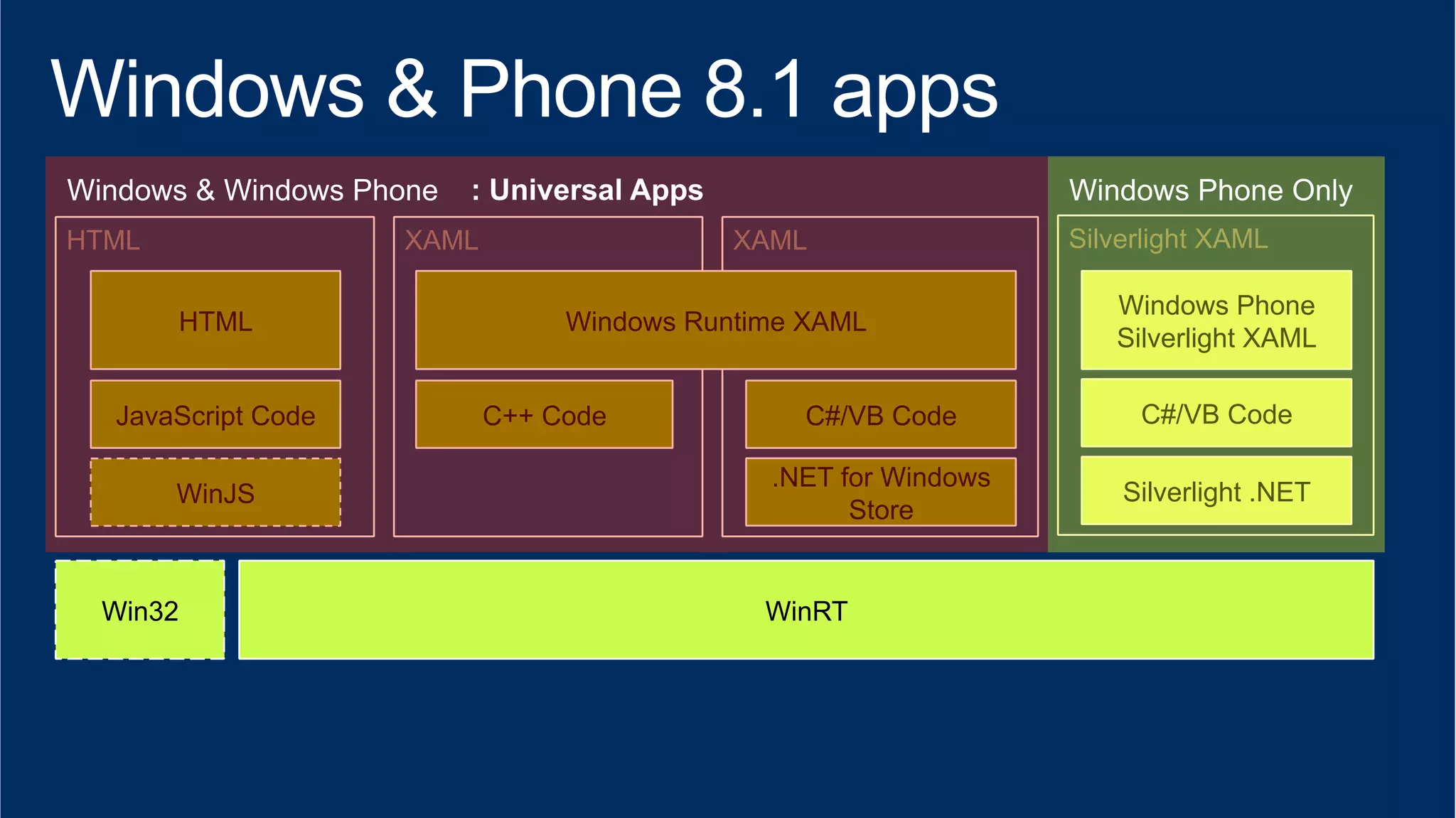
HTML XAML XAML 
HTML 
JavaScript Code 
WinJS .NET for Windows 
Win32 
Windows Runtime XAML 
C++ Code C#/VB Code 
WinRT 
Store 
Silverlight XAML 
Windows Phone 
Silverlight XAML 
C#/VB Code 
Silverlight .NET
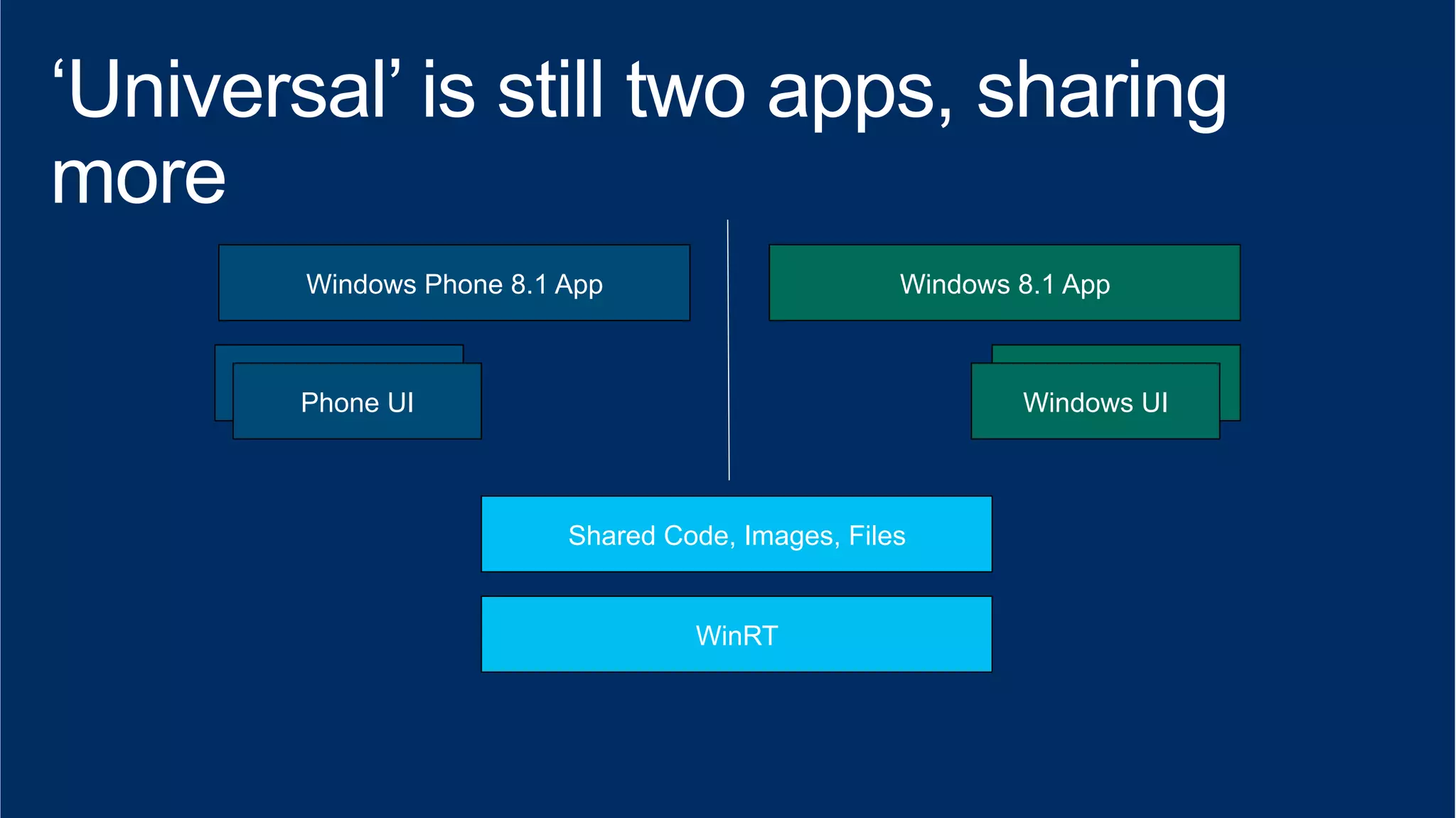
Windows Phone 8.1 App Windows 8.1 App 
XAML View 
Phone UI 
XAML View 
Windows UI 
Shared Code, Images, Files 
WinRT
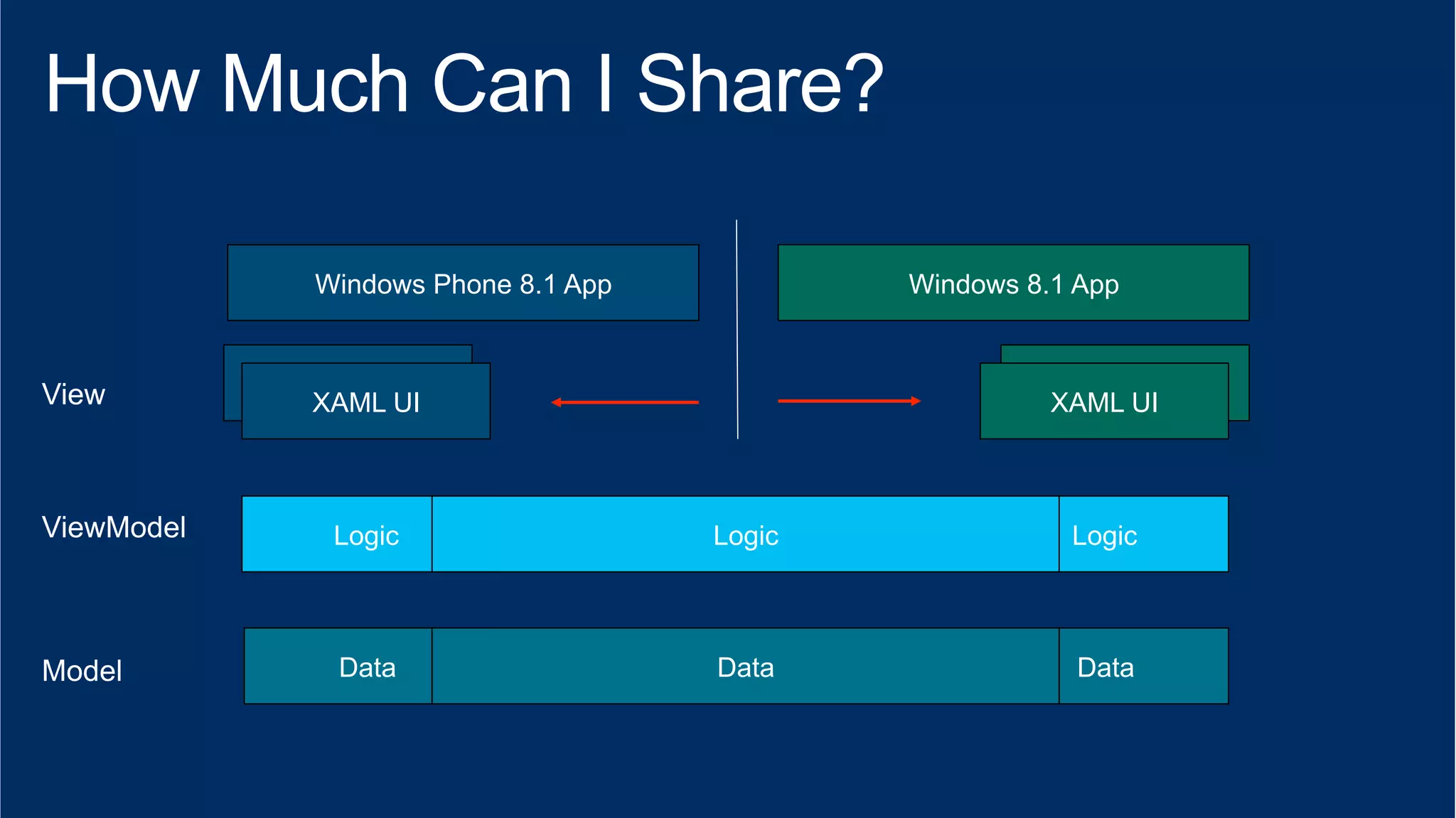
Windows Phone 8.1 App Windows 8.1 App 
XAML View 
XAML UI 
XAML View 
XAML UI 
Logic Logic 
Logic 
Data Data 
Data
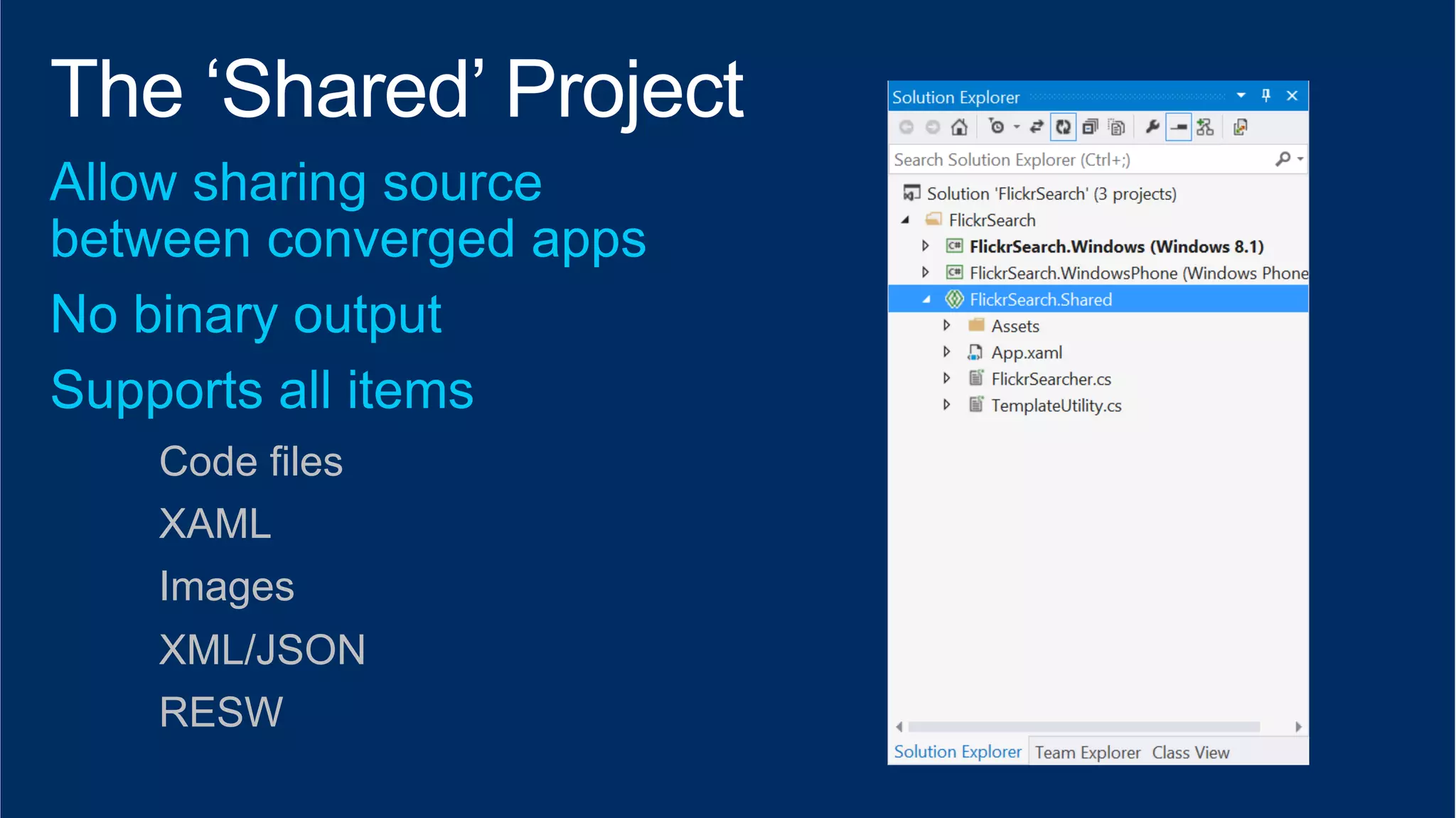
Code files 
XAML 
Images 
XML/JSON 
RESW
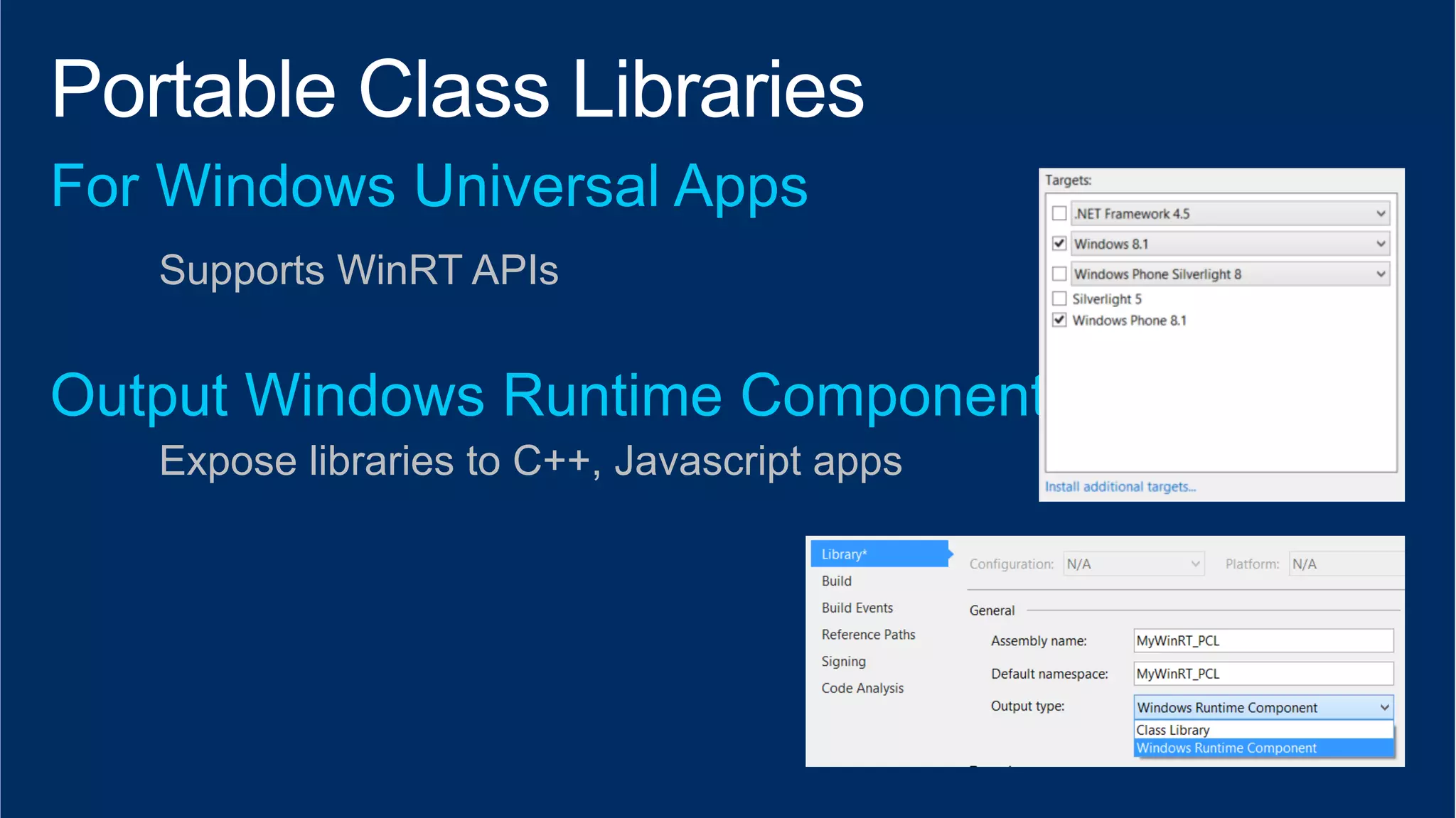
Supports WinRT APIs 
Expose libraries to C++, Javascript apps
Decouple UI from logic 
plus platform specific API sets (some geolocation, media, sensors) 
plus XAML components that “make sense”
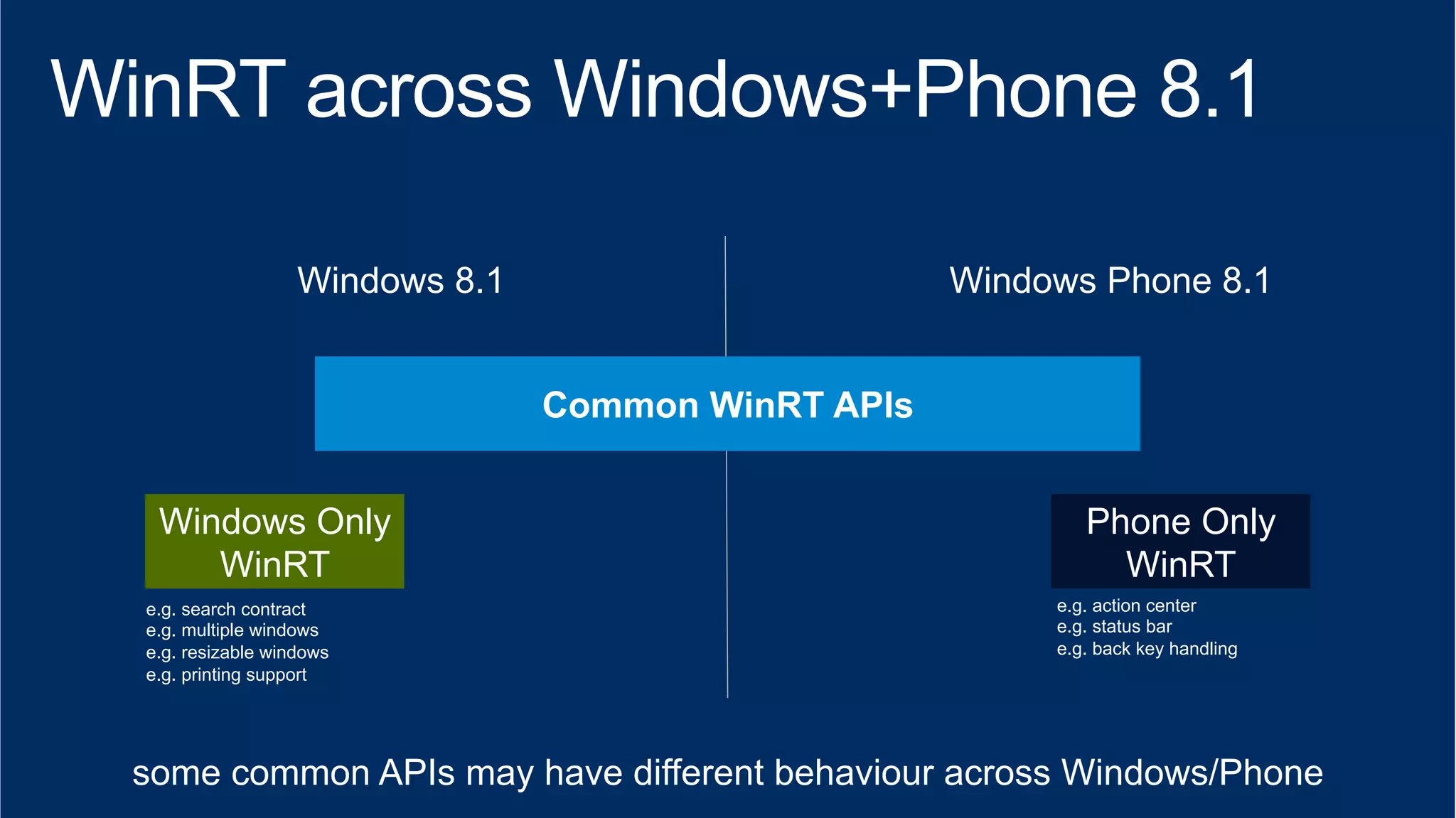
Windows 8.1 Windows Phone 8.1 
Windows Only 
WinRT 
e.g. search contract 
e.g. multiple windows 
e.g. resizable windows 
e.g. printing support 
Phone Only 
WinRT 
e.g. action center 
e.g. status bar 
e.g. back key handling 
some common APIs may have different behaviour across Windows/Phone
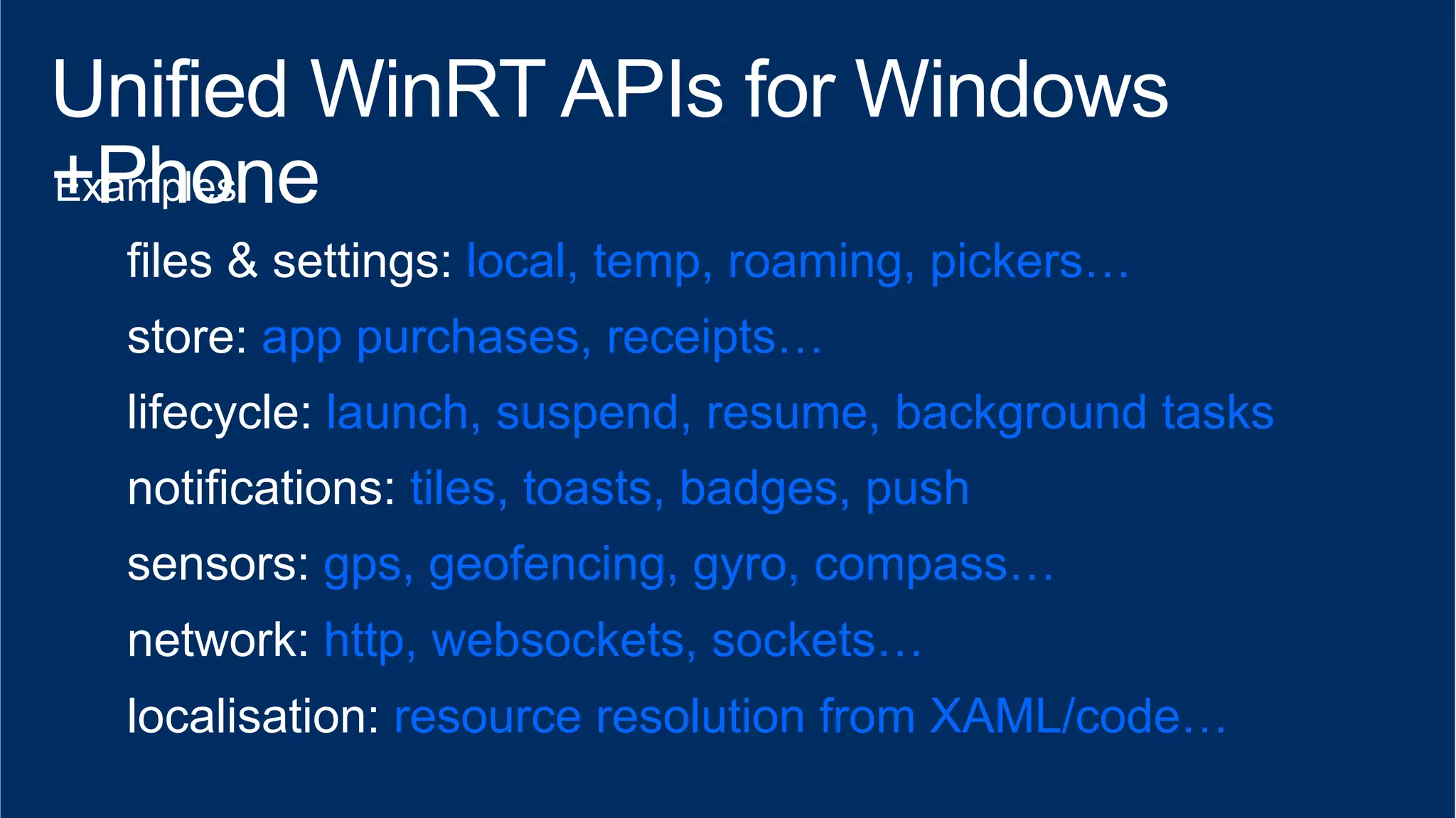
files & settings: local, temp, roaming, pickers… 
store: app purchases, receipts… 
lifecycle: launch, suspend, resume, background tasks 
notifications: tiles, toasts, badges, push 
sensors: gps, geofencing, gyro, compass… 
network: http, websockets, sockets… 
localisation: resource resolution from XAML/code…
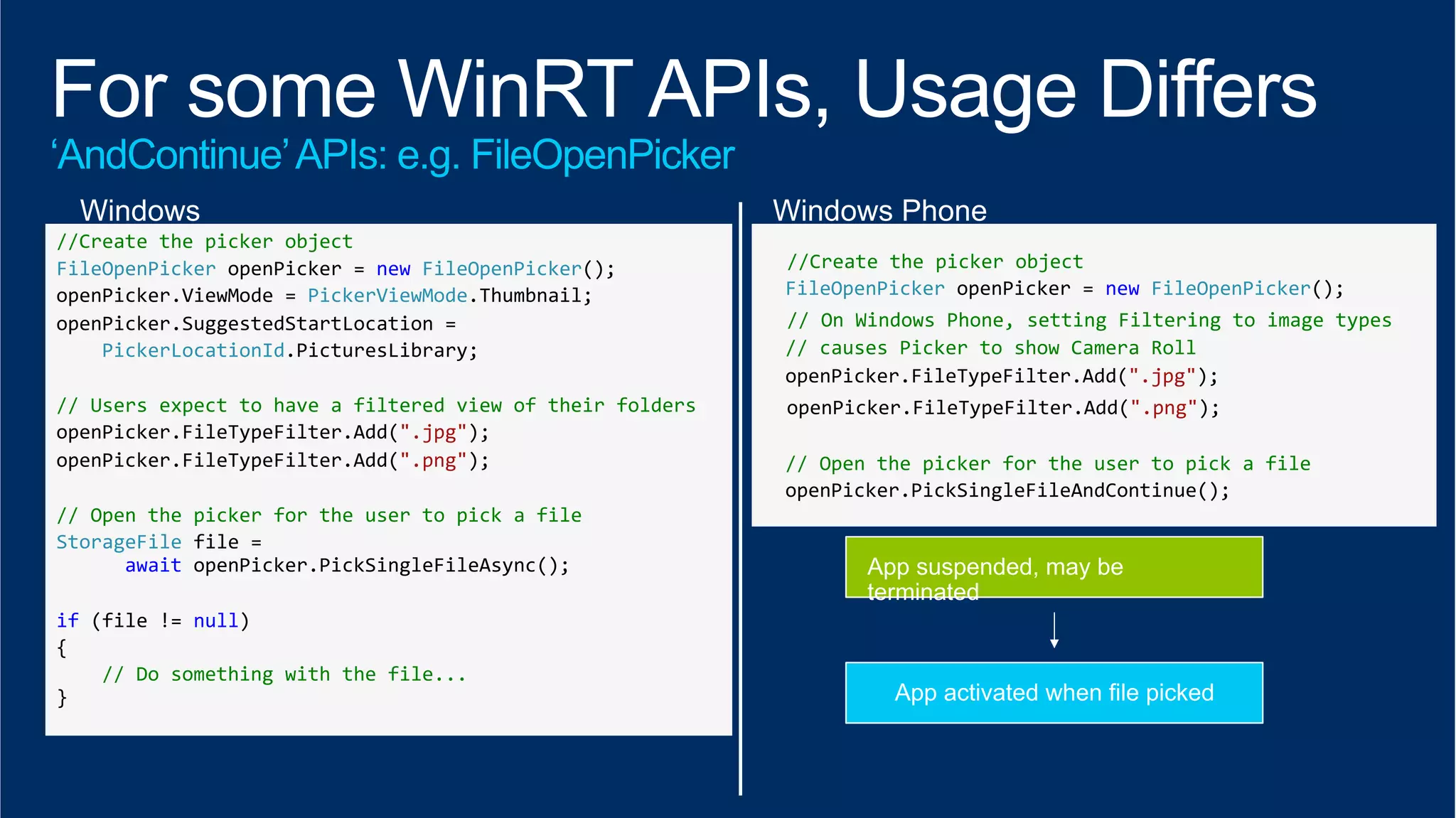
//Create 
the 
picker 
object 
FileOpenPicker 
openPicker 
= 
new 
FileOpenPicker(); 
openPicker.ViewMode 
= 
PickerViewMode.Thumbnail; 
openPicker.SuggestedStartLocation 
= 
PickerLocationId.PicturesLibrary; 
// 
Users 
expect 
to 
have 
a 
filtered 
view 
of 
their 
folders 
openPicker.FileTypeFilter.Add(".jpg"); 
openPicker.FileTypeFilter.Add(".png"); 
// 
Open 
the 
picker 
for 
the 
user 
to 
pick 
a 
file 
StorageFile 
file 
= 
await 
openPicker.PickSingleFileAsync(); 
if 
(file 
!= 
null) 
{ 
// 
Do 
something 
with 
the 
file... 
} 
//Create 
the 
picker 
object 
FileOpenPicker 
openPicker 
= 
new 
FileOpenPicker(); 
// 
On 
Windows 
Phone, 
setting 
Filtering 
to 
image 
types 
// 
causes 
Picker 
to 
show 
Camera 
Roll 
openPicker.FileTypeFilter.Add(".jpg"); 
openPicker.FileTypeFilter.Add(".png"); 
// 
Open 
the 
picker 
for 
the 
user 
to 
pick 
a 
file 
openPicker.PickSingleFileAndContinue();
100% 
100% 
No: Location (Windows) vs. Geopoint (WP) 
No: Bing Maps (Windows) vs. WinRT Map control (WP)
" 
" 
"
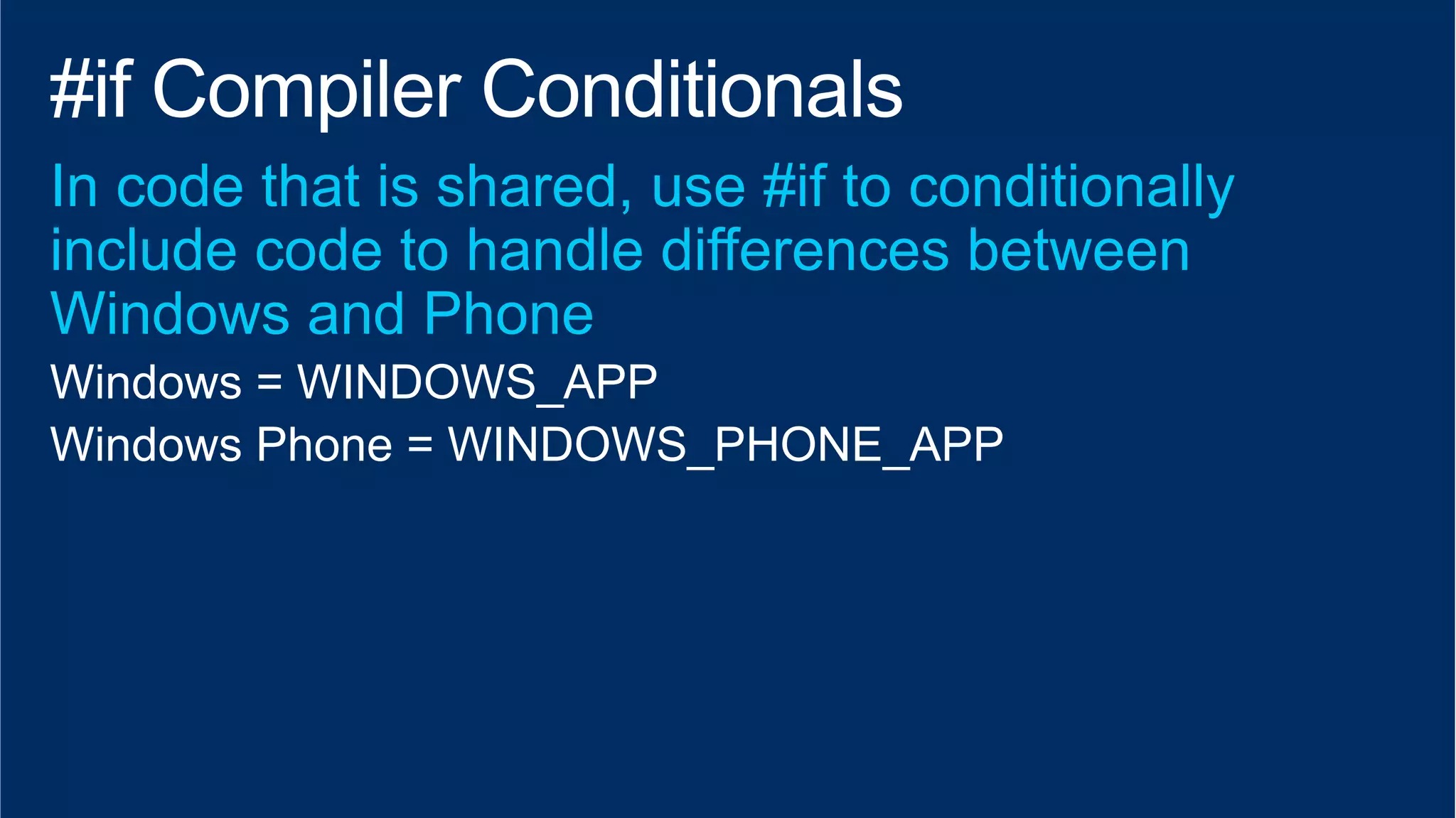
Windows = WINDOWS_APP 
Windows Phone = WINDOWS_PHONE_APP
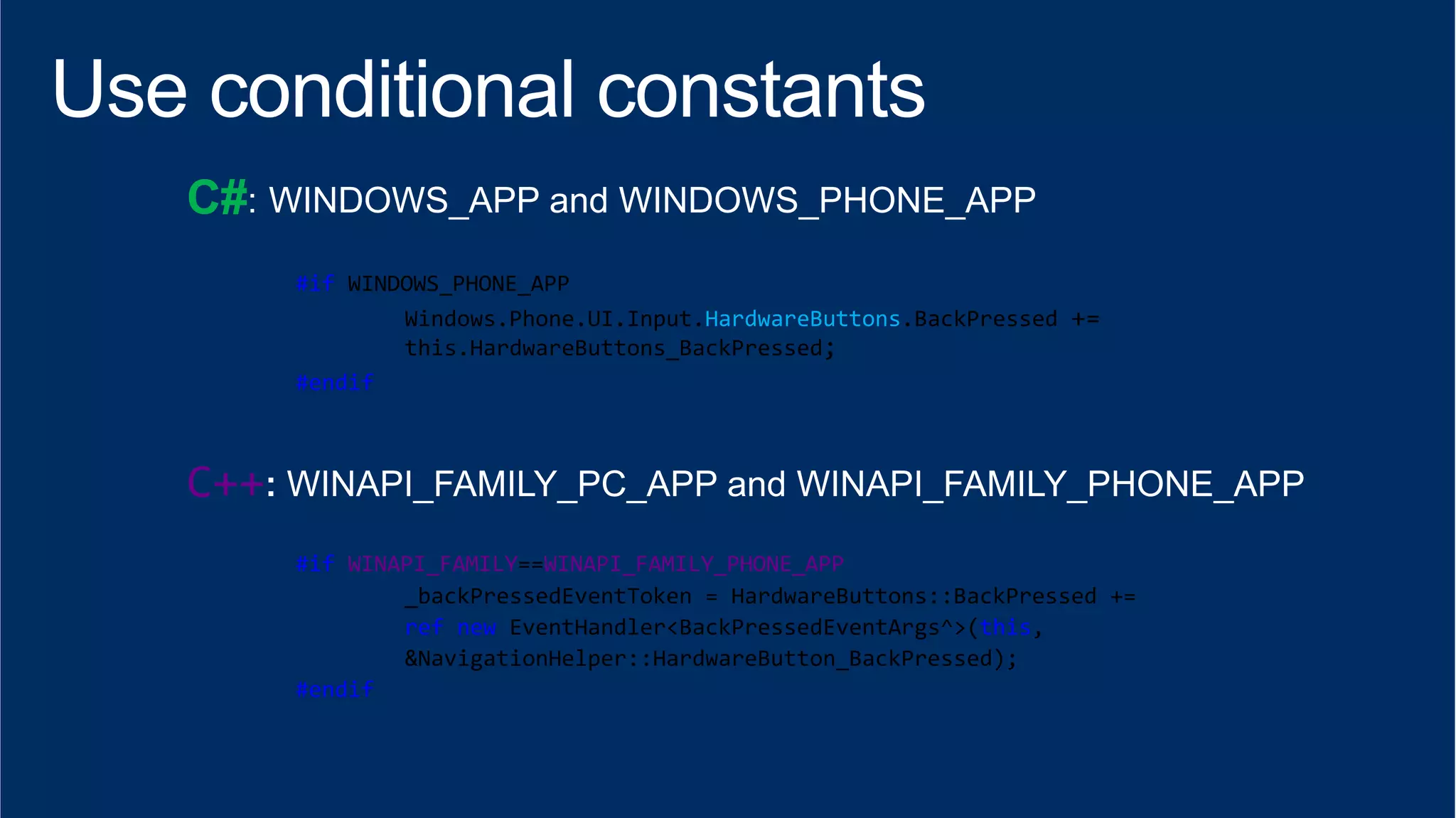
C# 
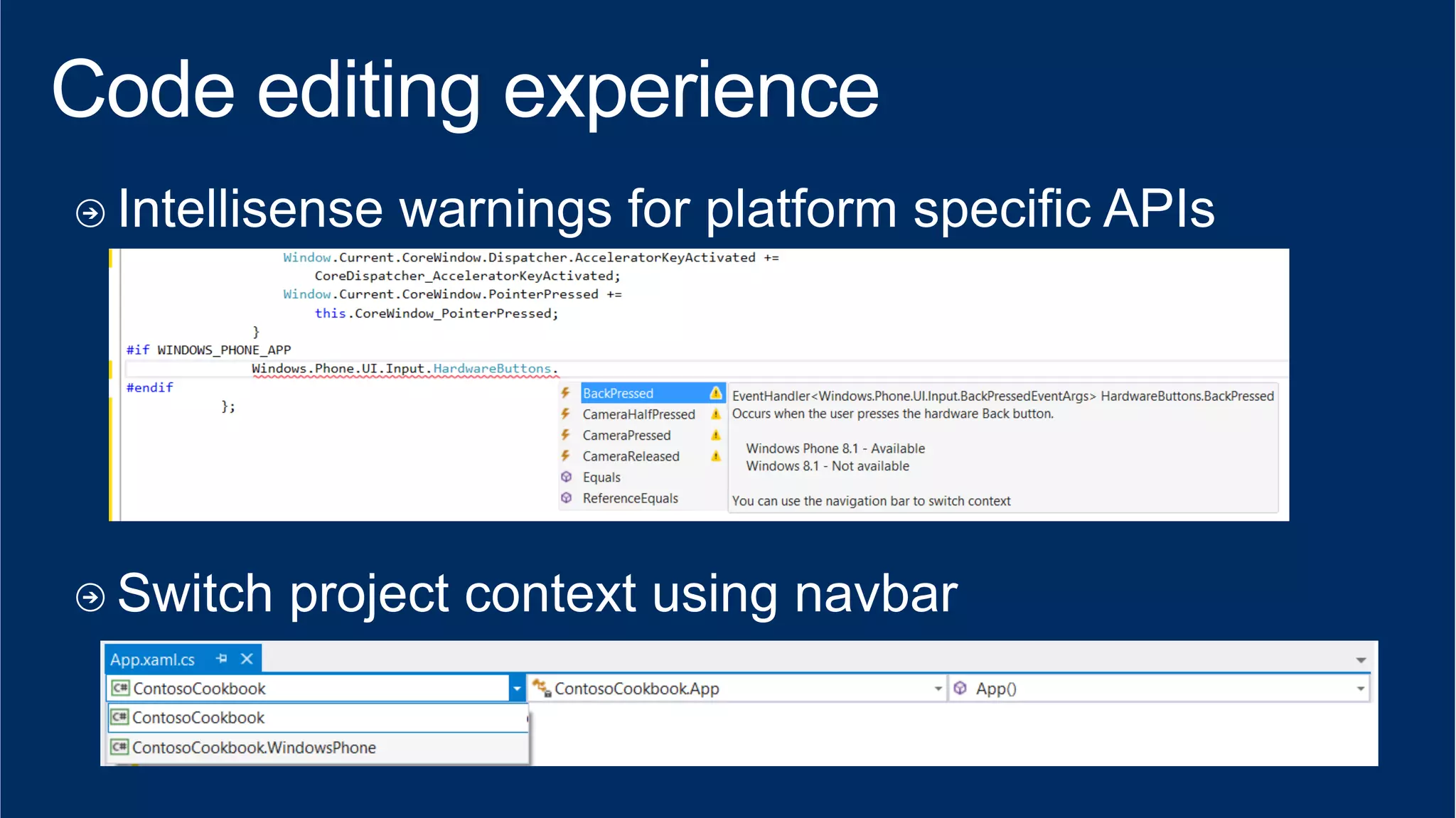
#if 
WINDOWS_PHONE_APP 
Windows.Phone.UI.Input.HardwareButtons.BackPressed 
+= 
this.HardwareButtons_BackPressed; 
#endif 
C++ 
#if 
WINAPI_FAMILY==WINAPI_FAMILY_PHONE_APP 
_backPressedEventToken 
= 
HardwareButtons::BackPressed 
+= 
ref 
new 
EventHandler<BackPressedEventArgs^>(this, 
&NavigationHelper::HardwareButton_BackPressed); 
#endif
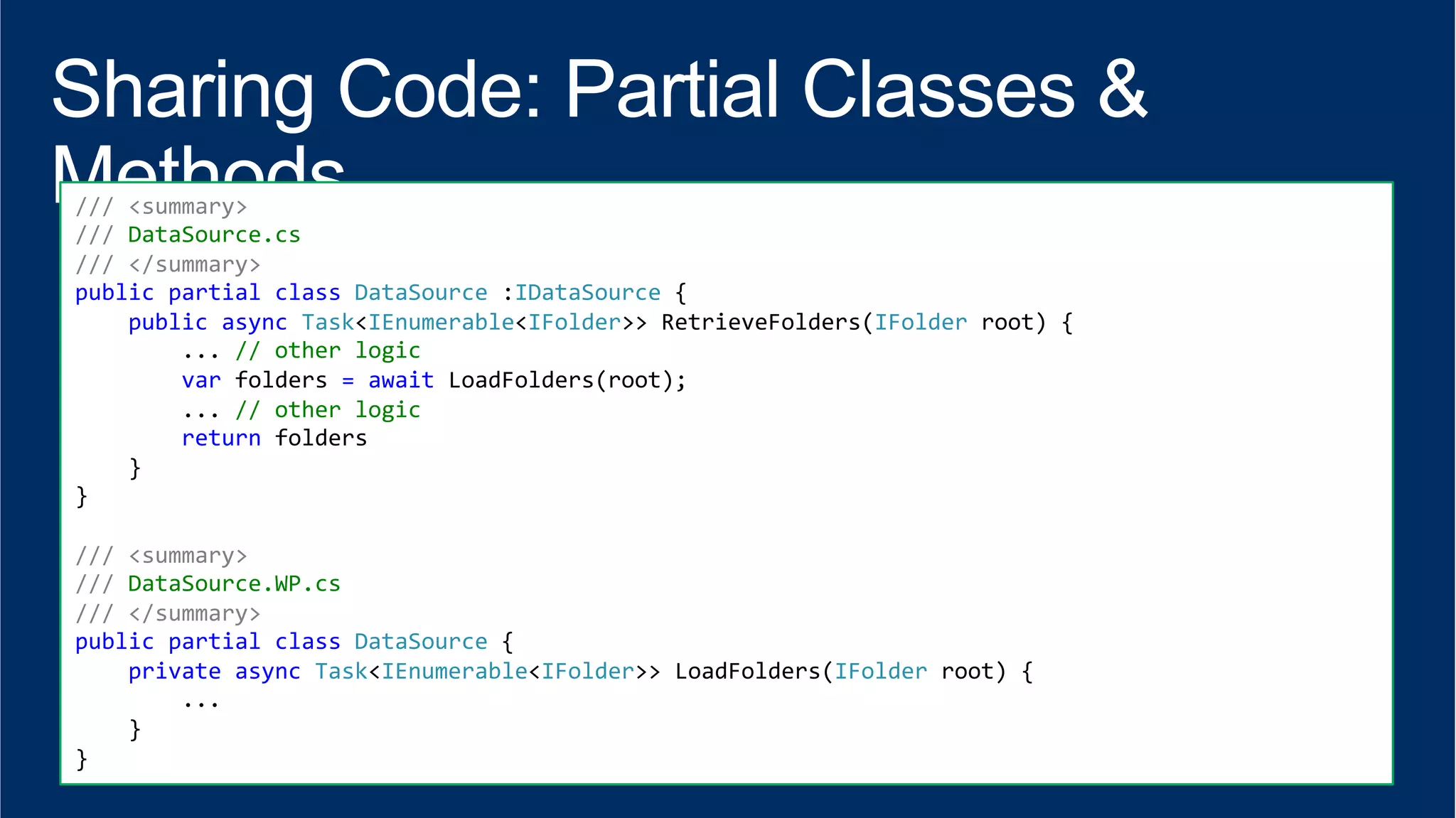
/// 
<summary> 
/// 
DataSource.cs 
/// 
</summary> 
public 
partial 
class 
DataSource 
:IDataSource 
{ 
public 
async 
Task<IEnumerable<IFolder>> 
RetrieveFolders(IFolder 
root) 
{ 
... 
// 
other 
logic 
var 
folders 
= 
await 
LoadFolders(root); 
... 
// 
other 
logic 
return 
folders 
} 
} 
/// 
<summary> 
/// 
DataSource.WP.cs 
/// 
</summary> 
public 
partial 
class 
DataSource 
{ 
private 
async 
Task<IEnumerable<IFolder>> 
LoadFolders(IFolder 
root) 
{ 
... 
} 
}
" 
"
" 
" 
"
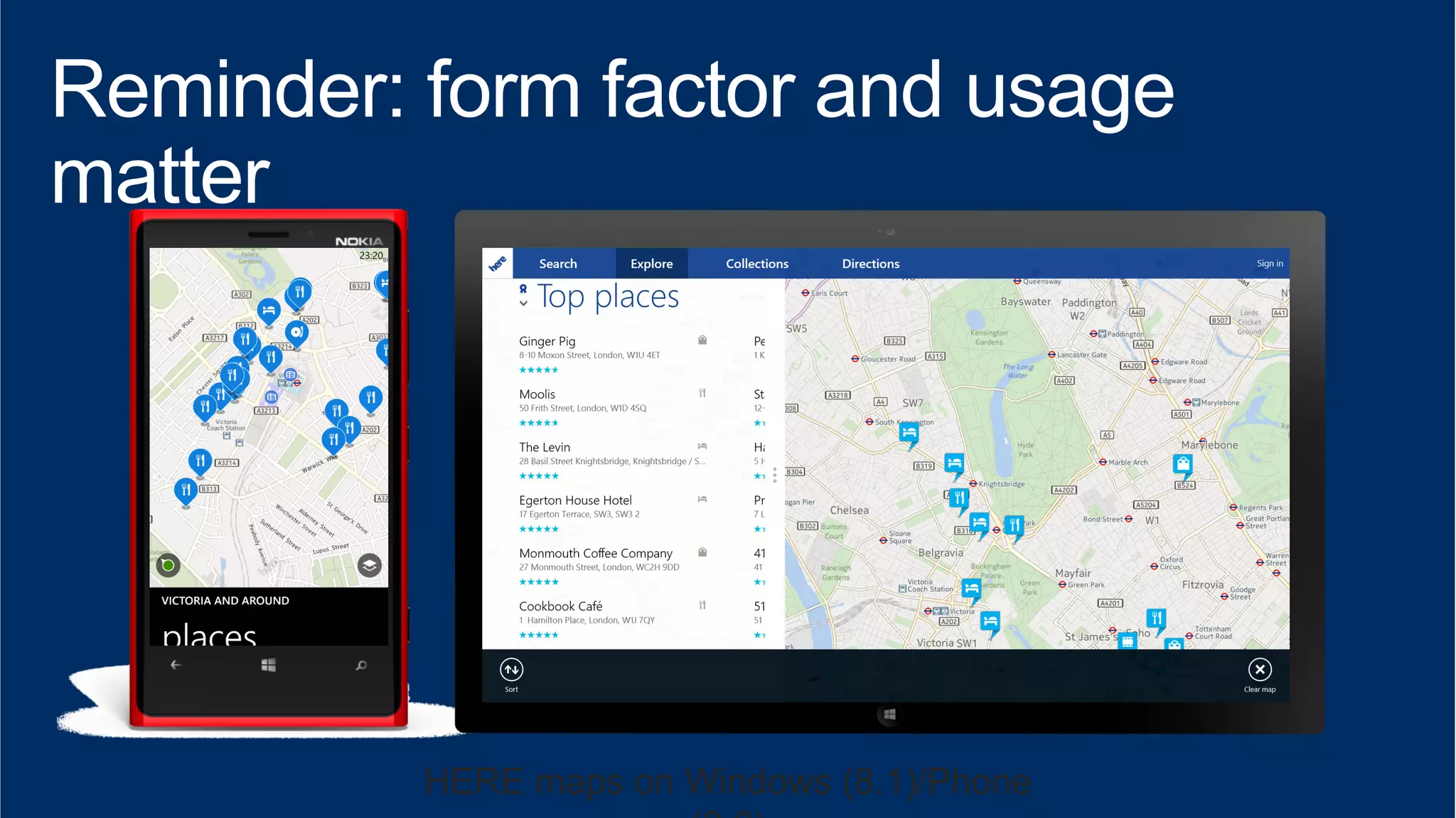
HERE maps on Windows (8.1)/Phone 
(8.0)
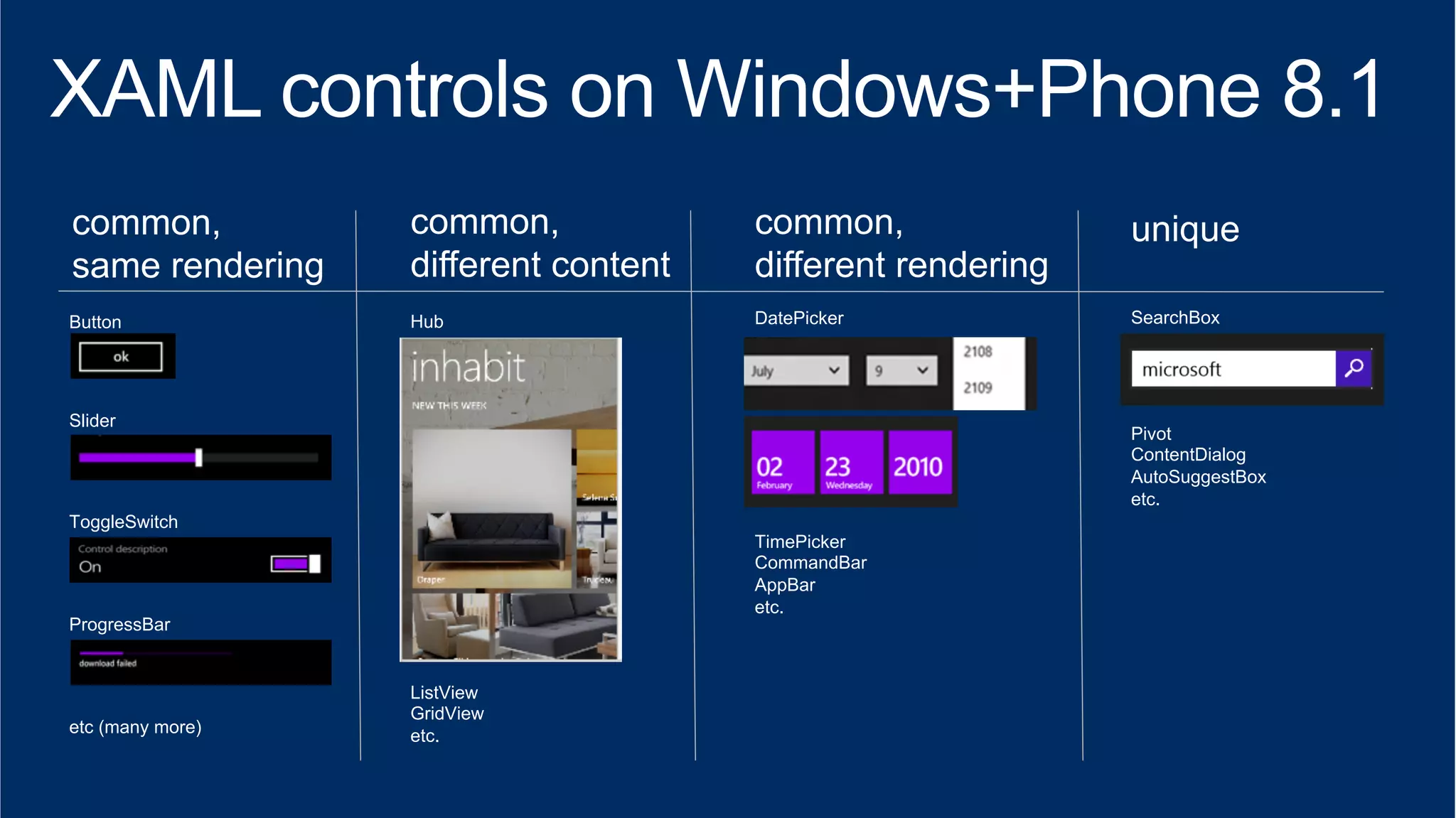
common, 
same rendering 
Button 
Slider 
ToggleSwitch 
ProgressBar 
etc (many more) 
common, 
different content 
Hub 
ListView 
GridView 
etc. 
common, 
different rendering 
DatePicker 
TimePicker 
CommandBar 
AppBar 
etc. 
unique 
SearchBox 
Pivot 
ContentDialog 
AutoSuggestBox 
etc.
www.microsoft.com/learning 
http://channel9.msdn.com/Events/TechEd 
http://http://microsoft.com/technet microsoft.com/msdn

Александр Краковецкий_Разработка универсальных приложений для Windows Phone 8.1 и Windows 8.1

  • 2.
  • 3.
    The Windows Runtime(WinRT) is the shared runtime and API space used by store apps across the Windows platform (phone and client) 3 Common WinRT APIs Phone-specific WinRT APIs Windows-specific WinRT APIs Dramatic convergence in 8.1 • Goal is 100% convergence for dev scenarios • In 8.0, we had ~30% API convergence • With 8.1, we move well past 90%+ convergence
  • 4.
    HTML XAML XAML HTML JavaScript Code WinJS .NET for Windows Win32 Windows Runtime XAML C++ Code C#/VB Code WinRT Store Silverlight XAML Windows Phone Silverlight XAML C#/VB Code Silverlight .NET
  • 7.
    Windows Phone 8.1App Windows 8.1 App XAML View Phone UI XAML View Windows UI Shared Code, Images, Files WinRT
  • 8.
    Windows Phone 8.1App Windows 8.1 App XAML View XAML UI XAML View XAML UI Logic Logic Logic Data Data Data
  • 9.
    Code files XAML Images XML/JSON RESW
  • 10.
    Supports WinRT APIs Expose libraries to C++, Javascript apps
  • 11.
    Decouple UI fromlogic plus platform specific API sets (some geolocation, media, sensors) plus XAML components that “make sense”
  • 12.
    Windows 8.1 WindowsPhone 8.1 Windows Only WinRT e.g. search contract e.g. multiple windows e.g. resizable windows e.g. printing support Phone Only WinRT e.g. action center e.g. status bar e.g. back key handling some common APIs may have different behaviour across Windows/Phone
  • 13.
    files & settings:local, temp, roaming, pickers… store: app purchases, receipts… lifecycle: launch, suspend, resume, background tasks notifications: tiles, toasts, badges, push sensors: gps, geofencing, gyro, compass… network: http, websockets, sockets… localisation: resource resolution from XAML/code…
  • 14.
    //Create the picker object FileOpenPicker openPicker = new FileOpenPicker(); openPicker.ViewMode = PickerViewMode.Thumbnail; openPicker.SuggestedStartLocation = PickerLocationId.PicturesLibrary; // Users expect to have a filtered view of their folders openPicker.FileTypeFilter.Add(".jpg"); openPicker.FileTypeFilter.Add(".png"); // Open the picker for the user to pick a file StorageFile file = await openPicker.PickSingleFileAsync(); if (file != null) { // Do something with the file... } //Create the picker object FileOpenPicker openPicker = new FileOpenPicker(); // On Windows Phone, setting Filtering to image types // causes Picker to show Camera Roll openPicker.FileTypeFilter.Add(".jpg"); openPicker.FileTypeFilter.Add(".png"); // Open the picker for the user to pick a file openPicker.PickSingleFileAndContinue();
  • 15.
    100% 100% No:Location (Windows) vs. Geopoint (WP) No: Bing Maps (Windows) vs. WinRT Map control (WP)
  • 16.
  • 17.
    Windows = WINDOWS_APP Windows Phone = WINDOWS_PHONE_APP
  • 18.
    C# #if WINDOWS_PHONE_APP Windows.Phone.UI.Input.HardwareButtons.BackPressed += this.HardwareButtons_BackPressed; #endif C++ #if WINAPI_FAMILY==WINAPI_FAMILY_PHONE_APP _backPressedEventToken = HardwareButtons::BackPressed += ref new EventHandler<BackPressedEventArgs^>(this, &NavigationHelper::HardwareButton_BackPressed); #endif
  • 21.
    /// <summary> /// DataSource.cs /// </summary> public partial class DataSource :IDataSource { public async Task<IEnumerable<IFolder>> RetrieveFolders(IFolder root) { ... // other logic var folders = await LoadFolders(root); ... // other logic return folders } } /// <summary> /// DataSource.WP.cs /// </summary> public partial class DataSource { private async Task<IEnumerable<IFolder>> LoadFolders(IFolder root) { ... } }
  • 22.
  • 23.
  • 24.
    HERE maps onWindows (8.1)/Phone (8.0)
  • 25.
    common, same rendering Button Slider ToggleSwitch ProgressBar etc (many more) common, different content Hub ListView GridView etc. common, different rendering DatePicker TimePicker CommandBar AppBar etc. unique SearchBox Pivot ContentDialog AutoSuggestBox etc.
  • 26.