UNITY 3D
BCSF13A006
BCSF13A017
BCSF13A028
WHAT IS UNITY
 Unity is cross-platform game engine, developed by UnityTechnologies
 It is use to developed games for PC, Console, Mobile Devices and websites
PORTABILITY
 Emphasis on portability
 Within a project, developers have control over delivery to mobile devices, web
browsers, desktops, and consoles
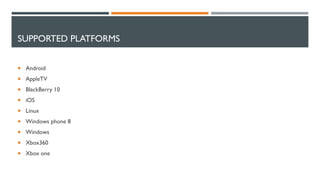
SUPPORTED PLATFORMS
 Android
 AppleTV
 BlackBerry 10
 iOS
 Linux
 Windows phone 8
 Windows
 Xbox360
 Xbox one
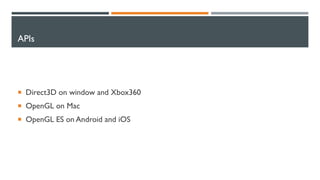
APIs
 Direct3D on window and Xbox360
 OpenGL on Mac
 OpenGL ES on Android and iOS
VERSION
 Unity comes in two basic flavors:
 pro version
 free version
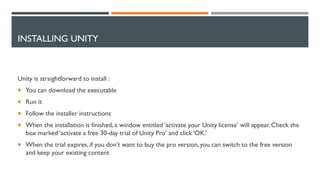
INSTALLING UNITY
Unity is straightforward to install :
 You can download the executable
 Run it
 Follow the installer instructions
 When the installation is finished, a window entitled ‘activate your Unity license’ will appear. Check the
box marked ‘activate a free 30-day trial of Unity Pro’ and click ‘OK.’
 When the trial expires, if you don’t want to buy the pro version, you can switch to the free version
and keep your existing content
SUPPORTED LANGUAGES
 C#
 JavaScript
HOW IT WORKS
 In Unity, we’ll building objects and attaching them to game entities
 If you want a ‘Mook’ object that handles AI for an enemy in your game
 You’d write a ‘Mook’ class
 Then attach that file to every enemy entity
 When you run your game, each enemy will be equipped with a copy of the ‘Mook’ object
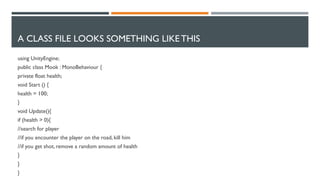
A CLASS FILE LOOKS SOMETHING LIKE THIS
using UnityEngine;
public class Mook : MonoBehaviour {
private float health;
void Start () {
health = 100;
}
void Update(){
if (health > 0){
//search for player
//if you encounter the player on the road, kill him
//if you get shot, remove a random amount of health
}
}
}
RECEPTION
 More than 1.3 million developers are using its tools to create “Bob’s your Uncle" graphics in their iOS,
Android, console, PC, and web-based games

Unity 3 d

  • 1.
  • 2.
    WHAT IS UNITY Unity is cross-platform game engine, developed by UnityTechnologies  It is use to developed games for PC, Console, Mobile Devices and websites
  • 3.
    PORTABILITY  Emphasis onportability  Within a project, developers have control over delivery to mobile devices, web browsers, desktops, and consoles
  • 4.
    SUPPORTED PLATFORMS  Android AppleTV  BlackBerry 10  iOS  Linux  Windows phone 8  Windows  Xbox360  Xbox one
  • 5.
    APIs  Direct3D onwindow and Xbox360  OpenGL on Mac  OpenGL ES on Android and iOS
  • 6.
    VERSION  Unity comesin two basic flavors:  pro version  free version
  • 7.
    INSTALLING UNITY Unity isstraightforward to install :  You can download the executable  Run it  Follow the installer instructions  When the installation is finished, a window entitled ‘activate your Unity license’ will appear. Check the box marked ‘activate a free 30-day trial of Unity Pro’ and click ‘OK.’  When the trial expires, if you don’t want to buy the pro version, you can switch to the free version and keep your existing content
  • 8.
  • 9.
    HOW IT WORKS In Unity, we’ll building objects and attaching them to game entities  If you want a ‘Mook’ object that handles AI for an enemy in your game  You’d write a ‘Mook’ class  Then attach that file to every enemy entity  When you run your game, each enemy will be equipped with a copy of the ‘Mook’ object
  • 10.
    A CLASS FILELOOKS SOMETHING LIKE THIS using UnityEngine; public class Mook : MonoBehaviour { private float health; void Start () { health = 100; } void Update(){ if (health > 0){ //search for player //if you encounter the player on the road, kill him //if you get shot, remove a random amount of health } } }
  • 12.
    RECEPTION  More than1.3 million developers are using its tools to create “Bob’s your Uncle" graphics in their iOS, Android, console, PC, and web-based games