




Windows  Web  Xbox  Mobile  … and more!
@shahedC
WakeUpAndCode.com
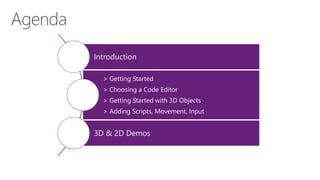
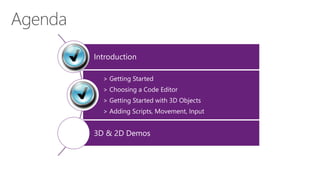
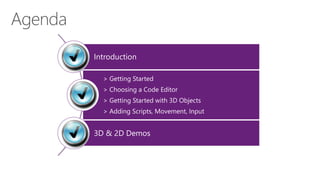
Introduction
> Getting Started
> Choosing a Code Editor
> Getting Started with 3D Objects
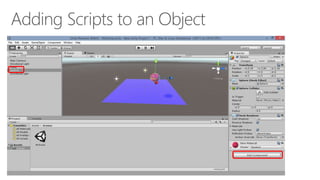
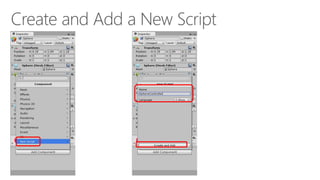
> Adding Scripts, Movement, Input
3D & 2D Demos
Tools & Technologies
Introduction
> Getting Started
> Choosing a Code Editor
> Getting Started with 3D Objects
> Adding Scripts, Movement, Input
3D & 2D Demos
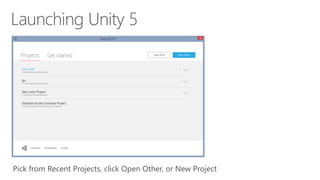
Pick from Recent Projects, click Open Other, or New Project
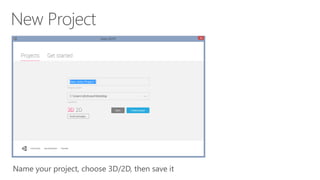
Name your project, choose 3D/2D, then save it
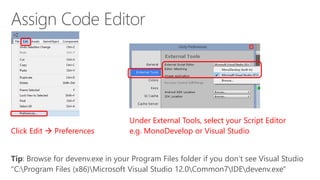
Click Edit  Preferences
Under External Tools, select your Script Editor
e.g. MonoDevelop or Visual Studio
Tip: Browse for devenv.exe in your Program Files folder if you don’t see Visual Studio
"C:Program Files (x86)Microsoft Visual Studio 12.0Common7IDEdevenv.exe"
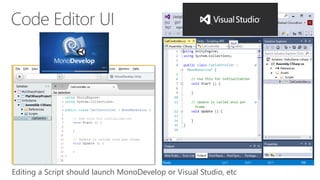
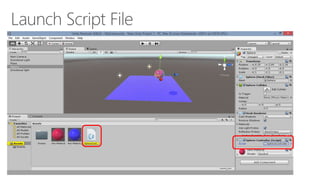
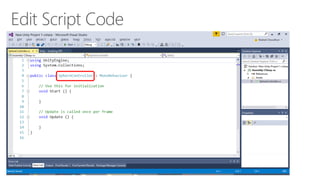
Editing a Script should launch MonoDevelop or Visual Studio, etc
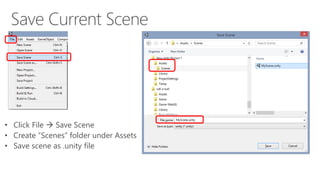
• Click File  Save Scene
• Create “Scenes” folder under Assets
• Save scene as .unity file
Introduction
> Getting Started
> Choosing a Code Editor
> Getting Started with 3D Objects
> Adding Scripts, Movement, Input
3D & 2D Demos
Introduction
> Getting Started
> Choosing a Code Editor
> Getting Started with 3D Objects
> Adding Scripts, Movement, Input
3D & 2D Demos
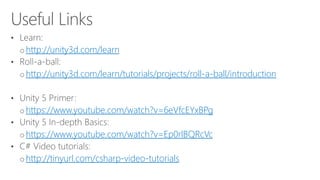
http://unity3d.com/learn
http://unity3d.com/learn/tutorials/projects/roll-a-ball/introduction
https://www.youtube.com/watch?v=6eVfcEYxBPg
https://www.youtube.com/watch?v=Ep0rlBQRcVc
http://tinyurl.com/csharp-video-tutorials
http://facebook.com/groups/UnityIndieDevs
http://WakeUpAndCode.com/unity
http://facebook.com/groups/XboxOneIndieDevs
http://WakeUpAndCode.com/xb1
Email: shchowd@microsoft.com  Twitter: @shahedC

Unity 5 Overview

Editor's Notes

  • #2 Title Page: Game Development with Unity 5 and C# Windows  Web  Xbox  Mobile  … and more! By Shahed Chowdhuri Technical Evangelist Blog: WakeUpAndCode.com Twitter: @shahedC
  • #3 Agenda
  • #4 Tools & Technologies
  • #5 Unity: Things to Know Learning curve for beginners Need to create your own models Or download/purchase pre-built models Publish to Web, mobile, desktop, consoles
  • #7 Agenda
  • #34 Agenda
  • #39 Agenda
  • #42 For more info: Xbox One Indie Devs: http://facebook.com/groups/XboxOneIndieDevs http://WakeUpAndCode.com/xb1 Unity Indie Devs: http://facebook.com/groups/UnityIndieDevs http://WakeUpAndCode.com/unity Construct2 Devs: https://www.facebook.com/groups/construct2devs
  • #43 Contact Microsoft email: shchowd@microsoft.com Personal Twitter: @shahedC Dev Blog: WakeUpAndCode.com