Reflection
Maria Toy
Unit 6 Discussion
Learning Objectives
The learning objectives are to:
Understand the role of the instructor in their
students’ digital citizenship
Learn techniques used for designing online
instruction
Apply technology in online instruction
Determine the role of technology in online
instruction in the future
Digital Citizenship
Digital citizenship is defined
as “the quality of habits,
actions, consumption
patterns that impact the
ecology of digital content
and communities” (Heick, 2013).
By promoting learning
through multimedia
instruction, instructors play
an important role in their
students’ digital citizenship.
Designing Online Instruction
 Backward Design
 Clark and Mayer’s
Principles
 Universal Design for
Learning
Backward Design
When designing online instruction is
designed, it is more effective to consider the
goals first. Known as Backward Design, the
three stages are, as follows:
“Stage 1: Identify Desired Results
Stage 2: Determine Acceptable Evidence of
Learning
Stage 3: Design Learning Experiences &
Instruction “
(Instructional Design, n.d.)
If I want to create an effective
learning object for Unit 5, Applying
the Personalization Principle to
Multimedia Instruction, I had to
consider the learning outcomes that
I wanted to achieve. The learning
outcomes were:
(1) Understand the purpose of the
personalization principle
(2) Identify the different ways that
personalization principle can be applied
(3) Learn how to apply the
personalization principle in
multimedia instruction
Clark and Mayer’s Principles
People learn better when the following
principles are applied:
• Modality – Animation and narration is more
effective than narration and text.
• Redundancy – Narration and text that mirror
the narration should not be used together.
• Contiguity – When text is used, it should
correspond with the graphics.
• Coherence – Instructors should avoid using
irrelevant material.
• Multimedia – Words and pictures should be
used rather than words alone.
• Personalization – Conversational style, virtual
coaches, and visible authors should be used.
(Clark & Mayer, 2011)
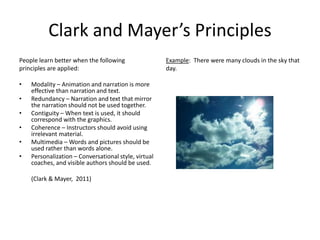
Example: There were many clouds in the sky that
day.
Universal Design
“Guideline 1: Perception
Guideline 2: Language,
Mathematical Expressions, and
Symbols
Guideline 3: Comprehension
Guideline 4: Physical Action
Guideline 5: Expression and
Communication
Guideline 6: Executive Functions
Guideline 7: Recruiting Interest
Guideline 8: Sustaining effort and
persistence
Guideline 9: Self-regulation”
(CAST, 2011)
Example: Students are given the
option to listen to audio recording of
the seminar instead of attending the
video seminar.
Applying technology in Online
Instruction
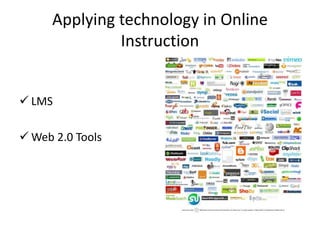
 LMS
 Web 2.0 Tools
LMS
Pros
• Students can access the
LMS anytime.
• Students can review their
performance on an LMS.
• An LMS can be easily
updated.
(Parker, 2014)
Cons
• The interface of an LMS is confusing to
students.
• Institutions have a limited ability to
implement tools in an LMS.
• An LMS is costly for institutions to
license.
• The implementation of an LMS is
complex.
(Black, Beck, Dawson, Jinks, &
DiPietro, 2007; Siemens, 2004).
• The content of an LMS cannot be
shared outside of the institution.
(Siemens, 2004)
Web 2.0 Tools
Pros
• Web 2.0 tools encourage
collaboration among
students.
• Web 2.0 tools provide
motivation to students.
• Web 2.0 tools improve
students’ skills and
knowledge.
(Kovalik, Kuo, Cummins,
Dipzinski, Joseph, & Laskey,
2014)
Cons
• Instructors do not know
how to use Web 2.0 tools.
• Instructors do not have the
time teach students how to
use Web 2.0 tools.
• Institutions are unable to
address technical support
issues that students may
have.
(Kovalik et al., 2014)
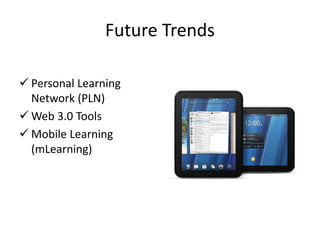
Future Trends
 Personal Learning
Network (PLN)
 Web 3.0 Tools
 Mobile Learning
(mLearning)
PLN
Students learn by drawing upon resources that
they select themselves (Mott, 2010).
Example: Students can stay updated in the field
by following Twitter.
Web 3.0 Tools
Web 3.0 tools takes data and obtains meaning
from it (Morris, 2011).
Example: Web 3.0 tools would be able to let
instructors know when their students are not
doing well so they can reach out to them.
mLearning
Students would be able to learn “on the go”
with their mobile devices (Crow, Santos,
LeBaron, McFadden, & Osborne, 2010).
Example: Students can listen to a missed
seminar on their iPods.
Summary
In sum, instructors possess a responsibility to
help students become digital citizens. In order to
promote learning, instructors should apply
Backward Design, Clark and Mayer’s principles,
and Universal Design for Learning when designing
multimedia instruction. When designing
multimedia instruction, instructors should weigh
the pros and cons of the LMS and Web 2.0 tools
to determine how to use them. In the future, we
will likely see PLN, Web 3.0 tools, and mLearning
become trends in online instruction.
References
Black, E.W., Beck, D., Dawson, K., Jinks, S., & DiPietro, M. (2007). The other side of the
LMS: Considering implementation and use in the adoption of an LMS in online and
blended learning environments. Techtrends: Linking Research & Practice to Improve
Learning, 51(2), 35-39.
CAST (2011). Universal Design for Learning Guidelines version 2.0. Wakefield, MA: Author. Retrieved
from http://www.udlcenter.org/aboutudl/udlguidelines
Clark, R. C., & Mayer, R. E. (2011). E-learning and the science of instruction: Proven guidelines for
consumers and designers of multimedia instruction (3rd ed.). San Francisco, CA: Pfeiffer.
Crow, R., Santos, I.M. LeBaron, J., McFadden, A.T. and Osborne, C.F. (2010). Switching gears:
Moving from e-learning to m-learning. Journal of Online Learning and Teaching, 6(1), 268–
278. Retrieved from http://jolt.merlot.org/vol6no1/crow_0310.htm
References
T Heick. (2013, May 2). The definition of digital citizenship. [Web log comment].
Retrieved from http://www.teachthought.com/technology/the-definition-of-
digital-citzenship/
Instructional Design. (n.d.). Backward design. Retrieved from
http://www.instructionaldesign.org/models/backward_design.html
Kovalik, C., Kuo, C., Cummins, M., Dipzinski, E., Joseph, P., & Laskey, S. (2014).
Implementing web 2.0 tools in the classroom: Four teachers’
accounts. Techtrends: Linking Research & Practice To Improve Learning, 58(5), 90-
94.
Morris, R.D. (2011). Web 3.0: Implications for Online Learning. Techtrends: Linking
Research & Practice To Improve Learning, 55(1), 42-46.
References
Mott, J. (2010). Envisioning the Post-LMS Era: The Open
Learning Network. EDUCAUSE Quarterly, 33(1).
B Parker (2014, December 29). Top 5 benefits of using a
learning management system. [Web log
comment]. Retrieved from
http://elearningbrothers.com/top-5-benefits-of-using-a-
learning-management-system/
Siemens, G. (2004, November 22). Learning management
systems: The wrong place to start learning. Retrieved
from http://www.elearnspace.org/Articles/lms.htm

Unit 6 db m toy

  • 1.
  • 2.
    Learning Objectives The learningobjectives are to: Understand the role of the instructor in their students’ digital citizenship Learn techniques used for designing online instruction Apply technology in online instruction Determine the role of technology in online instruction in the future
  • 3.
    Digital Citizenship Digital citizenshipis defined as “the quality of habits, actions, consumption patterns that impact the ecology of digital content and communities” (Heick, 2013). By promoting learning through multimedia instruction, instructors play an important role in their students’ digital citizenship.
  • 4.
    Designing Online Instruction Backward Design  Clark and Mayer’s Principles  Universal Design for Learning
  • 5.
    Backward Design When designingonline instruction is designed, it is more effective to consider the goals first. Known as Backward Design, the three stages are, as follows: “Stage 1: Identify Desired Results Stage 2: Determine Acceptable Evidence of Learning Stage 3: Design Learning Experiences & Instruction “ (Instructional Design, n.d.) If I want to create an effective learning object for Unit 5, Applying the Personalization Principle to Multimedia Instruction, I had to consider the learning outcomes that I wanted to achieve. The learning outcomes were: (1) Understand the purpose of the personalization principle (2) Identify the different ways that personalization principle can be applied (3) Learn how to apply the personalization principle in multimedia instruction
  • 6.
    Clark and Mayer’sPrinciples People learn better when the following principles are applied: • Modality – Animation and narration is more effective than narration and text. • Redundancy – Narration and text that mirror the narration should not be used together. • Contiguity – When text is used, it should correspond with the graphics. • Coherence – Instructors should avoid using irrelevant material. • Multimedia – Words and pictures should be used rather than words alone. • Personalization – Conversational style, virtual coaches, and visible authors should be used. (Clark & Mayer, 2011) Example: There were many clouds in the sky that day.
  • 7.
    Universal Design “Guideline 1:Perception Guideline 2: Language, Mathematical Expressions, and Symbols Guideline 3: Comprehension Guideline 4: Physical Action Guideline 5: Expression and Communication Guideline 6: Executive Functions Guideline 7: Recruiting Interest Guideline 8: Sustaining effort and persistence Guideline 9: Self-regulation” (CAST, 2011) Example: Students are given the option to listen to audio recording of the seminar instead of attending the video seminar.
  • 8.
    Applying technology inOnline Instruction  LMS  Web 2.0 Tools
  • 9.
    LMS Pros • Students canaccess the LMS anytime. • Students can review their performance on an LMS. • An LMS can be easily updated. (Parker, 2014) Cons • The interface of an LMS is confusing to students. • Institutions have a limited ability to implement tools in an LMS. • An LMS is costly for institutions to license. • The implementation of an LMS is complex. (Black, Beck, Dawson, Jinks, & DiPietro, 2007; Siemens, 2004). • The content of an LMS cannot be shared outside of the institution. (Siemens, 2004)
  • 10.
    Web 2.0 Tools Pros •Web 2.0 tools encourage collaboration among students. • Web 2.0 tools provide motivation to students. • Web 2.0 tools improve students’ skills and knowledge. (Kovalik, Kuo, Cummins, Dipzinski, Joseph, & Laskey, 2014) Cons • Instructors do not know how to use Web 2.0 tools. • Instructors do not have the time teach students how to use Web 2.0 tools. • Institutions are unable to address technical support issues that students may have. (Kovalik et al., 2014)
  • 11.
    Future Trends  PersonalLearning Network (PLN)  Web 3.0 Tools  Mobile Learning (mLearning)
  • 12.
    PLN Students learn bydrawing upon resources that they select themselves (Mott, 2010). Example: Students can stay updated in the field by following Twitter.
  • 13.
    Web 3.0 Tools Web3.0 tools takes data and obtains meaning from it (Morris, 2011). Example: Web 3.0 tools would be able to let instructors know when their students are not doing well so they can reach out to them.
  • 14.
    mLearning Students would beable to learn “on the go” with their mobile devices (Crow, Santos, LeBaron, McFadden, & Osborne, 2010). Example: Students can listen to a missed seminar on their iPods.
  • 15.
    Summary In sum, instructorspossess a responsibility to help students become digital citizens. In order to promote learning, instructors should apply Backward Design, Clark and Mayer’s principles, and Universal Design for Learning when designing multimedia instruction. When designing multimedia instruction, instructors should weigh the pros and cons of the LMS and Web 2.0 tools to determine how to use them. In the future, we will likely see PLN, Web 3.0 tools, and mLearning become trends in online instruction.
  • 16.
    References Black, E.W., Beck,D., Dawson, K., Jinks, S., & DiPietro, M. (2007). The other side of the LMS: Considering implementation and use in the adoption of an LMS in online and blended learning environments. Techtrends: Linking Research & Practice to Improve Learning, 51(2), 35-39. CAST (2011). Universal Design for Learning Guidelines version 2.0. Wakefield, MA: Author. Retrieved from http://www.udlcenter.org/aboutudl/udlguidelines Clark, R. C., & Mayer, R. E. (2011). E-learning and the science of instruction: Proven guidelines for consumers and designers of multimedia instruction (3rd ed.). San Francisco, CA: Pfeiffer. Crow, R., Santos, I.M. LeBaron, J., McFadden, A.T. and Osborne, C.F. (2010). Switching gears: Moving from e-learning to m-learning. Journal of Online Learning and Teaching, 6(1), 268– 278. Retrieved from http://jolt.merlot.org/vol6no1/crow_0310.htm
  • 17.
    References T Heick. (2013,May 2). The definition of digital citizenship. [Web log comment]. Retrieved from http://www.teachthought.com/technology/the-definition-of- digital-citzenship/ Instructional Design. (n.d.). Backward design. Retrieved from http://www.instructionaldesign.org/models/backward_design.html Kovalik, C., Kuo, C., Cummins, M., Dipzinski, E., Joseph, P., & Laskey, S. (2014). Implementing web 2.0 tools in the classroom: Four teachers’ accounts. Techtrends: Linking Research & Practice To Improve Learning, 58(5), 90- 94. Morris, R.D. (2011). Web 3.0: Implications for Online Learning. Techtrends: Linking Research & Practice To Improve Learning, 55(1), 42-46.
  • 18.
    References Mott, J. (2010).Envisioning the Post-LMS Era: The Open Learning Network. EDUCAUSE Quarterly, 33(1). B Parker (2014, December 29). Top 5 benefits of using a learning management system. [Web log comment]. Retrieved from http://elearningbrothers.com/top-5-benefits-of-using-a- learning-management-system/ Siemens, G. (2004, November 22). Learning management systems: The wrong place to start learning. Retrieved from http://www.elearnspace.org/Articles/lms.htm