Make Your Data Work For You
Unboxing HCL Notes/Domino v12 10th June 2021
Daniel Klas
@panagenda
Inbound Marketing Coordinator
panagenda
Christoph Adler
@cadler80
Senior Consultant
panagenda
Join the conversation using #NotesDominoV12 #dominoforever & @panagenda
Speakers
Marc Thomas
@IAM_MThomas
Senior Consultant
panagenda
Agenda
1. Introduction
2. Unboxing / New Features
• HCL Domino V12
• HCL Notes V12
• HCL Nomad Web 1.0
3. Discussion → Q & A
Make Your Data Work For You
1. Introduction
Today - we could talk about …
• HCL Domino 12.0
• HCL Nomad 1.0.13
• HCL Nomad Web 1.0
• HCL Notes 12.0
• HCL SafeLinx 1.2
• HCL Sametime 11.6
• HCL Traveler 12.0
• HCL Verse 2.1.0
• …
Today - we will talk about …
HCL Domino HCL Nomad Web
HCL Notes
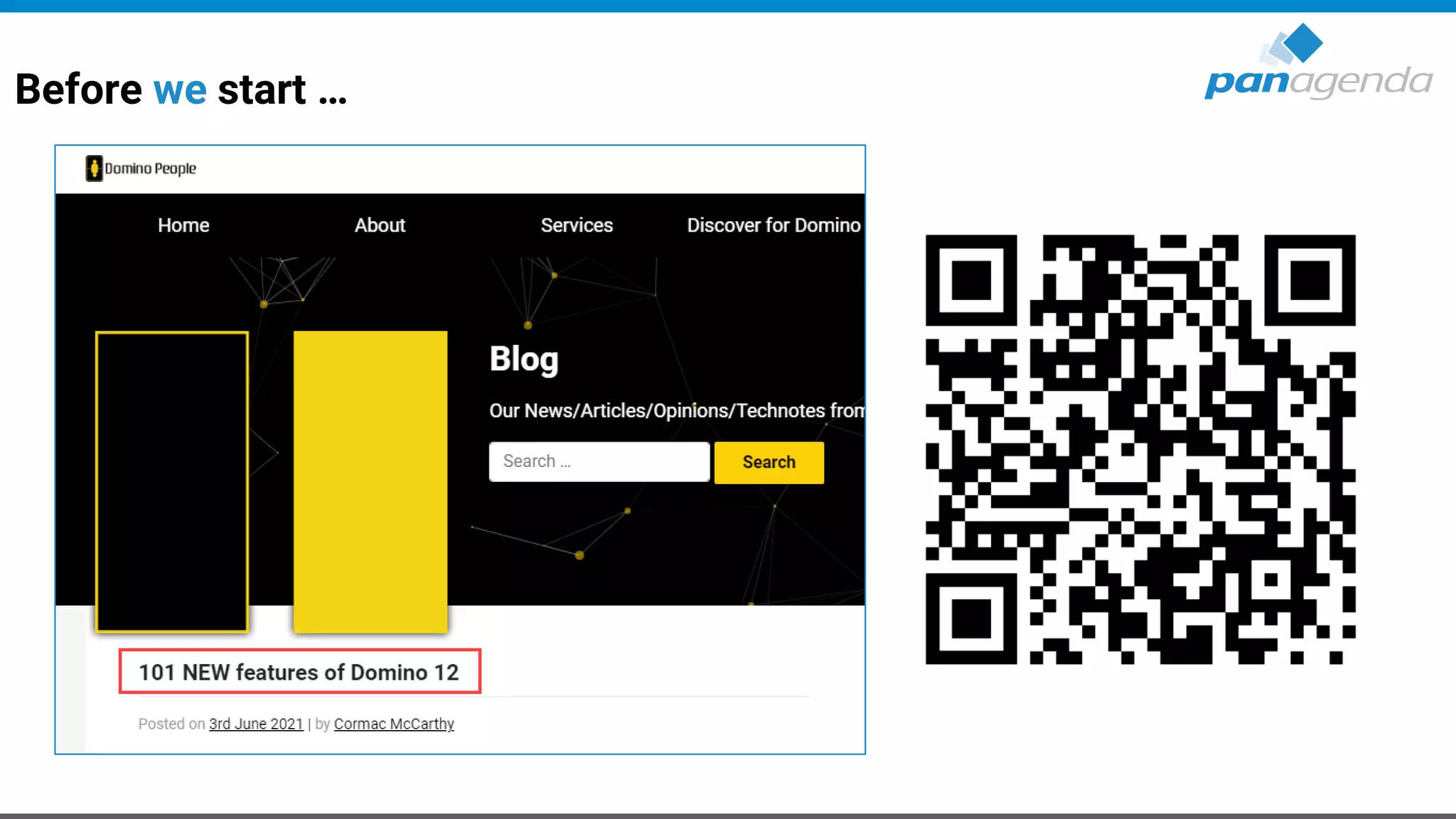
Before we start …
Make Your Data Work For You
2. Unboxing / New Features
HCL Domino
HCL Domino 12.0 – Highlight Features
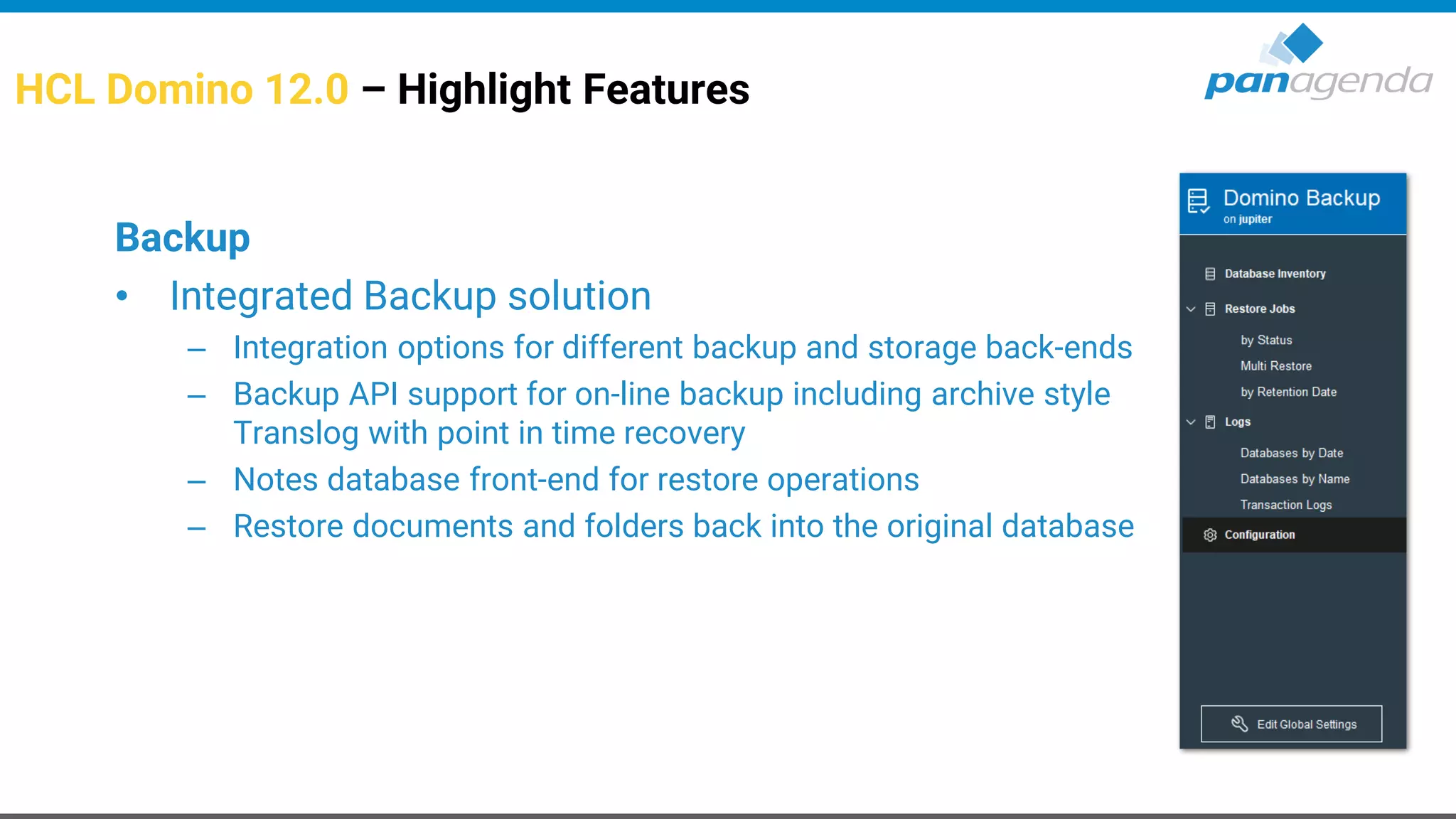
Backup
• Integrated Backup solution
– Integration options for different backup and storage back-ends
– Backup API support for on-line backup including archive style
Translog with point in time recovery
– Notes database front-end for restore operations
– Restore documents and folders back into the original database
HCL Domino 12.0 – Highlight Features (cont.)
Sweets/Goodies for Admins
• Active Directory Windows Password sync
• One-Touch Domino Setup
– Cross platform automated Domino server setup
– Including creating databases from templates, documents, run agents, modify ACL
• Replicator improvements
– Indirect files are supported for the replicate command
– Database quota settings replicate (enabled by default → disable via notes.ini)
• Custom criteria to populate groups in NAB
– Populate groups based on LDAP query
HCL Domino 12.0 – Highlight Features (cont.)
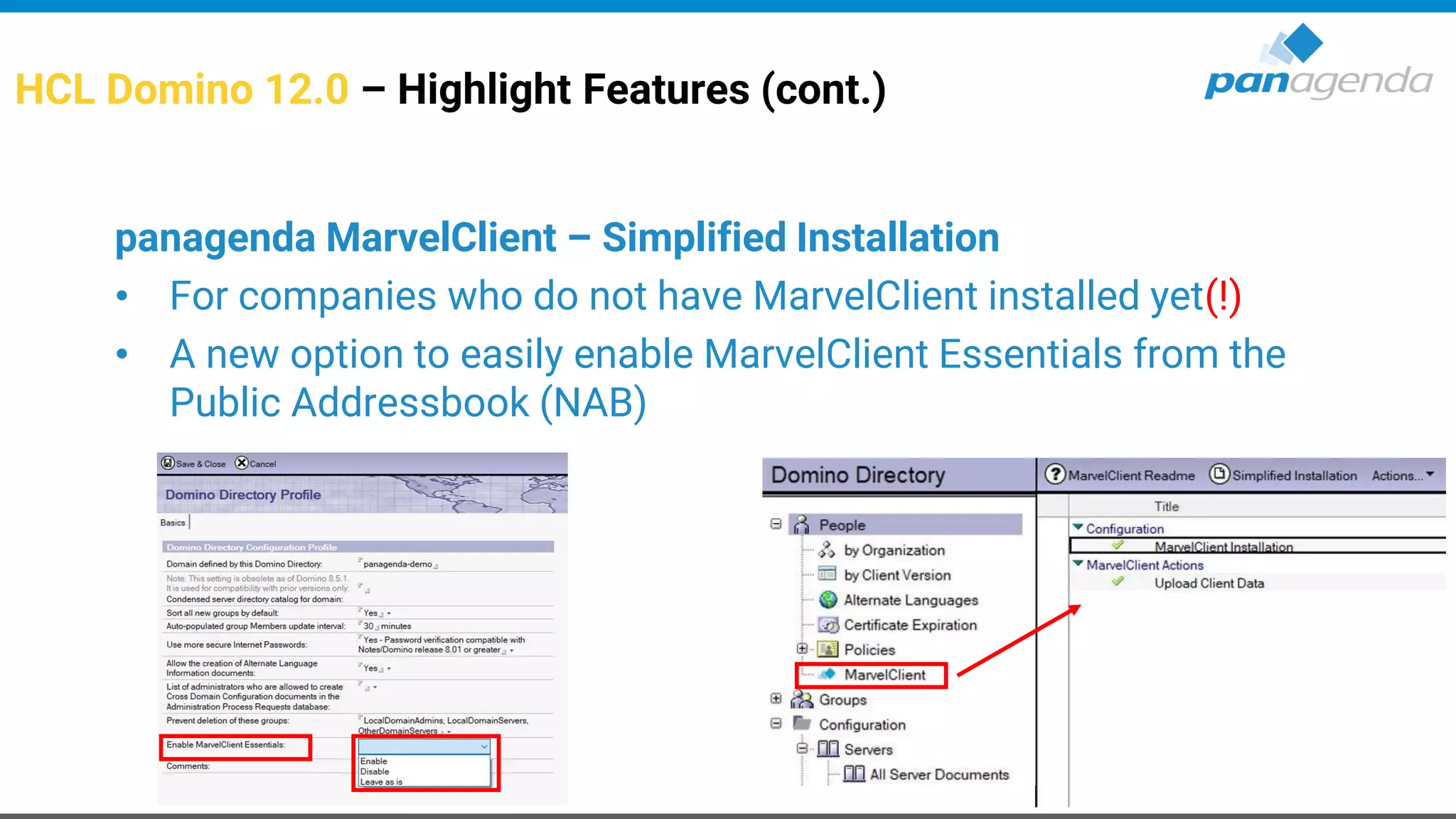
panagenda MarvelClient – Simplified Installation
• For companies who do not have MarvelClient installed yet(!)
• A new option to​ easily enable MarvelClient Essentials​ from the
Public Addressbook (NAB)
HCL Domino 12.0 – Highlight Features (cont.)
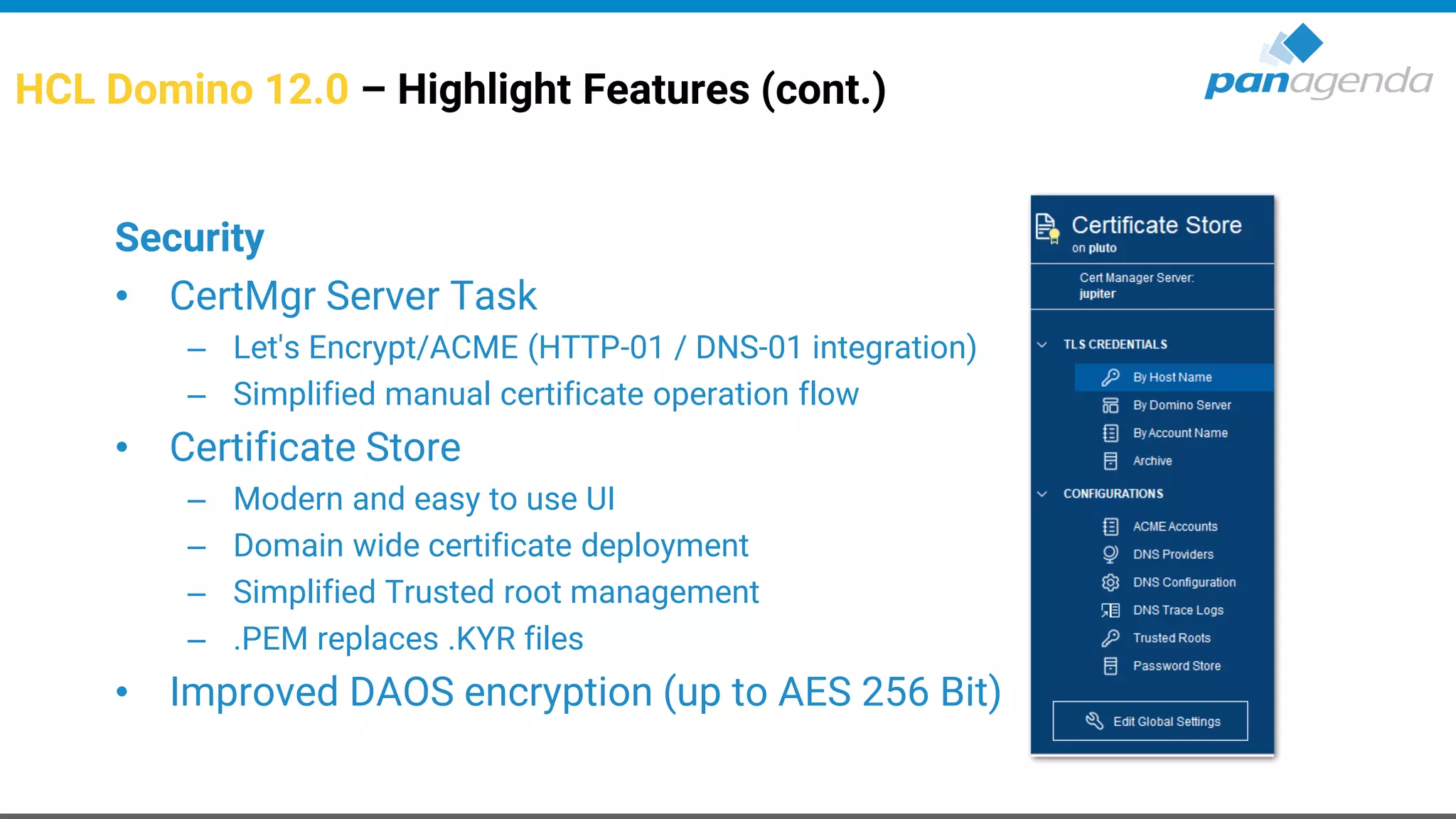
Security
• CertMgr Server Task
– Let's Encrypt/ACME (HTTP-01 / DNS-01 integration)
– Simplified manual certificate operation flow
• Certificate Store
– Modern and easy to use UI
– Domain wide certificate deployment
– Simplified Trusted root management
– .PEM replaces .KYR files
• Improved DAOS encryption (up to AES 256 Bit)
HCL Domino 12.0 – Highlight Features (cont.)
Security (2)
• TLS Cache
– No more restart needed for new or updated TLS Credentials
– Enhanced lookup for ECDSA/RSA wild card certs ...
• Support for ECDSA key (Elliptic Curve)
– Support for ECDSA ciphers
– Parallel ECDSA and RSA keys and SNI optimized flow
– Two new curves supported for TLS 1.2 ciphers that use ECDHE for forward
secrecy
• NRPC port encryption supports forward secrecy using X25519
HCL Domino 12.0 – Highlight Features (cont.)
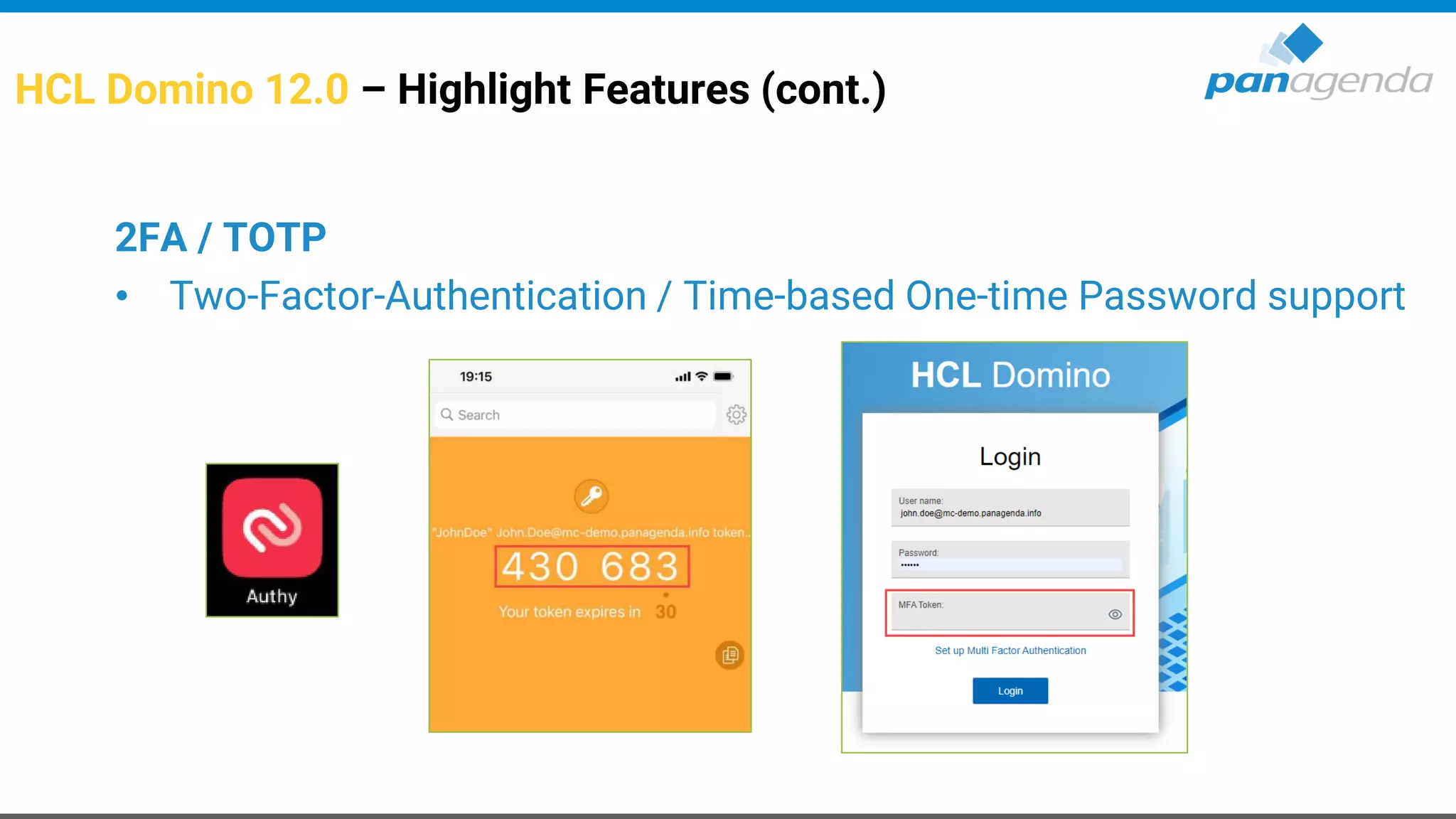
2FA / TOTP
• Two-Factor-Authentication / Time-based One-time Password support
Make Your Data Work For You
Live
2FA / TOTP
Make Your Data Work For You
2. Unboxing / New Features
HCL Notes
HCL Notes 12.0 – Highlight Features
General
• New Improved Search
• Improved rendering of Microsoft Teams invitations
• New branding images and icons
• Improved text and image rendering for higher resolution
HCL Notes 12.0 – Highlight Features
Installation
• Additional Language Dictionaries are a part of the Notes kits for
Windows - no need to install them separately
– The Notes Basic English client installs language dictionaries by default
• Cascaded installer combines MUI (incremental language) kits with
the English installer
• Reduced footprint of install kits
HCL Notes 12.0 – Highlight Features
Mail
• Enable shared mail files to send mail using an
internet address by default
• Select an alternate From address in a shared mail file
• Send mail from your user name, short name, or Internet address
• Additional Import abilities
• SwiftFile improvements
• Ability to override default signatures
• Improved HTML rendering
HCL Notes 12.0 – Highlight Features
Workspace
• Cleaned up the fonts on database icons (modern)
• Reduced excessive spacing
• Changed the font color of workspace database icon using notes.ini
(WorkspaceTextColor) and end user ability
• Added mechanisms to partially / completely collapse navigator
• Added indications to identify multiple replicas
• Keyboard Navigation
HCL Notes 12.0 – Highlight Features
Workspace – what’s next (post 12.0)
• Modern hover on workspace icons
(complete database name/server name/more info about application)
• Rearranging pages (Workspace tabs)
• Grouping
• Search bar for workspace (find next)
HCL Notes 64 Bit for Windows – Available now!
• Early Access (since March 2021)
on HCL FlexNet
• Basic only (for now)
• There will be multiple drops
64 Bit
What’s so special about MarvelClient Upgrade?
• Easy upgrade configuration within a single document
• Fastest and most reliable
• Any to any upgrades in a single step
– Single to Multiuser
– From and to all releases from 6.x to V12
• Migration of all data directories
– Think Lotus and IBM → HCL
• For Windows, Citrix and VMWare (VDI)
– Including client startup and stability optimization
• With or without corporate software deployment
Upgrading to Notes V12 the fast and easy way
Make Your Data Work For You
Demo
Upgrade from 9.0.1 to 12.0
Make Your Data Work For You
2. Unboxing / New Features
HCL Nomad Web
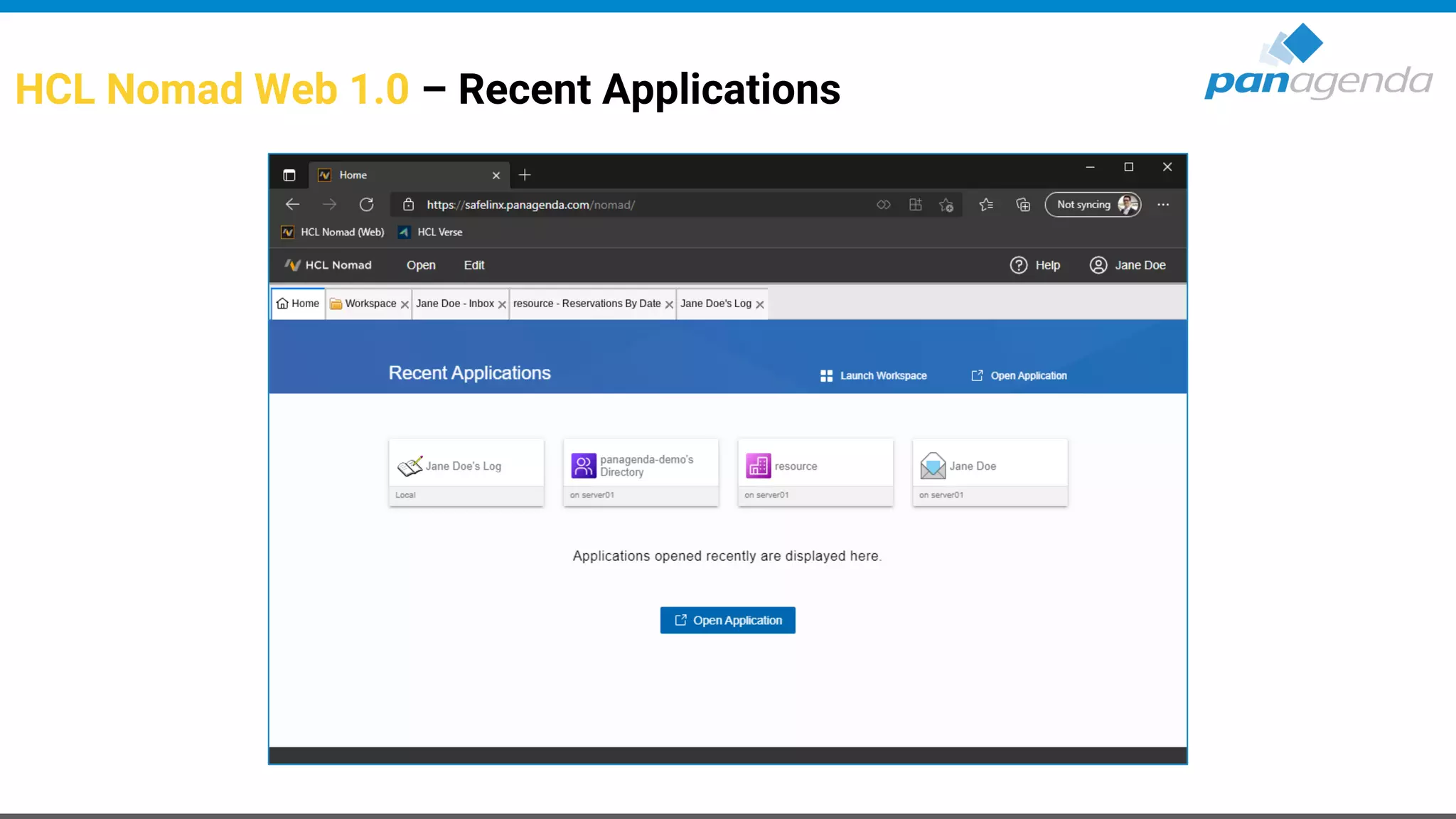
HCL Nomad Web 1.0 – Recent Applications
HCL Nomad Web 1.0 – Workspace
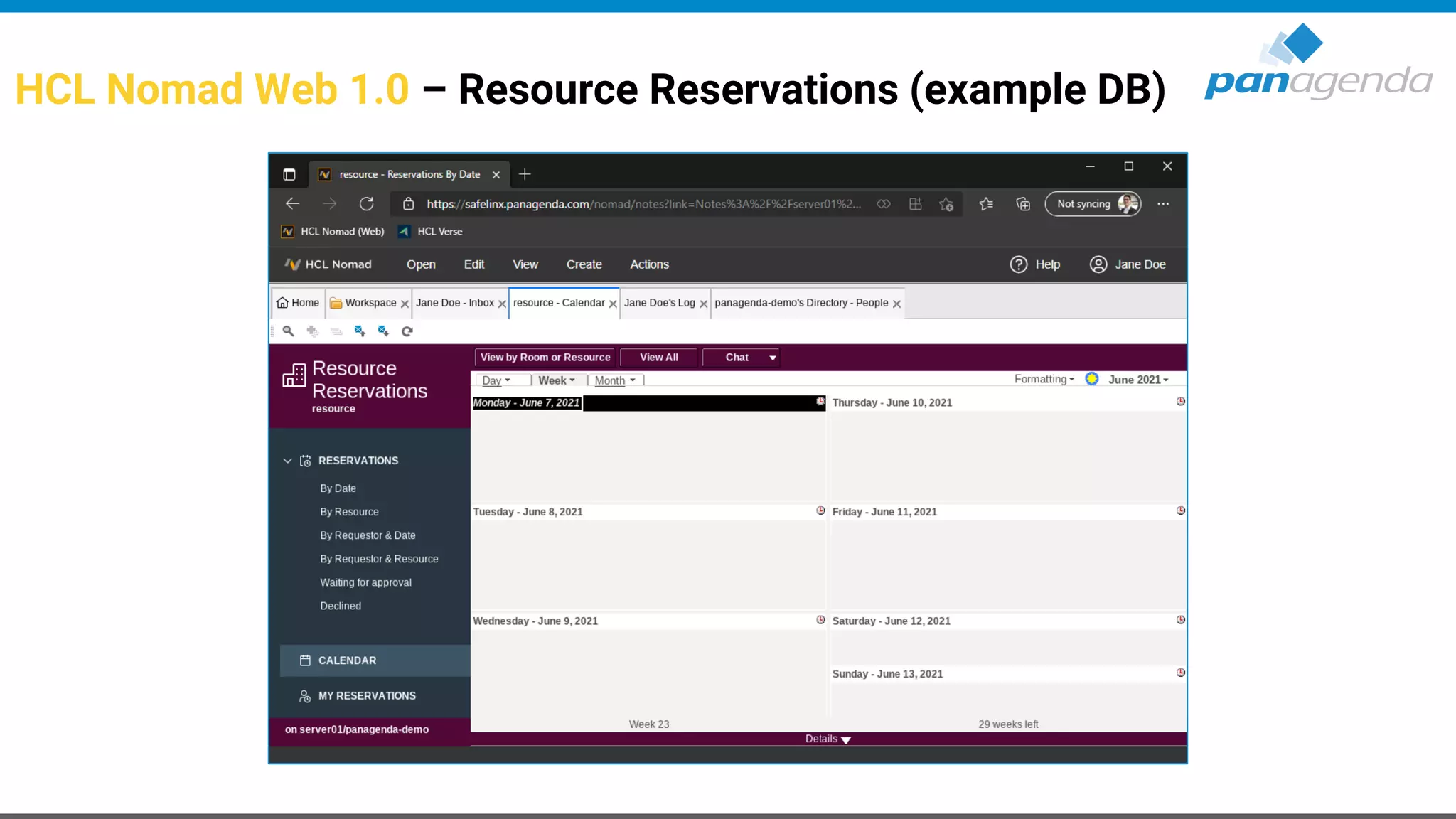
HCL Nomad Web 1.0 – Resource Reservations (example DB)
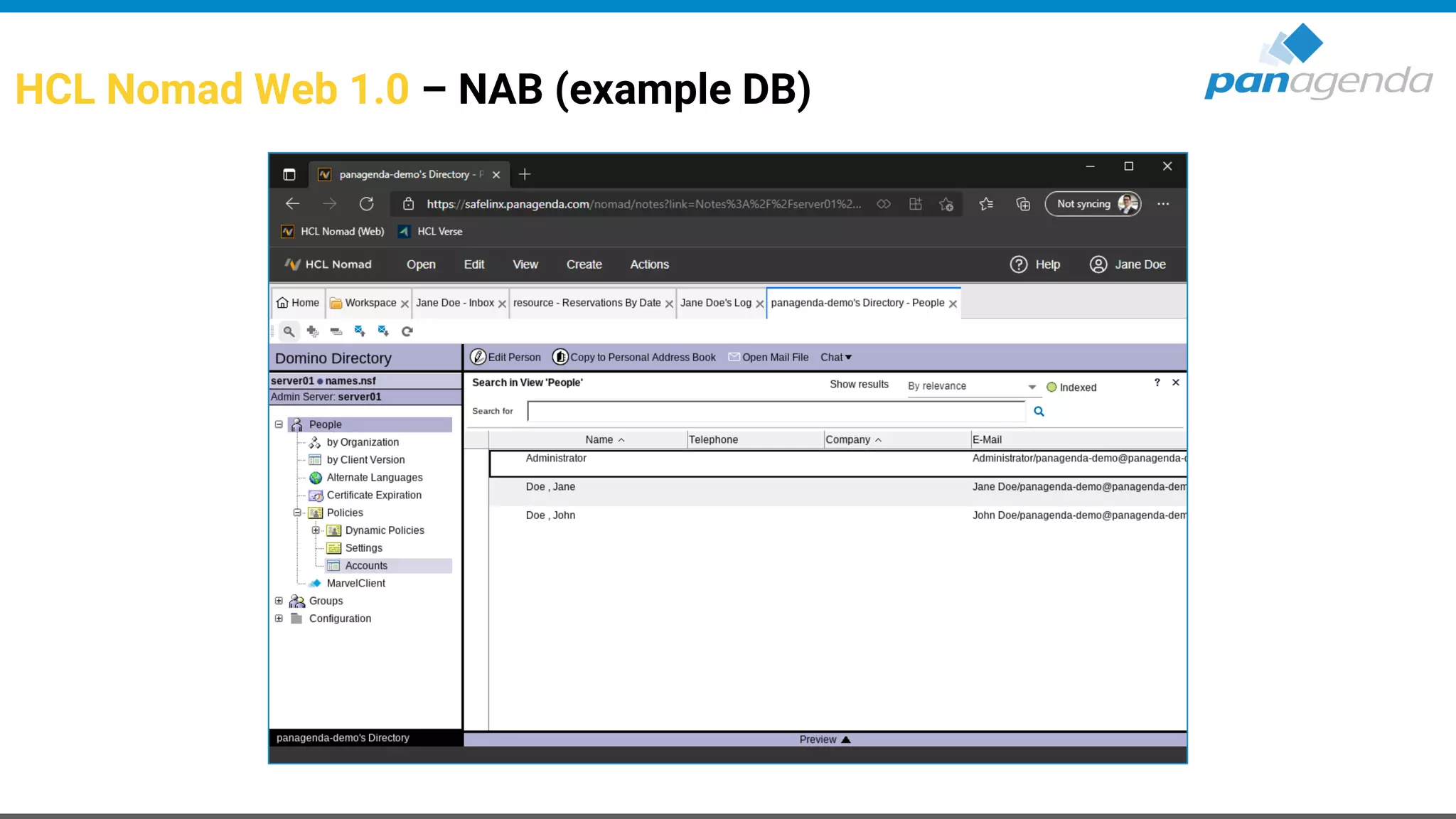
HCL Nomad Web 1.0 – NAB (example DB)
Make Your Data Work For You
Live
HCL Nomad Web 1.0
Daniel Klas
@panagenda
Inbound Marketing Coordinator
panagenda
Christoph Adler
@cadler80
Senior Consultant
panagenda
Join the conversation using #NotesDominoV12 #dominoforever & @panagenda
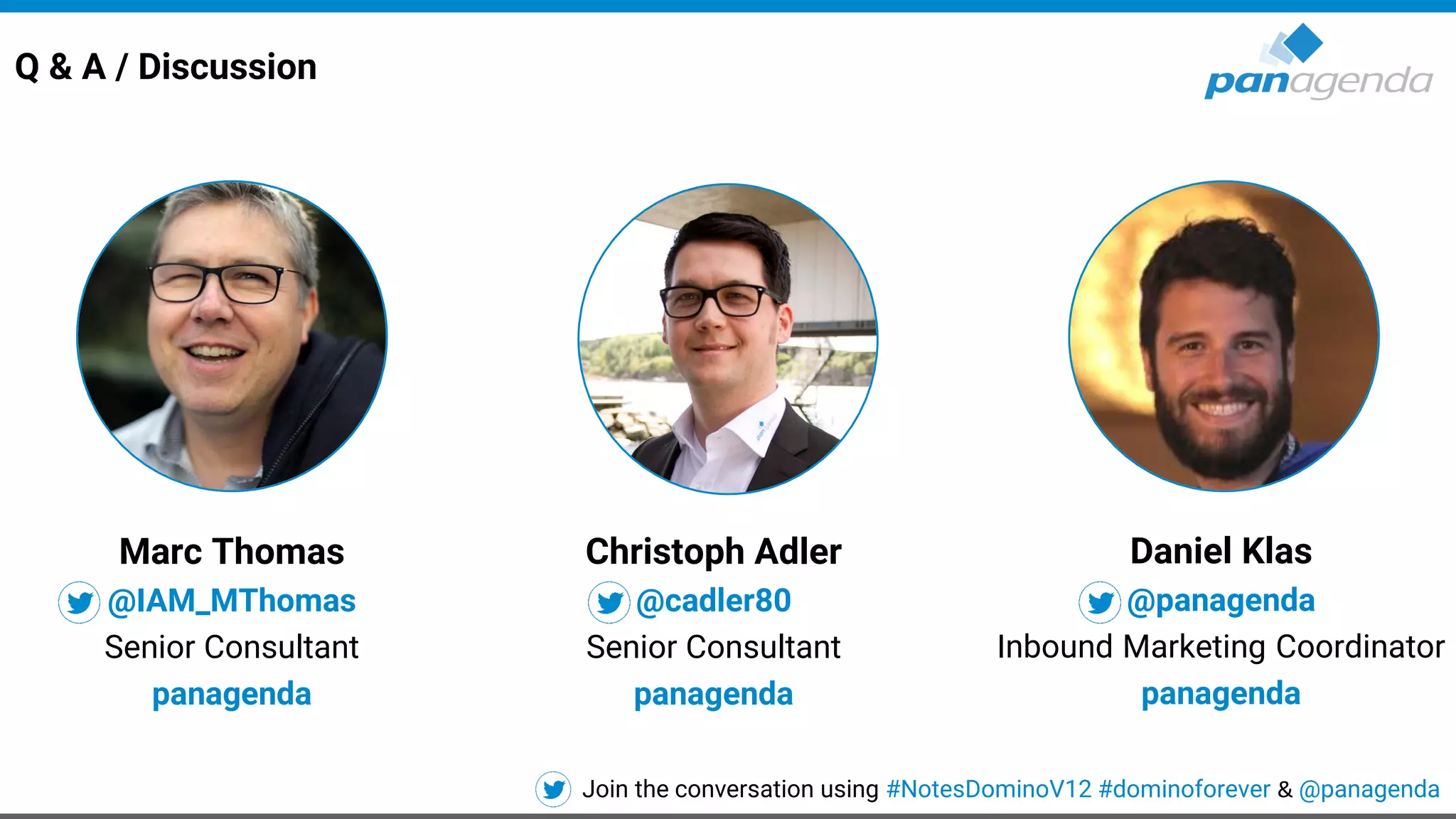
Q & A / Discussion
Marc Thomas
@IAM_MThomas
Senior Consultant
panagenda
Make Your Data Work For You
Live
HCL Nomad Web 1.0

Unboxing HCL Notes/Domino v12!

  • 1.
    Make Your DataWork For You Unboxing HCL Notes/Domino v12 10th June 2021
  • 2.
    Daniel Klas @panagenda Inbound MarketingCoordinator panagenda Christoph Adler @cadler80 Senior Consultant panagenda Join the conversation using #NotesDominoV12 #dominoforever & @panagenda Speakers Marc Thomas @IAM_MThomas Senior Consultant panagenda
  • 3.
    Agenda 1. Introduction 2. Unboxing/ New Features • HCL Domino V12 • HCL Notes V12 • HCL Nomad Web 1.0 3. Discussion → Q & A
  • 4.
    Make Your DataWork For You 1. Introduction
  • 5.
    Today - wecould talk about … • HCL Domino 12.0 • HCL Nomad 1.0.13 • HCL Nomad Web 1.0 • HCL Notes 12.0 • HCL SafeLinx 1.2 • HCL Sametime 11.6 • HCL Traveler 12.0 • HCL Verse 2.1.0 • …
  • 6.
    Today - wewill talk about … HCL Domino HCL Nomad Web HCL Notes
  • 7.
  • 8.
    Make Your DataWork For You 2. Unboxing / New Features HCL Domino
  • 9.
    HCL Domino 12.0– Highlight Features Backup • Integrated Backup solution – Integration options for different backup and storage back-ends – Backup API support for on-line backup including archive style Translog with point in time recovery – Notes database front-end for restore operations – Restore documents and folders back into the original database
  • 10.
    HCL Domino 12.0– Highlight Features (cont.) Sweets/Goodies for Admins • Active Directory Windows Password sync • One-Touch Domino Setup – Cross platform automated Domino server setup – Including creating databases from templates, documents, run agents, modify ACL • Replicator improvements – Indirect files are supported for the replicate command – Database quota settings replicate (enabled by default → disable via notes.ini) • Custom criteria to populate groups in NAB – Populate groups based on LDAP query
  • 11.
    HCL Domino 12.0– Highlight Features (cont.) panagenda MarvelClient – Simplified Installation • For companies who do not have MarvelClient installed yet(!) • A new option to​ easily enable MarvelClient Essentials​ from the Public Addressbook (NAB)
  • 12.
    HCL Domino 12.0– Highlight Features (cont.) Security • CertMgr Server Task – Let's Encrypt/ACME (HTTP-01 / DNS-01 integration) – Simplified manual certificate operation flow • Certificate Store – Modern and easy to use UI – Domain wide certificate deployment – Simplified Trusted root management – .PEM replaces .KYR files • Improved DAOS encryption (up to AES 256 Bit)
  • 13.
    HCL Domino 12.0– Highlight Features (cont.) Security (2) • TLS Cache – No more restart needed for new or updated TLS Credentials – Enhanced lookup for ECDSA/RSA wild card certs ... • Support for ECDSA key (Elliptic Curve) – Support for ECDSA ciphers – Parallel ECDSA and RSA keys and SNI optimized flow – Two new curves supported for TLS 1.2 ciphers that use ECDHE for forward secrecy • NRPC port encryption supports forward secrecy using X25519
  • 14.
    HCL Domino 12.0– Highlight Features (cont.) 2FA / TOTP • Two-Factor-Authentication / Time-based One-time Password support
  • 15.
    Make Your DataWork For You Live 2FA / TOTP
  • 16.
    Make Your DataWork For You 2. Unboxing / New Features HCL Notes
  • 17.
    HCL Notes 12.0– Highlight Features General • New Improved Search • Improved rendering of Microsoft Teams invitations • New branding images and icons • Improved text and image rendering for higher resolution
  • 18.
    HCL Notes 12.0– Highlight Features Installation • Additional Language Dictionaries are a part of the Notes kits for Windows - no need to install them separately – The Notes Basic English client installs language dictionaries by default • Cascaded installer combines MUI (incremental language) kits with the English installer • Reduced footprint of install kits
  • 19.
    HCL Notes 12.0– Highlight Features Mail • Enable shared mail files to send mail using an internet address by default • Select an alternate From address in a shared mail file • Send mail from your user name, short name, or Internet address • Additional Import abilities • SwiftFile improvements • Ability to override default signatures • Improved HTML rendering
  • 20.
    HCL Notes 12.0– Highlight Features Workspace • Cleaned up the fonts on database icons (modern) • Reduced excessive spacing • Changed the font color of workspace database icon using notes.ini (WorkspaceTextColor) and end user ability • Added mechanisms to partially / completely collapse navigator • Added indications to identify multiple replicas • Keyboard Navigation
  • 21.
    HCL Notes 12.0– Highlight Features
  • 22.
    HCL Notes 12.0– Highlight Features Workspace – what’s next (post 12.0) • Modern hover on workspace icons (complete database name/server name/more info about application) • Rearranging pages (Workspace tabs) • Grouping • Search bar for workspace (find next)
  • 23.
    HCL Notes 64Bit for Windows – Available now! • Early Access (since March 2021) on HCL FlexNet • Basic only (for now) • There will be multiple drops 64 Bit
  • 24.
    What’s so specialabout MarvelClient Upgrade? • Easy upgrade configuration within a single document • Fastest and most reliable • Any to any upgrades in a single step – Single to Multiuser – From and to all releases from 6.x to V12 • Migration of all data directories – Think Lotus and IBM → HCL • For Windows, Citrix and VMWare (VDI) – Including client startup and stability optimization • With or without corporate software deployment Upgrading to Notes V12 the fast and easy way
  • 25.
    Make Your DataWork For You Demo Upgrade from 9.0.1 to 12.0
  • 27.
    Make Your DataWork For You 2. Unboxing / New Features HCL Nomad Web
  • 28.
    HCL Nomad Web1.0 – Recent Applications
  • 29.
    HCL Nomad Web1.0 – Workspace
  • 30.
    HCL Nomad Web1.0 – Resource Reservations (example DB)
  • 31.
    HCL Nomad Web1.0 – NAB (example DB)
  • 32.
    Make Your DataWork For You Live HCL Nomad Web 1.0
  • 33.
    Daniel Klas @panagenda Inbound MarketingCoordinator panagenda Christoph Adler @cadler80 Senior Consultant panagenda Join the conversation using #NotesDominoV12 #dominoforever & @panagenda Q & A / Discussion Marc Thomas @IAM_MThomas Senior Consultant panagenda
  • 34.
    Make Your DataWork For You Live HCL Nomad Web 1.0