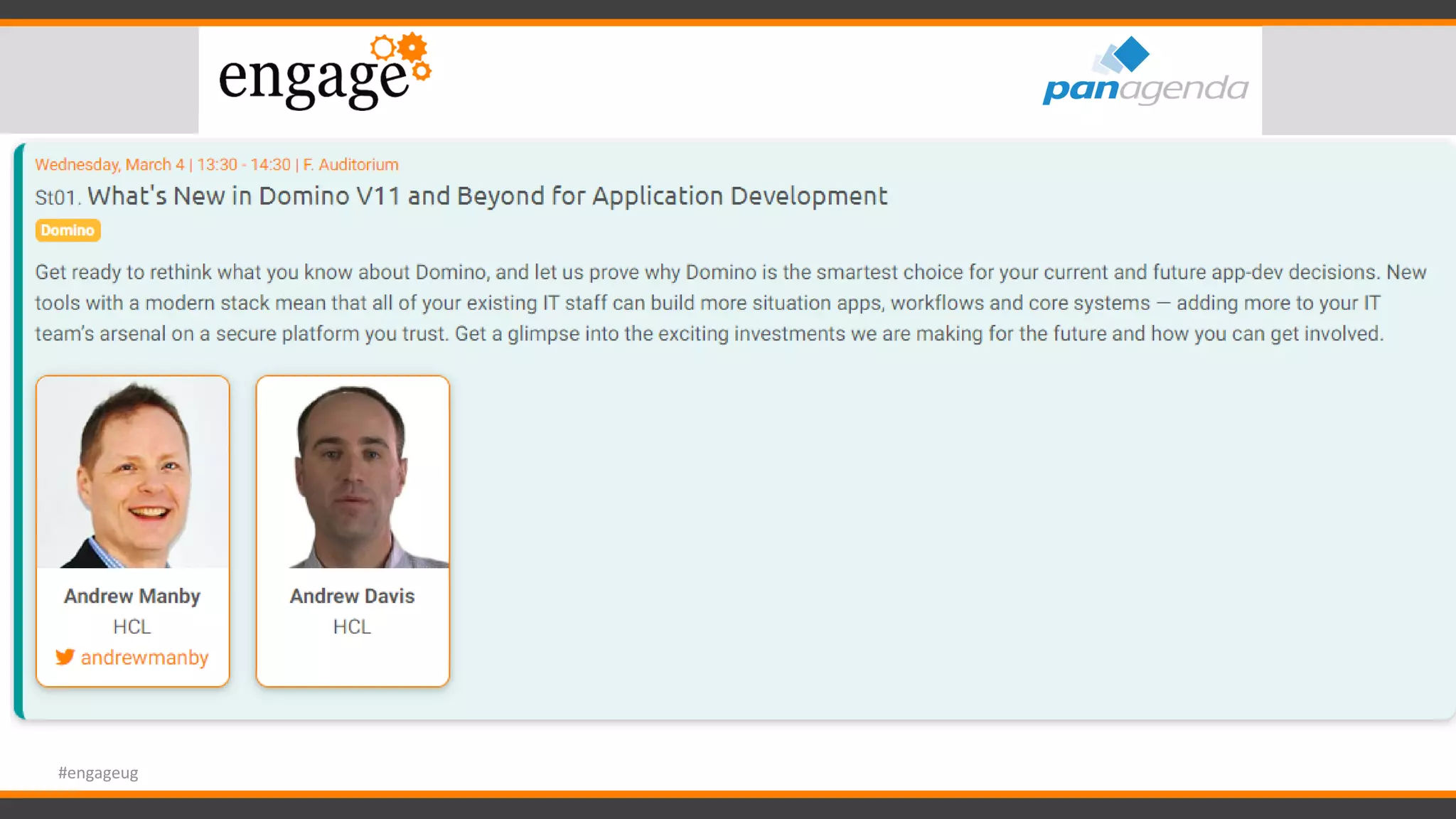
All things Notes 11!
Florian Vogler & Christoph Adler
#engageug
Timetable
13:30 – Start
14:30 – Break ~10min
15:45 – Break ~10min
17:00 - End
#engageug
Timetable
13:30 – Start
14:30 – Break ~10min
15:45 – Break ~10min
17:00 - End
#engageug
https://www.slideshare.net/panagenda
#engageug
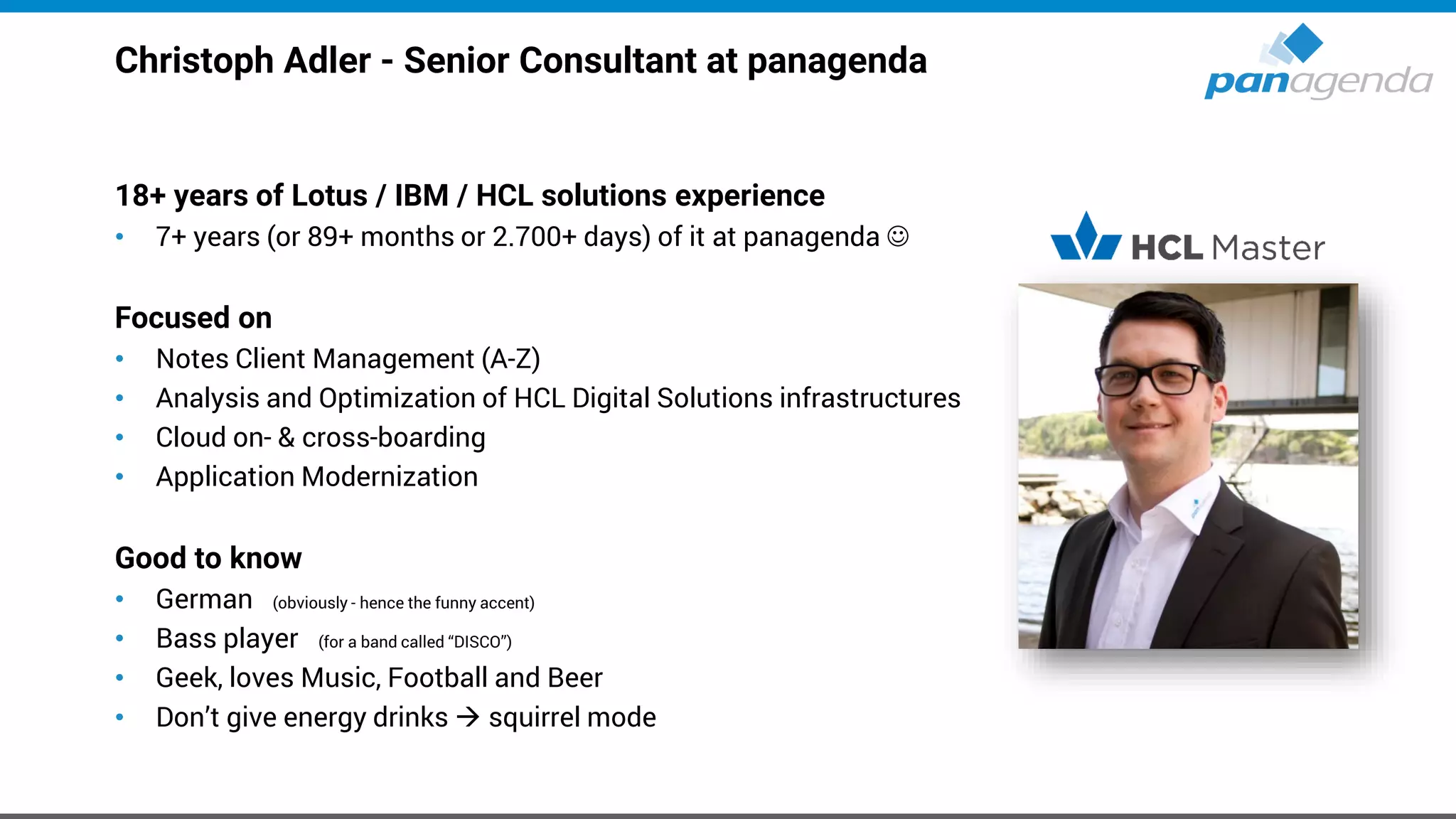
Christoph Adler - Senior Consultant at panagenda
18+ years of Lotus / IBM / HCL solutions experience
• 7+ years (or 89+ months or 2.700+ days) of it at panagenda ☺
Focused on
• Notes Client Management (A-Z)
• Analysis and Optimization of HCL Digital Solutions infrastructures
• Cloud on- & cross-boarding
• Application Modernization
Good to know
• German (obviously - hence the funny accent)
• Bass player (for a band called “DISCO”)
• Geek, loves Music, Football and Beer
• Don’t give energy drinks → squirrel mode
Florian Vogler – CEO of panagenda Group
28 years of Lotus / IBM / HCL solutions experience
Focused on
• Analytics and Optimization of
Collaboration and Communication Infrastructure
• Notes Client Analysis and Management,
Upgrades, Performance
• Domino Application Modernization & Migration
Good to know
• Human
• Believes in 1+1=3
• Husband and father of three
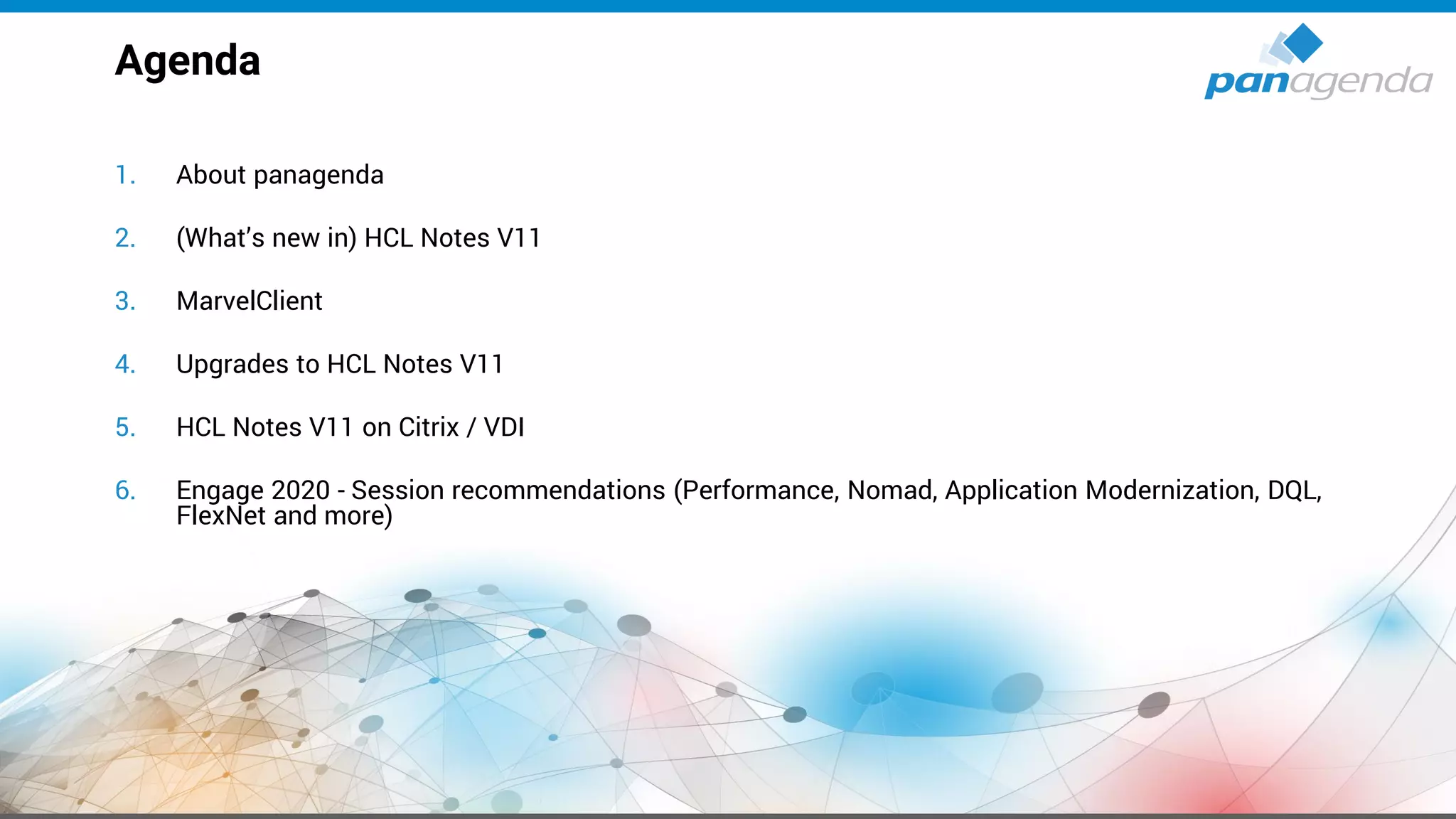
1. About panagenda
2. (What’s new in) HCL Notes V11
3. MarvelClient
4. Upgrades to HCL Notes V11
5. HCL Notes V11 on Citrix / VDI
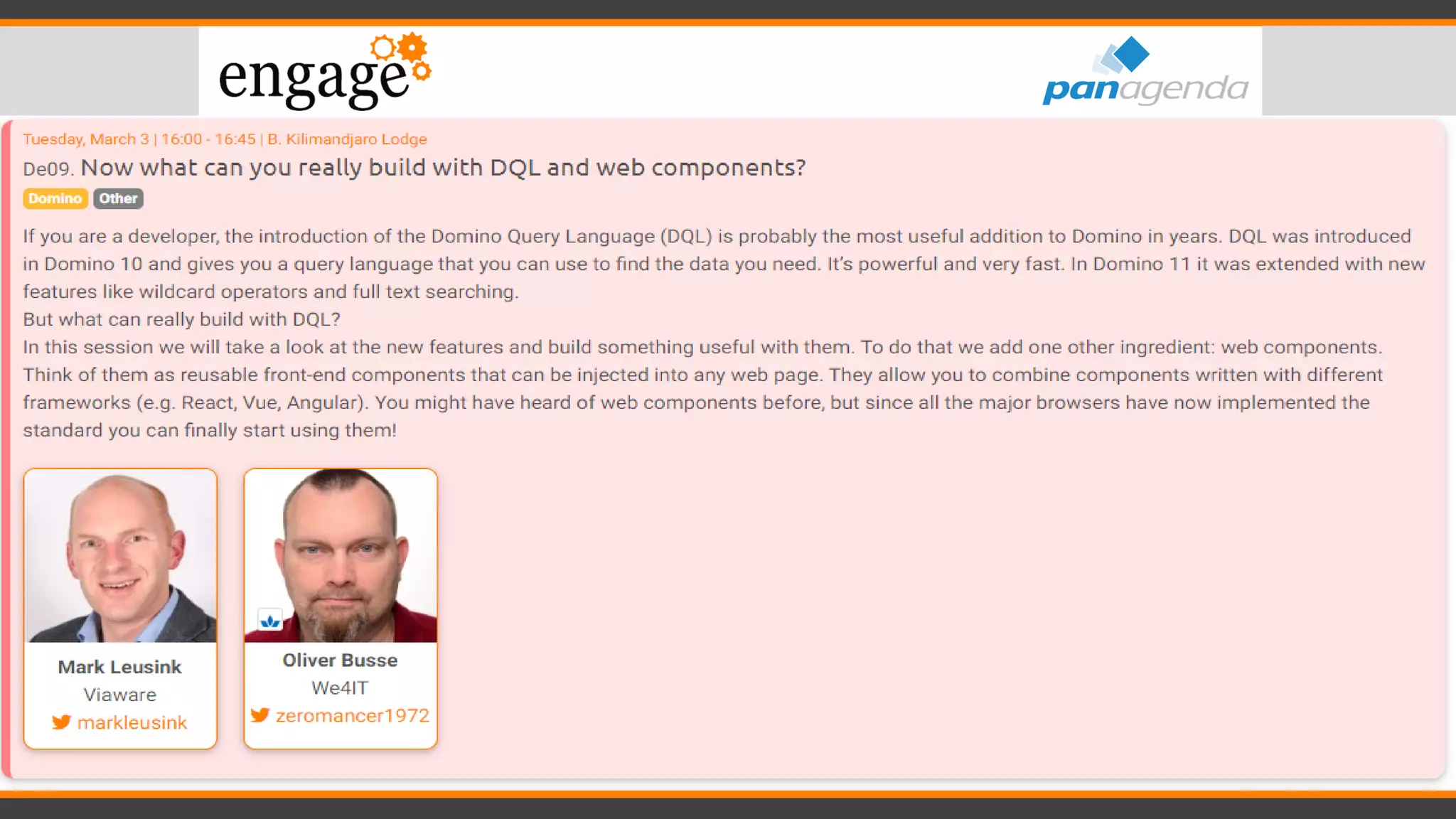
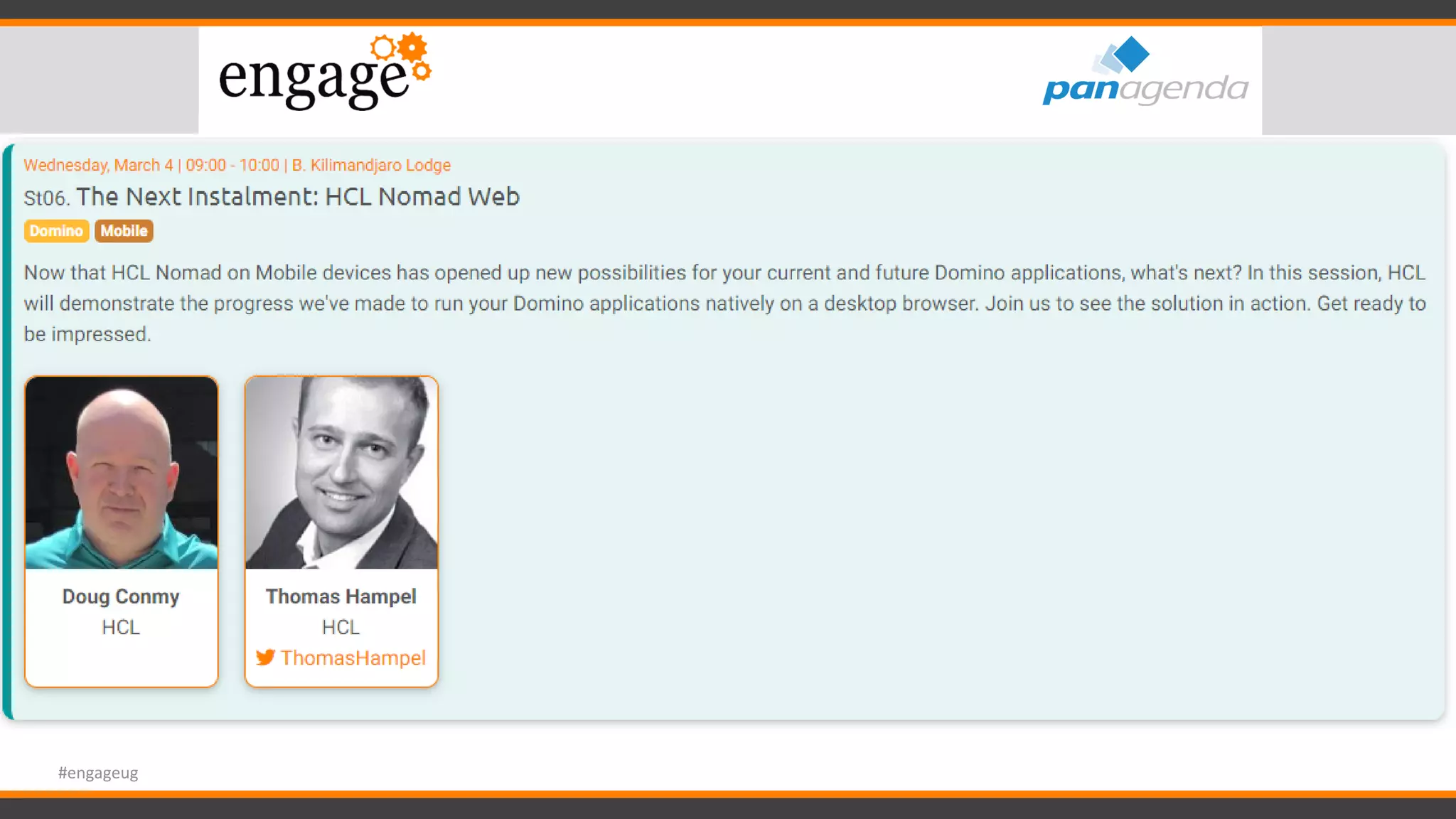
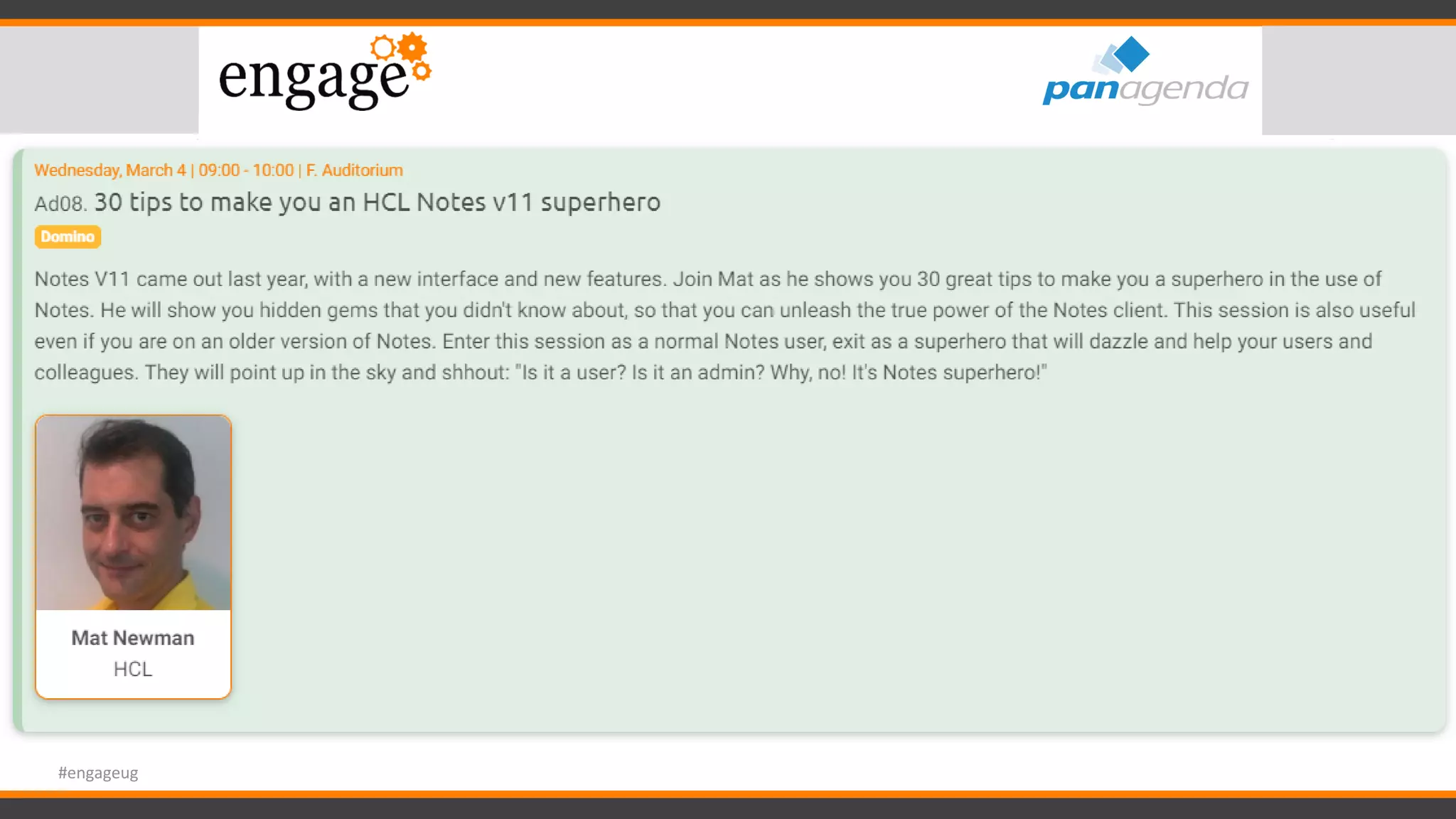
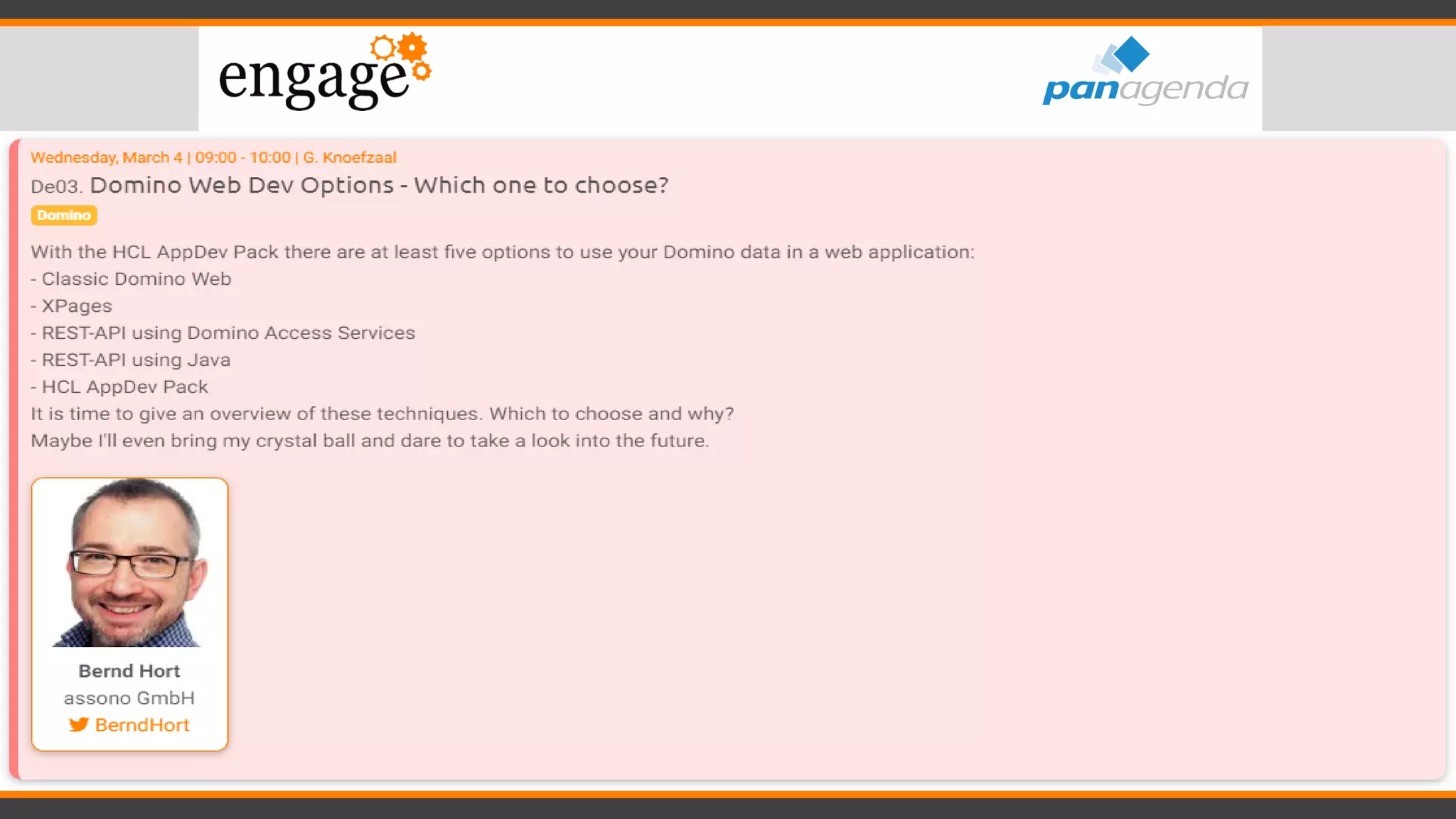
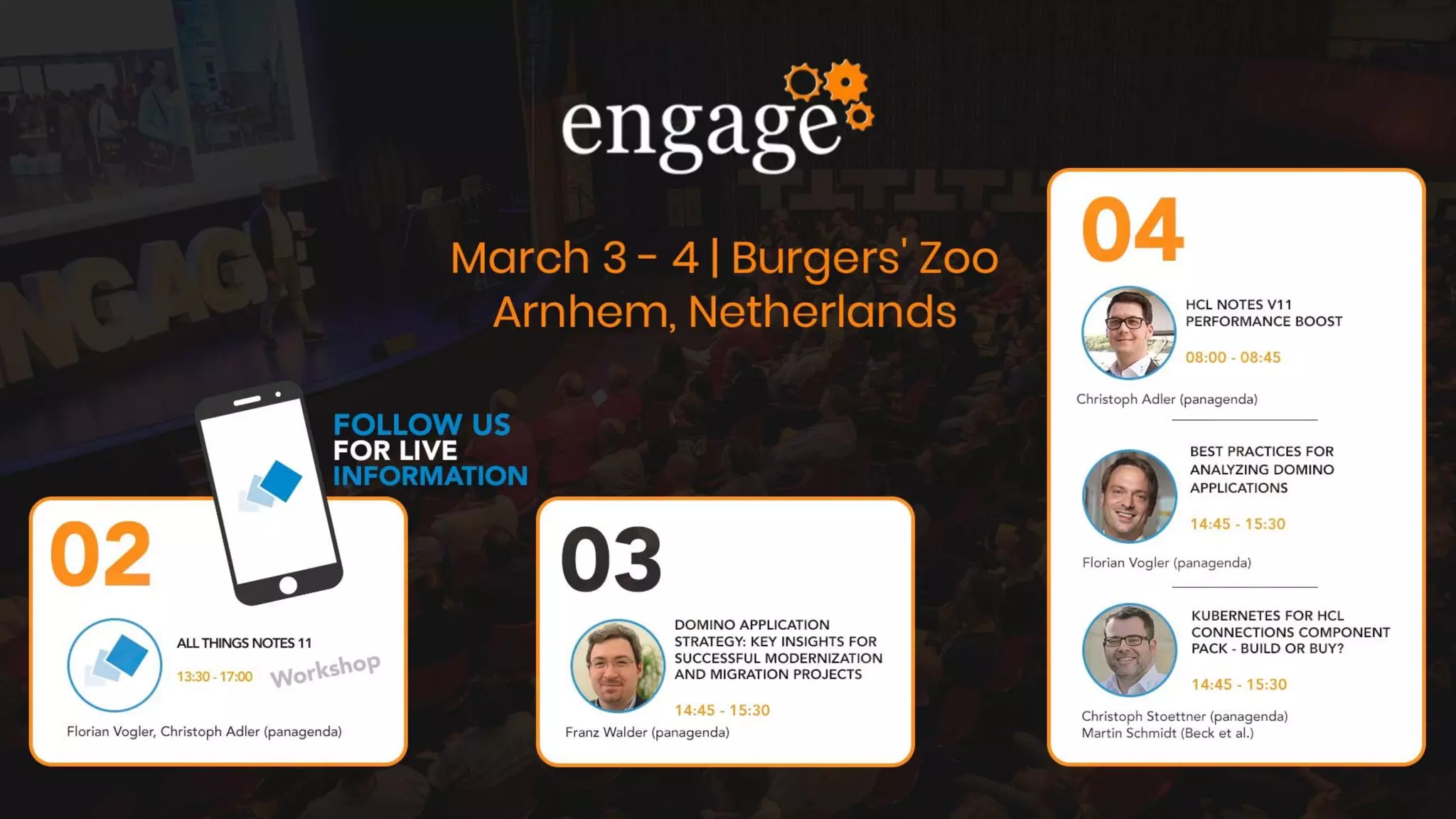
6. Engage 2020 - Session recommendations (Performance, Nomad, Application Modernization, DQL,
FlexNet and more)
Agenda
Important – before we start
• When we say HCL Notes or HCL Notes Domino,
that includes IBM Notes, as well as Lotus Notes depending on context
• Please contribute “on the go”!
– Ask questions
– Raise concerns
– Discuss
– Enjoy!
About panagenda
• Austria, Germany, The Netherlands, USA
• 5 HCL Masters + 1 HCL Grandmaster
• Customers in over 70 countries
with 11+ Million licenses
• Analytics and Optimization Solutions and Services for
Notes, Domino, Connections and Office 365
Notes, Domino, Connections Portfolio
• GreenLight: Domino Server Monitoring
• iDNA Applications (fka ApplicationInsights):
Domino Application Design and Usage Analytics
• ConnectionsExpert: Connections Monitoring and Usage
• Adoption/Adaptation Consulting
• Notes, Domino, Websphere, Docker & Kubernetes Consulting and Services
• SecurityInsider: Analysis and Monitoring of Groups and ACLs
• MarvelClient: Notes Client Analysis, Management and more
Make Your Data Work For You
(What’s new in) HCL Notes V11
Big promises from HCL about a completely new
User Experience for Notes V11
+
Even bigger expectations from
customers and partners
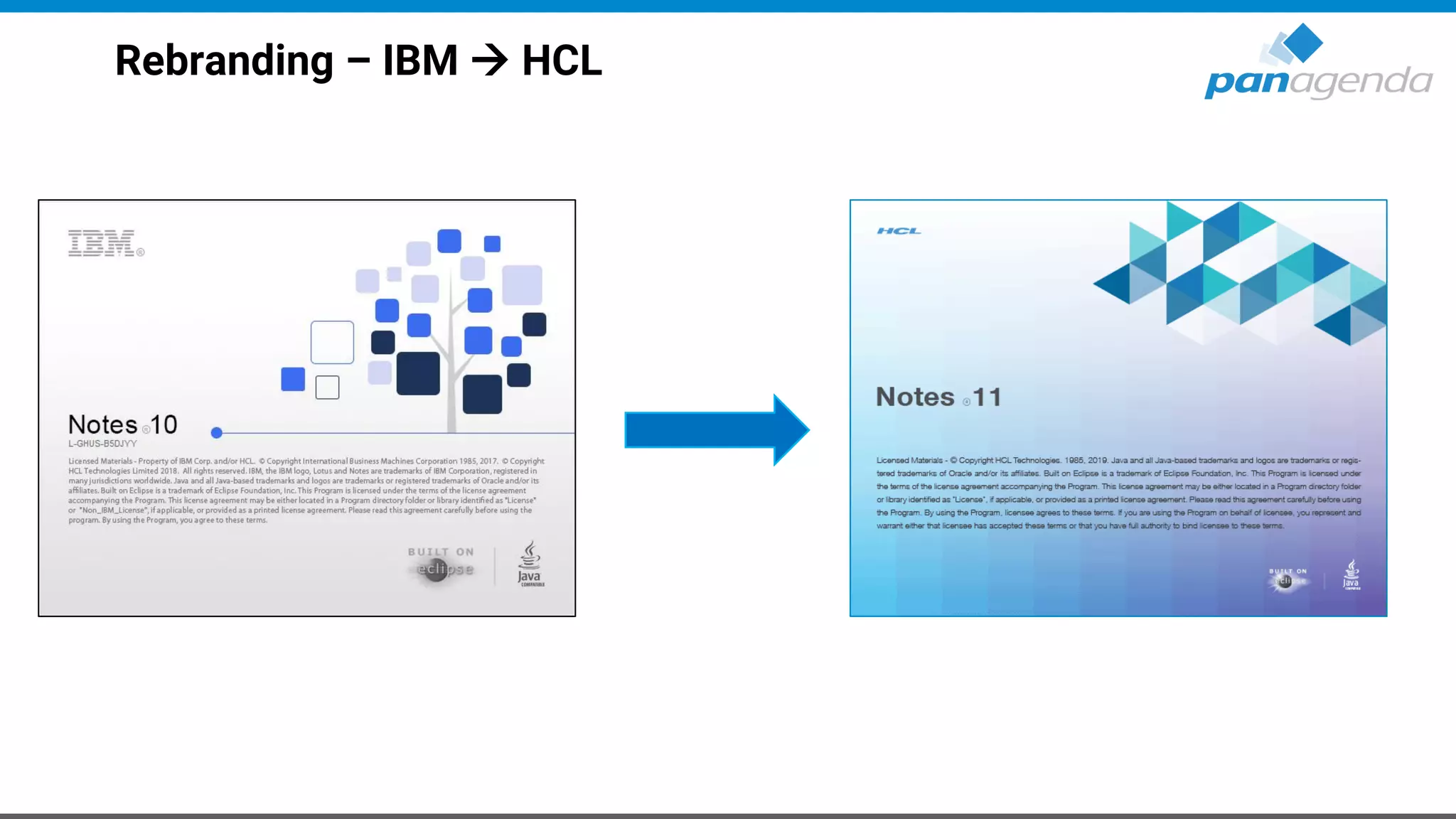
Rebranding – IBM → HCL
Rebranding – IBM → HCL (cont.)
• “IBM” is replaced by “HCL” in most places, except
– notes.ini
– Registry
– IBM_TECHNICAL_SUPPORT
– Workspace folder
– …
• Some “IBM” and even “Lotus” strings will stay (forever) for backward
compatibility
Available Clients
• Windows (32 Bit)
– HCL Notes V11
– HCL Notes V11 - Basic Configuration
– HCL Notes, Domino Designer and Admin V11
– HCL CAA V3 - Client Application Access
• macOS (64 Bit)
– HCL Notes V11
– HCL CAA V3 - Client Application Access
Additional components
• Languages (English, German, Japanese)
– No G1 or G2 Language Pack available now
• HCL CCM V11 - Connections Content Manager Connector for Notes
• HCL NICE V11 - Notes Installer Clean Up Executable
HCL Notes Installation Folders
• Program directory
C:Program Files(x86)HCLNotes
• Shared data directory
C:ProgramDataHCLNotesDatashared
• Data directory
C:Users<USERNAME>AppDataLocalHCLNotesData
Numbers: IBM Notes 10.0.1 FP4
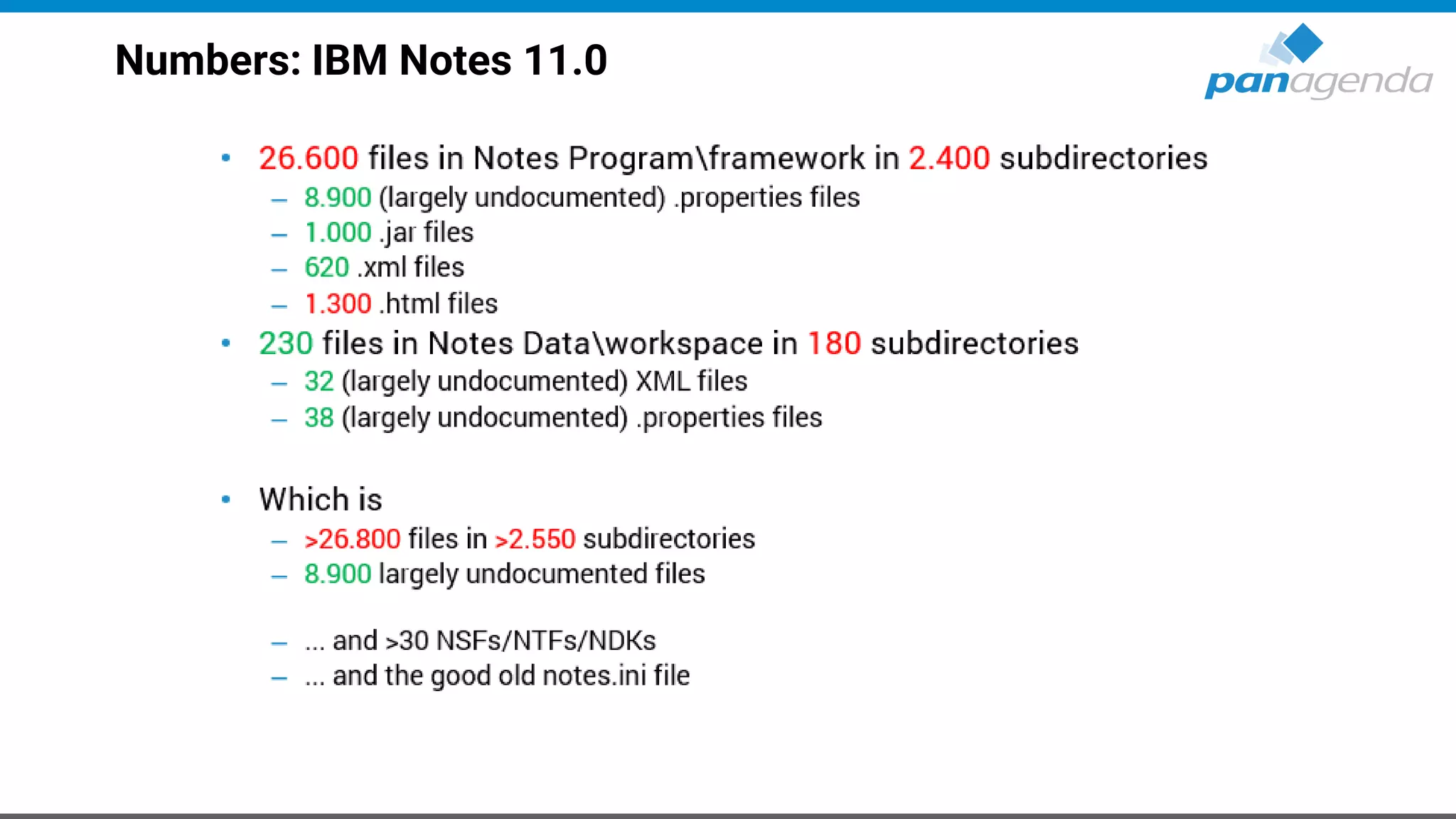
Numbers: IBM Notes 11.0
HCL Notes V11 – New Features
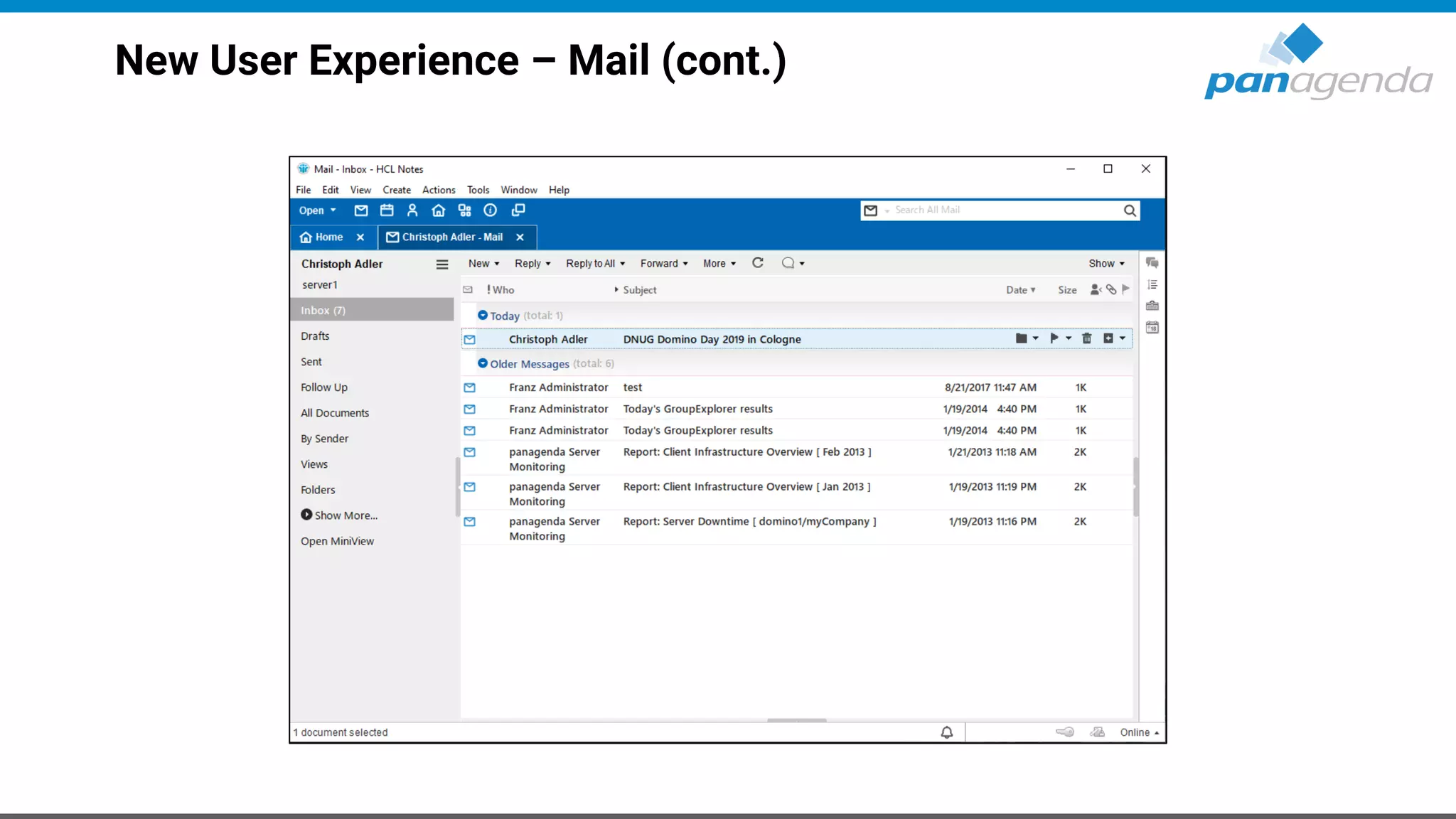
• New User Experience
– Template refresh – Mail, Discussion, Contacts, TeamRoom, ...
• > 24 hour Meetings
• Export as PDF
• TLS 1.2 support for SAML (Result of XULRunner upgrade to latest version)
• Open JVM 8 Support
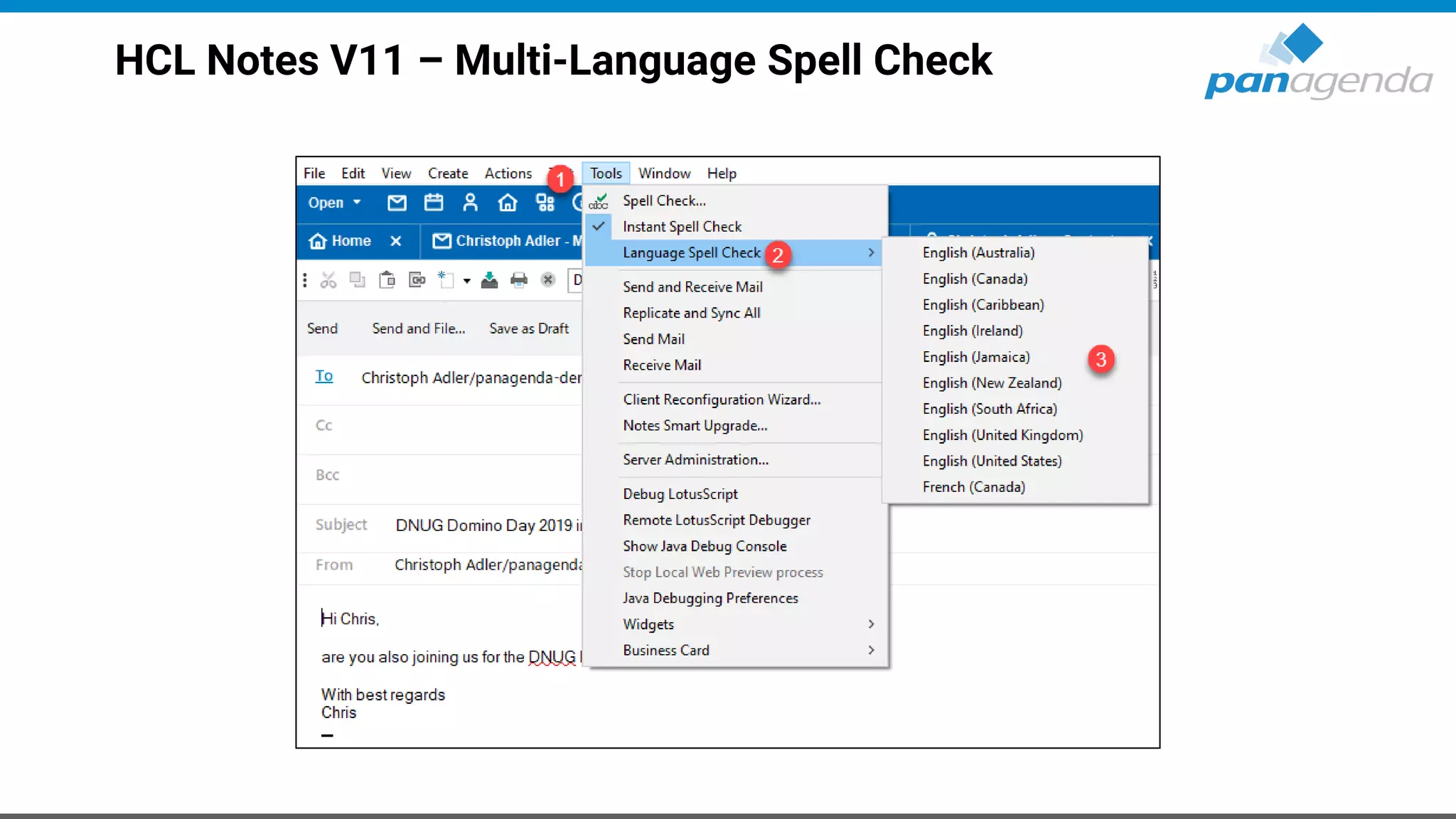
• Multi-Language Spell Check (based on available dictionaries)
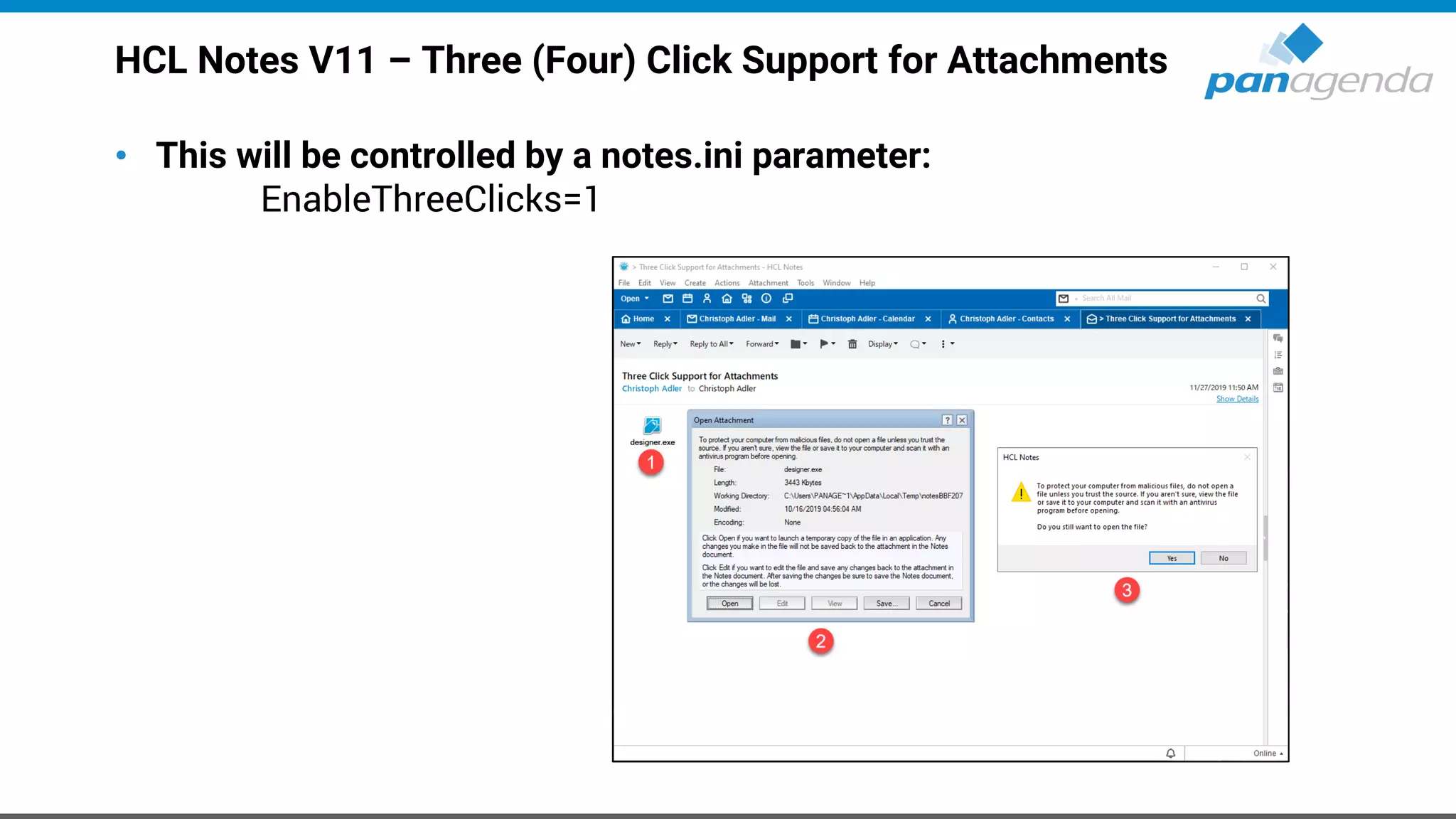
• Three Click Support for Attachments
• [...]
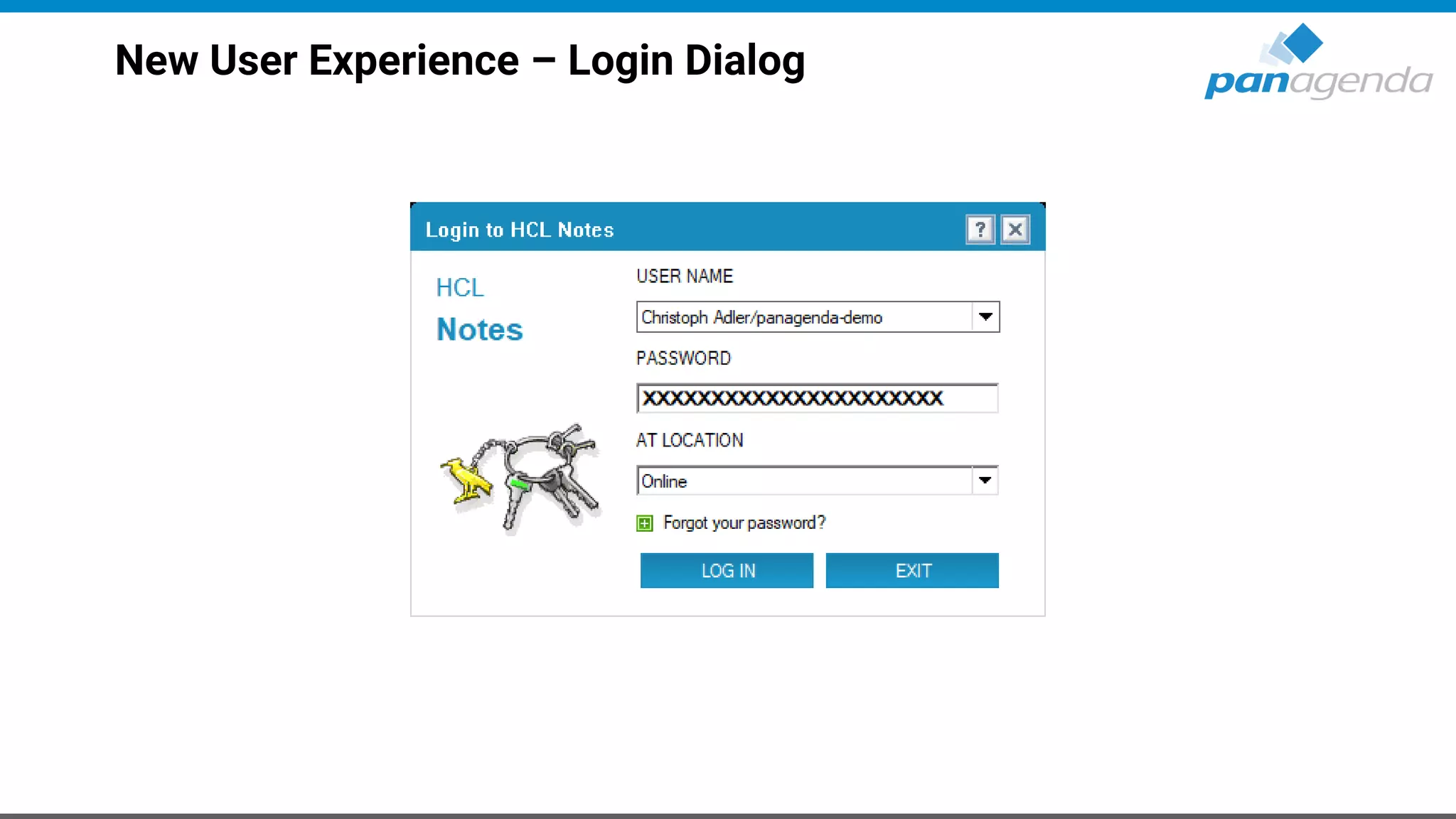
New User Experience – Login Dialog
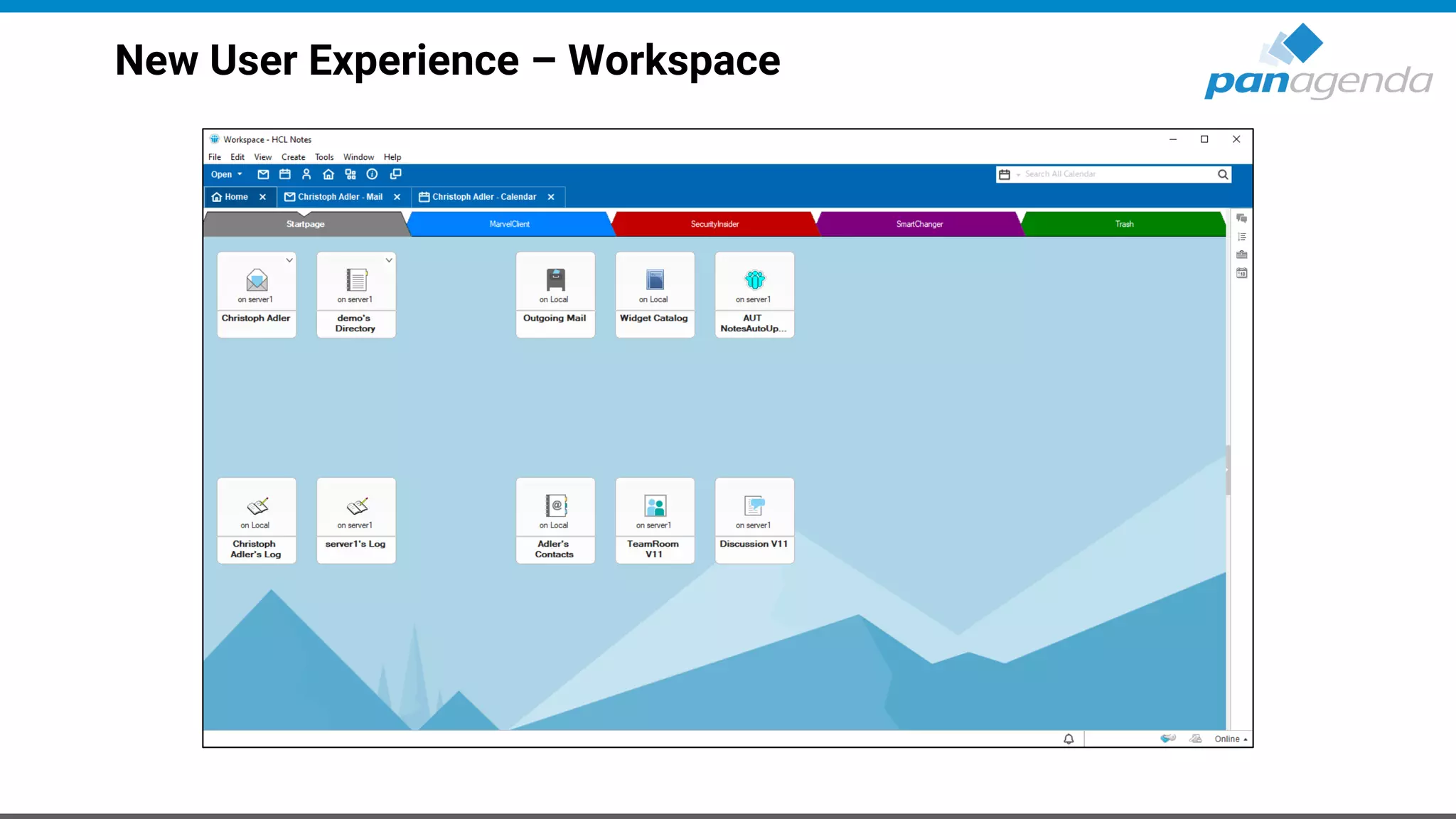
New User Experience – Workspace
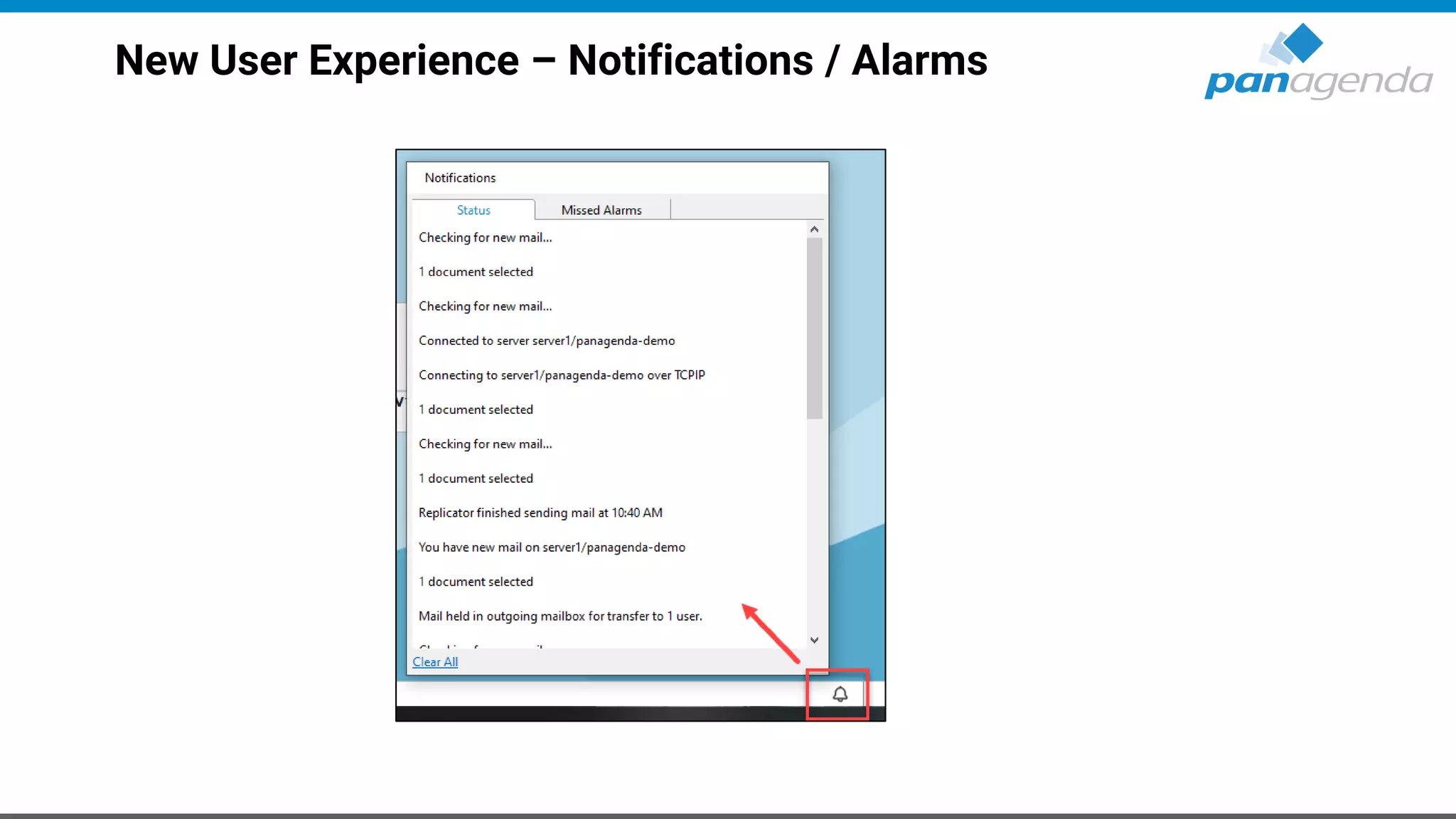
New User Experience – Notifications / Alarms
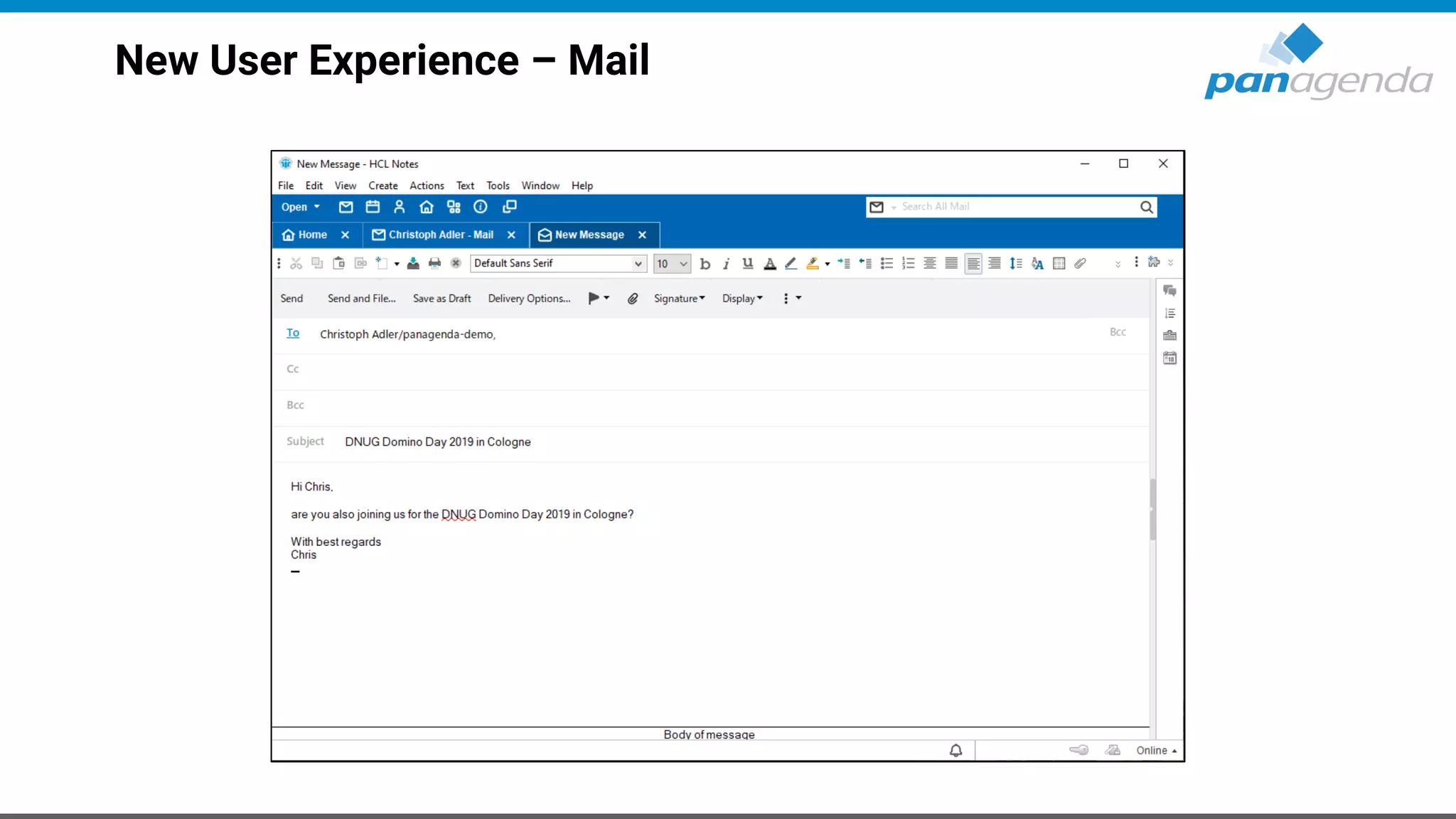
New User Experience – Mail
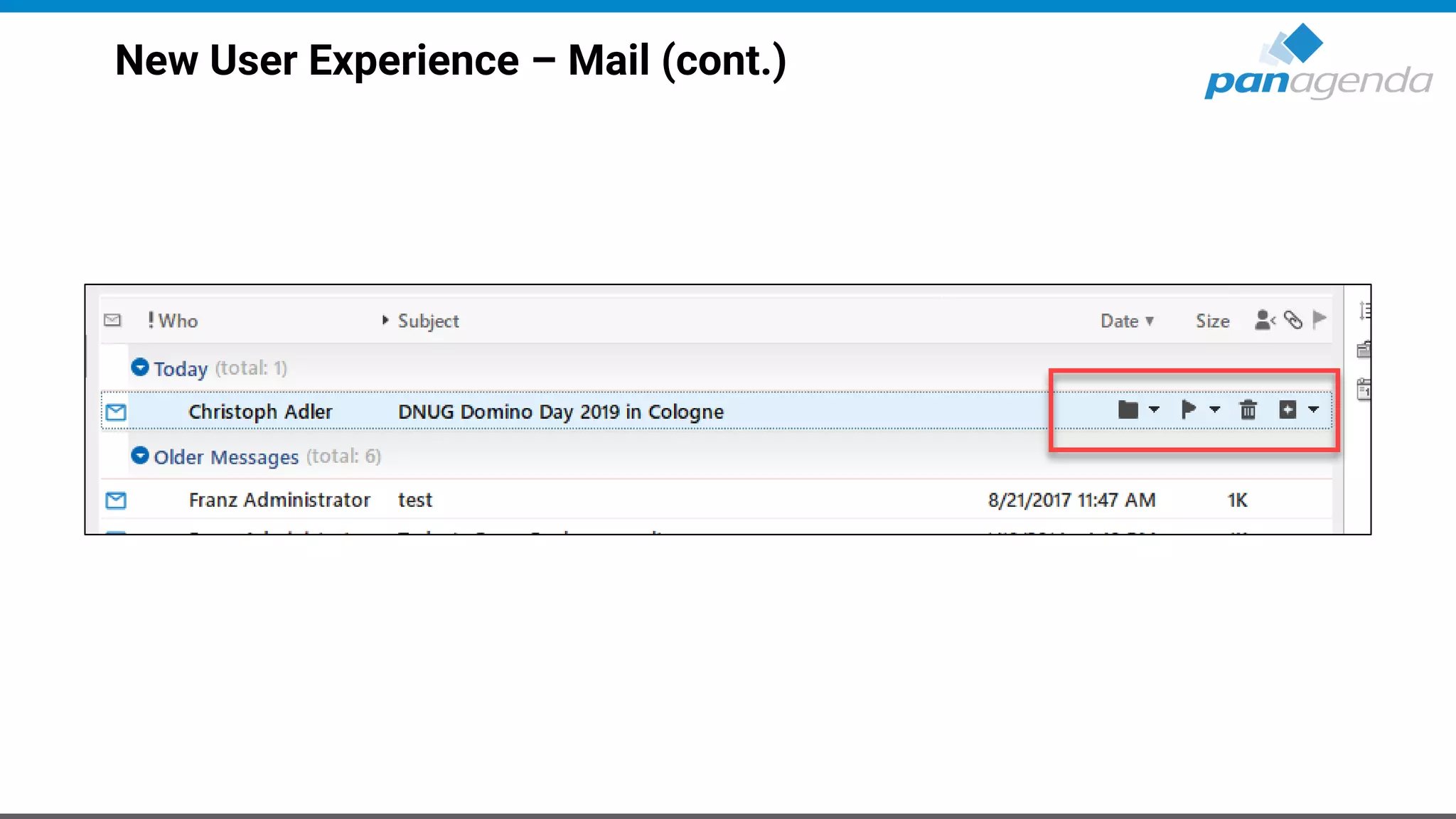
New User Experience – Mail (cont.)
New User Experience – Calendar
New User Experience – Calendar (cont.)
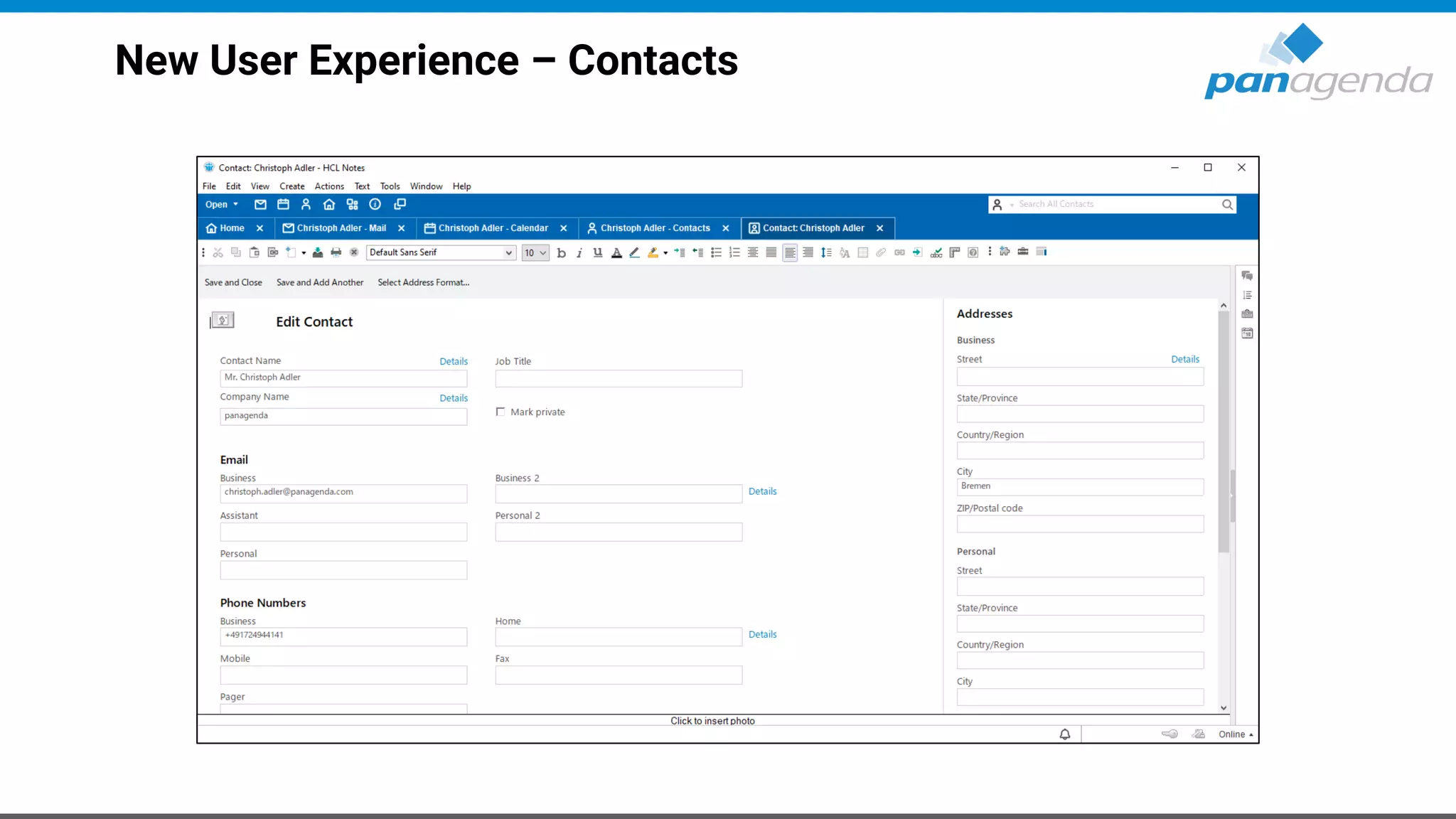
New User Experience – Contacts
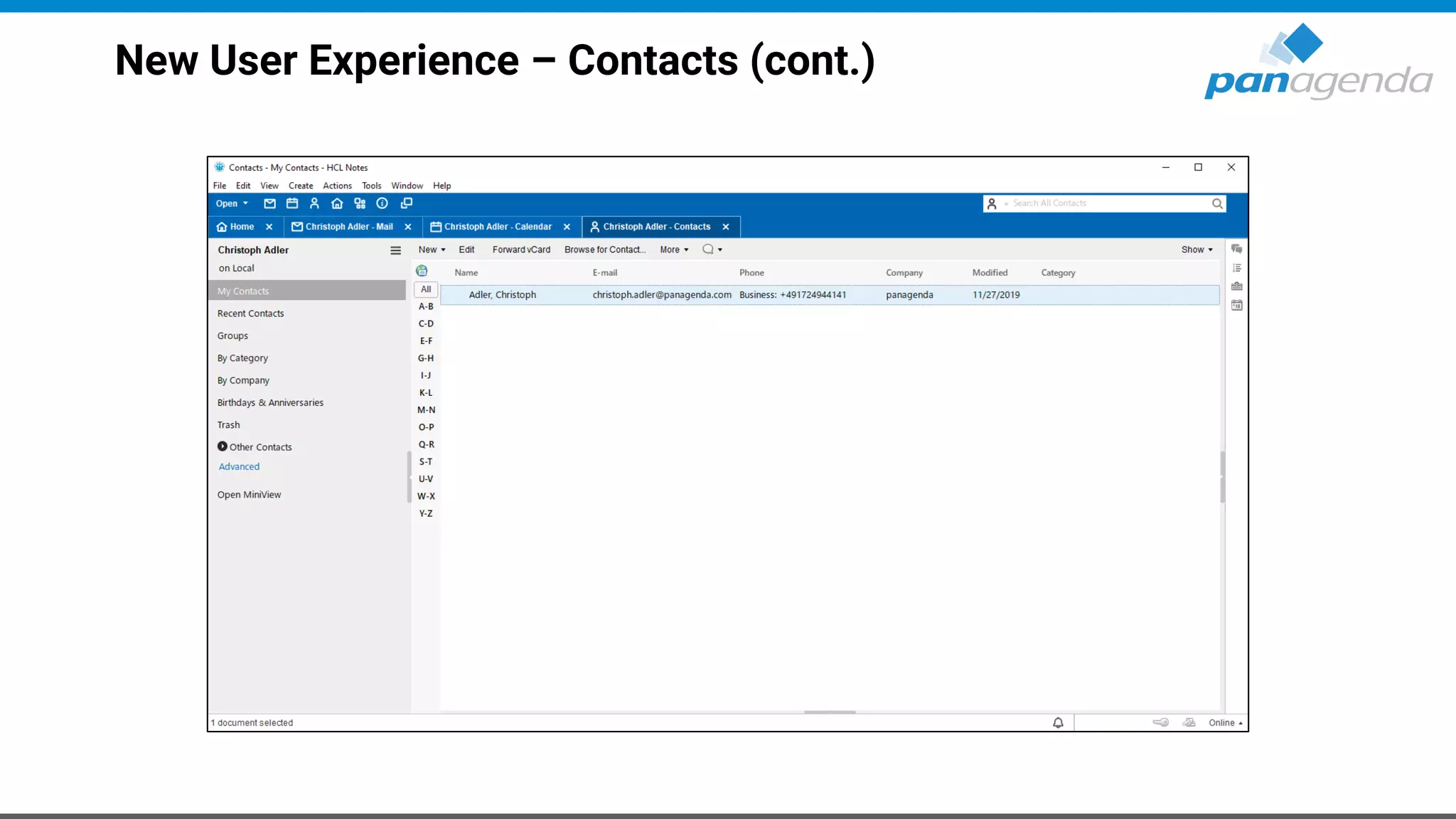
New User Experience – Contacts (cont.)
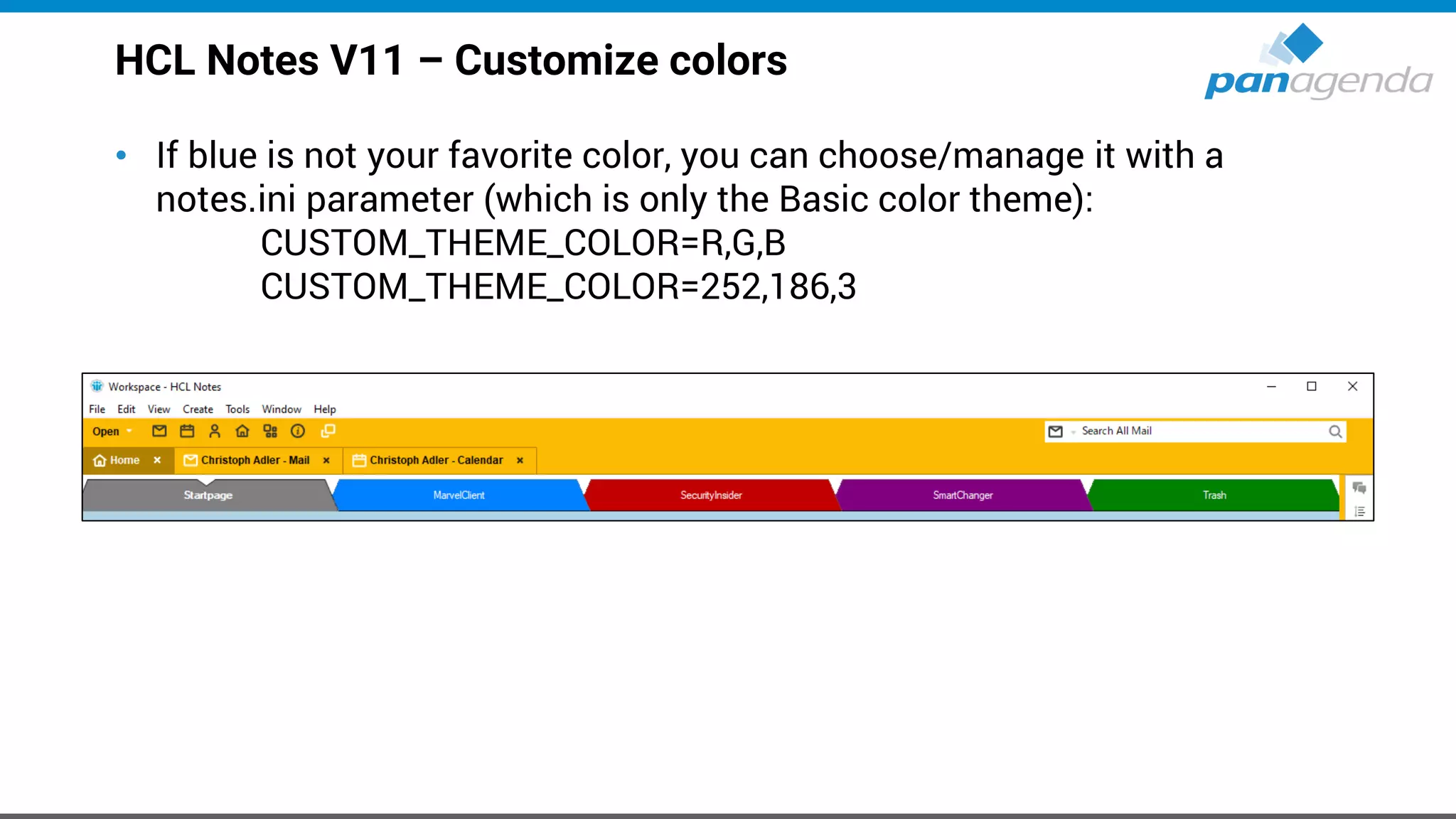
HCL Notes V11 – Customize colors
• If blue is not your favorite color, you can choose/manage it with a
notes.ini parameter (which is only the Basic color theme):
CUSTOM_THEME_COLOR=R,G,B
CUSTOM_THEME_COLOR=252,186,3
HCL Notes V11 – Customize colors (cont.)
com.ibm.rcp.ui/v11.pref.custom.theme.color = 252,186,3
com.ibm.rcp.ui/v11.pref.sb.background.color = 252,186,3
com.ibm.rcp.ui/v11.pref.sb.selection.color = 176,129,2
com.ibm.rcp.ui/v11.pref.sb.separator.color = 252,186,3
com.ibm.rcp.ui/v11.pref.tab.background.color = 252,186,3
com.ibm.rcp.ui/v11.pref.tab.selection.color = 176,129,2
com.ibm.rcp.ui/v11.pref.tab.border.color = 176,129,2
com.ibm.rcp.ui/v11.pref.tab.focus.color = 252,186,3
com.ibm.rcp.ui/NAV_ICON_FAMILY = dark_icons OR light_icons
com.ibm.rcp.ui/SB_SEL_ICON_FAMILY = dark_icons OR light_icons
com.ibm.rcp.ui/v11.pref.nav.background.color = 252,186,3
com.ibm.rcp.ui/v11.pref.nav.text.color = 252,186,3
com.ibm.rcp.ui/v11.pref.nav.selection.color = 252,186,3
com.ibm.rcp.ui/v11.pref.nav.focus.color = 252,186,3
com.ibm.rcp.ui/v11.pref.nav.separator.color = 252,186,3
com.ibm.rcp.ui/v11.pref.nav.titlebar.color = 252,186,3
com.ibm.rcp.ui/v11.pref.sb.text.color = 252,186,3
com.ibm.rcp.ui/v11.pref.sb.selection.color = 252,186,3
com.ibm.rcp.ui/v11.pref.stb.background.color = 252,186,3
com.ibm.rcp.ui/v11.pref.stb.text.color = 252,186,3
com.ibm.rcp.ui/v11.pref.stb.selection.color = 252,186,3
com.ibm.rcp.ui/v11.pref.ab.background.color = 252,186,3
com.ibm.rcp.ui/v11.pref.ab.text.color = 252,186,3
com.ibm.rcp.ui/v11.pref.ab.selection.color = 252,186,3
com.ibm.rcp.ui/v11.pref.ab.border.color = 252,186,3
com.ibm.rcp.ui/v11.pref.tab.text.color = 252,186,3
com.ibm.rcp.ui/v11.pref.tab.selection.color = 252,186,3
com.ibm.rcp.ui/v11.pref.tab.border.color = 252,186,3
com.ibm.rcp.ui/v11.pref.ss.datepicker.background.color = 252,186,3
com.ibm.rcp.ui/v11.pref.ss.datepicker.text.color = 252,186,3
com.ibm.rcp.ui/v11.pref.ss.datepicker.selection.color = 252,186,3
com.ibm.rcp.ui/v11.pref.ss.titlebar.color = 252,186,3
com.ibm.rcp.ui/v11.pref.cal.datepicker.background.color = 252,186,3
com.ibm.rcp.ui/v11.pref.cal.datepicker.text.color = 252,186,3
com.ibm.rcp.ui/v11.pref.cal.datepicker.selection.color = 252,186,3
HCL Notes V11 – Multi-Language Spell Check
HCL Notes V11 – Three (Four) Click Support for Attachments
• This will be controlled by a notes.ini parameter:
EnableThreeClicks=1
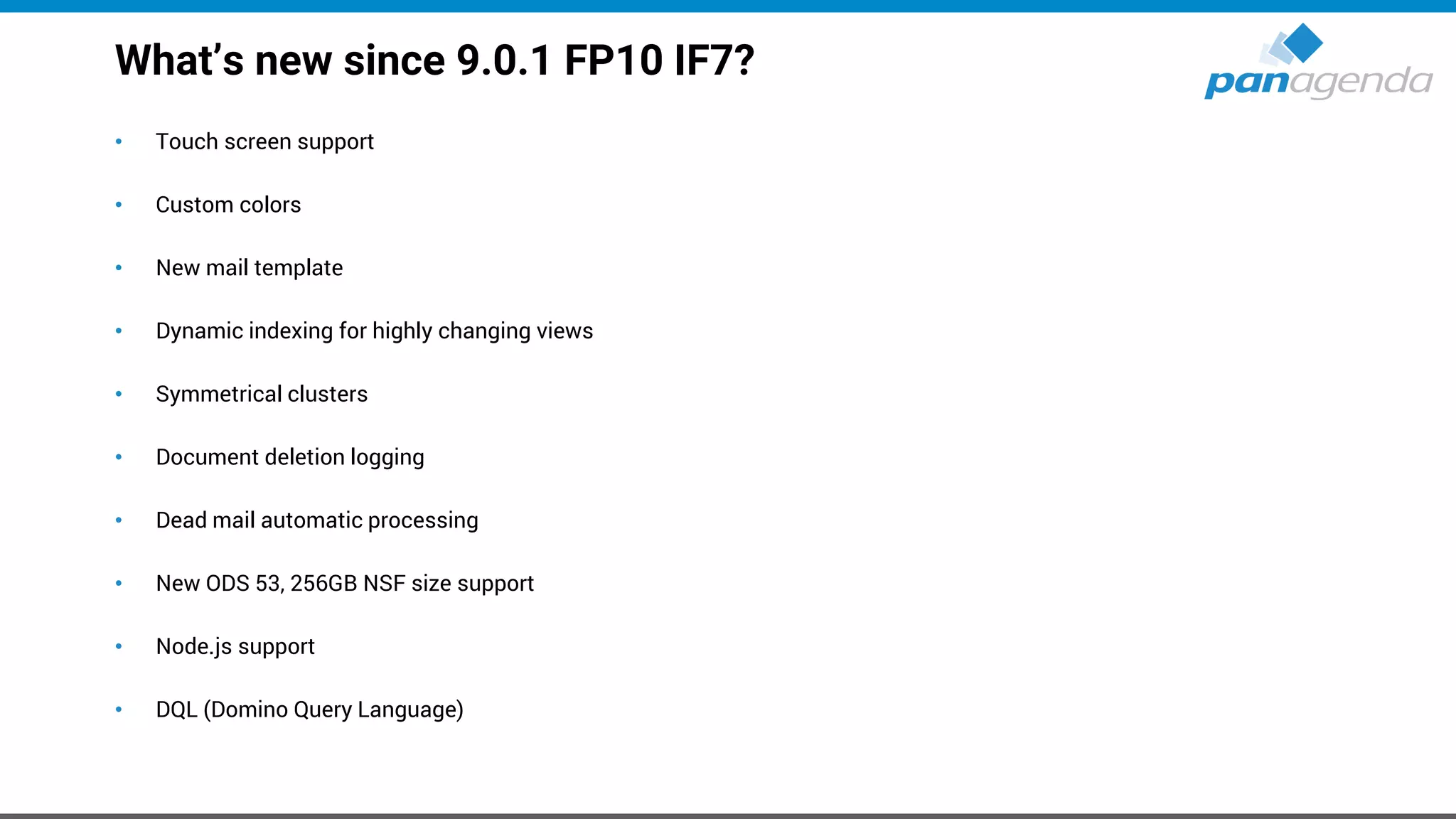
What’s new since 9.0.1 FP10 IF7?
• Touch screen support
• Custom colors
• New mail template
• Dynamic indexing for highly changing views
• Symmetrical clusters
• Document deletion logging
• Dead mail automatic processing
• New ODS 53, 256GB NSF size support
• Node.js support
• DQL (Domino Query Language)
What’s new since 9.0.1 FP10 IF7?
• AUT - Notes Auto Update
• Marvel Client Essentials included
• SSL cipher improvements
• Onetime mail signatures
Make Your Data Work For You
MarvelClient
MarvelClient
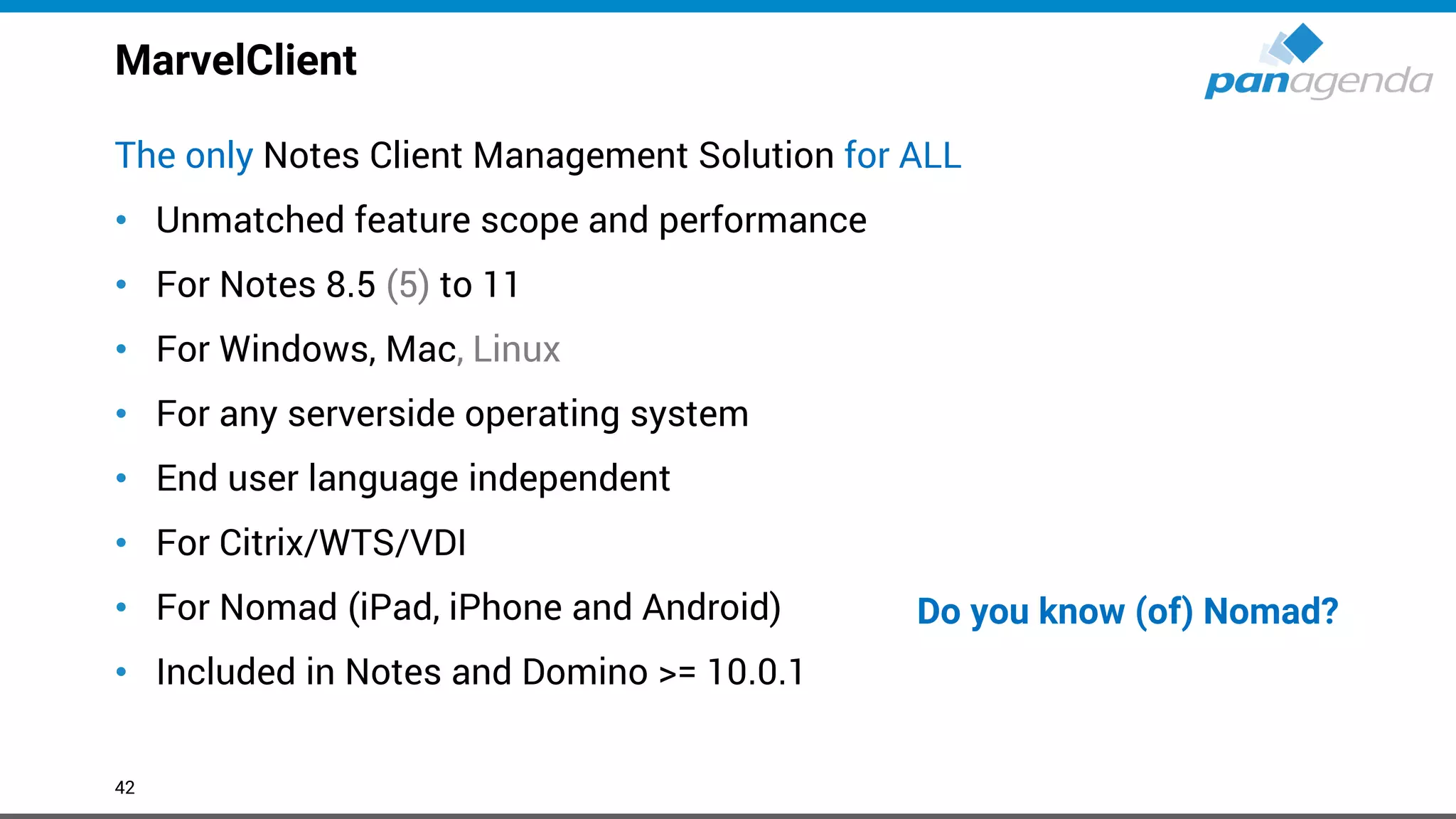
The only Notes Client Management Solution for ALL
• Unmatched feature scope and performance
• For Notes 8.5 (5) to 11
• For Windows, Mac, Linux
• For any serverside operating system
• End user language independent
• For Citrix/WTS/VDI
• For Nomad (iPad, iPhone and Android)
• Included in Notes and Domino >= 10.0.1
42
Do you know (of) Nomad?
Start for FREE
Transparency. Control. Reduce cost.
www.panagenda.com
https://www.panagenda.com/products/marvelclient/free-upgrade/https://www.panagenda.com/essentials/
MarvelClient Essentials
• Makes it easier, faster and cheaper to upgrade to HCL Notes 10.x
• Provides valuable insights into Notes client landscapes for Notes 9.x and beyond
• Helps reduce helpdesk tickets, support, client maintenance and upgrade efforts
• Runs on all Notes client platforms supported by HCL (Intel Mac 64 bit, Windows,
Citrix and VDI)
• Runs on all IBM Domino platforms supported by HCL
• Best of all: it’s FREE and included in HCL Notes and Domino >= 10.0.1
• If you are not on Notes and/or Domino >= 10.0.1 now,
you can get MarvelClient Essentials here:
https://www.panagenda.com/essentials/
MarvelClient Essentials (cont.)
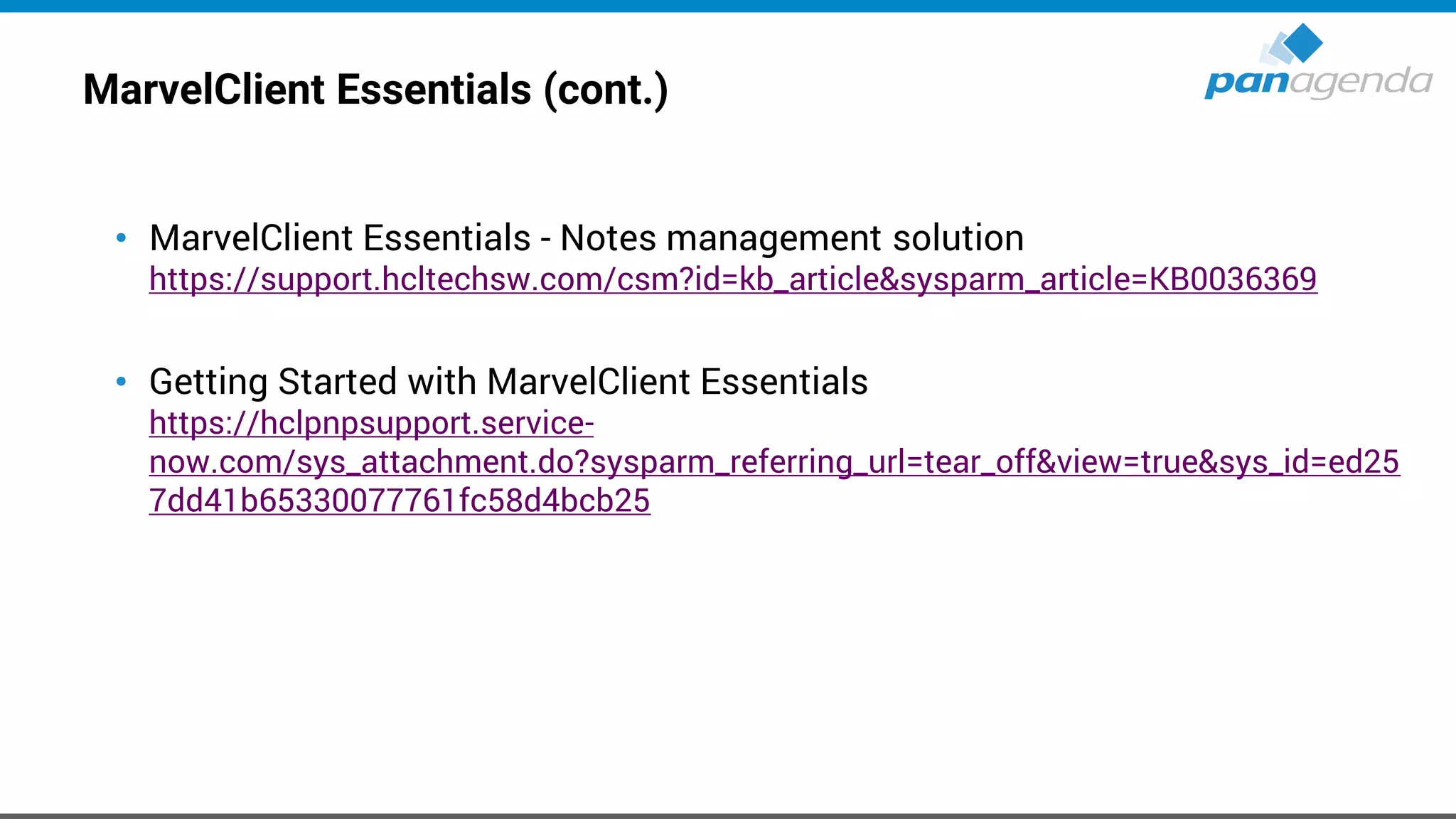
• MarvelClient Essentials - Notes management solution
https://support.hcltechsw.com/csm?id=kb_article&sysparm_article=KB0036369
• Getting Started with MarvelClient Essentials
https://hclpnpsupport.service-
now.com/sys_attachment.do?sysparm_referring_url=tear_off&view=true&sys_id=ed25
7dd41b65330077761fc58d4bcb25
MarvelClient Essentials (cont.)
Marvel Client Upgrade Free
www.panagenda.com/free-upgrade
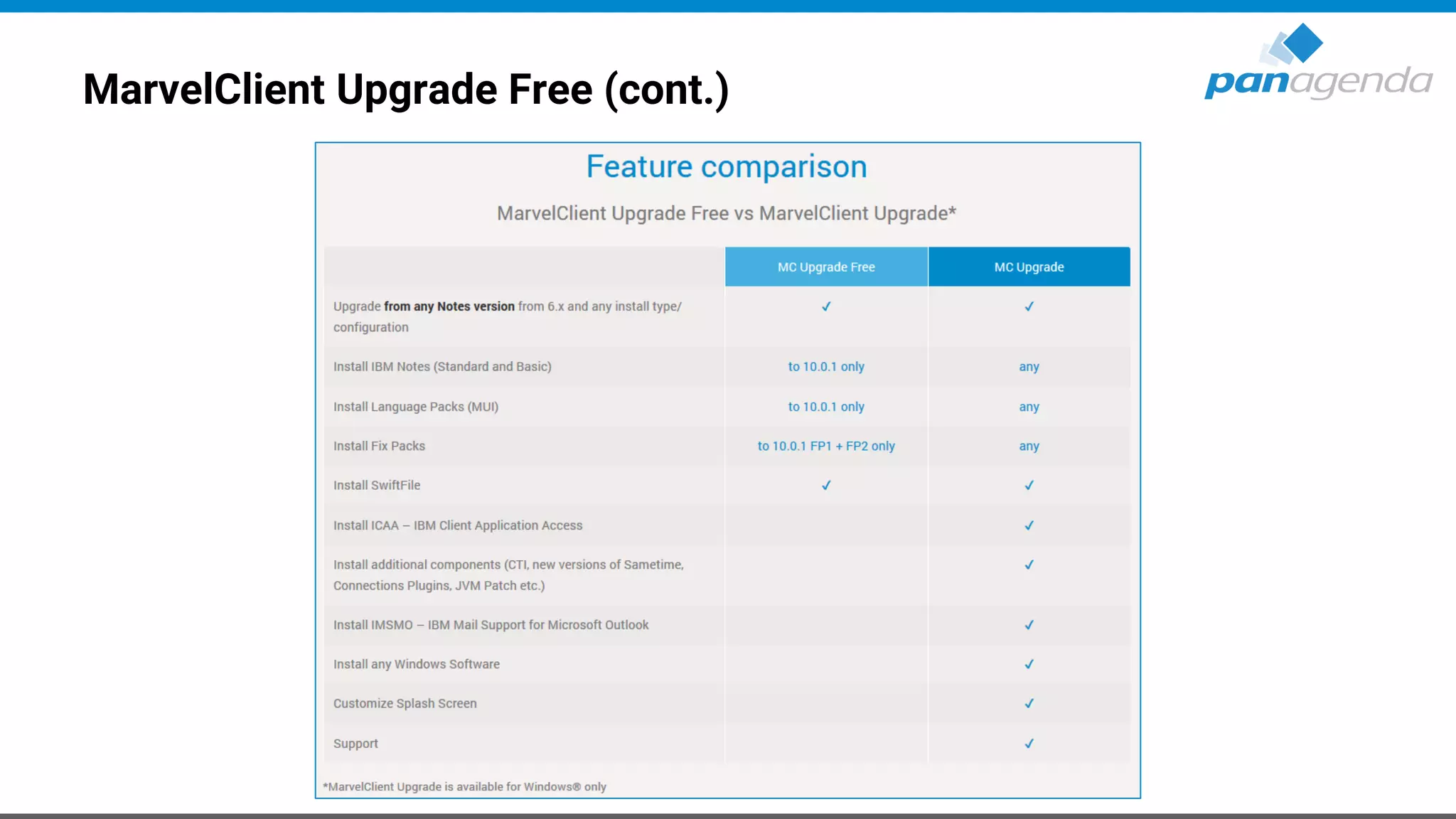
MarvelClient Upgrade Free (cont.)
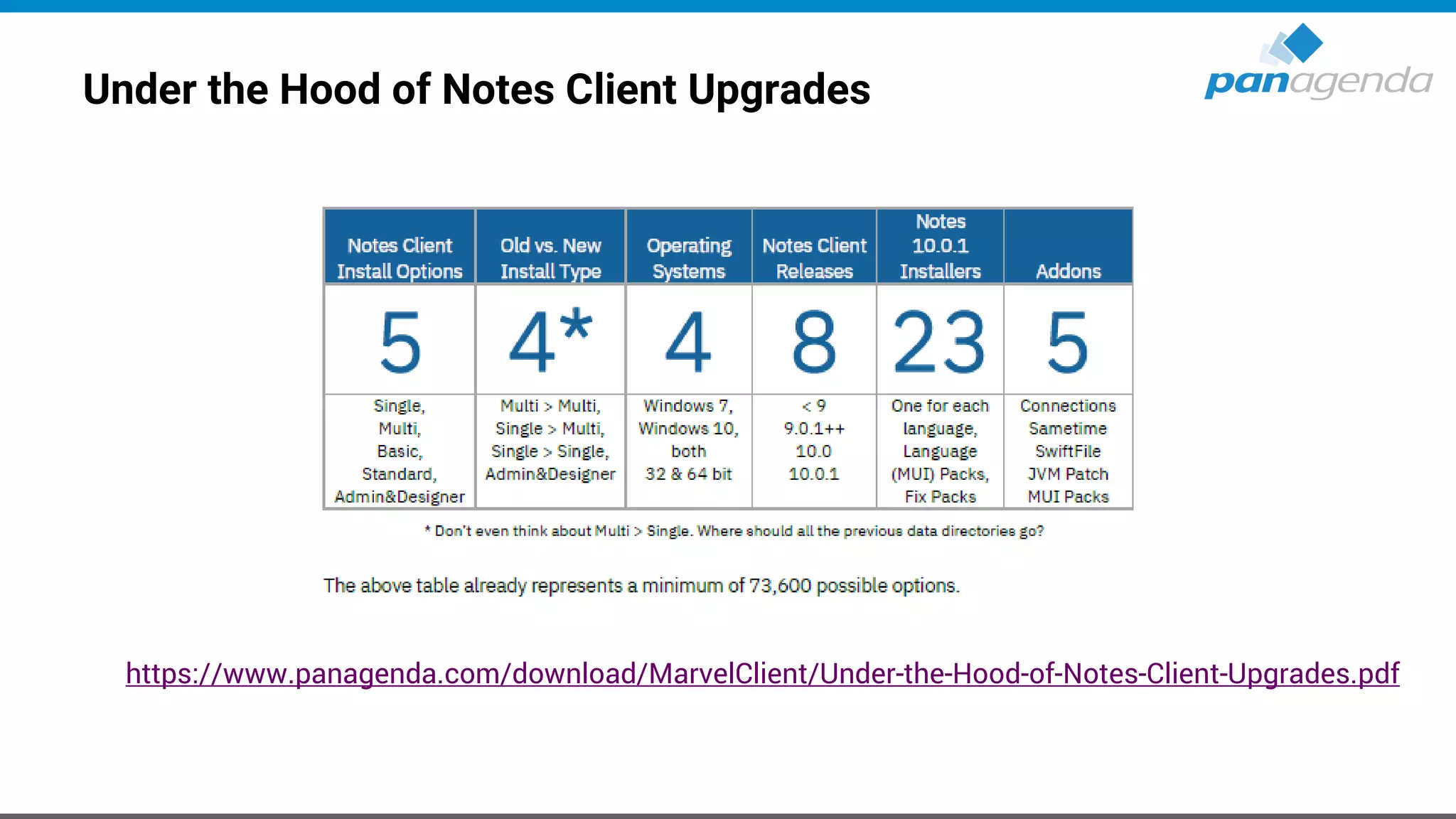
Under the Hood of Notes Client Upgrades
https://www.panagenda.com/download/MarvelClient/Under-the-Hood-of-Notes-Client-Upgrades.pdf
MarvelClient Upgrade Free
• Please register here to get the free license:
– https://www.panagenda.com/products/marvelclient/free-upgrade/
• Documentation:
– https://img.panagenda.com/download/MarvelClient/QuickStartGuide_MarvelClient-Upgrade-
free.pdf
• Taking Your First Steps with MarvelClient Upgrade
– https://www.panagenda.com/2019/03/taking-your-first-steps-with-marvelclient-upgrade/
• Getting the Most From Your MarvelClient Upgrade
– https://www.panagenda.com/2019/03/getting-the-most-from-your-marvelclient-upgrade/
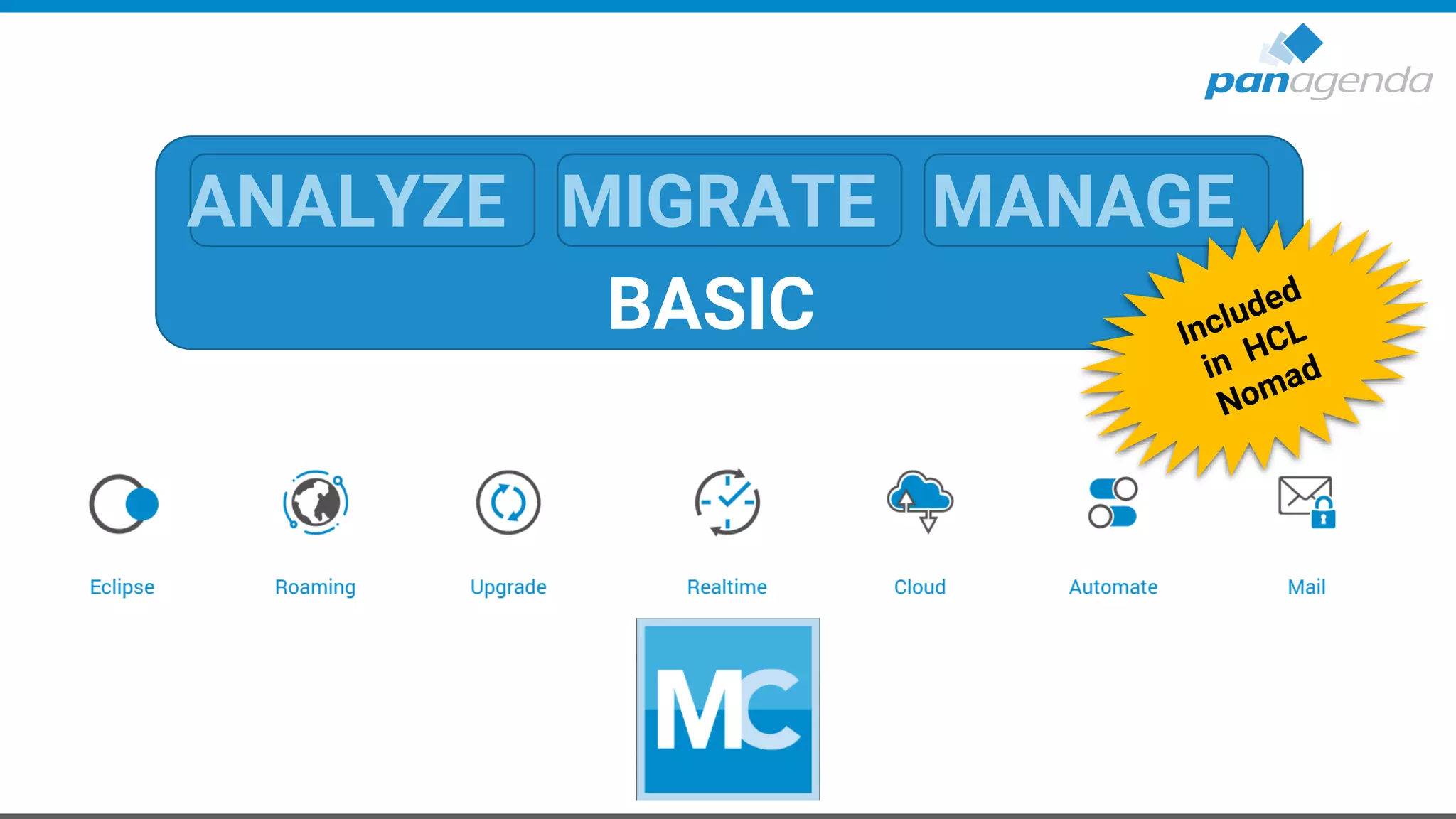
ANALYZE MIGRATE MANAGE
BASIC
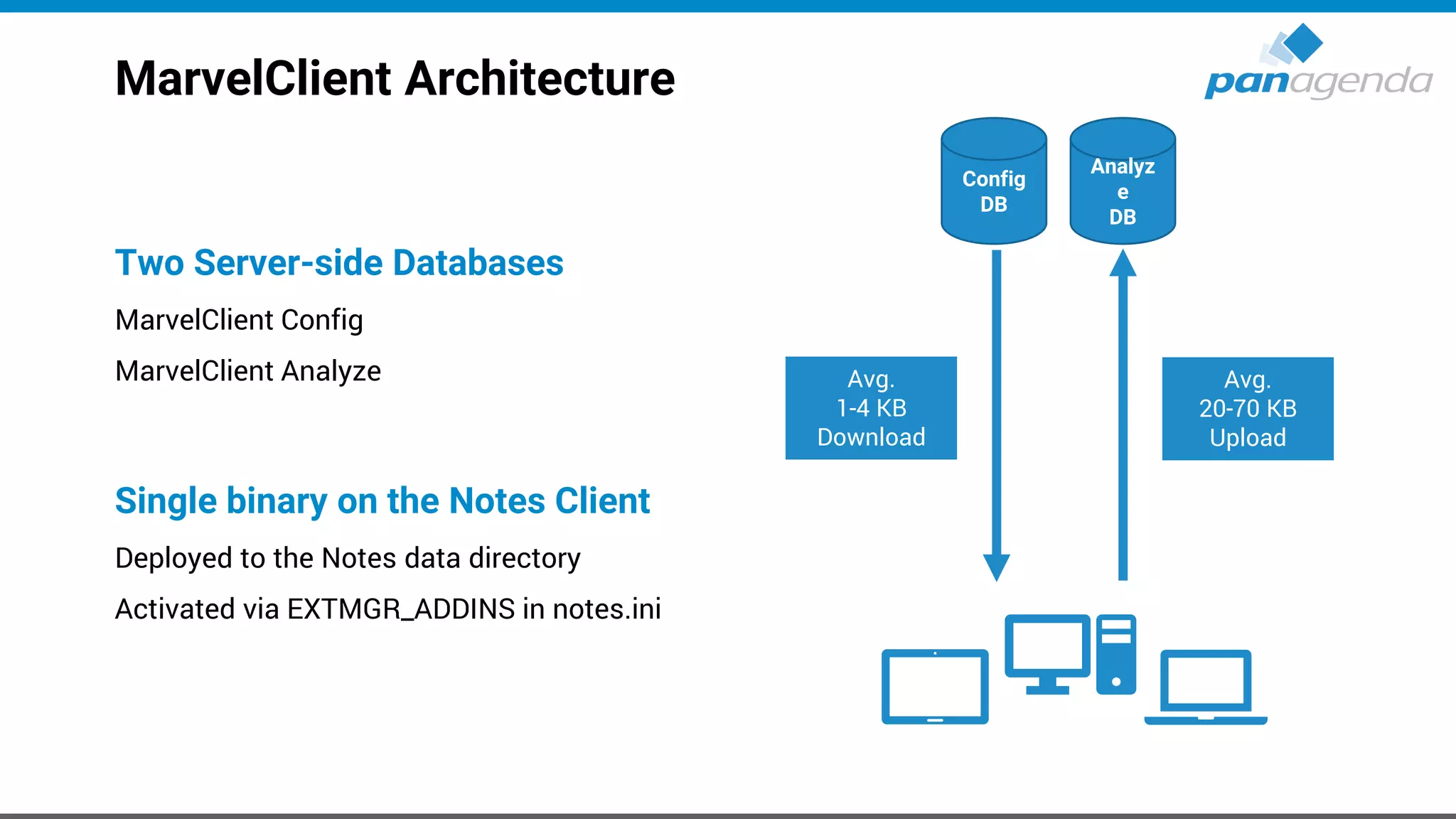
MarvelClient Architecture
Config
DB
Analyz
e
DB
Avg.
20-70 KB
Upload
Avg.
1-4 KB
Download
Two Server-side Databases
MarvelClient Config
MarvelClient Analyze
Single binary on the Notes Client
Deployed to the Notes data directory
Activated via EXTMGR_ADDINS in notes.ini
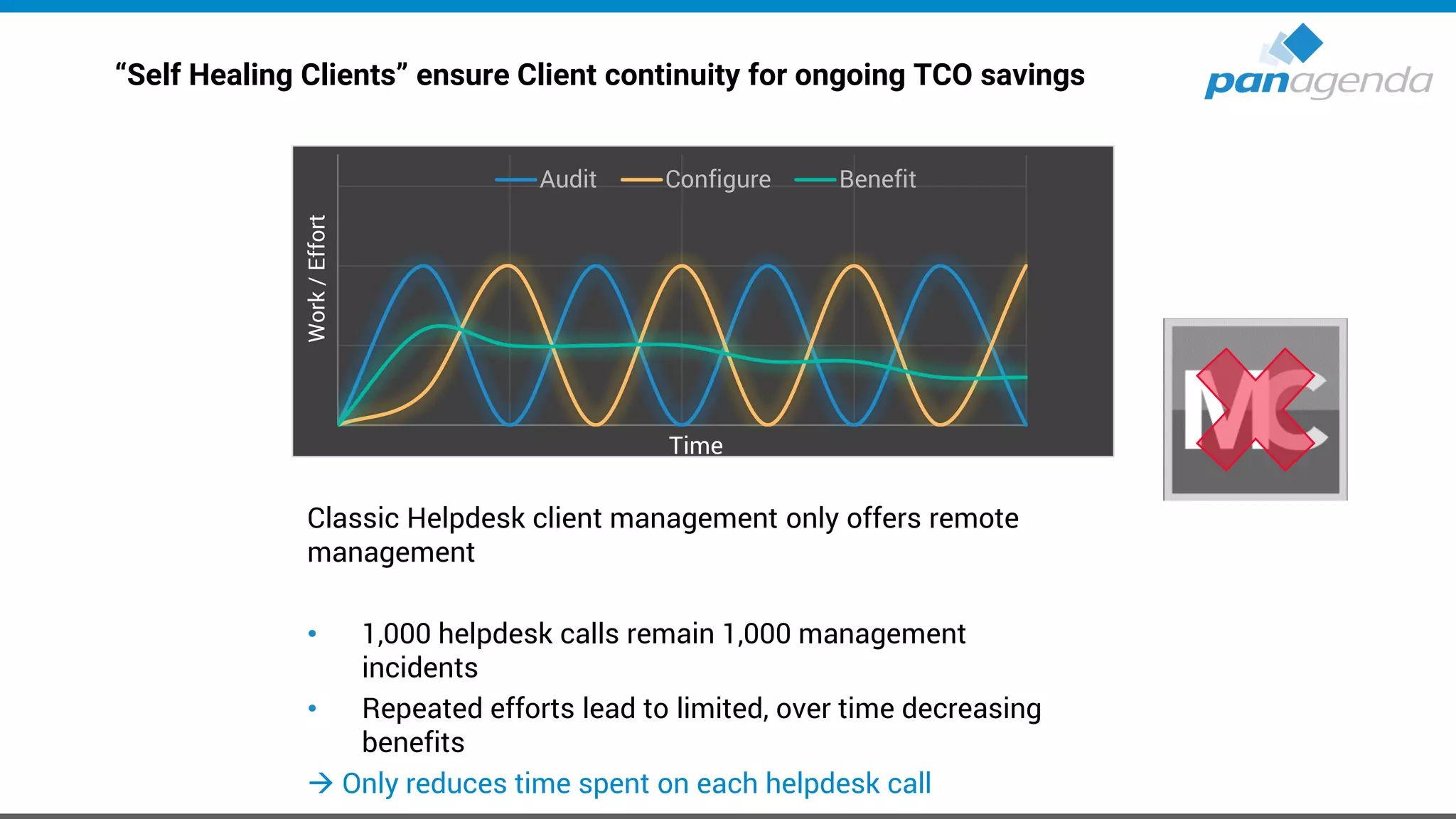
“Self Healing Clients” ensure Client continuity for ongoing TCO savings
Classic Helpdesk client management only offers remote
management
• 1,000 helpdesk calls remain 1,000 management
incidents
• Repeated efforts lead to limited, over time decreasing
benefits
→ Only reduces time spent on each helpdesk call
Audit Configure Benefit
Time
Work/Effort
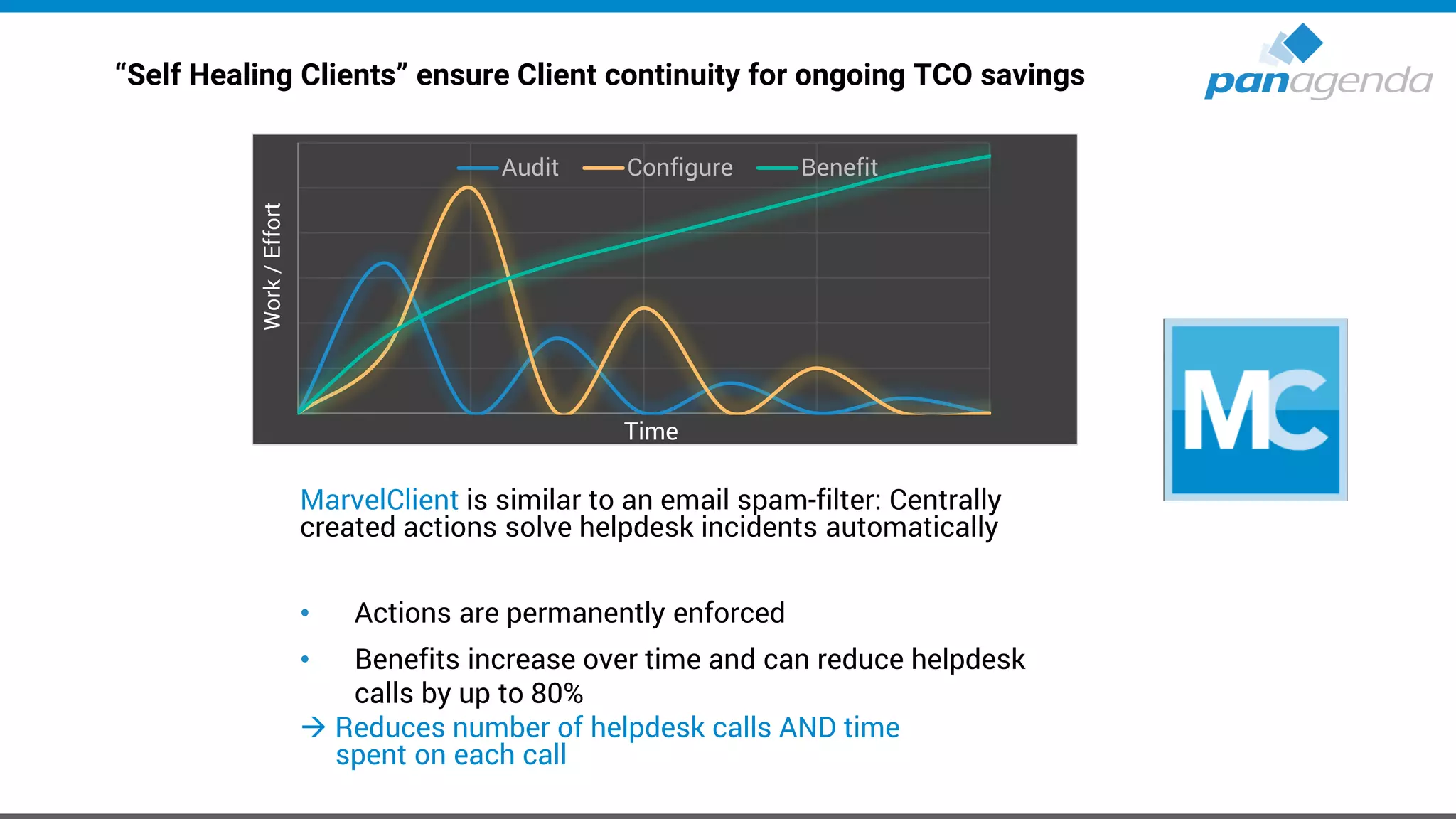
“Self Healing Clients” ensure Client continuity for ongoing TCO savings
MarvelClient is similar to an email spam-filter: Centrally
created actions solve helpdesk incidents automatically
• Actions are permanently enforced
• Benefits increase over time and can reduce helpdesk
calls by up to 80%
→ Reduces number of helpdesk calls AND time
spent on each call
Audit Configure Benefit
Time
Work/Effort
Make Your Data Work For You
HCL Notes → Self-Healing
Live demo
MarvelClient for HCL Nomad
The power of MarvelClient is going mobile!
Available for iOS (iPhones/iPads) and Android
https://apps.apple.com/us/app/hcl-nomad/id751904885
Automatic Client Setup
• for all Nomad clients – streamline and adapt
Analyze, Manage and Mass Change/Delete
• All iOS devices from one central Domino Database, from day one
MarvelClient for HCL Nomad
Supported MarvelClient action types / functions
• Analyze (Backup)
• Recent Applications
• Local Replicas and Replicator Page Entries
• User Preferences and notes.ini Management (add/modify/remove)
• Workspace Icons and Bookmarks
*even though workspace is not supported it is used for the client to function properly
• Full Text Indices of Local Databases/Replicas
MarvelClient for HCL Nomad
Supported MarvelClient action types / functions (cont.)
• Location and Connection Document Management
• Mail Server Changes
• Mass Changes
• Cloud Migrations
• Profile Document Management
• Run Lotus Script Agents
• …
Make Your Data Work For You
Marvel Client for HCL Nomad
Live demo
Make Your Data Work For You
Upgrades to HCL Notes V11
IBM Notes → HCL Notes
• V9.0.1 (FP10 + IF7 + JVM + ST9.0.1 FP1 HF1) & V10.0.1 (FP4) & V11
– Notes 11.0.1 preview available since last Week
• Standard, Basic, Admin- & Domino Designer-client
• ICAA 3.0
• Single & Multi-User
IBM Notes – Directories (9.0.1 & 10.0.1) → old
• Program directory
C:Program Files(x86)IBMNotes
• Shared data directory
C:ProgramDataIBMNotesDatashared
C:ProgramDataLotusNotesDatashared → Sym
• Data directory
C:Users<USERNAME>AppDataLocalIBMNotesData
HCL Notes – Directories (V11) → new
• Program directory
C:Program Files(x86)HCLNotes
• Shared data directory
C:ProgramDataHCLNotesDatashared
C:ProgramDataIBMNotesDatashared → Sym
• Data directory
C:Users<USERNAME>AppDataLocalHCLNotesData
Make Your Data Work For You
Upgrades
Notes 10.0.1 FP4
Know your current environment
• It’s fundamentally important that your know the details about your current
Notes Client Infrastructure to be able to make smart decisions for future
deployments
– Which exact versions are deployed?
– Which Installation types and modes are used?
– Locations of Program-, Data- and SharedData-Dir?
– Usage of Laptops, Desktops, Citrix and VDI in numbers/percentage?
– Which OS incl. version is used?
– Usage of Notes addons → Connections plugins, SwiftFile, CTI, … ?
• If you can’t answer the questions above 100% correctly, the following four
slides will help you a lot!
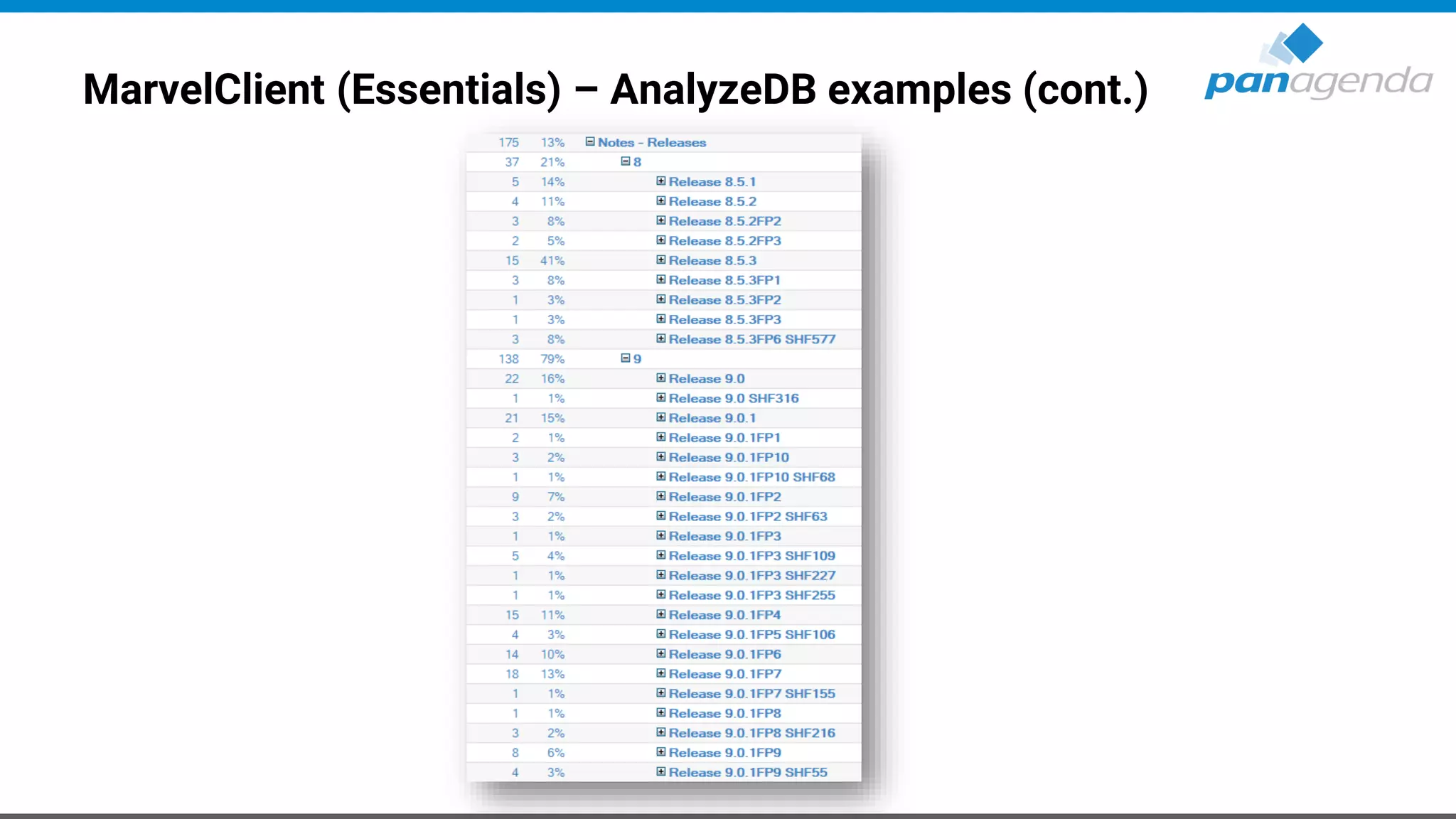
MarvelClient (Essentials) – AnalyzeDB examples
MarvelClient (Essentials) – AnalyzeDB examples (cont.)
Define target (version and more …)
• Version → 10.0.1 FP4
– Our guess: Notes 11.0.1 will be shipped in 1H 2020 (hopefully including Languages)
• Which Client Package?
– Standard, Basic
• Which Installation type?
– Single or MultiUser
Define target (version and more …) cont.
• Adding languages using MUI-Pack installation(s)
– Multilingual User Interface
– Group 1, 2
• Where to deploy?
– Laptops, Desktops, Citrix and/or VDI
– Windows7, Windows10, macOS 10.13 – 10.15
– Check System requirements on https://support.hcltechsw.com
Define target (version and more …) cont.
• Adding other functions/packages?
– Sametime embedded → not needed, 10.0.1 is up-to-date
– JVMPatch → not needed, 10.0.1 is up-to-date
– SwiftFile → use latest version 4.2.1
− IBM Connections Plugins for Notes → use latest version 5.5.0.20190516-1211
− Programs/Applications who interacts/communicates with Notes
CTI, Instant Messengers, …
Define target (version and more …) cont.
• Let’s assume (for this session) you want to Upgrade from Notes 9.0.1 FPx IFx to the following
components:
– IBM Notes 10.0.1 Standard Client → MultiUser Installation on Windows10 64Bit
– Add French and Japanese (Multilingual User Interface = MUI)
– Fix Pack 4
– SwiftFile 4.2.1
– Connections Plugins for Notes 5.5.0.20190516-1211
– Use of default paths for
Program directory
C:Program Files(x86)IBMNotes
Shared data directory
C:ProgramDataIBMNotesDatashared
Data directory
C:Users<USERNAME>AppDataLocalIBMNotesData
Choose Upgrade/Deployment Tool – Third-Party-Solutions
• Third-Party-Solution for Notes → Today: Marvel Client Upgrade Free
• Third-Party-Solutions for Windows, like
– SCCM
– Empirum
– LanDesk
– DSM
– others
Create Upgrade Package
• No need to make changes to MSI package(s)
– Scripts can help here
– Differentiation between package and configuration (notes.ini, ConfigFile, etc.)
– That will help you a lot when it comes to package changes, new versions and testing
• Always include an Uninstall part in your package
– In-place upgrades are not recommended
– You can use the package also in cases of a new or re-install
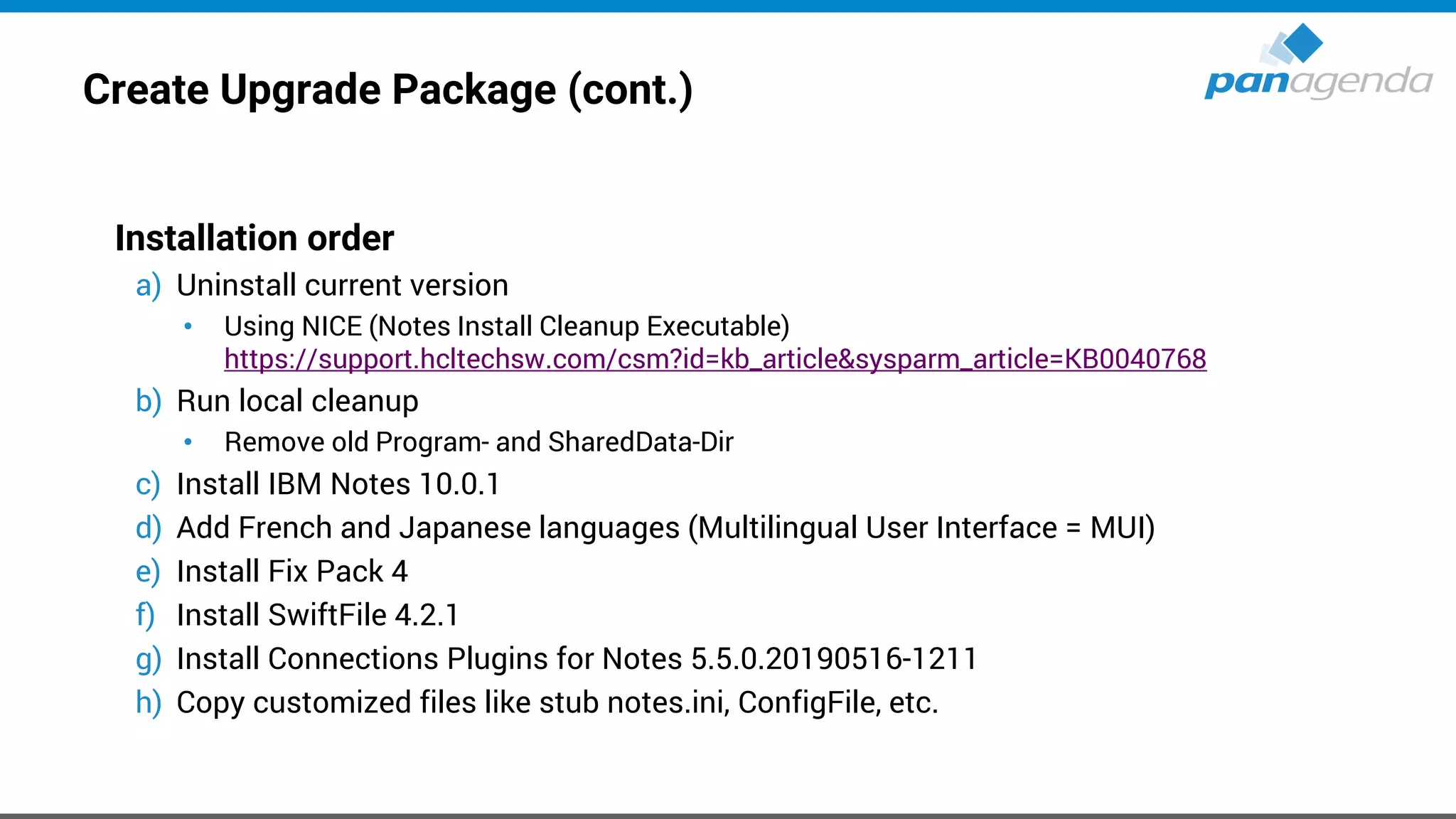
Create Upgrade Package (cont.)
Installation order
a) Uninstall current version
• Using NICE (Notes Install Cleanup Executable)
https://support.hcltechsw.com/csm?id=kb_article&sysparm_article=KB0040768
b) Run local cleanup
• Remove old Program- and SharedData-Dir
c) Install IBM Notes 10.0.1
d) Add French and Japanese languages (Multilingual User Interface = MUI)
e) Install Fix Pack 4
f) Install SwiftFile 4.2.1
g) Install Connections Plugins for Notes 5.5.0.20190516-1211

h) Copy customized files like stub notes.ini, ConfigFile, etc.

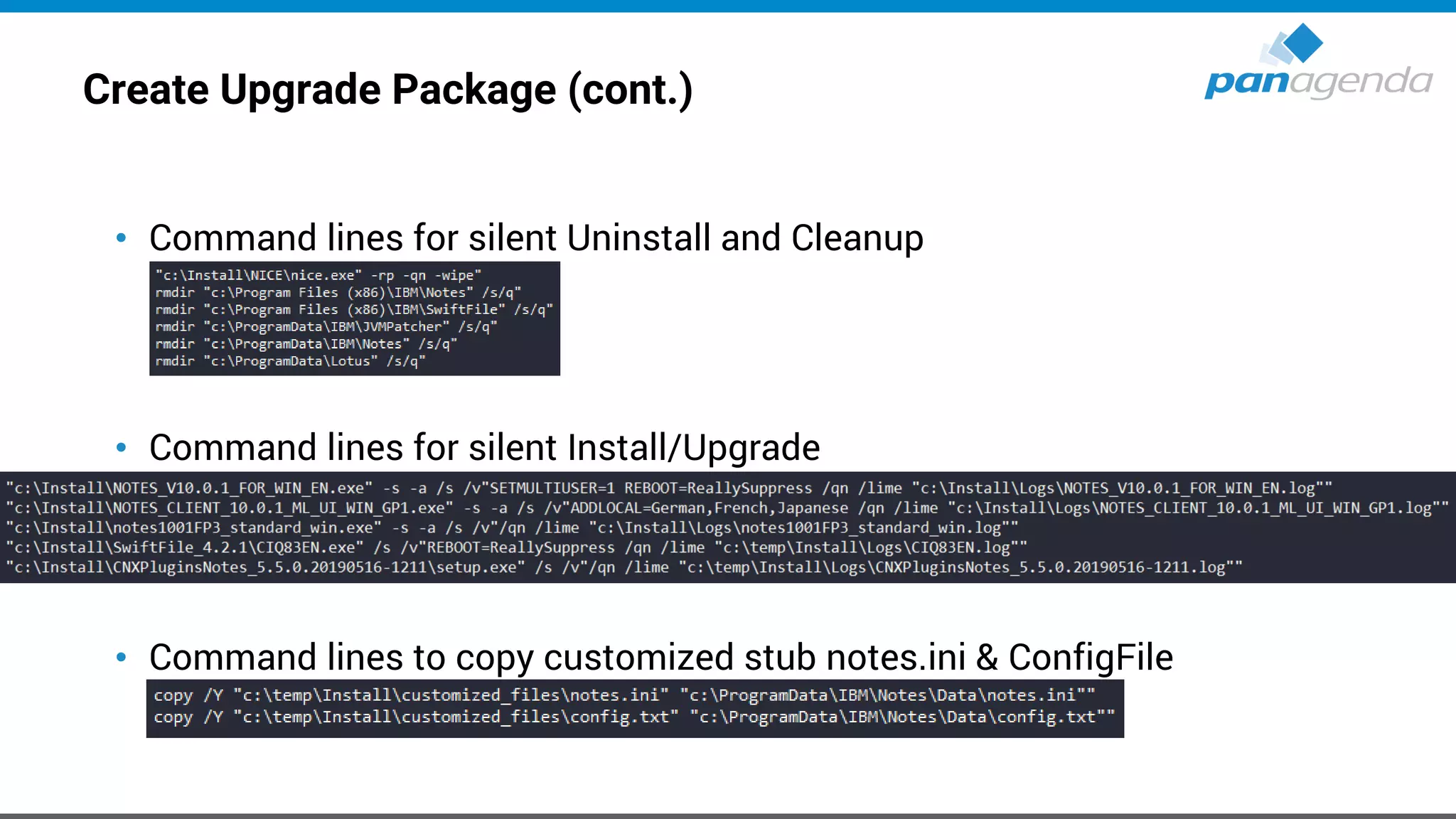
Create Upgrade Package (cont.)
• Command lines for silent Uninstall and Cleanup
• Command lines for silent Install/Upgrade
• Command lines to copy customized stub notes.ini & ConfigFile
Create Upgrade Package (cont.)
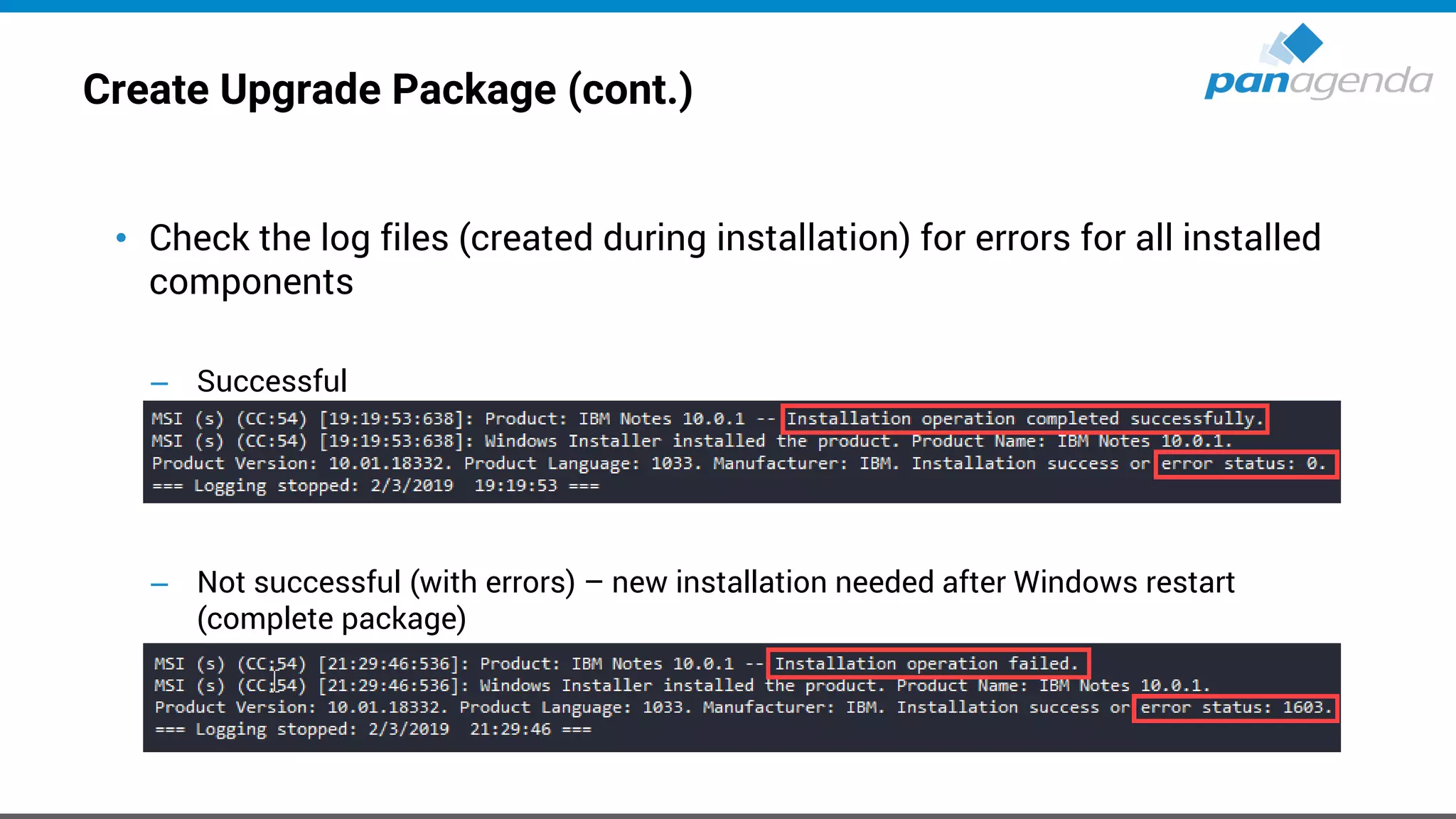
• Check the log files (created during installation) for errors for all installed
components
– Successful
– Not successful (with errors) – new installation needed after Windows restart
(complete package)
Create Upgrade Package (cont.)
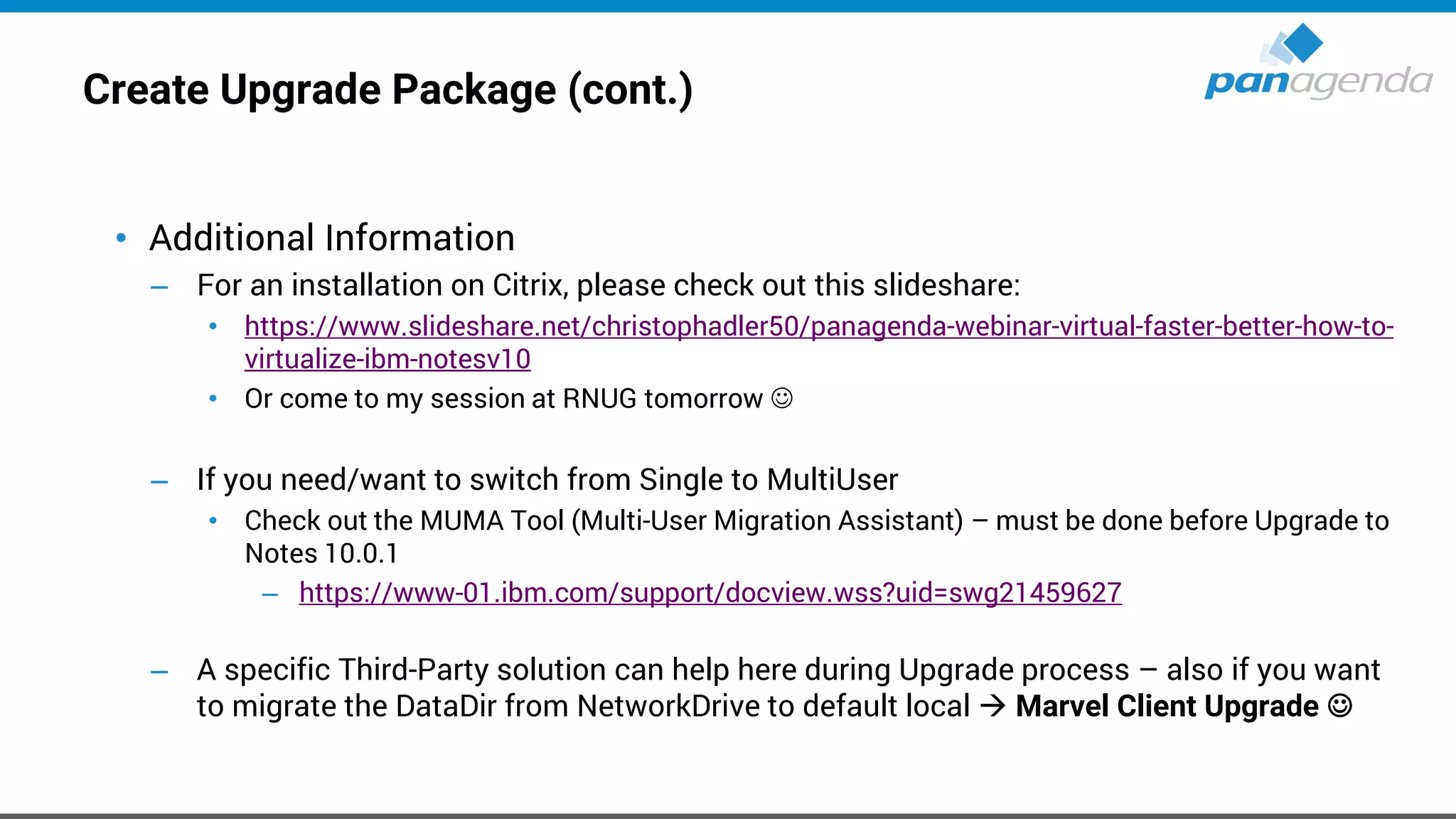
• Additional Information
– For an installation on Citrix, please check out this slideshare:
• https://www.slideshare.net/christophadler50/panagenda-webinar-virtual-faster-better-how-to-
virtualize-ibm-notesv10
• Or come to my session at RNUG tomorrow ☺
– If you need/want to switch from Single to MultiUser
• Check out the MUMA Tool (Multi-User Migration Assistant) – must be done before Upgrade to
Notes 10.0.1
– https://www-01.ibm.com/support/docview.wss?uid=swg21459627
– A specific Third-Party solution can help here during Upgrade process – also if you want
to migrate the DataDir from NetworkDrive to default local → Marvel Client Upgrade ☺
Create Upgrade Package (cont.)
• Additional Information
– Customized stub notes.ini (example)
– config.txt (example)
Define post Upgrade actions
• notes.ini changes for existing configurations
(via MarvelClient Essentials or Policy)
– Remove CREATE_R85_DATABASES=1
– Remove CREATE_R9_DATABASES=1
– Add CREATE_R10_DATABASES=1
– Add NSF_UpdateODS=1
– Add V10_WORKSPACE_BACKGROUND_MODE=1 → see next slide
Notes 10.x / 11.x – Workspace
• This will be controlled by a notes.ini parameter:
V10_WORKSPACE_BACKGROUND_MODE=0 → default (blue)
V10_WORKSPACE_BACKGROUND_MODE=1 → classic (grey lines)
V10_WORKSPACE_BACKGROUND_MODE=2 → customized
• If you choose for “2”, make sure you have an image resource in your local
bookmark.nsf named “$WorkspaceImage”
Test, pilot, production
• Test
– Try to use virtual machines with snapshots
– Use images, which is very close to your production configuration
▪ Desktops vs. Laptops vs. VDI
▪ ActiveDirectoy → GPOs (Group Policy Objects)
▪ No local admin user rights
▪ Enabled UAC (User Account Control)
▪ Installed AV (Anti-Virus) Software
Test, pilot, production (cont.)
• Pilot
– Choose the members of the pilot group wisely and let them know
– 20 – 50 users from different departments and with different requirements on IBM Notes
• Production Deployment
– Inform your ServiceDesk and your users before you push the button
– Balance your deployment by upgrading e. g. 100-500 users at the same time – no more
Make Your Data Work For You
How to run an Upgrade
in < 5 minutes
Live
Make Your Data Work For You
HCL Notes V11 on Citrix / VDI
Virtual, Faster, Better – How To Virtualize IBM Notes V11
https://www.slideshare.net/christophadler50/rnug-virtual-faster-better-how-to-
virtualize-hcl-notes-v11
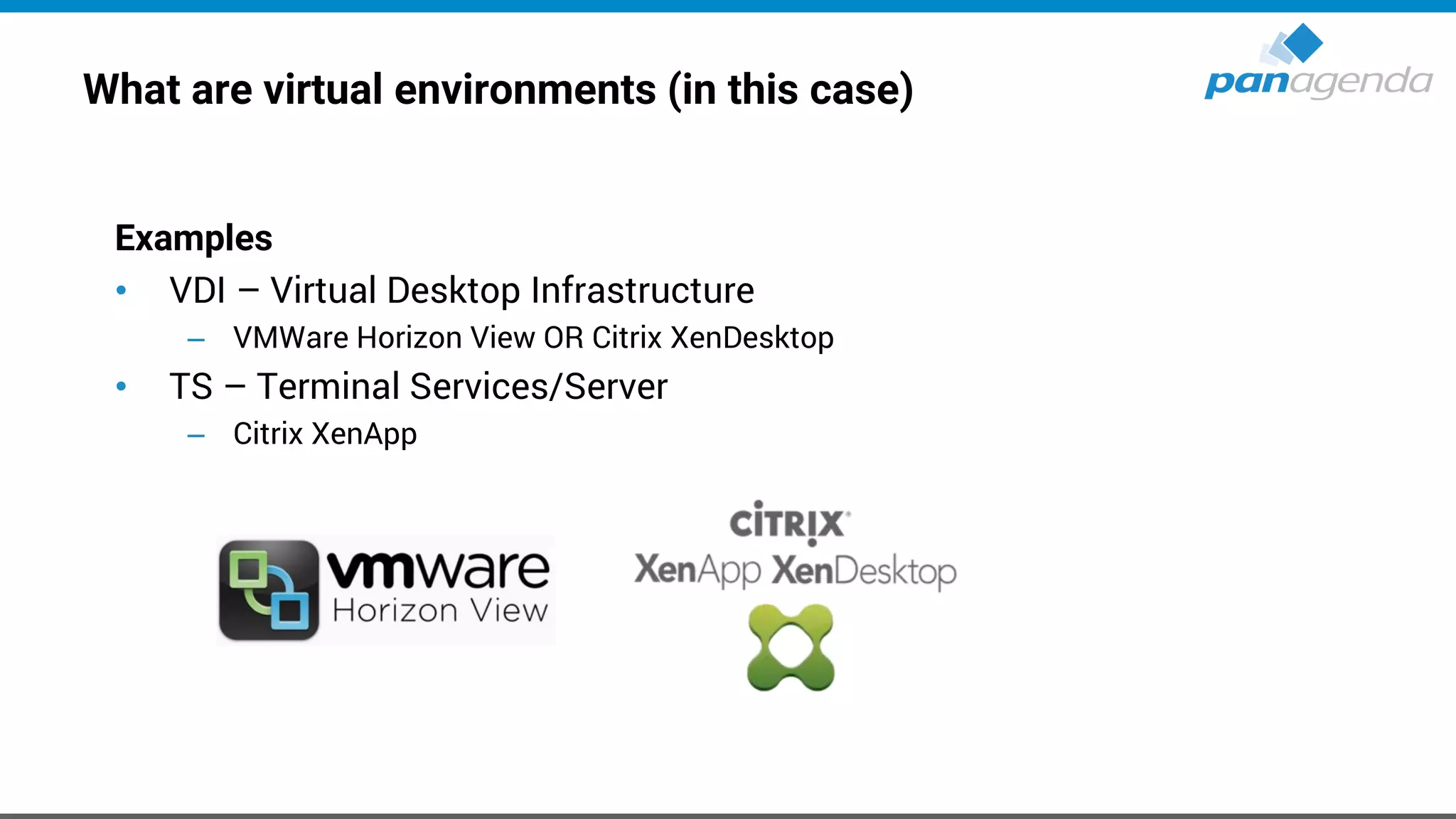
What are virtual environments (in this case)
Examples
• VDI – Virtual Desktop Infrastructure
– VMWare Horizon View OR Citrix XenDesktop
• TS – Terminal Services/Server
– Citrix XenApp
What we typically see at customers
Aged IBM Notes installations in virtual environments that are working “somehow”
– mostly Notes data directories on network drives which cause
• long startup times of IBM/HCL Notes (up to 60 sec)
• hangs and wait times due to interruptions and poor network latency
• high network traffic as IBM/HCL Notes is constantly reading / writing data
• frequently corrupted local applications
• permanently occupied disk space on file servers / SAN / NAS
– at least 120MB per user
– often because of old and outdated files, even templates
What we typically do at customers
• Sparking their enthusiasm for HCL Notes
– especially in virtual environments, HCL Notes can be optimized to start up fast, run
smooth and contribute to a positive end user IT experience by
• switching to local Multi-user installations
• frequently maintaining contents of HCL Notes data folders
• relieving network, file servers and/or SAN/NAS systems
• Encouraging administrators to spend a little more time on troubleshooting and
analyzing HCL Notes
– Solve root causes, not symptoms!
To roam or not to roam: that is the question
• Given the previous reasons why HCL Notes in virtual environments should
not have any files in the network, the following logical questions arise
– How can personal HCL Notes data folders of end users be maintained locally on the
virtual environment servers?
• Think of having N servers in the farm where personal end user data potentially
needs to be on every single server
• How do end users get their most recent HCL Notes configuration no matter
on which server in the farm they log on?
• How to ensure that disk space used by HCL Notes data folders is cleared
after log off?
To roam or not to roam: that is the question (cont.)
• How to avoid transfers of large HCL Notes data folders per user during log on and
log off which increase wait times and cause network traffic?
• The answer is: Roaming!
– To provide end users with their latest HCL Notes configuration, their data needs to be
roamed onto the server they log on to start their session
– Roaming can be achieved through own procedures (e. g. logon script),
Domino Roaming or third-party solutions
To roam or not to roam: that is the question (cont.)
Log on to
virtual session
Roam
data
Start
HCL Notes
Log on to
HCL Notes
(happens here:
logon script,
3rd-party
solutions)
Roam
data
(or here: MarvelClient
Roaming)
Work with
HCL Notes
Roam
data
(or here:
IBM/HCL
Roaming)
Shutdown
HCL Notes
Log off from
virtual session
Backup
data
Backup
data
(happens here:
MarvelClient
Roaming)
(or here)
Clear data
Make Your Data Work For You
Roaming
Live
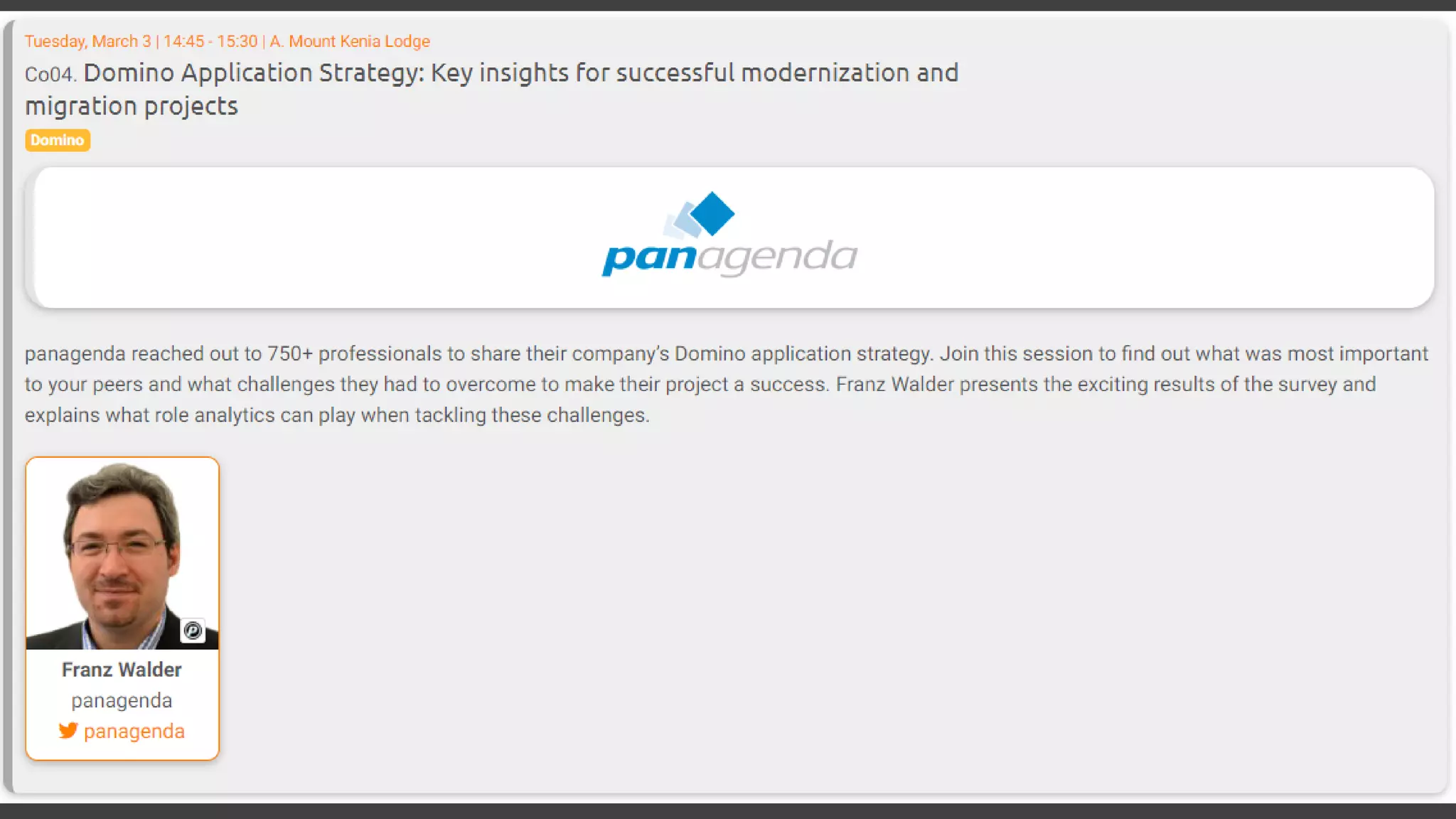
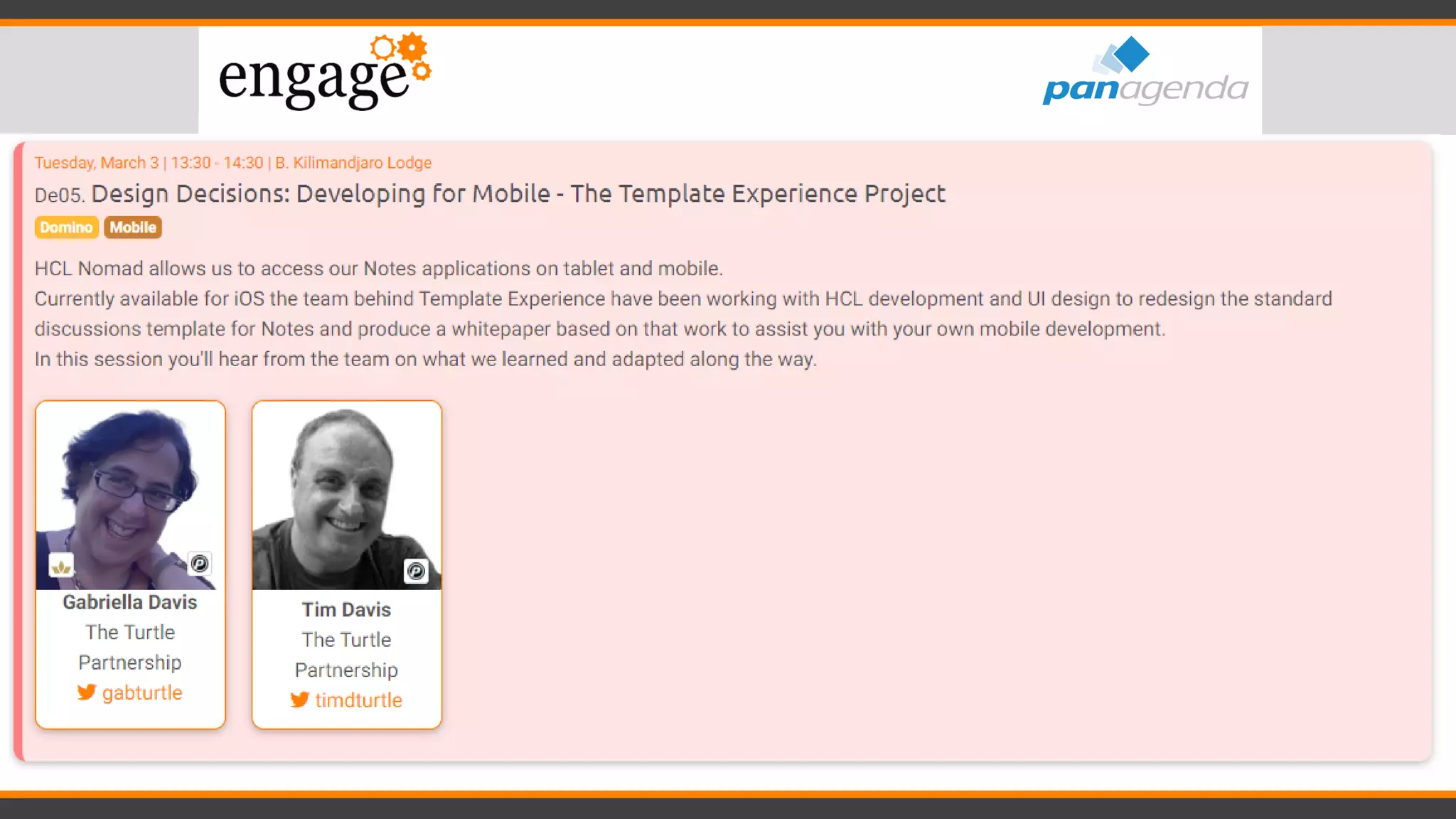
Session recommendations
#engageug
#engageug
#engageug
#engageug
#engageug
#engageug
#engageug
#engageug
#engageug
#engageug
#engageug
#engageug
Make Your Data Work For You
Discussion / Q & A
Make Your Data Work For You
Thank you
Headquarters, Austria:
panagenda GmbH (Ltd.)
Schreyvogelgasse 3/10
AT 1010 Vienna
Phone: +43 1 89 012 89
Fax: +43 1 89 012 89-15
E-Mail: info@panagenda.com
Headquarters, Germany:
panagenda GmbH (Ltd.)
Lahnstraße 17
DE 64646 Heppenheim
Phone: +49 6252 67 939-00
Fax: +49 6252 67 939-16
E-Mail: info@panagenda.com
USA:
panagenda Inc.
60 State Street, Suite 700
MA 02109 Boston
Phone: +1 617 855 5961
Fax: +1 617 488 2292
E-Mail: info@panagenda.com
Germany:
panagenda Consulting GmbH (Ltd.)
Donnersbergstrasse 1
DE 64646 Heppenheim
Phone: +49 6252 67 939-86
Fax: +49 6252 67 939-16
E-Mail: info@panagenda.com
The Netherlands:
Trust Factory B.V.
11th Floor,
Koningin Julianaplein 10
NL 2595 AA The Hague
Phone: +31 70 80 801 96
E-Mail: info@trust-factory.com
© 2007-2015 panagenda
Make Your Data Work for

Engage 2020 Workshop - All things Notes 11

  • 1.
    All things Notes11! Florian Vogler & Christoph Adler #engageug
  • 2.
    Timetable 13:30 – Start 14:30– Break ~10min 15:45 – Break ~10min 17:00 - End #engageug
  • 3.
    Timetable 13:30 – Start 14:30– Break ~10min 15:45 – Break ~10min 17:00 - End #engageug
  • 4.
  • 5.
    Christoph Adler -Senior Consultant at panagenda 18+ years of Lotus / IBM / HCL solutions experience • 7+ years (or 89+ months or 2.700+ days) of it at panagenda ☺ Focused on • Notes Client Management (A-Z) • Analysis and Optimization of HCL Digital Solutions infrastructures • Cloud on- & cross-boarding • Application Modernization Good to know • German (obviously - hence the funny accent) • Bass player (for a band called “DISCO”) • Geek, loves Music, Football and Beer • Don’t give energy drinks → squirrel mode
  • 6.
    Florian Vogler –CEO of panagenda Group 28 years of Lotus / IBM / HCL solutions experience Focused on • Analytics and Optimization of Collaboration and Communication Infrastructure • Notes Client Analysis and Management, Upgrades, Performance • Domino Application Modernization & Migration Good to know • Human • Believes in 1+1=3 • Husband and father of three
  • 7.
    1. About panagenda 2.(What’s new in) HCL Notes V11 3. MarvelClient 4. Upgrades to HCL Notes V11 5. HCL Notes V11 on Citrix / VDI 6. Engage 2020 - Session recommendations (Performance, Nomad, Application Modernization, DQL, FlexNet and more) Agenda
  • 8.
    Important – beforewe start • When we say HCL Notes or HCL Notes Domino, that includes IBM Notes, as well as Lotus Notes depending on context • Please contribute “on the go”! – Ask questions – Raise concerns – Discuss – Enjoy!
  • 9.
    About panagenda • Austria,Germany, The Netherlands, USA • 5 HCL Masters + 1 HCL Grandmaster • Customers in over 70 countries with 11+ Million licenses • Analytics and Optimization Solutions and Services for Notes, Domino, Connections and Office 365
  • 10.
    Notes, Domino, ConnectionsPortfolio • GreenLight: Domino Server Monitoring • iDNA Applications (fka ApplicationInsights): Domino Application Design and Usage Analytics • ConnectionsExpert: Connections Monitoring and Usage • Adoption/Adaptation Consulting • Notes, Domino, Websphere, Docker & Kubernetes Consulting and Services • SecurityInsider: Analysis and Monitoring of Groups and ACLs • MarvelClient: Notes Client Analysis, Management and more
  • 11.
    Make Your DataWork For You (What’s new in) HCL Notes V11
  • 12.
    Big promises fromHCL about a completely new User Experience for Notes V11 + Even bigger expectations from customers and partners
  • 14.
  • 15.
    Rebranding – IBM→ HCL (cont.) • “IBM” is replaced by “HCL” in most places, except – notes.ini – Registry – IBM_TECHNICAL_SUPPORT – Workspace folder – … • Some “IBM” and even “Lotus” strings will stay (forever) for backward compatibility
  • 16.
    Available Clients • Windows(32 Bit) – HCL Notes V11 – HCL Notes V11 - Basic Configuration – HCL Notes, Domino Designer and Admin V11 – HCL CAA V3 - Client Application Access • macOS (64 Bit) – HCL Notes V11 – HCL CAA V3 - Client Application Access
  • 17.
    Additional components • Languages(English, German, Japanese) – No G1 or G2 Language Pack available now • HCL CCM V11 - Connections Content Manager Connector for Notes • HCL NICE V11 - Notes Installer Clean Up Executable
  • 18.
    HCL Notes InstallationFolders • Program directory C:Program Files(x86)HCLNotes • Shared data directory C:ProgramDataHCLNotesDatashared • Data directory C:Users<USERNAME>AppDataLocalHCLNotesData
  • 19.
  • 20.
  • 21.
    HCL Notes V11– New Features • New User Experience – Template refresh – Mail, Discussion, Contacts, TeamRoom, ... • > 24 hour Meetings • Export as PDF • TLS 1.2 support for SAML (Result of XULRunner upgrade to latest version) • Open JVM 8 Support • Multi-Language Spell Check (based on available dictionaries) • Three Click Support for Attachments • [...]
  • 22.
    New User Experience– Login Dialog
  • 23.
    New User Experience– Workspace
  • 24.
    New User Experience– Notifications / Alarms
  • 25.
  • 26.
    New User Experience– Mail (cont.)
  • 27.
    New User Experience– Mail (cont.)
  • 28.
    New User Experience– Calendar
  • 29.
    New User Experience– Calendar (cont.)
  • 30.
    New User Experience– Contacts
  • 31.
    New User Experience– Contacts (cont.)
  • 32.
    HCL Notes V11– Customize colors • If blue is not your favorite color, you can choose/manage it with a notes.ini parameter (which is only the Basic color theme): CUSTOM_THEME_COLOR=R,G,B CUSTOM_THEME_COLOR=252,186,3
  • 33.
    HCL Notes V11– Customize colors (cont.)
  • 34.
    HCL Notes V11– Customize colors (cont.)
  • 35.
    HCL Notes V11– Customize colors (cont.) com.ibm.rcp.ui/v11.pref.custom.theme.color = 252,186,3 com.ibm.rcp.ui/v11.pref.sb.background.color = 252,186,3 com.ibm.rcp.ui/v11.pref.sb.selection.color = 176,129,2 com.ibm.rcp.ui/v11.pref.sb.separator.color = 252,186,3 com.ibm.rcp.ui/v11.pref.tab.background.color = 252,186,3 com.ibm.rcp.ui/v11.pref.tab.selection.color = 176,129,2 com.ibm.rcp.ui/v11.pref.tab.border.color = 176,129,2 com.ibm.rcp.ui/v11.pref.tab.focus.color = 252,186,3 com.ibm.rcp.ui/NAV_ICON_FAMILY = dark_icons OR light_icons com.ibm.rcp.ui/SB_SEL_ICON_FAMILY = dark_icons OR light_icons com.ibm.rcp.ui/v11.pref.nav.background.color = 252,186,3 com.ibm.rcp.ui/v11.pref.nav.text.color = 252,186,3 com.ibm.rcp.ui/v11.pref.nav.selection.color = 252,186,3 com.ibm.rcp.ui/v11.pref.nav.focus.color = 252,186,3 com.ibm.rcp.ui/v11.pref.nav.separator.color = 252,186,3 com.ibm.rcp.ui/v11.pref.nav.titlebar.color = 252,186,3 com.ibm.rcp.ui/v11.pref.sb.text.color = 252,186,3 com.ibm.rcp.ui/v11.pref.sb.selection.color = 252,186,3 com.ibm.rcp.ui/v11.pref.stb.background.color = 252,186,3 com.ibm.rcp.ui/v11.pref.stb.text.color = 252,186,3 com.ibm.rcp.ui/v11.pref.stb.selection.color = 252,186,3 com.ibm.rcp.ui/v11.pref.ab.background.color = 252,186,3 com.ibm.rcp.ui/v11.pref.ab.text.color = 252,186,3 com.ibm.rcp.ui/v11.pref.ab.selection.color = 252,186,3 com.ibm.rcp.ui/v11.pref.ab.border.color = 252,186,3 com.ibm.rcp.ui/v11.pref.tab.text.color = 252,186,3 com.ibm.rcp.ui/v11.pref.tab.selection.color = 252,186,3 com.ibm.rcp.ui/v11.pref.tab.border.color = 252,186,3 com.ibm.rcp.ui/v11.pref.ss.datepicker.background.color = 252,186,3 com.ibm.rcp.ui/v11.pref.ss.datepicker.text.color = 252,186,3 com.ibm.rcp.ui/v11.pref.ss.datepicker.selection.color = 252,186,3 com.ibm.rcp.ui/v11.pref.ss.titlebar.color = 252,186,3 com.ibm.rcp.ui/v11.pref.cal.datepicker.background.color = 252,186,3 com.ibm.rcp.ui/v11.pref.cal.datepicker.text.color = 252,186,3 com.ibm.rcp.ui/v11.pref.cal.datepicker.selection.color = 252,186,3
  • 36.
    HCL Notes V11– Multi-Language Spell Check
  • 37.
    HCL Notes V11– Multi-Language Spell Check
  • 38.
    HCL Notes V11– Three (Four) Click Support for Attachments • This will be controlled by a notes.ini parameter: EnableThreeClicks=1
  • 39.
    What’s new since9.0.1 FP10 IF7? • Touch screen support • Custom colors • New mail template • Dynamic indexing for highly changing views • Symmetrical clusters • Document deletion logging • Dead mail automatic processing • New ODS 53, 256GB NSF size support • Node.js support • DQL (Domino Query Language)
  • 40.
    What’s new since9.0.1 FP10 IF7? • AUT - Notes Auto Update • Marvel Client Essentials included • SSL cipher improvements • Onetime mail signatures
  • 41.
    Make Your DataWork For You MarvelClient
  • 42.
    MarvelClient The only NotesClient Management Solution for ALL • Unmatched feature scope and performance • For Notes 8.5 (5) to 11 • For Windows, Mac, Linux • For any serverside operating system • End user language independent • For Citrix/WTS/VDI • For Nomad (iPad, iPhone and Android) • Included in Notes and Domino >= 10.0.1 42 Do you know (of) Nomad?
  • 43.
    Start for FREE Transparency.Control. Reduce cost. www.panagenda.com https://www.panagenda.com/products/marvelclient/free-upgrade/https://www.panagenda.com/essentials/
  • 44.
    MarvelClient Essentials • Makesit easier, faster and cheaper to upgrade to HCL Notes 10.x • Provides valuable insights into Notes client landscapes for Notes 9.x and beyond • Helps reduce helpdesk tickets, support, client maintenance and upgrade efforts • Runs on all Notes client platforms supported by HCL (Intel Mac 64 bit, Windows, Citrix and VDI) • Runs on all IBM Domino platforms supported by HCL • Best of all: it’s FREE and included in HCL Notes and Domino >= 10.0.1 • If you are not on Notes and/or Domino >= 10.0.1 now, you can get MarvelClient Essentials here: https://www.panagenda.com/essentials/
  • 45.
    MarvelClient Essentials (cont.) •MarvelClient Essentials - Notes management solution https://support.hcltechsw.com/csm?id=kb_article&sysparm_article=KB0036369 • Getting Started with MarvelClient Essentials https://hclpnpsupport.service- now.com/sys_attachment.do?sysparm_referring_url=tear_off&view=true&sys_id=ed25 7dd41b65330077761fc58d4bcb25
  • 46.
  • 47.
    Marvel Client UpgradeFree www.panagenda.com/free-upgrade
  • 48.
  • 49.
    Under the Hoodof Notes Client Upgrades https://www.panagenda.com/download/MarvelClient/Under-the-Hood-of-Notes-Client-Upgrades.pdf
  • 50.
    MarvelClient Upgrade Free •Please register here to get the free license: – https://www.panagenda.com/products/marvelclient/free-upgrade/ • Documentation: – https://img.panagenda.com/download/MarvelClient/QuickStartGuide_MarvelClient-Upgrade- free.pdf • Taking Your First Steps with MarvelClient Upgrade – https://www.panagenda.com/2019/03/taking-your-first-steps-with-marvelclient-upgrade/ • Getting the Most From Your MarvelClient Upgrade – https://www.panagenda.com/2019/03/getting-the-most-from-your-marvelclient-upgrade/
  • 51.
  • 52.
    MarvelClient Architecture Config DB Analyz e DB Avg. 20-70 KB Upload Avg. 1-4KB Download Two Server-side Databases MarvelClient Config MarvelClient Analyze Single binary on the Notes Client Deployed to the Notes data directory Activated via EXTMGR_ADDINS in notes.ini
  • 53.
    “Self Healing Clients”ensure Client continuity for ongoing TCO savings Classic Helpdesk client management only offers remote management • 1,000 helpdesk calls remain 1,000 management incidents • Repeated efforts lead to limited, over time decreasing benefits → Only reduces time spent on each helpdesk call Audit Configure Benefit Time Work/Effort
  • 54.
    “Self Healing Clients”ensure Client continuity for ongoing TCO savings MarvelClient is similar to an email spam-filter: Centrally created actions solve helpdesk incidents automatically • Actions are permanently enforced • Benefits increase over time and can reduce helpdesk calls by up to 80% → Reduces number of helpdesk calls AND time spent on each call Audit Configure Benefit Time Work/Effort
  • 55.
    Make Your DataWork For You HCL Notes → Self-Healing Live demo
  • 56.
    MarvelClient for HCLNomad The power of MarvelClient is going mobile! Available for iOS (iPhones/iPads) and Android https://apps.apple.com/us/app/hcl-nomad/id751904885 Automatic Client Setup • for all Nomad clients – streamline and adapt Analyze, Manage and Mass Change/Delete • All iOS devices from one central Domino Database, from day one
  • 57.
    MarvelClient for HCLNomad Supported MarvelClient action types / functions • Analyze (Backup) • Recent Applications • Local Replicas and Replicator Page Entries • User Preferences and notes.ini Management (add/modify/remove) • Workspace Icons and Bookmarks *even though workspace is not supported it is used for the client to function properly • Full Text Indices of Local Databases/Replicas
  • 58.
    MarvelClient for HCLNomad Supported MarvelClient action types / functions (cont.) • Location and Connection Document Management • Mail Server Changes • Mass Changes • Cloud Migrations • Profile Document Management • Run Lotus Script Agents • …
  • 59.
    Make Your DataWork For You Marvel Client for HCL Nomad Live demo
  • 60.
    Make Your DataWork For You Upgrades to HCL Notes V11
  • 61.
    IBM Notes →HCL Notes • V9.0.1 (FP10 + IF7 + JVM + ST9.0.1 FP1 HF1) & V10.0.1 (FP4) & V11 – Notes 11.0.1 preview available since last Week • Standard, Basic, Admin- & Domino Designer-client • ICAA 3.0 • Single & Multi-User
  • 62.
    IBM Notes –Directories (9.0.1 & 10.0.1) → old • Program directory C:Program Files(x86)IBMNotes • Shared data directory C:ProgramDataIBMNotesDatashared C:ProgramDataLotusNotesDatashared → Sym • Data directory C:Users<USERNAME>AppDataLocalIBMNotesData
  • 63.
    HCL Notes –Directories (V11) → new • Program directory C:Program Files(x86)HCLNotes • Shared data directory C:ProgramDataHCLNotesDatashared C:ProgramDataIBMNotesDatashared → Sym • Data directory C:Users<USERNAME>AppDataLocalHCLNotesData
  • 64.
    Make Your DataWork For You Upgrades Notes 10.0.1 FP4
  • 65.
    Know your currentenvironment • It’s fundamentally important that your know the details about your current Notes Client Infrastructure to be able to make smart decisions for future deployments – Which exact versions are deployed? – Which Installation types and modes are used? – Locations of Program-, Data- and SharedData-Dir? – Usage of Laptops, Desktops, Citrix and VDI in numbers/percentage? – Which OS incl. version is used? – Usage of Notes addons → Connections plugins, SwiftFile, CTI, … ? • If you can’t answer the questions above 100% correctly, the following four slides will help you a lot!
  • 66.
  • 67.
    MarvelClient (Essentials) –AnalyzeDB examples (cont.)
  • 68.
    MarvelClient (Essentials) –AnalyzeDB examples (cont.)
  • 69.
    MarvelClient (Essentials) –AnalyzeDB examples (cont.)
  • 70.
    Define target (versionand more …) • Version → 10.0.1 FP4 – Our guess: Notes 11.0.1 will be shipped in 1H 2020 (hopefully including Languages) • Which Client Package? – Standard, Basic • Which Installation type? – Single or MultiUser
  • 71.
    Define target (versionand more …) cont. • Adding languages using MUI-Pack installation(s) – Multilingual User Interface – Group 1, 2 • Where to deploy? – Laptops, Desktops, Citrix and/or VDI – Windows7, Windows10, macOS 10.13 – 10.15 – Check System requirements on https://support.hcltechsw.com
  • 72.
    Define target (versionand more …) cont. • Adding other functions/packages? – Sametime embedded → not needed, 10.0.1 is up-to-date – JVMPatch → not needed, 10.0.1 is up-to-date – SwiftFile → use latest version 4.2.1 − IBM Connections Plugins for Notes → use latest version 5.5.0.20190516-1211 − Programs/Applications who interacts/communicates with Notes CTI, Instant Messengers, …
  • 73.
    Define target (versionand more …) cont. • Let’s assume (for this session) you want to Upgrade from Notes 9.0.1 FPx IFx to the following components: – IBM Notes 10.0.1 Standard Client → MultiUser Installation on Windows10 64Bit – Add French and Japanese (Multilingual User Interface = MUI) – Fix Pack 4 – SwiftFile 4.2.1 – Connections Plugins for Notes 5.5.0.20190516-1211 – Use of default paths for Program directory C:Program Files(x86)IBMNotes Shared data directory C:ProgramDataIBMNotesDatashared Data directory C:Users<USERNAME>AppDataLocalIBMNotesData
  • 74.
    Choose Upgrade/Deployment Tool– Third-Party-Solutions • Third-Party-Solution for Notes → Today: Marvel Client Upgrade Free • Third-Party-Solutions for Windows, like – SCCM – Empirum – LanDesk – DSM – others
  • 75.
    Create Upgrade Package •No need to make changes to MSI package(s) – Scripts can help here – Differentiation between package and configuration (notes.ini, ConfigFile, etc.) – That will help you a lot when it comes to package changes, new versions and testing • Always include an Uninstall part in your package – In-place upgrades are not recommended – You can use the package also in cases of a new or re-install
  • 76.
    Create Upgrade Package(cont.) Installation order a) Uninstall current version • Using NICE (Notes Install Cleanup Executable) https://support.hcltechsw.com/csm?id=kb_article&sysparm_article=KB0040768 b) Run local cleanup • Remove old Program- and SharedData-Dir c) Install IBM Notes 10.0.1 d) Add French and Japanese languages (Multilingual User Interface = MUI) e) Install Fix Pack 4 f) Install SwiftFile 4.2.1 g) Install Connections Plugins for Notes 5.5.0.20190516-1211 h) Copy customized files like stub notes.ini, ConfigFile, etc.
  • 77.
    Create Upgrade Package(cont.) • Command lines for silent Uninstall and Cleanup • Command lines for silent Install/Upgrade • Command lines to copy customized stub notes.ini & ConfigFile
  • 78.
    Create Upgrade Package(cont.) • Check the log files (created during installation) for errors for all installed components – Successful – Not successful (with errors) – new installation needed after Windows restart (complete package)
  • 79.
    Create Upgrade Package(cont.) • Additional Information – For an installation on Citrix, please check out this slideshare: • https://www.slideshare.net/christophadler50/panagenda-webinar-virtual-faster-better-how-to- virtualize-ibm-notesv10 • Or come to my session at RNUG tomorrow ☺ – If you need/want to switch from Single to MultiUser • Check out the MUMA Tool (Multi-User Migration Assistant) – must be done before Upgrade to Notes 10.0.1 – https://www-01.ibm.com/support/docview.wss?uid=swg21459627 – A specific Third-Party solution can help here during Upgrade process – also if you want to migrate the DataDir from NetworkDrive to default local → Marvel Client Upgrade ☺
  • 80.
    Create Upgrade Package(cont.) • Additional Information – Customized stub notes.ini (example) – config.txt (example)
  • 81.
    Define post Upgradeactions • notes.ini changes for existing configurations (via MarvelClient Essentials or Policy) – Remove CREATE_R85_DATABASES=1 – Remove CREATE_R9_DATABASES=1 – Add CREATE_R10_DATABASES=1 – Add NSF_UpdateODS=1 – Add V10_WORKSPACE_BACKGROUND_MODE=1 → see next slide
  • 82.
    Notes 10.x /11.x – Workspace • This will be controlled by a notes.ini parameter: V10_WORKSPACE_BACKGROUND_MODE=0 → default (blue) V10_WORKSPACE_BACKGROUND_MODE=1 → classic (grey lines) V10_WORKSPACE_BACKGROUND_MODE=2 → customized • If you choose for “2”, make sure you have an image resource in your local bookmark.nsf named “$WorkspaceImage”
  • 83.
    Test, pilot, production •Test – Try to use virtual machines with snapshots – Use images, which is very close to your production configuration ▪ Desktops vs. Laptops vs. VDI ▪ ActiveDirectoy → GPOs (Group Policy Objects) ▪ No local admin user rights ▪ Enabled UAC (User Account Control) ▪ Installed AV (Anti-Virus) Software
  • 84.
    Test, pilot, production(cont.) • Pilot – Choose the members of the pilot group wisely and let them know – 20 – 50 users from different departments and with different requirements on IBM Notes • Production Deployment – Inform your ServiceDesk and your users before you push the button – Balance your deployment by upgrading e. g. 100-500 users at the same time – no more
  • 85.
    Make Your DataWork For You How to run an Upgrade in < 5 minutes Live
  • 86.
    Make Your DataWork For You HCL Notes V11 on Citrix / VDI
  • 87.
    Virtual, Faster, Better– How To Virtualize IBM Notes V11 https://www.slideshare.net/christophadler50/rnug-virtual-faster-better-how-to- virtualize-hcl-notes-v11
  • 88.
    What are virtualenvironments (in this case) Examples • VDI – Virtual Desktop Infrastructure – VMWare Horizon View OR Citrix XenDesktop • TS – Terminal Services/Server – Citrix XenApp
  • 89.
    What we typicallysee at customers Aged IBM Notes installations in virtual environments that are working “somehow” – mostly Notes data directories on network drives which cause • long startup times of IBM/HCL Notes (up to 60 sec) • hangs and wait times due to interruptions and poor network latency • high network traffic as IBM/HCL Notes is constantly reading / writing data • frequently corrupted local applications • permanently occupied disk space on file servers / SAN / NAS – at least 120MB per user – often because of old and outdated files, even templates
  • 90.
    What we typicallydo at customers • Sparking their enthusiasm for HCL Notes – especially in virtual environments, HCL Notes can be optimized to start up fast, run smooth and contribute to a positive end user IT experience by • switching to local Multi-user installations • frequently maintaining contents of HCL Notes data folders • relieving network, file servers and/or SAN/NAS systems • Encouraging administrators to spend a little more time on troubleshooting and analyzing HCL Notes – Solve root causes, not symptoms!
  • 91.
    To roam ornot to roam: that is the question • Given the previous reasons why HCL Notes in virtual environments should not have any files in the network, the following logical questions arise – How can personal HCL Notes data folders of end users be maintained locally on the virtual environment servers? • Think of having N servers in the farm where personal end user data potentially needs to be on every single server • How do end users get their most recent HCL Notes configuration no matter on which server in the farm they log on? • How to ensure that disk space used by HCL Notes data folders is cleared after log off?
  • 92.
    To roam ornot to roam: that is the question (cont.) • How to avoid transfers of large HCL Notes data folders per user during log on and log off which increase wait times and cause network traffic? • The answer is: Roaming! – To provide end users with their latest HCL Notes configuration, their data needs to be roamed onto the server they log on to start their session – Roaming can be achieved through own procedures (e. g. logon script), Domino Roaming or third-party solutions
  • 93.
    To roam ornot to roam: that is the question (cont.) Log on to virtual session Roam data Start HCL Notes Log on to HCL Notes (happens here: logon script, 3rd-party solutions) Roam data (or here: MarvelClient Roaming) Work with HCL Notes Roam data (or here: IBM/HCL Roaming) Shutdown HCL Notes Log off from virtual session Backup data Backup data (happens here: MarvelClient Roaming) (or here) Clear data
  • 94.
    Make Your DataWork For You Roaming Live
  • 95.
  • 96.
  • 97.
  • 99.
  • 100.
  • 101.
  • 102.
  • 103.
  • 104.
  • 105.
  • 106.
  • 107.
  • 108.
    Make Your DataWork For You Discussion / Q & A
  • 109.
    Make Your DataWork For You Thank you
  • 110.
    Headquarters, Austria: panagenda GmbH(Ltd.) Schreyvogelgasse 3/10 AT 1010 Vienna Phone: +43 1 89 012 89 Fax: +43 1 89 012 89-15 E-Mail: info@panagenda.com Headquarters, Germany: panagenda GmbH (Ltd.) Lahnstraße 17 DE 64646 Heppenheim Phone: +49 6252 67 939-00 Fax: +49 6252 67 939-16 E-Mail: info@panagenda.com USA: panagenda Inc. 60 State Street, Suite 700 MA 02109 Boston Phone: +1 617 855 5961 Fax: +1 617 488 2292 E-Mail: info@panagenda.com Germany: panagenda Consulting GmbH (Ltd.) Donnersbergstrasse 1 DE 64646 Heppenheim Phone: +49 6252 67 939-86 Fax: +49 6252 67 939-16 E-Mail: info@panagenda.com The Netherlands: Trust Factory B.V. 11th Floor, Koningin Julianaplein 10 NL 2595 AA The Hague Phone: +31 70 80 801 96 E-Mail: info@trust-factory.com © 2007-2015 panagenda Make Your Data Work for