A practical approach to
implementing zero trust in
hybrid work
Miguel Garro CISM, CEH
Cybersecurity Architect
Andean Region
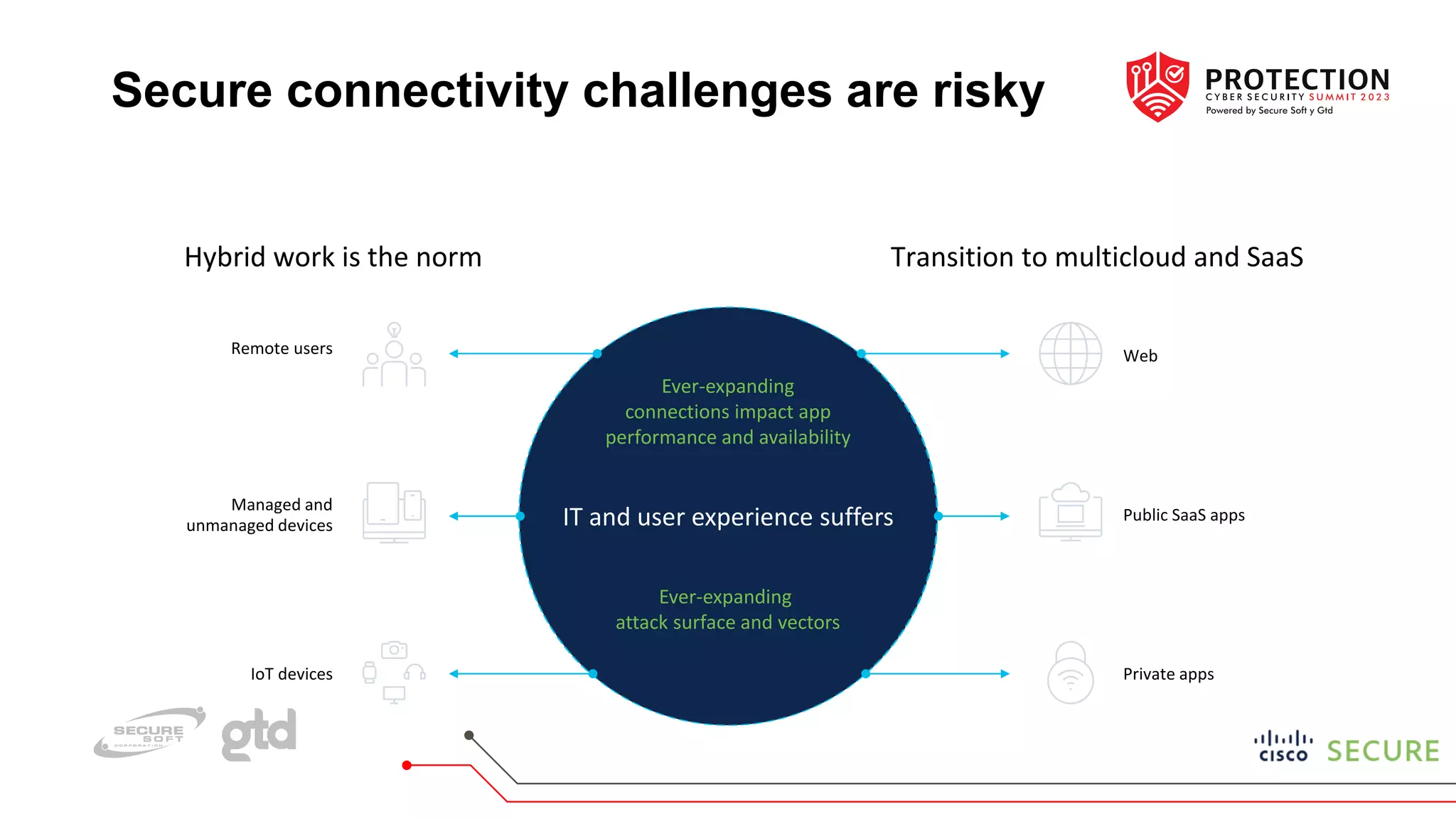
Secure connectivity challenges are risky
Ever-expanding
attack surface and vectors
IT and user experience suffers
Ever-expanding
connections impact app
performance and availability
Hybrid work is the norm
Remote users
Managed and
unmanaged devices
IoT devices
Transition to multicloud and SaaS
Web
Public SaaS apps
Private apps
Hybrid work
era creates
unmanageable risk
85%
Not adequately
prepared to handle
cybersecurity threats*
Highly distributed environments make
secure connectivity hard
* Source: Cybersecurity Readiness Index – Cisco: March, 2023
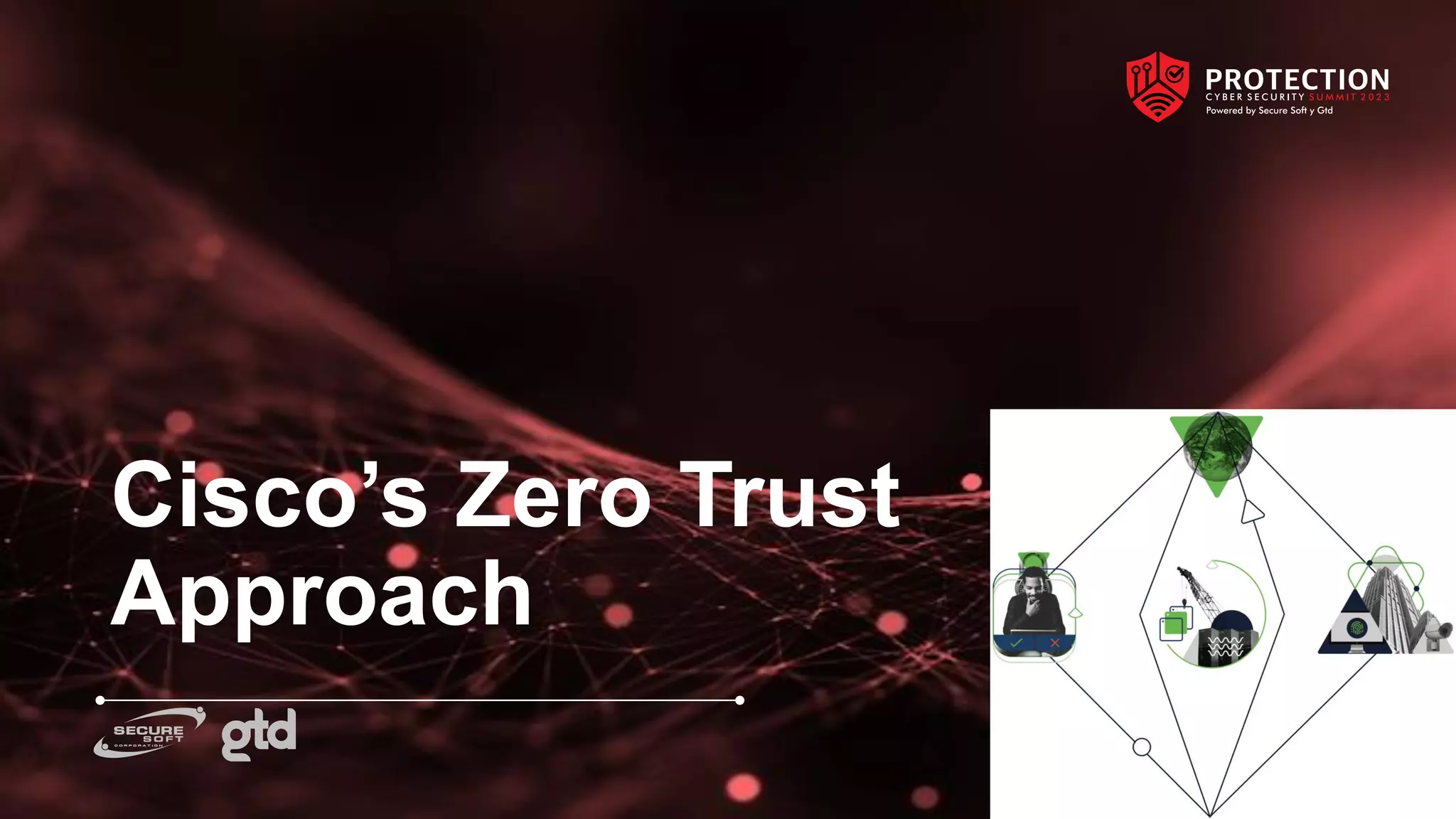
Cisco’s Zero Trust
Approach
The Zero Trust Approach
• Visibility informs policy. Provide as much intelligence and insight as possible to the people administering the
technology, in order to produce informed policies.
• Trust is neither binary nor permanent. Continually reassess the posture of users, devices and applications
and adjust your trust accordingly. Be prepared to respond to events that raise the risk level by containing
newly discovered threats and vulnerabilities.
• Ownership is not a control. Validate and extend trust to devices, applications and networks that you don’t
own or manage, from BYOD (bring your own device) and IoT (Internet of Things) devices to SaaS and public
cloud.
The Zero Trust Approach
• The perimeter is any place where you make an access control decision. Choose the layers and process
points that work for your environment, whether it’s at the network layer, the application layer, at the point
of identity verification or during a transaction workflow.
• Access decisions are based on re-establishing trust every time. Membership within a group, an application
service within a tier or a device connected to a network location, are not enough on their own to authorize
activity.
• Containment. Combine least privilege and segmentation with response capabilities to monitor for threat
activity and limit its spread by default.
The Zero Trust Approach
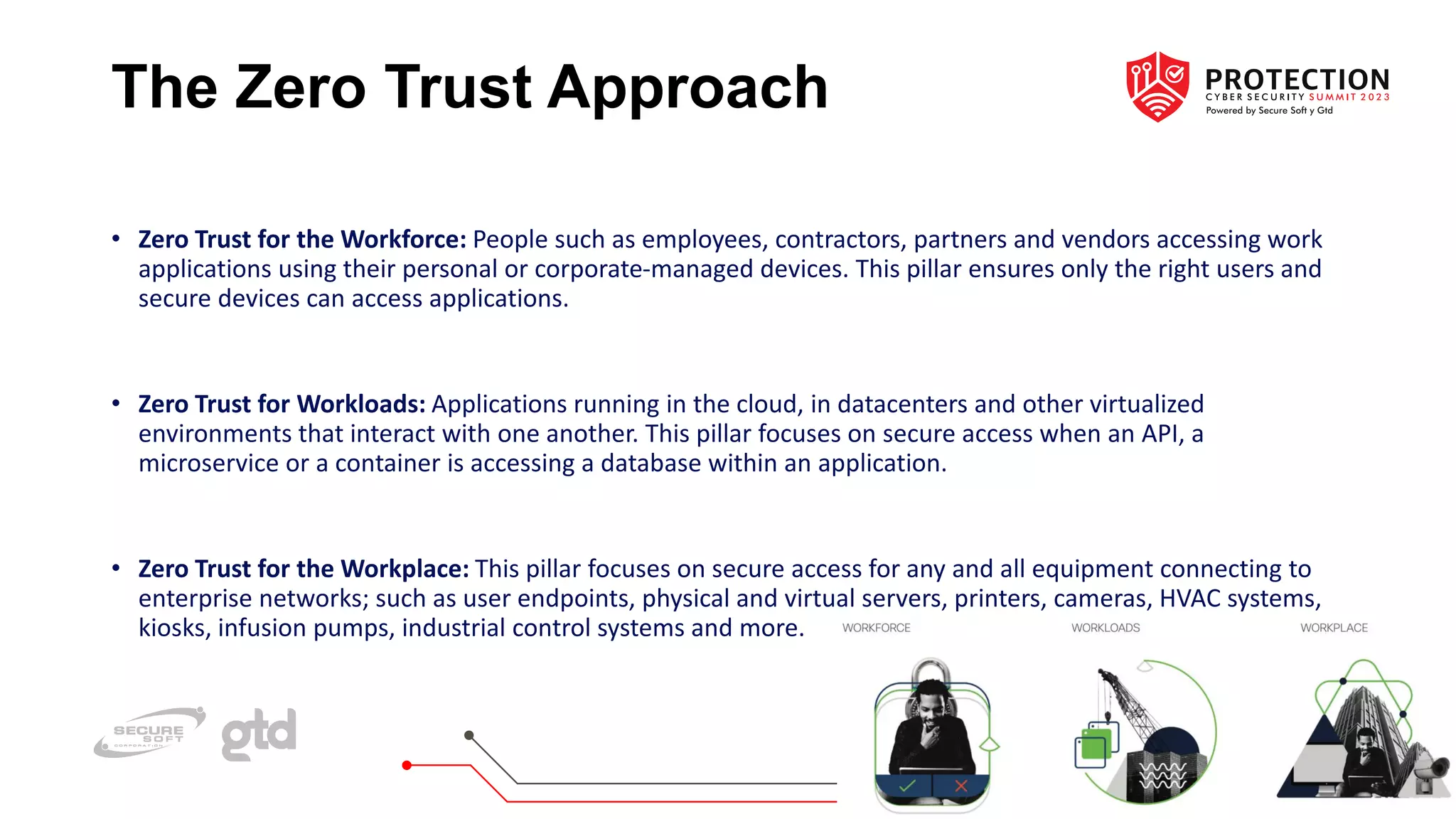
• Zero Trust for the Workforce: People such as employees, contractors, partners and vendors accessing work
applications using their personal or corporate-managed devices. This pillar ensures only the right users and
secure devices can access applications.
• Zero Trust for Workloads: Applications running in the cloud, in datacenters and other virtualized
environments that interact with one another. This pillar focuses on secure access when an API, a
microservice or a container is accessing a database within an application.
• Zero Trust for the Workplace: This pillar focuses on secure access for any and all equipment connecting to
enterprise networks; such as user endpoints, physical and virtual servers, printers, cameras, HVAC systems,
kiosks, infusion pumps, industrial control systems and more.
Phase 1: Establish
User Trust
Phase 1: Establish User Trust
• Ensure you have the right mechanisms and processes to ensure only authorized users are attempting to
access your resources. This can be achieved in a number of ways. Multi-factor authentication (MFA) is a
commonly used technology. An emerging option is passwordless: a single strong authentication factor.
• The perimeter is any place where you make an access control decision.
• Privileges are what people can do with the IT we protect. Trust is whether we have confidence that people
will use those privileges accordingly.
Phase 1: Establish User Trust
Objectives of this phase:
• Risk-rank people by role and access to information
• Go beyond employees to include contractors, temps and other hard to secure groups
• Expand the use of MFA
• Evaluate the use of passwordless for strong authentication
• Expand the number of people using the zero trust architecture
• Ensure every user is continuously validated
Phase 1: Establish User Trust
Metrics of this phase:
• Risk
• Overall risk level
• Risk register - issue mitigation
• Audit compliance - issue mitigation
• Security
• Incident reduction
• Account takeover (ATO)
• Business email compromise (BEC)
• Support
• FTE usage
• User MFA support tickets
• User MFA support satisfaction
• Operations
• Apps configured with MFA
• Users enrolled in MFA
Phase 2: Device and
Activity Visibility
Phase 2: Device and Activity
Visibility
• Which endpoint or device is being used with every access request? What is its current security state, and
from where is the request originating? This is a key stage for detecting account takeover attempts and other
risks.
• Access decisions are based on re-establishing trust every time people perform an activity.
• Ensuring the security system can trust the devices authenticating and accessing applications is the second
step in establishing a zero trust architecture.
Phase 2: Device and Activity
Visibility
Objectives of this phase:
• Risk-rank and prioritize applications
• Gain visibility into the devices and applications in use
• Go beyond on-premises applications to include securing cloud apps
• Expand the applications in the zero trust architecture
• Ensure continuous validation of access to every application
Phase 2: Device and Activity
Visibility
Metrics of this phase:
• Risk:
• App risk reduction - core apps
• Security:
• Unmanaged apps
• Unmanaged devices
• Support:
• App integration MFA support tickets
• App integration MFA support satisfaction
• Operations:
• Core apps configured with MFA Core apps configured with SSO
• Auth devices - known devices
Phase 3: Device
Trust
Phase 3: Device Trust
• Whether it’s corporate-owned or not, and whether it’s managed or unmanaged, an organization can mark as
trusted the devices it has registered and expects to see associated with that particular user.
• Device visibility in the earlier phase will illuminate the size of the endpoint population. Managed devices
may be tracked as part of an inventory, enrolled in a configuration and patch management program and
monitored for security events.
• Trusting the devices only if they’re with the right user is the next step towards tighter security that the zero
trust architecture makes possible.
Phase 3: Device Trust
Objectives of this phase:
• Risk-rank and prioritize devices
• Go beyond organizationally-owned devices to include BYOD
• Establish a portfolio of technologies for trusting devices, including MDM and VPN
• Expand the trusted end-user devices in the zero trust architecture
• Ensure every access and authentication device is continuously validated
Phase 3: Device Trust
Metrics of this phase:
• Risk
• App risk reduction - critical apps
• Security
• Incident reduction
• Compromised devices
• Auth devices - vulnerable devices
• Access devices - vulnerable devices
• Support
• Device MFA support tickets
• Device MFA support satisfaction
• Operations
• Critical apps configured with MFA
• Critical apps configured with SSO
• Access devices - trusted devices
Phase 4: Adaptive
Policies
Phase 4: Adaptive Policies
• Implement requirements for access based on the sensitivity of the resources and the known security state to
manage risk levels appropriately. These policies can range from allowing only corporate-managed devices to
requiring certain versions of patched software, encryption or step-up authentication based on user behavior.
• You can set policies requiring people use known and approved endpoints to access the most critical data and
applications (for example, privileged users must use a corporate-owned device)
• Start with a baseline level of trust for all users and all devices regardless of what they’re accessing, and then
add more to reach the level of risk management you need for access to the most sensitive tiers.
Phase 4: Adaptive Policies
Objectives of this phase:
• Establish an enforcement strategy to express our risk tolerance
• Apply policies to authentication workflows based on trust indicators
• Take action for the continuously validated people and devices
Phase 4: Adaptive Policies
Metrics of this phase:
• Risk
• Policy coverage for apps
• Policy coverage for devices
• Security
• Incident reduction
• Support
• Policy exceptions (workflow)
• Policy support tickets
• Policy support satisfaction
• Operations
• Policies enforced
• Policy compliance
• Accounts - inactive
• Access devices - inactive
• Auth devices - inactive
• Auth devices - shared
Phase 5: Zero Trust
for The Workforce
Phase 5: Zero Trust for The
Workforce
• By this point, all applications and systems within scope are covered by the previously listed stages.
Monitoring and response to threat scenarios are ongoing. People have a consistent experience across
devices and activities. It is time to optimize the management.
• The integration and move to continuous improvement must result in a consistent experience for end users,
IT administration and security operations.
• Tracking the metrics along the entirety of the zero trust architecture provides visibility into what is working
and where improvements are needed.
Phase 5: Zero Trust for The
Workforce
Objectives of this phase:
• Integrate the zero trust initiative into the organization-wide zero trust architecture
• Shift towards continuous improvement
• Capture lessons learned and momentum to drive future zero trust initiatives
Phase 5: Zero Trust for The
Workforce
Metrics of this phase:
• Number of workflows upgraded into the zero trust architecture
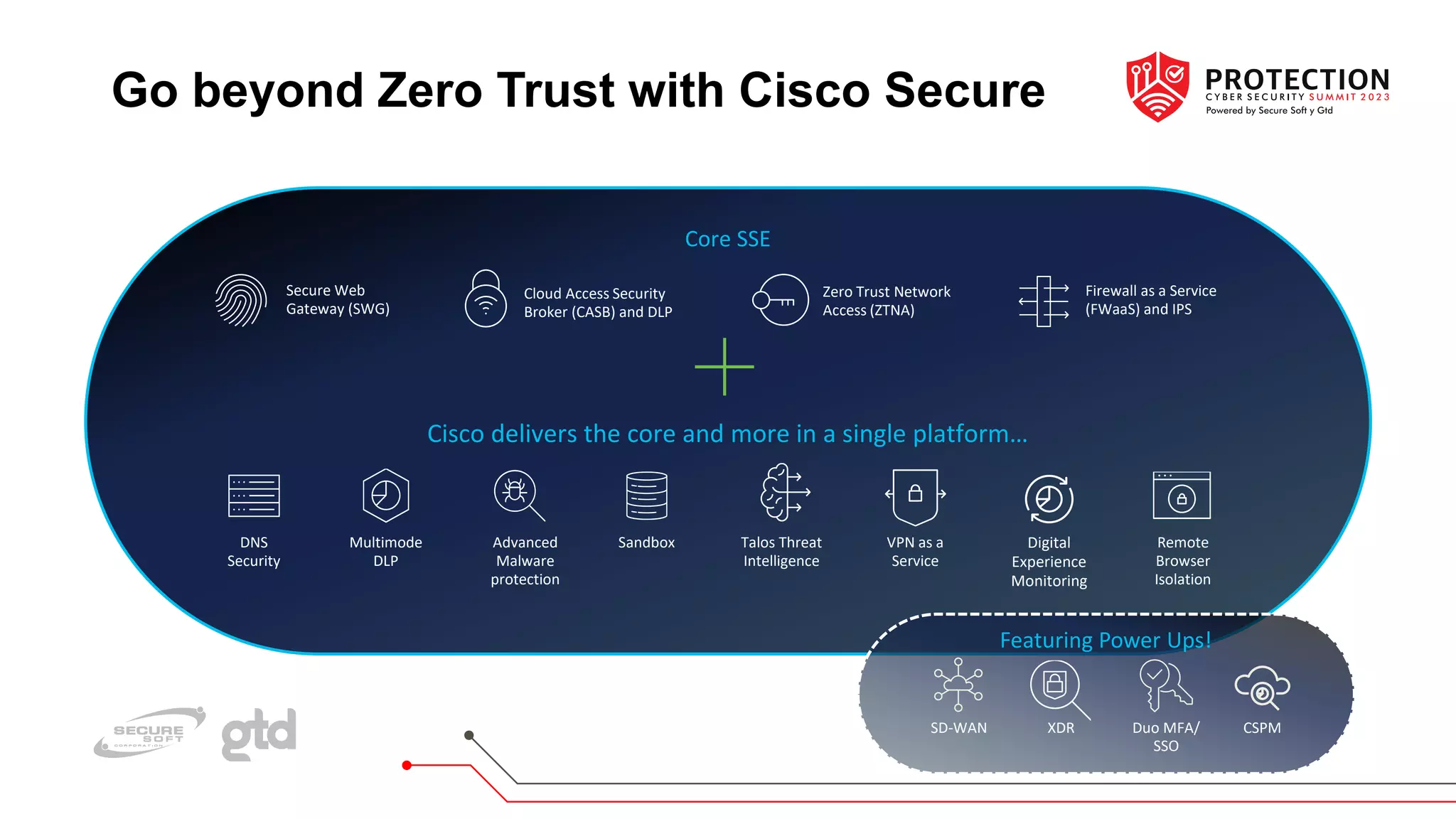
Go beyond Zero Trust with Cisco Secure
CSPM
Duo MFA/
SSO
Firewall as a Service
(FWaaS) and IPS
Secure Web
Gateway (SWG)
Cloud Access Security
Broker (CASB) and DLP
Zero Trust Network
Access (ZTNA)
Cisco delivers the core and more in a single platform…
Core SSE
DNS
Security
Remote
Browser
Isolation
Multimode
DLP
VPN as a
Service
Sandbox
Advanced
Malware
protection
Talos Threat
Intelligence
Digital
Experience
Monitoring
Featuring Power Ups!
SD-WAN XDR
GRACIAS

Un enfoque práctico para implementar confianza cero en el trabajo híbrido

  • 2.
    A practical approachto implementing zero trust in hybrid work Miguel Garro CISM, CEH Cybersecurity Architect Andean Region
  • 3.
    Secure connectivity challengesare risky Ever-expanding attack surface and vectors IT and user experience suffers Ever-expanding connections impact app performance and availability Hybrid work is the norm Remote users Managed and unmanaged devices IoT devices Transition to multicloud and SaaS Web Public SaaS apps Private apps
  • 4.
    Hybrid work era creates unmanageablerisk 85% Not adequately prepared to handle cybersecurity threats* Highly distributed environments make secure connectivity hard * Source: Cybersecurity Readiness Index – Cisco: March, 2023
  • 5.
  • 6.
    The Zero TrustApproach • Visibility informs policy. Provide as much intelligence and insight as possible to the people administering the technology, in order to produce informed policies. • Trust is neither binary nor permanent. Continually reassess the posture of users, devices and applications and adjust your trust accordingly. Be prepared to respond to events that raise the risk level by containing newly discovered threats and vulnerabilities. • Ownership is not a control. Validate and extend trust to devices, applications and networks that you don’t own or manage, from BYOD (bring your own device) and IoT (Internet of Things) devices to SaaS and public cloud.
  • 7.
    The Zero TrustApproach • The perimeter is any place where you make an access control decision. Choose the layers and process points that work for your environment, whether it’s at the network layer, the application layer, at the point of identity verification or during a transaction workflow. • Access decisions are based on re-establishing trust every time. Membership within a group, an application service within a tier or a device connected to a network location, are not enough on their own to authorize activity. • Containment. Combine least privilege and segmentation with response capabilities to monitor for threat activity and limit its spread by default.
  • 8.
    The Zero TrustApproach • Zero Trust for the Workforce: People such as employees, contractors, partners and vendors accessing work applications using their personal or corporate-managed devices. This pillar ensures only the right users and secure devices can access applications. • Zero Trust for Workloads: Applications running in the cloud, in datacenters and other virtualized environments that interact with one another. This pillar focuses on secure access when an API, a microservice or a container is accessing a database within an application. • Zero Trust for the Workplace: This pillar focuses on secure access for any and all equipment connecting to enterprise networks; such as user endpoints, physical and virtual servers, printers, cameras, HVAC systems, kiosks, infusion pumps, industrial control systems and more.
  • 9.
  • 10.
    Phase 1: EstablishUser Trust • Ensure you have the right mechanisms and processes to ensure only authorized users are attempting to access your resources. This can be achieved in a number of ways. Multi-factor authentication (MFA) is a commonly used technology. An emerging option is passwordless: a single strong authentication factor. • The perimeter is any place where you make an access control decision. • Privileges are what people can do with the IT we protect. Trust is whether we have confidence that people will use those privileges accordingly.
  • 11.
    Phase 1: EstablishUser Trust Objectives of this phase: • Risk-rank people by role and access to information • Go beyond employees to include contractors, temps and other hard to secure groups • Expand the use of MFA • Evaluate the use of passwordless for strong authentication • Expand the number of people using the zero trust architecture • Ensure every user is continuously validated
  • 12.
    Phase 1: EstablishUser Trust Metrics of this phase: • Risk • Overall risk level • Risk register - issue mitigation • Audit compliance - issue mitigation • Security • Incident reduction • Account takeover (ATO) • Business email compromise (BEC) • Support • FTE usage • User MFA support tickets • User MFA support satisfaction • Operations • Apps configured with MFA • Users enrolled in MFA
  • 13.
    Phase 2: Deviceand Activity Visibility
  • 14.
    Phase 2: Deviceand Activity Visibility • Which endpoint or device is being used with every access request? What is its current security state, and from where is the request originating? This is a key stage for detecting account takeover attempts and other risks. • Access decisions are based on re-establishing trust every time people perform an activity. • Ensuring the security system can trust the devices authenticating and accessing applications is the second step in establishing a zero trust architecture.
  • 15.
    Phase 2: Deviceand Activity Visibility Objectives of this phase: • Risk-rank and prioritize applications • Gain visibility into the devices and applications in use • Go beyond on-premises applications to include securing cloud apps • Expand the applications in the zero trust architecture • Ensure continuous validation of access to every application
  • 16.
    Phase 2: Deviceand Activity Visibility Metrics of this phase: • Risk: • App risk reduction - core apps • Security: • Unmanaged apps • Unmanaged devices • Support: • App integration MFA support tickets • App integration MFA support satisfaction • Operations: • Core apps configured with MFA Core apps configured with SSO • Auth devices - known devices
  • 17.
  • 18.
    Phase 3: DeviceTrust • Whether it’s corporate-owned or not, and whether it’s managed or unmanaged, an organization can mark as trusted the devices it has registered and expects to see associated with that particular user. • Device visibility in the earlier phase will illuminate the size of the endpoint population. Managed devices may be tracked as part of an inventory, enrolled in a configuration and patch management program and monitored for security events. • Trusting the devices only if they’re with the right user is the next step towards tighter security that the zero trust architecture makes possible.
  • 19.
    Phase 3: DeviceTrust Objectives of this phase: • Risk-rank and prioritize devices • Go beyond organizationally-owned devices to include BYOD • Establish a portfolio of technologies for trusting devices, including MDM and VPN • Expand the trusted end-user devices in the zero trust architecture • Ensure every access and authentication device is continuously validated
  • 20.
    Phase 3: DeviceTrust Metrics of this phase: • Risk • App risk reduction - critical apps • Security • Incident reduction • Compromised devices • Auth devices - vulnerable devices • Access devices - vulnerable devices • Support • Device MFA support tickets • Device MFA support satisfaction • Operations • Critical apps configured with MFA • Critical apps configured with SSO • Access devices - trusted devices
  • 21.
  • 22.
    Phase 4: AdaptivePolicies • Implement requirements for access based on the sensitivity of the resources and the known security state to manage risk levels appropriately. These policies can range from allowing only corporate-managed devices to requiring certain versions of patched software, encryption or step-up authentication based on user behavior. • You can set policies requiring people use known and approved endpoints to access the most critical data and applications (for example, privileged users must use a corporate-owned device) • Start with a baseline level of trust for all users and all devices regardless of what they’re accessing, and then add more to reach the level of risk management you need for access to the most sensitive tiers.
  • 23.
    Phase 4: AdaptivePolicies Objectives of this phase: • Establish an enforcement strategy to express our risk tolerance • Apply policies to authentication workflows based on trust indicators • Take action for the continuously validated people and devices
  • 24.
    Phase 4: AdaptivePolicies Metrics of this phase: • Risk • Policy coverage for apps • Policy coverage for devices • Security • Incident reduction • Support • Policy exceptions (workflow) • Policy support tickets • Policy support satisfaction • Operations • Policies enforced • Policy compliance • Accounts - inactive • Access devices - inactive • Auth devices - inactive • Auth devices - shared
  • 25.
    Phase 5: ZeroTrust for The Workforce
  • 26.
    Phase 5: ZeroTrust for The Workforce • By this point, all applications and systems within scope are covered by the previously listed stages. Monitoring and response to threat scenarios are ongoing. People have a consistent experience across devices and activities. It is time to optimize the management. • The integration and move to continuous improvement must result in a consistent experience for end users, IT administration and security operations. • Tracking the metrics along the entirety of the zero trust architecture provides visibility into what is working and where improvements are needed.
  • 27.
    Phase 5: ZeroTrust for The Workforce Objectives of this phase: • Integrate the zero trust initiative into the organization-wide zero trust architecture • Shift towards continuous improvement • Capture lessons learned and momentum to drive future zero trust initiatives
  • 28.
    Phase 5: ZeroTrust for The Workforce Metrics of this phase: • Number of workflows upgraded into the zero trust architecture
  • 29.
    Go beyond ZeroTrust with Cisco Secure CSPM Duo MFA/ SSO Firewall as a Service (FWaaS) and IPS Secure Web Gateway (SWG) Cloud Access Security Broker (CASB) and DLP Zero Trust Network Access (ZTNA) Cisco delivers the core and more in a single platform… Core SSE DNS Security Remote Browser Isolation Multimode DLP VPN as a Service Sandbox Advanced Malware protection Talos Threat Intelligence Digital Experience Monitoring Featuring Power Ups! SD-WAN XDR
  • 30.