Types of Network Development Using
Land Area Coverage.
Presented by:
Khandakar Abdullah-Al-Numan
ID: 13-23816-1
Prabal Mallick
ID:13-23802-1
Avishek Kar
ID:13-23726-1
What is Network?
 A network is a group of two or more computer systems
linked together
 Networks are systems that are formed by links.
 A network can be as simple as two computers connected
by a single cable or as complex as hundreds of computers
connected to devices that control the flow of information.
 A computer network is a group of computers connected
to each other electronically by which they can talk to
each other and exchange data.
Types of Network
There are many types of computer networking which are used world
wide these days.There are some types of network that are using
Worldwide:
 LAN - Local Area Network
 WAN - Wide Area Network
 WLAN - Wireless Local Area Network
 PAN - Personal Area Network
 SAN - Storage Area Network
 GAN - Global Area Network
 MAN - Metropolitan Area Network
 CAN - Controller Area Network
 DAN - Desk Area Network
 VPN - Virtual Private Network
LAN - Local Area Network
LAN connects networking devices with in short
spam of area, i.e. small offices, home, internet
cafes etc. LAN uses TCP/IP network protocol for
communication between computers. It is often but
not always implemented as a single IP subnet. Since
LAN is operated in short area so It can be control
and administrate by single person or organization.
WAN - Wide Area Networks
As “word” Wide implies, WAN, wide area network
cover large distance for communication between
computers. The Internet it self is the biggest
example of Wide area network, WAN, which is
covering the entire earth. WAN is distributed
collection of geographically LANs. A network
connecting device router connects LANs to WANs.
WAN used network protocols like ATM, X.25, and
Frame Relay for long distance connectivity.
WLAN - Wireless Local Area Network
A LAN, local area networks based on wireless
network technology mostly referred as Wi-Fi. Unlike
LAN, in WLAN no wires are used, but radio signals
are the medium for communication. Wireless
network cards are required to be installed in the
systems for accessing any wireless network around.
Mostly wireless cards connect to wireless routers for
communication among computers or accessing WAN,
internet.
PAN - Personal Area Network
 Personal area networks can be constructed with cables or
be wireless. USB and FireWire technologies often link
together a wired PAN, while wireless PANs typically use
Bluetooth or sometimes infrared connections. Bluetooth
PANs are also sometimes called piconets.
 Personal area networks generally cover a range of less
than 10 meters (about 30 feet). PANs can be viewed as a
special type (or subset) of local area network (LAN) that
supports one person instead of a group.
SAN - Storage Area Network
 SAN, system area networks are also known as cluster area
network and it connects high performance computers with
high speed connections in cluster configuration
 The term SAN can sometimes refer to system area
networks instead of a storage area network. System area
networks are clusters of high performance computers used
for distributed processing applications requiring fast local
network performance. Storage area networks, on the
other, are designed specifically for data management.
GAN - Global Area Network
 Global area network (GAN)refers to any network that
is composed of different interconnected computer
networks (WANs) and also covers an unlimited
geographical area.
 The most sought-after GAN type is a broadband GAN.
The broadband GAN is a global satellite Internet
network that uses portable terminals for telephony.
The terminals connect laptop computers located in
remote areas to broadband Internet.
MAN - Metropolitan Area Networ
 A metropolitan area network (MAN) is similar to a local
area network (LAN) but spans an entire city or campus.
MANs are formed by connecting multiple LANs. Thus, MANs
are larger than LANs but smaller than wide area networks
(WAN
 MANs are extremely efficient and provide fast
communication via high-speed carriers, such as fiber optic
cables
 Distributed Queue Dual Bus (DQDB) is the MAN standard
specified by the Institute Of Electrical And Electronics
Engineers (IEEE) as IEEE 802.6. Using this standard, a MAN
extends up to 30-40 km, or 20-25 miles.
CAN - Controller Area Network
CAN – Campus Area Network
 Abbreviated CAN, a serial bus network of microcontrollers that
connects devices, sensors and actuators in a system or sub-system for
real-time control applications. There is no addressing scheme used in
controller area networks, as in the sense of conventional addressing in
networks (such as Ethernet). Rather, messages are broadcast to all the
nodes in the network using an identifier unique to the network.
 A campus area network known as (CAN) is used to inter-connect
networks in limited geographical locality like university campus,
military bases, or organizational campuses etc. It can be taken as the
metropolitan network that has the specific settings at the small area
just like a computer lab in the university.
DAN - Desk Area Network
 DAN is an interconnection of computer devices around the ATM
(Asynchronous Transfer Mode). This exchange of information between
various peripherals and CPU is based on the transfer of ATM cells
mainly. DAN enables the network to share resources over the network.
It also provides the access to foreign devices. This system enables to
form A/V connection. DAN consists of A/V softwares. This software
has four main layers. This software is intelligent enough to guide and
support the A/V devices. It works on a simple process, when we on a
VCR. And put a cassette into it, it is automatically connected to the
monitor. VCR and other related devices are often connected to the
network in order to built DAN.
VPN - Virtual Private Network
 A VPN is a private network that uses a public network to connect remote
sites or users together. The VPN uses "virtual" connections routed through the
Internet from the business's private network to the remote site or employee.
By using a VPN, businesses ensure security -- anyone intercepting the
encrypted data can't read .
 A virtual private network (VPN) is a network that uses a public
telecommunication infrastructure, such as the Internet, to provide remote
offices or individual users with secure access to their organization's network.
A virtual private network can be contrasted with an expensive system of
owned or leased lines that can only be used by one organization. The goal of a
VPN is to provide the organization with the same capabilities, but at a much
lower cost.
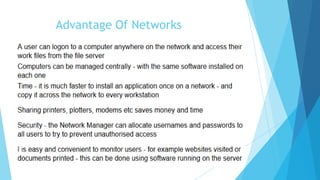
Advantage Of Networks
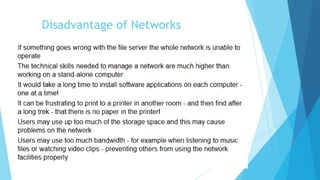
Disadvantage of Networks
Conclusion
 In the new era of computer and networking system it can’t be
ignored that Without network system life becomes so difficult.
 Again it plays an vital role in the field of modern IT.
 So we should use it a proper and safe way.
Source
 www.google.com
 www.Wikipedia.com
 http://compnetworking.about.com
 http://www.wifinotes.com
 http://vector.com
 http://home.olemiss.edu
 http://www.ciscoforall.com
 http://www.about.com
 http://www.webopedia.com
 http://www.techopedia.com
Thank You
Any Question?

Types of Network

  • 1.
    Types of NetworkDevelopment Using Land Area Coverage. Presented by: Khandakar Abdullah-Al-Numan ID: 13-23816-1 Prabal Mallick ID:13-23802-1 Avishek Kar ID:13-23726-1
  • 2.
    What is Network? A network is a group of two or more computer systems linked together  Networks are systems that are formed by links.  A network can be as simple as two computers connected by a single cable or as complex as hundreds of computers connected to devices that control the flow of information.  A computer network is a group of computers connected to each other electronically by which they can talk to each other and exchange data.
  • 3.
    Types of Network Thereare many types of computer networking which are used world wide these days.There are some types of network that are using Worldwide:  LAN - Local Area Network  WAN - Wide Area Network  WLAN - Wireless Local Area Network  PAN - Personal Area Network  SAN - Storage Area Network  GAN - Global Area Network  MAN - Metropolitan Area Network  CAN - Controller Area Network  DAN - Desk Area Network  VPN - Virtual Private Network
  • 4.
    LAN - LocalArea Network LAN connects networking devices with in short spam of area, i.e. small offices, home, internet cafes etc. LAN uses TCP/IP network protocol for communication between computers. It is often but not always implemented as a single IP subnet. Since LAN is operated in short area so It can be control and administrate by single person or organization.
  • 5.
    WAN - WideArea Networks As “word” Wide implies, WAN, wide area network cover large distance for communication between computers. The Internet it self is the biggest example of Wide area network, WAN, which is covering the entire earth. WAN is distributed collection of geographically LANs. A network connecting device router connects LANs to WANs. WAN used network protocols like ATM, X.25, and Frame Relay for long distance connectivity.
  • 6.
    WLAN - WirelessLocal Area Network A LAN, local area networks based on wireless network technology mostly referred as Wi-Fi. Unlike LAN, in WLAN no wires are used, but radio signals are the medium for communication. Wireless network cards are required to be installed in the systems for accessing any wireless network around. Mostly wireless cards connect to wireless routers for communication among computers or accessing WAN, internet.
  • 7.
    PAN - PersonalArea Network  Personal area networks can be constructed with cables or be wireless. USB and FireWire technologies often link together a wired PAN, while wireless PANs typically use Bluetooth or sometimes infrared connections. Bluetooth PANs are also sometimes called piconets.  Personal area networks generally cover a range of less than 10 meters (about 30 feet). PANs can be viewed as a special type (or subset) of local area network (LAN) that supports one person instead of a group.
  • 8.
    SAN - StorageArea Network  SAN, system area networks are also known as cluster area network and it connects high performance computers with high speed connections in cluster configuration  The term SAN can sometimes refer to system area networks instead of a storage area network. System area networks are clusters of high performance computers used for distributed processing applications requiring fast local network performance. Storage area networks, on the other, are designed specifically for data management.
  • 9.
    GAN - GlobalArea Network  Global area network (GAN)refers to any network that is composed of different interconnected computer networks (WANs) and also covers an unlimited geographical area.  The most sought-after GAN type is a broadband GAN. The broadband GAN is a global satellite Internet network that uses portable terminals for telephony. The terminals connect laptop computers located in remote areas to broadband Internet.
  • 10.
    MAN - MetropolitanArea Networ  A metropolitan area network (MAN) is similar to a local area network (LAN) but spans an entire city or campus. MANs are formed by connecting multiple LANs. Thus, MANs are larger than LANs but smaller than wide area networks (WAN  MANs are extremely efficient and provide fast communication via high-speed carriers, such as fiber optic cables  Distributed Queue Dual Bus (DQDB) is the MAN standard specified by the Institute Of Electrical And Electronics Engineers (IEEE) as IEEE 802.6. Using this standard, a MAN extends up to 30-40 km, or 20-25 miles.
  • 11.
    CAN - ControllerArea Network CAN – Campus Area Network  Abbreviated CAN, a serial bus network of microcontrollers that connects devices, sensors and actuators in a system or sub-system for real-time control applications. There is no addressing scheme used in controller area networks, as in the sense of conventional addressing in networks (such as Ethernet). Rather, messages are broadcast to all the nodes in the network using an identifier unique to the network.  A campus area network known as (CAN) is used to inter-connect networks in limited geographical locality like university campus, military bases, or organizational campuses etc. It can be taken as the metropolitan network that has the specific settings at the small area just like a computer lab in the university.
  • 12.
    DAN - DeskArea Network  DAN is an interconnection of computer devices around the ATM (Asynchronous Transfer Mode). This exchange of information between various peripherals and CPU is based on the transfer of ATM cells mainly. DAN enables the network to share resources over the network. It also provides the access to foreign devices. This system enables to form A/V connection. DAN consists of A/V softwares. This software has four main layers. This software is intelligent enough to guide and support the A/V devices. It works on a simple process, when we on a VCR. And put a cassette into it, it is automatically connected to the monitor. VCR and other related devices are often connected to the network in order to built DAN.
  • 13.
    VPN - VirtualPrivate Network  A VPN is a private network that uses a public network to connect remote sites or users together. The VPN uses "virtual" connections routed through the Internet from the business's private network to the remote site or employee. By using a VPN, businesses ensure security -- anyone intercepting the encrypted data can't read .  A virtual private network (VPN) is a network that uses a public telecommunication infrastructure, such as the Internet, to provide remote offices or individual users with secure access to their organization's network. A virtual private network can be contrasted with an expensive system of owned or leased lines that can only be used by one organization. The goal of a VPN is to provide the organization with the same capabilities, but at a much lower cost.
  • 14.
  • 15.
  • 16.
    Conclusion  In thenew era of computer and networking system it can’t be ignored that Without network system life becomes so difficult.  Again it plays an vital role in the field of modern IT.  So we should use it a proper and safe way.
  • 17.
    Source  www.google.com  www.Wikipedia.com http://compnetworking.about.com  http://www.wifinotes.com  http://vector.com  http://home.olemiss.edu  http://www.ciscoforall.com  http://www.about.com  http://www.webopedia.com  http://www.techopedia.com
  • 18.