TYPE SETTING SIMPLE
DOCUMENTS - LATEX
M. Gayathri, M.Sc., M.Phil.
Assistant Professor
Department of Mathematics
Sri Sarada Niketan college of Science for Women , Karur-5
TYPE SETTING SIMPLE DOCUMENTS
Books are often typeset with each line having the same length. LaTeX inserts the necessary line breaks
and spaces between words by optimizing the contents of a whole paragraph. If necessary, it also
hyphenates words that would not fit comfortably on a line. How the paragraphs are typeset depends on
the document class. Normally the first line of a paragraph is indented, and there is no additional space
between two paragraphs.
In special cases it might be necessary to order LaTeX to break a line.
[ length ] or newline starts a new line without starting a new paragraph.
〈 〉
The optional length argument adds additional space after the line.
〈 〉
*[ length ] additionally prohibits a page break after the forced line break.
〈 〉
newpage starts a new page.
linebreak[ n ]
〈 〉
nolinebreak[ n ]
〈 〉
pagebreak[ n ]
〈 〉
nopagebreak[ n ]
〈 〉
TYPE SETTING SIMPLE DOCUMENTS (CONT..)
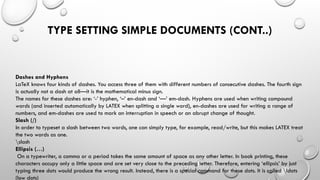
Dashes and Hyphens
LaTeX knows four kinds of dashes. You access three of them with different numbers of consecutive dashes. The fourth sign
is actually not a dash at all—it is the mathematical minus sign.
The names for these dashes are: ‘-’ hyphen, ‘–’ en-dash and ‘—’ em-dash. Hyphens are used when writing compound
words (and inserted automatically by LATEX when splitting a single word), en-dashes are used for writing a range of
numbers, and em-dashes are used to mark an interruption in speech or an abrupt change of thought.
Slash (/)
In order to typeset a slash between two words, one can simply type, for example, read/write, but this makes LATEX treat
the two words as one.
slash
Ellipsis (…)
On a typewriter, a comma or a period takes the same amount of space as any other letter. In book printing, these
characters occupy only a little space and are set very close to the preceding letter. Therefore, entering ‘ellipsis’ by just
typing three dots would produce the wrong result. Instead, there is a special command for these dots. It is called ldots
(low dots)
TYPE SETTING SIMPLE DOCUMENTS (CONT..)
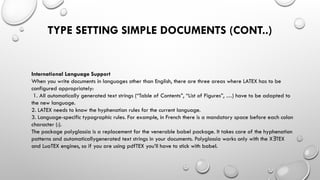
International Language Support
When you write documents in languages other than English, there are three areas where LATEX has to be
configured appropriately:
1. All automatically generated text strings (“Table of Contents”, “List of Figures”, …) have to be adapted to
the new language.
2. LATEX needs to know the hyphenation rules for the current language.
3. Language-specific typographic rules. For example, in French there is a mandatory space before each colon
character (:).
The package polyglossia is a replacement for the venerable babel package. It takes care of the hyphenation
patterns and automaticallygenerated text strings in your documents. Polyglossia works only with the X TEX
Ǝ
and LuaTEX engines, so if you are using pdfTEX you’ll have to stick with babel.
TYPE SETTING SIMPLE DOCUMENTS (CONT..)
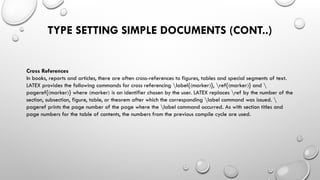
Cross References
In books, reports and articles, there are often cross-references to figures, tables and special segments of text.
LATEX provides the following commands for cross referencing label{ marker }, ref{ marker } and 
〈 〉 〈 〉
pageref{ marker } where marker is an identifier chosen by the user. LATEX replaces ref by the number of the
〈 〉 〈 〉
section, subsection, figure, table, or theorem after which the corresponding label command was issued. 
pageref prints the page number of the page where the label command occurred. As with section titles and
page numbers for the table of contents, the numbers from the previous compile cycle are used.
TYPE SETTING SIMPLE DOCUMENTS (CONT..)
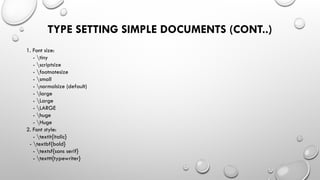
1. Font size:
- tiny
- scriptsize
- footnotesize
- small
- normalsize (default)
- large
- Large
- LARGE
- huge
- Huge
2. Font style:
- textit{italic}
- textbf{bold}
- textsf{sans serif}
- texttt{typewriter}
TYPE SETTING SIMPLE DOCUMENTS (CONT..)
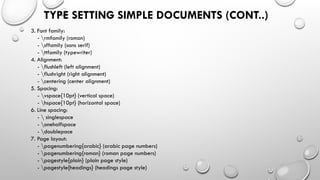
3. Font family:
- rmfamily (roman)
- sffamily (sans serif)
- ttfamily (typewriter)
4. Alignment:
- flushleft (left alignment)
- flushright (right alignment)
- centering (center alignment)
5. Spacing:
- vspace{10pt} (vertical space)
- hspace{10pt} (horizontal space)
6. Line spacing:
-  singlespace
- onehalfspace
- doublepace
7. Page layout:
- pagenumbering{arabic} (arabic page numbers)
- pagenumbering{roman} (roman page numbers)
- pagestyle{plain} (plain page style)
- pagestyle{headings} (headings page style)
TITLES
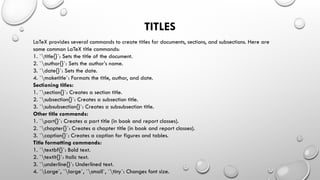
LaTeX provides several commands to create titles for documents, sections, and subsections. Here are
some common LaTeX title commands:
1. `title{}`: Sets the title of the document.
2. `author{}`: Sets the author’s name.
3. `date{}`: Sets the date.
4. `maketitle`: Formats the title, author, and date.
Sectioning titles:
1. `section{}`: Creates a section title.
2. `subsection{}`: Creates a subsection title.
3. `subsubsection{}`: Creates a subsubsection title.
Other title commands:
1. `part{}`: Creates a part title (in book and report classes).
2. `chapter{}`: Creates a chapter title (in book and report classes).
3. `caption{}`: Creates a caption for figures and tables.
Title formatting commands:
1. `textbf{}`: Bold text.
2. `textit{}`: Italic text.
3. `underline{}`: Underlined text.
4. `Large`, `large`, `small`, `tiny`: Changes font size.
PAGE LAYOUT
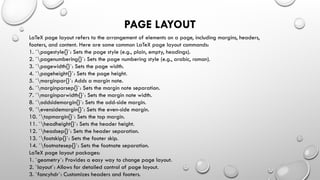
LaTeX page layout refers to the arrangement of elements on a page, including margins, headers,
footers, and content. Here are some common LaTeX page layout commands:
1. `pagestyle{}`: Sets the page style (e.g., plain, empty, headings).
2. `pagenumbering{}`: Sets the page numbering style (e.g., arabic, roman).
3. `pagewidth{}`: Sets the page width.
4. `pageheight{}`: Sets the page height.
5. `marginpar{}`: Adds a margin note.
6. `marginparsep{}`: Sets the margin note separation.
7. `marginparwidth{}`: Sets the margin note width.
8. `oddsidemargin{}`: Sets the odd-side margin.
9. `evensidemargin{}`: Sets the even-side margin.
10. `topmargin{}`: Sets the top margin.
11. `headheight{}`: Sets the header height.
12. `headsep{}`: Sets the header separation.
13. `footskip{}`: Sets the footer skip.
14. `footnotesep{}`: Sets the footnote separation.
LaTeX page layout packages:
1. `geometry`: Provides a easy way to change page layout.
2. `layout`: Allows for detailed control of page layout.
3. `fancyhdr`: Customizes headers and footers.
LISTINGS
Code Listings When writing about LATEX, or other programming languages, you often need to insert short code snippets like this 
LaTeX{}. While you could escape all the characters, this would quickly become rather tiresome, especially for longer pieces of
code where correct spacing is crucial for readability (multiple spaces being collapsed by LATEX to singles). We will present three
solutions to this problem.
LaTeX provides several ways to create listings, including:
1. `verbatim` environment: Typesets text exactly as it is, without any formatting.
2. `verbatim*` environment: Same as `verbatim`, but with spaces printed as .
3. `listings` package: Provides a more flexible and customizable way to create listings.
4. `minted` package: Provides syntax highlighting and formatting for code listings.
Verbatim environment
LATEX itself comes with the verb command. It is unusual in that it does not use groups for getting its first argument. Instead, you
pass the argument between a chosen delimiter that can be any character except a letter, * or space. For example, to use | as the
delimiter (as is typical), you type
verb| text |
〈 〉
begin{verbatim}
This is a verbatim
Environment.
It typesets text
Exactly as it is.
end{verbatim}

Type setting Simple documents - LaTeX.pptx

  • 1.
    TYPE SETTING SIMPLE DOCUMENTS- LATEX M. Gayathri, M.Sc., M.Phil. Assistant Professor Department of Mathematics Sri Sarada Niketan college of Science for Women , Karur-5
  • 2.
    TYPE SETTING SIMPLEDOCUMENTS Books are often typeset with each line having the same length. LaTeX inserts the necessary line breaks and spaces between words by optimizing the contents of a whole paragraph. If necessary, it also hyphenates words that would not fit comfortably on a line. How the paragraphs are typeset depends on the document class. Normally the first line of a paragraph is indented, and there is no additional space between two paragraphs. In special cases it might be necessary to order LaTeX to break a line. [ length ] or newline starts a new line without starting a new paragraph. 〈 〉 The optional length argument adds additional space after the line. 〈 〉 *[ length ] additionally prohibits a page break after the forced line break. 〈 〉 newpage starts a new page. linebreak[ n ] 〈 〉 nolinebreak[ n ] 〈 〉 pagebreak[ n ] 〈 〉 nopagebreak[ n ] 〈 〉
  • 3.
    TYPE SETTING SIMPLEDOCUMENTS (CONT..) Dashes and Hyphens LaTeX knows four kinds of dashes. You access three of them with different numbers of consecutive dashes. The fourth sign is actually not a dash at all—it is the mathematical minus sign. The names for these dashes are: ‘-’ hyphen, ‘–’ en-dash and ‘—’ em-dash. Hyphens are used when writing compound words (and inserted automatically by LATEX when splitting a single word), en-dashes are used for writing a range of numbers, and em-dashes are used to mark an interruption in speech or an abrupt change of thought. Slash (/) In order to typeset a slash between two words, one can simply type, for example, read/write, but this makes LATEX treat the two words as one. slash Ellipsis (…) On a typewriter, a comma or a period takes the same amount of space as any other letter. In book printing, these characters occupy only a little space and are set very close to the preceding letter. Therefore, entering ‘ellipsis’ by just typing three dots would produce the wrong result. Instead, there is a special command for these dots. It is called ldots (low dots)
  • 4.
    TYPE SETTING SIMPLEDOCUMENTS (CONT..) International Language Support When you write documents in languages other than English, there are three areas where LATEX has to be configured appropriately: 1. All automatically generated text strings (“Table of Contents”, “List of Figures”, …) have to be adapted to the new language. 2. LATEX needs to know the hyphenation rules for the current language. 3. Language-specific typographic rules. For example, in French there is a mandatory space before each colon character (:). The package polyglossia is a replacement for the venerable babel package. It takes care of the hyphenation patterns and automaticallygenerated text strings in your documents. Polyglossia works only with the X TEX Ǝ and LuaTEX engines, so if you are using pdfTEX you’ll have to stick with babel.
  • 5.
    TYPE SETTING SIMPLEDOCUMENTS (CONT..) Cross References In books, reports and articles, there are often cross-references to figures, tables and special segments of text. LATEX provides the following commands for cross referencing label{ marker }, ref{ marker } and 〈 〉 〈 〉 pageref{ marker } where marker is an identifier chosen by the user. LATEX replaces ref by the number of the 〈 〉 〈 〉 section, subsection, figure, table, or theorem after which the corresponding label command was issued. pageref prints the page number of the page where the label command occurred. As with section titles and page numbers for the table of contents, the numbers from the previous compile cycle are used.
  • 6.
    TYPE SETTING SIMPLEDOCUMENTS (CONT..) 1. Font size: - tiny - scriptsize - footnotesize - small - normalsize (default) - large - Large - LARGE - huge - Huge 2. Font style: - textit{italic} - textbf{bold} - textsf{sans serif} - texttt{typewriter}
  • 7.
    TYPE SETTING SIMPLEDOCUMENTS (CONT..) 3. Font family: - rmfamily (roman) - sffamily (sans serif) - ttfamily (typewriter) 4. Alignment: - flushleft (left alignment) - flushright (right alignment) - centering (center alignment) 5. Spacing: - vspace{10pt} (vertical space) - hspace{10pt} (horizontal space) 6. Line spacing: - singlespace - onehalfspace - doublepace 7. Page layout: - pagenumbering{arabic} (arabic page numbers) - pagenumbering{roman} (roman page numbers) - pagestyle{plain} (plain page style) - pagestyle{headings} (headings page style)
  • 8.
    TITLES LaTeX provides severalcommands to create titles for documents, sections, and subsections. Here are some common LaTeX title commands: 1. `title{}`: Sets the title of the document. 2. `author{}`: Sets the author’s name. 3. `date{}`: Sets the date. 4. `maketitle`: Formats the title, author, and date. Sectioning titles: 1. `section{}`: Creates a section title. 2. `subsection{}`: Creates a subsection title. 3. `subsubsection{}`: Creates a subsubsection title. Other title commands: 1. `part{}`: Creates a part title (in book and report classes). 2. `chapter{}`: Creates a chapter title (in book and report classes). 3. `caption{}`: Creates a caption for figures and tables. Title formatting commands: 1. `textbf{}`: Bold text. 2. `textit{}`: Italic text. 3. `underline{}`: Underlined text. 4. `Large`, `large`, `small`, `tiny`: Changes font size.
  • 9.
    PAGE LAYOUT LaTeX pagelayout refers to the arrangement of elements on a page, including margins, headers, footers, and content. Here are some common LaTeX page layout commands: 1. `pagestyle{}`: Sets the page style (e.g., plain, empty, headings). 2. `pagenumbering{}`: Sets the page numbering style (e.g., arabic, roman). 3. `pagewidth{}`: Sets the page width. 4. `pageheight{}`: Sets the page height. 5. `marginpar{}`: Adds a margin note. 6. `marginparsep{}`: Sets the margin note separation. 7. `marginparwidth{}`: Sets the margin note width. 8. `oddsidemargin{}`: Sets the odd-side margin. 9. `evensidemargin{}`: Sets the even-side margin. 10. `topmargin{}`: Sets the top margin. 11. `headheight{}`: Sets the header height. 12. `headsep{}`: Sets the header separation. 13. `footskip{}`: Sets the footer skip. 14. `footnotesep{}`: Sets the footnote separation. LaTeX page layout packages: 1. `geometry`: Provides a easy way to change page layout. 2. `layout`: Allows for detailed control of page layout. 3. `fancyhdr`: Customizes headers and footers.
  • 10.
    LISTINGS Code Listings Whenwriting about LATEX, or other programming languages, you often need to insert short code snippets like this LaTeX{}. While you could escape all the characters, this would quickly become rather tiresome, especially for longer pieces of code where correct spacing is crucial for readability (multiple spaces being collapsed by LATEX to singles). We will present three solutions to this problem. LaTeX provides several ways to create listings, including: 1. `verbatim` environment: Typesets text exactly as it is, without any formatting. 2. `verbatim*` environment: Same as `verbatim`, but with spaces printed as . 3. `listings` package: Provides a more flexible and customizable way to create listings. 4. `minted` package: Provides syntax highlighting and formatting for code listings. Verbatim environment LATEX itself comes with the verb command. It is unusual in that it does not use groups for getting its first argument. Instead, you pass the argument between a chosen delimiter that can be any character except a letter, * or space. For example, to use | as the delimiter (as is typical), you type verb| text | 〈 〉 begin{verbatim} This is a verbatim Environment. It typesets text Exactly as it is. end{verbatim}