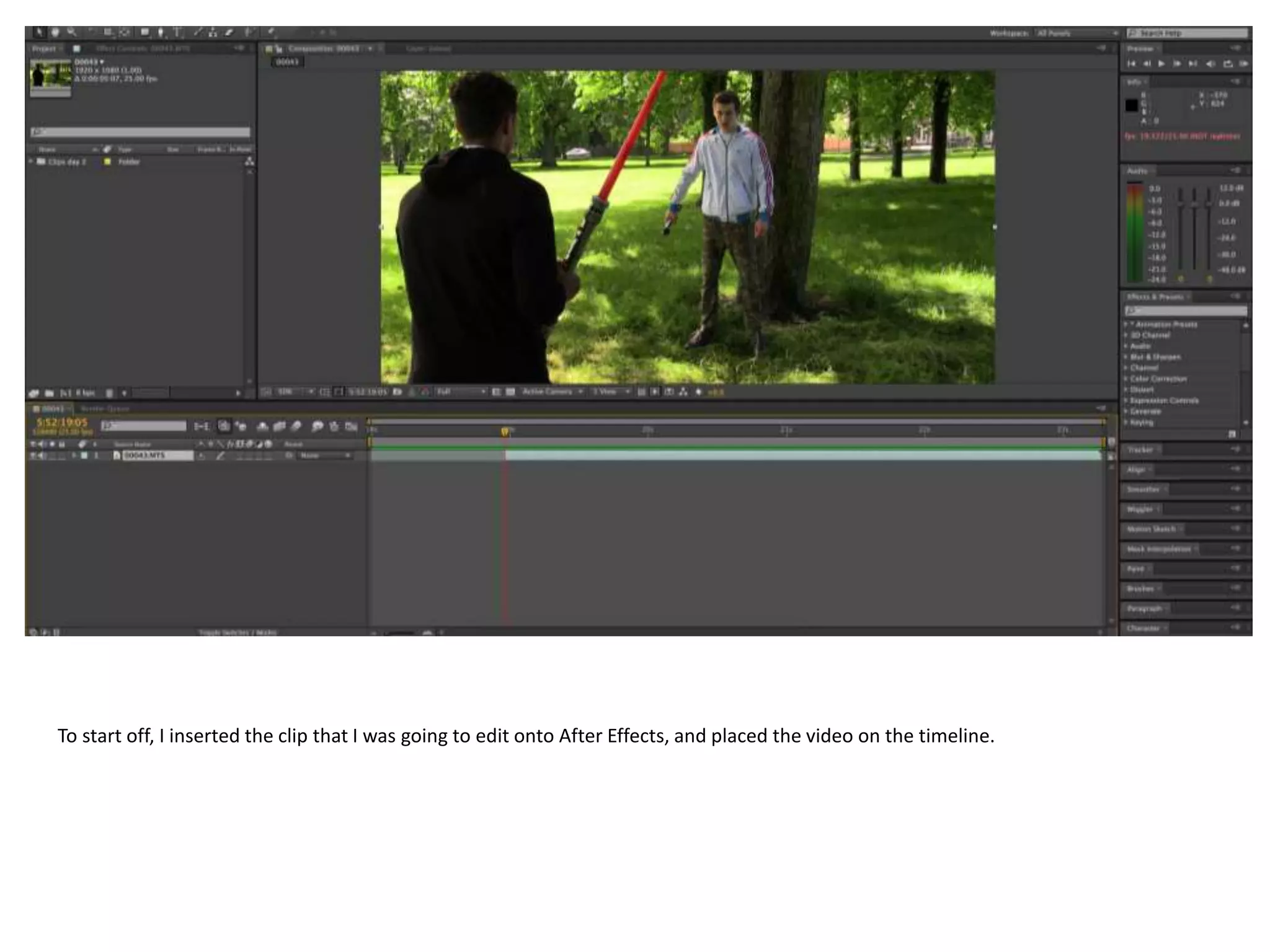
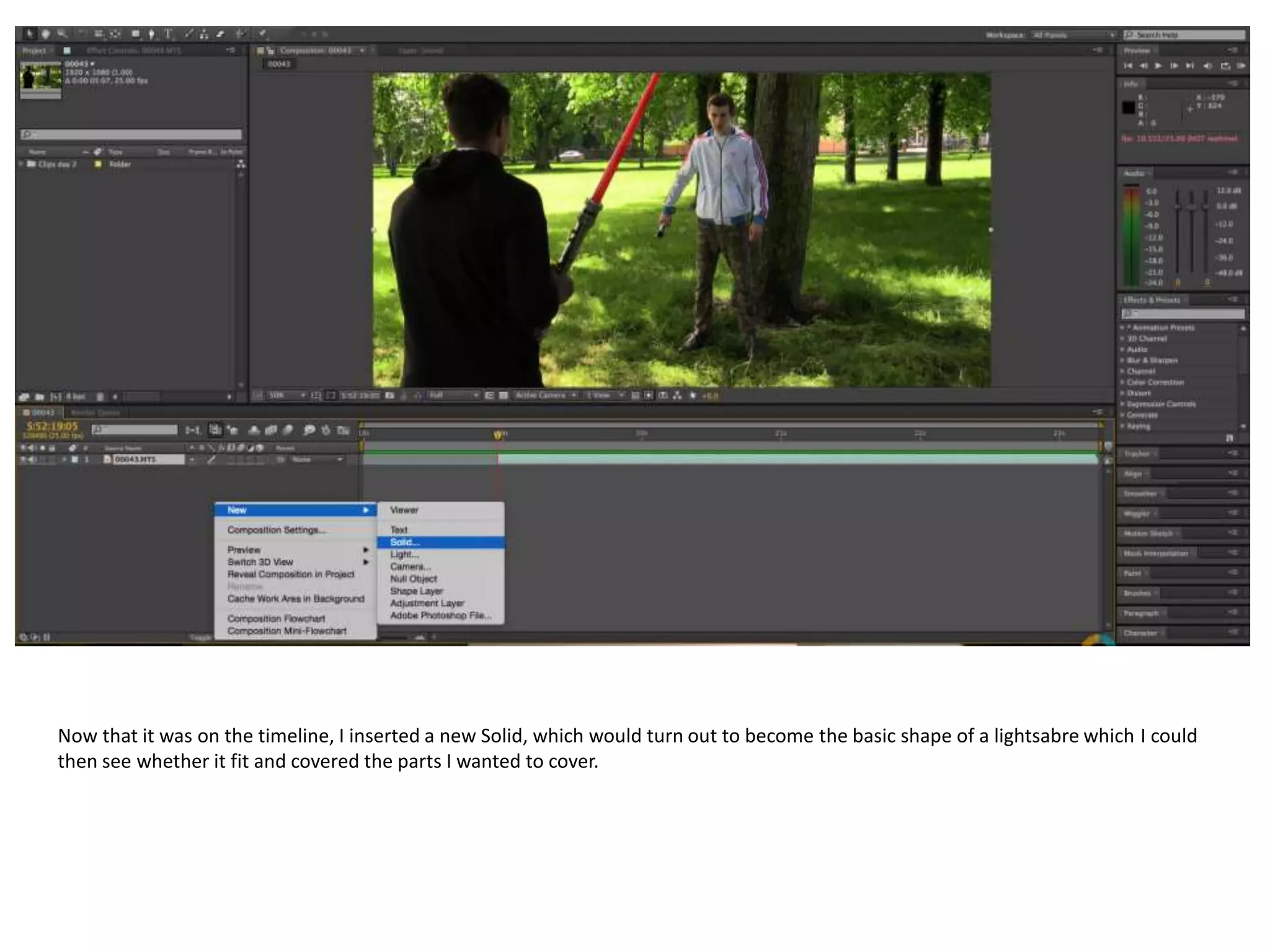
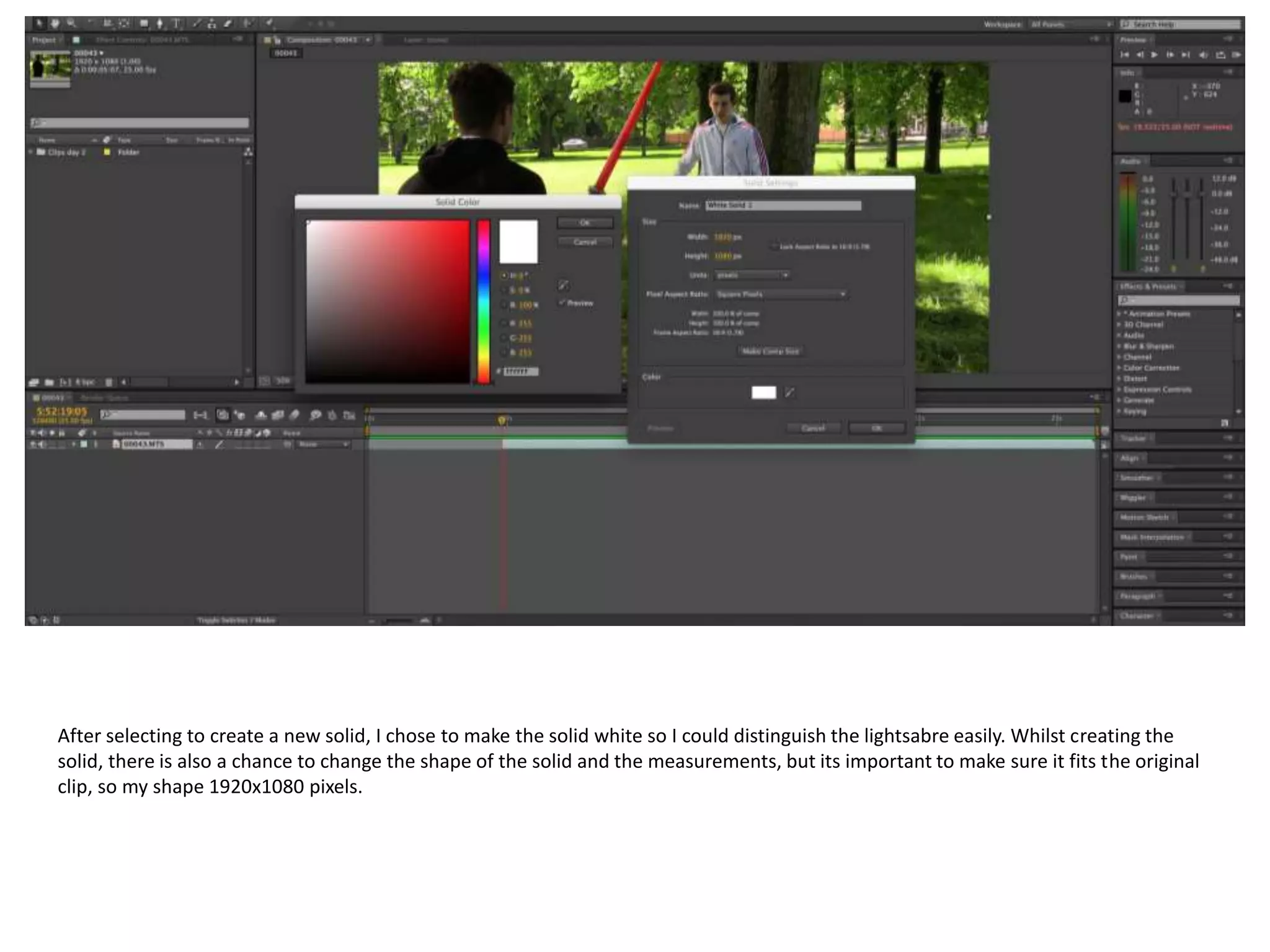
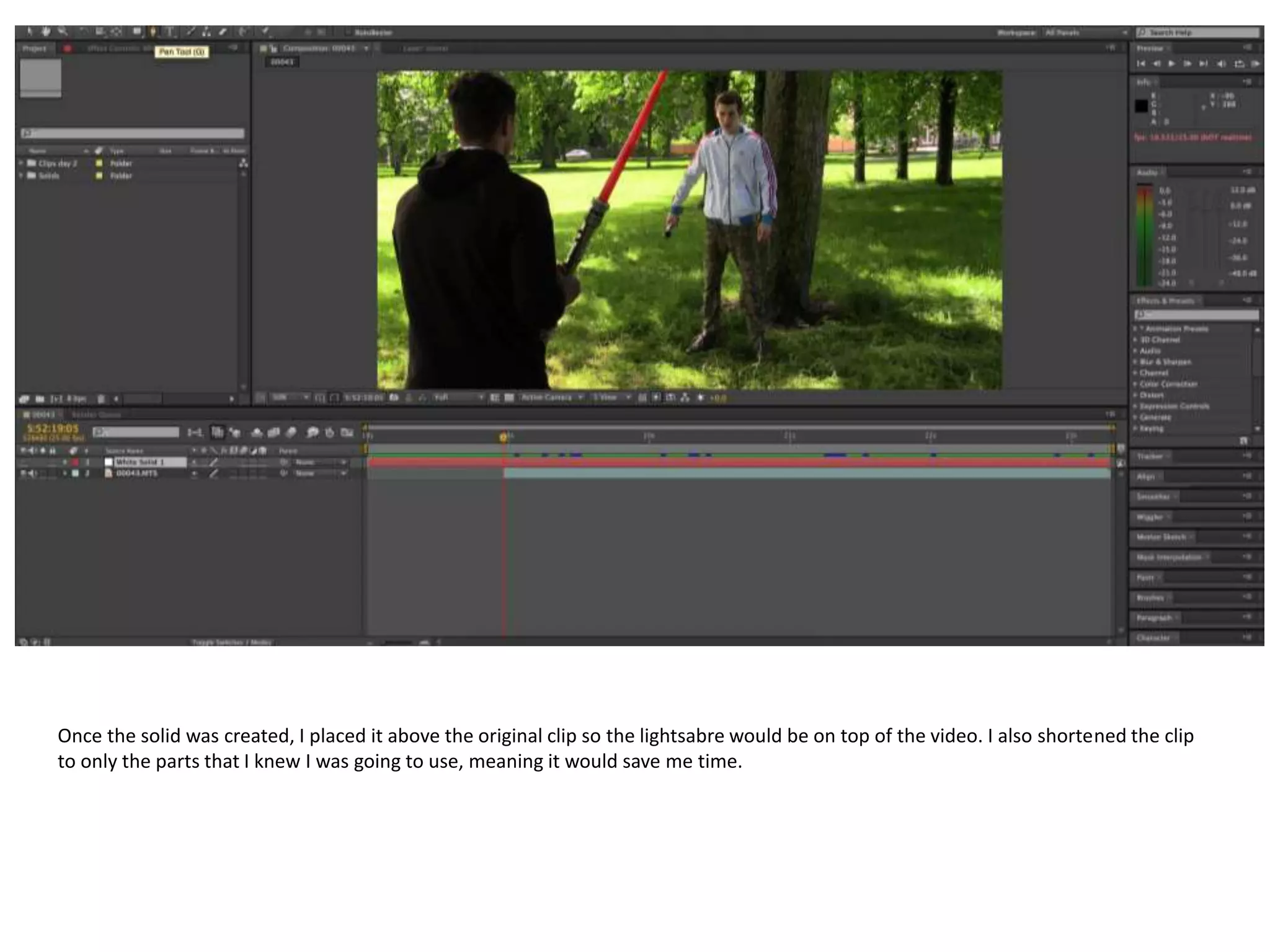
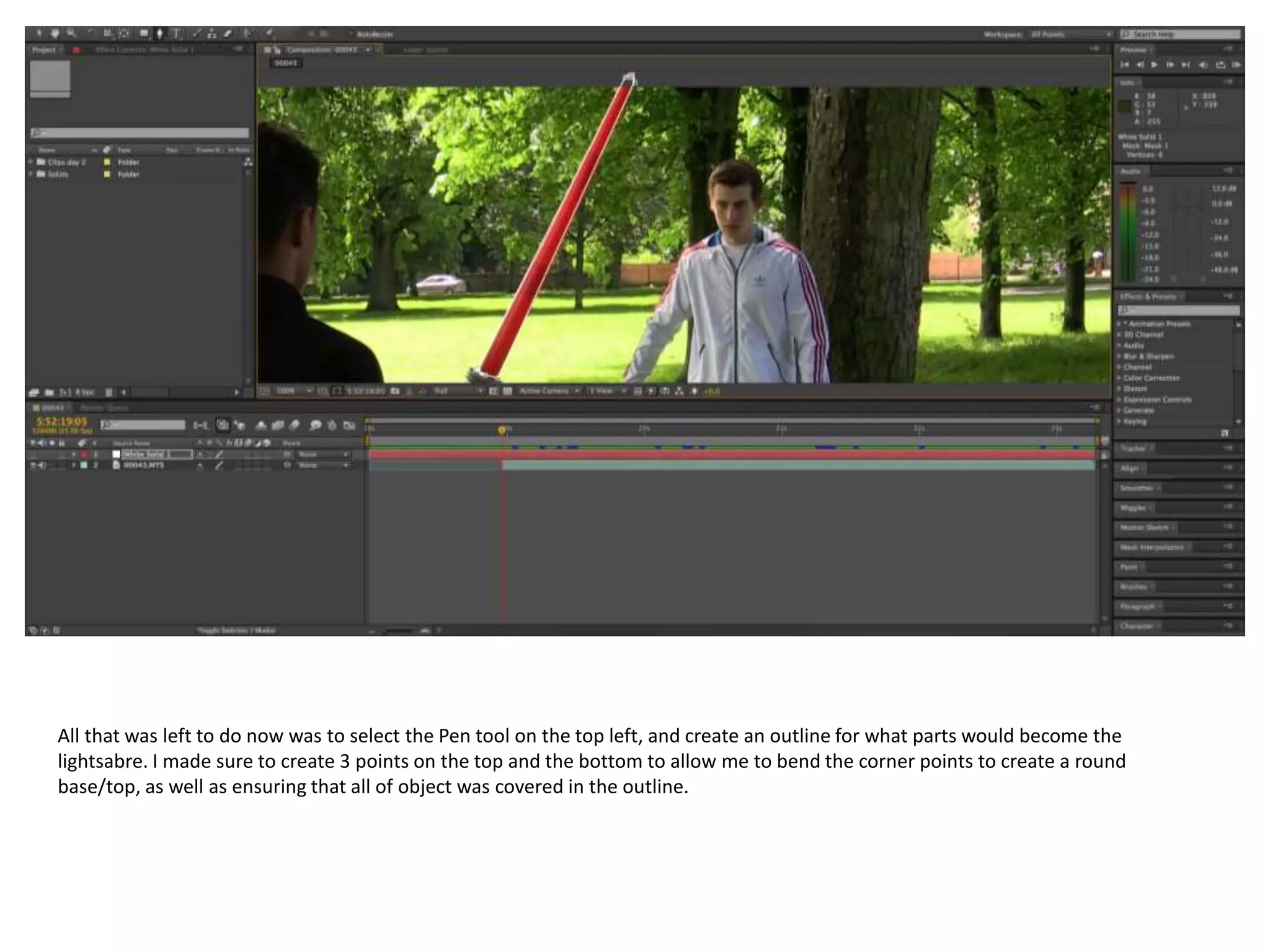
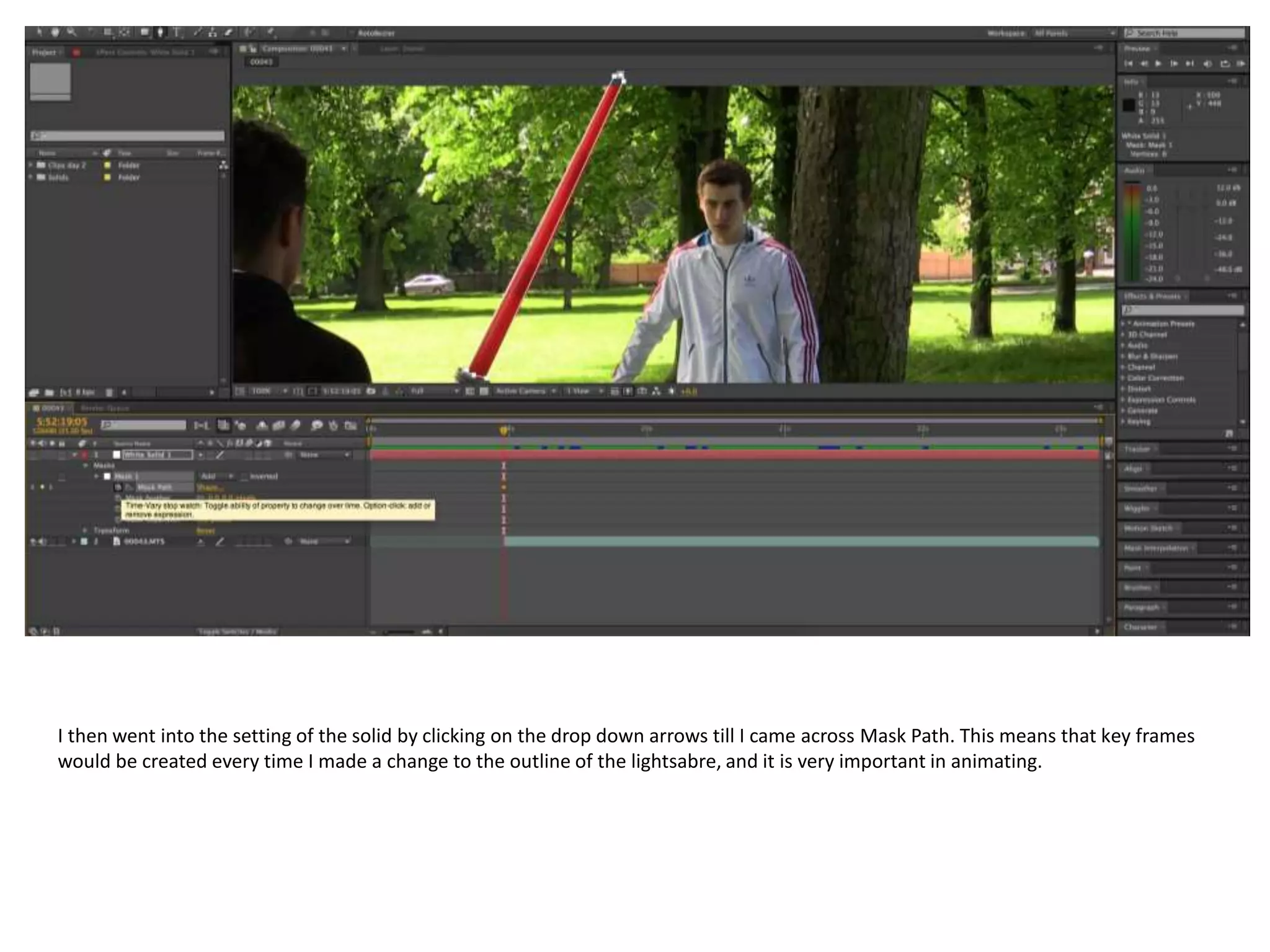
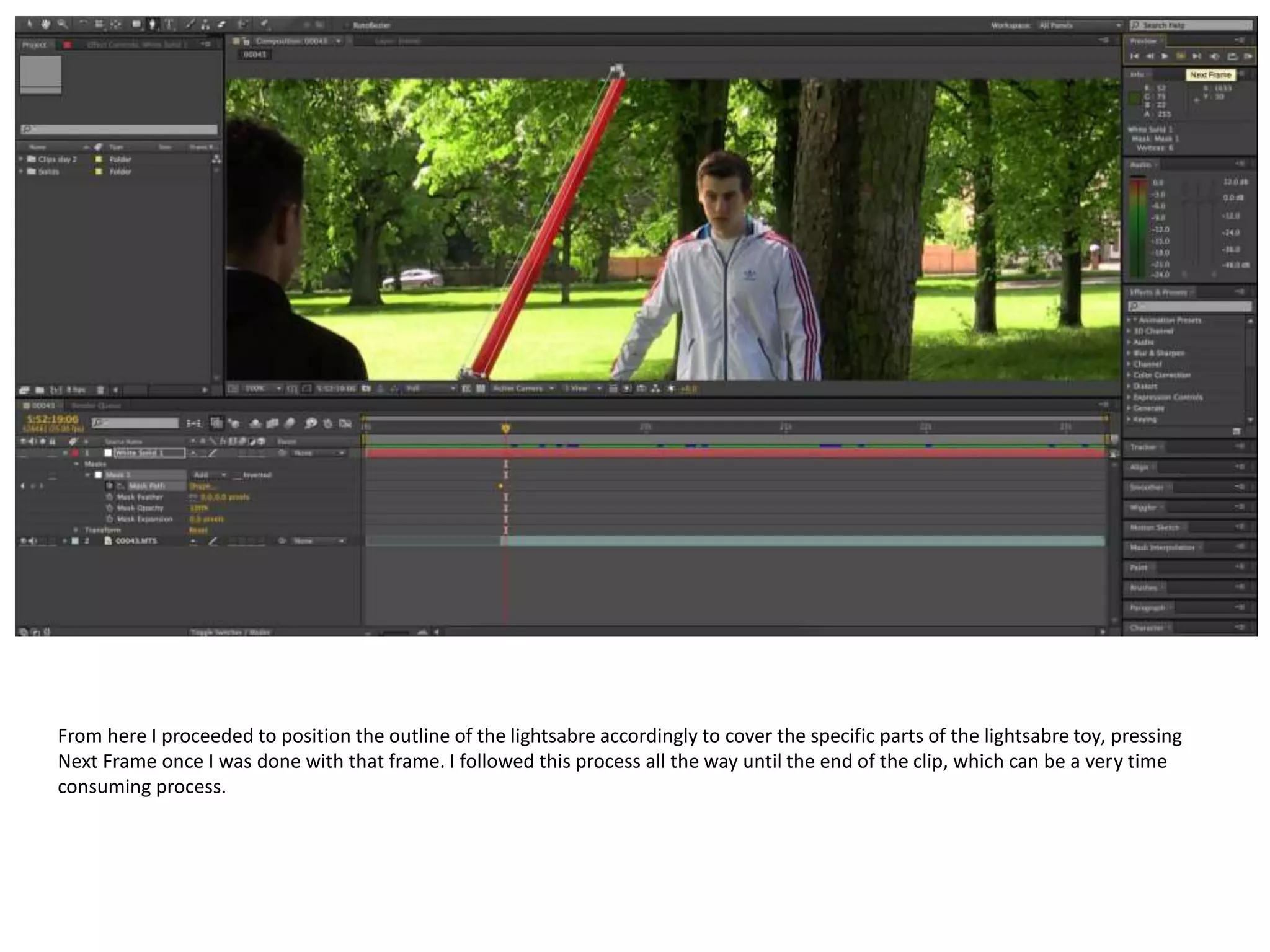
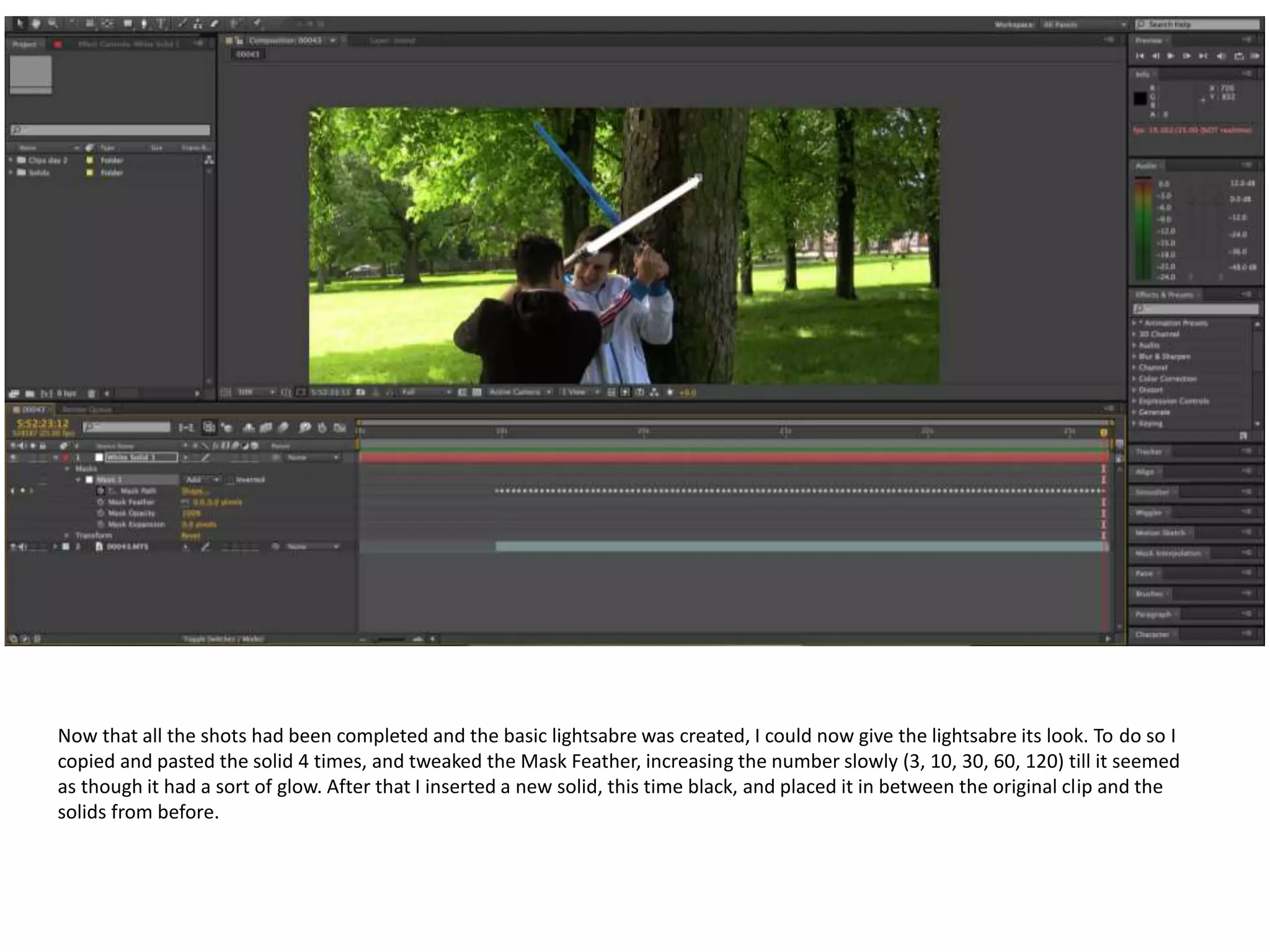
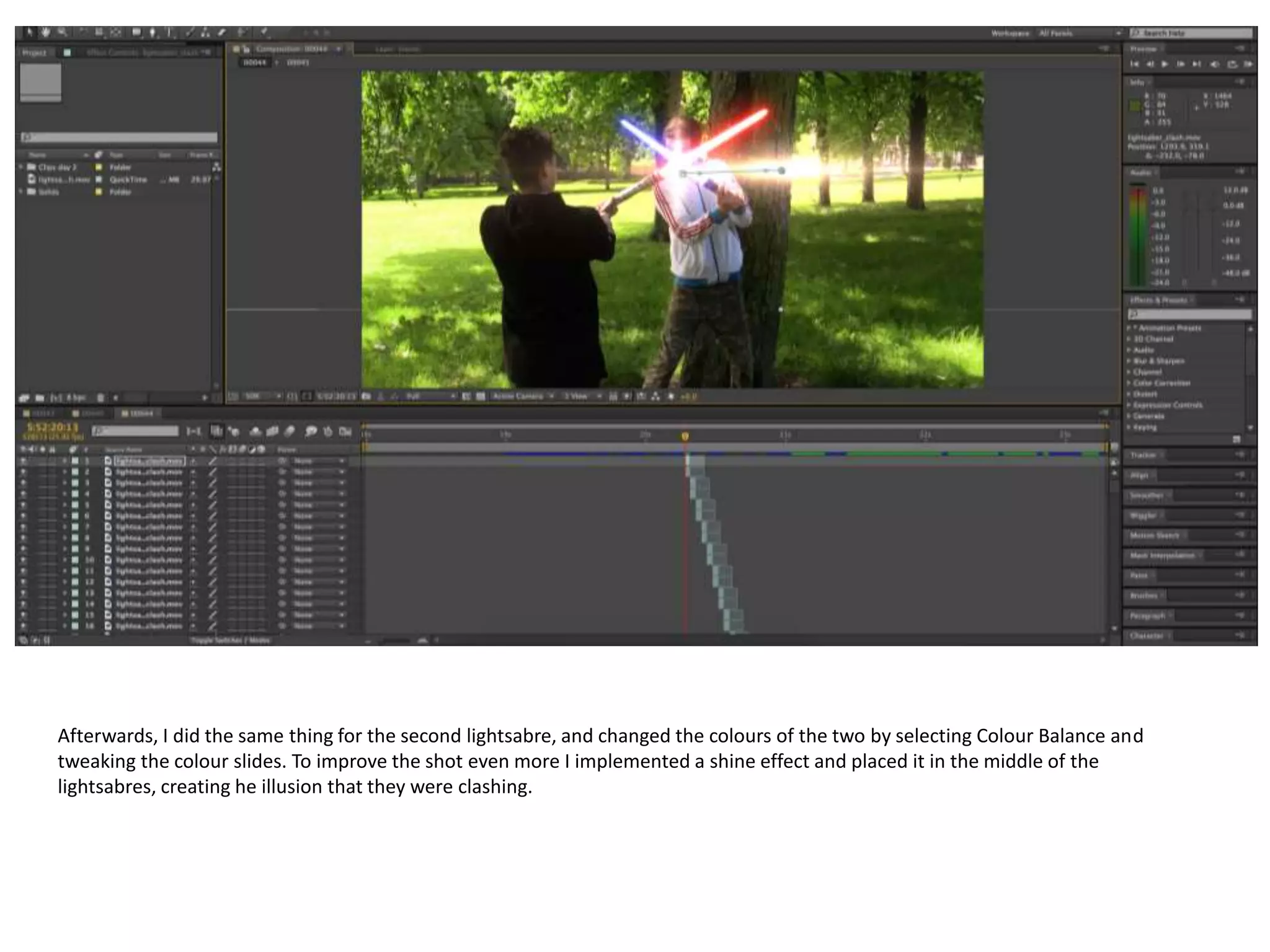
The document provides instructions for creating a lightsaber effect in After Effects. It describes inserting a video clip into the timeline, then creating a white solid above it to form the basic lightsaber shape. Keyframes are added by adjusting the solid's mask as it is positioned frame by frame along the clip. Additional solids are then copied and layered with increasing mask feather to give the lightsaber a glowing look. A black solid and color balancing are used to create a second lightsaber of a different color. Finally, a shine effect is added where the lightsabers meet to complete the illusion.