Trending with 
Sherry Gick, 
Library & Instructional Technology Specialist 
Rossville Consolidated Schools
Trending with 
An overview on connecting via Twitter with 
other librarians, libraries, and professionals 
worldwide and the benefits for libraries. 
This session will provide attendees with the 
best practices of engaging and using 
Twitter on a professional level.
What is Twitter? 
Twitter is an online social networking and 
microblogging service that enables users to send 
and read "tweets", which are text messages limited 
to 140 characters. Registered users can read and 
post tweets, but unregistered users can only read 
them. (definition from Wikipedia)
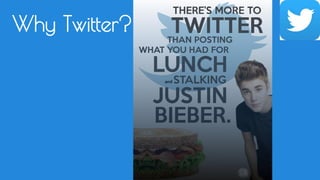
Why Twitter?
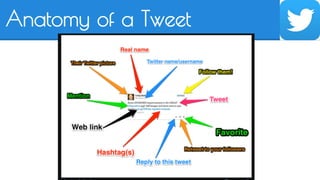
Anatomy of a Tweet
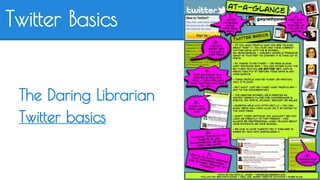
Twitter Basics 
The Daring Librarian 
Twitter basics
Tweet: 
● general outbound message to all of 
my followers. May include a picture or 
a link to click on for more information.
Reply tweet: 
● Starts with the other person's twitter 
handle. This tweet only appears in the 
other person's twitter feed and people 
who follow both of us.
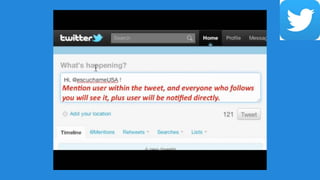
Mention tweet: 
● Mentions a person within the text/body 
of a tweet
Retweet: 
● RT = Retweet: 
rebroadcast of another person's tweet
Modified tweet: 
● MT = Modified Tweet: when you want 
to RT something but need to 
delete/modify a portion to add your 
own thoughts
Direct Messages: 
● DM = Direct Messages: a 140- 
character email. Can be read only by 
that person. You can only DM 
someone who follows you. This avoids 
you getting spammed.
Hashtags: 
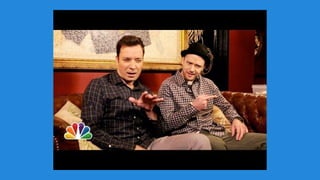
● Hashtags = # (nope, it's not a pound 
sign!) Hashtags make twitter 
searchable. They're added to chats 
and topics so all the tweets can be 
filed together for later reference. 
(Sometimes they're added to be funny or sarcastic or as side note to the tweet. 
#Ididitallforthecookie)
What can it offer librarians? 
Tips from my PLN: 
#CYPDTweet
How do I get started? 
● Setup your account 
● Write a profile 
Good profiles tell about you & your interests 
● Add a picture - Yes, you need a picture. 
NO EGGHEADS! 
● Follow others 
● Tweet!
Who should I follow? 
● People who inspire you 
● People in similar occupations 
● Authors 
● News Sources
Who should I follow? 
● @nancy_pearl 
● @MrTLibrarian 
● @WorldLibrarian 
● @DonalynBooks 
● @MrSchuReads
Who should I follow? 
● @IUBookGirl https://twitter. 
com/iubookgirl/lists/indiana-librarians 
● @PaulWHankins 
https://twitter.com/PaulWHankins/lists 
● @JanHolmQuist 
https://twitter.com/janholmquist/lists/librarians-world-wide
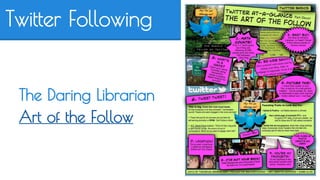
Twitter Following 
The Daring Librarian 
Art of the Follow
Authors we’ve connected with: 
● Gae Polisner 
● Andrew Smith 
● Sudipta B-Q 
● Corey Rosen Schwartz 
● Henry Clark 
● Geoff Herbach 
● Barbara O’Connor 
● Jo Knowles
Permission to lurk? 
YES! 
● Consuming content is a great way to 
get started. 
● Not everyone jumps in and engages 
with their very first tweet. 
● Voyeurism at its finest
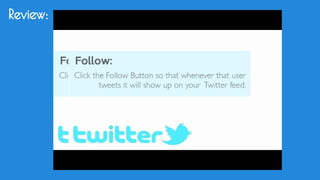
Review:
Questions? 
Sherry Gick 
@LibraryFanatic 
thelibraryfanatic.com

Trending with twitter

  • 1.
    Trending with SherryGick, Library & Instructional Technology Specialist Rossville Consolidated Schools
  • 2.
    Trending with Anoverview on connecting via Twitter with other librarians, libraries, and professionals worldwide and the benefits for libraries. This session will provide attendees with the best practices of engaging and using Twitter on a professional level.
  • 3.
    What is Twitter? Twitter is an online social networking and microblogging service that enables users to send and read "tweets", which are text messages limited to 140 characters. Registered users can read and post tweets, but unregistered users can only read them. (definition from Wikipedia)
  • 4.
  • 7.
  • 8.
    Twitter Basics TheDaring Librarian Twitter basics
  • 9.
    Tweet: ● generaloutbound message to all of my followers. May include a picture or a link to click on for more information.
  • 10.
    Reply tweet: ●Starts with the other person's twitter handle. This tweet only appears in the other person's twitter feed and people who follow both of us.
  • 11.
    Mention tweet: ●Mentions a person within the text/body of a tweet
  • 12.
    Retweet: ● RT= Retweet: rebroadcast of another person's tweet
  • 13.
    Modified tweet: ●MT = Modified Tweet: when you want to RT something but need to delete/modify a portion to add your own thoughts
  • 14.
    Direct Messages: ●DM = Direct Messages: a 140- character email. Can be read only by that person. You can only DM someone who follows you. This avoids you getting spammed.
  • 15.
    Hashtags: ● Hashtags= # (nope, it's not a pound sign!) Hashtags make twitter searchable. They're added to chats and topics so all the tweets can be filed together for later reference. (Sometimes they're added to be funny or sarcastic or as side note to the tweet. #Ididitallforthecookie)
  • 17.
    What can itoffer librarians? Tips from my PLN: #CYPDTweet
  • 18.
    How do Iget started? ● Setup your account ● Write a profile Good profiles tell about you & your interests ● Add a picture - Yes, you need a picture. NO EGGHEADS! ● Follow others ● Tweet!
  • 19.
    Who should Ifollow? ● People who inspire you ● People in similar occupations ● Authors ● News Sources
  • 20.
    Who should Ifollow? ● @nancy_pearl ● @MrTLibrarian ● @WorldLibrarian ● @DonalynBooks ● @MrSchuReads
  • 21.
    Who should Ifollow? ● @IUBookGirl https://twitter. com/iubookgirl/lists/indiana-librarians ● @PaulWHankins https://twitter.com/PaulWHankins/lists ● @JanHolmQuist https://twitter.com/janholmquist/lists/librarians-world-wide
  • 22.
    Twitter Following TheDaring Librarian Art of the Follow
  • 23.
    Authors we’ve connectedwith: ● Gae Polisner ● Andrew Smith ● Sudipta B-Q ● Corey Rosen Schwartz ● Henry Clark ● Geoff Herbach ● Barbara O’Connor ● Jo Knowles
  • 24.
    Permission to lurk? YES! ● Consuming content is a great way to get started. ● Not everyone jumps in and engages with their very first tweet. ● Voyeurism at its finest
  • 25.
  • 26.
    Questions? Sherry Gick @LibraryFanatic thelibraryfanatic.com