Download as PDF, PPTX
![Extractor Config
[defaults]
user=tungsten
install-directory=/opt/continuent
mysql-allow-intensive-checks=true
profile-script=~/.bash_profile
disable-security-controls=true
[alpha]
master=tr-ext-2
members=tr-ext-2
replication-user=tungsten
replication-password=secret
replication-port=3306
enable-heterogeneous-service=true](https://image.slidesharecdn.com/351-tungsten-replicator-for-data-warehouses-200910193732/85/Training-Slides-351-Tungsten-Replicator-for-Data-Warehouses-13-320.jpg)
![Applier Configs
[defaults]
user=tungsten
install-directory=/opt/continuent
profile-script=~/.bash_profile
disable-security-controls=true
[alpha]
master=tr-ext-2
members=verticahost
datasource-type=vertica
replication-user=dbadmin
replication-password=Secret123
replication-port=5433
vertica-dbname=demo
batch-enabled=true
batch-load-template=vertica6
batch-load-language=js
svc-applier-block-commit-interval=30s
svc-applier-block-commit-size=250000
[defaults]
user=tungsten
install-directory=/opt/continuent
profile-script=~/.bash_profile
disable-security-controls=true
[alpha]
master=tr-ext-2
members=tr-app-1
datasource-type=redshift
replication-user=dbadmin
replication-password=Secret123
replication-port=5439
replication-host=redshift-endpoint
redshift-dbname=demo
batch-enabled=true
batch-load-template=redshift
svc-applier-block-commit-interval=30s
svc-applier-block-commit-size=250000
VerticaRedshift](https://image.slidesharecdn.com/351-tungsten-replicator-for-data-warehouses-200910193732/85/Training-Slides-351-Tungsten-Replicator-for-Data-Warehouses-14-320.jpg)
![Applier Configs
[defaults]
user=tungsten
install-directory=/opt/continuent
profile-script=~/.bash_profile
disable-security-controls=true
[alpha]
master=tr-ext-2
members=hadoopapplier
datasource-type=file
property=replicator.datasource.global.csvType=hive
replication-user=tungsten
replication-password=secret
batch-enabled=true
batch-load-template=hadoop
batch-load-language=js
svc-applier-block-commit-interval=30s
svc-applier-block-commit-size=250000
Hadoop](https://image.slidesharecdn.com/351-tungsten-replicator-for-data-warehouses-200910193732/85/Training-Slides-351-Tungsten-Replicator-for-Data-Warehouses-15-320.jpg)
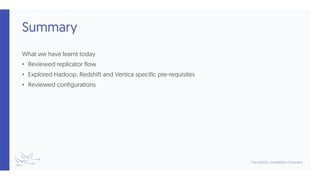

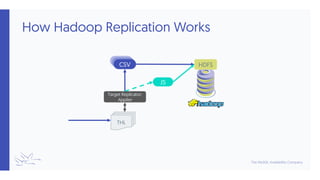
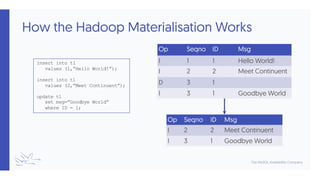
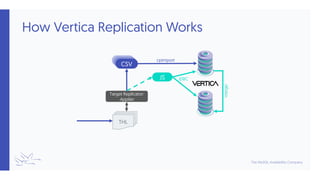
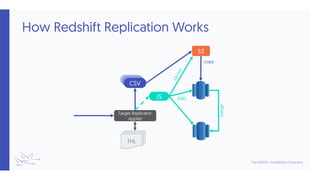
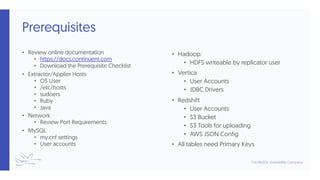
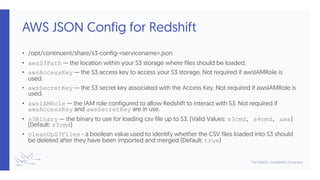
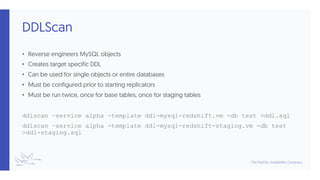
This document outlines a short course on utilizing the Tungsten Replicator for data warehousing with a focus on Hadoop, Redshift, and Vertica. It covers replicator flow, configurations, and prerequisites for successful replication, including necessary user accounts and integration settings. Future sessions will introduce using Tungsten Replicator with MongoDB.


