Best Practices for Securing Active Directory Dana J. Willis Security Engineer NetIQ Corporation [email_address]
Securing Active Directory Agenda Planning Creating Establish Secure AD Boundaries Deploy Secure Domain Controllers Establish Secure Domain and DC Policies Establish Secure Administrative Practices Secure DNS Maintaining Maintain Secure Domain Controller Operations Staying Current with Service Packs and Security Hotfixes Monitor the AD Infrastructure Best Practices Summary AD Security Solutions to Invest In
Active Directory Security Fundamentals Forests Domains Trusts Kerberos OUs Group policy (GPO’s) Configuration NC Schema NC ACLs Authentication Authorization Replication FSMOs Delegation

Planning AD Security Considerations upon deployment of AD DC’s Datacenter  Centralized & Secure High End Performance Branch Offices Lack of IT Expertise Slow connectivity to rest of organization
Planning AD Security Identifying Types of Threats Spoofing Data Tampering Repudiation Information Disclosure Denial of Service Elevation of Privilege Social Engineering Identifying Sources of Threats Anonymous Users Authenticated Users Service Administrators Data Administrators Users with Physical Access
Establishing Secure AD Boundaries Delegation of Administration Needs to be flexible, limited, secure, dynamic and meet the needs of the organization based upon need for autonomy and isolation Forest/Domain Model Establish Secure Trusts
Deploying Secure Domain Controllers Establish secure domain controller build practices Limit physical access to trusted personnel Restricted access area Build automated process for installation of DC’s SYSPREP, RIS, Unattended Setup
Deploying Secure Domain Controllers Ensure predictable, repeatable, and secure domain controller deployments. Create strong administrator password 9 characters, non-dictionary, symbols, etc. Use TCP/IP only if possible Disable non-essential services IIS, Messenger, SMTP, Telnet, etc. Format partitions with NTFS Install latest service packs and security updates Prohibit the use of cached credentials when unlocking DC console Install anti-virus scanning software Maintain Secure Physical Access to Domain Controllers
Establish Secure Domain and Domain Controller Policy Settings Domain Policies Password Policies History Age Length Complexity Lockout Policy Duration Threshold Reset
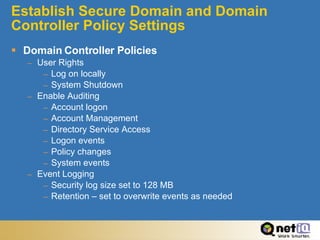
Establish Secure Domain and Domain Controller Policy Settings Domain Controller Policies User Rights Log on locally System Shutdown Enable Auditing Account logon Account Management Directory Service Access Logon events Policy changes System events Event Logging Security log size set to 128 MB Retention – set to overwrite events as needed
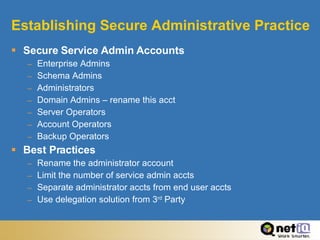
Establishing Secure Administrative Practice Secure Service Admin Accounts Enterprise Admins Schema Admins Administrators Domain Admins – rename this acct Server Operators Account Operators Backup Operators Best Practices Rename the administrator account Limit the number of service admin accts Separate administrator accts from end user accts Use delegation solution from 3 rd  Party
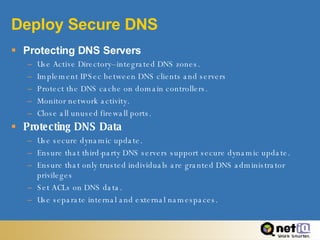
Deploy Secure DNS Protecting DNS Servers Use Active Directory–integrated DNS zones. Implement IPSec between DNS clients and servers Protect the DNS cache on domain controllers. Monitor network activity. Close all unused firewall ports. Protecting DNS Data Use secure dynamic update. Ensure that third-party DNS servers support secure dynamic update. Ensure that only trusted individuals are granted DNS administrator privileges Set ACLs on DNS data. Use separate internal and external namespaces.
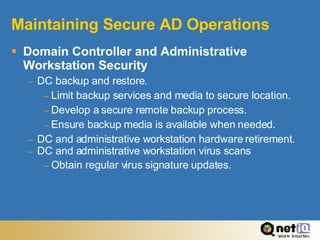
Maintaining Secure AD Operations Domain Controller and Administrative Workstation Security DC backup and restore. Limit backup services and media to secure location. Develop a secure remote backup process. Ensure backup media is available when needed. DC and administrative workstation hardware retirement. DC and administrative workstation virus scans Obtain regular virus signature updates.
Maintaining Secure AD Operations Stay Current with Security Hotfixes and Service Packs Select a Security Update Strategy Select Notification, Deployment, and Auditing Methods Microsoft Security Notification Service Newsletter Windows Update Service Software Update Services
Maintaining Secure AD Operations Deploying Security Hotfixes and Service Packs Obtain notification and download most current Windows Update and SUS Evaluate the threat Arrange to install Test the updates on Domain Controllers in a test lab Distribute and Deploy to production environment Windows Update and SUS
Maintaining Secure AD Operations Maintain Baseline Information Create a baseline database of Active Directory infrastructure information. Audit Policies List of GPO’s and their assignments List of Trusts List of Domain Controllers, Administrative workstations Service Administrators Operations Masters (FSMO roles) Replication topology Database size (.DIT file) OS version, Service Packs, Hotfixes, Anti-Virus version Detect and verify infrastructure changes Update Baseline information
Maintaining Secure AD Operations Monitoring the AD Infrastructure Collect information in real time or at specified time intervals. Security Event Logs Compare this data with previous data or against a threshold value. Respond to a security alert as directed in your organization’s practices. Summarize security monitoring in one or more regularly scheduled reports
Maintaining Secure AD Operations Monitoring the AD Infrastructure Monitoring Forest-level Changes Detect changes in the Active Directory schema. Identify when domain controllers are added or removed. Detect changes in replication topology. Detect changes in LDAP policies. Detect changes in dSHeuristics. Detect changes in forest-wide operations master roles.
Maintaining Secure AD Operations Monitoring Domain-level Changes Detect changes in domain-wide operations master roles. Detect changes in trusts. Detect changes in AdminSDHolder. Detect changes in GPOs for the Domain container and the Domain Controllers OU. Detect changes in GPO assignments for the Domain container and the Domain Controllers OU. Detect changes in the membership of the built-in groups. Detect changes in the audit policy settings for the domain.
Maintaining Secure AD Operations Monitoring Service Admin and Admin Workstation Changes Detect changes in service administrator accounts. Detect changes in GPOs for the Service Administrators controlled subtree. Detect changes in GPO assignments for the Service Administrators controlled subtree. Monitoring for Disk Space Consumed by Active Directory Objects Monitor for an inordinately large number of normal-sized objects. Monitor for a limited number of extraordinarily large-sized objects. Monitoring Domain Controller Availability Monitor domain controllers for active status. Monitor domain controllers for restarts. Monitoring Changes in Domain Controller Performance Counters Detect changes in domain controller system resources. Detect changes in LDAP responsiveness.
Best Practices Summary Maintaining Secure Active Directory Operations
Best Practices IP Infrastructure Virtual Private Network Private vice Public Firewalls IPSec Protect DC communications DMZ Protected private assets Intrusion detection system (IDS)
Best Practices  DNS Use AD-integrated zones if at all possible Secure dynamic updates ACLs on resource records Improved replication Application partitions in WS2K3 Use forwarders instead of secondaries Eliminates text-based zone files Treat DNS admins as service admins Create a split DNS namespace
Best Practices  DHCP Configure so that: Client updates A record DHCP service updates PTR record Don’t run DHCP on a DC If necessary, use a service account
Best Practices Building DCs Build DCs in a controlled environment Put DIT, SYSVOL, logs on a separate device Create a reserve disk space file Enable DNS Disable all unnecessary services IIS DHCP Change FS ACLs to Administrator
Best Practices Physical Security Data center Access list Cleared personnel Segregated equipment rack Tamper proof cages Domain controllers Highly restricted Cabling Concrete harden
Best Practices DC policies Enable auditing Disable anonymous connections Digitally sign client communications Disable cached credentials See Best Practice Guide
Best Practices Domain Policies Consider the impact Test Controlled application Part of CCB process Password policies Account lockout Kerberos
Best Practices  FSMO placement Implications per role Availability Survivability
Best Practices Creating Trusts Consider operational security of the other forest Admin membership sIDHistory and SID filtering Use NETDOM to enable SID filtering
Best Practices Group Memberships Severely limit membership in administrative groups Set ACLs on groups so that only service admins can modify service admin groups Remove everyone from the Schema Administrators group Add someone back in when needed Audit changes to service admin groups
Best Practices  Vetting Administrators Security clearance Appropriate levels of training and expertise Organization specific training CONOPS (Concept of Operations) Policies and procedures Implementation guides
Best Practices  AD Configuration Changes Formalized change management CCB Regression testing Limited pilot Operational implementation Schema changes DCPROMO Replication topology Group policies
Best Practices Monitoring Monitor for any unexpected DC outages Can indicate an attack Monitor for unexpected query loads Can indicate a DOS attack Monitor for disk space use Can indicate a replicating DOS attack Monitor for DNS request traffic Can indicate a DOS attack on DNS
Best Practices  Service Administration Create separate admin and user accounts Create a separate service admin OU Establish secure admin workstations Don’t give admin privileges on workstation Use IPSec between admin workstations and DCs Use the “logon locally” policy to limit service admin logons to specific admin workstations
Best Practices  Data Administration Always use NTFS Use encryption where appropriate Follow MSFT best practices for use of groups
Best Practices Backup and Restore Secure backup handling and storage Treat backup admins as service admins
Best Practices What to do in case of AD Attack Response plan Have one! Notify ACERT or network security for your organization Understand the nature and scope of the attack (know before you go) Determine nature and scope of attack Evaluate and test common scenarios Follow CONOPS for restore Recovery Have a forest recovery plan (see MSFT whitepaper) Authoritative restore issues
AD Security Solutions to Invest In Policy Awareness & Compliance Formal & well documented policies serve as the foundation of a security strategy Measuring user’s understanding is vital Administration & Identity Management Securely granting users access to do their job Enabling self service Knowing who can do what to whom or which resource Real-Time Monitoring (HIDS, NIDS, HIPS) Reduce exposure time Correllation Incident Management Audit & Vulnerability Assessment Continuing the process of baselining your environment and staying aware of changes
Questions?

200308 Active Directory Security

  • 1.
    Best Practices forSecuring Active Directory Dana J. Willis Security Engineer NetIQ Corporation [email_address]
  • 2.
    Securing Active DirectoryAgenda Planning Creating Establish Secure AD Boundaries Deploy Secure Domain Controllers Establish Secure Domain and DC Policies Establish Secure Administrative Practices Secure DNS Maintaining Maintain Secure Domain Controller Operations Staying Current with Service Packs and Security Hotfixes Monitor the AD Infrastructure Best Practices Summary AD Security Solutions to Invest In
  • 3.
    Active Directory SecurityFundamentals Forests Domains Trusts Kerberos OUs Group policy (GPO’s) Configuration NC Schema NC ACLs Authentication Authorization Replication FSMOs Delegation
  • 4.
    Planning AD SecurityConsiderations upon deployment of AD DC’s Datacenter Centralized & Secure High End Performance Branch Offices Lack of IT Expertise Slow connectivity to rest of organization
  • 5.
    Planning AD SecurityIdentifying Types of Threats Spoofing Data Tampering Repudiation Information Disclosure Denial of Service Elevation of Privilege Social Engineering Identifying Sources of Threats Anonymous Users Authenticated Users Service Administrators Data Administrators Users with Physical Access
  • 6.
    Establishing Secure ADBoundaries Delegation of Administration Needs to be flexible, limited, secure, dynamic and meet the needs of the organization based upon need for autonomy and isolation Forest/Domain Model Establish Secure Trusts
  • 7.
    Deploying Secure DomainControllers Establish secure domain controller build practices Limit physical access to trusted personnel Restricted access area Build automated process for installation of DC’s SYSPREP, RIS, Unattended Setup
  • 8.
    Deploying Secure DomainControllers Ensure predictable, repeatable, and secure domain controller deployments. Create strong administrator password 9 characters, non-dictionary, symbols, etc. Use TCP/IP only if possible Disable non-essential services IIS, Messenger, SMTP, Telnet, etc. Format partitions with NTFS Install latest service packs and security updates Prohibit the use of cached credentials when unlocking DC console Install anti-virus scanning software Maintain Secure Physical Access to Domain Controllers
  • 9.
    Establish Secure Domainand Domain Controller Policy Settings Domain Policies Password Policies History Age Length Complexity Lockout Policy Duration Threshold Reset
  • 10.
    Establish Secure Domainand Domain Controller Policy Settings Domain Controller Policies User Rights Log on locally System Shutdown Enable Auditing Account logon Account Management Directory Service Access Logon events Policy changes System events Event Logging Security log size set to 128 MB Retention – set to overwrite events as needed
  • 11.
    Establishing Secure AdministrativePractice Secure Service Admin Accounts Enterprise Admins Schema Admins Administrators Domain Admins – rename this acct Server Operators Account Operators Backup Operators Best Practices Rename the administrator account Limit the number of service admin accts Separate administrator accts from end user accts Use delegation solution from 3 rd Party
  • 12.
    Deploy Secure DNSProtecting DNS Servers Use Active Directory–integrated DNS zones. Implement IPSec between DNS clients and servers Protect the DNS cache on domain controllers. Monitor network activity. Close all unused firewall ports. Protecting DNS Data Use secure dynamic update. Ensure that third-party DNS servers support secure dynamic update. Ensure that only trusted individuals are granted DNS administrator privileges Set ACLs on DNS data. Use separate internal and external namespaces.
  • 13.
    Maintaining Secure ADOperations Domain Controller and Administrative Workstation Security DC backup and restore. Limit backup services and media to secure location. Develop a secure remote backup process. Ensure backup media is available when needed. DC and administrative workstation hardware retirement. DC and administrative workstation virus scans Obtain regular virus signature updates.
  • 14.
    Maintaining Secure ADOperations Stay Current with Security Hotfixes and Service Packs Select a Security Update Strategy Select Notification, Deployment, and Auditing Methods Microsoft Security Notification Service Newsletter Windows Update Service Software Update Services
  • 15.
    Maintaining Secure ADOperations Deploying Security Hotfixes and Service Packs Obtain notification and download most current Windows Update and SUS Evaluate the threat Arrange to install Test the updates on Domain Controllers in a test lab Distribute and Deploy to production environment Windows Update and SUS
  • 16.
    Maintaining Secure ADOperations Maintain Baseline Information Create a baseline database of Active Directory infrastructure information. Audit Policies List of GPO’s and their assignments List of Trusts List of Domain Controllers, Administrative workstations Service Administrators Operations Masters (FSMO roles) Replication topology Database size (.DIT file) OS version, Service Packs, Hotfixes, Anti-Virus version Detect and verify infrastructure changes Update Baseline information
  • 17.
    Maintaining Secure ADOperations Monitoring the AD Infrastructure Collect information in real time or at specified time intervals. Security Event Logs Compare this data with previous data or against a threshold value. Respond to a security alert as directed in your organization’s practices. Summarize security monitoring in one or more regularly scheduled reports
  • 18.
    Maintaining Secure ADOperations Monitoring the AD Infrastructure Monitoring Forest-level Changes Detect changes in the Active Directory schema. Identify when domain controllers are added or removed. Detect changes in replication topology. Detect changes in LDAP policies. Detect changes in dSHeuristics. Detect changes in forest-wide operations master roles.
  • 19.
    Maintaining Secure ADOperations Monitoring Domain-level Changes Detect changes in domain-wide operations master roles. Detect changes in trusts. Detect changes in AdminSDHolder. Detect changes in GPOs for the Domain container and the Domain Controllers OU. Detect changes in GPO assignments for the Domain container and the Domain Controllers OU. Detect changes in the membership of the built-in groups. Detect changes in the audit policy settings for the domain.
  • 20.
    Maintaining Secure ADOperations Monitoring Service Admin and Admin Workstation Changes Detect changes in service administrator accounts. Detect changes in GPOs for the Service Administrators controlled subtree. Detect changes in GPO assignments for the Service Administrators controlled subtree. Monitoring for Disk Space Consumed by Active Directory Objects Monitor for an inordinately large number of normal-sized objects. Monitor for a limited number of extraordinarily large-sized objects. Monitoring Domain Controller Availability Monitor domain controllers for active status. Monitor domain controllers for restarts. Monitoring Changes in Domain Controller Performance Counters Detect changes in domain controller system resources. Detect changes in LDAP responsiveness.
  • 21.
    Best Practices SummaryMaintaining Secure Active Directory Operations
  • 22.
    Best Practices IPInfrastructure Virtual Private Network Private vice Public Firewalls IPSec Protect DC communications DMZ Protected private assets Intrusion detection system (IDS)
  • 23.
    Best Practices DNS Use AD-integrated zones if at all possible Secure dynamic updates ACLs on resource records Improved replication Application partitions in WS2K3 Use forwarders instead of secondaries Eliminates text-based zone files Treat DNS admins as service admins Create a split DNS namespace
  • 24.
    Best Practices DHCP Configure so that: Client updates A record DHCP service updates PTR record Don’t run DHCP on a DC If necessary, use a service account
  • 25.
    Best Practices BuildingDCs Build DCs in a controlled environment Put DIT, SYSVOL, logs on a separate device Create a reserve disk space file Enable DNS Disable all unnecessary services IIS DHCP Change FS ACLs to Administrator
  • 26.
    Best Practices PhysicalSecurity Data center Access list Cleared personnel Segregated equipment rack Tamper proof cages Domain controllers Highly restricted Cabling Concrete harden
  • 27.
    Best Practices DCpolicies Enable auditing Disable anonymous connections Digitally sign client communications Disable cached credentials See Best Practice Guide
  • 28.
    Best Practices DomainPolicies Consider the impact Test Controlled application Part of CCB process Password policies Account lockout Kerberos
  • 29.
    Best Practices FSMO placement Implications per role Availability Survivability
  • 30.
    Best Practices CreatingTrusts Consider operational security of the other forest Admin membership sIDHistory and SID filtering Use NETDOM to enable SID filtering
  • 31.
    Best Practices GroupMemberships Severely limit membership in administrative groups Set ACLs on groups so that only service admins can modify service admin groups Remove everyone from the Schema Administrators group Add someone back in when needed Audit changes to service admin groups
  • 32.
    Best Practices Vetting Administrators Security clearance Appropriate levels of training and expertise Organization specific training CONOPS (Concept of Operations) Policies and procedures Implementation guides
  • 33.
    Best Practices AD Configuration Changes Formalized change management CCB Regression testing Limited pilot Operational implementation Schema changes DCPROMO Replication topology Group policies
  • 34.
    Best Practices MonitoringMonitor for any unexpected DC outages Can indicate an attack Monitor for unexpected query loads Can indicate a DOS attack Monitor for disk space use Can indicate a replicating DOS attack Monitor for DNS request traffic Can indicate a DOS attack on DNS
  • 35.
    Best Practices Service Administration Create separate admin and user accounts Create a separate service admin OU Establish secure admin workstations Don’t give admin privileges on workstation Use IPSec between admin workstations and DCs Use the “logon locally” policy to limit service admin logons to specific admin workstations
  • 36.
    Best Practices Data Administration Always use NTFS Use encryption where appropriate Follow MSFT best practices for use of groups
  • 37.
    Best Practices Backupand Restore Secure backup handling and storage Treat backup admins as service admins
  • 38.
    Best Practices Whatto do in case of AD Attack Response plan Have one! Notify ACERT or network security for your organization Understand the nature and scope of the attack (know before you go) Determine nature and scope of attack Evaluate and test common scenarios Follow CONOPS for restore Recovery Have a forest recovery plan (see MSFT whitepaper) Authoritative restore issues
  • 39.
    AD Security Solutionsto Invest In Policy Awareness & Compliance Formal & well documented policies serve as the foundation of a security strategy Measuring user’s understanding is vital Administration & Identity Management Securely granting users access to do their job Enabling self service Knowing who can do what to whom or which resource Real-Time Monitoring (HIDS, NIDS, HIPS) Reduce exposure time Correllation Incident Management Audit & Vulnerability Assessment Continuing the process of baselining your environment and staying aware of changes
  • 40.