Google Docs Create and Share  Your Work Online
Features Upload from and save to your desktop Edit anytime, from anywhere Pick who can access your documents Share changes in real time Files are stored securely online It's free
Spreadsheets Import and export these file types: .xls, .csv, .txt and .ods. You can also export data to a PDF or an HTML file. Format your cells and edit formulas so you can calculate results and make your data look the way you want it. Chat in real time with others who are editing your spreadsheet. Embed a spreadsheet, or a section of a spreadsheet, in your blog or website. Insert gadgets, such as gauges, interactive map, etc., directly into your spreadsheet. Generate and send forms and keep track of the responses on a spreadsheet.
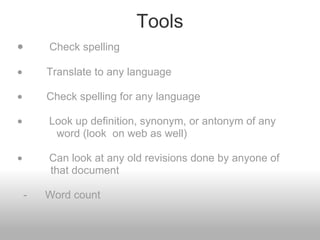
Tools ·               Check spelling   ·           Translate to any language   ·           Check spelling for any language   ·            Look up definition, synonym, or antonym of any              word (look  on web as well)   ·            Can look at any old revisions done by anyone of             that document                                                       -      Word count       
On Google Docs Presentation...
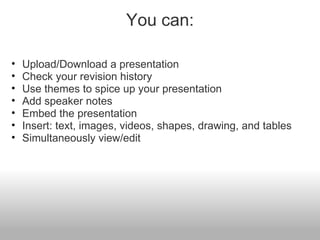
You can: Upload/Download a presentation Check your revision history Use themes to spice up your presentation Add speaker notes Embed the presentation Insert: text, images, videos, shapes, drawing, and tables Simultaneously view/edit
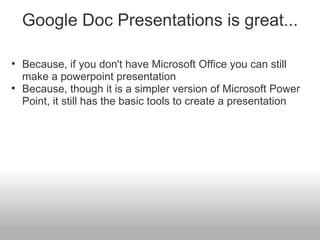
Google Doc Presentations is great... Because, if you don't have Microsoft Office you can still make a powerpoint presentation Because, though it is a simpler version of Microsoft Power Point, it still has the basic tools to create a presentation
Google Doc Forms...  
You can: Create a form from the DocList or any spreadsheet Share your form/spreadsheet to as many people as you want Use Google Apps and it will record all the people who fill out your form Add any options or questions you'd like See people's responses through summary or spreadsheet Choose a different theme to go with your questions
Creating a Form is SIMPLE From DocList: Click  New  >  Form In the form template that opens, add any questions and options you'd like. Click  Email this form  once you've finished adding your questions. Add the email addresses of the people to whom you want to send this form. Click  Send . DONE.
Creating a form cont... From any spreadsheet : Click the  Form  drop-down menu and select  Create a form . In the form template that opens, add any questions and options you'd like. Click  Email this form  once you've finished adding your questions. Add the email addresses of the people to whom you want to send this form. Click  Send .
Once you send your form... Responses are automatically filled in the spreadsheet!

Tools

  • 1.
    Google Docs Createand Share  Your Work Online
  • 2.
    Features Upload fromand save to your desktop Edit anytime, from anywhere Pick who can access your documents Share changes in real time Files are stored securely online It's free
  • 3.
    Spreadsheets Import andexport these file types: .xls, .csv, .txt and .ods. You can also export data to a PDF or an HTML file. Format your cells and edit formulas so you can calculate results and make your data look the way you want it. Chat in real time with others who are editing your spreadsheet. Embed a spreadsheet, or a section of a spreadsheet, in your blog or website. Insert gadgets, such as gauges, interactive map, etc., directly into your spreadsheet. Generate and send forms and keep track of the responses on a spreadsheet.
  • 4.
    Tools ·             Check spelling   ·          Translate to any language   ·          Check spelling for any language   ·           Look up definition, synonym, or antonym of any              word (look  on web as well)   ·           Can look at any old revisions done by anyone of             that document                                                      -      Word count      
  • 5.
    On Google DocsPresentation...
  • 6.
    You can: Upload/Downloada presentation Check your revision history Use themes to spice up your presentation Add speaker notes Embed the presentation Insert: text, images, videos, shapes, drawing, and tables Simultaneously view/edit
  • 7.
    Google Doc Presentationsis great... Because, if you don't have Microsoft Office you can still make a powerpoint presentation Because, though it is a simpler version of Microsoft Power Point, it still has the basic tools to create a presentation
  • 8.
  • 9.
    You can: Createa form from the DocList or any spreadsheet Share your form/spreadsheet to as many people as you want Use Google Apps and it will record all the people who fill out your form Add any options or questions you'd like See people's responses through summary or spreadsheet Choose a different theme to go with your questions
  • 10.
    Creating a Formis SIMPLE From DocList: Click  New  >  Form In the form template that opens, add any questions and options you'd like. Click  Email this form  once you've finished adding your questions. Add the email addresses of the people to whom you want to send this form. Click  Send . DONE.
  • 11.
    Creating a formcont... From any spreadsheet : Click the  Form  drop-down menu and select  Create a form . In the form template that opens, add any questions and options you'd like. Click  Email this form  once you've finished adding your questions. Add the email addresses of the people to whom you want to send this form. Click  Send .
  • 12.
    Once you sendyour form... Responses are automatically filled in the spreadsheet!