Build Microservice-based Applications
with Azure Service Fabric
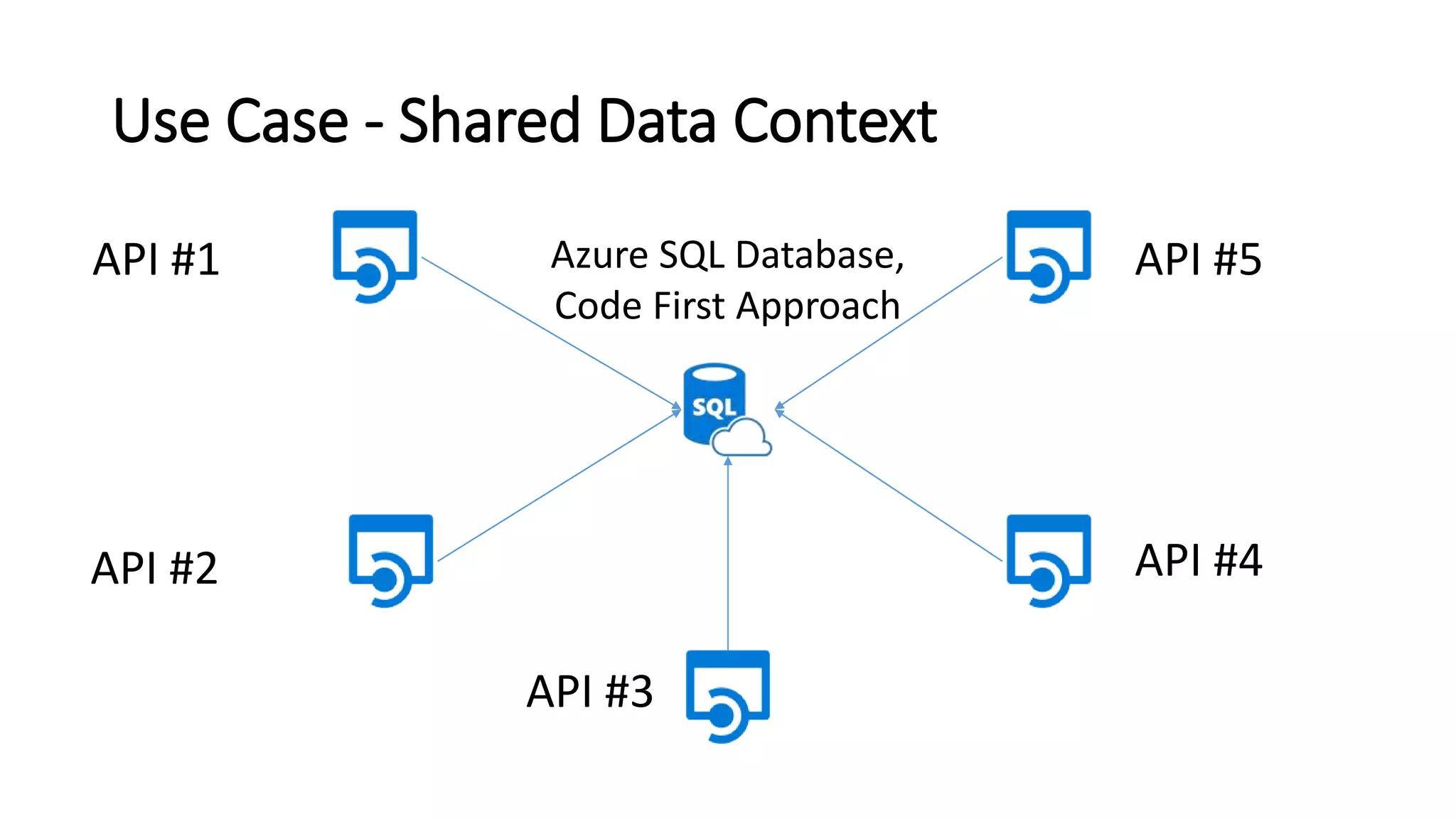
Use Case - Shared Data Context
API #1
API #2
API #3
API #4
API #5Azure SQL Database,
Code First Approach
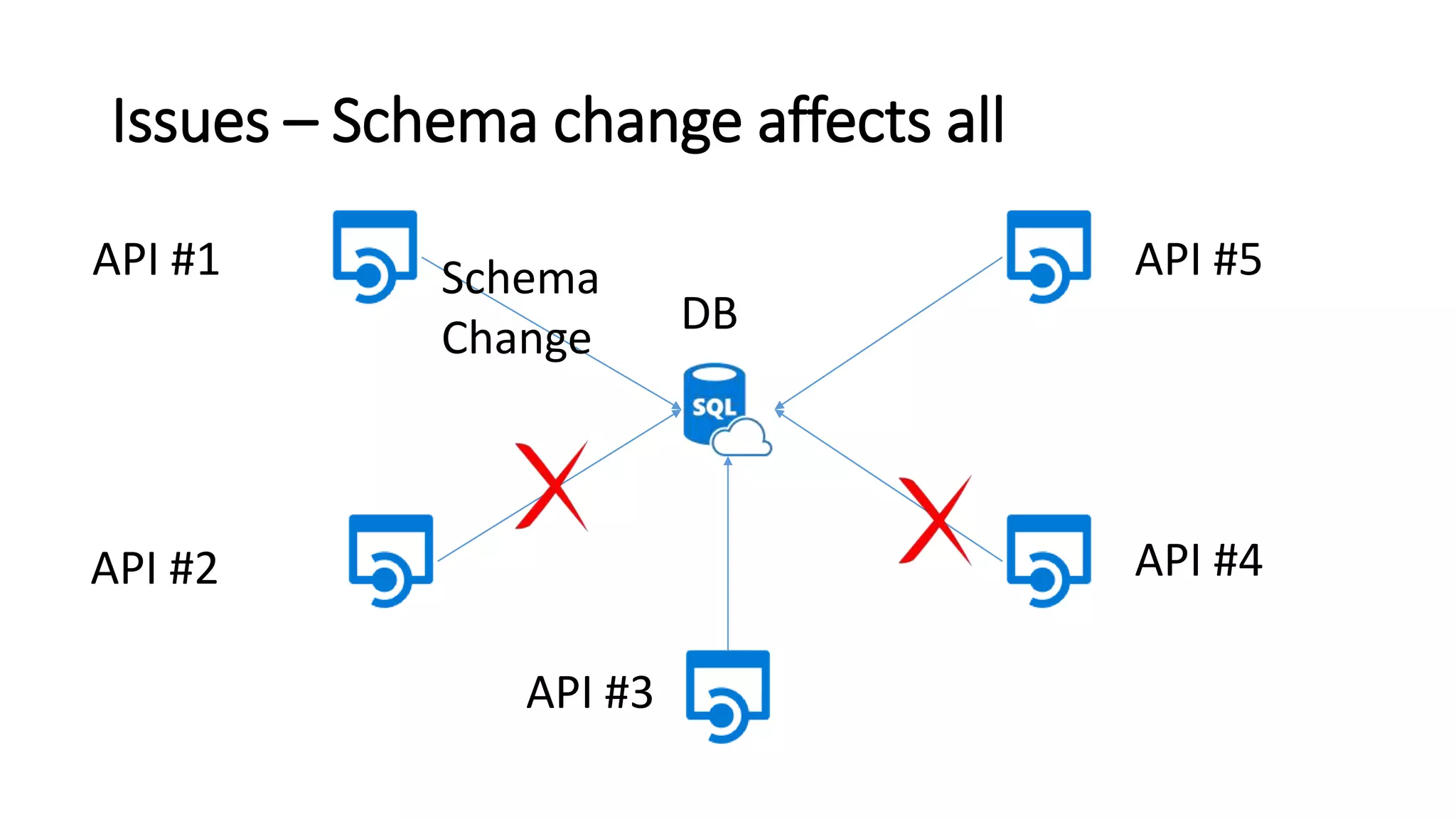
Issues – Schema change affects all
API #1
API #2
API #3
API #4
API #5
DB
Schema
Change
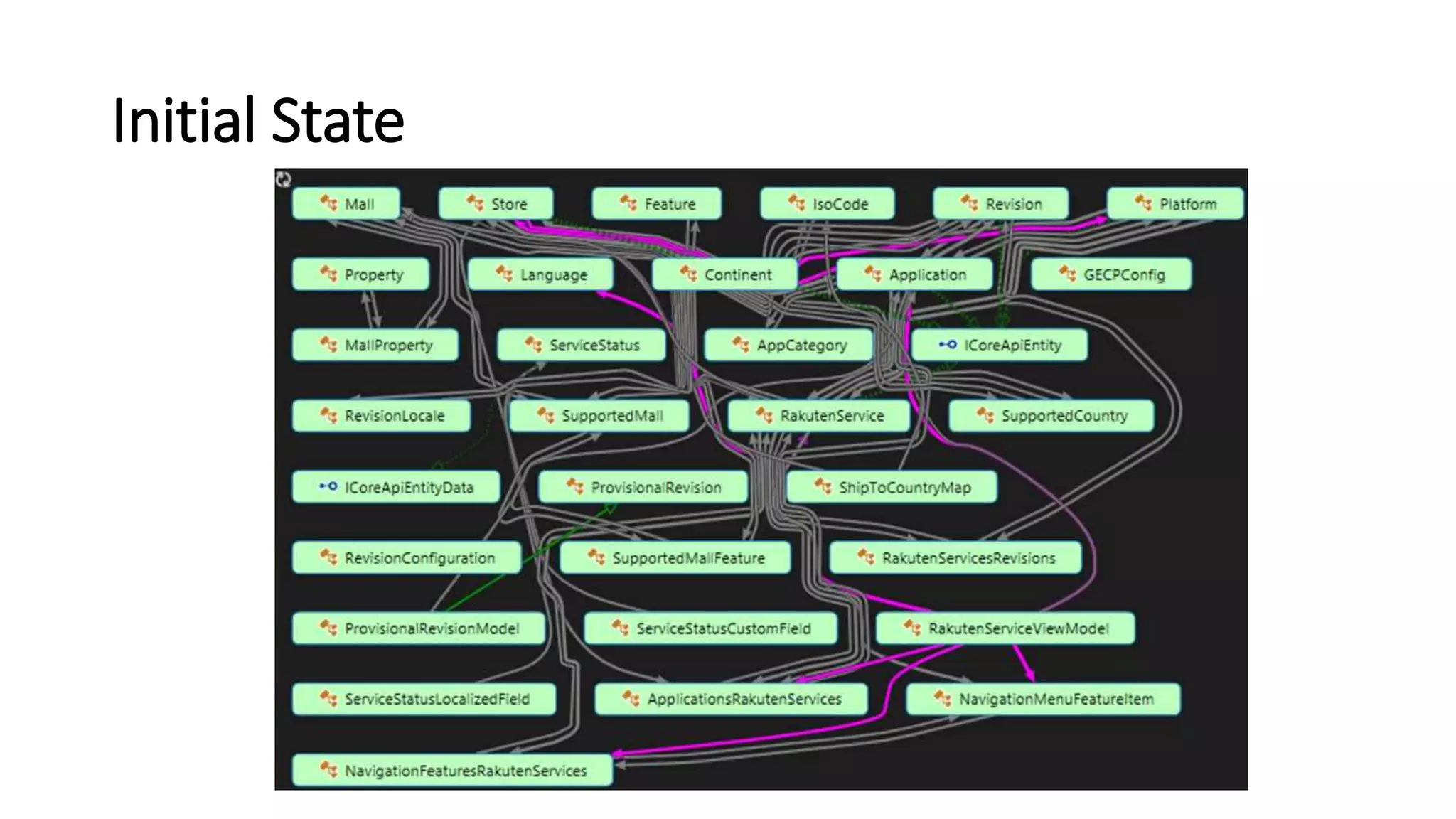
Initial State
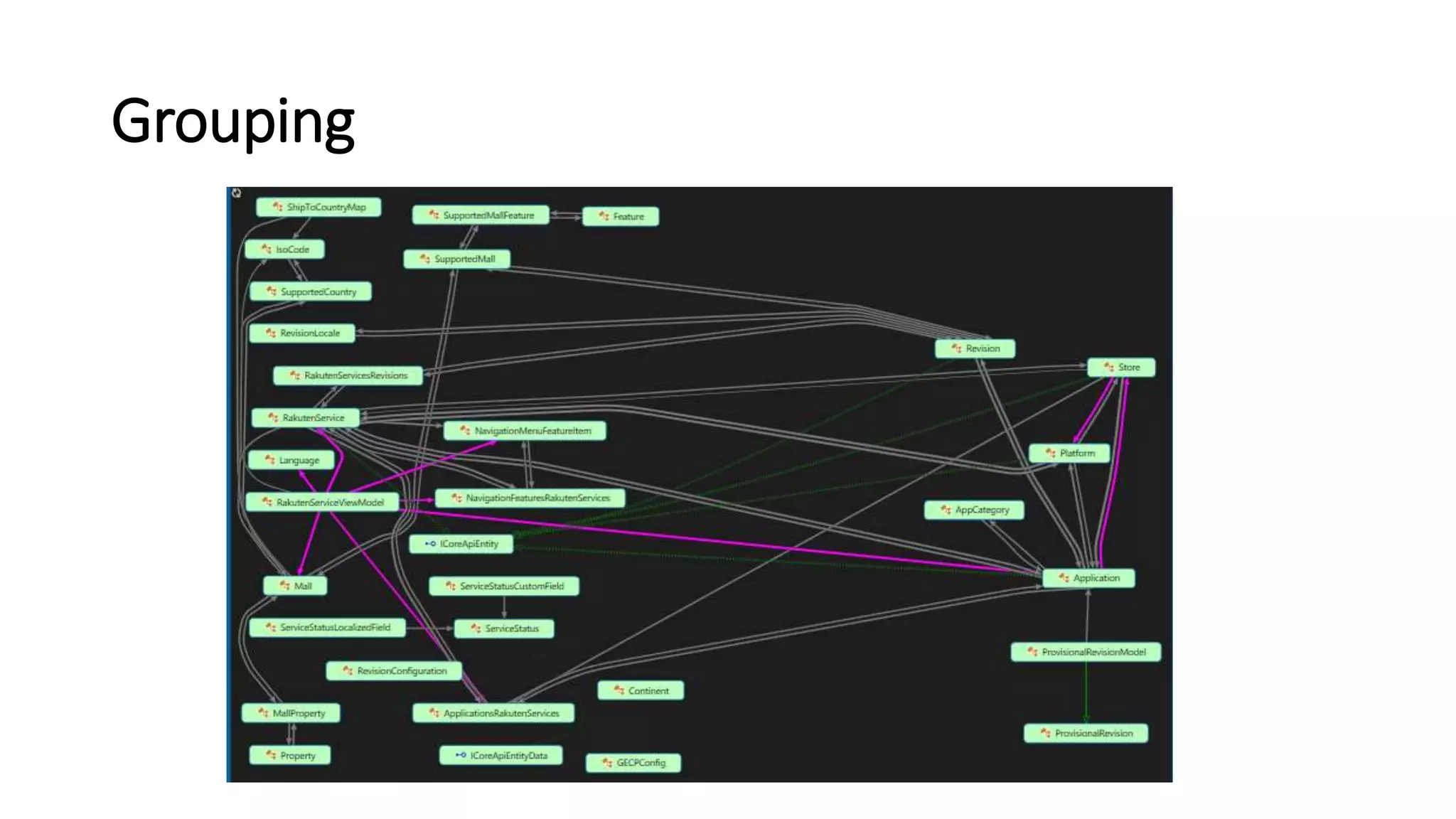
Grouping
Microservices
• Small Autonomous services that work together, modelled
around a business domain
• Small - 2 weeks to rewrite / few hundred lines of code
• Independently scalable and deployable
Microservices Examples
• Protocol gateways
• User profiles
• Shopping carts
• Inventory processing
• Queues
• Caches
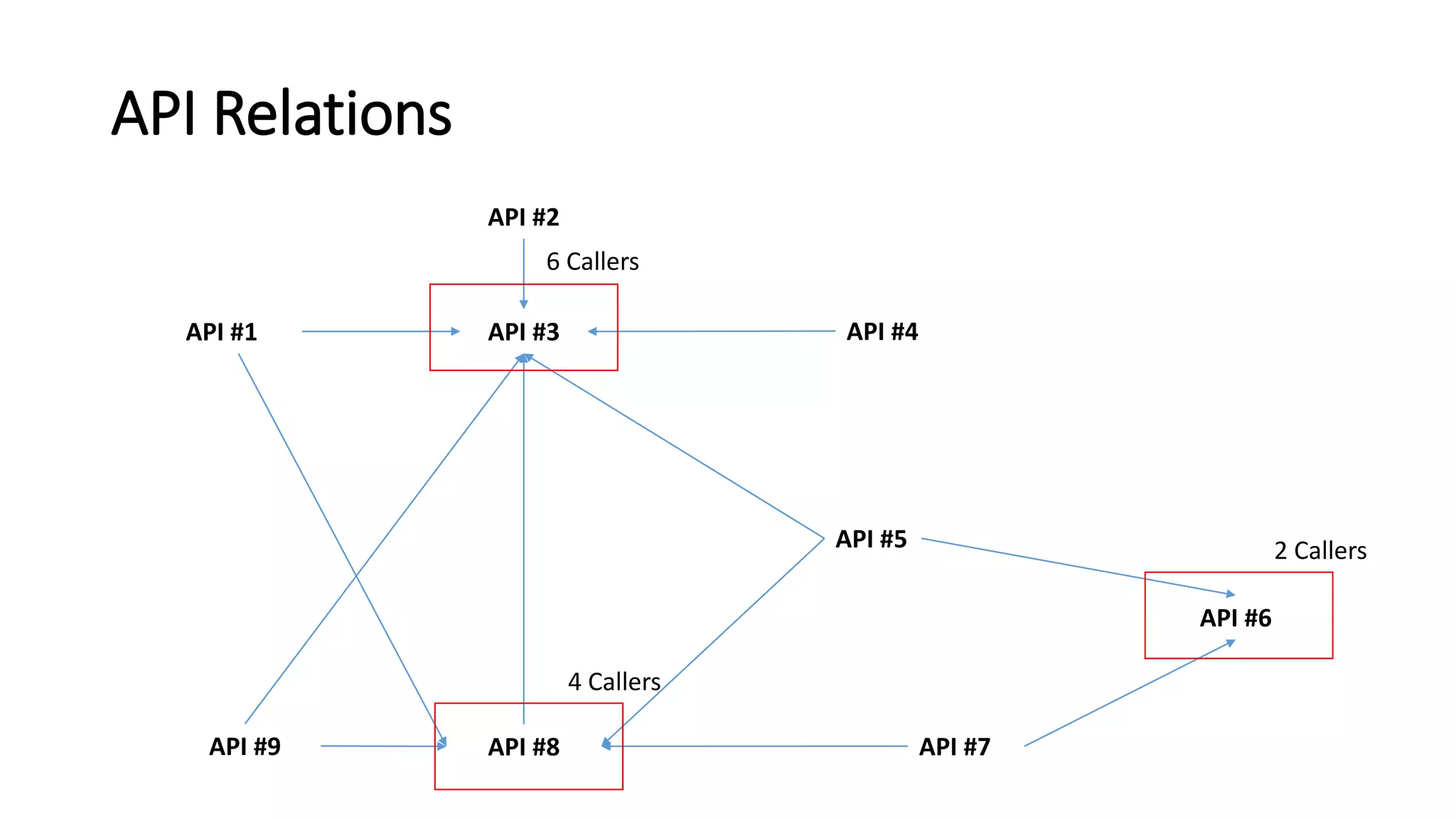
API Relations
API #3
API #8
API #1 API #4
API #5
API #2
API #7
API #6
API #9
6 Callers
4 Callers
2 Callers
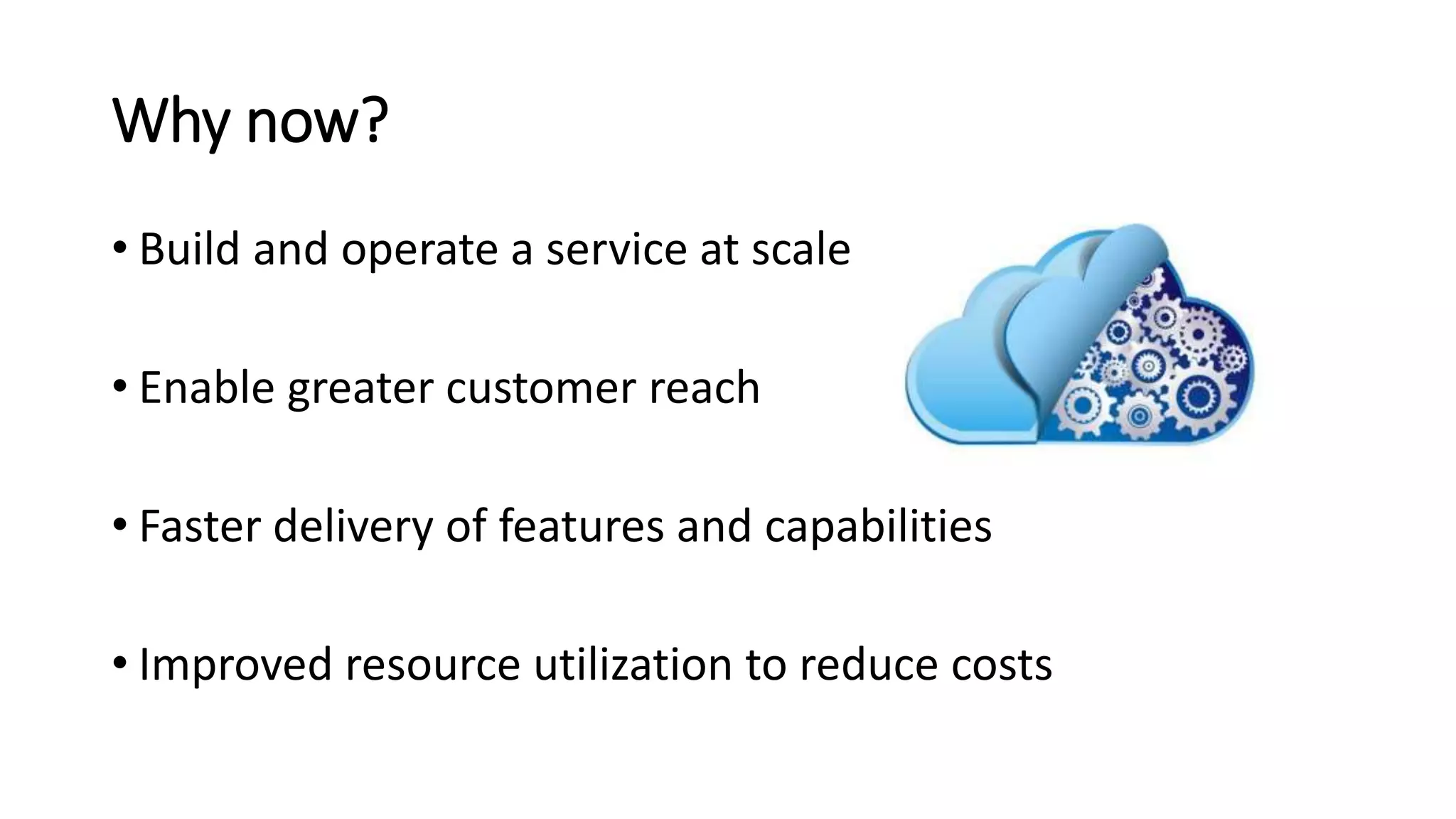
Why now?
• Build and operate a service at scale
• Enable greater customer reach
• Faster delivery of features and capabilities
• Improved resource utilization to reduce costs
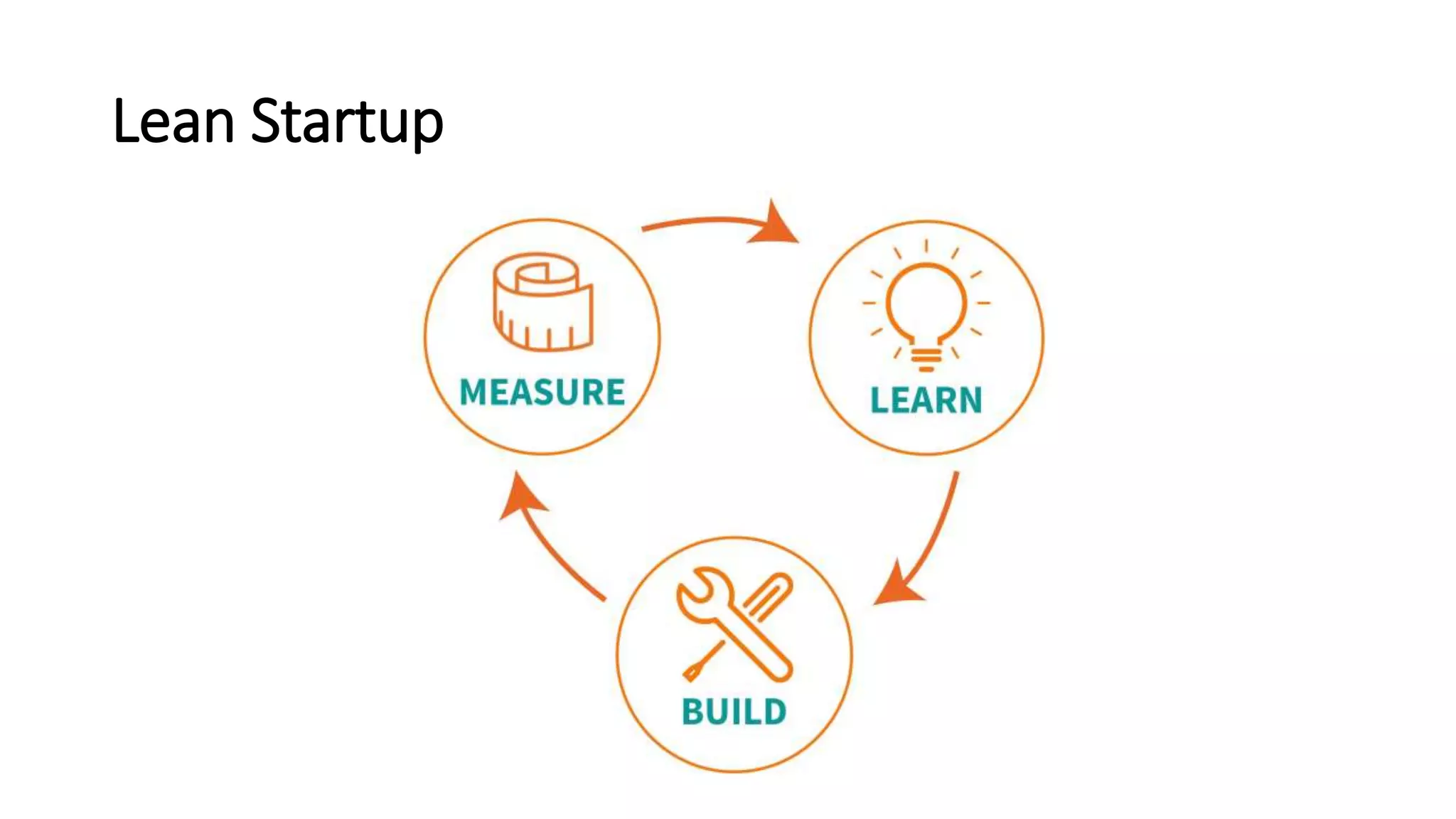
Lean Startup
Why Microservices?
• Scale specific application parts based on demand
• Development teams are more agile in rolling out changes
• Provide features to faster and more frequently
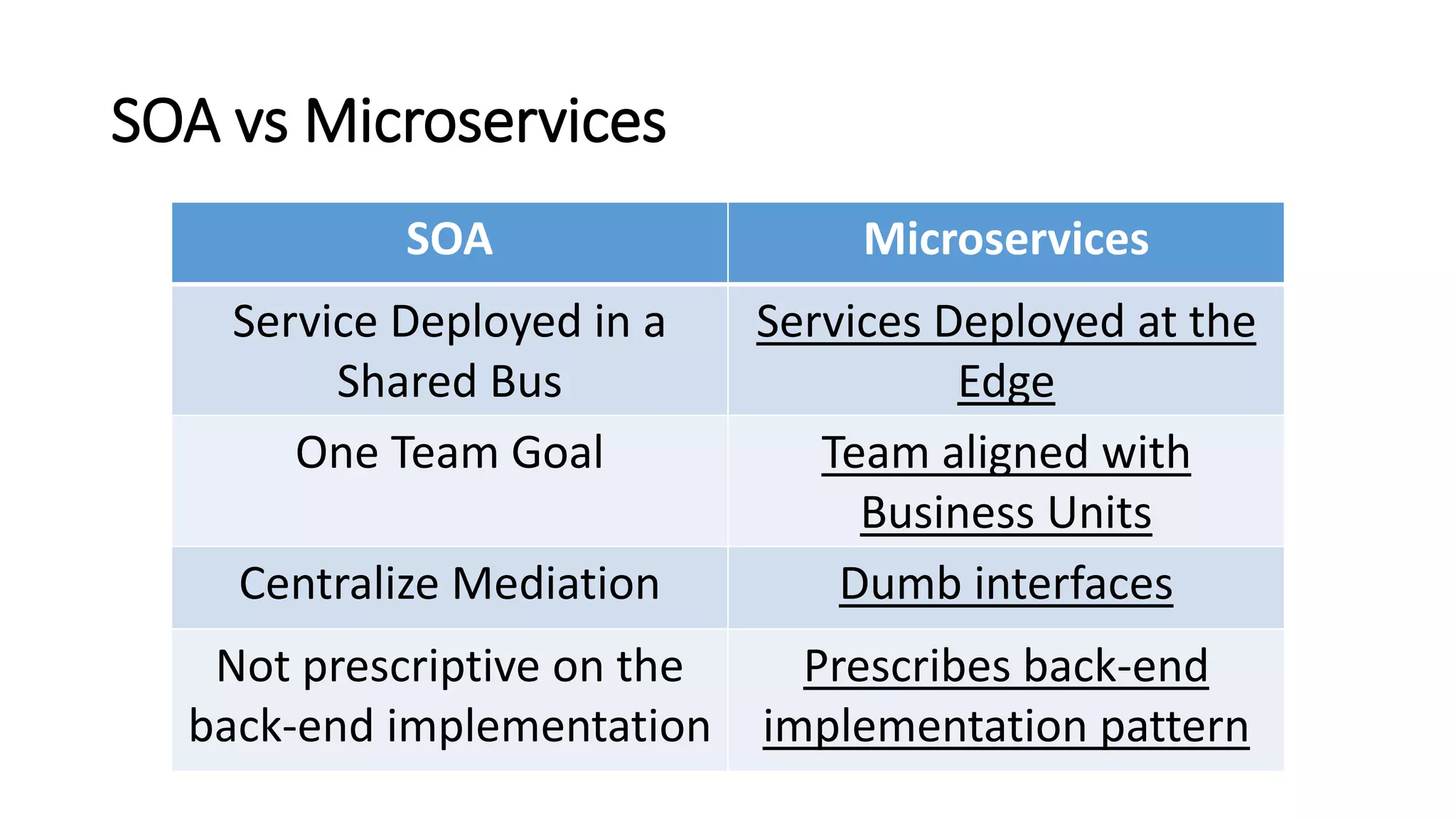
SOA vs Microservices
SOA Microservices
Service Deployed in a
Shared Bus
Services Deployed at the
Edge
One Team Goal Team aligned with
Business Units
Centralize Mediation Dumb interfaces
Not prescriptive on the
back-end implementation
Prescribes back-end
implementation pattern
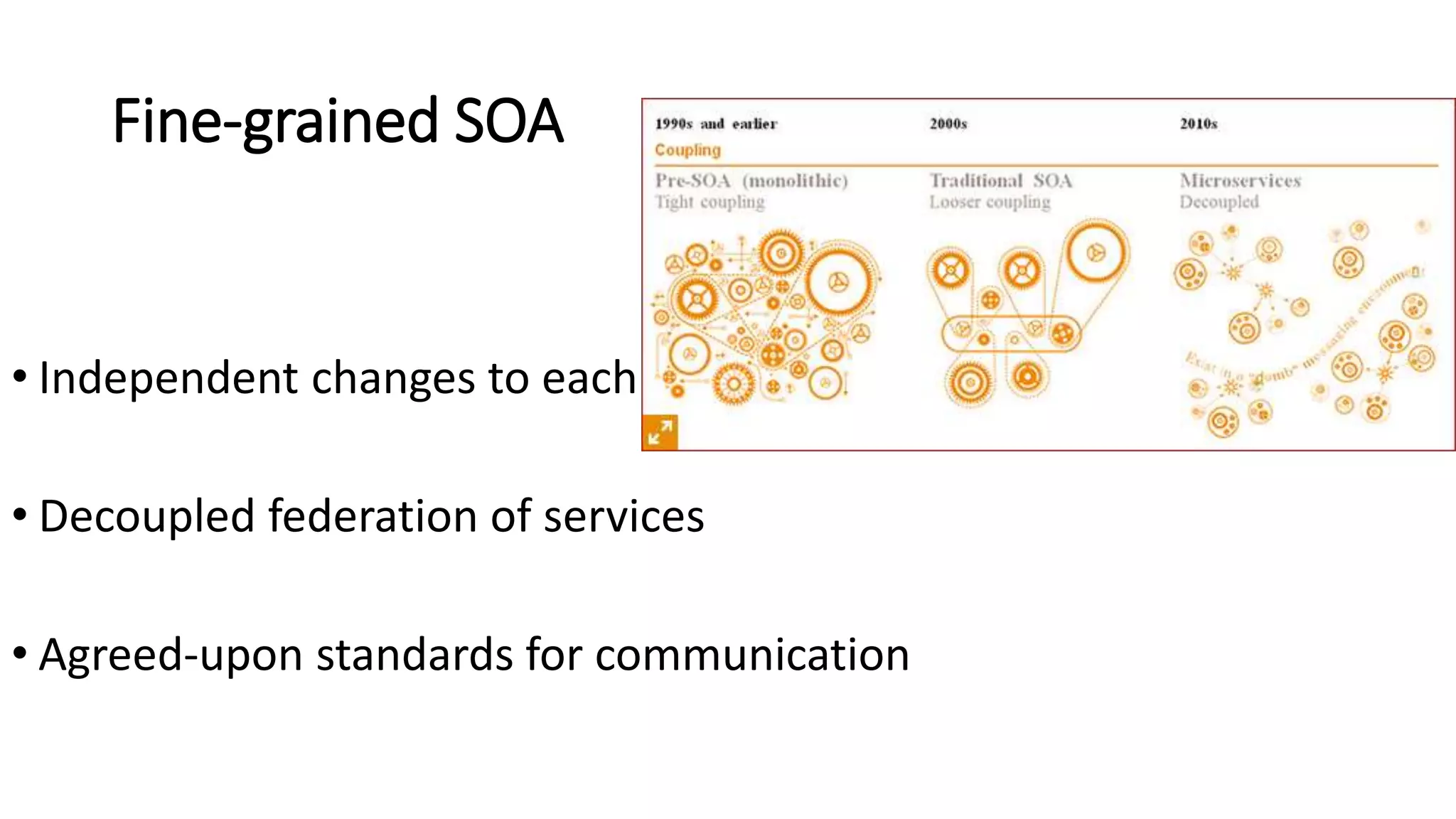
Fine-grained SOA
• Independent changes to each
• Decoupled federation of services
• Agreed-upon standards for communication
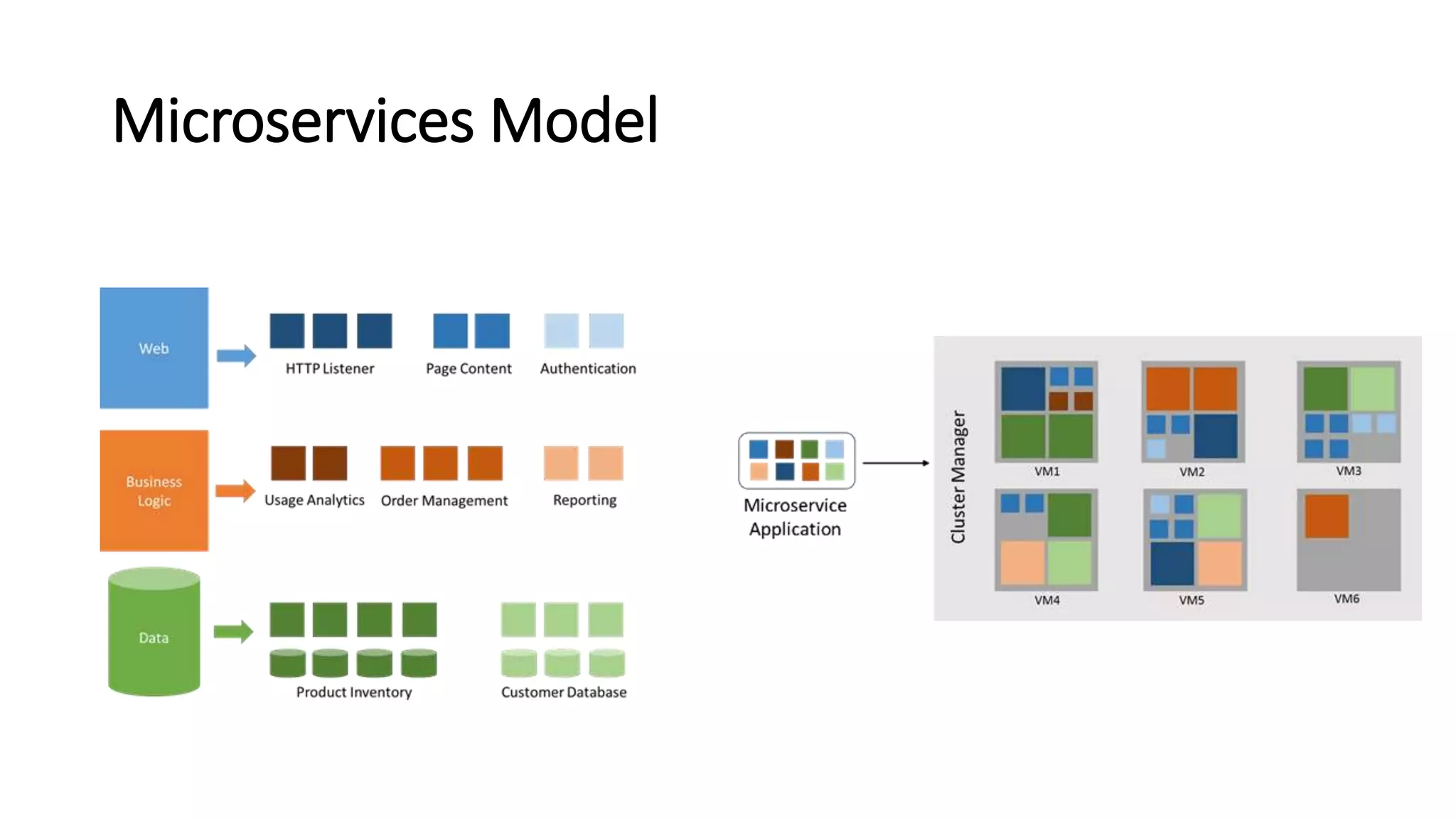
Microservices Model
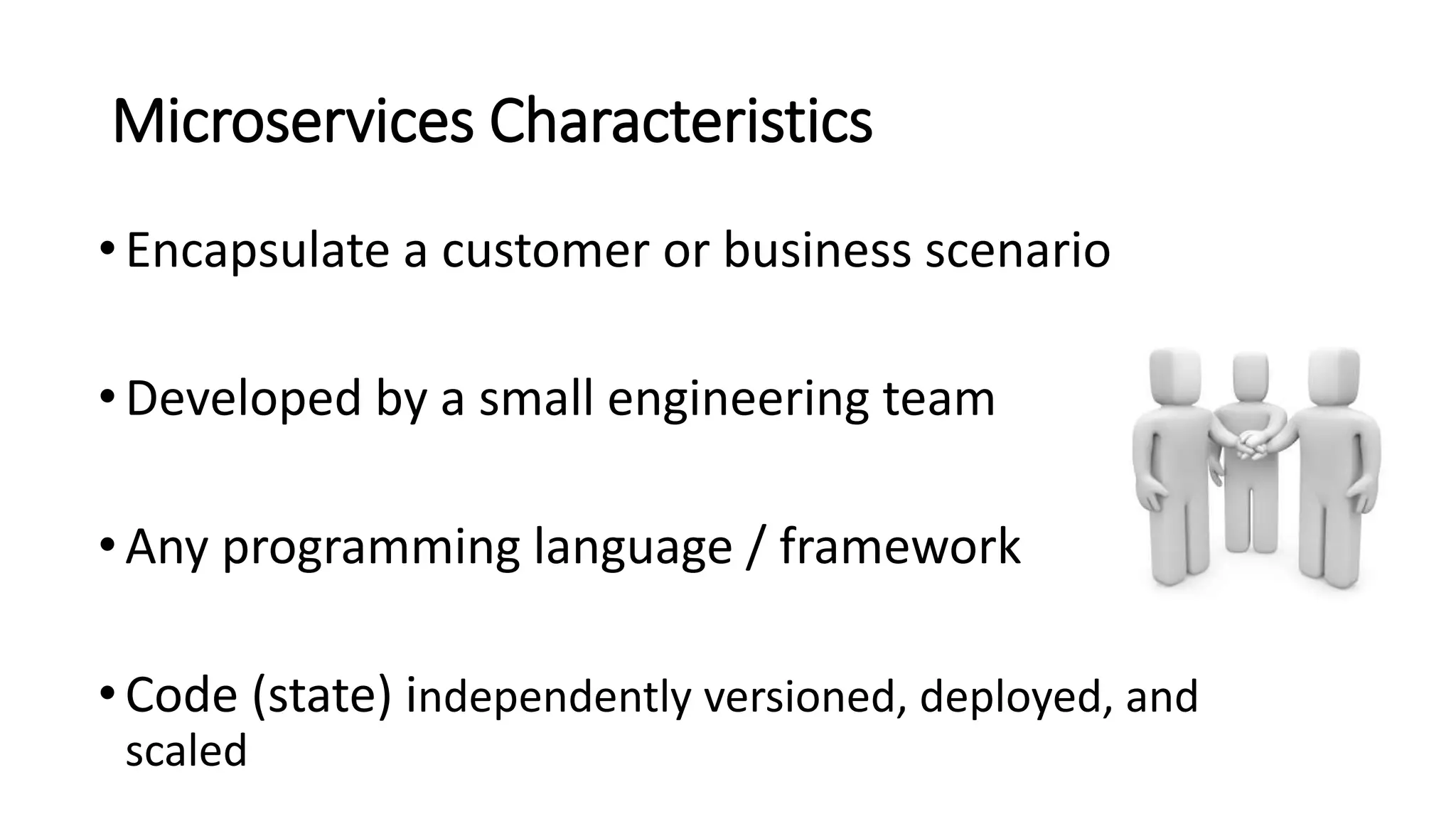
Microservices Characteristics
•Encapsulate a customer or business scenario
•Developed by a small engineering team
•Any programming language / framework
•Code (state) independently versioned, deployed, and
scaled
Microservices Characteristics
• Well-defined interfaces and protocols for communication
• Unique names (URLs) for resolving
• Remain consistent and available during failures
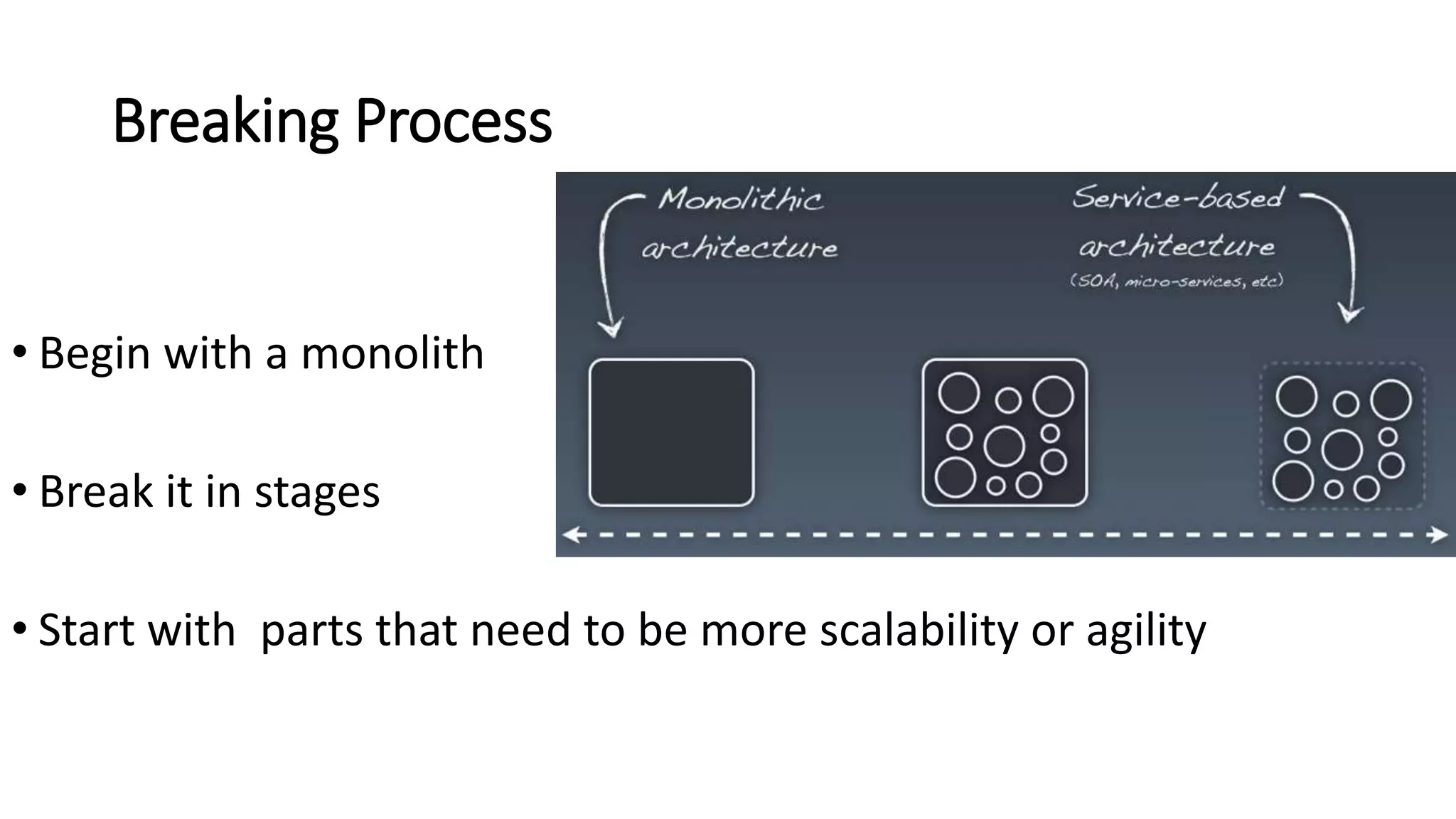
Breaking Process
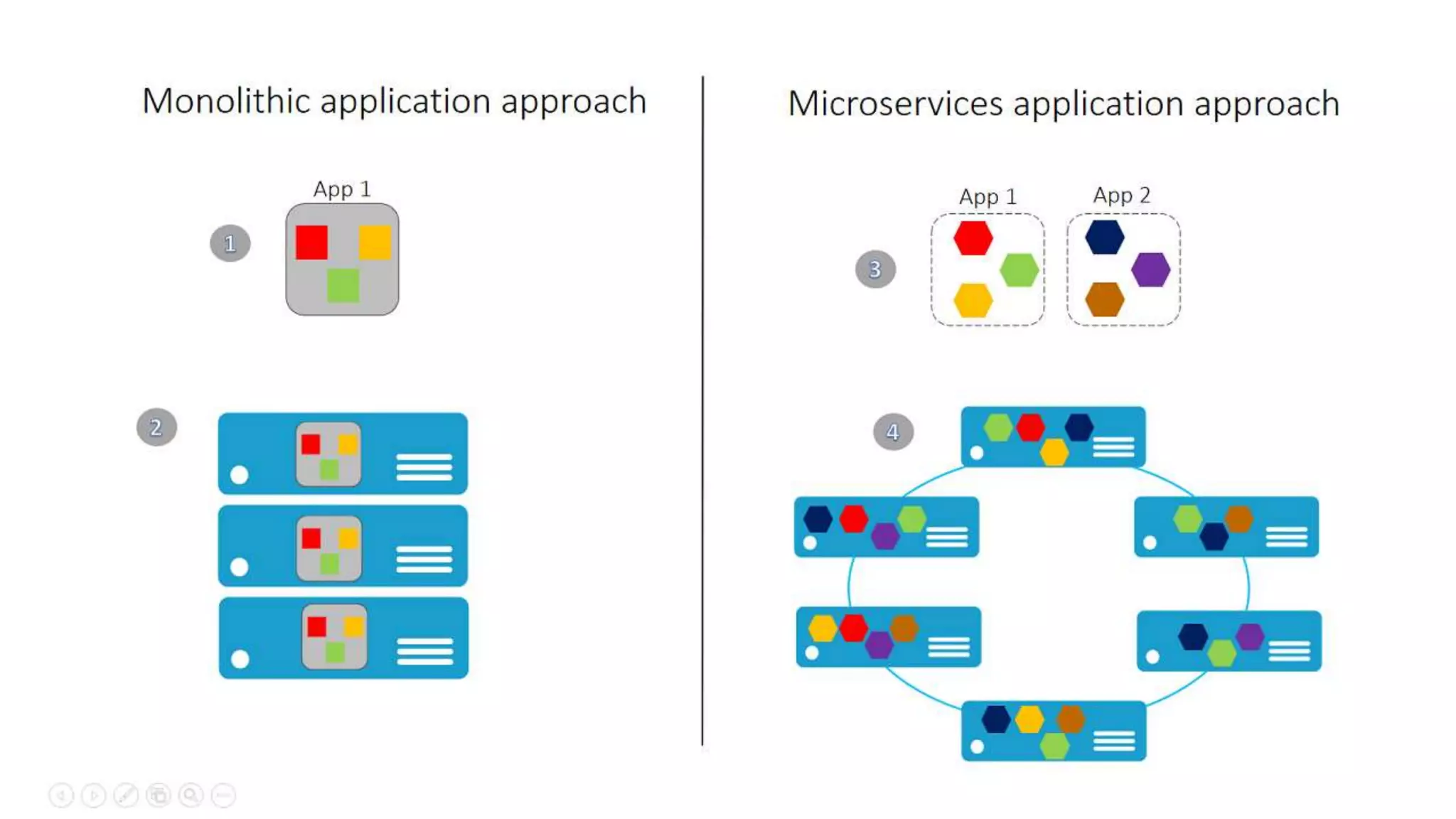
• Begin with a monolith
• Break it in stages
• Start with parts that need to be more scalability or agility
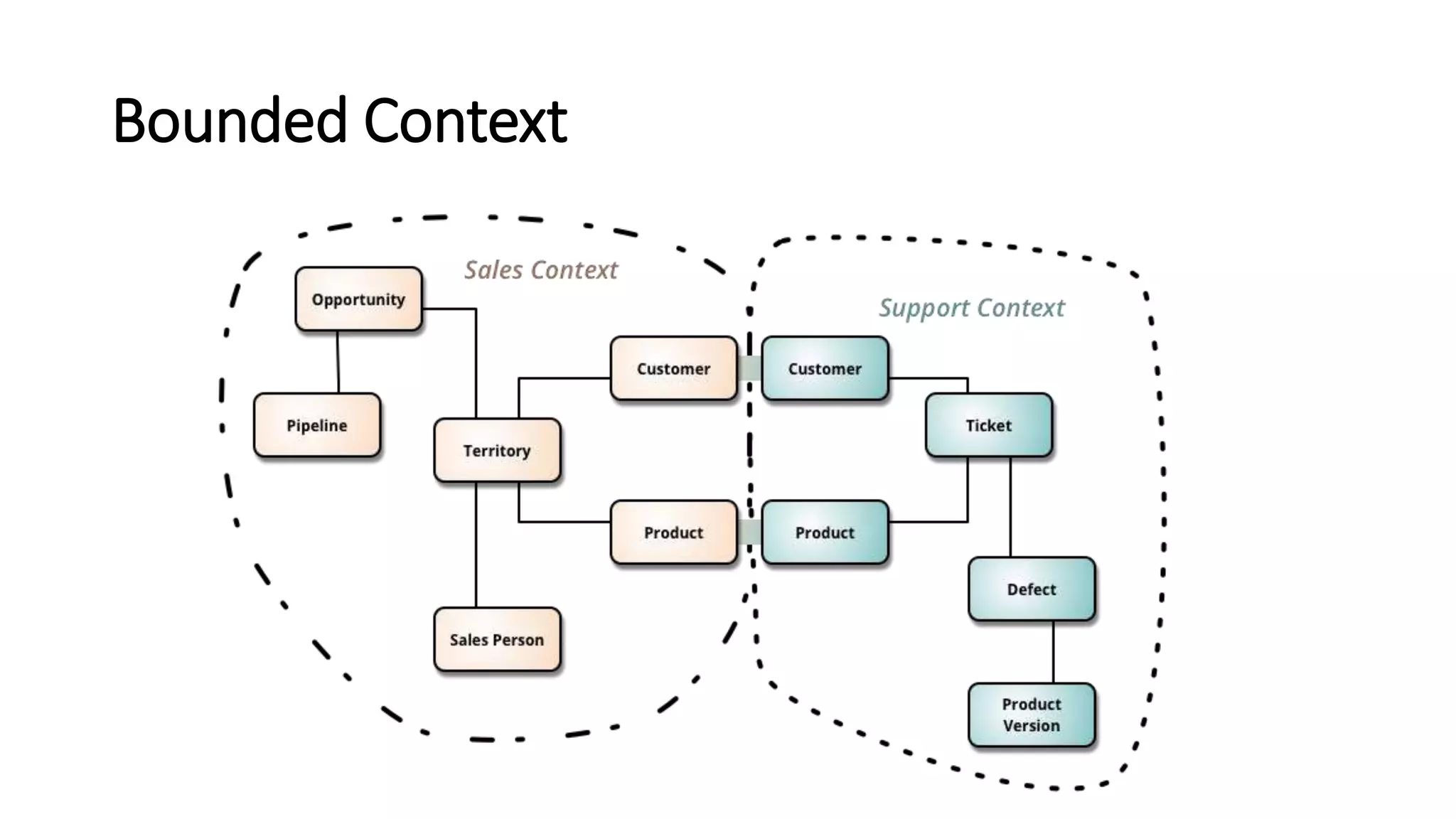
Bounded Context
Microservices Principles
• Model around business domain
• Hide Implementation (database)
• Automation
• Chunky, not Chatty
Microservices Principles
• Dumb pipes, smart endpoints
• Deploy independently
• Isolate Failure
• Highly Observable
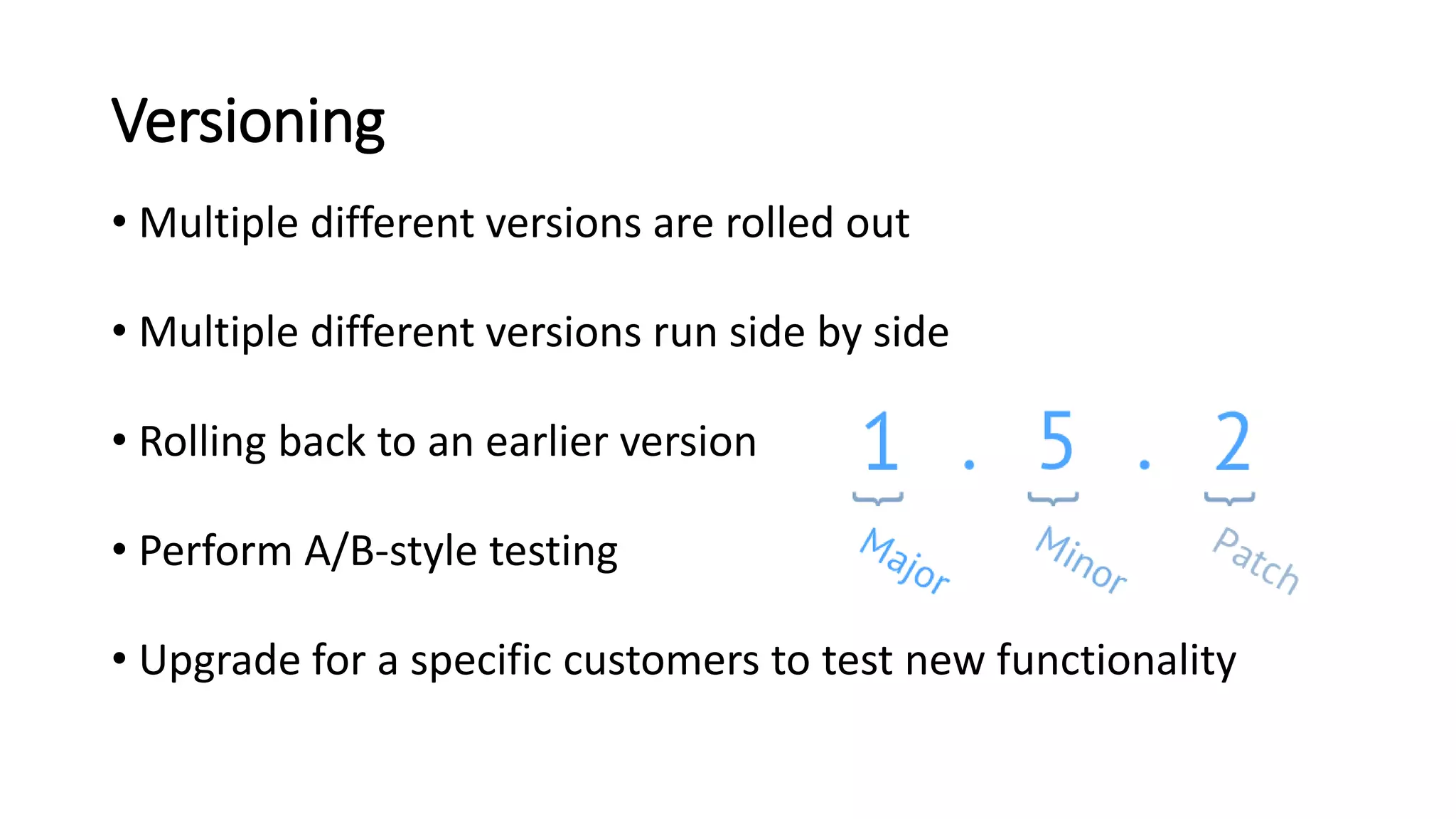
Versioning
• Multiple different versions are rolled out
• Multiple different versions run side by side
• Rolling back to an earlier version
• Perform A/B-style testing
• Upgrade for a specific customers to test new functionality
Logging
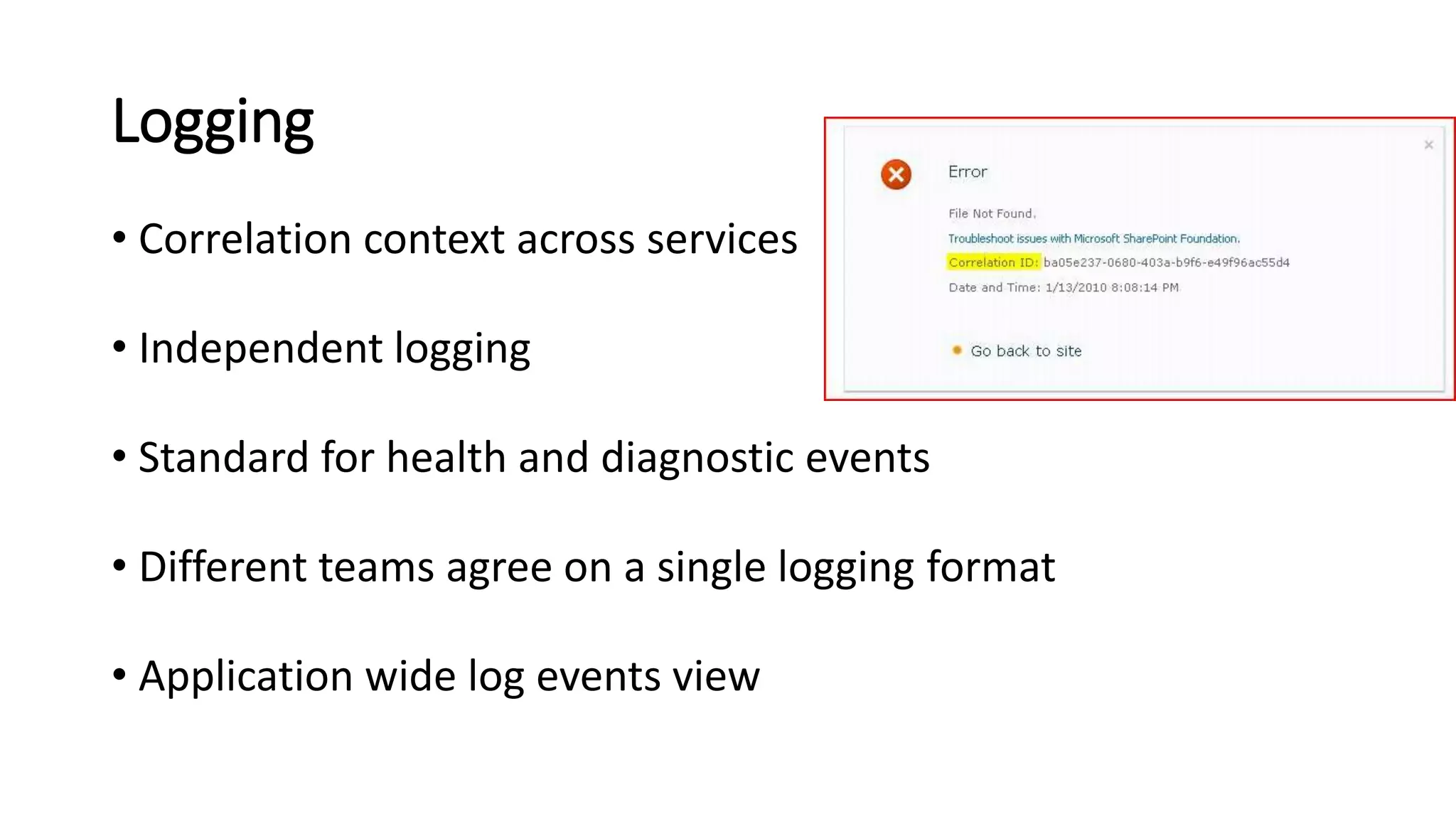
• Correlation context across services
• Independent logging
• Standard for health and diagnostic events
• Different teams agree on a single logging format
• Application wide log events view
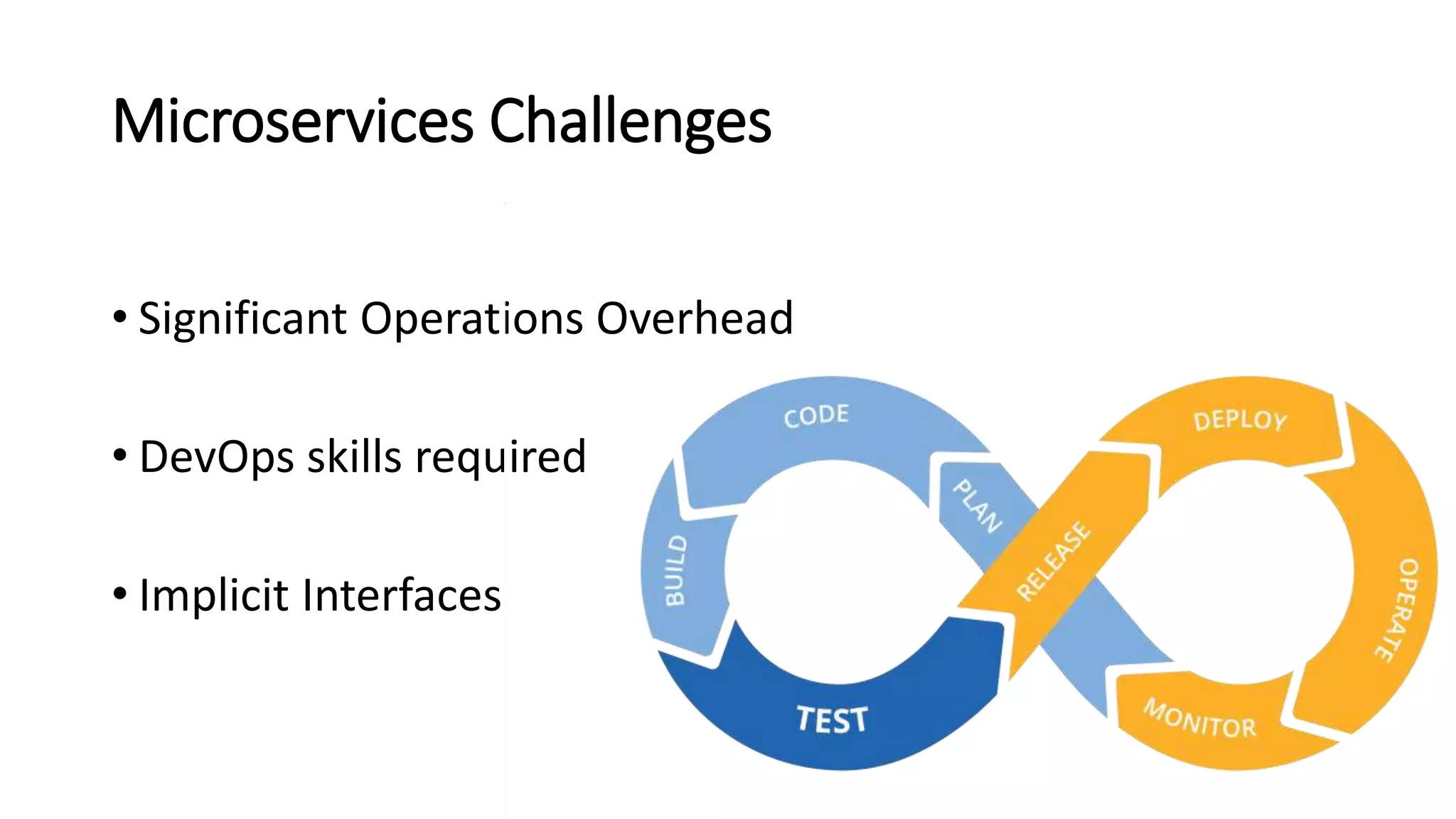
Microservices Challenges
• Significant Operations Overhead
• DevOps skills required
• Implicit Interfaces
Microservices Challenges
• Managing the big number of separate entities
• Complex deployments and versioning
• More network traffic between the microservices
• Network latencies
• Hard to “see” the whole system.
Microservices Challenges
• Distributed Computing Complexity
• Duplication of Effort
• Testability Challenges
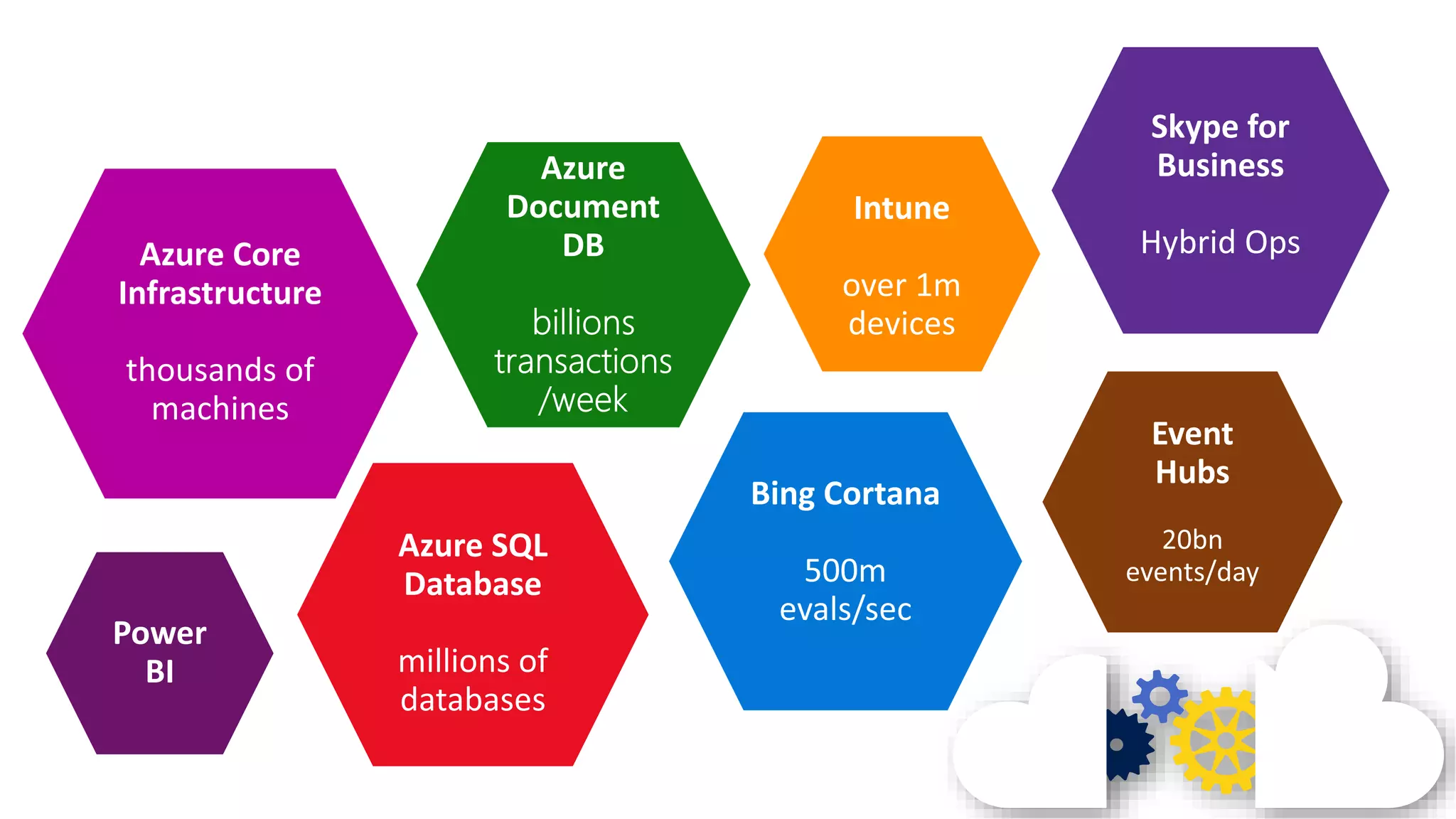
What do these have in common?
Azure Service Fabric
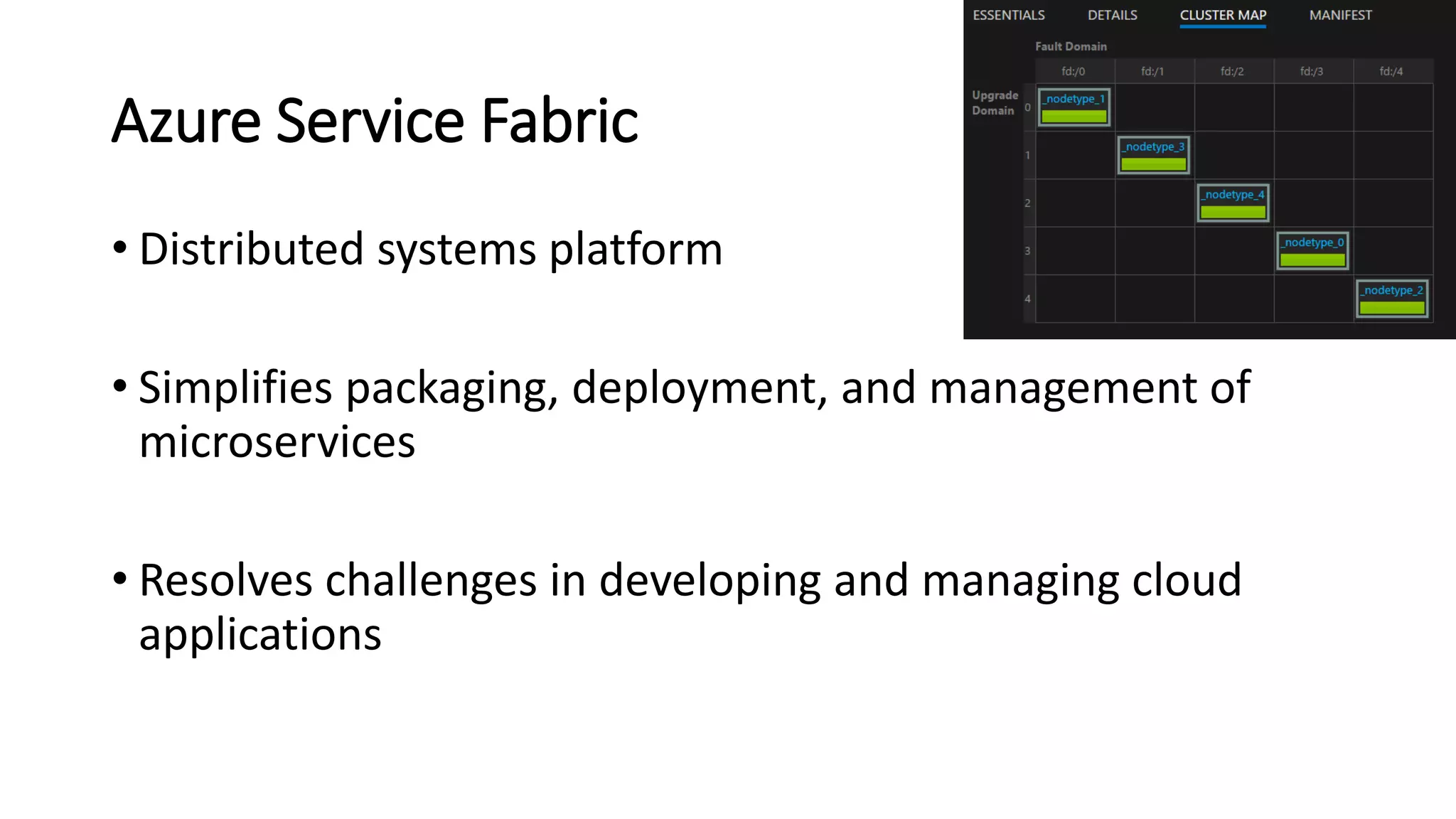
• Distributed systems platform
• Simplifies packaging, deployment, and management of
microservices
• Resolves challenges in developing and managing cloud
applications
Azure Service Fabric
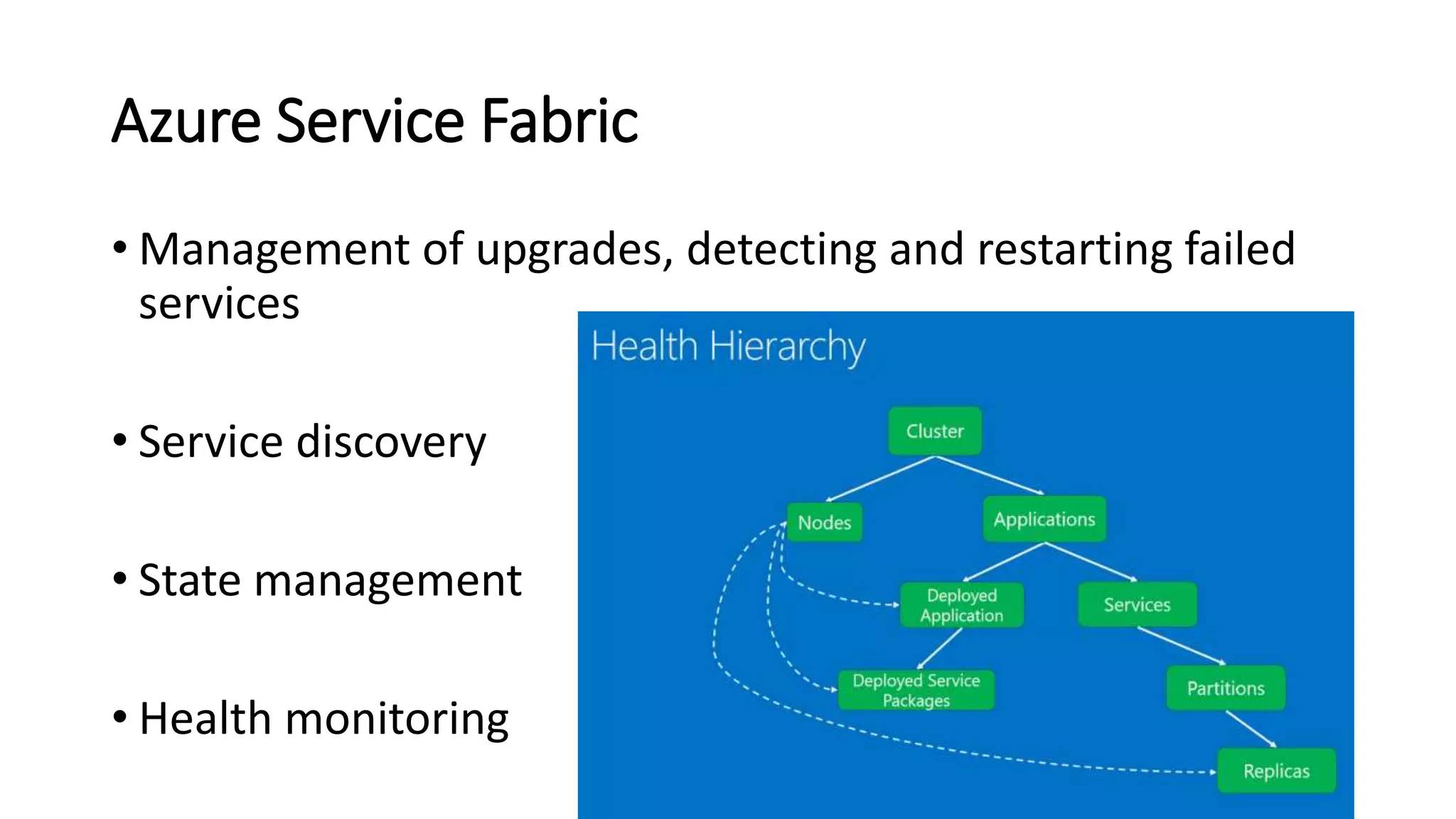
• Management of upgrades, detecting and restarting failed
services
• Service discovery
• State management
• Health monitoring
Containers
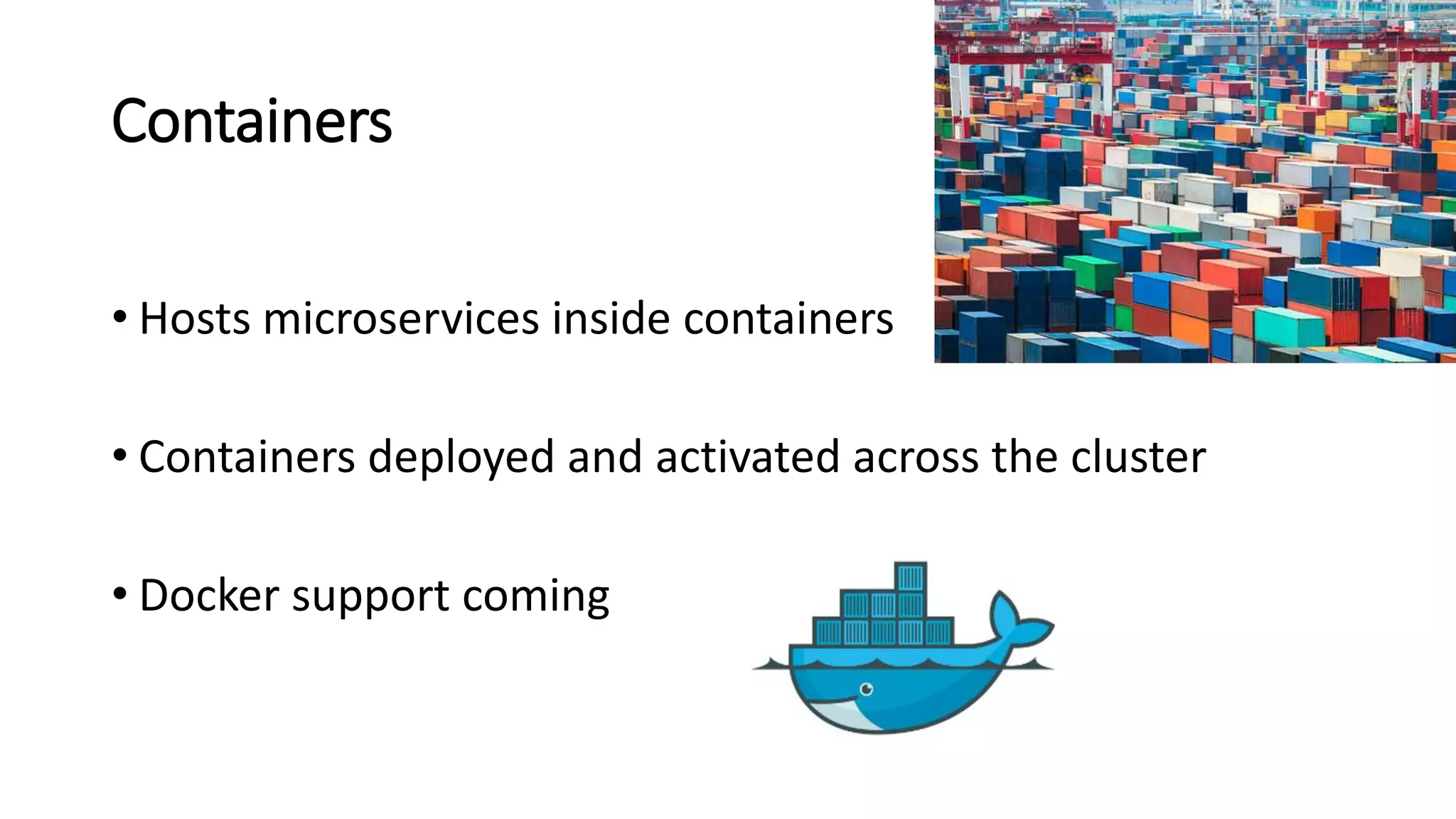
• Hosts microservices inside containers
• Containers deployed and activated across the cluster
• Docker support coming
Azure Service Fabric
• Generally Available
• Preview for Windows Server:
• Install on premise
• Install on alternative clouds
• Preview for Linux
Azure Service Fabric
• Azure Stack support coming
• Great tooling
• Excellent Integration with Visual Studio
Capabilities
• Perform near real-time data analysis
• In-memory computation
• Parallel transactions
• Event processing
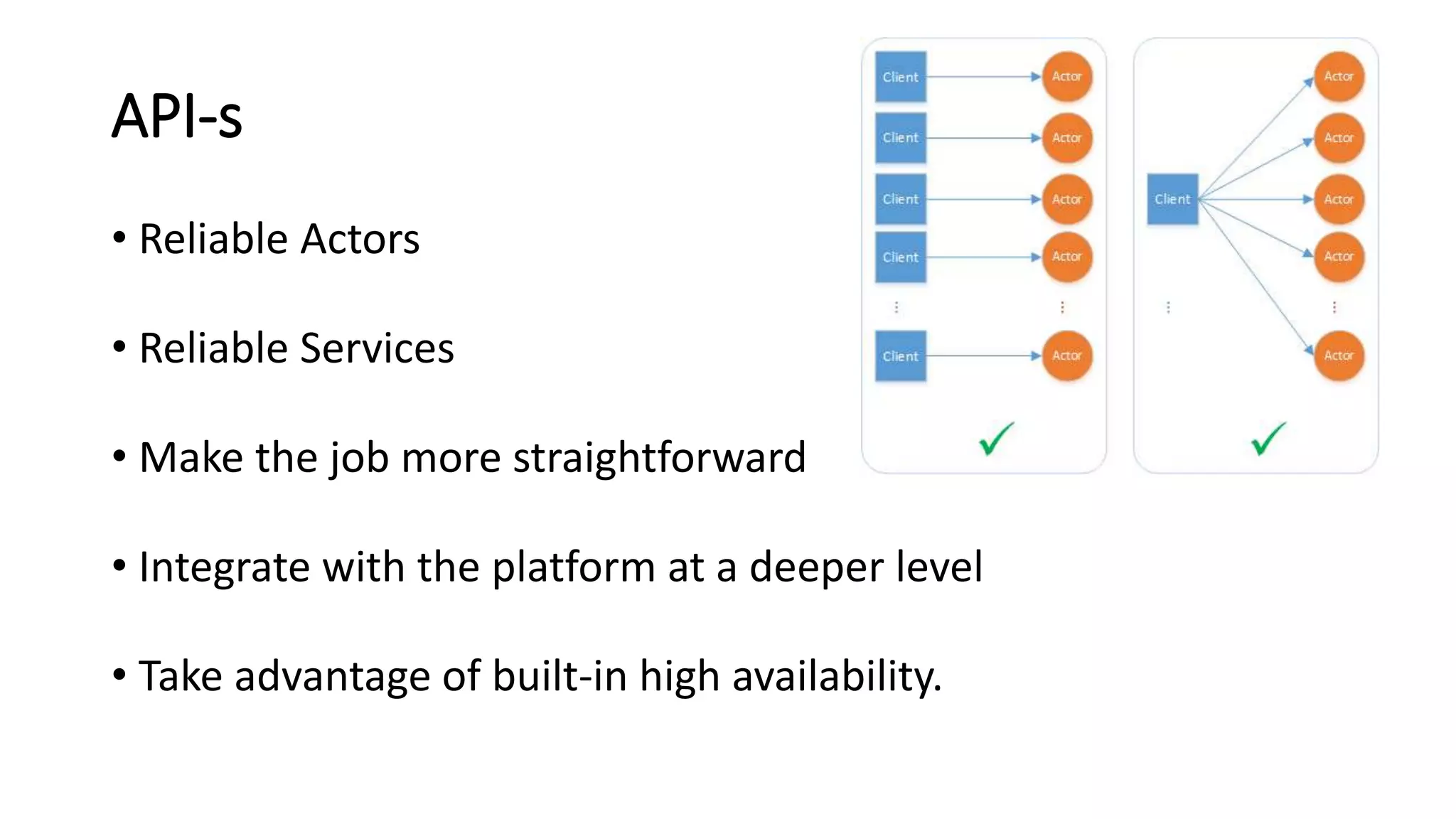
API-s
• Reliable Actors
• Reliable Services
• Make the job more straightforward
• Integrate with the platform at a deeper level
• Take advantage of built-in high availability.
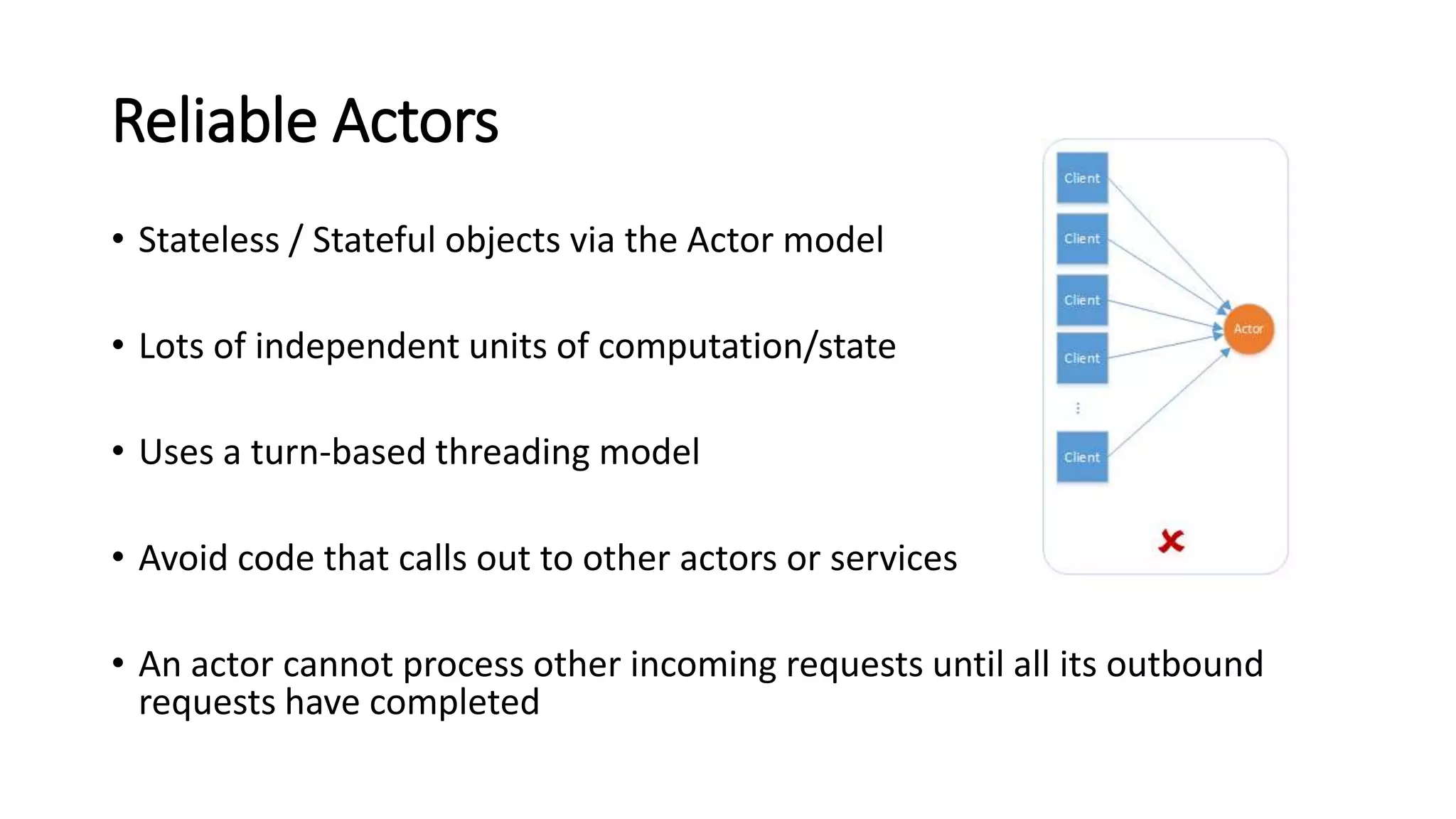
Reliable Actors
• Stateless / Stateful objects via the Actor model
• Lots of independent units of computation/state
• Uses a turn-based threading model
• Avoid code that calls out to other actors or services
• An actor cannot process other incoming requests until all its outbound
requests have completed
Reliable Actors
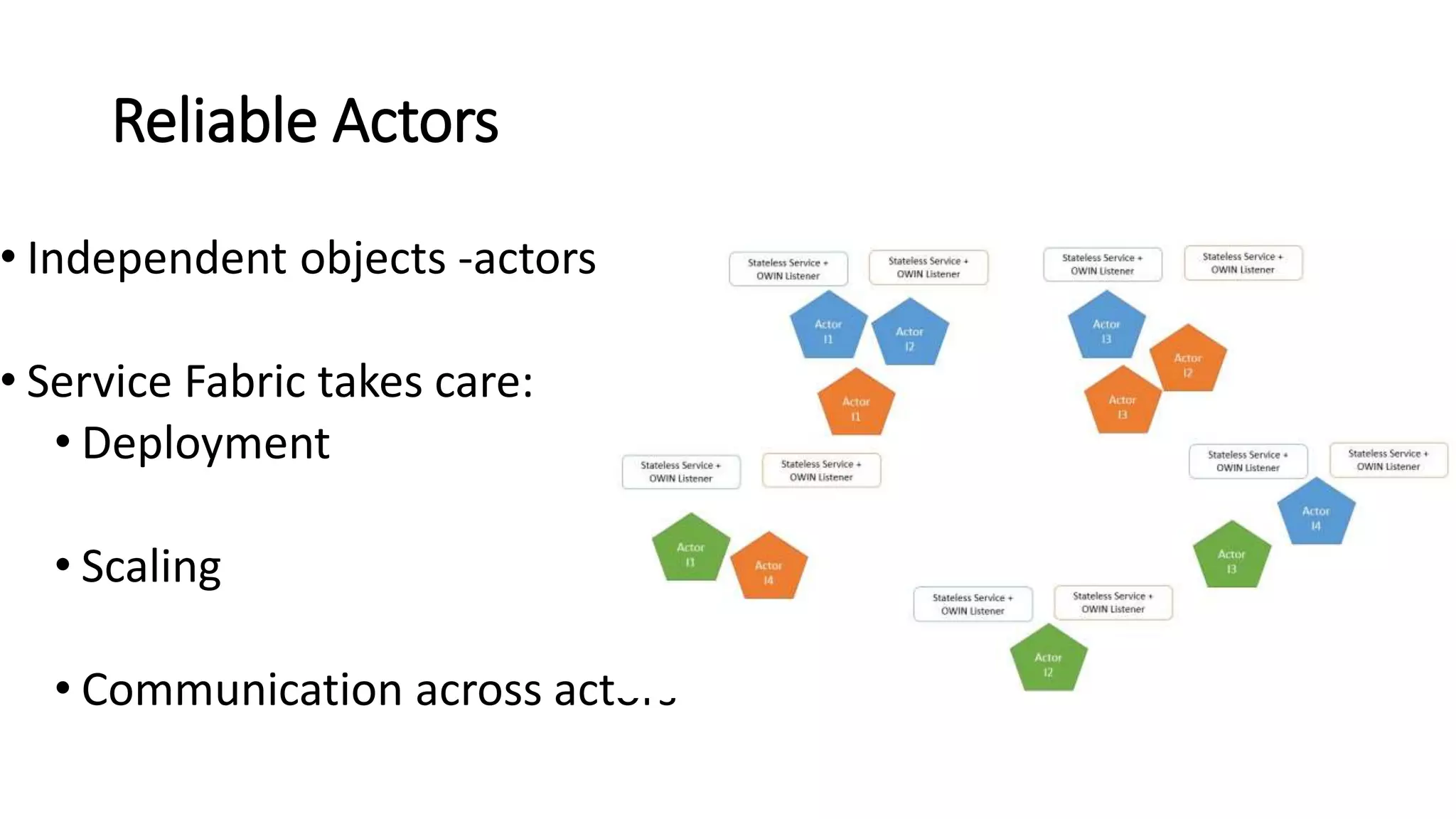
• Independent objects -actors
• Service Fabric takes care:
• Deployment
• Scaling
• Communication across actors
Reliable Services
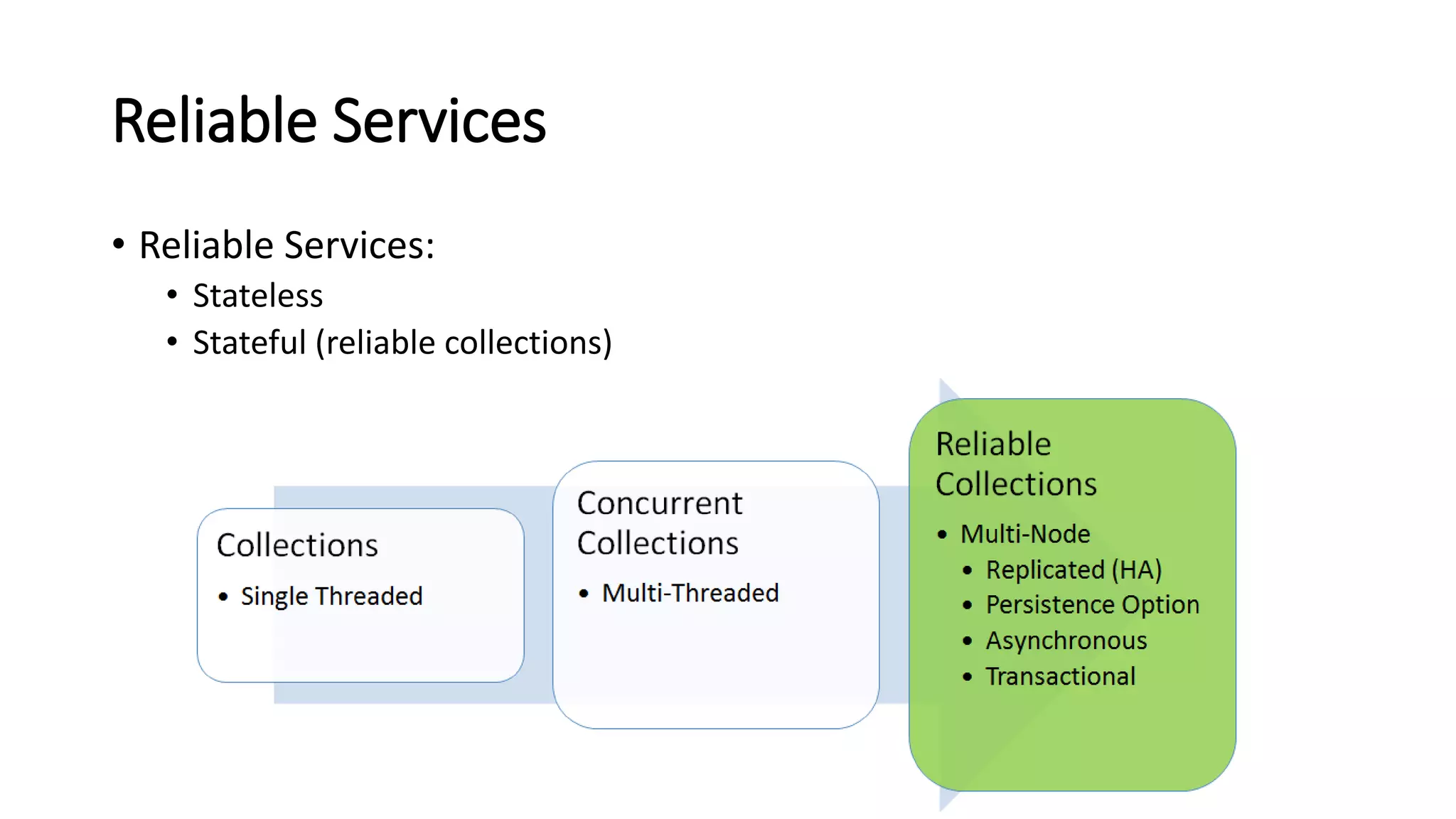
• Reliable Services:
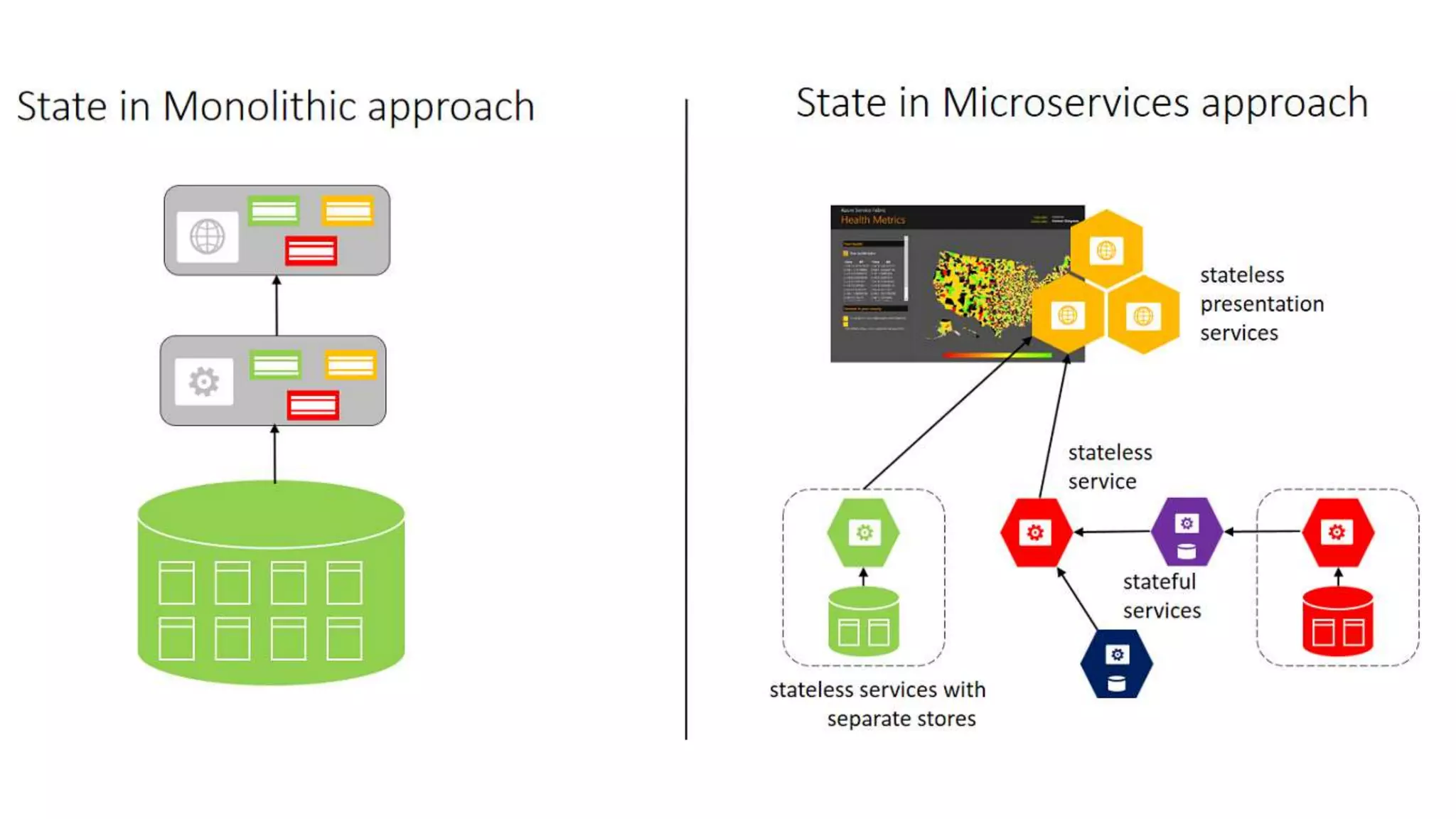
• Stateless
• Stateful (reliable collections)
Stateless
• Examples : protocol gateways, web proxies
• Do not maintain a state outside of any given request or response
• State maintained in dedicated data storage
• Azure Examples: Web Apps, Cloud Services
Stateful
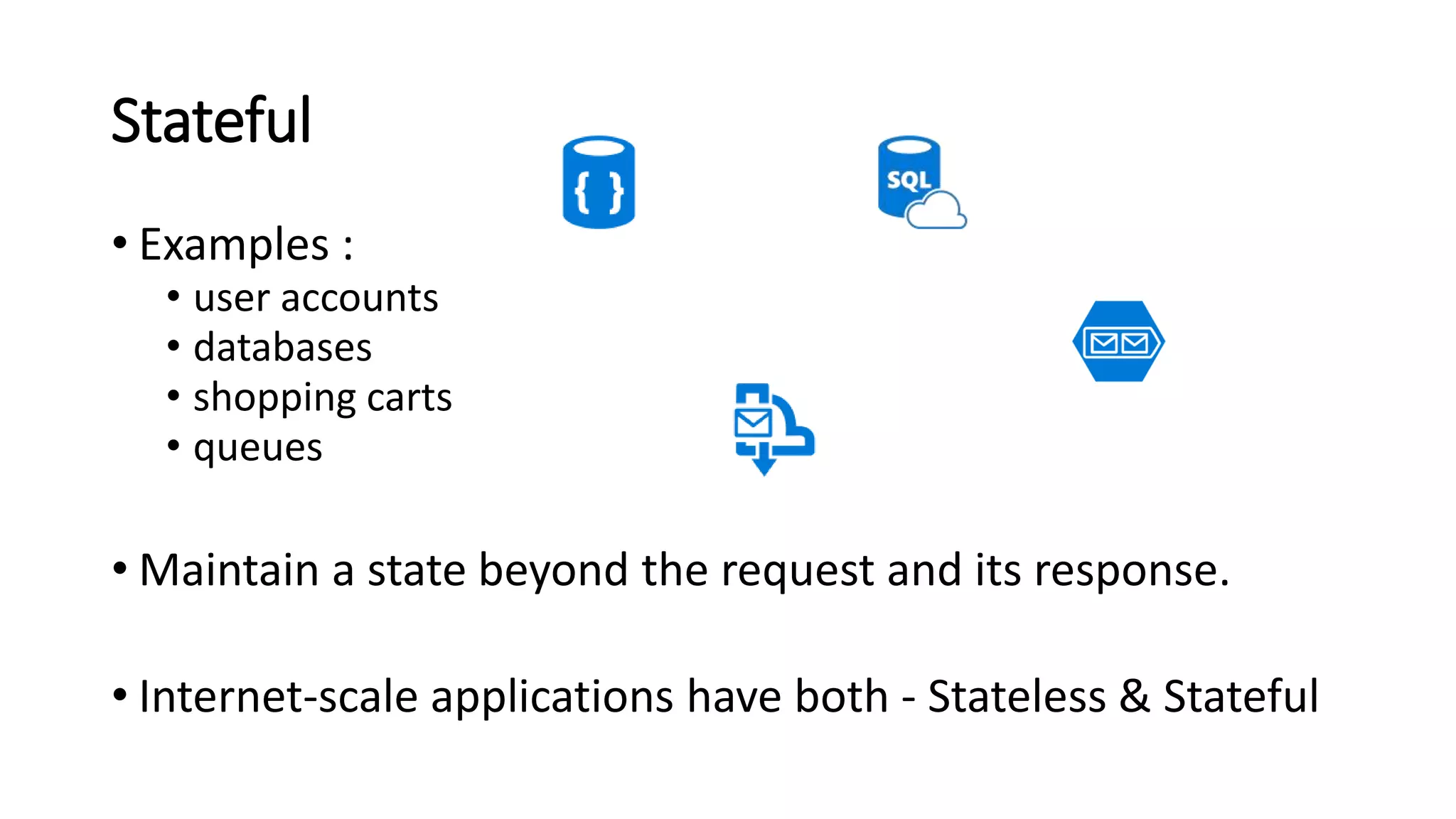
• Examples :
• user accounts
• databases
• shopping carts
• queues
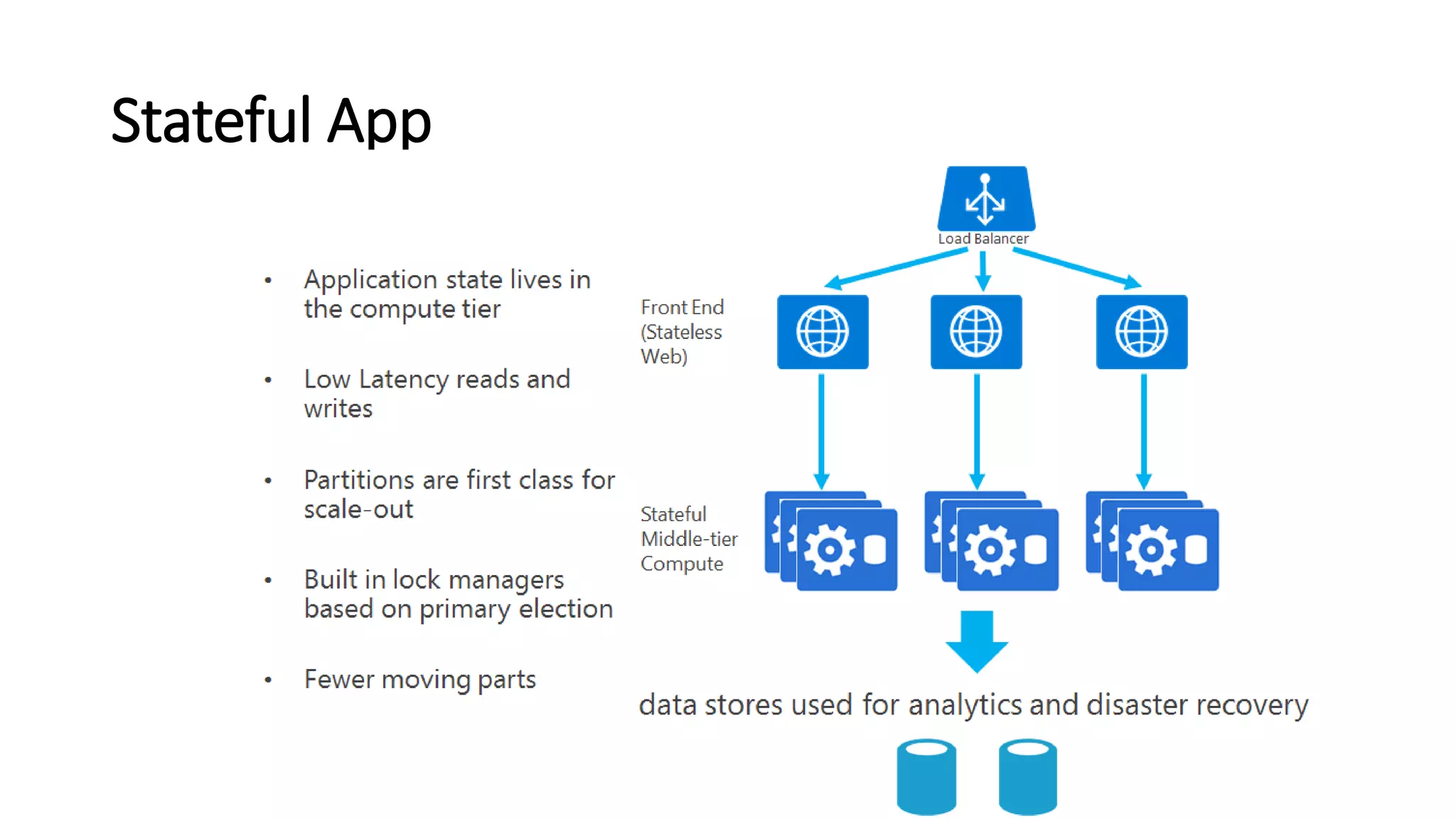
• Maintain a state beyond the request and its response.
• Internet-scale applications have both - Stateless & Stateful
Stateful
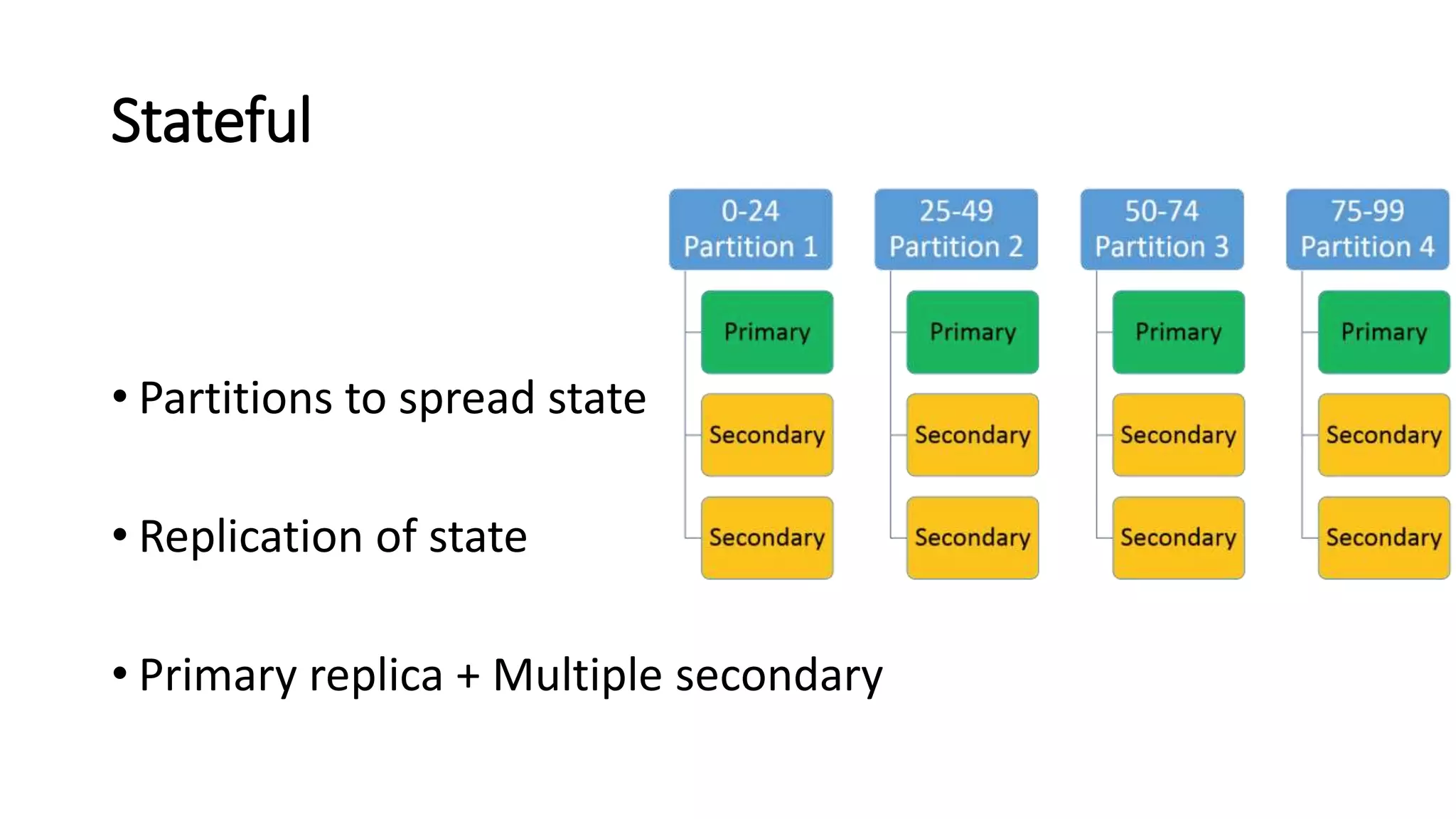
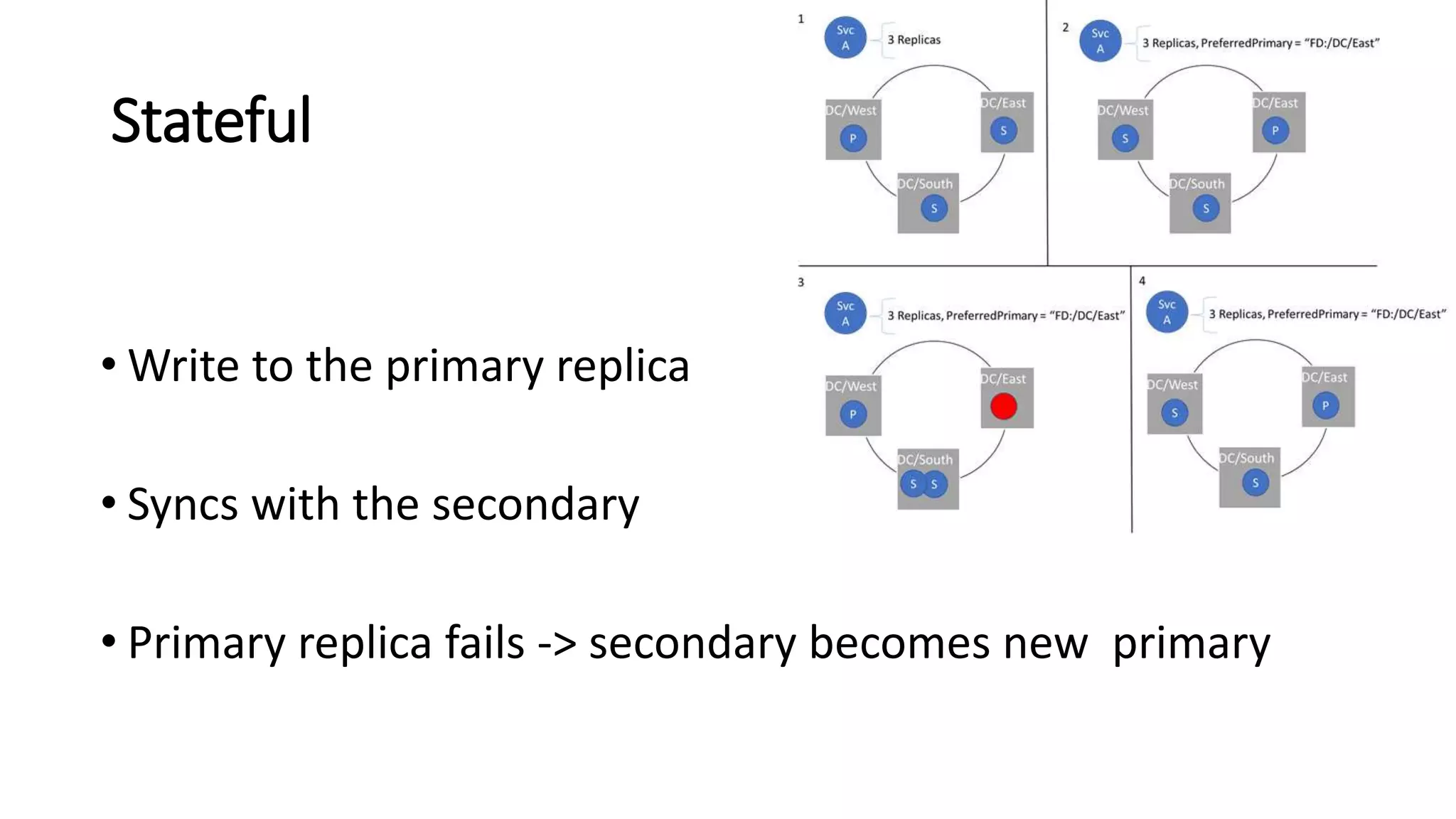
• Partitions to spread state
• Replication of state
• Primary replica + Multiple secondary
Stateful
• Write to the primary replica
• Syncs with the secondary
• Primary replica fails -> secondary becomes new primary
Why Stateful?
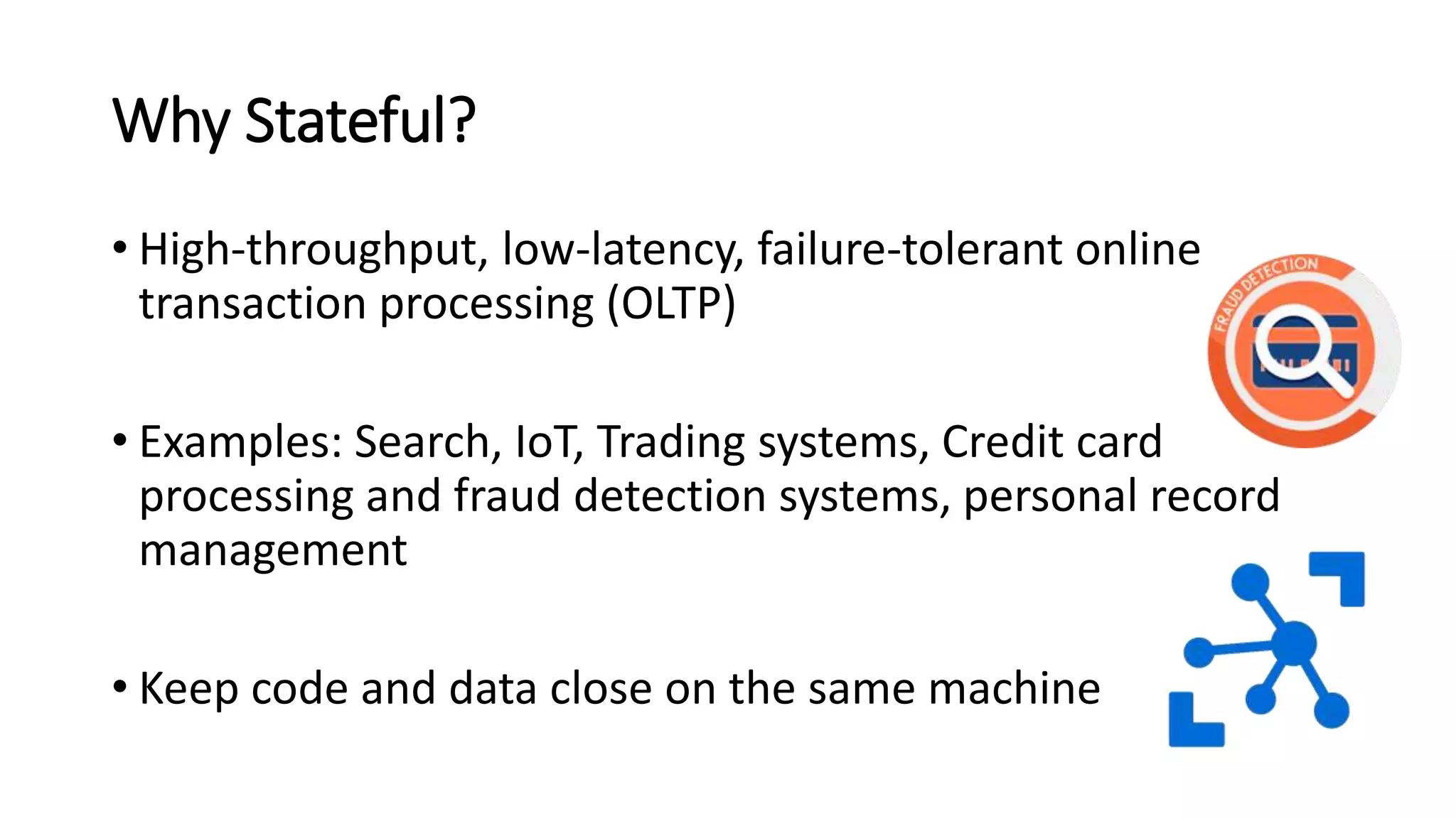
• High-throughput, low-latency, failure-tolerant online
transaction processing (OLTP)
• Examples: Search, IoT, Trading systems, Credit card
processing and fraud detection systems, personal record
management
• Keep code and data close on the same machine
Why Stateful?
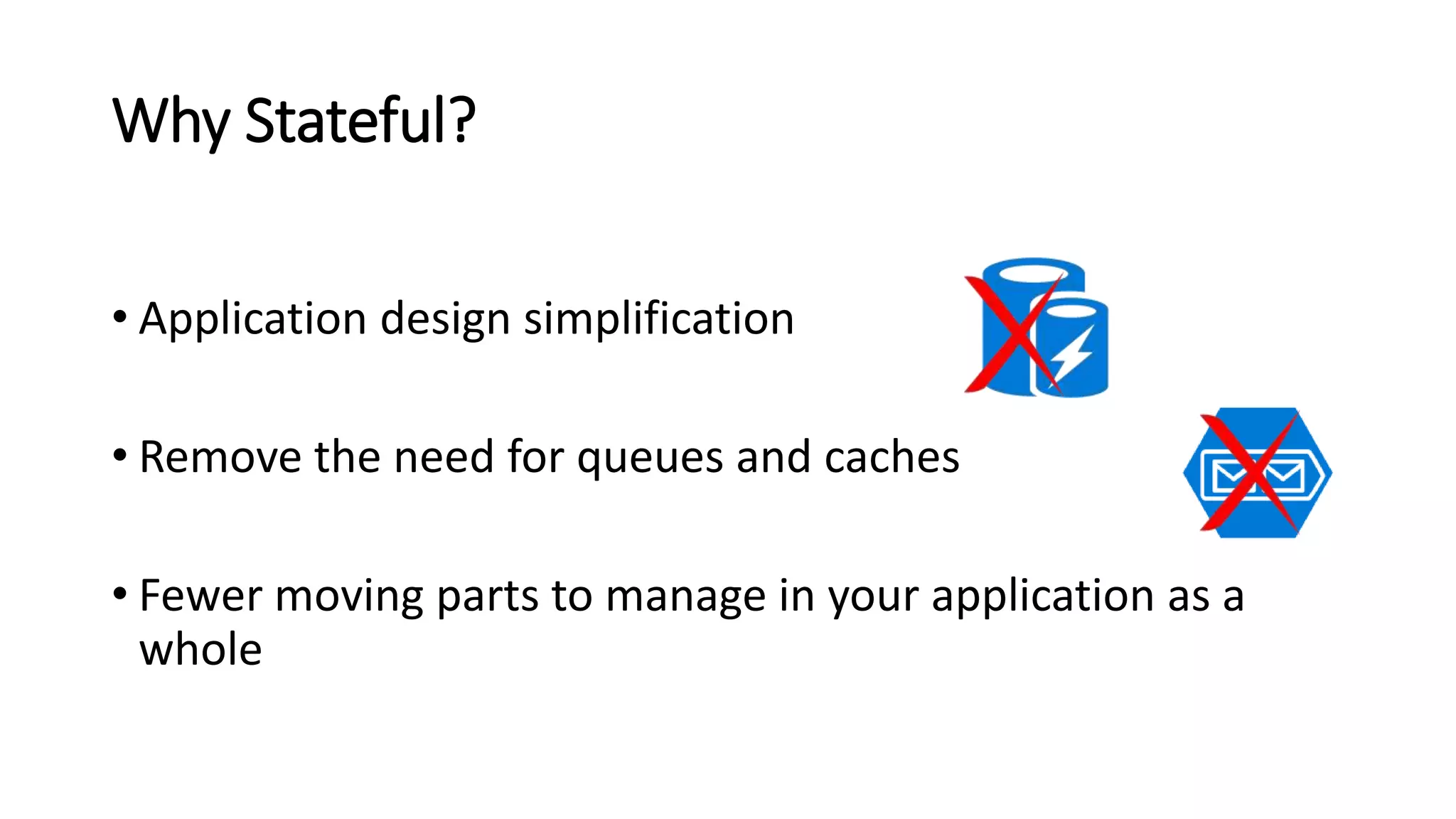
• Application design simplification
• Remove the need for queues and caches
• Fewer moving parts to manage in your application as a
whole
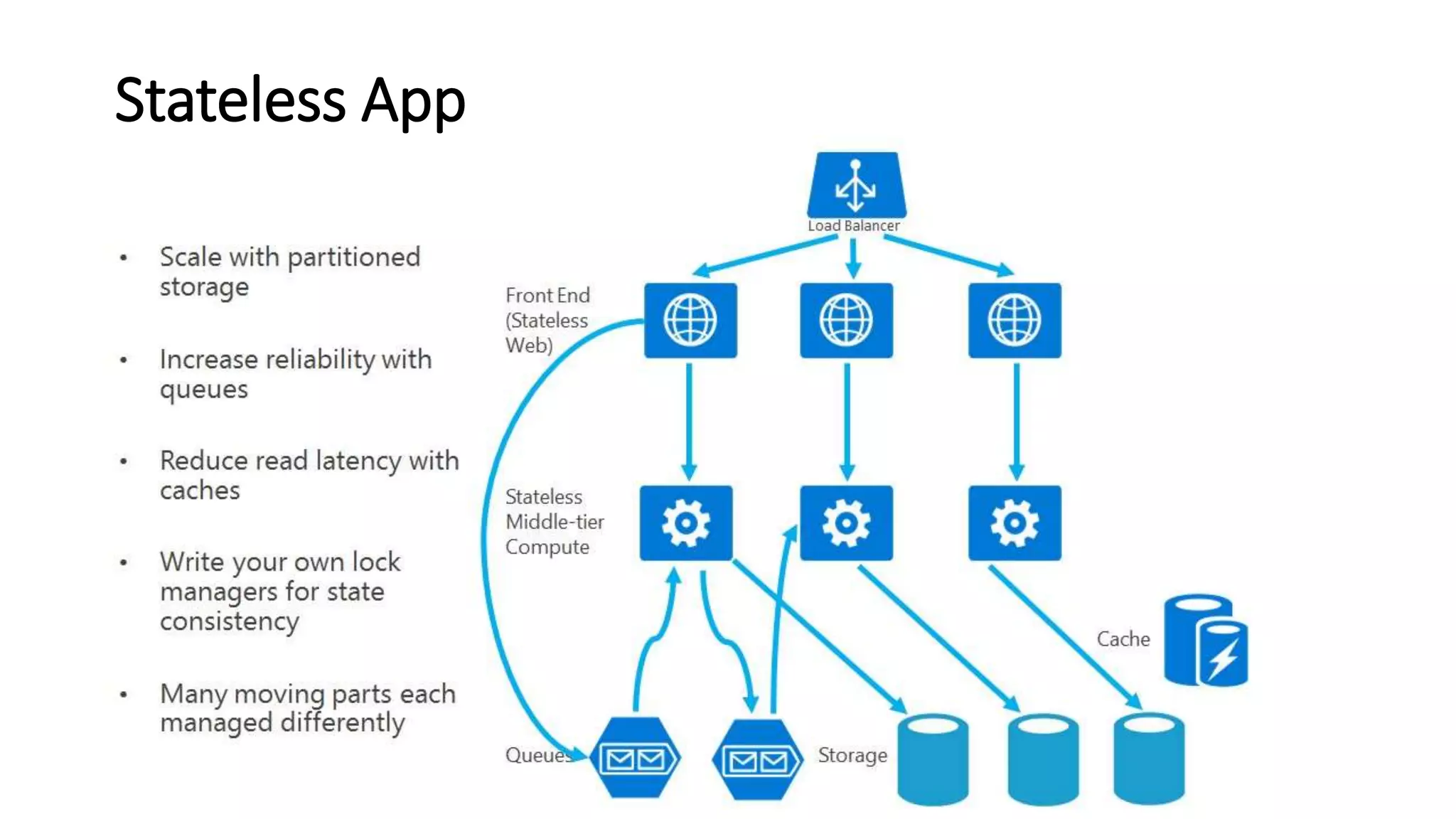
Stateless App
Stateful App
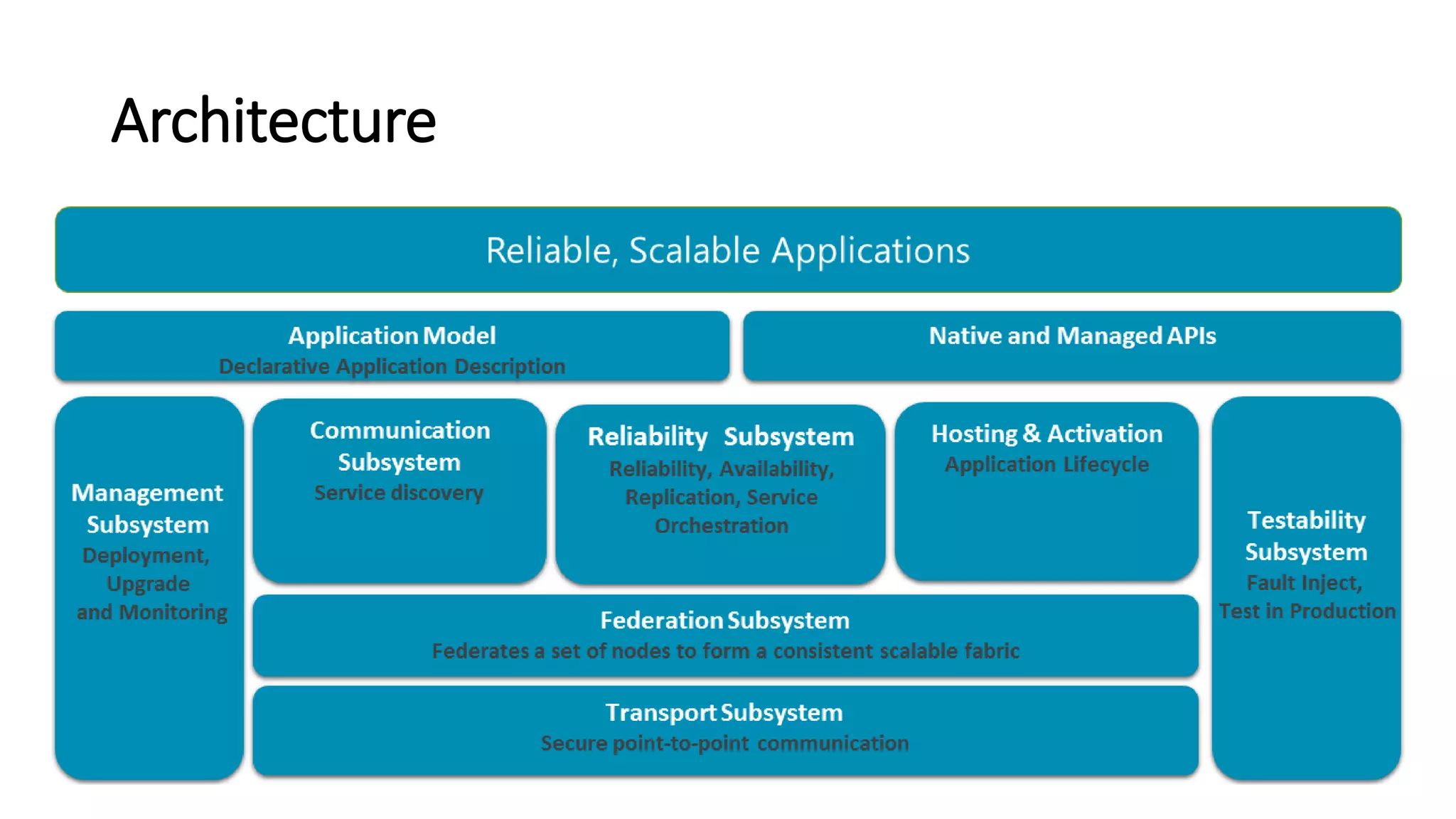
Architecture
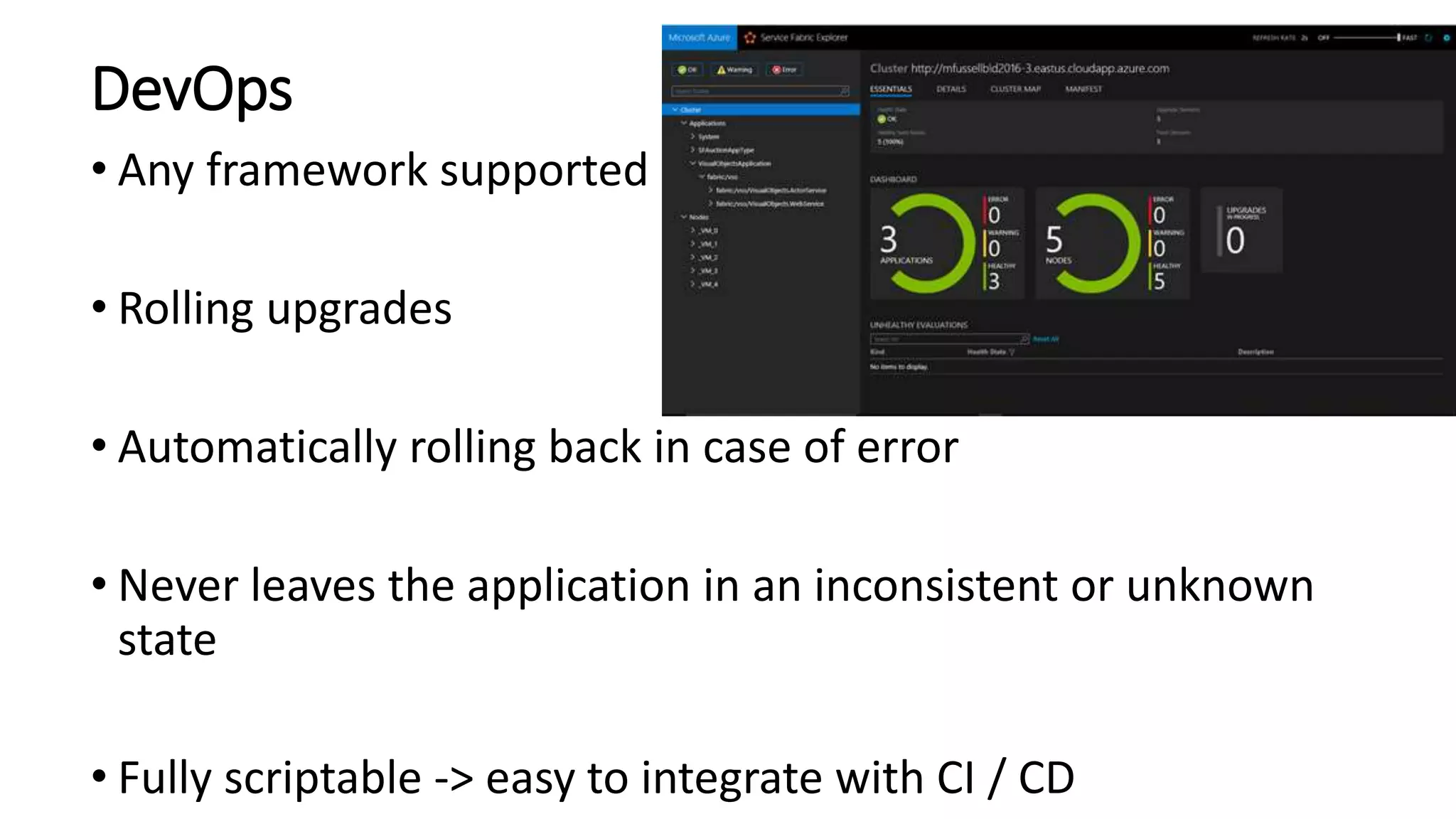
DevOps
• Any framework supported
• Rolling upgrades
• Automatically rolling back in case of error
• Never leaves the application in an inconsistent or unknown
state
• Fully scriptable -> easy to integrate with CI / CD
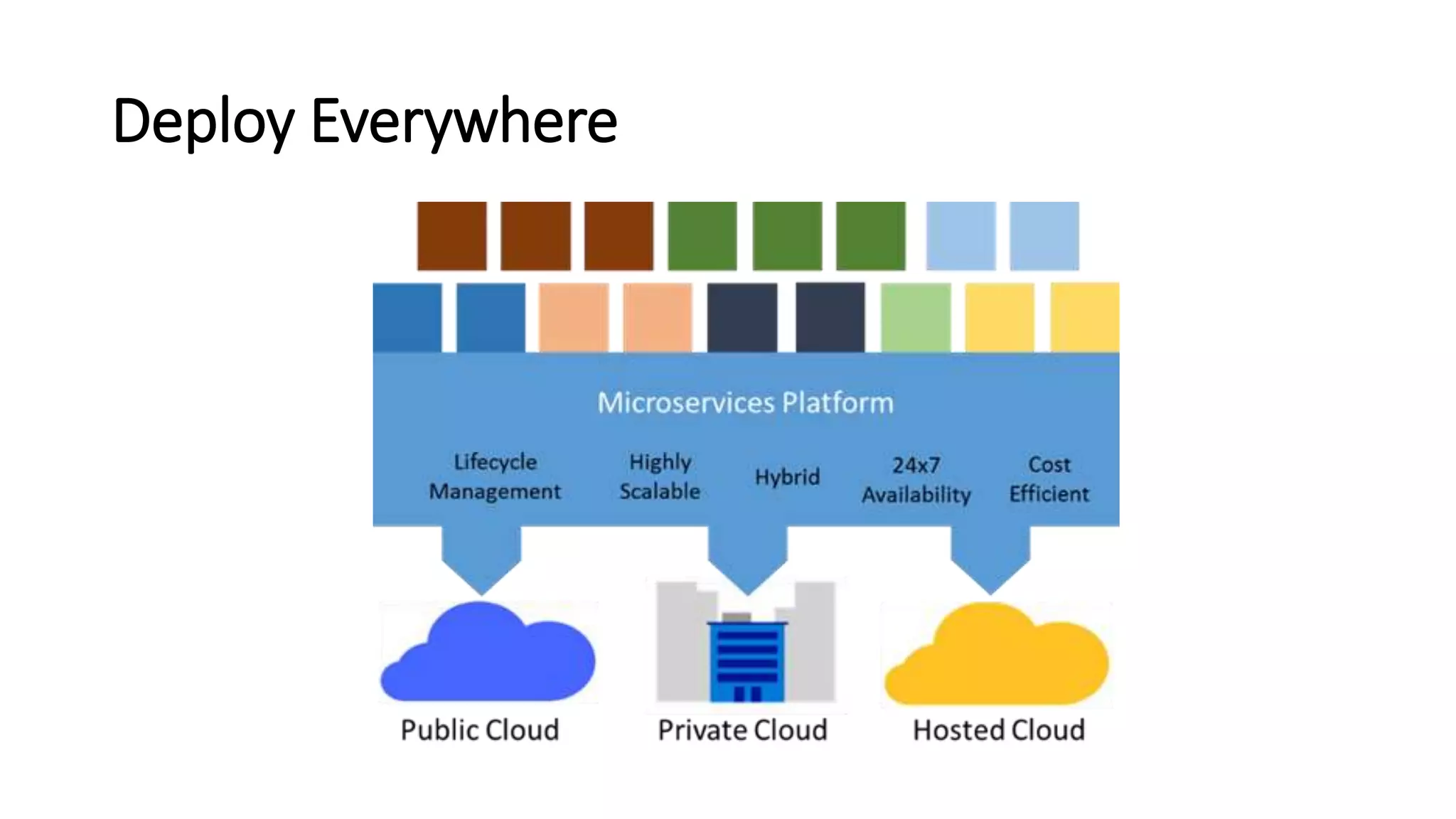
Deploy Everywhere
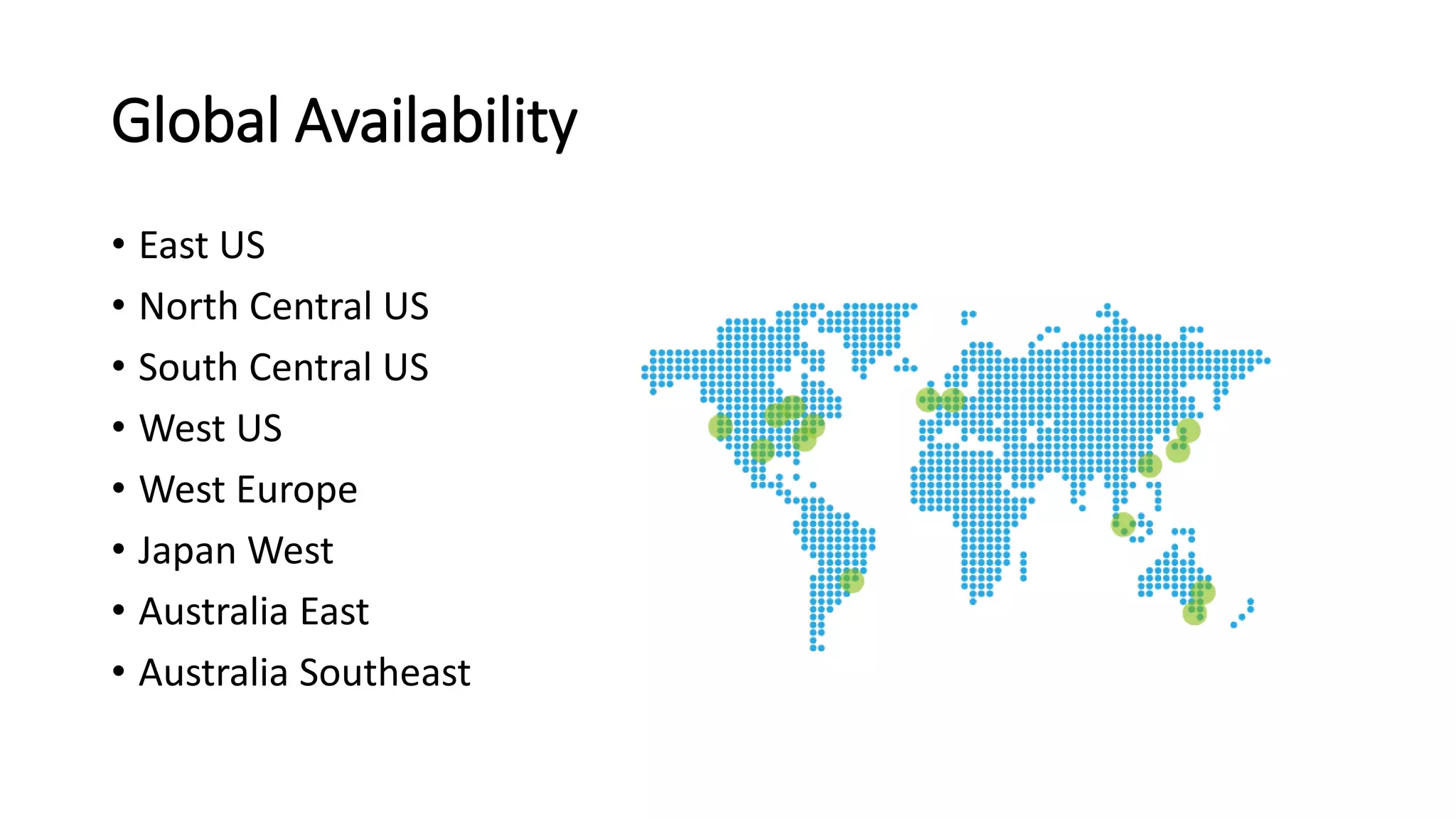
Global Availability
• East US
• North Central US
• South Central US
• West US
• West Europe
• Japan West
• Australia East
• Australia Southeast
Demo
Tokyo Azure Meetup #5 - Microservices and Azure Service Fabric

Tokyo Azure Meetup #5 - Microservices and Azure Service Fabric

  • 1.
  • 2.
    Use Case -Shared Data Context API #1 API #2 API #3 API #4 API #5Azure SQL Database, Code First Approach
  • 3.
    Issues – Schemachange affects all API #1 API #2 API #3 API #4 API #5 DB Schema Change
  • 4.
  • 5.
  • 6.
    Microservices • Small Autonomousservices that work together, modelled around a business domain • Small - 2 weeks to rewrite / few hundred lines of code • Independently scalable and deployable
  • 7.
    Microservices Examples • Protocolgateways • User profiles • Shopping carts • Inventory processing • Queues • Caches
  • 8.
    API Relations API #3 API#8 API #1 API #4 API #5 API #2 API #7 API #6 API #9 6 Callers 4 Callers 2 Callers
  • 9.
    Why now? • Buildand operate a service at scale • Enable greater customer reach • Faster delivery of features and capabilities • Improved resource utilization to reduce costs
  • 10.
  • 11.
    Why Microservices? • Scalespecific application parts based on demand • Development teams are more agile in rolling out changes • Provide features to faster and more frequently
  • 12.
    SOA vs Microservices SOAMicroservices Service Deployed in a Shared Bus Services Deployed at the Edge One Team Goal Team aligned with Business Units Centralize Mediation Dumb interfaces Not prescriptive on the back-end implementation Prescribes back-end implementation pattern
  • 13.
    Fine-grained SOA • Independentchanges to each • Decoupled federation of services • Agreed-upon standards for communication
  • 15.
  • 17.
    Microservices Characteristics •Encapsulate acustomer or business scenario •Developed by a small engineering team •Any programming language / framework •Code (state) independently versioned, deployed, and scaled
  • 18.
    Microservices Characteristics • Well-definedinterfaces and protocols for communication • Unique names (URLs) for resolving • Remain consistent and available during failures
  • 19.
    Breaking Process • Beginwith a monolith • Break it in stages • Start with parts that need to be more scalability or agility
  • 20.
  • 21.
    Microservices Principles • Modelaround business domain • Hide Implementation (database) • Automation • Chunky, not Chatty
  • 22.
    Microservices Principles • Dumbpipes, smart endpoints • Deploy independently • Isolate Failure • Highly Observable
  • 23.
    Versioning • Multiple differentversions are rolled out • Multiple different versions run side by side • Rolling back to an earlier version • Perform A/B-style testing • Upgrade for a specific customers to test new functionality
  • 24.
    Logging • Correlation contextacross services • Independent logging • Standard for health and diagnostic events • Different teams agree on a single logging format • Application wide log events view
  • 25.
    Microservices Challenges • SignificantOperations Overhead • DevOps skills required • Implicit Interfaces
  • 26.
    Microservices Challenges • Managingthe big number of separate entities • Complex deployments and versioning • More network traffic between the microservices • Network latencies • Hard to “see” the whole system.
  • 27.
    Microservices Challenges • DistributedComputing Complexity • Duplication of Effort • Testability Challenges
  • 28.
    What do thesehave in common?
  • 29.
    Azure Service Fabric •Distributed systems platform • Simplifies packaging, deployment, and management of microservices • Resolves challenges in developing and managing cloud applications
  • 30.
    Azure Service Fabric •Management of upgrades, detecting and restarting failed services • Service discovery • State management • Health monitoring
  • 31.
    Containers • Hosts microservicesinside containers • Containers deployed and activated across the cluster • Docker support coming
  • 32.
    Azure Service Fabric •Generally Available • Preview for Windows Server: • Install on premise • Install on alternative clouds • Preview for Linux
  • 33.
    Azure Service Fabric •Azure Stack support coming • Great tooling • Excellent Integration with Visual Studio
  • 34.
    Capabilities • Perform nearreal-time data analysis • In-memory computation • Parallel transactions • Event processing
  • 35.
    API-s • Reliable Actors •Reliable Services • Make the job more straightforward • Integrate with the platform at a deeper level • Take advantage of built-in high availability.
  • 36.
    Reliable Actors • Stateless/ Stateful objects via the Actor model • Lots of independent units of computation/state • Uses a turn-based threading model • Avoid code that calls out to other actors or services • An actor cannot process other incoming requests until all its outbound requests have completed
  • 37.
    Reliable Actors • Independentobjects -actors • Service Fabric takes care: • Deployment • Scaling • Communication across actors
  • 38.
    Reliable Services • ReliableServices: • Stateless • Stateful (reliable collections)
  • 39.
    Stateless • Examples :protocol gateways, web proxies • Do not maintain a state outside of any given request or response • State maintained in dedicated data storage • Azure Examples: Web Apps, Cloud Services
  • 40.
    Stateful • Examples : •user accounts • databases • shopping carts • queues • Maintain a state beyond the request and its response. • Internet-scale applications have both - Stateless & Stateful
  • 41.
    Stateful • Partitions tospread state • Replication of state • Primary replica + Multiple secondary
  • 42.
    Stateful • Write tothe primary replica • Syncs with the secondary • Primary replica fails -> secondary becomes new primary
  • 43.
    Why Stateful? • High-throughput,low-latency, failure-tolerant online transaction processing (OLTP) • Examples: Search, IoT, Trading systems, Credit card processing and fraud detection systems, personal record management • Keep code and data close on the same machine
  • 44.
    Why Stateful? • Applicationdesign simplification • Remove the need for queues and caches • Fewer moving parts to manage in your application as a whole
  • 45.
  • 46.
  • 47.
  • 48.
    DevOps • Any frameworksupported • Rolling upgrades • Automatically rolling back in case of error • Never leaves the application in an inconsistent or unknown state • Fully scriptable -> easy to integrate with CI / CD
  • 49.
  • 50.
    Global Availability • EastUS • North Central US • South Central US • West US • West Europe • Japan West • Australia East • Australia Southeast
  • 51.