



Disrupt or be disrupted by AI.
Agenda
• Microservices?
• Service Fabric?
• Microservices in Service Fabric?
What is a microservice?
• Encapsulates a single capability
• Are developed by a small engineering team
• Can be written in any language and framework
• Contain code plus state that is independently versioned, deployed, and scaled
• Interact with other microservices over well defined interfaces and protocols such as http
• Have a unique name (i.e. URL) that can be resolved
• Remains consistent and available in the presence of failures
• Ideal for DevOps automation!
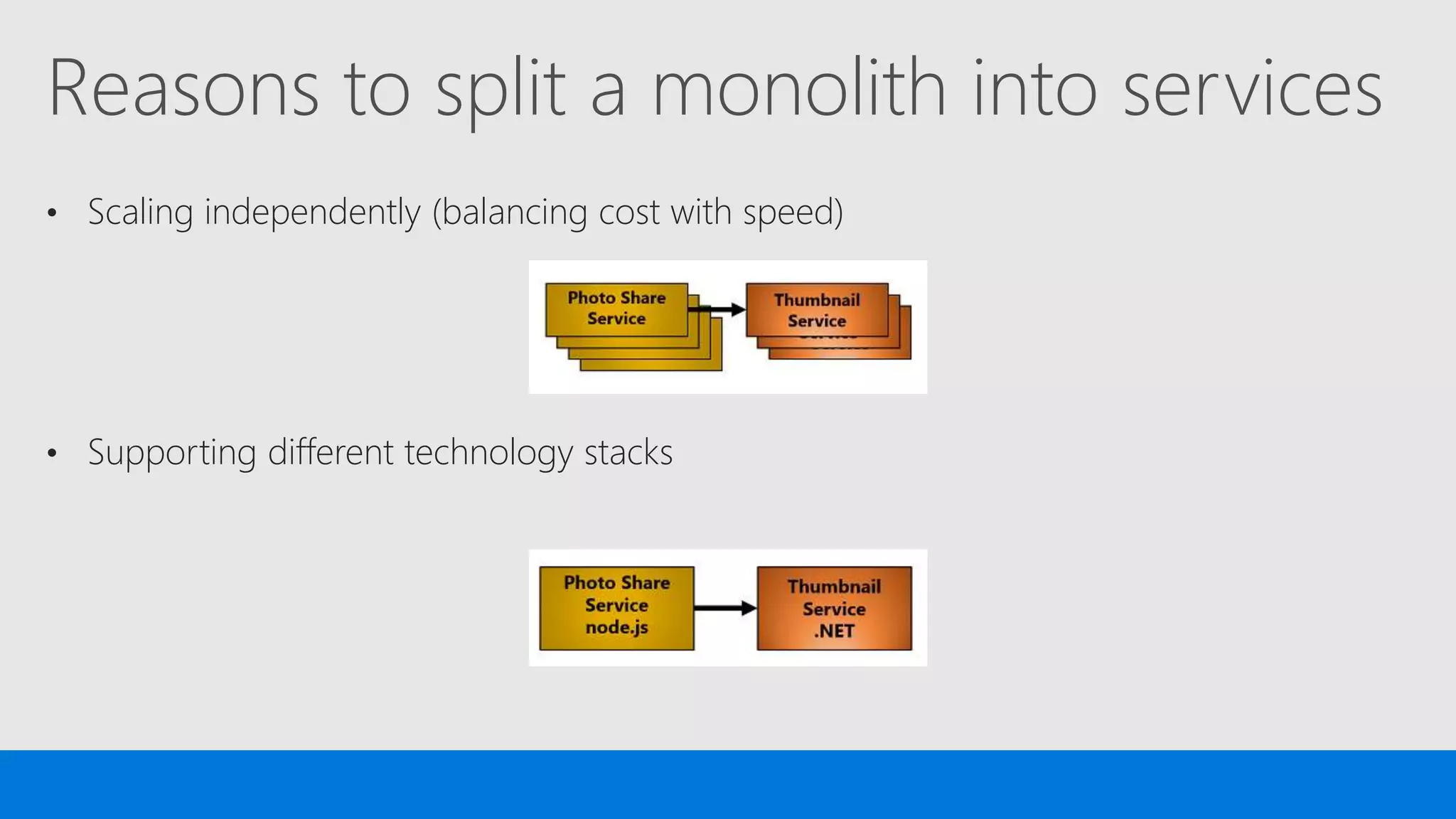
Reasons to split a monolith into services
• Scaling independently (balancing cost with speed)
• Supporting different technology stacks
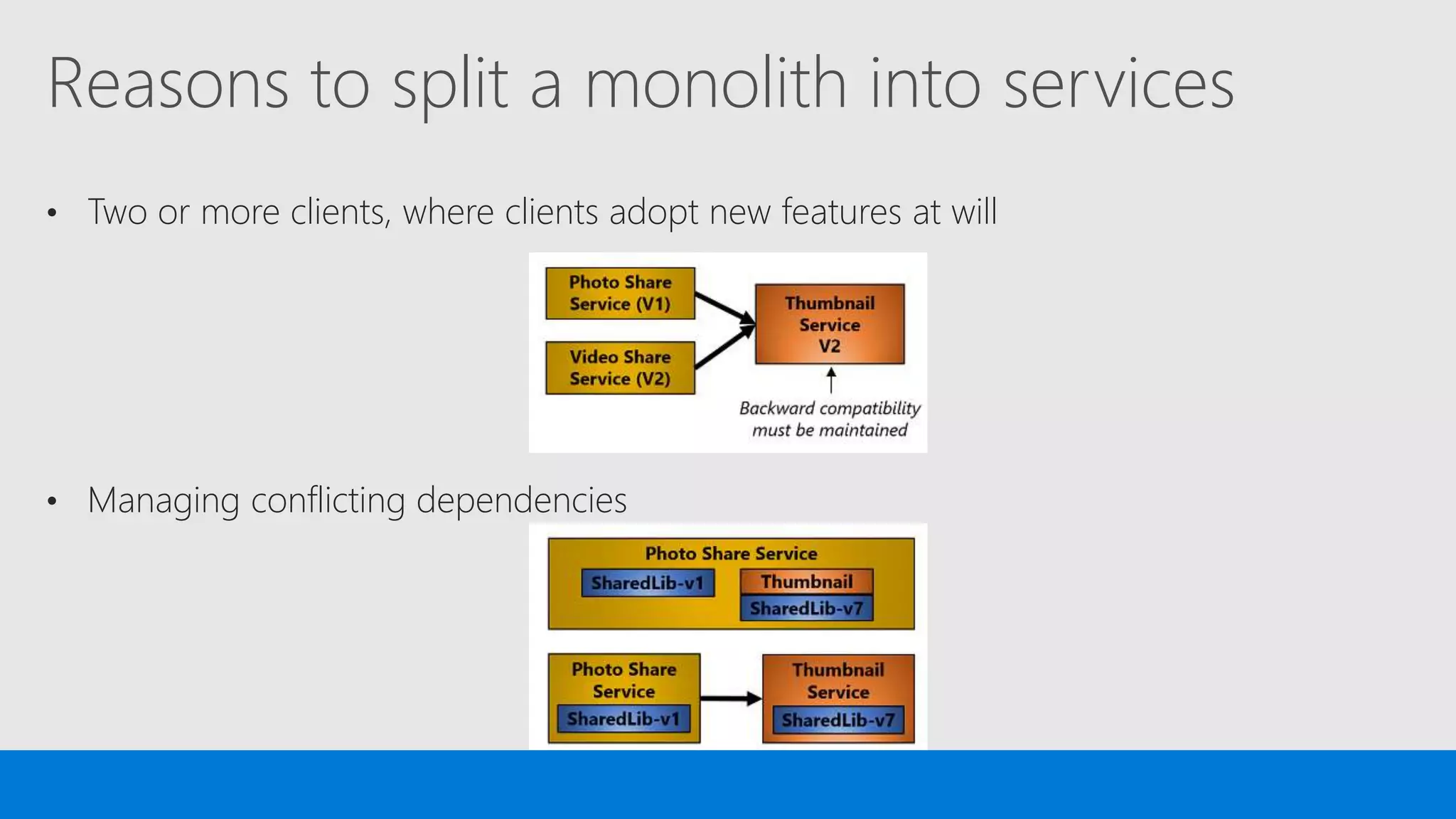
Reasons to split a monolith into services
• Two or more clients, where clients adopt new features at will
• Managing conflicting dependencies
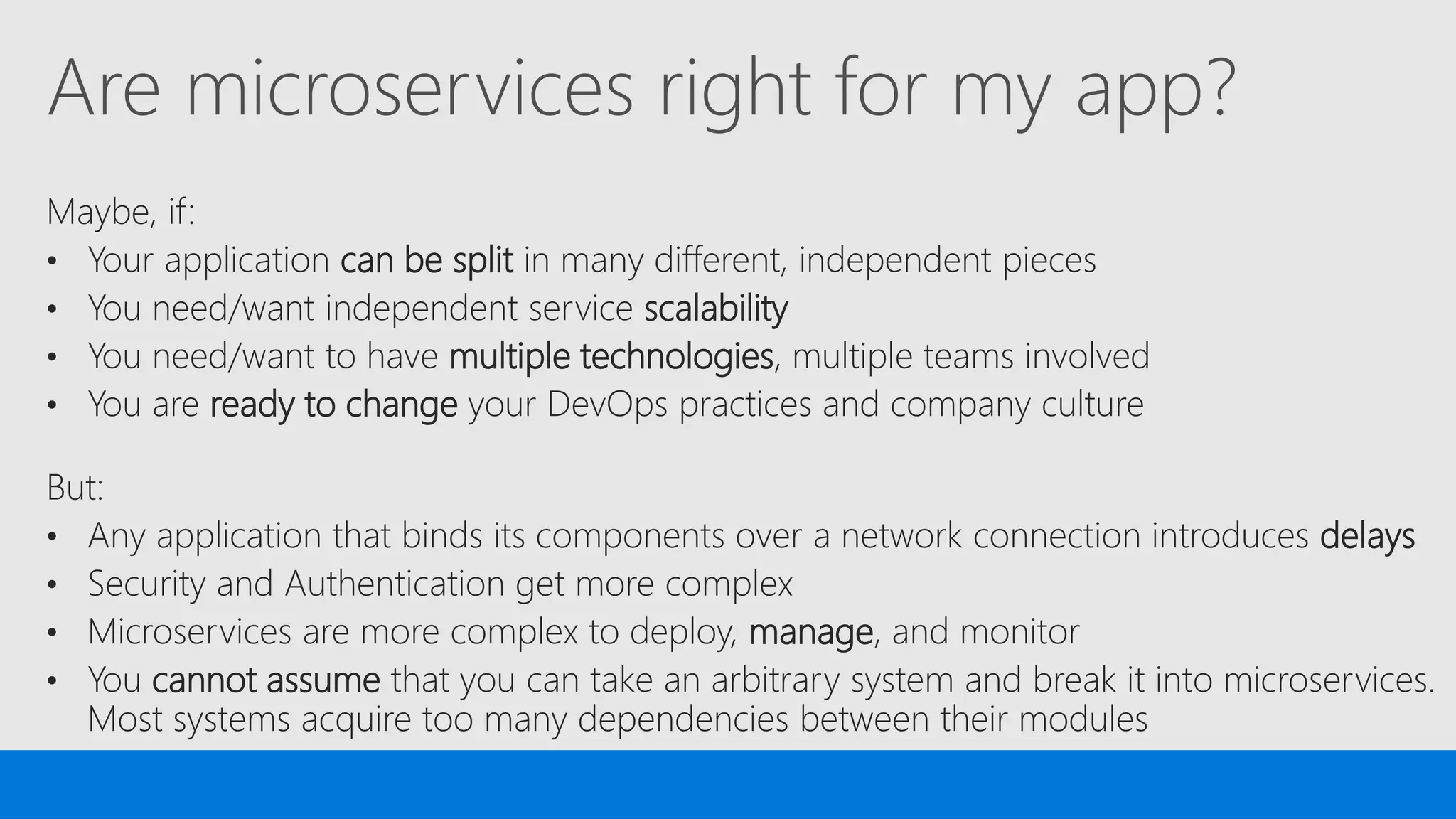
Are microservices right for my app?
Maybe, if:
• Your application can be split in many different, independent pieces
• You need/want independent service scalability
• You need/want to have multiple technologies, multiple teams involved
• You are ready to change your DevOps practices and company culture
But:
• Any application that binds its components over a network connection introduces delays
• Security and Authentication get more complex
• Microservices are more complex to deploy, manage, and monitor
• You cannot assume that you can take an arbitrary system and break it into microservices.
Most systems acquire too many dependencies between their modules
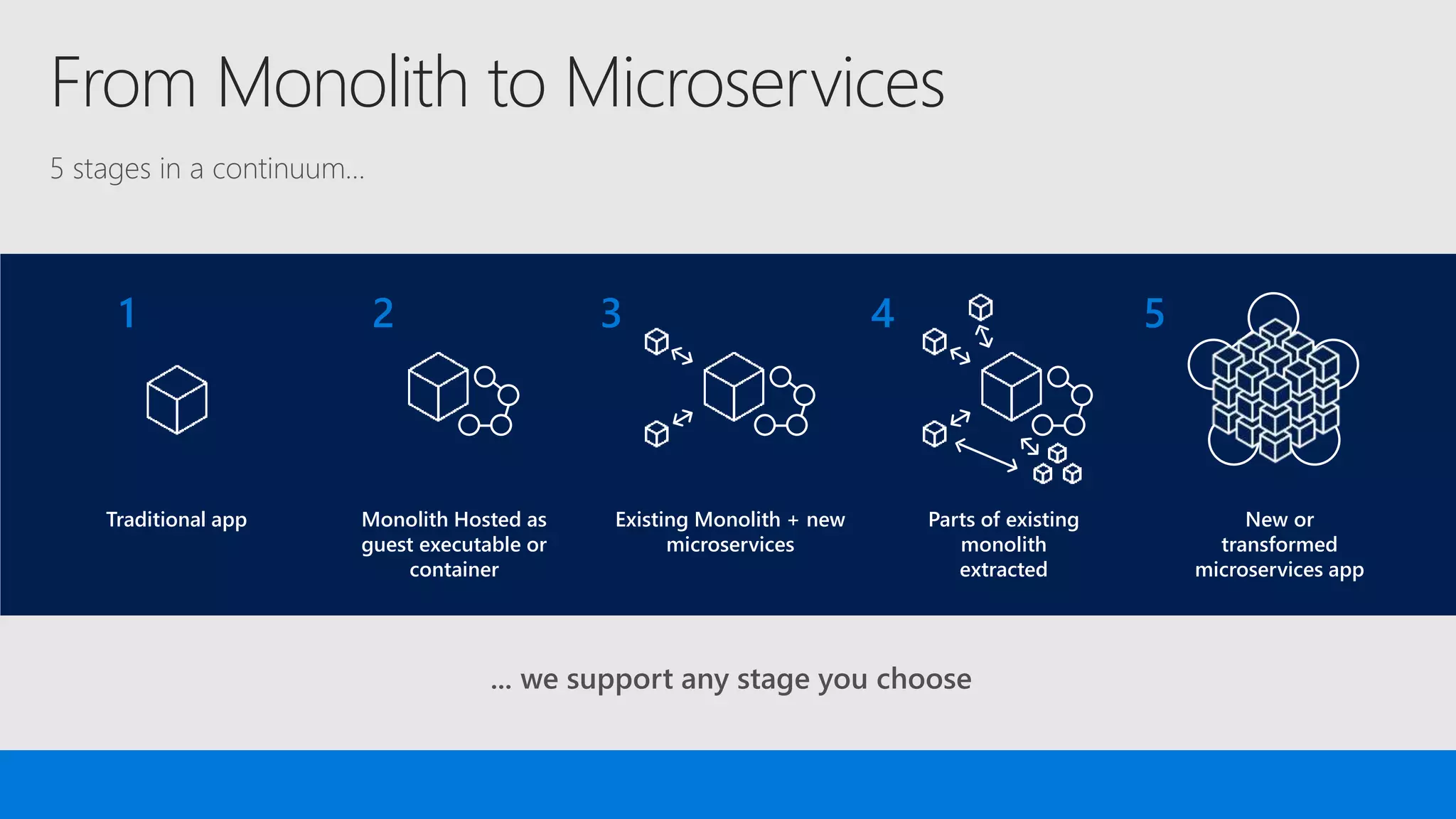
From Monolith to Microservices
... we support any stage you choose
New or
transformed
microservices app
5
Parts of existing
monolith
extracted
4
Existing Monolith + new
microservices
3
Monolith Hosted as
guest executable or
container
2
Traditional app
1
5 stages in a continuum…
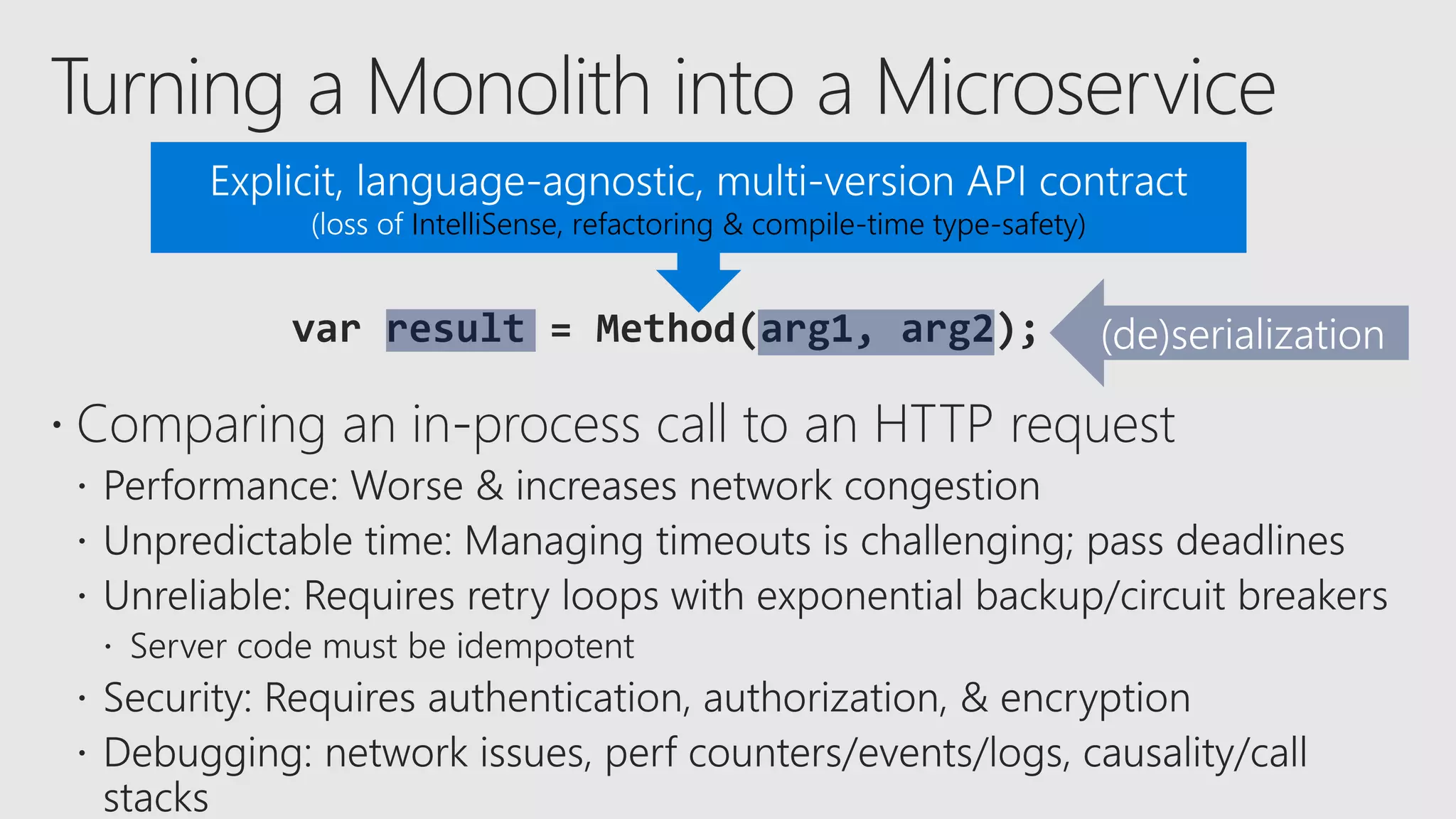
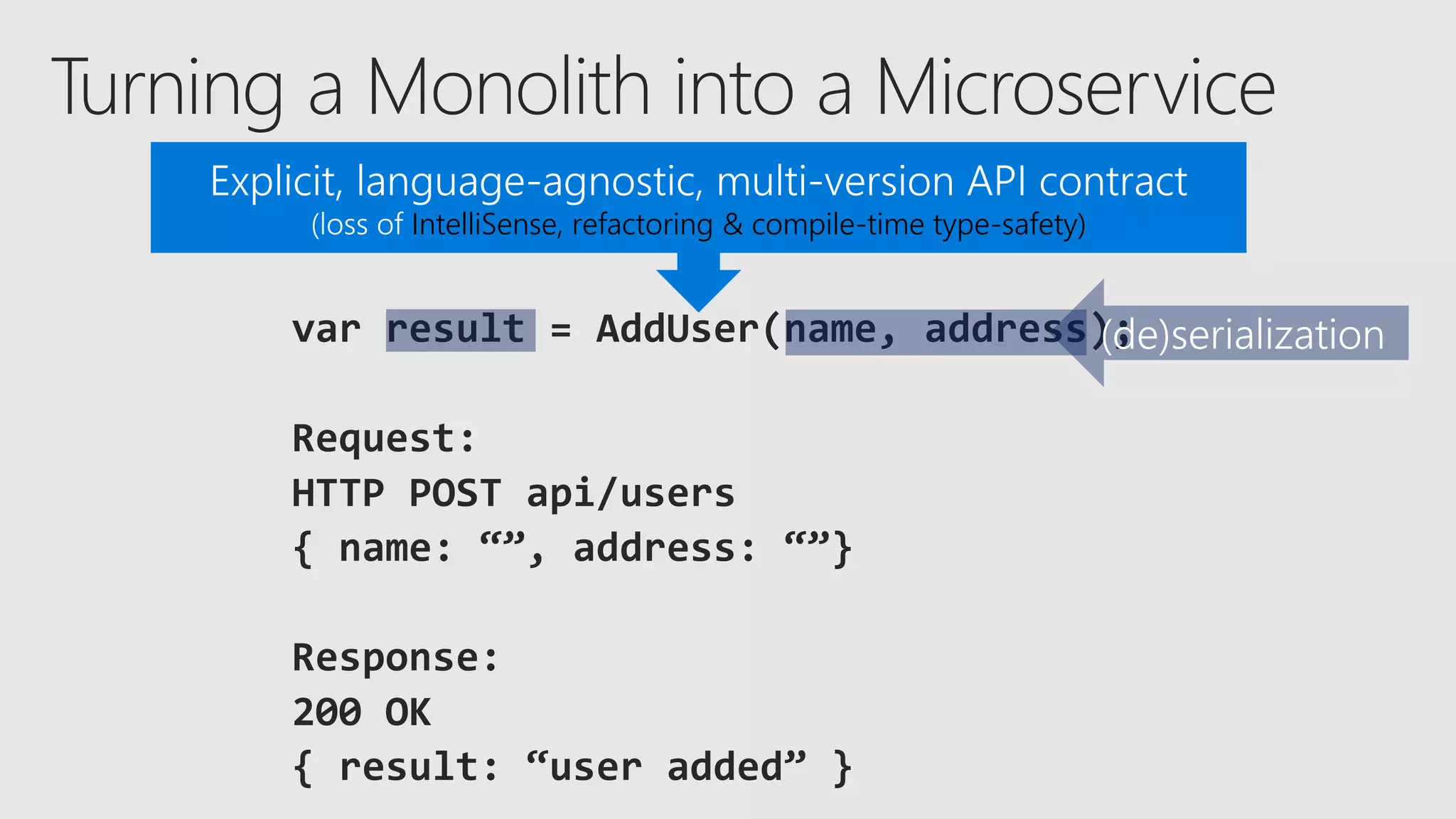
IntelliSense, refactoring & compile-time type-safety)
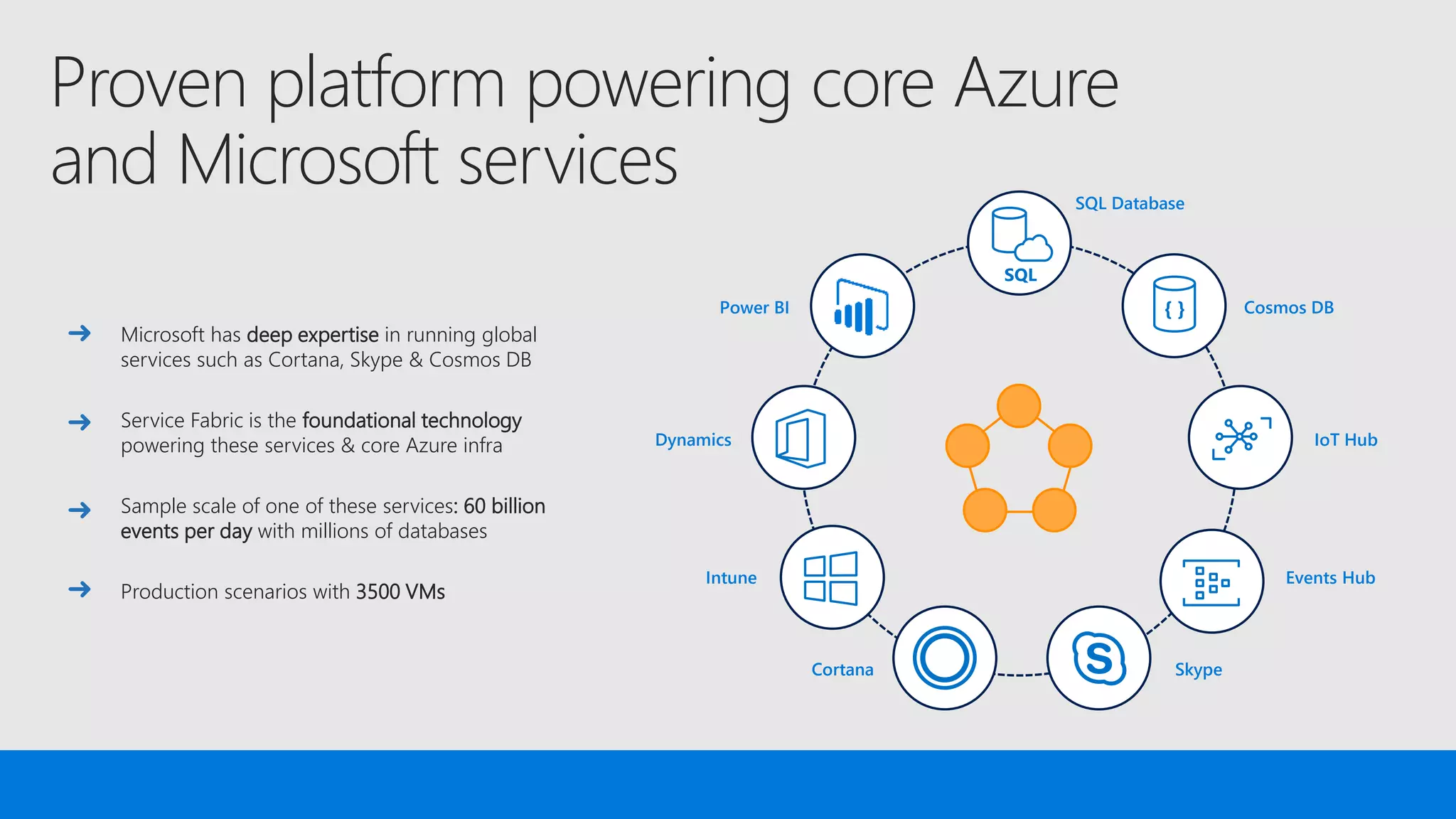
Proven platform powering core Azure
and Microsoft services
Microsoft has deep expertise in running global
services such as Cortana, Skype & Cosmos DB
Service Fabric is the foundational technology
powering these services & core Azure infra
Sample scale of one of these services: 60 billion
events per day with millions of databases
Production scenarios with 3500 VMs
SQL
{ }Power BI
Dynamics
Intune
Cortana Skype
Cosmos DB
IoT Hub
Events Hub
SQL Database
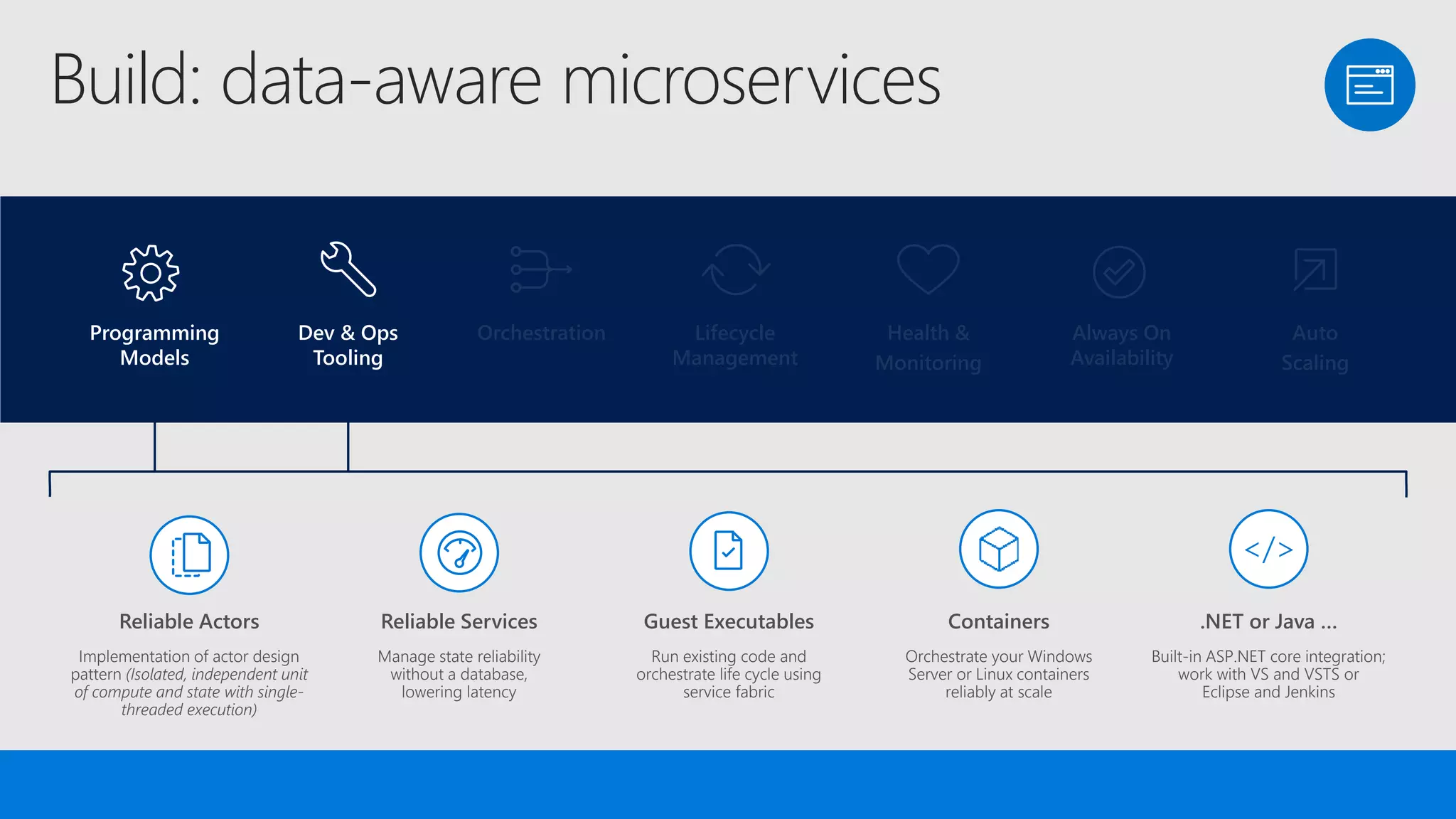
Build: data-aware microservices
Lifecycle
Management
Always On
Availability
Orchestration Programming
Models
Health &
Monitoring
Dev & Ops
Tooling
Auto
Scaling
Programming
Models
Dev & Ops
Tooling
Orchestration Lifecycle
Management
Health &
Monitoring
Always On
Availability
Auto
Scaling
.NET or Java …
Built-in ASP.NET core integration;
work with VS and VSTS or
Eclipse and Jenkins
Reliable Services
Manage state reliability
without a database,
lowering latency
Guest Executables
Run existing code and
orchestrate life cycle using
service fabric
Reliable Actors
Implementation of actor design
pattern (Isolated, independent unit
of compute and state with single-
threaded execution)
Containers
Orchestrate your Windows
Server or Linux containers
reliably at scale
</>
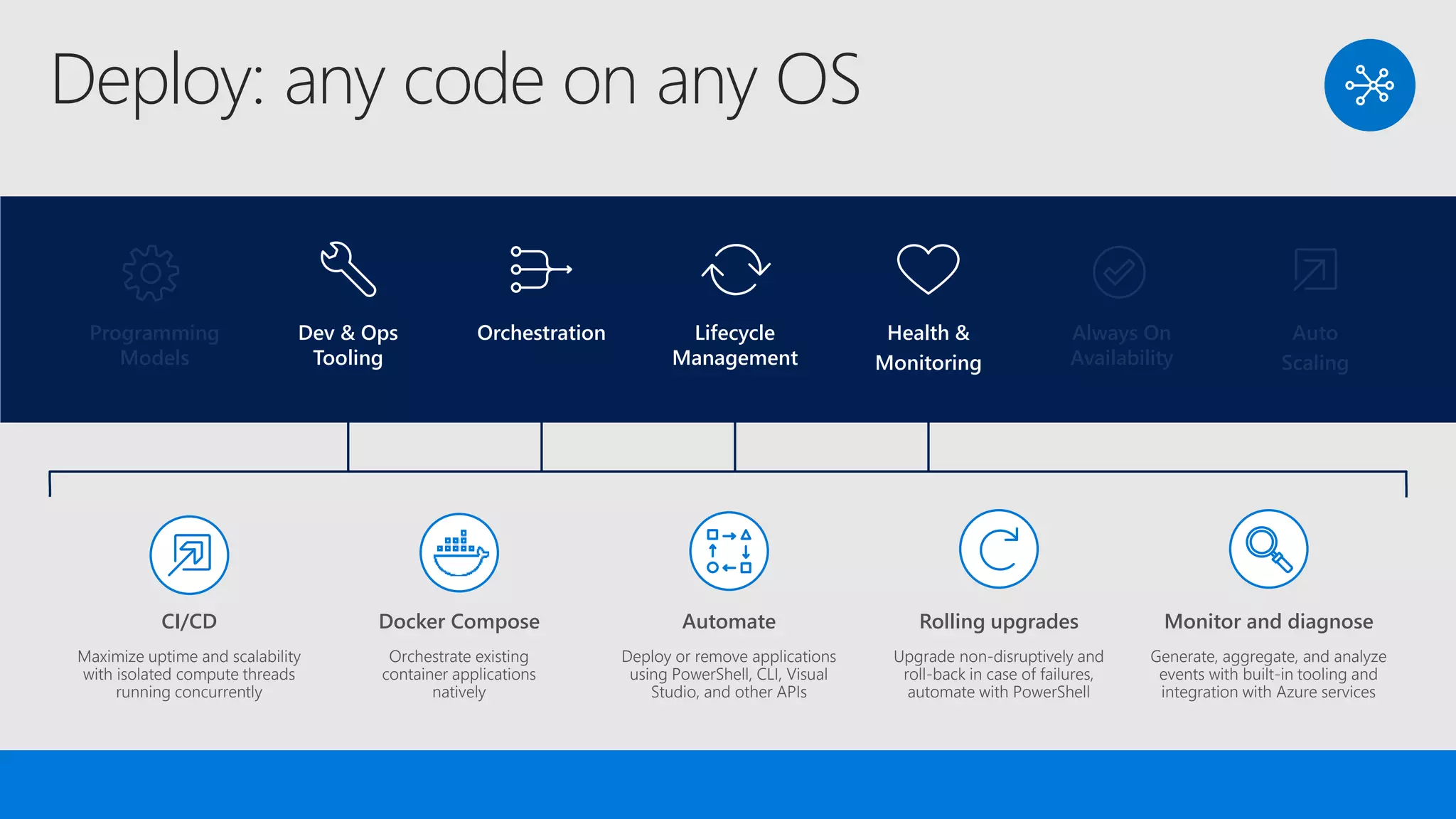
Deploy: any code on any OS
Lifecycle
Management
Always On
Availability
Orchestration Programming
Models
Health &
Monitoring
Dev & Ops
Tooling
Auto
Scaling
Programming
Models
Dev & Ops
Tooling
Orchestration Lifecycle
Management
Health &
Monitoring
Always On
Availability
Auto
Scaling
Monitor and diagnose
Generate, aggregate, and analyze
events with built-in tooling and
integration with Azure services
Docker Compose
Orchestrate existing
container applications
natively
Automate
Deploy or remove applications
using PowerShell, CLI, Visual
Studio, and other APIs
CI/CD
Maximize uptime and scalability
with isolated compute threads
running concurrently
Rolling upgrades
Upgrade non-disruptively and
roll-back in case of failures,
automate with PowerShell
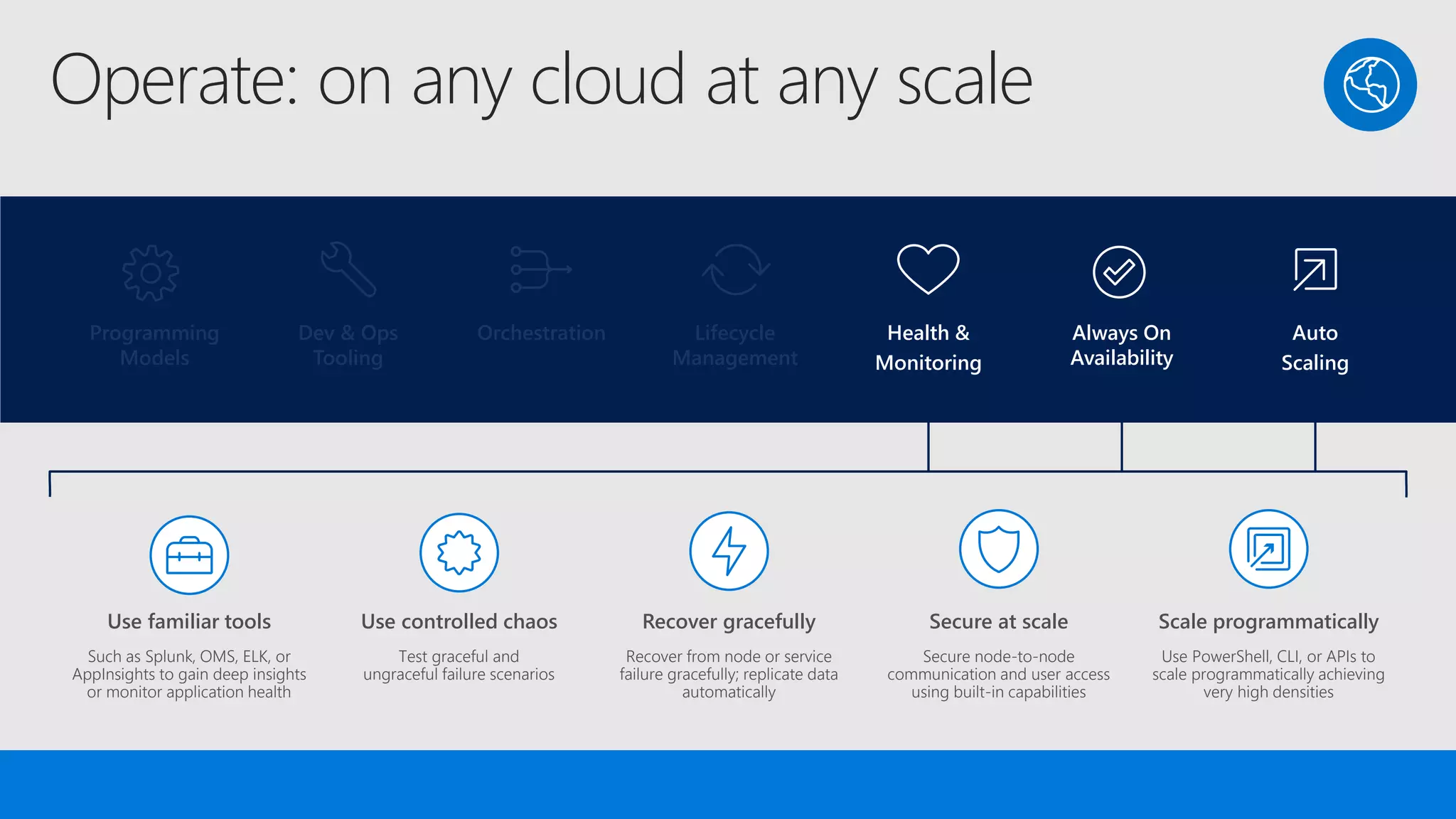
Operate: on any cloud at any scale
Lifecycle
Management
Always On
Availability
Orchestration Programming
Models
Health &
Monitoring
Dev & Ops
Tooling
Auto
Scaling
Programming
Models
Dev & Ops
Tooling
Orchestration Lifecycle
Management
Health &
Monitoring
Always On
Availability
Auto
Scaling
Scale programmatically
Use PowerShell, CLI, or APIs to
scale programmatically achieving
very high densities
Use controlled chaos
Test graceful and
ungraceful failure scenarios
Recover gracefully
Recover from node or service
failure gracefully; replicate data
automatically
Use familiar tools
Such as Splunk, OMS, ELK, or
AppInsights to gain deep insights
or monitor application health
Secure at scale
Secure node-to-node
communication and user access
using built-in capabilities
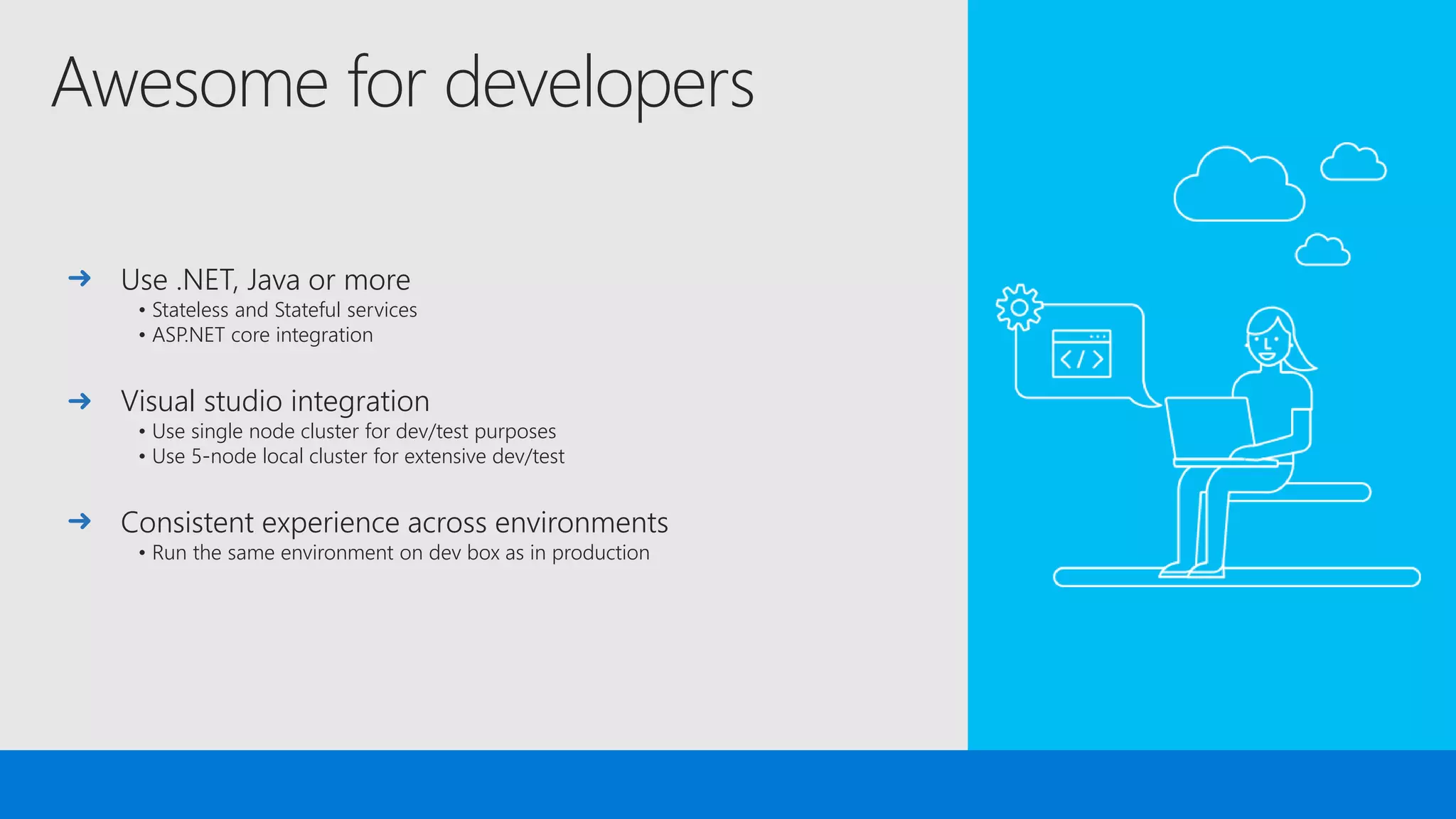
Awesome for developers
Use .NET, Java or more
• Stateless and Stateful services
• ASP.NET core integration
Visual studio integration
• Use single node cluster for dev/test purposes
• Use 5-node local cluster for extensive dev/test
Consistent experience across environments
• Run the same environment on dev box as in production
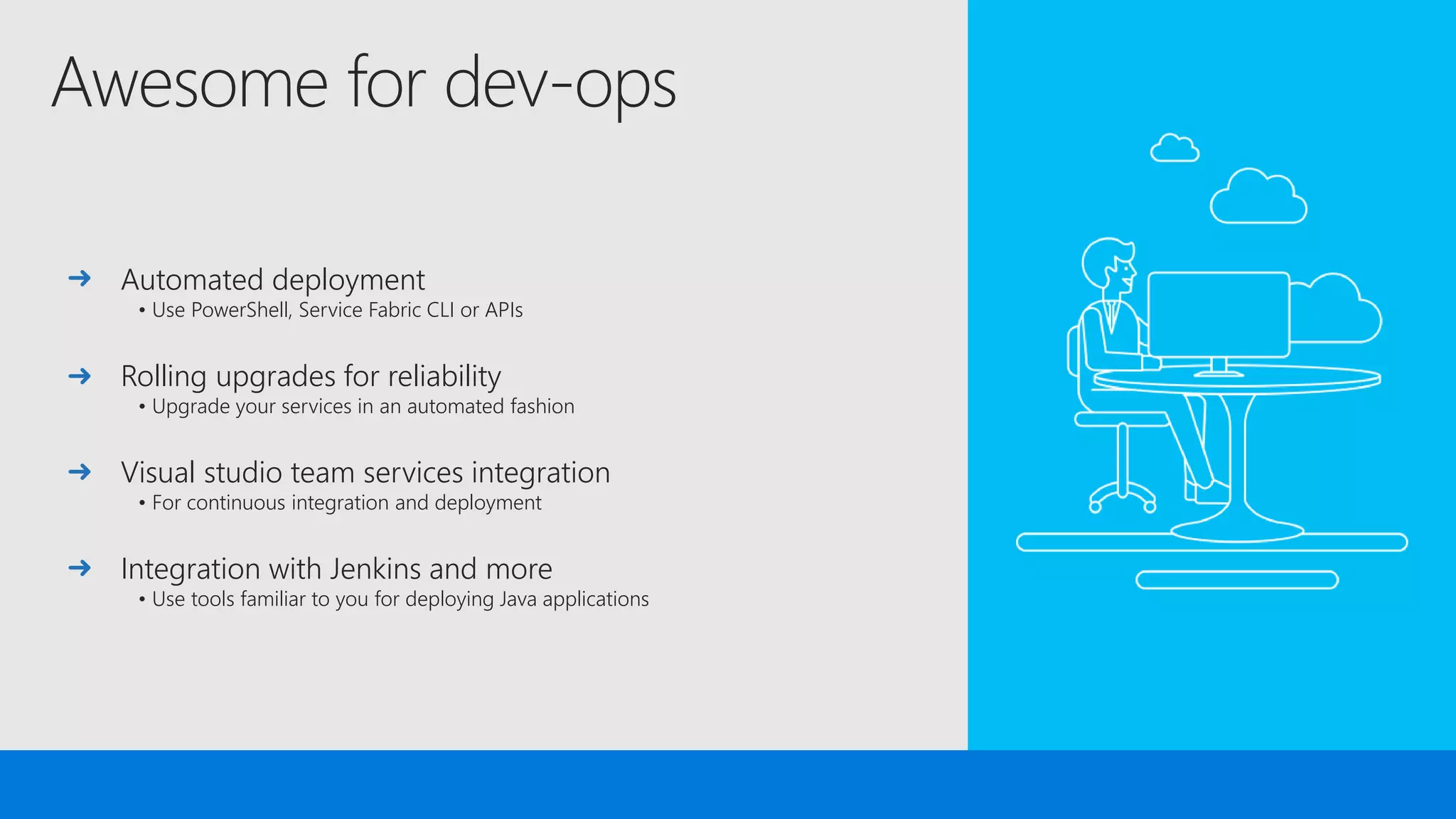
Awesome for dev-ops
Automated deployment
• Use PowerShell, Service Fabric CLI or APIs
Rolling upgrades for reliability
• Upgrade your services in an automated fashion
Visual studio team services integration
• For continuous integration and deployment
Integration with Jenkins and more
• Use tools familiar to you for deploying Java applications
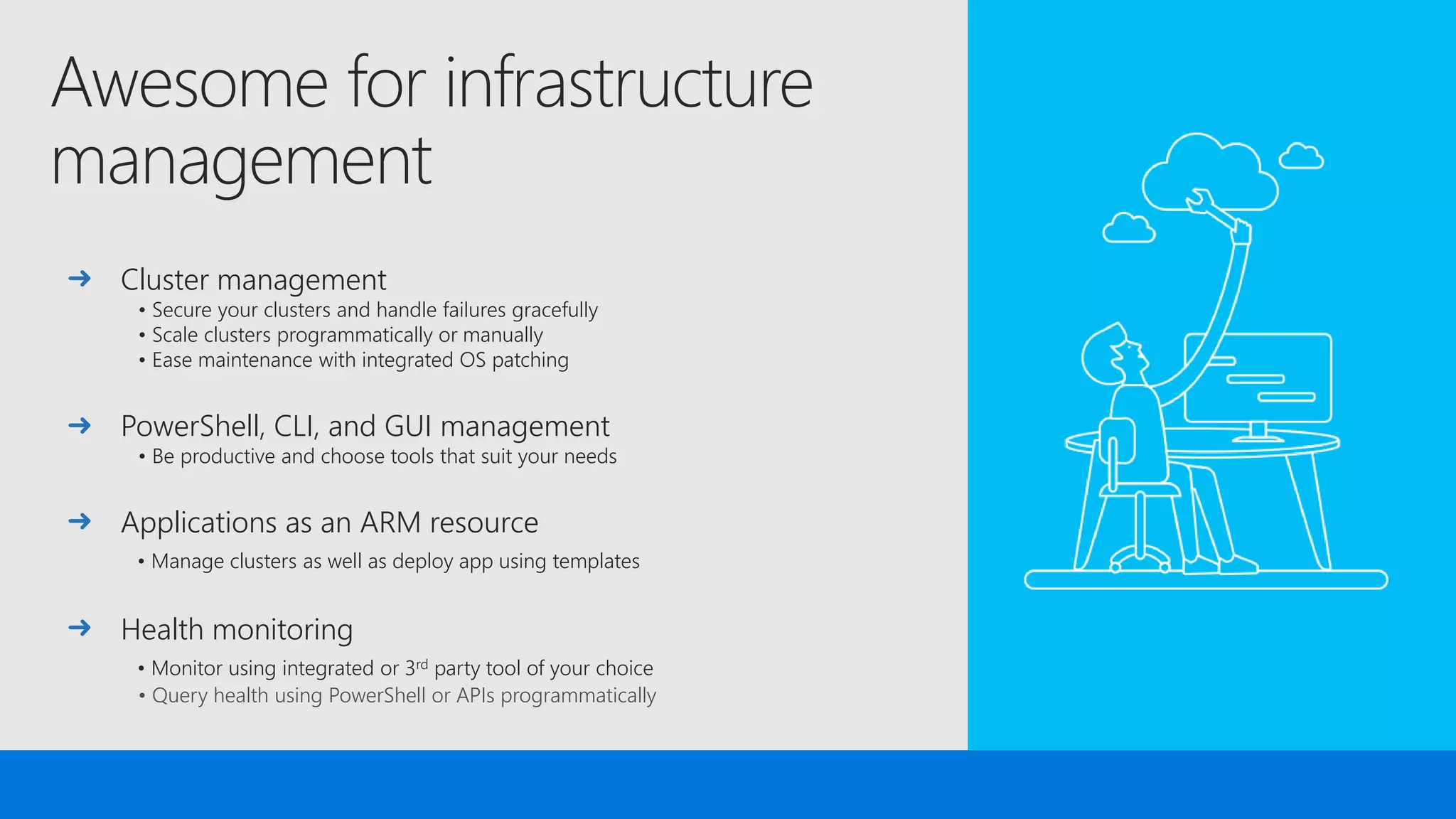
Awesome for infrastructure
management
Cluster management
• Secure your clusters and handle failures gracefully
• Scale clusters programmatically or manually
• Ease maintenance with integrated OS patching
PowerShell, CLI, and GUI management
• Be productive and choose tools that suit your needs
Applications as an ARM resource
• Manage clusters as well as deploy app using templates
Health monitoring
• Monitor using integrated or 3rd party tool of your choice
• Query health using PowerShell or APIs programmatically
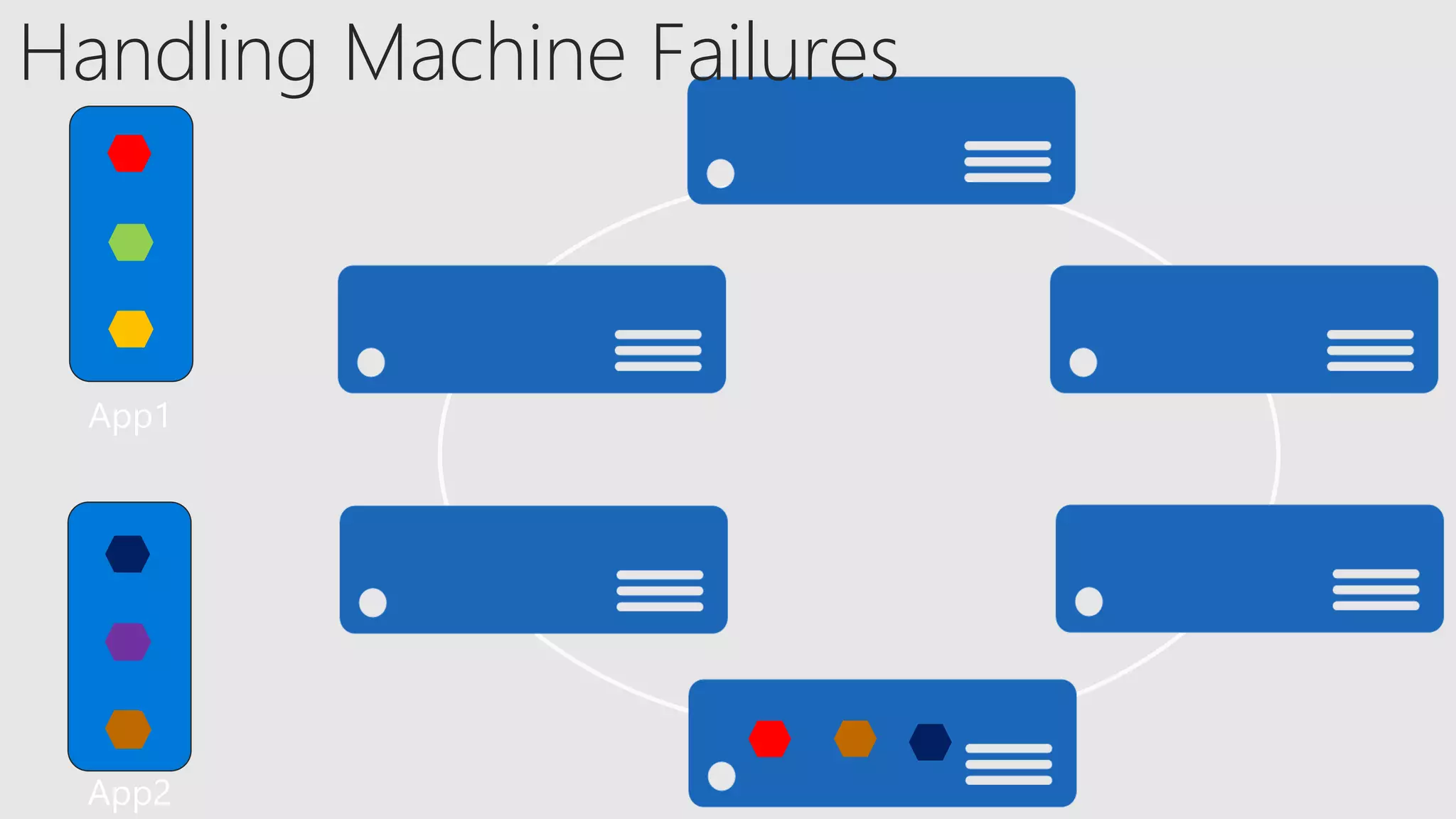
Handling Machine Failures
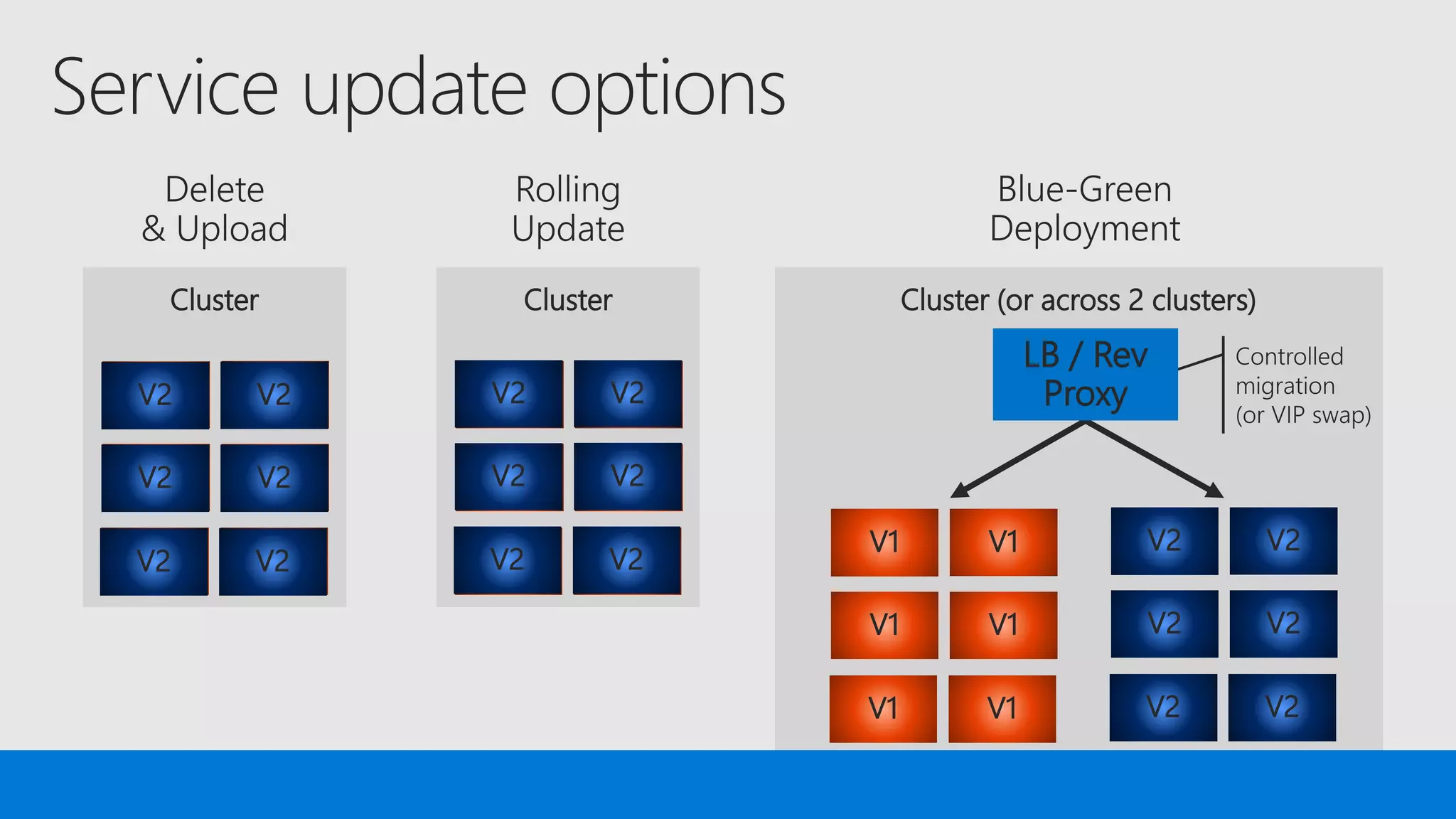
Cluster
V1V1
V1V1
V1V1
V2V2
V2V2
V2V2
Cluster
V1V1
V1V1
V1V1
V2V2
V2V2
V2V2
Cluster (or across 2 clusters)
V2V2
V2V2
V2V2
V1V1
V1V1
V1V1
LB / Rev
Proxy
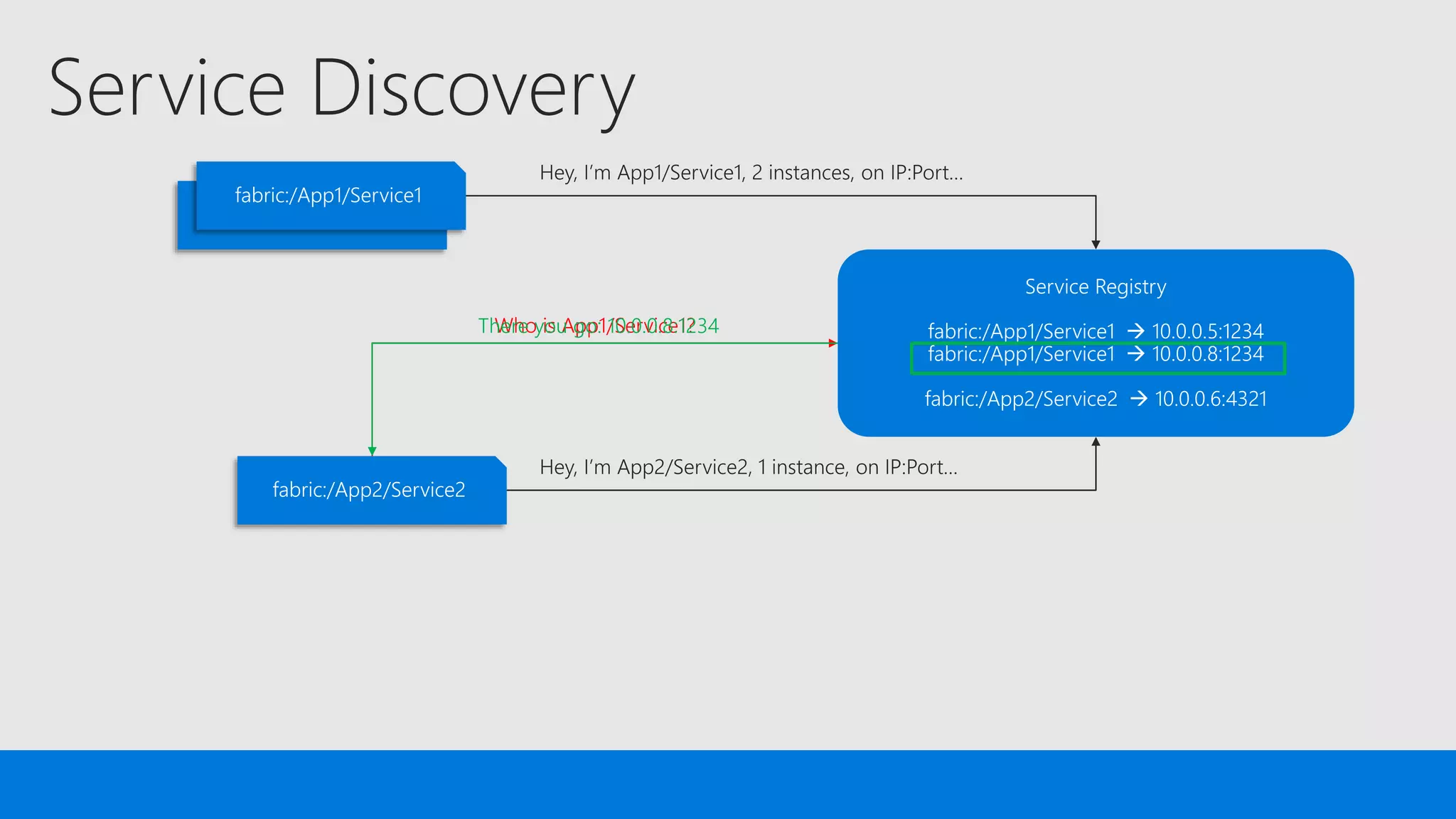
Who is App1/Service1?There you go: 10.0.0.8:1234
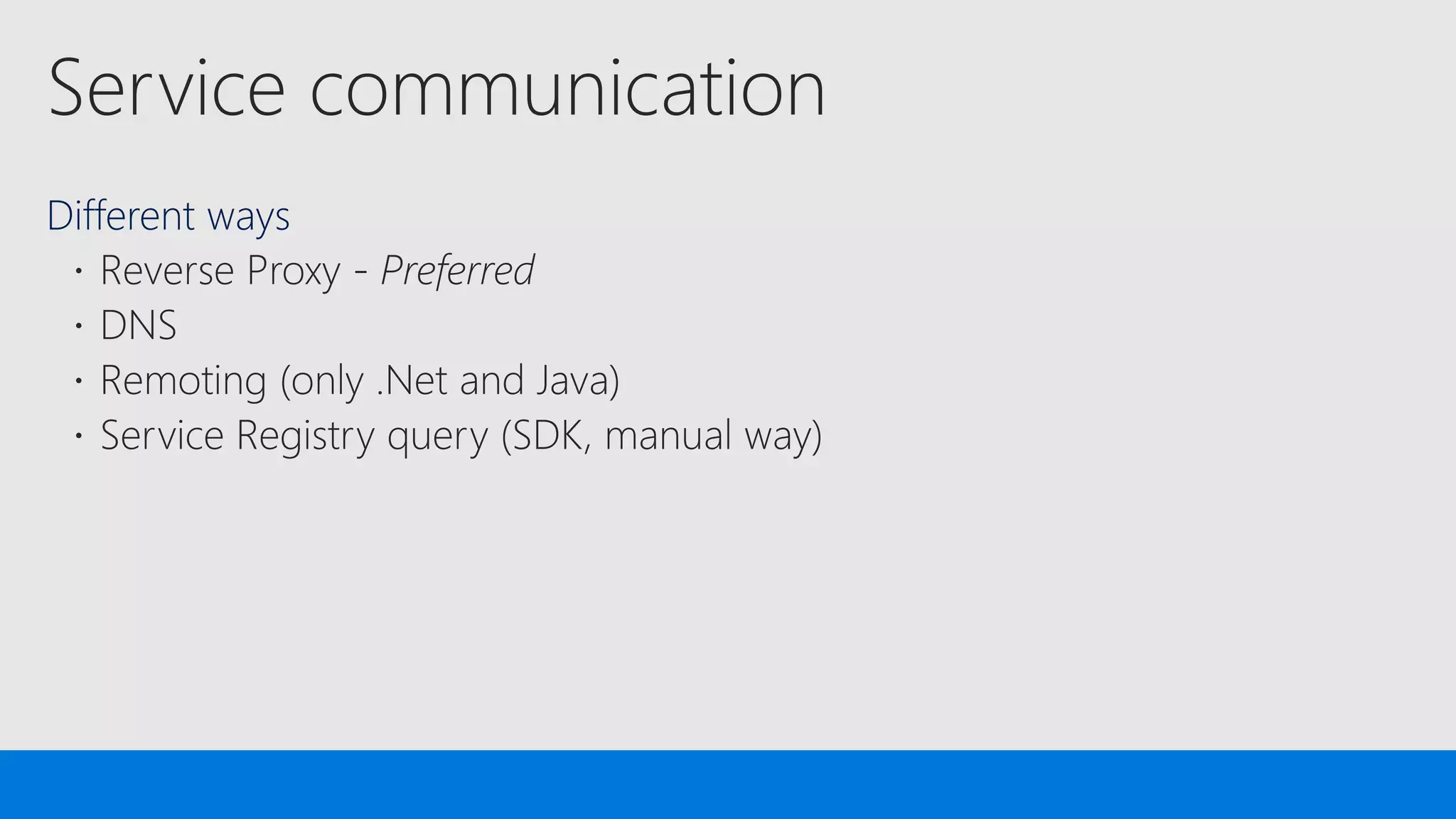
Different ways
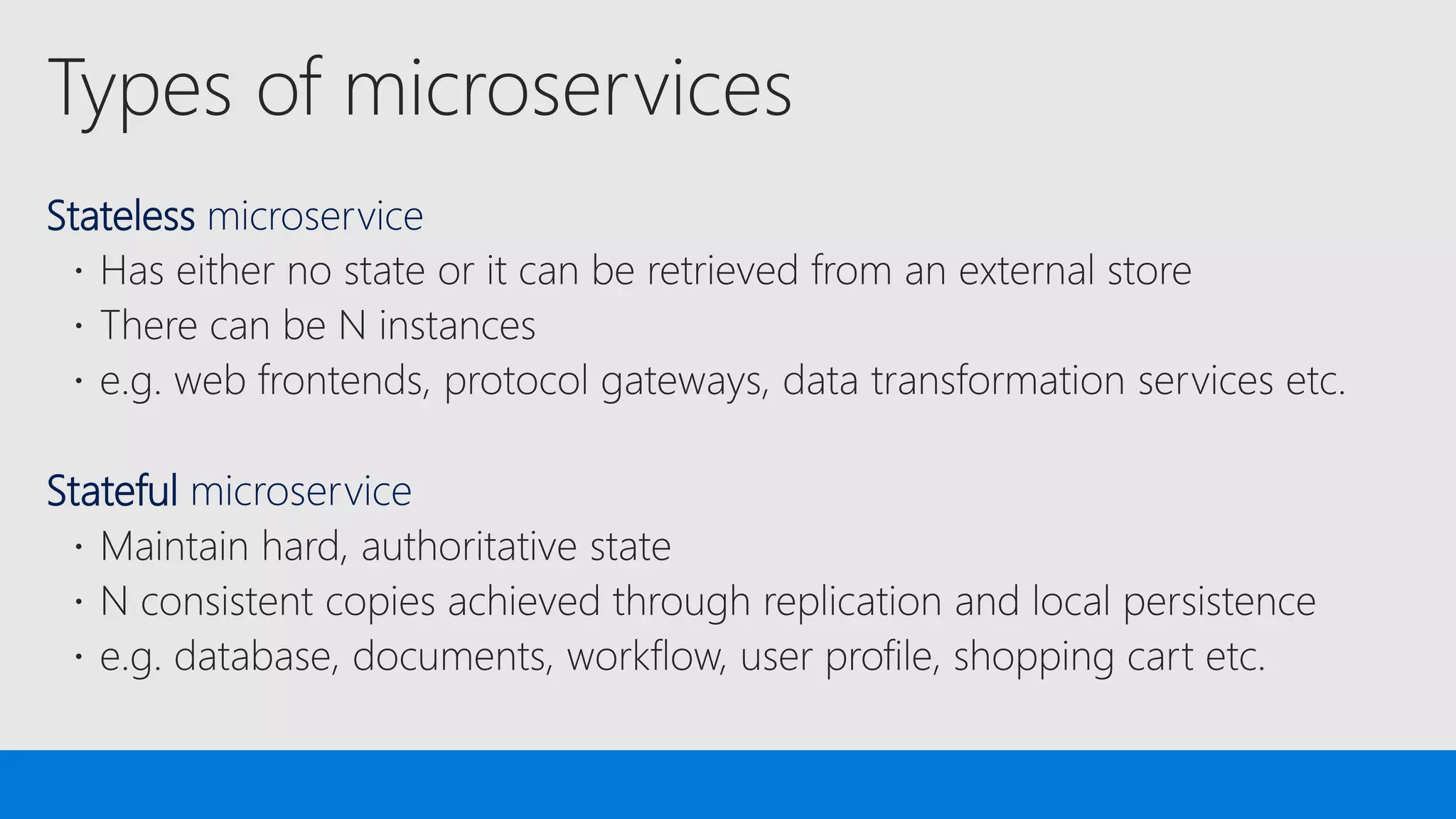
Stateless microservice
Stateful microservice
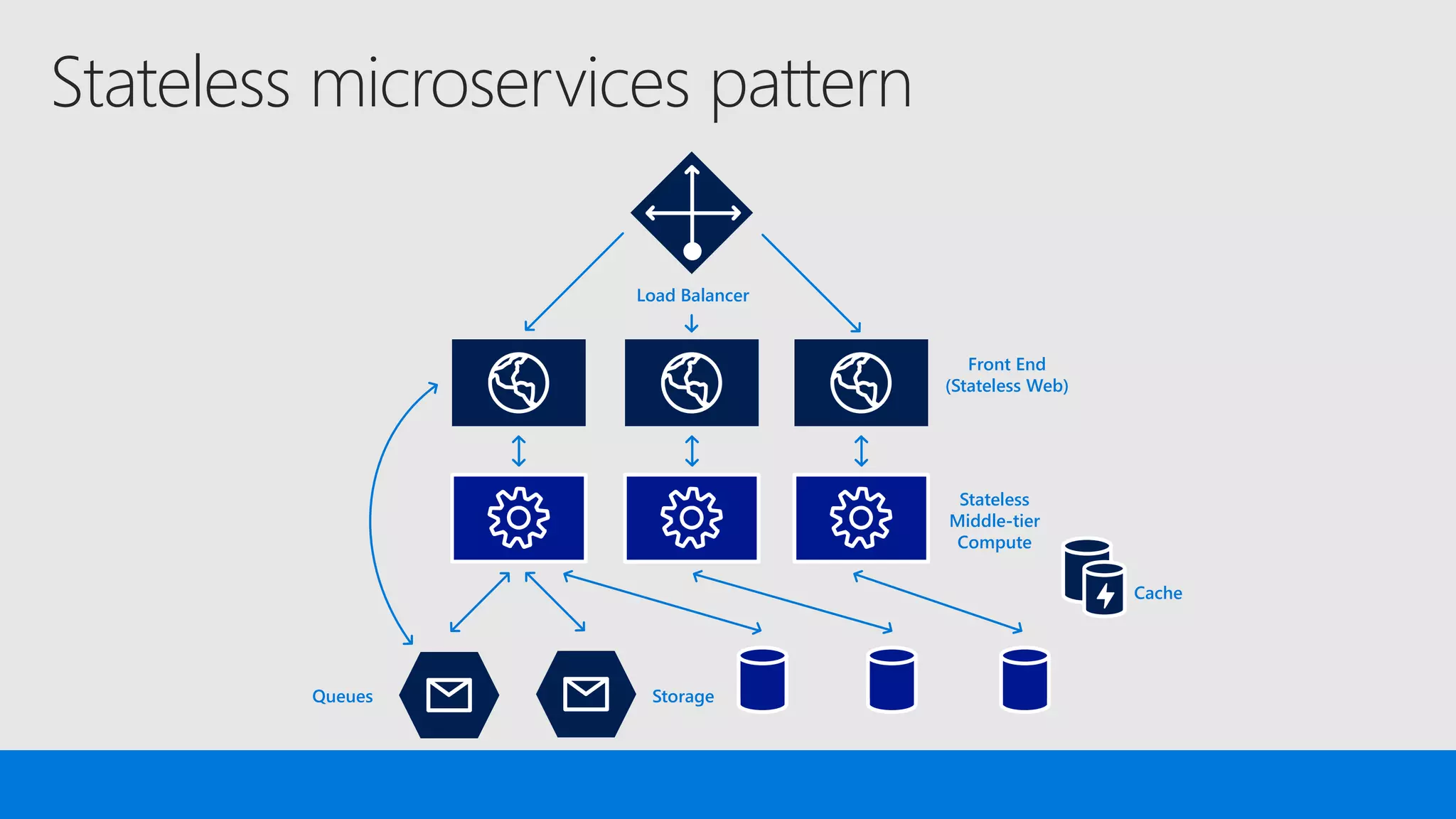
Stateless microservices pattern
Load Balancer
Front End
(Stateless Web)
Stateless
Middle-tier
Compute
Cache
StorageQueues
Stateless microservices pattern
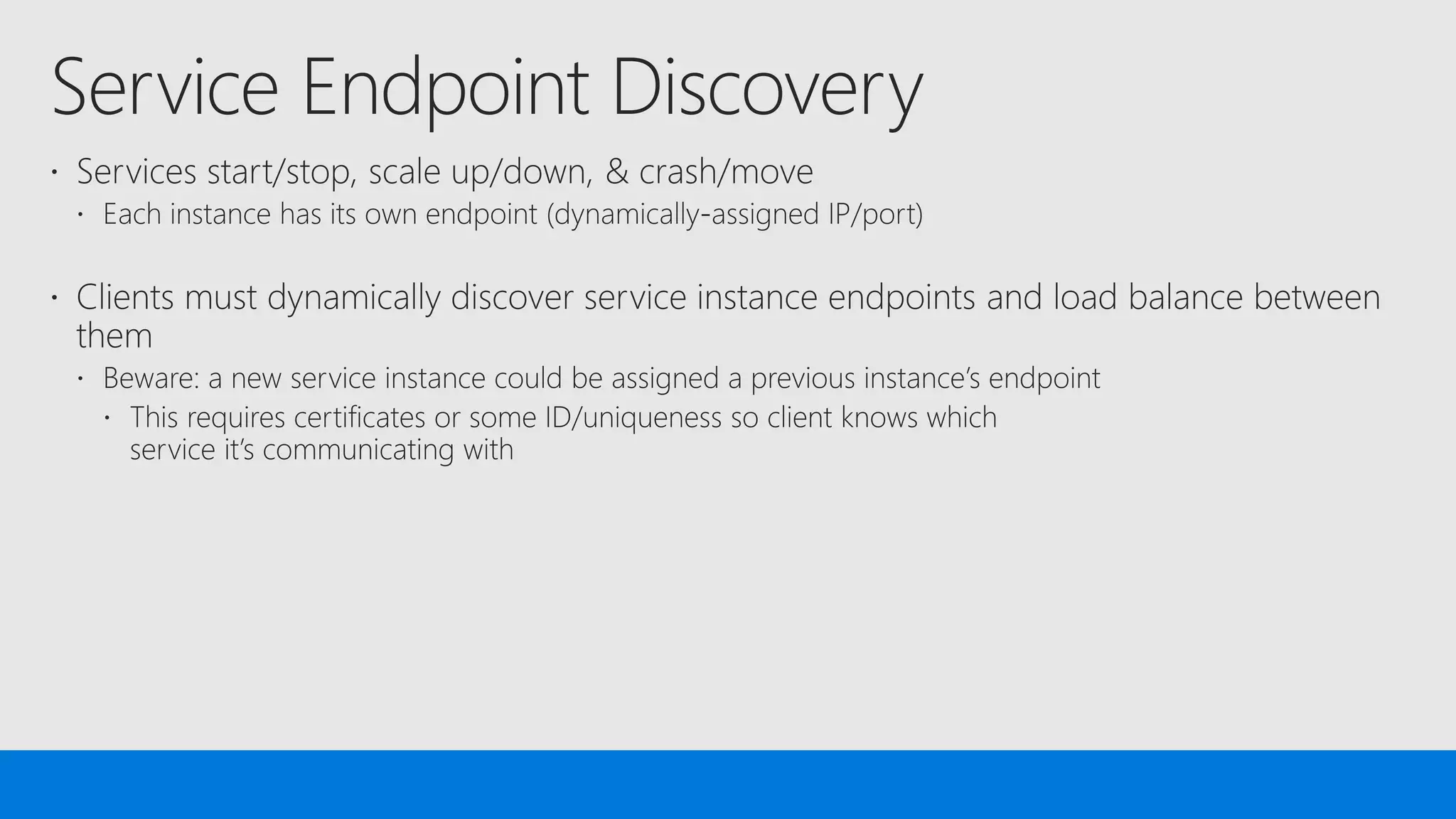
• Stateless services can have an external endpoint
• Configure the endpoint in ServiceManifest.xml (especially the port)
• For external accessible services, remember to configure Load Balancer
• Stateless service instances are equivalent and activated “randomly”
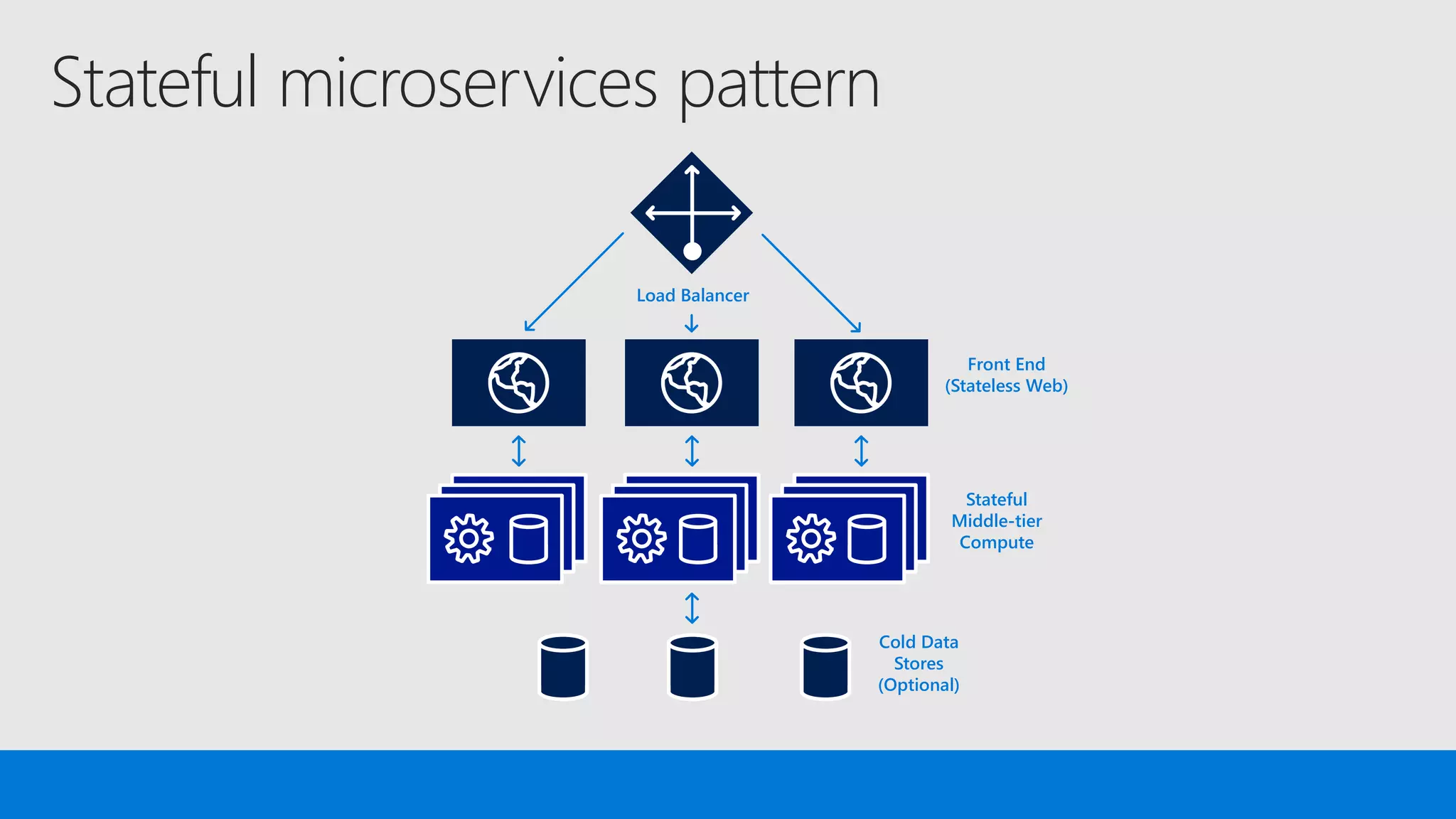
Stateful microservices pattern
Load Balancer
Front End
(Stateless Web)
Stateful
Middle-tier
Compute
Cold Data
Stores
(Optional)
Stateful microservices pattern
• Stateful services cannot have an external endpoint
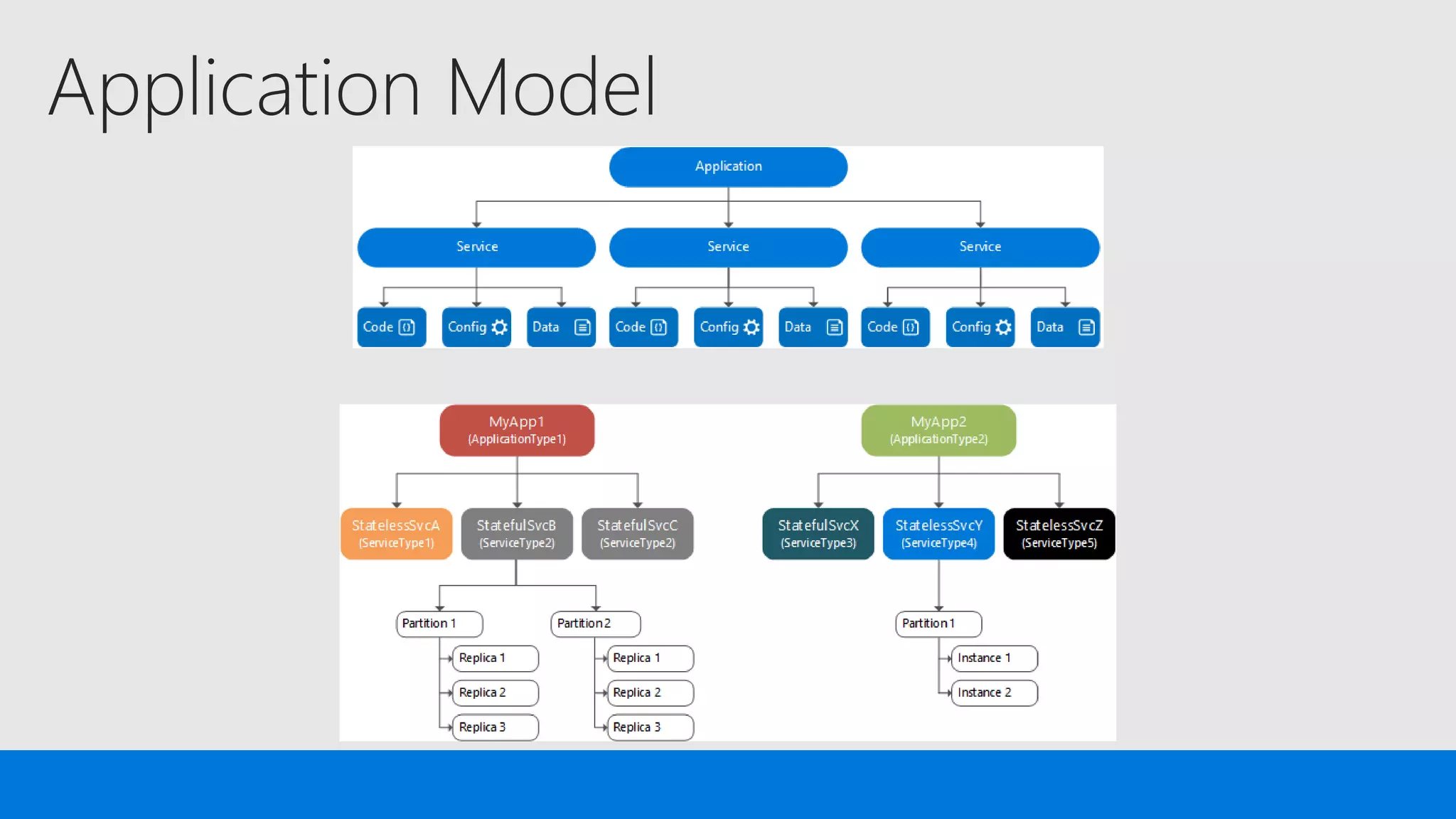
• Stateful services must specify partitions
• Stateful service instances are not equivalent and not activated “randomly”
• Stateful services use Reliable Collections to persist the data
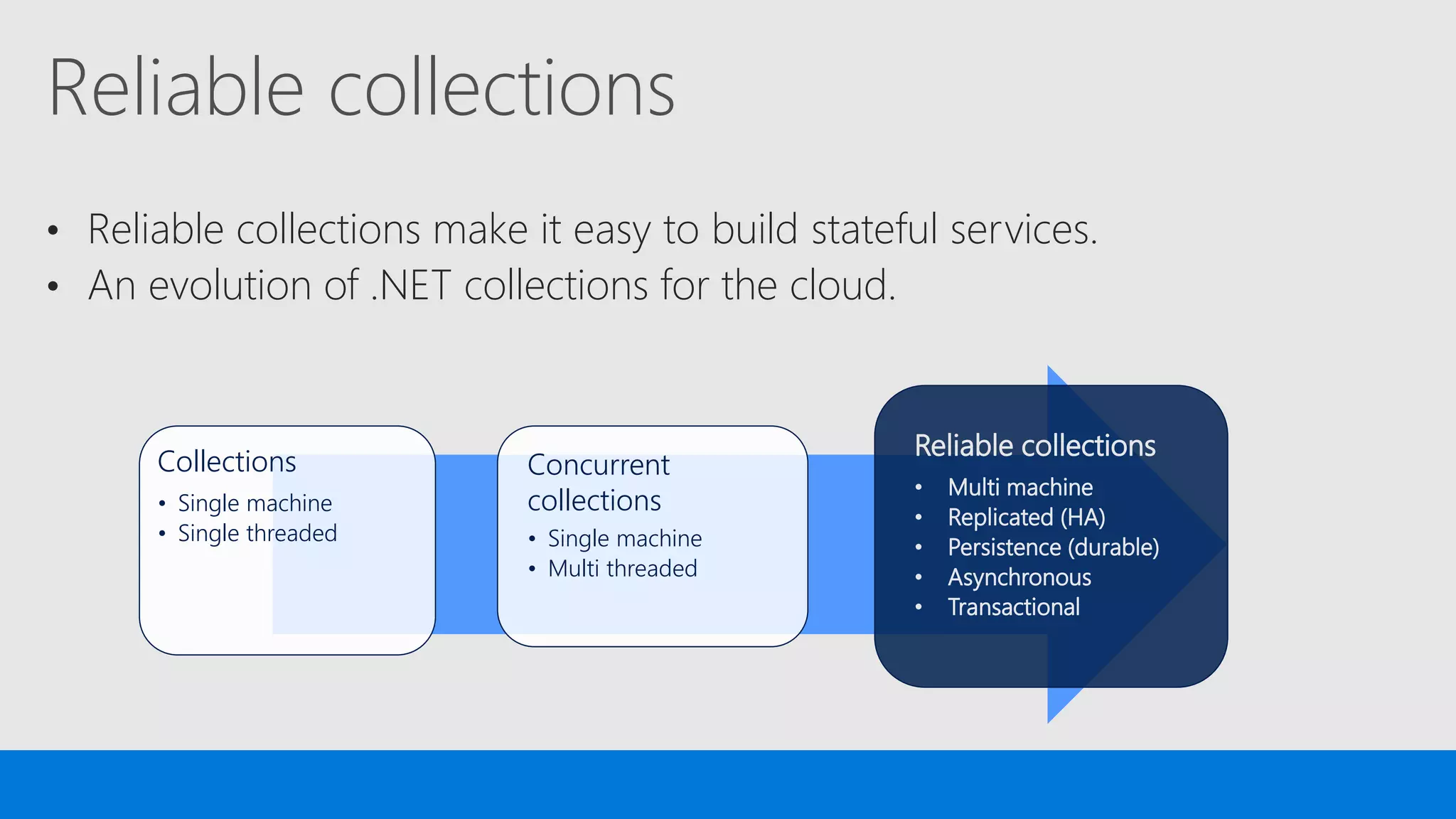
Reliable collections
• Reliable collections make it easy to build stateful services.
• An evolution of .NET collections for the cloud.
Collections
• Single machine
• Single threaded
Concurrent
collections
• Single machine
• Multi threaded
Reliable collections
• Multi machine
• Replicated (HA)
• Persistence (durable)
• Asynchronous
• Transactional
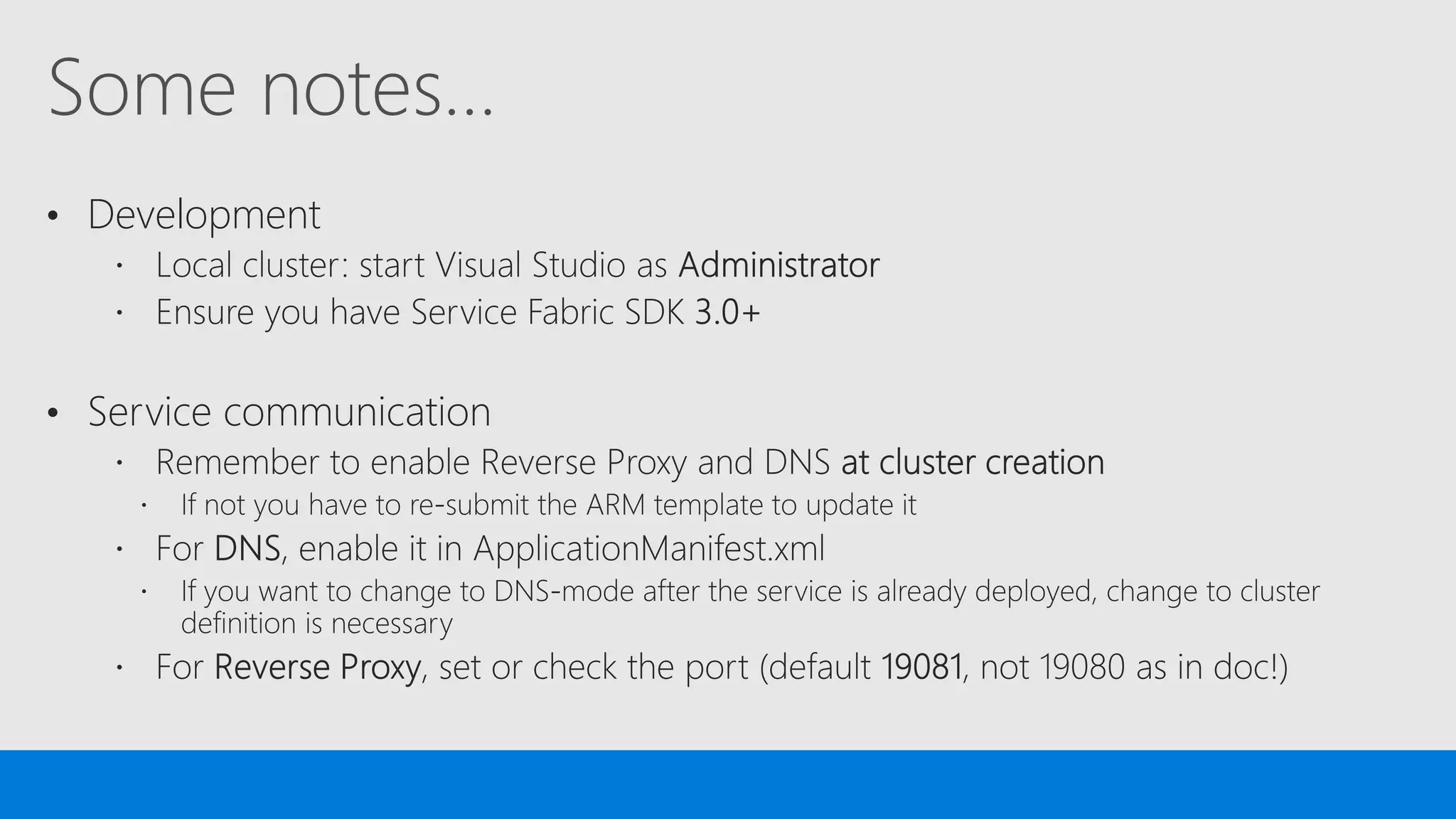
Some notes…
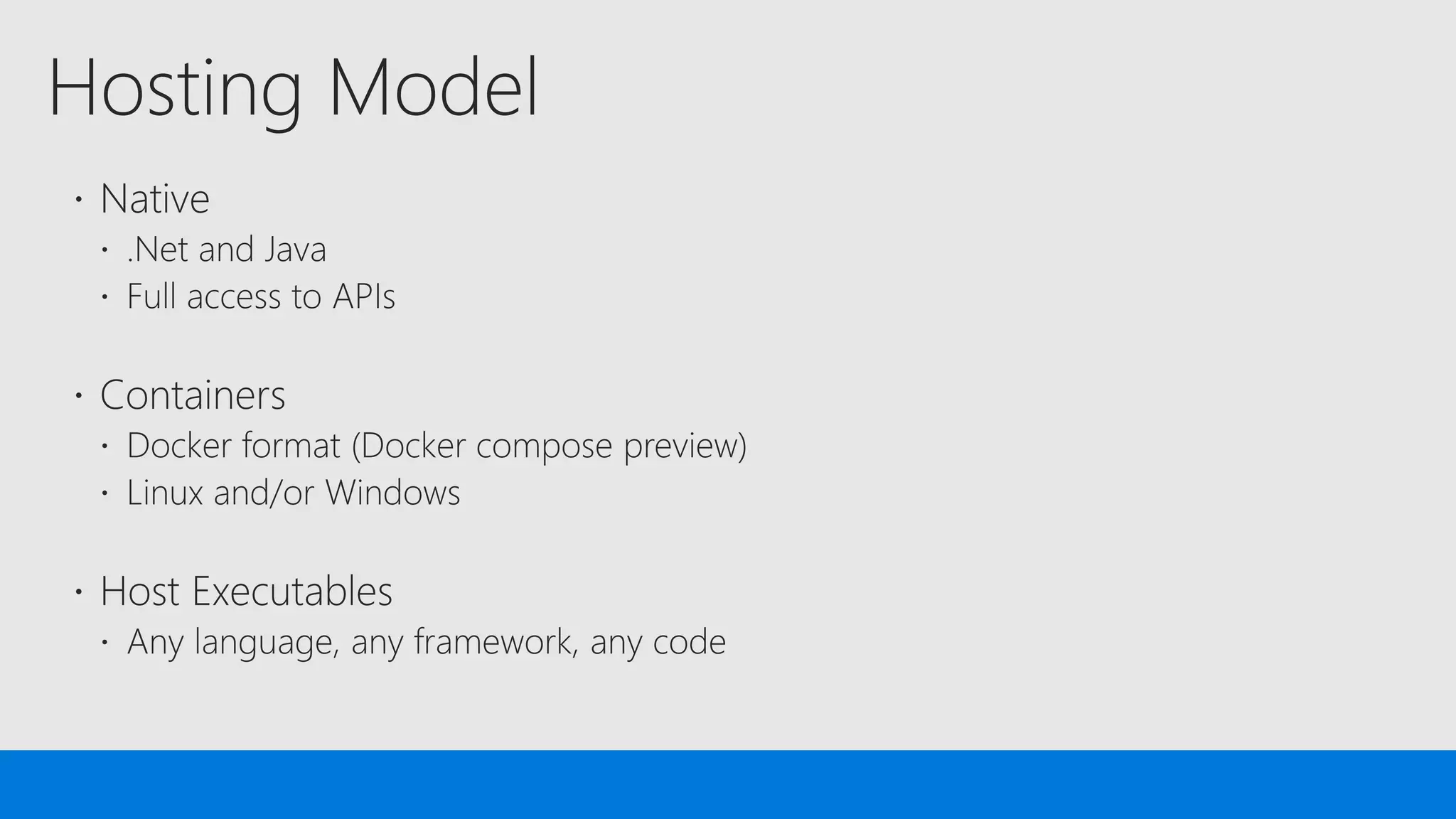
• Development
• Service communication
References
Demo Code
https://github.com/n3wt0n
Service Fabric Reference Documentation
https://docs.microsoft.com/en-us/azure/service-fabric/
Service Fabric Reference Architecture
https://docs.microsoft.com/en-us/azure/architecture/guide/architecture-
styles/microservices#microservices-using-azure-service-fabric
Microservices with Azure Service Fabric

Microservices with Azure Service Fabric

  • 1.
    Disrupt or bedisrupted by AI.
  • 5.
    Agenda • Microservices? • ServiceFabric? • Microservices in Service Fabric?
  • 7.
    What is amicroservice? • Encapsulates a single capability • Are developed by a small engineering team • Can be written in any language and framework • Contain code plus state that is independently versioned, deployed, and scaled • Interact with other microservices over well defined interfaces and protocols such as http • Have a unique name (i.e. URL) that can be resolved • Remains consistent and available in the presence of failures • Ideal for DevOps automation!
  • 8.
    Reasons to splita monolith into services • Scaling independently (balancing cost with speed) • Supporting different technology stacks
  • 9.
    Reasons to splita monolith into services • Two or more clients, where clients adopt new features at will • Managing conflicting dependencies
  • 10.
    Are microservices rightfor my app? Maybe, if: • Your application can be split in many different, independent pieces • You need/want independent service scalability • You need/want to have multiple technologies, multiple teams involved • You are ready to change your DevOps practices and company culture But: • Any application that binds its components over a network connection introduces delays • Security and Authentication get more complex • Microservices are more complex to deploy, manage, and monitor • You cannot assume that you can take an arbitrary system and break it into microservices. Most systems acquire too many dependencies between their modules
  • 11.
    From Monolith toMicroservices ... we support any stage you choose New or transformed microservices app 5 Parts of existing monolith extracted 4 Existing Monolith + new microservices 3 Monolith Hosted as guest executable or container 2 Traditional app 1 5 stages in a continuum…
  • 12.
    IntelliSense, refactoring &compile-time type-safety)
  • 13.
    IntelliSense, refactoring &compile-time type-safety)
  • 15.
    Proven platform poweringcore Azure and Microsoft services Microsoft has deep expertise in running global services such as Cortana, Skype & Cosmos DB Service Fabric is the foundational technology powering these services & core Azure infra Sample scale of one of these services: 60 billion events per day with millions of databases Production scenarios with 3500 VMs SQL { }Power BI Dynamics Intune Cortana Skype Cosmos DB IoT Hub Events Hub SQL Database
  • 16.
    Build: data-aware microservices Lifecycle Management AlwaysOn Availability Orchestration Programming Models Health & Monitoring Dev & Ops Tooling Auto Scaling Programming Models Dev & Ops Tooling Orchestration Lifecycle Management Health & Monitoring Always On Availability Auto Scaling .NET or Java … Built-in ASP.NET core integration; work with VS and VSTS or Eclipse and Jenkins Reliable Services Manage state reliability without a database, lowering latency Guest Executables Run existing code and orchestrate life cycle using service fabric Reliable Actors Implementation of actor design pattern (Isolated, independent unit of compute and state with single- threaded execution) Containers Orchestrate your Windows Server or Linux containers reliably at scale </>
  • 17.
    Deploy: any codeon any OS Lifecycle Management Always On Availability Orchestration Programming Models Health & Monitoring Dev & Ops Tooling Auto Scaling Programming Models Dev & Ops Tooling Orchestration Lifecycle Management Health & Monitoring Always On Availability Auto Scaling Monitor and diagnose Generate, aggregate, and analyze events with built-in tooling and integration with Azure services Docker Compose Orchestrate existing container applications natively Automate Deploy or remove applications using PowerShell, CLI, Visual Studio, and other APIs CI/CD Maximize uptime and scalability with isolated compute threads running concurrently Rolling upgrades Upgrade non-disruptively and roll-back in case of failures, automate with PowerShell
  • 18.
    Operate: on anycloud at any scale Lifecycle Management Always On Availability Orchestration Programming Models Health & Monitoring Dev & Ops Tooling Auto Scaling Programming Models Dev & Ops Tooling Orchestration Lifecycle Management Health & Monitoring Always On Availability Auto Scaling Scale programmatically Use PowerShell, CLI, or APIs to scale programmatically achieving very high densities Use controlled chaos Test graceful and ungraceful failure scenarios Recover gracefully Recover from node or service failure gracefully; replicate data automatically Use familiar tools Such as Splunk, OMS, ELK, or AppInsights to gain deep insights or monitor application health Secure at scale Secure node-to-node communication and user access using built-in capabilities
  • 20.
    Awesome for developers Use.NET, Java or more • Stateless and Stateful services • ASP.NET core integration Visual studio integration • Use single node cluster for dev/test purposes • Use 5-node local cluster for extensive dev/test Consistent experience across environments • Run the same environment on dev box as in production
  • 21.
    Awesome for dev-ops Automateddeployment • Use PowerShell, Service Fabric CLI or APIs Rolling upgrades for reliability • Upgrade your services in an automated fashion Visual studio team services integration • For continuous integration and deployment Integration with Jenkins and more • Use tools familiar to you for deploying Java applications
  • 22.
    Awesome for infrastructure management Clustermanagement • Secure your clusters and handle failures gracefully • Scale clusters programmatically or manually • Ease maintenance with integrated OS patching PowerShell, CLI, and GUI management • Be productive and choose tools that suit your needs Applications as an ARM resource • Manage clusters as well as deploy app using templates Health monitoring • Monitor using integrated or 3rd party tool of your choice • Query health using PowerShell or APIs programmatically
  • 27.
  • 28.
  • 33.
    Who is App1/Service1?Thereyou go: 10.0.0.8:1234
  • 34.
  • 37.
  • 38.
    Stateless microservices pattern LoadBalancer Front End (Stateless Web) Stateless Middle-tier Compute Cache StorageQueues
  • 39.
    Stateless microservices pattern •Stateless services can have an external endpoint • Configure the endpoint in ServiceManifest.xml (especially the port) • For external accessible services, remember to configure Load Balancer • Stateless service instances are equivalent and activated “randomly”
  • 41.
    Stateful microservices pattern LoadBalancer Front End (Stateless Web) Stateful Middle-tier Compute Cold Data Stores (Optional)
  • 42.
    Stateful microservices pattern •Stateful services cannot have an external endpoint • Stateful services must specify partitions • Stateful service instances are not equivalent and not activated “randomly” • Stateful services use Reliable Collections to persist the data
  • 43.
    Reliable collections • Reliablecollections make it easy to build stateful services. • An evolution of .NET collections for the cloud. Collections • Single machine • Single threaded Concurrent collections • Single machine • Multi threaded Reliable collections • Multi machine • Replicated (HA) • Persistence (durable) • Asynchronous • Transactional
  • 45.
    Some notes… • Development •Service communication
  • 47.
    References Demo Code https://github.com/n3wt0n Service FabricReference Documentation https://docs.microsoft.com/en-us/azure/service-fabric/ Service Fabric Reference Architecture https://docs.microsoft.com/en-us/azure/architecture/guide/architecture- styles/microservices#microservices-using-azure-service-fabric

Editor's Notes

  • #29 https://www.thoughtworks.com/insights/blog/implementing-blue-green-deployments-aws
  • #39 Scale stateless services backed by partitioned storage Increase reliability and ordering with queues Reduce read latency with caches Manage your own transactions for state consistency
  • #42 Stateful services eliminate much of the latency and complexity in applications that uses the stateless pattern and are unique to Service Fabric. Application state resides in the compute tier Low latency reads and writes Partitions are first class at the service layer for scale-out Built in transactions External stores for exhaust and offline analytics