Ravi Ranjan S. Karn
Topics
●   Basic concepts.
●   Windows Azure.
●   Azure Storage Service.
●   SQL Azure.
●   Azure AppFabric
●   Migrating an Asp.Net application on Azure.
●   Q & A.
Basic Concepts
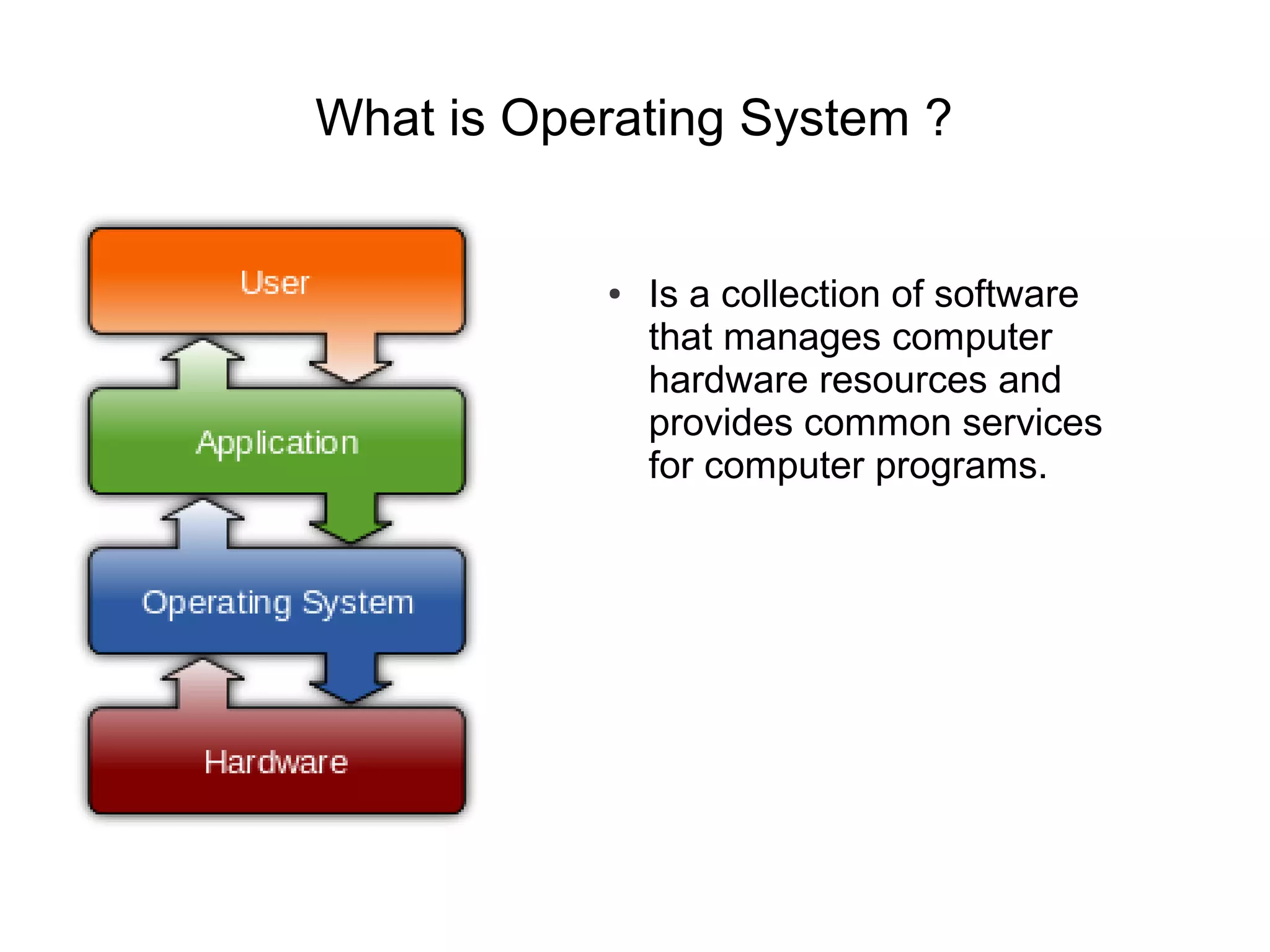
What is Operating System ?


           ●   Is a collection of software
               that manages computer
               hardware resources and
               provides common services
               for computer programs.
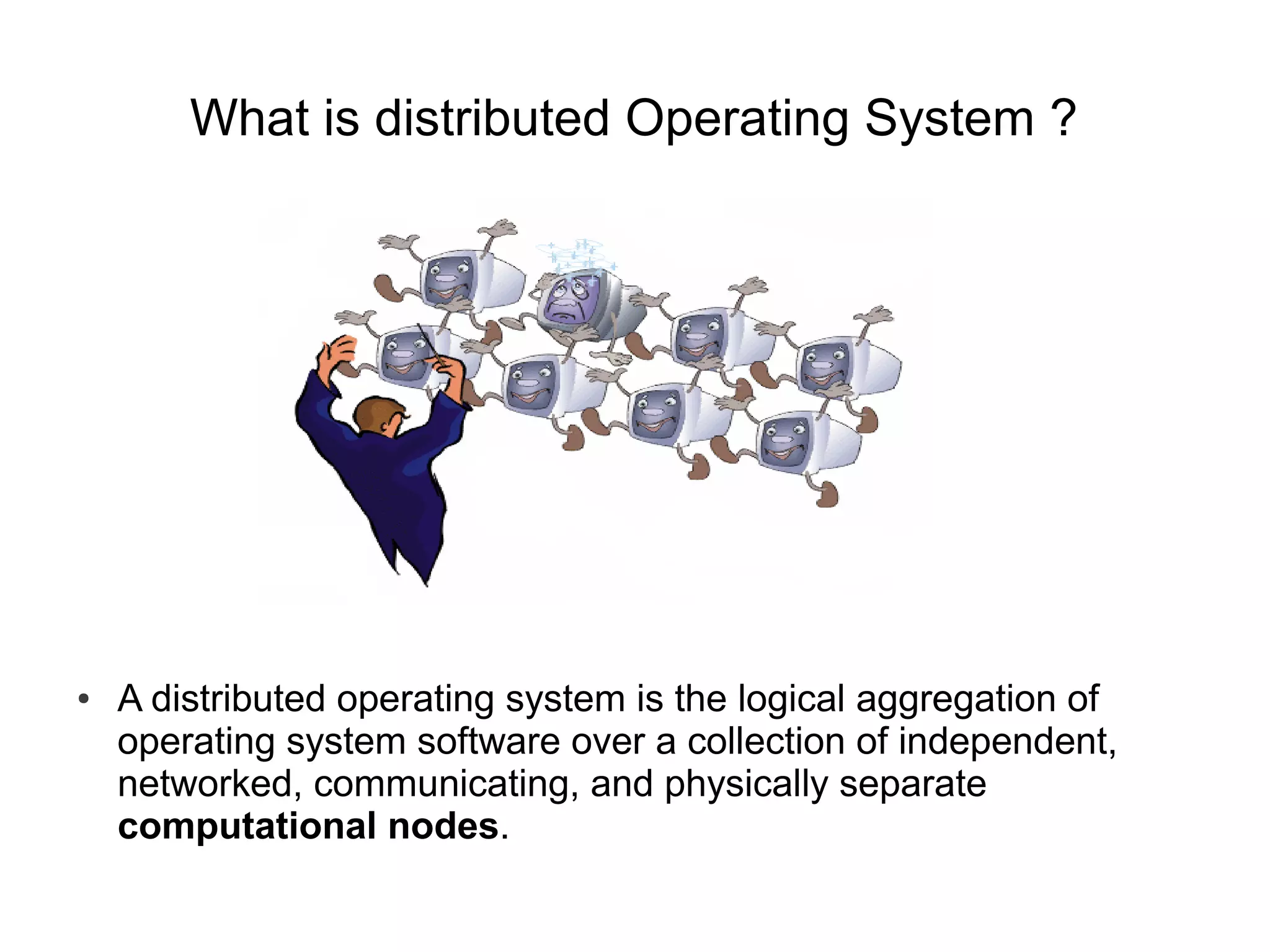
What is distributed Operating System ?


●   A distributed operating system is the logical aggregation of
    operating system software over a collection of independent,
    networked, communicating, and physically separate
    computational nodes.
What is distributed System ?                [contd.]


●   A distributed operating system is the logical aggregation of operating
    system software over a collection of independent, networked,
    communicating, and physically separate computational nodes.
Conclusion

Abstraction
In all the system discussed now, every one of it involves
abstraction of underlying system to hide the detail from the
user using it.
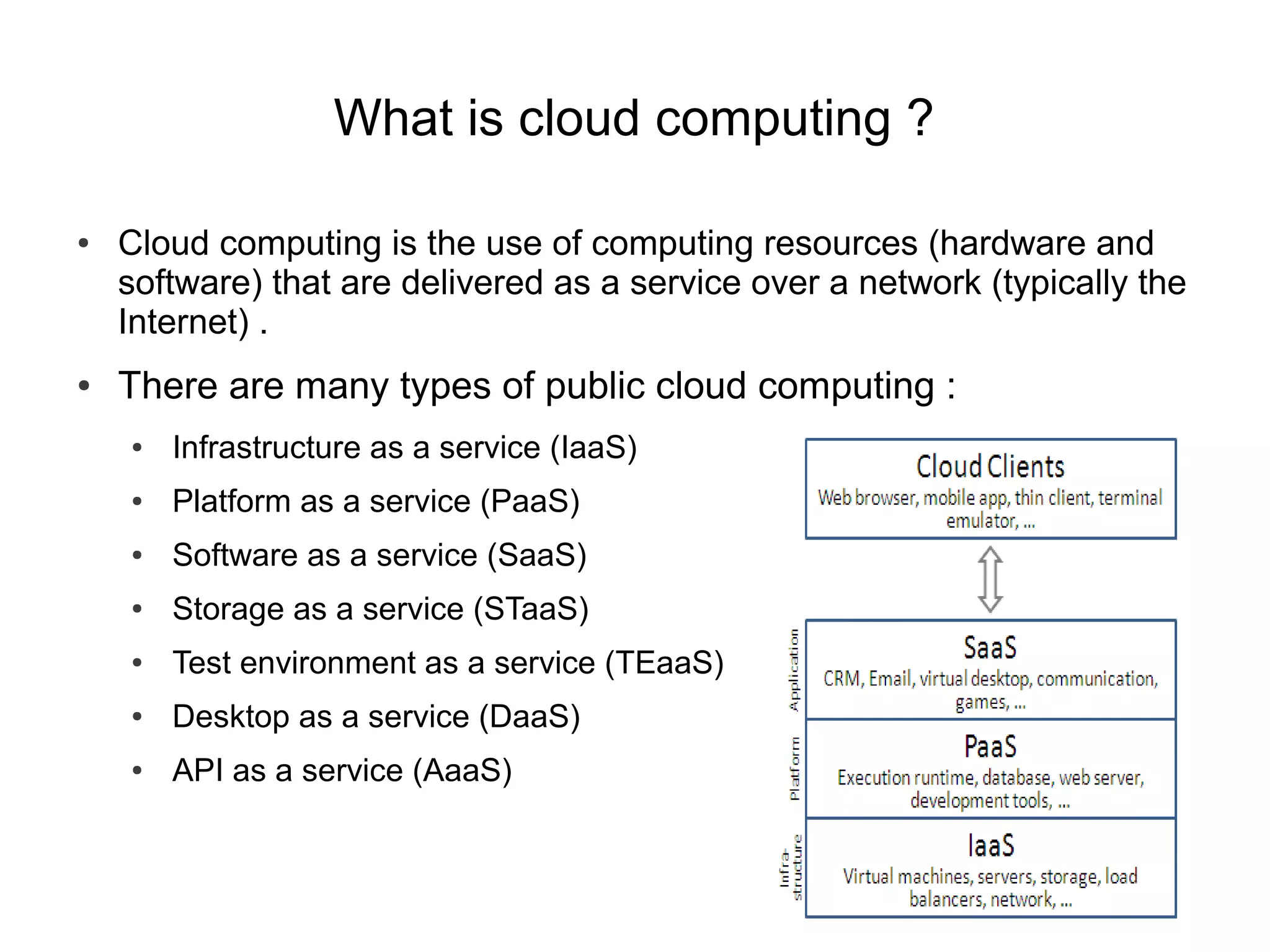
What is cloud computing ?

●   Cloud computing is the use of computing resources (hardware and
    software) that are delivered as a service over a network (typically the
    Internet) .
●   There are many types of public cloud computing :
    ●   Infrastructure as a service (IaaS)
    ●   Platform as a service (PaaS)
    ●   Software as a service (SaaS)
    ●   Storage as a service (STaaS)
    ●   Test environment as a service (TEaaS)
    ●   Desktop as a service (DaaS)
    ●   API as a service (AaaS)
Windows Azure
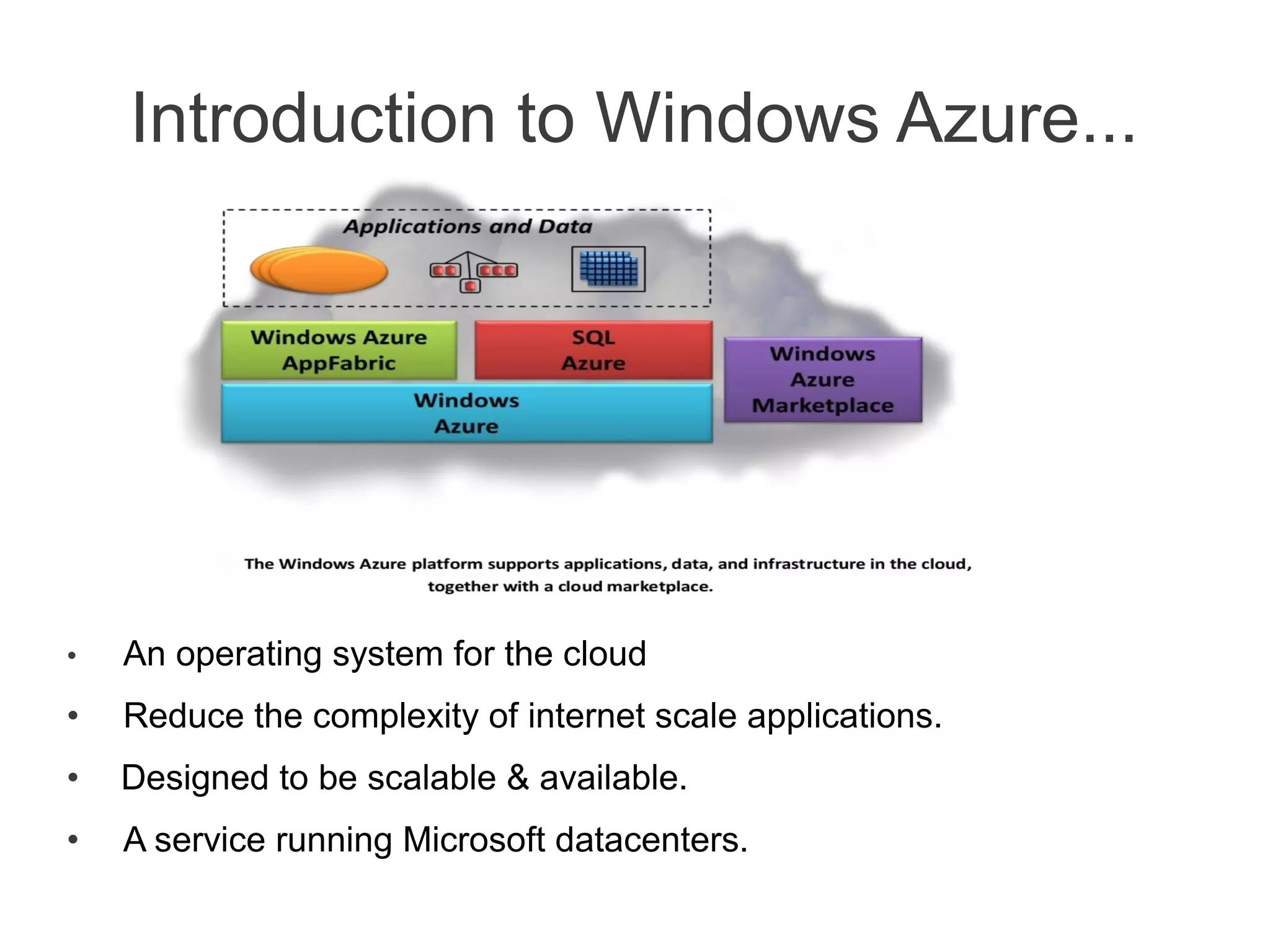
Introduction to Windows Azure...


•   An operating system for the cloud
•   Reduce the complexity of internet scale applications.
•   Designed to be scalable & available.
•   A service running Microsoft datacenters.
Where Windows Azure stands ?

●   Windows Azure is a Microsoft cloud computing platform used to build,
    deploy and manage applications through a global network of
    Microsoft-managed datacenters.
●   It offers
     ●   Infrastructure as a service (IaaS)
     ●   Platform as a service (PaaS)
     ●   Software as a service (SaaS)
     ●   Storage as a service (STaaS)
Terminologies

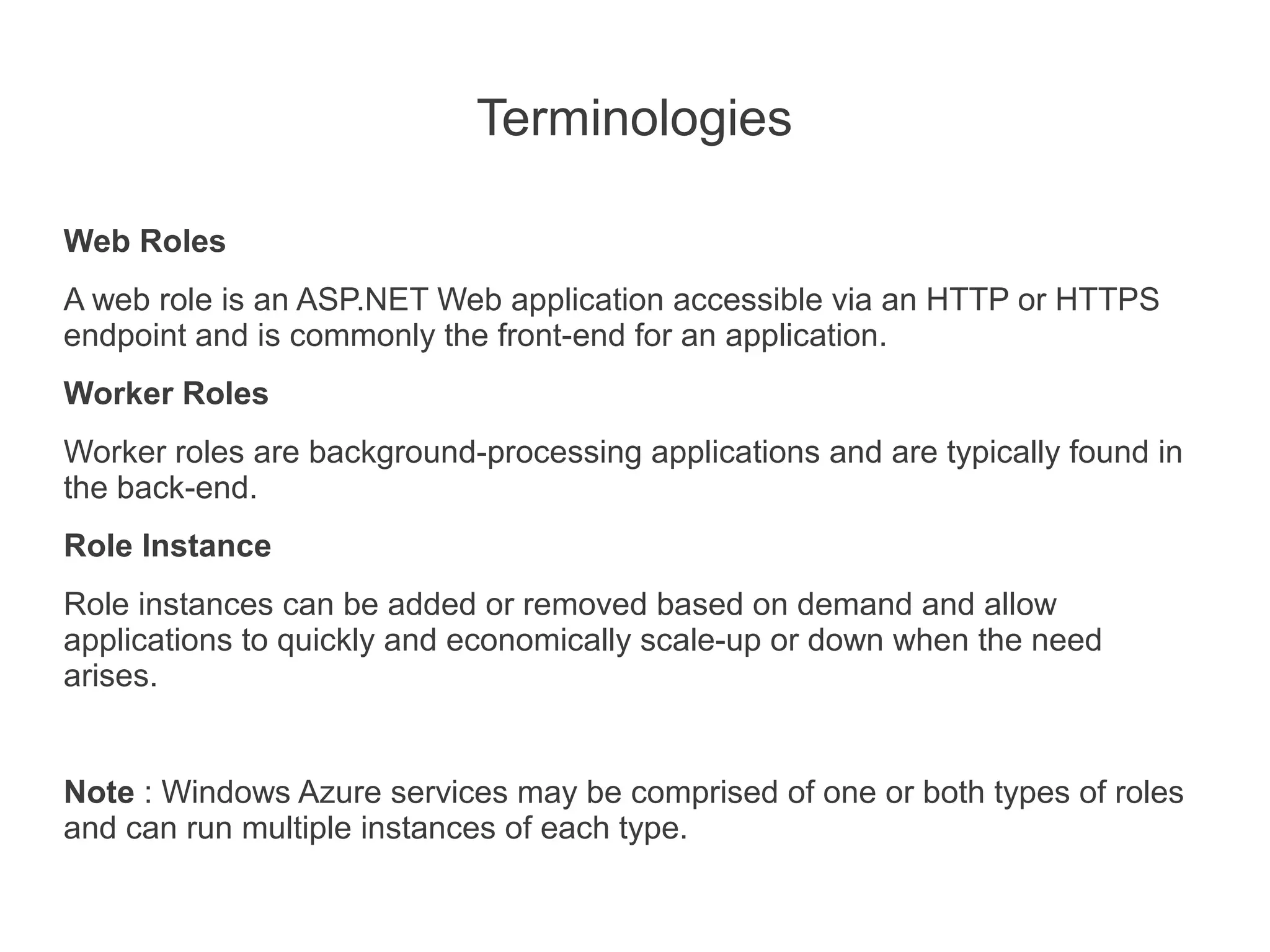
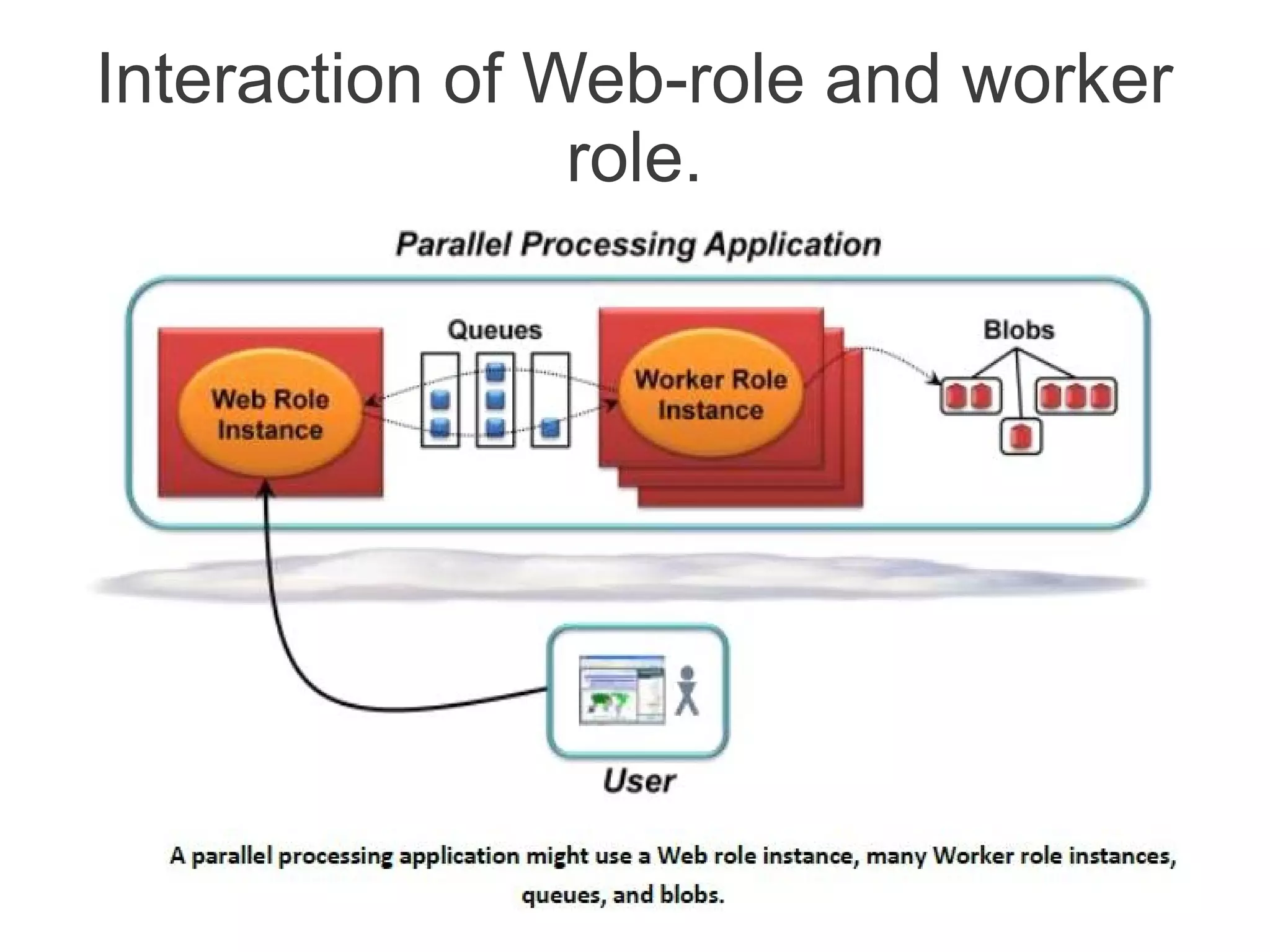
Web Roles
A web role is an ASP.NET Web application accessible via an HTTP or HTTPS
endpoint and is commonly the front-end for an application.
Worker Roles
Worker roles are background-processing applications and are typically found in
the back-end.
Role Instance
Role instances can be added or removed based on demand and allow
applications to quickly and economically scale-up or down when the need
arises.


Note : Windows Azure services may be comprised of one or both types of roles
and can run multiple instances of each type.
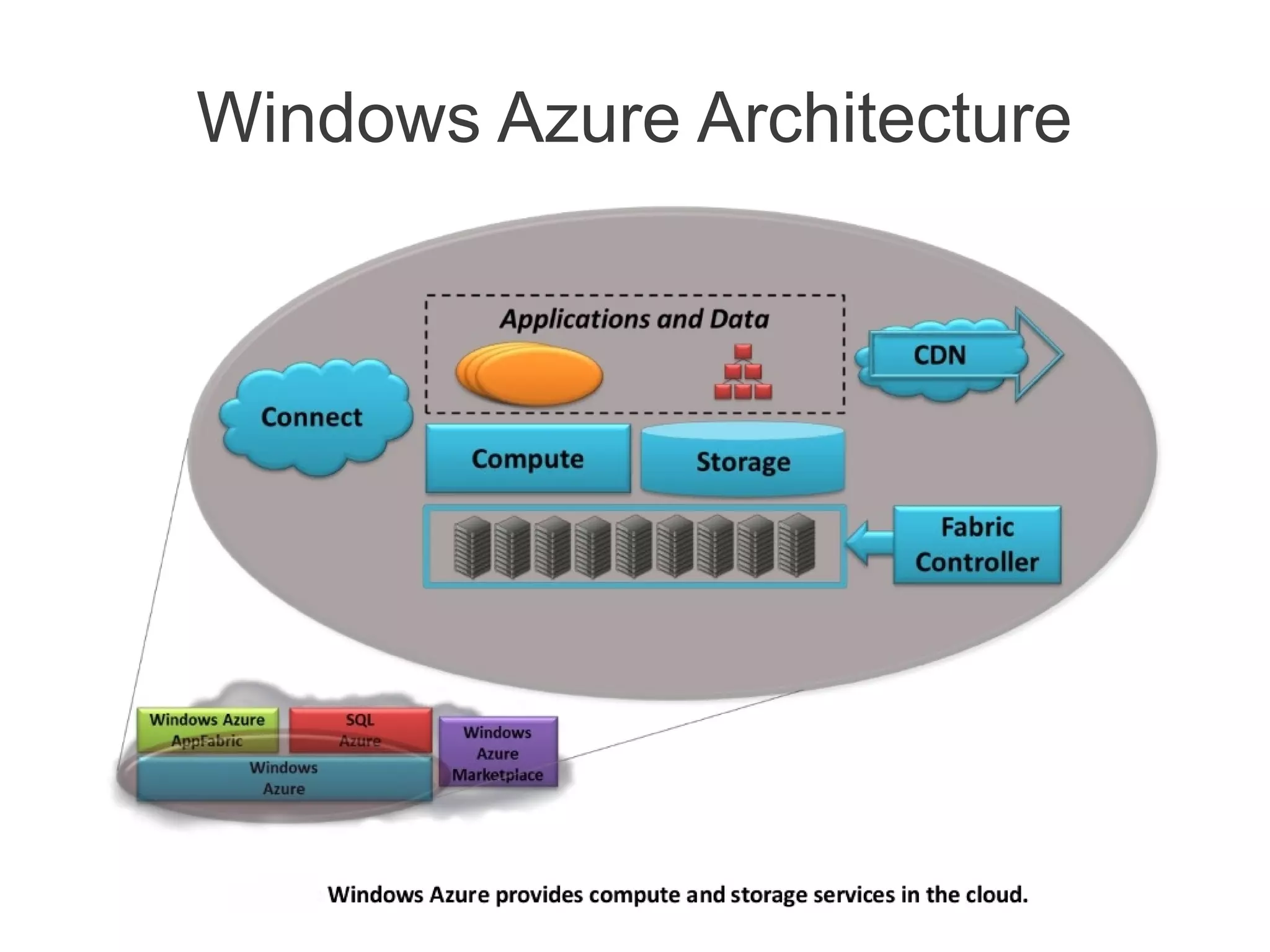
Windows Azure Architecture
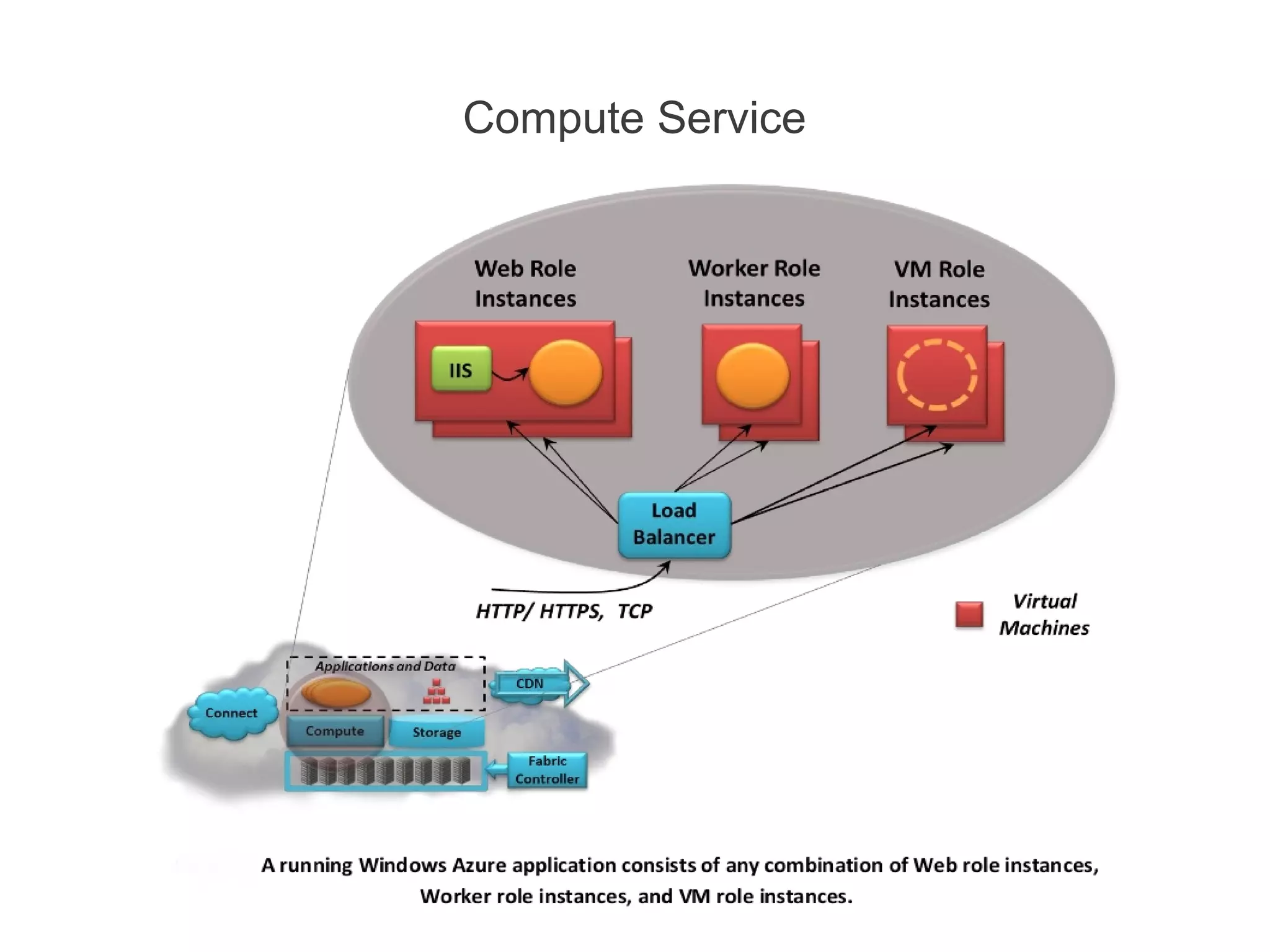
Compute Service
Compute Service          [contd.]


•   A Web role instance can accept incoming HTTP or HTTPS
    requests
•   By running multiple instances of an application, Windows
    Azure helps to scale application.
•   Web role instances are stateless.
•   Worker role instances can’t accept requests from the outside
    world. Their VMs don’t run IIS, and a Worker application can’t
    accept any incoming network connections.
•   Instead, a Worker role instance initiates its own requests for
    input.
•   It can read messages from a queue and it can open
    connections with the outside world.
Interaction of Web-role and worker
                role.
Demo
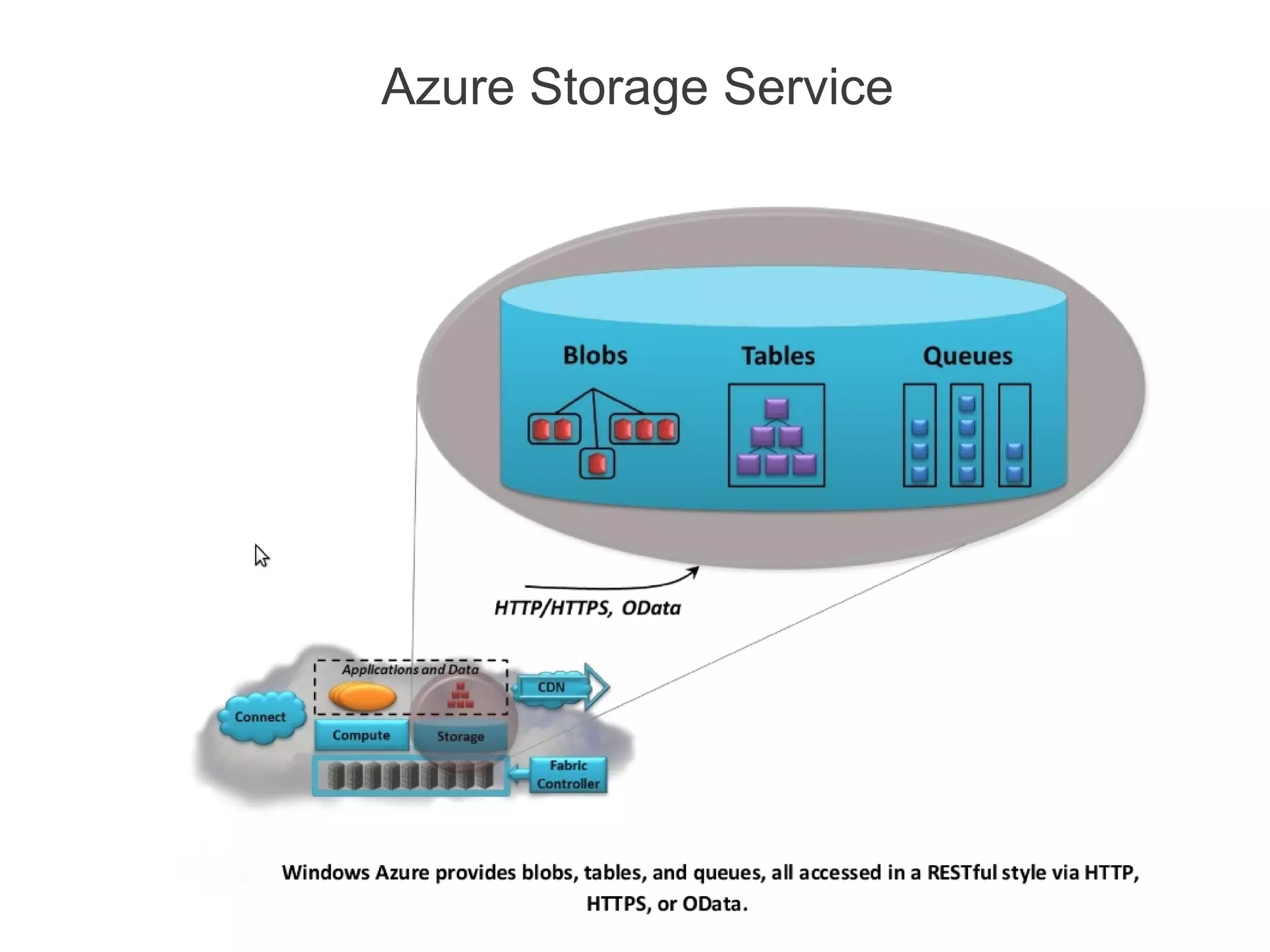
Azure Storage Service

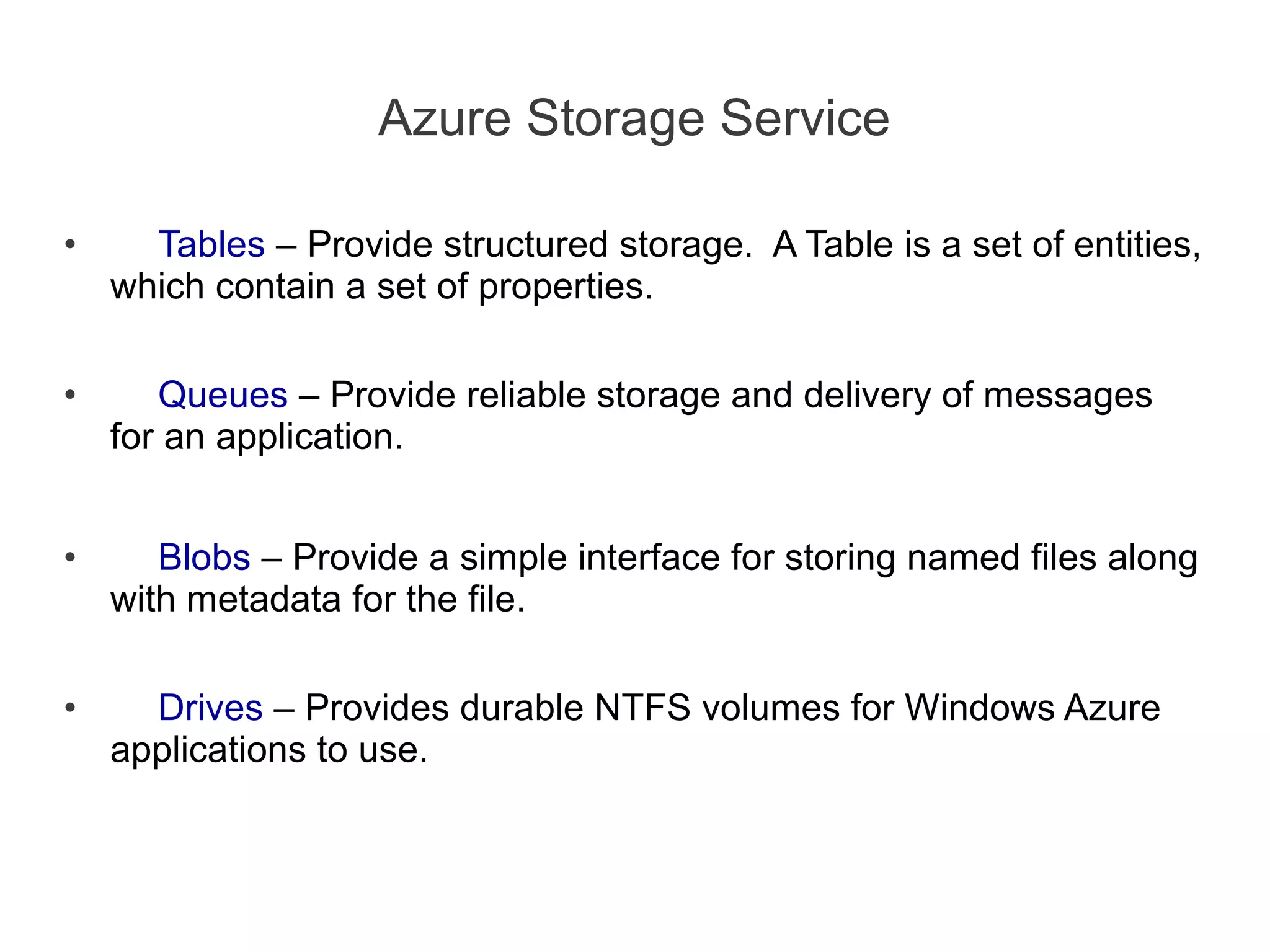
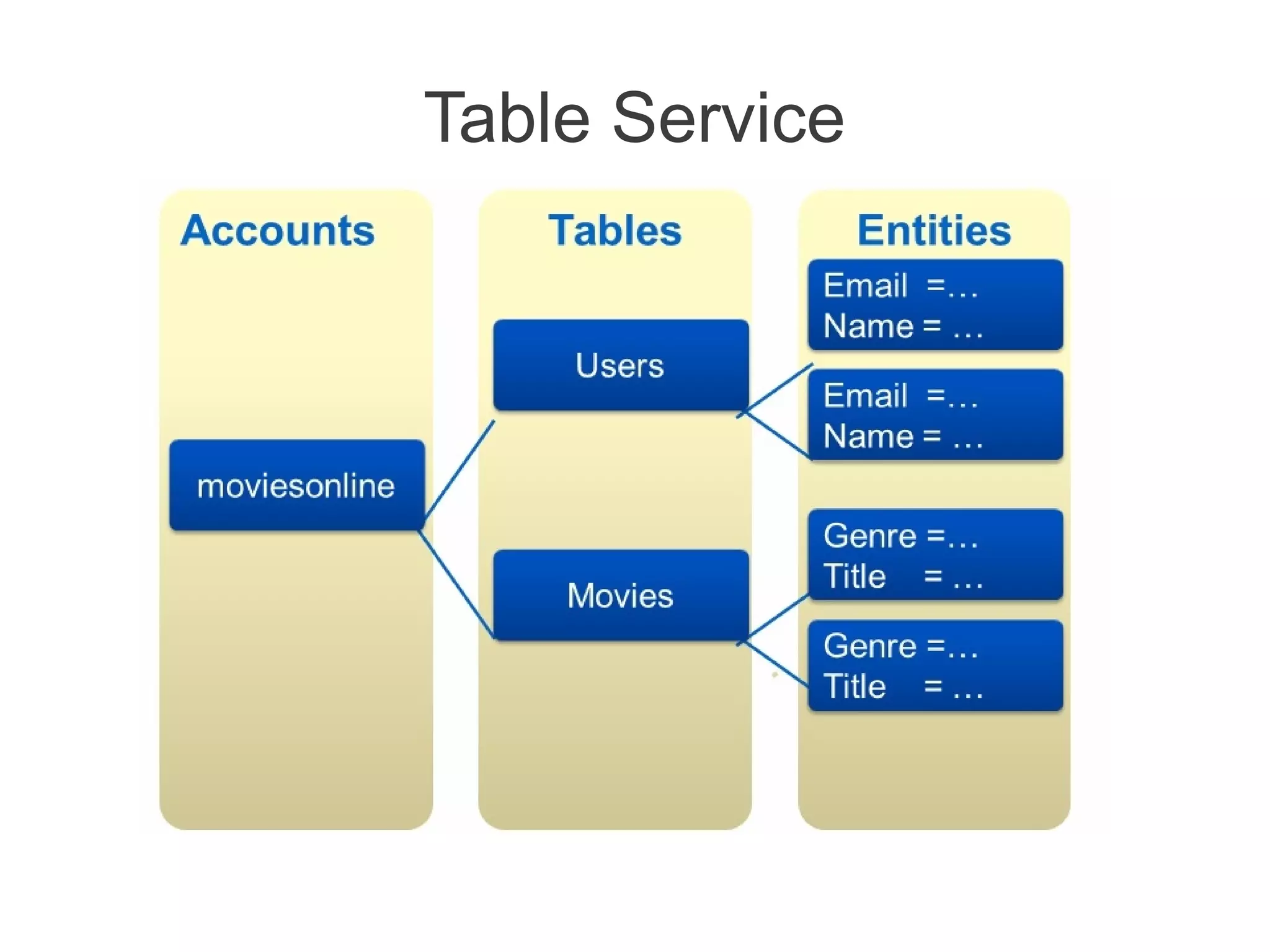
•     Tables – Provide structured storage. A Table is a set of entities,
    which contain a set of properties.

•      Queues – Provide reliable storage and delivery of messages
    for an application.


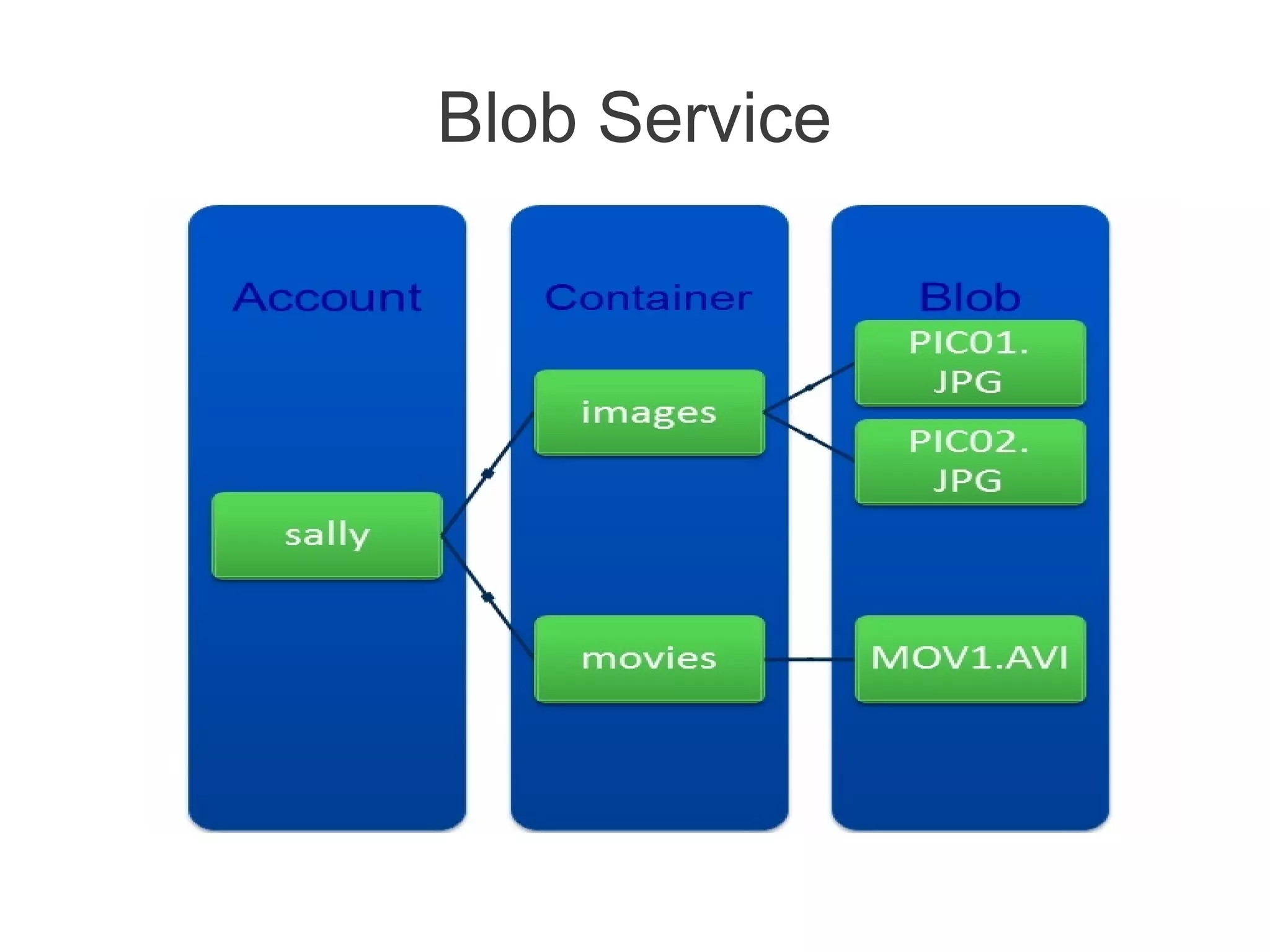
•      Blobs – Provide a simple interface for storing named files along
    with metadata for the file.

•     Drives – Provides durable NTFS volumes for Windows Azure
    applications to use.
Azure Storage Service
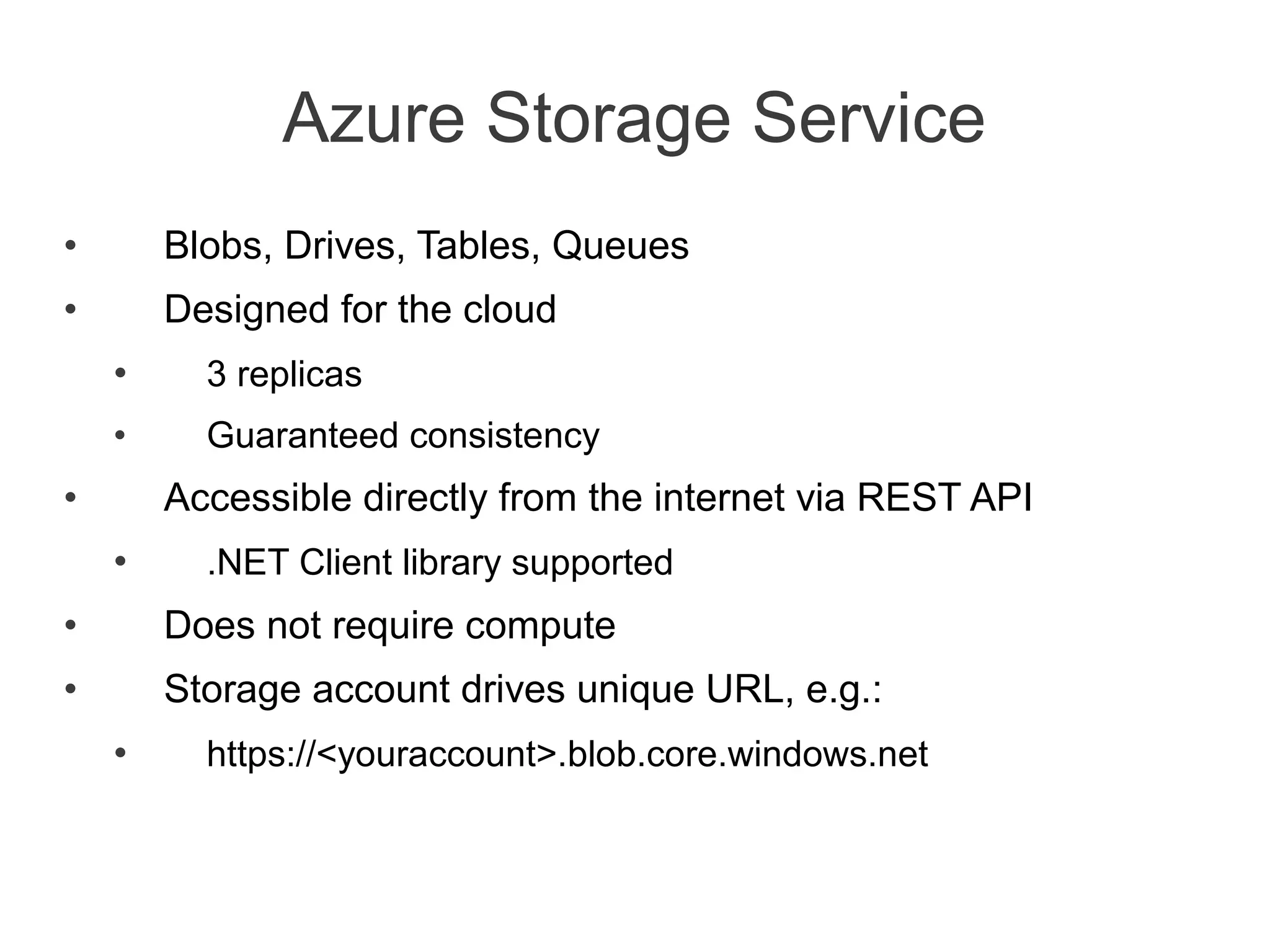
•       Blobs, Drives, Tables, Queues
•       Designed for the cloud
    •     3 replicas
    •     Guaranteed consistency
•       Accessible directly from the internet via REST API
    •     .NET Client library supported
•       Does not require compute
•       Storage account drives unique URL, e.g.:
    •     https://<youraccount>.blob.core.windows.net
Table Service
Blob Service
Queue Service
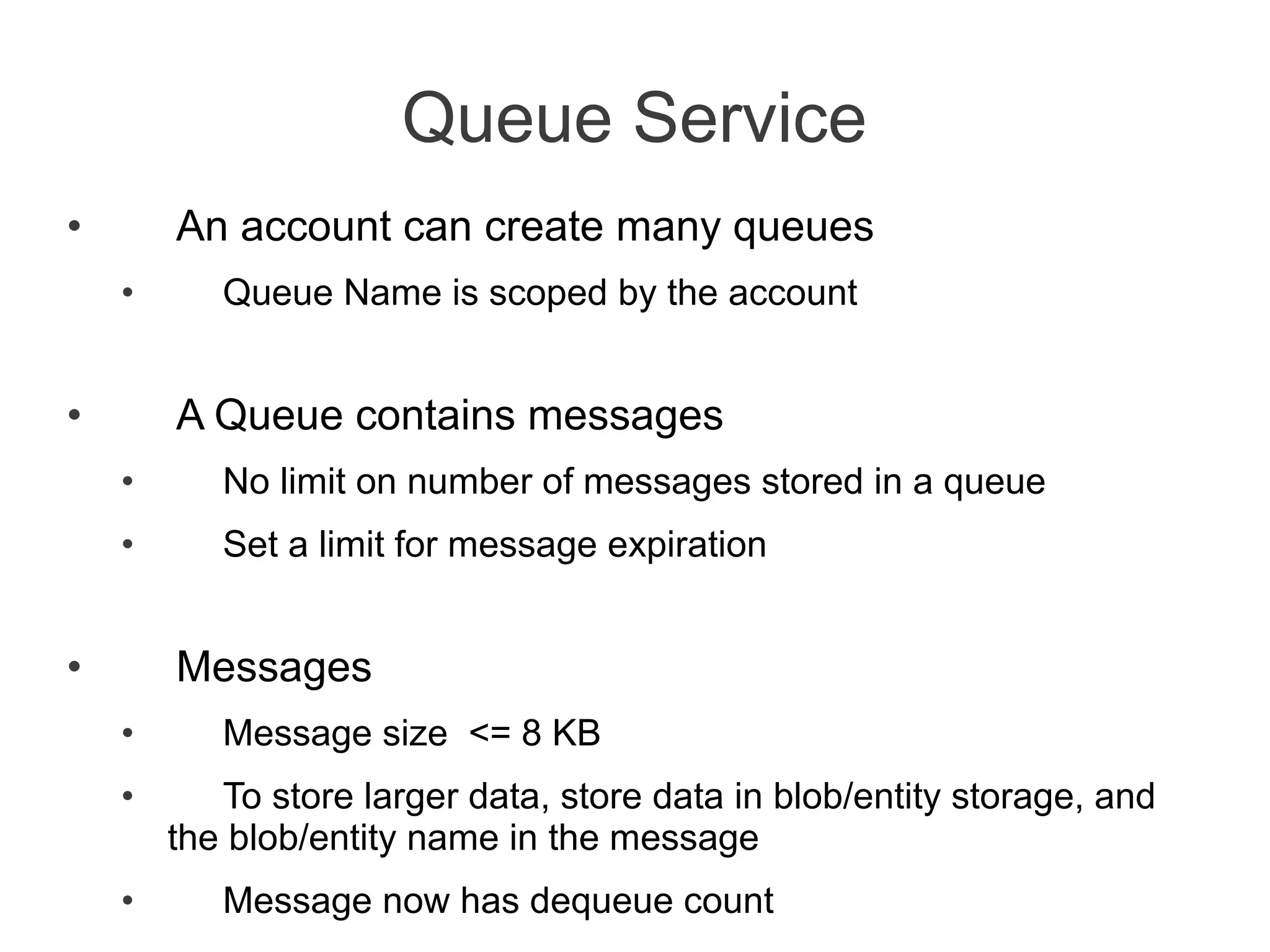
•       An account can create many queues
    •      Queue Name is scoped by the account


•       A Queue contains messages
    •      No limit on number of messages stored in a queue
    •      Set a limit for message expiration


•       Messages
    •      Message size <= 8 KB
    •      To store larger data, store data in blob/entity storage, and
        the blob/entity name in the message
    •      Message now has dequeue count
Azure Drive (X-Drive)
•       Access to a Local Drive in Azure


•       Enables existing applications using NTFS to easily migrate to the cloud


•       Essentially a Page Blob formatted as NTFS
    •      Remote Access via Page Blob Interface


•       Durable NTFS volume [upto 1TB] for Windows Azure Applications


•       Drives in the Cloud are only mountable by VMs within Cloud
    •      Mounted by one VM at a time for read/write
    •      A VM can dynamically mount up to 16 drives
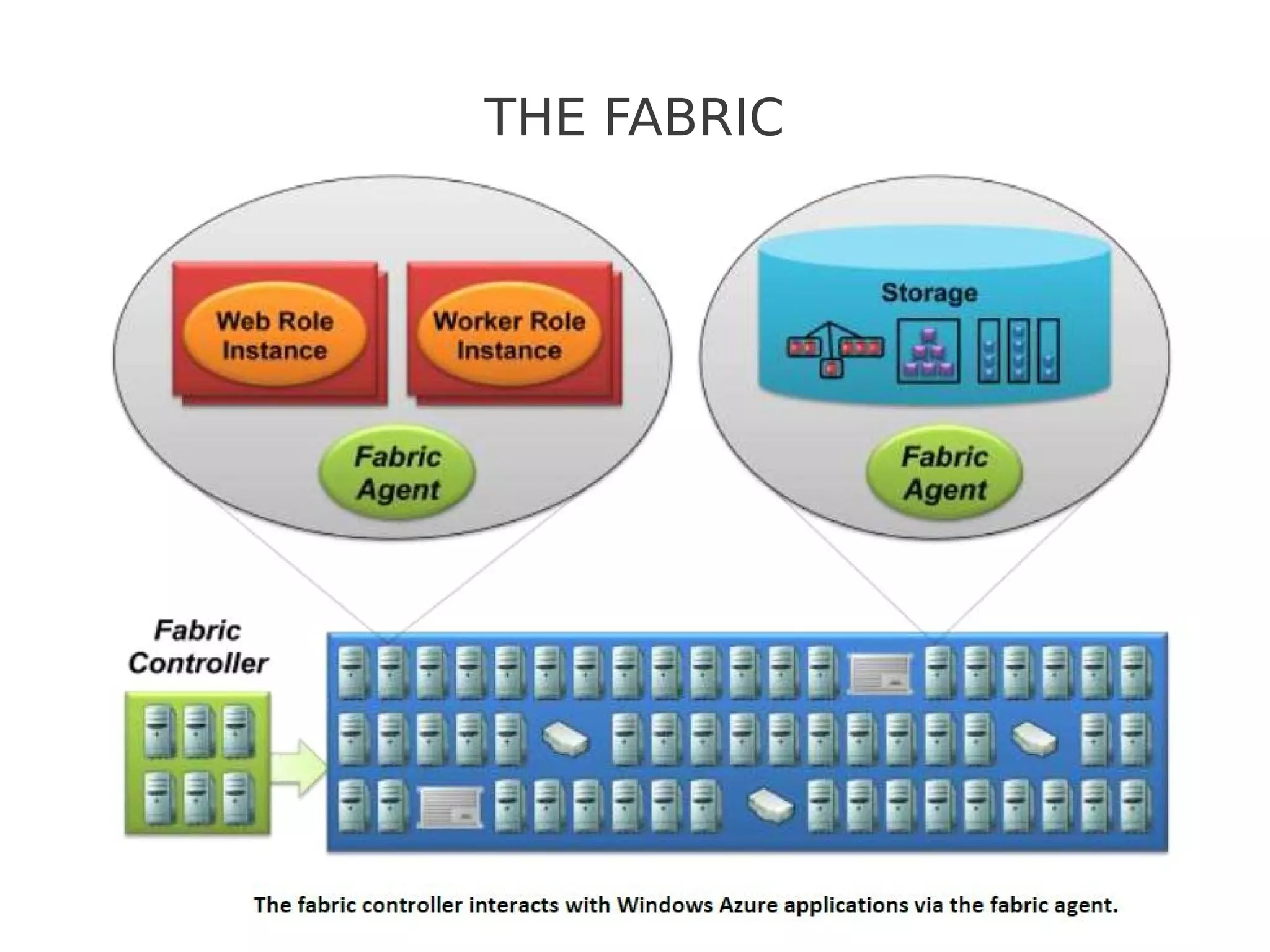
THE FABRIC
The FABRIC
●   The Windows Azure Fabric consists of a (large) group of machines, all of
    which are managed by software called the fabric controller.

●   It can communicate with a fabric agent on every computer, it’s also aware
    of every Windows Azure application in this fabric.

●   It monitors all running applications and also manages operating systems,
    taking care of things like patching the version of Windows Server 2008 that
    runs in Windows Azure VMs.

●   The fabric controller depends on a XML-based configuration file that is
    uploaded with each Windows Azure application to manage the number of
    VM's required by the application.
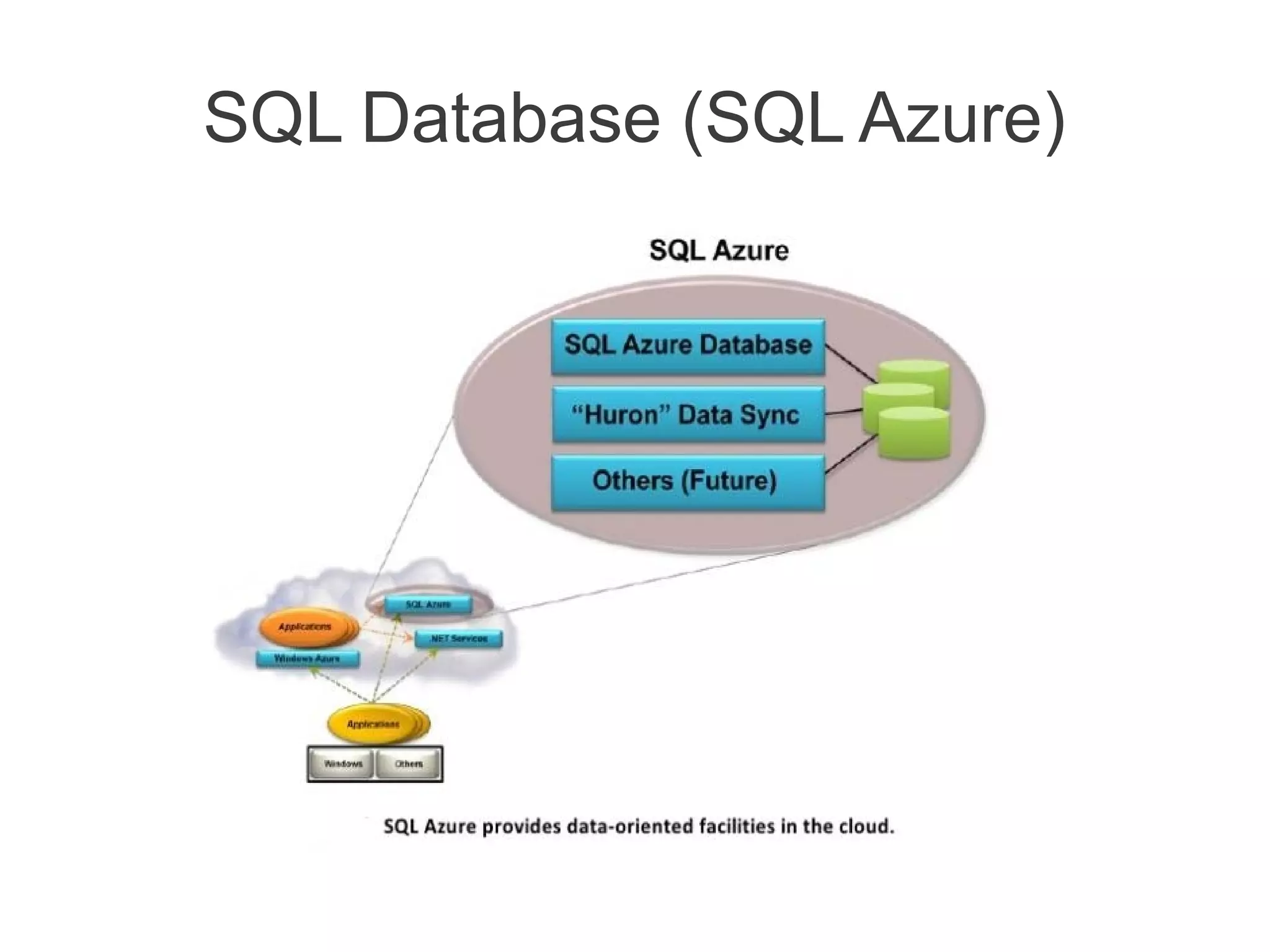
SQL Database (SQL Azure)
SQL Azure
●   SQL Azure Database provides a cloud-based database management
    system (DBMS). This technology lets on-premises and cloud applications
    store relational data on Microsoft servers in Microsoft datacenters.

●   SQL Azure Reporting is a version of SQL Server Reporting Services
    (SSRS) that runs in the cloud. Intended primarily for use with SQL Azure
    Database, it allows creating and publishing standard SSRS reports on cloud
    data.

●   SQL Azure Data Sync allows synchronizing data between SQL Azure
    Database and on-premises SQL Server databases. It can also be used to
    synchronize data across different SQL Azure databases in different Microsoft
    data centers.

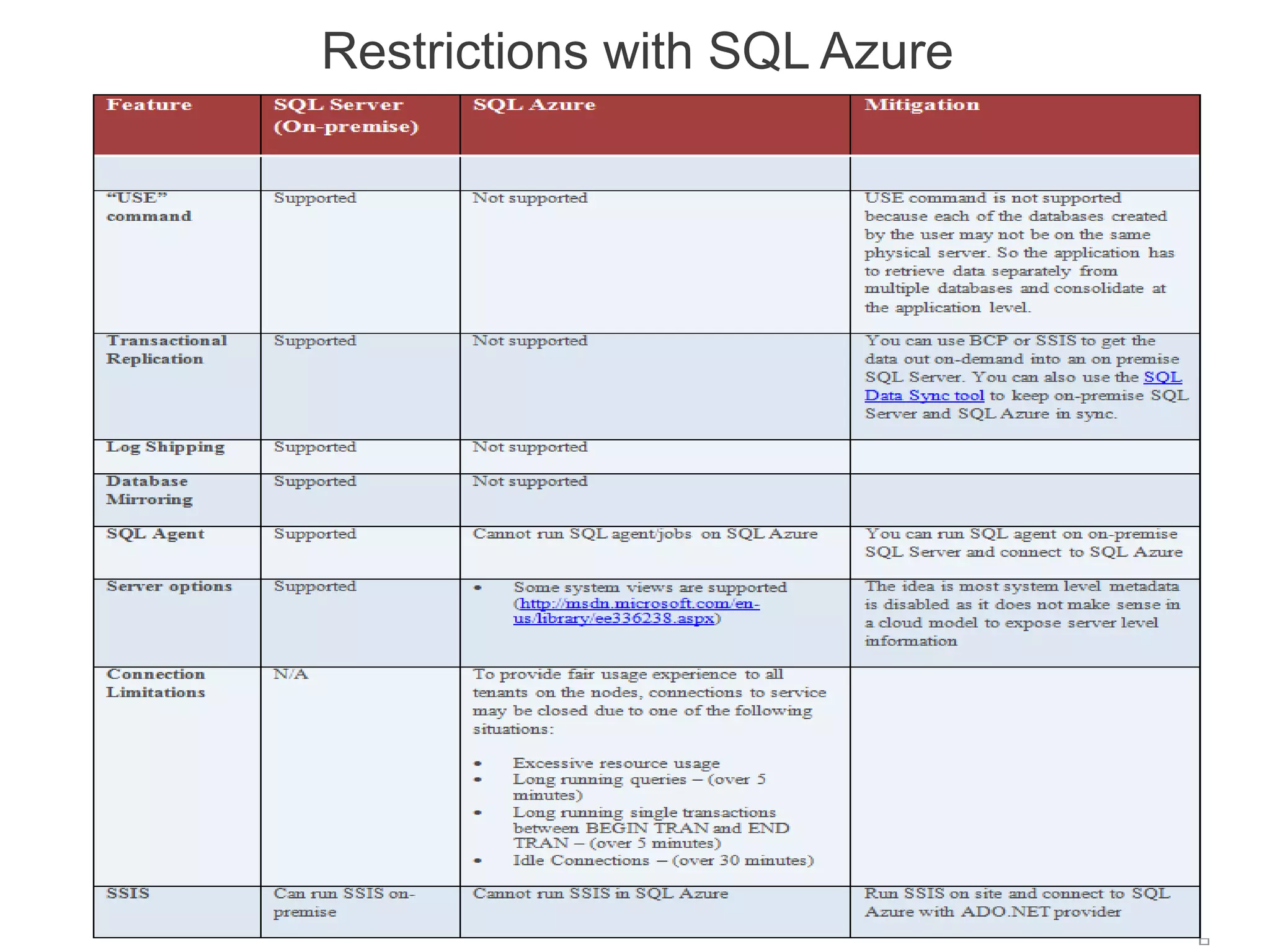
●   Note : SQL Azure has many limitations as compared to SQL-Server 2008
    R2.
Restrictions with SQL Azure
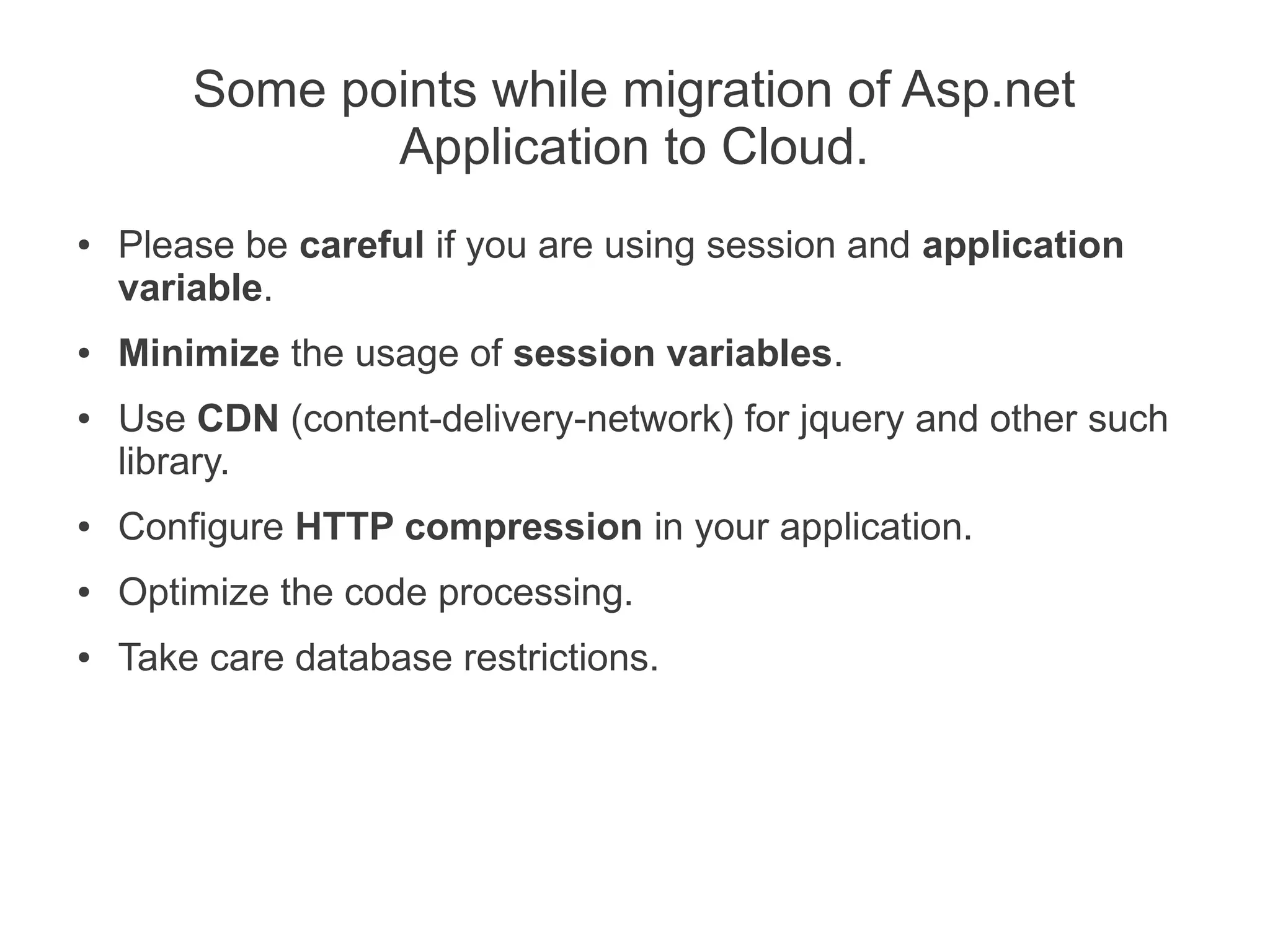
Some points while migration of Asp.net
               Application to Cloud.
●   Please be careful if you are using session and application
    variable.
●   Minimize the usage of session variables.
●   Use CDN (content-delivery-network) for jquery and other such
    library.
●   Configure HTTP compression in your application.
●   Optimize the code processing.
●   Take care database restrictions.
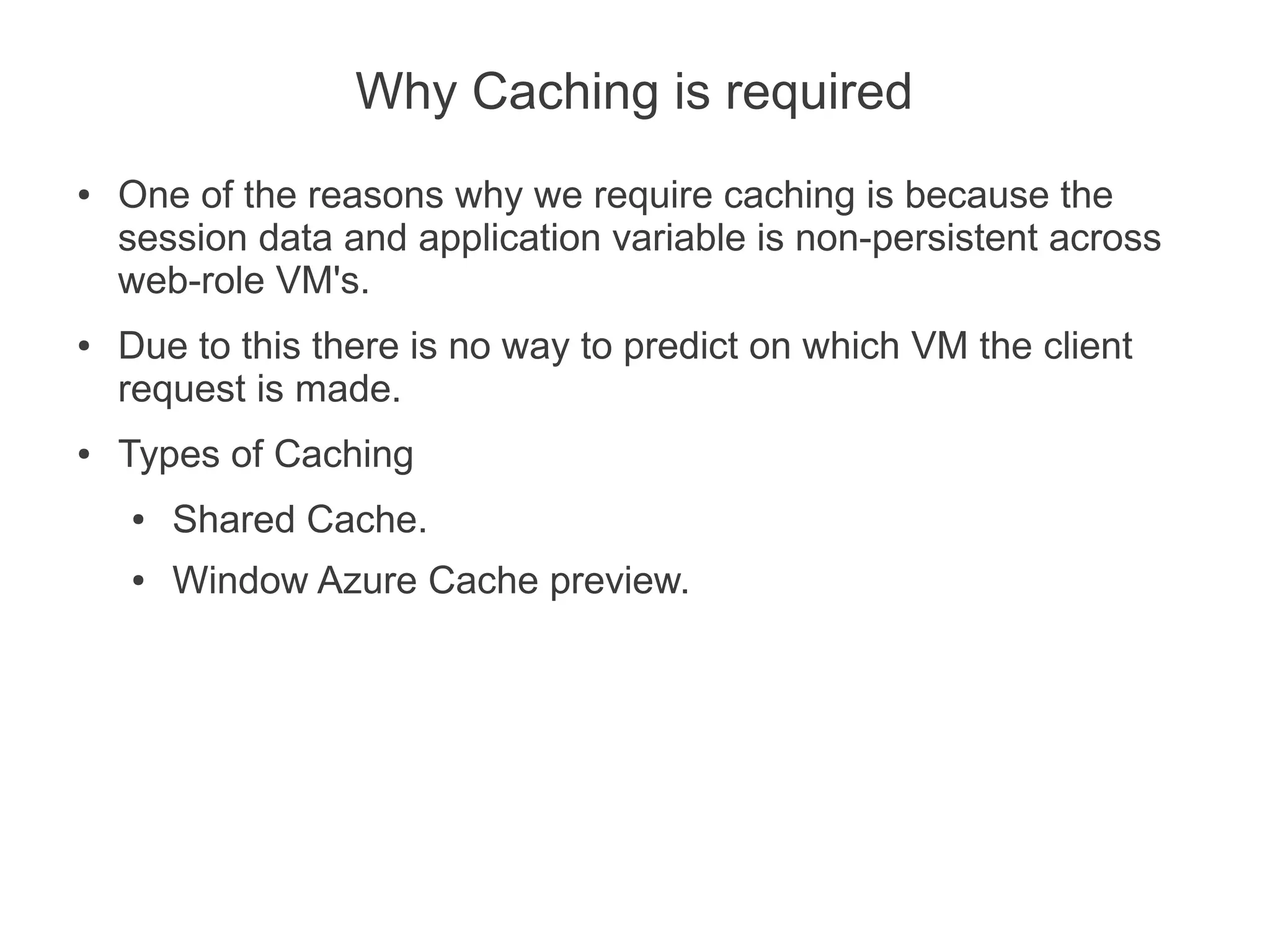
Why Caching is required
●   One of the reasons why we require caching is because the
    session data and application variable is non-persistent across
    web-role VM's.
●   Due to this there is no way to predict on which VM the client
    request is made.
●   Types of Caching
    ●   Shared Cache.
    ●   Window Azure Cache preview.
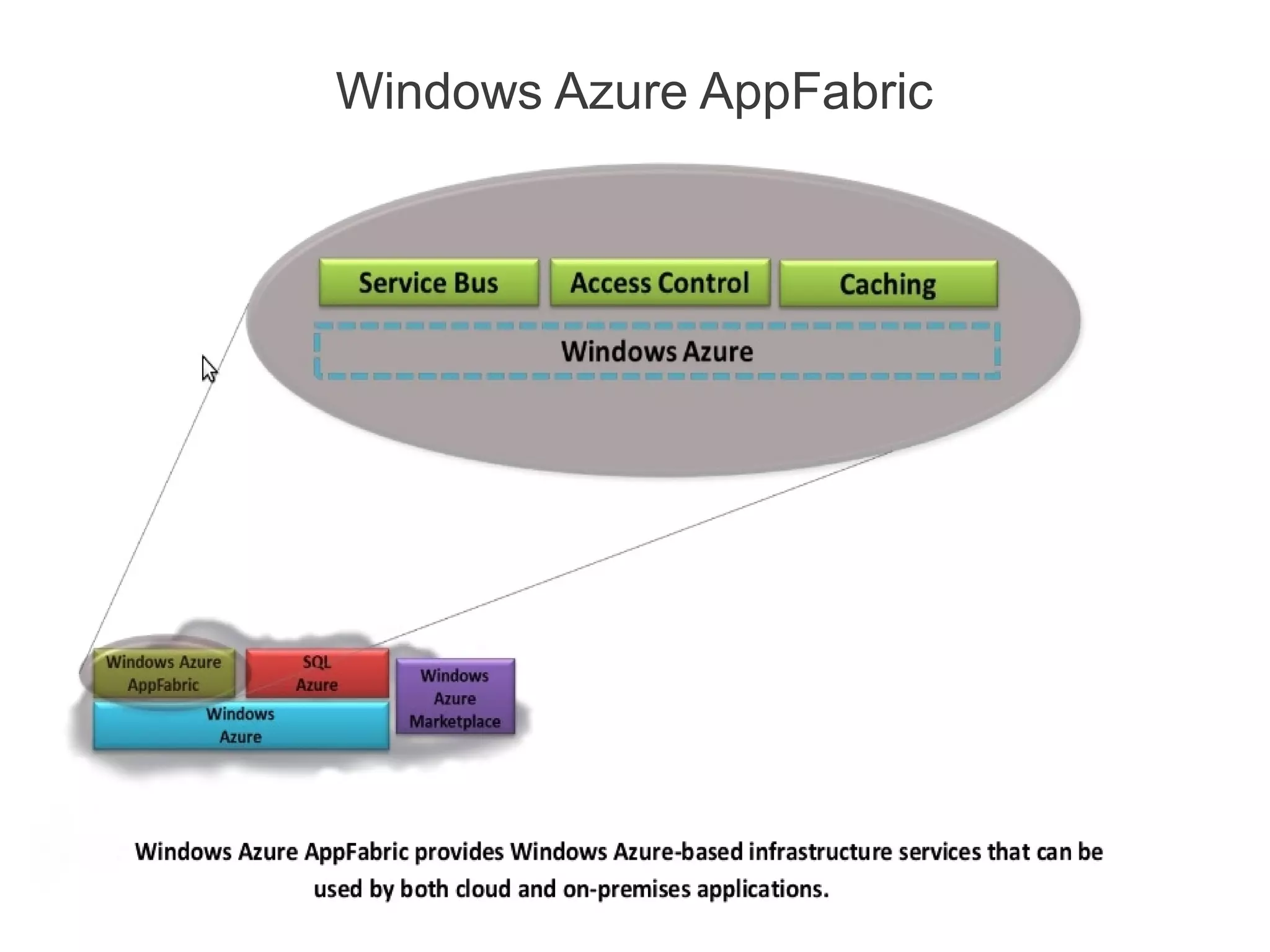
Windows Azure AppFabric
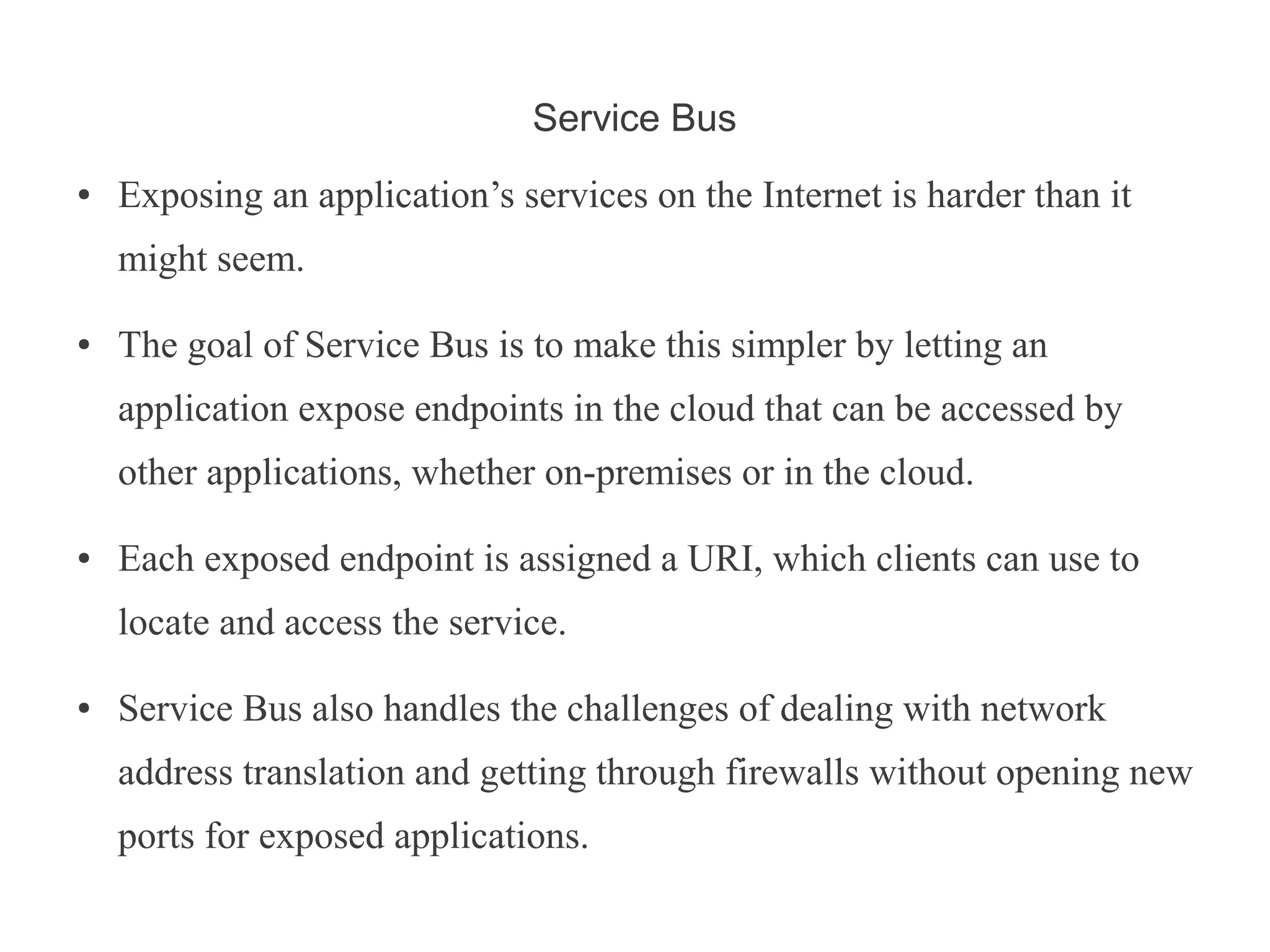
Service Bus
●   Exposing an application’s services on the Internet is harder than it
    might seem.

●   The goal of Service Bus is to make this simpler by letting an
    application expose endpoints in the cloud that can be accessed by
    other applications, whether on-premises or in the cloud.

●   Each exposed endpoint is assigned a URI, which clients can use to
    locate and access the service.

●   Service Bus also handles the challenges of dealing with network
    address translation and getting through firewalls without opening new
    ports for exposed applications.
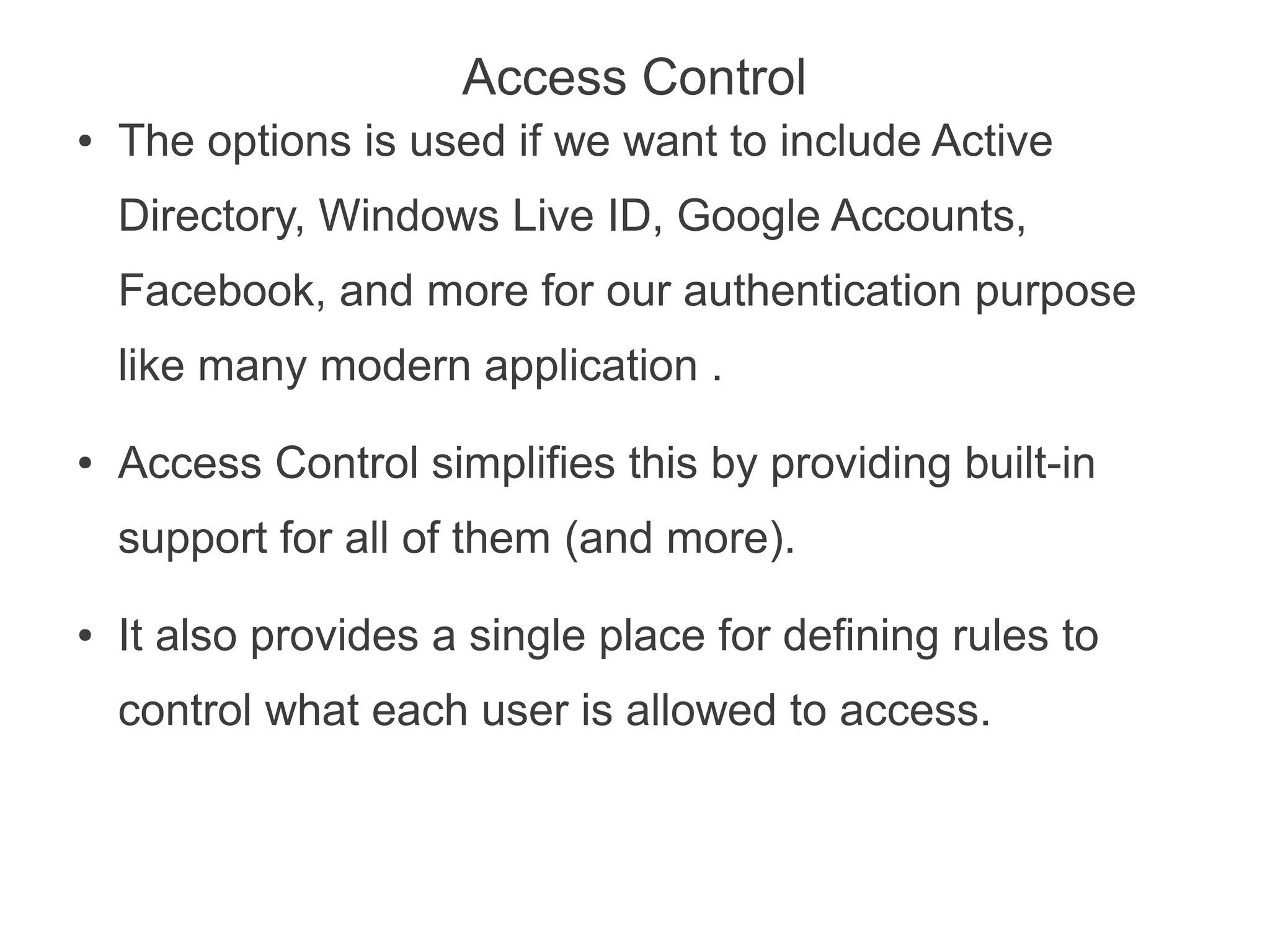
Access Control
●   The options is used if we want to include Active
    Directory, Windows Live ID, Google Accounts,
    Facebook, and more for our authentication purpose
    like many modern application .
●   Access Control simplifies this by providing built-in
    support for all of them (and more).
●   It also provides a single place for defining rules to
    control what each user is allowed to access.
Q&A
Thank you for attending...

 Have a nice day ahead !

Introduction to Windows Azure

  • 1.
  • 2.
    Topics ● Basic concepts. ● Windows Azure. ● Azure Storage Service. ● SQL Azure. ● Azure AppFabric ● Migrating an Asp.Net application on Azure. ● Q & A.
  • 3.
  • 4.
    What is OperatingSystem ? ● Is a collection of software that manages computer hardware resources and provides common services for computer programs.
  • 5.
    What is distributedOperating System ? ● A distributed operating system is the logical aggregation of operating system software over a collection of independent, networked, communicating, and physically separate computational nodes.
  • 6.
    What is distributedSystem ? [contd.] ● A distributed operating system is the logical aggregation of operating system software over a collection of independent, networked, communicating, and physically separate computational nodes.
  • 7.
    Conclusion Abstraction In all thesystem discussed now, every one of it involves abstraction of underlying system to hide the detail from the user using it.
  • 8.
    What is cloudcomputing ? ● Cloud computing is the use of computing resources (hardware and software) that are delivered as a service over a network (typically the Internet) . ● There are many types of public cloud computing : ● Infrastructure as a service (IaaS) ● Platform as a service (PaaS) ● Software as a service (SaaS) ● Storage as a service (STaaS) ● Test environment as a service (TEaaS) ● Desktop as a service (DaaS) ● API as a service (AaaS)
  • 9.
  • 10.
    Introduction to WindowsAzure... • An operating system for the cloud • Reduce the complexity of internet scale applications. • Designed to be scalable & available. • A service running Microsoft datacenters.
  • 11.
    Where Windows Azurestands ? ● Windows Azure is a Microsoft cloud computing platform used to build, deploy and manage applications through a global network of Microsoft-managed datacenters. ● It offers ● Infrastructure as a service (IaaS) ● Platform as a service (PaaS) ● Software as a service (SaaS) ● Storage as a service (STaaS)
  • 12.
    Terminologies Web Roles A webrole is an ASP.NET Web application accessible via an HTTP or HTTPS endpoint and is commonly the front-end for an application. Worker Roles Worker roles are background-processing applications and are typically found in the back-end. Role Instance Role instances can be added or removed based on demand and allow applications to quickly and economically scale-up or down when the need arises. Note : Windows Azure services may be comprised of one or both types of roles and can run multiple instances of each type.
  • 13.
  • 14.
  • 15.
    Compute Service [contd.] • A Web role instance can accept incoming HTTP or HTTPS requests • By running multiple instances of an application, Windows Azure helps to scale application. • Web role instances are stateless. • Worker role instances can’t accept requests from the outside world. Their VMs don’t run IIS, and a Worker application can’t accept any incoming network connections. • Instead, a Worker role instance initiates its own requests for input. • It can read messages from a queue and it can open connections with the outside world.
  • 16.
    Interaction of Web-roleand worker role.
  • 17.
  • 18.
  • 19.
    Azure Storage Service • Tables – Provide structured storage. A Table is a set of entities, which contain a set of properties. • Queues – Provide reliable storage and delivery of messages for an application. • Blobs – Provide a simple interface for storing named files along with metadata for the file. • Drives – Provides durable NTFS volumes for Windows Azure applications to use.
  • 20.
    Azure Storage Service • Blobs, Drives, Tables, Queues • Designed for the cloud • 3 replicas • Guaranteed consistency • Accessible directly from the internet via REST API • .NET Client library supported • Does not require compute • Storage account drives unique URL, e.g.: • https://<youraccount>.blob.core.windows.net
  • 21.
  • 22.
  • 23.
    Queue Service • An account can create many queues • Queue Name is scoped by the account • A Queue contains messages • No limit on number of messages stored in a queue • Set a limit for message expiration • Messages • Message size <= 8 KB • To store larger data, store data in blob/entity storage, and the blob/entity name in the message • Message now has dequeue count
  • 24.
    Azure Drive (X-Drive) • Access to a Local Drive in Azure • Enables existing applications using NTFS to easily migrate to the cloud • Essentially a Page Blob formatted as NTFS • Remote Access via Page Blob Interface • Durable NTFS volume [upto 1TB] for Windows Azure Applications • Drives in the Cloud are only mountable by VMs within Cloud • Mounted by one VM at a time for read/write • A VM can dynamically mount up to 16 drives
  • 25.
  • 26.
    The FABRIC ● The Windows Azure Fabric consists of a (large) group of machines, all of which are managed by software called the fabric controller. ● It can communicate with a fabric agent on every computer, it’s also aware of every Windows Azure application in this fabric. ● It monitors all running applications and also manages operating systems, taking care of things like patching the version of Windows Server 2008 that runs in Windows Azure VMs. ● The fabric controller depends on a XML-based configuration file that is uploaded with each Windows Azure application to manage the number of VM's required by the application.
  • 27.
  • 28.
    SQL Azure ● SQL Azure Database provides a cloud-based database management system (DBMS). This technology lets on-premises and cloud applications store relational data on Microsoft servers in Microsoft datacenters. ● SQL Azure Reporting is a version of SQL Server Reporting Services (SSRS) that runs in the cloud. Intended primarily for use with SQL Azure Database, it allows creating and publishing standard SSRS reports on cloud data. ● SQL Azure Data Sync allows synchronizing data between SQL Azure Database and on-premises SQL Server databases. It can also be used to synchronize data across different SQL Azure databases in different Microsoft data centers. ● Note : SQL Azure has many limitations as compared to SQL-Server 2008 R2.
  • 29.
  • 30.
    Some points whilemigration of Asp.net Application to Cloud. ● Please be careful if you are using session and application variable. ● Minimize the usage of session variables. ● Use CDN (content-delivery-network) for jquery and other such library. ● Configure HTTP compression in your application. ● Optimize the code processing. ● Take care database restrictions.
  • 31.
    Why Caching isrequired ● One of the reasons why we require caching is because the session data and application variable is non-persistent across web-role VM's. ● Due to this there is no way to predict on which VM the client request is made. ● Types of Caching ● Shared Cache. ● Window Azure Cache preview.
  • 32.
  • 33.
    Service Bus ● Exposing an application’s services on the Internet is harder than it might seem. ● The goal of Service Bus is to make this simpler by letting an application expose endpoints in the cloud that can be accessed by other applications, whether on-premises or in the cloud. ● Each exposed endpoint is assigned a URI, which clients can use to locate and access the service. ● Service Bus also handles the challenges of dealing with network address translation and getting through firewalls without opening new ports for exposed applications.
  • 34.
    Access Control ● The options is used if we want to include Active Directory, Windows Live ID, Google Accounts, Facebook, and more for our authentication purpose like many modern application . ● Access Control simplifies this by providing built-in support for all of them (and more). ● It also provides a single place for defining rules to control what each user is allowed to access.
  • 35.
  • 36.
    Thank you forattending... Have a nice day ahead !