Tips for effectively using
2
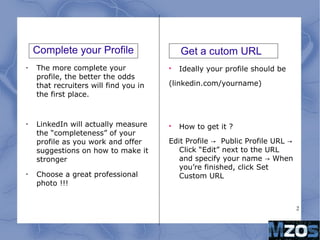
Complete your Profile
•
The more complete your
profile, the better the odds
that recruiters will find you in
the first place.
•
LinkedIn will actually measure
the “completeness” of your
profile as you work and offer
suggestions on how to make it
stronger
•
Choose a great professional
photo !!!

Ideally your profile should be
(linkedin.com/yourname)

How to get it ?
Edit Profile Public Profile URL→ →
Click “Edit” next to the URL
and specify your name When→
you’re finished, click Set
Custom URL
Get a cutom URL
3
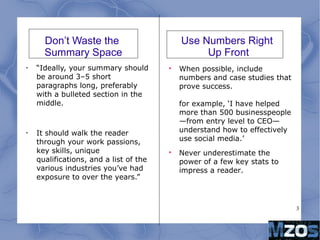
Don’t Waste the
Summary Space
•
“Ideally, your summary should
be around 3–5 short
paragraphs long, preferably
with a bulleted section in the
middle.
•
It should walk the reader
through your work passions,
key skills, unique
qualifications, and a list of the
various industries you’ve had
exposure to over the years.”

When possible, include
numbers and case studies that
prove success.
for example, ‘I have helped
more than 500 businesspeople
—from entry level to CEO—
understand how to effectively
use social media.’

Never underestimate the
power of a few key stats to
impress a reader.
Use Numbers Right
Up Front
4
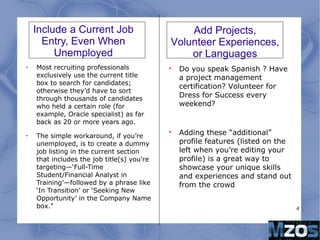
Include a Current Job
Entry, Even When
Unemployed
•
Most recruiting professionals
exclusively use the current title
box to search for candidates;
otherwise they’d have to sort
through thousands of candidates
who held a certain role (for
example, Oracle specialist) as far
back as 20 or more years ago.
•
The simple workaround, if you’re
unemployed, is to create a dummy
job listing in the current section
that includes the job title(s) you're
targeting—‘Full-Time
Student/Financial Analyst in
Training’—followed by a phrase like
‘In Transition’ or ‘Seeking New
Opportunity’ in the Company Name
box."

Do you speak Spanish ? Have
a project management
certification? Volunteer for
Dress for Success every
weekend?

Adding these “additional”
profile features (listed on the
left when you’re editing your
profile) is a great way to
showcase your unique skills
and experiences and stand out
from the crowd
Add Projects,
Volunteer Experiences,
or Languages
5
Update Your Status
•
Just like on Facebook, you can
update your LinkedIn status as
often as you wish.
•
Update it professionally and
strategically (share the article
you just wrote, not what you
ate for lunch today), ideally
once a week. Your entire
network will see your updates,
both in their news feeds and in
the weekly LinkedIn network
updates emails they receive

LinkedIn’s newest feature?
Allowing all users to write and
publish their work on the
platform.

Share your perspective about
what’s going on in your field,
weigh in on a recent industry
development, or show off your
skills as a writer. It’s a great
way to get noticed.
Become an Author
6
And other tips...
•
Have at Least 50 Connections, but Don’t Add People You Don’t Know
•
Make Sure People Can Find You
Don’t forget to add your email address (or blog, or Twitter handle, or
anywhere else you’d like to be found) to the contact information
section of your resume. You’d be surprised how many people leave this
off!
6
And other tips...
•
Have at Least 50 Connections, but Don’t Add People You Don’t Know
•
Make Sure People Can Find You
Don’t forget to add your email address (or blog, or Twitter handle, or
anywhere else you’d like to be found) to the contact information
section of your resume. You’d be surprised how many people leave this
off!

Tips for effectively using Linked In

  • 1.
  • 2.
    2 Complete your Profile • Themore complete your profile, the better the odds that recruiters will find you in the first place. • LinkedIn will actually measure the “completeness” of your profile as you work and offer suggestions on how to make it stronger • Choose a great professional photo !!!  Ideally your profile should be (linkedin.com/yourname)  How to get it ? Edit Profile Public Profile URL→ → Click “Edit” next to the URL and specify your name When→ you’re finished, click Set Custom URL Get a cutom URL
  • 3.
    3 Don’t Waste the SummarySpace • “Ideally, your summary should be around 3–5 short paragraphs long, preferably with a bulleted section in the middle. • It should walk the reader through your work passions, key skills, unique qualifications, and a list of the various industries you’ve had exposure to over the years.”  When possible, include numbers and case studies that prove success. for example, ‘I have helped more than 500 businesspeople —from entry level to CEO— understand how to effectively use social media.’  Never underestimate the power of a few key stats to impress a reader. Use Numbers Right Up Front
  • 4.
    4 Include a CurrentJob Entry, Even When Unemployed • Most recruiting professionals exclusively use the current title box to search for candidates; otherwise they’d have to sort through thousands of candidates who held a certain role (for example, Oracle specialist) as far back as 20 or more years ago. • The simple workaround, if you’re unemployed, is to create a dummy job listing in the current section that includes the job title(s) you're targeting—‘Full-Time Student/Financial Analyst in Training’—followed by a phrase like ‘In Transition’ or ‘Seeking New Opportunity’ in the Company Name box."  Do you speak Spanish ? Have a project management certification? Volunteer for Dress for Success every weekend?  Adding these “additional” profile features (listed on the left when you’re editing your profile) is a great way to showcase your unique skills and experiences and stand out from the crowd Add Projects, Volunteer Experiences, or Languages
  • 5.
    5 Update Your Status • Justlike on Facebook, you can update your LinkedIn status as often as you wish. • Update it professionally and strategically (share the article you just wrote, not what you ate for lunch today), ideally once a week. Your entire network will see your updates, both in their news feeds and in the weekly LinkedIn network updates emails they receive  LinkedIn’s newest feature? Allowing all users to write and publish their work on the platform.  Share your perspective about what’s going on in your field, weigh in on a recent industry development, or show off your skills as a writer. It’s a great way to get noticed. Become an Author
  • 6.
    6 And other tips... • Haveat Least 50 Connections, but Don’t Add People You Don’t Know • Make Sure People Can Find You Don’t forget to add your email address (or blog, or Twitter handle, or anywhere else you’d like to be found) to the contact information section of your resume. You’d be surprised how many people leave this off!
  • 7.
    6 And other tips... • Haveat Least 50 Connections, but Don’t Add People You Don’t Know • Make Sure People Can Find You Don’t forget to add your email address (or blog, or Twitter handle, or anywhere else you’d like to be found) to the contact information section of your resume. You’d be surprised how many people leave this off!