
Building a Profile on LinkedIn

©2013 LinkedIn Corporation. All Rights Reserved.
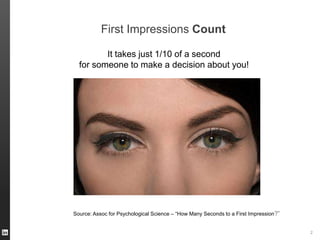
First Impressions Count
It takes just 1/10 of a second
for someone to make a decision about you!

Source: Assoc for Psychological Science – “How Many Seconds to a First Impression?”

ORGANIZATION NAME

2
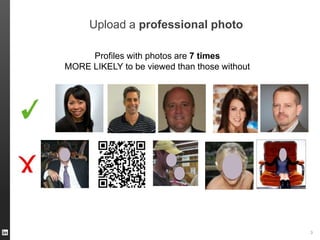
Upload a professional photo
Profiles with photos are 7 times
MORE LIKELY to be viewed than those without

ORGANIZATION NAME

3
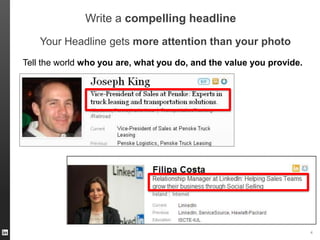
Write a compelling headline
Your Headline gets more attention than your photo
Tell the world who you are, what you do, and the value you provide.

ORGANIZATION NAME

4
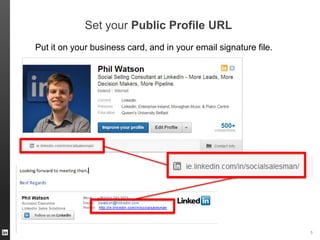
Set your Public Profile URL
Put it on your business card, and in your email signature file.

ORGANIZATION NAME

5
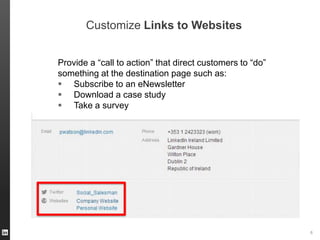
Customize Links to Websites
Provide a “call to action” that direct customers to “do”
something at the destination page such as:
 Subscribe to an eNewsletter
 Download a case study
 Take a survey

ORGANIZATION NAME

6
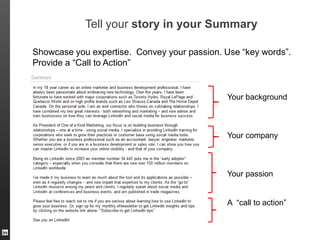
Tell your story in your Summary
Showcase you expertise. Convey your passion. Use “key words”.
Provide a “Call to Action”

Your background

Your company

Your passion
A “call to action”

ORGANIZATION NAME
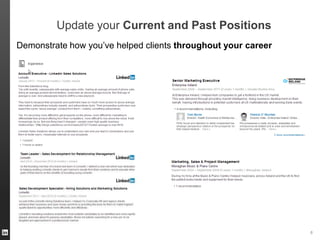
Update your Current and Past Positions
Demonstrate how you’ve helped clients throughout your career

ORGANIZATION NAME

8
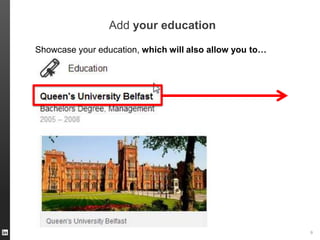
Add your education
Showcase your education, which will also allow you to…

ORGANIZATION NAME

9
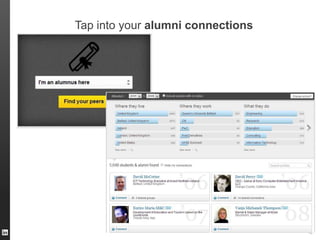
Tap into your alumni connections

ORGANIZATION NAME 10
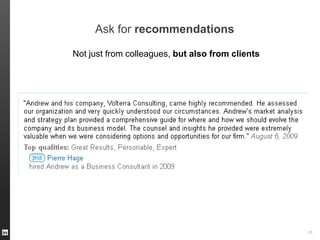
Ask for recommendations
Not just from colleagues, but also from clients

ORGANIZATION NAME 11
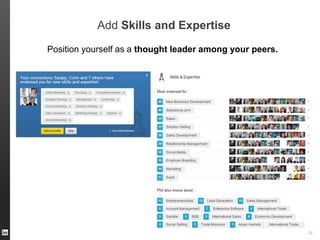
Add Skills and Expertise
Position yourself as a thought leader among your peers.

ORGANIZATION NAME 12
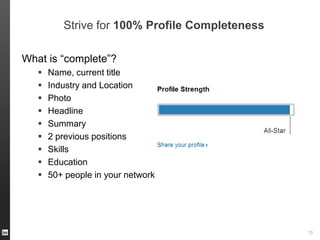
Strive for 100% Profile Completeness
What is “complete”?










Name, current title
Industry and Location
Photo
Headline
Summary
2 previous positions
Skills
Education
50+ people in your network

ORGANIZATION NAME 13
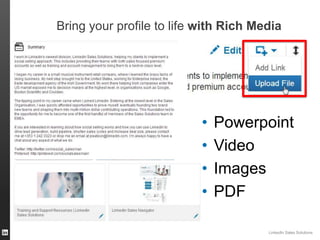
Bring your profile to life with Rich Media

•
•
•
•

Powerpoint
Video
Images
PDF
LinkedIn Sales Solutions
ORGANIZATION NAME
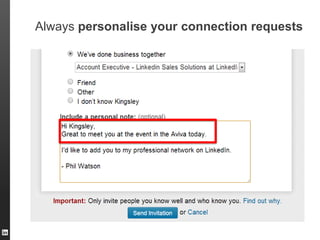
Always personalise your connection requests

ORGANIZATION NAME
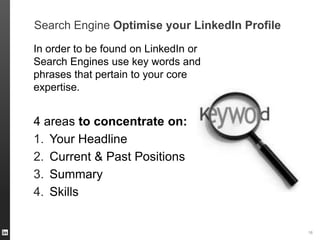
Search Engine Optimise your LinkedIn Profile
In order to be found on LinkedIn or
Search Engines use key words and
phrases that pertain to your core
expertise.

4 areas to concentrate on:
1. Your Headline
2. Current & Past Positions
3. Summary
4. Skills

ORGANIZATION NAME 16
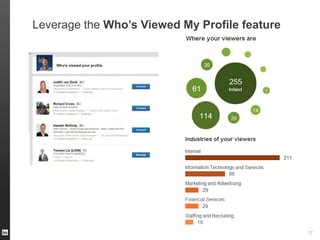
Leverage the Who’s Viewed My Profile feature

ORGANIZATION NAME 17
ORGANIZATION NAME 18

Building Your LinkedIn Profile

  • 1.
    Building a Profileon LinkedIn ©2013 LinkedIn Corporation. All Rights Reserved.
  • 2.
    First Impressions Count Ittakes just 1/10 of a second for someone to make a decision about you! Source: Assoc for Psychological Science – “How Many Seconds to a First Impression?” ORGANIZATION NAME 2
  • 3.
    Upload a professionalphoto Profiles with photos are 7 times MORE LIKELY to be viewed than those without ORGANIZATION NAME 3
  • 4.
    Write a compellingheadline Your Headline gets more attention than your photo Tell the world who you are, what you do, and the value you provide. ORGANIZATION NAME 4
  • 5.
    Set your PublicProfile URL Put it on your business card, and in your email signature file. ORGANIZATION NAME 5
  • 6.
    Customize Links toWebsites Provide a “call to action” that direct customers to “do” something at the destination page such as:  Subscribe to an eNewsletter  Download a case study  Take a survey ORGANIZATION NAME 6
  • 7.
    Tell your storyin your Summary Showcase you expertise. Convey your passion. Use “key words”. Provide a “Call to Action” Your background Your company Your passion A “call to action” ORGANIZATION NAME
  • 8.
    Update your Currentand Past Positions Demonstrate how you’ve helped clients throughout your career ORGANIZATION NAME 8
  • 9.
    Add your education Showcaseyour education, which will also allow you to… ORGANIZATION NAME 9
  • 10.
    Tap into youralumni connections ORGANIZATION NAME 10
  • 11.
    Ask for recommendations Notjust from colleagues, but also from clients ORGANIZATION NAME 11
  • 12.
    Add Skills andExpertise Position yourself as a thought leader among your peers. ORGANIZATION NAME 12
  • 13.
    Strive for 100%Profile Completeness What is “complete”?          Name, current title Industry and Location Photo Headline Summary 2 previous positions Skills Education 50+ people in your network ORGANIZATION NAME 13
  • 14.
    Bring your profileto life with Rich Media • • • • Powerpoint Video Images PDF LinkedIn Sales Solutions ORGANIZATION NAME
  • 15.
    Always personalise yourconnection requests ORGANIZATION NAME
  • 16.
    Search Engine Optimiseyour LinkedIn Profile In order to be found on LinkedIn or Search Engines use key words and phrases that pertain to your core expertise. 4 areas to concentrate on: 1. Your Headline 2. Current & Past Positions 3. Summary 4. Skills ORGANIZATION NAME 16
  • 17.
    Leverage the Who’sViewed My Profile feature ORGANIZATION NAME 17
  • 18.

Editor's Notes

  • #2 Introduce your self and the process that you came to speak today.