*
Presented by the LLCC Learning Lab
www.llcc.edu/learnlab
217.786.2396
*
Being organized is a quality of a successful student
Being organized will make college life less stressful for you
Being organized means more study time and personal time
More study time may lead to better grades and greater college success
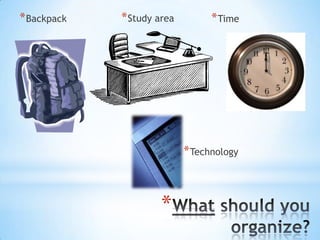
* Backpack

* Study area

* Time

* Technology

*
*
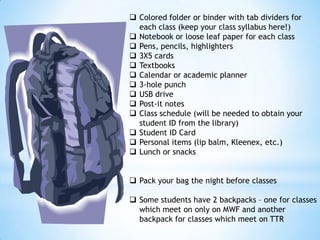
 Colored folder or binder with tab dividers for
each class (keep your class syllabus here!)
 Notebook or loose leaf paper for each class
 Pens, pencils, highlighters
 3X5 cards
 Textbooks
 Calendar or academic planner
 3-hole punch
 USB drive
 Post-it notes
 Class schedule (will be needed to obtain your
student ID from the library)
 Student ID Card
 Personal items (lip balm, Kleenex, etc.)
 Lunch or snacks
 Pack your bag the night before classes
 Some students have 2 backpacks – one for classes
which meet on only on MWF and another
backpack for classes which meet on TTR
*
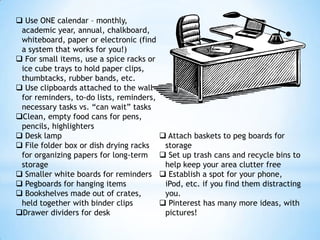
 Use ONE calendar – monthly,
academic year, annual, chalkboard,
whiteboard, paper or electronic (find
a system that works for you!)
 For small items, use a spice racks or
ice cube trays to hold paper clips,
thumbtacks, rubber bands, etc.
 Use clipboards attached to the wall
for reminders, to-do lists, reminders,
necessary tasks vs. “can wait” tasks
Clean, empty food cans for pens,
pencils, highlighters
 Desk lamp
 File folder box or dish drying racks
for organizing papers for long-term
storage
 Smaller white boards for reminders
 Pegboards for hanging items
 Bookshelves made out of crates,
held together with binder clips
Drawer dividers for desk

 Attach baskets to peg boards for
storage
 Set up trash cans and recycle bins to
help keep your area clutter free
 Establish a spot for your phone,
iPod, etc. if you find them distracting
you.
 Pinterest has many more ideas, with
pictures!
*
 Put due dates and deadlines from your course syllabus on your calendar.
 Check your calendar each night for tomorrow’s deadlines, meetings, events.
 Get everything ready the night before your class – your
clothes, lunch, snacks, backpack, electronics, etc. Put these things near the
door.
 “Build in” 15 minutes of buffer time – get up 15 minutes earlier, leave 15
minutes earlier, etc. You will never feel rushed and you will likely be early to
your classes and appointments.
 Set limits each day on how much time you will spend on social networking
sites, email, Pinterest, certain projects, papers, assignments, etc.
 Plan ahead – break larger projects into smaller, manageable chunks.
 Try to combine some activities – can you write a paper rough draft while taking
public transportation to class?
 Record all appointments – either on your paper calendar, on your phone, or both!
 Take time to do quality work the first time, to avoid having to redo tasks.
 Set aside specific time for studying, for social gatherings, grooming, etc.
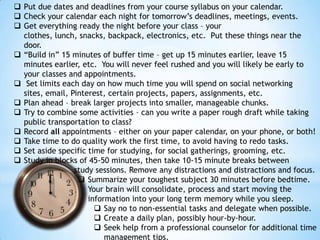
 Study in blocks of 45-50 minutes, then take 10-15 minute breaks between
study sessions. Remove any distractions and distractions and focus.
 Summarize your toughest subject 30 minutes before bedtime.
Your brain will consolidate, process and start moving the
information into your long term memory while you sleep.
 Say no to non-essential tasks and delegate when possible.
 Create a daily plan, possibly hour-by-hour.
 Seek help from a professional counselor for additional time
management tips.
*
 Set automatic reminders and notices 
for yourself – using Outlook reminders,
sending your self emails for future

delivery, or setting alarms on your
phone
 If you have a family, try using a

calendar that allows everyone access,
such as Google Calendar
 Keep all of your contacts in your phone
– school, family, friends, doctors, etc. 
 Use apps to help you organize –
Evernote, Noredink, DropBox,

iprocrastinate, Studious, Trello,
Myhomework, Google Applications,

MindMeister
 Make a folder on your desktop for each
of your classes
 Create infographics to help you
organize information into a visual
format
 Use mint.com to help you organize
your finances
 Track your work and time spent doing
tasks on a spreadsheet

Use LinkedIn to manage your business
networking contacts
Use web-based conferencing or free
Internet calling such as Skype to meet
in person
Use technology to make lists – a
grocery list, a to-do list, a gift list etc.
Update these frequently in order to
make them effective
Create a folder for each of your classes
on your desktop
Scan paper documents into searchable
PDF’s. (NeatDesk will do this)
When saving documents, use a very
detailed file name
The first week of classes is coming soon!
Before classes begin, do a practice run of your schedule – How long will
it take you to get to campus? Do you know where your classrooms and
lab rooms are located?
Introduce yourself to your instructor during his or her office hours
Print the syllabus for each class
Find your instructor phone numbers on the syllabus and save them into
your phone
Set a grade goal for each class and post it where you will see it often!
(Goals motivate and help you prioritize your time and efforts)
Find three places to study: 1 at home, 1 at LLCC, and 1 in another
location (e.g. Panera)
Locate the LLCC Learning Lab and ask about the FREE academic support
services offered
Organize your study area at home
Ask for three students’ names, phone numbers and emails – just in case
you miss class, you will have someone you can contact
Resources:
http://www.cob.sjsu.edu/nellen_a/time_management.htm
http://www.mayoclinic.com/health/time-management/wl00048
http://www.lifehack.org/articles/lifehack/20-quick-tips-for-better-timemanagement.html
http://organizedhome.com/time-money/paper-chase-abc-household-papermanagement
http://www.going-to-college.org/campuslife/technology2_transcript.html
http://www.buzzfeed.com/alannaokun/30-easy-ways-to-organize-yourworkspace
http://www.gettingorganizedmagazine.com/2012/12/03/12-things-to-simplifyyour-workday/
http://archive.constantcontact.com/fs049/1101860854247/archive/110981056
5975.html#LETTER.BLOCK20

Getting Organized for College

  • 1.
    * Presented by theLLCC Learning Lab www.llcc.edu/learnlab 217.786.2396
  • 2.
    * Being organized isa quality of a successful student Being organized will make college life less stressful for you Being organized means more study time and personal time More study time may lead to better grades and greater college success
  • 3.
    * Backpack * Studyarea * Time * Technology *
  • 4.
  • 5.
     Colored folderor binder with tab dividers for each class (keep your class syllabus here!)  Notebook or loose leaf paper for each class  Pens, pencils, highlighters  3X5 cards  Textbooks  Calendar or academic planner  3-hole punch  USB drive  Post-it notes  Class schedule (will be needed to obtain your student ID from the library)  Student ID Card  Personal items (lip balm, Kleenex, etc.)  Lunch or snacks  Pack your bag the night before classes  Some students have 2 backpacks – one for classes which meet on only on MWF and another backpack for classes which meet on TTR
  • 6.
  • 7.
     Use ONEcalendar – monthly, academic year, annual, chalkboard, whiteboard, paper or electronic (find a system that works for you!)  For small items, use a spice racks or ice cube trays to hold paper clips, thumbtacks, rubber bands, etc.  Use clipboards attached to the wall for reminders, to-do lists, reminders, necessary tasks vs. “can wait” tasks Clean, empty food cans for pens, pencils, highlighters  Desk lamp  File folder box or dish drying racks for organizing papers for long-term storage  Smaller white boards for reminders  Pegboards for hanging items  Bookshelves made out of crates, held together with binder clips Drawer dividers for desk  Attach baskets to peg boards for storage  Set up trash cans and recycle bins to help keep your area clutter free  Establish a spot for your phone, iPod, etc. if you find them distracting you.  Pinterest has many more ideas, with pictures!
  • 8.
  • 9.
     Put duedates and deadlines from your course syllabus on your calendar.  Check your calendar each night for tomorrow’s deadlines, meetings, events.  Get everything ready the night before your class – your clothes, lunch, snacks, backpack, electronics, etc. Put these things near the door.  “Build in” 15 minutes of buffer time – get up 15 minutes earlier, leave 15 minutes earlier, etc. You will never feel rushed and you will likely be early to your classes and appointments.  Set limits each day on how much time you will spend on social networking sites, email, Pinterest, certain projects, papers, assignments, etc.  Plan ahead – break larger projects into smaller, manageable chunks.  Try to combine some activities – can you write a paper rough draft while taking public transportation to class?  Record all appointments – either on your paper calendar, on your phone, or both!  Take time to do quality work the first time, to avoid having to redo tasks.  Set aside specific time for studying, for social gatherings, grooming, etc.  Study in blocks of 45-50 minutes, then take 10-15 minute breaks between study sessions. Remove any distractions and distractions and focus.  Summarize your toughest subject 30 minutes before bedtime. Your brain will consolidate, process and start moving the information into your long term memory while you sleep.  Say no to non-essential tasks and delegate when possible.  Create a daily plan, possibly hour-by-hour.  Seek help from a professional counselor for additional time management tips.
  • 10.
  • 11.
     Set automaticreminders and notices  for yourself – using Outlook reminders, sending your self emails for future  delivery, or setting alarms on your phone  If you have a family, try using a  calendar that allows everyone access, such as Google Calendar  Keep all of your contacts in your phone – school, family, friends, doctors, etc.   Use apps to help you organize – Evernote, Noredink, DropBox,  iprocrastinate, Studious, Trello, Myhomework, Google Applications,  MindMeister  Make a folder on your desktop for each of your classes  Create infographics to help you organize information into a visual format  Use mint.com to help you organize your finances  Track your work and time spent doing tasks on a spreadsheet Use LinkedIn to manage your business networking contacts Use web-based conferencing or free Internet calling such as Skype to meet in person Use technology to make lists – a grocery list, a to-do list, a gift list etc. Update these frequently in order to make them effective Create a folder for each of your classes on your desktop Scan paper documents into searchable PDF’s. (NeatDesk will do this) When saving documents, use a very detailed file name
  • 12.
    The first weekof classes is coming soon! Before classes begin, do a practice run of your schedule – How long will it take you to get to campus? Do you know where your classrooms and lab rooms are located? Introduce yourself to your instructor during his or her office hours Print the syllabus for each class Find your instructor phone numbers on the syllabus and save them into your phone Set a grade goal for each class and post it where you will see it often! (Goals motivate and help you prioritize your time and efforts) Find three places to study: 1 at home, 1 at LLCC, and 1 in another location (e.g. Panera) Locate the LLCC Learning Lab and ask about the FREE academic support services offered Organize your study area at home Ask for three students’ names, phone numbers and emails – just in case you miss class, you will have someone you can contact
  • 13.

Editor's Notes

  • #2 Welcome to getting organized for college success.
  • #3 Why is it important to get organized for college? It’s a basic quality of a successful studentIt will make college life less stressful for youLess stress means more study timeMore study time usually means better grades and greater success
  • #4 How do we get organized for college success? There are four areas that you should organize – your backpack, your home study area, your time and your technology. Use a calendar – any kind you choose! Paper or electronic, daily, weekly, monthly – whatever works best for you. Just remember to look at it frequently. Set alarms and reminders on your electronic devices! Write down everything on a monthly calendar – use sticky notes for extra reminders to stick on your purse, on the mirror, in your carPlan your study time in advance