The Learning Platform – Sacha van Straten
Head of Media & ICT
! The rationale – make learning
collaborative, always available, and more
student focused
! Make life easier for teachers, learning
better for students
! Promote digital literacy
Technology enhanced learning
! The existing VLE (Moodle) renamed as The
Learning Platform
! Single Sign On – one log-in required
! Internet connection upgraded
! http://thelp.berkhamstedschool.net
The Challenge – evolution or
revolution?
! Promoted to staff: ‘if you can use Word, you can
use Google Apps.’
! Promoted to students: ‘this is Facebook for
school.’
! Note: a policy of education rather than
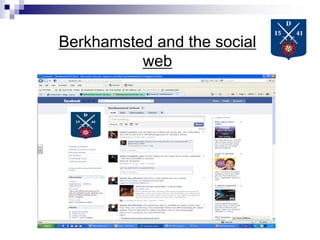
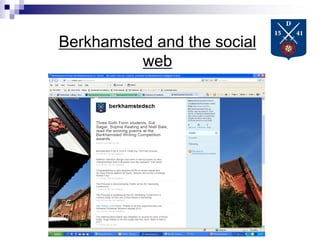
prohibition – school Twitter & Facebook
presence
The Challenge – evolution or
revolution?
Moodle back end – contextual
drop down menus at the front
Moodle back end – contextual
drop down menus at the front
Google Apps in Moodle
! Four main tools for collaboration: Email, Docs,
Calendar and Sites
! Google Apps makes it easy to put existing
content online, create new content online, and
edit it within the web browser
! Documents can be edited live, with multiple users
Theory into Practice
Pedagogical aims:
! Scaffold ideas and concepts
! Build ‘communities of practice’ (Wenger)
! Promote independent learning
! Develop research and assessment skills
Google Apps in Moodle
The Educational Benefits of using online collaborative tools
For Teachers:
• Better assessment of student and class progress
• Less paperwork to carry around
• Potential for live marking
• Easier to share student work with colleagues and parents
• Ease of producing learning resources
For Students:
• Increased opportunities to learn – from teachers and other students
•Development of IT skills across subjects – content producers
• A system they will use from start to finish
Google Apps in Moodle
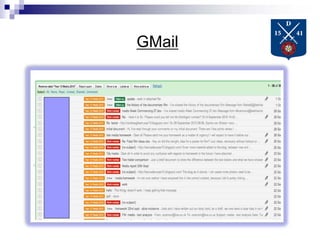
Gmail:
Allows teachers to filter student email and track it
Conversation threads make it easy to create learning
conversations
GMail
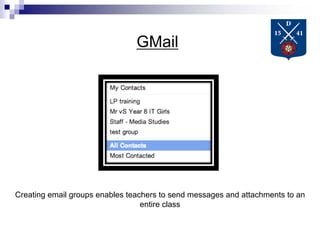
GMail
GMail
Creating email groups enables teachers to send messages and attachments to an
entire class
Google Docs
Google Docs allows real-time editing and collaboration – individually or whole
class
Year 12 live writing
One year 12 AS English class produced a
5,000 report in a double lesson!
Google Docs
Google Docs permits granular control over content. Easy to change from the few
to the many, from internal to external accessibility.
Google Docs
Review student progress and development over time
Google Sites
! This is a drag and drop way to make websites.
These can include text, images, video,
embedded Google Docs, calendars and web
links.
! Students can be given their own pages onto
which they can upload content.
! Templates can be created
Sample Primary e-portfolio:
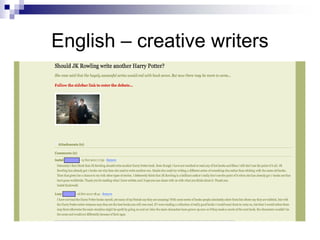
English – Creative Writing
English – creative writers
Year 9 travel blogs
Year 9 travel blogs
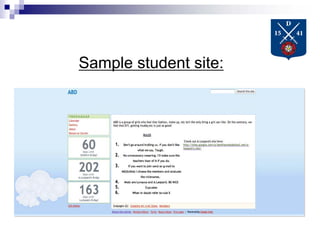
Sample student site:
Use Google Sites to share SoW &
digital resources
Berkhamsted and the social
web
Berkhamsted and the social
web
Berkhamsted and the social
web
Berkhamsted and the social
web
Sacha van Straten
Head of Media & ICT
svanstraten@berkhamstedschool.org
Twitter: @svanstraten
Web: http://www.svanstraten.com
Contact:

The learning platform: digital literacy

  • 1.
    The Learning Platform– Sacha van Straten Head of Media & ICT
  • 2.
    ! The rationale– make learning collaborative, always available, and more student focused ! Make life easier for teachers, learning better for students ! Promote digital literacy Technology enhanced learning
  • 3.
    ! The existingVLE (Moodle) renamed as The Learning Platform ! Single Sign On – one log-in required ! Internet connection upgraded ! http://thelp.berkhamstedschool.net The Challenge – evolution or revolution?
  • 4.
    ! Promoted tostaff: ‘if you can use Word, you can use Google Apps.’ ! Promoted to students: ‘this is Facebook for school.’ ! Note: a policy of education rather than prohibition – school Twitter & Facebook presence The Challenge – evolution or revolution?
  • 5.
    Moodle back end– contextual drop down menus at the front
  • 6.
    Moodle back end– contextual drop down menus at the front
  • 7.
    Google Apps inMoodle ! Four main tools for collaboration: Email, Docs, Calendar and Sites ! Google Apps makes it easy to put existing content online, create new content online, and edit it within the web browser ! Documents can be edited live, with multiple users
  • 8.
    Theory into Practice Pedagogicalaims: ! Scaffold ideas and concepts ! Build ‘communities of practice’ (Wenger) ! Promote independent learning ! Develop research and assessment skills
  • 9.
    Google Apps inMoodle The Educational Benefits of using online collaborative tools For Teachers: • Better assessment of student and class progress • Less paperwork to carry around • Potential for live marking • Easier to share student work with colleagues and parents • Ease of producing learning resources For Students: • Increased opportunities to learn – from teachers and other students •Development of IT skills across subjects – content producers • A system they will use from start to finish
  • 10.
    Google Apps inMoodle Gmail: Allows teachers to filter student email and track it Conversation threads make it easy to create learning conversations
  • 11.
  • 12.
  • 13.
    GMail Creating email groupsenables teachers to send messages and attachments to an entire class
  • 14.
    Google Docs Google Docsallows real-time editing and collaboration – individually or whole class
  • 15.
    Year 12 livewriting One year 12 AS English class produced a 5,000 report in a double lesson!
  • 16.
    Google Docs Google Docspermits granular control over content. Easy to change from the few to the many, from internal to external accessibility.
  • 17.
    Google Docs Review studentprogress and development over time
  • 18.
    Google Sites ! Thisis a drag and drop way to make websites. These can include text, images, video, embedded Google Docs, calendars and web links. ! Students can be given their own pages onto which they can upload content. ! Templates can be created
  • 19.
  • 20.
  • 21.
  • 22.
  • 23.
  • 24.
  • 25.
    Use Google Sitesto share SoW & digital resources
  • 26.
  • 27.
  • 28.
  • 29.
  • 30.
    Sacha van Straten Headof Media & ICT svanstraten@berkhamstedschool.org Twitter: @svanstraten Web: http://www.svanstraten.com Contact: