



Lisa Sjogren
Osseo Area Schools
• Lisa (Simonet) Sjogren
• Tech Integration
  Specialist from Osseo
• 6th Year teaching, 3rd in
  Osseo
• Speedskating, Travel, and
  Cooking
http://www.surveconsulting.com/upload/changes%20ahead%20sign%20iStock_000005461904Small%5B1%5D.jpg
http://www.wellnesscoach.com/wp-content/uploads/2007/09/trash-can.jpg
http://blueroof.files.wordpress.com/2007/03/frustration.png   http://www.effing.co.uk/images/happy_woman_on_computer.jpg
Make friends with your friends list.
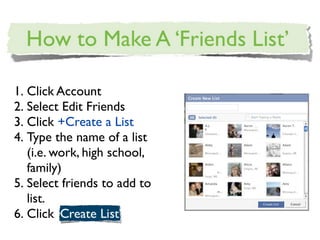
1. Click Account
2. Select Edit Friends
3. Click +Create a List
4. Type the name of a list
   (i.e. work, high school,
   family)
5. Select friends to add to
   list.
6. Click
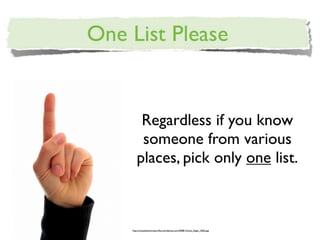
Regardless if you know
    someone from various
   places, pick only one list.


http://completeinnovator.files.wordpress.com/2008/12/one_finger_350o.jpg
1. Click Account
2. Edit Friends
3. Hover near the
   right side to see
   lists.
4. Click edit list if
   your friends
   don’t have a
   home.
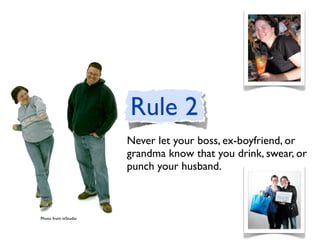
Never let your boss, ex-boyfriend, or
                      grandma know that you drink, swear, or
                      punch your husband.


Photo from inStudio
•   Account Privacy Settings

•   Select Custom, then Customize
    Settings.

•   Includes: Information found on your
    wall, profile information, status
    messages, and notes/links.

•   Select Custom in the Drop Downs,
    choose which lists to share with or
    exclude.
                                          http://customersrock.files.wordpress.com/2007/11/remember.jpg
Keeping Our Friends Quiet

                                                                   •   Friends can check me into
                                                                       places.

                                                                   •   Edit settings.

                                                                   •   Select disabled.

                                                                   •   Choose okay.

http://www.mydoorsign.com/img/lg/S/Quiet-Please-Sign-SE-2020.gif
•   Things people share- make sure
                                                                         this is set to only your friends,
                                                                         with custom exceptions.

                                                                     •   Contact information- set to only
                                                                         me.

                                                                     •   Click ‘Preview Profile’ - defaults
http://1000awesomethings.files.wordpress.com/2008/08/telephone1.jpg
                                                                         to search. Type in a name to
                                                                         view friend’s settings.
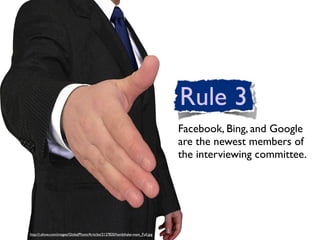
Facebook, Bing, and Google
                                                                                are the newest members of
                                                                                the interviewing committee.


http://i.ehow.com/images/GlobalPhoto/Articles/2127820/handshake-main_Full.jpg
• Account Privacy Settings
• Applications and Websites
• Public Search
• Edit Settings
• Uncheck the ‘Enable Public
  Search’ box.                 http://www.chiropracticlifeblog.com/wp-content/uploads/2009/05/wave2.jpg
• Go privacy settings.
                                                                      • Select ‘View Settings’ Under
                                                                        Connecting on Facebook.
                                                                      • Select how people can
http://margotmystic.files.wordpress.com/2008/09/magnifying-glass.jpg
                                                                        search for you, send friend
                                                                        requests, and send messages.
Tag on the playground had one set of rules,
tag in the 21st century has a different set.


                                                                                                                       g
                                                                                                             kids.jp
                                                                                                       /tag-
                                                                                               rd erby
                                                                                         rolle
                                                                              /blo gs/st
                                                                          S
                                                                    .com/C
                                                              abble
                                                    //www.b
                                               http:
1. You cannot avoid the tag.

2. Pictures/Videos are tagged by
   you or others.

3. As long as you know someone’s
   email address you can tag them
   in a photo.

4. You can tag someone in your
   status message by putting the      http://schools.cbe.ab.ca/b847/Resiliency/images/at-sign%5B1%5D.jpg

   ‘@’ sign in front of their name.
   It will then write that message
   on their wall.
•   Individual writes a status
                                                                                       message and includes you with
                                                                                       the ‘@’ sign. The post goes on
                                                                                       your wall for your mutual
                                                                                       friends to see.

                                                                                   •   Your wall is visible to anyone,
                                                                                       your photos are not visible.
                                                                                       You post new photos, but
                                                                                       because a ‘non-friend’ can see
                                                                                       your wall, they can see your
http://realityupgrade.com/wp-content/uploads/2009/07/lock_picking_breakin_in.jpg
                                                                                       photos.
Just because we have been
friends since we were five,
doesn’t mean you should post
pictures from junior high.
•   Click account and then privacy.

•   Select Edit privacy settings for
    existing photo albums and
    videos.

•   Use the drop down menu to
    select privacy.

•   Set rules i.e. work friends ≠
    seeing family pictures.

•
                                       http://www.dobegephotography.co.uk/albums/Graphistudio%20Wedding%20Albums%20Cheshire.jpg

    You have to do this for each
    photo album.
Suggesting Photos
•   Account and then
    privacy settings.

•   Customize settings.

•   Suggest photos of me to
    friends.

•   Edit settings

•
                                http://www.seoulcityblog.com/wp-content/uploads/2010/03/red-suggestion-box1.gif

    Select disabled and okay.
I will not give you sympathy
when I read, “It’s Complicated”


   http://memyselfandhi.files.wordpress.com/2008/07/break_up_advice.jpg
• Hover over the item in
                                                                       your profile and click the
                                                                       x to remove the post.
                                                                     • This will take care of
                                                                       your friend’s News Feeds
                                                                       in about 30 minutes.
http://www.inewidea.com/wp-content/uploads/2007/05/image007en1.JPG
No one cares if you gained
a level in Mafia Wars.
                             http://static.open.salon.com/files/plugged_ears1242413101.jpg
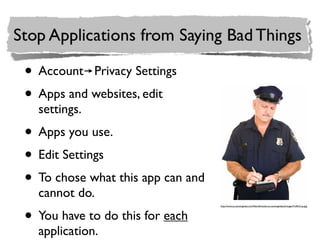
• Account Privacy Settings
• Apps and websites, edit
  settings.
• Apps you use.
• Edit Settings
• To chose what this app can and
  cannot do.
• You have to do this for each
                                   http://www.accountingweb.com/files/siftmedia-accountingwebus/images/TrafficCop.jpg


  application.
• Just in case you don’t
                                                                                  want to read everyone’s
                                                                                  adventures in Farmville
                                                                                • On the home page click a
                                                                                  friend who is using the
                                                                                  application and select
http://www.rocklandstudios.com/clmccoyframing/images/company/hammer_nails.png

                                                                                  ‘Hide Farmville’
There are other annoying things you
                                                                            can do with your time. In other
                                                                            words, I don’t want a play-by-play.
http://www.forestarea.k12.mi.us/ac/CHRISTMAS/2008/lanechristmas/board.jpg
• Click the lock on your
  status message to not
  share with everyone.
• Status messages can be
  update on a post by post
  message. Although not on
  mobile phone.              http://finestkiss.files.wordpress.com/2009/02/blah_blah_blah.jpg
• Account Privacy Settings
                                                   • Apps and Websites, Edit your
                                                     settings

                                                   • Info accessible through your
                                                     friends.

                                                   • Uncheck every box.
http://kallahmagazine.com/ribbonedInvitation.jpg
• From Main Page, select game
                                                                               requests.

                                                                          • Select Ignore invites from this
                                                                               friend or Block this application.

                                                                          • Do the same for app requests.

http://blogs.creativeloafing.com/dailyloaf/files/2009/05/junk_mail_mailbox.jpg
Before you get sent to the
                                                                                            principal’s office, know what is
                                                                                            going on first.
http://bendingbackwards.files.wordpress.com/2009/01/050930_brats_vmedwidec.jpg?w=204&h=300
•   Account Account Settings

•   Notifications

•   Select which notifications
    that you would like to
    receive.

•   My recommendations: Tags
    me in a photo and tags me   http://www.nasddds.org/images/email.jpg

    in a video.
Never be guilty by association.

http://blogs.babycenter.com/momformation/files/2009/07/handcuffs.jpg
•   Choose your friends wisely, well
    almost.

•   Find a particular friend.

•   Scroll down past their friends and
    select unfriend.

•   Select remove from Friends to de-
    friend someone.


                                         http://www.idiomsbykids.com/taylor/mrtaylor/class20022003/idioms/idioms2003/idioms2/grow%20up.jpg
My Front Door Policy

•   To be a friend, I have to
    be willing to let you
    through my front door.

•   Or, I have let you
    through my front door
    at one point (high school
    friends).


                                http://www.somersetsupply.com/images/MarvinEntryDoors/Marvin%20Entry%20RGB/Craftsman_Door_3402bigRGB.jpg
Full - Access
•   To see everything on my
    page, must meet any of the
    following:

    •   You have current walk in
        privileges at our house.

    •   You are in my ‘People I
        Really Like Group’

    •   You know a family secret.
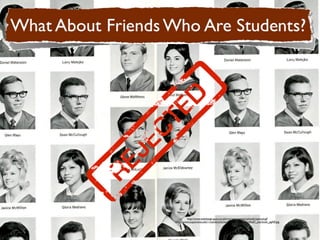
http://www.webdesign-guru.co.uk/icon/wp-content/uploads/rejected.gif
http://www.csupomona.edu/~rosenkrantz/santafeweb/yearbook/sfhs67_yearbook_pg43f.jpg
http://www.webdesign-guru.co.uk/icon/wp-content/uploads/rejected.gif
http://www.csupomona.edu/~rosenkrantz/santafeweb/yearbook/sfhs67_yearbook_pg43f.jpg
Check What People See

•   Account and select privacy
    settings.

•   Customize settings

•   Preview my profile

•   Type friend names and see
    how they see your profile.

The Facebook Effect

  • 1.
  • 2.
    • Lisa (Simonet)Sjogren • Tech Integration Specialist from Osseo • 6th Year teaching, 3rd in Osseo • Speedskating, Travel, and Cooking
  • 7.
  • 9.
  • 10.
    http://blueroof.files.wordpress.com/2007/03/frustration.png http://www.effing.co.uk/images/happy_woman_on_computer.jpg
  • 11.
    Make friends withyour friends list.
  • 12.
    1. Click Account 2.Select Edit Friends 3. Click +Create a List 4. Type the name of a list (i.e. work, high school, family) 5. Select friends to add to list. 6. Click
  • 13.
    Regardless if youknow someone from various places, pick only one list. http://completeinnovator.files.wordpress.com/2008/12/one_finger_350o.jpg
  • 14.
    1. Click Account 2.Edit Friends 3. Hover near the right side to see lists. 4. Click edit list if your friends don’t have a home.
  • 15.
    Never let yourboss, ex-boyfriend, or grandma know that you drink, swear, or punch your husband. Photo from inStudio
  • 16.
    Account Privacy Settings • Select Custom, then Customize Settings. • Includes: Information found on your wall, profile information, status messages, and notes/links. • Select Custom in the Drop Downs, choose which lists to share with or exclude. http://customersrock.files.wordpress.com/2007/11/remember.jpg
  • 17.
    Keeping Our FriendsQuiet • Friends can check me into places. • Edit settings. • Select disabled. • Choose okay. http://www.mydoorsign.com/img/lg/S/Quiet-Please-Sign-SE-2020.gif
  • 18.
    Things people share- make sure this is set to only your friends, with custom exceptions. • Contact information- set to only me. • Click ‘Preview Profile’ - defaults http://1000awesomethings.files.wordpress.com/2008/08/telephone1.jpg to search. Type in a name to view friend’s settings.
  • 19.
    Facebook, Bing, andGoogle are the newest members of the interviewing committee. http://i.ehow.com/images/GlobalPhoto/Articles/2127820/handshake-main_Full.jpg
  • 20.
    • Account PrivacySettings • Applications and Websites • Public Search • Edit Settings • Uncheck the ‘Enable Public Search’ box. http://www.chiropracticlifeblog.com/wp-content/uploads/2009/05/wave2.jpg
  • 21.
    • Go privacysettings. • Select ‘View Settings’ Under Connecting on Facebook. • Select how people can http://margotmystic.files.wordpress.com/2008/09/magnifying-glass.jpg search for you, send friend requests, and send messages.
  • 22.
    Tag on theplayground had one set of rules, tag in the 21st century has a different set. g kids.jp /tag- rd erby rolle /blo gs/st S .com/C abble //www.b http:
  • 23.
    1. You cannotavoid the tag. 2. Pictures/Videos are tagged by you or others. 3. As long as you know someone’s email address you can tag them in a photo. 4. You can tag someone in your status message by putting the http://schools.cbe.ab.ca/b847/Resiliency/images/at-sign%5B1%5D.jpg ‘@’ sign in front of their name. It will then write that message on their wall.
  • 24.
    Individual writes a status message and includes you with the ‘@’ sign. The post goes on your wall for your mutual friends to see. • Your wall is visible to anyone, your photos are not visible. You post new photos, but because a ‘non-friend’ can see your wall, they can see your http://realityupgrade.com/wp-content/uploads/2009/07/lock_picking_breakin_in.jpg photos.
  • 25.
    Just because wehave been friends since we were five, doesn’t mean you should post pictures from junior high.
  • 26.
    Click account and then privacy. • Select Edit privacy settings for existing photo albums and videos. • Use the drop down menu to select privacy. • Set rules i.e. work friends ≠ seeing family pictures. • http://www.dobegephotography.co.uk/albums/Graphistudio%20Wedding%20Albums%20Cheshire.jpg You have to do this for each photo album.
  • 27.
    Suggesting Photos • Account and then privacy settings. • Customize settings. • Suggest photos of me to friends. • Edit settings • http://www.seoulcityblog.com/wp-content/uploads/2010/03/red-suggestion-box1.gif Select disabled and okay.
  • 28.
    I will notgive you sympathy when I read, “It’s Complicated” http://memyselfandhi.files.wordpress.com/2008/07/break_up_advice.jpg
  • 29.
    • Hover overthe item in your profile and click the x to remove the post. • This will take care of your friend’s News Feeds in about 30 minutes. http://www.inewidea.com/wp-content/uploads/2007/05/image007en1.JPG
  • 30.
    No one caresif you gained a level in Mafia Wars. http://static.open.salon.com/files/plugged_ears1242413101.jpg
  • 31.
    • Account PrivacySettings • Apps and websites, edit settings. • Apps you use. • Edit Settings • To chose what this app can and cannot do. • You have to do this for each http://www.accountingweb.com/files/siftmedia-accountingwebus/images/TrafficCop.jpg application.
  • 32.
    • Just incase you don’t want to read everyone’s adventures in Farmville • On the home page click a friend who is using the application and select http://www.rocklandstudios.com/clmccoyframing/images/company/hammer_nails.png ‘Hide Farmville’
  • 33.
    There are otherannoying things you can do with your time. In other words, I don’t want a play-by-play. http://www.forestarea.k12.mi.us/ac/CHRISTMAS/2008/lanechristmas/board.jpg
  • 34.
    • Click thelock on your status message to not share with everyone. • Status messages can be update on a post by post message. Although not on mobile phone. http://finestkiss.files.wordpress.com/2009/02/blah_blah_blah.jpg
  • 35.
    • Account PrivacySettings • Apps and Websites, Edit your settings • Info accessible through your friends. • Uncheck every box. http://kallahmagazine.com/ribbonedInvitation.jpg
  • 36.
    • From MainPage, select game requests. • Select Ignore invites from this friend or Block this application. • Do the same for app requests. http://blogs.creativeloafing.com/dailyloaf/files/2009/05/junk_mail_mailbox.jpg
  • 37.
    Before you getsent to the principal’s office, know what is going on first. http://bendingbackwards.files.wordpress.com/2009/01/050930_brats_vmedwidec.jpg?w=204&h=300
  • 38.
    Account Account Settings • Notifications • Select which notifications that you would like to receive. • My recommendations: Tags me in a photo and tags me http://www.nasddds.org/images/email.jpg in a video.
  • 39.
    Never be guiltyby association. http://blogs.babycenter.com/momformation/files/2009/07/handcuffs.jpg
  • 40.
    Choose your friends wisely, well almost. • Find a particular friend. • Scroll down past their friends and select unfriend. • Select remove from Friends to de- friend someone. http://www.idiomsbykids.com/taylor/mrtaylor/class20022003/idioms/idioms2003/idioms2/grow%20up.jpg
  • 41.
    My Front DoorPolicy • To be a friend, I have to be willing to let you through my front door. • Or, I have let you through my front door at one point (high school friends). http://www.somersetsupply.com/images/MarvinEntryDoors/Marvin%20Entry%20RGB/Craftsman_Door_3402bigRGB.jpg
  • 42.
    Full - Access • To see everything on my page, must meet any of the following: • You have current walk in privileges at our house. • You are in my ‘People I Really Like Group’ • You know a family secret.
  • 43.
  • 44.
  • 45.
    Check What PeopleSee • Account and select privacy settings. • Customize settings • Preview my profile • Type friend names and see how they see your profile.