







THE ART OF BLOGGING:
A GUIDE TO BECOMING A SERIOUS BLOGGER
NIKKI LITTLE | IDENTITYPR.COM | @NIKKI_LITTLE
WHY GET SERIOUS ABOUT BLOGGING?
o Showcase expertise

o Your own publishing hub

o Generate new business leads

o Advertising/sponsorship ops

o Media/guest post ops

o Presentation/speaking ops
BELIEVE IT OR NOT, PEOPLE
WANT TO HEAR FROM YOU (AS
LONG AS YOU PROVIDE VALUE)
FIRST STEP: SELF-HOSTED
WORDPRESS BLOG, PURCHASE
DOMAIN NAME & HOSTING
BENEFITS OF SELF HOSTING
o Access to more customization/themes/plugins
  through WordPress

o Unique URL

o Custom analytics

o Site support through your domain and hosting
  companies

o You own it – WordPress doesn’t
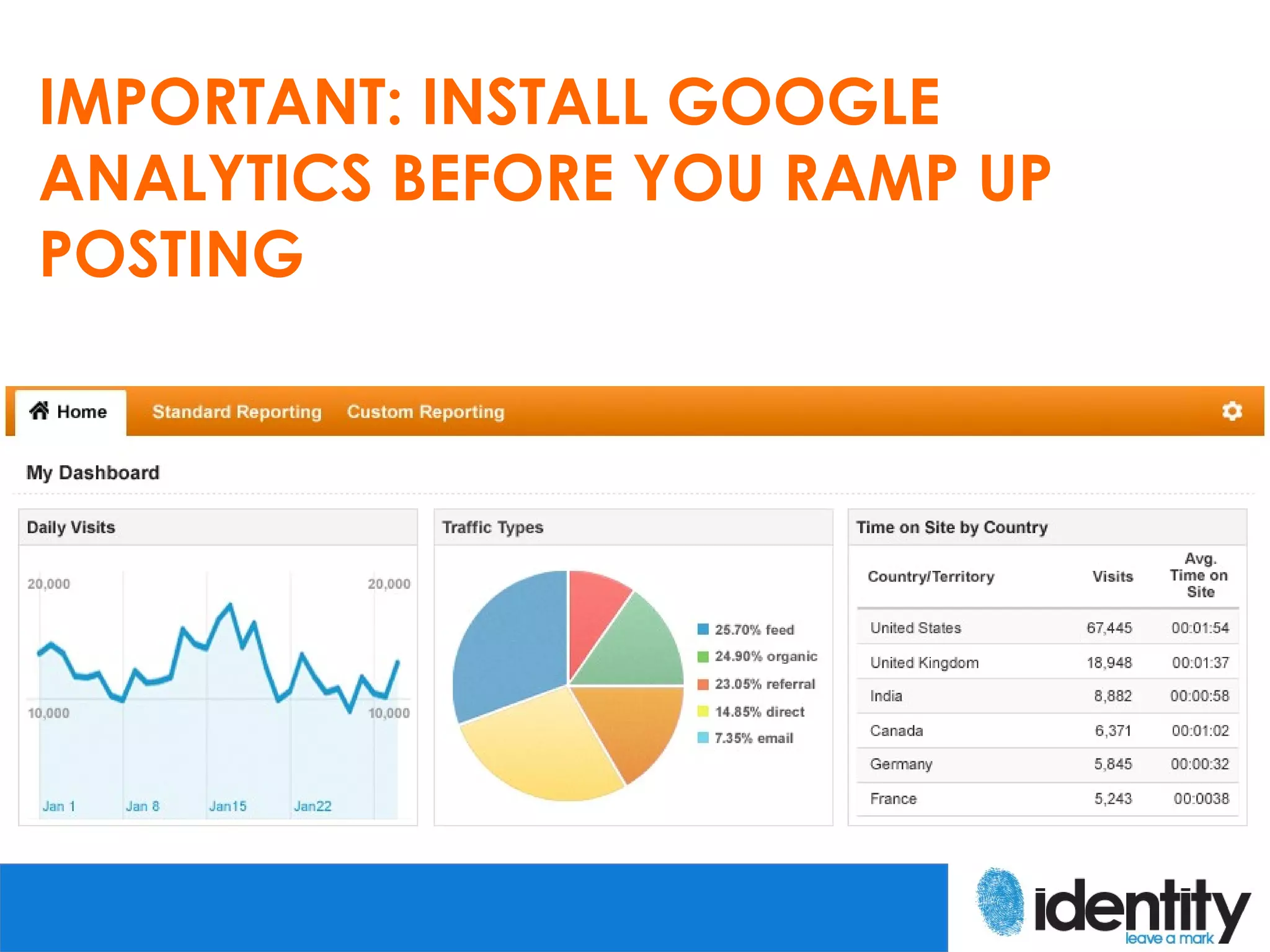
IMPORTANT: INSTALL GOOGLE
ANALYTICS BEFORE YOU RAMP UP
POSTING
KNOW YOUR AUDIENCE!
CRANKING OUT CONTENT – WHERE DO
I FIND INSPIRATION?
CONTENT IDEAS
o Your customers/clients – What questions are they
  asking? What do they care about?

o Your employees

o Keywords that bring people to your site (look in your
  analytics program) and AdWords Keyword Tool

o Company news

o Events/philanthropic efforts

o Your culture

o Customer stories/testimonials
CONTENT IDEAS
o LinkedIn Answers, Quora

o News and blogs related to your
  industry – build off their content (don’t
  copy – add something new)

o Book reviews, recaps of
  conferences/events/Webinars/seminar
  s

o Good old Google
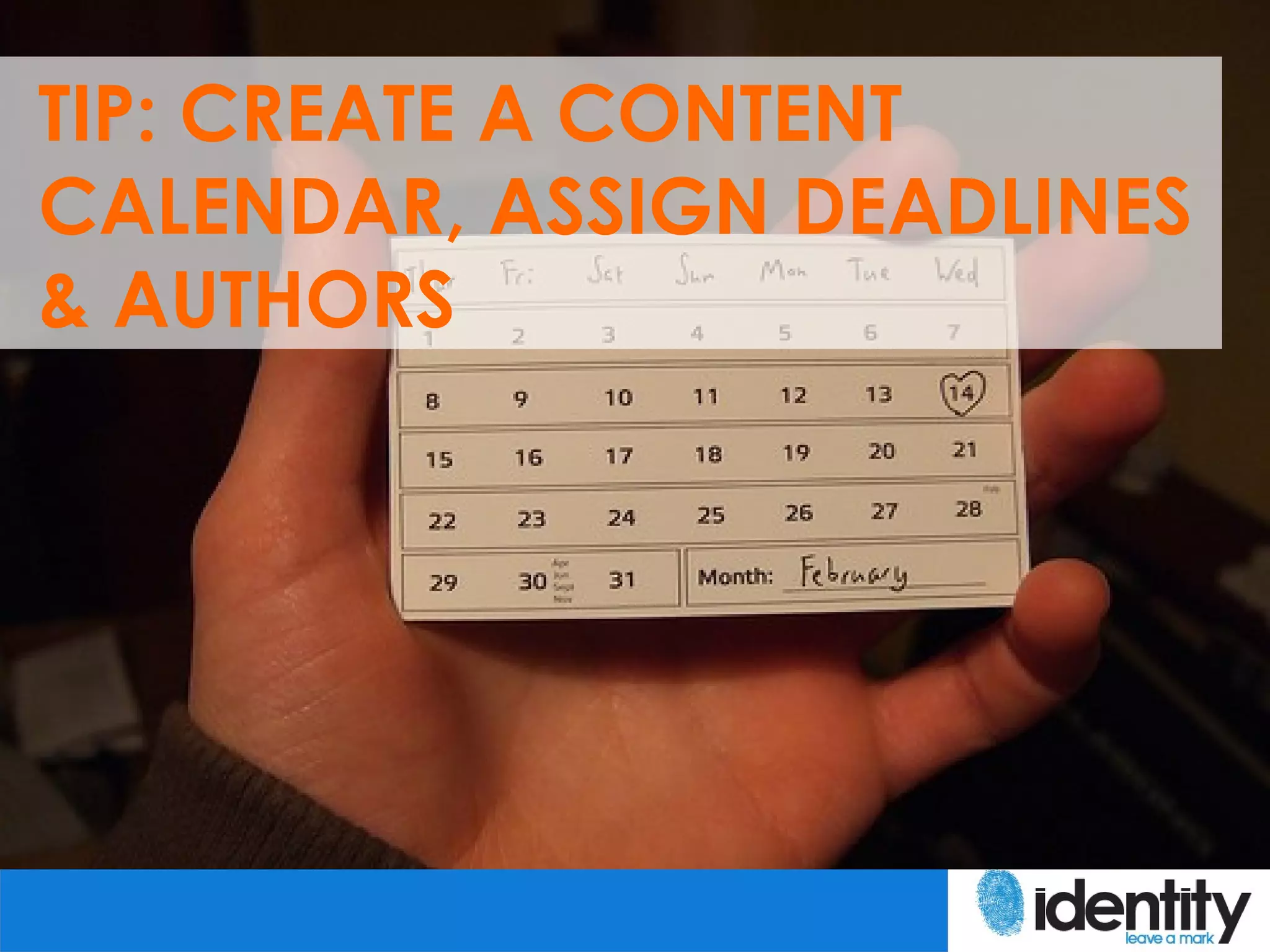
TIP: CREATE A CONTENT
CALENDAR, ASSIGN DEADLINES
& AUTHORS
ESSENTIAL ELEMENTS OF A KICK
ASS BLOG
BLOG MUST-HAVES
o Updated and consistent content

o Multimedia – at least one image for each post

o Subscription options (RSS & email) – FeedBlitz is best
  available

o Commenting plugin – Disqus or Livefyre

o Sharing plugin – Digg Digg is my favorite

o Contact information

o Optimized for mobile and tablets – WP Touch plugin
BLOG MUST-HAVES
o SEO elements – WordPress SEO or All in One
  SEO plugin

o Fast loading site – W3 Total Cache plugin

o Suggest related content to keep readers on
  the site – nRelate plugin

o Information about you/your company

o Clean design
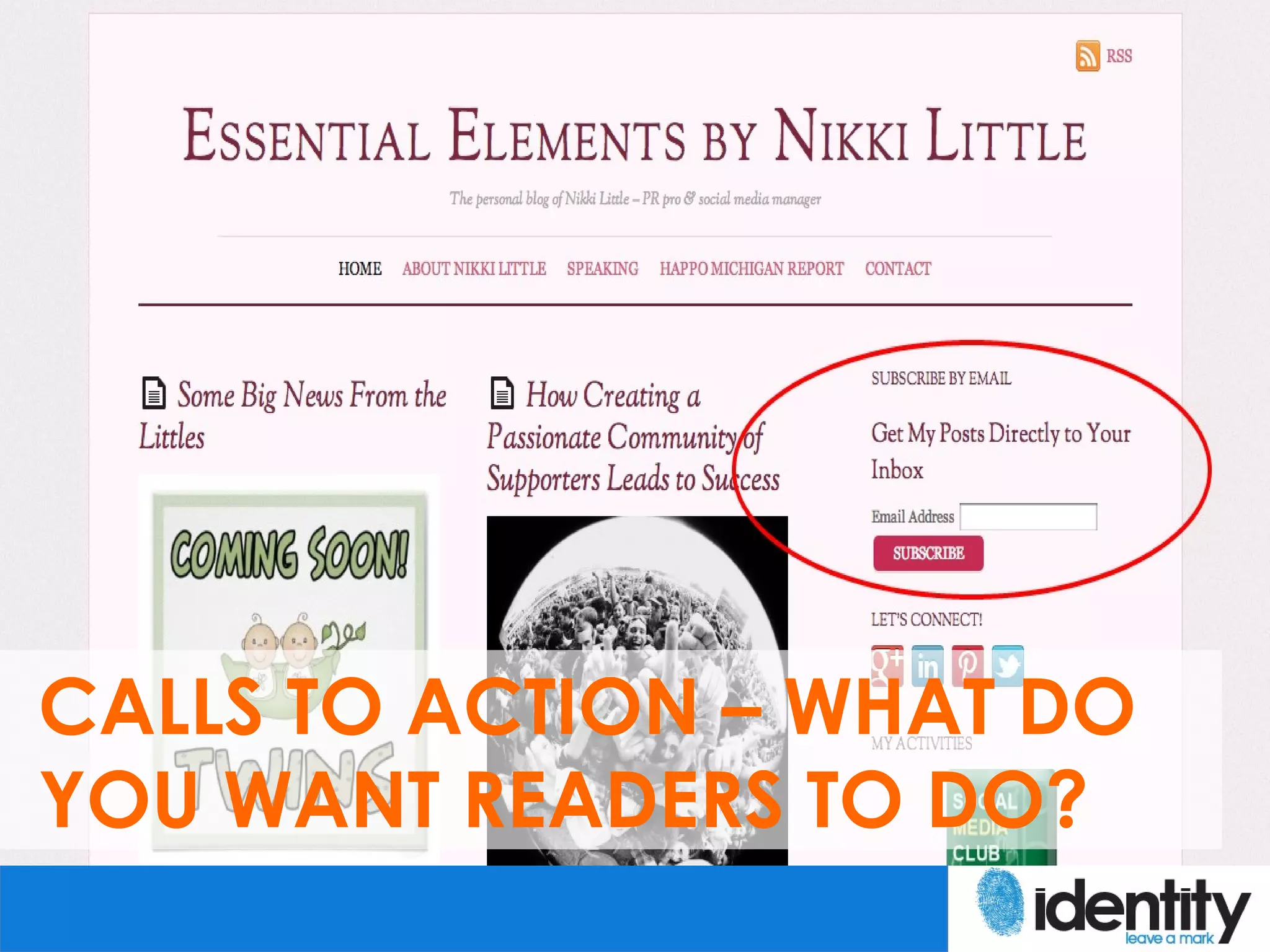
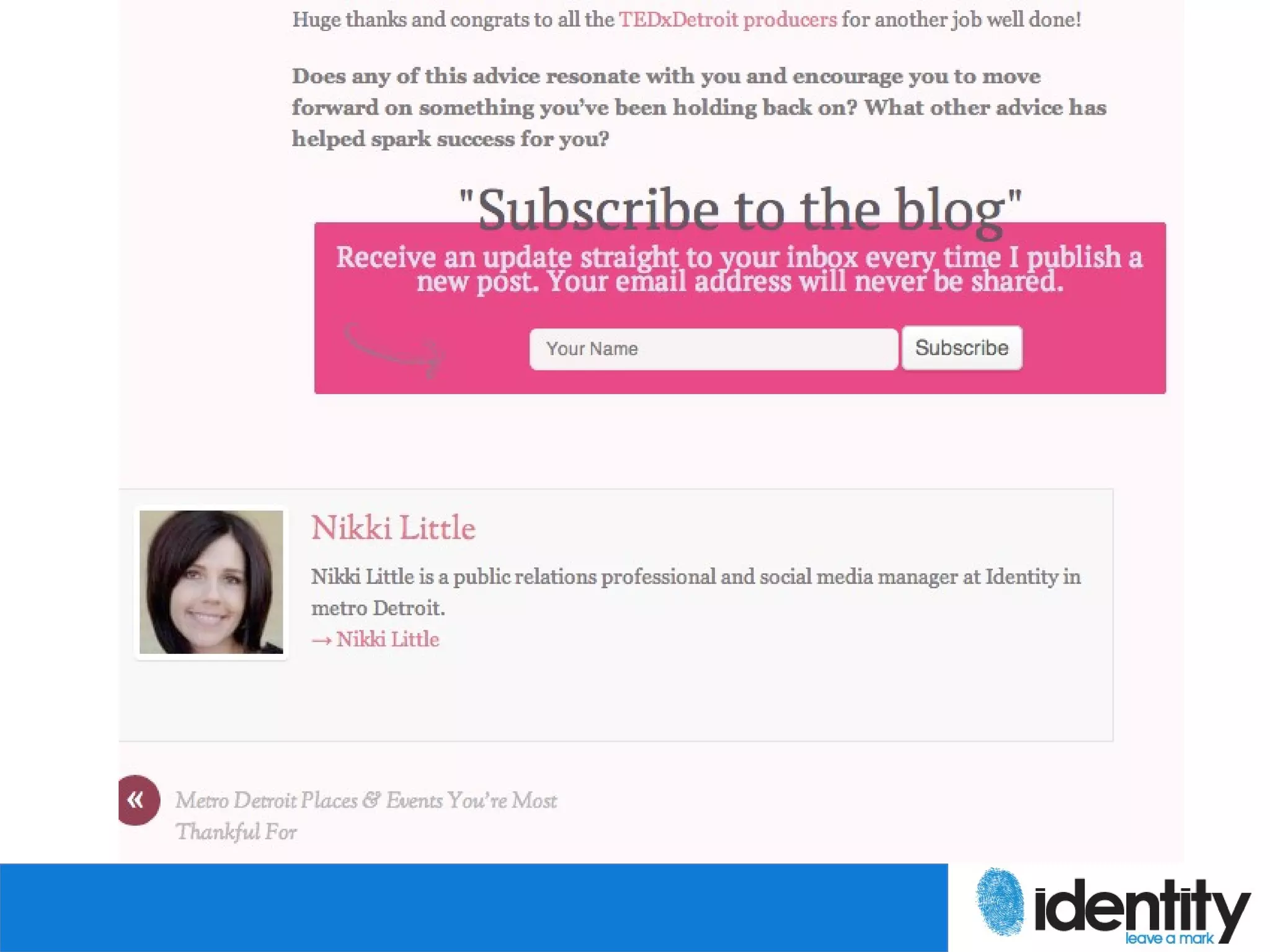
CALLS TO ACTION – WHAT DO
YOU WANT READERS TO DO?
SNAZZ IT UP EVEN MORE – LEAD
GEN WITH LANDING PAGES
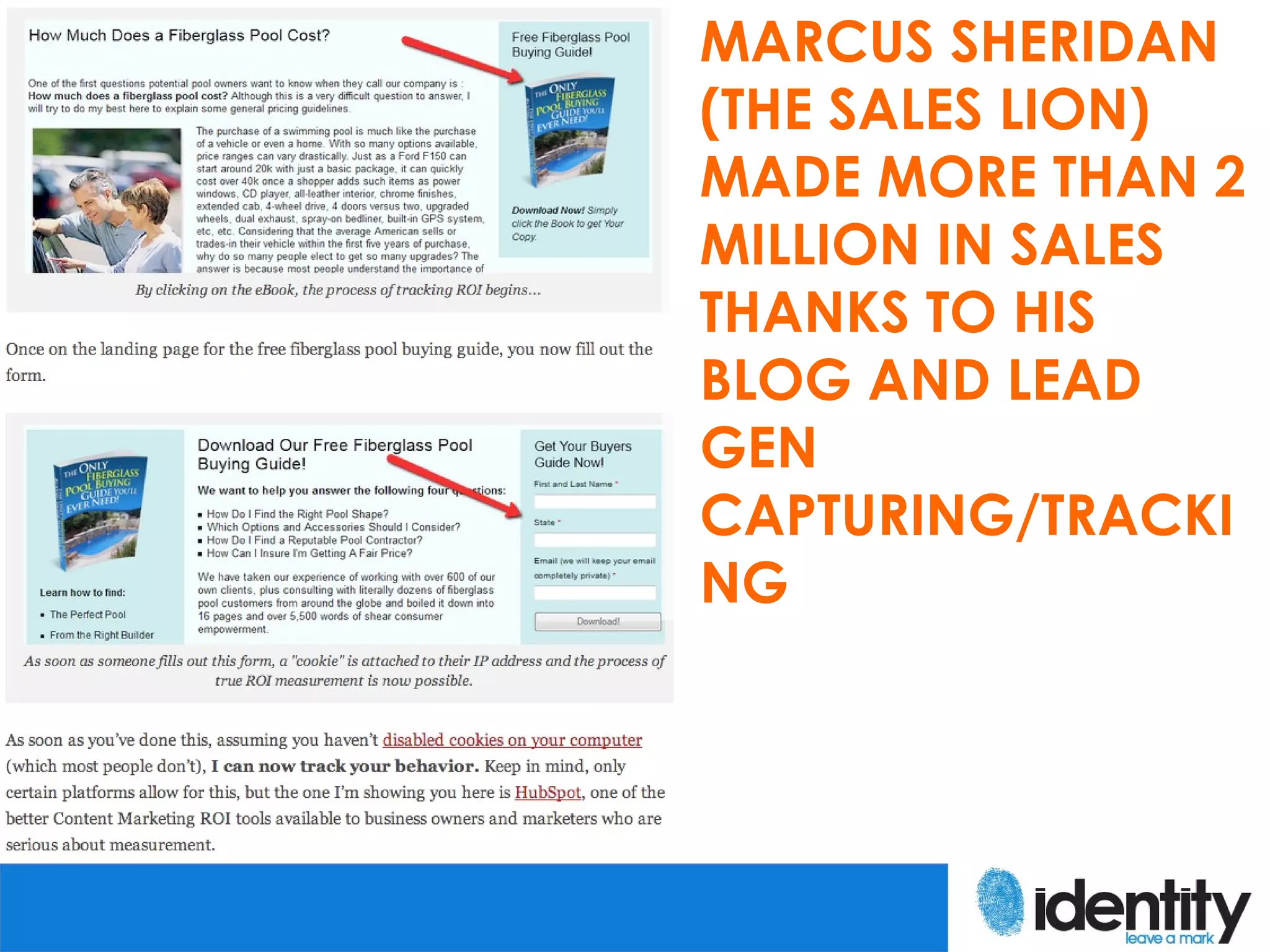
MARCUS SHERIDAN
(THE SALES LION)
MADE MORE THAN 2
MILLION IN SALES
THANKS TO HIS
BLOG AND LEAD
GEN
CAPTURING/TRACKI
NG
PROMOTING YOUR BLOG &
POSTS
WAYS TO SPREAD YOUR CONTENT
o Share on social networks – personal and
  company
o StumbleUpon
o Email signature – WiseStamp for Gmail
o URL in online profiles and business cards
o Comment on other blogs
o Submit to directories like Alltop
o Paid ops: AdWords, LinkedIn/Facebook ads
WAYS TO SPREAD YOUR CONTENT
o Guest blogging
o Share with relevant groups/people
  online – be selective!
o Link to previous posts within your
  content
o Use for new business follow
  ups/customer retention
o Include in e-marketing campaigns
QUESTIONS
NIKKI LITTLE
               SOCIAL MEDIA MANAGER | IDENTITY

               @NIKKI_LITTLE

               WWW.IDENTITYPR.COM

               WWW.IDENTITYPR.COM/BLOG

               WWW.NIKKILITTLE.COM
Photo Sources:
http://www.flickr.com/photos/30931517@N03/4520713515/
http://www.flickr.com/photos/13006614@N07/2206974242/
http://www.flickr.com/photos/50318388@N00/519286151/
http://www.flickr.com/photos/84856173@N00/3734360895/
http://www.flickr.com/photos/31502604@N00/251570225/
http://www.flickr.com/photos/joelanman/366192378/
http://www.flickr.com/photos/kaibara/2756361218/
http://www.flickr.com/photos/24749556@N08/2428589782/
http://www.flickr.com/photos/73194085@N00/253074522/
http://www.smartlaunch.com/wed-love-to-hear-from-you/

The Art of Blogging: A Guide to Becoming a Serious Blogger

Editor's Notes

  • #4 Share story of what I did when I got serious about blogging. Moved content from Blogger to WP, purchased domain through Go Daddy and hosting through Surpass.
  • #5 Share story of what I did when I got serious about blogging. Moved content from Blogger to WP, purchased domain through Go Daddy and hosting through Surpass.
  • #8 Looking at keywords to see which ones are bringing people there, look at location in Google analytics, look at profiles of people commenting, poll your subscribers/readers to get more info
  • #12 WordPress plugins allow you to manage a calendar within your dashboard.
  • #16 CTA at the very top of each page, above the fold.
  • #17 Another CTA at the bottom of each post.
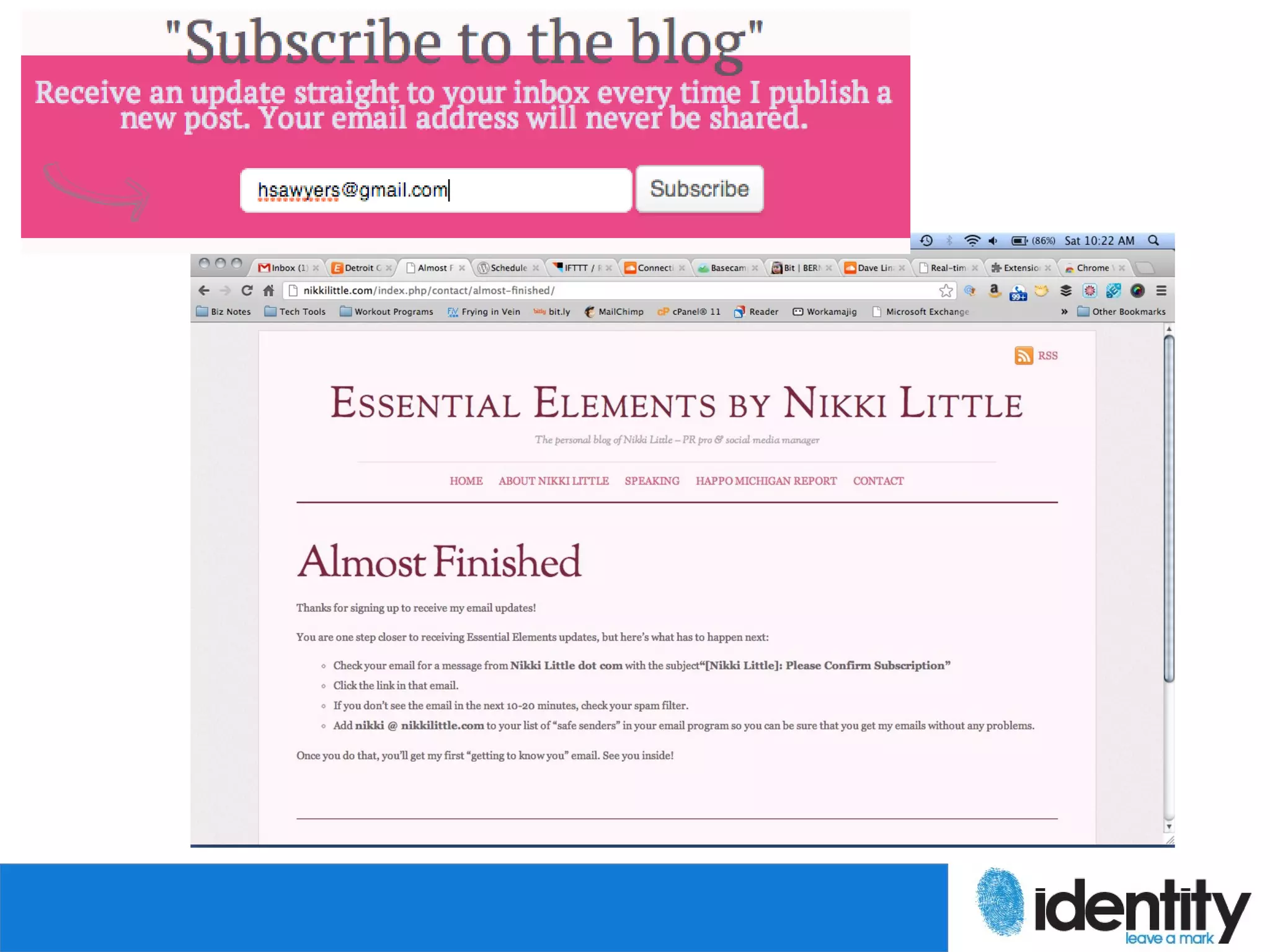
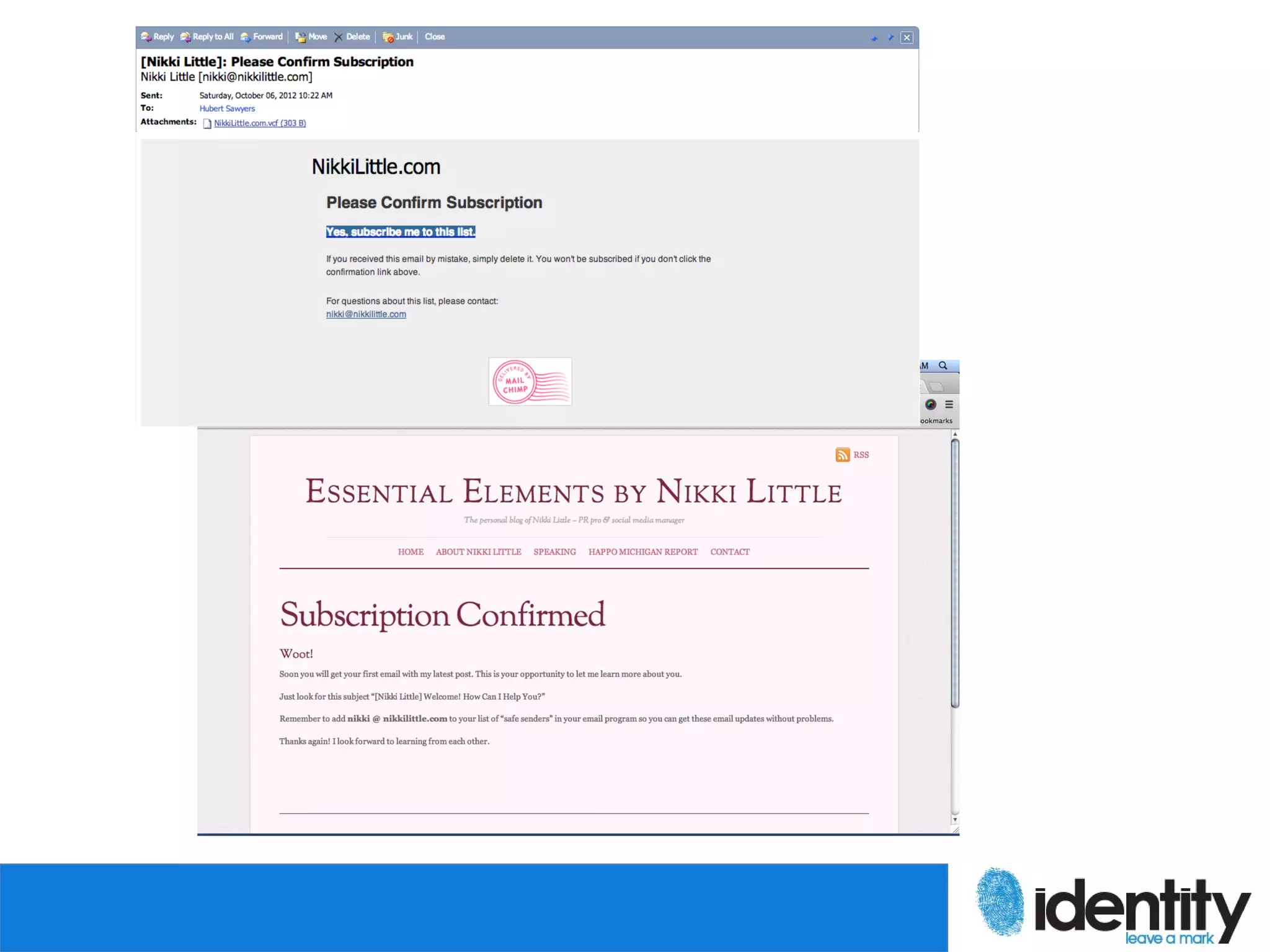
  • #18 Someone subscribes, they get sent to this custom page on my site.
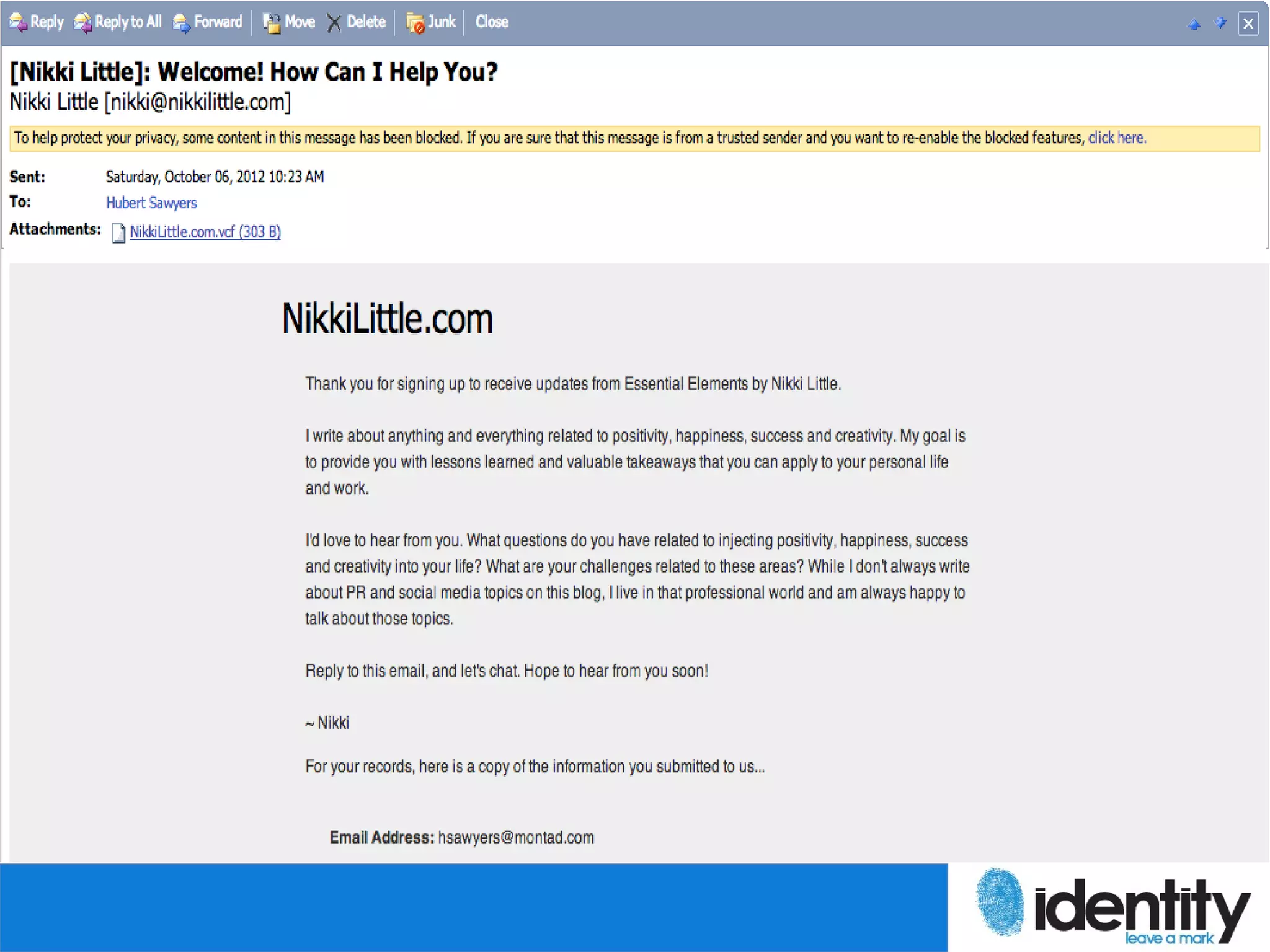
  • #19 Using Mail Chimp, they receive an email to confirm the subscription. Once confirming, they get sent to another custom page on my site.
  • #20 Finally, they get an email from me giving details about my blog and giving them another CTA to reply back. And it’s worked.
  • #22 Found his blog through search, clicked on the landing page to get the free fiberglass pool buying guide, fill out the form that attaches a cookie to user’s IP address, tracked the lead’s behavior using HubSpot