Submitted by,
K.VAISHNAVI
K.SASIREKHA
TEXT EDITORS
• A text editor is a type of program used for editing plain text files.
• Often provided with operating systems and software development
packages, and can be used to change configuration files,
documentation files and programming language source code.
DEFINITION OF TEXT EDITOR
• Line Editors
• Stream Editor
• Screen Editor
• Word Processor
• Structure Editor
TYPES OF TEXT EDITOR
• Scope of edit operations is limited to a line of text.
• The line is designated positionally.
Advantage:-
• Simplicity
Disadvantage:-
• Does not display the text in the manner it would appear if printed
LINE EDITOR
• Views the entire text as a stream of characters.
• This permits edit operations to cross line boundaries.
• Support character, line and context oriented commands based on the
current editing context indicated by the position of a text pointer.
STREAM EDITOR
• A screen editor uses the what you see is what you get principle in
editor design.
• The user can move the cursor over the screen, position it at the point
where he desires toper form some editing and proceed with the
editing directly.
Advantage:-
• Useful while formatting the text to produce printed documents.
SCREEN EDITOR
• Basically document editors with additional features to produce well
formatted hard copy output.
• Essential features of word processors are commands for moving
sections of text from one place to another, merging of text, and
searching and replacement of words. Many word processors support a
spell check option.
• e.g. WordStar
WORD PROCESSORS
• Incorporates an awareness of the structure of a document.
• Structure is specified by the user while creating or modifying the
document.
• Editing requirements are specified using the structure.
• A special class of structure editors, called syntax directed editors, are
used in programming environments.
STRUCTURE EDITORS
• Find and replace – Text editors provide extensive facilities for searching
and replacing text, either on groups of files or interactively. Advanced
editors can use regular expressions to search and edit text or code
• Cut, copy, and paste – most text editors provide methods to duplicate
and move text within the file, or between files.
• Ability to handle UTF-8 encoded text.
• Text formatting – Text editors often provide basic formatting features
like line wrap, auto-indentation, bullet list formatting using ASCII
characters, comment formatting, syntax highlighting and so on.
FEATURES OF TEXT EDITORS
• Undo and redo – As with word processors, text editors provide a way
to undo and redo the last edit.
• Data transformation – Reading or merging the contents of another text
file into the file currently being edited. Some text editors provide a way
to insert the output of a command issued to the operating system's
shell.
• Filtering – Some advanced text editors allow the editor to send all or
sections of the file being edited to another utility and read the result
back into the file in place of the lines being "filtered".
FEATURES OF TEXT EDITORS
• Syntax highlighting – contextually highlights source code, markup
languages, config files and other text that appears in an organized or
predictable format. Editors generally allow users to customize the
colours or styles used for each language element.
• Extensibility - a text editor intended for use by programmers must
provide some plugin mechanism, or be scriptable, so a programmer
can customize the editor with features needed to manage individual
software projects, customize functionality or key bindings for specific
programming languages or version control systems, or conform to
specific coding styles.
FEATURES OF TEXT EDITORS
• Source code editors
• Folding editors
• IDEs
• HTML editors
• TeX editors
• Outliners
• Collaborative editors
• Distraction free editors
SPECIALISED EDITORS
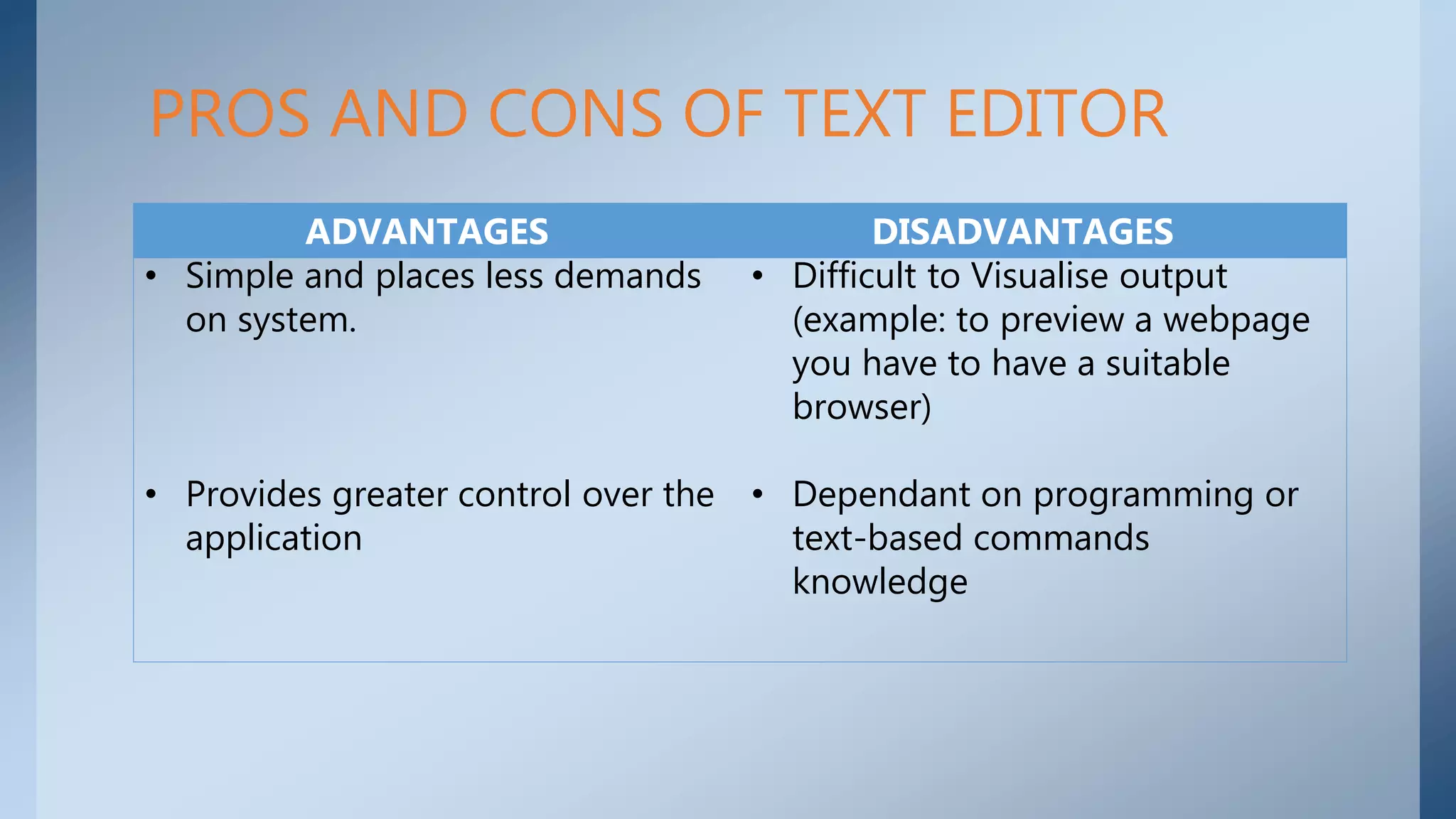
PROS AND CONS OF TEXT EDITOR
ADVANTAGES DISADVANTAGES
• Simple and places less demands
on system.
• Provides greater control over the
application
• Difficult to Visualise output
(example: to preview a webpage
you have to have a suitable
browser)
• Dependant on programming or
text-based commands
knowledge

Text Editor for System Software

  • 1.
  • 2.
    • A texteditor is a type of program used for editing plain text files. • Often provided with operating systems and software development packages, and can be used to change configuration files, documentation files and programming language source code. DEFINITION OF TEXT EDITOR
  • 3.
    • Line Editors •Stream Editor • Screen Editor • Word Processor • Structure Editor TYPES OF TEXT EDITOR
  • 4.
    • Scope ofedit operations is limited to a line of text. • The line is designated positionally. Advantage:- • Simplicity Disadvantage:- • Does not display the text in the manner it would appear if printed LINE EDITOR
  • 5.
    • Views theentire text as a stream of characters. • This permits edit operations to cross line boundaries. • Support character, line and context oriented commands based on the current editing context indicated by the position of a text pointer. STREAM EDITOR
  • 6.
    • A screeneditor uses the what you see is what you get principle in editor design. • The user can move the cursor over the screen, position it at the point where he desires toper form some editing and proceed with the editing directly. Advantage:- • Useful while formatting the text to produce printed documents. SCREEN EDITOR
  • 7.
    • Basically documenteditors with additional features to produce well formatted hard copy output. • Essential features of word processors are commands for moving sections of text from one place to another, merging of text, and searching and replacement of words. Many word processors support a spell check option. • e.g. WordStar WORD PROCESSORS
  • 8.
    • Incorporates anawareness of the structure of a document. • Structure is specified by the user while creating or modifying the document. • Editing requirements are specified using the structure. • A special class of structure editors, called syntax directed editors, are used in programming environments. STRUCTURE EDITORS
  • 9.
    • Find andreplace – Text editors provide extensive facilities for searching and replacing text, either on groups of files or interactively. Advanced editors can use regular expressions to search and edit text or code • Cut, copy, and paste – most text editors provide methods to duplicate and move text within the file, or between files. • Ability to handle UTF-8 encoded text. • Text formatting – Text editors often provide basic formatting features like line wrap, auto-indentation, bullet list formatting using ASCII characters, comment formatting, syntax highlighting and so on. FEATURES OF TEXT EDITORS
  • 10.
    • Undo andredo – As with word processors, text editors provide a way to undo and redo the last edit. • Data transformation – Reading or merging the contents of another text file into the file currently being edited. Some text editors provide a way to insert the output of a command issued to the operating system's shell. • Filtering – Some advanced text editors allow the editor to send all or sections of the file being edited to another utility and read the result back into the file in place of the lines being "filtered". FEATURES OF TEXT EDITORS
  • 11.
    • Syntax highlighting– contextually highlights source code, markup languages, config files and other text that appears in an organized or predictable format. Editors generally allow users to customize the colours or styles used for each language element. • Extensibility - a text editor intended for use by programmers must provide some plugin mechanism, or be scriptable, so a programmer can customize the editor with features needed to manage individual software projects, customize functionality or key bindings for specific programming languages or version control systems, or conform to specific coding styles. FEATURES OF TEXT EDITORS
  • 12.
    • Source codeeditors • Folding editors • IDEs • HTML editors • TeX editors • Outliners • Collaborative editors • Distraction free editors SPECIALISED EDITORS
  • 13.
    PROS AND CONSOF TEXT EDITOR ADVANTAGES DISADVANTAGES • Simple and places less demands on system. • Provides greater control over the application • Difficult to Visualise output (example: to preview a webpage you have to have a suitable browser) • Dependant on programming or text-based commands knowledge