Test Driven
Development
“TDD  is  not  testing,  it  is  a  design  technique”.

Christoforos Nalmpantis
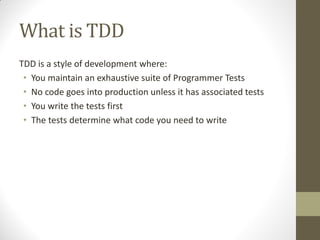
What is TDD
TDD is a style of development where:
• You maintain an exhaustive suite of Programmer Tests
• No code goes into production unless it has associated tests
• You write the tests first
• The tests determine what code you need to write
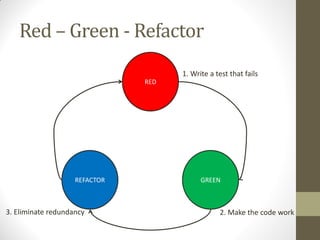
Red – Green - Refactor
1. Write a test that fails
RED

REFACTOR

3. Eliminate redundancy

GREEN

2. Make the code work
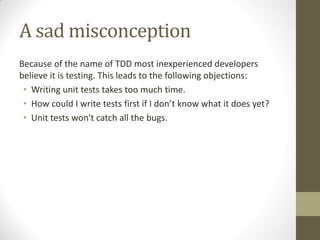
A sad misconception
Because of the name of TDD most inexperienced developers
believe it is testing. This leads to the following objections:
• Writing unit tests takes too much time.
• How  could  I  write  tests  first  if  I  don’t  know  what  it  does  yet?
• Unit tests won't catch all the bugs.
A sad misconception
In fact TDD is a design technique and our objections should be:
• Designing takes too much time.
• How could I design first if I don't know what it does yet?
• Designing won't catch all the bugs.
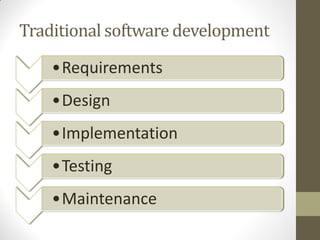
Traditional software development
•Requirements
•Design

•Implementation
•Testing
•Maintenance
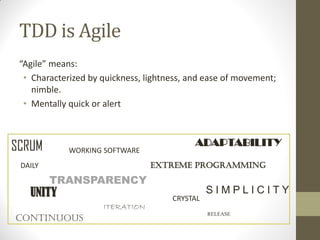
TDD is Agile
“Agile”  means:
• Characterized by quickness, lightness, and ease of movement;
nimble.
• Mentally quick or alert

SCRUM

WORKING SOFTWARE

ADAPTABILITY
extreme programming

DAILY

TRANSPARENCY

UNITY

ITERATION

continuous

CRYSTAL

SIMPLICITY
RELEASE
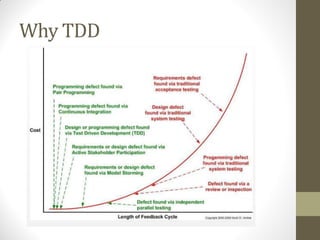
Why TDD
Why TDD
• Ensures quality
• Keeps code clear, simple and testable
• Provides documentation for different team
members
• Repeatable tests
• Enables rapid change
Why TDD
“When  you  already  have  Tests that documents how your code
works  and  also  verifies  every  logical  units,  programmer’s  bugs  
are significantly reduced resulting more time coding, less time
debugging.”
“You  can  confidently refactor your production code without
worrying about breaking it, if you already have test code written,
it  acts  as  safety  net.”
“Tests  on  TDD  describe  the  behaviour of the code you are going
to write. So, tests provides better picture of specification than
documentation written on a paper because test runs.”
A Practical Guide - Refactoring
•
•
•
•
•
•
•
•
•
•
•
•
•
•
•
•
•
•
•
•
•
•
•
•

•
•
•
•

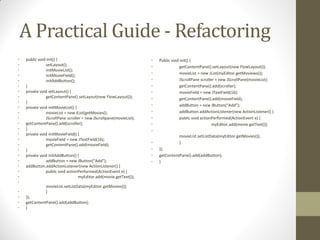
public void init() {
setLayout();
initMovieList();
initMovieField();
initAddButton();
}
private void setLayout() {
getContentPane().setLayout(new FlowLayout());
}
private void initMovieList() {
movieList = new JList(getMovies();
JScrollPane scroller = new JScrollpane(movieList);
getContentPane().add(scroller);
}
private void initMovieField() {
movieField = new JTextField(16);
getContentPane().add(movieField);
}
private void initAddButton() {
addButton = new JButton(“Add”);
addButton.addActionListener(new ActionListener() {
public void actionPerformed(ActionEvent e) {
myEditor.add(movie.getText());
movieList.setListData(myEditor.getMovies());
}

});
getContentPane().add(addButton);
}

•
•
•
•
•
•
•
•
•
•
•
•
•
•
•
•

Public void init() {
getContentPane().setLayout(new FlowLayout());
movieList = new JList(myEditor.getMoviews());
JScrollPane scroller = new JScrollPane(movieList);
getContentPane().add(scroller);
movieField = new JTextField(16);
getContentPane().add(movieField);
addButton = new JButton(“Add”);
addButton.addActionListener(new ActionListener() {
public void actionPerformed(ActionEvent e) {
myEditor.add(movie.getText());
movieList.setListData(myEditor.getMovies());
}
});
getContentPane().add(addButton);
}
A Practical Guide - Refactoring
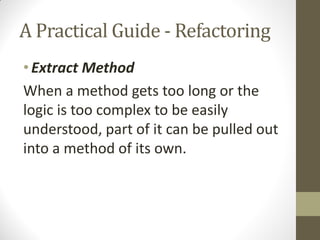
• Extract Method
When a method gets too long or the
logic is too complex to be easily
understood, part of it can be pulled out
into a method of its own.
A Practical Guide - Refactoring
•
•
•
•
•
•
•
•
•
•
•
•
•
•
•

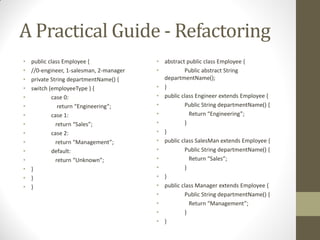
public class Employee {
//0-engineer, 1-salesman, 2-manager
private String departmentName() {
switch (employeeType ) {
case 0:
return  “Engineering”;
case 1:
return  “Sales”;
case 2:
return  “Management”;
default:
return  “Unknown”;
}
}
}

• abstract public class Employee {
•
Public abstract String
departmentName();
• }
• public class Engineer extends Employee {
•
Public String departmentName() {
•
Return  “Engineering”;
•
}
• }
• public class SalesMan extends Employee {
•
Public String departmentName() {
•
Return  “Sales”;
•
}
• }
• public class Manager extends Employee {
•
Public String departmentName() {
•
Return  “Management”;
•
}
• }
A Practical Guide - Refactoring
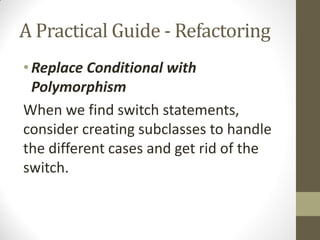
• Replace Conditional with
Polymorphism
When we find switch statements,
consider creating subclasses to handle
the different cases and get rid of the
switch.
A Practical Guide - Refactoring
•
•
•
•
•
•
•
•
•
•

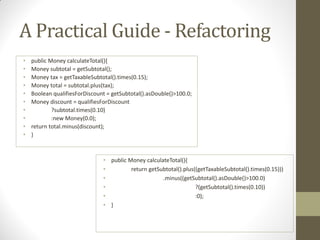
public Money calculateTotal(){
Money subtotal = getSubtotal();
Money tax = getTaxableSubtotal().times(0.15);
Money total = subtotal.plus(tax);
Boolean qualifiesForDiscount = getSubtotal().asDouble()>100.0;
Money discount = qualifiesForDiscount
?subtotal.times(0.10)
:new Money(0.0);
return total.minus(discount);
}

• public Money calculateTotal(){
•
return getSubtotal().plus((getTaxableSubtotal().times(0.15)))
•
.minus((getSubtotal().asDouble()>100.0)
•
?(getSubtotal().times(0.10))
•
:0);
• }
A Practical Guide - Refactoring
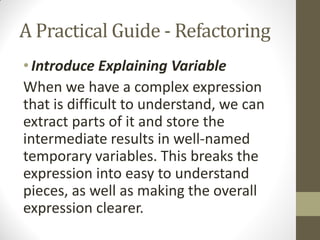
• Introduce Explaining Variable
When we have a complex expression
that is difficult to understand, we can
extract parts of it and store the
intermediate results in well-named
temporary variables. This breaks the
expression into easy to understand
pieces, as well as making the overall
expression clearer.
A Practical Guide - Refactoring
• public int fib(int i) {
•
int result;
•
if(i == 0){
•
result = 0;
•
}else if (i <=2){
•
result = 1;
•
}else {
•
result = fib( i – 1) + fib(i -2);
•
}
•
return result;
• }

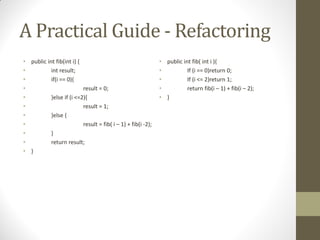
• public int fib( int i ){
•
If (i == 0)return 0;
•
If (i <= 2)return 1;
•
return fib(i – 1) + fib(i – 2);
• }
A Practical Guide - Refactoring
• Replace Nested Conditional with Guard
Clauses
Many people have been taught that a
method should have only a single exit
point. There is no reason for this, certainly
not at the expense of clarity. In a method
that should exit under multiple conditions,
this leads to complex, nested conditional
statements. A better, and much clearer
alternative is to use guard clauses to
return under those conditions.
A Practical Guide - Refactoring
•
•
•
•
•
•
•

Extract class
Extract interface
Replace Type Code with Subclasses
Form Template Method
Replace constructor with Factory method
Replace Inheritance with Delegation
Replace magic number with symbolic constant
A Practical Guide - JUnit
• JUnit is a Java tool that allows you to easily write tests.
• It  uses  Annotations  und  Reflection  (see  one  of  the  next
chapters). During execution JUnit runs methods like:
@Test public void ...()
• JUnit offers  assert-methods to formulate your test outcomes.
• Example:
assertEquals(5, model.getCurrentValue());
Here, the order is important: expected value, actual
value, since an error report says: expected 5 but was ...
A Practical Guide - JUnit
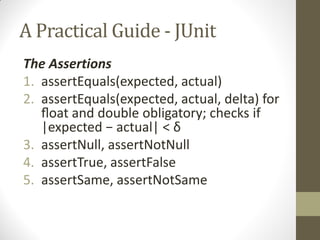
The Assertions
1. assertEquals(expected, actual)
2. assertEquals(expected, actual, delta) for
float  and double obligatory; checks if
|expected  −  actual|  <  δ
3. assertNull, assertNotNull
4. assertTrue, assertFalse
5. assertSame, assertNotSame
A Practical Guide - JUnit
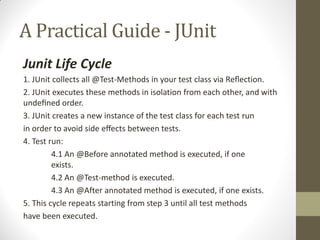
Junit Life Cycle
1. JUnit collects all @Test-Methods in your test class via  Reflection.
2. JUnit executes these methods in isolation from each other, and with
undefined  order.
3. JUnit creates a new instance of the test class for each test run
in  order  to  avoid  side  effects  between  tests.
4. Test run:
4.1 An @Before annotated method is executed, if one
exists.
4.2 An @Test-method is executed.
4.3 An @After annotated method is executed, if one exists.
5. This cycle repeats starting from step 3 until all test methods
have been executed.
A Practical Guide - JUnit
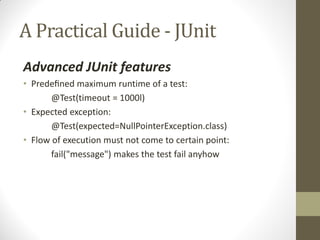
Advanced JUnit features
• Predefined  maximum runtime of a test:
@Test(timeout = 1000l)
• Expected exception:
@Test(expected=NullPointerException.class)
• Flow of execution must not come to certain point:
fail("message") makes the test fail anyhow
A Practical Guide - JUnit
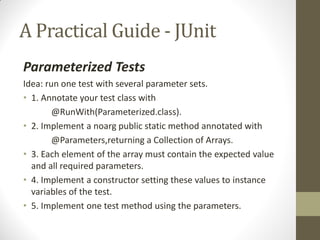
Parameterized Tests
Idea: run one test with several parameter sets.
• 1. Annotate your test class with
@RunWith(Parameterized.class).
• 2. Implement a noarg public static method annotated with
@Parameters,returning a Collection of Arrays.
• 3. Each element of the array must contain the expected value
and all required parameters.
• 4. Implement a constructor setting these values to instance
variables of the test.
• 5. Implement one test method using the parameters.
A Practical Guide - JUnit
@RunWith(Parameterized.class)
public class PrimeNumberValidatorTest {
private Integer primeNumber;
private Boolean expectedValidation;
private PrimeNumberValidator primeNumberValidator;
@Before
public void initialize() {
primeNumberValidator = new PrimeNumberValidator();
}

// Each parameter should be placed as an argument here
// Every time runner triggers, it will pass the arguments from parameters we defined
public PrimeNumberValidatorTest(Integer primeNumber, Boolean expectedValidation) {
this.primeNumber = primeNumber;
this.expectedValidation = expectedValidation;
}
@Parameterized.Parameters
public static Collection primeNumbers() {
return Arrays.asList(new Object[][] {
{ 2, true },
{ 6, false },
{ 19, true },
{ 22, false }
});
}

}

// This test will run 4 times since we have 4 parameters defined
@Test
public void testPrimeNumberValidator() {
assertEquals(expectedValidation, primeNumberValidator.validate(primeNumber));
}
A Practical Guide - JUnit
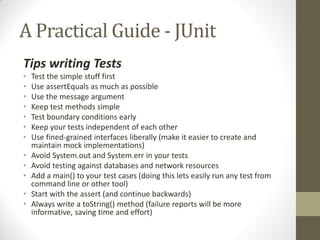
Tips writing Tests
•
•
•
•
•
•
•

•
•
•
•
•

Test the simple stuff first
Use assertEquals as much as possible
Use the message argument
Keep test methods simple
Test boundary conditions early
Keep your tests independent of each other
Use fined-grained interfaces liberally (make it easier to create and
maintain mock implementations)
Avoid System.out and System.err in your tests
Avoid testing against databases and network resources
Add a main() to your test cases (doing this lets easily run any test from
command line or other tool)
Start with the assert (and continue backwards)
Always write a toString() method (failure reports will be more
informative, saving time and effort)
Thank  you  for  your  patience….

Test driven development

  • 1.
    Test Driven Development “TDD  is not  testing,  it  is  a  design  technique”. Christoforos Nalmpantis
  • 2.
    What is TDD TDDis a style of development where: • You maintain an exhaustive suite of Programmer Tests • No code goes into production unless it has associated tests • You write the tests first • The tests determine what code you need to write
  • 3.
    Red – Green- Refactor 1. Write a test that fails RED REFACTOR 3. Eliminate redundancy GREEN 2. Make the code work
  • 4.
    A sad misconception Becauseof the name of TDD most inexperienced developers believe it is testing. This leads to the following objections: • Writing unit tests takes too much time. • How  could  I  write  tests  first  if  I  don’t  know  what  it  does  yet? • Unit tests won't catch all the bugs.
  • 5.
    A sad misconception Infact TDD is a design technique and our objections should be: • Designing takes too much time. • How could I design first if I don't know what it does yet? • Designing won't catch all the bugs.
  • 6.
  • 7.
    TDD is Agile “Agile” means: • Characterized by quickness, lightness, and ease of movement; nimble. • Mentally quick or alert SCRUM WORKING SOFTWARE ADAPTABILITY extreme programming DAILY TRANSPARENCY UNITY ITERATION continuous CRYSTAL SIMPLICITY RELEASE
  • 8.
  • 9.
    Why TDD • Ensuresquality • Keeps code clear, simple and testable • Provides documentation for different team members • Repeatable tests • Enables rapid change
  • 10.
    Why TDD “When  you already  have  Tests that documents how your code works  and  also  verifies  every  logical  units,  programmer’s  bugs   are significantly reduced resulting more time coding, less time debugging.” “You  can  confidently refactor your production code without worrying about breaking it, if you already have test code written, it  acts  as  safety  net.” “Tests  on  TDD  describe  the  behaviour of the code you are going to write. So, tests provides better picture of specification than documentation written on a paper because test runs.”
  • 11.
    A Practical Guide- Refactoring • • • • • • • • • • • • • • • • • • • • • • • • • • • • public void init() { setLayout(); initMovieList(); initMovieField(); initAddButton(); } private void setLayout() { getContentPane().setLayout(new FlowLayout()); } private void initMovieList() { movieList = new JList(getMovies(); JScrollPane scroller = new JScrollpane(movieList); getContentPane().add(scroller); } private void initMovieField() { movieField = new JTextField(16); getContentPane().add(movieField); } private void initAddButton() { addButton = new JButton(“Add”); addButton.addActionListener(new ActionListener() { public void actionPerformed(ActionEvent e) { myEditor.add(movie.getText()); movieList.setListData(myEditor.getMovies()); } }); getContentPane().add(addButton); } • • • • • • • • • • • • • • • • Public void init() { getContentPane().setLayout(new FlowLayout()); movieList = new JList(myEditor.getMoviews()); JScrollPane scroller = new JScrollPane(movieList); getContentPane().add(scroller); movieField = new JTextField(16); getContentPane().add(movieField); addButton = new JButton(“Add”); addButton.addActionListener(new ActionListener() { public void actionPerformed(ActionEvent e) { myEditor.add(movie.getText()); movieList.setListData(myEditor.getMovies()); } }); getContentPane().add(addButton); }
  • 12.
    A Practical Guide- Refactoring • Extract Method When a method gets too long or the logic is too complex to be easily understood, part of it can be pulled out into a method of its own.
  • 13.
    A Practical Guide- Refactoring • • • • • • • • • • • • • • • public class Employee { //0-engineer, 1-salesman, 2-manager private String departmentName() { switch (employeeType ) { case 0: return  “Engineering”; case 1: return  “Sales”; case 2: return  “Management”; default: return  “Unknown”; } } } • abstract public class Employee { • Public abstract String departmentName(); • } • public class Engineer extends Employee { • Public String departmentName() { • Return  “Engineering”; • } • } • public class SalesMan extends Employee { • Public String departmentName() { • Return  “Sales”; • } • } • public class Manager extends Employee { • Public String departmentName() { • Return  “Management”; • } • }
  • 14.
    A Practical Guide- Refactoring • Replace Conditional with Polymorphism When we find switch statements, consider creating subclasses to handle the different cases and get rid of the switch.
  • 15.
    A Practical Guide- Refactoring • • • • • • • • • • public Money calculateTotal(){ Money subtotal = getSubtotal(); Money tax = getTaxableSubtotal().times(0.15); Money total = subtotal.plus(tax); Boolean qualifiesForDiscount = getSubtotal().asDouble()>100.0; Money discount = qualifiesForDiscount ?subtotal.times(0.10) :new Money(0.0); return total.minus(discount); } • public Money calculateTotal(){ • return getSubtotal().plus((getTaxableSubtotal().times(0.15))) • .minus((getSubtotal().asDouble()>100.0) • ?(getSubtotal().times(0.10)) • :0); • }
  • 16.
    A Practical Guide- Refactoring • Introduce Explaining Variable When we have a complex expression that is difficult to understand, we can extract parts of it and store the intermediate results in well-named temporary variables. This breaks the expression into easy to understand pieces, as well as making the overall expression clearer.
  • 17.
    A Practical Guide- Refactoring • public int fib(int i) { • int result; • if(i == 0){ • result = 0; • }else if (i <=2){ • result = 1; • }else { • result = fib( i – 1) + fib(i -2); • } • return result; • } • public int fib( int i ){ • If (i == 0)return 0; • If (i <= 2)return 1; • return fib(i – 1) + fib(i – 2); • }
  • 18.
    A Practical Guide- Refactoring • Replace Nested Conditional with Guard Clauses Many people have been taught that a method should have only a single exit point. There is no reason for this, certainly not at the expense of clarity. In a method that should exit under multiple conditions, this leads to complex, nested conditional statements. A better, and much clearer alternative is to use guard clauses to return under those conditions.
  • 19.
    A Practical Guide- Refactoring • • • • • • • Extract class Extract interface Replace Type Code with Subclasses Form Template Method Replace constructor with Factory method Replace Inheritance with Delegation Replace magic number with symbolic constant
  • 20.
    A Practical Guide- JUnit • JUnit is a Java tool that allows you to easily write tests. • It  uses  Annotations  und  Reflection  (see  one  of  the  next chapters). During execution JUnit runs methods like: @Test public void ...() • JUnit offers  assert-methods to formulate your test outcomes. • Example: assertEquals(5, model.getCurrentValue()); Here, the order is important: expected value, actual value, since an error report says: expected 5 but was ...
  • 21.
    A Practical Guide- JUnit The Assertions 1. assertEquals(expected, actual) 2. assertEquals(expected, actual, delta) for float  and double obligatory; checks if |expected  −  actual|  <  δ 3. assertNull, assertNotNull 4. assertTrue, assertFalse 5. assertSame, assertNotSame
  • 22.
    A Practical Guide- JUnit Junit Life Cycle 1. JUnit collects all @Test-Methods in your test class via  Reflection. 2. JUnit executes these methods in isolation from each other, and with undefined  order. 3. JUnit creates a new instance of the test class for each test run in  order  to  avoid  side  effects  between  tests. 4. Test run: 4.1 An @Before annotated method is executed, if one exists. 4.2 An @Test-method is executed. 4.3 An @After annotated method is executed, if one exists. 5. This cycle repeats starting from step 3 until all test methods have been executed.
  • 23.
    A Practical Guide- JUnit Advanced JUnit features • Predefined  maximum runtime of a test: @Test(timeout = 1000l) • Expected exception: @Test(expected=NullPointerException.class) • Flow of execution must not come to certain point: fail("message") makes the test fail anyhow
  • 24.
    A Practical Guide- JUnit Parameterized Tests Idea: run one test with several parameter sets. • 1. Annotate your test class with @RunWith(Parameterized.class). • 2. Implement a noarg public static method annotated with @Parameters,returning a Collection of Arrays. • 3. Each element of the array must contain the expected value and all required parameters. • 4. Implement a constructor setting these values to instance variables of the test. • 5. Implement one test method using the parameters.
  • 25.
    A Practical Guide- JUnit @RunWith(Parameterized.class) public class PrimeNumberValidatorTest { private Integer primeNumber; private Boolean expectedValidation; private PrimeNumberValidator primeNumberValidator; @Before public void initialize() { primeNumberValidator = new PrimeNumberValidator(); } // Each parameter should be placed as an argument here // Every time runner triggers, it will pass the arguments from parameters we defined public PrimeNumberValidatorTest(Integer primeNumber, Boolean expectedValidation) { this.primeNumber = primeNumber; this.expectedValidation = expectedValidation; } @Parameterized.Parameters public static Collection primeNumbers() { return Arrays.asList(new Object[][] { { 2, true }, { 6, false }, { 19, true }, { 22, false } }); } } // This test will run 4 times since we have 4 parameters defined @Test public void testPrimeNumberValidator() { assertEquals(expectedValidation, primeNumberValidator.validate(primeNumber)); }
  • 26.
    A Practical Guide- JUnit Tips writing Tests • • • • • • • • • • • • Test the simple stuff first Use assertEquals as much as possible Use the message argument Keep test methods simple Test boundary conditions early Keep your tests independent of each other Use fined-grained interfaces liberally (make it easier to create and maintain mock implementations) Avoid System.out and System.err in your tests Avoid testing against databases and network resources Add a main() to your test cases (doing this lets easily run any test from command line or other tool) Start with the assert (and continue backwards) Always write a toString() method (failure reports will be more informative, saving time and effort)
  • 27.
    Thank  you  for your  patience….