Infrastructure as Code
Streamlining
Operations
A Practical Guide to
Automating Infrastructure
with Terraform
Samuel Ekele
DevOps/Infrastructure Engineer
X realsammy3
Table of contents
Benefit of Streamlining
Infrastructure
01
Overview of IaC
Infrastructure as
Code
02
The Need for Streamlining
Infrastructure
Local and remote state
Providers
Terraform State
Management
04
Terraform Modules
Provisioning
Infrastructure
with Terraform
05
03
Introduction to
Terraform
Terraform Installation,
06
Brief Demo
Q&A 07
01
The Need for Streamlining Operations:
Traditional methods of infrastructure management are often plagued by inefficiencies: time-consuming
processes, manual errors, and high operational costs. Streamlining operations offers a compelling
solution, delivering benefits like:
● Increased cost efficiency: Automate provisioning and management, reducing manual efforts and
associated costs.
● Enhanced agility: Respond quickly to changing demands and scale infrastructure effortlessly.
● Reduced manual errors: Eliminate human error through automated provisioning and configuration
IaC
—Somuel Ekele
DevOps/Infrastructure Engineer
Terraform
02
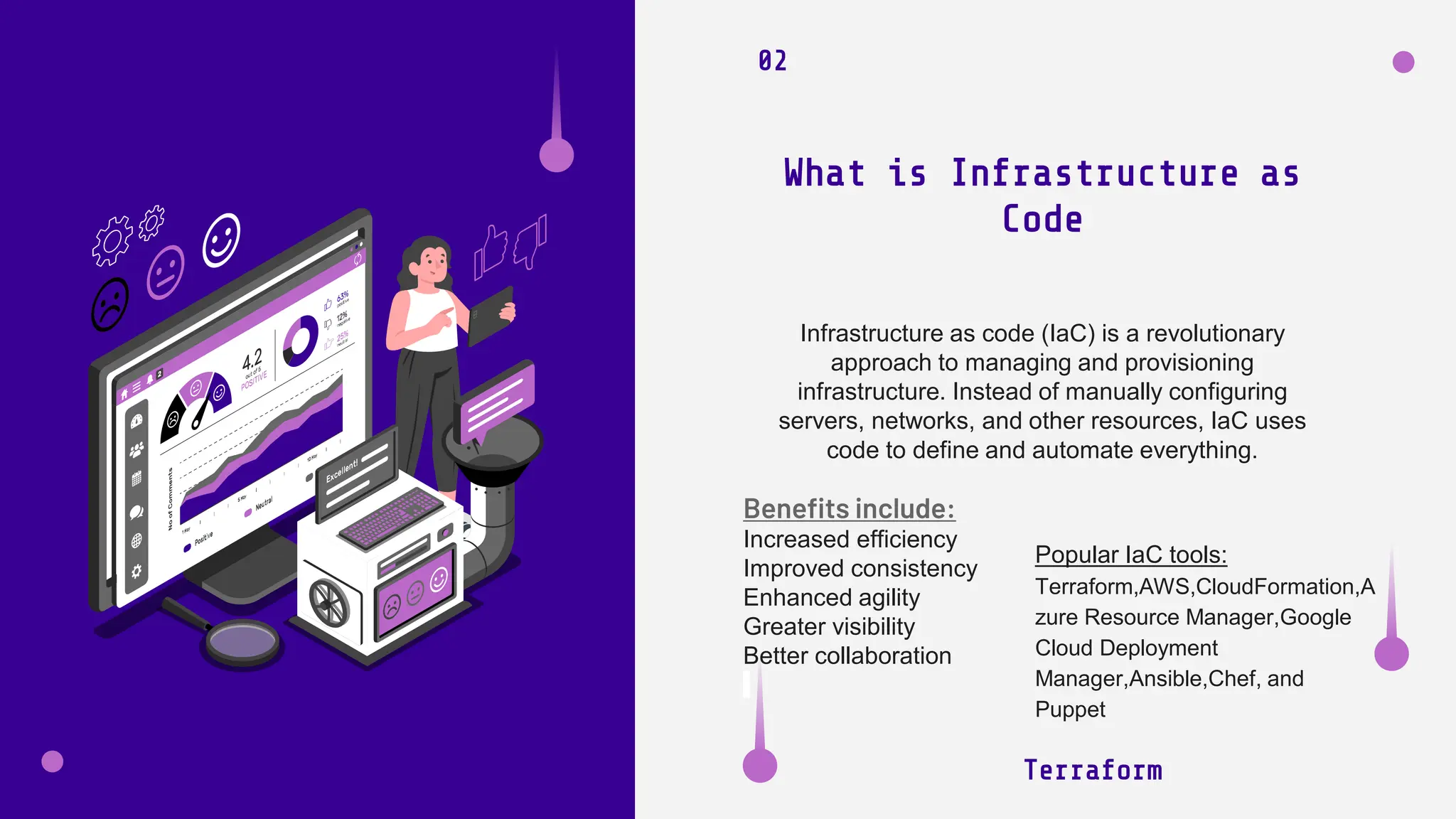
Infrastructure as code (IaC) is a revolutionary
approach to managing and provisioning
infrastructure. Instead of manually configuring
servers, networks, and other resources, IaC uses
code to define and automate everything.
What is Infrastructure as
Code
Benefits include:
Increased efficiency
Improved consistency
Enhanced agility
Greater visibility
Better collaboration
Popular IaC tools:
Terraform,AWS,CloudFormation,A
zure Resource Manager,Google
Cloud Deployment
Manager,Ansible,Chef, and
Puppet
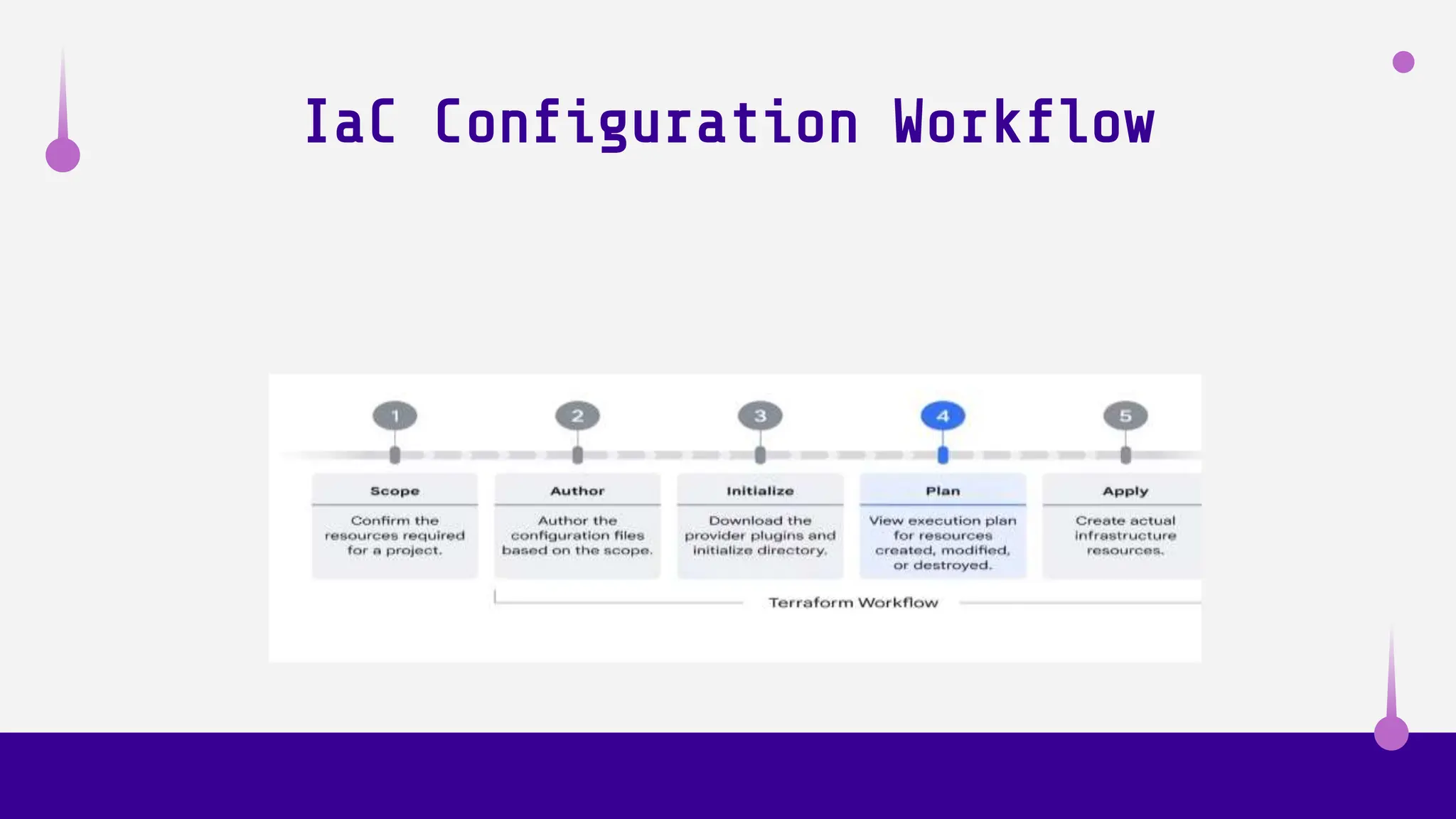
IaC Configuration Workflow
Introduction to
Terraform
03
Developed by HashiCorp, Terraform is a leading IaC tool
designed to automate infrastructure provisioning and
management. With its declarative configuration language,
Terraform lets you define and manage your infrastructure
as code, ensuring consistency and reproducibility
Terraform
TaC
Terraform state is a crucial component in
managing infrastructure with Terraform. It acts as
a central repository that stores information about
the infrastructure created or managed by
Terraform, including:
Resource address, metadata, attributes and
dependencies.
Terraform State
Management
Terraform
04
By default, Terraform stores the state file locally in the
current working directory. However, it's recommended to
store it remotely in a centralized location like a remote
storage service (e.g., S3 bucket) or a dedicated state
management tool.
Remote backends offer a secure and
collaborative way to store and manage
state. Providers includes: AWS S3, Azure
Blob Storage, and Google Cloud Storage.
Workspaces allow you to create separate
state files for managing different
environments (e.g., development,
staging, production) without affecting
each other
State locking ensures only one
person can modify the state at a
time, preventing conflicts and
inconsistencies
Workspaces
State Locking
Remote State Backends
Versioning allows you to track
changes to the state file and
revert to previous versions if
needed.
State Versioning
Terraform State
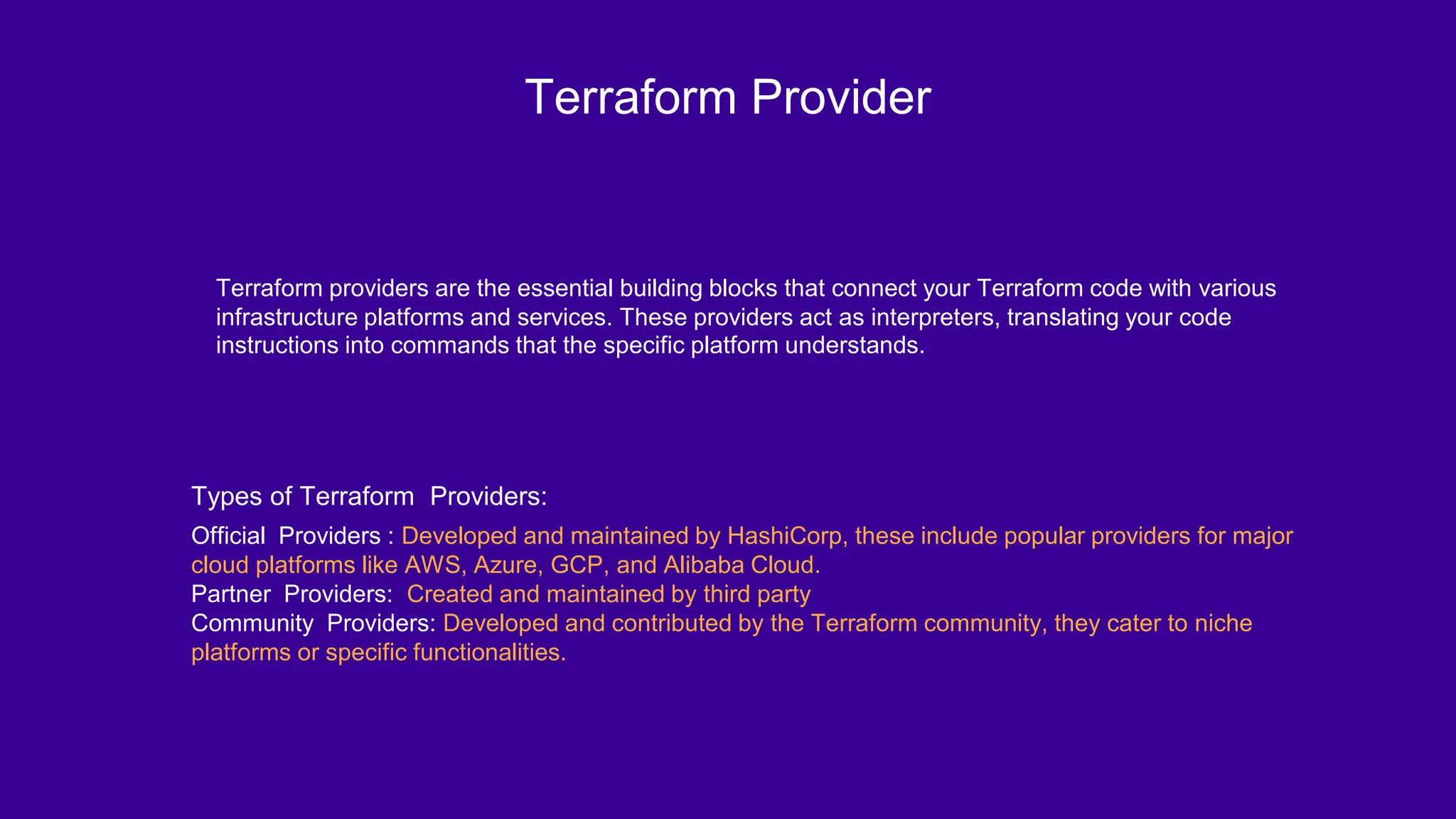
Terraform Provider
Terraform providers are the essential building blocks that connect your Terraform code with various
infrastructure platforms and services. These providers act as interpreters, translating your code
instructions into commands that the specific platform understands.
Types of Terraform Providers:
Official Providers : Developed and maintained by HashiCorp, these include popular providers for major
cloud platforms like AWS, Azure, GCP, and Alibaba Cloud.
Partner Providers: Created and maintained by third party
Community Providers: Developed and contributed by the Terraform community, they cater to niche
platforms or specific functionalities.
Provisioning
Infrastructure with
Terraform
Terraform offers a powerful and flexible
approach to provisioning infrastructure
Terraform
IaC
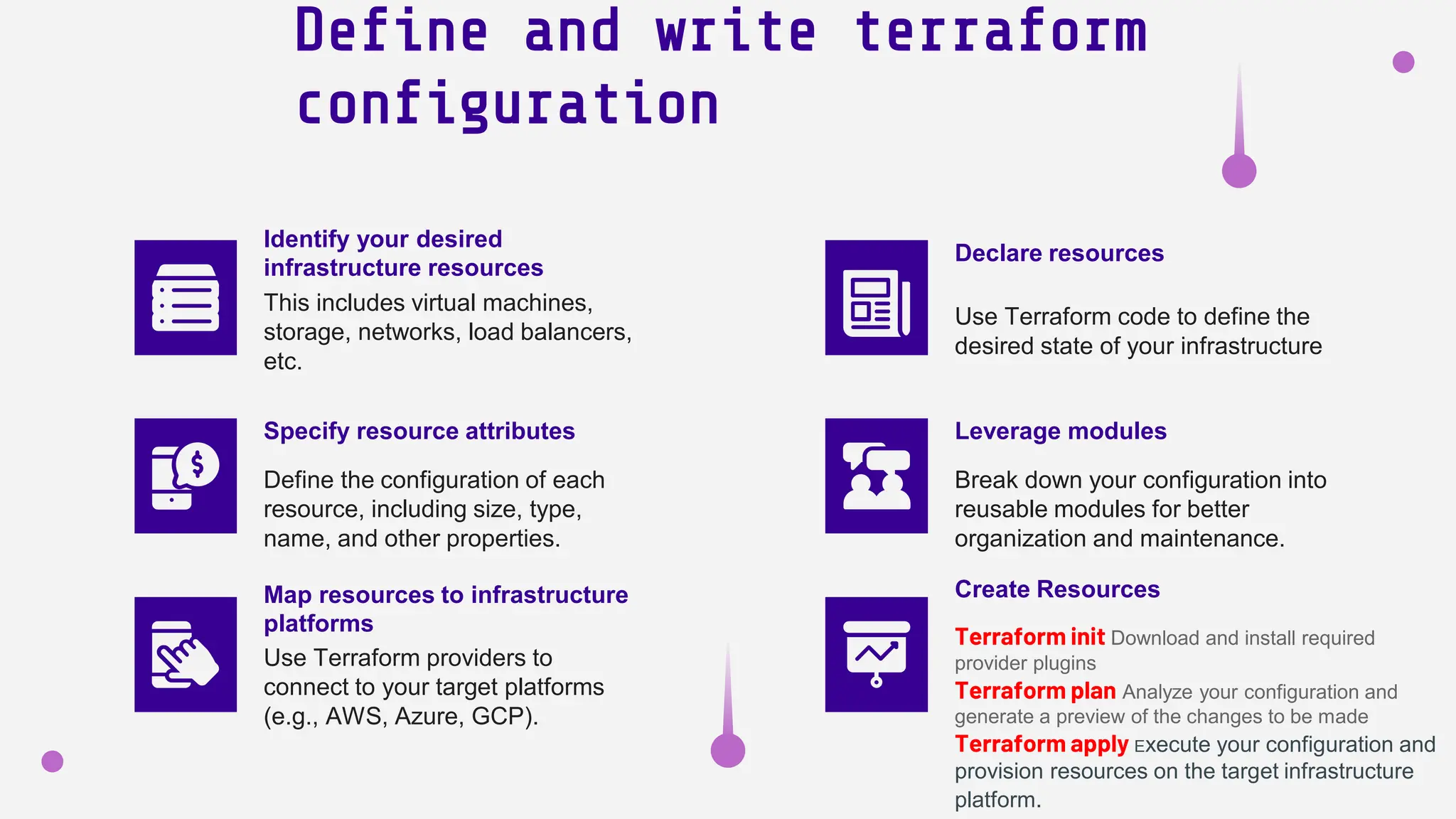
Define and write terraform
configuration
Use Terraform code to define the
desired state of your infrastructure
This includes virtual machines,
storage, networks, load balancers,
etc.
Use Terraform providers to
connect to your target platforms
(e.g., AWS, Azure, GCP).
Declare resources
Map resources to infrastructure
platforms
Identify your desired
infrastructure resources
Terraform init Download and install required
provider plugins
Terraform plan Analyze your configuration and
generate a preview of the changes to be made
Terraform apply Execute your configuration and
provision resources on the target infrastructure
platform.
Create Resources
Define the configuration of each
resource, including size, type,
name, and other properties.
Specify resource attributes
Break down your configuration into
reusable modules for better
organization and maintenance.
Leverage modules
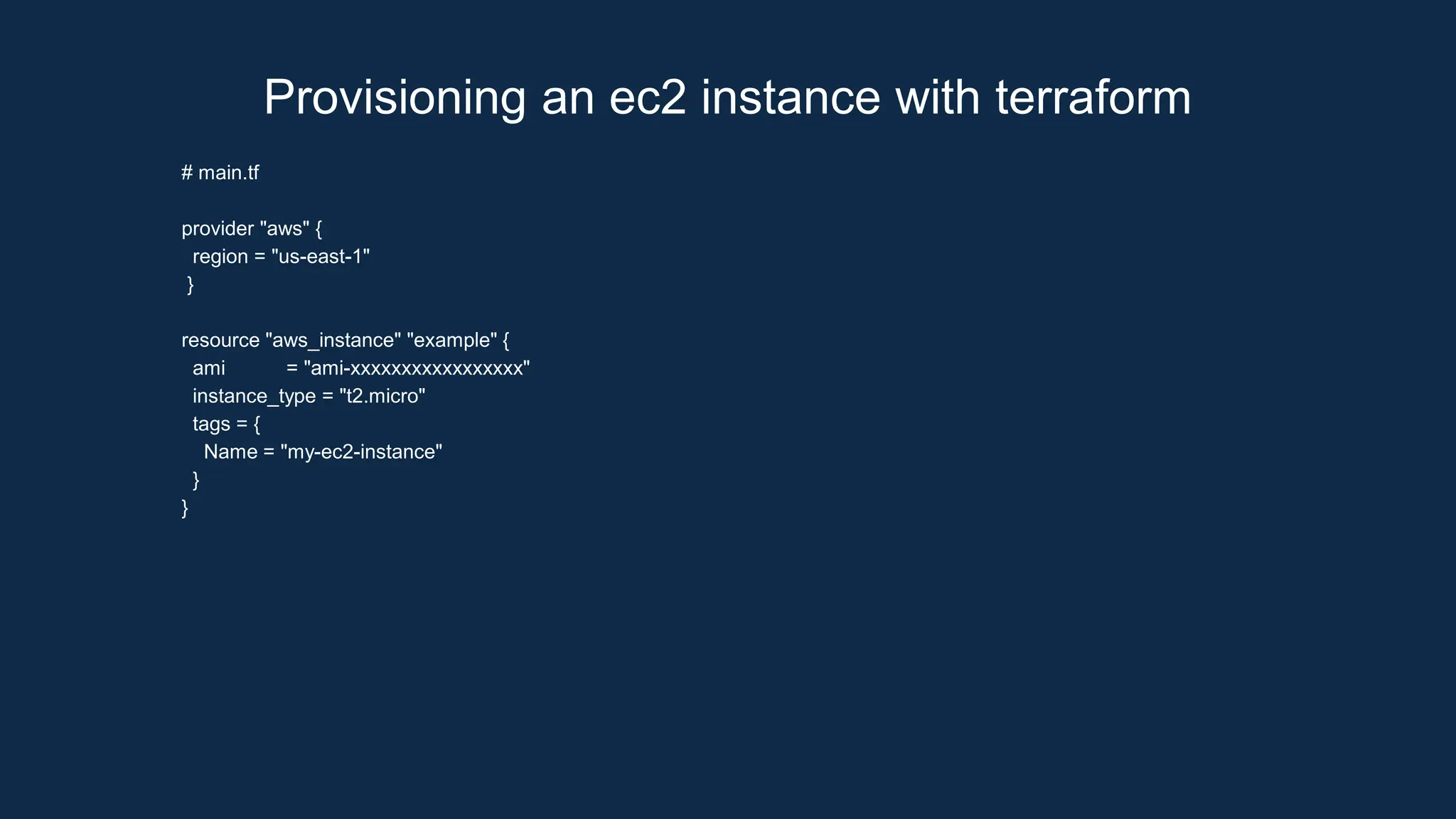
# main.tf
provider "aws" {
region = "us-east-1"
}
resource "aws_instance" "example" {
ami = "ami-xxxxxxxxxxxxxxxxx"
instance_type = "t2.micro"
tags = {
Name = "my-ec2-instance"
}
}
Provisioning an ec2 instance with terraform
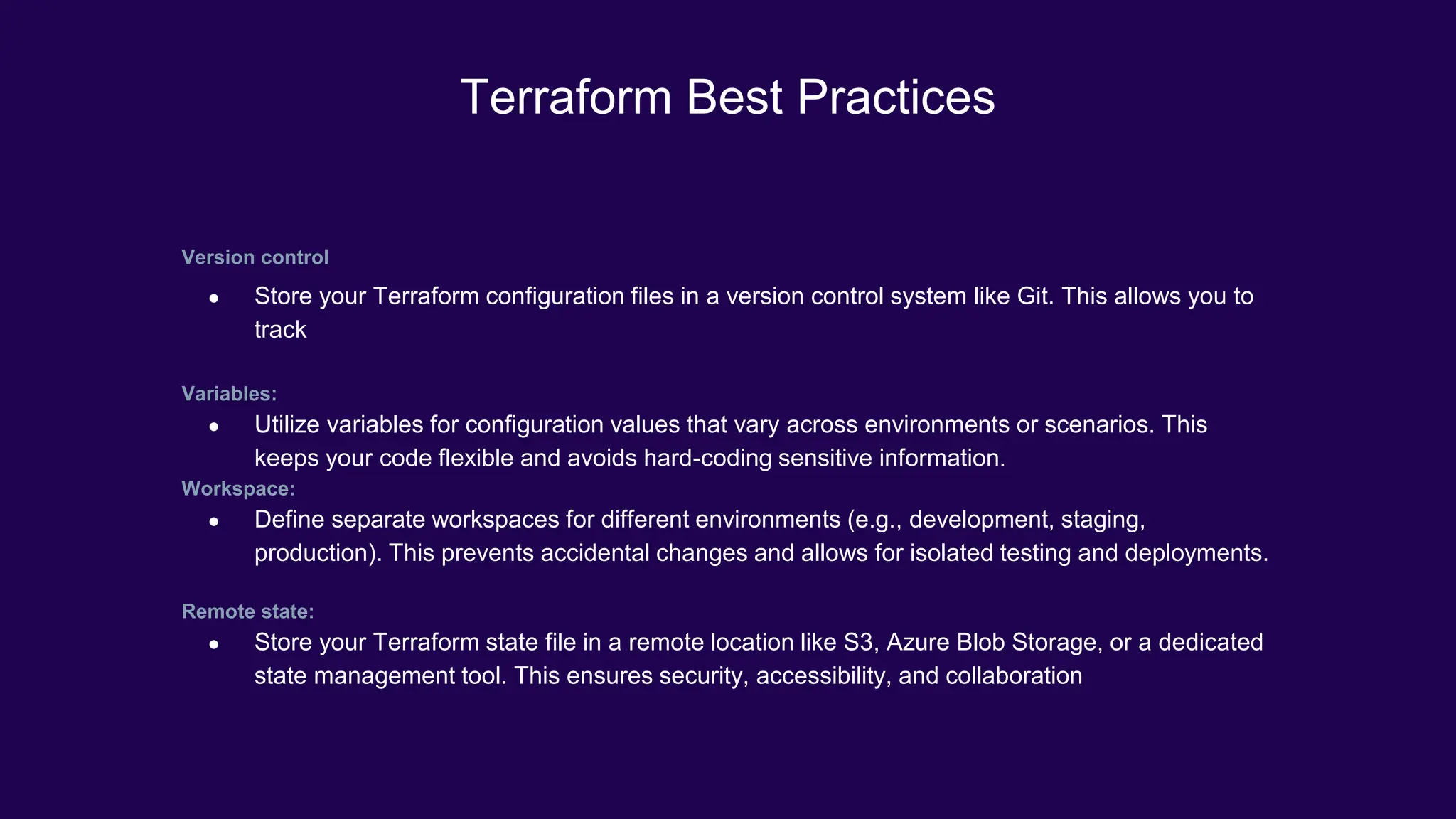
Version control
● Store your Terraform configuration files in a version control system like Git. This allows you to
track
Variables:
● Utilize variables for configuration values that vary across environments or scenarios. This
keeps your code flexible and avoids hard-coding sensitive information.
Workspace:
● Define separate workspaces for different environments (e.g., development, staging,
production). This prevents accidental changes and allows for isolated testing and deployments.
Remote state:
● Store your Terraform state file in a remote location like S3, Azure Blob Storage, or a dedicated
state management tool. This ensures security, accessibility, and collaboration
Terraform Best Practices
Demo
Terraform
IaC
Q & A

Infrastructure as Code with Terraform.pptx

  • 1.
    Infrastructure as Code Streamlining Operations APractical Guide to Automating Infrastructure with Terraform Samuel Ekele DevOps/Infrastructure Engineer X realsammy3
  • 2.
    Table of contents Benefitof Streamlining Infrastructure 01 Overview of IaC Infrastructure as Code 02 The Need for Streamlining Infrastructure Local and remote state Providers Terraform State Management 04 Terraform Modules Provisioning Infrastructure with Terraform 05 03 Introduction to Terraform Terraform Installation, 06 Brief Demo Q&A 07
  • 3.
    01 The Need forStreamlining Operations: Traditional methods of infrastructure management are often plagued by inefficiencies: time-consuming processes, manual errors, and high operational costs. Streamlining operations offers a compelling solution, delivering benefits like: ● Increased cost efficiency: Automate provisioning and management, reducing manual efforts and associated costs. ● Enhanced agility: Respond quickly to changing demands and scale infrastructure effortlessly. ● Reduced manual errors: Eliminate human error through automated provisioning and configuration IaC —Somuel Ekele DevOps/Infrastructure Engineer
  • 4.
    Terraform 02 Infrastructure as code(IaC) is a revolutionary approach to managing and provisioning infrastructure. Instead of manually configuring servers, networks, and other resources, IaC uses code to define and automate everything. What is Infrastructure as Code Benefits include: Increased efficiency Improved consistency Enhanced agility Greater visibility Better collaboration Popular IaC tools: Terraform,AWS,CloudFormation,A zure Resource Manager,Google Cloud Deployment Manager,Ansible,Chef, and Puppet
  • 5.
  • 6.
    Introduction to Terraform 03 Developed byHashiCorp, Terraform is a leading IaC tool designed to automate infrastructure provisioning and management. With its declarative configuration language, Terraform lets you define and manage your infrastructure as code, ensuring consistency and reproducibility Terraform TaC
  • 7.
    Terraform state isa crucial component in managing infrastructure with Terraform. It acts as a central repository that stores information about the infrastructure created or managed by Terraform, including: Resource address, metadata, attributes and dependencies. Terraform State Management Terraform 04 By default, Terraform stores the state file locally in the current working directory. However, it's recommended to store it remotely in a centralized location like a remote storage service (e.g., S3 bucket) or a dedicated state management tool.
  • 8.
    Remote backends offera secure and collaborative way to store and manage state. Providers includes: AWS S3, Azure Blob Storage, and Google Cloud Storage. Workspaces allow you to create separate state files for managing different environments (e.g., development, staging, production) without affecting each other State locking ensures only one person can modify the state at a time, preventing conflicts and inconsistencies Workspaces State Locking Remote State Backends Versioning allows you to track changes to the state file and revert to previous versions if needed. State Versioning Terraform State
  • 9.
    Terraform Provider Terraform providersare the essential building blocks that connect your Terraform code with various infrastructure platforms and services. These providers act as interpreters, translating your code instructions into commands that the specific platform understands. Types of Terraform Providers: Official Providers : Developed and maintained by HashiCorp, these include popular providers for major cloud platforms like AWS, Azure, GCP, and Alibaba Cloud. Partner Providers: Created and maintained by third party Community Providers: Developed and contributed by the Terraform community, they cater to niche platforms or specific functionalities.
  • 11.
    Provisioning Infrastructure with Terraform Terraform offersa powerful and flexible approach to provisioning infrastructure Terraform IaC
  • 12.
    Define and writeterraform configuration Use Terraform code to define the desired state of your infrastructure This includes virtual machines, storage, networks, load balancers, etc. Use Terraform providers to connect to your target platforms (e.g., AWS, Azure, GCP). Declare resources Map resources to infrastructure platforms Identify your desired infrastructure resources Terraform init Download and install required provider plugins Terraform plan Analyze your configuration and generate a preview of the changes to be made Terraform apply Execute your configuration and provision resources on the target infrastructure platform. Create Resources Define the configuration of each resource, including size, type, name, and other properties. Specify resource attributes Break down your configuration into reusable modules for better organization and maintenance. Leverage modules
  • 13.
    # main.tf provider "aws"{ region = "us-east-1" } resource "aws_instance" "example" { ami = "ami-xxxxxxxxxxxxxxxxx" instance_type = "t2.micro" tags = { Name = "my-ec2-instance" } } Provisioning an ec2 instance with terraform
  • 14.
    Version control ● Storeyour Terraform configuration files in a version control system like Git. This allows you to track Variables: ● Utilize variables for configuration values that vary across environments or scenarios. This keeps your code flexible and avoids hard-coding sensitive information. Workspace: ● Define separate workspaces for different environments (e.g., development, staging, production). This prevents accidental changes and allows for isolated testing and deployments. Remote state: ● Store your Terraform state file in a remote location like S3, Azure Blob Storage, or a dedicated state management tool. This ensures security, accessibility, and collaboration Terraform Best Practices
  • 15.
  • 16.