




































West Midlands SharePoint User Group #SUGUK


                            27th March 2012
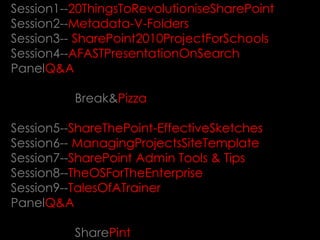
Session1--20ThingsToRevolutioniseSharePoint
Session2--Metadata-V-Folders
Session3-- SharePoint2010ProjectForSchools
Session4--AFASTPresentationOnSearch
PanelQ&A

          Break&Pizza

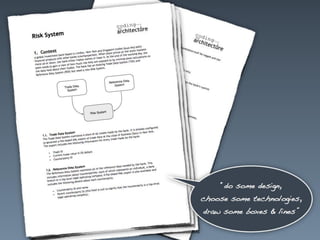
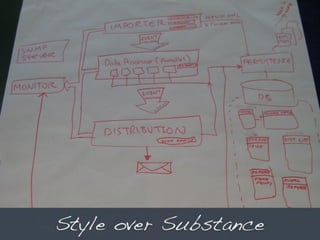
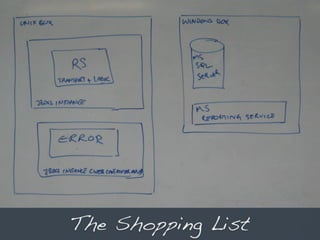
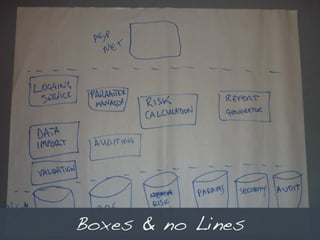
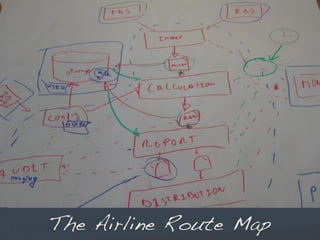
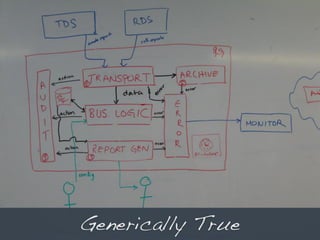
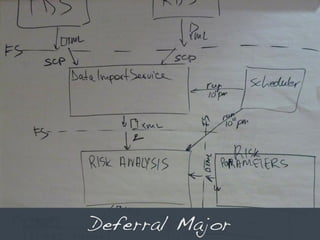
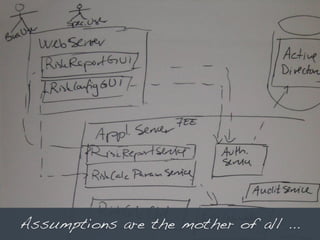
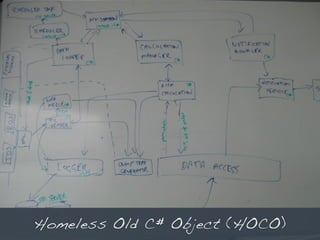
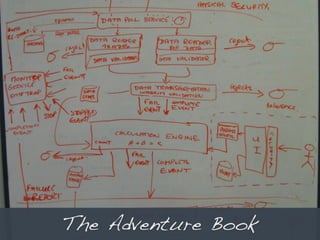
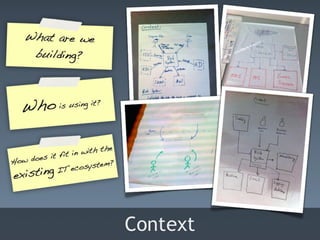
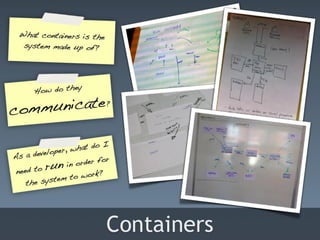
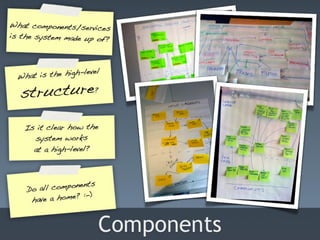
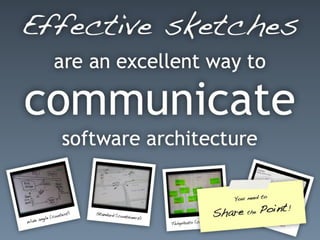
Session5--ShareThePoint-EffectiveSketches
Session6-- ManagingProjectsSiteTemplate
Session7--SharePoint Admin Tools & Tips
Session8--TheOSForTheEnterprise
Session9--TalesOfATrainer
PanelQ&A

          SharePint
Next up to inspire… Simon Brown
Thank you… Simon Brown
Next up to inspire… Kim Wolstencroft
Project Management in
Sharepoint

Presented by: Kim Wolstencroft
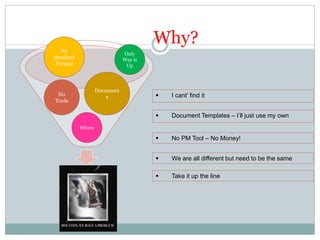
Why?
   No
                              Only
standard                      Way is
 Format                        Up


                   Document
 No                    s                  I cant’ find it
Tools

                                          Document Templates – I’ll just use my own
           Where

                                          No PM Tool – No Money!


                                          We are all different but need to be the same

                                          Take it up the line
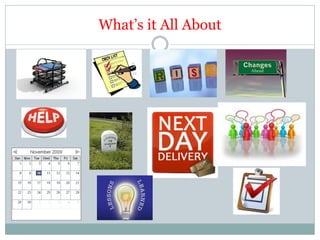
What’s it All About
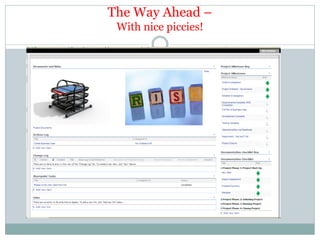
The Way Ahead –
 With nice piccies!
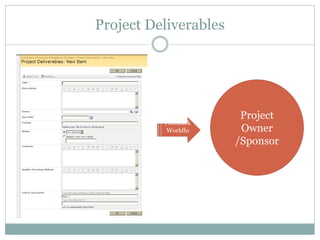
Project Deliverables


                        Project
          Feedback
          Workflo       Owner
             w
                       /Sponsor
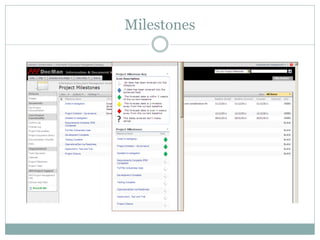
Milestones
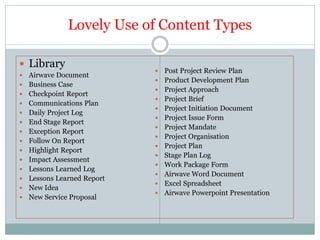
Lovely Use of Content Types

 Library
                                Post Project Review Plan
   Airwave Document
                                Product Development Plan
   Business Case
                                Project Approach
   Checkpoint Report
                                Project Brief
   Communications Plan
                                Project Initiation Document
   Daily Project Log
                                Project Issue Form
   End Stage Report
                                Project Mandate
   Exception Report
                                Project Organisation
   Follow On Report
                                Project Plan
   Highlight Report
                                Stage Plan Log
   Impact Assessment
                                Work Package Form
   Lessons Learned Log
                                Airwave Word Document
   Lessons Learned Report
                                Excel Spreadsheet
   New Idea
                                Airwave Powerpoint Presentation
   New Service Proposal
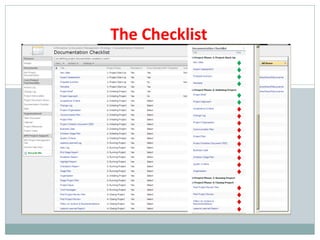
The Checklist
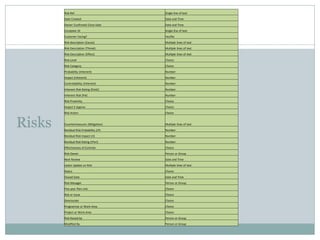
Risk Ref                         Single line of text
        Date Created                     Date and Time
        Owner Confirmed Close Date       Date and Time
        Complete ID                      Single line of text
        Customer Facing?                 Yes/No
        Risk description (Cause)         Multiple lines of text
        Risk Description (Threat)        Multiple lines of text
        Risk Description (Effect)        Multiple lines of text
        Risk Level                       Choice
        Risk Category                    Choice
        Probability (Inherent)           Number
        Impact (Inherent)                Number
        Controllability (Inherent)       Number
        Inherent Risk Rating (PxIxC)     Number
        Inherent Risk (PxI)              Number
        Risk Proximity                   Choice
        Impact £ Approx                  Choice
        Risk Action                      Choice


Risks   Countermeasures (Mitigation)
        Residual Risk Probability (rP)
                                         Multiple lines of text
                                         Number
        Residual Risk Impact (rI)        Number
        Residual Risk Rating (rPxrI)     Number
        Effectiveness of Controls        Choice
        Risk Owner                       Person or Group
        Next Review                      Date and Time
        Latest Update on Risk            Multiple lines of text
        Status                           Choice
        Closed Date                      Date and Time
        Risk Manager                     Person or Group
        Five year Plan Link              Choice
        Risk or Issue                    Choice
        Directorate                      Choice
        Programme or Work Area           Choice
        Project or Work Area             Choice
        Risk Raised by                   Person or Group
        Modified By                      Person or Group
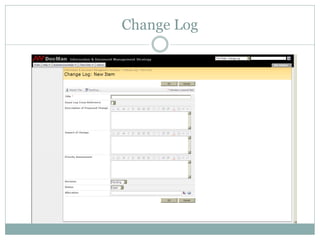
Change Log
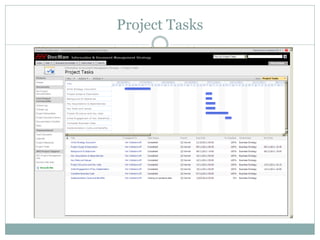
Project Tasks
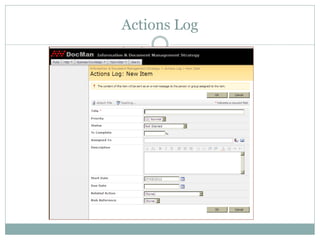
Actions Log
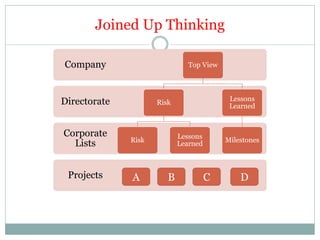
Joined Up Thinking

Company                        Top View


Directorate                                Lessons
                     Risk
                                           Learned


Corporate                   Lessons
              Risk                        Milestones
  Lists                     Learned


 Projects     A         B             C       D
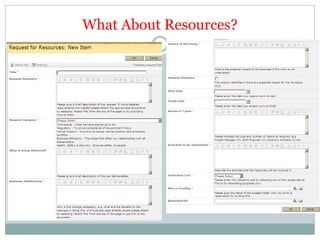
What About Resources?
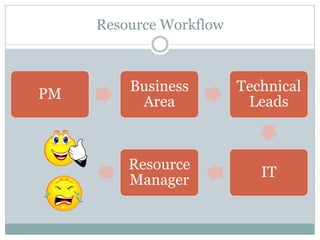
Resource Workflow


         Business        Technical
PM
          Area            Leads


         Resource
                            IT
         Manager
Has it Worked

 Early Days – but each new project has a site created
 Initial Feedback is
   Further automation will improve it

   Less Documents

   More Buttons

   Executive Managers Like it
The Future?
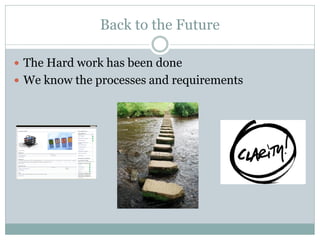
Back to the Future

 The Hard work has been done
 We know the processes and requirements
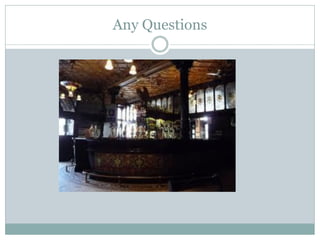
Any Questions
Thank you for listening.
Thank you… Kim Wolstencroft
Next up to inspire… Iain Wyatt
Iain Wyatt
Technical Specialist (IWSP)
  iainw@tesl.com
  www.tesl.com
  www.linkedin.com/in/iainwyatt
  www.twitter.com/itwyatt


    IT solutions for business excellence
IT solutions for business excellence
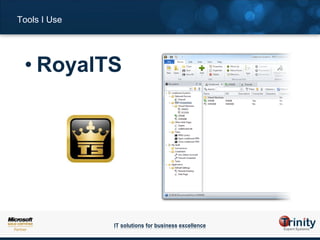
Tools I Use


 • RoyalTS


              IT solutions for business excellence
Tools I use…


 • Quest PowerGUI + PowerGUI VSX


               IT solutions for business excellence
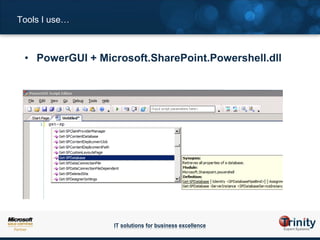
Tools I use…


 • PowerGUI + Microsoft.SharePoint.Powershell.dll


                 IT solutions for business excellence
Tools I use…


 • AutoSPInstaller


               IT solutions for business excellence
Tools I use…


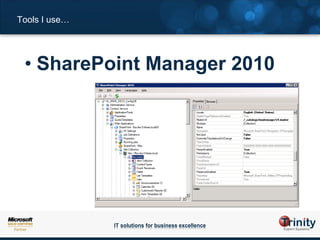
 • SharePoint Manager 2010


               IT solutions for business excellence
Anecdote


 • No metadata in
   Search index


           IT solutions for business excellence
Anecdote


 • Beware removing
   host headers


           IT solutions for business excellence
Anecdote


 • Cause & Effect


           IT solutions for business excellence
Tips


 • Change logs / simple
   journaling


         IT solutions for business excellence
Tips


 • have separate
   environments for
   dev / test / live
   & more if needed…


         IT solutions for business excellence
Tips


 • SQL Database Recovery
   Model : “Simple” for Dev


         IT solutions for business excellence
Tips


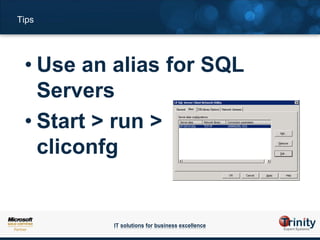
 • Use an alias for SQL
   Servers
 • Start > run >
   cliconfg


         IT solutions for business excellence
Tips


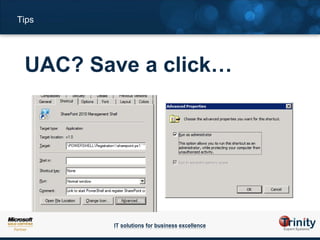
 UAC? Save a click…


        IT solutions for business excellence
Tips


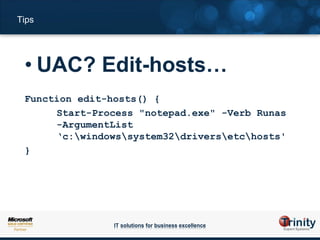
 • UAC? Edit-hosts…
 Function edit-hosts() {
      Start-Process "notepad.exe" -Verb Runas
      -ArgumentList
      ‘c:windowssystem32driversetchosts'
 }


                IT solutions for business excellence
Tips


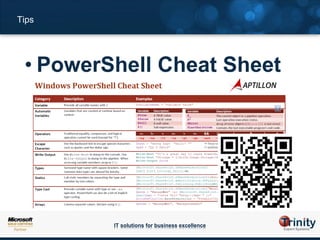
 • PowerShell Cheat Sheet


         IT solutions for business excellence
Tips


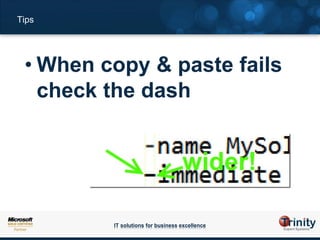
 • When copy & paste fails
   check the dash


         IT solutions for business excellence
Tips


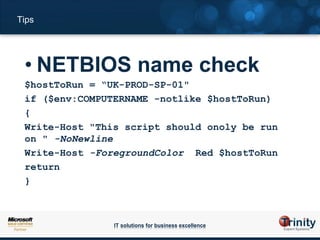
 • NETBIOS name check
 $hostToRun = “UK-PROD-SP-01"
 if ($env:COMPUTERNAME -notlike $hostToRun)
 {
 Write-Host "This script should onoly be run
 on " -NoNewline
 Write-Host -ForegroundColor Red $hostToRun
 return
 }


                IT solutions for business excellence
Tips


 • Be patient


          IT solutions for business excellence
Next up to inspire… Iain Wyatt
Next up to inspire… Andrew Woodward
Inspiring people to change the way they work
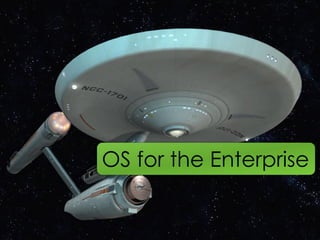
OS for the Enterprise

Inspiring people to change the way they work
Today?
Inspiring people to change the way they work
SharePoint App Store
Findability
Money
Community
Feedback.
What’s changed
Sandboxed Solutions
  Inspiring people to change the way they work
Client Object Model
  Inspiring people to change the way they work
RESTful APIs
Custom solutions


Inspiring people to change the way they work
3rd Party
End Users


Inspiring people to change the way they work
What about?
  Inspiring people to change the way they work
SharePoint App Store..
iTunes for your business
Thank you… Andrew Woodward
Next up to inspire… Matthew Hughes
Thank you… Matthew Hughes
Next up to inspire… Panel Q&A
Next up to inspire… You Guys!
Next up to inspire… SharePint

Telford SUGUK - March 2012 - Part 2

  • 1.
    West Midlands SharePointUser Group #SUGUK 27th March 2012
  • 2.
    Session1--20ThingsToRevolutioniseSharePoint Session2--Metadata-V-Folders Session3-- SharePoint2010ProjectForSchools Session4--AFASTPresentationOnSearch PanelQ&A Break&Pizza Session5--ShareThePoint-EffectiveSketches Session6-- ManagingProjectsSiteTemplate Session7--SharePoint Admin Tools & Tips Session8--TheOSForTheEnterprise Session9--TalesOfATrainer PanelQ&A SharePint
  • 3.
    Next up toinspire… Simon Brown
  • 24.
  • 25.
    Next up toinspire… Kim Wolstencroft
  • 26.
  • 27.
    Why? No Only standard Way is Format Up Document No s  I cant’ find it Tools  Document Templates – I’ll just use my own Where  No PM Tool – No Money!  We are all different but need to be the same  Take it up the line
  • 28.
  • 29.
    The Way Ahead– With nice piccies!
  • 30.
    Project Deliverables Project Feedback Workflo Owner w /Sponsor
  • 31.
  • 32.
    Lovely Use ofContent Types  Library  Post Project Review Plan  Airwave Document  Product Development Plan  Business Case  Project Approach  Checkpoint Report  Project Brief  Communications Plan  Project Initiation Document  Daily Project Log  Project Issue Form  End Stage Report  Project Mandate  Exception Report  Project Organisation  Follow On Report  Project Plan  Highlight Report  Stage Plan Log  Impact Assessment  Work Package Form  Lessons Learned Log  Airwave Word Document  Lessons Learned Report  Excel Spreadsheet  New Idea  Airwave Powerpoint Presentation  New Service Proposal
  • 33.
  • 34.
    Risk Ref Single line of text Date Created Date and Time Owner Confirmed Close Date Date and Time Complete ID Single line of text Customer Facing? Yes/No Risk description (Cause) Multiple lines of text Risk Description (Threat) Multiple lines of text Risk Description (Effect) Multiple lines of text Risk Level Choice Risk Category Choice Probability (Inherent) Number Impact (Inherent) Number Controllability (Inherent) Number Inherent Risk Rating (PxIxC) Number Inherent Risk (PxI) Number Risk Proximity Choice Impact £ Approx Choice Risk Action Choice Risks Countermeasures (Mitigation) Residual Risk Probability (rP) Multiple lines of text Number Residual Risk Impact (rI) Number Residual Risk Rating (rPxrI) Number Effectiveness of Controls Choice Risk Owner Person or Group Next Review Date and Time Latest Update on Risk Multiple lines of text Status Choice Closed Date Date and Time Risk Manager Person or Group Five year Plan Link Choice Risk or Issue Choice Directorate Choice Programme or Work Area Choice Project or Work Area Choice Risk Raised by Person or Group Modified By Person or Group
  • 35.
  • 36.
  • 37.
  • 38.
    Joined Up Thinking Company Top View Directorate Lessons Risk Learned Corporate Lessons Risk Milestones Lists Learned Projects A B C D
  • 39.
  • 40.
    Resource Workflow Business Technical PM Area Leads Resource IT Manager
  • 41.
    Has it Worked Early Days – but each new project has a site created  Initial Feedback is  Further automation will improve it  Less Documents  More Buttons  Executive Managers Like it
  • 42.
  • 43.
    Back to theFuture  The Hard work has been done  We know the processes and requirements
  • 44.
  • 45.
    Thank you forlistening.
  • 46.
    Thank you… KimWolstencroft
  • 47.
    Next up toinspire… Iain Wyatt
  • 48.
    Iain Wyatt Technical Specialist(IWSP) iainw@tesl.com www.tesl.com www.linkedin.com/in/iainwyatt www.twitter.com/itwyatt IT solutions for business excellence
  • 49.
    IT solutions forbusiness excellence
  • 50.
    Tools I Use • RoyalTS IT solutions for business excellence
  • 51.
    Tools I use… • Quest PowerGUI + PowerGUI VSX IT solutions for business excellence
  • 52.
    Tools I use… • PowerGUI + Microsoft.SharePoint.Powershell.dll IT solutions for business excellence
  • 53.
    Tools I use… • AutoSPInstaller IT solutions for business excellence
  • 54.
    Tools I use… • SharePoint Manager 2010 IT solutions for business excellence
  • 55.
    Anecdote • Nometadata in Search index IT solutions for business excellence
  • 56.
    Anecdote • Bewareremoving host headers IT solutions for business excellence
  • 57.
    Anecdote • Cause& Effect IT solutions for business excellence
  • 58.
    Tips • Changelogs / simple journaling IT solutions for business excellence
  • 59.
    Tips • haveseparate environments for dev / test / live & more if needed… IT solutions for business excellence
  • 60.
    Tips • SQLDatabase Recovery Model : “Simple” for Dev IT solutions for business excellence
  • 61.
    Tips • Usean alias for SQL Servers • Start > run > cliconfg IT solutions for business excellence
  • 62.
    Tips UAC? Savea click… IT solutions for business excellence
  • 63.
    Tips • UAC?Edit-hosts… Function edit-hosts() { Start-Process "notepad.exe" -Verb Runas -ArgumentList ‘c:windowssystem32driversetchosts' } IT solutions for business excellence
  • 64.
    Tips • PowerShellCheat Sheet IT solutions for business excellence
  • 65.
    Tips • Whencopy & paste fails check the dash IT solutions for business excellence
  • 66.
    Tips • NETBIOSname check $hostToRun = “UK-PROD-SP-01" if ($env:COMPUTERNAME -notlike $hostToRun) { Write-Host "This script should onoly be run on " -NoNewline Write-Host -ForegroundColor Red $hostToRun return } IT solutions for business excellence
  • 67.
    Tips • Bepatient IT solutions for business excellence
  • 68.
    Next up toinspire… Iain Wyatt
  • 69.
    Next up toinspire… Andrew Woodward
  • 70.
    Inspiring people tochange the way they work
  • 71.
    OS for theEnterprise Inspiring people to change the way they work
  • 72.
  • 73.
    Inspiring people tochange the way they work
  • 74.
  • 75.
  • 76.
  • 77.
  • 78.
  • 80.
  • 81.
    Sandboxed Solutions Inspiring people to change the way they work
  • 82.
    Client Object Model Inspiring people to change the way they work
  • 83.
  • 85.
    Custom solutions Inspiring peopleto change the way they work
  • 86.
  • 87.
    End Users Inspiring peopleto change the way they work
  • 88.
    What about? Inspiring people to change the way they work
  • 89.
  • 90.
  • 91.
    Next up toinspire… Matthew Hughes
  • 112.
  • 113.
    Next up toinspire… Panel Q&A
  • 114.
    Next up toinspire… You Guys!
  • 115.
    Next up toinspire… SharePint