+
Technologies I have used
throughout making my
music magazine.
By Rebecca Whitehead
+
This is ISHOWU. It enables you to make videos of the work on your
desktop and allows you to talk about different stages of a project.
This is Photoshop. This is a piece of software that allows you to edit
images and helped me put together the front cover, contents page
and double page spread, of my pop music magazine.
This is InDesign. This helps you put together a layout of a magazine, and
is helpful when adding in columns. I started off using InDesign for my
double page spread but found it hard to manipulate the images I
wanted to use.
+ This tool is called a ‘
magnetic lasso’ – it allows
you to cut out images to be
able to put them on to a
different, more appropriate
background.
This tool is called a ‘spot
healing brush tool’ – it allows
you to improve the look of a
models skin if they have any
unwanted blemishes.
This tool is called an ‘eraser
tool’ – is allows you to smooth
out edges of pictures where
you maybe able to see that
the image has been cut out.
This tool is called the ‘select
tool’ – it allows you to select
the different layers you have
created so you can
manipulate them easily
without moving everything
else around it.
This tool is called an
‘eyedropper tool’ – it allows
you to pick out certain
colours so you are able to
keep them consistent
throughout the work you are
doing.
This tool is called a ‘paint
bucket tool’ – it allows you to
fill in large areas one colour
instantly.
Tools On Photoshop
+ Tools On Photoshop
This tool is called a ‘colour
picker’ – it allows you to
switch between two colours.
This tool is the ‘text tool’ – it
allows you to add writing to
whatever it is you are trying
to create.
This tool is the ‘zoom tool’ – it
allows you to enlarge an
image to be able to do
intricate work, i.e. cutting
around an image, or make it
smaller to be able to see
what you have created as a
whole/finished product.
+
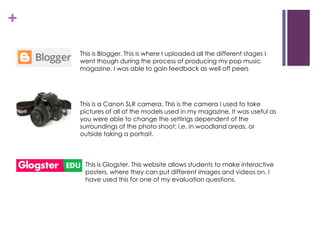
This is Blogger. This is where I uploaded all the different stages I
went though during the process of producing my pop music
magazine. I was able to gain feedback as well off peers
This is a Canon SLR camera. This is the camera I used to take
pictures of all of the models used in my magazine. It was useful as
you were able to change the settings dependent of the
surroundings of the photo shoot; i.e. in woodland areas, or
outside taking a portrait.
This is Glogster. This website allows students to make interactive
posters, where they can put different images and videos on. I
have used this for one of my evaluation questions.
+
This is makeagif. This website allows you to put 4 images
together to make a gif. I have used this for one of my
evaluation questions
This is Prezi. This website is where you can make PowerPoints
more interesting and allows you to add notes on to pictures
you may have uploaded to use in the PowerPoint.
These last two are PowerPoint and slideshare. Once you have
made a PowerPoint you are able to store it online on a
slideshare. Once the PowerPoint I wanted to be put on my
blog had been uploaded to slideshare I was able to embed it
into my blog so others were able to view it.

Technologies1

  • 1.
    + Technologies I haveused throughout making my music magazine. By Rebecca Whitehead
  • 2.
    + This is ISHOWU.It enables you to make videos of the work on your desktop and allows you to talk about different stages of a project. This is Photoshop. This is a piece of software that allows you to edit images and helped me put together the front cover, contents page and double page spread, of my pop music magazine. This is InDesign. This helps you put together a layout of a magazine, and is helpful when adding in columns. I started off using InDesign for my double page spread but found it hard to manipulate the images I wanted to use.
  • 3.
    + This toolis called a ‘ magnetic lasso’ – it allows you to cut out images to be able to put them on to a different, more appropriate background. This tool is called a ‘spot healing brush tool’ – it allows you to improve the look of a models skin if they have any unwanted blemishes. This tool is called an ‘eraser tool’ – is allows you to smooth out edges of pictures where you maybe able to see that the image has been cut out. This tool is called the ‘select tool’ – it allows you to select the different layers you have created so you can manipulate them easily without moving everything else around it. This tool is called an ‘eyedropper tool’ – it allows you to pick out certain colours so you are able to keep them consistent throughout the work you are doing. This tool is called a ‘paint bucket tool’ – it allows you to fill in large areas one colour instantly. Tools On Photoshop
  • 4.
    + Tools OnPhotoshop This tool is called a ‘colour picker’ – it allows you to switch between two colours. This tool is the ‘text tool’ – it allows you to add writing to whatever it is you are trying to create. This tool is the ‘zoom tool’ – it allows you to enlarge an image to be able to do intricate work, i.e. cutting around an image, or make it smaller to be able to see what you have created as a whole/finished product.
  • 5.
    + This is Blogger.This is where I uploaded all the different stages I went though during the process of producing my pop music magazine. I was able to gain feedback as well off peers This is a Canon SLR camera. This is the camera I used to take pictures of all of the models used in my magazine. It was useful as you were able to change the settings dependent of the surroundings of the photo shoot; i.e. in woodland areas, or outside taking a portrait. This is Glogster. This website allows students to make interactive posters, where they can put different images and videos on. I have used this for one of my evaluation questions.
  • 6.
    + This is makeagif.This website allows you to put 4 images together to make a gif. I have used this for one of my evaluation questions This is Prezi. This website is where you can make PowerPoints more interesting and allows you to add notes on to pictures you may have uploaded to use in the PowerPoint. These last two are PowerPoint and slideshare. Once you have made a PowerPoint you are able to store it online on a slideshare. Once the PowerPoint I wanted to be put on my blog had been uploaded to slideshare I was able to embed it into my blog so others were able to view it.