Technologies behind the
magazine
Oliver Palmer
In the process of constructing my music magazine I had
to use certain pieces of hardware to make it possible.
Whether it was for designing the look of my magazine
or taking photos with the artist, I had to use the right
equipment. The following slides reveal what hardware I
used and how it helped in the production of the
magazine.
Hardware
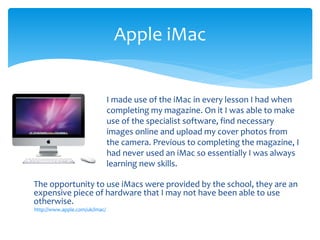
The opportunity to use iMacs were provided by the school, they are an
expensive piece of hardware that I may not have been able to use
otherwise.
http://www.apple.com/uk/imac/
Apple iMac
I made use of the iMac in every lesson I had when
completing my magazine. On it I was able to make
use of the specialist software, find necessary
images online and upload my cover photos from
the camera. Previous to completing the magazine, I
had never used an iMac so essentially I was always
learning new skills.
Camera
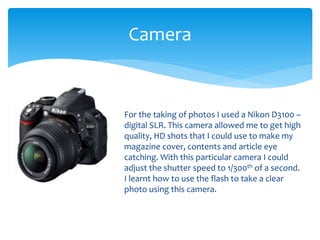
For the taking of photos I used a Nikon D3100 –
digital SLR. This camera allowed me to get high
quality, HD shots that I could use to make my
magazine cover, contents and article eye
catching. With this particular camera I could
adjust the shutter speed to 1/300th of a second.
I learnt how to use the flash to take a clear
photo using this camera.
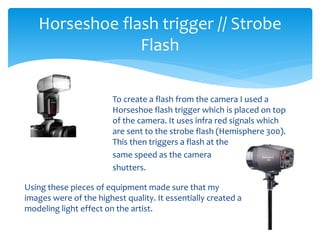
To create a flash from the camera I used a
Horseshoe flash trigger which is placed on top
of the camera. It uses infra red signals which
are sent to the strobe flash (Hemisphere 300).
This then triggers a flash at the
same speed as the camera
shutters.
Horseshoe flash trigger // Strobe
Flash
Using these pieces of equipment made sure that my
images were of the highest quality. It essentially created a
modeling light effect on the artist.
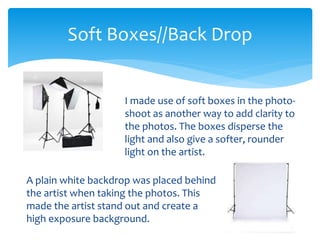
I made use of soft boxes in the photo-
shoot as another way to add clarity to
the photos. The boxes disperse the
light and also give a softer, rounder
light on the artist.
Soft Boxes//Back Drop
A plain white backdrop was placed behind
the artist when taking the photos. This
made the artist stand out and create a
high exposure background.
I made use of software and specific programs to
complete certain operations. Some of the programs I
used are exclusive to the iMac for instance photoshop
that I hadn’t used before. Some however, I have used
many times previously such as safari or Microsoft
powerpoint. Therefore, through using software to
complete my magazine I was able to learn new skills
and enhance ones I already had.
Software
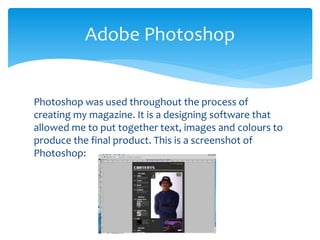
Photoshop was used throughout the process of
creating my magazine. It is a designing software that
allowed me to put together text, images and colours to
produce the final product. This is a screenshot of
Photoshop:
Adobe Photoshop
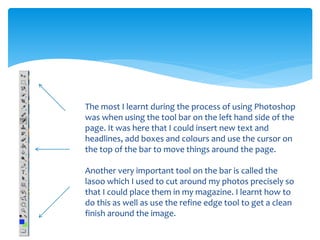
The most I learnt during the process of using Photoshop
was when using the tool bar on the left hand side of the
page. It was here that I could insert new text and
headlines, add boxes and colours and use the cursor on
the top of the bar to move things around the page.
Another very important tool on the bar is called the
lasoo which I used to cut around my photos precisely so
that I could place them in my magazine. I learnt how to
do this as well as use the refine edge tool to get a clean
finish around the image.
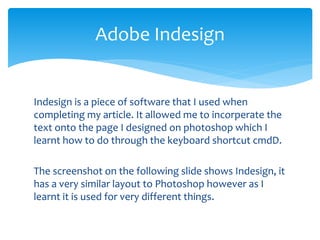
Indesign is a piece of software that I used when
completing my article. It allowed me to incorperate the
text onto the page I designed on photoshop which I
learnt how to do through the keyboard shortcut cmdD.
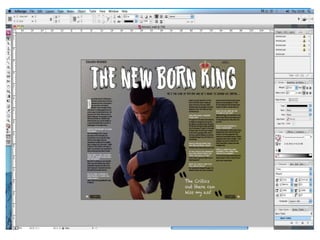
The screenshot on the following slide shows Indesign, it
has a very similar layout to Photoshop however as I
learnt it is used for very different things.
Adobe Indesign
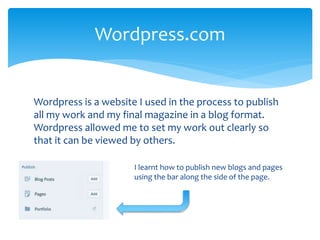
Wordpress is a website I used in the process to publish
all my work and my final magazine in a blog format.
Wordpress allowed me to set my work out clearly so
that it can be viewed by others.
Wordpress.com
I learnt how to publish new blogs and pages
using the bar along the side of the page.
Safari and Firefox were the internet browsers that I
used during the process of constructing my magazine. I
used them for researching existing magazines, finding
relevant images and adding my work to my blog on
Wordpress.
At one stage in the process, Wordpress would not work
with Safari so I learnt how to download Firefox to get
around the issue and continue with my blog.
Safari/Firefox
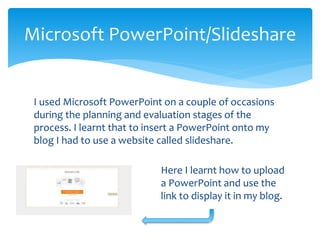
I used Microsoft PowerPoint on a couple of occasions
during the planning and evaluation stages of the
process. I learnt that to insert a PowerPoint onto my
blog I had to use a website called slideshare.
Microsoft PowerPoint/Slideshare
Here I learnt how to upload
a PowerPoint and use the
link to display it in my blog.
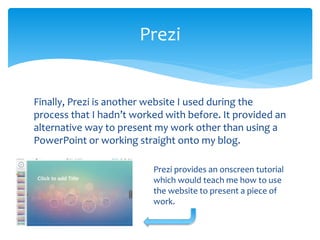
Finally, Prezi is another website I used during the
process that I hadn’t worked with before. It provided an
alternative way to present my work other than using a
PowerPoint or working straight onto my blog.
Prezi
Prezi provides an onscreen tutorial
which would teach me how to use
the website to present a piece of
work.

Technology q

  • 1.
  • 2.
    In the processof constructing my music magazine I had to use certain pieces of hardware to make it possible. Whether it was for designing the look of my magazine or taking photos with the artist, I had to use the right equipment. The following slides reveal what hardware I used and how it helped in the production of the magazine. Hardware
  • 3.
    The opportunity touse iMacs were provided by the school, they are an expensive piece of hardware that I may not have been able to use otherwise. http://www.apple.com/uk/imac/ Apple iMac I made use of the iMac in every lesson I had when completing my magazine. On it I was able to make use of the specialist software, find necessary images online and upload my cover photos from the camera. Previous to completing the magazine, I had never used an iMac so essentially I was always learning new skills.
  • 4.
    Camera For the takingof photos I used a Nikon D3100 – digital SLR. This camera allowed me to get high quality, HD shots that I could use to make my magazine cover, contents and article eye catching. With this particular camera I could adjust the shutter speed to 1/300th of a second. I learnt how to use the flash to take a clear photo using this camera.
  • 5.
    To create aflash from the camera I used a Horseshoe flash trigger which is placed on top of the camera. It uses infra red signals which are sent to the strobe flash (Hemisphere 300). This then triggers a flash at the same speed as the camera shutters. Horseshoe flash trigger // Strobe Flash Using these pieces of equipment made sure that my images were of the highest quality. It essentially created a modeling light effect on the artist.
  • 6.
    I made useof soft boxes in the photo- shoot as another way to add clarity to the photos. The boxes disperse the light and also give a softer, rounder light on the artist. Soft Boxes//Back Drop A plain white backdrop was placed behind the artist when taking the photos. This made the artist stand out and create a high exposure background.
  • 7.
    I made useof software and specific programs to complete certain operations. Some of the programs I used are exclusive to the iMac for instance photoshop that I hadn’t used before. Some however, I have used many times previously such as safari or Microsoft powerpoint. Therefore, through using software to complete my magazine I was able to learn new skills and enhance ones I already had. Software
  • 8.
    Photoshop was usedthroughout the process of creating my magazine. It is a designing software that allowed me to put together text, images and colours to produce the final product. This is a screenshot of Photoshop: Adobe Photoshop
  • 9.
    The most Ilearnt during the process of using Photoshop was when using the tool bar on the left hand side of the page. It was here that I could insert new text and headlines, add boxes and colours and use the cursor on the top of the bar to move things around the page. Another very important tool on the bar is called the lasoo which I used to cut around my photos precisely so that I could place them in my magazine. I learnt how to do this as well as use the refine edge tool to get a clean finish around the image.
  • 10.
    Indesign is apiece of software that I used when completing my article. It allowed me to incorperate the text onto the page I designed on photoshop which I learnt how to do through the keyboard shortcut cmdD. The screenshot on the following slide shows Indesign, it has a very similar layout to Photoshop however as I learnt it is used for very different things. Adobe Indesign
  • 12.
    Wordpress is awebsite I used in the process to publish all my work and my final magazine in a blog format. Wordpress allowed me to set my work out clearly so that it can be viewed by others. Wordpress.com I learnt how to publish new blogs and pages using the bar along the side of the page.
  • 13.
    Safari and Firefoxwere the internet browsers that I used during the process of constructing my magazine. I used them for researching existing magazines, finding relevant images and adding my work to my blog on Wordpress. At one stage in the process, Wordpress would not work with Safari so I learnt how to download Firefox to get around the issue and continue with my blog. Safari/Firefox
  • 14.
    I used MicrosoftPowerPoint on a couple of occasions during the planning and evaluation stages of the process. I learnt that to insert a PowerPoint onto my blog I had to use a website called slideshare. Microsoft PowerPoint/Slideshare Here I learnt how to upload a PowerPoint and use the link to display it in my blog.
  • 15.
    Finally, Prezi isanother website I used during the process that I hadn’t worked with before. It provided an alternative way to present my work other than using a PowerPoint or working straight onto my blog. Prezi Prezi provides an onscreen tutorial which would teach me how to use the website to present a piece of work.