














Technical SEO for
Local Websites
and Why It Matters
Iva Jovanovic
Who am I?
● Digital Marketing - SEO, content, social media
● Strong focus on technical SEO and web development
● Organizing Belgrade SEO Conference
● Organizing Heapcon
● Traveling, attending conferences
● Animal lover
PACT - animal sanctuary and wildlife rescue
Enough about me
Enough about me
Let’s talk about Technical SEO!
What is Technical SEO?
➢ Website performance
➢ Website speed
➢ Website structure
➢ Mobile-friendliness and responsive design
Why does a local business need a website?
➢ Online presence
➢ Building a presence on different channels
➢ Better visibility
➢ AI optimization
➢ Online booking system
Why does a local business need a website?
➢ Online presence
➢ Building a presence on different channels
➢ Better visibility
➢ AI optimization
➢ Online booking system
Why technical SEO matters
➢ Local businesses need Technical SEO
Why technical SEO matters
➢ Local SEO needs Technical SEO
Why technical SEO matters
➢ Local SEO needs Technical SEO
➢ Technical SEO allows content and websites to perform to its full potential.
Why technical SEO matters
➢ Local SEO needs Technical SEO
➢ Technical SEO allows content and websites to perform to its full potential.
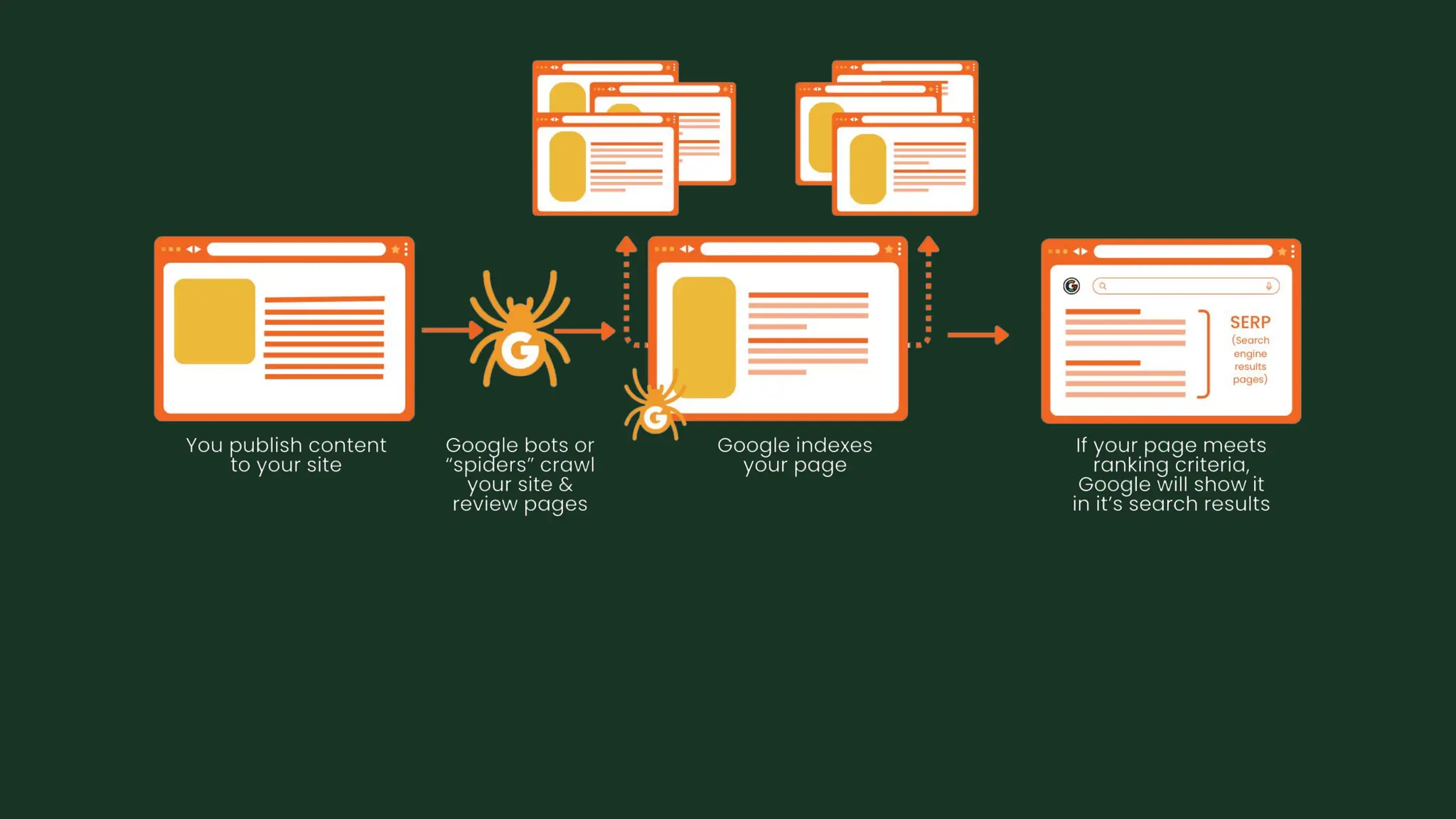
➢ It helps search engines find, understand, and index your website and its
content.
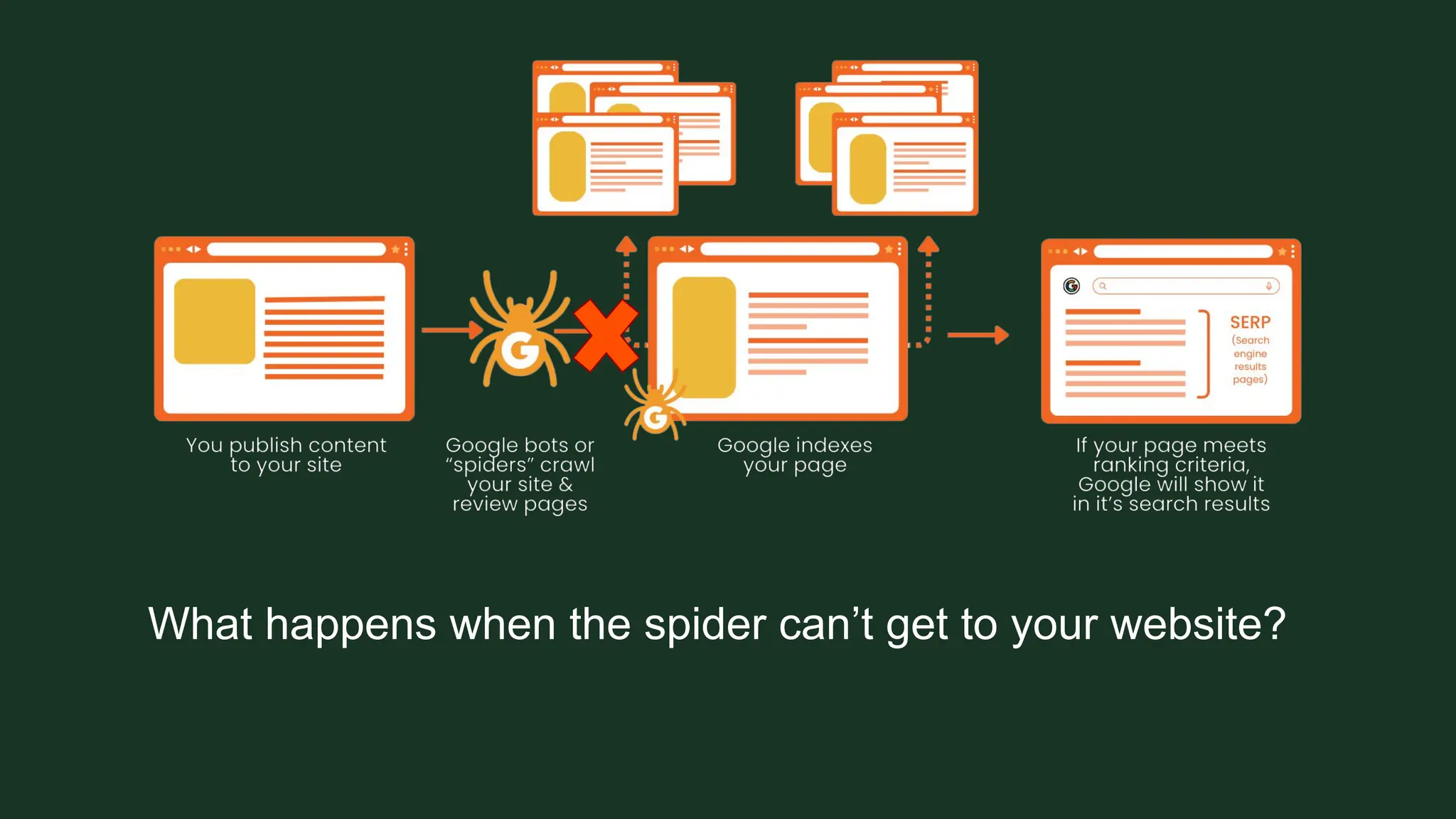
What happens when the spider can’t get to your website?
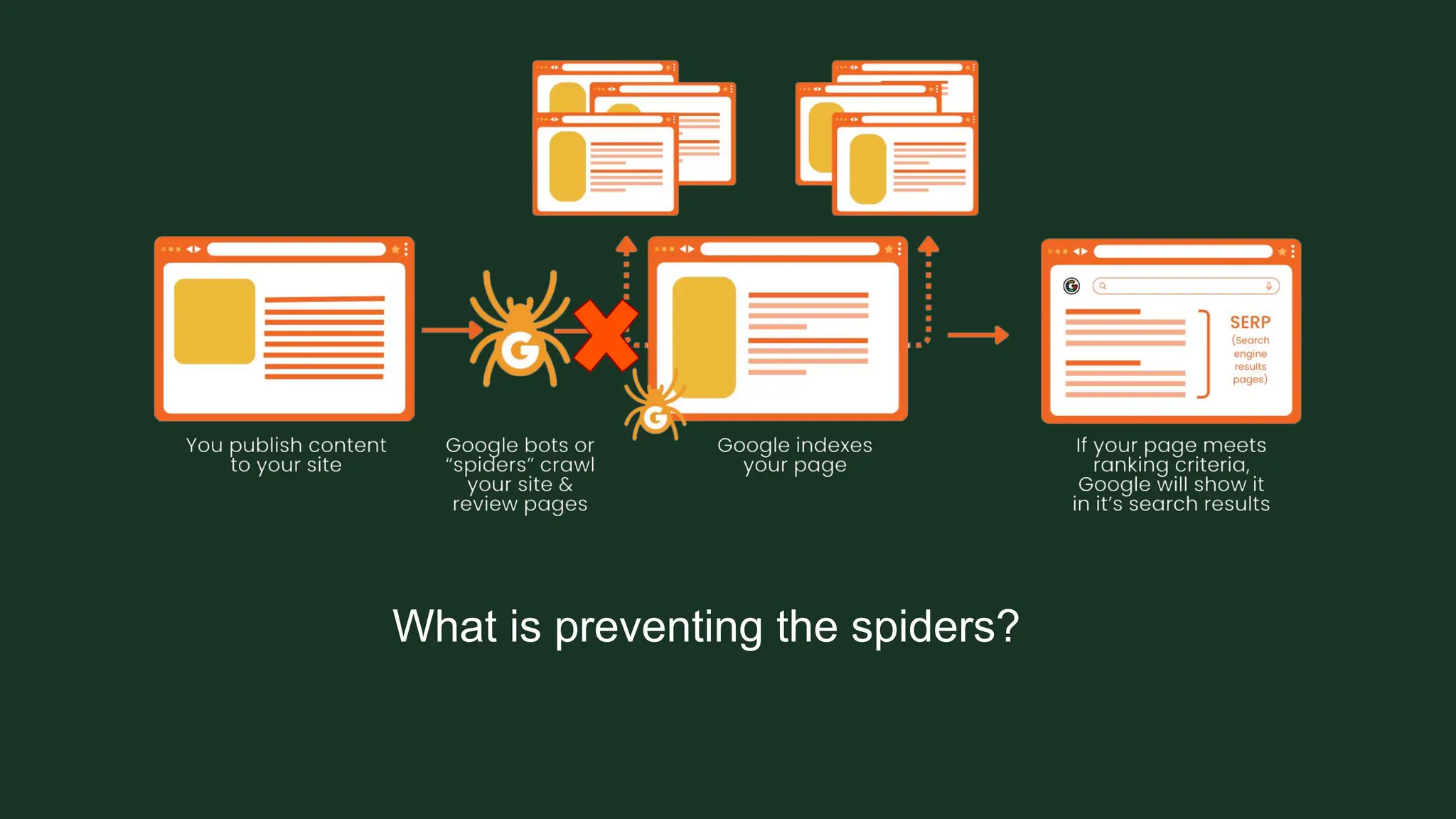
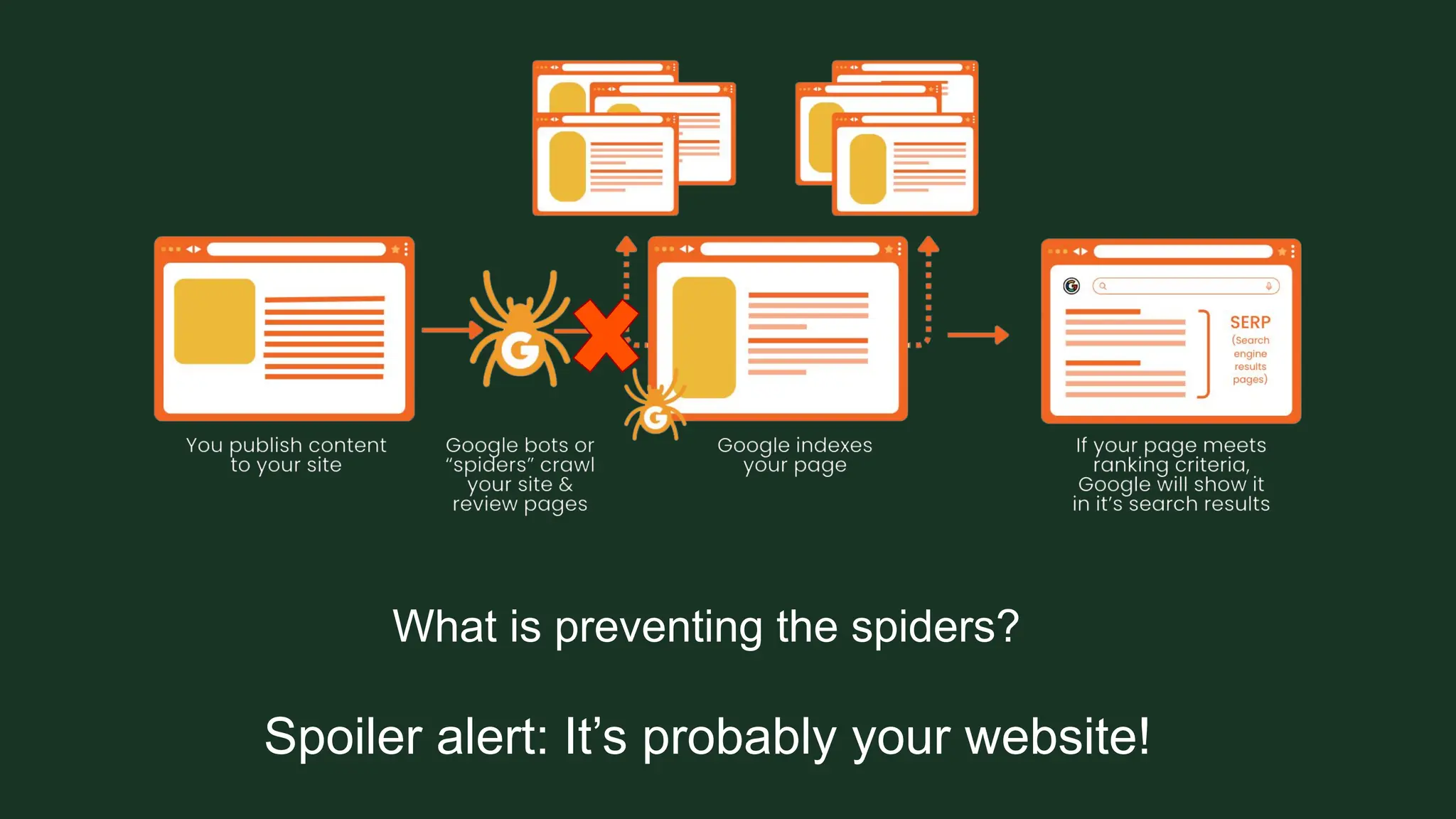
What is preventing the spiders?
Spoiler alert: It’s probably your website!
What is preventing the spiders?
TECHNICAL
MISTAKES FOUND
ON WEBSITES
Noindex tag
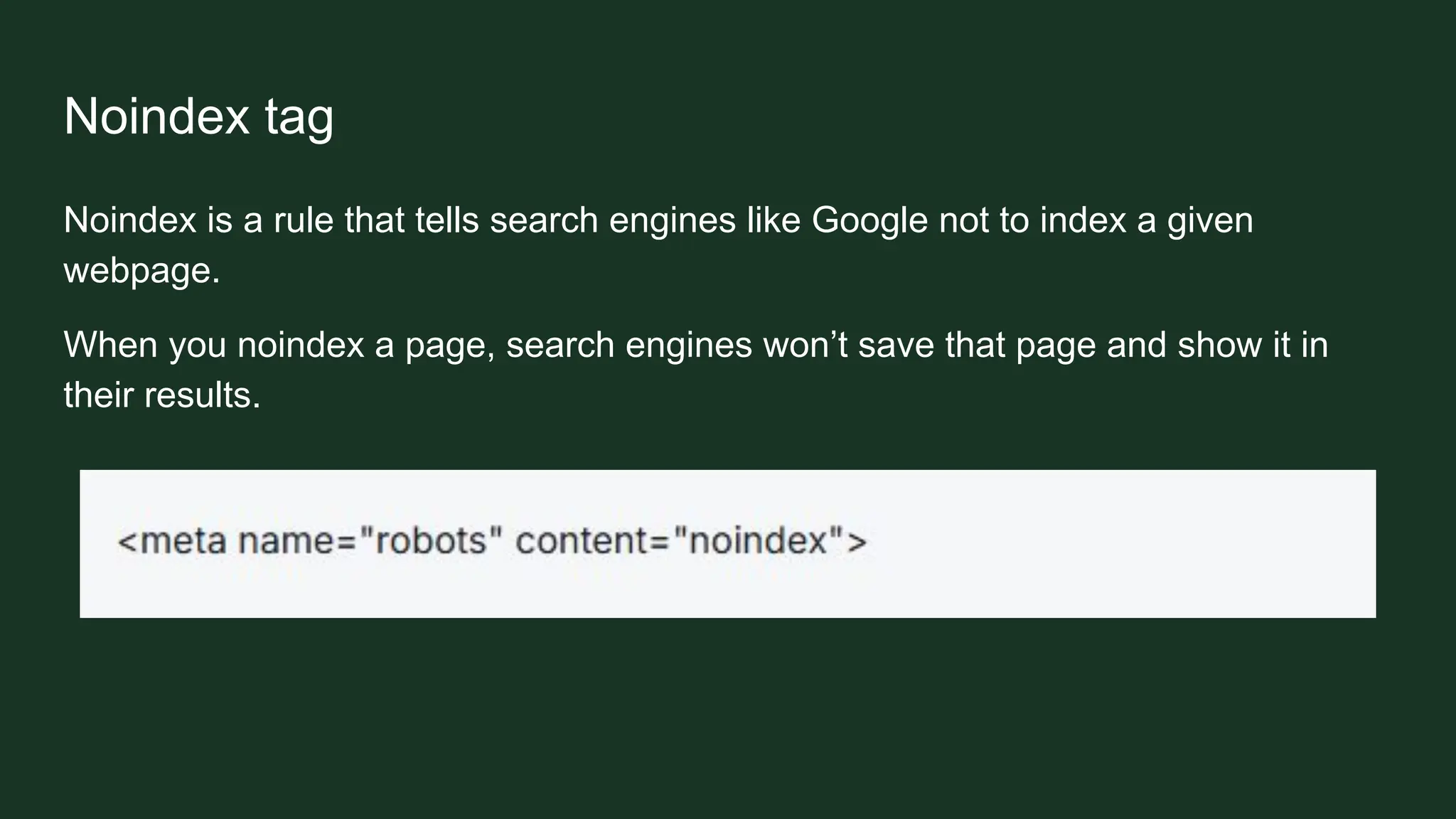
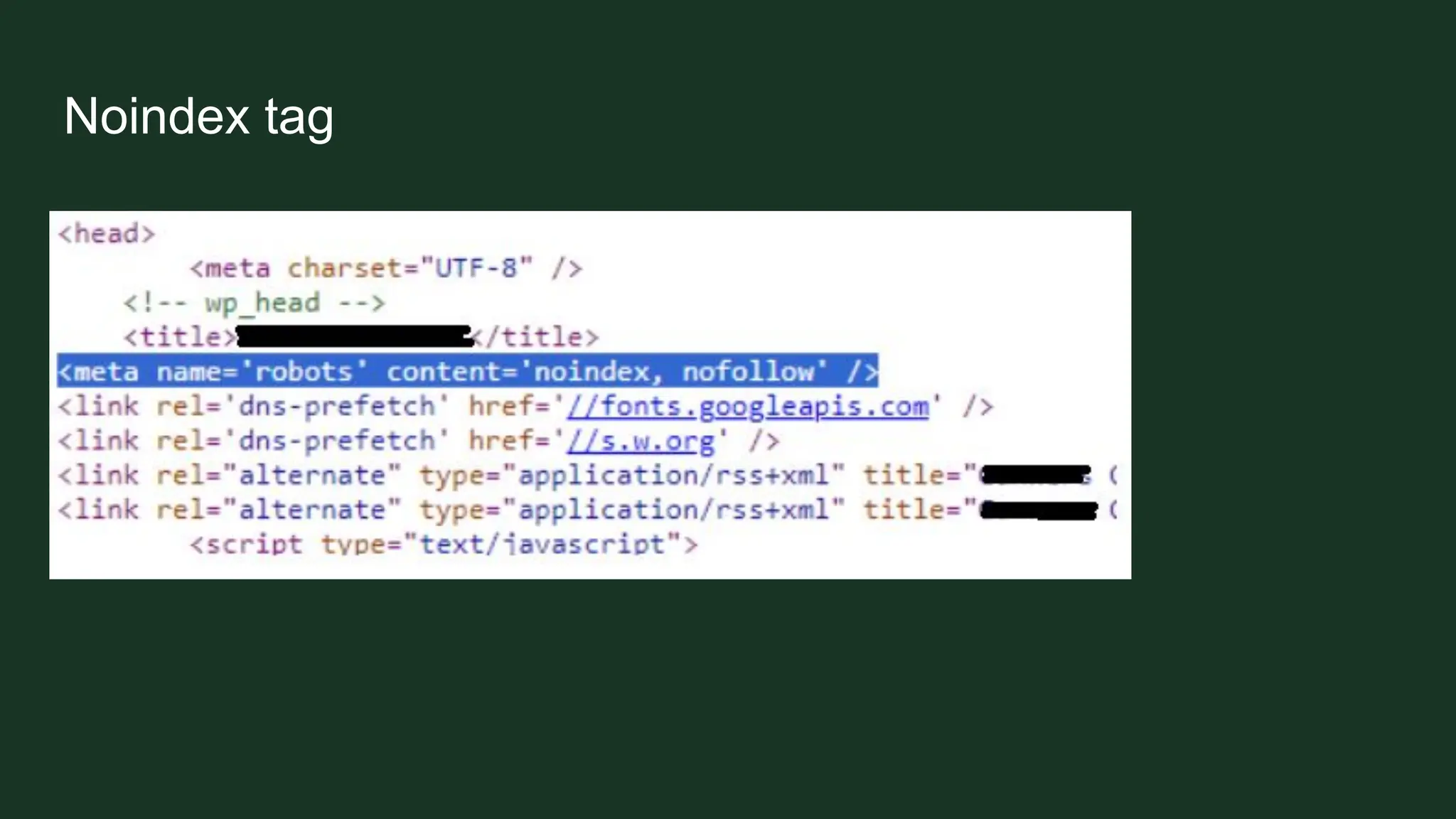
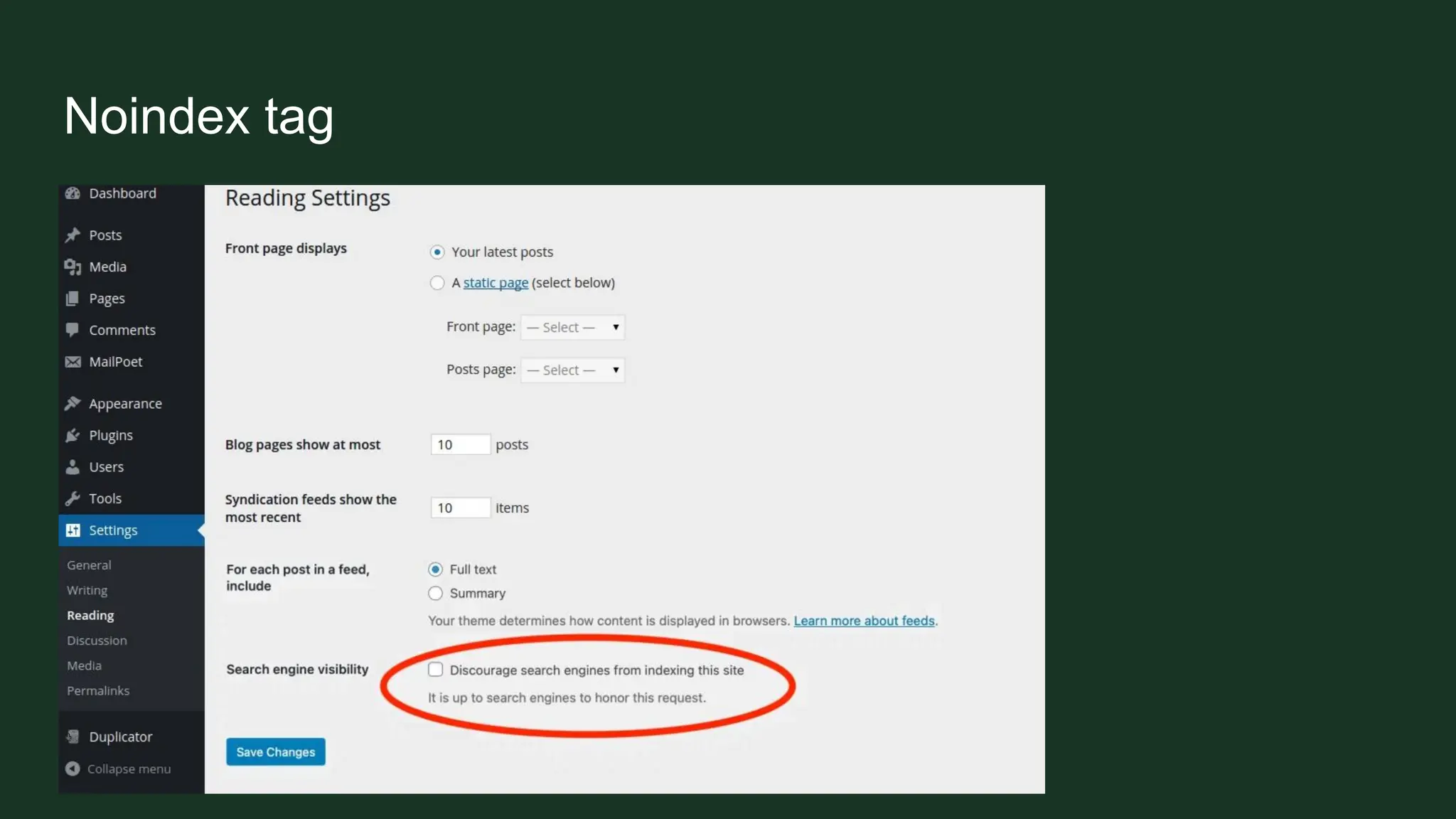
Noindex is a rule that tells search engines like Google not to index a given
webpage.
When you noindex a page, search engines won’t save that page and show it in
their results.
Noindex tag
Noindex tag
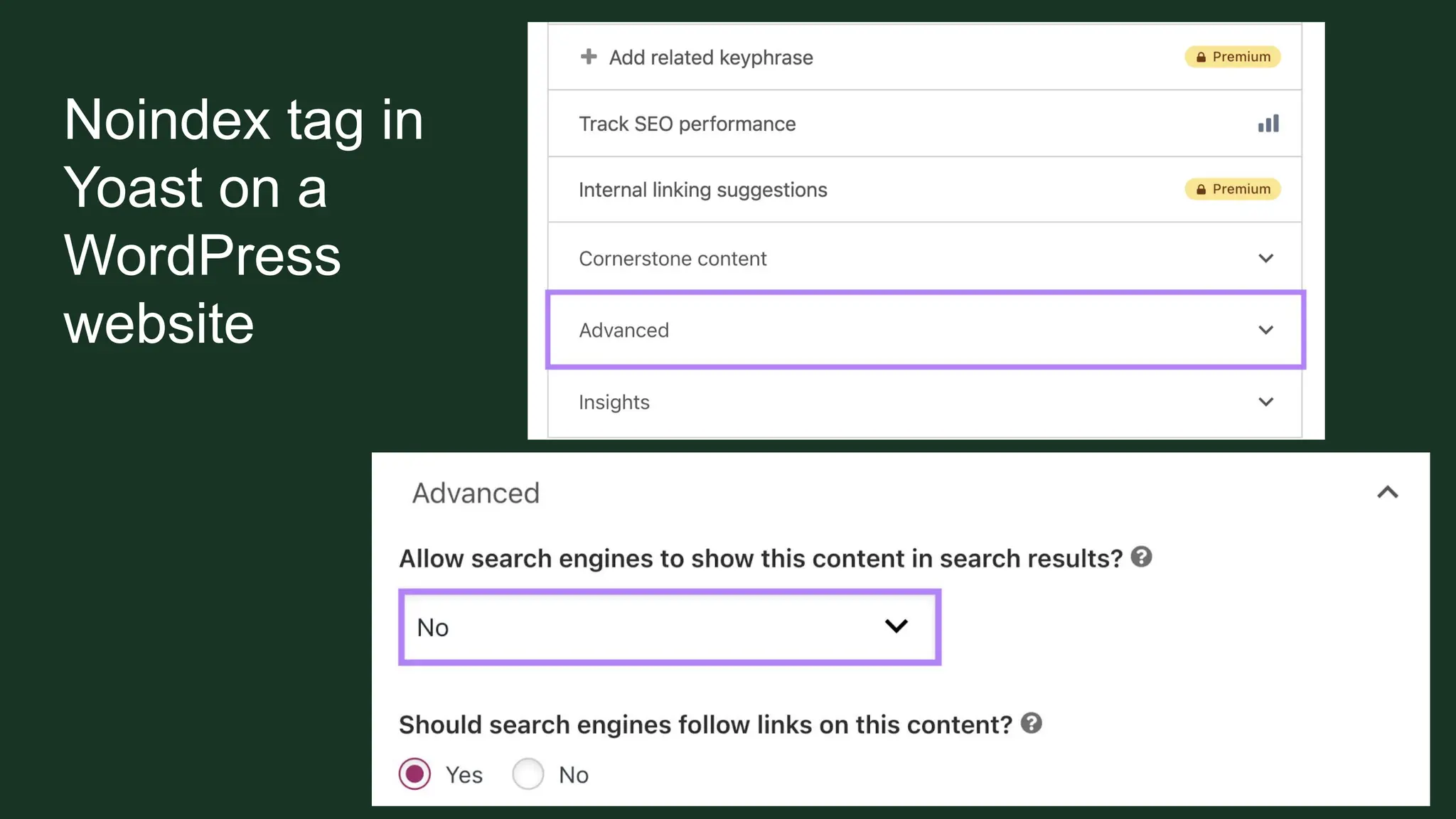
Noindex tag in
Yoast on a
WordPress
website
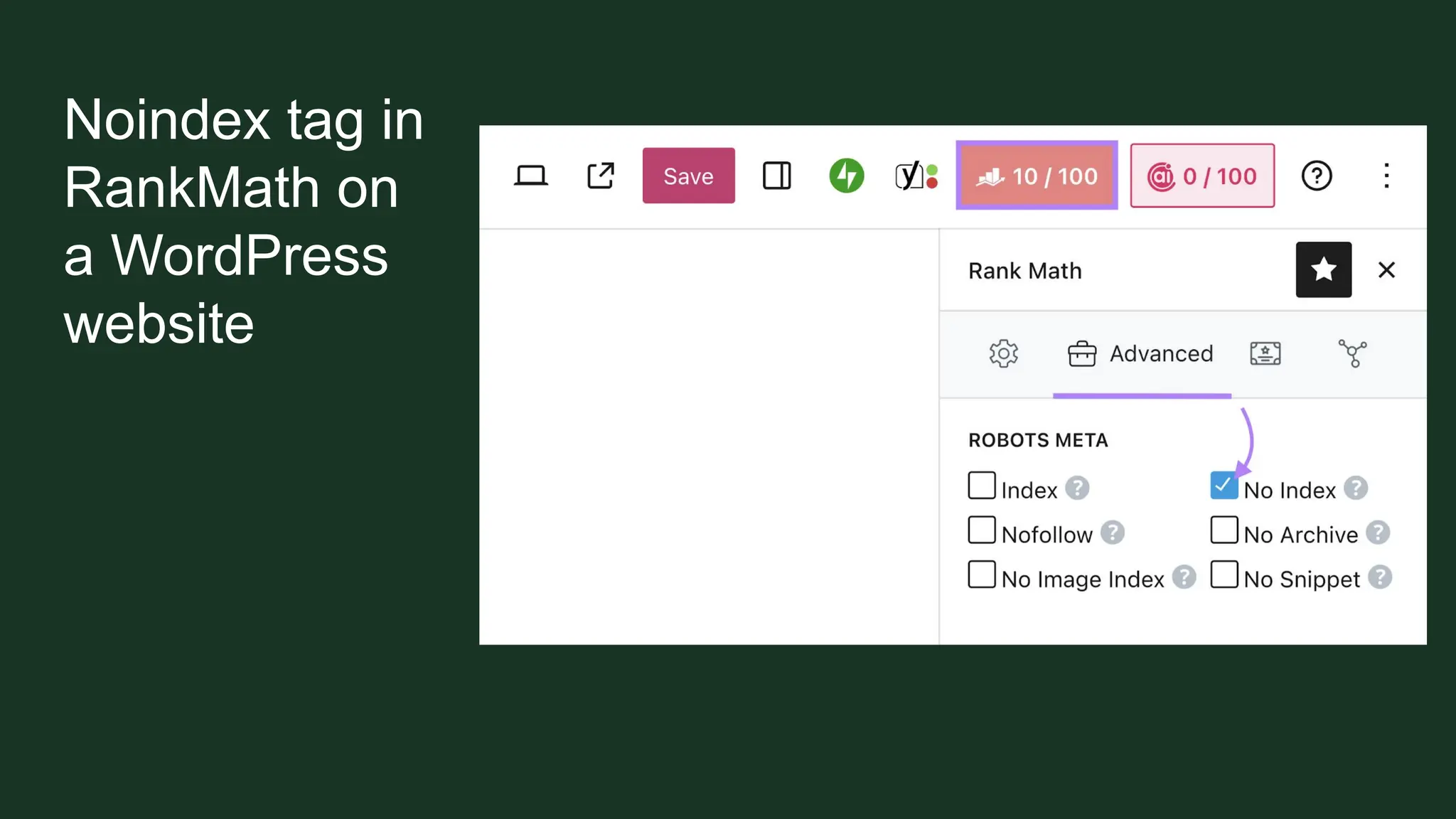
Noindex tag in
RankMath on
a WordPress
website
Robots.txt
Robots.txt
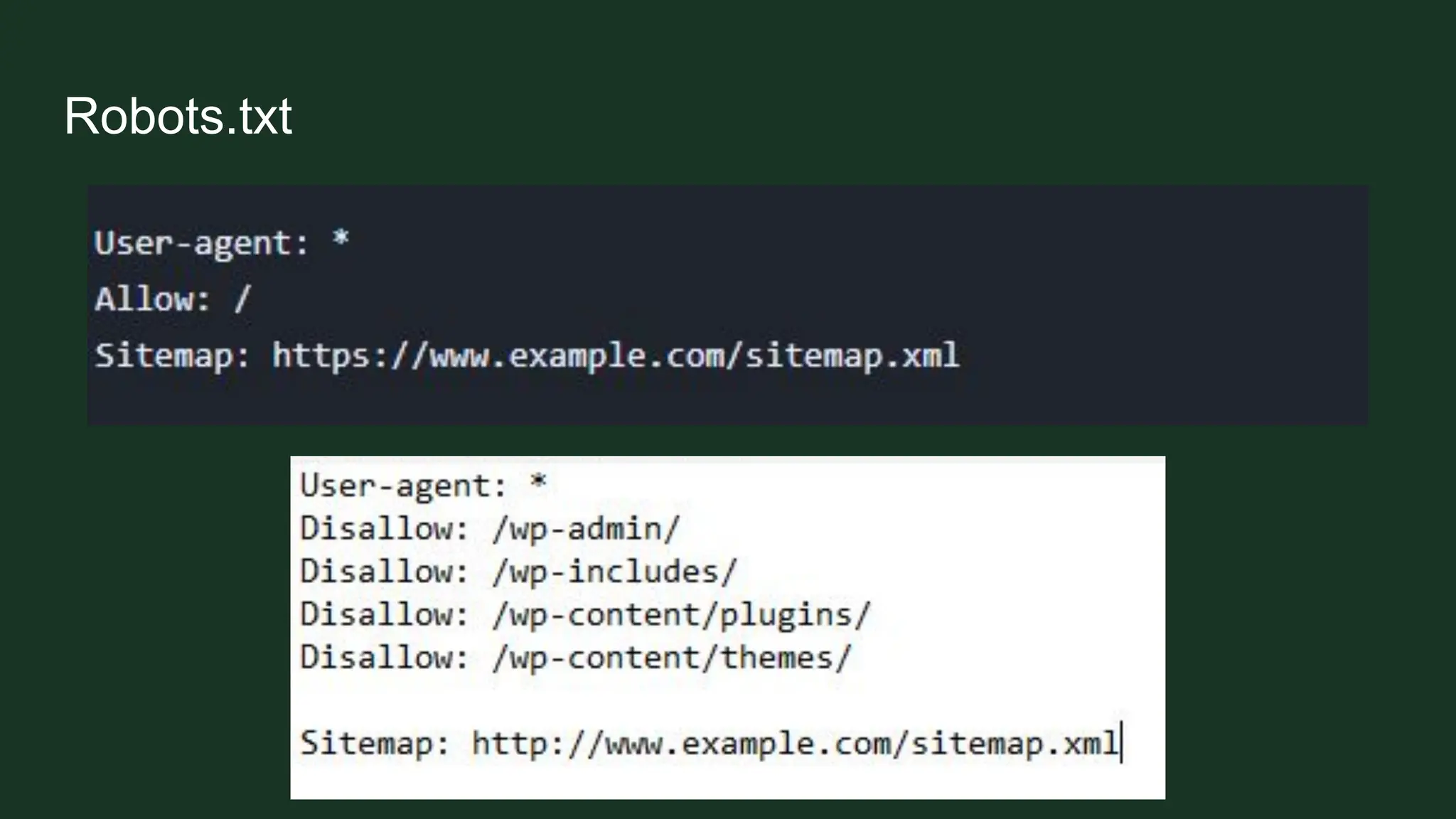
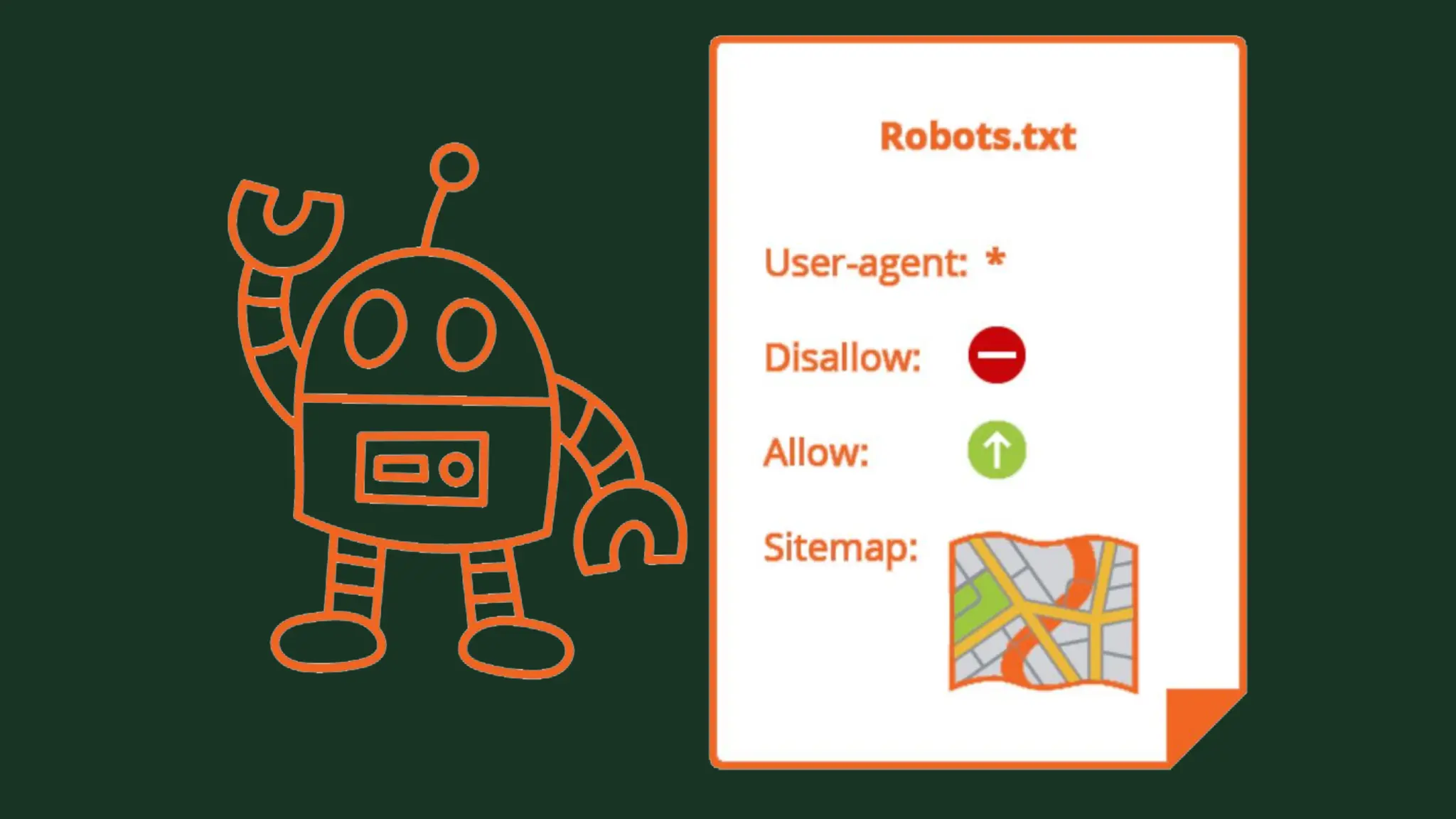
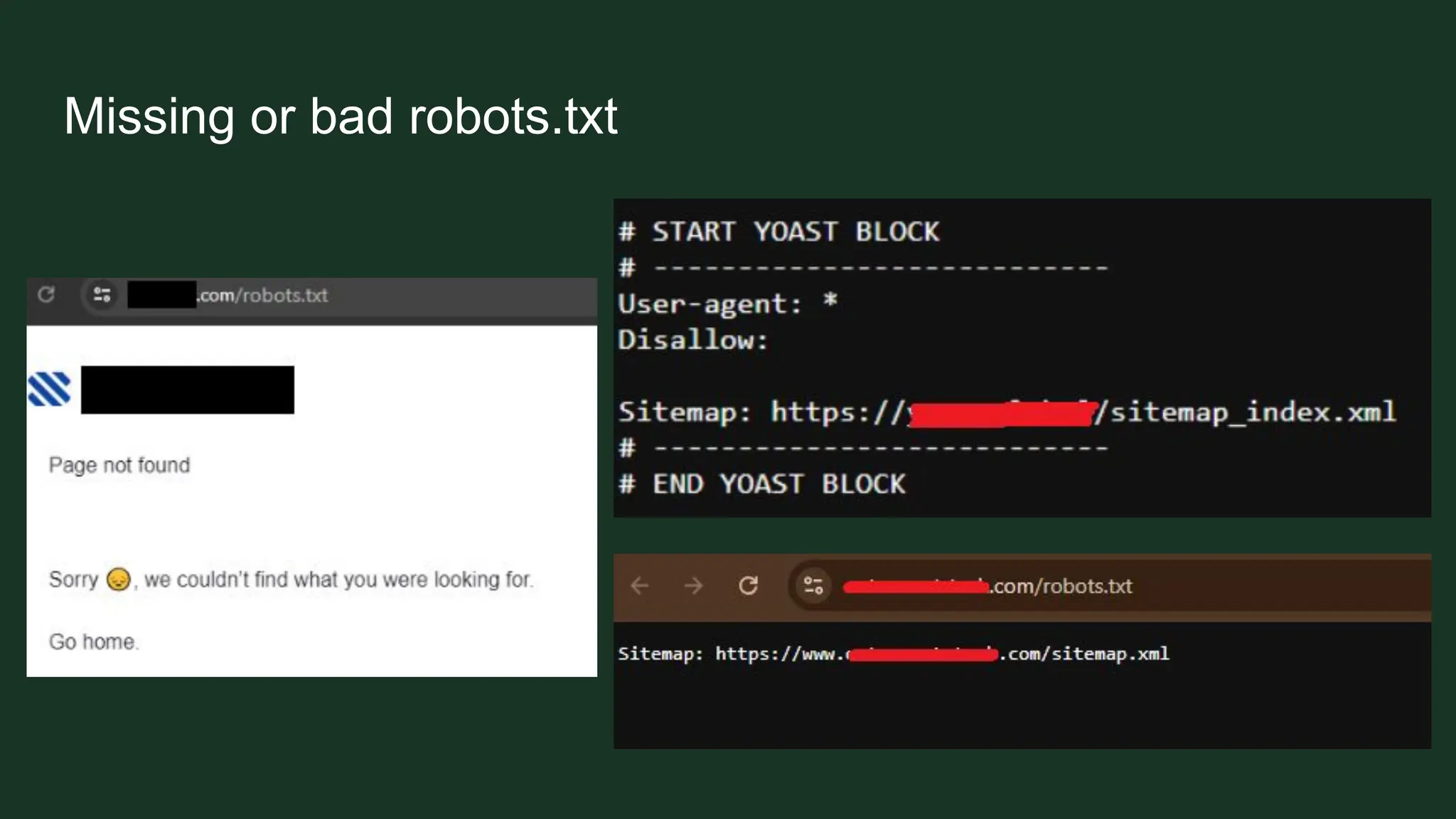
A robots.txt file is a file placed in a website's directory that tells web crawlers and
bots which parts of the website they are allowed to crawl and index, and which
parts to avoid.
Robots.txt
Missing or bad robots.txt
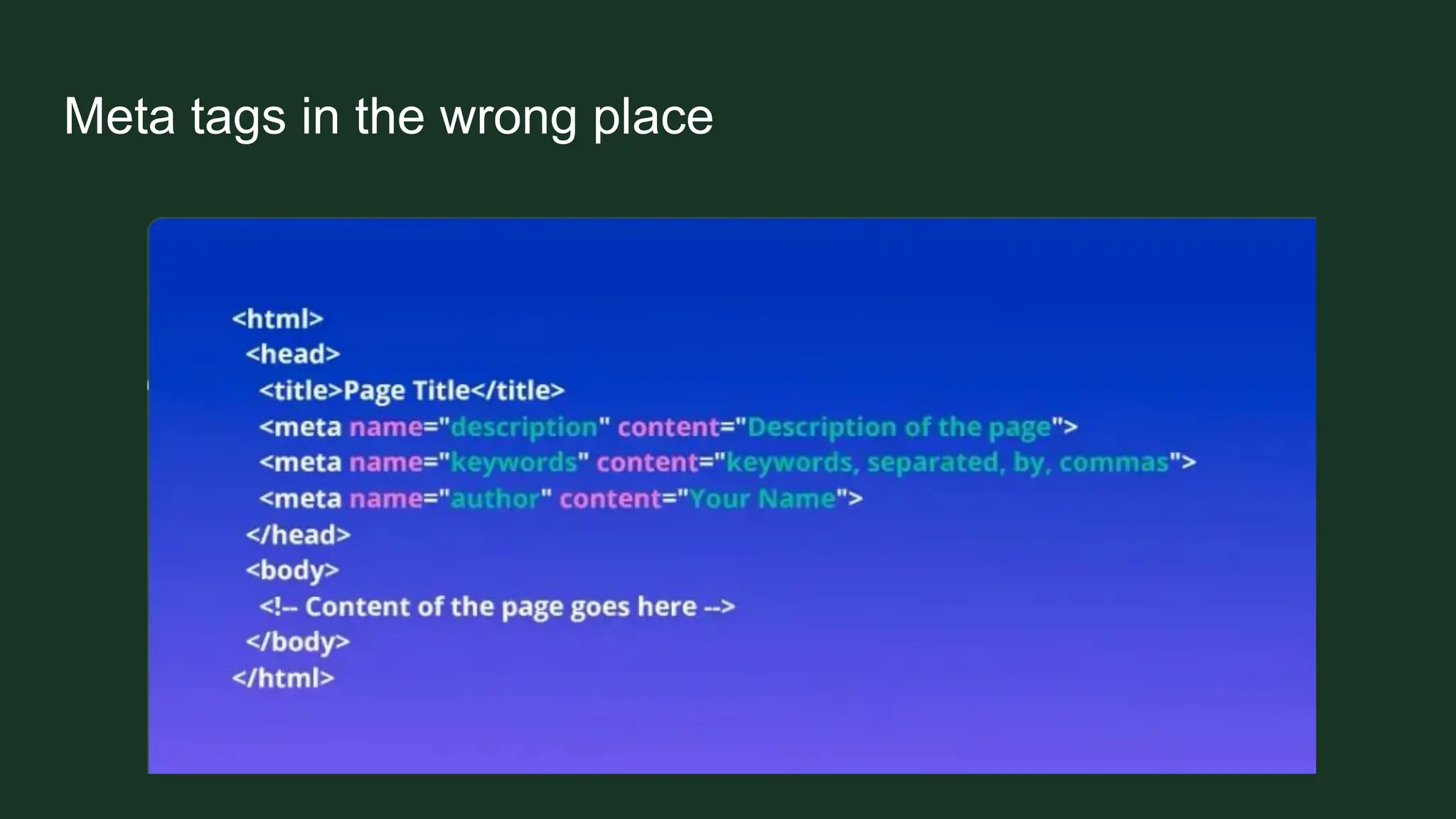
Meta tags in the wrong place
➢ They must be placed in the <head>
➢ When placed in <body> they probably won’t get noticed by crawlers
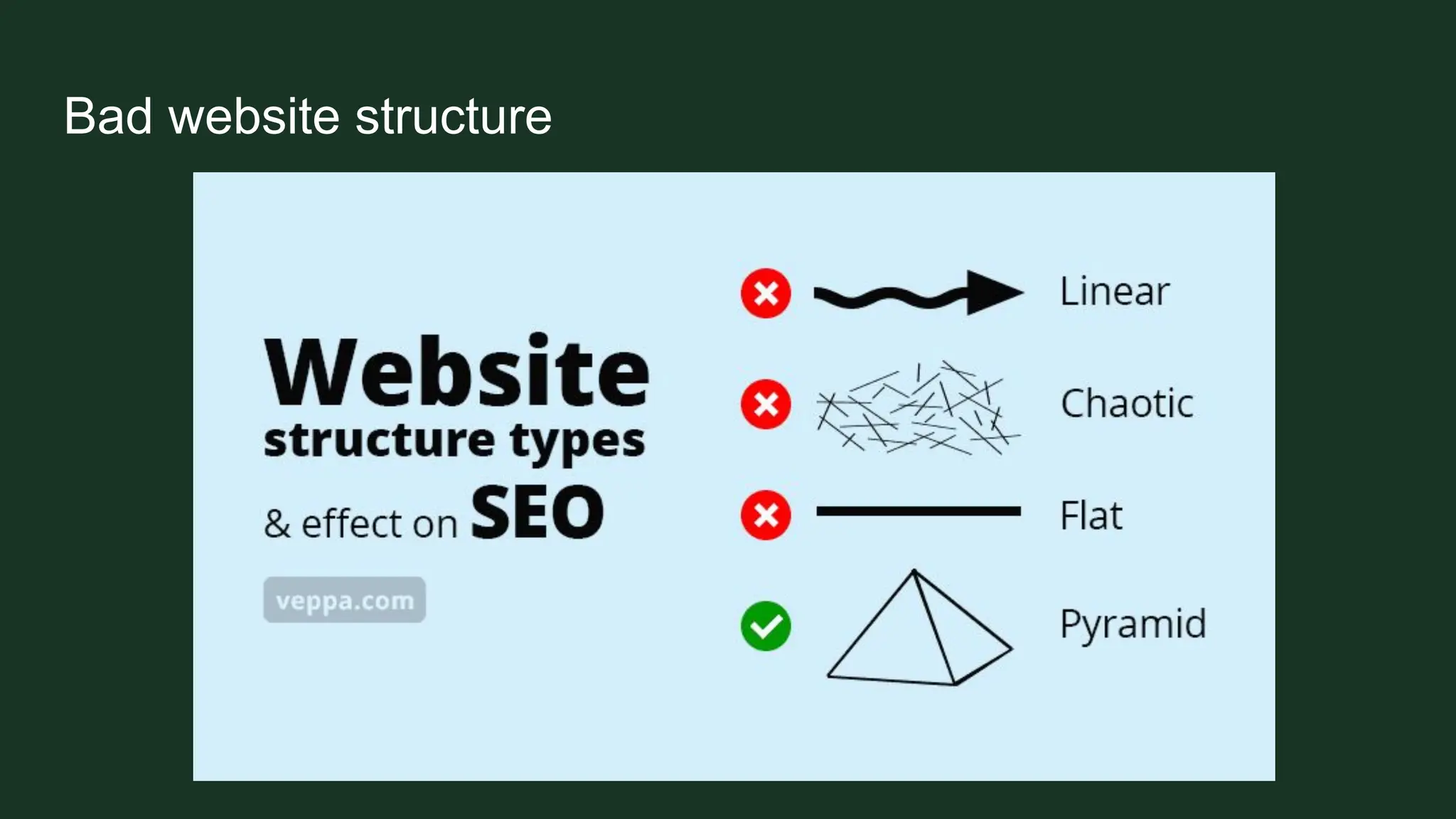
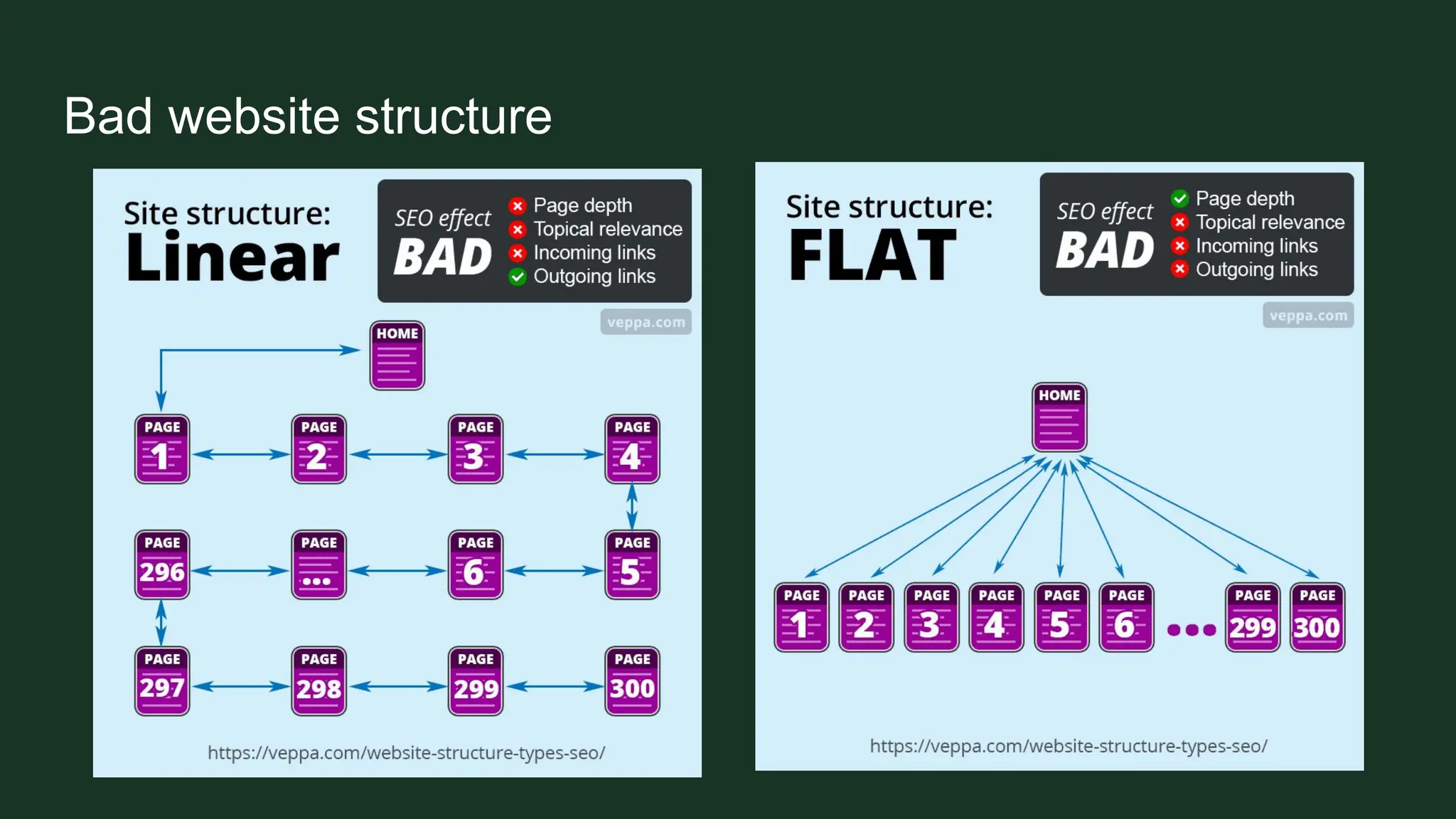
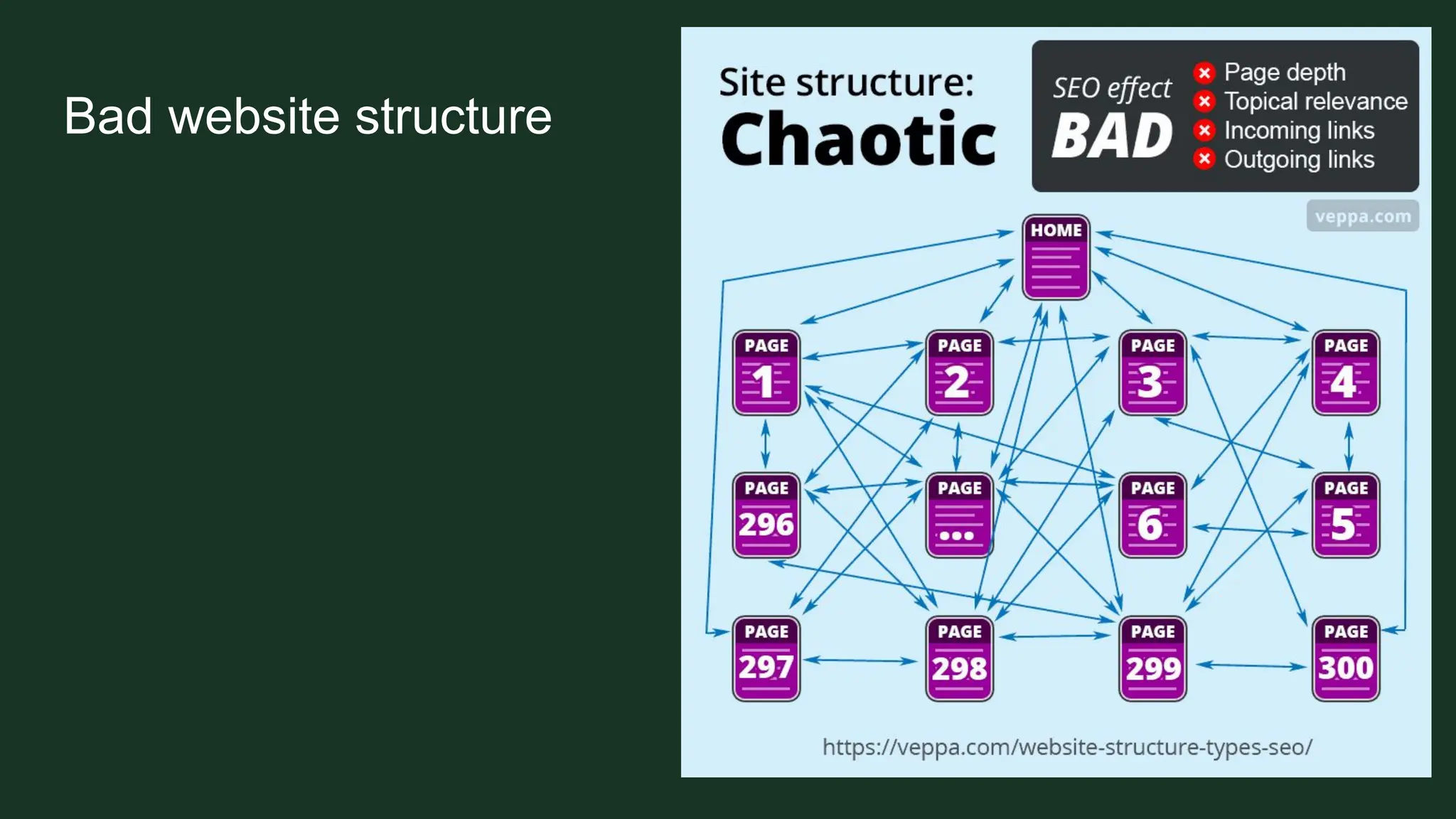
Bad website structure
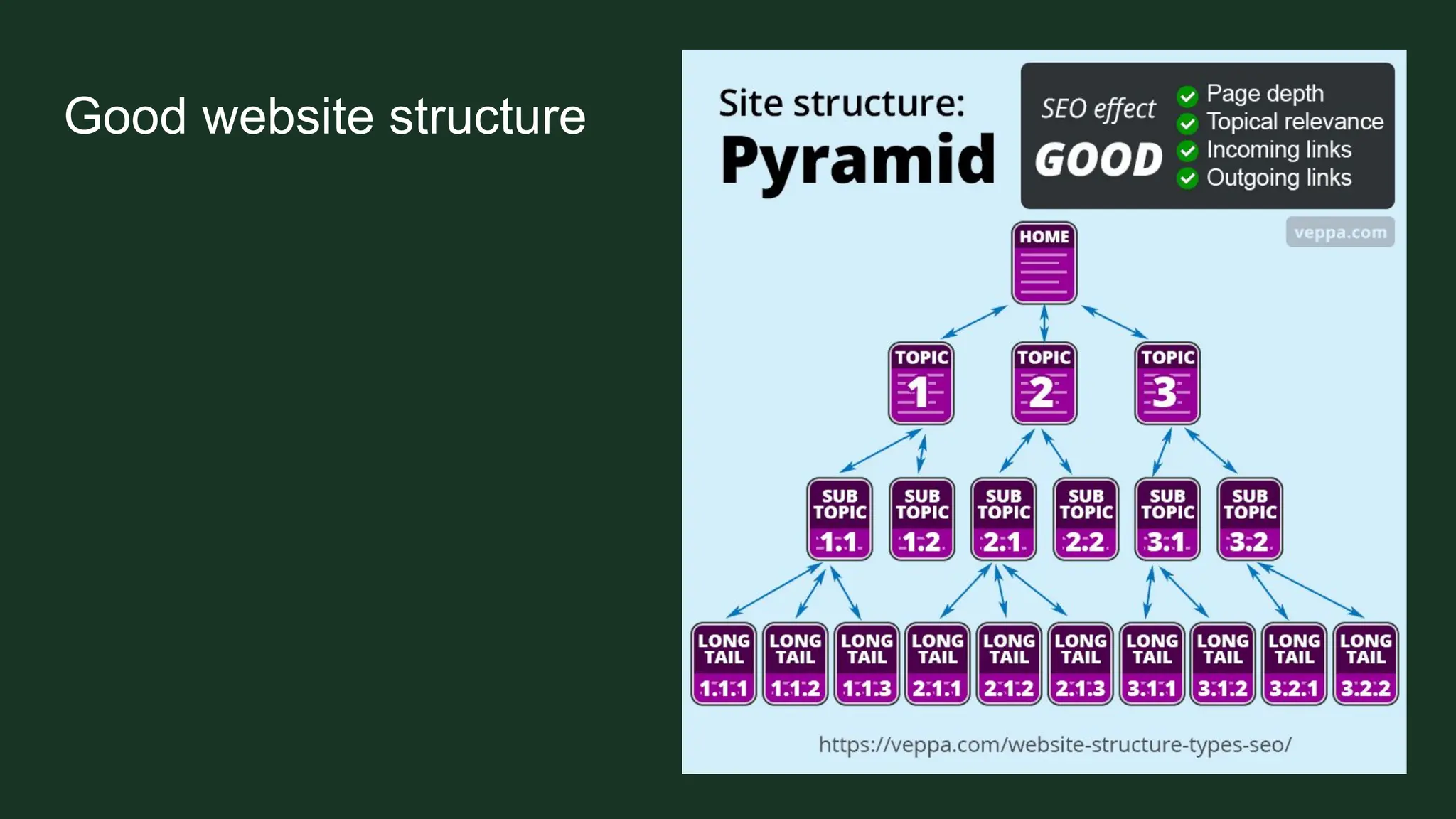
Good website structure
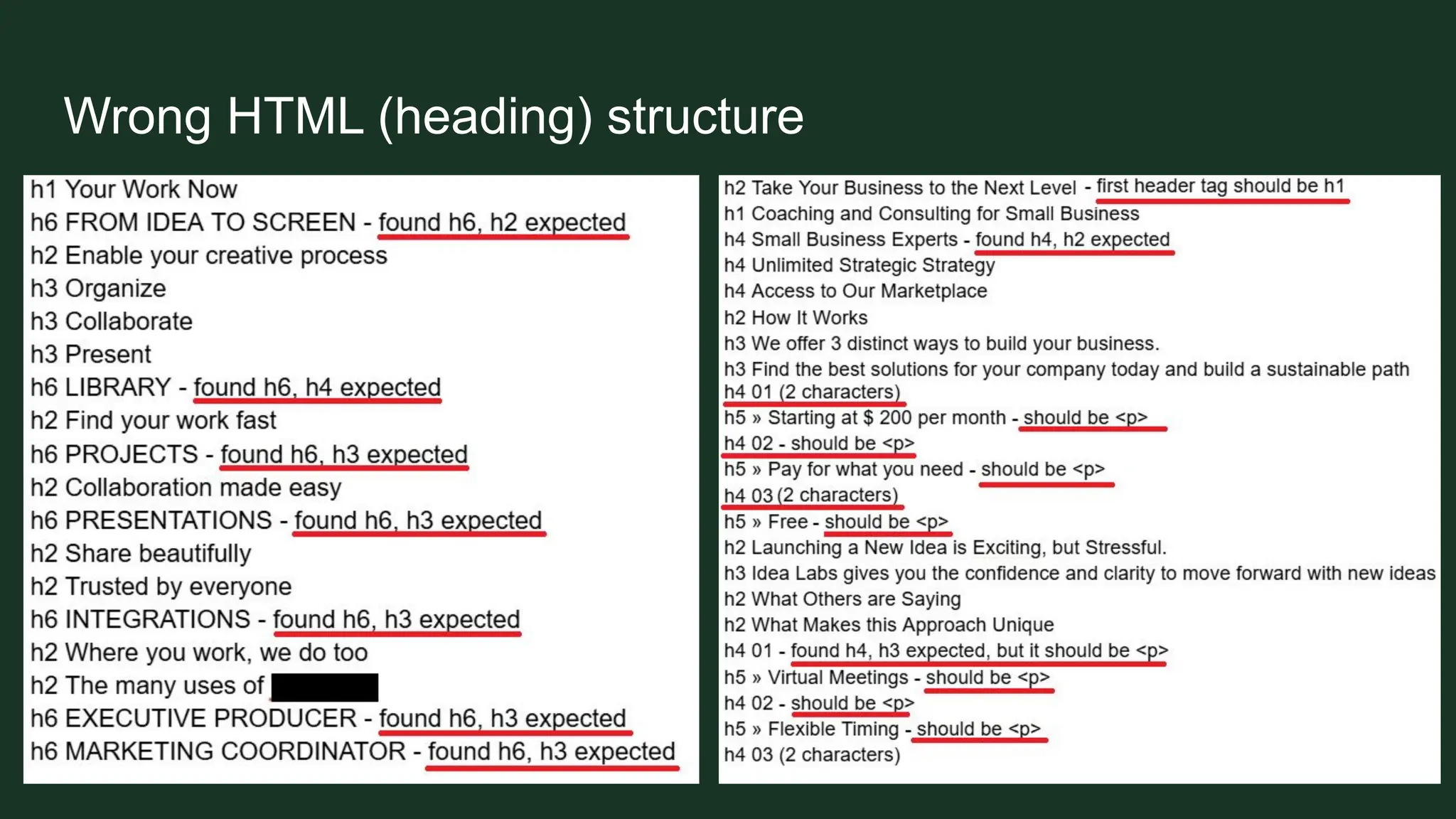
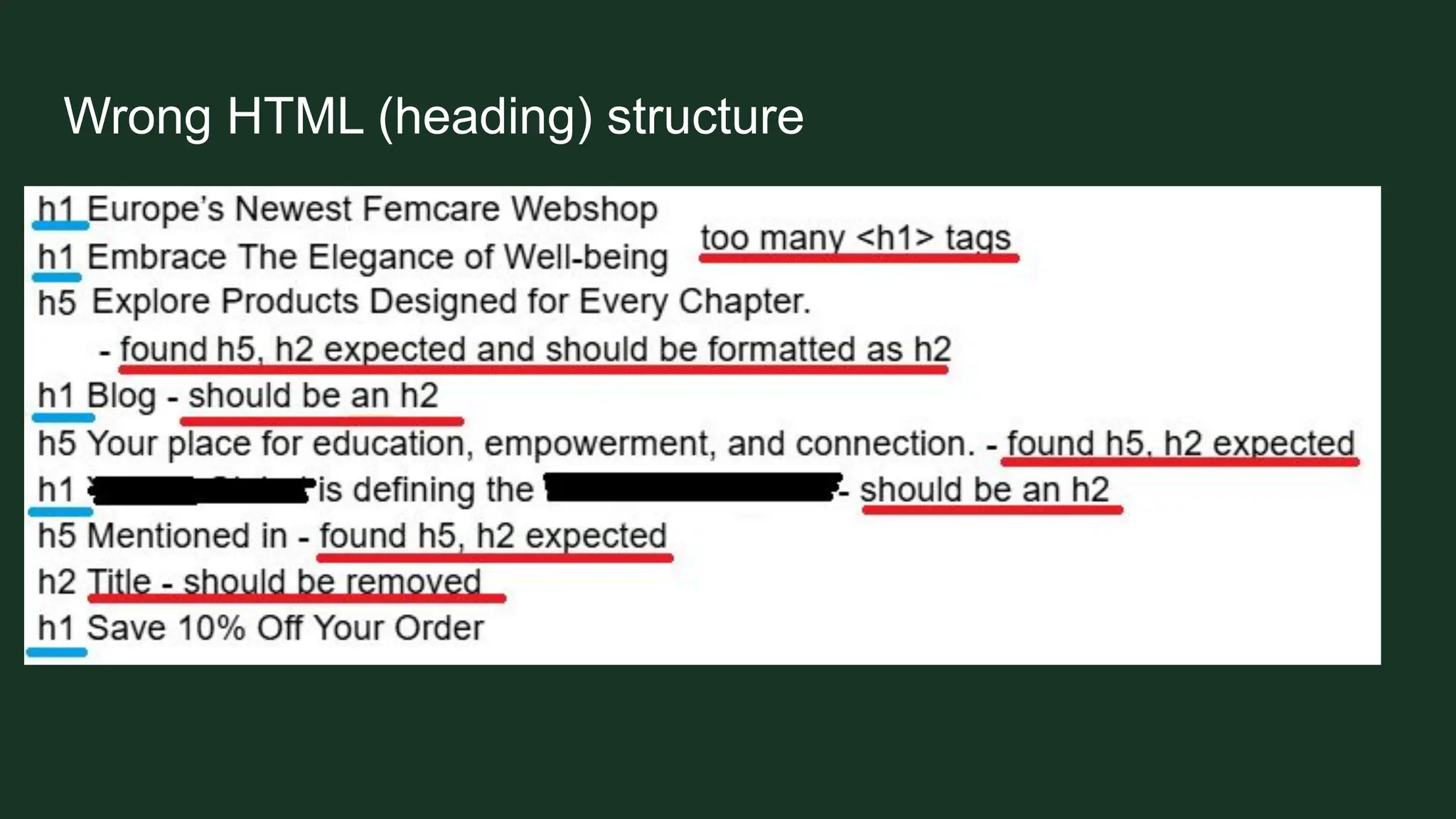
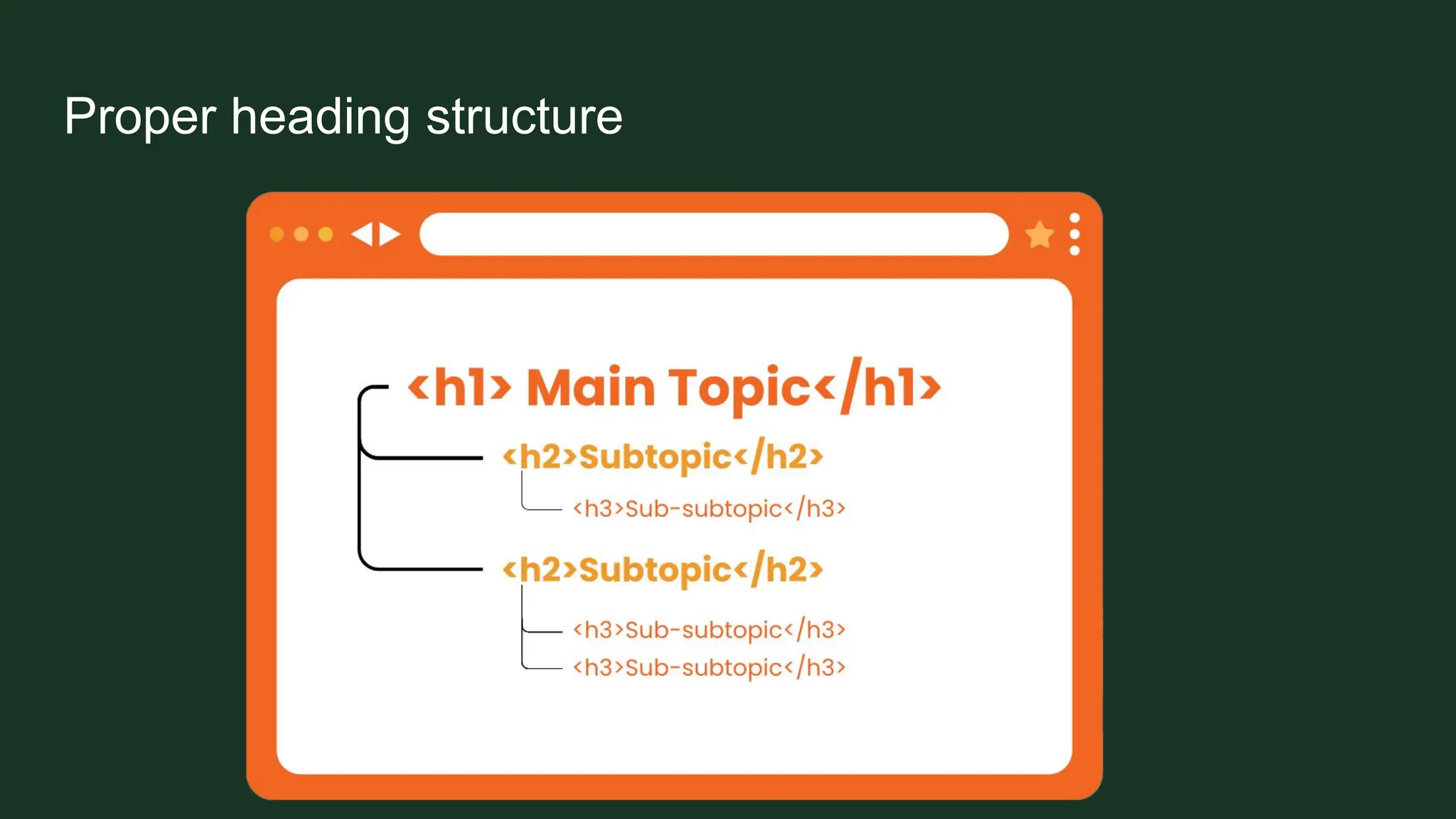
Wrong HTML (heading) structure
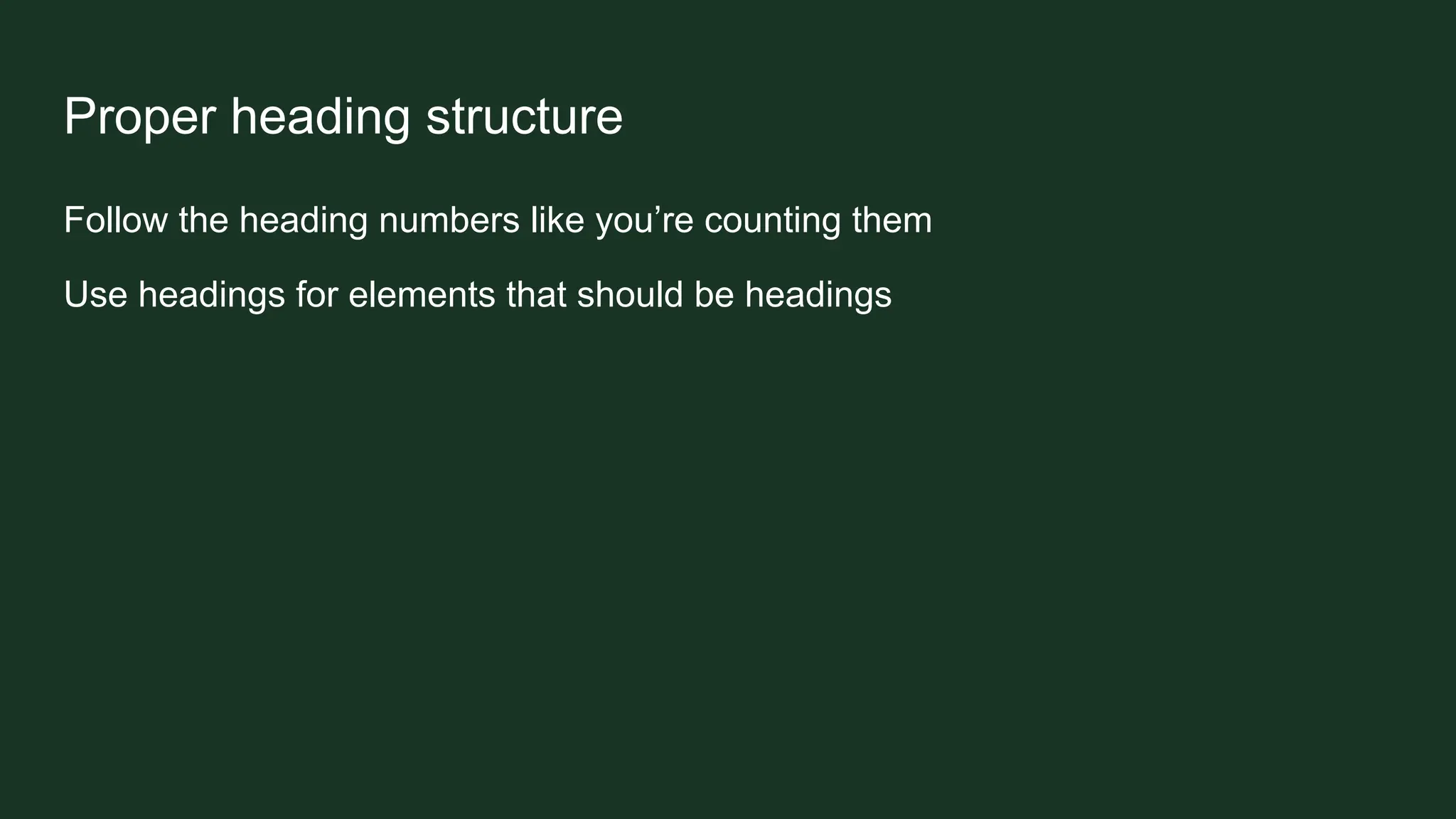
Proper heading structure
Follow the heading numbers like you’re counting them
Use headings for elements that should be headings
Proper heading structure
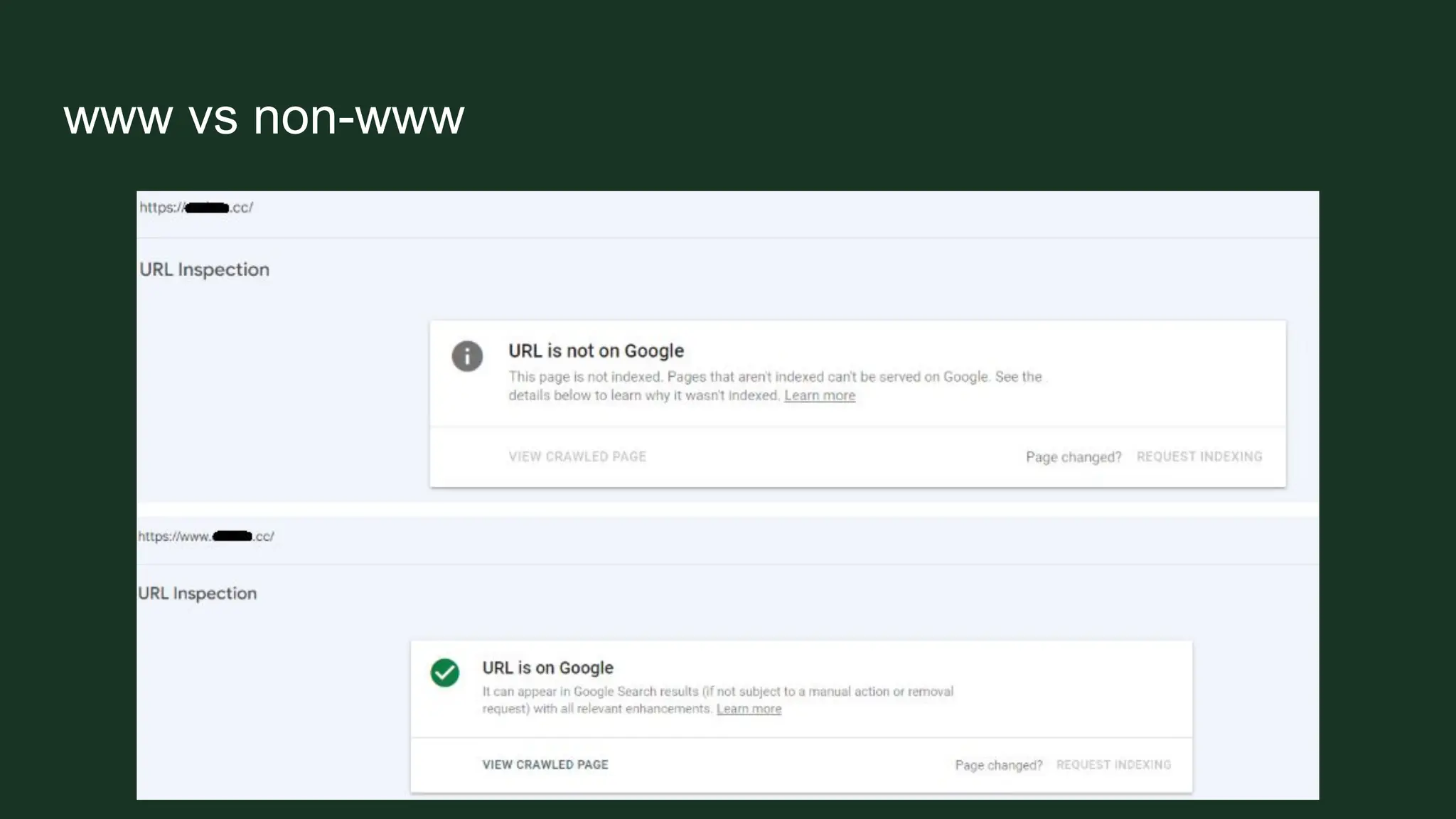
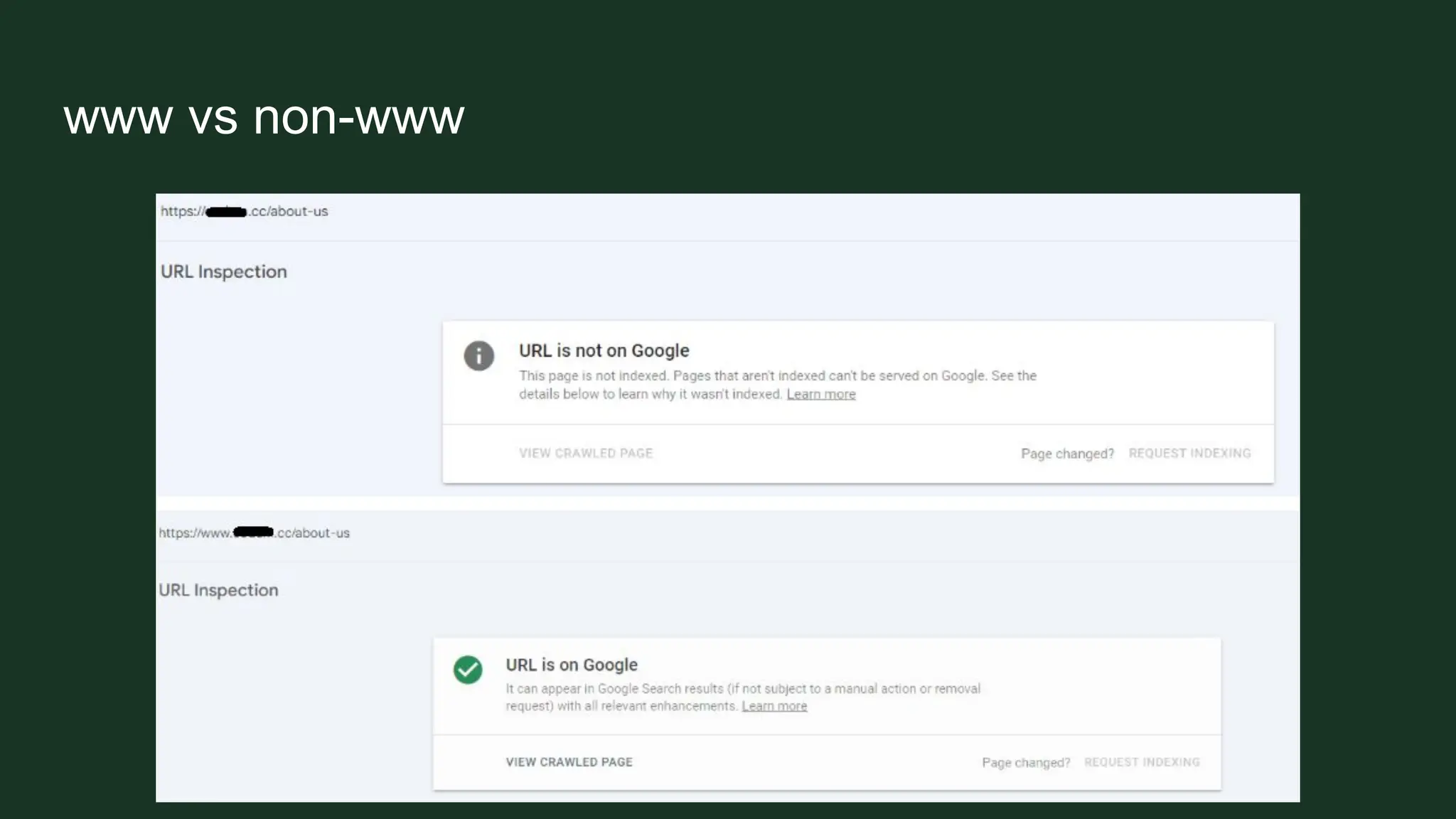
www vs non-www
Having multiple versions of the website available.
It means you have a duplicate of every page on a different URL.
www vs non-www
www vs non-www
http vs https
Having multiple versions of the website available
SSL certificate
And here come canonicals
Canonicals
A way of telling crawlers which page is the original
It is the master version of a page that should be indexed when the same content is
available at multiple different URLs
Canonicals
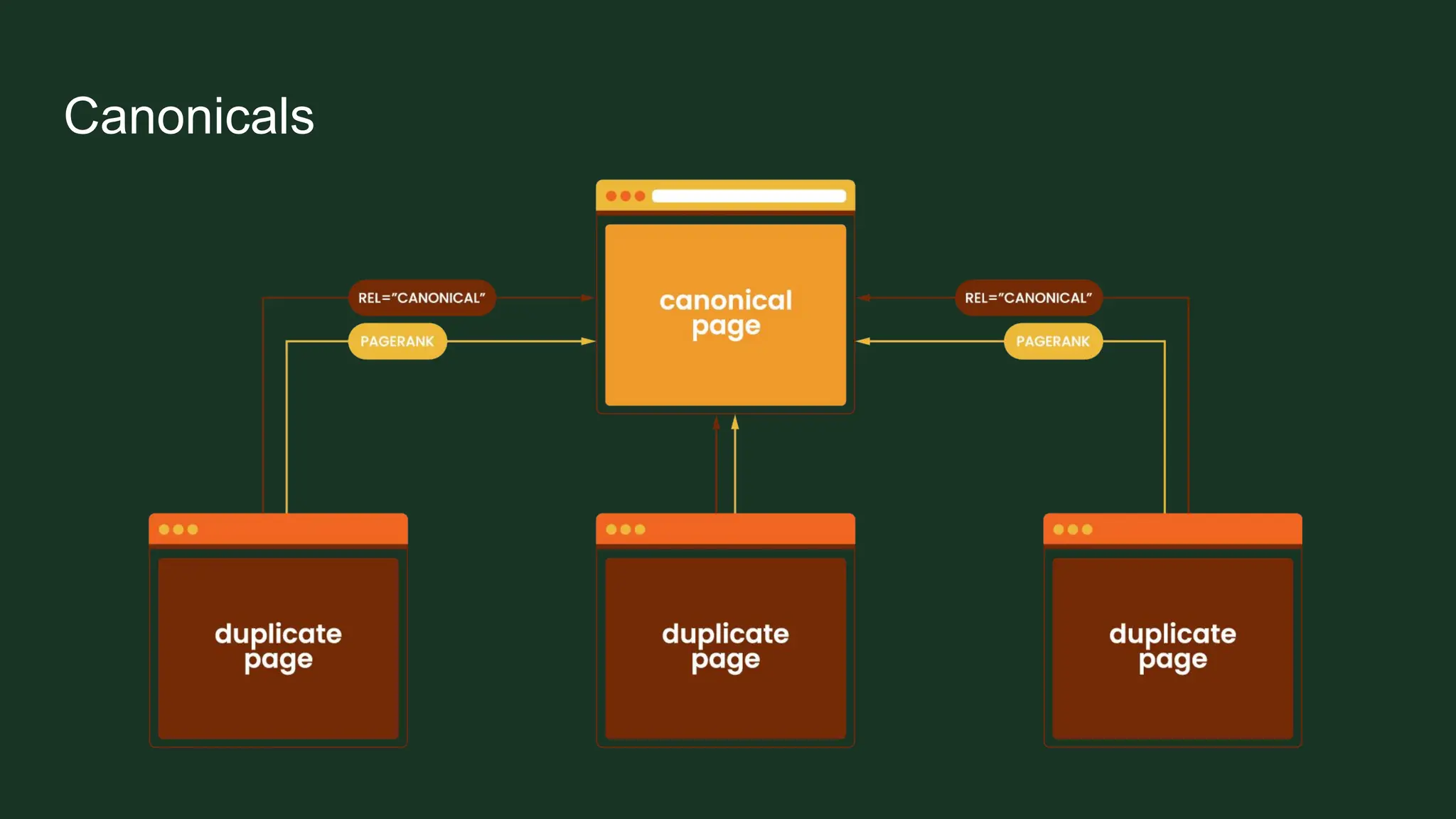
Canonicals
For every page in the group of duplicates, you should pick one canonical version
that you want to be indexed in search results.
Add its URL to the "rel=canonical" labeling on each page with duplicated content,
including the canonical page itself.
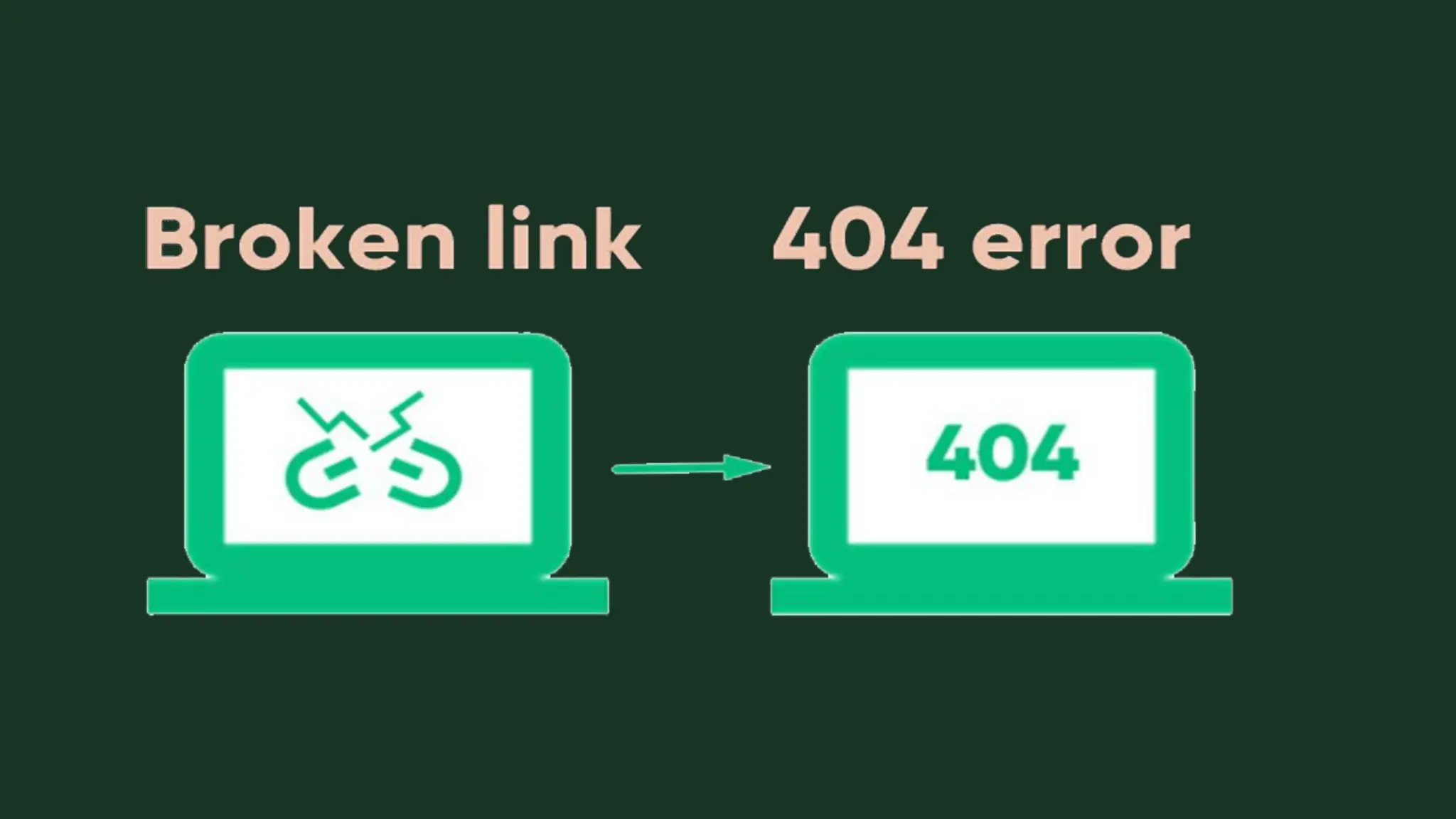
Broken links
Broken links
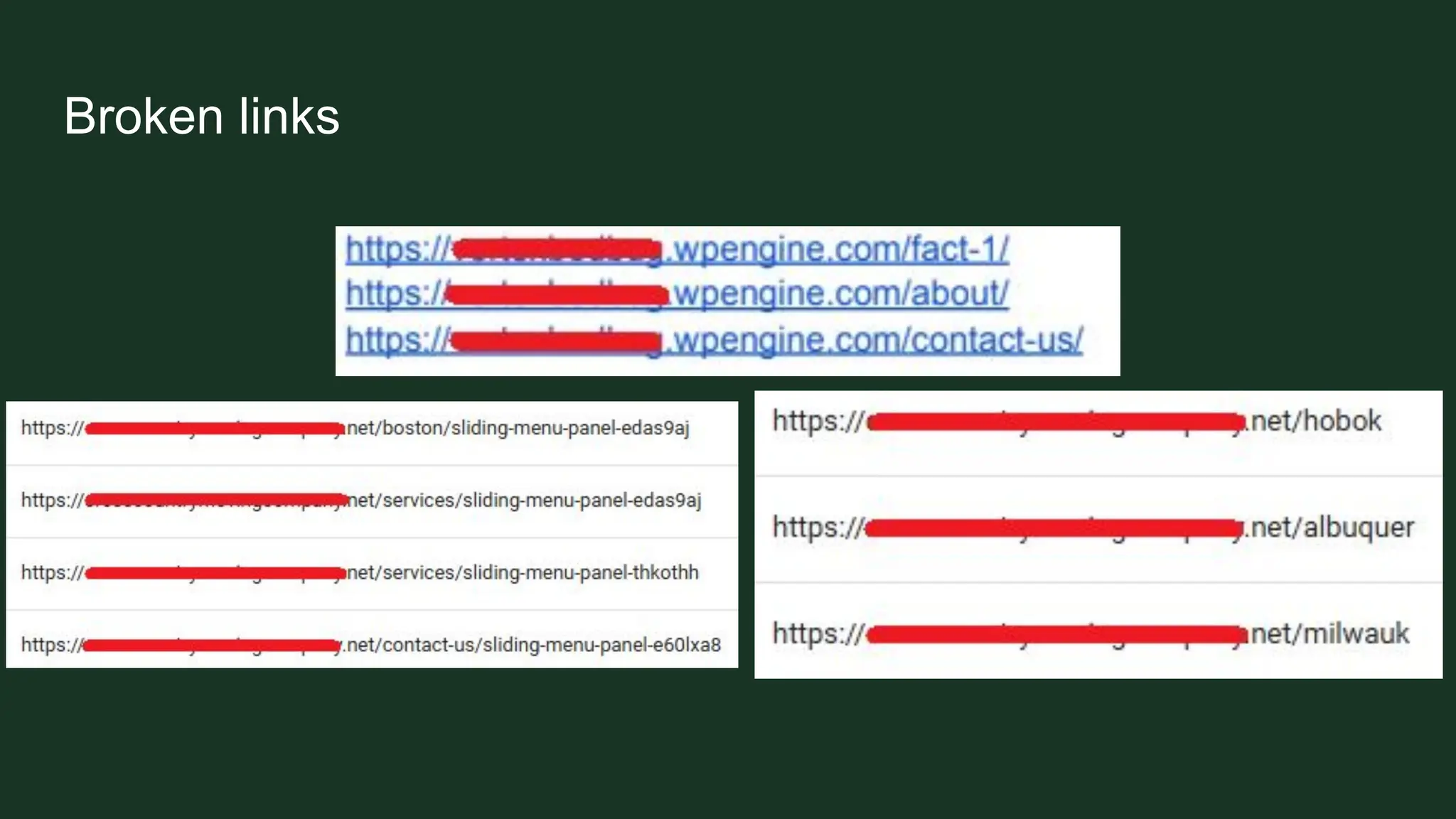
➢ Leaving staging links
➢ Not redirecting or removing links after deleting
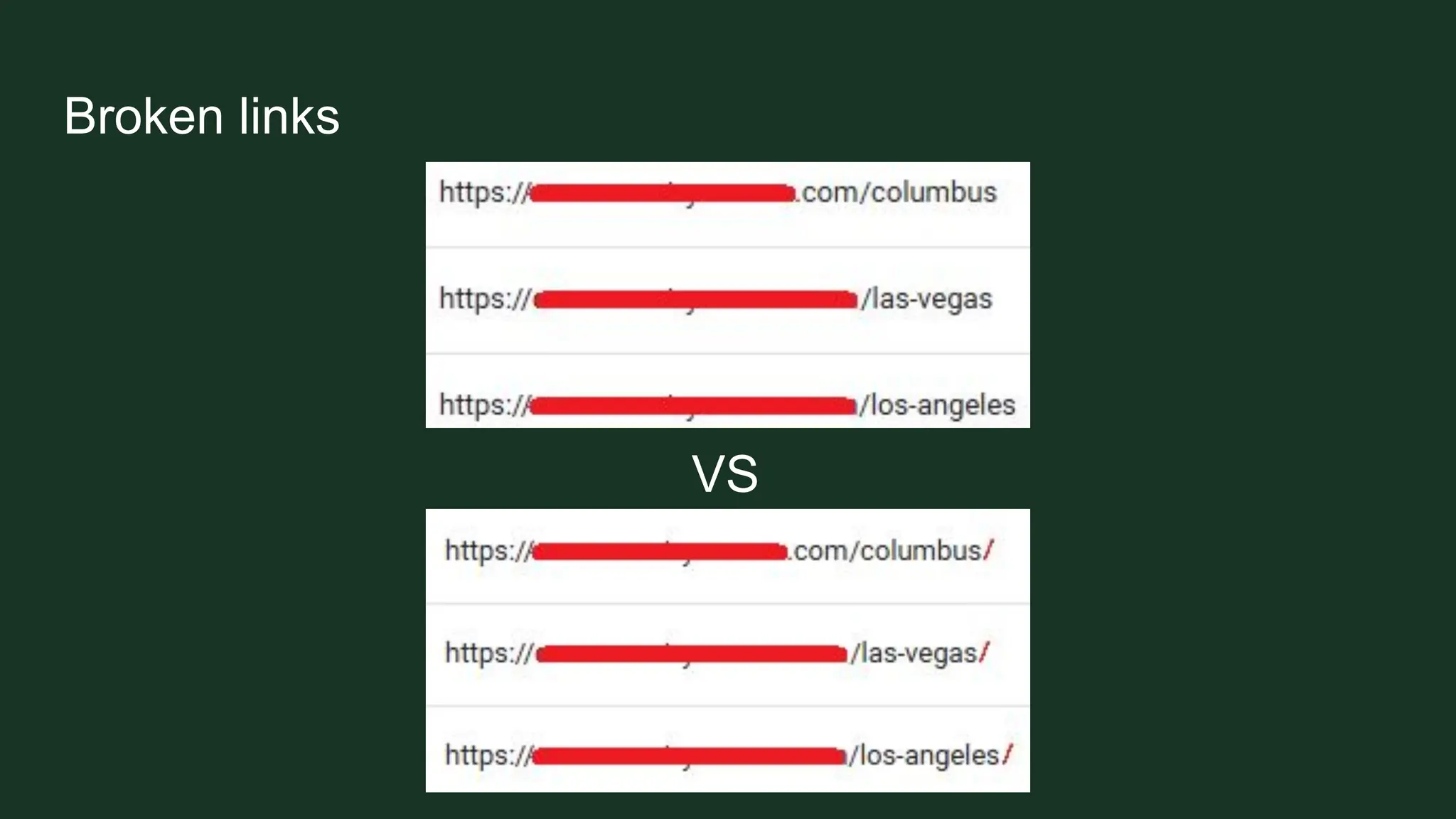
➢ Linking incomplete URLs
➢ Adding links without the / at the end
Broken links
Broken links
VS
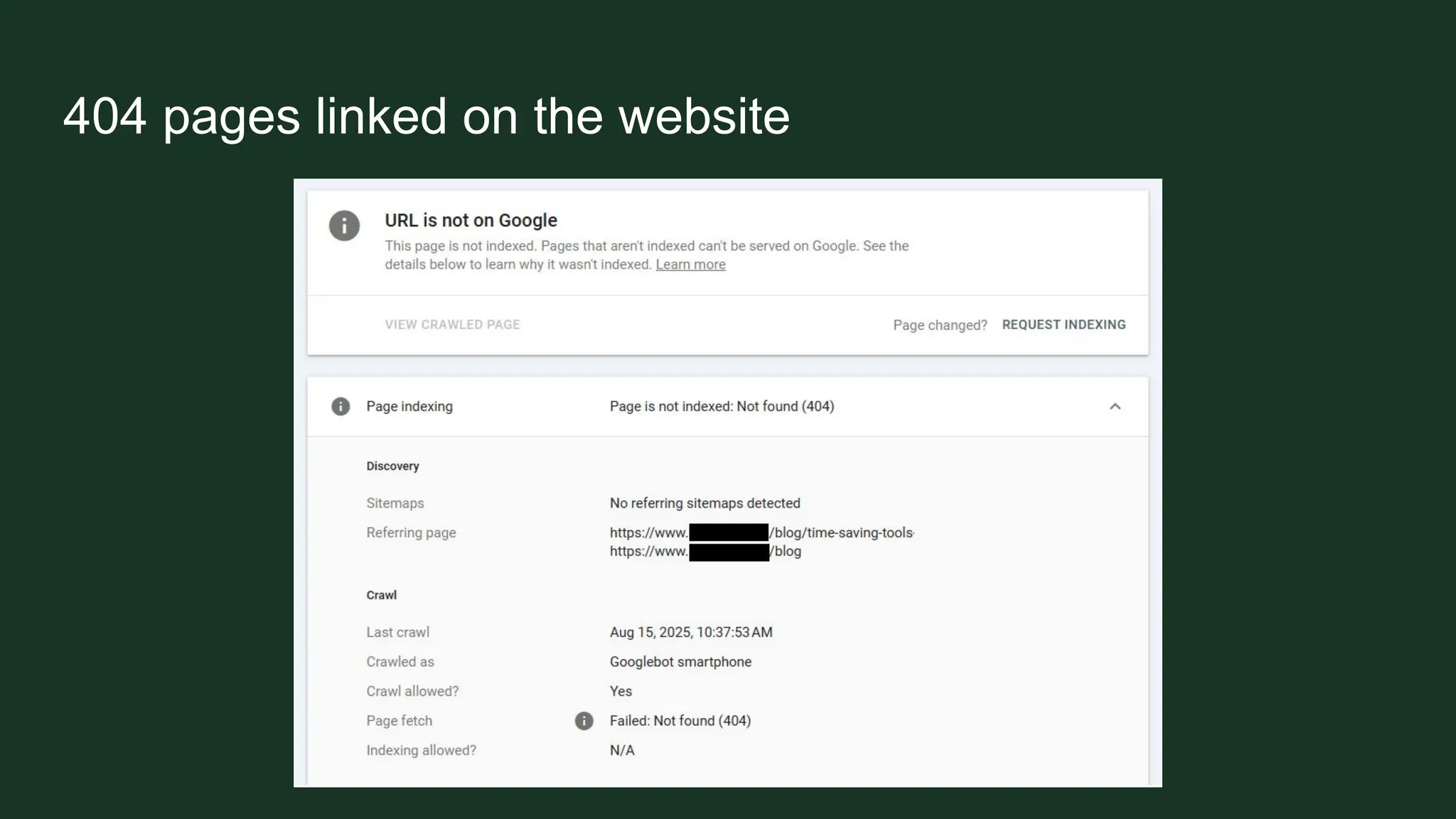
404 pages linked on the website
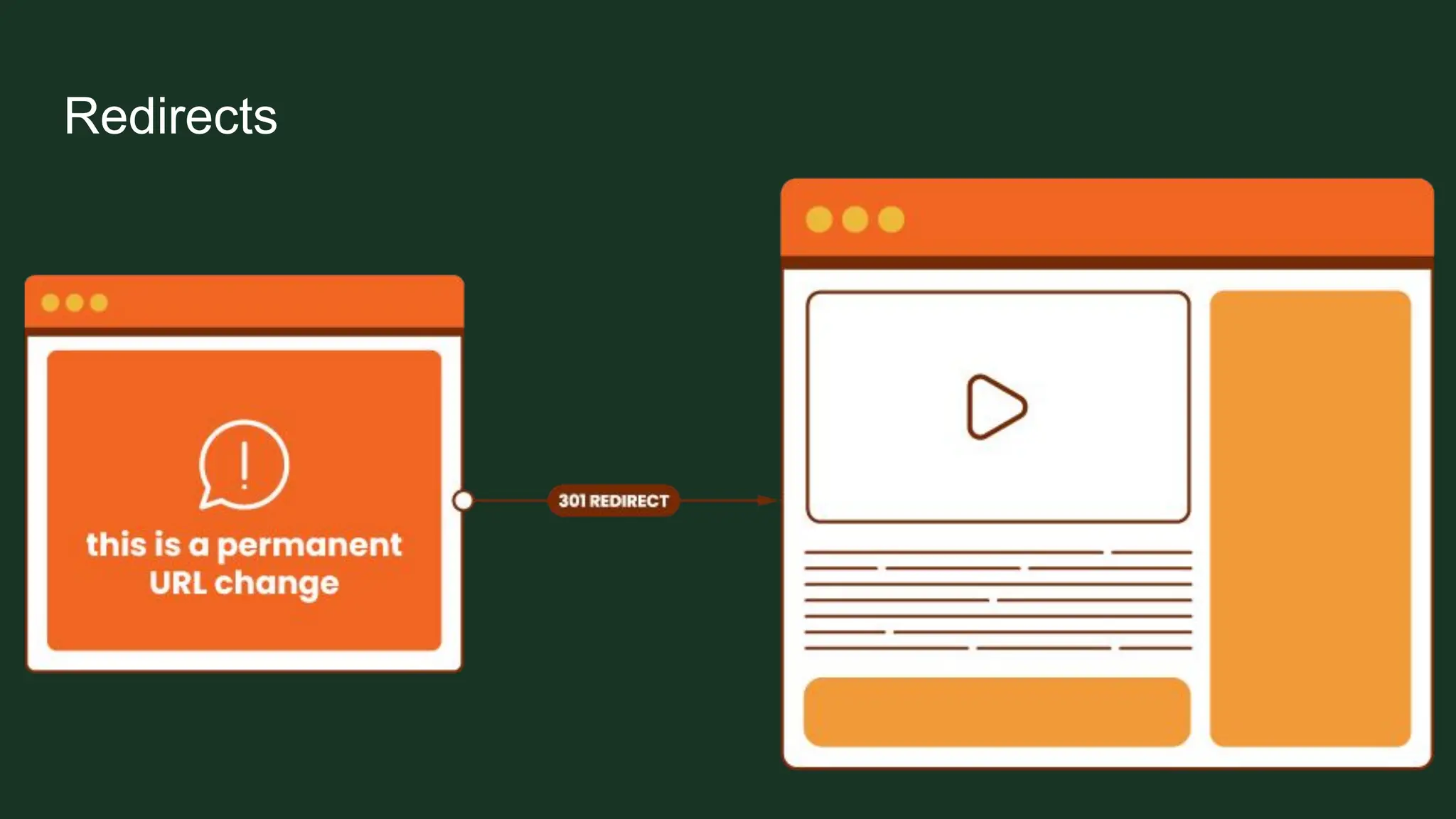
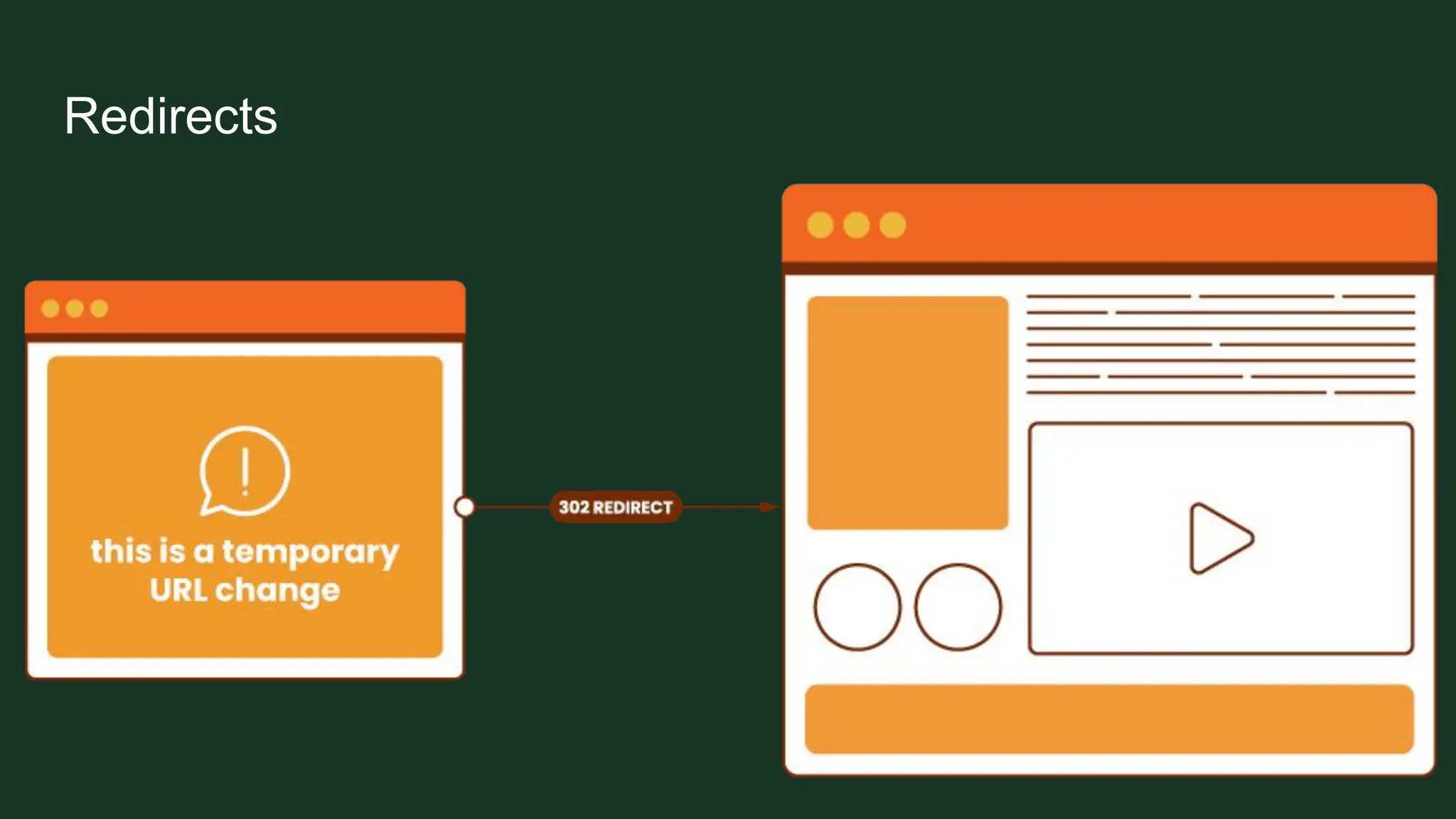
Redirects
➢ A must when deleting pages
➢ But not great to have too many
➢ Be careful when placing redirects
Redirects
Redirects
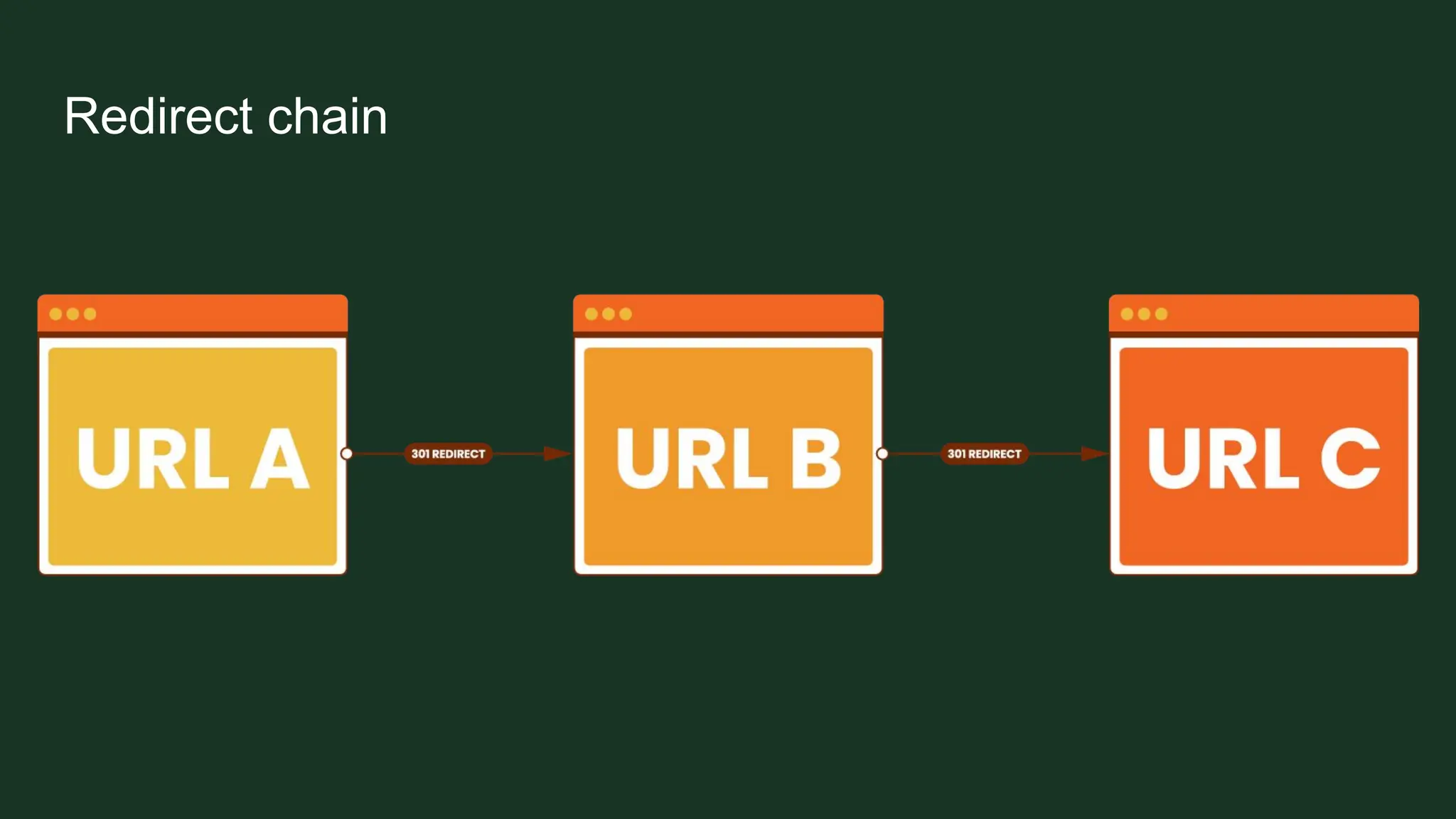
Redirect chains and loops
Redirect chains
➢ When there are multiple redirects between an initial URL and final URL
➢ Makes the final URL the user gets load longer
➢ Google aborts following redirects after 5 hops to preserve its crawling
resources
Redirect chain
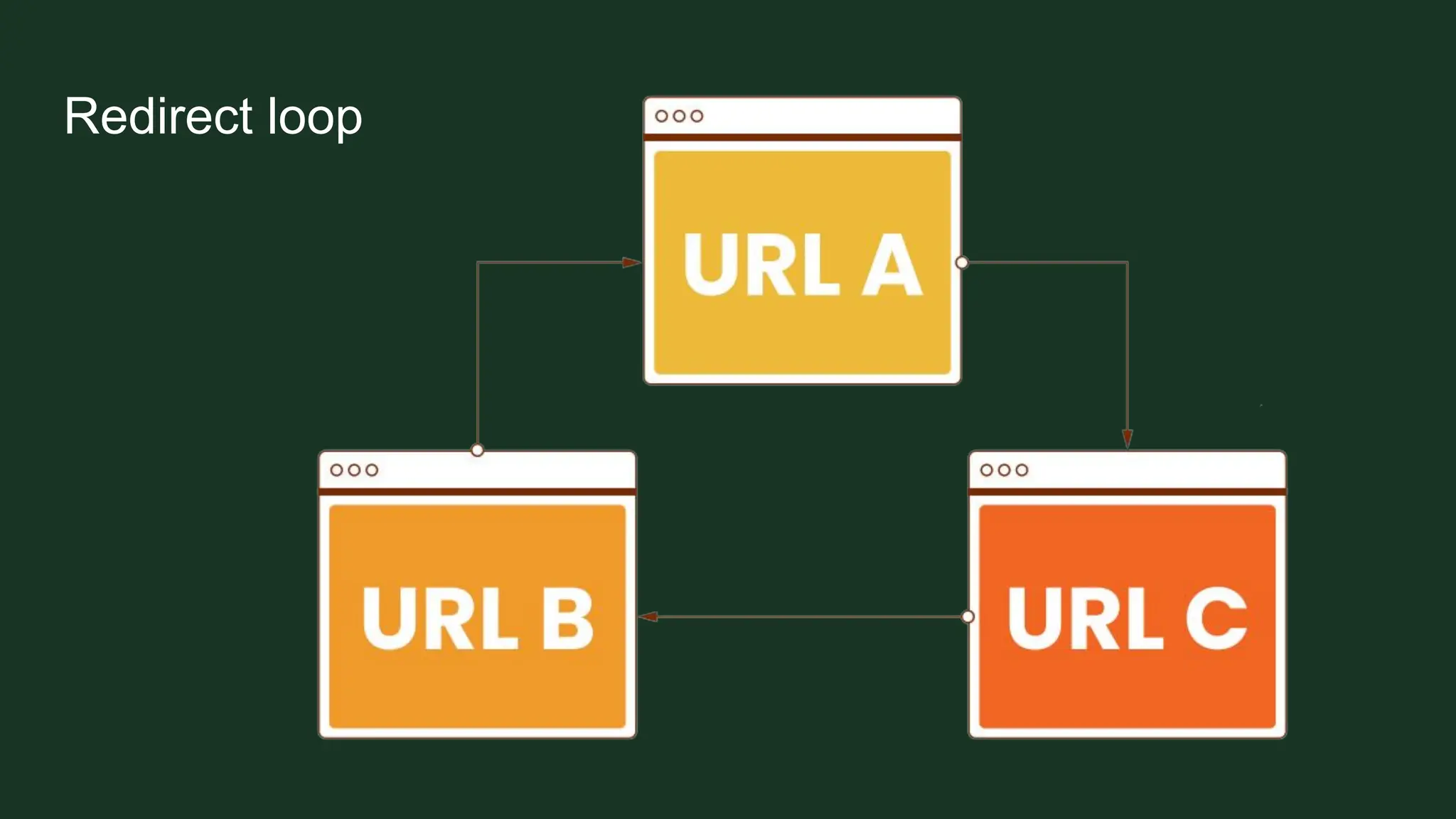
Redirect loops
➢ When URL is redirected to another URL, which in turn redirects back to the
URL that was originally requested
➢ Creates an infinite cycle of redirects
Redirect loop
Bad URL structure
➢ Using long, complicated URLs
➢ Using auto-generated strings
➢ Mixing uppercase and lowercase letters
➢ Using underscores instead of hyphens
➢ Including spaces or special characters
➢ Duplicate URLs for the same page
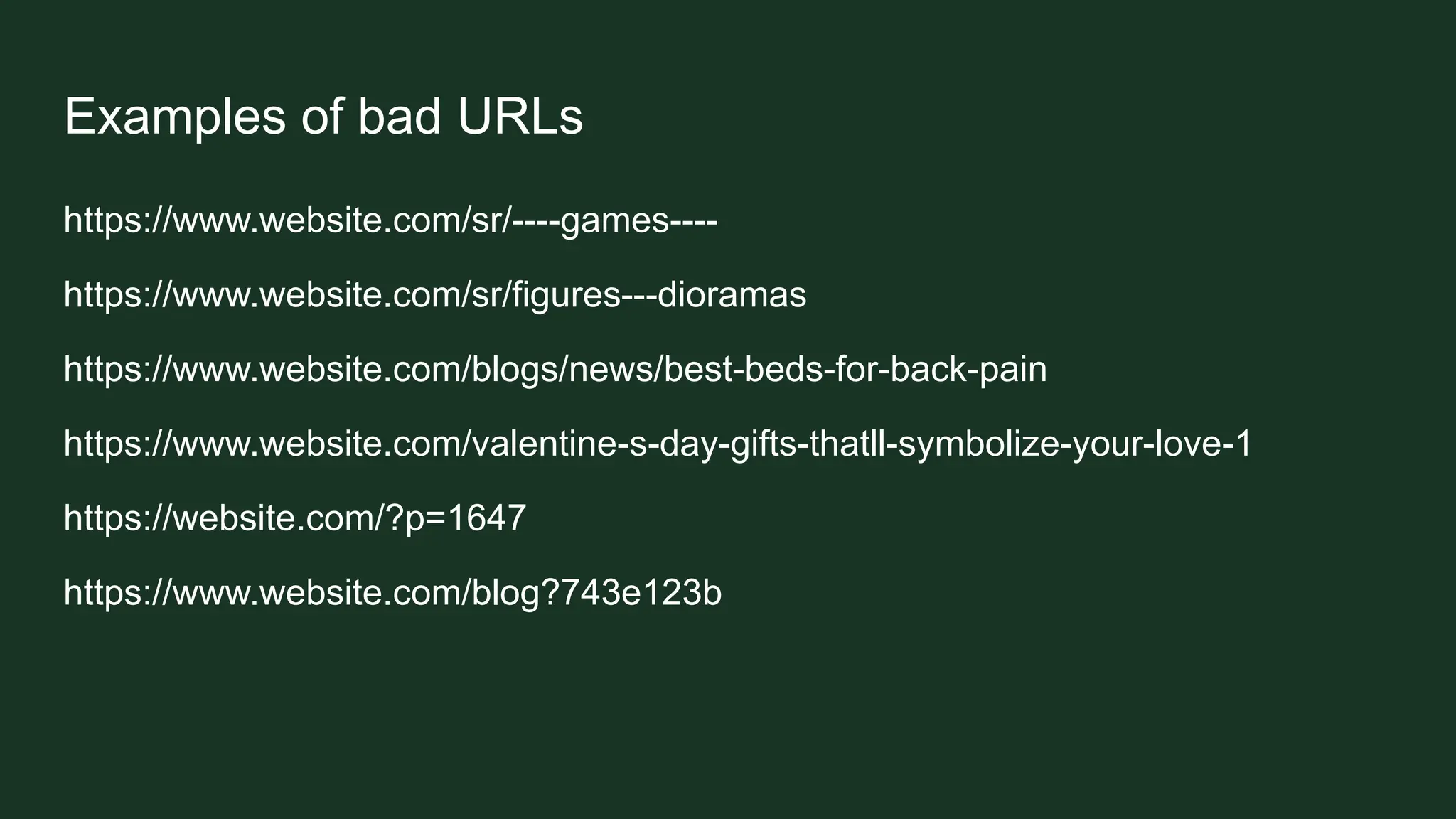
Examples of bad URLs
https://www.website.com/sr/----games----
https://www.website.com/sr/figures---dioramas
https://www.website.com/blogs/news/best-beds-for-back-pain
https://www.website.com/valentine-s-day-gifts-thatll-symbolize-your-love-1
https://website.com/?p=1647
https://www.website.com/blog?743e123b
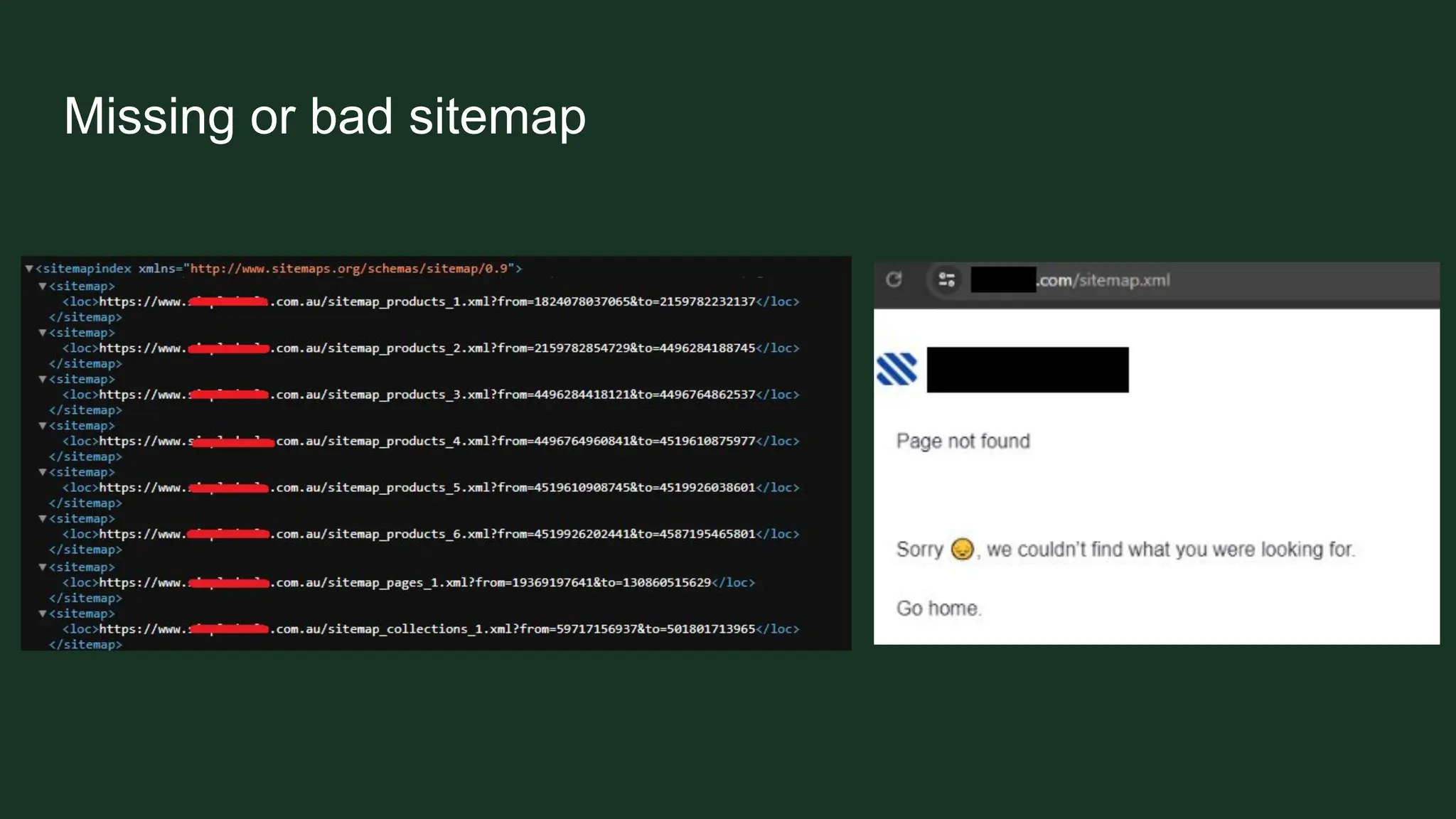
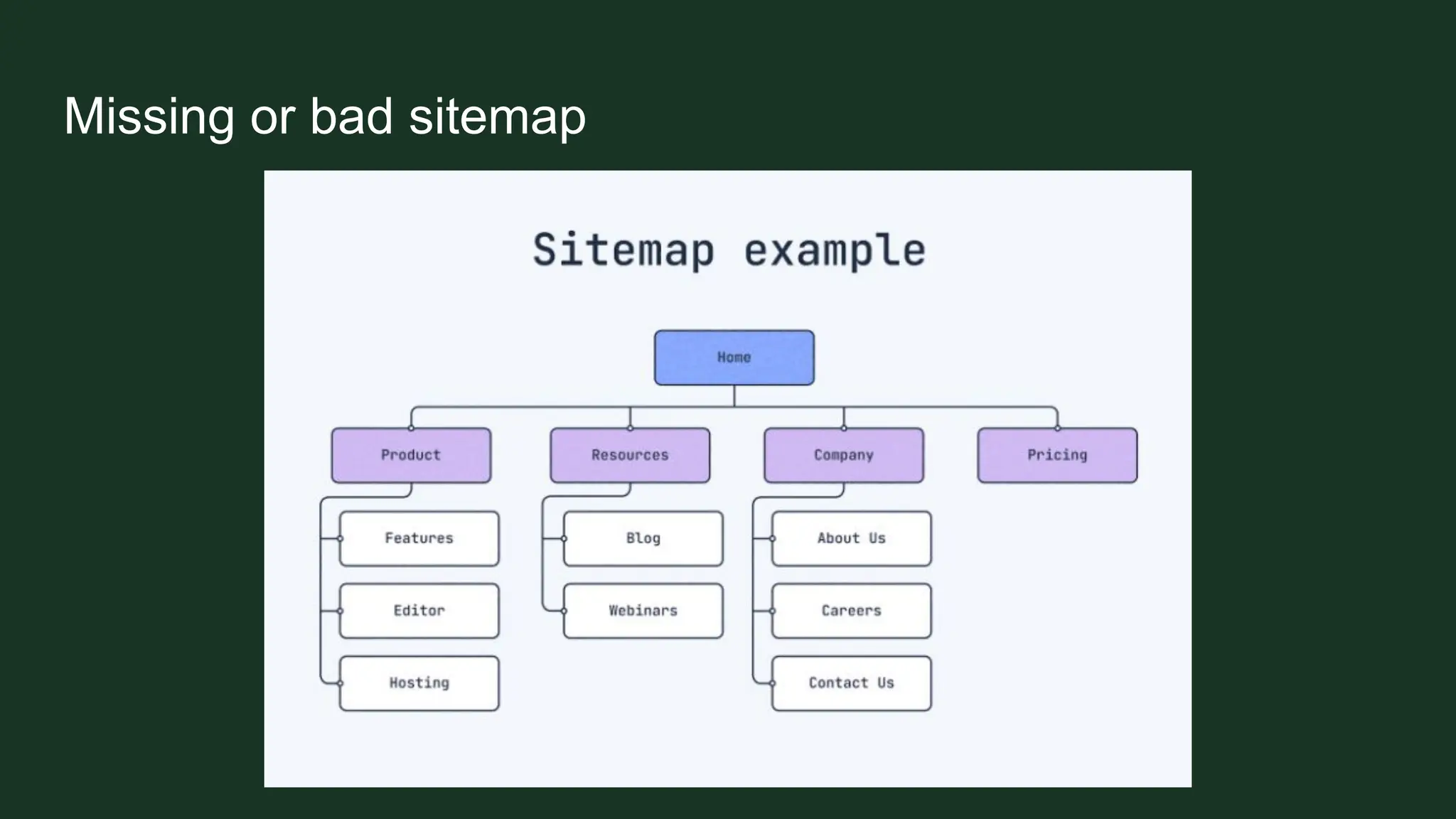
Missing or bad sitemap
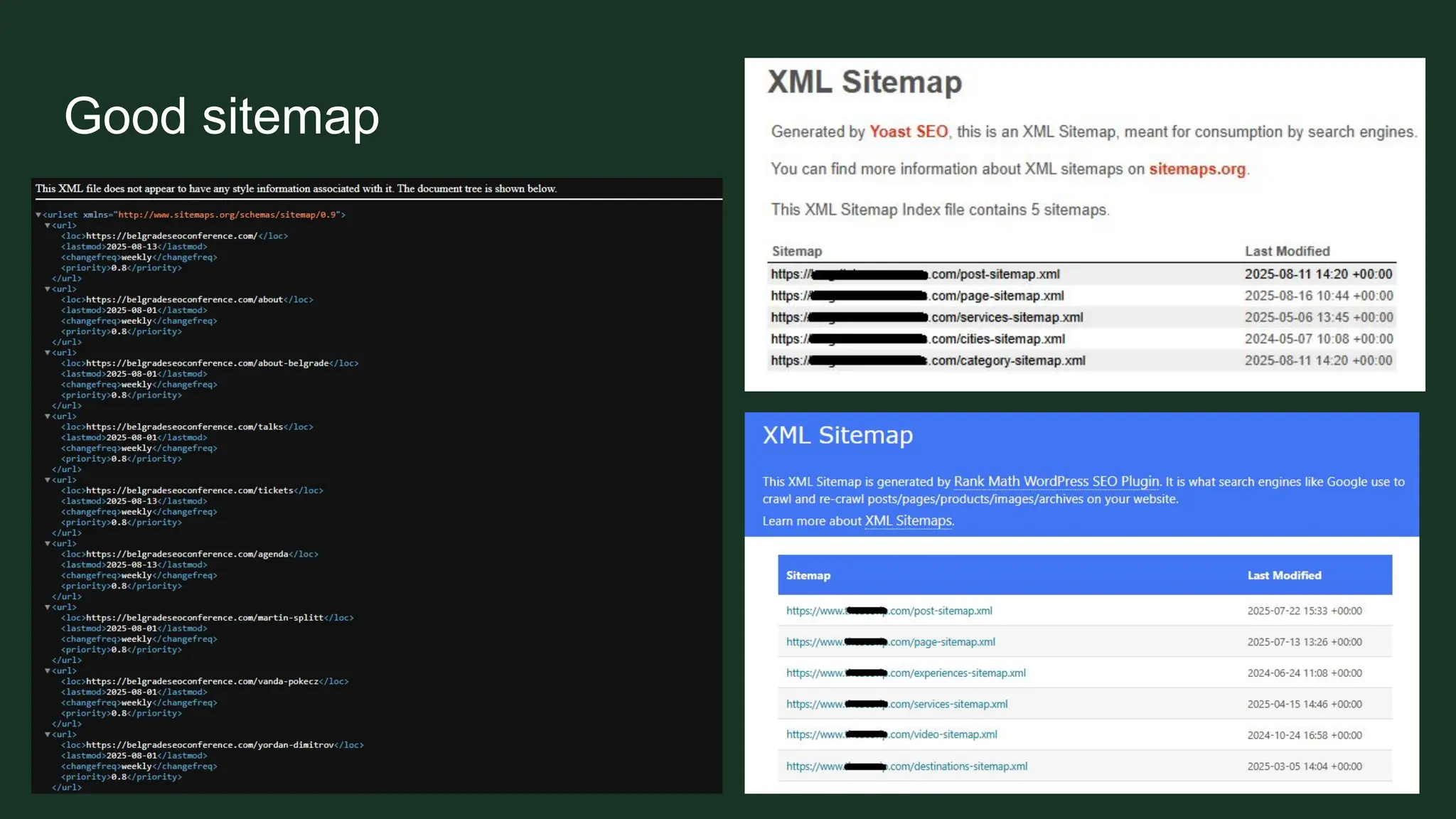
Good sitemap
Using blog posts as pages
➢ Instead of creating pages
➢ Using blog posts for location pages or landing pages
Having your blog as a blog category
➢ Happens when using blog posts for something else
➢ Using a category named Blog for the blog posts
Having your blog as a blog category
Having https://website.com/category/blog/ and https://website.com/blog/
Instead of just having a blog page on https://website.com/blog/
Using too much JavaScript elements
➢ Overloading the website with too much JavaScript elements
➢ Slows down the website
➢ Often makes bad user experience
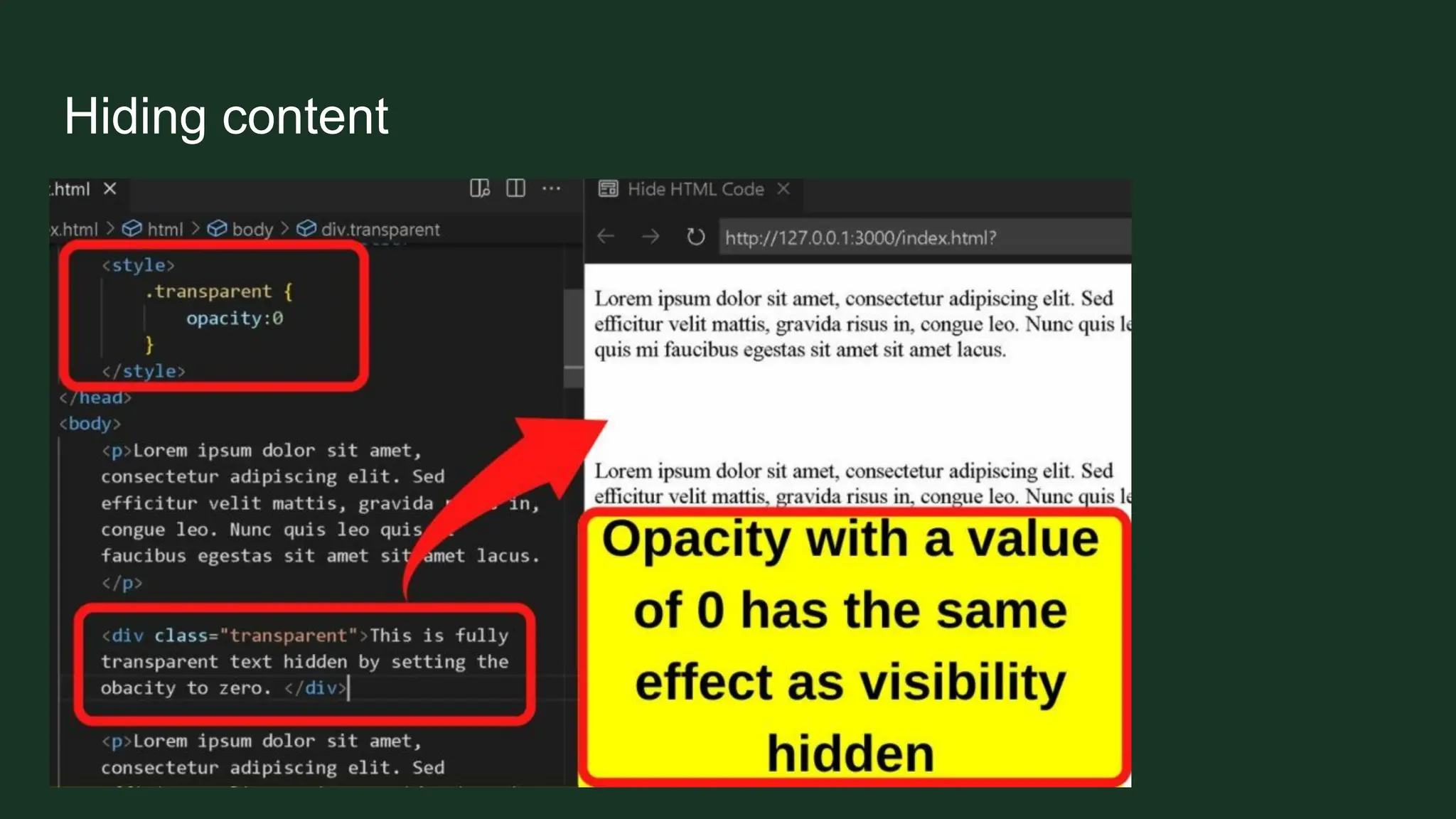
Hiding content
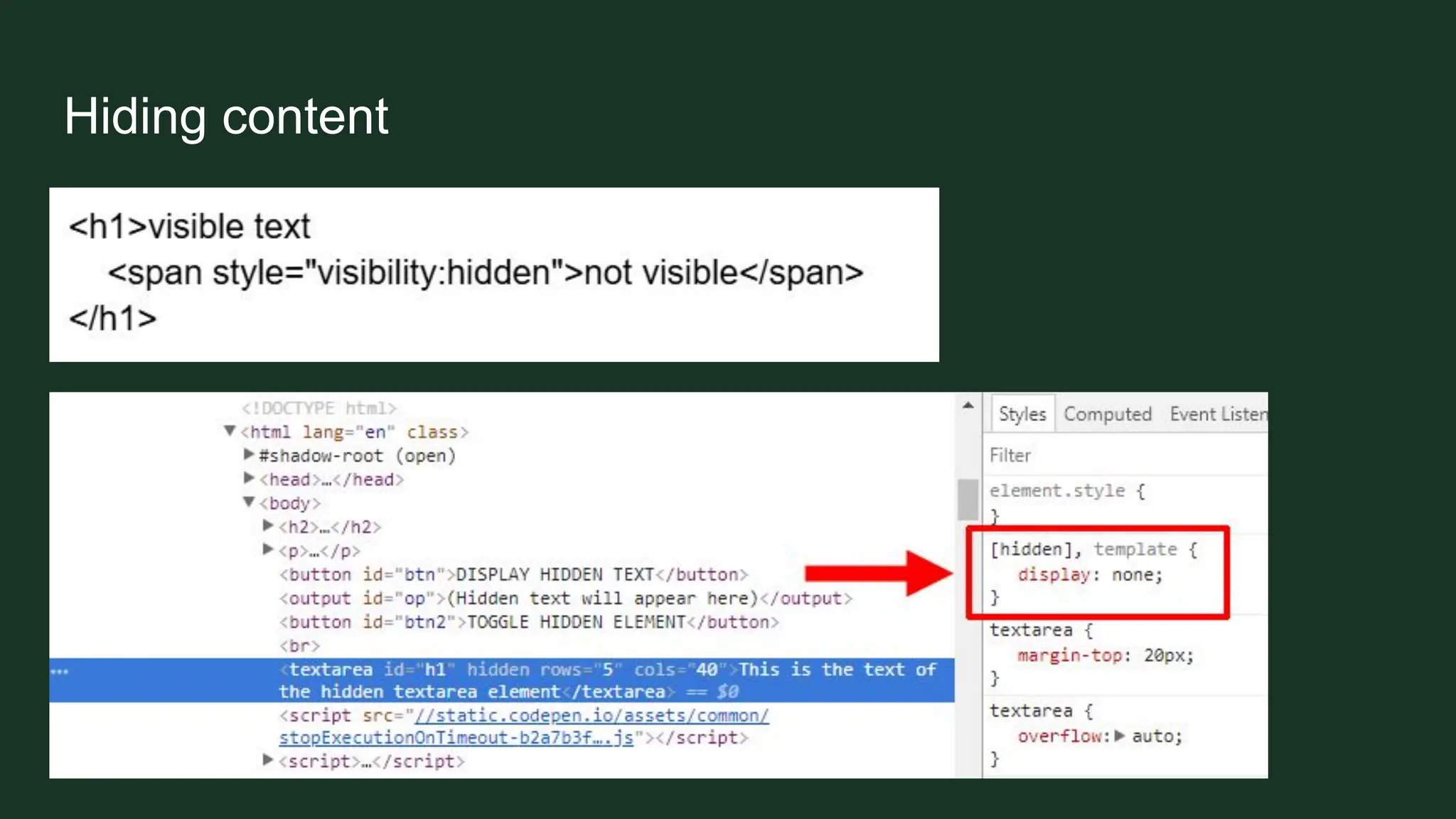
➢ Never hide content
➢ Do not use elements that hide your content
➢ Avoid JavaScript elements that can hide your content
➢ Do not use colors to hide your content
Hiding content
Hiding content
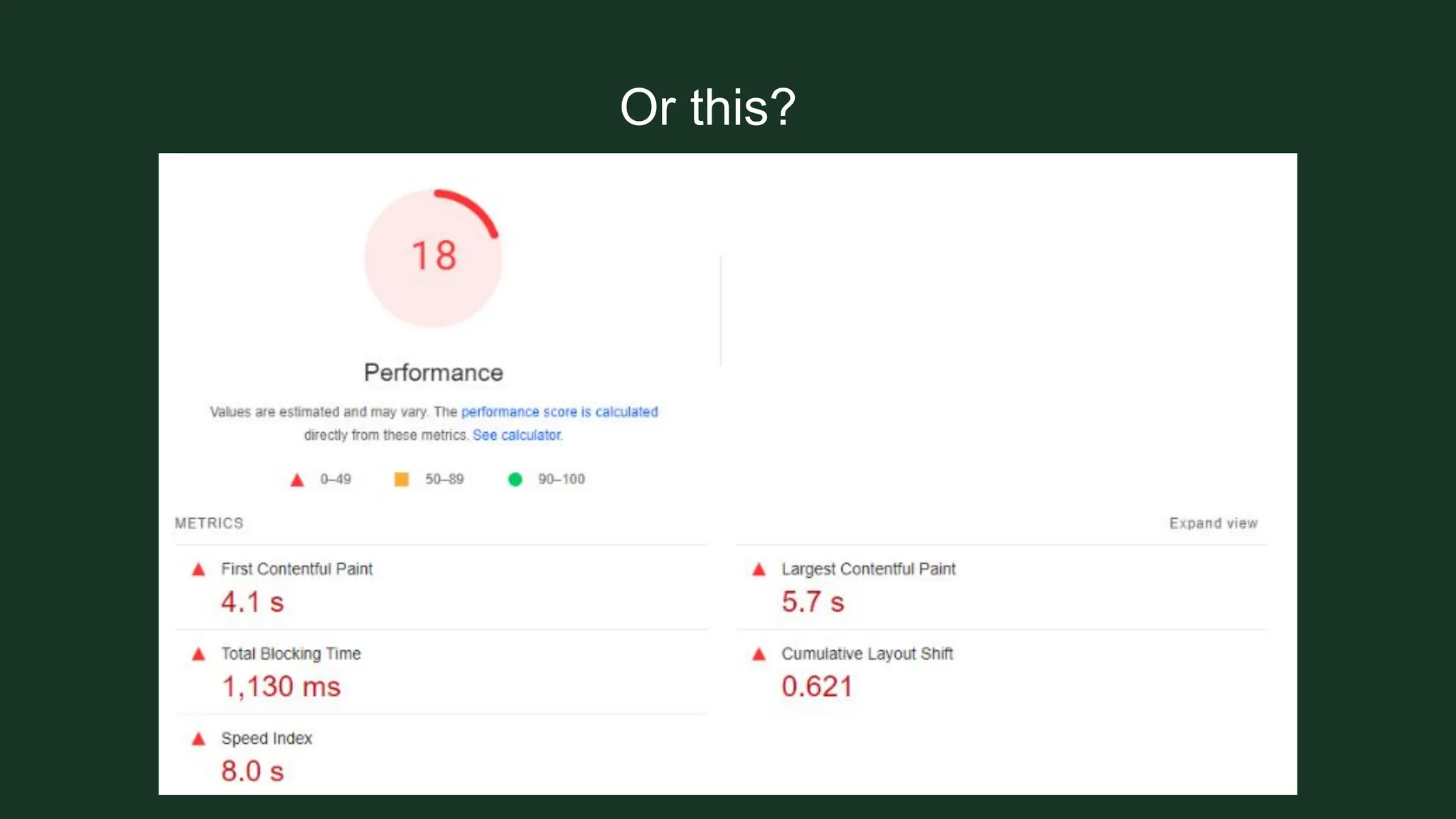
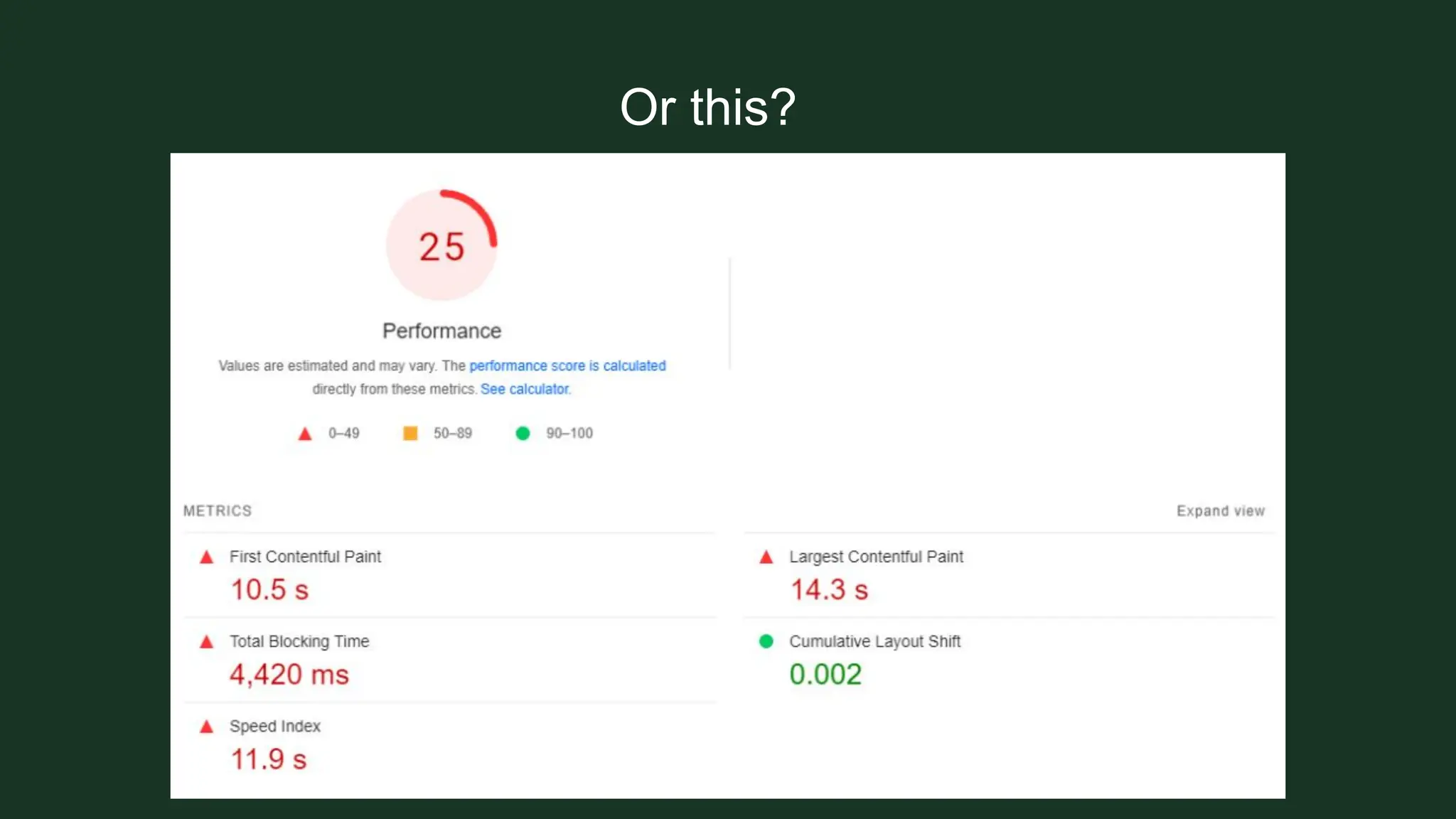
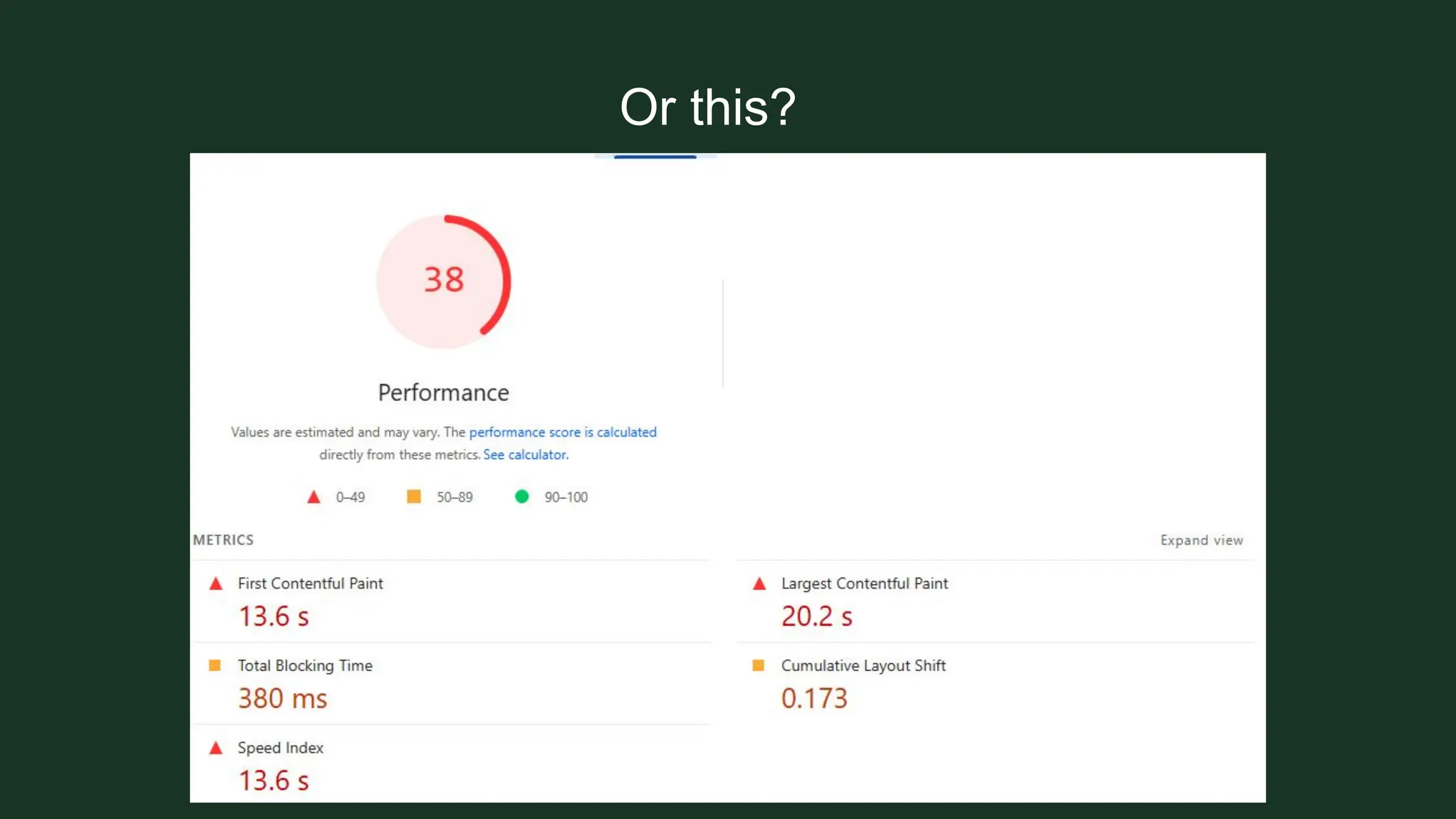
Slow website loading
Why would you want your website to load for ages?
Slow website loading
Why would your users wait for your website to load?
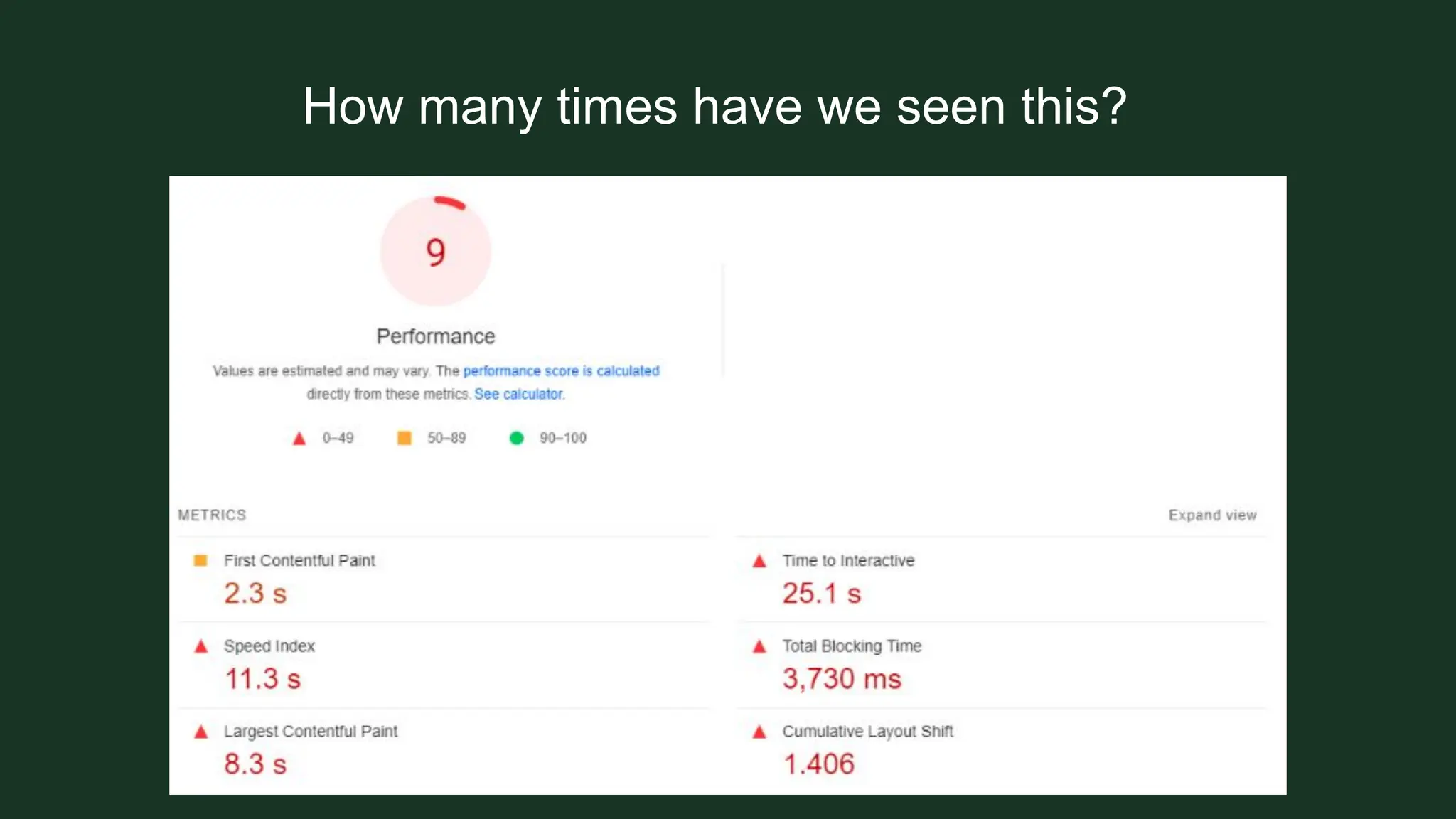
How many times have we seen this?
Or this?
Or this?
Or this?
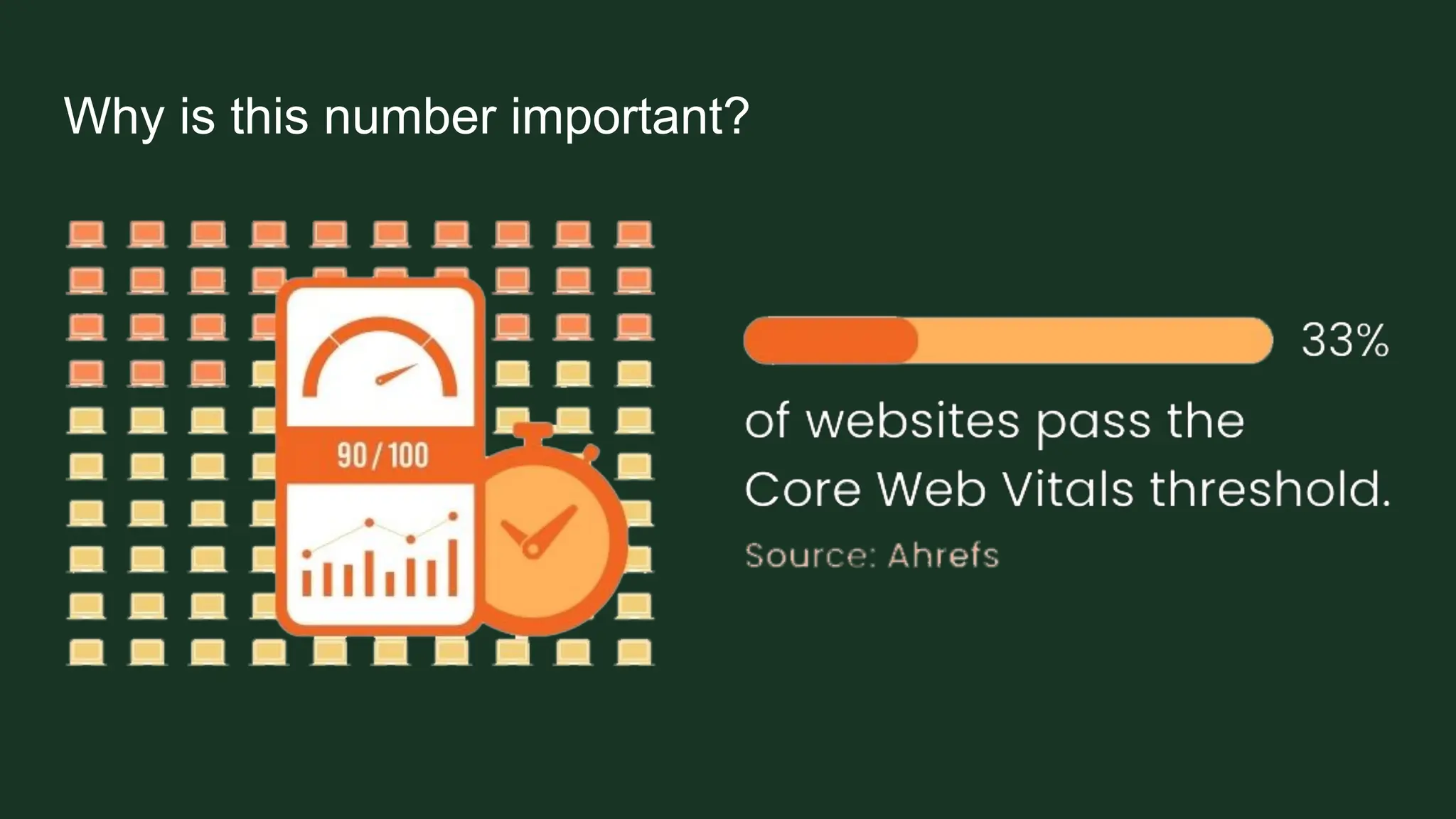
Why is this number important?
Because nobody will wait for your website.
Why is this number important?
How to beat this?
➢ Properly size images. Do not upload that 5MB image.
➢ Reduce unused CSS and JavaScript. Get your developer to go through the code
and see what’s being used or not.
➢ Minimize files. WordPress users can use a plugin for this.
➢ Make sure you have an efficient cache policy.
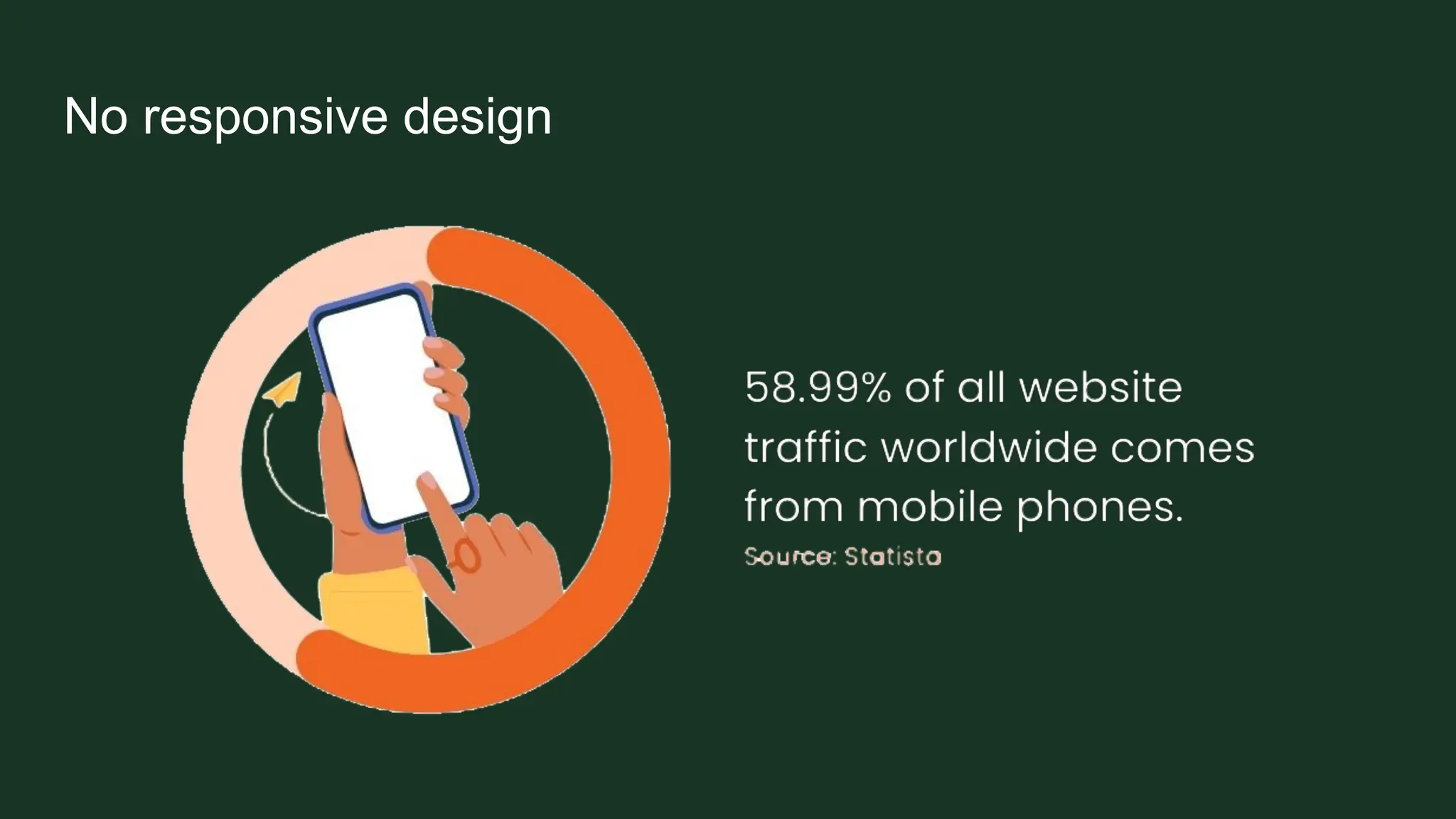
No responsive design
➢ Mobile usability is very important
➢ Your design must be functional on the phone
➢ Crawlers and users both need mobile to be functional
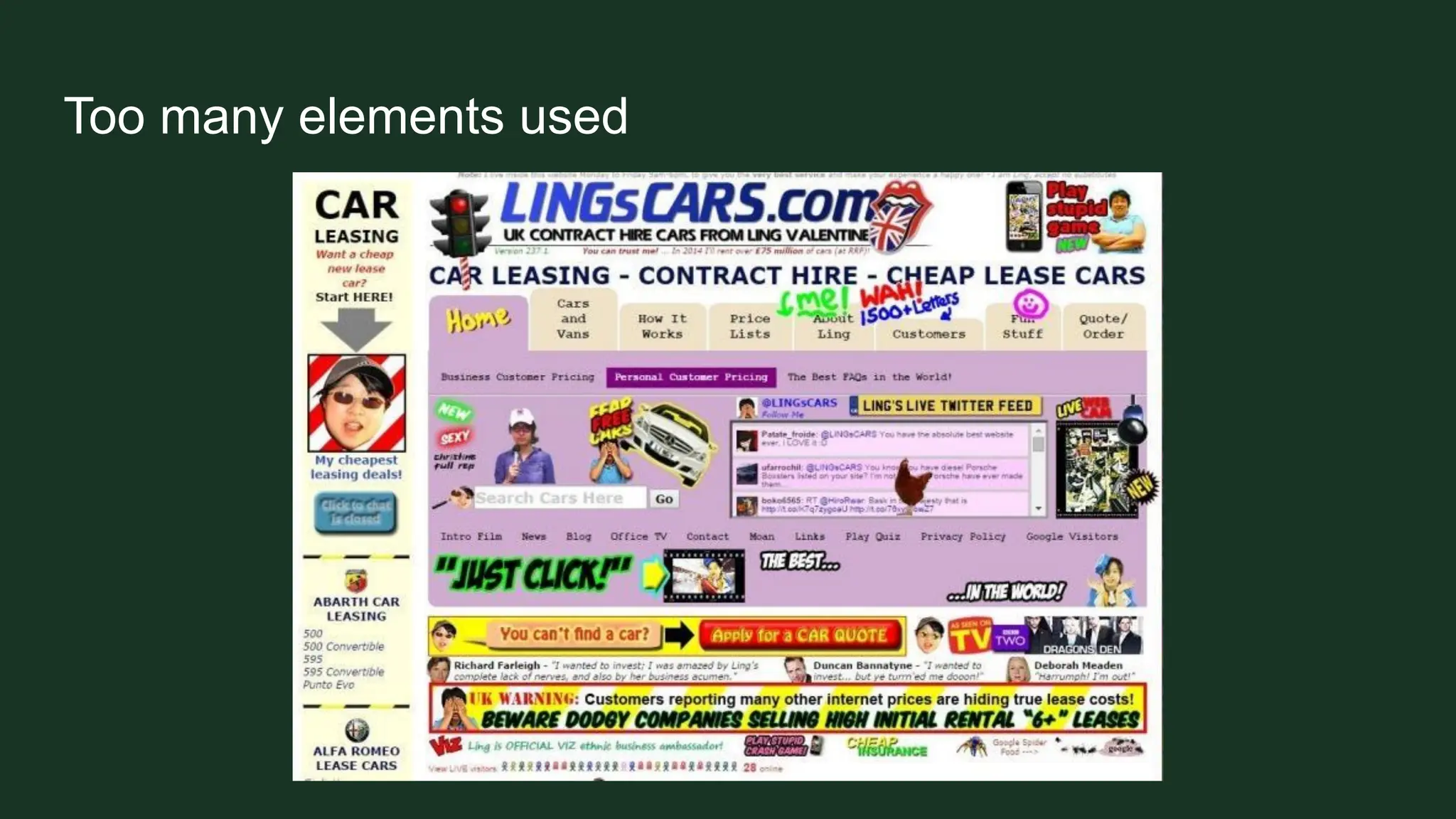
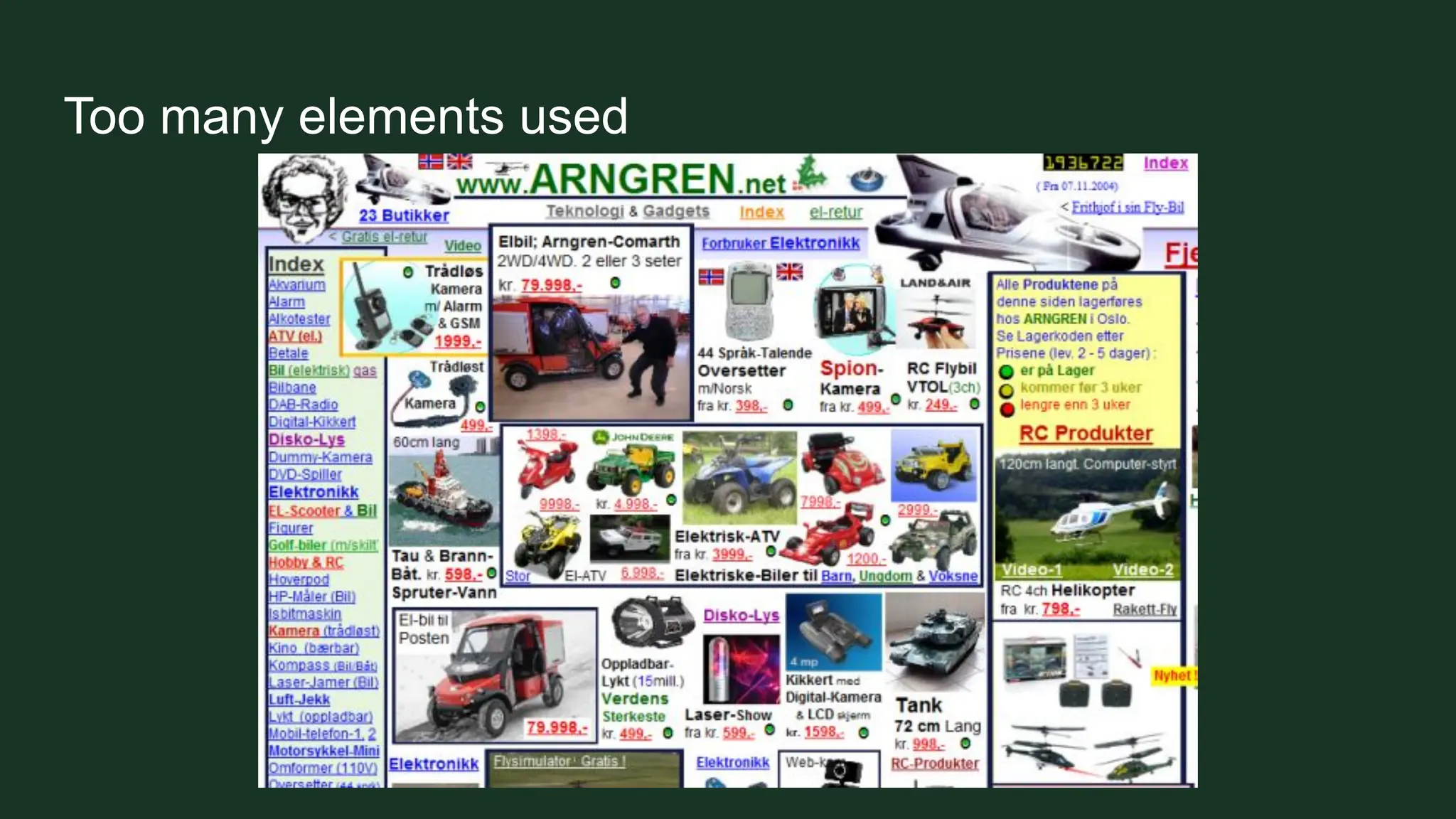
Too many elements used
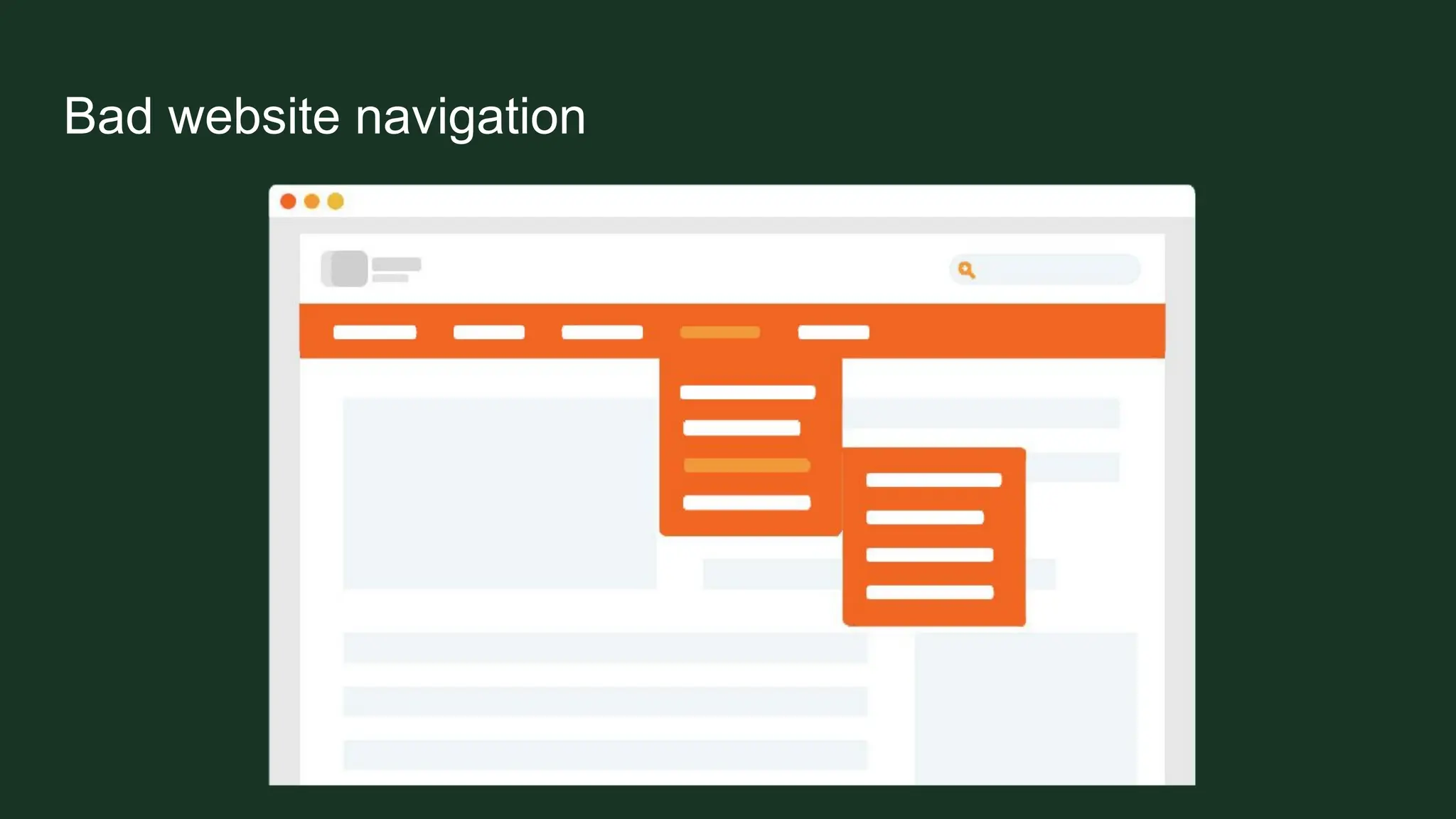
Bad website navigation
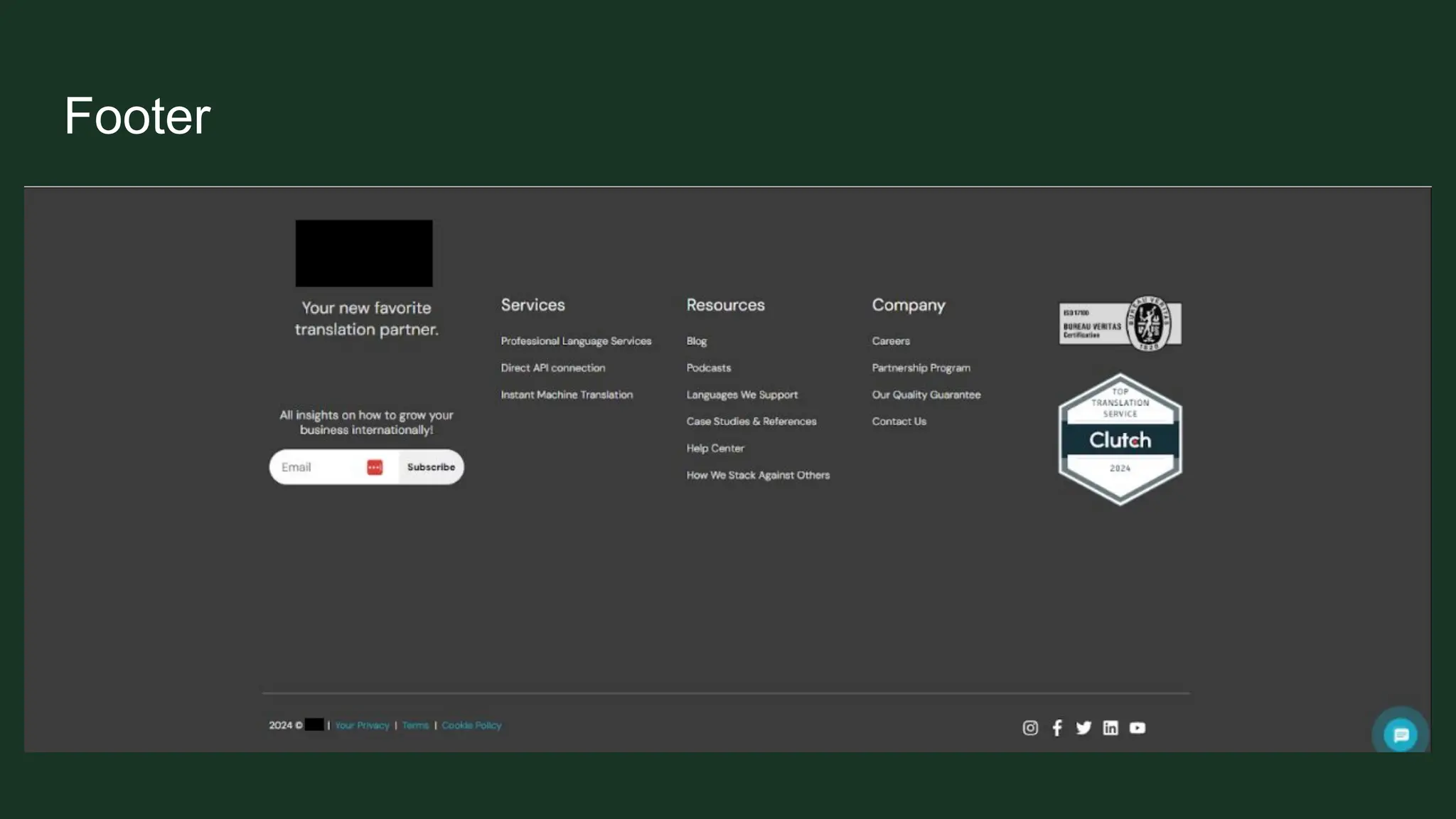
Footer
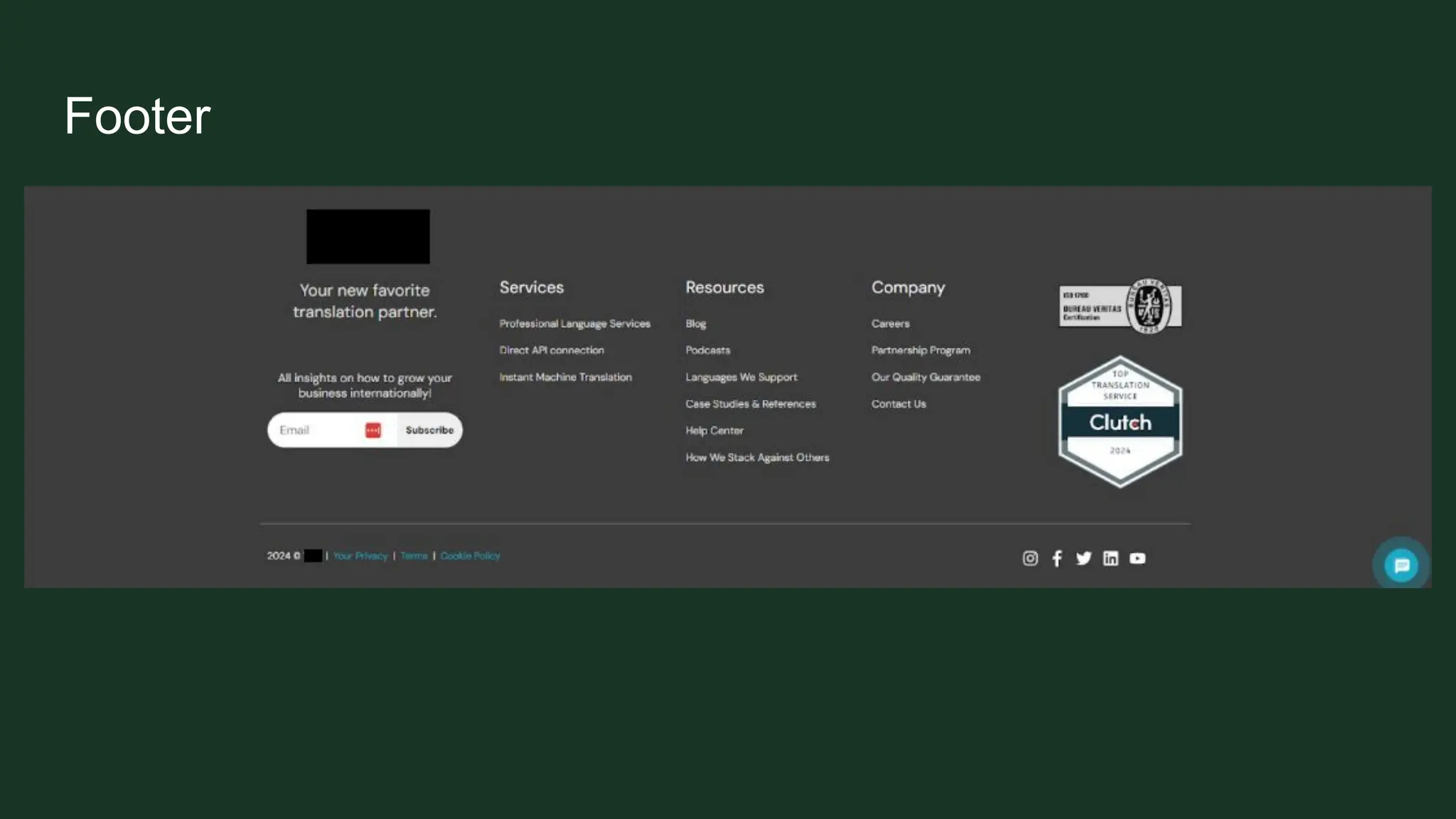
Footer
Footer
How to identify these issues?
Use tools
➔ Google Search Console is a must
➔ Ahrefs, Semrush, SERanking, Moz all have site audit options
➔ Screaming Frog, Sitebulb for crawling
Takeways
➢ Technical SEO sets the foundation for visibility, usability, and growth.
➢ Common pitfalls like broken links, poor structure, duplicate content, slow load
times, and bad navigation can quietly destroy rankings and user trust.
➢ Do those audits and prioritize your fixes.
➢ For small businesses, these aren’t optional.
https://www.linkedin.com/in/ivajovanovic30/
https://iva-jovanovic.com/

Technical SEO for Local Websites and Why It Matters - Local SEO for Good 2025 Deck.pdf