Eastside High School Technology Vision
Technology Plan Not separate, integrate with  SIP Curriculum is the driving force Continuous teacher training is a must Technical support
WHY PLAN NOW? All schools should have a Technology Plan District is contemplating technology refresh: Last QZAB for EHS was in 2001-2002 School’s technology personnel has changed Resource allocation to designated priorities One mill for schools was approved (in effect July 09)
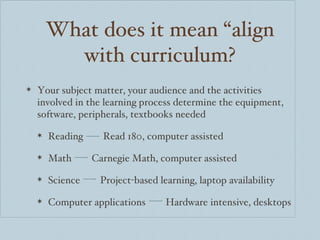
What does it mean “align with curriculum? Your subject matter, your audience and the activities involved in the learning process determine the equipment, software, peripherals, textbooks needed Reading  Read 180, computer assisted Math  Carnegie Math, computer assisted Science  Project-based learning, laptop availability Computer applications  Hardware intensive, desktops
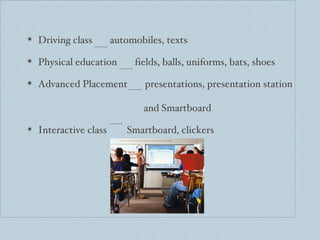
Driving class  automobiles, texts Physical education  fields, balls, uniforms, bats, shoes Advanced Placement  presentations, presentation station    and Smartboard Interactive class  Smartboard, clickers
District technology plan Our plan must be aligned with the District Technology Plan for: Continuity for students Technology Support Access to district resources Shared costs Standardization of equipment Grants Professional development Lowest prices
Inventory 443 PC computers 176 are Pentium 4, first generation (GX-240) 129 are Pentium 4, second generation (GX-260) Laptops: 5 Mac laptop carts, 1 PC
Smartboards Teacher laptops Clickers LCD projectors VCRs DVD players Televisions Overhead projectors
Software Adobe PageMaker, Adobe PhotoShop Elite Vision ExamView Carnegie Algebra, Carnegie Geometry, IB Math, Check Pro Read180 Google apps (Earth, Sketch, Picasa) Graphmatica, JUMP, Macromedia, MicroType, MyITlab
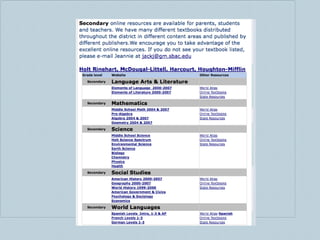
Where do we go from here? Textbook resources  on the web District directive: web applications when possible
 
Your homework Please select at least a person from each department to attend and prepare the following information: Textbook used for classes and availability of ONLINE content for textbook. If possible, investigate if there is a fee for website usage (annual fee, fee to use certain areas of the website or enrichment resources provided online)
In classes where there is no textbook or the textbook is out of date and no adoption is foreseeable in the immediate future, suggest ONLINE content suitable for the class – and costs, if possible. Computers purchased by the district will have the Microsoft Office Suite. Suggest any other productivity software that may be needed for student projects.  Where no ONLINE content is available, suggest necessary software to implement the curriculum. This would apply to multimedia classes that use Adobe, Typing or other software not available online.
Your requests Will the school be a Mac school or a PC school? Should we be writing grants for hardware, software? Do we have to stay with the district or can we be an independent school? Define roles of tech personnel Why can’t we use personal laptops on the guest network? Why does the wireless coverage have blind spots? When will they be fixed? Why is the bandwidth so poor?  Could we get portable DVD (USB) players for computers?

Tech Meeting Presentation

  • 1.
    Eastside High SchoolTechnology Vision
  • 2.
    Technology Plan Notseparate, integrate with SIP Curriculum is the driving force Continuous teacher training is a must Technical support
  • 3.
    WHY PLAN NOW?All schools should have a Technology Plan District is contemplating technology refresh: Last QZAB for EHS was in 2001-2002 School’s technology personnel has changed Resource allocation to designated priorities One mill for schools was approved (in effect July 09)
  • 4.
    What does itmean “align with curriculum? Your subject matter, your audience and the activities involved in the learning process determine the equipment, software, peripherals, textbooks needed Reading Read 180, computer assisted Math Carnegie Math, computer assisted Science Project-based learning, laptop availability Computer applications Hardware intensive, desktops
  • 5.
    Driving class automobiles, texts Physical education fields, balls, uniforms, bats, shoes Advanced Placement presentations, presentation station and Smartboard Interactive class Smartboard, clickers
  • 6.
    District technology planOur plan must be aligned with the District Technology Plan for: Continuity for students Technology Support Access to district resources Shared costs Standardization of equipment Grants Professional development Lowest prices
  • 7.
    Inventory 443 PCcomputers 176 are Pentium 4, first generation (GX-240) 129 are Pentium 4, second generation (GX-260) Laptops: 5 Mac laptop carts, 1 PC
  • 8.
    Smartboards Teacher laptopsClickers LCD projectors VCRs DVD players Televisions Overhead projectors
  • 9.
    Software Adobe PageMaker,Adobe PhotoShop Elite Vision ExamView Carnegie Algebra, Carnegie Geometry, IB Math, Check Pro Read180 Google apps (Earth, Sketch, Picasa) Graphmatica, JUMP, Macromedia, MicroType, MyITlab
  • 10.
    Where do wego from here? Textbook resources on the web District directive: web applications when possible
  • 11.
  • 12.
    Your homework Pleaseselect at least a person from each department to attend and prepare the following information: Textbook used for classes and availability of ONLINE content for textbook. If possible, investigate if there is a fee for website usage (annual fee, fee to use certain areas of the website or enrichment resources provided online)
  • 13.
    In classes wherethere is no textbook or the textbook is out of date and no adoption is foreseeable in the immediate future, suggest ONLINE content suitable for the class – and costs, if possible. Computers purchased by the district will have the Microsoft Office Suite. Suggest any other productivity software that may be needed for student projects. Where no ONLINE content is available, suggest necessary software to implement the curriculum. This would apply to multimedia classes that use Adobe, Typing or other software not available online.
  • 14.
    Your requests Willthe school be a Mac school or a PC school? Should we be writing grants for hardware, software? Do we have to stay with the district or can we be an independent school? Define roles of tech personnel Why can’t we use personal laptops on the guest network? Why does the wireless coverage have blind spots? When will they be fixed? Why is the bandwidth so poor? Could we get portable DVD (USB) players for computers?