Teaching with internet
(Google)
⚫ The invention and development of the Internet was
the biggest discovery by mankind in the 20th
century.
⚫ Today, the Internet is used by more than 50% of the
world population.
⚫ Its applications are found in every field, be it
communication, knowledge, news, shopping,
marketing, entertainment, education, etc.
Teaching with internet
⚫Teacher should focus in the following
characteristics of the internet in creating their
lesson plan:
⚫Electronic information source with access to
worldwide database of information.
⚫Interactive and easy to use information exchange
medium.
⚫Source for meaningful learning experiences
through application of real world problem.
Academic search engines for teachers and
students
⚫Dmoz
⚫Ixquick
⚫Exalead
⚫Blekko
⚫Duck Duck Go
⚫Yahoo directory
⚫Carrot 2
⚫Fefoo
⚫Internet archive
⚫Academic info
⚫Archival research
catalogue
⚫BASE
⚫CiteuLike
⚫Eric
⚫Google scholar
⚫Infomine
⚫infotopia
⚫Lib guides community
⚫Library of congress
⚫Refseek
⚫The virtual LRC
⚫Bigchalk.com
⚫Education-world.com
⚫Awesomelibrary.org
⚫Yahoo.com
⚫Altavista.com
⚫Ask.com
⚫Google.com
⚫Metacrawler.com
⚫Ilor.com
Dmoz
⚫DMOZ (from directory.mozilla.org) was a
multilingual open-content directory of World Wide
Web links.
⚫The site and community who maintained it were also
known as the Open Directory Project (ODP).
Internet resources for teacher
Website useful for teacher
● New teacher survival central
● Learn NC
● New teacher hotline
● Survival guide for new teacher
● The new teacher centre
● Reading rockets first year teacher program
● What to expect your first year teacher program
🙜 Google Mobilizer Makes any web page mobile-
friendly.
🙜 Mobile search
🙜 Google Notebook
🙜 Mobile Updater (BlackBerry only)
-Sync for BlackBerry
🙜 Android Platform
-Android platform including external libraries,
applications, hosted services)
● Google is a web search engine that
brings whatever information you
need in world wide web in the form of
web pages.
● Google Search is the most-used
search engine on the World Wide
Web.
● Google Search was originally
developed by Larry Page and Sergey
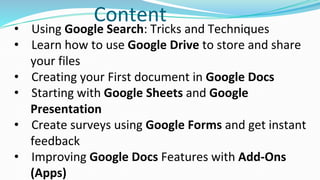
Content
• Using Google Search: Tricks and Techniques
• Learn how to use Google Drive to store and share
your files
• Creating your First document in Google Docs
• Starting with Google Sheets and Google
Presentation
• Create surveys using Google Forms and get instant
feedback
• Improving Google Docs Features with Add-Ons
(Apps)
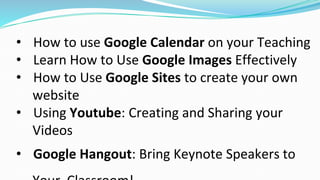
• How to use Google Calendar on your Teaching
• Learn How to Use Google Images Effectively
• How to Use Google Sites to create your own
website
• Using Youtube: Creating and Sharing your
Videos
• Google Hangout: Bring Keynote Speakers to
Teaching with Google:-
⚫ Google bank search
⚫ Geo education
⚫ Google news
⚫ i google
⚫ Google web search-
( Classroom lessons and resources)
⚫ The Google customer search engine
● Google notebook
● Blogger
● Google Calendar
● Google Docs
● Google groups
● Google page creator
● Picase
● Google SketchUp
● Google Apps education edition
⚫ Gmail
⚫ Google talk
⚫ Google Calendar
⚫ Google docs
⚫ Google sites
Service of Google
⚫ Ideas for new teachers and education students
⚫ New teacher .com
⚫ Teacher first : resources for new teachers
⚫ Inspiring teacher
⚫ Sites for teacher
⚫ Teaching today
⚫ The teacher’s corner
⚫ PBS teachers
⚫ Education world
⚫ Discipline help
⚫ Teacher planet
⚫ Teachers network
⚫ Inspirational sites
⚫ Creative teaching
⚫ TEAMS educational resources
⚫ Scholastic teacher
⚫ Discovery education
⚫ National geographic education
⚫ edutopia
⚫ Google for educators
Best website for school subject
Website for mathematics:-
⚫ Aplus math
⚫ Math TV
⚫ AAA math
⚫ Math’s fun
⚫ Math central
⚫ Ten marks
⚫ Maths frame
⚫ SMILE
⚫ The math forum
⚫ Simpsons math
⚫ Super kids
⚫ Math words
⚫ Math guide
⚫ Math league
Website for science:-
⚫ Science snacks
⚫ Try science
⚫ CARET science puzzles
⚫ Ology
⚫ Science Up close
⚫ BVC science clips
⚫ Discover! Science
⚫ FOSS web
⚫ California science
Website for English:-
⚫ TESOL international association
⚫ NCERT
⚫ Tefl net
⚫ ESL net
⚫ My English teacher
⚫ One stop English
⚫ Education world
⚫ AMILE
Website for geography:-
⚫ Educators reference desk lesson plans
⚫ Classchats.com
⚫ Digital library for earth system education
⚫ earth Day/ Eco - projects chartbord - from
teachers .net
⚫ Education Atlas .com
⚫ Edulluound.com
The five themes of geography
Website for history:-
⚫ Schoolshistoryproject.org.uk
⚫ Happeninghistory.co.uk
⚫ Black history 4 school .com
⚫ Comptohistroy.com
⚫ Schoolshistory.org.uk
Advantages
⚫ There are numerous advantages of the Internet in
the field of education, like gaining information,
news, historical data, communication, etc.
⚫ Information available on websites can be updated
or modified at any time and for any number of
times, which helps in learning and better
understanding.
⚫ it is believed that visual data has a greater impact
on learning and memorizing than plain text.
⚫ Therefore, images, graphics, animation, pictures,
slides, documentaries, etc., have a greater appeal
than a plain textbook.
⚫ Using multimedia and Internet provides an
opportunity for children to gain knowledge about a
particular subject in depth.
⚫ Students can now see actual photographs of rare
bird species, or see animated graphics of a volcanic
eruption to understand the concept in detail.
Disadvantages
⚫ Lack of accreditation and low quality. Before you
enroll in any online course, check that the program
is accredited and verify this information with the
accrediting agency.
⚫ Little or no face-to-face interaction.
⚫ More work.
⚫ Intense requirement for self-discipline. .
⚫ Even more intense requirement for self-direction.

Teaching with internet

  • 1.
  • 2.
    ⚫ The inventionand development of the Internet was the biggest discovery by mankind in the 20th century. ⚫ Today, the Internet is used by more than 50% of the world population. ⚫ Its applications are found in every field, be it communication, knowledge, news, shopping, marketing, entertainment, education, etc. Teaching with internet
  • 3.
    ⚫Teacher should focusin the following characteristics of the internet in creating their lesson plan: ⚫Electronic information source with access to worldwide database of information. ⚫Interactive and easy to use information exchange medium. ⚫Source for meaningful learning experiences through application of real world problem.
  • 4.
    Academic search enginesfor teachers and students ⚫Dmoz ⚫Ixquick ⚫Exalead ⚫Blekko ⚫Duck Duck Go ⚫Yahoo directory ⚫Carrot 2 ⚫Fefoo ⚫Internet archive ⚫Academic info ⚫Archival research catalogue ⚫BASE ⚫CiteuLike ⚫Eric ⚫Google scholar ⚫Infomine ⚫infotopia
  • 5.
    ⚫Lib guides community ⚫Libraryof congress ⚫Refseek ⚫The virtual LRC ⚫Bigchalk.com ⚫Education-world.com ⚫Awesomelibrary.org ⚫Yahoo.com ⚫Altavista.com ⚫Ask.com ⚫Google.com ⚫Metacrawler.com ⚫Ilor.com
  • 6.
    Dmoz ⚫DMOZ (from directory.mozilla.org)was a multilingual open-content directory of World Wide Web links. ⚫The site and community who maintained it were also known as the Open Directory Project (ODP).
  • 7.
    Internet resources forteacher Website useful for teacher ● New teacher survival central ● Learn NC ● New teacher hotline ● Survival guide for new teacher ● The new teacher centre ● Reading rockets first year teacher program ● What to expect your first year teacher program
  • 8.
    🙜 Google MobilizerMakes any web page mobile- friendly. 🙜 Mobile search 🙜 Google Notebook 🙜 Mobile Updater (BlackBerry only) -Sync for BlackBerry 🙜 Android Platform -Android platform including external libraries, applications, hosted services)
  • 10.
    ● Google isa web search engine that brings whatever information you need in world wide web in the form of web pages. ● Google Search is the most-used search engine on the World Wide Web. ● Google Search was originally developed by Larry Page and Sergey
  • 12.
    Content • Using GoogleSearch: Tricks and Techniques • Learn how to use Google Drive to store and share your files • Creating your First document in Google Docs • Starting with Google Sheets and Google Presentation • Create surveys using Google Forms and get instant feedback • Improving Google Docs Features with Add-Ons (Apps)
  • 13.
    • How touse Google Calendar on your Teaching • Learn How to Use Google Images Effectively • How to Use Google Sites to create your own website • Using Youtube: Creating and Sharing your Videos • Google Hangout: Bring Keynote Speakers to
  • 14.
    Teaching with Google:- ⚫Google bank search ⚫ Geo education ⚫ Google news ⚫ i google ⚫ Google web search- ( Classroom lessons and resources) ⚫ The Google customer search engine
  • 15.
    ● Google notebook ●Blogger ● Google Calendar ● Google Docs ● Google groups ● Google page creator ● Picase ● Google SketchUp ● Google Apps education edition
  • 16.
    ⚫ Gmail ⚫ Googletalk ⚫ Google Calendar ⚫ Google docs ⚫ Google sites Service of Google
  • 17.
    ⚫ Ideas fornew teachers and education students ⚫ New teacher .com ⚫ Teacher first : resources for new teachers ⚫ Inspiring teacher ⚫ Sites for teacher ⚫ Teaching today ⚫ The teacher’s corner ⚫ PBS teachers ⚫ Education world ⚫ Discipline help
  • 18.
    ⚫ Teacher planet ⚫Teachers network ⚫ Inspirational sites ⚫ Creative teaching ⚫ TEAMS educational resources ⚫ Scholastic teacher ⚫ Discovery education ⚫ National geographic education ⚫ edutopia ⚫ Google for educators
  • 19.
    Best website forschool subject Website for mathematics:- ⚫ Aplus math ⚫ Math TV ⚫ AAA math ⚫ Math’s fun ⚫ Math central ⚫ Ten marks ⚫ Maths frame ⚫ SMILE ⚫ The math forum ⚫ Simpsons math ⚫ Super kids ⚫ Math words ⚫ Math guide ⚫ Math league
  • 20.
    Website for science:- ⚫Science snacks ⚫ Try science ⚫ CARET science puzzles ⚫ Ology ⚫ Science Up close ⚫ BVC science clips ⚫ Discover! Science ⚫ FOSS web ⚫ California science
  • 21.
    Website for English:- ⚫TESOL international association ⚫ NCERT ⚫ Tefl net ⚫ ESL net ⚫ My English teacher ⚫ One stop English ⚫ Education world ⚫ AMILE
  • 22.
    Website for geography:- ⚫Educators reference desk lesson plans ⚫ Classchats.com ⚫ Digital library for earth system education ⚫ earth Day/ Eco - projects chartbord - from teachers .net ⚫ Education Atlas .com ⚫ Edulluound.com The five themes of geography
  • 23.
    Website for history:- ⚫Schoolshistoryproject.org.uk ⚫ Happeninghistory.co.uk ⚫ Black history 4 school .com ⚫ Comptohistroy.com ⚫ Schoolshistory.org.uk
  • 24.
    Advantages ⚫ There arenumerous advantages of the Internet in the field of education, like gaining information, news, historical data, communication, etc. ⚫ Information available on websites can be updated or modified at any time and for any number of times, which helps in learning and better understanding. ⚫ it is believed that visual data has a greater impact on learning and memorizing than plain text.
  • 25.
    ⚫ Therefore, images,graphics, animation, pictures, slides, documentaries, etc., have a greater appeal than a plain textbook. ⚫ Using multimedia and Internet provides an opportunity for children to gain knowledge about a particular subject in depth. ⚫ Students can now see actual photographs of rare bird species, or see animated graphics of a volcanic eruption to understand the concept in detail.
  • 26.
    Disadvantages ⚫ Lack ofaccreditation and low quality. Before you enroll in any online course, check that the program is accredited and verify this information with the accrediting agency. ⚫ Little or no face-to-face interaction. ⚫ More work. ⚫ Intense requirement for self-discipline. . ⚫ Even more intense requirement for self-direction.